HAHNTECH REH-100 Two Way Personal Communicator (Module) User Manual

HAHNTECH Co., Ltd. Two Way Personal Communicator (Module) Users Manual

Users Manual

(REH-100) User Manual                                                              HahnTech, Co., Ltd.        REH-100 User Manual                2004 November 12           Hahntech. Co.,Ltd.
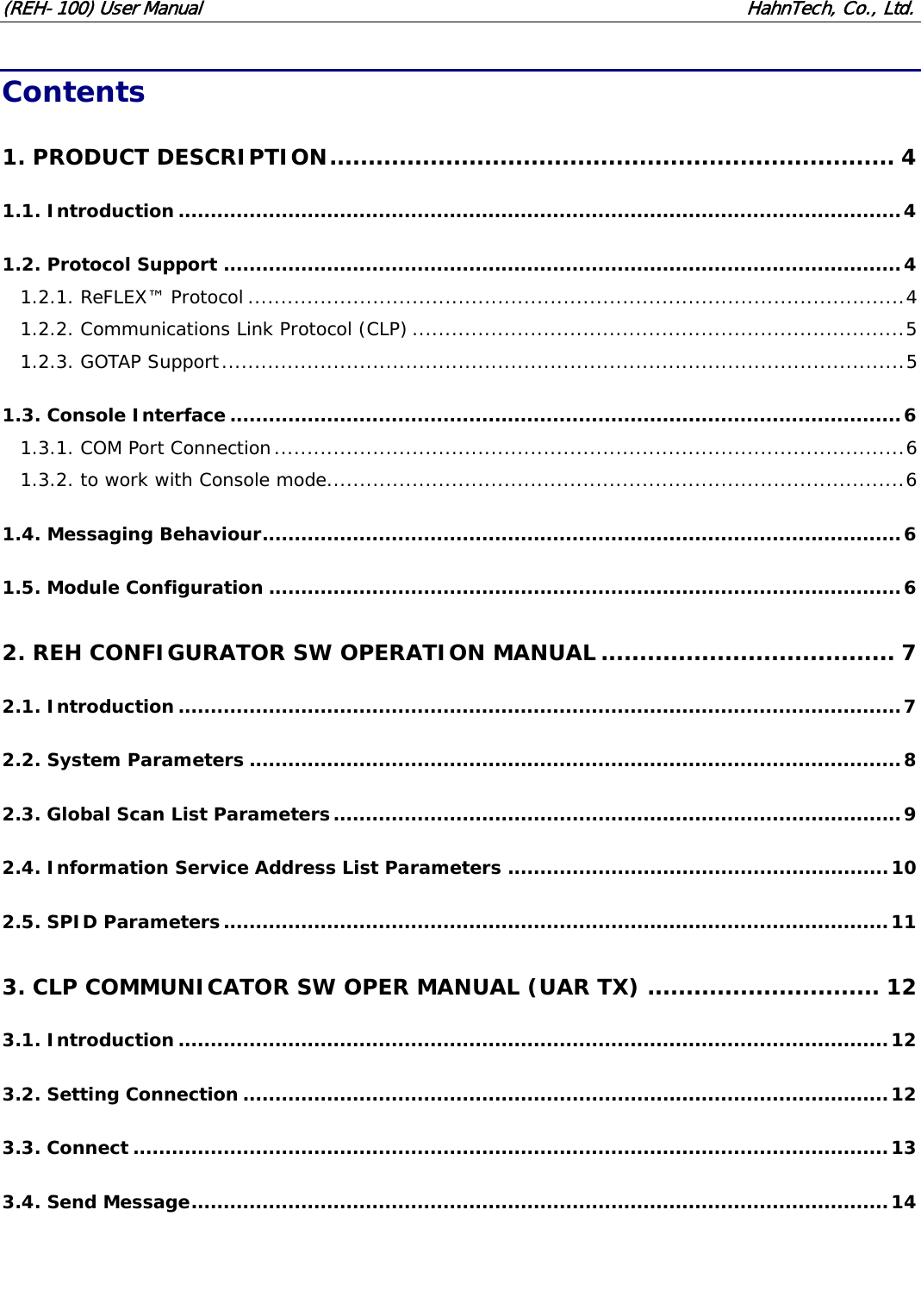
(REH-100) User Manual                                                              HahnTech, Co., Ltd.  Contents 1. PRODUCT DESCRIPTION......................................................................... 4 1.1. Introduction................................................................................................................4 1.2. Protocol Support .........................................................................................................4 1.2.1. ReFLEX™ Protocol ....................................................................................................4 1.2.2. Communications Link Protocol (CLP) ...........................................................................5 1.2.3. GOTAP Support........................................................................................................5 1.3. Console Interface........................................................................................................6 1.3.1. COM Port Connection................................................................................................6 1.3.2. to work with Console mode........................................................................................6 1.4. Messaging Behaviour...................................................................................................6 1.5. Module Configuration ..................................................................................................6 2. REH CONFIGURATOR SW OPERATION MANUAL ...................................... 7 2.1. Introduction................................................................................................................7 2.2. System Parameters .....................................................................................................8 2.3. Global Scan List Parameters........................................................................................9 2.4. Information Service Address List Parameters ...........................................................10 2.5. SPID Parameters.......................................................................................................11 3. CLP COMMUNICATOR SW OPER MANUAL (UAR TX) .............................. 12 3.1. Introduction..............................................................................................................12 3.2. Setting Connection ....................................................................................................12 3.3. Connect .....................................................................................................................13 3.4. Send Message............................................................................................................14
(REH-100) User Manual                                                              HahnTech, Co., Ltd.  APPENDIX ................................................................................................ 15A.1. Supported CLP Commands List..................................................................................15 A.2. RF Specifications.....................................................................................................156A.3. Hardware Characteristics..........................................................................................17A.3.1. Environmental.......................................................................................................17A.3.2. Electrical Interface..............................................................................................................................................17
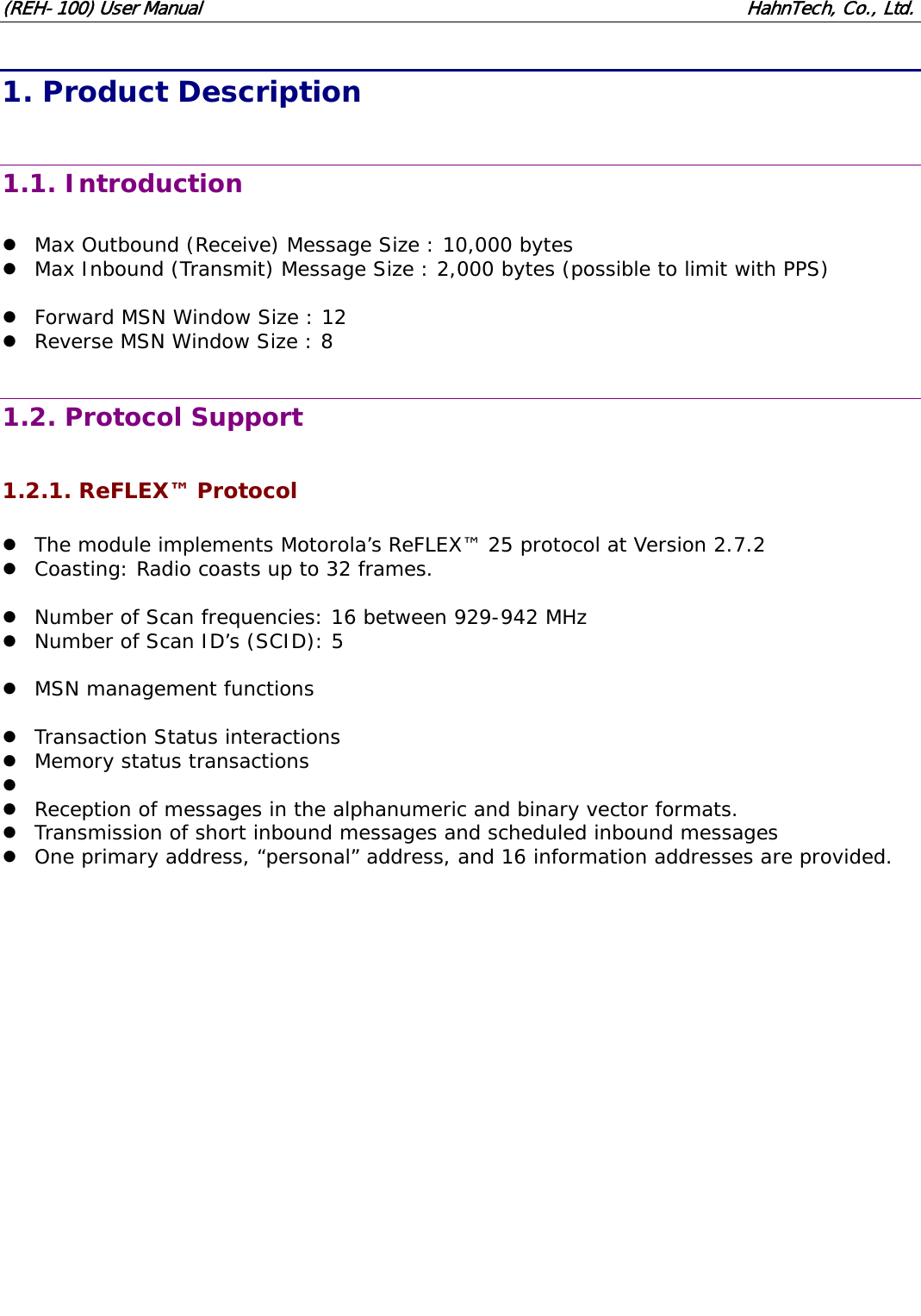
(REH-100) User Manual                                                              HahnTech, Co., Ltd.  1. Product Description  1.1. Introduction  z Max Outbound (Receive) Message Size : 10,000 bytes z Max Inbound (Transmit) Message Size : 2,000 bytes (possible to limit with PPS)  z Forward MSN Window Size : 12 z Reverse MSN Window Size : 8  1.2. Protocol Support  1.2.1. ReFLEX™ Protocol  z The module implements Motorola’s ReFLEX™ 25 protocol at Version 2.7.2 z Coasting: Radio coasts up to 32 frames.  z Number of Scan frequencies: 16 between 929-942 MHz z Number of Scan ID’s (SCID): 5  z MSN management functions  z Transaction Status interactions z Memory status transactions z  z Reception of messages in the alphanumeric and binary vector formats. z Transmission of short inbound messages and scheduled inbound messages z One primary address, “personal” address, and 16 information addresses are provided.
(REH-100) User Manual                                                              HahnTech, Co., Ltd.  1.2.2. Communications Link Protocol (CLP)  z This is the protocol developed for the Motorola Creatalink, as defined in FLEXSuite™.  z It has been adapted for use with the WAM and provides all of the required messaging, configuration and control functions.  z This interface has the following functions: 9 Messaging - Transmission 9 Messaging - Reception 9 Event signalling 9 Status and diagnostics information 9 Device configuration and control  z We insert additional CLP Commands (not include in FLEXSuite™) 9 Get-PPS : 0x90 - Get parameters of device. 9 Set-PPS : 0x91 - Set parameters of device. 9 UAR Message Transmission : 0x92 - Process UAR message  1.2.3. GOTAP Support  z The module recognizes the FLEXSuite™ GOTAP protocol for Over The Air (OTA) configuration and control.  z Registration Not Required Command z Program Without ACK Command  GOTAP Write z HIX, IS Add, Delete, Modify z Delete All IS z SPID Add, Modify, Delete, Delete All z GSL Add, Modify, Delete, Delete All z Software Patch Version Number Command z Enable or disable privacy option  GOTAP Write Special Access z Password Change z multi-byte write  GOTAP Read z HIX z IS z SPID z GSL z Model z Ver. z Patch z privacy flag z multi-byte read
(REH-100) User Manual                                                              HahnTech, Co., Ltd.  1.3. Console Interface  1.3.1. COM Port Connection  z Baud Rate : 115200 bps z Data Bits : 8 z Parity : None z Stop Bits : 1 z Flow Control : None  1.3.2. to work with Console mode  z REH-100 have 2 types of mode, CLP mode and Console mode. z CLP mode interface with CLP communicator through serial com port. z Console mode can not support CLP protocol, and print debug message to serial com port.  z REH-100 works with CLP mode by default. z To work with Console mode, you must connect COM port between REH-100 and PC. z And after reset REH-100, you can find following message.  Press 'c' key to use console...  z If you press 'c', you can work REH-100 with Console mode. z It must be happen in 3 seconds. After 3 seconds, this works with CLP mode.  1.4. Messaging Behaviour  z Messages are stored in NV (non-volatile) storage while they reside in the module. z It is possible for a message to be received more than once with the same MSN. z If automatic read ACKs are enabled, a read acknowledge is automatically transmitted to the network when a message is downloaded. z Memory full rules - Device manage all possible message size. It can not be happened that device go to memory full state.  1.5. Module Configuration  z They are all stored in NV Store, are given default values at the factory, and may be modified in the field using the appropriate Windows application. z Field configuration shall be done using the provided “REH Configurator” application. z A serial port is required on the PC to connect to the module’s configuration port.
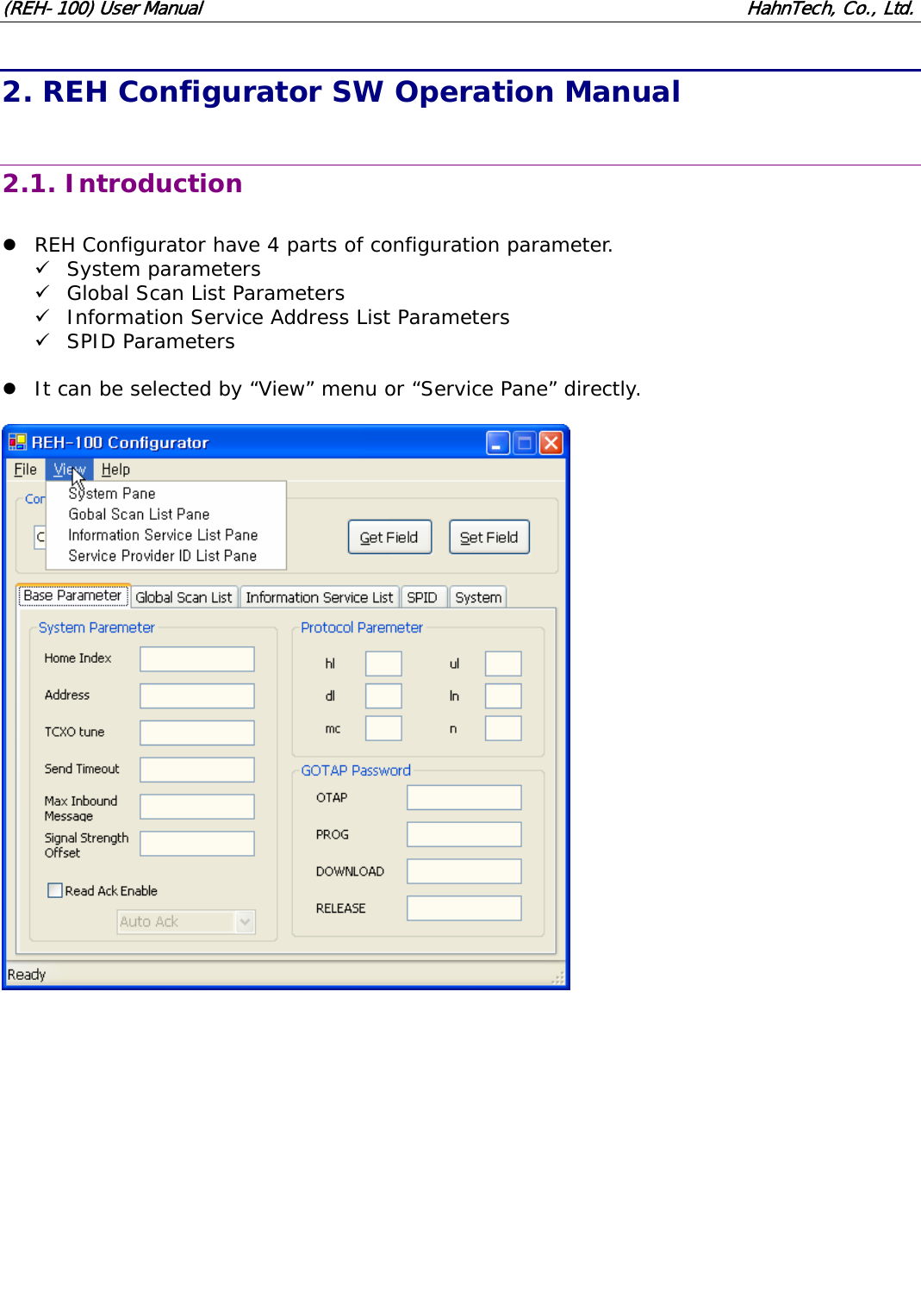
(REH-100) User Manual                                                              HahnTech, Co., Ltd. 2. REH Configurator SW Operation Manual  2.1. Introduction  z REH Configurator have 4 parts of configuration parameter. 9 System parameters 9 Global Scan List Parameters 9 Information Service Address List Parameters 9 SPID Parameters  z It can be selected by “View” menu or “Service Pane” directly.
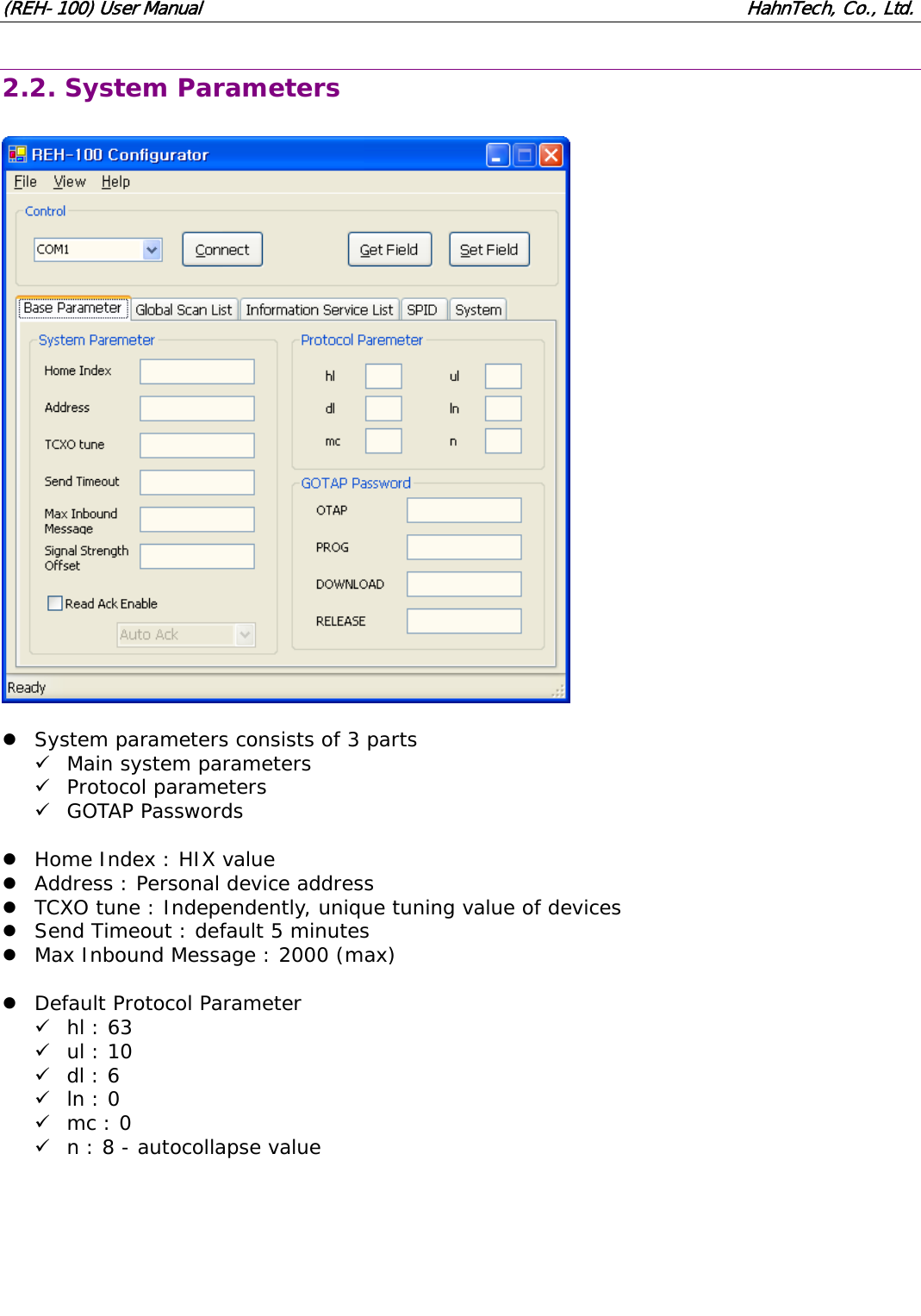
(REH-100) User Manual                                                              HahnTech, Co., Ltd. 2.2. System Parameters    z System parameters consists of 3 parts 9 Main system parameters 9 Protocol parameters 9 GOTAP Passwords  z Home Index : HIX value z Address : Personal device address z TCXO tune : Independently, unique tuning value of devices z Send Timeout : default 5 minutes z Max Inbound Message : 2000 (max)  z Default Protocol Parameter 9 hl : 63 9 ul : 10 9 dl : 6 9 ln : 0 9 mc : 0 9 n : 8 - autocollapse value
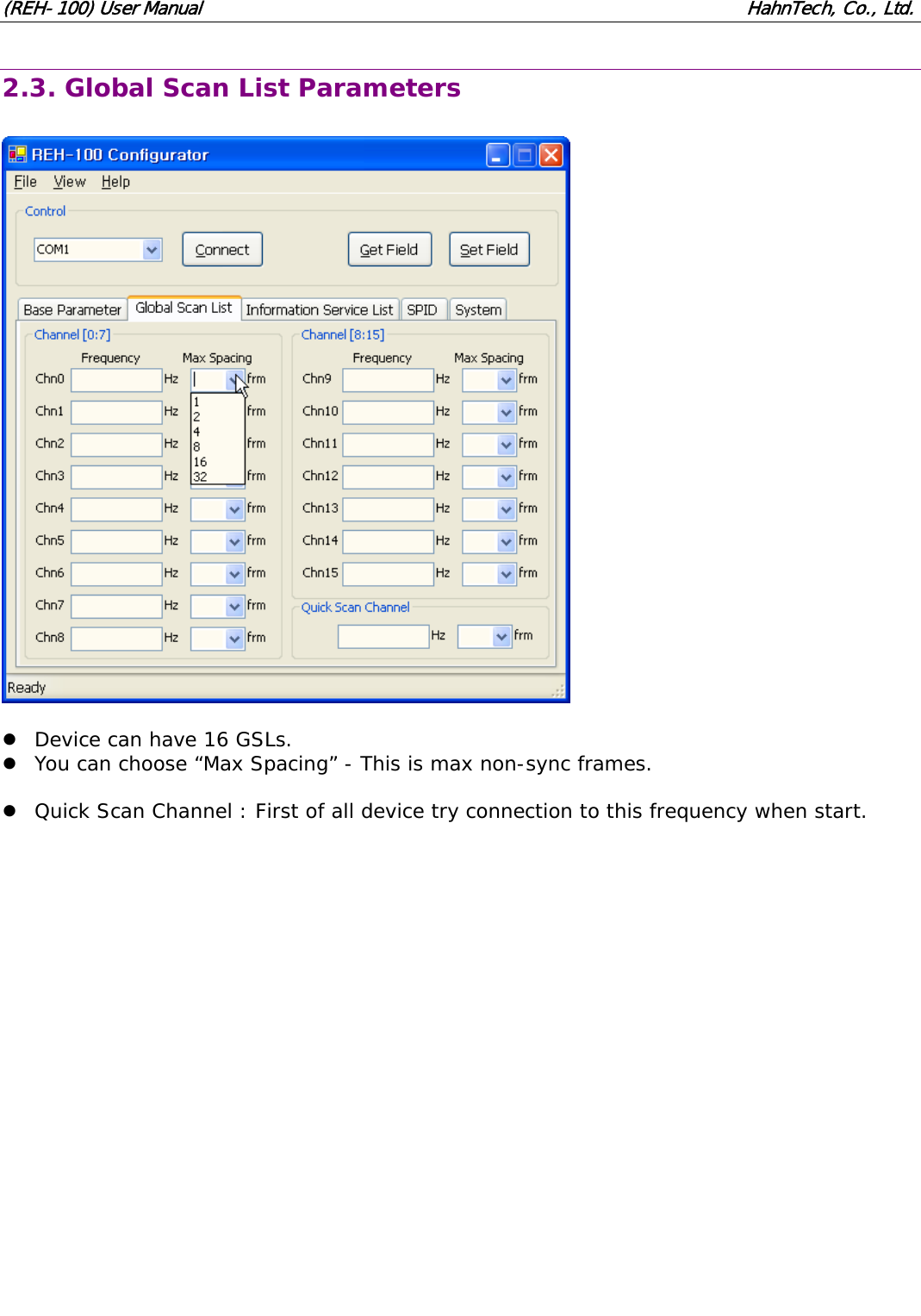
(REH-100) User Manual                                                              HahnTech, Co., Ltd. 2.3. Global Scan List Parameters    z Device can have 16 GSLs. z You can choose “Max Spacing” - This is max non-sync frames.  z Quick Scan Channel : First of all device try connection to this frequency when start.
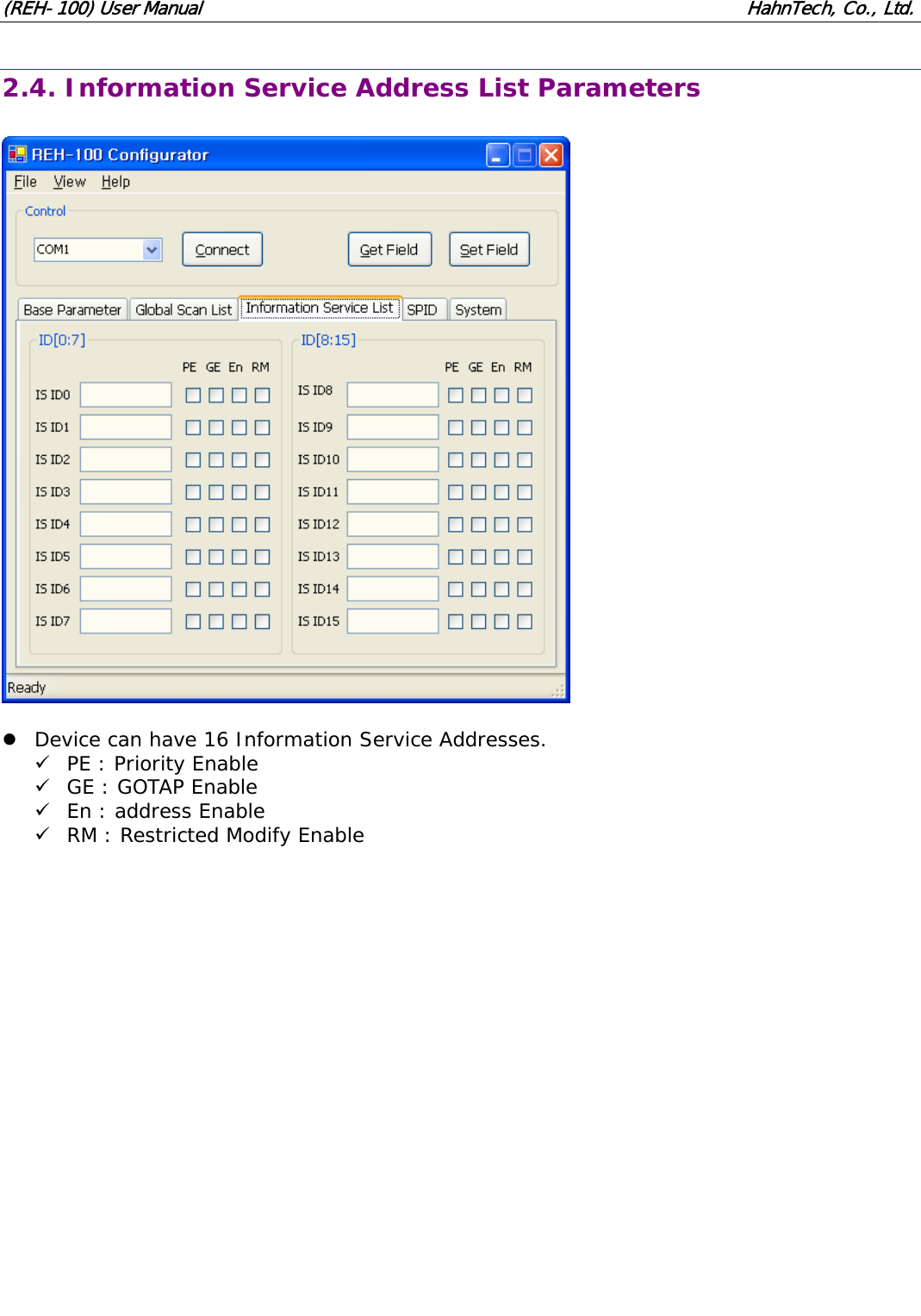
(REH-100) User Manual                                                              HahnTech, Co., Ltd. 2.4. Information Service Address List Parameters    z Device can have 16 Information Service Addresses. 9 PE : Priority Enable 9 GE : GOTAP Enable 9 En : address Enable 9 RM : Restricted Modify Enable
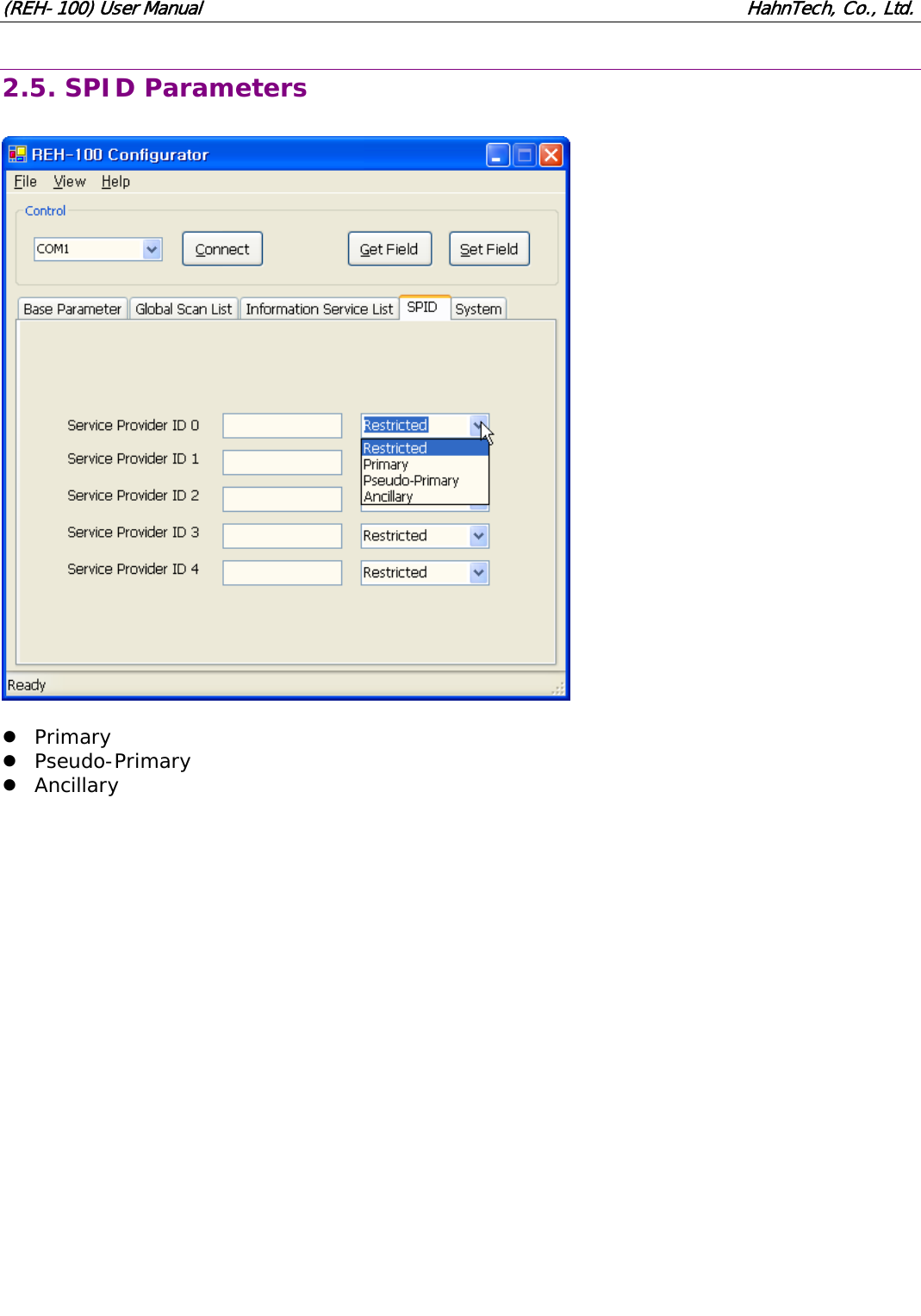
(REH-100) User Manual                                                              HahnTech, Co., Ltd. 2.5. SPID Parameters    z Primary z Pseudo-Primary z Ancillary
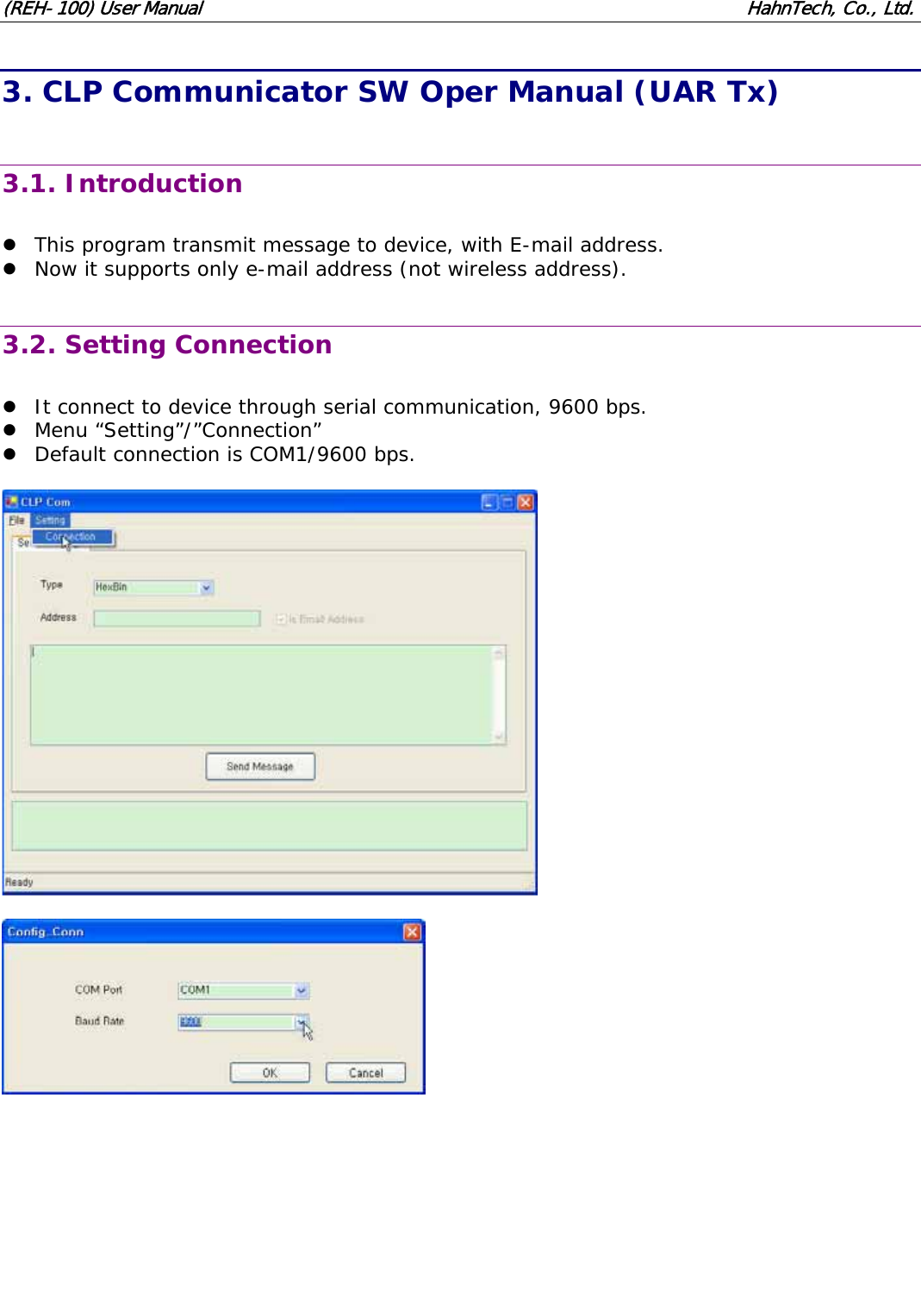
(REH-100) User Manual                                                              HahnTech, Co., Ltd. 3. CLP Communicator SW Oper Manual (UAR Tx)  3.1. Introduction  z This program transmit message to device, with E-mail address. z Now it supports only e-mail address (not wireless address).  3.2. Setting Connection  z It connect to device through serial communication, 9600 bps. z Menu “Setting”/”Connection” z Default connection is COM1/9600 bps.
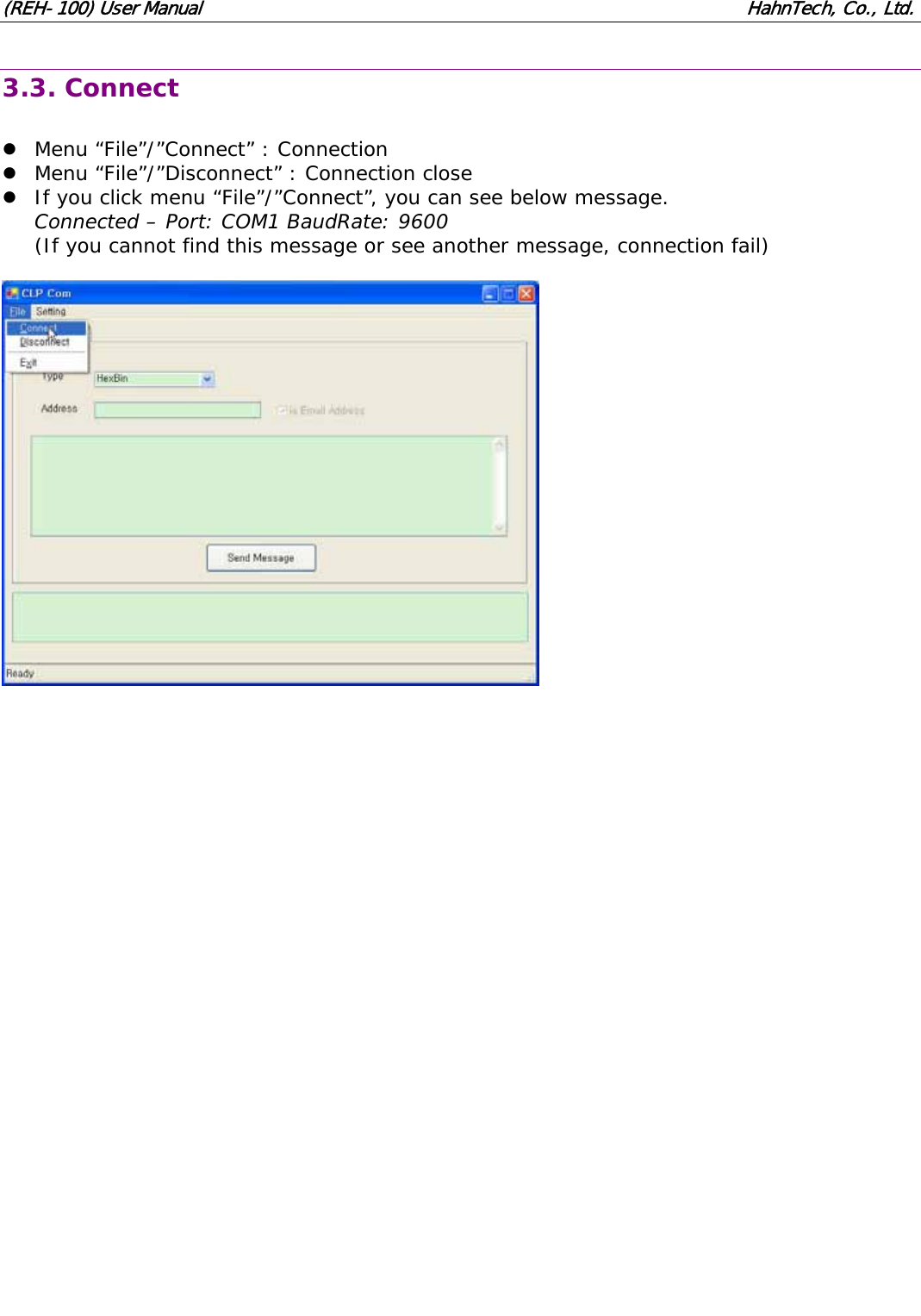
(REH-100) User Manual                                                              HahnTech, Co., Ltd. 3.3. Connect  z Menu “File”/”Connect” : Connection z Menu “File”/”Disconnect” : Connection close z If you click menu “File”/”Connect”, you can see below message. Connected – Port: COM1 BaudRate: 9600 (If you cannot find this message or see another message, connection fail)
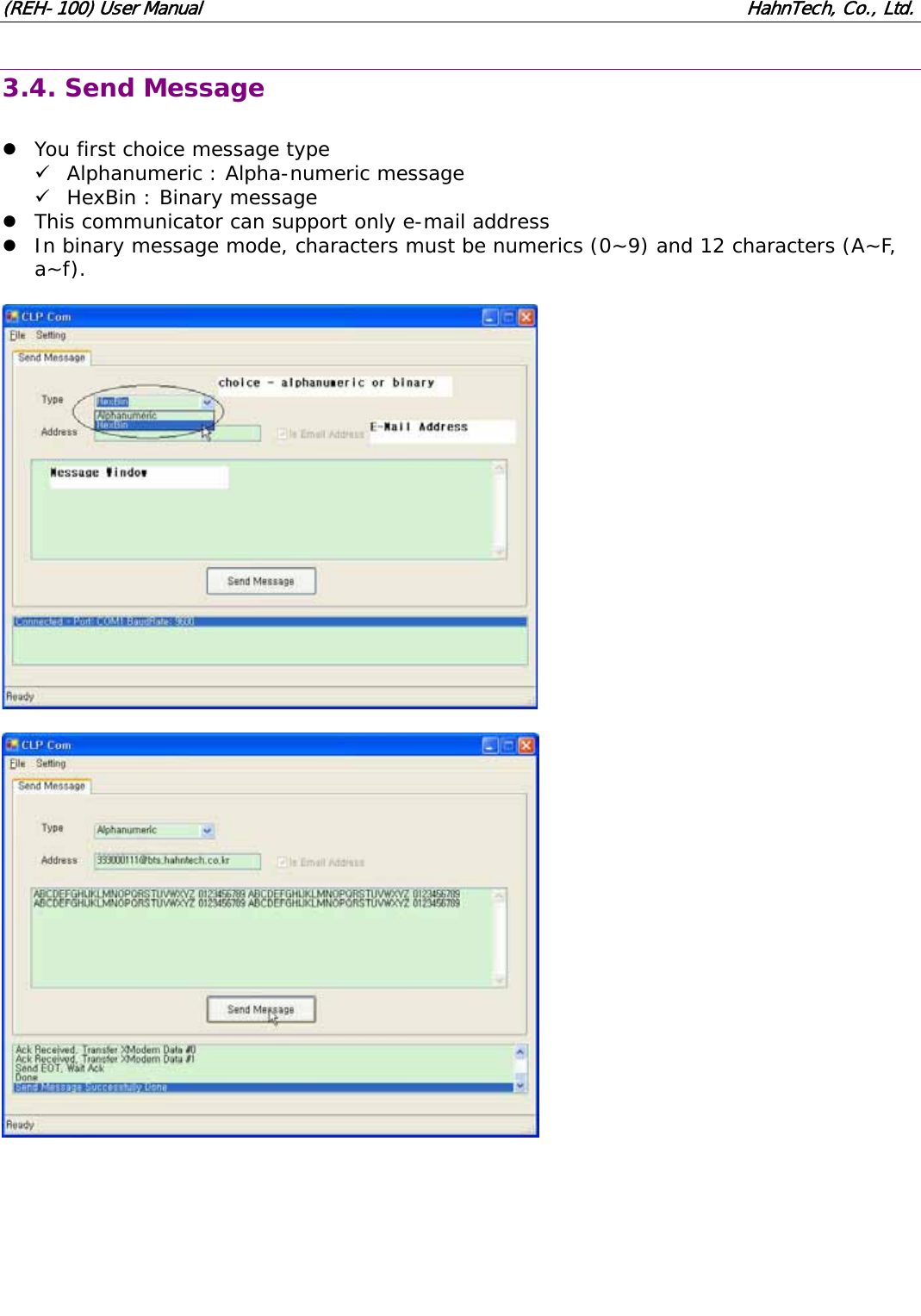
(REH-100) User Manual                                                              HahnTech, Co., Ltd. 3.4. Send Message  z You first choice message type 9 Alphanumeric : Alpha-numeric message 9 HexBin : Binary message z This communicator can support only e-mail address z In binary message mode, characters must be numerics (0~9) and 12 characters (A~F, a~f).
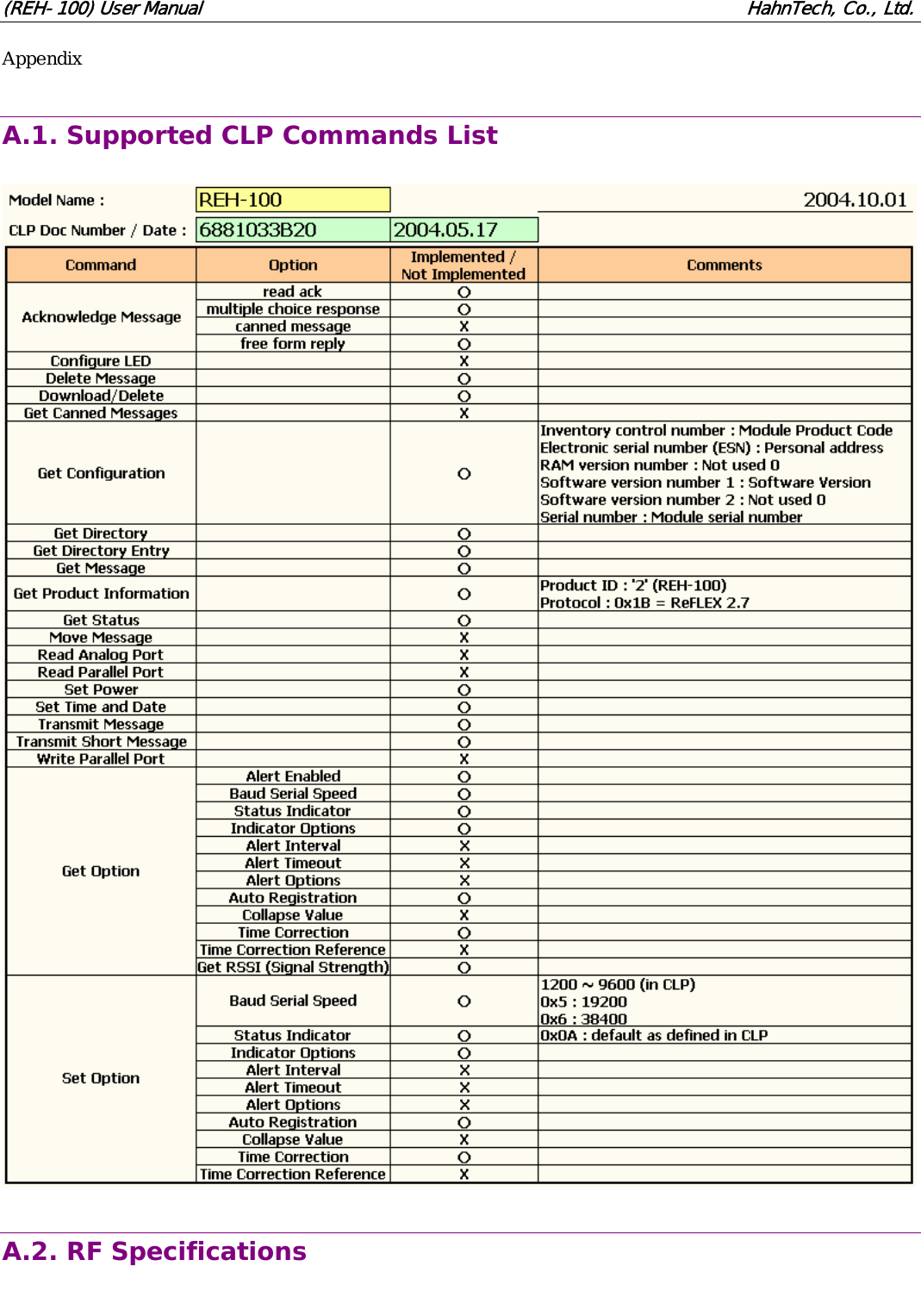
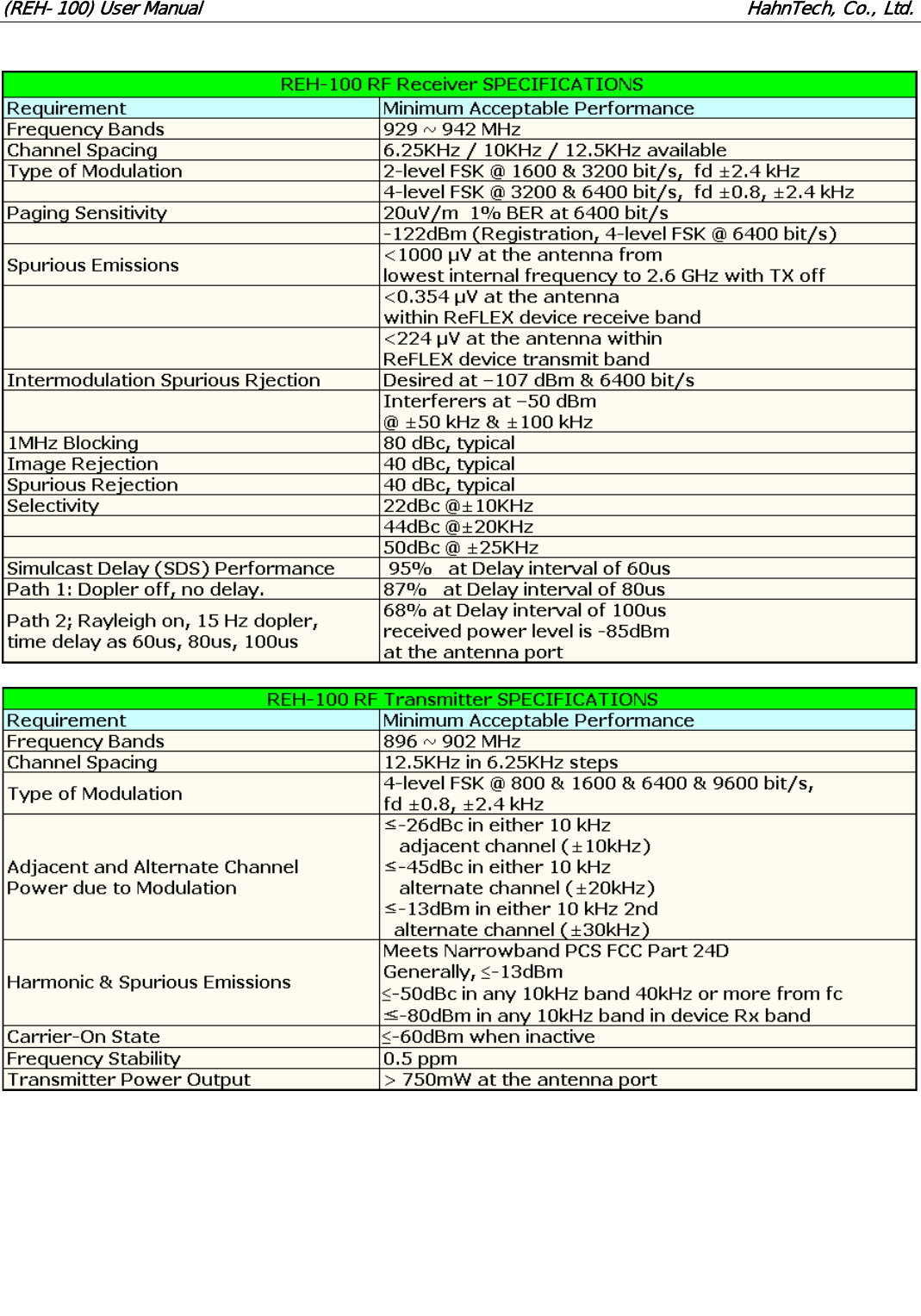
(REH-100) User Manual                                                              HahnTech, Co., Ltd. Appendix  A.1. Supported CLP Commands List    A.2. RF Specifications
(REH-100) User Manual                                                              HahnTech, Co., Ltd.
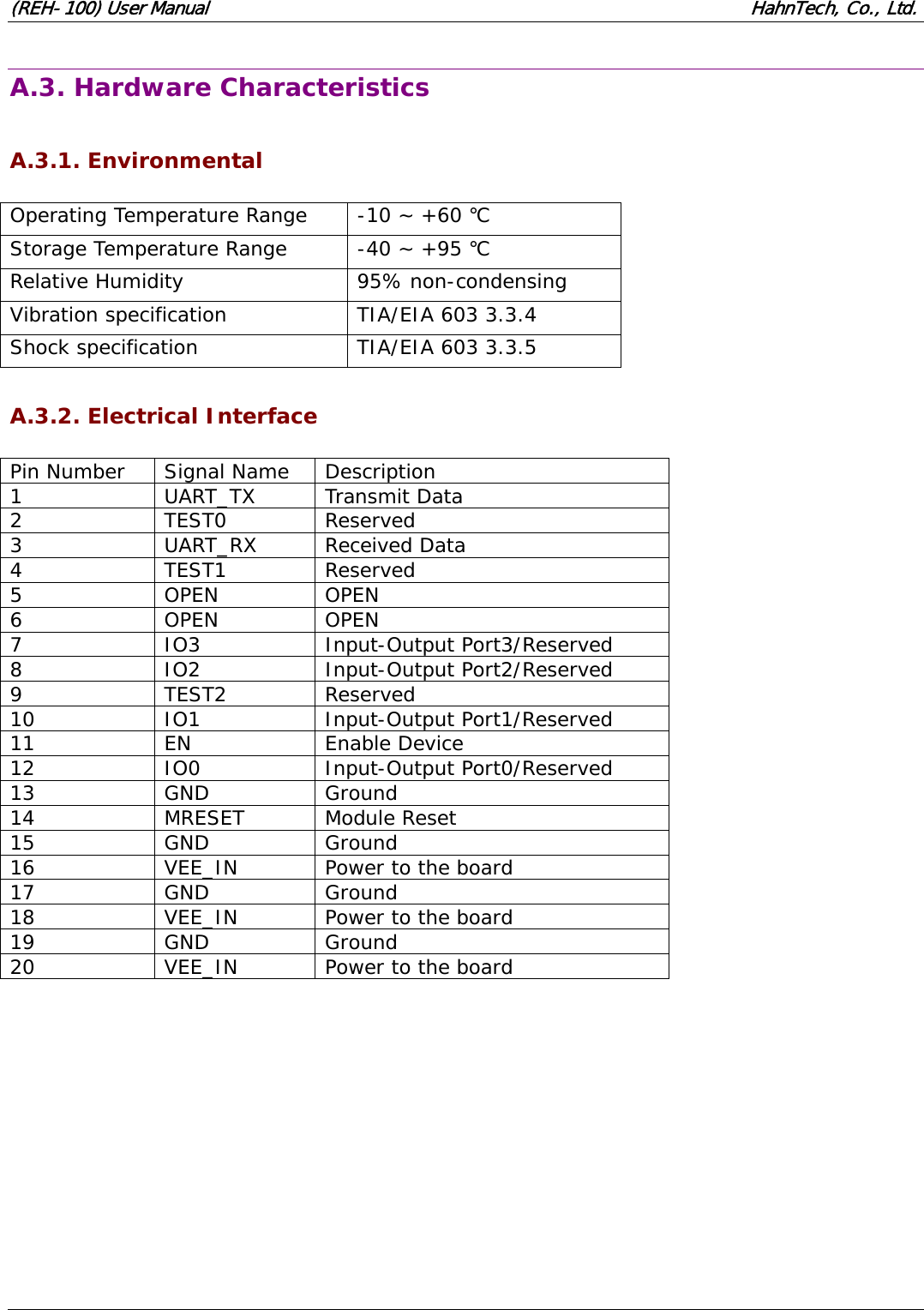
(REH-100) User Manual                                                              HahnTech, Co., Ltd.  A.3. Hardware Characteristics  A.3.1. Environmental  Operating Temperature Range  -10 ~ +60 ℃ Storage Temperature Range  -40 ~ +95 ℃ Relative Humidity  95% non-condensing Vibration specification  TIA/EIA 603 3.3.4 Shock specification  TIA/EIA 603 3.3.5  A.3.2. Electrical Interface  Pin Number  Signal Name  Description 1 UART_TX Transmit Data 2 TEST0 Reserved 3 UART_RX Received Data 4 TEST1 Reserved 5 OPEN OPEN 6 OPEN OPEN 7 IO3 Input-Output Port3/Reserved 8 IO2 Input-Output Port2/Reserved 9 TEST2 Reserved 10 IO1 Input-Output Port1/Reserved 11 EN  Enable Device 12 IO0 Input-Output Port0/Reserved 13 GND Ground 14 MRESET Module Reset 15 GND Ground 16  VEE_IN  Power to the board 17 GND Ground 18  VEE_IN  Power to the board 19 GND Ground 20  VEE_IN  Power to the board
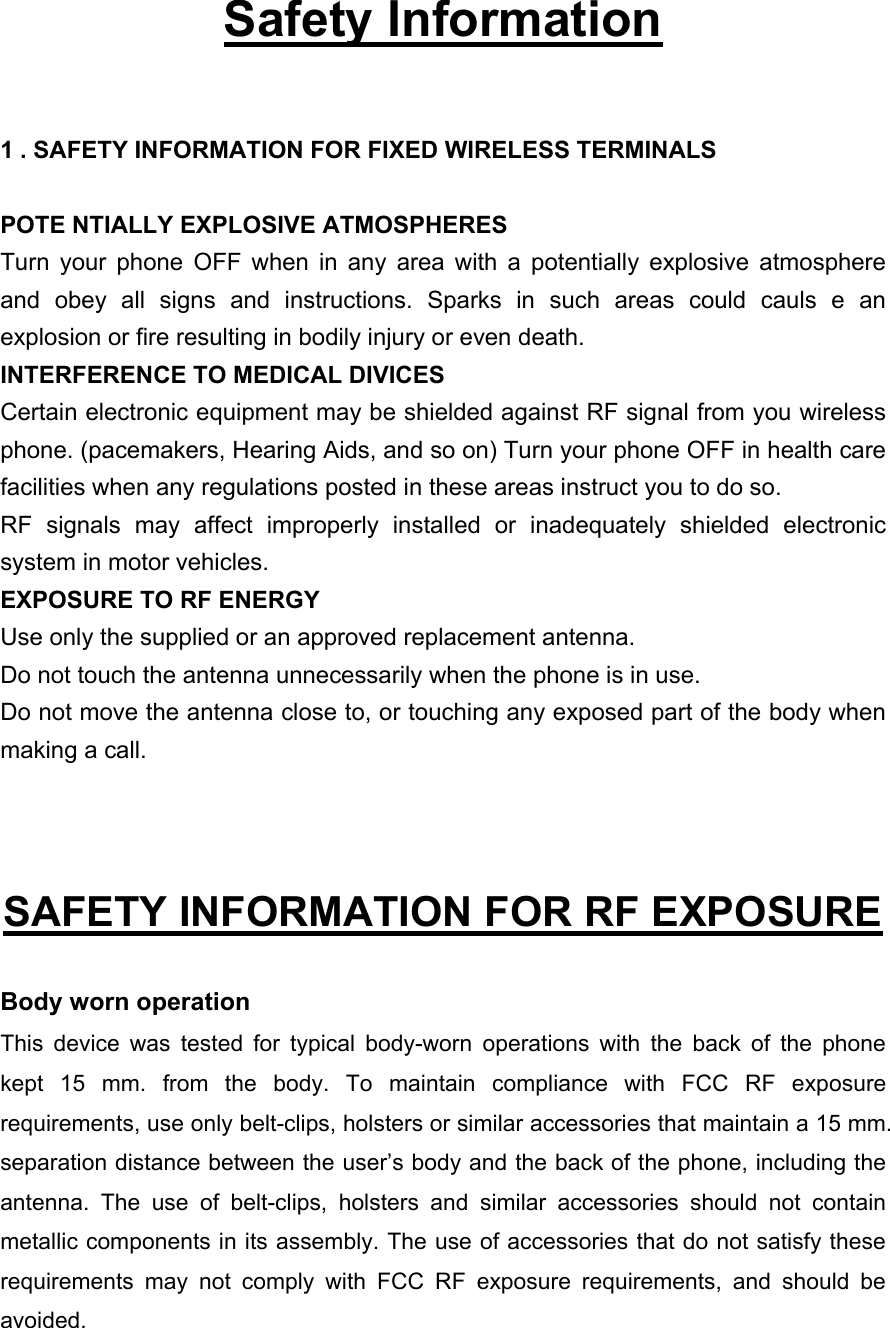
  Safety Information  1 . SAFETY INFORMATION FOR FIXED WIRELESS TERMINALS  POTE NTIALLY EXPLOSIVE ATMOSPHERES Turn your phone OFF when in any area with a potentially explosive atmosphere and obey all signs and instructions. Sparks in such areas could cauls e an explosion or fire resulting in bodily injury or even death. INTERFERENCE TO MEDICAL DIVICES Certain electronic equipment may be shielded against RF signal from you wireless phone. (pacemakers, Hearing Aids, and so on) Turn your phone OFF in health care facilities when any regulations posted in these areas instruct you to do so. RF signals may affect improperly installed or inadequately shielded electronic system in motor vehicles. EXPOSURE TO RF ENERGY Use only the supplied or an approved replacement antenna. Do not touch the antenna unnecessarily when the phone is in use. Do not move the antenna close to, or touching any exposed part of the body when making a call.   SAFETY INFORMATION FOR RF EXPOSURE  Body worn operation This device was tested for typical body-worn operations with the back of the phone kept 15 mm. from the body. To maintain compliance with FCC RF exposure requirements, use only belt-clips, holsters or similar accessories that maintain a 15 mm. separation distance between the user’s body and the back of the phone, including the antenna. The use of belt-clips, holsters and similar accessories should not contain metallic components in its assembly. The use of accessories that do not satisfy these requirements may not comply with FCC RF exposure requirements, and should be avoided.
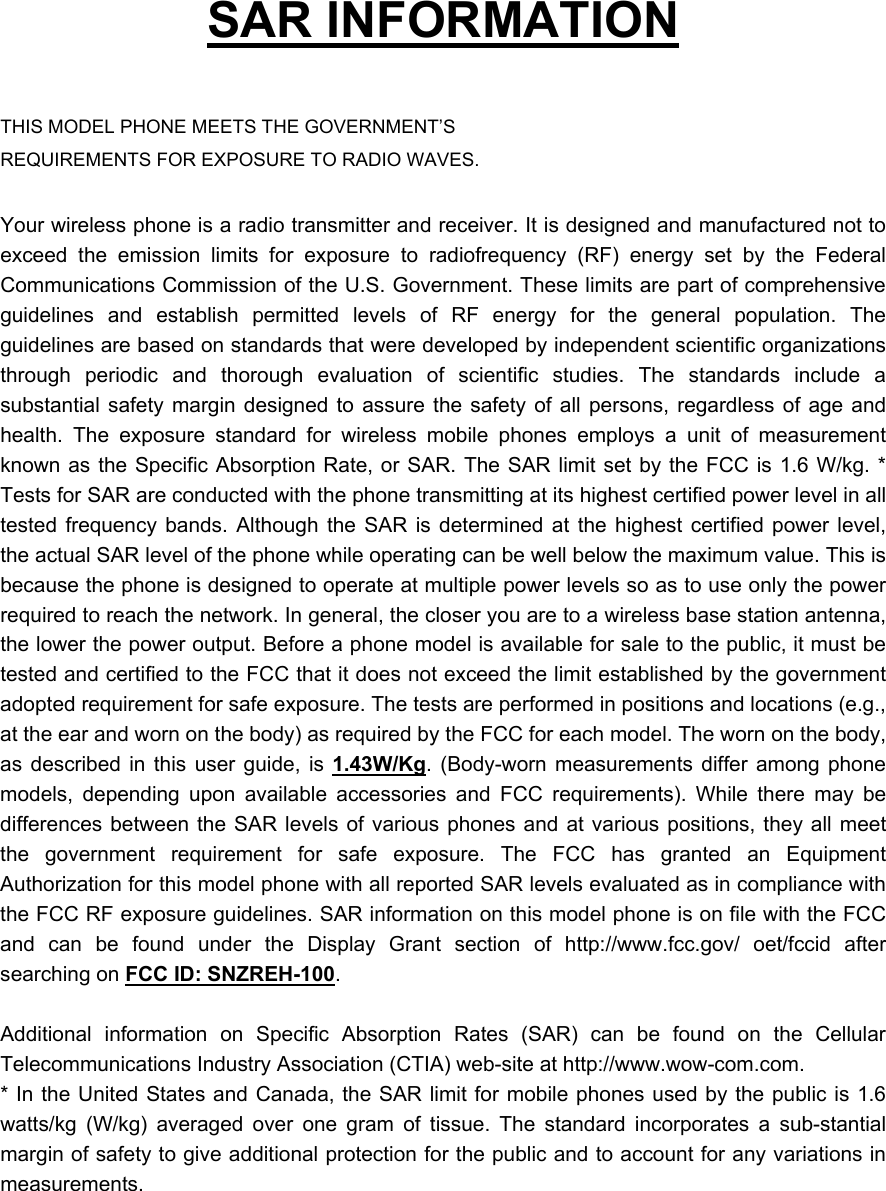
  SAR INFORMATION  THIS MODEL PHONE MEETS THE GOVERNMENT’S REQUIREMENTS FOR EXPOSURE TO RADIO WAVES.  Your wireless phone is a radio transmitter and receiver. It is designed and manufactured not to exceed the emission limits for exposure to radiofrequency (RF) energy set by the Federal Communications Commission of the U.S. Government. These limits are part of comprehensive guidelines and establish permitted levels of RF energy for the general population. The guidelines are based on standards that were developed by independent scientific organizations through periodic and thorough evaluation of scientific studies. The standards include a substantial safety margin designed to assure the safety of all persons, regardless of age and health. The exposure standard for wireless mobile phones employs a unit of measurement known as the Specific Absorption Rate, or SAR. The SAR limit set by the FCC is 1.6 W/kg. * Tests for SAR are conducted with the phone transmitting at its highest certified power level in all tested frequency bands. Although the SAR is determined at the highest certified power level, the actual SAR level of the phone while operating can be well below the maximum value. This is because the phone is designed to operate at multiple power levels so as to use only the power required to reach the network. In general, the closer you are to a wireless base station antenna, the lower the power output. Before a phone model is available for sale to the public, it must be tested and certified to the FCC that it does not exceed the limit established by the government adopted requirement for safe exposure. The tests are performed in positions and locations (e.g., at the ear and worn on the body) as required by the FCC for each model. The worn on the body, as described in this user guide, is 1.43W/Kg. (Body-worn measurements differ among phone models, depending upon available accessories and FCC requirements). While there may be differences between the SAR levels of various phones and at various positions, they all meet the government requirement for safe exposure. The FCC has granted an Equipment Authorization for this model phone with all reported SAR levels evaluated as in compliance with the FCC RF exposure guidelines. SAR information on this model phone is on file with the FCC and can be found under the Display Grant section of http://www.fcc.gov/ oet/fccid after searching on FCC ID: SNZREH-100.   Additional information on Specific Absorption Rates (SAR) can be found on the Cellular Telecommunications Industry Association (CTIA) web-site at http://www.wow-com.com. * In the United States and Canada, the SAR limit for mobile phones used by the public is 1.6 watts/kg (W/kg) averaged over one gram of tissue. The standard incorporates a sub-stantial margin of safety to give additional protection for the public and to account for any variations in measurements.

Navigation menu