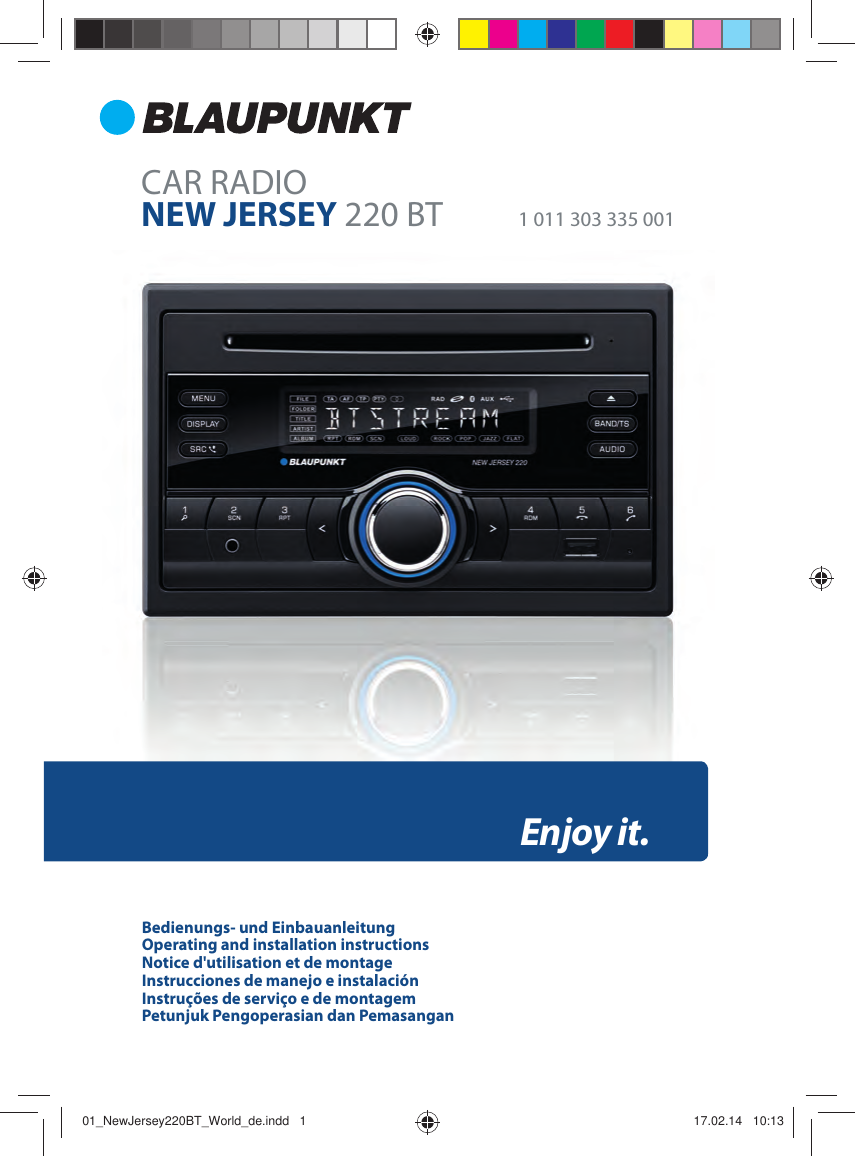
HUIZHOU FORYOU GENERAL ELECTRONICS NJ220BT Car CD Player with BT User Manual New Jersey 220 BT

HUIZHOU FORYOU GENERAL ELECTRONICS CO.,LTD. Car CD Player with BT New Jersey 220 BT

Users Manual

CAR RADIONEW JERSEY 220 BT  1 011 303 335 001Enjoy it.Bedienungs- und EinbauanleitungOperating and installation instructionsNotice d'utilisation et de montageInstrucciones de manejo e instalaciónInstruções de serviço e de montagemPetunjuk Pengoperasian dan Pemasangan01_NewJersey220BT_World_de.indd   101_NewJersey220BT_World_de.indd   1 17.02.14   10:1317.02.14   10:13
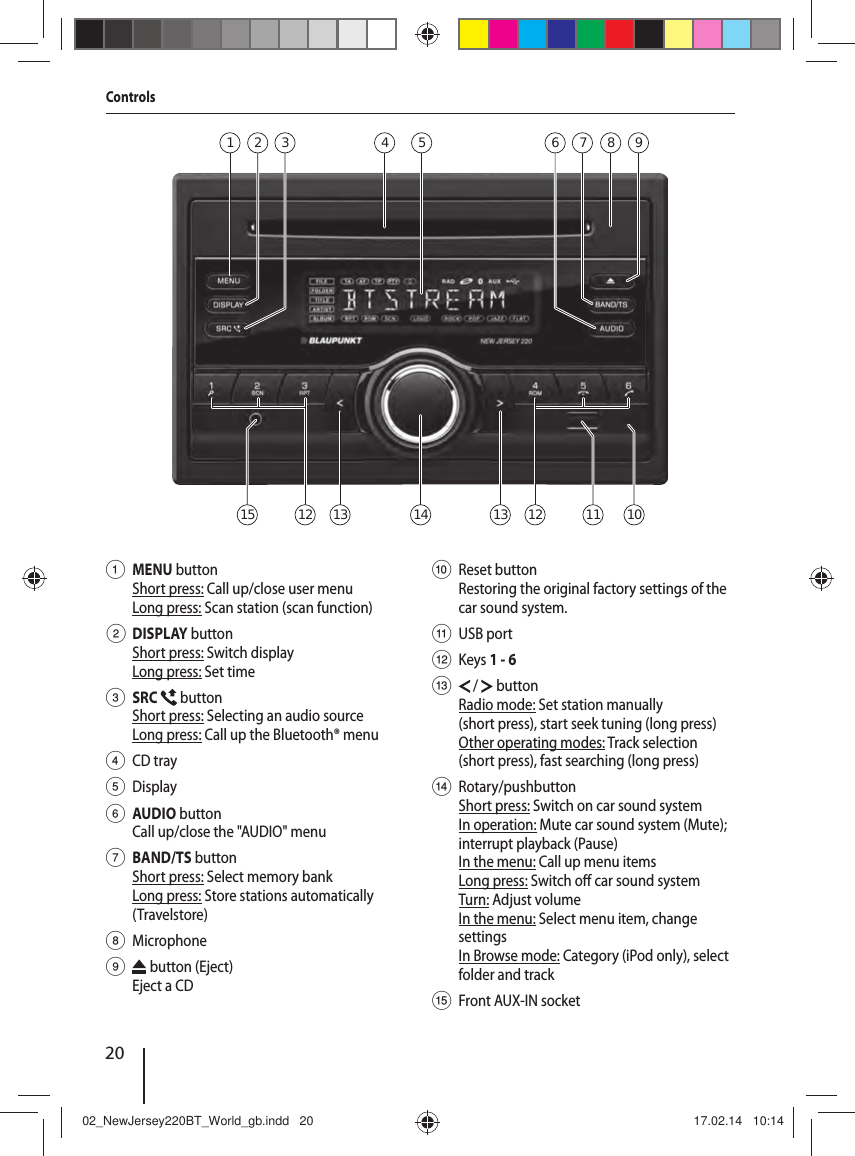
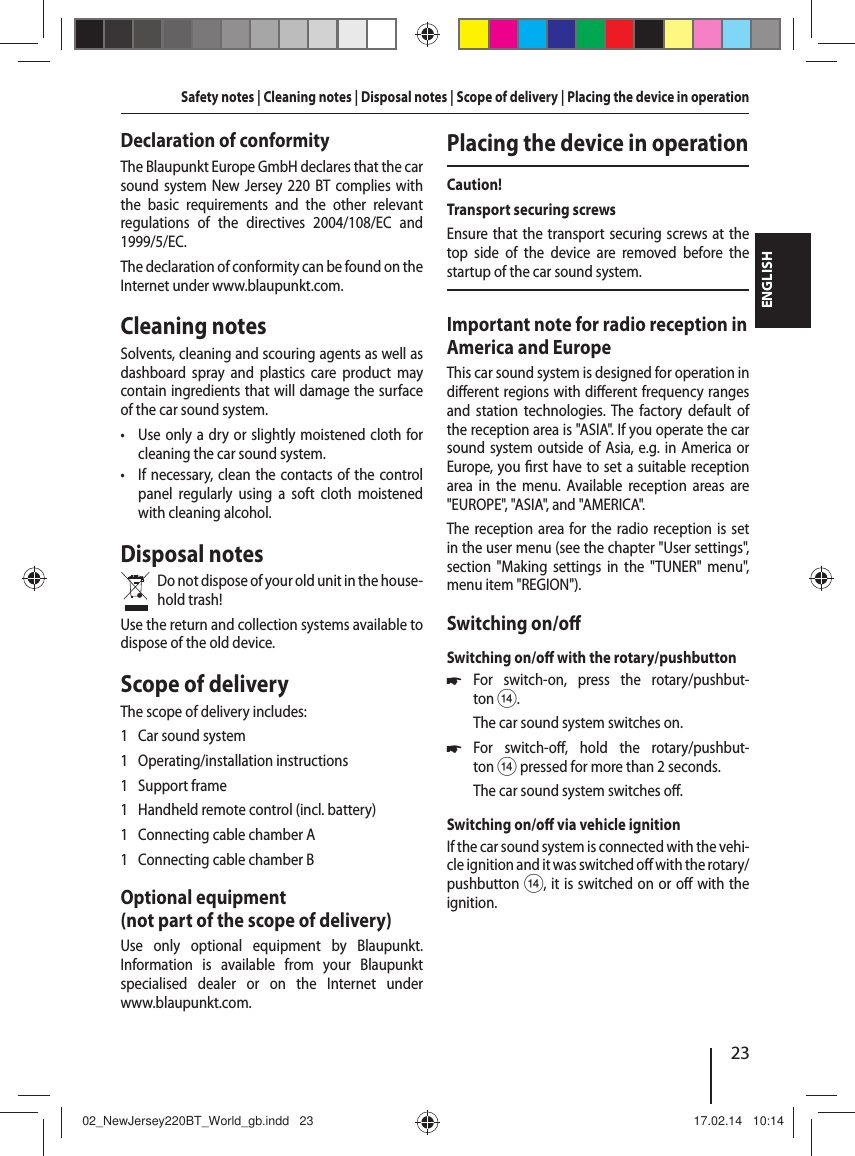
20Controls1 MENU button Short press: Call up/close user menuLong press: Scan station (scan function) 2 DISPLAY button Short press: Switch displayLong press: Set time3 SRC   button Short press: Selecting an audio sourceLong press: Call up the Bluetooth® menu4 CD tray5 Display6 AUDIO button Call up/close the "AUDIO" menu7 BAND/TS button Short press: Select memory bankLong press: Store stations automatically (Travelstore)8 Microphone9   button (Eject)Eject a CD: Reset buttonRestoring the original factory settings of the car sound system. ; USB port< Keys 1 - 6=   /   buttonRadio mode: Set station manually (short press), start seek tuning (long press)Other operating modes: Track selection (short press), fast searching (long press)> Rotary/pushbutton Short press: Switch on car sound systemIn operation: Mute car sound system (Mute); interrupt playback (Pause) In the menu: Call up menu itemsLong press: Switch o  car sound systemTurn: Adjust volumeIn the menu: Select menu item, change settingsIn Browse mode: Category (iPod only), select folder and track?  Front AUX-IN socket4 52 931 7 861313 14 1212 11 101502_NewJersey220BT_World_gb.indd   2002_NewJersey220BT_World_gb.indd   20 17.02.14   10:1417.02.14   10:14
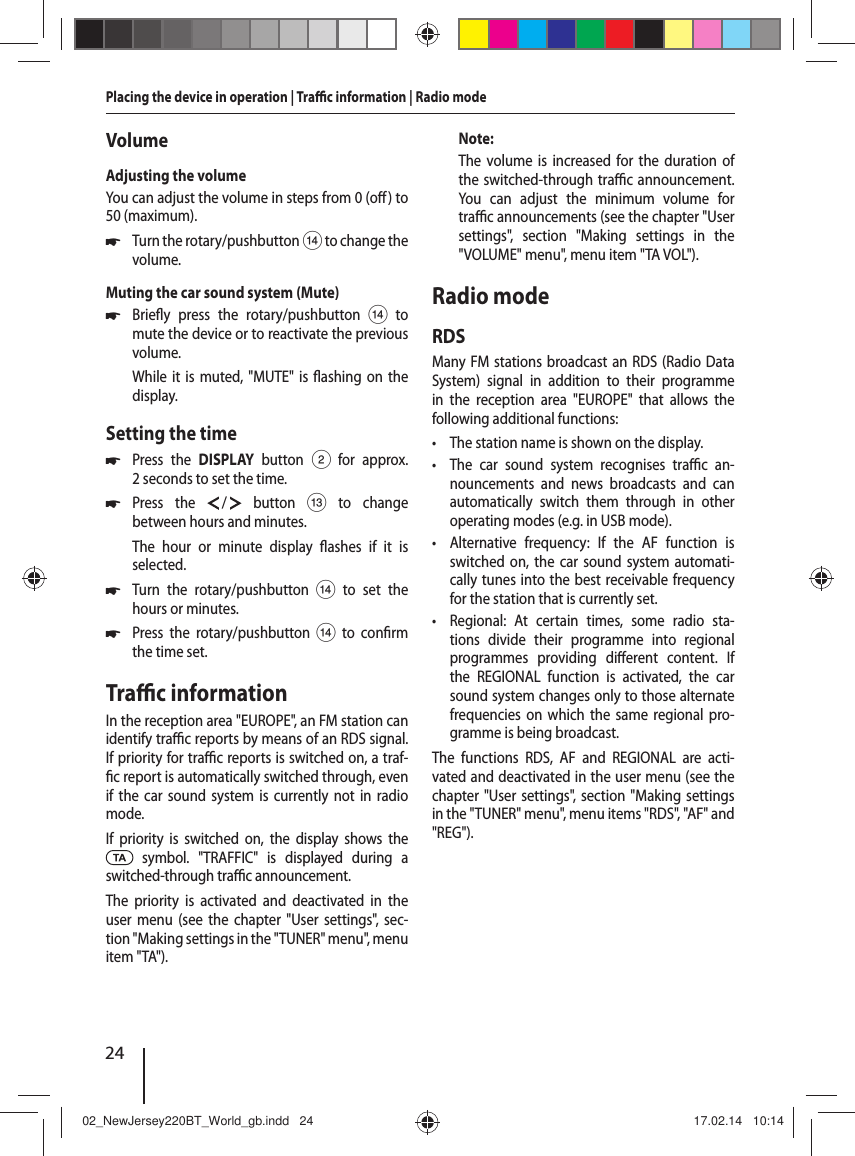
21ENGLISHContentsSafety notes .................................................... 22Symbols used ............................................................22Road safety ................................................................22General safety notes ...............................................22Declaration of conformity ....................................23Cleaning notes ................................................ 23Disposal notes................................................. 23Scope of delivery ............................................ 23Optional equipment(not part of the scope of delivery) .....................23Placing the device in operation ..................... 23Important note for radio reception in America and Europe ..........................................23Switching on/o  ......................................................23Volume ........................................................................24Setting the time .......................................................24Tra  c information .......................................... 24Radio mode ..................................................... 24RDS................................................................................24Changing to radio mode.......................................25Select memory bank ..............................................25Tuning into a station ..............................................25Storing stations or calling stored station ........25Scanning stations ....................................................25Storing stations automatically ( Travelstore) ............................................................... 25PTY ................................................................................ 26Switching the display .............................................26CD/MP3/WMA/iPod mode .............................. 26Basic information .....................................................26Changing to CD/MP3/WMA/iPod mode .........27Inserting/ejecting a CD .........................................27Connecting/removing a USB data carrier .......28Selecting tracks ........................................................28Selecting a folder (in MP3/WMA mode only) ....................................28Fast searching ...........................................................28Interrupting playback ............................................28Scanning all tracks (not in iPod mode) ............28Playing tracks in random order ..........................28Repeatedly playing individual tracks or directories ..................................................................29Switching the display .............................................29Browse mode ............................................................29Bluetooth® mode ............................................ 30Pairing and connecting a Bluetooth® device ...........................................................................31Telephone functions...............................................31Bluetooth® streaming mode................................32External audio sources ................................... 32Front AUX-IN socket ................................................32Sound settings ................................................ 32Calling and exiting the "AUDIO" menu ............32Making settings in the "AUDIO" menu .............33Adjusting the equalizer .........................................33User settings ................................................... 34Calling the user menu and selecting a menu .........................................................................34Making settings in the "TUNER" menu ............34Making settings in the "VOLUME" menu ........35Making settings in the "DISPLAY" menu .........36Making settings in the "VARIOUS" menu ........36Useful information ......................................... 37Warranty .....................................................................37Service .........................................................................37Technical data ................................................. 37Installation instructions ............................... 11002_NewJersey220BT_World_gb.indd   2102_NewJersey220BT_World_gb.indd   21 17.02.14   10:1417.02.14   10:14
22Safety notesThe car sound system was manufactured accord-ing to the state of the art and established safety guidelines. Even so, dangers may occur if you do not observe the safety notes in these instructions.These instructions contain important informa-tion to easily and safely install and operate the car sound system. • Read these instructions carefully and com-pletely before using the car sound system. • Keep the instructions at a location so that they are always accessible to all users. • Always pass on the car sound system to third parties together with these instructions.In addition, observe the instructions of the devices used in conjunction with this car sound system.Symbols usedThese instructions employ the following symbols:DANGER!Warns about injuriesCAUTION!Warns about damaging the CD driveDANGER!Warns about high volumeThe CE mark con rms the compliance with EU directives. 쏅Identi es a sequencing step • Identi es a listingRoad safetyObserve the following notes about road safety: • Use your device in such a way that you can always safely control your vehicle. In case of doubt, stop at a suitable location and operate your device while the vehicle is standing. • Always listen at a moderate volume to pro-tect your hearing and to be able to hear acous-tic warning signals (e.g. police sirens). During mute phases (e.g. when changing the audio source), changing the volume is not audible. Do not increase the volume during this mute phase.General safety notesObserve the following notes to protect yourself against injuries: • Do not modify or open the device. The device contains a Class 1 laser that can cause injuries to your eyes. • Do not increase the volume during mute phases, e.g. when changing the audio source. Changing the volume is not audible during a mute phase.Use as directedThis car sound system is intended for installation and operation in a vehicle with 12 V vehicle sys-tem voltage and must be installed in a 2-DIN slot. Observe the performance limits in the technical data. Repairs and installation, if necessary, should be performed by a specialist.Installation instructionsYou may only install the car sound system your-self if you are experienced in installing car sound systems and are very familiar with the electrical system of the vehicle. For this purpose, observe the installation instructions at the end of these instructions.Safety notes02_NewJersey220BT_World_gb.indd   2202_NewJersey220BT_World_gb.indd   22 17.02.14   10:1417.02.14   10:14
23ENGLISHSafety notes | Cleaning notes | Disposal notes | Scope of delivery | Placing the device in operationDeclaration of conformityThe Blaupunkt Europe GmbH declares that the car sound system New Jersey 220 BT complies with the basic requirements and the other relevant regulations of the directives 2004/108/EC and 1999/5/EC.The declaration of conformity can be found on the Internet under www.blaupunkt.com.Cleaning notesSolvents, cleaning and scouring agents as well as dashboard spray and plastics care product may contain ingredients that will damage the surface of the car sound system. • Use only a dry or slightly moistened cloth for cleaning the car sound system. • If necessary, clean the contacts of the control panel regularly using a soft cloth moistened with cleaning alcohol.Disposal notesDo not dispose of your old unit in the house-hold trash!Use the return and collection systems available to dispose of the old device.Scope of deliveryThe scope of delivery includes:1  Car sound system1 Operating/installation instructions1 Support frame1  Handheld remote control (incl. battery)1  Connecting cable chamber A1  Connecting cable chamber BOptional equipment(not part of the scope of delivery)Use only optional equipment by Blaupunkt. Information is available from your Blaupunkt specialised dealer or on the Internet under www.blaupunkt.com.Placing the device in operationCaution!Transport securing screwsEnsure that the transport securing screws at the top side of the device are removed before the startup of the car sound system.Important note for radio reception in America and EuropeThis car sound system is designed for operation in di erent regions with di erent frequency ranges and station technologies. The factory default of the reception area is "ASIA". If you operate the car sound system outside of Asia, e.g. in America or Europe, you  rst have to set a suitable reception area in the menu. Available reception areas are "EUROPE", "ASIA", and "AMERICA".The reception area for the radio reception is set in the user menu (see the chapter "User settings", section "Making settings in the "TUNER" menu", menu item "REGION").Switching on/o Switching on/o  with the rotary/pushbutton 쏅For switch-on, press the rotary/pushbut-ton >.The car sound system switches on. 쏅For switch-o , hold the rotary/pushbut-ton > pressed for more than 2 seconds.The car sound system switches o .Switching on/o  via vehicle ignitionIf the car sound system is connected with the vehi-cle ignition and it was switched o   with the rotary/pushbutton >, it is switched on or o  with the ignition.02_NewJersey220BT_World_gb.indd   2302_NewJersey220BT_World_gb.indd   23 17.02.14   10:1417.02.14   10:14
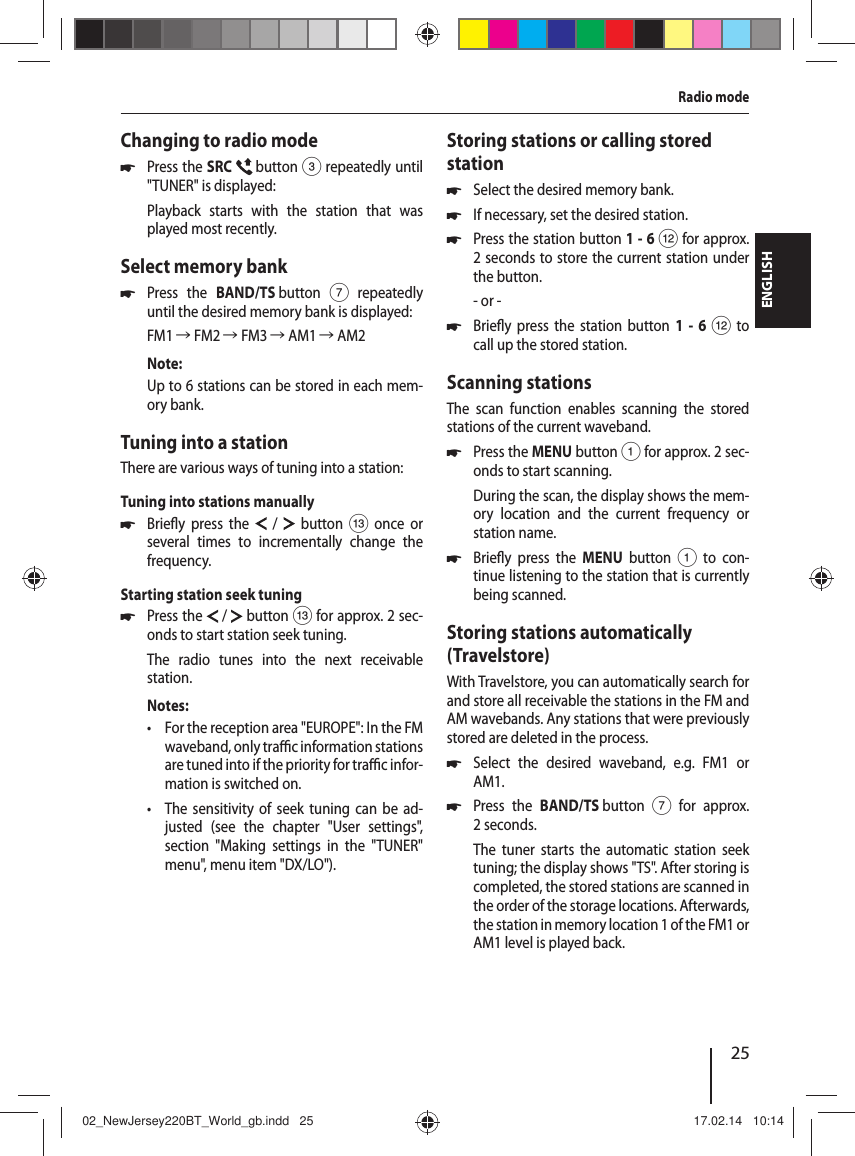
24Placing the device in operation | Tra  c information | Radio modeVolumeAdjusting the volumeYou can adjust the volume in steps from 0 (o ) to 50 (maximum). 쏅Turn the rotary/pushbutton > to change the volume.Muting the car sound system (Mute) 쏅Brie y press the rotary/pushbutton > to mute the device or to reactivate the previous volume.While it is muted, "MUTE" is  ashing on the display.Setting the time 쏅Press the DISPLAY button 2 for approx. 2 seconds to set the time. 쏅Press the   /   button = to change between hours and minutes.The hour or minute display  ashes if it is selected. 쏅Turn the rotary/pushbutton > to set the hours or minutes. 쏅Press the rotary/pushbutton > to con rm the time set.Tra  c informationIn the reception area "EUROPE", an FM station can identify tra  c reports by means of an RDS signal. If priority for tra  c reports is switched on, a traf- c report is automatically switched through, even if the car sound system is currently not in radio mode.If priority is switched on, the display shows the  symbol. "TRAFFIC" is displayed during a switched-through tra  c announcement.The priority is activated and deactivated in the user menu (see the chapter "User settings", sec-tion "Making settings in the "TUNER" menu", menu item "TA").Note:The volume is increased for the duration of the switched-through tra  c announcement. You can adjust the minimum volume for tra  c announcements (see the chapter "User settings", section "Making settings in the "VOLUME" menu", menu item "TA VOL").Radio modeRDSMany FM stations broadcast an RDS (Radio Data System) signal in addition to their programme in the reception area "EUROPE" that allows the following additional functions: • The station name is shown on the display. • The car sound system recognises tra  c  an-nouncements and news broadcasts and can automatically switch them through in other operating modes (e.g. in USB mode). • Alternative frequency: If the AF function is switched on, the car sound system automati-cally tunes into the best receivable frequency for the station that is currently set. • Regional: At certain times, some radio sta-tions divide their programme into regional programmes providing di erent content. If the REGIONAL function is activated, the car sound system changes only to those alternate frequencies on which the same regional pro-gramme is being broadcast.The functions RDS, AF and REGIONAL are acti-vated and deactivated in the user menu (see the chapter "User settings", section "Making settings in the "TUNER" menu", menu items "RDS", "AF" and "REG").02_NewJersey220BT_World_gb.indd   2402_NewJersey220BT_World_gb.indd   24 17.02.14   10:1417.02.14   10:14
25ENGLISHRadio modeChanging to radio mode 쏅Press the SRC   button 3 repeatedly until "TUNER" is displayed:Playback starts with the station that was played most recently.Select memory bank 쏅Press the BAND/TS button 7 repeatedly until the desired memory bank is displayed:FM1 씮 FM2 씮 FM3 씮 AM1 씮 AM2Note:Up to 6 stations can be stored in each mem-ory bank.Tuning into a stationThere are various ways of tuning into a station:Tuning into stations manually 쏅Brie y press the  /  button = once or several times to incrementally change the frequency.Starting station seek tuning  쏅Press the  / button = for approx. 2 sec-onds to start station seek tuning.The radio tunes into the next receivable station.Notes: • For the reception area "EUROPE": In the FM waveband, only tra  c information stations are tuned into if the priority for tra  c infor-mation is switched on.  • The sensitivity of seek tuning can be ad-justed (see the chapter "User settings", section "Making settings in the "TUNER" menu", menu item "DX/LO").Storing stations or calling stored station 쏅Select the desired memory bank. 쏅If necessary, set the desired station. 쏅Press the station button 1-6 < for approx. 2 seconds to store the current station under the button.- or - 쏅Brie y press the station button 1 - 6 < to call up the stored station.Scanning stationsThe scan function enables scanning the stored stations of the current waveband. 쏅Press the MENU button 1 for approx. 2 sec-onds to start scanning.During the scan, the display shows the mem-ory location and the current frequency or station name.  쏅Brie y press the MENU button 1 to con-tinue listening to the station that is currently being scanned.Storing stations automatically (Travelstore)With Travelstore, you can automatically search for and store all receivable the stations in the FM and AM wavebands. Any stations that were previously stored are deleted in the process. 쏅Select the desired waveband, e.g. FM1 or AM1. 쏅Press the BAND/TS button 7 for approx. 2 seconds.The tuner starts the automatic station seek tuning; the display shows "TS". After storing is completed, the stored stations are scanned in the order of the storage locations. Afterwards, the station in memory location 1 of the FM1 or AM1 level is played back.02_NewJersey220BT_World_gb.indd   2502_NewJersey220BT_World_gb.indd   25 17.02.14   10:1417.02.14   10:14
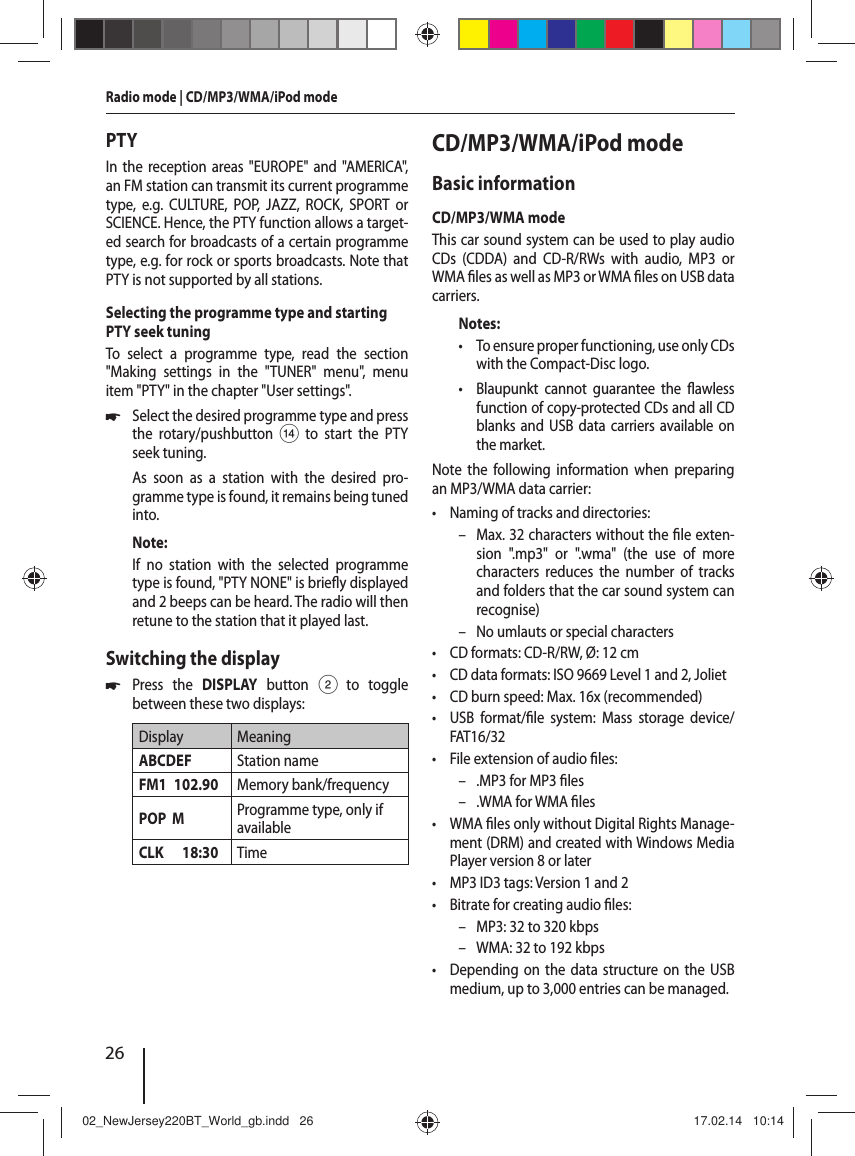
26Radio mode | CD/MP3/WMA/iPod modePTYIn the reception areas "EUROPE" and "AMERICA", an FM station can transmit its current programme type, e.g. CULTURE, POP, JAZZ, ROCK, SPORT or SCIENCE. Hence, the PTY function allows a target-ed search for broadcasts of a certain programme type, e.g. for rock or sports broadcasts. Note that PTY is not supported by all stations.Selecting the programme type and starting PTY seek tuningTo select a programme type, read the section "Making settings in the "TUNER" menu", menu item "PTY" in the chapter "User settings". 쏅Select the desired programme type and press the rotary/pushbutton> to start the PTY seek tuning.As soon as a station with the desired pro-gramme type is found, it remains being tuned into.Note:If no station with the selected programme type is found, "PTY NONE" is brie y displayed and 2 beeps can be heard. The radio will then retune to the station that it played last.Switching the display 쏅Press the DISPLAY button 2 to toggle between these two displays:Display MeaningABCDEF Station nameFM1 102.90 Memory bank/frequencyPOP  M Programme type, only if availableCLK 18:30 TimeCD/MP3/WMA/iPod modeBasic informationCD/MP3/WMA modeThis car sound system can be used to play audio CDs (CDDA) and CD-R/RWs with audio, MP3 or WMA  les as well as MP3 or WMA  les on USB data carriers.Notes: • To ensure proper functioning, use only CDs with the Compact-Disc logo. • Blaupunkt cannot guarantee the  awless function of copy-protected CDs and all CD blanks and USB data carriers available on the market.Note the following information when preparing an MP3/WMA data carrier: • Naming of tracks and directories: – Max. 32 characters without the  le exten-sion ".mp3" or ".wma" (the use of more characters reduces the number of tracks and folders that the car sound system can recognise) – No umlauts or special characters • CD formats: CD-R/RW, Ø: 12 cm • CD data formats: ISO 9669 Level 1 and 2, Joliet • CD burn speed: Max. 16x (recommended) • USB format/ le system: Mass storage device/ FAT16/32 • File extension of audio  les: – .MP3 for MP3  les – .WMA for WMA  les •WMA  les only without Digital Rights Manage-ment (DRM) and created with Windows Media Player version 8 or later • MP3 ID3 tags: Version 1 and 2 • Bitrate for creating audio  les: – MP3: 32 to 320 kbps – WMA: 32 to 192 kbps • Depending on the data structure on the USB medium, up to 3,000 entries can be managed.02_NewJersey220BT_World_gb.indd   2602_NewJersey220BT_World_gb.indd   26 17.02.14   10:1417.02.14   10:14
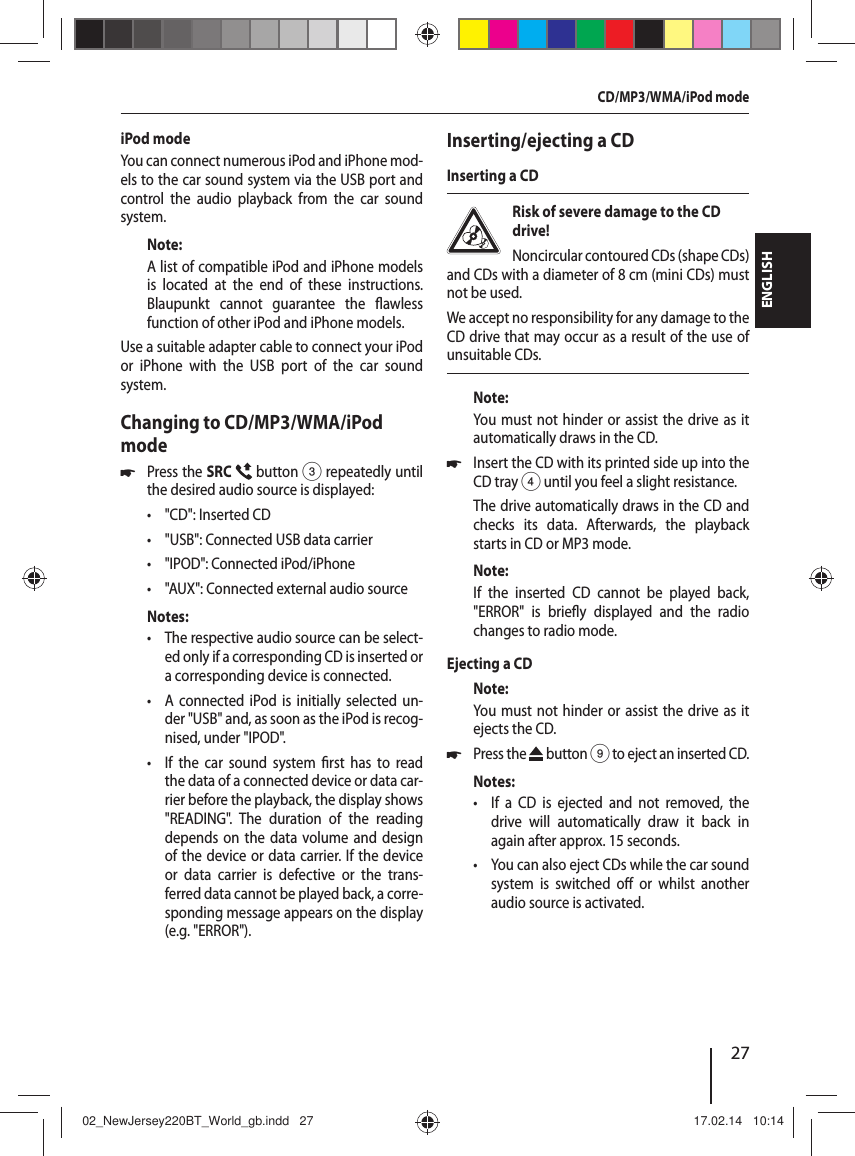
27ENGLISHiPod modeYou can connect numerous iPod and iPhone mod-els to the car sound system via the USB port and control the audio playback from the car sound system.Note:A list of compatible iPod and iPhone models is located at the end of these instructions. Blaupunkt cannot guarantee the  awless function of other iPod and iPhone models. Use a suitable adapter cable to connect your iPod or iPhone with the USB port of the car sound system.Changing to CD/MP3/WMA/iPod mode 쏅Press the SRC  button 3 repeatedly until the desired audio source is displayed: • "CD": Inserted CD • "USB": Connected USB data carrier • "IPOD": Connected iPod/iPhone • "AUX": Connected external audio sourceNotes: • The respective audio source can be select-ed only if a corresponding CD is inserted or a corresponding device is connected. • A connected iPod is initially selected un-der "USB" and, as soon as the iPod is recog-nised, under "IPOD". • If the car sound system  rst has to read the data of a connected device or data car-rier before the playback, the display shows "READING". The duration of the reading depends on the data volume and design of the device or data carrier. If the device or data carrier is defective or the trans-ferred data cannot be played back, a corre-sponding message appears on the display (e.g. "ERROR").Inserting/ejecting a CDInserting a CDRisk of severe damage to the CD drive! Noncircular contoured CDs (shape CDs) and CDs with a diameter of 8 cm (mini CDs) must not be used.We accept no responsibility for any damage to the CD drive that may occur as a result of the use of unsuitable CDs.Note:You must not hinder or assist the drive as it automatically draws in the CD. 쏅Insert the CD with its printed side up into the CD tray 4 until you feel a slight resistance.The drive automatically draws in the CD and checks its data. Afterwards, the playback starts in CD or MP3 mode. Note:If the inserted CD cannot be played back, "ERROR" is brie y displayed and the radio changes to radio mode.Ejecting a CDNote:You must not hinder or assist the drive as it ejects the CD. 쏅Press the   button 9 to eject an inserted CD.Notes: • If a CD is ejected and not removed, the drive will automatically draw it back in again after approx. 15 seconds. • You can also eject CDs while the car sound system is switched o  or whilst another audio source is activated. CD/MP3/WMA/iPod mode02_NewJersey220BT_World_gb.indd   2702_NewJersey220BT_World_gb.indd   27 17.02.14   10:1417.02.14   10:14
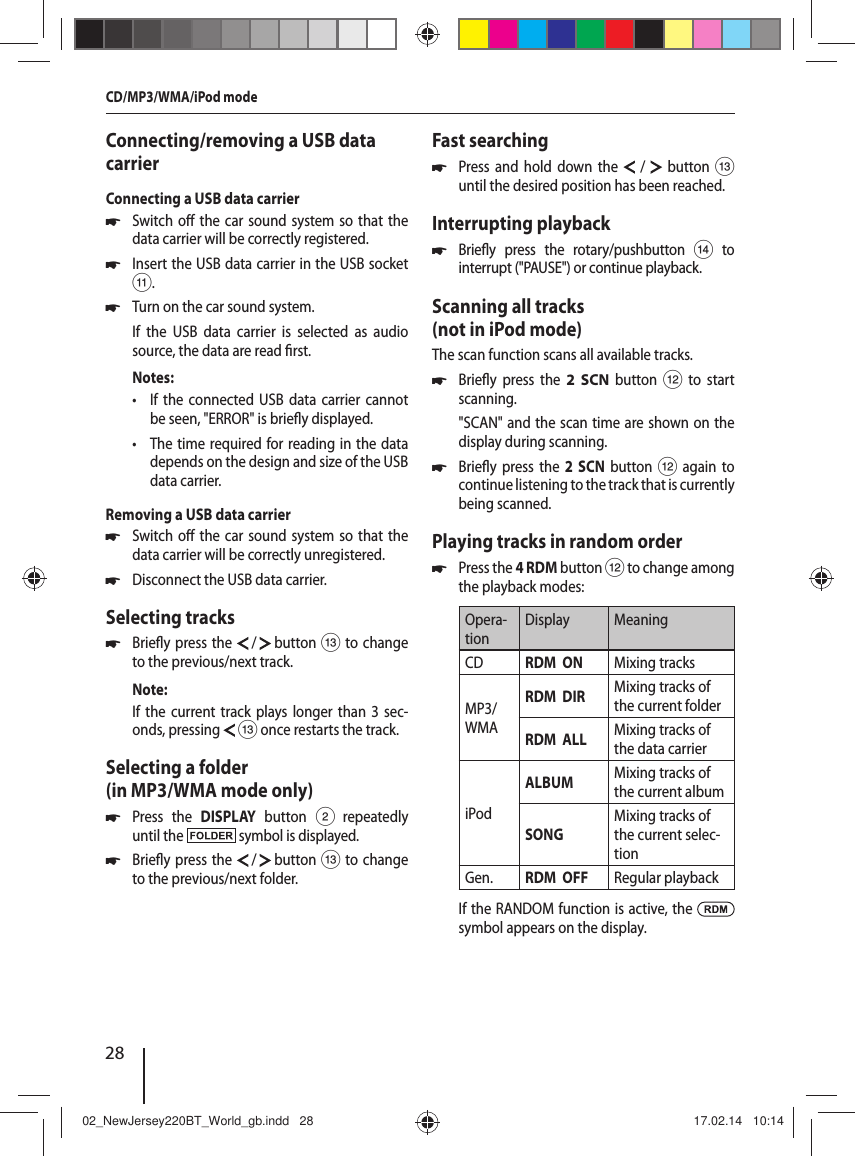
28Connecting/removing a USB data carrierConnecting a USB data carrier 쏅Switch o  the car sound system so that the data carrier will be correctly registered. 쏅Insert the USB data carrier in the USB socket ;. 쏅Turn on the car sound system.If the USB data carrier is selected as audio source, the data are read  rst.Notes: • If the connected USB data carrier cannot be seen, "ERROR" is brie y displayed. • The time required for reading in the data depends on the design and size of the USB data carrier.Removing a USB data carrier 쏅Switch o  the car sound system so that the data carrier will be correctly unregistered. 쏅Disconnect the USB data carrier.Selecting tracks 쏅Brie y press the   /   button = to change to the previous/next track.Note:If the current track plays longer than 3 sec-onds, pressing  = once restarts the track.Selecting a folder (in MP3/WMA mode only) 쏅Press the DISPLAY button 2 repeatedly until the   symbol is displayed. 쏅Brie y press the   /   button = to change to the previous/next folder.Fast searching 쏅Press and hold down the  /  button = until the desired position has been reached.Interrupting playback 쏅Brie y press the rotary/pushbutton > to interrupt ("PAUSE") or continue playback.Scanning all tracks (not in iPod mode)The scan function scans all available tracks. 쏅Brie y press the 2 SCN button < to start scanning."SCAN" and the scan time are shown on the display during scanning.  쏅Brie y press the 2 SCN button < again to continue listening to the track that is currently being scanned.Playing tracks in random order 쏅Press the 4 RDM button < to change among the playback modes:Opera-tionDisplay MeaningCD RDM  ON Mixing tracksMP3/WMARDM  DIR Mixing tracks of the current folderRDM  ALL Mixing tracks of the data carrieriPodALBUM Mixing tracks of the current albumSONGMixing tracks of the current selec-tionGen. RDM  OFF Regular playbackIf the RANDOM function is active, the   symbol appears on the display.CD/MP3/WMA/iPod mode02_NewJersey220BT_World_gb.indd   2802_NewJersey220BT_World_gb.indd   28 17.02.14   10:1417.02.14   10:14
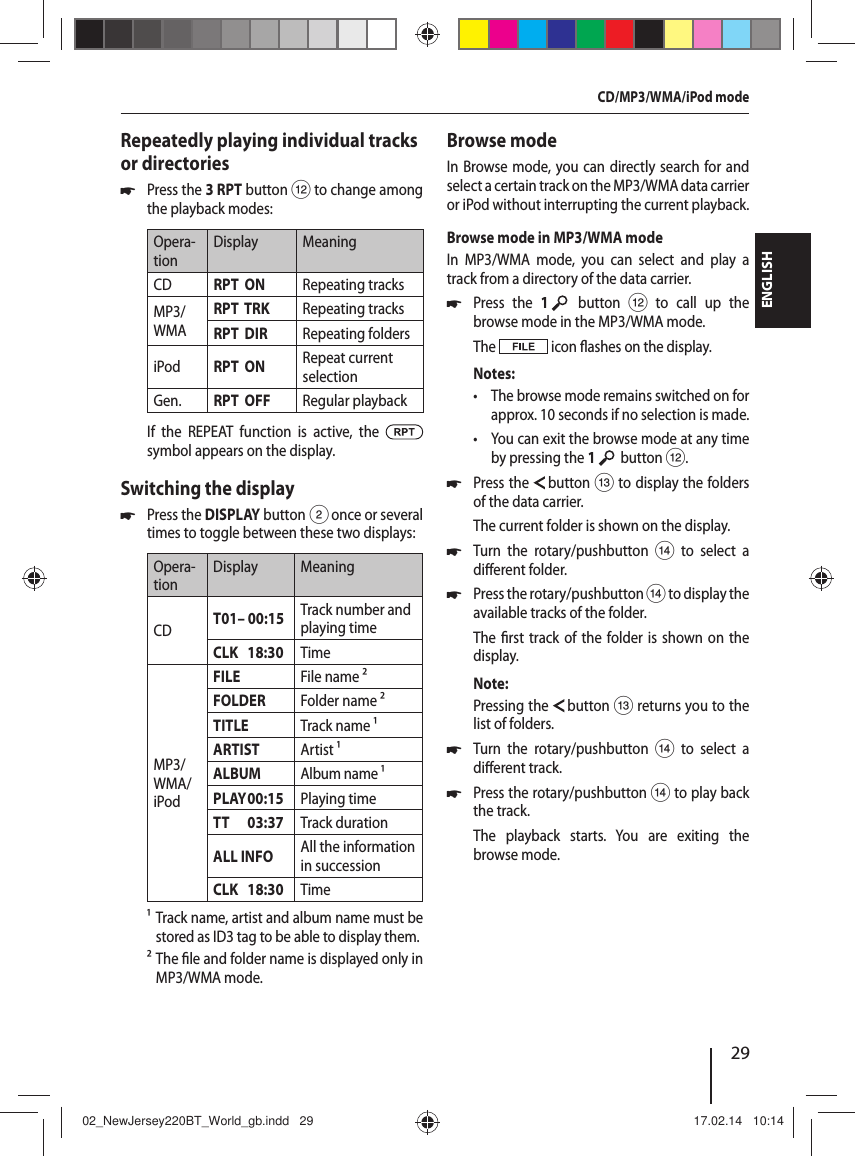
29ENGLISHRepeatedly playing individual tracks or directories 쏅Press the 3 RPT button < to change among the playback modes:Opera-tionDisplay MeaningCD RPT  ON Repeating tracksMP3/WMARPT  TRK  Repeating tracksRPT  DIR Repeating foldersiPod RPT  ON Repeat current selectionGen. RPT  OFF  Regular playbackIf the REPEAT function is active, the   symbol appears on the display.Switching the display 쏅Press the DISPLAY button 2 once or several times to toggle between these two displays:Opera-tionDisplay MeaningCD  T01– 00:15 Track number and playing timeCLK   18:30 TimeMP3/WMA/iPodFILE File name ²FOLDER Folder name ²TITLE Track name¹ARTIST Artist¹ALBUM Album name¹PLAY00:15 Playing timeTT      03:37 Track durationALL INFO All the information in successionCLK   18:30 Time¹ Track name, artist and album name must be stored as ID3 tag to be able to display them.² The  le and folder name is displayed only in MP3/WMA mode.Browse modeIn Browse mode, you can directly search for and select a certain track on the MP3/WMA data carrier or iPod without interrupting the current playback.Browse mode in MP3/WMA modeIn MP3/WMA mode, you can select and play a track from a directory of the data carrier. 쏅Press the 1    button < to call up the browse mode in the MP3/WMA mode.The   icon  ashes on the display. Notes: • The browse mode remains switched on for approx. 10 seconds if no selection is made. • You can exit the browse mode at any time by pressing the 1    button <. 쏅Press the   button = to display the folders of the data carrier.The current folder is shown on the display. 쏅Turn the rotary/pushbutton > to select a di erent folder. 쏅Press the rotary/pushbutton > to display the available tracks of the folder.The  rst track of the folder is shown on the display.Note:Pressing the   button = returns you to the list of folders. 쏅Turn the rotary/pushbutton > to select a di erent track. 쏅Press the rotary/pushbutton > to play back the track.The playback starts. You are exiting the browse mode.CD/MP3/WMA/iPod mode02_NewJersey220BT_World_gb.indd   2902_NewJersey220BT_World_gb.indd   29 17.02.14   10:1417.02.14   10:14
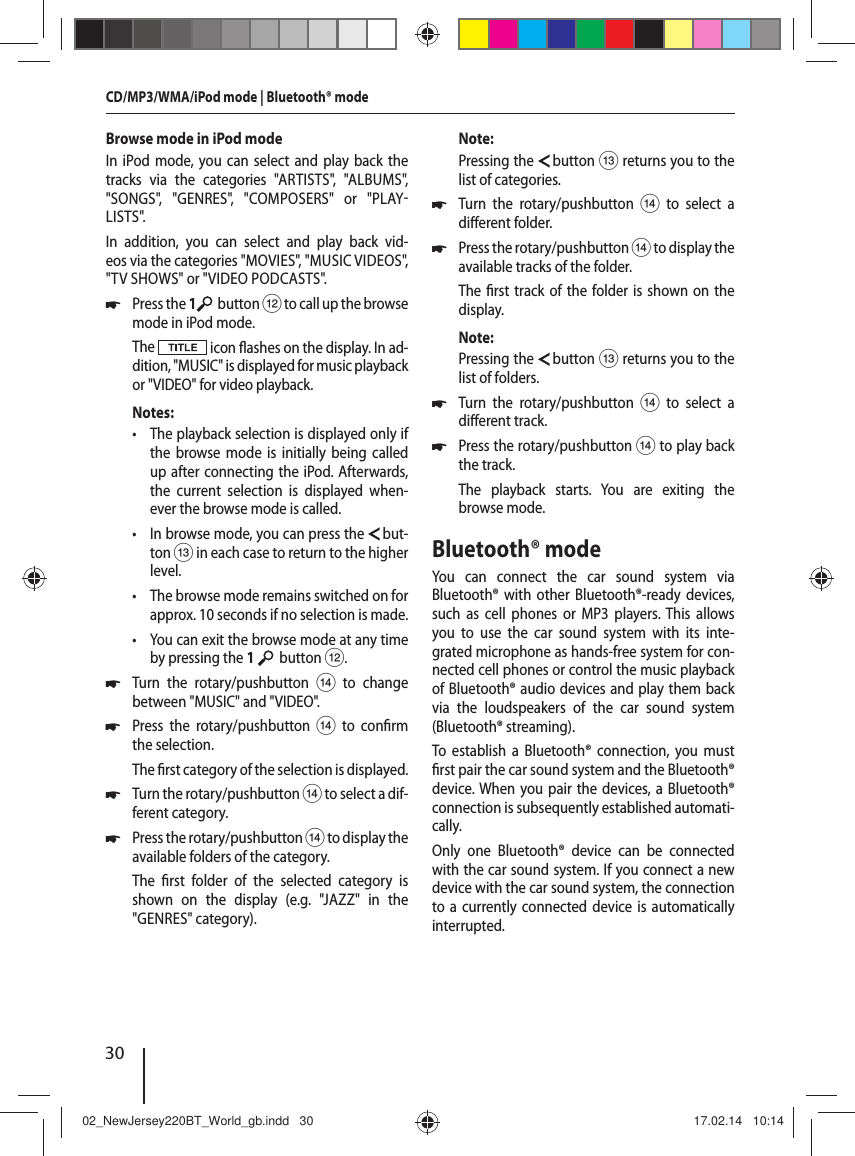
30Browse mode in iPod modeIn iPod mode, you can select and play back the tracks via the categories "ARTISTS", "ALBUMS", "SONGS", "GENRES", "COMPOSERS" or "PLAYLISTS".In addition, you can select and play back vid-eos via the categories "MOVIES", "MUSIC VIDEOS", "TV SHOWS" or "VIDEO PODCASTS". 쏅Press the 1  button < to call up the browse mode in iPod mode.The   icon  ashes on the display. In ad-dition, "MUSIC" is displayed for music playback or "VIDEO" for video playback. Notes: • The playback selection is displayed only if the browse mode is initially being called up after connecting the iPod. Afterwards, the current selection is displayed when-ever the browse mode is called. • In browse mode, you can press the   but-ton = in each case to return to the higher level. • The browse mode remains switched on for approx. 10 seconds if no selection is made. • You can exit the browse mode at any time by pressing the 1    button <. 쏅Turn the rotary/pushbutton > to change between "MUSIC" and "VIDEO". 쏅Press the rotary/pushbutton > to con rm the selection.The  rst category of the selection is displayed. 쏅Turn the rotary/pushbutton > to select a dif-ferent category. 쏅Press the rotary/pushbutton > to display the available folders of the category.The  rst folder of the selected category is shown on the display (e.g. "JAZZ" in the "GENRES" category).Note:Pressing the   button = returns you to the list of categories. 쏅Turn the rotary/pushbutton > to select a di erent folder. 쏅Press the rotary/pushbutton > to display the available tracks of the folder.The  rst track of the folder is shown on the display.Note:Pressing the   button = returns you to the list of folders. 쏅Turn the rotary/pushbutton > to select a di erent track. 쏅Press the rotary/pushbutton > to play back the track.The playback starts. You are exiting the browse mode.Bluetooth® modeYou can connect the car sound system via  Bluetooth® with other Bluetooth®-ready devices, such as cell phones or MP3 players. This allows you to use the car sound system with its inte-grated microphone as hands-free system for con-nected cell phones or control the music playback of  Bluetooth® audio devices and play them back via the loudspeakers of the car sound system ( Bluetooth®  streaming).To establish a Bluetooth® connection, you must  rst pair the car sound system and the Bluetooth® device. When you pair the devices, a Bluetooth® connection is subsequently established automati-cally. Only one Bluetooth® device can be connected with the car sound system. If you connect a new device with the car sound system, the connection to a currently connected device is automatically interrupted. CD/MP3/WMA/iPod mode | Bluetooth® mode 02_NewJersey220BT_World_gb.indd   3002_NewJersey220BT_World_gb.indd   30 17.02.14   10:1417.02.14   10:14
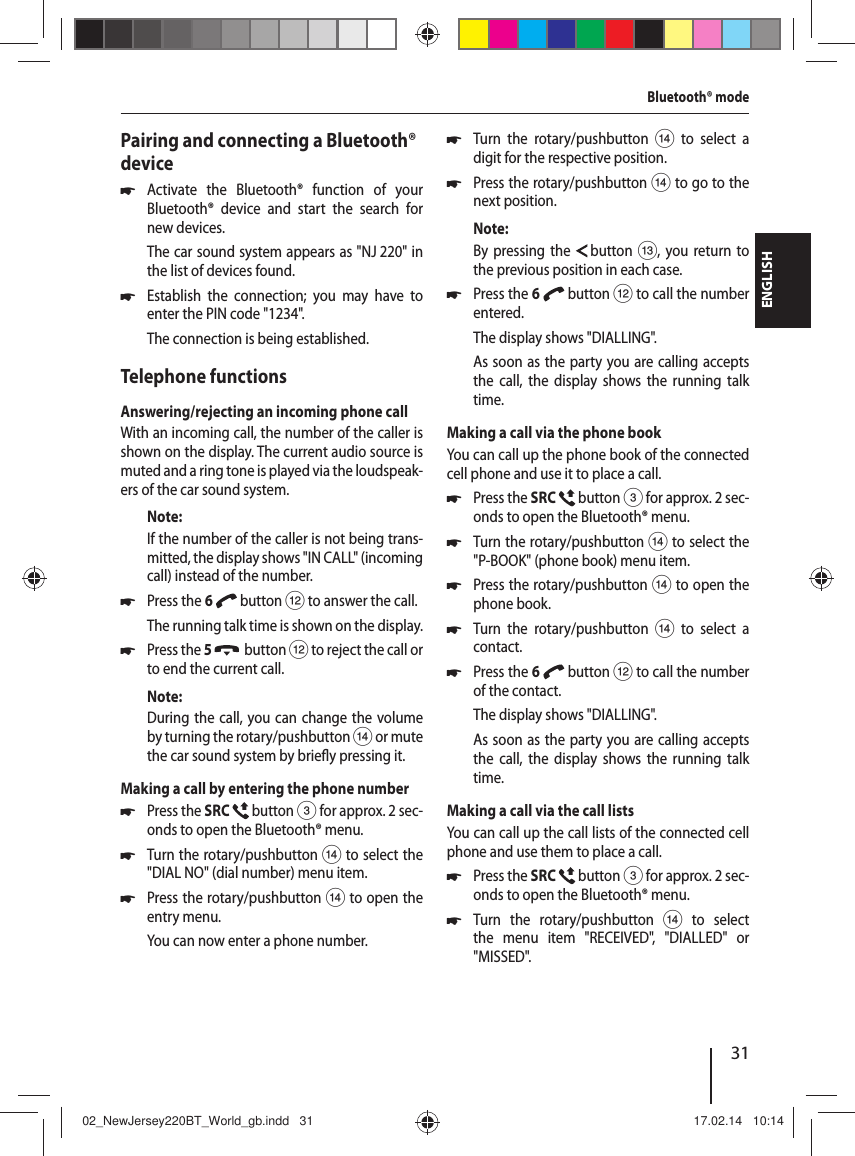
31ENGLISHPairing and connecting a Bluetooth® device 쏅Activate the Bluetooth® function of your  Bluetooth® device and start the search for new devices. The car sound system appears as "NJ 220" in the list of devices found. 쏅Establish the connection; you may have to enter the PIN code "1234".The connection is being established.Telephone functionsAnswering/rejecting an incoming phone callWith an incoming call, the number of the caller is shown on the display. The current audio source is muted and a ring tone is played via the loudspeak-ers of the car sound system.Note:If the number of the caller is not being trans-mitted, the display shows "IN CALL" (incoming call) instead of the number.  쏅Press the 6   button < to answer the call.The running talk time is shown on the display. 쏅Press the 5    button < to reject the call or to end the current call.Note:During the call, you can change the volume by turning the rotary/pushbutton > or mute the car sound system by brie y pressing it.Making a call by entering the phone number 쏅Press the SRC   button 3 for approx. 2sec-onds to open the Bluetooth® menu. 쏅Turn the rotary/pushbutton > to select the "DIAL NO" (dial number) menu item. 쏅Press the rotary/pushbutton > to open the entry menu.You can now enter a phone number. 쏅Turn the rotary/pushbutton > to select a digit for the respective position. 쏅Press the rotary/pushbutton > to go to the next position.Note:By pressing the   button =, you return to the previous position in each case. 쏅Press the 6   button < to call the number entered.The display shows "DIALLING".As soon as the party you are calling accepts the call, the display shows the running talk time.Making a call via the phone bookYou can call up the phone book of the connected cell phone and use it to place a call. 쏅Press the SRC   button 3 for approx. 2sec-onds to open the Bluetooth® menu. 쏅Turn the rotary/pushbutton > to select the "P-BOOK" (phone book) menu item. 쏅Press the rotary/pushbutton > to open the phone book. 쏅Turn the rotary/pushbutton > to select a contact. 쏅Press the 6   button < to call the number of the contact.The display shows "DIALLING".As soon as the party you are calling accepts the call, the display shows the running talk time.Making a call via the call listsYou can call up the call lists of the connected cell phone and use them to place a call. 쏅Press the SRC   button 3 for approx. 2sec-onds to open the Bluetooth® menu. 쏅Turn the rotary/pushbutton > to select the menu item "RECEIVED", "DIALLED" or "MISSED".Bluetooth® mode02_NewJersey220BT_World_gb.indd   3102_NewJersey220BT_World_gb.indd   31 17.02.14   10:1417.02.14   10:14
32 쏅Press the rotary/pushbutton > to open the selected call list. 쏅Turn the rotary/pushbutton > to select a number. 쏅Press the 6   button < to call the number displayed.The display shows "DIALLING".As soon as the party you are calling accepts the call, the display shows the running talk time.Transferring a callYou can transfer a call from the car sound system to the cell phone. 쏅Press the 6   button < to transfer a call. Note:Depending on the cell phone, the connection may be disconnected if you transfer the call to the cell phone.Bluetooth® streaming modeStarting the Bluetooth® streaming mode 쏅Press the SRC   button 3 repeatedly until "BTSTREAM" (Bluetooth® streaming) is dis-played. 쏅Press the rotary/pushbutton >, if necessary, to start the music playback.Notes: • The Bluetooth® streaming mode can be se-lected only if a suitable streaming device is connected. • The volume set for a phone call is adopted for the playback. The playback can be un-desirably high if you adjusted the volume to be high during the last phone call.Selecting tracks 쏅Brie y press the   /   button = to change to the previous/next track.Interrupting playback 쏅Brie y press the rotary/pushbutton > to interrupt ("PAUSE") or continue playback.External audio sourcesFront AUX-IN socket Danger! Increased risk of injury from connector.In case of an accident, the protruding connector in the front AUX-IN socket may cause injuries. The use of straight plugs or adapters leads to an increased risk of injury.For this reason, it is recommended to use angled jack plugs.As soon as an external audio source, such as a portable MP3 player, is connected to the front AUX-IN socket ?, it can be selected with the SRC   button 3. "AUX" then appears on the display.Sound settingsThe following sound settings can be changed in the "AUDIO" menu: • Setting the left/right volume distribution (Balance) or front/rear (Fader) • Adjusting the increase of bass at low volume (Loudness) • Adjusting the equalizerCalling and exiting the "AUDIO" menu 쏅Press the AUDIO button 6 to open the "AUDIO" menu. 쏅Turn the rotary/pushbutton> until the desired menu item is selected. 쏅Perform the setting (see the next section). 쏅Press the AUDIO button 6 to exit the menu.Notes: • The menu is automatically exited approx. 20 seconds after the last button activation and you are returned to the display of the current audio source.Bluetooth® mode | External audio sources | Sound settings 02_NewJersey220BT_World_gb.indd   3202_NewJersey220BT_World_gb.indd   32 17.02.14   10:1417.02.14   10:14
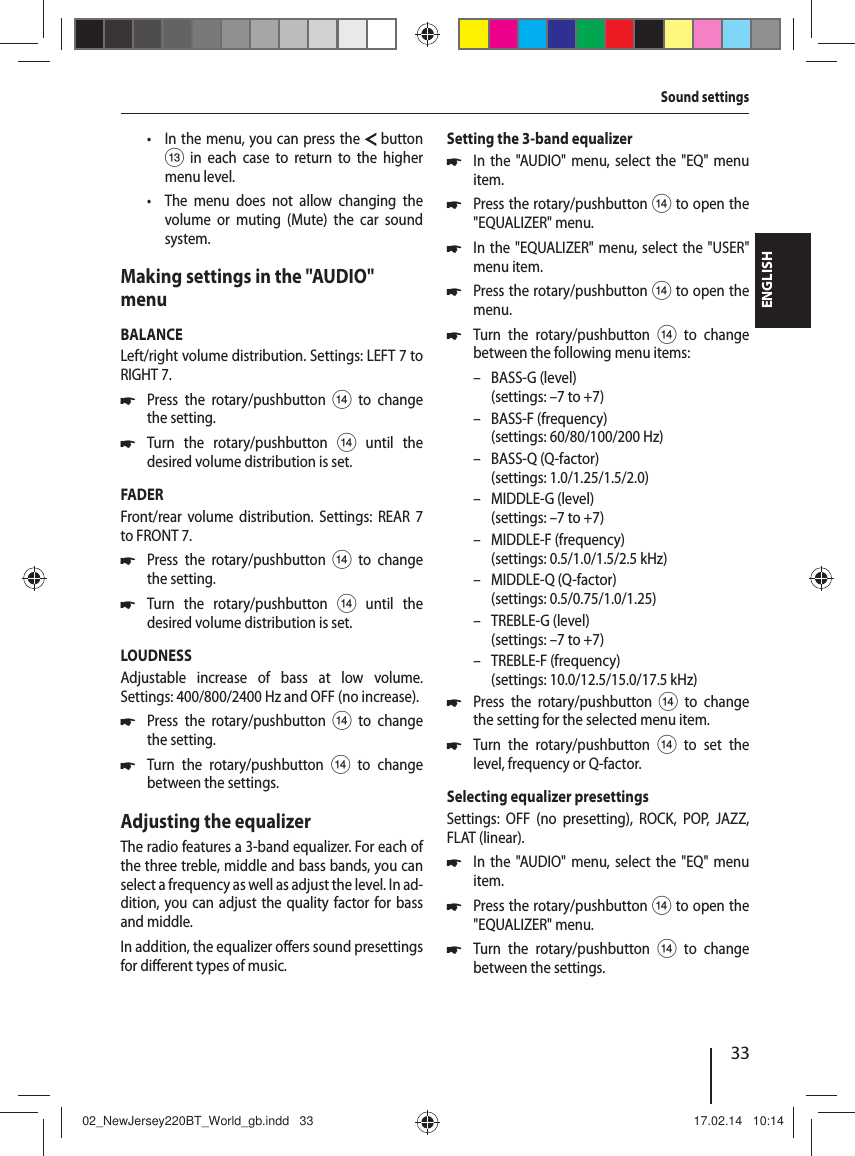
33ENGLISHSound settings • In the menu, you can press the  button = in each case to return to the higher menu level. • The menu does not allow changing the volume or muting (Mute) the car sound system.Making settings in the "AUDIO" menuBALANCELeft/right volume distribution. Settings: LEFT 7 to RIGHT 7. 쏅Press the rotary/pushbutton > to change the setting. 쏅Turn the rotary/pushbutton> until the desired volume distribution is set.FADERFront/rear volume distribution. Settings: REAR 7 to FRONT 7. 쏅Press the rotary/pushbutton > to change the setting. 쏅Turn the rotary/pushbutton> until the desired volume distribution is set.LOUDNESSAdjustable increase of bass at low volume. Settings: 400/800/2400 Hz and OFF (no increase). 쏅Press the rotary/pushbutton > to change the setting. 쏅Turn the rotary/pushbutton > to change between the settings.Adjusting the equalizerThe radio features a 3-band equalizer. For each of the three treble, middle and bass bands, you can select a frequency as well as adjust the level. In ad-dition, you can adjust the quality factor for bass and middle. In addition, the equalizer o ers sound presettings for di erent types of music.Setting the 3-band equalizer 쏅In the "AUDIO" menu, select the "EQ" menu item. 쏅Press the rotary/pushbutton > to open the "EQUALIZER" menu. 쏅In the "EQUALIZER" menu, select the "USER" menu item. 쏅Press the rotary/pushbutton > to open the menu. 쏅Turn the rotary/pushbutton > to change between the following menu items: – BASS-G (level)(settings: –7 to +7) – BASS-F (frequency)(settings: 60/80/100/200 Hz) – BASS-Q (Q-factor)(settings: 1.0/1.25/1.5/2.0) – MIDDLE-G (level)(settings: –7 to +7) – MIDDLE-F (frequency)(settings: 0.5/1.0/1.5/2.5 kHz) – MIDDLE-Q (Q-factor)(settings: 0.5/0.75/1.0/1.25) – TREBLE-G (level)(settings: –7 to +7) – TREBLE-F (frequency)(settings: 10.0/12.5/15.0/17.5 kHz) 쏅Press the rotary/pushbutton > to change the setting for the selected menu item. 쏅Turn the rotary/pushbutton > to set the level, frequency or Q-factor.Selecting equalizer presettingsSettings: OFF (no presetting), ROCK, POP, JAZZ, FLAT (linear). 쏅In the "AUDIO" menu, select the "EQ" menu item. 쏅Press the rotary/pushbutton > to open the "EQUALIZER" menu. 쏅Turn the rotary/pushbutton > to change between the settings.02_NewJersey220BT_World_gb.indd   3302_NewJersey220BT_World_gb.indd   33 17.02.14   10:1417.02.14   10:14
34User settingsCalling the user menu and selecting a menu 쏅Brie y press the MENU button 1 to open the user menu.In the user menu, the user settings can be found in the following menus: • TUNER • VOLUME • DISPLAY • VARIOUS 쏅Turn the rotary/pushbutton> until the desired menu is selected. 쏅Press the rotary/pushbutton > to open the selected menu. 쏅Turn the rotary/pushbutton> until the desired menu item is selected. 쏅Perform the setting (see the following sections). 쏅Brie y press the MENU button 1 to exit the menu.Notes: • The menu is automatically exited approx. 20 seconds after the last button activation and you are returned to the display of the current audio source. • In the menu, you can press the  button = in each case to return to the higher menu level. • The menu does not allow changing the volume or muting (Mute) the car sound system.Making settings in the "TUNER" menuRDSSwitching the RDS function on or o . Settings: ON, OFF. 쏅Press the rotary/pushbutton > to change the setting. 쏅Turn the rotary/pushbutton > to change between the settings.Note:If the reception area "ASIA" or "AMERICA" is selected, RDS is automatically switched o .  AF (alternative frequency)(only for reception area EUROPE)Only possible in FM radio mode and with RDS function switched on: Switching AF function on or o . Settings: ON, OFF. 쏅Press the rotary/pushbutton > to change the setting. 쏅Turn the rotary/pushbutton > to change between the settings.If the AF function is active, the   symbol appears on the display.REG (Regional)(only for reception area EUROPE)Only possible in FM radio mode and with RDS and AF function switched on: Switching REGIONAL function on or o . Settings: ON, OFF. 쏅Press the rotary/pushbutton > to change the setting. 쏅Turn the rotary/pushbutton > to change between the settings.User settings02_NewJersey220BT_World_gb.indd   3402_NewJersey220BT_World_gb.indd   34 17.02.14   10:1417.02.14   10:14
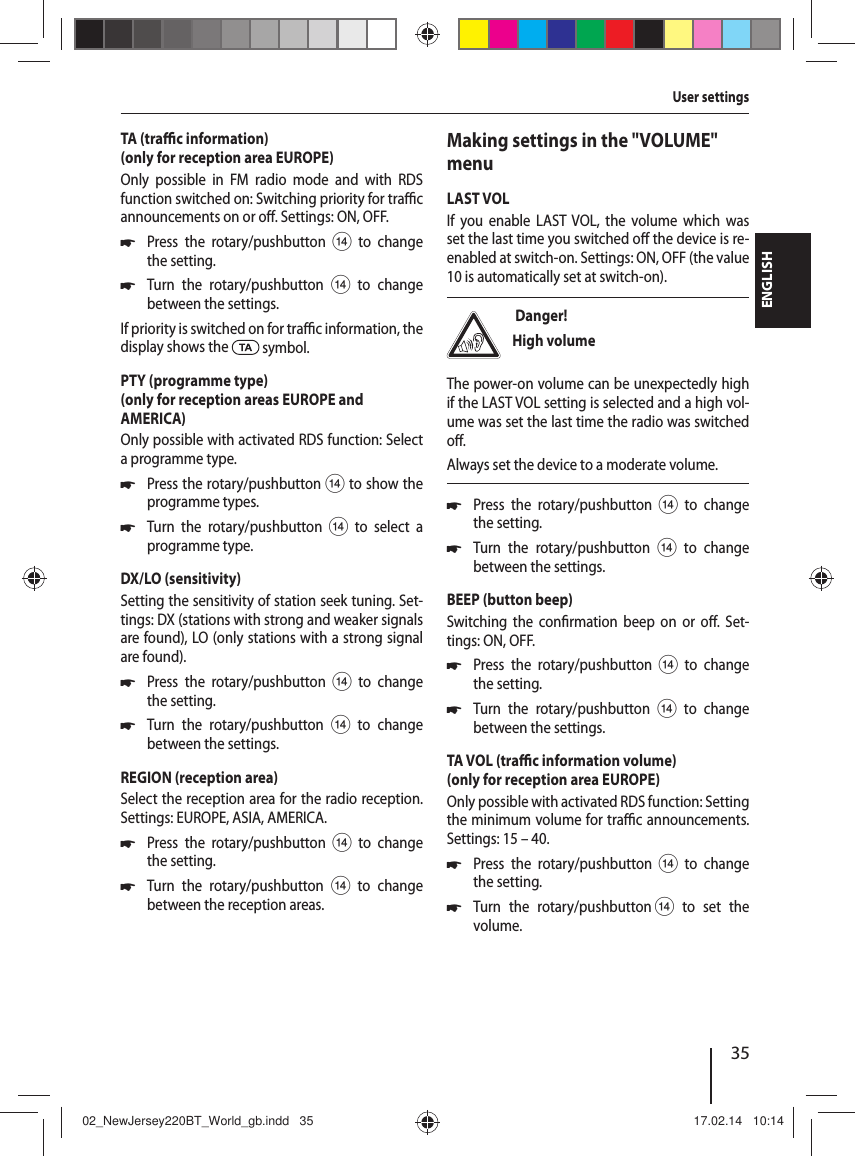
35ENGLISHTA (tra  c information)(only for reception area EUROPE)Only possible in FM radio mode and with RDS function switched on: Switching priority for tra  c announcements on or o . Settings: ON, OFF. 쏅Press the rotary/pushbutton > to change the setting. 쏅Turn the rotary/pushbutton > to change between the settings.If priority is switched on for tra  c information, the display shows the   symbol.PTY (programme type)(only for reception areas EUROPE and AMERICA)Only possible with activated RDS function: Select a programme type. 쏅Press the rotary/pushbutton > to show the programme types. 쏅Turn the rotary/pushbutton > to select a programme type.DX/LO (sensitivity)Setting the sensitivity of station seek tuning. Set-tings: DX (stations with strong and weaker signals are found), LO (only stations with a strong signal are found). 쏅Press the rotary/pushbutton > to change the setting. 쏅Turn the rotary/pushbutton > to change between the settings.REGION (reception area)Select the reception area for the radio reception. Settings: EUROPE, ASIA, AMERICA. 쏅Press the rotary/pushbutton > to change the setting. 쏅Turn the rotary/pushbutton > to change between the reception areas.Making settings in the "VOLUME" menuLAST VOLIf you enable LAST VOL, the volume which was set the last time you switched o  the device is re-enabled at switch-on. Settings: ON, OFF (the value 10 is automatically set at switch-on). Danger! High volumeThe power-on volume can be unexpectedly high if the LAST VOL setting is selected and a high vol-ume was set the last time the radio was switched o .Always set the device to a moderate volume. 쏅Press the rotary/pushbutton > to change the setting. 쏅Turn the rotary/pushbutton > to change between the settings.BEEP (button beep)Switching the con rmation beep on or o . Set-tings: ON, OFF. 쏅Press the rotary/pushbutton > to change the setting. 쏅Turn the rotary/pushbutton > to change between the settings.TA VOL (tra  c information volume)(only for reception area EUROPE)Only possible with activated RDS function: Setting the minimum volume for tra  c announcements. Settings: 15 – 40. 쏅Press the rotary/pushbutton > to change the setting. 쏅Turn the rotary/pushbutton > to set the volume.User settings02_NewJersey220BT_World_gb.indd   3502_NewJersey220BT_World_gb.indd   35 17.02.14   10:1417.02.14   10:14
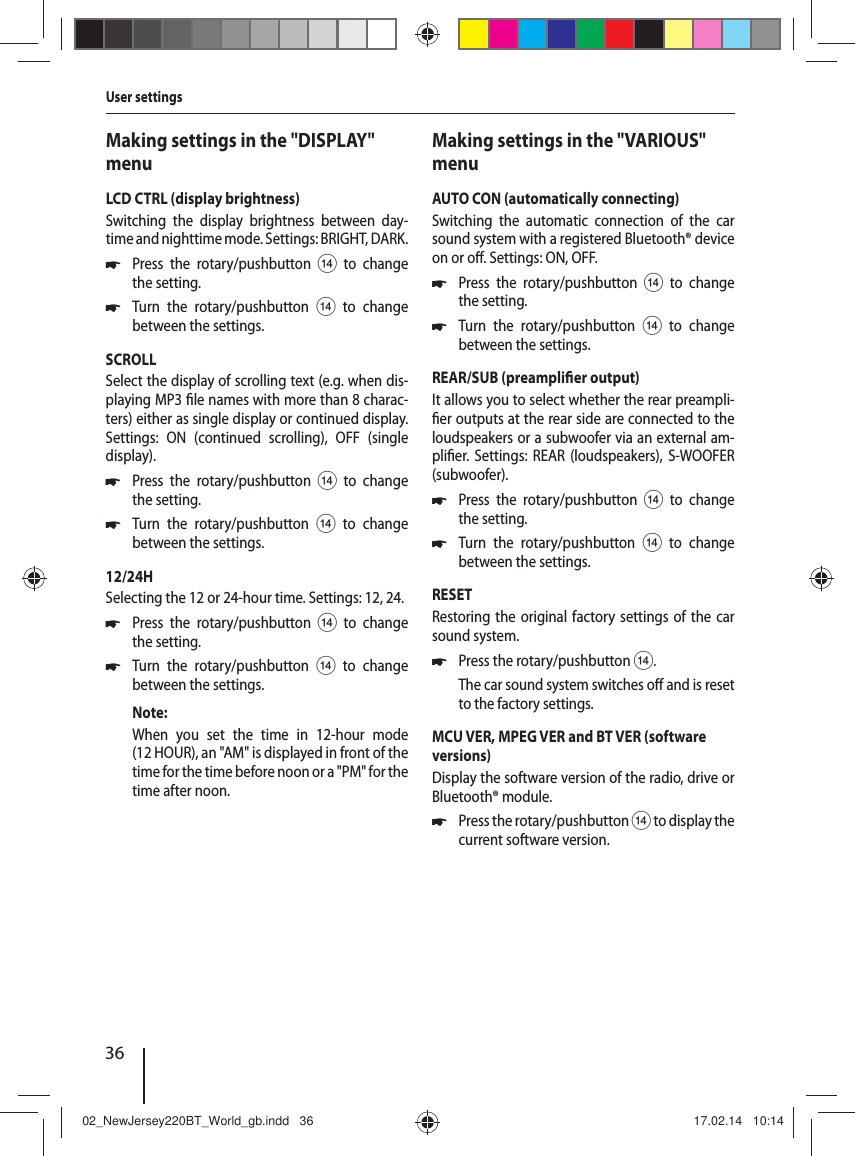
36Making settings in the "DISPLAY" menuLCD CTRL (display brightness)Switching the display brightness between day-time and nighttime mode. Settings: BRIGHT, DARK. 쏅Press the rotary/pushbutton > to change the setting. 쏅Turn the rotary/pushbutton > to change between the settings.SCROLLSelect the display of scrolling text (e.g. when dis-playing MP3  le names with more than 8charac-ters) either as single display or continued display. Settings: ON (continued scrolling), OFF (single display). 쏅Press the rotary/pushbutton > to change the setting. 쏅Turn the rotary/pushbutton > to change between the settings.12/24HSelecting the 12 or 24-hour time. Settings: 12, 24. 쏅Press the rotary/pushbutton > to change the setting. 쏅Turn the rotary/pushbutton > to change between the settings.Note:When you set the time in 12-hour mode (12 HOUR), an "AM" is displayed in front of the time for the time before noon or a "PM" for the time after noon.Making settings in the "VARIOUS" menuAUTO CON (automatically connecting)Switching the automatic connection of the car sound system with a registered Bluetooth® device on or o . Settings: ON, OFF. 쏅Press the rotary/pushbutton > to change the setting. 쏅Turn the rotary/pushbutton > to change between the settings.REAR/SUB (preampli er output)It allows you to select whether the rear preampli- er outputs at the rear side are connected to the loudspeakers or a subwoofer via an external am-pli er. Settings: REAR (loudspeakers), S-WOOFER (subwoofer). 쏅Press the rotary/pushbutton > to change the setting. 쏅Turn the rotary/pushbutton > to change between the settings.RESETRestoring the original factory settings of the car sound system. 쏅Press the rotary/pushbutton >.The car sound system switches o  and is reset to the factory settings.MCU VER, MPEG VER and BT VER (software versions)Display the software version of the radio, drive or Bluetooth® module. 쏅Press the rotary/pushbutton > to display the current software version.User settings02_NewJersey220BT_World_gb.indd   3602_NewJersey220BT_World_gb.indd   36 17.02.14   10:1417.02.14   10:14
37ENGLISHUseful informationWarrantyWe provide a manufacturer's warranty for prod-ucts bought within the European Union. For de-vices purchased outside the European Union, the warranty terms issued by our respective responsi-ble domestic agency are valid. The warranty terms can be called up from www.blaupunkt.com. ServiceIn some countries, Blaupunkt o ers a repair and pick-up service.Information about the availability of this service in your country can be found at www.blaupunkt.com.If you want to take advantage of this service, you may request a pick-up service for your car sound system via the Internet.Technical dataVoltage supplyOperating voltage:  10.5 – 14.4 VCurrent consumptionIn operation:  15 A10 sec. after switch-o :  < 3.5 mAAmpli er Output power:  4 x 22 watts sine at 14.4 V at 4ohms.  4 x 50 watts max. powerTunerWavebands Europe:FM:  87.5 – 108 MHzAM (MW):  522 – 1,620 kHzWavebands Asia:FM:  87.5 – 108 MHzAM (MW):  522 – 1,629 kHzWavebands in America:FM:  87.5 – 107.9 MHzAM (MW):  530 – 1,710 kHzFM frequency response:  30 – 15,000 HzCDFrequency response:  20 – 20,000 HzPre-amp out4 channels:  2 VInput sensitivityFront AUX-IN:  300 mV / 10 kΩDimensions and weightW x H x D:  178 x 100 x 170 mmWeight:  approx. 1.60 kgSubject to changesUseful information | Technical data02_NewJersey220BT_World_gb.indd   3702_NewJersey220BT_World_gb.indd   37 17.02.14   10:1417.02.14   10:14
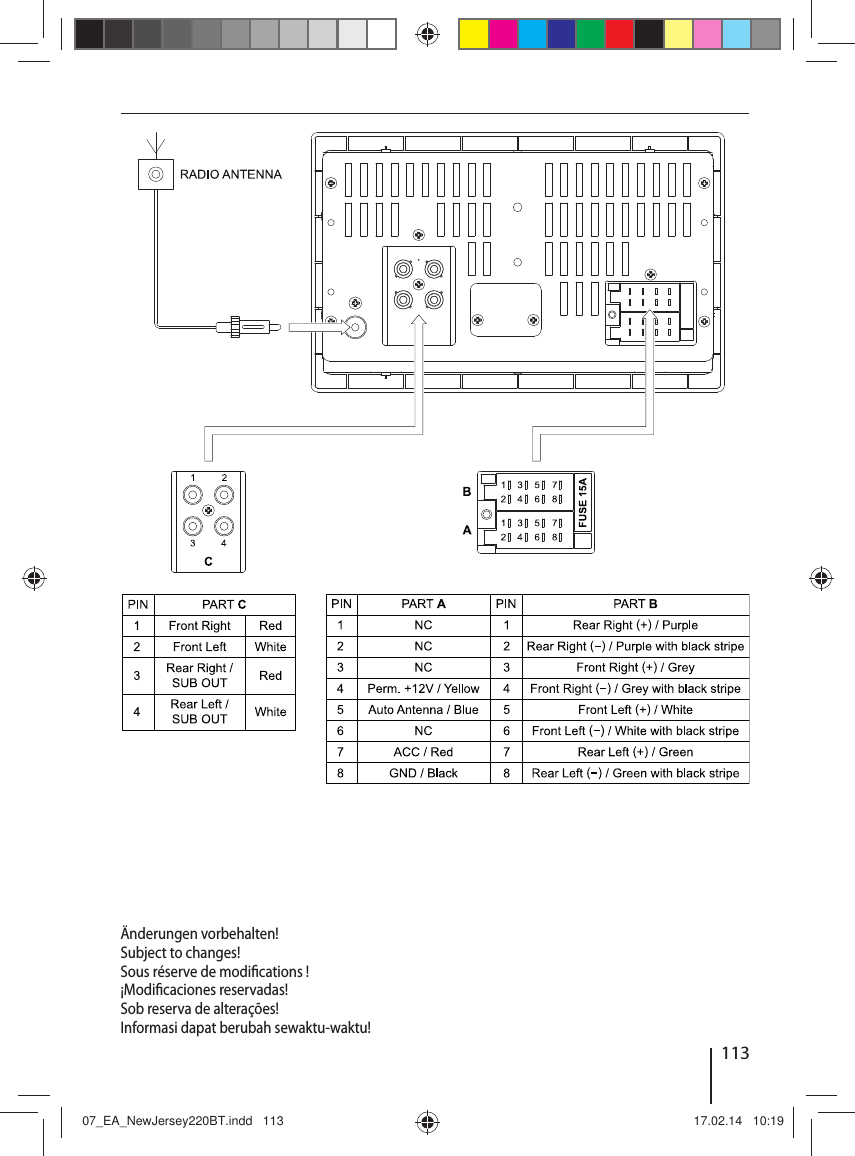
110Einbauanleitung | Installation instructionsDE EinbauanleitungSicherheitshinweiseFür die Dauer der Montage und des An-schlusses beachten Sie bitte folgende Sicherheits-hinweise. • Minuspol der Batterie abklemmen! Dabei die Sicherheitshinweise des Kfz-Herstellers be-achten. • Beim Bohren von Löchern darauf achten, dass keine Fahrzeugteile beschädigt werden. • Der Querschnitt des Plus- und Minuskabels darf 1,5 mm² nicht unterschreiten. • Fahrzeugseitige Stecker nicht an das Radio anschließen!Die für Ihren Fahrzeugtyp erforderlichen  Adapterkabel erhalten Sie im BLAUPUNKT-Fachhandel. • Je nach Bauart kann Ihr Fahrzeug von dieser Beschreibung abweichen. Für Schäden durch Einbau- oder Anschlussfehler und für Folge-schäden übernehmen wir keine Haftung. Sollten die hier aufgeführten Hinweise für Ihren Einbau nicht passen, so wenden Sie sich bitte an Ihren Blaupunkt-Fachhändler, Ihren Fahrzeughersteller oder unsere Telefon- Hotline.Bei Einbau eines Ampli er müssen unbedingt erst die Gerätemassen angeschlossen werden, bevor die Stecker für die Line-Out-Buchse kontaktiert werden.Fremdgerätemassen dürfen nicht an der Auto-radiomasse (Gehäuse) angeschlossen werden.EN Installation instructionsSafety instructionsWhen carrying out installation work and making connections please observe the following safety instructions: • Disconnect the negative terminal of the bat-tery! When doing so, please observe the vehi-cle manufacturer’s safety instructions. • Make sure you do not damage vehicle compo-nents when drilling any holes. • The cross sections of the positive and negative cables must not be less than 1.5 mm². • Do not connect the vehicle’s plug connec-tors to the radio!You can obtain the adapter cable required for your vehicle type from any BLAUPUNKT dealer. • Depending on the model, your vehicle may di er from the description provided here. We accept no responsibility for any damages due to incorrect installation or connection or for any consequential damages.If the information provided here is not suita-ble for your speci c installation requirements, please contact your Blaupunkt dealer, your ve-hicle manufacturer or our telephone hotline.When installing an ampli er, you must  rst con-nect the device earth connections before con-necting the plugs for the line-out jacks.Earth connection of external devices may not be connected to earth of car sound system (housing).07_EA_NewJersey220BT.indd   11007_EA_NewJersey220BT.indd   110 17.02.14   10:1917.02.14   10:19
111Notice de montage | Instrucciones de instalaciónFR  Notice de montageConsignes de sécuritéRespecter les consignes de sécurité sui-vantes pendant la durée du montage et du bran-chement. • Débrancher le pôle (-) de la batterie ! Respec-ter les consignes de sécurité du constructeur automobile ! • Veiller à n’endommager aucune pièce du véhi-cule en perçant des trous. • La section du câble (+) et (-) ne doit pas dépas-ser 1,5 mm². • Ne pas brancher les connecteurs du véhi-cule sur la radio !Les câbles d’adaptation nécessai res pour le type de véhicule sont disponibles auprès des revendeurs BLAUPUNKT. • En fonction du modèle, votre véhicule peut di érer de cette description. Nous déclinerons toute responsabilité en cas de dommages causés par des erreurs de montage ou de connexion et en cas de dommages consécu-tifs. Si les indications décrites ici ne s’appliquent au montage que vous voulez e ectuer, adres-sez-vous à votre revendeur Blaupunkt, votre constructeur automobile ou notre service d’assistance téléphonique.Pour le montage d’un ampli cateur, les masses d’appareil doivent être d’abord connectées avant de connecter les  ches pour les connecteurs Line Out.Les masses des appareils externes ne doivent pas être raccordées à la masse de l’autoradio (boîtier).ES Instrucciones de instalaciónNormas de seguridadDurante el montaje y la conexión es im-prescindible observar las siguientes normas de seguridad. • Desemborne el polo negativo de la batería. Observe las normas de seguridad dadas por el fabricante del vehículo. • Al perforar agujeros, asegúrese de no dañar ninguna pieza del vehículo. • La sección transversal del cable positivo y del cable negativo no debe ser menor de 1,5 mm². • ¡No conecte a la radio los conectores ubica-dos en el vehículo!Los cables adaptadores necesarios para su vehículo los encontrará en el comercio espe-cializado en artículos de la marca BLAUPUNKT.  • Dependiendo del modelo, es posible que su vehículo varíe un poco con respecto a la des-cripción aquí dada. Tenga en cuenta que no asumimos ninguna responsabilidad por los daños debidos a un montaje o conexión inco-rrectos ni por los daños resultantes. Si las instrucciones aquí dadas no son ap-tas para el montaje en su vehículo, póngase en contacto con su proveedor de artículos  Blaupunkt o con el fabricante del vehículo, o llame a nuestro teléfono de atención al cliente.En caso de montar un ampli cador, es necesario conectar la puesta a tierra de las unidades antes de establecer el contacto de los conectores para las hembrillas Line-Out.No deben conectarse masas de otros equipos a la masa de la radio (carcasa).07_EA_NewJersey220BT.indd   11107_EA_NewJersey220BT.indd   111 17.02.14   10:1917.02.14   10:19
112Instruções de montagem | Petunjuk PemasanganPT  Instruções de montagemInstruções de segurançaDurante a montagem e a ligação do apa-relho, queira respeitar as seguintes instruções de segurança. • Separar o pólo negativo da bateria! Respeitar ao mesmo tempo as instruções de segurança do fabricante do automóvel. • Quando se procede à furagem de buracos, prestar atenção para não serem dani cadas quaisquer partes do veículo. • As secções transversais dos cabos positivo e negativo não devem ser inferiores a 1,5 mm². • Não ligar as   chas existentes do lado do au-tomóvel ao auto-rádioOs cabos adaptadores necessários para o seu automóvel podem ser adquiridos nos reven-dedores da BLAUPUNKT. • O seu veículo pode divergir desta descrição em função do modelo. Não assumimos qual-quer responsabilidade por erros de monta-gem ou de ligação nem por danos daí decor-rentes. Caso as presentes instruções não sejam ade-quadas para a montagem no seu veículo, dirija-se ao revendedor da Blaupunkt, ao fa-bricante do seu veículo ou à nossa linha verde.No caso de montagem de um ampli cador, é im-prescindível ligar primeiro os aparelhos à terra antes de se conectar as  chas às tomadas Line Out.A massa de aparelhos externos não deve ser ligada à massa do auto-rádio (caixa).ID Petunjuk PemasanganPetunjuk keselamatanKetika memasang dan menyambungkan perangkat, perhatikan petunjuk keselamatan berikut. • Putuskan koneksi kutub negatif baterai! Untuk itu, perhatikan petunjuk keselamatan yang diberikan oleh pabrikan kendaraan Anda. • Ketika melakukan pengeboran, pastikan Anda tidak merusak komponen kendaraan. • Penampang lintang kabel positif dan negatif tidak boleh kurang dari 1,5 mm². • Jangan sambungkan konektor steker kendaraan ke radio!Anda dapat memperoleh kabel adaptor yang diperlukan untuk jenis kendaraan Anda dari dealer BLAUPUNKT. • Tergantung modelnya, kendaraan Anda mungkin bisa berbeda dengan penjelasan ini. Kami tidak bertanggung jawab atas kerugian yang terjadi pada kesalahan proses pemasangan atau penyambungan atau untuk kerugian-kerugian lainnya. Jika petunjuk yang dijelaskan di sini tidak bisa diterapkan pada proses pemasangan radio mobil Anda, sebaiknya proses tersebut dilakukan oleh teknisi di dealer khusus Blaupunkt atau hubungi nomor telepon kami.Pada saat pemasangan ampli er, Anda harus menghubungkan perangkat ke ground terlebih dahulu sebelum menghubungkan steker ke soket line-out.Ground perangkat eksternal tidak boleh dihubungkan ke ground.07_EA_NewJersey220BT.indd   11207_EA_NewJersey220BT.indd   112 17.02.14   10:1917.02.14   10:19
113Änderungen vorbehalten!Subject to changes!Sous réserve de modi cations ! ¡Modi caciones reservadas!Sob reserva de alterações! Informasi dapat berubah sewaktu-waktu!07_EA_NewJersey220BT.indd   11307_EA_NewJersey220BT.indd   113 17.02.14   10:1917.02.14   10:19
Supported iPod/ iPhone devicesOur product can support below listed iPod / iPhone generations:  • iPod touch (5th generation) • iPod touch (4th generation) • iPod nano (7th generation) • iPod nano (6th generation) • iPhone 5 • iPhone 4S • iPhone 4"Made for iPod" and "Made for iPhone" mean that an electronic accessory has been designed to connect speci cally to iPod, iPhone respectively, and has been certi ed by the developer to meet Apple performance standards. Apple is not responsible for the operation of this device or its compliance with safety and regulatory standards. Please note that the use of this accessory with iPod, iPhone may a ect wireless performance.iPhone, iPod are trademarks of Apple Inc., registered in the U.S. and other countries.This product is protected by certain intellectual property rights of Microsoft. Use or distribution of such technology outside of this product is prohibited without a license from Microsoft.The Bluetooth® word mark and logos are registered trademarks owned by Bluetooth SIG, Inc.FCC Statement1.  This device complies with Part 15 of the FCC Rules. Operation is subject to the following two conditions:(1)  This device may not cause harmful interference.(2)  This device must accept any interference received, including interference that may cause undesired operation.2.  Changes or modi cations not expressly approved by the party responsible for compliance could void the user’s authority to operate the equipment.NOTE: This equipment has been tested and found to comply with the limits for a Class B digital device, pursuant to Part15 of the FCC Rules. These limits are designed to provide reasonable protection against harmful interference in a residential installation.This equipment generates uses and can radiate radio frequency energy and, if not installed and used in accordance with the instructions, may cause harmful interference to radio communications. However, there is no guarantee that interference will not occur in a particular installation. If this equipment does cause harmful interference to radio or television reception, which can be determined by turning the equipment o  and on, the user is encouraged to try to correct the interference by one or more of the following measures: • Reorient or relocate the receiving antenna. • Increase the separation between the equipment and receiver. • Connect the equipment into an outlet on a circuit di erent from that to which the receiver is connected. • Consult the dealer or an experienced radio/TV technician for help.07_EA_NewJersey220BT.indd   11407_EA_NewJersey220BT.indd   114 23.05.14   10:1023.05.14   10:10
© 2014 All rights reserved by Blaupunkt. This material may be reproduced, copied or distributed for personal use only.Bitte den ausgefüllten Gerätepass sicher aufbewahren!Please keep the  lled-in radio pass in a safe place!Prière de conserver soigneusement la carte d’autoradio remplie !¡Favor guardar el documento del aparato debidamente llenado en un lugar seguro!Por favor, guardar o cartão preenchido do aparelho num lugar seguro!Simpan dengan baik dokumen perangkat Anda yang sudah terisi!07_EA_NewJersey220BT.indd   11507_EA_NewJersey220BT.indd   115 23.05.14   10:1023.05.14   10:10
Name:  ......................................................................................................................Type:   ......................................................................................................................Serial no.: BP  ...............................................................................................................New Jersey 220 BT1 011 303 335 001Blaupunkt Europe GmbH Robert-Bosch-Straße 200D-31139 Hildesheimhttp://www.blaupunkt.com5 101 030 015 02/14  450 285 – de, gb, fr, es, pt, idPassport07_EA_NewJersey220BT.indd   11607_EA_NewJersey220BT.indd   116 17.02.14   10:1917.02.14   10:19

Navigation menu