HUMAN LINE MB-200 MentalDoctor Smart S2 User Manual
HUMAN-LINE MentalDoctor Smart S2
user manual

Rev 1.0
MB-200 User Manual
Derived model : MB-300
1. Outline
The MB-200 is a product that is built in the body of the device and wirelessly
connects to a smart phone to listen to the contents and exercise the eyeball. The
content is played in a dedicated application of the smart phone by the streaming
method in the content server, and you can use the Light Bar with 118 LEDs to make
eye movements while watching the light and listen to the contents by using the built-
in speaker or earphone.
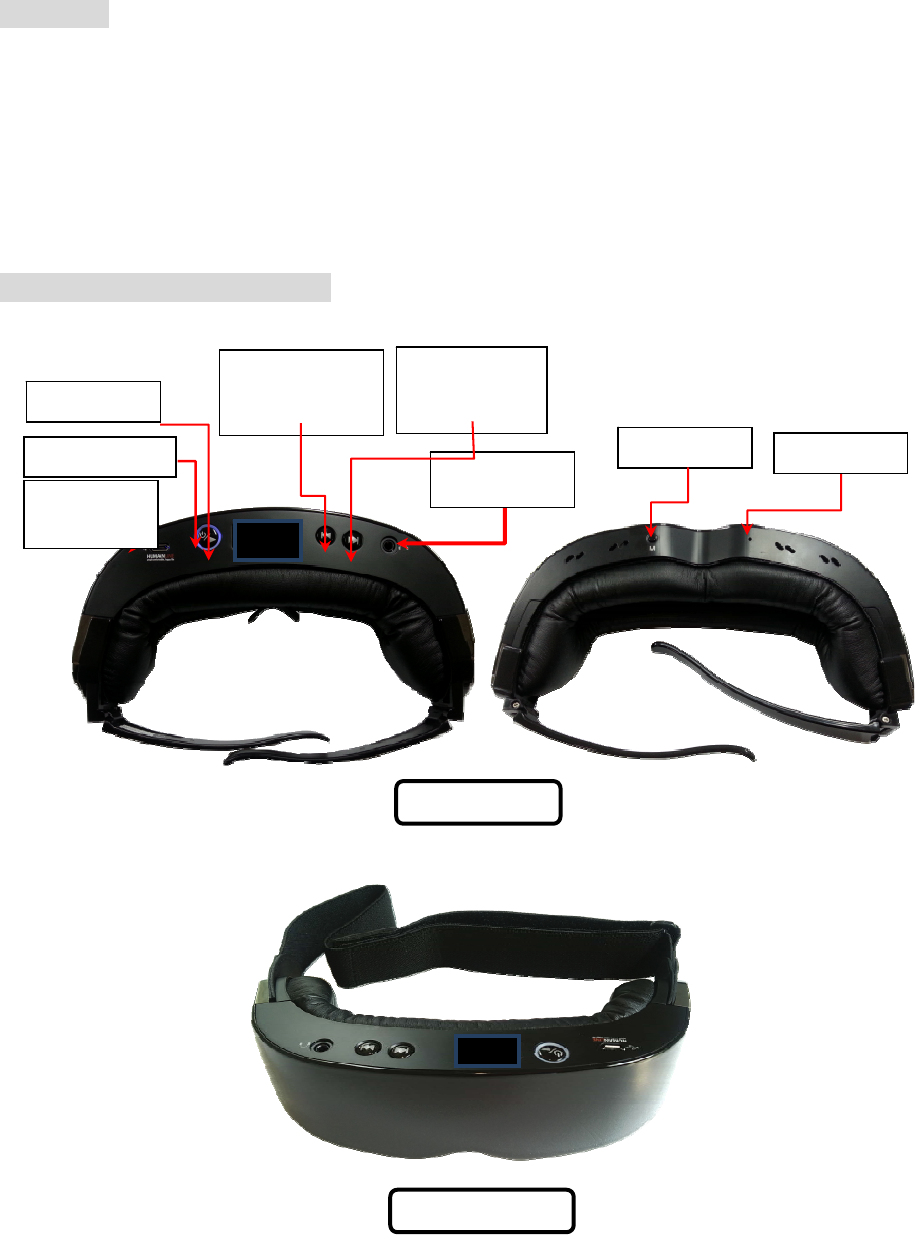
2. Major parts in the product
Charging
terminal
MB-300_LEG
Menu button
Power/Pla
y
/Stop
Power LED
Move button
(increase)/volume
button (increase)
Move button
(Decrease)/volume
button (decrease)
Earphone jack
MB-200_BAND
Reset button

3. MB-200 Specification
1) Bluetooths Ver: 4.1(BDR/EDR Only)(CSR’s Bluecore 8670 chip)
2) Bluetooths Prof.: A2DP/AVRCP/BLE / SPP
3) Audio Codec: SBC
4) Wireless Range : 15 to 20M
5) Horizontal eye movement by following the 118 light bar LED lights
6) System built dual speaker Stereo 8Ω(Max output :800mW+800mW) output
7) External earphone stereo 32Ω (Max output 20mW+20mW) output
8) Built-in 3.7V Lithium-ion Polymer rechargeable Battery(360mAh)
9) External charging adapter: AC100 to 240V 50 to 60Hz /DC 5V 1.2A
10) Battery level color : 3 Colors (Red, Blue, Green)
11) Charging time: 2 hours
12) Hours of use : 8 hours (when using the earphone)
13) Use environment : Operating temp. – 0 to 40℃
Storage temp. - -10 to 50℃
Humidity - 70% or less
14) Product dimension : 186 mm (width) x 180mm(length) x 46mm(height)
15) Weight : 155g
16) Contents service type: Streaming service through streaming server.
17) Number of content service: 600 different contents
18) Current consumption
1) Stand-by : 30mA
2) Operating : 40 to 60mA
4. How to use the product
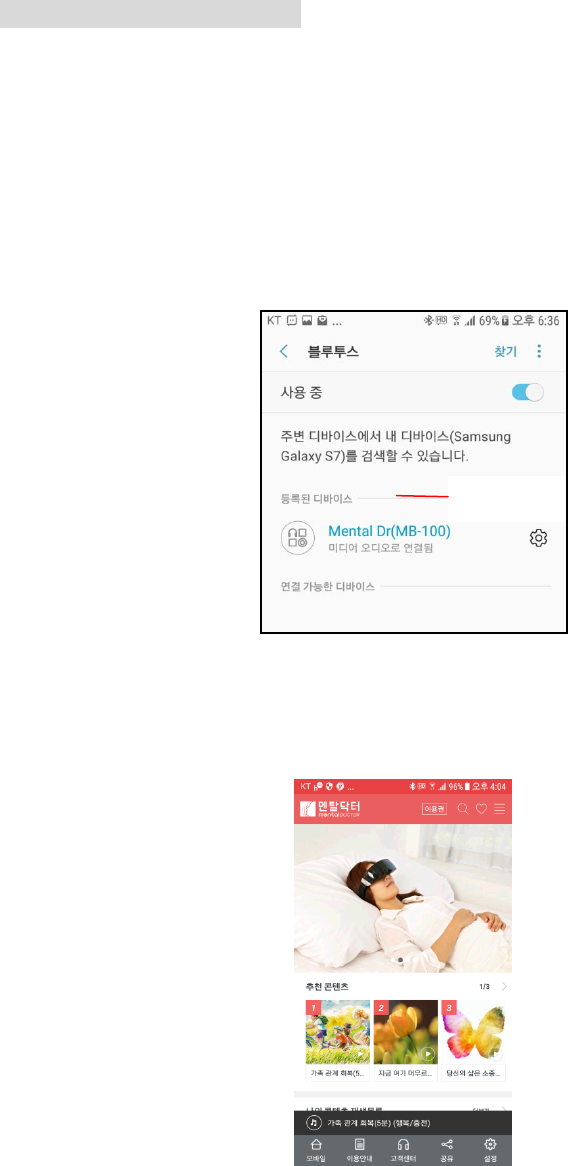
1) Connect with your smartphone
- Turn on the power button of Mental Doctor (MB-200).
- Turn on the Bluetooth function in the setup menu of the smartphone and
search for the Bluetooth device
-. When "MB-200" is appears on the list of available devices, register it.
-. When the connection status with the smartphone is confirmed, run the
Mental Doctor's exclusive app.
2) Mental Doctor (MB-200) automatically tries to pair with the Bluetooth of the
smartphone as soon as the power is turned on. The power LED flashes in 0.5s
unit until it is connected to the smartphone. When connected, the power LED turns
on.
MB-200
3) Left/Right Light Bar LEDs turn on when power is on
4) After putting on Mental doctor (MB-200), press the left/right navigation button to
set the focus to see it as one.
5) If the focus appears as one, press the Power/Play button again.
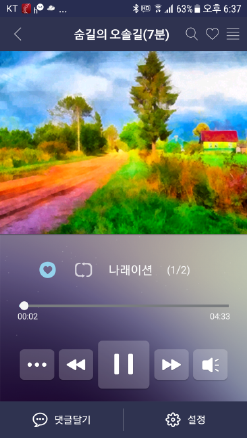
6) Either select the content you want to listen to on the smartphone's Mental
Doctor app by removing Mental Doctor (MB-200) or press the Power/Play button
while wearing it or touch the Play button on the smartphone's Mental Doctor App
It's possible to play the contents.
※ All actions can also be done in the player of Mental Doctor App
7) The content is repeated until the end of the content in the sequence of
narration-> eye movement-> narration-> eye movement, and the contents of all
sections are different.
In the narration section, close your eyes and listen to them and when the
instruction for eye movements come out, move your eyes to the left and right to
the light and perform eye movement.
8) If the volume is low or large during the content operation, press the Left/Right
navigation buttons to adjust the volume.
(※ Volume can be adjusted only during operation.)

9) If you want to stop the content, press the Play button to stop the content.
10) If you want to listen to the next or previous content, press the left / right
navigation button in stop mode to play the content you want to listen to.
11) If you want to listen alone with your earphone, insert the earphone into the
earphone jack at the top of the product and listen.
12) If you can hear the voice that battery power is low while Mental doctor is
playing, or if you hear a beeping sound, charge Mental Doctor by inserting charger
into the charging terminal at the top of the product.
During charging, Blue LED flashes (1s). When charging is completed, Blue LED
turns on. At this time, remove the charger from the mental doctor.
※ The product will not operate during charging..
If the Bluetooth connection is disconnected from the smartphone, Mental
Doctor automatically tries pairing for 5 minutes and if there is no response,
Mental Doctor turns off automatically.
If you try to reconnect, you must turn on Mental Doctor again and use it
5. Light Bar LED Configuration
1) Setting the focus
Press and hold the menu button at the bottom of the product for more than
3 seconds Left / Right Light Bar LED is turned on to set LED focus.
Put on Mental Doctor and press the left / right navigation button to adjust the
focus so that it looks as one. (Steps 1 to 17, Default: 11)
2) Brightness setting
Press the MENU button when the focus setting is completed.
Press Left / Right button to adjust LED brightness (1 ~ 6 steps, Default: 3)
3) Movement speed setting
When the brightness is set, press the Menu button
Press the left / right navigation button to adjust the LED speed
(1 ~ 10 steps, Default: 5)
When the brightness is set, press the Menu button
This device complies with Part 15 of the FCC Rules.
Operation is subject to the following two conditions:
1) this device may not cause interference and
2) this device must accept any interference, including interference that may cause undesired
operation of the device.
Any changes or modifications not expressly approved by the party responsible for
compliance could void the user’s authority to operate this equipment
This portable transmitter with its antenna complies with FCC/IC RF exposure limits for
general population / uncontrolled exposure.