HangZhou XiongMai Technology XM-JPLB1S Smart Panoramic Camera Bulb User Manual
HangZhou XiongMai Technology CO., LTD Smart Panoramic Camera Bulb
User Manual
SmartPanoramicBulbCamera
FastUserManual
HANGZHOUXIONGMAITECHNOLOGYCO.,LTD
Precautions
1. Pleaseconfirmwhetherthevoltagemeetsthe
requirementsbeforeusingtheproduct,orimproper
voltagewilldamagethedeviceandbringsecurityrisk.
2. Pleaseinstallthedevicecorrectlyandmakesure
whethertodisconnectthepowersupplyatthetime
ofinstallation.
3. Thedevicewillgenerateheatinthework,please
avoidusinginconfinedspaces.
4. Inordertopreventburns,donottouchthedevice
afterprolongeduse.
5. Pleaseusethecamerafunctionlegally.

W
S
p
p
o
se
c
se
t
se
c
se
t
W
iFisig
Lam
p
p
ecifica
Mount
Worki
n
Power
LifeEx
p
Image
S
Prod
u
Tips
o
we
r
.T
u
c
onds.
A
t
ting.
Tips
t
c
onds,
t
ting.
nalar
e
p
hold
e
tions:
:E27
n
gVolta
g
Consu
m
p
ectanc
S
ensor:
u
ctin
t
one:Sc
u
rnon
A
fter5
c
t
wo:us
e
theb
u
e
a
e
r
g
e:AC
1
m
ption:
y:20,0
0
3.0Me
g
t
rodu
c
rewth
e
ando
f
c
ycles,i
e
SETp
u
lbwil
1
00~2
4
3W
0
0hour
s
g
aPixel
h
c
tion:
e
bulbi
n
f
fthe
b
twillr
e
intolo
n
lresto
4
0V50
~
s
h
ighper
n
tothe
b
ulbat
e
storei
n
n
g‐pres
s
reint
o
~
60Hz
forman
lampa
interv
a
n
todefa
s
SETb
u
o
defa
u
ceCM
O
ndens
u
a
lsof
1
ultfact
o
u
ttonf
o
u
ltfact
o
Came
Lamps
h
SET
O
S
u
re
1
‐3
o
ry
o
r6
o
ry
ra
h
ade
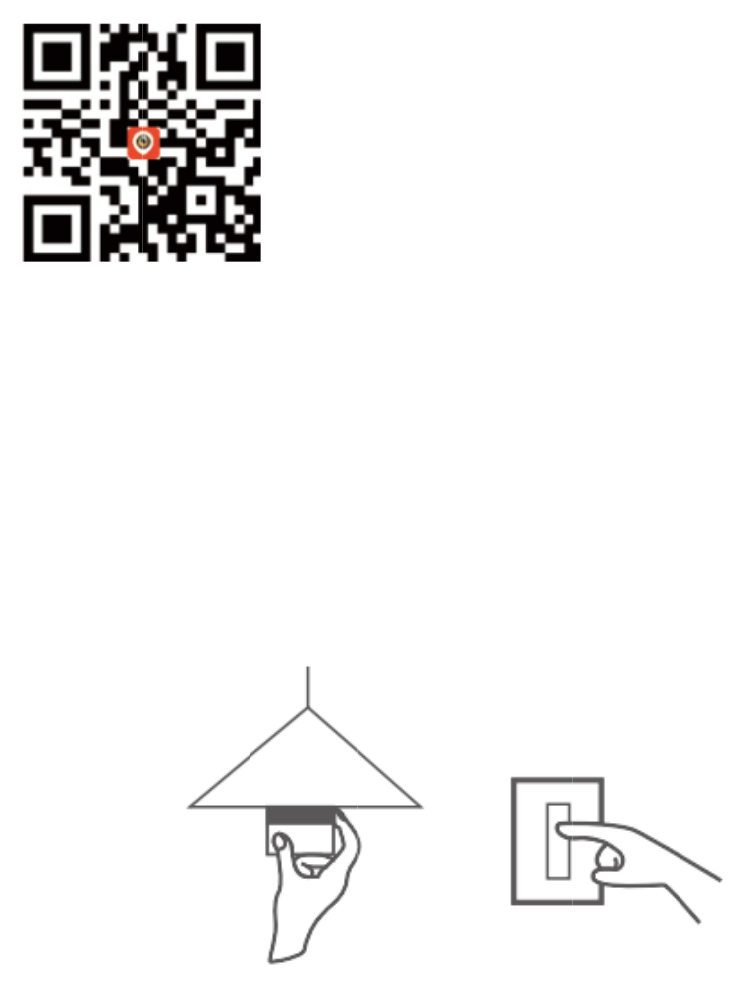
Q
1.
Ti
p
C
s
Ti
p
d
o
2.
Sc
r
p
o
At
t
st
a
Q
uick
m
APPDo
p
sone:
S
s
ee
p
stwo:
o
wnloa
d
Installa
t
r
ewth
o
werswi
t
t
ention
:
a
rtsfla
s
m
anu
a
wnload
S
canQ
R
Searc
h
d
it.
t
ion
ebul
b
t
ch.
:
After
t
s
hingat
a
l
R
code.
h
“Csee”
b
into
t
hebul
b
thein
t
inApp
S
thela
m
b
ispo
w
t
erval
o
S
toreor
m
psa
n
w
ered,t
h
o
f1sec
o
Googl
e
n
dtur
n
h
eLED
w
o
nd,it
e
e
Play,
a
n
on
t
w
hiteli
g
e
ntersi
n
a
nd
t
he
g
ht
n
to
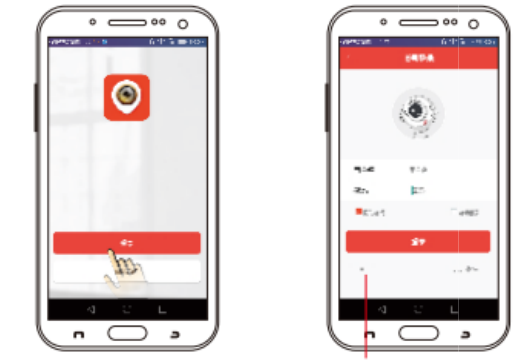
n
e
u
n
co
01
02
e
twork
c
n
tilfinis
h
Plea
s
nfigura
t
3.N
e
. Userl
o
Open
A
1)
. Addd
e
c
onfigu
r
h
ingne
t
s
efoll
o
t
ion”o
n
e
twork
C
o
gin
A
PP“Cs
e
1
e
vice
r
ation(
L
t
workc
o
o
wth
e
n
theri
g
C
onfigu
r
e
e”,sel
e
L
EDwh
o
nfigur
a
e
oper
a
g
ht:
r
ation
e
ct“Te
m
iteligh
t
a
tion).
a
tion
o
m
porar
y
2
t
willal
w
o
fthe
y
login”
w
aysfl
a
“netw
o
;(pict
u
a
sh
o
rk
u
re
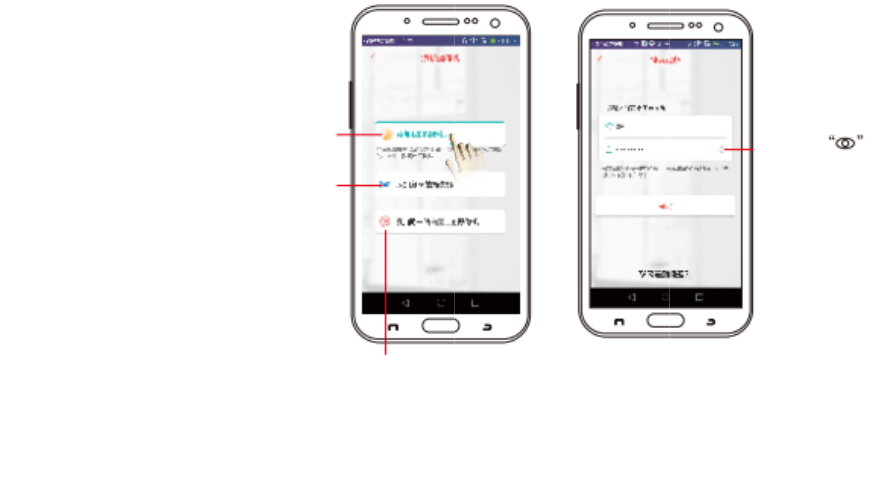
A
p
s
e
c
o
c
o
“a
d
(p
i
ac
c
03
Ca
pr
e
re
l
Fastc
o
firstti
m
thedef
a
A
ddserial
n
eople'sbul
b
e
rialnumbe
o
deorscan
n
o
de.
After
d
dmy
c
i
cture
4
c
ording
. Open
v
Afte
r
merai
e
view,o
l
atedi
m
o
nfiguration:
m
etousean
d
a
ultfactory.
s
n
umbers:A
d
b
sbyente
r,sharinginf
o
n
ingthede
v
login,
c
amera
”
4
).Comp
tothe
o
v
ideo
r
the
c
sdon
e
perate
m
ageinf
o
Forthe
d
restore
s
ettings.
d
dother
ringthe
o
rmation
v
ice'sQR
Se
a
us
e
th
e
co
Click
○
+
”
(pictur
leteth
e
o
perati
o
3
c
onfigur
e
succe
s
various
o
rmati
o
a
rchlocalar
e
e
thismeth
o
e
bulban
d
nnectedtot
h
○
+
atr
i
e3)an
d
e
devic
e
o
ntips
o
ationof
s
sfully,
y
perso
n
o
n.
e
anetwork:
Y
o
dtoaddbu
l
d
yourpho
h
esamerout
i
ght‐to
p
d
enter
e
’snet
w
o
fAPP.
4
Smart
y
ouca
n
n
alized
s
Y
oucan
bwhen
neare
er.
p
corne
“WiFi
p
w
orkco
n
4
Panor
a
n
enter
s
ettings
C
w
r,thenc
l
p
asswo
r
n
figurat
i
a
micB
u
intol
andvi
C
lickt
w
ifipasswor
d
l
ick
r
d”
i
on
u
lb
ive
ew
ocheckwh
d
iscorrect.
etherthe
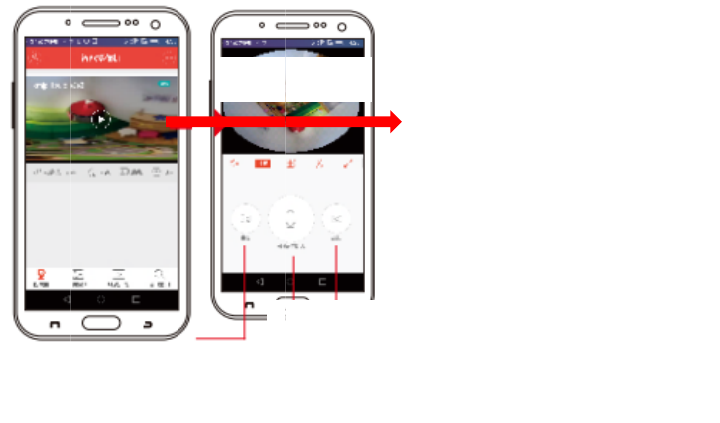
At
t
pr
o
ab
Di
r
It
u
p
in
f
t
ention
:
o
duct
i
oveste
r
ection
s
willre
p
grades,
f
ormed,
:
Ifthe
i
ntod
e
psuntil
s
(说
明
newti
m
please
andth
e
configu
e
faultf
a
theco
n
明
)
m
elyf
o
oper
a
e
introd
u
Clickt
o
V
p
ration
f
a
ctory
n
figurat
i
o
rAPP
a
teit
u
ctioni
s
o
enter
V
ideo
p
layback
f
ails,pl
setting
i
onisd
o
andd
onli
n
s
justr
e
Two‐way
talk
easer
e
andr
e
o
nesuc
c
evice
f
n
e,as
e
ferred.
Photoboo
t
e
store
t
e
peat
t
c
essfull
y
f
irmwar
e
it’s
n
t
h
t
he
t
he
y
.
e
,if
n
ot

WarrantyCard
Product
Name
Model
Purchase
Date
Distributor
Causation
Trouble‐shooting
Situation
Customer
Name
Customer
Gender
Customer
Phone
Post
Code
Address
Warrantyperiod:oneyear.
ThiswarrantyCardisonlyforourcompany’sproducts.
FCC Statement
This equipment has been tested and found to comply with the limits for a Class
B digital device, pursuant to part 15 of the FCC rules. These limits are
designed to provide reasonable protection against harmful interference in a
residential installation. This equipment generates, uses and can radiate radio
frequency energy and, if not installed and used in accordance with the
instructions, may cause harmful interference to radio communications.
However, there is no guarantee that interference will not occur in a particular
installation. If this equipment does cause harmful interference to radio or
television reception, which can be determined by turning the equipment off and
on, the user is encouraged to try to correct the interference by one or more of
the following measures:
-Reorient or relocate the receiving antenna.
-Increase the separation between the equipment and receiver.
-Connect the equipment into an outlet on a circuit different from that to which
the receiver is connected.
-Consult the dealer or an experienced radio/TV technician for help.
To assure continued compliance, any changes or modifications not expressly
approved by the party.
Responsible for compliance could void the user’s authority to operate this
equipment. (Example- use only shielded interface cables when connecting to
computer or peripheral devices).
This equipment complies with Part 15 of the FCC Rules. Operation is subject
to the following two conditions:
(1) This device may not cause harmful interference, and
(2) This device must accept any interference received, including interference
that may cause undesired operation.
FCC Radiation Exposure Statement:
The equipment complies with FCC Radiation exposure limits set forth for
uncontrolled enviroment. This equipment should be installed and operated with
minimum distance 20cm between the radiator and your body.