Hantel BPX5ACL1 Pager Receiver User Manual PX Manual

Hantel Co., Ltd. Pager Receiver PX Manual

manual

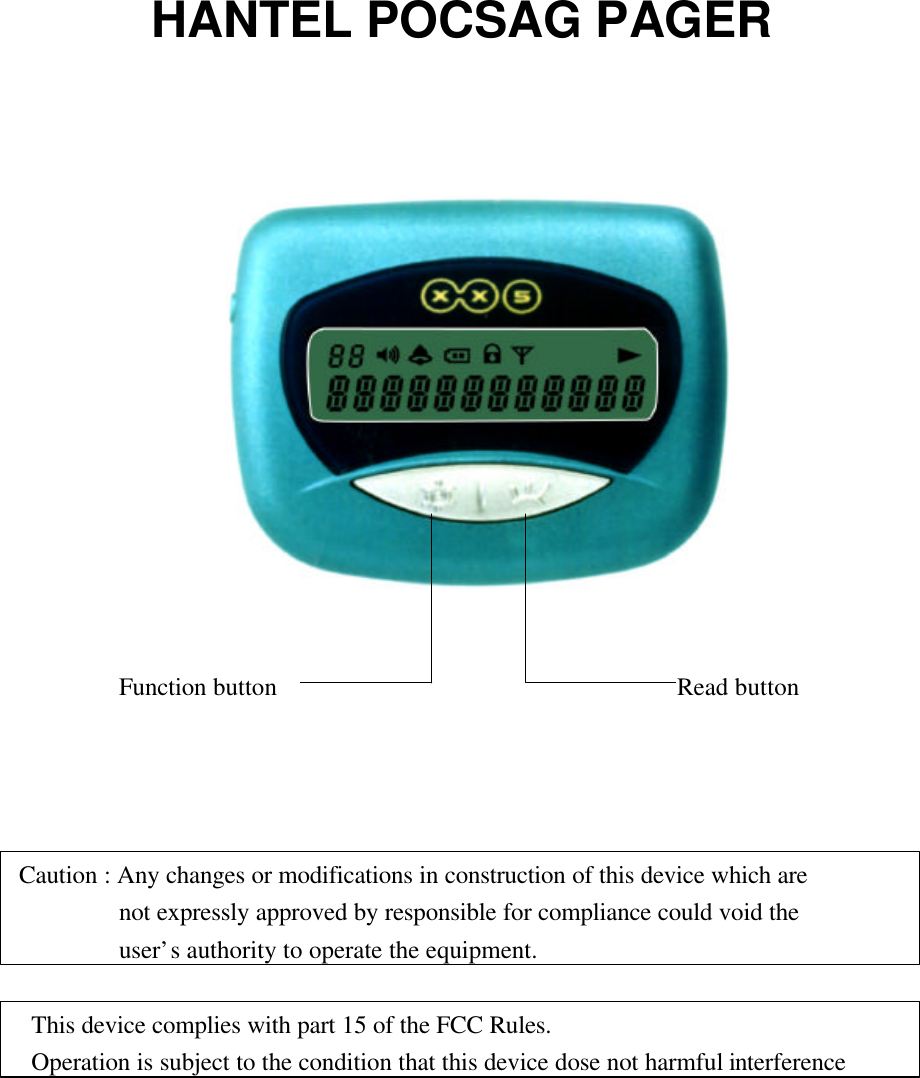
HANTEL POCSAG PAGER        Function button                                Read buttonCaution : Any changes or modifications in construction of this device which are        not expressly approved by responsible for compliance could void the        user’s authority to operate the equipment. This device complies with part 15 of the FCC Rules. Operation is subject to the condition that this device dose not harmful interference
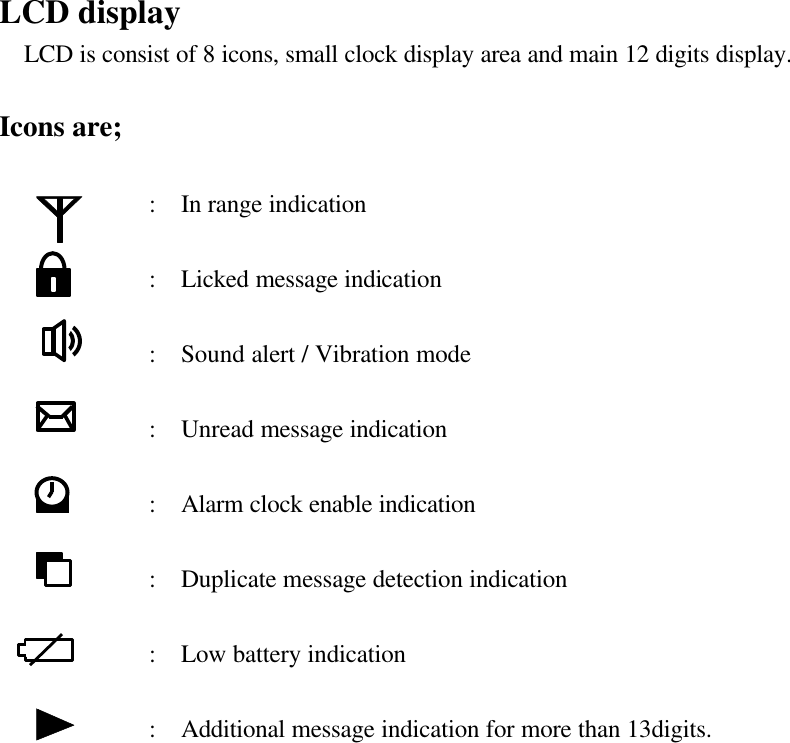
LCD display  LCD is consist of 8 icons, small clock display area and main 12 digits display.Icons are;            :  In range indication                   :  Licked message indication                   :  Sound alert / Vibration mode                   :  Unread message indication                       :  Alarm clock enable indication                     :  Duplicate message detection indication                  :  Low battery indication                   :  Additional message indication for more than 13digits.
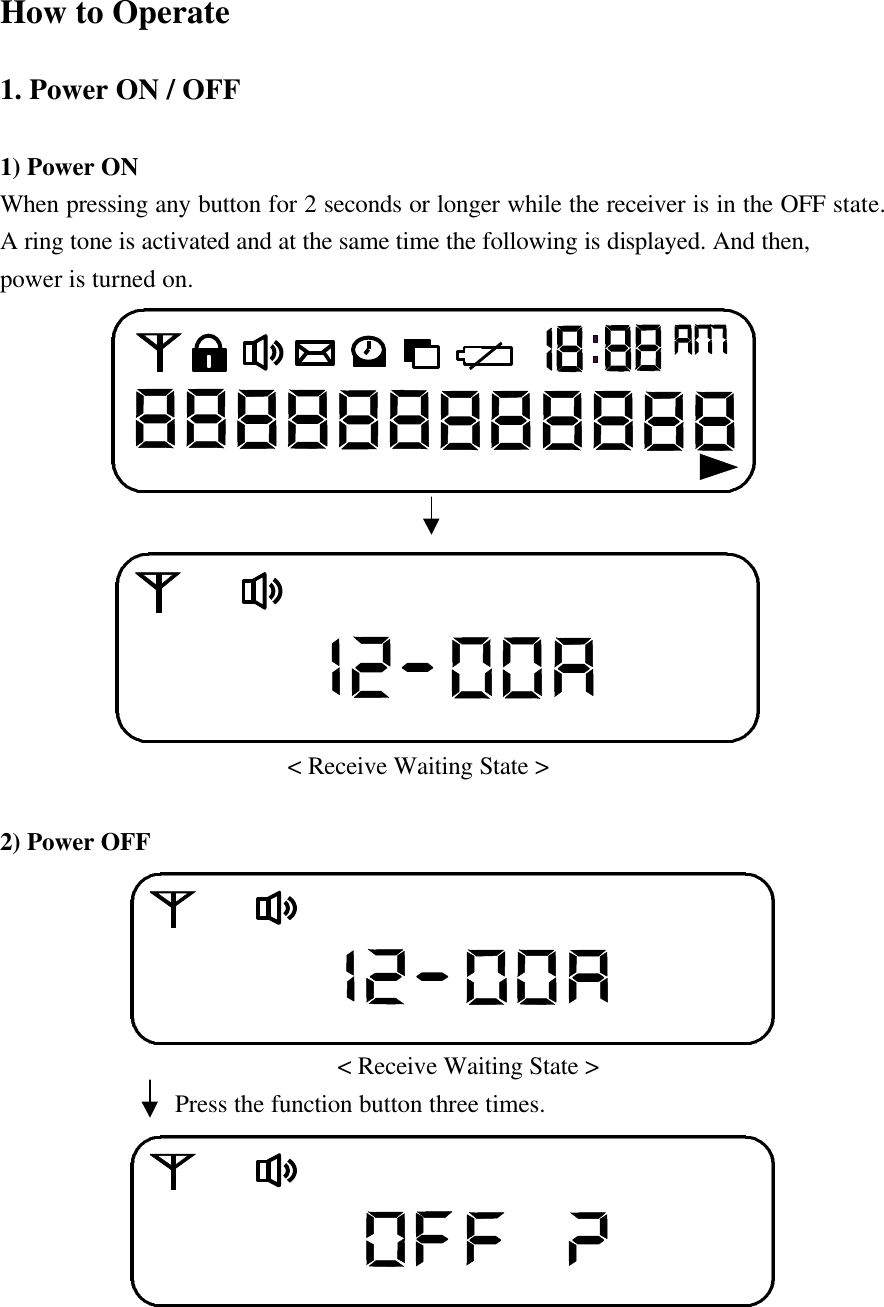
How to Operate1. Power ON / OFF  1) Power ONWhen pressing any button for 2 seconds or longer while the receiver is in the OFF state.                    A ring tone is activated and at the same time the following is displayed. And then,power is turned on.                       < Receive Waiting State >2) Power OFF                            < Receive Waiting State >              Press the function button three times.
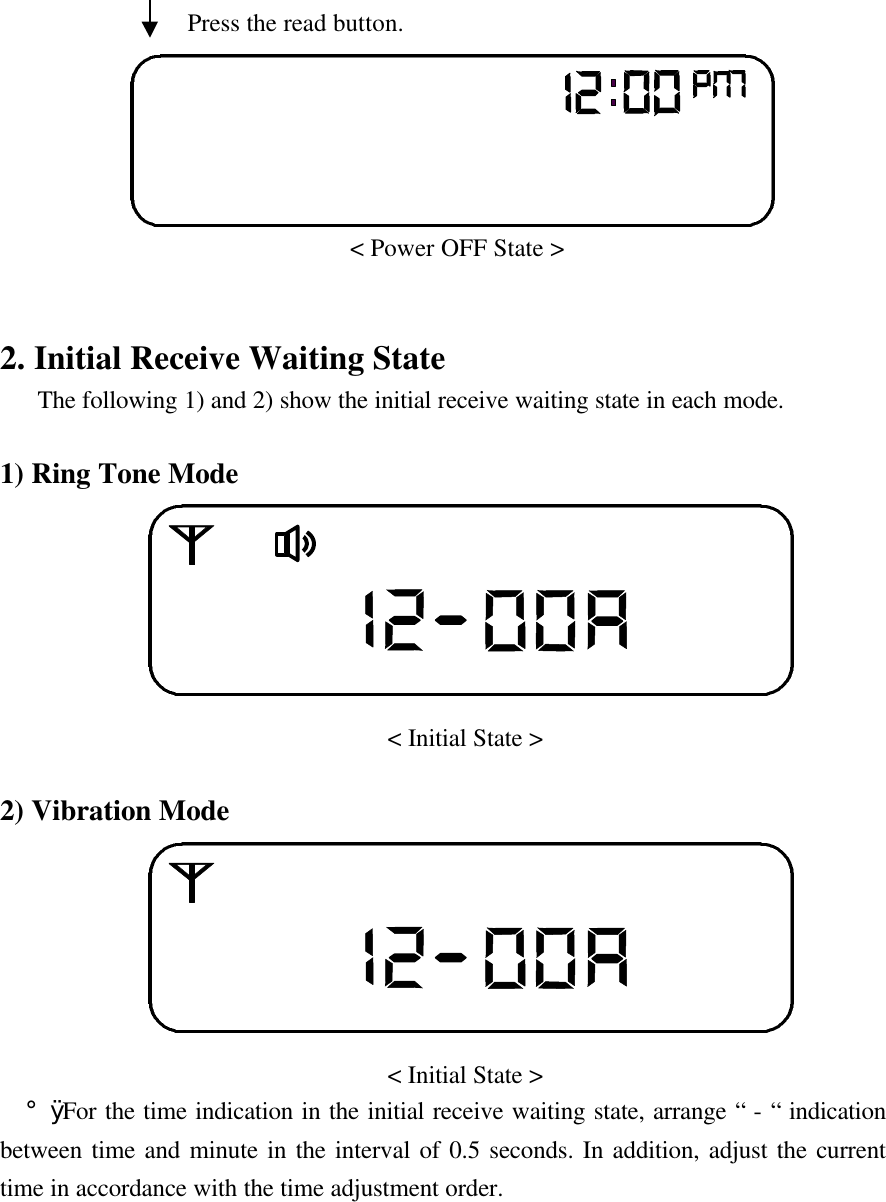
               Press the read button.                            < Power OFF State >2. Initial Receive Waiting State   The following 1) and 2) show the initial receive waiting state in each mode.1) Ring Tone Mode                                    < Initial State >2) Vibration Mode                               < Initial State >  ¡Ø For the time indication in the initial receive waiting state, arrange “ - “ indicationbetween time and minute in the interval of 0.5 seconds. In addition, adjust the currenttime in accordance with the time adjustment order.
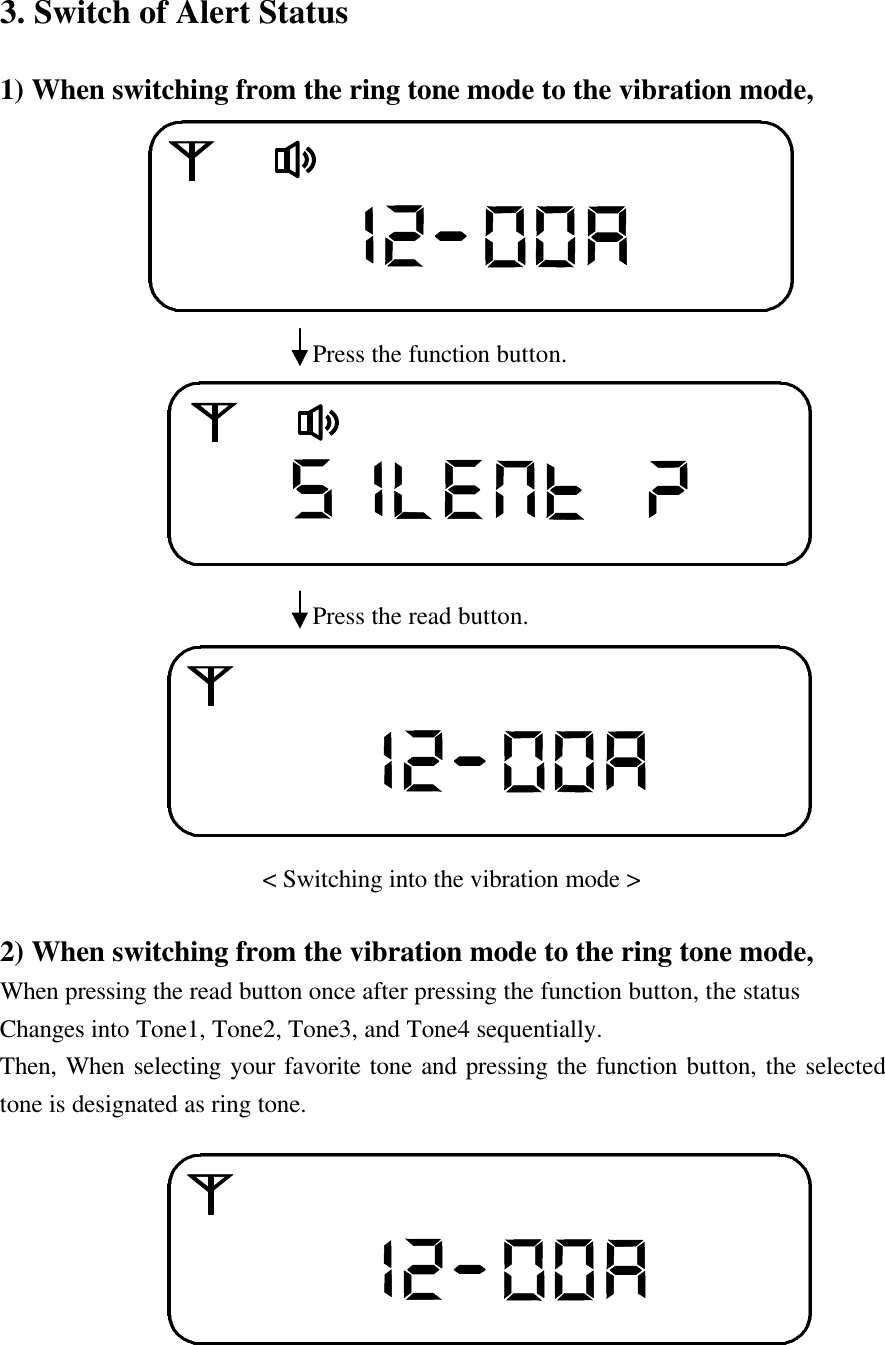
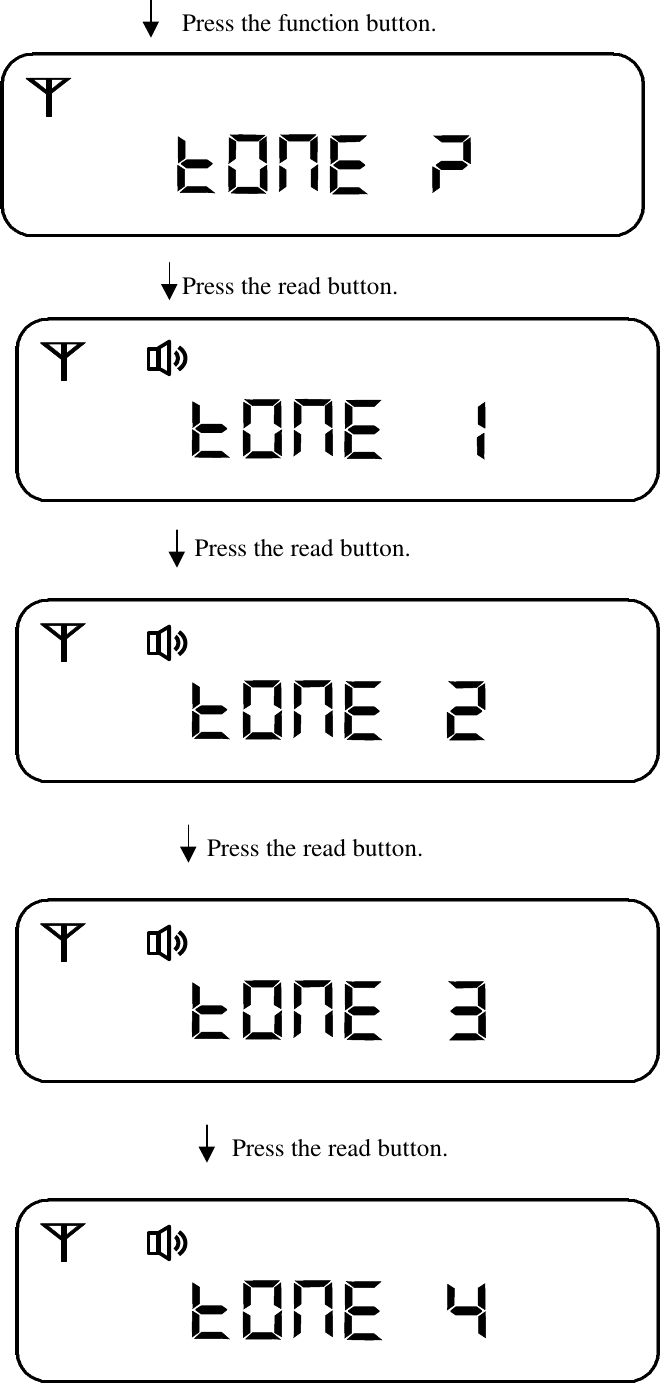
3. Switch of Alert Status1) When switching from the ring tone mode to the vibration mode,                           Press the function button.                            Press the read button.                         < Switching into the vibration mode >2) When switching from the vibration mode to the ring tone mode,When pressing the read button once after pressing the function button, the statusChanges into Tone1, Tone2, Tone3, and Tone4 sequentially.Then, When selecting your favorite tone and pressing the function button, the selectedtone is designated as ring tone.
                            Press the function button.                            Press the read button.                                 Press the read button.                              Press the read button.                                     Press the read button.
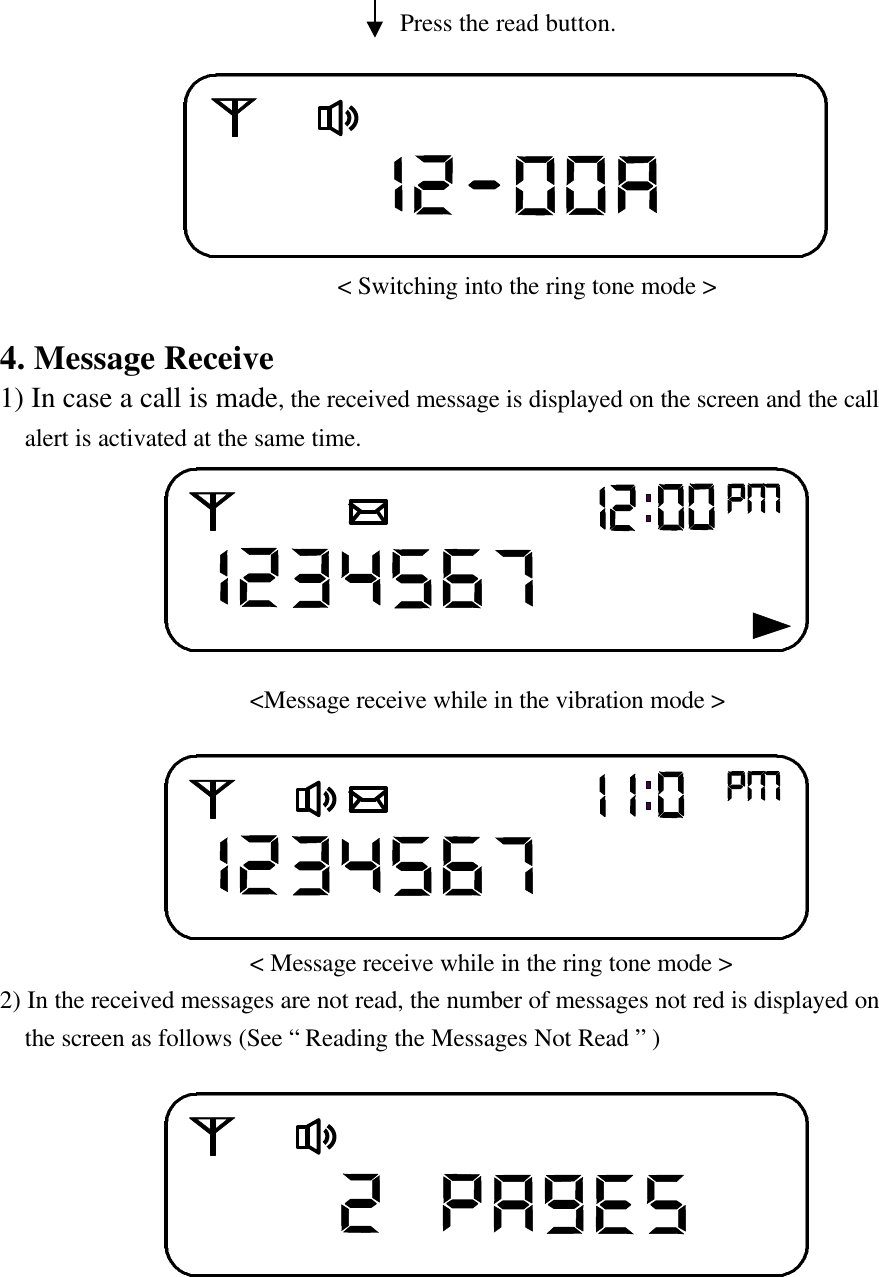
                                Press the read button.                               < Switching into the ring tone mode >4. Message Receive1) In case a call is made, the received message is displayed on the screen and the call  alert is activated at the same time.                                           <Message receive while in the vibration mode >                                     < Message receive while in the ring tone mode >2) In the received messages are not read, the number of messages not red is displayed on  the screen as follows (See “ Reading the Messages Not Read ” )
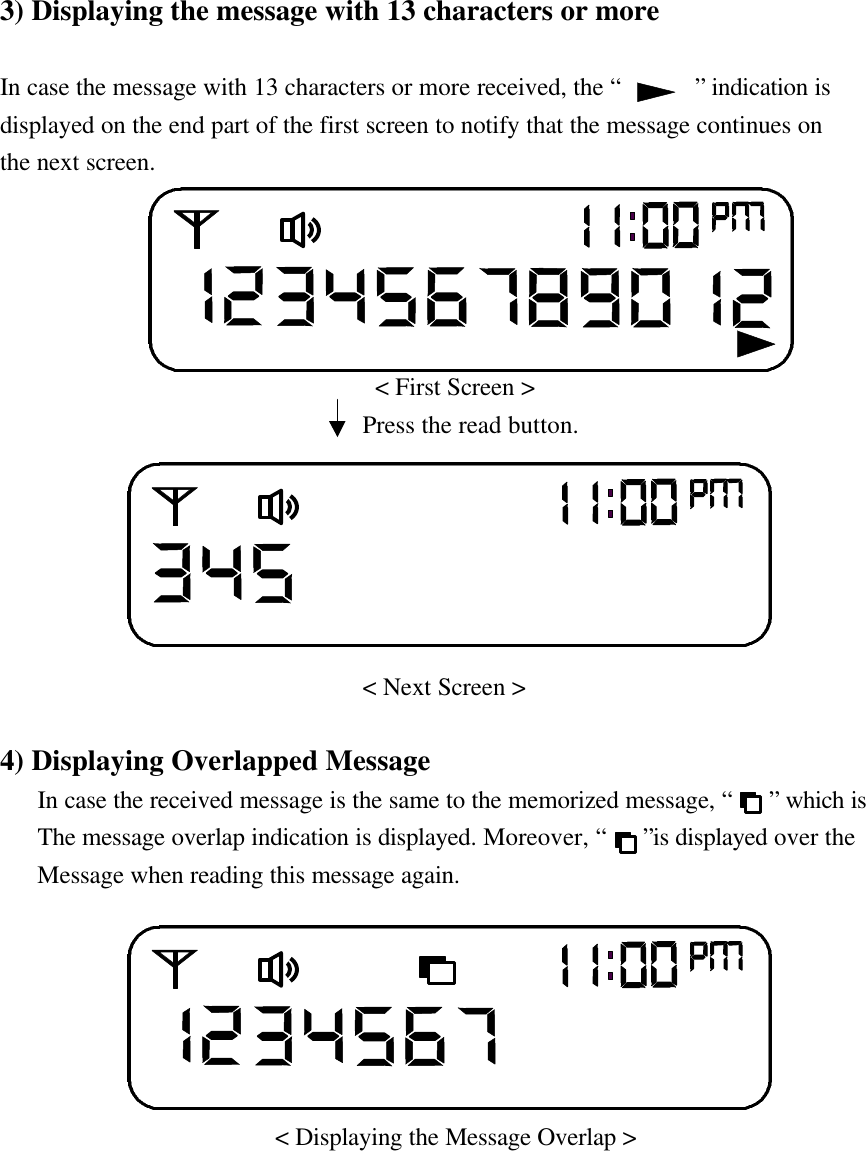
3) Displaying the message with 13 characters or moreIn case the message with 13 characters or more received, the “      ” indication isdisplayed on the end part of the first screen to notify that the message continues onthe next screen.                                   < First Screen >                             Press the read button.                                 < Next Screen >4) Displaying Overlapped Message   In case the received message is the same to the memorized message, “   ” which is             The message overlap indication is displayed. Moreover, “   ”is displayed over the            Message when reading this message again.                        < Displaying the Message Overlap >
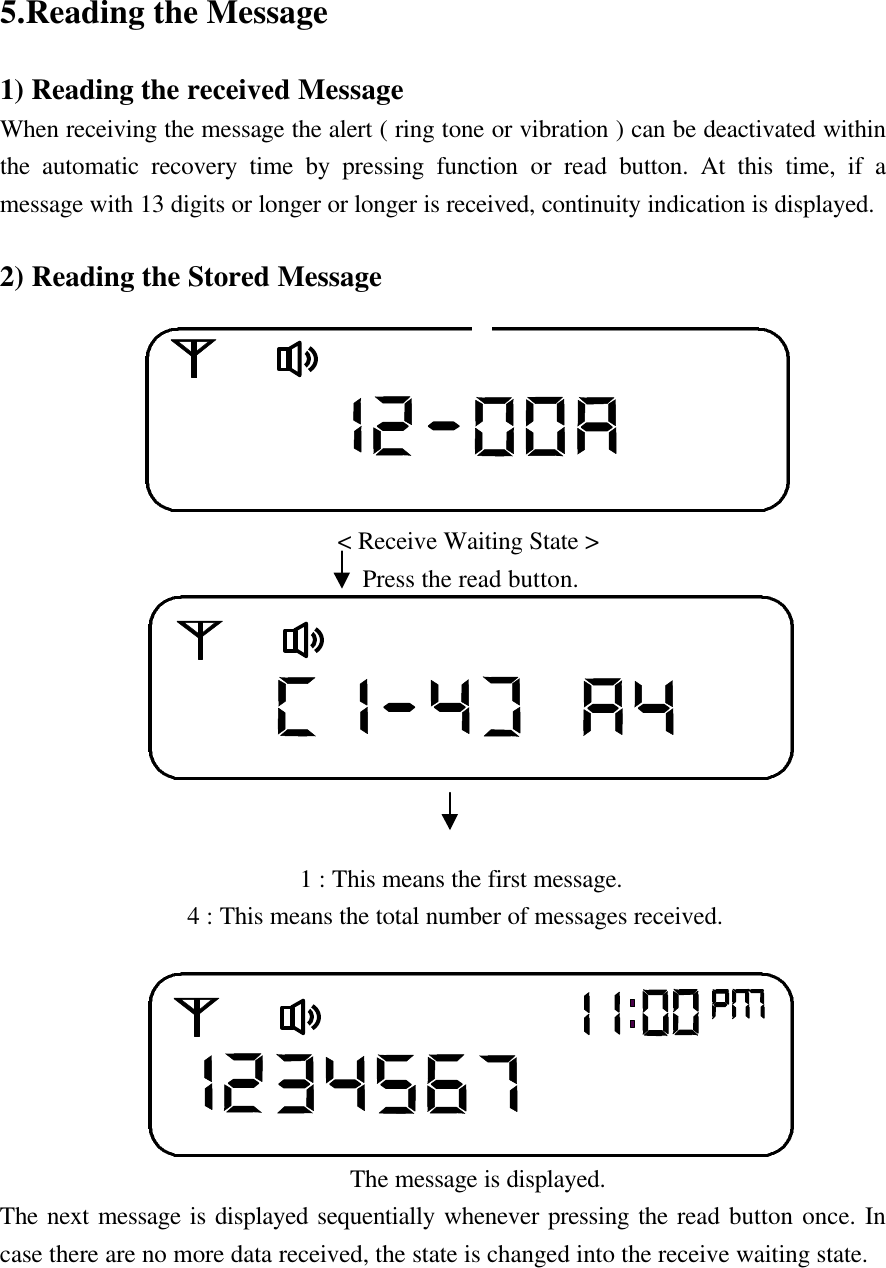
5.Reading the Message1) Reading the received MessageWhen receiving the message the alert ( ring tone or vibration ) can be deactivated withinthe automatic recovery time by pressing function or read button. At this time, if amessage with 13 digits or longer or longer is received, continuity indication is displayed.2) Reading the Stored Message                                                    < Receive Waiting State >                             Press the read button.                                                                                     1 : This means the first message.               4 : This means the total number of messages received.                            The message is displayed.The next message is displayed sequentially whenever pressing the read button once. Incase there are no more data received, the state is changed into the receive waiting state.
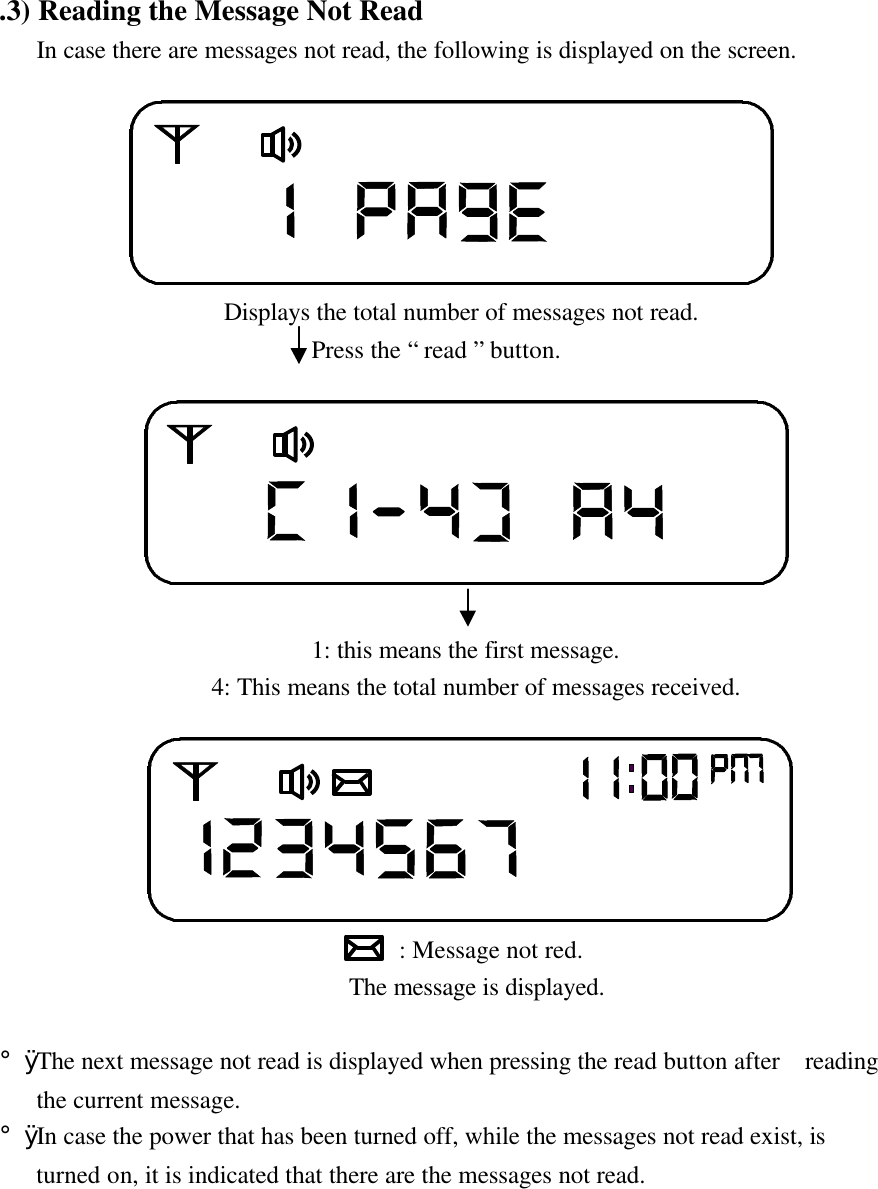
.3) Reading the Message Not Read   In case there are messages not read, the following is displayed on the screen.                                     Displays the total number of messages not read.                         Press the “ read ” button.                                                               1: this means the first message.                 4: This means the total number of messages received.                                : Message not red.                            The message is displayed.¡Ø The next message not read is displayed when pressing the read button after  reading   the current message.¡Ø In case the power that has been turned off, while the messages not read exist, is   turned on, it is indicated that there are the messages not read.
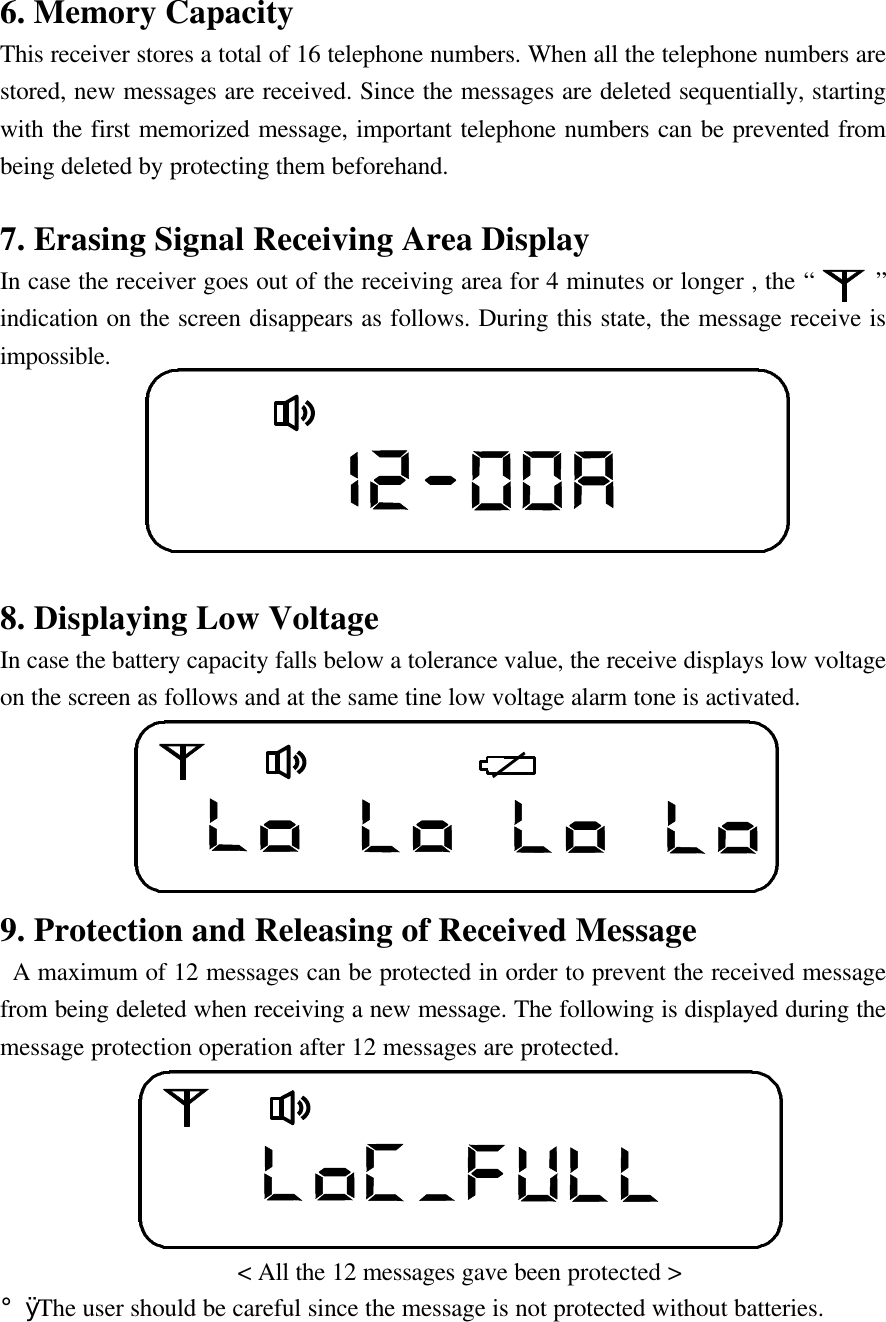
6. Memory CapacityThis receiver stores a total of 16 telephone numbers. When all the telephone numbers arestored, new messages are received. Since the messages are deleted sequentially, startingwith the first memorized message, important telephone numbers can be prevented frombeing deleted by protecting them beforehand.7. Erasing Signal Receiving Area DisplayIn case the receiver goes out of the receiving area for 4 minutes or longer , the “     ”indication on the screen disappears as follows. During this state, the message receive isimpossible.8. Displaying Low VoltageIn case the battery capacity falls below a tolerance value, the receive displays low voltageon the screen as follows and at the same tine low voltage alarm tone is activated.9. Protection and Releasing of Received Message A maximum of 12 messages can be protected in order to prevent the received messagefrom being deleted when receiving a new message. The following is displayed during themessage protection operation after 12 messages are protected.                   < All the 12 messages gave been protected >¡Ø The user should be careful since the message is not protected without batteries.
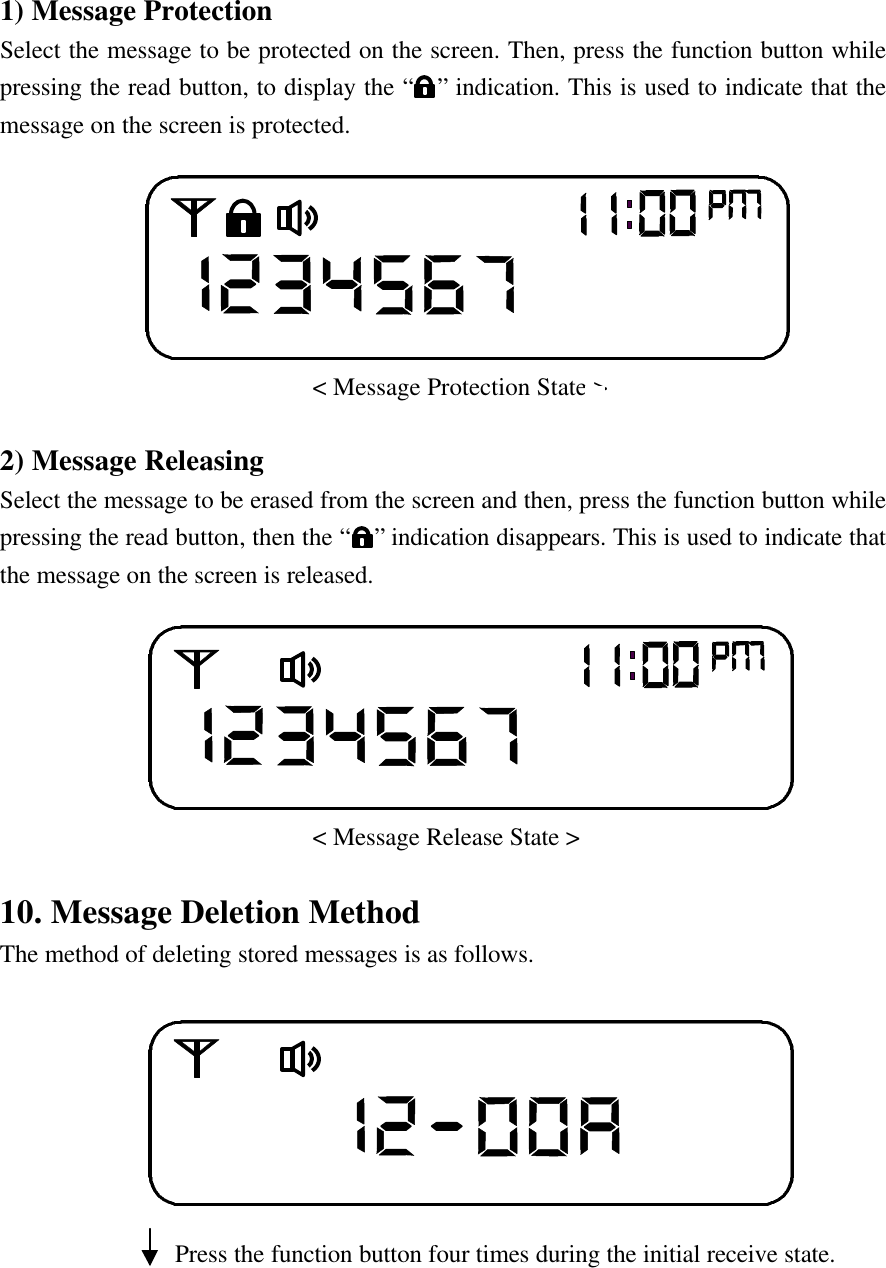
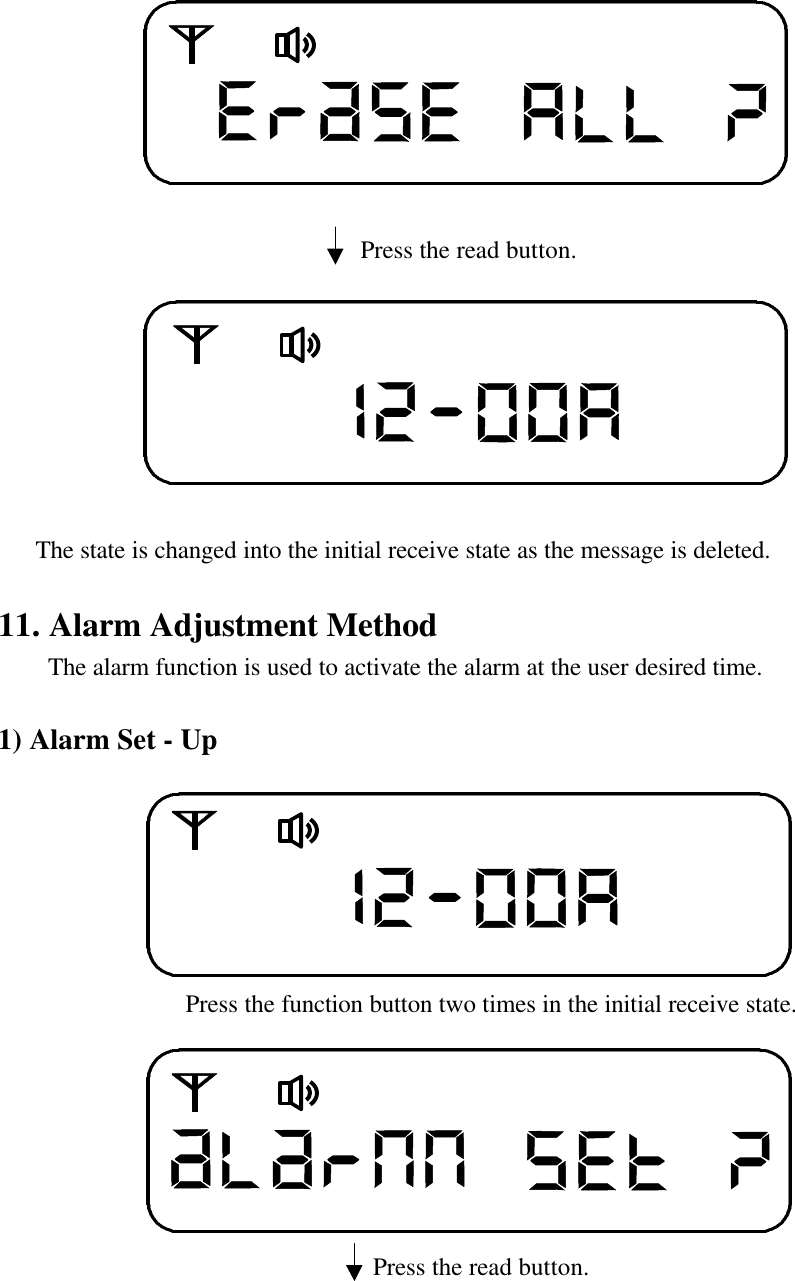
1) Message ProtectionSelect the message to be protected on the screen. Then, press the function button whilepressing the read button, to display the “  ” indication. This is used to indicate that themessage on the screen is protected.                         < Message Protection State >2) Message ReleasingSelect the message to be erased from the screen and then, press the function button whilepressing the read button, then the “  ” indication disappears. This is used to indicate thatthe message on the screen is released.                         < Message Release State >10. Message Deletion MethodThe method of deleting stored messages is as follows.              Press the function button four times during the initial receive state.
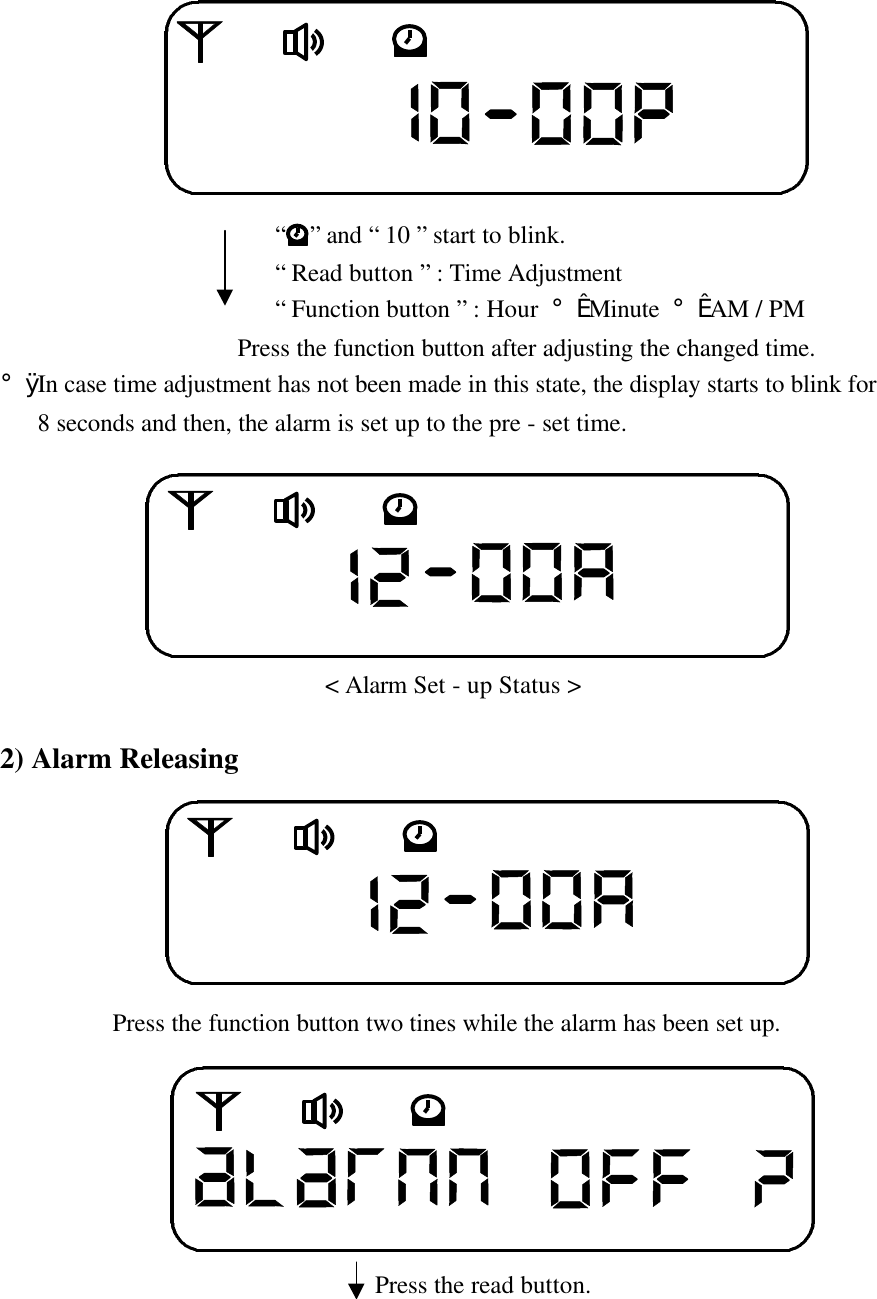
                             Press the read button.                The state is changed into the initial receive state as the message is deleted.11. Alarm Adjustment Method    The alarm function is used to activate the alarm at the user desired time.1) Alarm Set - Up               Press the function button two times in the initial receive state.                              Press the read button.
                      “  ” and “ 10 ” start to blink.                      “ Read button ” : Time Adjustment                      “ Function button ” : Hour ¡æ Minute ¡æ AM / PM                   Press the function button after adjusting the changed time.¡Ø In case time adjustment has not been made in this state, the display starts to blink for   8 seconds and then, the alarm is set up to the pre - set time.                          < Alarm Set - up Status >2) Alarm Releasing              Press the function button two tines while the alarm has been set up.                                  Press the read button.
                             The state is changed into the initial screen as the alarm is released.                             < Alarm Release State >12. Time Adjustment Method                Press the function button five times in the initial receive state.                            Press the read button.                Current Time : The display starts to blink at the “ hour “                “ Read button ” : Time Adjustment                “ Function button ” : Hour - Minute - AM / PM                Press the function button after changed time adjustment.¡Ø In case time adjustment has not been made in this state, the display starts to blink for   8 seconds and then, the alarm is set up to the pre - set time.

Navigation menu