Hantel S150PN Numeric Pager User Manual ST800 USERMANUAL POCSAG

Hantel Co., Ltd. Numeric Pager ST800 USERMANUAL POCSAG

User Manual

Congratulations on your purchase of our       Pager.  By incorporating some of the most advanced electronic paging technologies, the          is reliable and easy to use. Best of all,        the           is affordable and will keep you in touch with those important  to you.Please carefully read this manual before using your            Pager in order to fully understand the pager's functions and capabilities.  Once again, congratulations on your purchase.          ST 800
>>>>>>>>>>>>>>>>>>>FEATURES    BUTTONS ICONS AND DESCRIPTIONS TURNING THE PAGER ON TURNING THE PAGER OFF RECEIVING AND READING MESSAGES READING LOCKED MESSAGES DUPLICATE MESSAGES CHANGING THE ALERT STATUS MEMORY CAPACITY & LOW BATTERY INDICATOR LOCKING MESSAGES DELETING INDIVIDUAL MESSAGES DELETING ALL MESSAGES SETTING THE ALARM SETTING THE DATE AND TIMEAUTOMATIC ON / OFF LIGHT AND BATTERY INFORMATION CANNED MESSAGES REMINDER ALERT45678910111213141516171819202122CONTENTS
FEATURES*      4    Automatic On/Off    Back Lighting    Deletion of All or Individual Messages    In Range Indicator    Low Battery Indicator    Duplicate Message Indicator       Unread Message Indicator    Memory Full Indicator    Reminder Alert   16 Message Memory Capability      9 Locked Messages      8 Different Melodies      5 Different Beeps      Vibrator      Time Stamp      Time/Date      Alarm *Specifications are subject to change without prior notice
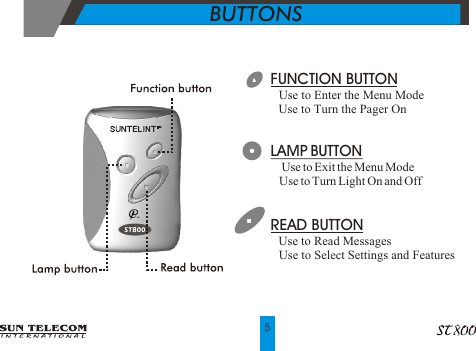
FUNCTION BUTTON Use to Enter the Menu Mode Use to Turn the Pager On!!LAMP BUTTON!  Use to Exit the Menu Mode!  Use to Turn Light On and OffREAD BUTTON Use to Read Messages Use to Select Settings and Features                !!BUTTONS  5
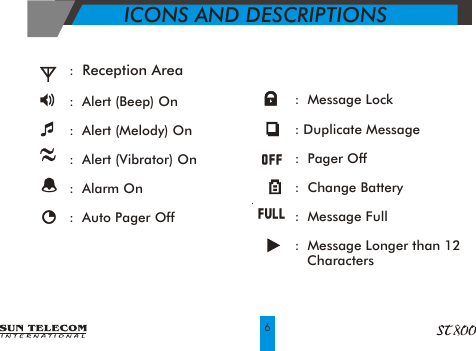
ICONS AND DESCRIPTIONS6                               :  Message Lock              : Duplicate Message              :  Pager Off              :  Change Battery              :  Message Full              :  Message Longer than 12                  Characters                      :  Reception Area                                                 :  Alert (Beep) On                                                    :  Alert (Melody) On                                                   :  Alert (Vibrator) On                                                :  Alarm On                                               :  Auto Pager Off
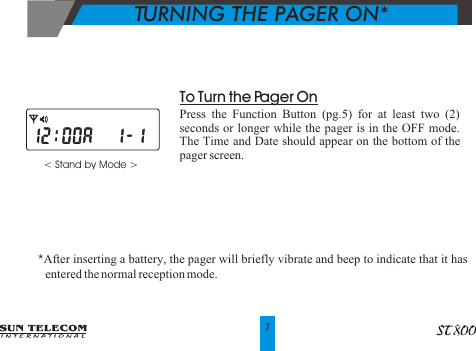
< Stand by Mode >                To Turn the Pager OnPress the Function Button (pg.5) for at least two (2) seconds or longer while the pager is in the OFF mode.  The Time and Date should appear on the bottom of the pager screen.*After inserting a battery, the pager will briefly vibrate and beep to indicate that it has      entered the normal reception mode.TURNING THE PAGER ON*7
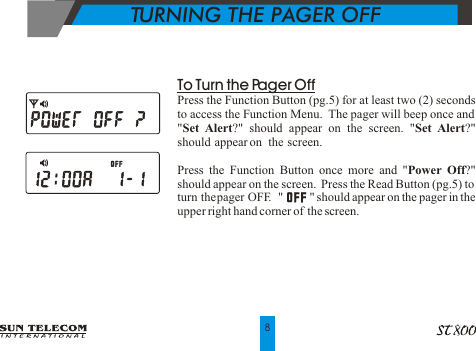
To Turn the Pager OffPress the Function Button (pg.5) for at least two (2) seconds to access the Function Menu.  The pager will beep once and   "Set Alert?" should appear on the screen. "Set Alert?" should  appear on   the  screen.Press the Function Button once more and "Power Off?" should appear on the screen.  Press the Read Button (pg.5) to turn the pager OFF.  "         " should appear on the pager in the upper right hand corner of  the screen.TURNING THE PAGER OFF8
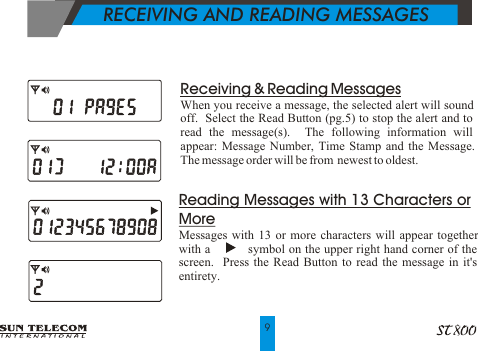
   RECEIVING AND READING MESSAGES   Reading Messages with 13 Characters or MoreMessages with 13 or more characters will appear together with a           symbol on the upper right hand corner of the screen.  Press the Read Button to read the message in it's entirety.9Receiving & Reading MessagesWhen you receive a message, the selected alert will sound off.  Select the Read Button (pg.5) to stop the alert and to read the message(s).  The following information will appear: Message Number, Time Stamp and the Message.  The message order will be from  newest to oldest.
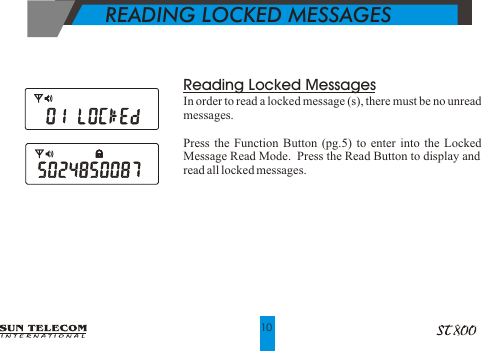
 Reading Locked MessagesIn order to read a locked message (s), there must be no unread messages.Press the Function Button (pg.5) to enter into the Locked Message Read Mode.  Press the Read Button to display and read all locked messages.           READING LOCKED MESSAGES   10
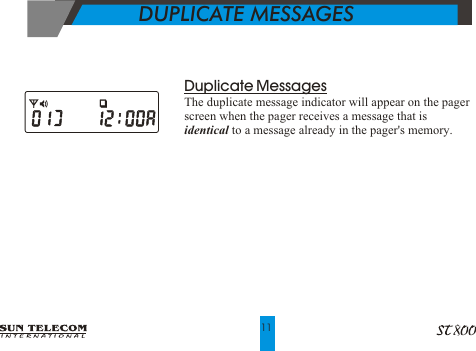
Duplicate MessagesThe duplicate message indicator will appear on the pager screen when the pager receives a message that is identical to a message already in the pager's memory.11DUPLICATE MESSAGES
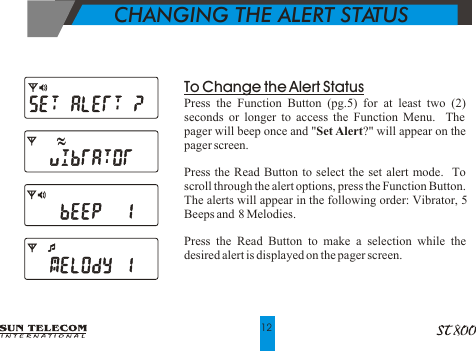
To Change the Alert StatusPress the Function Button (pg.5) for at least two (2) seconds or longer to access the Function Menu.  The pager will beep once and "Set Alert?" will appear on the pager screen.Press the Read Button to select the set alert mode.  To scroll through the alert options, press the Function Button.  The alerts will appear in the following order: Vibrator, 5 Beeps and  8 Melodies.Press the Read Button to make a selection while the desired alert is displayed on the pager screen.              CHANGING THE ALERT STATUS12
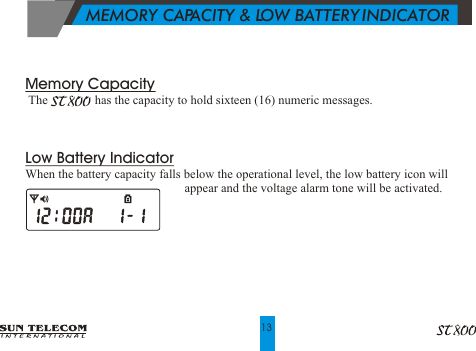
         MEMORY CAPACITY & LOW BATTERY INDICATOR        13Memory Capacity     The               has the capacity to hold sixteen (16) numeric messages.Low Battery IndicatorWhen the battery capacity falls below the operational level, the low battery icon will                                                      appear and the voltage alarm tone will be activated.
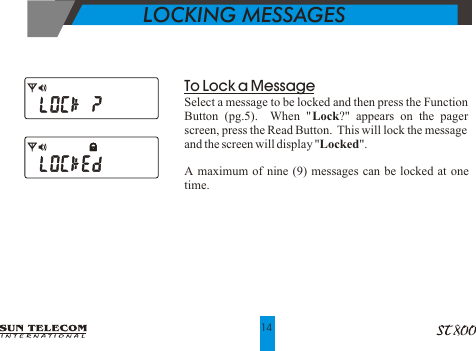
      LOCKING MESSAGES14To Lock a MessageSelect a message to be locked and then press the Function Button (pg.5).  When "Lock?" appears on the pager screen, press the Read Button.  This will lock the message and the screen will display "Locked".A maximum of nine (9) messages can be locked at one time.
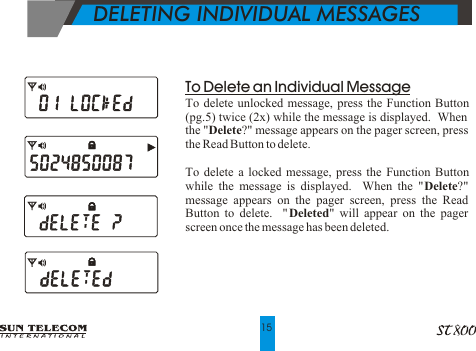
DELETING INDIVIDUAL MESSAGESTo Delete an Individual MessageTo delete unlocked message, press the Function Button (pg.5) twice (2x) while the message is displayed.  When the "Delete?" message appears on the pager screen, press the Read Button to delete.To delete a locked message, press the Function Button while the message is displayed.  When the "Delete?" message appears on the pager screen, press the Read Button to delete.  "Deleted" will appear on the pager screen once the message has been deleted.15
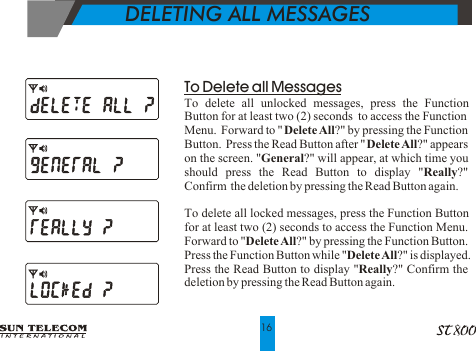
   DELETING ALL MESSAGES16To Delete all MessagesTo delete all unlocked messages, press the Function Button for at least two (2) seconds  to access the Function Menu.  Forward to "Delete All?" by pressing the Function Button.  Press the Read Button after "Delete All?" appears on the screen. "General?" will appear, at which time you should press the Read Button to display "Really?"  Confirm  the deletion by pressing the Read Button again.To delete all locked messages, press the Function Button for at least two (2) seconds to access the Function Menu.  Forward to "Delete All?" by pressing the Function Button.  Press the Function Button while "Delete All?" is displayed.  Press the Read Button to display "Really?" Confirm the deletion by pressing the Read Button again.
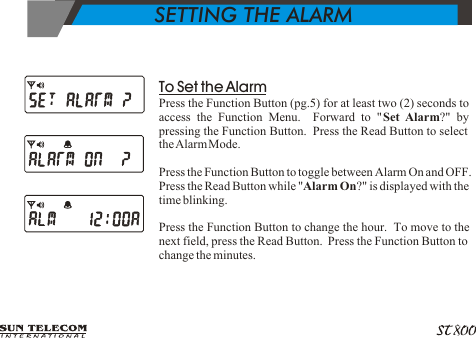
           SETTING THE ALARM To Set the AlarmPress the Function Button (pg.5) for at least two (2) seconds to access the Function Menu.  Forward to "Set Alarm?" by pressing the Function Button.  Press the Read Button to select the Alarm Mode.Press the Function Button to toggle between Alarm On and OFF.  Press the Read Button while "Alarm On?" is displayed with the time blinking.Press the Function Button to change the hour.  To move to the next field, press the Read Button.  Press the Function Button to change the minutes.
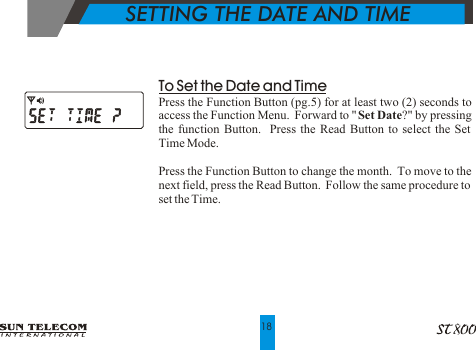
To Set the Date and TimePress the Function Button (pg.5) for at least two (2) seconds to access the Function Menu.  Forward to "Set Date?" by pressing the function Button.  Press the Read Button to select the Set Time Mode.Press the Function Button to change the month.  To move to the next field, press the Read Button.  Follow the same procedure to set the Time.     SETTING THE DATE AND TIME18
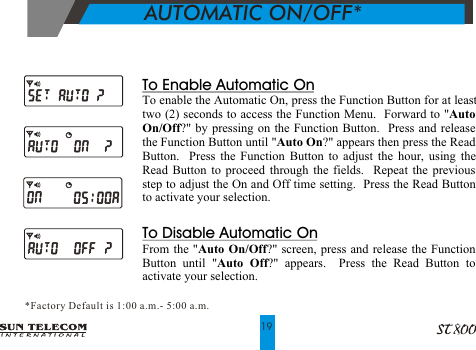
          AUTOMATIC ON/OFF**Factory Default is 1:00 a.m. - 5:00 a.m.19To Enable Automatic OnTo enable the Automatic On, press the Function Button for at least two (2) seconds to access the Function Menu.  Forward to "Auto On/Off?" by pressing on the Function Button.  Press and release the Function Button until "Auto On?" appears then press the Read Button.  Press the Function Button to adjust the hour, using the Read Button to proceed through the fields.  Repeat the previous step to adjust the On and Off time setting.  Press the Read Button to activate your selection.To Disable Automatic OnFrom the "Auto On/Off?" screen, press and release the Function Button until "Auto Off?" appears.  Press the Read Button to activate your selection.
             LIGHT AND BATTERY INFORMATIONTo Turn on the LightPress the lamp button  to activate the light.  Battery InformationThe                is designed to operate with a “AAA” size alkaline battery.  Do Not Use Carbon Zing Batteries.20
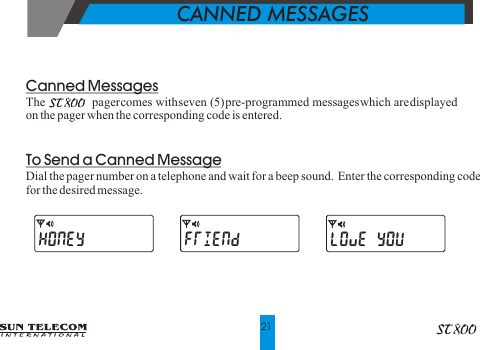
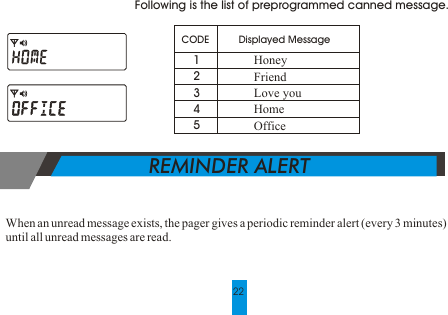
  CANNED MESSAGESCanned MessagesThe               pager comes with seven (5) pre-programmed messages which are displayed on the pager when the corresponding code is entered.To Send a Canned MessageDial the pager number on a telephone and wait for a beep sound.  Enter the corresponding codefor the desired message.21
  REMINDER ALERT22Following is the list of preprogrammed canned message.  CODE  12345Displayed MessageHoneyFriendLove youHomeOfficeWhen an unread message exists, the pager gives a periodic reminder alert (every 3 minutes)until all unread messages are read.

Navigation menu