User Manual

TM
Congratulations on your purchase of a Pager.
Your new pager will instantly keep you in touch with
everyone important to you. The pager is
reliable, easy to use, as well as affordable. It provides
many features that incorporate the most advanced
electronic paging technologies. Please read this manual
carefully before using your pager for a better
understanding of pager operation.
1. FEATURES
2. BUTTONS
3. ICONS AND DESCRIPTIONS
4. TURNING YOUR PAGER ON
5. TURNING YOUR PAGER OFF
6. RECEIVING AND READING MESSAGES
7. DUPLICATE MESSAGES
8. CHANGING THE ALERT STATUS
9. MEMORY CAPACITY
10. LOW BATTERY INDICATOR
11. LOCKING MESSAGES
12. DELETING MESSAGES
13. ALARM
14. TIME AND DATE
15. AUTOMATIC ON / OFF
16. LIGHT
17. BATTERY INFORMATION
18. CANNED MESSAGE
4
5
6
7
8
9
10
11
12
12
13
14
16
17
18
19
19
20
CONTENTS
4
FEATURES
Automatic On/Off
Light
Deletion of All or Individual Messages
In Range Indicator
Low Battery Indicator
Duplicate Message Indicator
Unread Message Indicator
Memory Full Indicator
16 Message Memories
9 Locked Messages
8 Melodies
5 Beeps
Vibrator
Time Stamp
Time/Date
Alarm
1. FEATURES
( Specifications are subject to change without prior notice )
BOTTONS
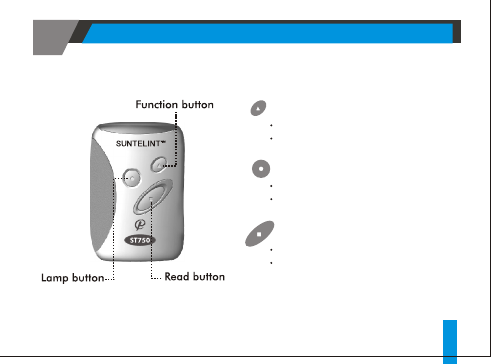
2. BUTTONS
FUNCTION BUTTON
Enter into menu mode
Turn Pager on
READ BUTTON
Read Messages
Select settings and features
LAMP BUTTON
Turn the Light on or off
Exit from menu mode
5
TM
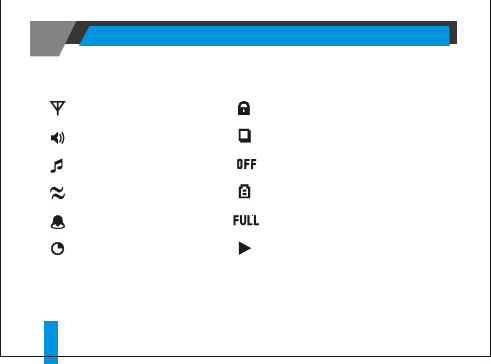
ICONS AND DESCRIPTIONS
3. ICONS AND DESCRIPTIONS
6
: Message Lock
: Duplicate Message
: Pager Off
: Change Battery
: Message Full
: Message longer than 12 Char
: Reception Area
: Alert (Beep) on
: Alert (Melody) on
: Alert (Vibrator) on
: Alarm on
: Auto pager off
4. TURNING YOUR PAGER ON
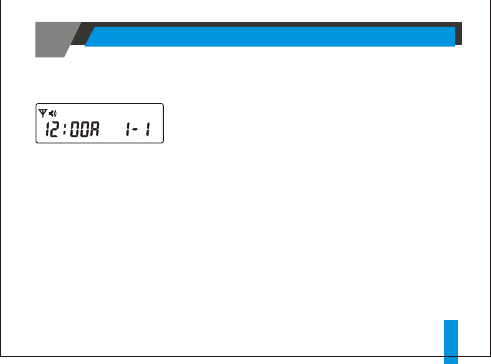
< Stand by Mode >
Press the function button for 2 seconds or longer
while pager is in the Off mode.
Time and date will appear in the bottom center of
the screen.
Upon inserting a battery, pager will vibrate and
beep briefly as it enters the normal reception
mode.
7
TURNING YOUR PAGER ON
5. TURNING YOUR PAGER OFF
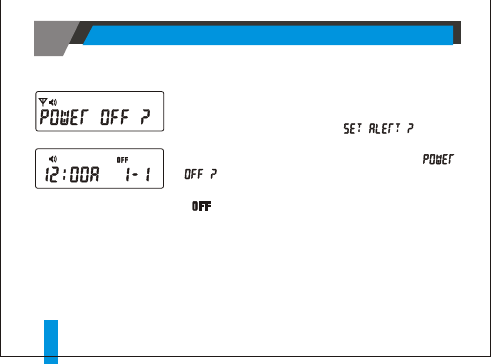
Press the function button for 2 seconds or longer to
enter the function menu.
Pager will beep once and " "will be
displayed.
Press the function button once more and "
" will be displayed.
Then press the read button to turn off pager.
" " sign will appear in the top right corner of the
screen.
8TURNING YOUR PAGER OFF
6. RECEIVING AND READING
MESSAGES
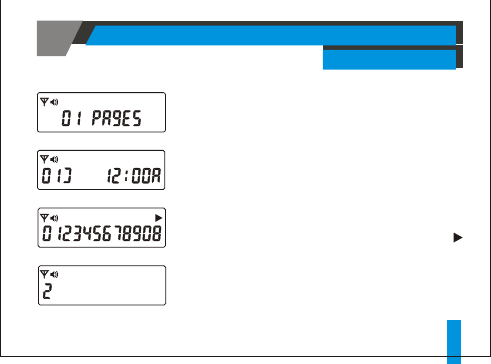
Reading Messages with 13 Characters or More
Messages with 13 or more characters will display " "
at the top right corner of the screen.
Press the read button to read the rest of the message.
9
When a message is received, the selected alert (one of
8 melodies/5 beeps or vibrator) will be activated.
Press the read button to stop the alert and read
messages. The following will be displayed in the
order of the newest to the oldest message: Message
number, time stamp, and message.
RECEIVING AND READING MESSAGES
10
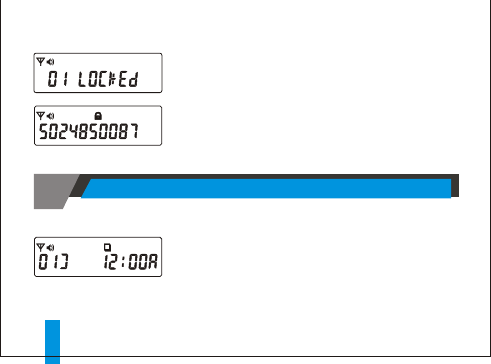
Reading Locked Messages:
In order to read locked messages, there must be no unread
messages.
Press the function button to enter into the locked message
read mode.
Press the read button to display and read locked messages.
Duplicate message indicator will be displayed on
the screen when the pager receives a message that
is identical to a message in memory.
DUPLICATE MESSAGE
7. DUPLICATE MESSAGE
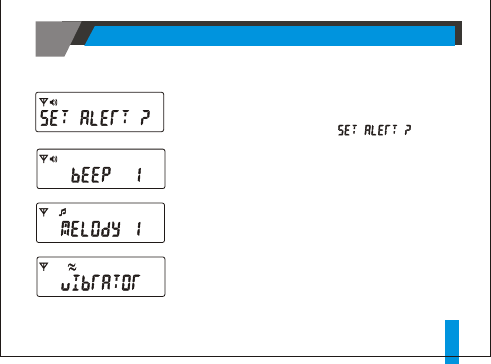
Press the function button for 2 seconds or longer
to enter into the function menu.
Pager will beep once and " " will be
displayed.
Press the read button to select the set alert mode.
Each press of the function button in the set alert
mode will activate, in order, vibrator, 5 beeps and
8 melodies.
Press the read button to make selection while the
desired alert is displayed.
11
8. CHANGING THE ALERT STATUS
CHANGING THE ALERT STATUS
9. MEMORY CAPACITY
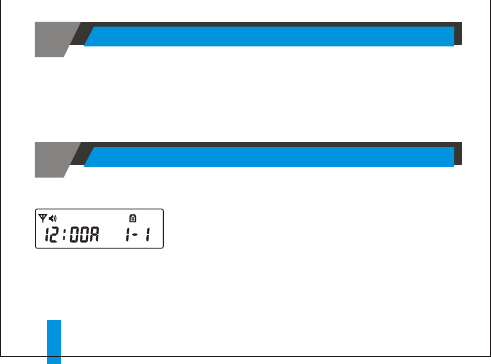
Pager has a memory capacity to store 16 numeric messages.
10. LOW BATTERY INDICATOR
When the battery capacity falls below the operational
level, the low battery icon will be displayed and the
voltage alarm tone will be activated.
MEMORY CAPACITY / LOW BATTERY INDICATOR
12
13
11. LOCKING MESSAGES
LOCKING MESSAGES
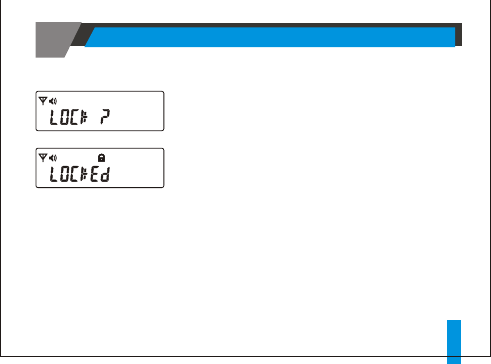
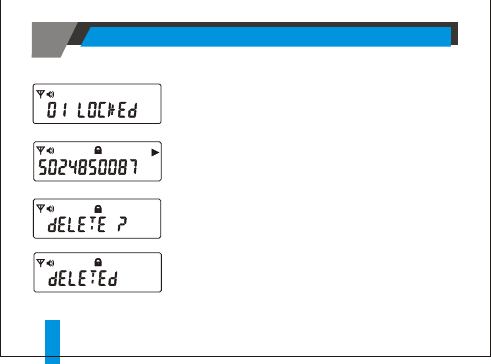
A maximum of 9 messages can be locked.
Select a message to be locked and press the
function button.
When "Lock ?" is displayed, press the read button
to lock the message.
"Locked ? " and its icon will be displayed.
12. DELETING MESSAGE
14
DELETING MESSAGE
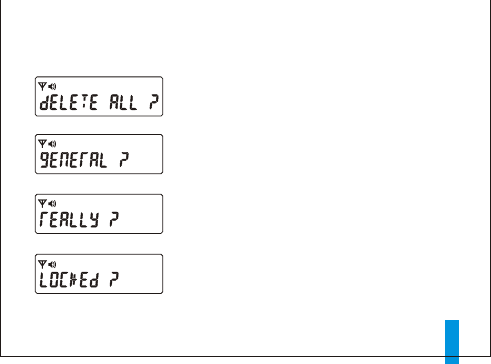
Individual Deletion:
To delete a locked message, press the function
button while the message is displayed.
When " Delete ?" appears, press the read button.
"Deleted " will be displayed upon completion.
To delete an unlocked message, press the function
button twice while the message is displayed.
Press the read button to delete the message when
"Delete ? " appears.
Deletion of All Messages:
Forward to "Delete All ?" mode by pressing the
function button in the function menu. (rf. Sections
2 and 5)
Press the read button while "Delete All ?" is
displayed.
"General ? " will appear, at which time press the
read button to display "Really ? ".
Press the read again to delete all unlocked
messages.
To delete all locked messages, press the function
button while "Delete All ? " is displayed.
"Locked?" will be displayed.
Press the read button to bring up " Really ? " and
press the read button again to delete all locked
messages.
15
DELETING MESSAGE
13. ALARM
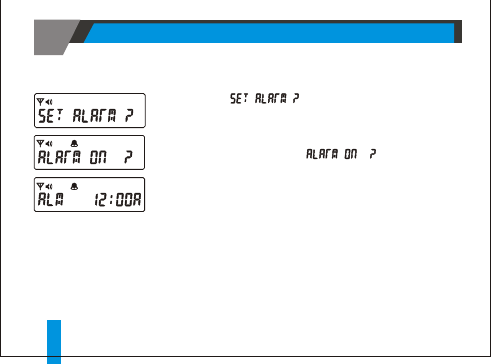
Forward to " " by pressing the function button
in the function menu. (rf. Sections 2 and 5)
Press the read button to select the set alarm mode.
Press the function button to toggle between Alarm On and Off.
Press the read button while " " is displayed with
the time blinking.
Press the function button to change hour, then press the read
button to move to the next field.
Press the function button to change minutes.
16
ALARM
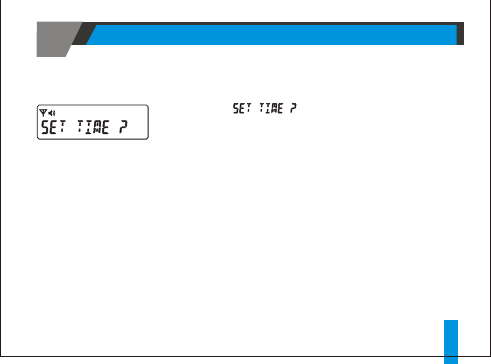
Forward to " " by pressing the function button in
the function menu. (rf. Sections 2 and 5)
Press the read button to select the set time mode.
Press the function button to change month, then press the read
button to move to the next field.
Follow the same procedure to set time.
14. TIME AND DATE
17
TIME AND DATE
15. AUTOMATIC ON/OFF
AUTOMATIC ON/OFF
18
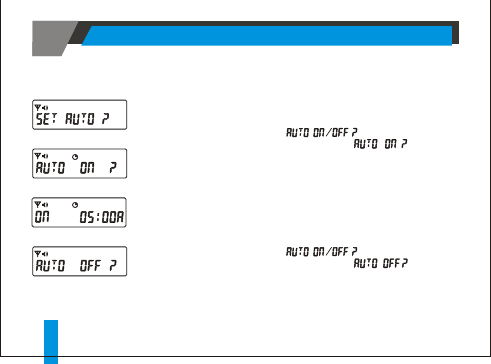
To Enable Automatic On
To Disable Automatic On
1. From the function menu press the function .
2. Press the read " " is displayed.
3. Press and release the function until " " is displayed.
4. Press the read to activate your selection .
Note: Factory default is 01:00AM ~ 05:00AM.
1. From the function menu press the function button.
2. Press the read button until " " is displayed.
3. Press and release the function button until " " is
displayed and then press the read button.
4. Press the function button to adjust the hour digit.
5. Press the read button to move the cursor to the hour digit.
6. Repeat steps 4 and 5 to adjust the on and off time setting.
7. Press the read button to activate your selection.
button
button until
button
button
16. LIGHT
Press the lamp button to activate the light.
17. BATTERY INFORMATION
The pager is designed to operate with a "AAA" size alkaline battery.
LIGHT / BATTERY INFORMATION 19
Note : Do not use carbon zinc batteries.
20
CANNED MESSAGE
18. CANNED MESSAGE
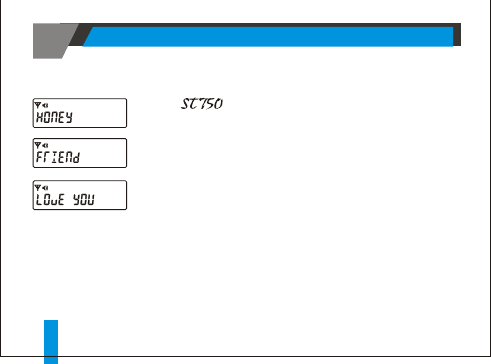
The pager comes with 7 preprogrammed messages,
which will be displayed on the LCD when the corresponding
code is entered.
To send a canned message.
1. Dial the pager number on a telephone and wait for a beep
sound.
2. Enter the number from 1 to 7.
21
CANNED MESSAGE
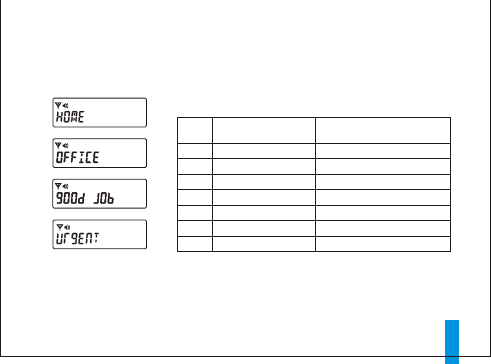
Following is the list of preprogrammed canned message.
CODE
1
2
3
4
5
6
7
Today
Die Forelle
Hymne a l'Amour
Sting
Doremi song
Congratulation
Siren
MELODY
Displayed Message
Honey
Friend
Love you
Home
Office
Good job
Urgent

This device complies with part 15 of the FCC Rules. Operation is subject to
the following two conditions: (1)this device may not cause harmful
interference, and (2)this device must accept any interference received,
including interference that may cause undesired operation.
FCC COMPLIANCE STATEMENT:
PRODUCT NAME : Numeric Pager
MODEL NUMBER : ST750
FCC RULES : TESTED TO COMPLY WITH FCC PART 15, CLASS B
OPERATING ENVIRONMENT: FOR HOME OR OFFICE USE
FCC
DECLARATION OF CONFORMITY
This equipment has been tested and found to comply with the limits of a
Class B digital device, pursuant to Part 15 of the FCC Rules. These limits are
designed to provide reasonable protection against harmful interference
in a residential installation. This equipment generates, uses, and can
radiate radio frequency energy and, if not installed and used in
accordance with the instructions, may cause harmful interference to
radio communications. However, there is no guarantee that interference
will not occur in a particular installation. If this equipment does cause
harmful interference to radio or television reception (which can be
determined by turning the equipment off and on), the user is encouraged
to try to correct the interference by one or more of the following measures:
Reorient/Relocate the receiving antenna.
Increase the separation between the equipment and receiver.
Connect the equipment into an outlet on a circuit different from
that to which the receiver is connected.
Consult the dealer or an experienced radio/TV technician for help.
Caution : Changes or modifications not expressly approved by the
manufacturer responsible for compliance could void the user's authority
to operate this equipment.