Heui Xint Technology M3 BLUETOOTH SPEAKER User Manual M3 English Manual May 15x
Shenzhen Heui Xint Technology Co., Ltd BLUETOOTH SPEAKER M3 English Manual May 15x
User Manual

M3Manual
Notice:
1.ifatthefirsttimeusingtheproductcannotturnon,it’sperhapsnotenoughpowerforthe
batterypleasetrytochargethebatterythenturnonagain
2.pleaseclosethemachinewhenthebatterycharging,it’sgoodforthelifeofbattery,also
pleaseusethededicatedequipmentforbatterycharginginthepackageattached.
3.pleasechargeatleast4hoursinthefirsttimeusing,nexttimecouldbe2‐3hours.
4.longtimenousingproductpleaseremembertochargethebatteryfirstly
5.pleasedon’tputproductunderhotsunshine,nearthetemperature45’candnorcanfire,in
casethedamagehappened.
6.pleasedon’ttearopenthemachineifyouarenotprofessionalforthismachine
pleasedon’tputtheproductonwetandrainingsidewhenuse.
function
1.handfree
2.Bluetooth
3.AUXin
4.soundnotice
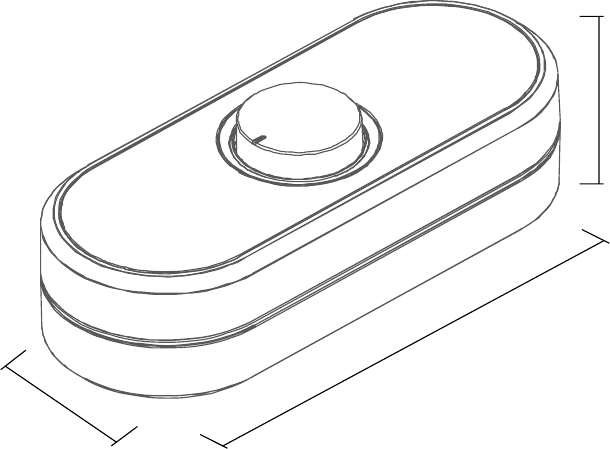
Productsize:170x70x40mm
40mm
170mm
70mm
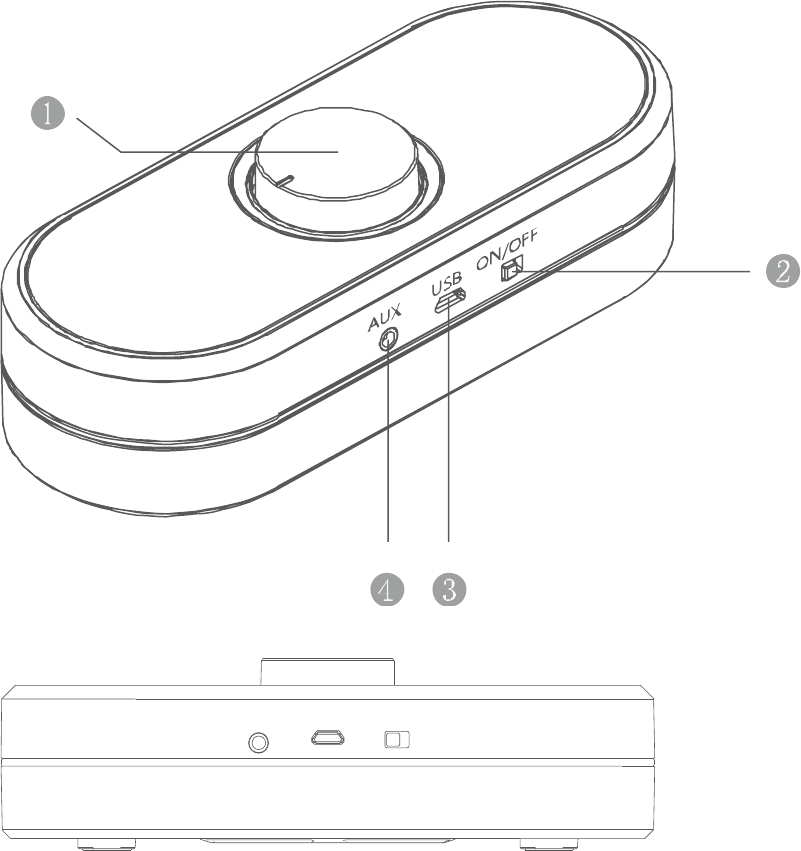
appearanceandbuttonfunctionintroduction
1\stereoscopicwhirlingbutton
2\on/off
3\microUSBjack
4\Auxin
AUX USB ON/OFF
chargebattery
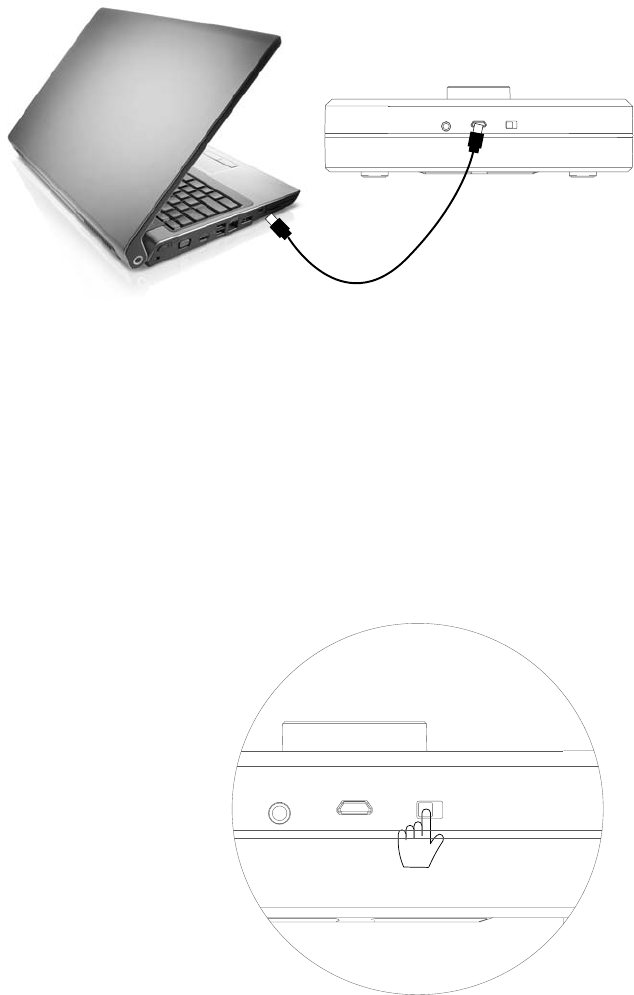
Whenthefirsttimeuseproductwesuggesttochargethebattery.
PleaseconnectthemicroUSBbetweenproductandPC,nowthelightshowred,oncecharging
finishItislightout.
AUX USB ON/OF F
howtouseBluetooth
OurBluetoothspeakerisstereoBluetoothChipset,sowerequiretheBluetoothmobilephoneor
BluetoothadapteraresupportedtheA2DP.
Pleaseturnproduct“on”(inthesametimePleaseensurethebatterypowerisfull.)
Blueislight,thereissoundnoticenow,youwillenterBluetooth,nowyourmobilephoneorPC
canmatchtheBluetoothspeaker.
AUX USB ON/OFF
connectwithmobilephone
First
TurnonyourBluetoothofmobilephone,thescreenofphonewillshowtheBluetoothsymbol,if
IponeitwillentersearchingBluetoothmodelautomatically
second
CheckingthemobilephoneBluetoothequipment
Third
Ifyourphoneshow“M3”,itmeansyoufoundourBluetoothspeakerandyoucanenterthe
matchingstatus
Fourth
Ifneedthematchingpasswordpleasetype“0000”
Fifth
Matchingisautomatically,ifmatchingissuccessfully,thentheBluetoothsymbolofscreenof
mobilephonewillchangecolororchangetoothersymbol.
Ifthismomentyouhaveacomingcall,pleasepressthewhirlingbuttonthenyoucouldpickup
thephone,ifshortpressthebuttonthenfinishthephone
connectwithcomputer
IfyourcomputeriswithBluetoothfunctionthenyounoneedsetuptheBluetooth,ifnoplsset
uptheBluetoothdriverfirstlyandinserttheBluetoothadapter
First
PleasechooseBluetoothsymbol,chose“adddevice”.
Second
TheadaptorissearchingtheBluetooth,untilitdisplay”M3”
Third
Doubleclick“M3”,itwillsetupthedriveruntilitsetupsuccessfully.
Fourth
Ifyouwouldliketocontrollastandnextsongpleasechoosethemediaplayerofcomputer
attacheditself.
IfBluetoothisnotokpleasecheckifitchangetoBluetoothmode,ifitalreadyisBluetoothmodel,
pleaseconfirmagaintheBluetoothspeakerandcomputerisconnected.Pleasealsocheckthe
equipmentmanagement.
matchingandconnecting
Mobilephonematching‐‐‐‐iflasttimeyoudidnotconnectwithBluetooththenBluetoothenter
matchingstatus,ifspeakerhavebeenconnected,itwillconnecttheequipmentsameaslasttime,
ifnotsuccessfully,after15‐30secondsitwillenterthematchingstatus.
Matchingstatuswillkeep20‐30seconds
musicplay
Ifconnectingisok,thewhirlingbuttonofBluetoothSpeakercouldcontrolthe
play,pause,previoussong/vol‐,nextsong/vol+(someofmobilephoneorplayerwillnotsupport)
Volumecontrol:buttonturnbyclockwiseit’vol+
Buttonturnbycounterclockwiseit’svol‐
,pressbuttonfortwosecondsbyclockwiseit’snextsong,pressbuttonfortwosecondsby
counterclockwiseit’sPrevioussong.Afterfiveminutesitwillexchangebacktovolumecontrol
statusautomatically.
AUX USB ON/OFF
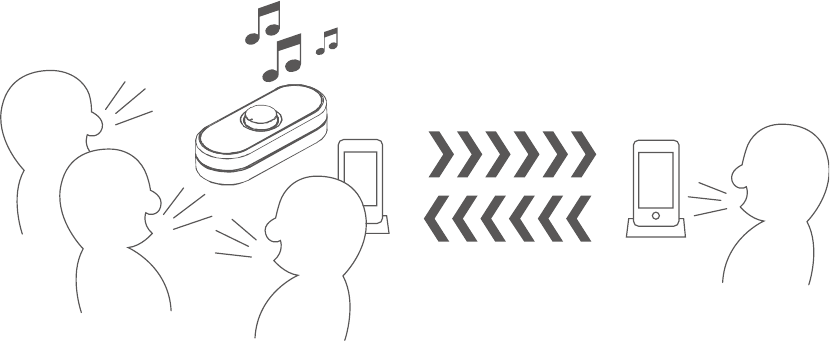
soundnotice
Soundnoticewithrealpersonvoice
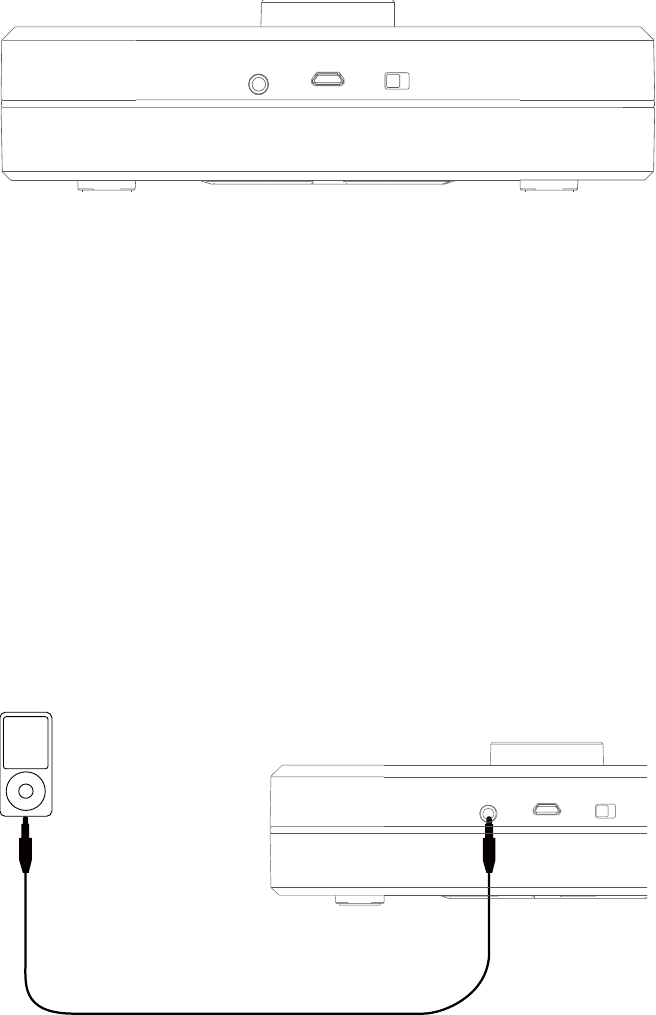
LINEIN
Insertthe3.5mmaudiocabletoAUXandanotherconnectertoPCormobilephoneofPSP,then
playthemusic
AUX USB ON/OFF
3.5mmstereoaudiocablecouldconnectwithnotebook,digitalmusicplay,Ipadetc.different
kindsofplayer.

Technicaldata:
Speaker:size45mm
Output:power3W
Batteryworkingtime:max.volumeabout4hours
Chargetime:about3hours
Responsefrequency:80Hz‐15KHz
S/N:≧80db
Distortion:THD<1%
USBcable:USB2.0,compatibleUSB1.1
Productsize:170x70x40mm
power
Build‐inlithiumbattery,USBcableforrechargeablepower
M3press button function checking list
M3 press button function checking list
short
time
press
long time
press
turn by
clockwise
turn by
counterclockwise
waiting No
function
NC No
function vol+ vol-
Bluetooth not
connected
No
function
No
function vol+ vol-
Bluetooth not
connected
No
function
No
function vol+ vol-
Bluetooth
connected
No
function
No
function vol+ vol-
Bluetooth music
play pause long press≥
2seconds last next
Bluetooth music
pause play long press≥
2seconds last next
coming call receive No
function vol+ vol-
calling pause No
function vol+ vol-

M3 indicator working status
blue
LED red LED
on
long
time
light /
connected
long
time
light /
music play
long
time
light /
connected
long
time
light /
charge when
“on”
long
time
light
long
time
light
charge when”
off” /
long
time
light
charge finish / /
InformationtoUsers
AccordingtotheFCCPart15.19and15.21rules,forthisEUT,theinstructionsoroperation
manualfurnishedtheusershallincludethefollowingorsimilarstatement,placedinaprominent
locationinthetextofthemanual:
FCCWarning
ThisdevicecomplieswithPart15oftheFCCRules.Operationissubjecttothefollowingtwo
conditions:
(1)Thisdevicemaynotcauseharmfulinterference,and(2)thisdevicemustacceptany
interferencereceived,includinginterferencethatmaycauseundesiredoperation.
NOTE1:Anychangesormodificationstothisunitnotexpresslyapprovedbytheparty
responsibleforcompliancecouldvoidtheuser'sauthoritytooperatetheequipment.