Heui Xint Technology Q5 BLUETOOTH SPEAKER User Manual Q5

Shenzhen Heui Xint Technology Co., Ltd BLUETOOTH SPEAKER Q5

User Manual

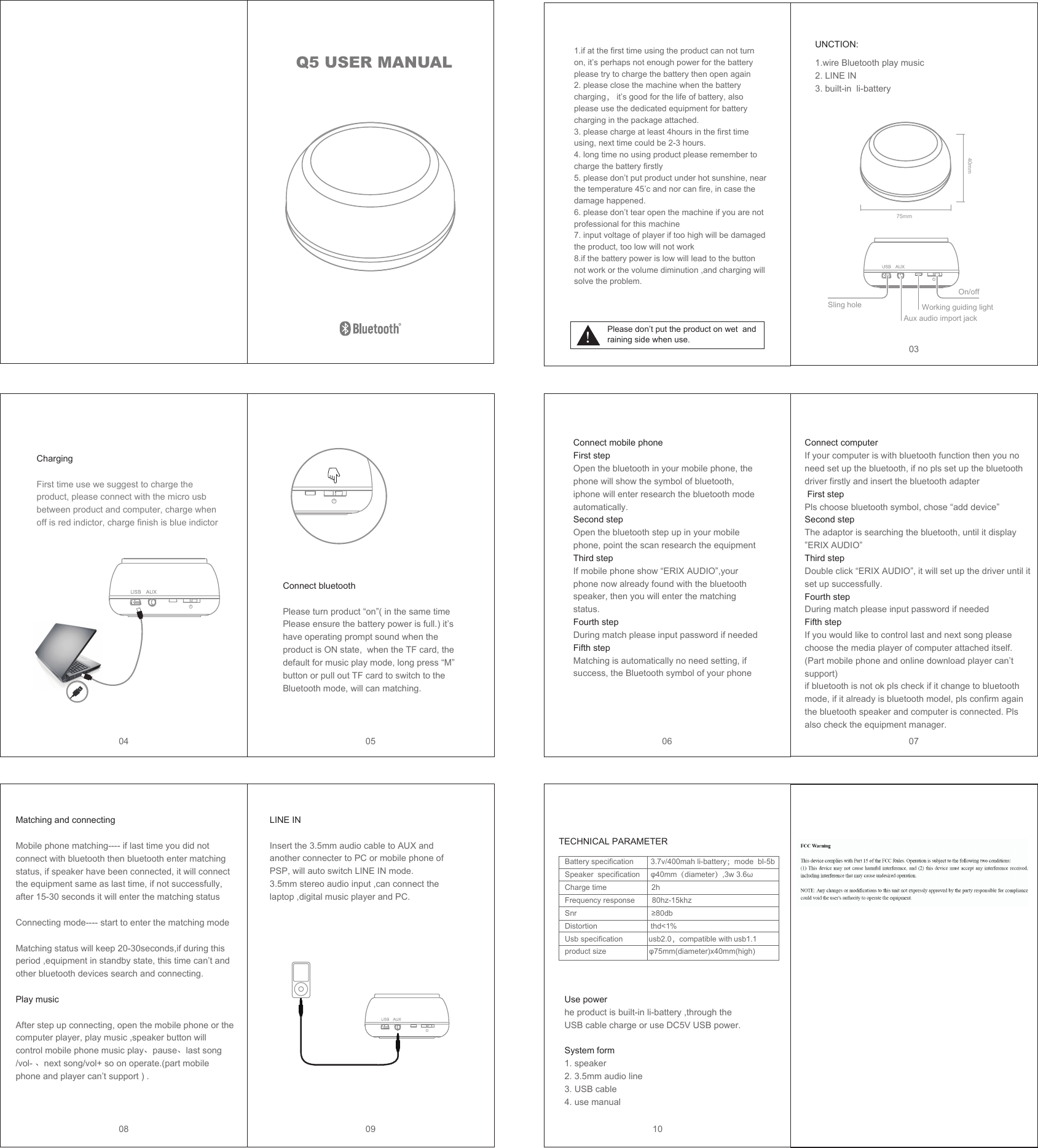
Q5 USER MANUALPlease don’t put the product on wet  and raining side when use.UNCTION:LINE INInsert the 3.5mm audio cable to AUX and another connecter to PC or mobile phone of PSP, will auto switch LINE IN mode.3.5mm stereo audio input ,can connect the laptop ,digital music player and PC.Greeting WordsTECHNICAL PARAMETER0304 05 06 0708 09 1075mm40mmSling holeOn/offWorking guiding lightAux audio import jack 1.if at the first time using the product can not turn on, it’s perhaps not enough power for the battery please try to charge the battery then open again2. please close the machine when the battery charging, it’s good for the life of battery, also please use the dedicated equipment for battery charging in the package attached.3. please charge at least 4hours in the first time using, next time could be 2-3 hours.4. long time no using product please remember to charge the battery firstly5. please don’t put product under hot sunshine, near the temperature 45’c and nor can fire, in case the damage happened.6. please don’t tear open the machine if you are not professional for this machine7. input voltage of player if too high will be damaged the product, too low will not work8.if the battery power is low will lead to the button not work or the volume diminution ,and charging will solve the problem.1.wire Bluetooth play music2. LINE IN 3. built-in  li-batteryCharging First time use we suggest to charge the product, please connect with the micro usb between product and computer, charge when off is red indictor, charge finish is blue indictor Connect bluetoothPlease turn product “on”( in the same time Please ensure the battery power is full.) it’s have operating prompt sound when the product is ON state,  when the TF card, the default for music play mode, long press “M” button or pull out TF card to switch to the Bluetooth mode, will can matching.Connect mobile phoneFirst stepOpen the bluetooth in your mobile phone, the phone will show the symbol of bluetooth, iphone will enter research the bluetooth mode automatically.Second stepOpen the bluetooth step up in your mobile phone, point the scan research the equipmentThird stepIf mobile phone show “ERIX AUDIO”,your phone now already found with the bluetooth speaker, then you will enter the matching status.Fourth stepDuring match please input password if neededFifth stepMatching is automatically no need setting, if success, the Bluetooth symbol of your phone Connect computer If your computer is with bluetooth function then you no need set up the bluetooth, if no pls set up the bluetooth driver firstly and insert the bluetooth adapter First stepPls choose bluetooth symbol, chose “add device”Second stepThe adaptor is searching the bluetooth, until it display ”ERIX AUDIO”Third stepDouble click “ERIX AUDIO”, it will set up the driver until it set up successfully.Fourth stepDuring match please input password if neededFifth stepIf you would like to control last and next song please choose the media player of computer attached itself.(Part mobile phone and online download player can’t support)if bluetooth is not ok pls check if it change to bluetooth mode, if it already is bluetooth model, pls confirm again the bluetooth speaker and computer is connected. Pls also check the equipment manager.Matching and connecting     Mobile phone matching---- if last time you did not connect with bluetooth then bluetooth enter matching status, if speaker have been connected, it will connect the equipment same as last time, if not successfully, after 15-30 seconds it will enter the matching statusConnecting mode---- start to enter the matching modeMatching status will keep 20-30seconds,if during this period ,equipment in standby state, this time can’t and other bluetooth devices search and connecting.Play musicAfter step up connecting, open the mobile phone or the computer player, play music ,speaker button will control mobile phone music play、pause、last song /vol- 、next song/vol+ so on operate.(part mobile phone and player can’t support ) .Battery specification        3.7v/400mah li-battery;mode  bl-5bSpeaker  specification     φ40mm(diameter),3w 3.6ω                       Charge time                     2hFrequency response        80hz-15khzSnr                                   ≥80dbDistortion                         thd<1%Usb specification            usb2.0,compatible with usb1.1product size                    φ75mm(diameter)x40mm(high)Use powerhe product is built-in li-battery ,through the USB cable charge or use DC5V USB power.System form1. speaker 2. 3.5mm audio line3. USB cable 4. use manual

Navigation menu