Honeywell St 3000 Users Manual
ST 3000 to the manual 0f05904a-01b7-4ecb-b347-8f7d2c043830
2015-01-23
: Honeywell Honeywell-St-3000-Users-Manual-261742 honeywell-st-3000-users-manual-261742 honeywell pdf
Open the PDF directly: View PDF  .
.
Page Count: 126 [warning: Documents this large are best viewed by clicking the View PDF Link!]

ST 3000 Smart Transmitter
Release 300 and SFC Smart Field
Communicator Model STS 103
Installation Guide
34-ST-33-39
2/05

Copyright, Notices, and Trademarks
Printed in U.S.A. – © Copyright 2005 by Honeywell Inc.
February 2005
While this information is presented in good faith and believed to be accurate,
Honeywell disclaims the implied warranties of merchantability and fitness for a
particular purpose and makes no express warranties except as may be stated in
its written agreement with and for its customer.
In no event is Honeywell liable to anyone for any indirect, special or consequential
damages. The information and specifications in this document are subject to
change without notice.
This document was prepared using Information Mapping® methodologies and
formatting principles.
TDC 3000, SFC, Smartline, and ST 3000 are U.S. registered trademarks of
Honeywell Inc.
Windows, Windows 95 are trademarks of Microsoft Corporation.
Information Mapping is a trademark of Information Mapping Inc.
Industrial Measurement and Control
Honeywell International Inc.
2500 W. Union Hills Drive
Phoenix, Arizona 85027
ii ST 3000 Release 300 Installation Guide 2/05

About This Publication
This manual is intended as a handy guide for installing ST 3000® Release 300 Smart Transmitters.
It provides data for checking out, mounting and wiring the transmitter as well as detailed wiring
diagrams for reference. Much of this same information is also included in the ST 3000 Smart
Transmitter Release 300 and SFC® Smart Field Communicator Model STS 103 User’s Manual
34-ST-25-14 which is the main reference document. We supply this information with each
transmitter as an aid in completing installation tasks as quickly as possible.
Procedures in this manual that involve using a Smart Field Communicator (SFC) to “talk” to the
transmitter are based on using our latest SFC Model STS103. You can also use the Smartline
Configuration Toolkit (SCT 3000) software program to perform transmitter configuration and
start up. The SCT 3000 contains an on-line user manual and help information that provides details
for setting up the transmitter.
If you will be digitally integrating the ST 3000 transmitter with our TotalPlant® Solution (TPS)
system, you will need to supplement this information with data in the PM/APM Smartline®
Transmitter Integration Manual which is supplied with the TDC 3000®X bookset. TPS is the
evolution of TDC 3000X.
This guide does not apply to Series 100e, non Release 300 Series 100/900 and Series 600
transmitter models. If you have one of these ST 3000 Smart Transmitter Series, refer to the
Installation Guide and User’s Manual supplied with the transmitter for information.
Patent Notice
This product is covered by one or more of the following U.S. Patents: 4,520,488; 4,567,466;
4,494,183; 4,502,335; 4,592,002; 4,553,104; 4,541,282; 4,806,905; 4,797,669; 4,735,090;
4,768,382; 4,787,250; 4,888,992; 5,811,690; 5,875,150; 5,765,436; 4,734,873; 6,041,659 and
other patents pending.
2/05 ST 3000 Release 300 Installation Guide
iii
References
Publication
Title
Publication
Number
Binder
Title
Binder
Number
ST 3000 Smart Transmitter Release 300
and SFC Smart Field Communicator
Model STS 103 User’s Manual
34-ST-25-14
SCT 3000 Smartline Configuration
Toolkit Start-Up and Installation Manual
34-ST-10-08
Smart Field Communicator Model
STS103 Operating Guide
34-ST-11-14
For R400 and later:
PM/APM Smartline Transmitter
Integration Manual
PM12-410 Implementation/
PM/APM Optional Devices
TDC 2045
Symbol Definitions
This CAUTION symbol on the equipment refers the user to the Product
Manual for additional information. This symbol appears next to required
information in the manual.
This WARNING symbol on the equipment refers the user to the Product
Manual for additional information. This symbol appears next to required
information in the manual.
WARNING: risk of electrical shock. This symbol warns the user of a potential
shock hazard where HAZARDOUS LIVE voltages greater than 30 Vrms, 42.4
Vpeak, or 60 VDC may be accessible.
ATTENTION, Electrostatic Discharge (ESD) hazards. Observe precautions for
handling electrostatic sensitive devices
Protective Earth (PE) terminal. Provided for connection of the protective earth
(green or green/yellow) supply system conductor.
iv ST 3000 Release 300 Installation Guide 2/05

Table of Contents
REFERENCES .................................................................................................................. IV
TECHNICAL ASSISTANCE............................................................................................. VIII
SECTION 1 —GETTING STARTED ................................................................................... 1
1.1 CE Conformity (Europe) Notice................................................................................................. 1
1.2 Preliminary Checks ................................................................................................................... 2
SECTION 2 —OPTIONAL BENCH CHECK ....................................................................... 5
2.1 Connecting Power and SCT/SFC ............................................................................................. 5
2.2 Testing Communications........................................................................................................... 7
2.3 Verifying Configuration Data ...................................................................................................10
2.4 Changing Default Failsafe Direction........................................................................................ 13
2.5 Optional Write Protect Jumper ................................................................................................ 15
2.6 Setting Range Values Using Local Adjustments..................................................................... 16
SECTION 3 —PREINSTALLATION CONSIDERATIONS................................................ 17
3.1 Considerations for ST 3000 Transmitter ................................................................................. 17
3.2 Considerations for SFC/SCT................................................................................................... 20
3.3 Considerations for Local Smart Meter Option ......................................................................... 22
SECTION 4 —INSTALLATION......................................................................................... 23
4.1 Mounting ST 3000 Transmitter................................................................................................ 23
4.2 Piping ST 3000 Transmitter..................................................................................................... 34
4.3 Wiring ST 3000 Transmitter .................................................................................................... 39
SECTION 5 —REFERENCE DRAWINGS ........................................................................ 45
5.1 Wiring Diagrams and Dimension Drawings ............................................................................ 45
APPENDIX A SMART METER REFERENCE............................................................... 51
A.1 Introduction.............................................................................................................................. 51
A.2 Smart Meter Display................................................................................................................ 52
A.3 Smart Meter Specifications ..................................................................................................... 53
A.4 Setting Range Values (Local Zero and Span)......................................................................... 54
A.5 Configuring Smart Meter Using Pushbuttons.......................................................................... 59
A.6 Configuring Smart Meter Using SFC....................................................................................... 73
A.7 Configuring Smart Meter Using SCT 3000.............................................................................. 79
A.8 Typical Smart Meter Indications .............................................................................................. 80
APPENDIX B —HAZARDOUS LOCATIONS REFERENCE............................................ 83
B.1 North American Classification of Hazardous Locations .......................................................... 83
B.2 International Electrotechnical Commission (IEC) Classification of Hazardous
Locations .........................................................................................................................................89
B.3 Enclosure Ratings ................................................................................................................... 93
INDEX................................................................................................................................ 95
2/05 ST 3000 Release 300 Installation Guide
v

Figures and Tables
Figure 1 Typical Power Supply and SCT/SFC Connections to ST 3000. ............................................ 6
Figure 2 Location of Failsafe Direction Jumper on PWA. .................................................................. 14
Figure 3 Write Protect Jumper Location and Selections.................................................................... 15
Figure 4 Typical Mounting Area Considerations Prior to Installation ................................................. 17
Figure 5 Typical Bracket Mounted and Flange Mounted Installations ............................................... 23
Figure 6 Leveling a Model STA122 or 922 Absolute Pressure Transmitter....................................... 27
Figure 7 Typical Flange Mounted Transmitter Installation ................................................................. 29
Figure 8 Typical Flush Mounted Transmitter Installation ................................................................... 30
Figure 9 Typical Pipe and Flange Mounted Installations ................................................................... 31
Figure 10 Typical Remote Diaphragm Seal Transmitter Installation.................................................... 33
Figure 11 Typical 3-Valve Manifold and Blow-Down Piping Arrangement. ......................................... 34
Figure 12 Typical Arrangement for ½” NPT Process Connection Piping............................................. 35
Figure 13 Operating Range for ST 3000 Transmitters......................................................................... 39
Figure 14 ST 3000 Transmitter Terminal Block ................................................................................... 40
Figure 15 Ground Connection for Lightning Protection........................................................................ 42
Figure A-1 Smart Meter Display with All Indicators Lit........................................................................... 52
Figure A-2 Typical Setup for Setting Range Values Using Local Zero and Span Adjustments. ........... 58
Table 1 Connecting Power Supply and SFC to ST 3000.................................................................... 6
Table 2 Testing Communications with Transmitter............................................................................. 7
Table 3 Verifying Transmitter’s Configuration Data (Using the SFC) ............................................... 10
Table 4 Cutting Failsafe Direction Jumper........................................................................................ 14
Table 5 Operating Temperature Limits (Transmitters with Silicone Fill Fluids) ................................ 18
Table 6 Transmitter Overpressure Ratings....................................................................................... 19
Table 7 Installing and Charging SFC Battery Pack........................................................................... 20
Table 8 Mounting ST 3000 Transmitter to a Bracket ........................................................................ 24
Table 9 Zero Corrects Procedure for STD110 .................................................................................. 28
Table 10 Mounting Remote Diaphragm Seal Transmitter .................................................................. 32
Table 11 Suggested Transmitter Location for Given Process ............................................................ 35
Table 12 Process Connections ........................................................................................................... 36
Table 13 Flange Description ............................................................................................................... 37
Table 14 Installing Flange Adapter ..................................................................................................... 38
Table 15 Wiring the Transmitter.......................................................................................................... 41
Table A-1 Smart Meter PushbuttonDescription .................................................................................... 52
Table A-2 Smart Meter Specifications. ................................................................................................. 53
Table A-3 Setting Range Values Using Local Zero and Span Adjustments ........................................ 54
Table A-4 Smart Meter Engineering Units Code .................................................................................. 60
Table A-5 Selecting Engineering Units ................................................................................................. 61
Table A-6 Smart Meter Restrictions for Setting Display Values ........................................................... 63
Table A-7 Setting Lower Display Values for Smart Meter Display ....................................................... 64
Table A-8 Setting Upper Display Value for Smart Meter Display ......................................................... 68
Table A-9 Setting Up Smart Meter Configuration Using an SFC ......................................................... 74
Table A-10 Summary of Typical Smart Meter Indications. ..................................................................... 80
Table A-11 Smart Meter Error Codes and Descriptions......................................................................... 81
Table B-1 Factory Mutual (FM) Approval.............................................................................................. 87
Table B-2 Canadian Standards Association (CSA) .............................................................................. 88
Table B-3 CENELEC / LCIE Certification ............................................................................................. 91
Table B-4 Standards Australia (LOSC) Certification ............................................................................ 92
Table B-5 Zone 2 (Europe) Declaration of Conformity ......................................................................... 92
Table B-6 NEMA Enclosure Type Numbers and Comparable IEC Enclosure Classification............... 94
vi ST 3000 Release 300 Installation Guide 2/05

Acronyms
AP ............................................................................................................................ Absolute Pressure
APM ......................................................................................................... Advanced Process Manager
AWG .................................................................................................................. American Wire Gauge
DE ........................................................................................ Digital Enhanced Communications Mode
DP .........................................................................................................................Differential Pressure
EMI.......................................................................................................... Electromagnetic Interference
GP............................................................................................................................... Gauge Pressure
HP ...................................................................................................................................High Pressure
HP ...............................................................................................High Pressure Side (DP Transmitter)
inH2O ........................................................................................................................... Inches of Water
KCM ............................................................................................................................Kilo Circular Mils
LGP................................................................................................................. In-Line Gauge Pressure
LP.................................................................................................................................... Low Pressure
LP................................................................................................ Low Pressure Side (DP Transmitter)
LRV ........................................................................................................................Lower Range Value
mA..................................................................................................................................... Milliamperes
mmHg ................................................................................................................ Millimeters of Mercury
NPT......................................................................................................................National Pipe Thread
PCB...................................................................................................................... Printed Circuit Board
PM............................................................................................................................... Process Manger
PROM ............................................................................................Programmable Read Only Memory
PSI ..................................................................................................................Pounds per Square Inch
PSIA................................................................................................ Pounds per Square Inch Absolute
RFI .........................................................................................................Radio Frequency Interference
SCT...................................................................................................... Smartline Configuration Toolkit
SFC.............................................................................................................Smart Field Communicator
URL......................................................................................................................... Upper Range Limit
URV .......................................................................................................................Upper Range Value
Vdc......................................................................................................................... Volts Direct Current
XMTR.................................................................................................................................. Transmitter
2/05 ST 3000 Release 300 Installation Guide
vii

Technical Assistance
If you encounter a problem with your ST 3000 Smart Transmitter, check to see how your
transmitter is currently configured to verify that all selections are consistent with your application.
If the problem persists, you can reach Honeywell’s Solution Support Center for technical support
by telephone during normal business hours. An engineer will discuss your problem with you.
Please have your complete model number, serial number, and software revision number on hand
for reference. You can find the model and serial numbers on the transmitter nameplates. You can
also view the software version number using the SFC or SCT 3000 software application.
By Telephone Honeywell Solution Support Center Phone:
1-800-423-9883 (U.S. only)
Outside the U.S. call: 1-602-313-6510
Additional Help You may also seek additional help by contacting the Honeywell
distributor who supplied your ST 3000 transmitter.
By E-mail You can also e-mail your technical questions or comments about this
product to:
Honeywell Solution Support Center e-mail: ace@honeywell.com
Problem Resolution If it is determined that a hardware problem exists, a replacement
transmitter or part will be shipped with instructions for returning the
defective unit. Please do not return your transmitter without
authorization from Honeywell’s Solution Support Center or until the
replacement has been received.
viii ST 3000 Release 300 Installation Guide 2/05
IMPORTANT
Before You Begin, Please Note
Transmitter Terminal
Blocks
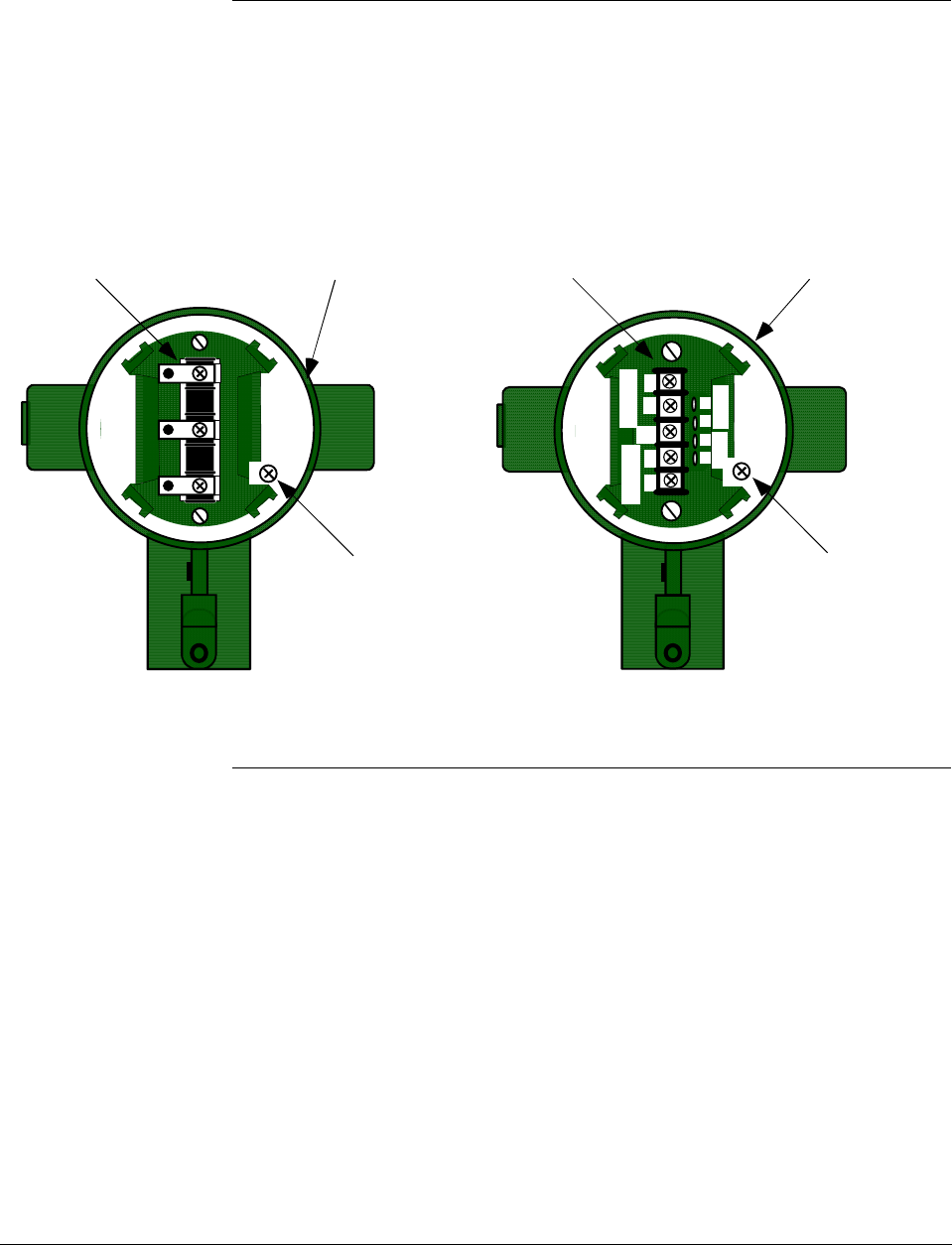
Depending on your transmitter options, the transmitter may be equipped
with either a 3-screw or 5-screw terminal block inside the electronics
housing. This may affect how to connect the loop wiring and meter
wiring to the transmitter. See Section 4.3 for the terminal block
connections for each type terminal. Section 5 provides additional wiring
diagrams showing alternate wiring methods.
- SIGNAL +
+ -
TEST
Terminal
Block
Electronics
Housing
Internal
Ground
Terminal
3-Screw Terminal Block
+
+
-
-
L-
SIGNAL
METER
TESTSIGNAL
-
+
+
-
Terminal
Block
Electronics
Housing
Internal
Ground
Terminal
5-Screw Terminal Block
2/05 ST 3000 Release 300 Installation Guide
ix

x ST 3000 Release 300 Installation Guide 2/05
Section 1 —Getting Started
1.1 CE Conformity (Europe) Notice
About conformity and
special conditions
This product is in conformity with the protection requirements of
89/336/EEC, the EMC Directive. Conformity of this product with any
other “CE Mark” Directive(s) shall not be assumed.
Deviation from the installation conditions specified in this manual, and
the following special conditions, may invalidate this product’s
conformity with the EMC Directive.
• You must use shielded, twisted-pair cable such as Belden 9318 for all
signal/power wiring.
• You must connect the shield to ground at the power supply side of the
wiring only and leave it insulated at the transmitter side.
ATTENTION ATTENTION
The emission limits of EN 50081-2 are designed to provide reasonable
protection against harmful interference when this equipment is operated in an
industrial environment. Operation of this equipment in a residential area may
cause harmful interference. This equipment generates, uses, and can radiate
radio frequency energy and may cause interference to radio and television
reception when the equipment is used closer than 30 meters (98 feet) to the
antenna(e). In special cases, when highly susceptible apparatus is used in
close proximity, the user may have to employ additional mitigating measures
to further reduce the electromagnetic emissions of this equipment.
2/05 ST 3000 Release 300 Installation Guide
1
1.2 Preliminary Checks
Checking ST 3000
shipment
Along with this Installation Guide you should have received
• the ST 3000 Smart Transmitter you ordered, and
• an optional mounting bracket assembly, if applicable.
Before you dispose of the shipping container, be sure you have removed
all the contents and visually inspected the transmitter for signs of shipping
damage. Report any such damage to the carrier.
Contact us if there is a problem with the order or an item is missing.
Series and model
number data
Honeywell’s line of ST 3000 Smart Transmitters includes these two major
series designations:
• Series 100
• Series 900
Each series includes several models to meet various process pressure
measurement and interface requirements. Each transmitter comes with a
nameplate located on the top of the electronics housing that lists its given
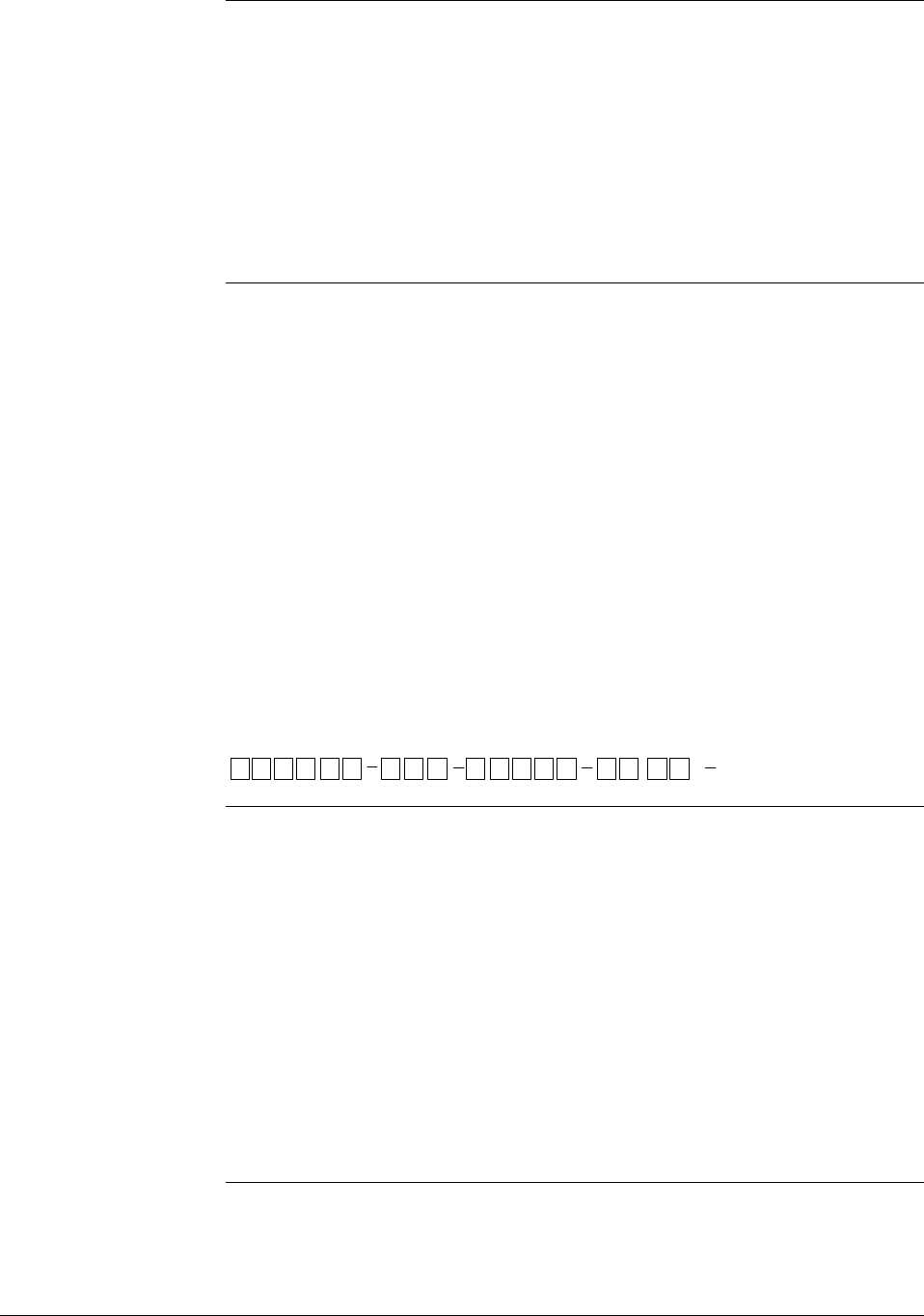
“model number”. The model number format consists of a Key Number
with several Table selections as shown below.
Key Number
Meter Body
Flange Assembly
Options
Factory Identification
Table I Table II Table III Table IV
Basic Type
,
STD1 20 E1H 00000 S 1 CBXXXX
You can quickly identify what series and basic type of transmitter you
have from the third and fourth digits in the key number. The letter in the
third digit represents one of these basic transmitter types:
A = Absolute Pressure
D = Differential Pressure
F = Flange Mounted
G = Gauge Pressure
R = Remote Seals
The number in the fourth digit matches the first digit in the transmitter
Series. Thus, a “1” means the transmitter is a Series 100 and a “9” is a
Series 900.
Continued on next page
2 ST 3000 Release 300 Installation Guide 2/05
1.2 Preliminary Checks, Continued
Series and model
number data,
continued
For a complete breakdown of the table selections in your model number,
please refer to the appropriate Specification and Model Selection Guide
that is provided as a separate document.
ATTENTION
Previous models of the ST 3000 transmitter with designations of Series
100, Series 100e, Series 600, and Series 900 have been supplied at various
times since the ST 3000 was introduced in 1983. While all these
transmitters are functionally alike, there are differences in housing and
electronics design. This Installation Guide only applies for Release 300,
Series 100 transmitters with software version 3.0 or greater and Release
300, Series 900 transmitters with software version b.0 or greater.
Release 300 transmitters can be identified by the “R300” designation on
the nameplate.
Earlier Release
ST3000 Transmitters
If you have a Series 100e or a Series 900 non-release 300 transmitter, you
must refer to the ST 3000 Smart Transmitter Installation Guide
34-ST-33-31 instead.
Communicating with
the ST3000
Transmitter
Communication with your ST 3000 Smart Transmitter can be
accomplished by using any of the following interfaces:
• Honeywell’s hand-held Smart Field Communicator (SFC).
• Smartline Configuration Toolkit (SCT 3000) that runs on a variety of
Personal Computer (PC) platforms.
• Global Universal Station (GUS), if the transmitter is digital integrated
with Honeywell’s TPS system.
Continued on next page
2/05 ST 3000 Release 300 Installation Guide
3

1.2 Preliminary Checks, Continued
Communicating with
the ST3000
Transmitter, continued
Using the SFC:
If you ordered an SFC along with your transmitter, locate it and
follow the instructions supplied with the SFC Model STS103 to
prepare it for operation. Otherwise, be sure you have a fully
charged SFC Model STS103 on hand to check the operation of
your transmitter.
NOTE: SFC model STS103 with software version 5.0 or
greater is fully compatible with all Series 100 and 900,
Release 300, ST 3000 transmitters and smart meters.
The SFC will operate with transmitters that have older
software versions, but functions will be limited to
those applicable for the transmitter software.
If your SFC is a Model STS102 instead, you must refer to the ST
3000 Smart Field Communicator for Series 3000 Transmitters
Operating Guide 34-ST-11-10 for keystroke details.
Using the SCT:
The SCT 3000 Smartline Configuration Toolkit runs on a variety
of PC platforms using MS-DOS 5.0 or higher and Windows 95©,
Windows 98 and Windows NT 4.0. It is a bundled Microsoft
Windows software and PC-interface hardware solution that
allows quick, error-free configuration of Honeywell Smartline
field instruments.
NOTE: SCT 3000 software Release 3.12.2 or greater is
compatible with all Series 100 and 900, Release 300,
ST 3000 transmitters. Please contact your Honeywell
representative for more information.
Using reference data The ST 3000 Smart Transmitter Release 300 and SFC Smart Field
Communicator Model STS 103 User’s Manual, 34-ST -25-14 was shipped
separately to a person designated on the order. The User’s Manual
contains complete configuration, operation, calibration, service, and
replacement parts information for the transmitter, so you may want to
have it on hand for reference. It also includes the same installation data
contained in this installation guide to minimize cross reference. But, the
optional bench check function and reference dimension drawings list are
included in this guide only.
Appendix A Smart Meter Reference contains configuration and
operating information for using the the ST 3000 when it is equipped with
the smart meter option (option SM).
4 ST 3000 Release 300 Installation Guide 2/05

Section 2 —Optional Bench Check
2.1 Connecting Power and SCT/SFC
About the bench
check
The bench check is an optional procedure for checking your transmitter
before you install it by:
• Connecting a power source and an SFC (or a PC running SCT 3000
software) to the transmitter
• Running a communication test with an SFC (or SCT 3000)
• Checking the operation status and checking the configuration database
Also, if your transmitter was not configured at the factory, you can do so
during this procedure. See the Configuration section in the ST 3000 Smart
Transmitter, Release 300 and SFC Smart Field Communicator Model STS
103 User’s Manual 34-ST-25-14 for details.
When using the SCT 3000, configuration instructions and device
templates are provided on-line to aid in configuring your transmitter.
Factory Calibration Each ST 3000 Transmitter is factory calibrated before shipment.
• First a full range calibration is performed.
• Next, a turndown calibration is done which is typically between 25% to
50% of its full range.
• Then it is calibrated to a range specified by your purchase order. This
means there is no need to calibrate the transmitter during installation.
(If no range is specified, the transmitter is calibrated to the turndown
factory default.)
• If you need any calibration information, see the appropriate section in
the ST 3000 Smart Transmitter, Release 300 and SFC Smart Field
Communicator Model STS 103 User’s Manual.
• If you have a transmitter with optional local zero and span adjustments,
you may just want to go to Appendix A for the local zero and span
adjustments procedure.
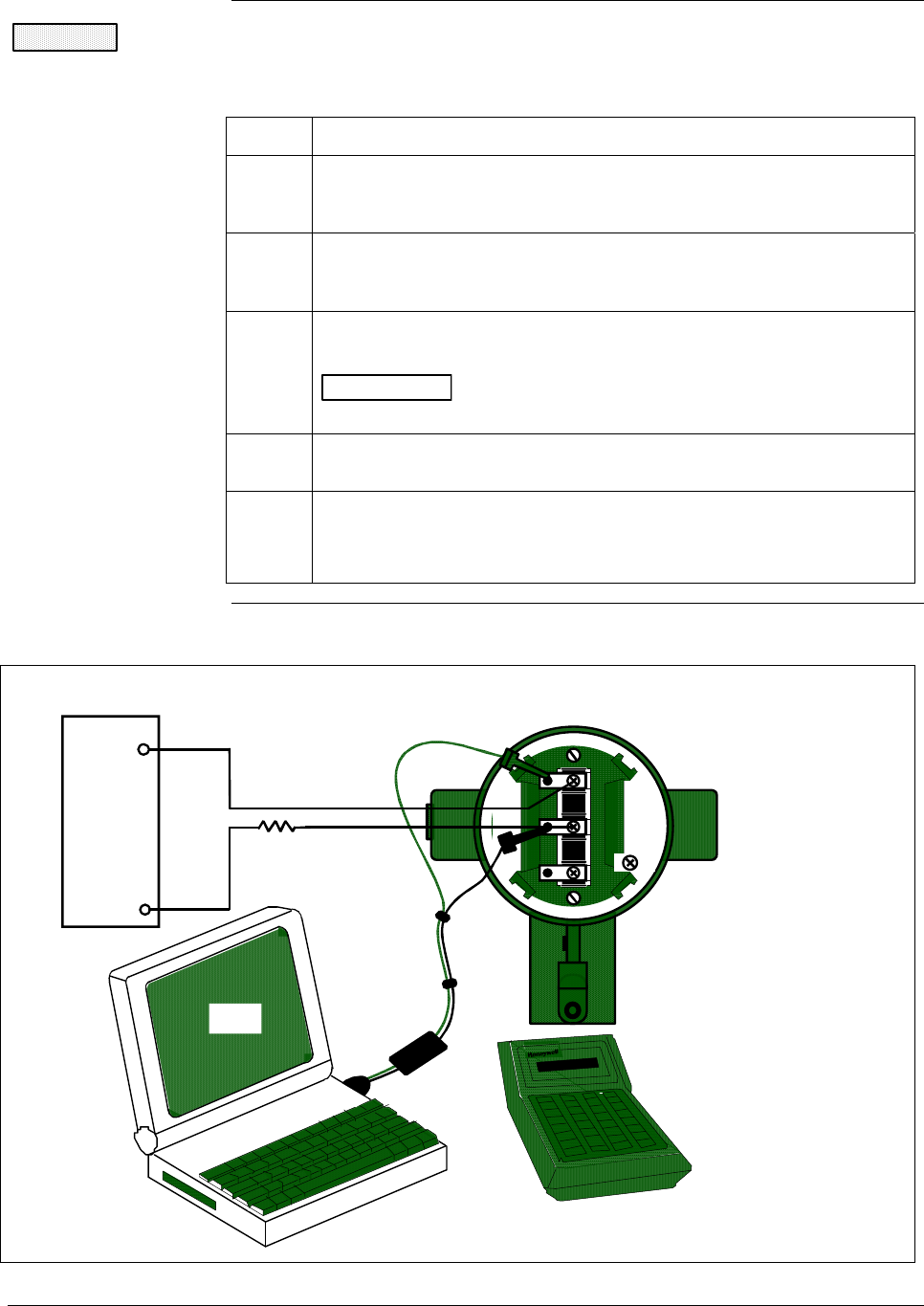
Procedure Use the procedure in Table 1 to connect a power supply and an SFC
Model STS103 to your transmitter on a bench. See Figure 1 for reference.
Continued on next page
2/05 ST 3000 Release 300 Installation Guide
5
2.1 Connecting Power and SCT/SFC, Continued
CAUTION Do not try to remove the transmitter housing end-cap before loosening the
end-cap lock on the transmitter housing.
Table 1 Connecting Power Supply and SFC to ST 3000
Step Action
1 Use a 1.5 mm allen wrench to loosen the end-cap lock on the
terminal side of the transmitter housing. Unscrew and remove the
end cap from the housing
2 If the transmitter is supplied with an optional integral analog meter,
unsnap the meter from the terminal block to expose the wiring
connections.
3 Observing polarity, connect a 25 Vdc power supply to the
transmitter’s SIGNAL terminals as shown in Figure 1.
ATTENTION Be sure there is a minimum of 250 ohms resistance
between the power supply and the transmitter.
4 Connect the SCT or SFC to the transmitter - red lead to SIGNAL
positive and black lead to SIGNAL negative. See Figure 1.
5 • If you are using the SCT, Select Tag ID icon from the SCT
toolbar to establish on-line commnications with the transmitter.
• If you are using the SFC, go to Section 2.2.
Figure 1 Typical Power Supply and SCT/SFC Connections to ST 3000.
Easy connect terminals
for direct SCT or SFC
connections
- SIGNAL +
+ -
TEST
Ω
250
25 Vdc
Power
Supply
+
-
+ Red
- Black
ST 3000
SCT
SFC
6 ST 3000 Release 300 Installation Guide 2/05
2.2 Testing Communications
Background Once you connect power and the SCT or SFC to the transmitter, you are
ready to test communications with the transmitter.
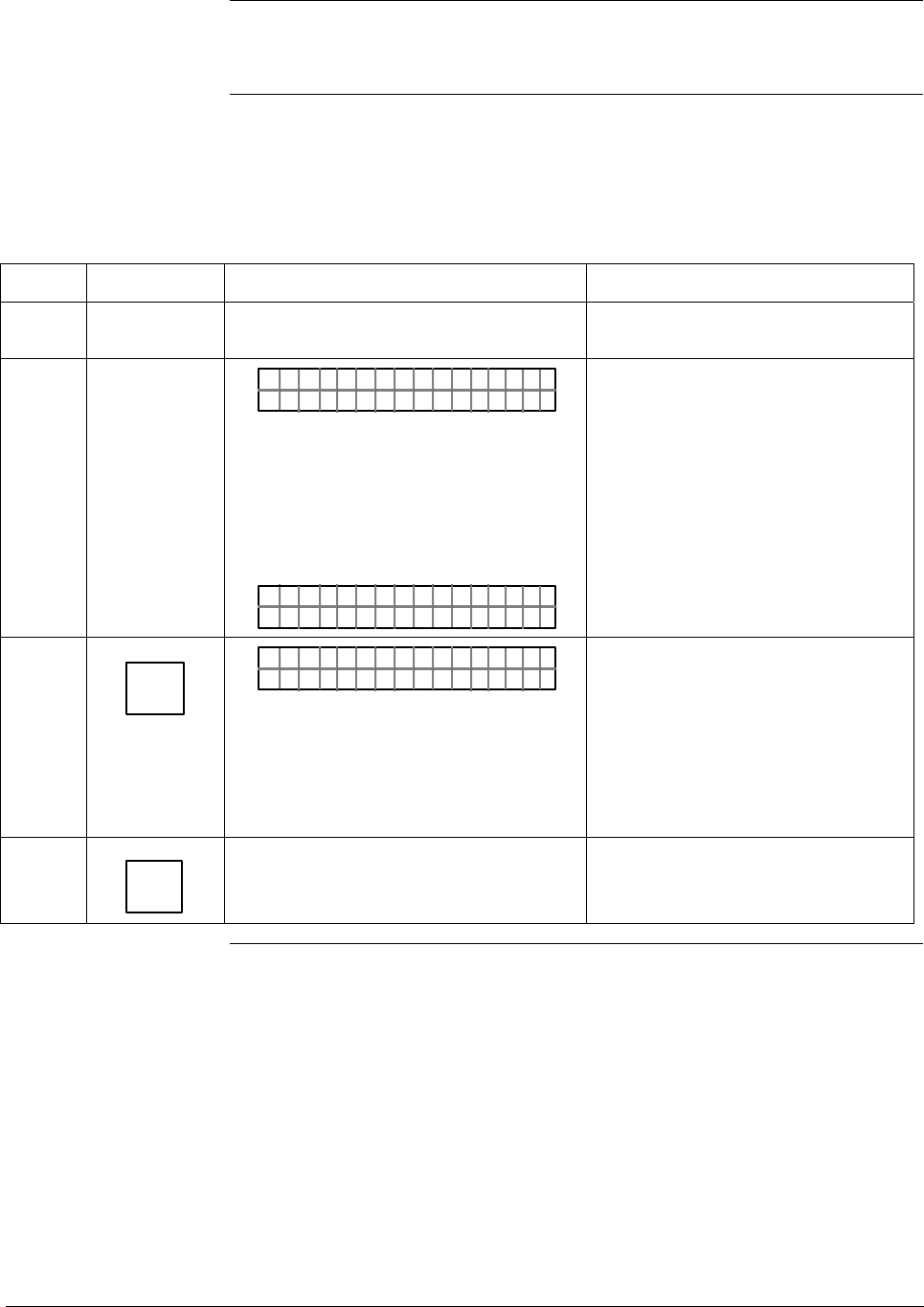
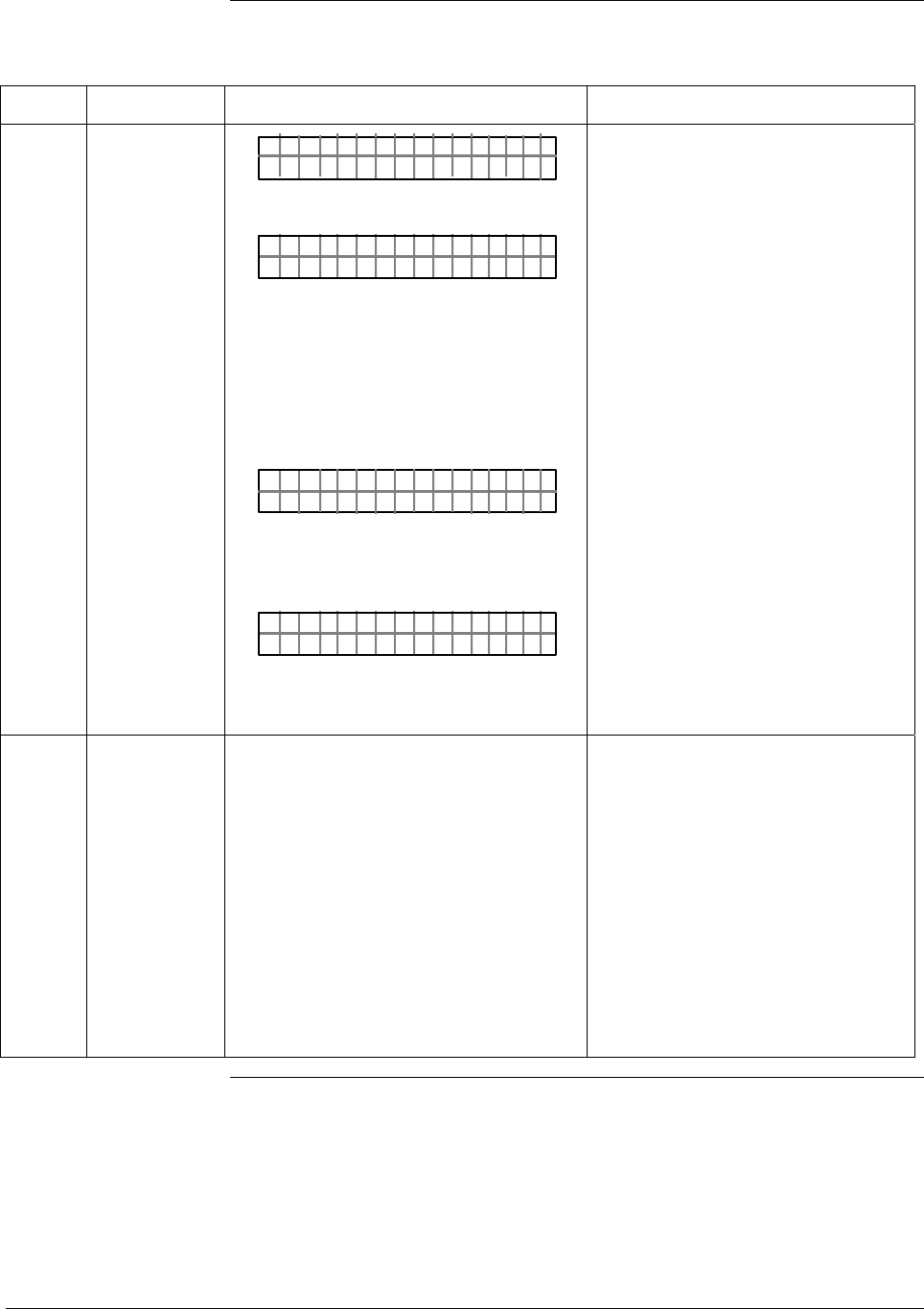
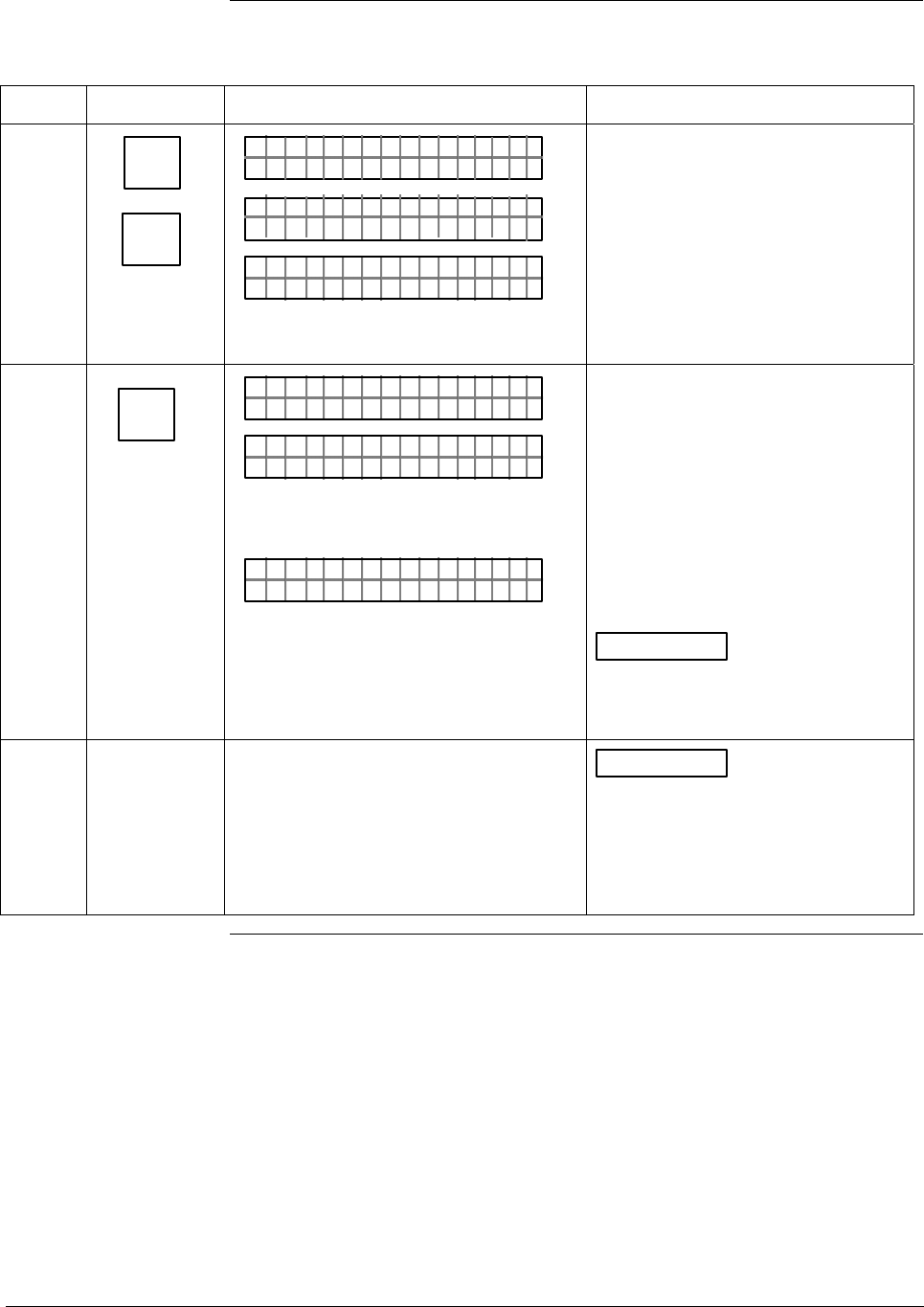
Procedure The procedure in Table 2 outlines the steps using an SFC for initiating
communications with an ST 3000 transmitter without an assigned tag
number.
Table 2 Testing Communications with Transmitter.
Step Press Key Read Display or Action Description
1 Slide power switch on left side of SFC to
ON position.
SFC runs its self check and displays
initial prompt.
2 PUT IN MANLOOP
OR
DE X TMR RE S ISP– D
If this prompt appears, transmitter is
in Analog mode of operation. This is
the factory default mode of
operation setting. Put your control
loop in the manual mode of
operation before initiating SFC
communications. Note that you must
do this separately through the
receiving device in the loop.
If this prompt appears, transmitter is
in Digital (DE) mode of operation.
3 DE READ
A
ID
TA ON.G
?TRIPS SECURED?
OR
Go to Step 5
Be sure any switches that may trip
alarms or interlocks associated with
analog loop are secured or turned
off. Go to Step 4.
This prompt does not appear for
transmitters operating in DE mode.
See DE transmitter display response
in Step 5.
4 NON-VOL
ENTER
(Yes)
Confirms that “TRIPS” are secured. Go
to Step 5 for display response.
Required for transmitters operating
in analog mode only.
Continued on next page
2/05 ST 3000 Release 300 Installation Guide
7
2.2 Testing Communications, Continued
Procedure, continued
Table 2 Testing Communications with Transmitter, Continued
Step Press Key Read Display or Action Description
5 TA ON.G
SFC WORK ING. . .
LIN AG NO.DP T
_
OR
DE X TMTA OG.RN
_
–
OR
TAG O
ORXT ONM ES
N.
NSRPE
Message exchange is taking place
Note that communications with
transmitter are blocked until [ID] key
is pressed
Transmitter is in analog
transmission mode. “LIN” means
transmitter is set for linear output
instead of square root (SQRT). “DP”
means transmitter is differential
pressure type instead of gauge
pressure (GP) or absolute pressure
(AP). Last eight columns in bottom
row are blank when no tag number
has been assigned to this
transmitter. Go to Step 8.
Transmitter is in digital (DE)
transmission mode. Last eight
columns in bottom row are blank
when no tag number has been
assigned to this transmitter. Go to
Step 7.
Communication error messages are
cycled at two second intervals and
display returns to initial prompt. Go
to Step 6.
6 There is a communication problem,
check the
• power and SFC connections - Is the
polarity correct; red to positive and
black to negative?
• loop resistance - Is there a minimum
of 250 ohms resistance between the
SFC and the power supply?
• power supply - Is power applied, is
there greater than 11 volts at the
transmitter, and are you within the
operating area on the curve in Figure
13?
Correct any wiring, resistance, or
power supply problems, and try
communicating again - Press [ID]
key.
If you are still not getting the
correct display, note error
messages and refer to
Troubleshooting section in the
transmitter’s User’s Manual 34-ST-
25-14 for probable cause.
Continued on next page
8 ST 3000 Release 300 Installation Guide 2/05
2.2 Testing Communications, Continued
Procedure, continued
Table 2 Testing Communications with Transmitter, Continued
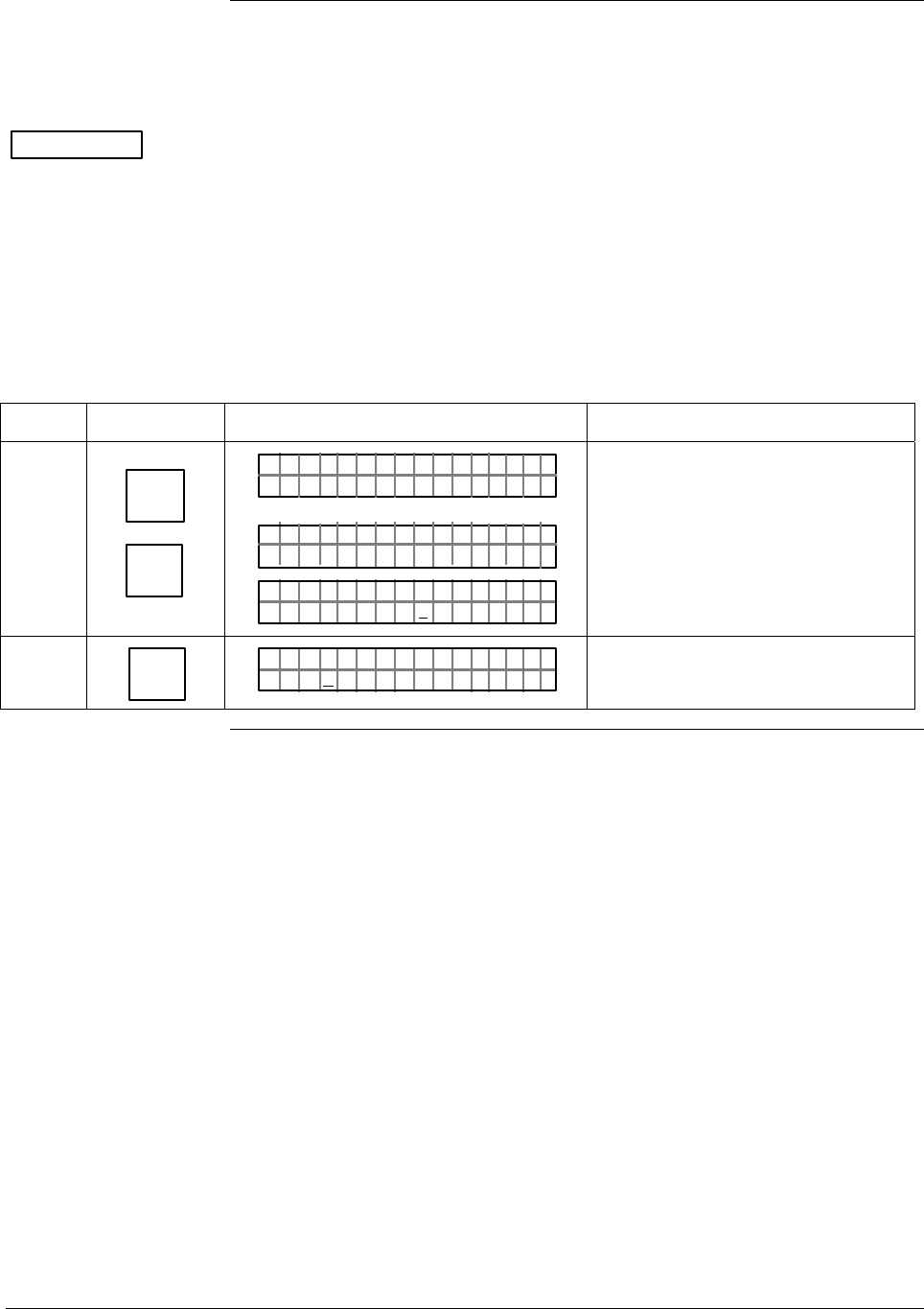
Step Press Key Read Display or Action Description
7 ^
SHIFT
DE READ
A
ID
DE X TMTA OG.RN
F
–
SHI T–
TA ON.G
S F C WORK I N G–. 33%
LIN AG NO.DP T
_
Initiates shift key selection.
Begins upload of configuration
database from transmitter.
Operation completion rate is shown
in percent. Note that display for ID
response reverts to style used for
transmitter in analog mode when
upload is completed.
8 F/S DIR
U
STAT
ST A ST
FC WOSING.RK . .
U
ST A ST
TA USSHECKC=O
U
TK
LIN DP
.Y. .RE AD
Initiates status check.
If messages other than this one are
cycled in display, refer to the
Troubleshooting section in this
manual for an explanation of the
message, the probable cause, and
any corrective action.
Signals end of status messages for
display.
ATTENTION When assigned,
the transmitter’s tag number also
appears in the top row of the
display.
9 You have established
communications with transmitter and
are ready to initiate other SFC
operations. Go to Section 2.3.
ATTENTION If you want to
change the transmitter’s
communication mode from Analog
(A) to digital (DE), see the
Changing Mode of Operation
section in the transmitter’s User’s
Manual 34-ST-25-14 for details.
2/05 ST 3000 Release 300 Installation Guide
9
2.3 Verifying Configuration Data
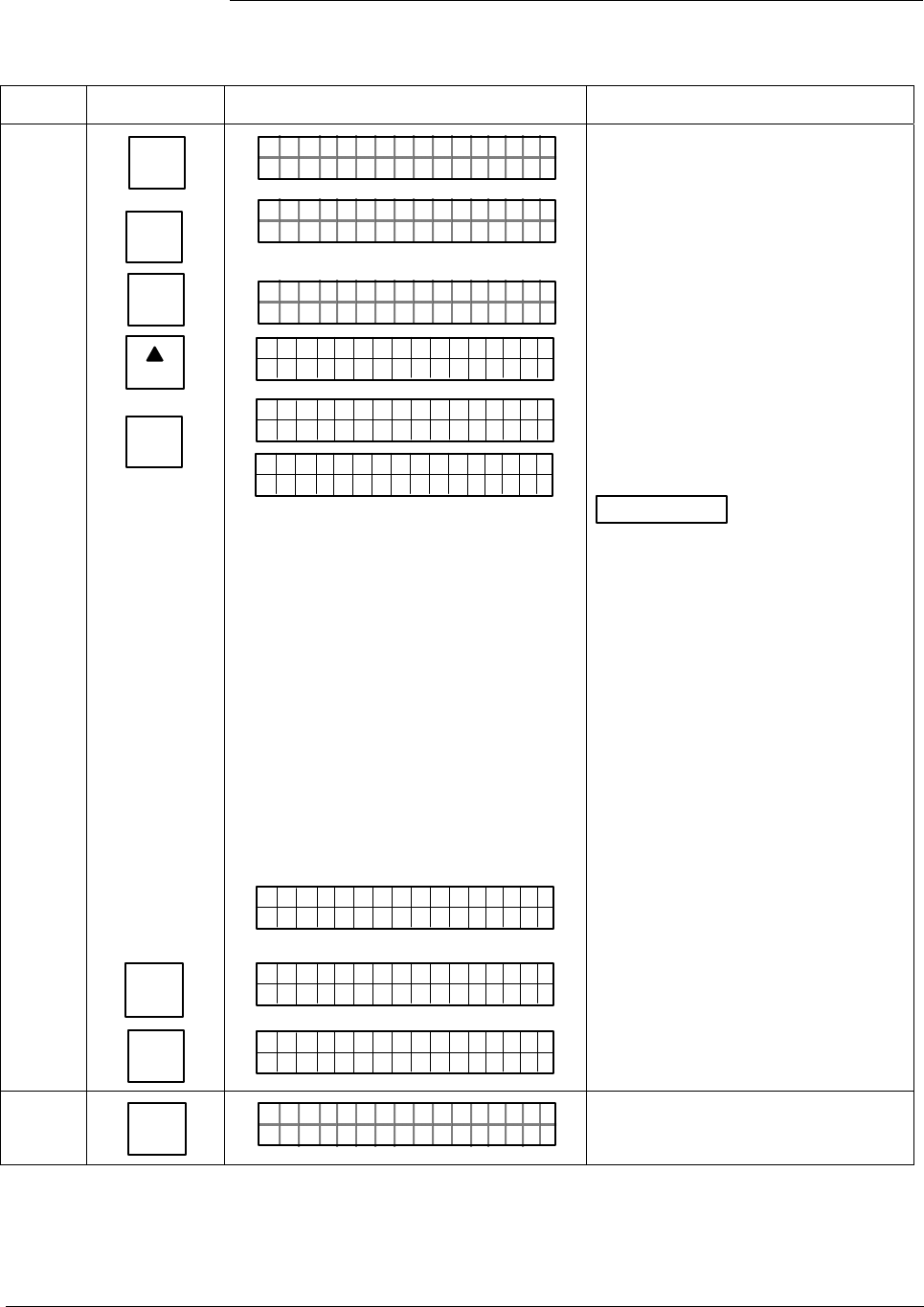
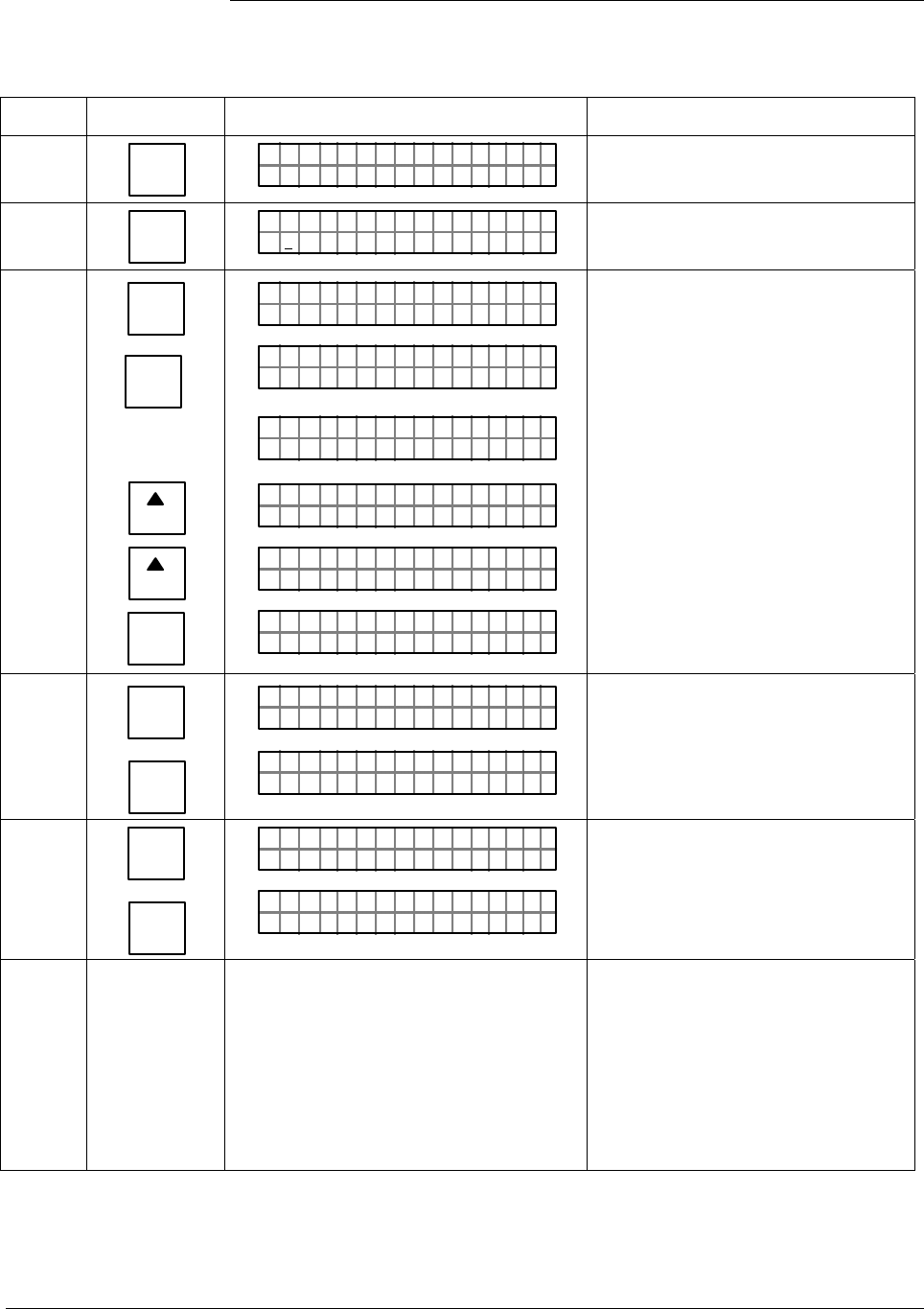
Procedure Use the procedure in Table 3 to display all the basic transmitter database
parameters to be sure they are correct. Note that the values/selections
shown in displays are for example purposes only.
ATTENTION • This procedure assumes that you have established communications
with the transmitter as outlined in Table 2.
• If any parameter is not set to the correct value/selection or your
transmitter was not configured, you can do so now. Refer to the
Configuration Section in the ST 3000 Smart Transmitter, Release 300
and SFC Smart Field Communicator Model STS 103 User’s Manual,
34-ST-25-14 for details.
Table 3 Verifying Transmitter’s Configuration Data (Using the SFC)
Step Press Key Read Display or Action Description
1 DE READ
A
ID
NON-VOL
ENTER
(Yes)
TA ON.G
?TRIPS SECURED?
TA ON.G
SFC WORK ING. . .
LIN AG NO.DP T
PT 1ØØ1S
This prompt only appears for
transmitters in analog mode.
This is only required for transmitters
in analog mode.
Transmitter’s assigned tag number
“SPT 1001” appears in bottom row.
2 C
DAMP
PT1DAMP
3ECØ.O
1ØØ1
SD
S
NS
Present damping time setting.
Continued on next page
10 ST 3000 Release 300 Installation Guide 2/05
2.3 Verifying Configuration Data, Continued
Procedure, continued
Table 3 Verifying Transmitter’s Configuration Data, Continued
Step Press Key Read Display or Action Description
3 B
CONF
NON-VOL
ENTER
(Yes)
CLR
(No)
NEXT
H
NON-VOL
ENTER
(Yes)
ENTER
(YES)
NON-VOL
CLR
(No)
NGO
ITYORM
IST C F
CON F ?
ITYORMCON F
LINEAR
NGO
ITYORM
IST C F
CON F ?
CONF I G
CMe ntr o ?ef
ST
ig
SCFO
WRK NI.G..
CMe ntr oef
ig
Persen
Me t re
CMe ntr oef
ig
Bd t
Cnoufig Me t re
CMe ntr oef
ig
re ?
"2H9O_3
EMe gtr neU
ni
F
ts
CONF I G
CMe ntr o ?ef
ST
ig
Access configuration menu.
Present output conformity is linear
Exit menu selection.
Call up next menu selection.
Enters meter configuration function
and confirms that local smart meter
is present. Timed prompt - See next
display.
ATTENTION If prompt “No Meter
Present” appears, prompt times out
in a few seconds, as described
above, and calls up the “Configure
Meter?” prompt. This means that
you can access the meter
configuration function without the
local smart meter installed. If prompt
“Mtr not Supportd” appears, prompt
times out and returns to previous ST
CONFIG prompt. This means that
you are working with a pre-release
300 transmitter that does not
support the local smart meter option
and, therefore, can not access the
meter configuration function.
Prompt asks if you want to configure
smart meter.
Calls up present meter Engineering
Unit selection.
Exit menu selection.
4 D
UNITS
1UN I TS
"H2O_39F
PT 1ØØ1S
SFC will display range values in
inches of water @ 39º F (4º C).
Continued on next page
2/05 ST 3000 Release 300 Installation Guide
11
2.3 Verifying Configuration Data, Continued
Procedure, continued
Table 3 Verifying Transmitter’s Configuration Data, Continued
Step Press Key Read Display or Action Description
5 E
LRV
0%
LRV 1
ØØØ
.
ØØ "H2O_39F
P T 1ØØ1S
Present Lower Range Value setting.
6
URV
100%
F
UR V 1
3.ØØ ØØ "H2 O
_39F
P T 1ØØ1S
Present Upper Range Value setting.
7 ^
SHIFT
MENU
ITEM
DE CONF
I
NEXT
H
NEXT
H
CLR
(No)
FT–SH I
UR V 1 PT 1ØØ1S
DE OCNF
OR K NGCW .FSI
PT 1ØØ1S
..
eRgnliSn
DE OCNF
gw/ SV
PT 1ØØ1S
6B/Bw
DE OCNF
D)( yt
P T 1ØØ1S
e
/S=/
DE OCNF
BHiFO
PT 1ØØ1S
LIN DP
.Y. .RE AD
P T 1ØØ1S
Initiate shift key selection.
Access DE configuration menu.
These parameters apply for
transmitters in DE mode only.
Present output mode setting for
transmitter in DE mode.
Present broadcast format setting for
transmitter in DE mode.
Present failsafe mode setting for
transmitter in DE mode.
Exit DE configuration menu.
8 ^
SHIFT
STAT
U
F/S DIR
LIN DP P T 1ØØ1S
FT–SHI
F/S I
/S FEFPSCAULE
DR
A
P T 1ØØ1S
Initiate shift key selection.
Default failsafe direction for analog
output. This applies for transmitter in
analog mode only.
9 ^
SHIFT
SPAN
Y
URL
FT–SHI
F/S ID R P T 1ØØ1S
UR L 1
4.ØØ ØØ "H2 O
_39F
P T 1ØØ1S
Initiate shift key selection.
Factory set Upper Range Limit. This
can not be changed.
10 Turn off power and SFC. Remove power
leads and SFC leads from transmitter.
Replace integral meter, if applicable;
replace end-cap; and tighten end-cap
lock
This completes bench check unless
you want to change default failsafe
direction for analog output and/or
position of optional write protect
jumper. If you do want to change
failsafe direction or write protect
jumper, go to Section 2.4 or 2.5,
respectively. Otherwise, you can
now install transmitter.
12 ST 3000 Release 300 Installation Guide 2/05
2.4 Changing Default Failsafe Direction
Background Transmitters are shipped with a default failsafe direction of upscale. This
means that the transmitter’s output will be driven upscale (maximum
output) when the transmitter detects a critical status.
You can change the direction from upscale to downscale (minimum
output) by cutting jumper W1 on the printed wiring assembly (PWA).
Analog and DE mode
differences
If your transmitter is operating in the analog mode, an upscale failsafe
action will drive the transmitter’s output to greater than 21 mA or a
downscale action will drive its output to less than 3.8 mA.
If your transmitter is operating in the DE mode, an upscale failsafe action
will cause the transmitter to generate a “+ infinity” digital signal, or a
downscale failsafe action will cause it to generate a “– infinity” digital
signal. The STIMV IOP module interprets either signal as “not a
number” and initiates its own configured failsafe action for the control
system. The STDC card initiates the failsafe mode configured through
the transmitter when either signal is generated.
ATTENTION The failsafe direction display that you can access through the SFC only
shows the state of the failsafe jumper in the transmitter as it correlates to
analog transmitter operation. The failsafe action of the digital control
system may be configured to operate differently than indicated by the
state of the jumper in the transmitter.
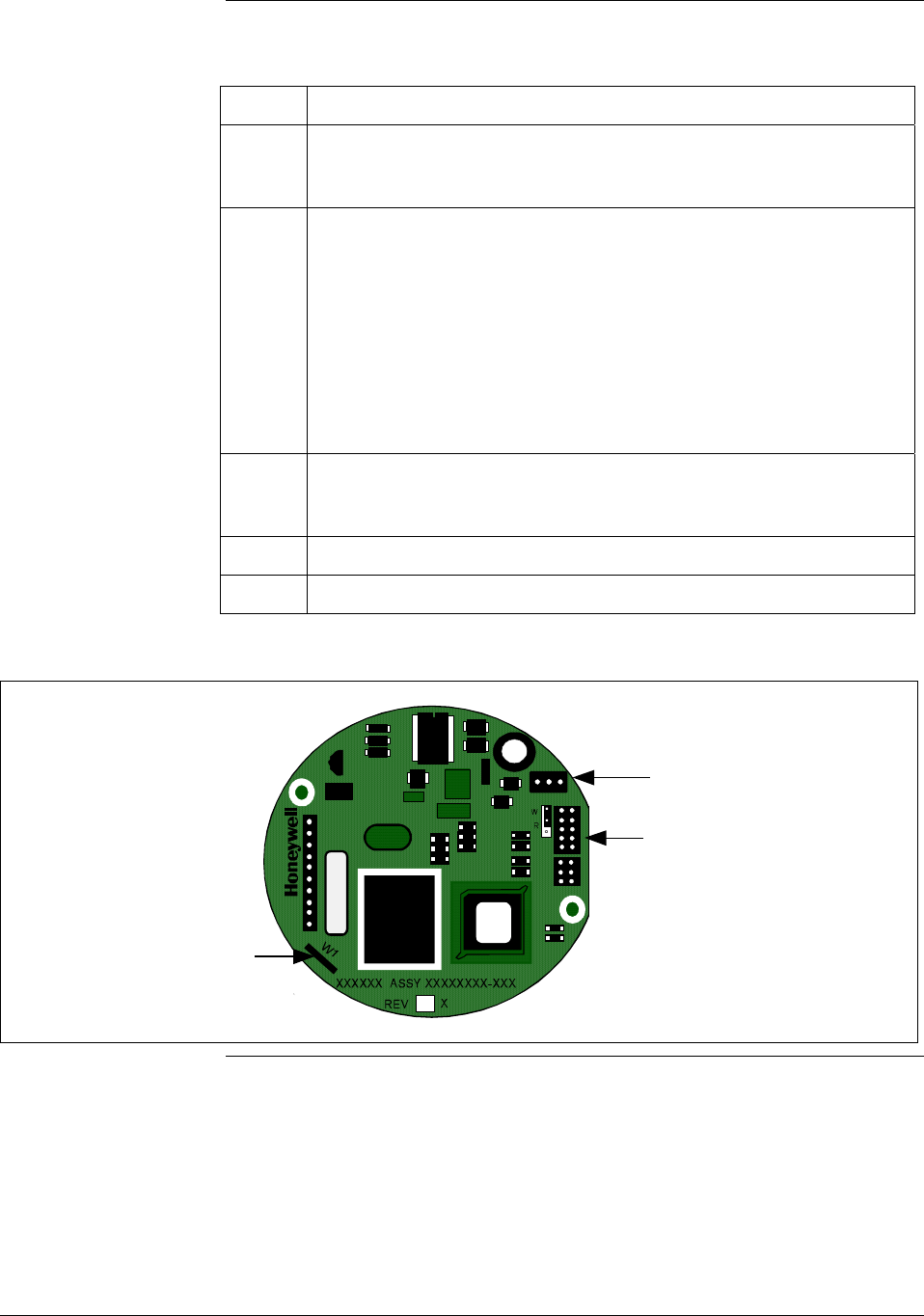
Procedure The procedure in Table 4 outlines the steps for cutting the failsafe jumper
on the transmitter’s PWA. Figure 2 shows the location of the failsafe
jumper on the PWA for Release 300 transmitters.
The nature of the integrated circuitry used in the transmitter’s PWA
makes it susceptible to damage by stray static discharges when it is
removed from the transmitter. Follow these tips to minimize chances of
static electricity damage when handling the PWA.
• Never touch terminals, connectors, component leads, or circuits when
handling the PWA.
• When removing or installing the PWA, hold it by its edges or bracket
section only. If you must touch the PWA circuits, be sure you are
grounded by staying in contact with a grounded surface or wearing a
grounded wrist strap.
• As soon as the PWA is removed from the transmitter, put it in an
electrically conductive bag or wrap it in aluminum foil to protect it.
Continued on next page
2/05 ST 3000 Release 300 Installation Guide
13
2.4 Changing Default Failsafe Direction, Continued
Procedure, continued
Table 4 Cutting Failsafe Direction Jumper
Step Action
1 With transmitter on bench and no power applied. Loosen end-cap
lock and unscrew end cap from electronics side of transmitter
housing.
2 • If applicable, unsnap Local Smart Meter from PWA mounting
bracket and unplug cable from connector on back of meter
assembly.
• Loosen two retaining screws and carefully pull mounting bracket
and PWA from housing.
• Using retaining clip remove flex-tape connector from PWA.
• Remove 2-wire power connector from PWA, and then remove
PWA and mounting bracket assembly.
3 With component side of PWA facing you, locate failsafe jumper W1
and cut it in half with small wire cutter such as dykes. See Figure 2.
This changes failsafe action from upscale to downscale.
4 Reverse applicable previous steps to replace PWA.
6 Turn ON transmitter power.
Figure 2 Location of Failsafe Direction Jumper on PWA.
Failsafe
Direction
Jumper
Power
Connector
Meter
Connector
14 ST 3000 Release 300 Installation Guide 2/05
2.5 Optional Write Protect Jumper
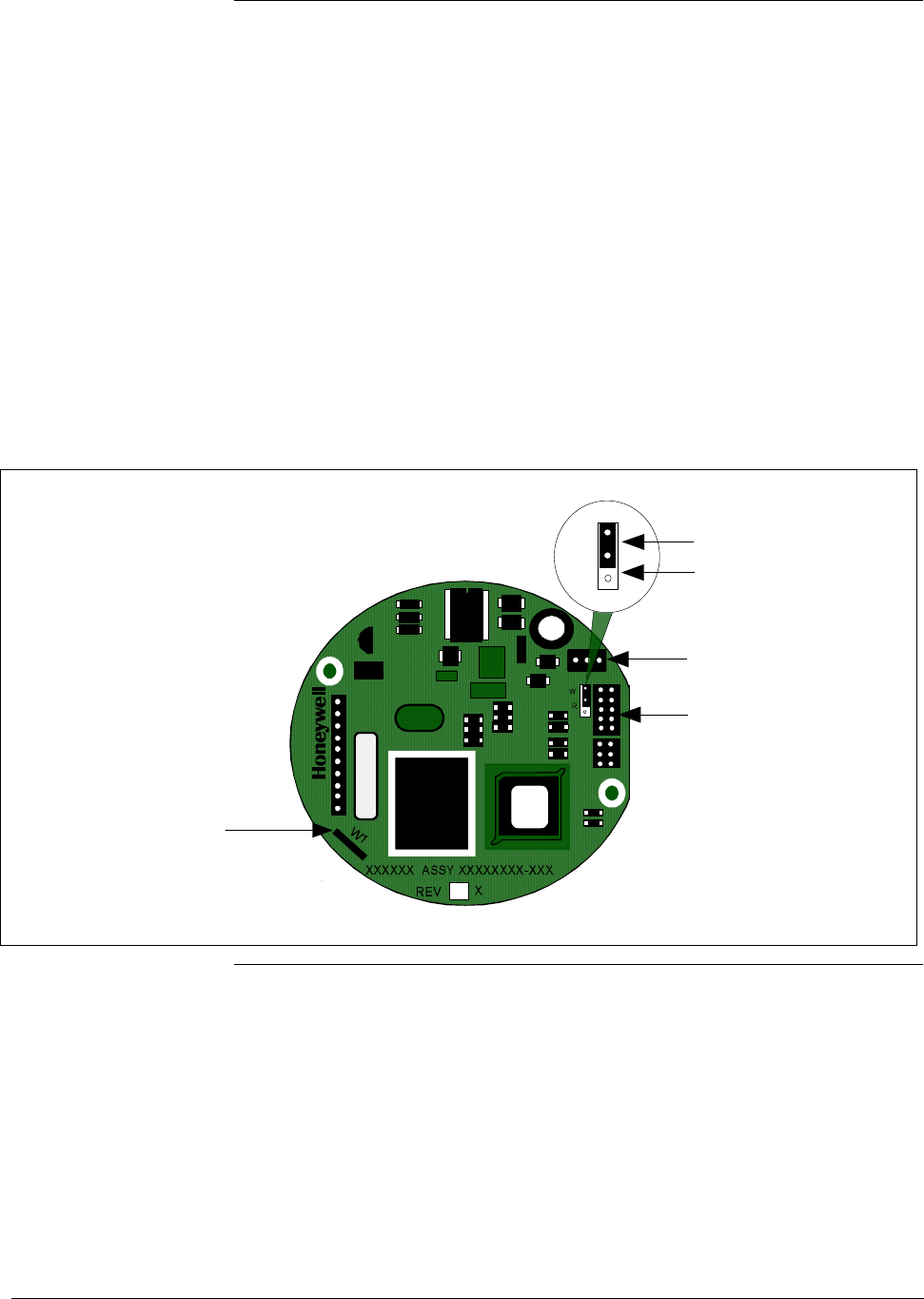
Write protect option The ST 3000 transmitters are available with a “write protect option”. It
consists of a jumper located on the transmitter’s PWA that you can
position to allow read and write access or read only access to the
transmitter’s configuration database. When the jumper is in the read
only position, you can only read/view the transmitter’s configuration
and calibration data. Note that the factory default jumper position is for
read and write access.
There is no need to check the jumper position unless you want to change
it. Refer to the steps in Table 4 to remove the PWA from the transmitter
and Figure 3 to reposition the jumper.
Figure 3 shows the location of the write protect jumper on the PWA for
Release 300 transmitters.
Figure 3 Write Protect Jumper Location and Selections.
Failsafe
Direction
Jumper
Meter
Connector
Power
Connector
W
R
Read and
Write
Read Only
2/05 ST 3000 Release 300 Installation Guide
15

2.6 Setting Range Values Using Local Adjustments
Local zero and span
option
For transmitter applications that do not require an SFC nor digital
integration with Honeywell’s TPS systems, ST 3000 transmitters are
available with optional local zero and span adjustments.
About local
adjustments
The transmitter’s range values can be set by using the pushbuttons on
the face of the local zero and span option or smart meter. Refer to the
procedure for setting the range values to applied pressures using local
zero and span adjustments in Appendix A
Smart Meter Reference in
this guide.
16 ST 3000 Release 300 Installation Guide 2/05
Section 3 —Preinstallation Considerations
3.1 Considerations for ST 3000 Transmitter
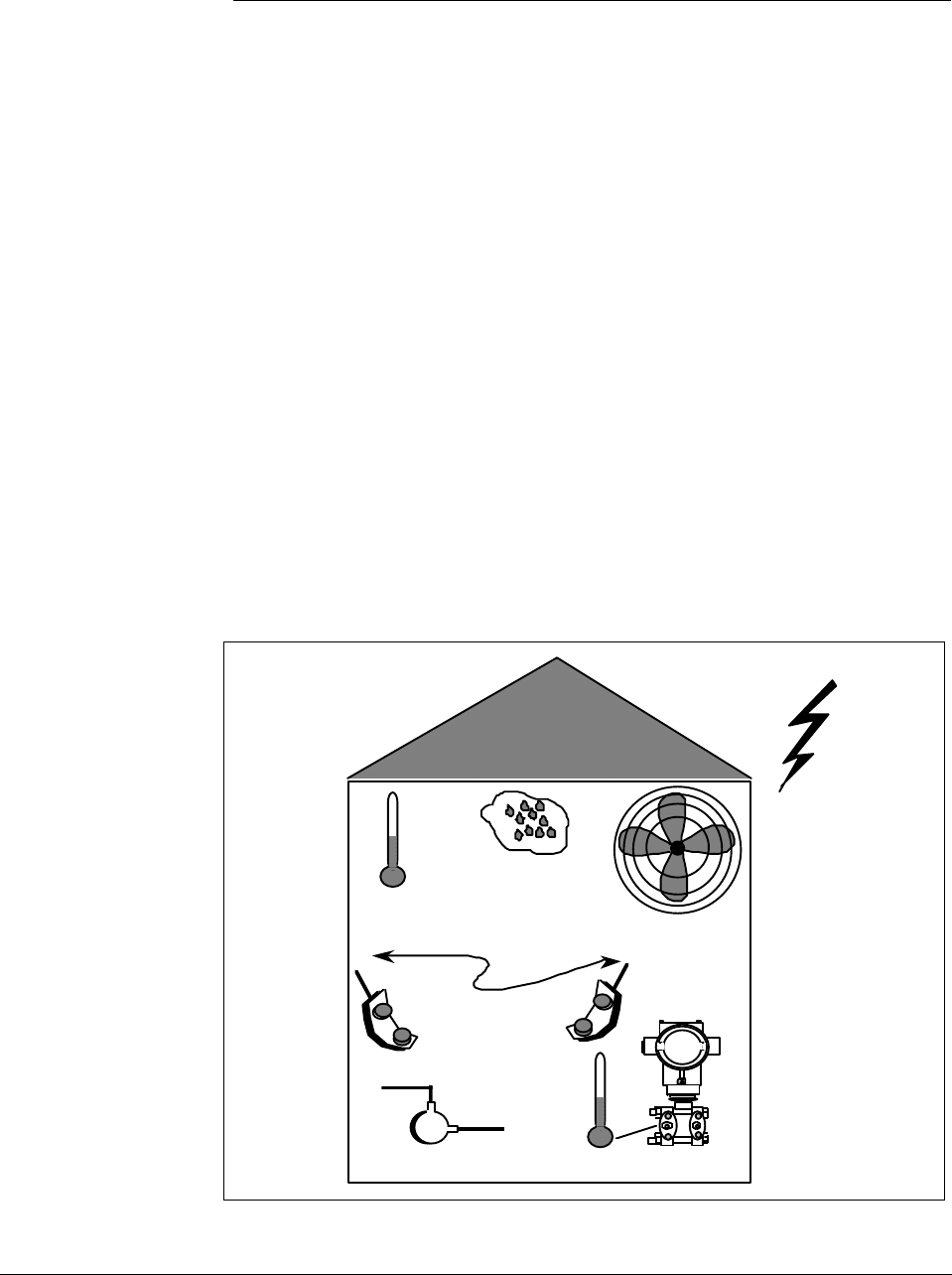
Evaluate conditions The ST 3000 transmitter is designed to operate in common indoor
industrial environments as well as outdoors. To assure optimum
performance, evaluate these conditions at the mounting area relative to
published transmitter specifications and accepted installation practices
for electronic pressure transmitters.
• Environmental Conditions
– Ambient Temperature
– Relative Humidity
• Potential Noise Sources
– Radio Frequency Interference (RFI)
– Electromagnetic Interference (EMI)
• Vibration Sources
– Pumps
– Motorized Valves
– Valve Cavitation
• Process Characteristics
– Temperature
– Maximum Pressure Rating
Figure 4 illustrates typical mounting area considerations to make before
installing a transmitter.
Figure 4 Typical Mounting Area Considerations Prior to Installation
Ambient
Temperature
Relative
Humidity
Large Fan Motors
(EMI)
Transceivers
(RFI)
Pump
(vibration)
Meter Body
Temperature
Lightning
(EMI)
21003
Continued on next page
2/05 ST 3000 Release 300 Installation Guide
17

3.1 Considerations for ST 3000 Transmitter, Continued
Temperature limits Table 5 lists the operating temperature limits for the various types of
transmitters with silicone fill fluids. See transmitter specifications for
temperature limits of transmitter with alternative fill fluids.
Table 5 Operating Temperature Limits (Transmitters with Silicone Fill Fluids)
Transmitter Type and Model Ambient Temperature Process Interface Temperature
°C °F °C °F
Draft Range STD110 -40 to 70 -40 to 158 -40 to 70 -40 to 158
Differential Pressure STD125
STD120, STD130, STD170
STD904, STD924,
STD930, STD974
-40 to 85
-40 to 93
-40 to 85
-40 to 185
-40 to 200
-40 to 185
-40 to 85
-40 to 125
-40 to 125
-40 to 185
-40 to 257
-40 to 257
Gauge Pressure
STG140, STG170, STG180,
STG14L, STG17L, STG18L
STG14T
STG93P
STG944, STG974
STG90L, STG94L,
STG97L, STG98L
-40 to 93
-40 to 93
-15 to 65
-40 to 85
-40 to 85
-40 to 200
-40 to 200
5 to 149
-40 to 185
-40 to 185
-40 to 125
-40 to 150 †
-15 to 95 ††
-40 to 125
-40 to 110
-40 to 257
-40 to 302 †
5 to 203 ††
-40 to 257
-40 to 230
Absolute Pressure STA122 -40 to 93 -40 to 200 See Specification Sheet
STA140 -40 to 93 -40 to 200 -40 to 80 -40 to 176
STA922 -40 to 85 -40 to 185 See Specification Sheet
STA940 -40 to 85 -40 to 185 -40 to 80 -40 to 176
Flange Mounted
STF128, STF132, STF924,
STF932
Pseudo-Flanged Head
STF12F, STF13F, STF92F,
STF93F
STF14F
Gauge Pressure Flange Mount
STF14T
-40 to 93
-40 to 93
-40 to 85
-40 to 93
-40 to 200
-40 to 200
-40 to 185
-40 to 200
-40 to 175
-40 to 93
-40 to 85
-40 to 150 †
-40 to 350
-40 to 200
-40 to 185
-40 to 302 †
Remote Diaphragm Seals
STR12D, STR13D, STR14G,
STR17G, STR14A
See Specification Sheet
See Specification Sheet
STR93D, STR94G -40 to 85 -40 to 185 See Specification Sheet
† Process temperatures above 125 °C (257 °F) require a reduction in the maximum ambient temperature as follows:
Process Temperature Ambient Temperature Limit
150 °C (302 °F) 50 °C (122 °F)
140 °C (284 °F) 60 °C (140 °F)
125 °C (257 °F) 85 °C (185 °F)
†† Process temperatures above 65 °C (149 °F) require a 1:1 reduction in maximum ambient temperature.
NOTE: For transmitters with local meter option see Table A-2.
NOTE: Transmitters with other fill fluids (CTFE, Neobee, Etc.) have different Operating Temperature Limits. For
more specific information, refer to the appropriate Specification and Model Selection Guide or transmitter nameplate
18 ST 3000 Release 300 Installation Guide 2/05
3.1 Considerations for ST 3000 Transmitter, Continued
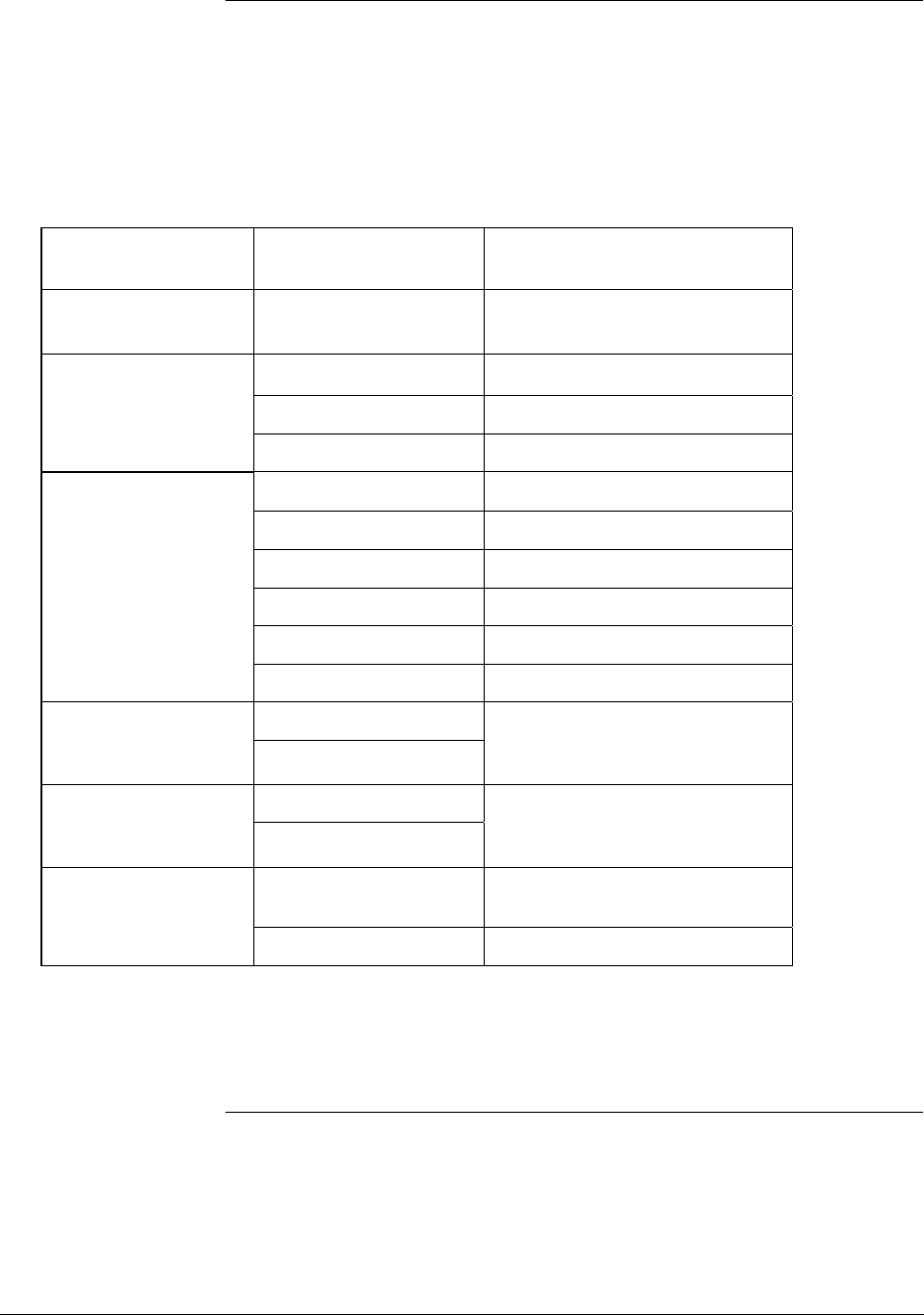
Pressure ratings Table 6 lists maximum working pressure for a given transmitter Upper
Range Limit (URL).
The maximum allowable working pressure (MAWP) is the pressure
used for the approval body safety calculations.
Table 6 Transmitter Maximum Allowable Working Pressure (MAWP) Ratings
Transmitter Type Upper Range Limit
(URL)
MAWP
Draft Range 10 inches H2O (25
mbar)
50 psi (3.5 bar)
Differential Pressure 400 inches H2O (1 bar) 3000 psi (210 bar)
100 psi (7 bar) 3000 psi (210 bar)
3000 psi (210 bar) 3000 psi (210 bar)
Gauge Pressure 100 psi (7 bar) 100 psi (7 bar)
300 psi (21 bar) 300 psi (21 bar)
500 psi (35 bar) 500 psi (35 bar)
3000 psi (210 bar) 3000 psi (210 bar)
6000 psi (415 bar) 6000 psi (415 bar)
10000 psi (690 bar) 10000 psi (690 bar)
400 inches H2O (1 bar)
Flange Mount
100 psi (7 bar)
Per selected flange and material
(ANSI/ASME 150#, 300#, DN
PN40)
400 inches H2O (1 bar)
Remote Seal
100 psi (7 bar)
Lesser MAWP of either Remote
Seal selected or transmitter
pressure rating
Absolute Pressure 780 mmHg Absolute
(1 bar)
780 mmHg Absolute
(1 bar)
500 psia (35 bar) 500 psia (35 bar)
Note: Maximum Allowable Working Pressure (MAWP) may vary with materials of construction and process
temperature. For more specific information, refer to the appropriate Specification and Model Selection
Guide or transmitter nameplate
Note: To convert bar values to kilopascals (kPa), multiply by 100.
For example, 3.5 bar equals 350 kPa.
2/05 ST 3000 Release 300 Installation Guide
19
3.2 Considerations for SFC/SCT
Install SFC battery
pack
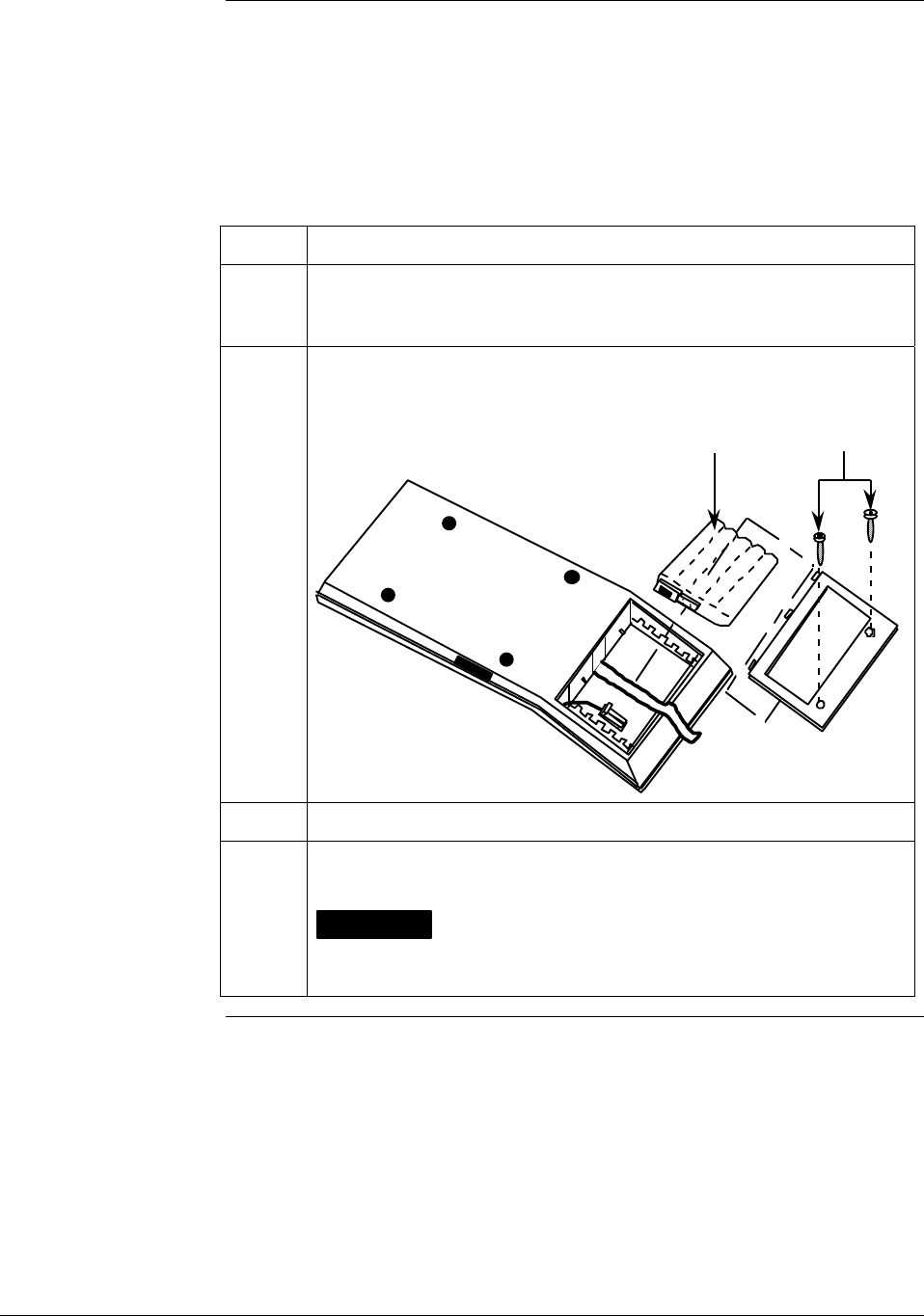
If the SFC battery pack was removed for shipping and/or storage, you
will have to install the battery pack and charge the batteries before you
can operate the SFC.
The procedure in Table 7 outlines the steps for the battery pack.
Table 7 Installing and Charging SFC Battery Pack
Step Action
1 Turn SFC face down on working surface. Use metric hex wrench
(2.5 mm) to remove screws in battery compartment cover and
remove cover.
2 Insert battery pack in compartment and connect plug in compartment
to pin on battery back
Example - Battery pack installation.
Battery Pack Hex Screws
21004
3 Replace cover and tighten hex screws
4 Connect lead from battery charger to recessed connector on left side
of SFC.
WARNING The SFC battery charger is not intrinsically safe.
Always recharge the SFC battery pack in a nonhazardous location.
The SFC itself is an intrinsically safe device.
Continued on next page
20 ST 3000 Release 300 Installation Guide 2/05
3.2 Considerations for SFC/SCT, Continued
Install SFC battery
pack, continued
Table 7 Installing and Charging SFC Battery Pack, Continued
Step Action
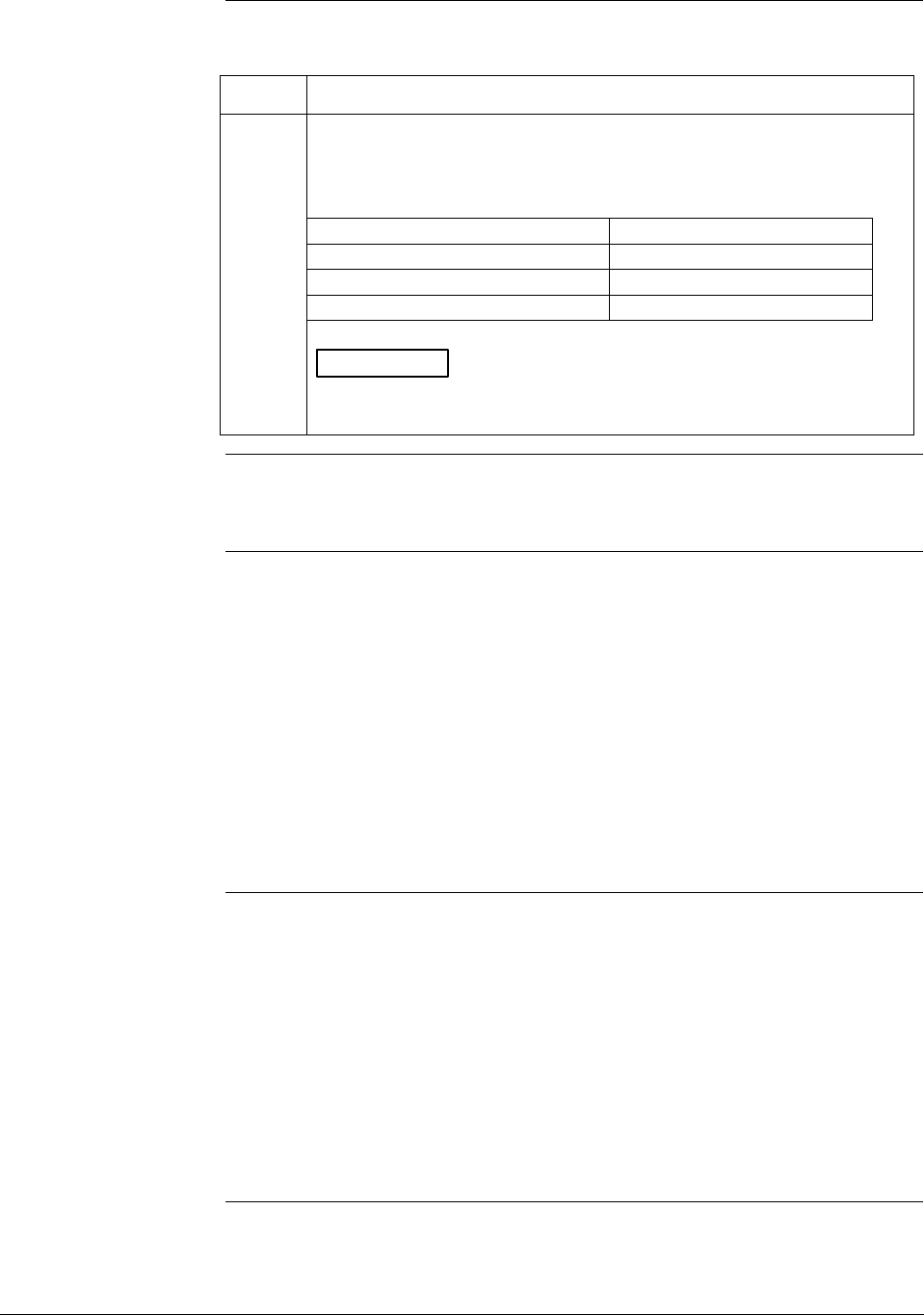
5 Plug battery charger into any standard 120 Vac outlet or universal-
European 240 Vac outlet as applicable for charger power rating. If
240 Vac charger is supplied with stripped leads instead of universal-
European plug, lead identification for 240 Vac charger is as follows.
Lead Color… Function…
Blue Neutral
Brown Hot
Green/Yellow Ground
ATTENTION It takes up to 16 hours to fully recharge the battery
pack and you can use the SFC continuously for up to 24 hours
before the battery pack needs recharging.
Temperature Limits The ambient operating temperature limits for the SFC are -10 to 50 °C
(14 to 122 °F) with relative humidity in the range of 10 to 90% RH.
Usage guidelines • For transmitters operating in the Analog mode, be sure to put an
analog control loop into its manual mode before initiating SFC
communications with the transmitter. Also, be sure any switches that
may trip alarms or interlocks associated with the analog loop are
secured or turned OFF. Communication superimposes digital signals
on the loop wiring that could affect the analog control signal.
• Be sure the power supply voltage does not exceed 45Vdc. The ST
3000 transmitter and SFC were designed to operate with voltages
below 45Vdc.
• Be sure there is at least 250 ohms of resistance between the SFC and
the power supply for proper communications.
SCT 3000
Requirements
The Smartline Configuration Toolkit (SCT 3000) consists of the software
program which is contained on diskettes and a Smartline Option Module
which is the hardware interface used for connecting the host computer to
the ST 3000 transmitter.
Be certain that the host computer is loaded with the proper operating
system necessary to run the SCT program. See the SCT 3000 Smartline
Configuration Toolkit Start-up and Installation Manual 34-ST-10-08 for
complete details on the host computer specifications and requirements for
using the SCT 3000.
2/05 ST 3000 Release 300 Installation Guide
21

3.3 Considerations for Local Smart Meter Option
Smart meter
reference
specifications
If your ST 300 transmitter is equipped with a Local Smart Meter option,
you may want refer to the design and operating specifications for this
option. See Appendix A
Smart Meter Reference in the back of this
guide.
22 ST 3000 Release 300 Installation Guide 2/05
Section 4 —Installation
4.1 Mounting ST 3000 Transmitter
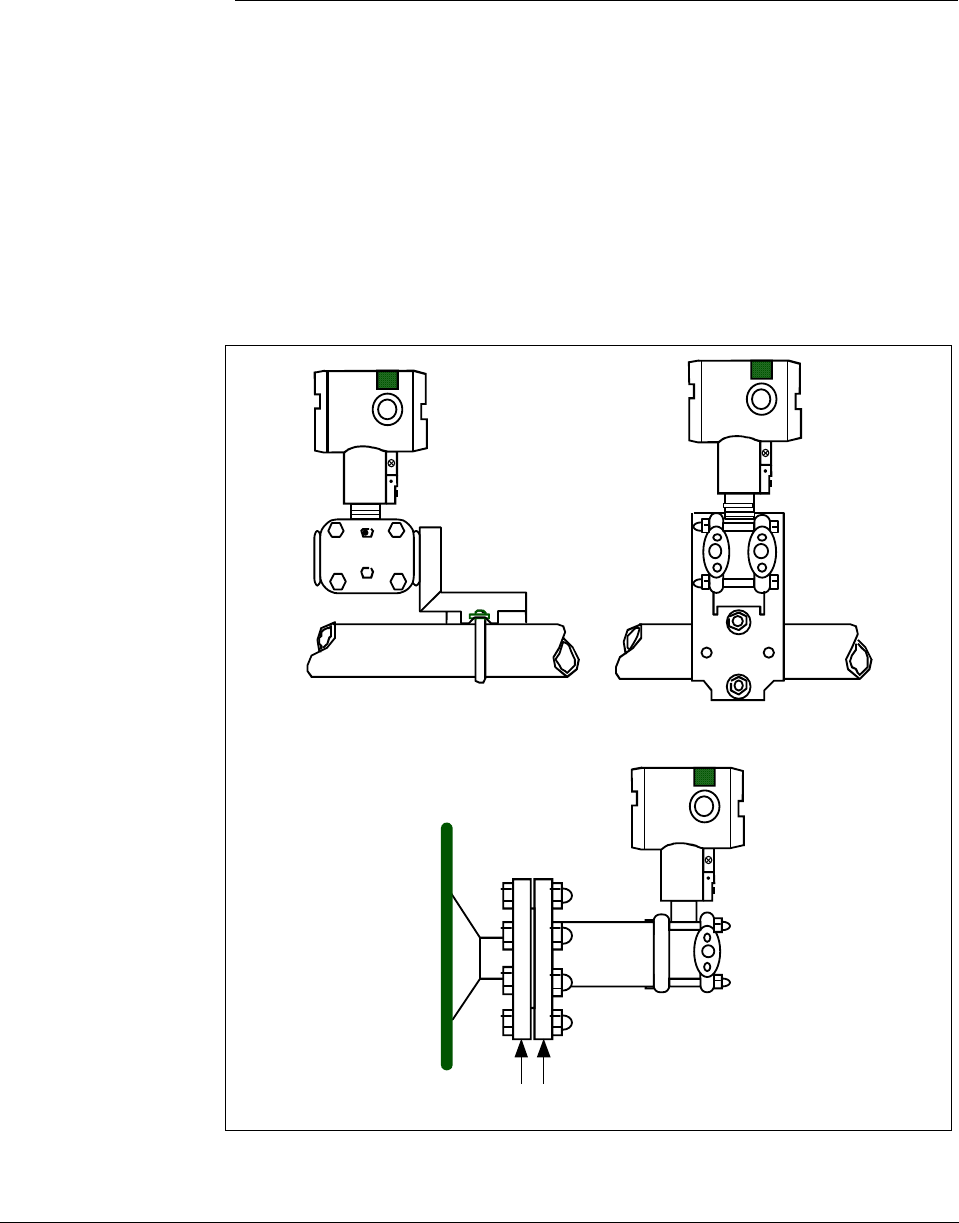
Summary You can mount all transmitter models (except flush mount models and
those with integral flanges) to a 2-inch (50 millimeter) vertical or
horizontal pipe using our optional angle or flat mounting bracket, or a
bracket of your own. Flush mount models are mounted directly to the
process pipe or tank by a 1-inch weld nipple. Those models with integral
flanges are supported by the flange connection.
Figure 5 shows typical bracket mounted and flange mounted transmitter
installations for comparison.
Figure 5 Typical Bracket Mounted and Flange Mounted Installations
Angle
Mounting
Bracket
Flat
Mounting
Bracket
Horizontal Pipe
24118
Tank
Wall
Flange
Connection
Transmitter
Flange
Continued on next page
2/05 ST 3000 Release 300 Installation Guide
23
4.1 Mounting ST 3000 Transmitter, Continued
Dimensions Detailed dimension drawings for given transmitter series and types are
listed in Section 5 for reference. Note that abbreviated overall
dimensions are also shown in the specification sheets for the given
transmitter models.
This section assumes that the mounting dimensions have already been
taken into account and the mounting area can accommodate the
transmitter.
Bracket mounting Table 8 summarizes typical steps for mounting a transmitter to a
bracket.
Table 8 Mounting ST 3000 Transmitter to a Bracket
Step Action
1
If you are using an… Then…
optional mounting bracket go to Step 2.
existing mounting bracket go to Step 3.
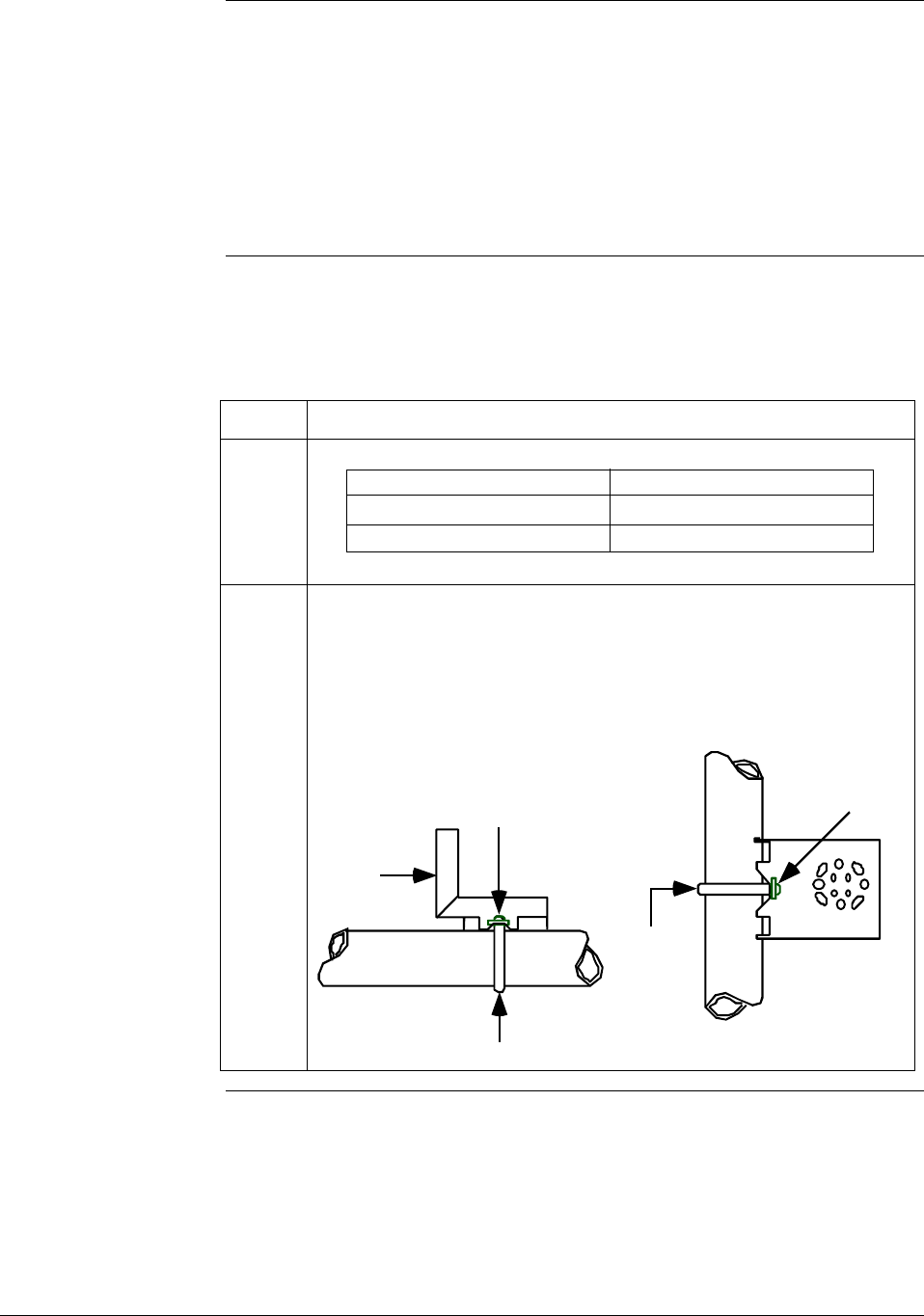
2 Position bracket on 2-inch (50.8 mm) or, and install “U” bolt around
pipe and through holes in bracket. Secure with nuts and lockwashers
provided.
Example - Angle mounting bracket secured to horizontal or vertical
pipe.
Horizontal Pipe
Mounting
Bracket
Nuts and
Lockwashers
Nuts and
Lockwashers
U-Bolt
U-Bolt
Mounting
Bracket
Vertical Pipe
Continued on next page
24 ST 3000 Release 300 Installation Guide 2/05
4.1 Mounting ST 3000 Transmitter, Continued
Bracket mounting,
continued Table 8 Mounting ST 3000 Transmitter to a Bracket, continued
Step Action
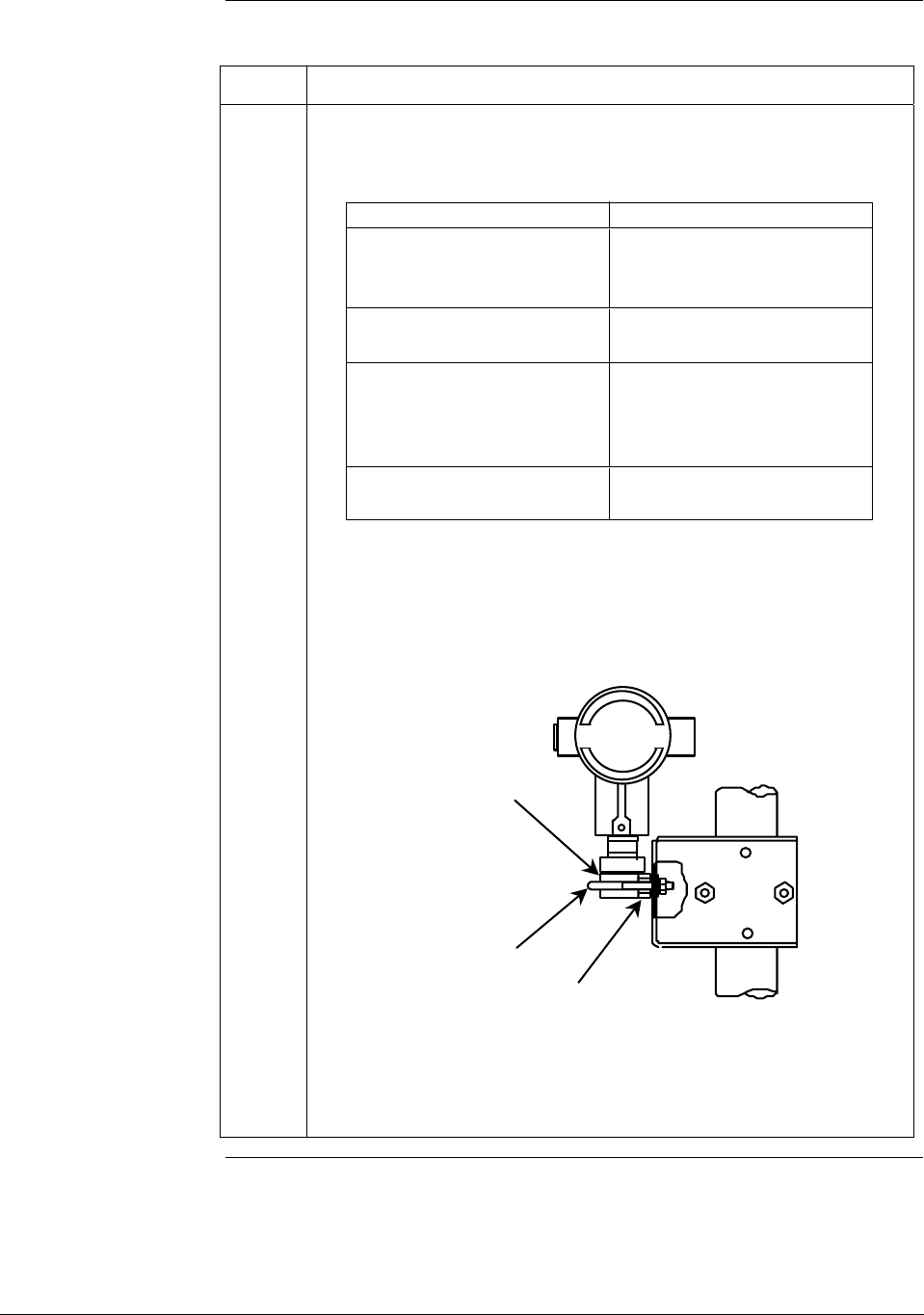
3 Align appropriate mounting holes in transmitter with holes in bracket
and secure with bolts and washers provided.
If transmitter is … Then …
DP type with double-ended use alternate mounting
process heads and/or holes in end of heads.
remote seals
GP and AP with single- use mounting holes in side
ended head of meter body.
In-line GP use smaller “U” bolt
(LGP model) provided to attach meter
body to bracket.
See figure below.
Dual head GP and AP use mounting holes in end
of process head.
Example – LGP model transmitter mounted to optional angle
mounting bracket.
LGP Models
Meter Body
Smaller
“U” bolt Use bracket for
hexagonal meter body
NOTE: If the meter body is hexagonal, you must use the additional
bracket supplied. If meter body is round, discard the
bracket.
Continued on next page
2/05 ST 3000 Release 300 Installation Guide
25
4.1 Mounting ST 3000 Transmitter, Continued
Bracket mounting,
continued Table 8 Mounting ST 3000 Transmitter to a Bracket, continued
Step Action
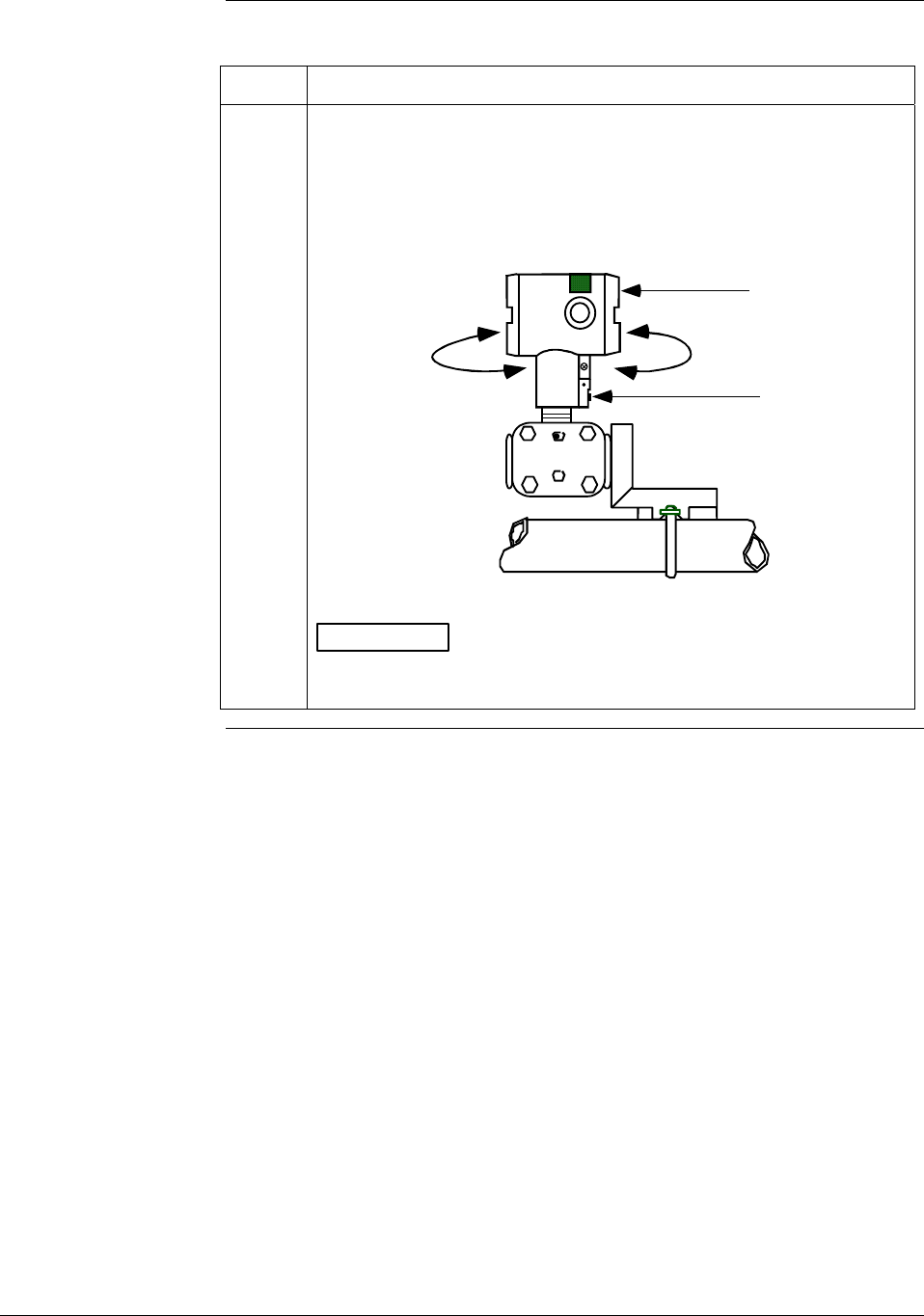
4 Loosen set screw on outside neck of transmitter one full turn. Rotate
Transmitter housing in maximum of 180 degree increment in left or
right direction from center to position you require and tighten set
screw (1.46 to 1.68 Nùm/13 to 15 lb-in).
Example - Rotating Transmitter housing.
Set Screw
Electronics
Housing
180 degrees
max.
180 degrees
max.
ATTENTION The metric socket head wrench kit supplied with the
SFC includes 2.5, 3, and 4mm size wrenches. You will need the
4mm size wrench for the outside set screw.
Continued on next page
26 ST 3000 Release 300 Installation Guide 2/05
4.1 Mounting ST 3000 Transmitter, Continued
ATTENTION The mounting position of a model STA122 or STA922 Absolute
Pressure Transmitter or a model STD110 Draft Range Differential
Pressure Transmitter is critical as the transmitter spans become smaller.
A maximum zero shift of 2.5 mm Hg for an absolute transmitter or 1.5
in H2O for a draft range transmitter can result from a mounting position
which is rotated 90 degrees from vertical. A typical zero shift of 0.12
mm Hg or 0.20 in H2O can occur for a 5 degree rotation from vertical.
Precautions for
Mounting
Transmitters with
Small Absolute or
Differential Pressure
Spans
To minimize these positional effects on calibration (zero shift), take the
appropriate mounting precautions that follow for the given transmitter
model.
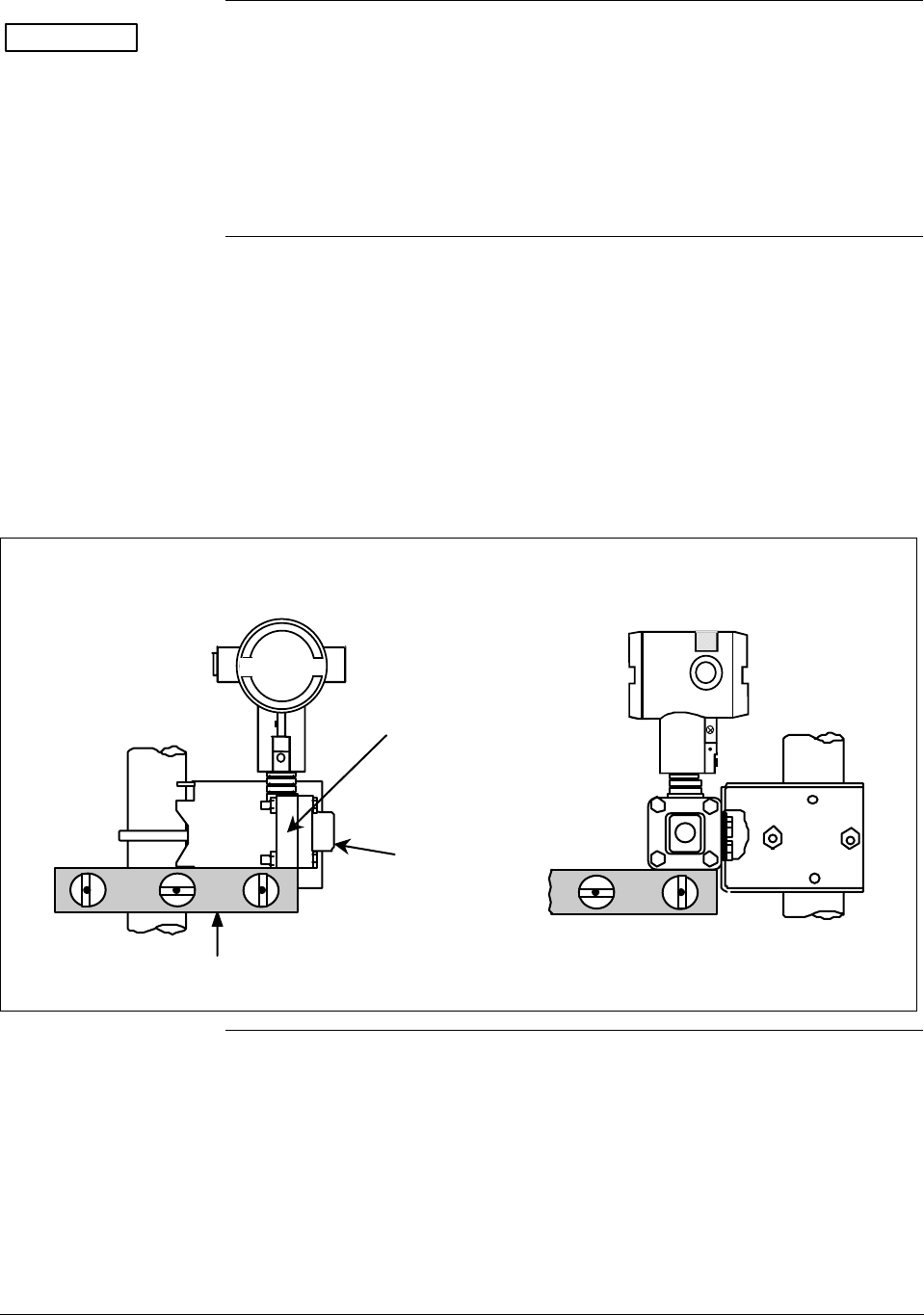
For a model STA122 or STA922 transmitter, you must ensure that the
transmitter is vertical when mounting it. You do this by leveling the
transmitter side-to-side and front-to-back. See Figure 6 for suggestions
on how to level the transmitter using a spirit balance.
Figure 6 Leveling a Model STA122 or 922 Absolute Pressure Transmitter.
Models STA122 and STA922
Center
Section
Process
Head
Position spirit balance on
center section of meter
body only.
Continued on next page
2/05 ST 3000 Release 300 Installation Guide
27
4.1 Mounting ST 3000 Transmitter, Continued
Precautions for
Mounting
Transmitters with
Small Absolute or
Differential Pressure
Spans, continued
For a transmitter with a small differential pressure span, you must
ensure that the transmitter is vertical when mounting it. You do this by
leveling the transmitter side-to-side and front-to-back. See Figure 6 for
suggestions on how to level the transmitter using a spirit balance. You
must also zero the transmitter by following the steps in Table 9 below.
Table 9 Zero Corrects Procedure for STD110
Step Action
1 Attach the transmitter to the mounting bracket but do not completely
tighten the mounting bolts
2 Connect a tube between the input connections in the high pressure
(HP) and low pressure (LP) heads to eliminate the affects of any
surrounding air currents.
3 Connect 24 Vdc power to the transmitter and connect a digital
voltmeter or SFC to read the transmitter’s output. See Figure 1 for
typical SFC connection or connect a voltmeter across the 250 ohm
resistor, if desired.
4 Use the SFC (or SCT) and establish communications with the
transmitter. Follow the steps in Table 2, if needed.
5 While reading the transmitter’s output on an SFC or a voltmeter,
position the transmitter so the output reading is at or near zero and
then completely tighten the mounting bolts.
6 Do an input zero correct function using the SFC and following the
steps below. This corrects the transmitter for any minor error that
may occur after the mounting bolts are tightened.
7
Initiate shift key selection. Press
^
SHIFT
key
Press
INPUT
J
OUT-
PUT key. Read applied input pressure.
Press
RESET
K
COR-
RECT key. Prompt asks if the applied input pressure equals
zero input. If it is zero input, go to next keystroke. If it is not, press
[CLR] key to exit function and repeat keystrokes.
Press
NON-VOL
ENTER
(Yes) key. Zero input is set equal to applied input pressure.
8 Remove the tube from between the input connections, the power,
and the digital voltmeter or SFC.
9 Continue with the remaining installation tasks.
Continued on next page
28 ST 3000 Release 300 Installation Guide 2/05
4.1 Mounting ST 3000 Transmitter, Continued
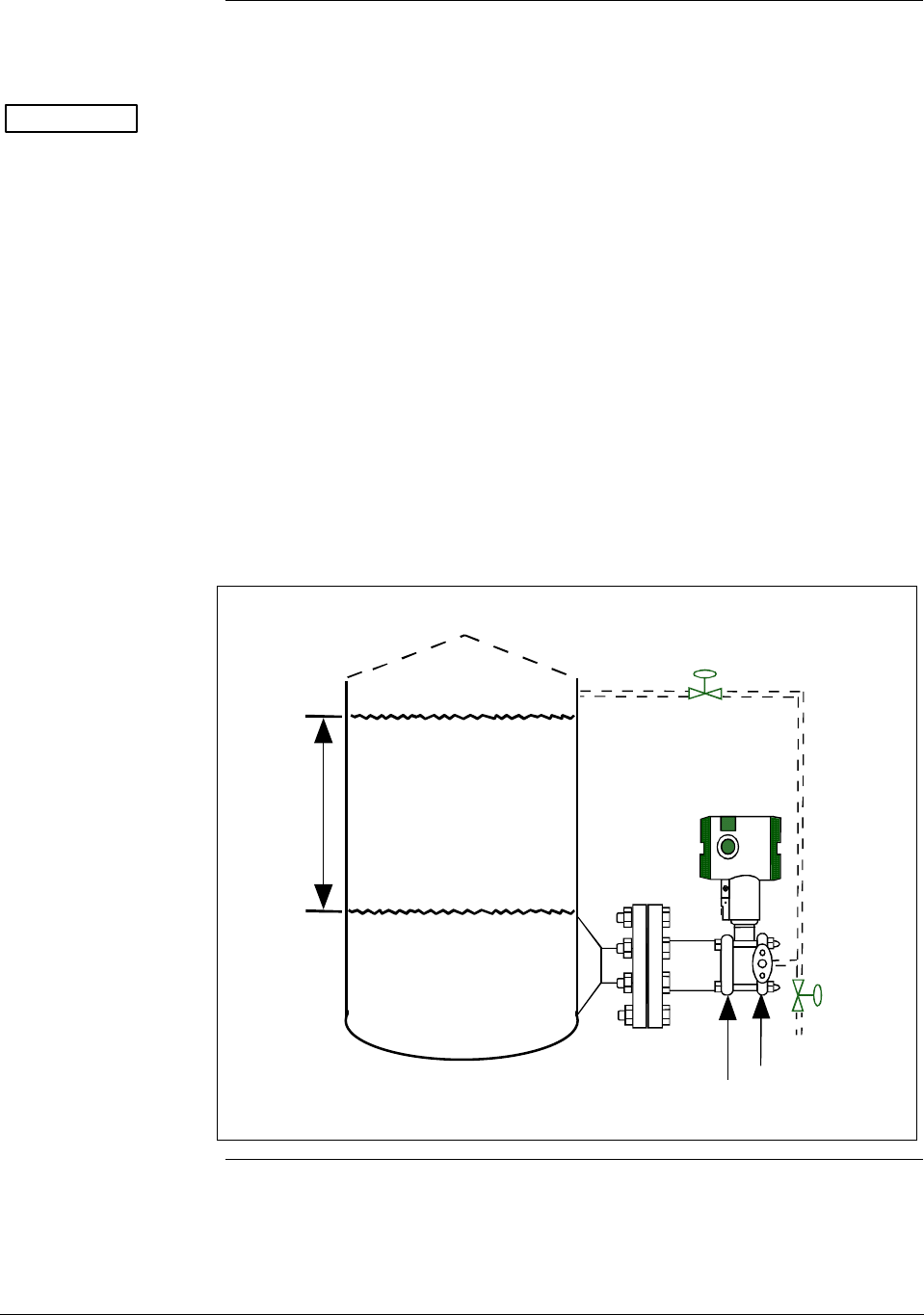
Flange mounting To mount a flange mounted transmitter model, bolt the transmitter’s
flange to the flange pipe on the wall of the tank.
ATTENTION On insulated tanks, remove enough insulation to accommodate the
flange extension.
Figure 7 shows a typical installation for a transmitter with the flange on
the high pressure (HP) side so the HP diaphragm is in direct contact
with the process fluid. The low pressure (LP) side of the transmitter is
vented to atmosphere (no connection).
It is the End User’s responsibility to provide a flange gasket and mounting hardware that are suitable for the
transmitter’s service condition.
To prevent degradation of performance in Flush-Mounted Flanged Transmitters, exercise care to ensure
that the internal diameter of the flange gasket does not obstruct the sensing diaphragm.
To prevent degradation of performance in Extended Mount Flanged Transmitters, ensure that there is
sufficient clearance in front of the sensing diaphragm body.
Figure 7 Typical Flange Mounted Transmitter Installation
Variable
Head H1
Reference
Leg
Attention: Dotted area indicates use
with closed tank with reference leg.
LP Side vented
to atmosphere
HP Side
mounted
to tank
Minimum Level
Maximum Level
Continued on next page
2/05 ST 3000 Release 300 Installation Guide
29
4.1 Mounting ST 3000 Transmitter, Continued
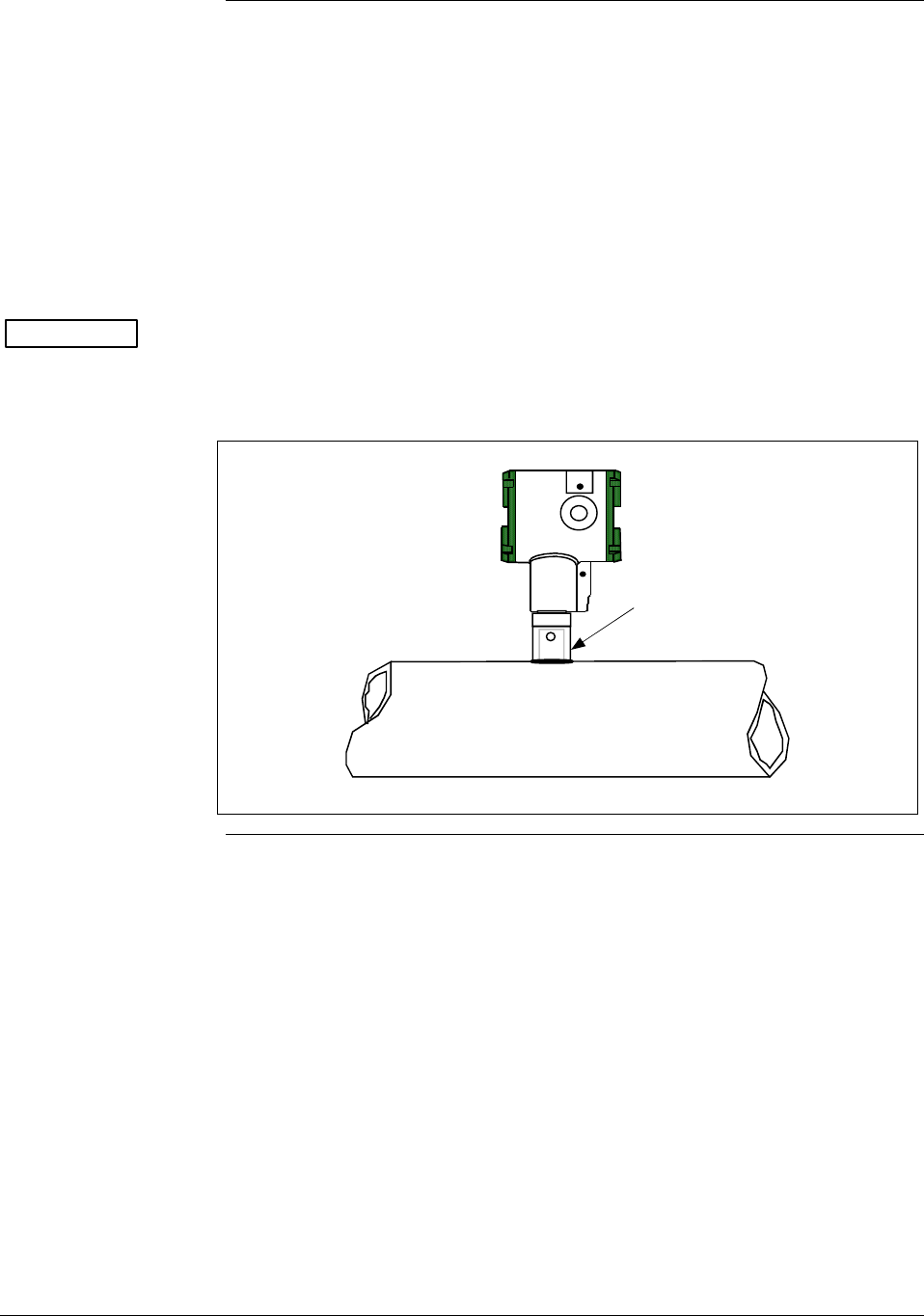
Flush mounting To mount a flush mounted transmitter model, cut a hole for a 1-inch
standard pipe in the tank or pipe where the transmitter is to be mounted.
Weld the 1-inch mounting sleeve to the wall of the tank or to the hole
cut on the pipe. Insert the meter body of the transmitter into the
mounting sleeve and secure with the locking bolt. Tighten the bolt to a
torque of 8.1 to 13.5 N · m (6 to10 lb-ft). Figure 8 shows a typical
installation for a transmitter with a flush mount on a pipe.
Once the transmitter is mounted, the transmitter housing can be rotated
to the desired position. See Table 8, step 4.
ATTENTION On insulated tanks, remove enough insulation to accommodate the
mounting sleeve.
Figure 8 Typical Flush Mounted Transmitter Installation
1” Pipe Mount -
316 SS Weld Nipple
(standard option)
Continued on next page
30 ST 3000 Release 300 Installation Guide 2/05
4.1 Mounting ST 3000 Transmitter, Continued
High Temperature
Transmitter Mounting
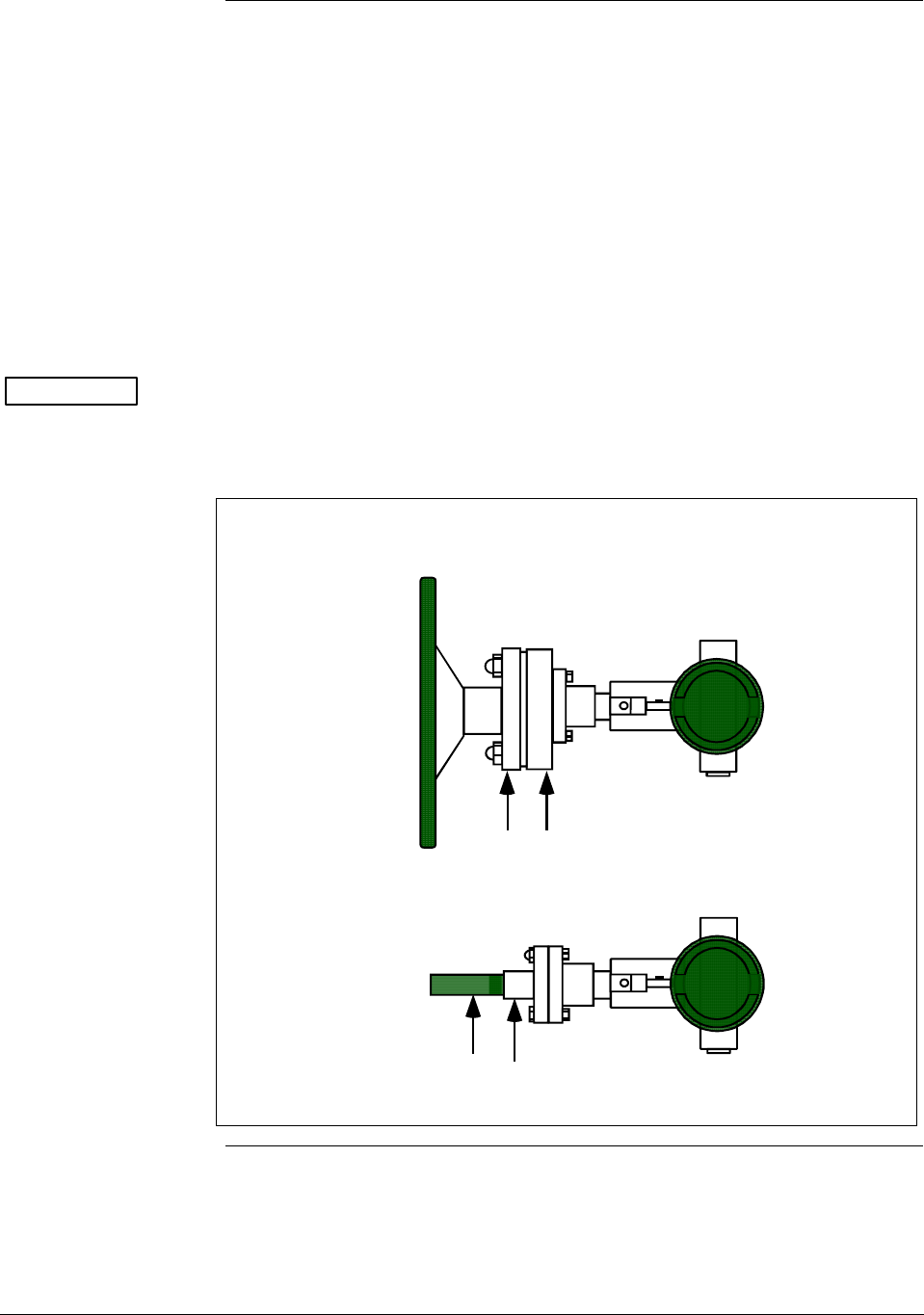
You can mount the high temperature transmitter directly to the process
flange connection or the process piping. Figure 9 shows typical pipe
and flange mounted transmitter installations for comparison.
To mount a flange mounted transmitter model, bolt the transmitter’s
flange to the flange on the wall of the tank or process pipe.
It is the End User’s responsibility to provide a flange gasket and
mounting hardware that are suitable for the transmitter’s service
condition.
Once the transmitter is mounted, the transmitter housing can be rotated
to the desired position. See Table 8, step 4.
ATTENTION On insulated tanks, remove enough insulation to accommodate the
flange extension.
Figure 9 Typical Pipe and Flange Mounted Installations
1/2" NPT
Connection
Process Pipe
Tank
Wall
Flange
Connection Transmitter
Flange
Continued on next page
2/05 ST 3000 Release 300 Installation Guide
31
4.1 Mounting ST 3000 Transmitter, Continued
Remote seal
mounting
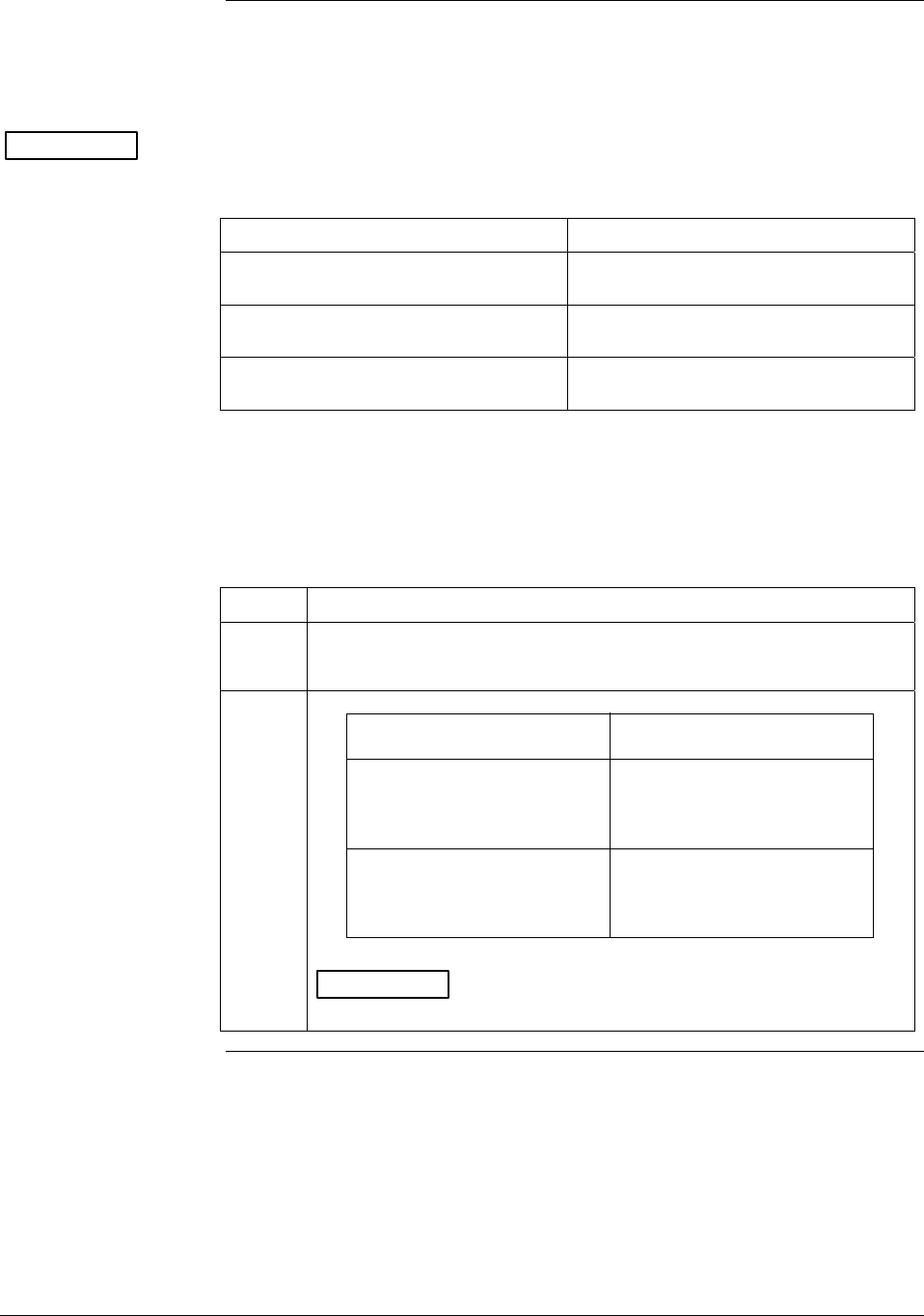
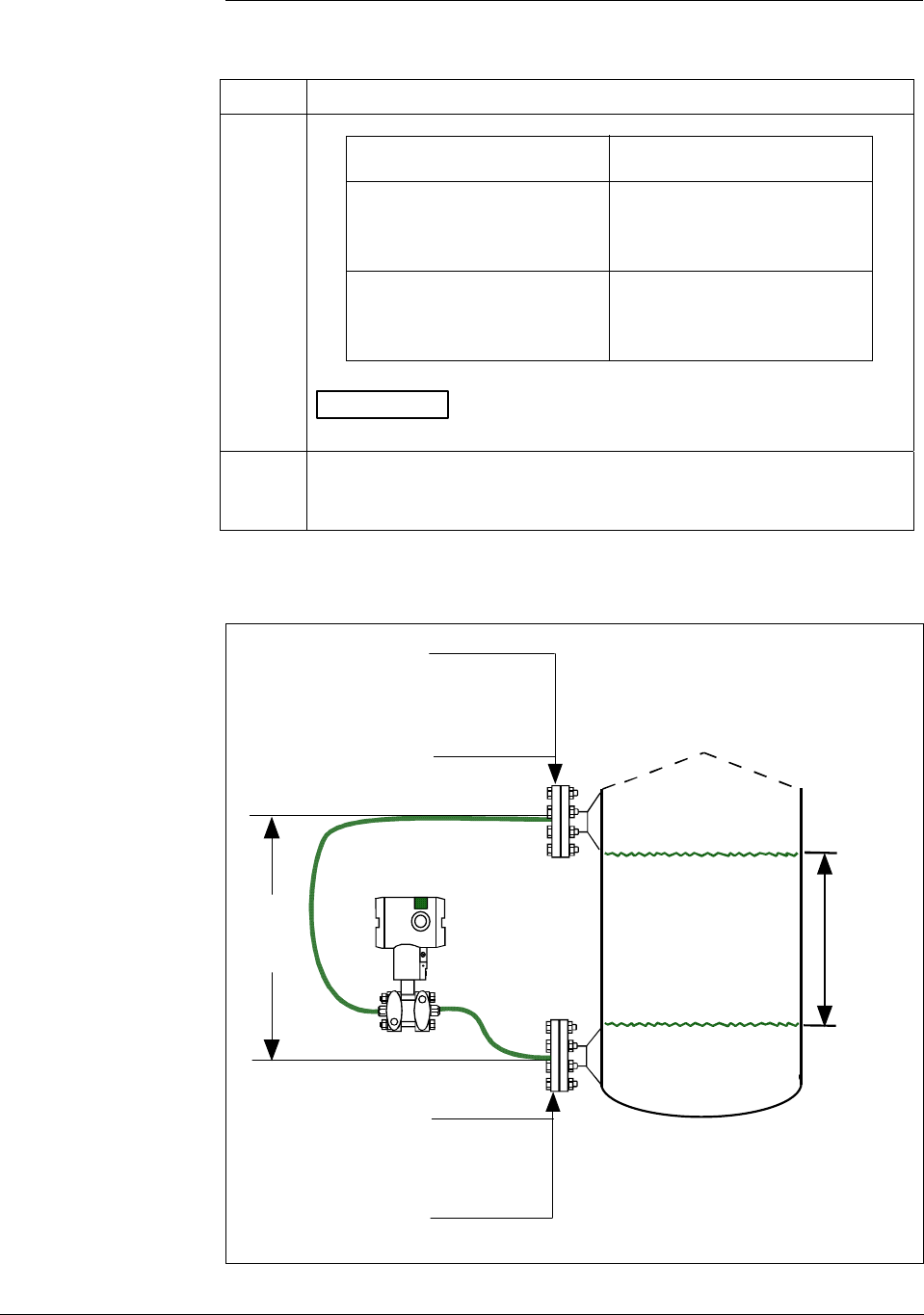
Use the procedure in Table 10 to mount a remote diaphragm seal
transmitter model. Figure 10 shows a typical installation for a remote
diaphragm seal transmitter for reference.
ATTENTION Mount the transmitter flanges within the limits stated here for the given
fill-fluid in the capillary tubes with a tank at one atmosphere.
IF the fill fluid is… THEN mount the flange…
Silicone DC 200 Oil no greater than 22 feet (6.7 meters)
below the transmitter
Silicone DC 704 Oil no greater than 19 feet (5.8 meters)
below the transmitter
Chlorotrifluorethylene no greater than 11 feet (3.4 meters)
below the transmitter.
NOTE: The combination of tank vacuum and high pressure capillary
head effect should not exceed 9 psi (300 mm Hg) absolute.
Table 10 Mounting Remote Diaphragm Seal Transmitter
Step Action
1
Mount transmitter at a remote distance determined by length of
capillary tubing.
2
If Transmitter Model Then Connect Remote
Number is… Seal on…
STR93D or STR12D high pressure (HP) side of
transmitter to lower flange
mounting on tank wall for
variable head H1.
STR13D low pressure (LP) side of
transmitter to lower flange
mounting on tank wall for
variable head H1.
ATTENTION On insulated tanks, remove enough insulation to
accommodate the flange extension.
Continued on next page
32 ST 3000 Release 300 Installation Guide 2/05
4.1 Mounting ST 3000 Transmitter, Continued
Remote seal
mounting, continued
Table 10 Mounting Remote Diaphragm Seal Transmitter, continued
Step Action
3
If Transmitter Model Then Connect Remote
Number is… Seal on…
STR93D or STR12D low pressure (LP) side of
transmitter to upper flange
mounting on tank wall for
fixed or constant head H2.
STR13D high pressure (HP) side of
transmitter to upper flange
mounting on tank wall for
fixed or constant head H2.
*
ATTENTION On insulated tanks, remove enough insulation to
accommodate the flange extension.
4
It is the End User’s responsibility to provide a flange gasket and
mounting hardware that are suitable for the transmitter’s service
condition
Figure 10 Typical Remote Diaphragm Seal Transmitter Installation.
Variable
Head H1
HP Side
- Model STR93D
- Model STR12D
LP Side
- Model STR13D
Minimum Level
Maximum Level
LP Side
- Model STR93D
- Model STR12D
HP Side
- Model STR13D
H2
Fixed
Ref. Leg
2/05 ST 3000 Release 300 Installation Guide
33
4.2 Piping ST 3000 Transmitter
Summary The actual piping arrangement will vary depending upon the process
measurement requirements and the transmitter model. Except for
flanged and remote diaphragm seal connections, process connections are
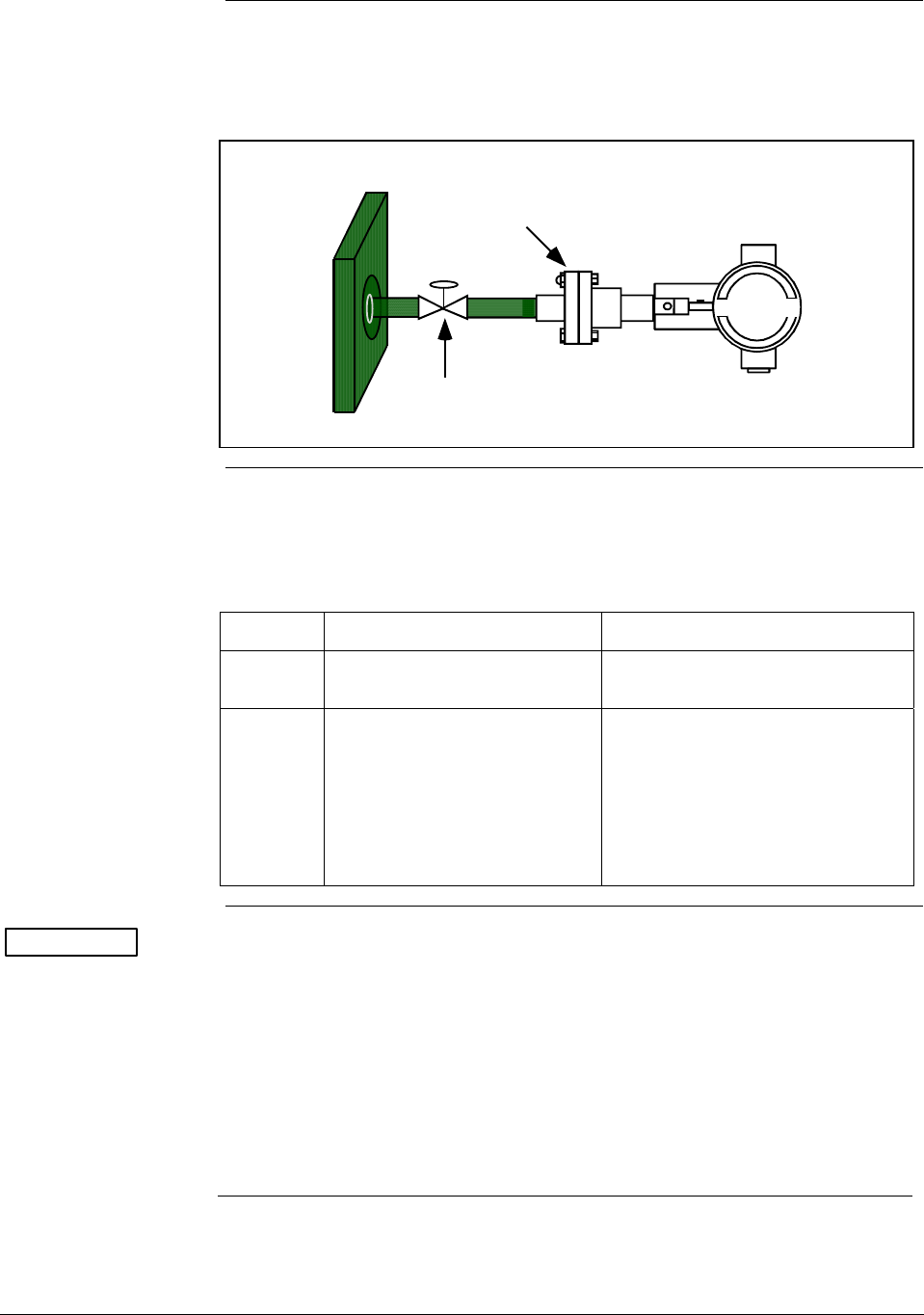
made to ¼ inch or ½ inch NPT female connections in the process head
of the transmitter’s meter body. For example, a differential pressure
transmitter comes with double ended process heads with ¼ inch NPT
connections but they can be modified to accept ½ inch NPT through
optional flange adapters. Some gauge pressure transmitters may have a
½ inch NPT connection which mounts directly to a process pipe.
The most common type of pipe used is ½ inch schedule 80 steel pipe.
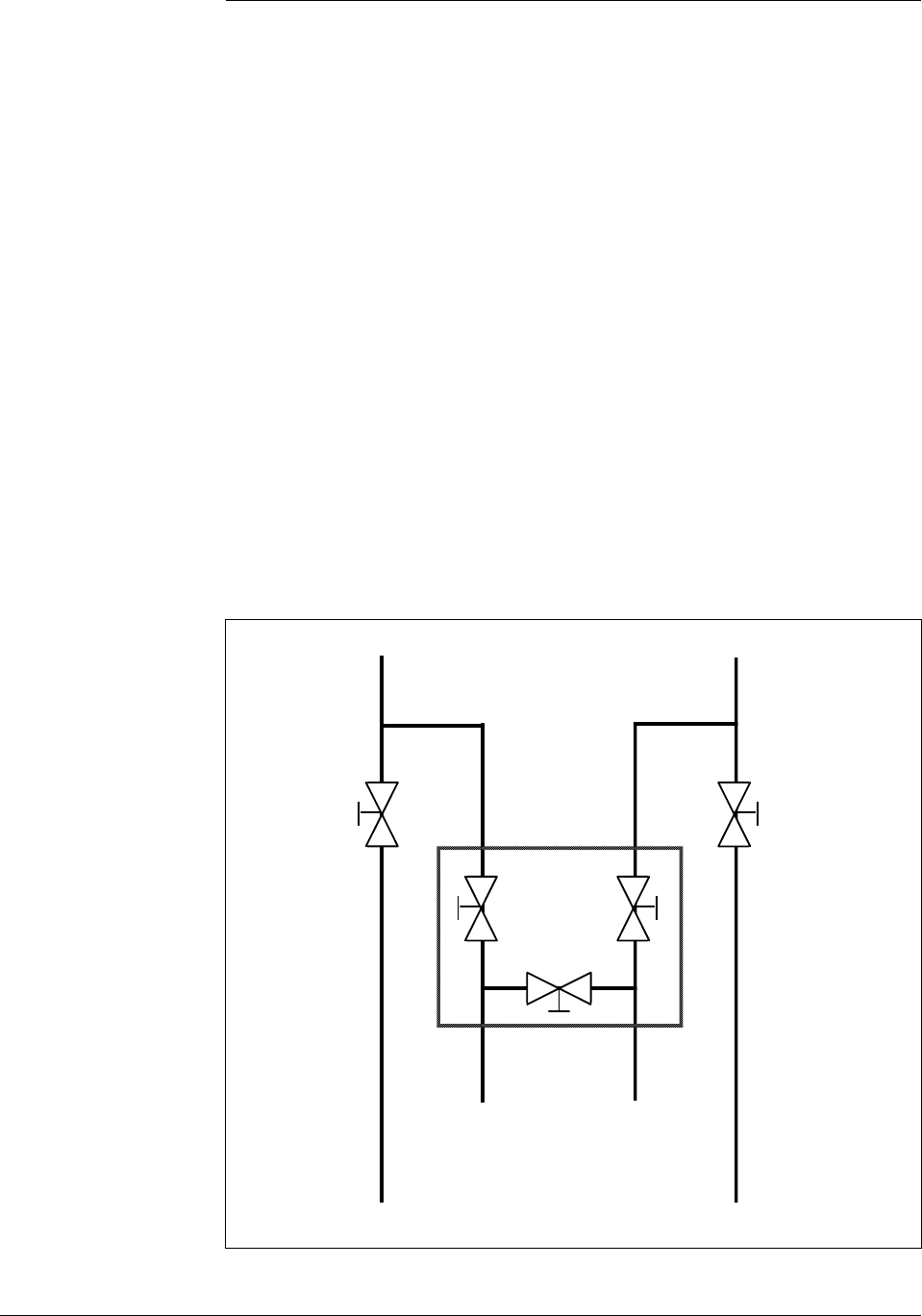
Many piping arrangements use a three-valve manifold to connect the
process piping to the transmitter. A manifold makes it easy to install
and remove or rezero a transmitter without interrupting the process. It
also accommodates the installation of blow-down valves to clear debris
from pressure lines to the transmitter.
Figure 11 shows a diagram of a typical piping arrangement using a
three-valve manifold and blow-down lines for a differential pressure
transmitter being used to measure flow.
Figure 11 Typical 3-Valve Manifold and Blow-Down Piping
Arrangement.
Blow-Down
Valve
3-Valve
Manifold
To Upstream TapTo Downstream Tap
To Low Pressure
Side of Transmitter
To High Pressure
Side of Transmitter
Blow-Down
Valve
Blow-Down
Piping
To WasteTo Waste
Blow-Down
Piping
21010
Continued on next page
34 ST 3000 Release 300 Installation Guide 2/05
4.2 Piping ST 3000 Transmitter, Continued
Piping Arrangements,
continued Another piping arrangement uses a block-off valve and a tee connector in
the process piping to the transmitter as shown in Figure 12.
Figure 12 Typical Arrangement for ½” NPT Process Connection Piping
Block-off Valve
1/2" NPT
Connection
Tank Wall
Transmitter location Table 11 lists the mounting location for the transmitter depending on
the process.
Table 11 Suggested Transmitter Location for Given Process
Process Suggested Location Explanation
Gases Above the gas line The condensate drains away from
the transmitter.
Liquids 1. Below but close to the
elevation of the process
connection.
2. Level with or above the
process connection.
1. This minimizes the static head
effect of the condensate.
2. This requires a siphon to
protect the transmitter from
process steam. The siphon
retains water as a “fill fluid.”
ATTENTION For liquid or steam, the piping should slope a minimum of 25.4 mm
(1 inch) per 305 mm (1 foot). Slope the piping down towards the
transmitter if the transmitter is below the process connection so the
bubbles may rise back into the piping through the liquid. If the
transmitter is located above the process connection, the piping should
rise vertically above the transmitter; then slope down towards the
flowline with a vent valve at the high point. For gas measurement, use a
condensate leg and drain at the low point (freeze protection may be
required here).
Continued on next page
2/05 ST 3000 Release 300 Installation Guide
35
4.2 Piping ST 3000 Transmitter, Continued
ATTENTION Care must be taken when installing transmitters on hot processes. The
operating temperature limits for the device (as listed in Table 6) must
not be exceeded. Impulse piping may be used to reduce the temperature
of the process that comes into contact with the transmitter meter body.
As a general rule there is a 56 degree C drop (100 °F) in the temperature
of the process for every foot (305 mm) of ½ inch uninsulated piping.
Process connections Table 12 describes typical process connections for a given type of
transmitter.
Table 12 Process Connections
Transmitter Type Process Connection
Differential
Pressure
• Process heads with 1/4-inch NPT female connection.
• Flange adapters and manifolds with 1/2-inch female
connection are optional.
• Models with pseudo flange on one side include
2- or 3-inch ANSI class 150 flange.
Gauge Pressure • Process head with 1/2-inch NPT female connection
(Series 100 transmitters).
• In-line 1/2-inch NPT female connection (STGxxL).
• Process heads with 1/4-inch NPT female connection
(STG9x4).
• Flange adapters and manifolds with 1/2-inch female
connections are optional (STG9x4).
• 2-inch Sanitary Tri-Clamp (STG1xT).
• Flush mount in 1-inch weld sleeve, with O-ring and
locking bolt (STG9xP).
Absolute Pressure • Process head with 1/2-inch NPT female connection.
(STAx2, x40).
Flange Mounted
Liquid Level
• Small flange 1/2-inch, 1-, 1 ½ - and 2-inch (STFxxT)
• 2, 3- or 4-inch flange with flush or 2-, 4- or 6-inch
extended diaphragm (See Table 13) on high pressure
side.*
• DN 50, 80, or 100 PN 40 flange with flush or 2, 4 or 6
inch extended diaphragm (See Table 13) on High
Pressure Side*.
Remote
Diaphragm Seals
See Model Selection Guide for description of available
Flanged, Threaded, Chemical Tee, Saddle, and Sanitary
process connections.
* Reference side has standard differential pressure process head.
Continued on next page
36 ST 3000 Release 300 Installation Guide 2/05

4.2 Piping ST 3000 Transmitter, Continued
Flange descriptions Table 13 describes the available flange connections for flange mounted
liquid level transmitters.
Table 13 Flange Description
Transmitter Type Description
Flush or Extended
Diaphragm
2-inch 150# serrated–face flange with 4 holes 19 mm (3/4 in) diameter on 120.7
mm (4.75 in) diameter bolt circle and an outside diameter of 150 mm (5.91 in).
2-inch 150# serrated–face flange with 8 holes 19 mm (3/4 in) diameter on 127 mm
(5.00 in) diameter bolt circle and an outside diameter of 165 mm (6.50 in).
3-inch 150# serrated–face flange with 4 holes 19 mm (3/4 in) diameter on 152.4
mm (6.00 in) diameter bolt circle and an outside diameter of 190 mm (7.48 in).
3-inch 300# serrated–face flange with 8 holes 22.2 mm (7/8 in) diameter on 168.3
mm (6.62 in) diameter bolt circle and an outside diameter of 210 mm (8.27 in).
4-inch 150# serrated–face flange with 4 holes 19 mm (3/4 in) diameter on 190.5
mm (7.50 in) diameter bolt circle and an outside diameter of 230 mm (9.05 in).
4-inch 300# serrated–face flange with 8 holes 22.2 mm (7/8 in) diameter on 255
mm (10.04 in) diameter bolt circle and an outside diameter of 200 mm (7.87 in).
DN 50 PN 40 serrated–face flange with 4 holes 18 mm (0.71 in) diameter on 125
mm (4.92 in) diameter bolt circle and an outside diameter of 165 mm (6.50 in).
DN 80 PN 40 serrated–face flange with 8 holes 18 mm (0.71 in) diameter on 160
mm (6.30 in) diameter bolt circle and an outside diameter of 200 mm (7.87 in).
DN 100 PN 40 serrated–face flange with 8 holes 22 mm (0.87 in) diameter on 190
mm (7.48 in) diameter bolt circle and an outside diameter of 235 mm (9.25 in).
Pseudo Flange Head 2-inch, 150 lbs serrated-face flange with 4 holes 15.9 mm (5/8 in) diameter on
120.6 mm (4-3/4 in) diameter bolt circle and an outside diameter of 152.4 mm (6
in).
3-inch, 150 lbs serrated-face flange with 4 holes 19 mm (3/4 in) diameter on 152
mm (6 in) diameter bolt circle and an outside diameter of 190 mm (7-1/2 in).
Flush Mount
Gauge STG93P
25.4 mm (1-inch) pipe mount. (316L SS standard option.)
General piping
guidelines • When measuring fluids containing suspended solids, install permanent
valves at regular intervals to blow-down piping.
• Blow-down all lines on new installations with compressed air or steam
and flush them with process fluids (where possible) before connecting
these lines to the transmitter’s meter body.
• Be sure all the valves in the blow-down lines are closed tight after the
initial blow-down procedure and each maintenance procedure after
that.
Continued on next page
2/05 ST 3000 Release 300 Installation Guide
37
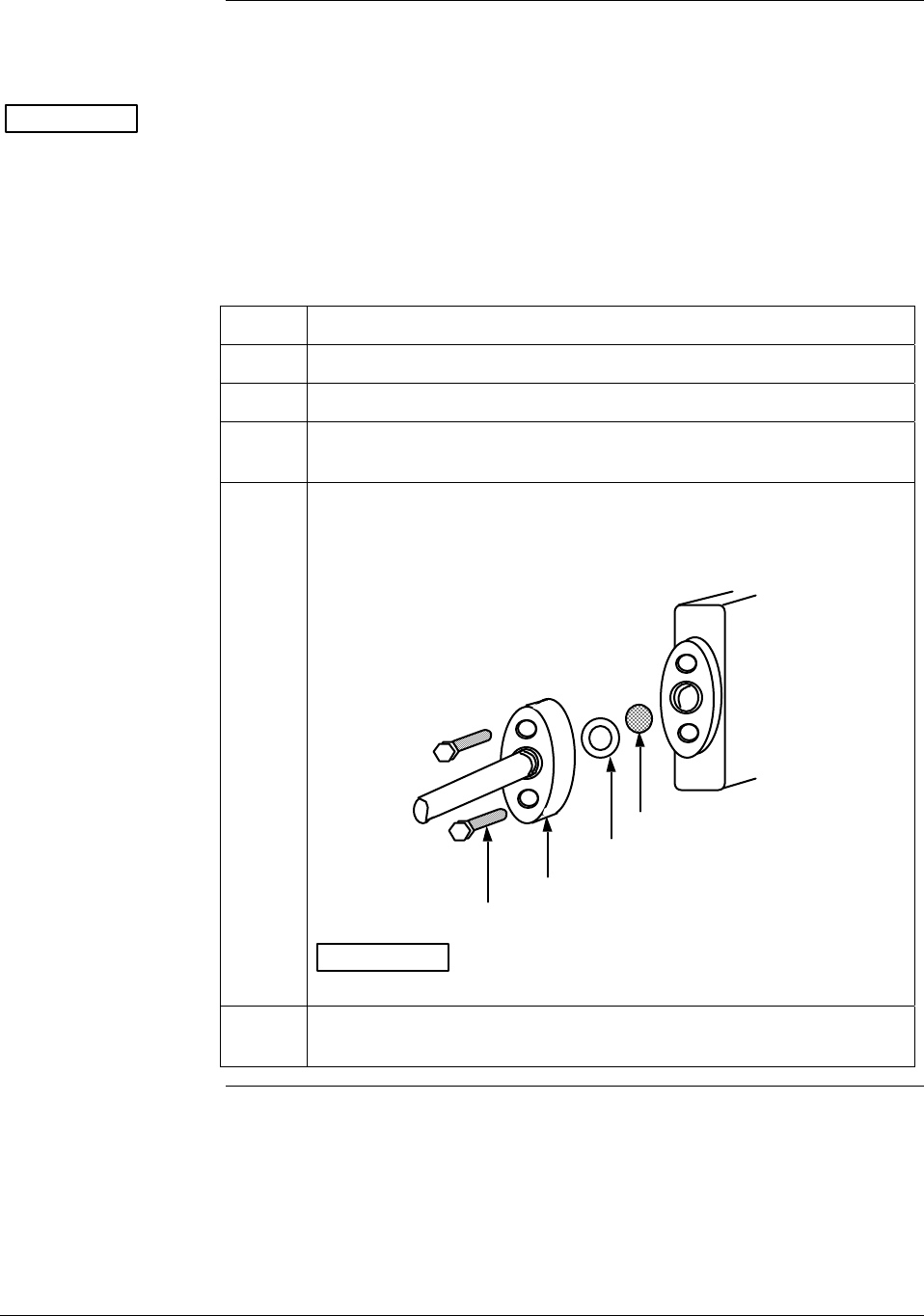
4.2 Piping ST 3000 Transmitter, Continued
Installing flange
adapter
Table 14 gives the steps for an optional flange adapter on the process
head.
ATTENTION Slightly deforming the gasket supplied with the adapter before you
insert it into the adapter may aid in retaining the gasket in the groove
while you align the adapter to the process head. To deform the gasket,
submerse it in hot water for a few minutes then firmly press it into its
recessed mounting groove in the adapter.
Table 14 Installing Flange Adapter
Step Action
1 Insert filter screen (if supplied) into inlet cavity of process head.
2 Carefully seat Teflon (white) gasket into adapter groove.
3 Thread adapter onto 1/2-inch process pipe and align mounting holes
in adapter with holes in end of process head as required.
4 Secure adapter to process head by hand tightening 7/16-20 hex-
head bolts.
Example - Installing adapter on process head.
Process
Head
Filter Screen
Teflon Gasket
Flange Adapter
7/16 x 20 Bolts 21011
ATTENTION Apply an anti-seize compound on the stainless steel
bolts prior to threading them into the process head.
5 Evenly torque flange adapter bolts to a torque of 27,1 Nm +/- 1,4 Nm
(20 ft lbs +/- 1.0 ft lbs)
38 ST 3000 Release 300 Installation Guide 2/05
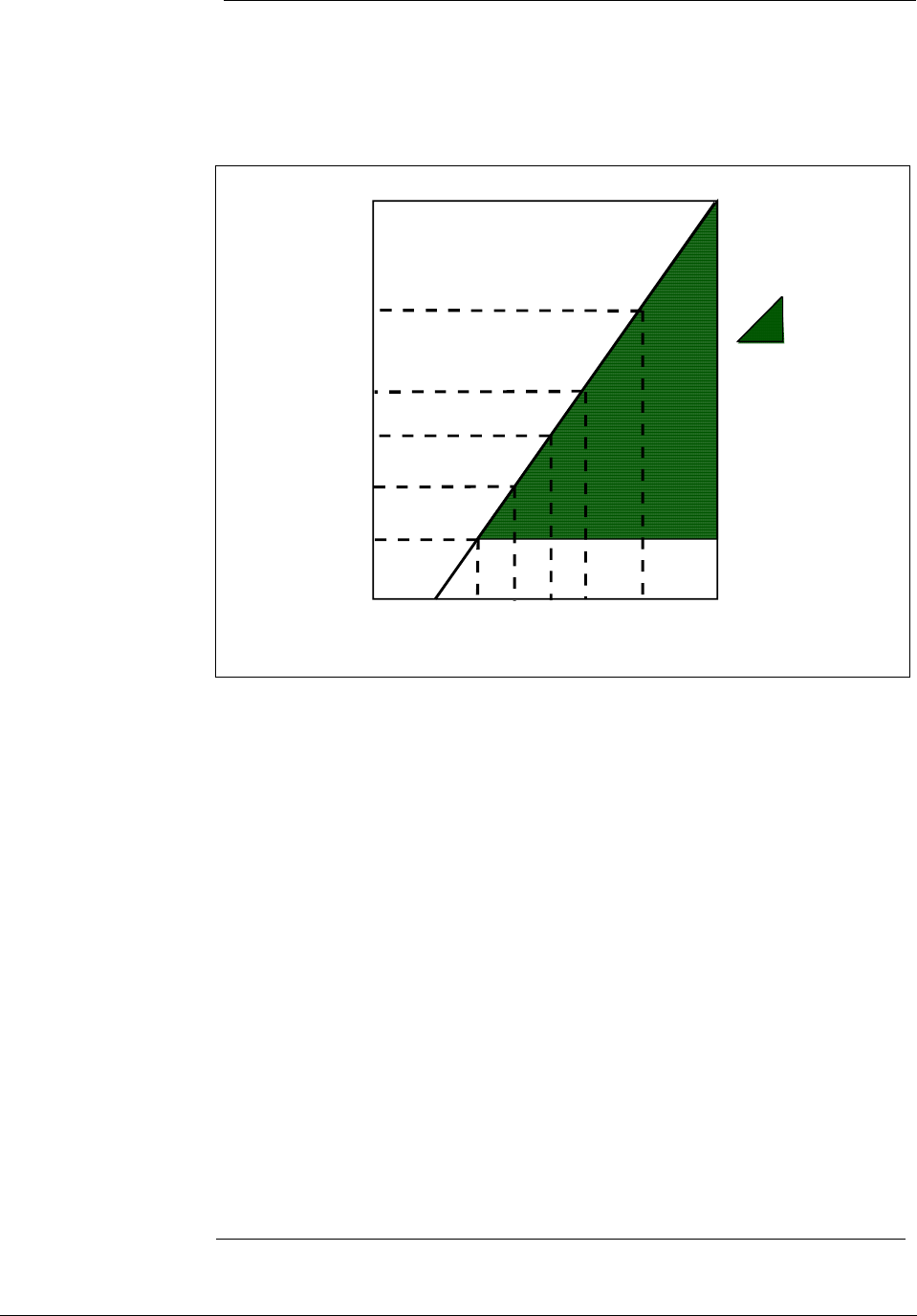
4.3 Wiring ST 3000 Transmitter
Summary The transmitter is designed to operate in a two-wire power/current loop
with loop resistance and power supply voltage within the operating
range shown in Figure 13.
Figure 13 Operating Range for ST 3000 Transmitters.
0 10.8 16.28 20.63 25 28.3 37.0 42.4
250
450
650
800
1200
1440
Operating Voltage (Vdc)
= Operating
Area
NOTE: A minimum of
250 0hms of loop
resistance is
necessary to support
communications. Loop
resistance equals
barrier resistance plus
wire resistance plus
receiver resistance.
Loop
Resistance
(ohms)
21012
Loop wiring is connected to the transmitter by simply attaching the
positive (+) and negative (–) loop wires to the positive (+) and negative
(–) SIGNAL screw terminals on the terminal block in the transmitter’s
electronics housing shown in Figure 14.
Each transmitter includes an internal ground terminal to connect the
transmitter to earth ground. A ground terminal can be optionally added
to the outside of the electronics housing. While it is not necessary to
ground the transmitter for proper operation, we suggest that you do so to
minimize the possible effects of “noise” on the output signal and
provide additional protection against lightning and static discharge
damage.
Note that grounding may be required to meet optional approval body
certification. Refer to Section 1 CE Conformity (Europe) Notice for
special conditions.
Optional lightning protection (option LP) can be ordered for transmitters
that will be installed in areas highly susceptible to lightning strikes.
Figure 14 shows the 5-screw terminal block used when the lightning
protection option is ordered.
Continued on next page
2/05 ST 3000 Release 300 Installation Guide
39

4.3 Wiring ST 3000 Transmitter, Continued
Summary, continued Barriers can be installed per manufacturer’s instructions for transmitters
to be used in intrinsically safe applications.
Figure 14 ST 3000 Transmitter Terminal Block
- SIGNAL +
+ -
TEST
Terminal
Block
Electronics
Housing
Internal
Ground
Terminal
3-Screw Terminal Block
+
+
-
-
L-
SIGNAL
METER
TESTSIGNAL
-
+
+
-
Terminal
Block
Electronics
Housing
Internal
Ground
Terminal
5-Screw Terminal Block
Lightning Protection Option (LP)
TPS reference Transmitters that are to be digitally integrated to Honeywell’s TPS
system will be connected to the Smart Transmitter Interface Module in
the Process Manager, Advanced Process Manager or High Performance
Process Manager through a Field Termination Assembly. Details about
Honeywell’s TPS system connections are given in the PM/APM
Smartline Transmitter Integration Manual PM12-410 which is part of
the TDC 3000X system bookset.
Allen-Bradley PLC If you are digitally integrating the ST 3000 to an Allen Bradley PLC, the
same FTA and wiring procedures used with Honeywell’s TPS system
are also used with the Allen-Bradley 1771 and 1746 platforms.
For more information, contact:
ProSoft Technology, Inc.
(800) 326-7066 or
http://www.psft.com
Continued on next page
40 ST 3000 Release 300 Installation Guide 2/05
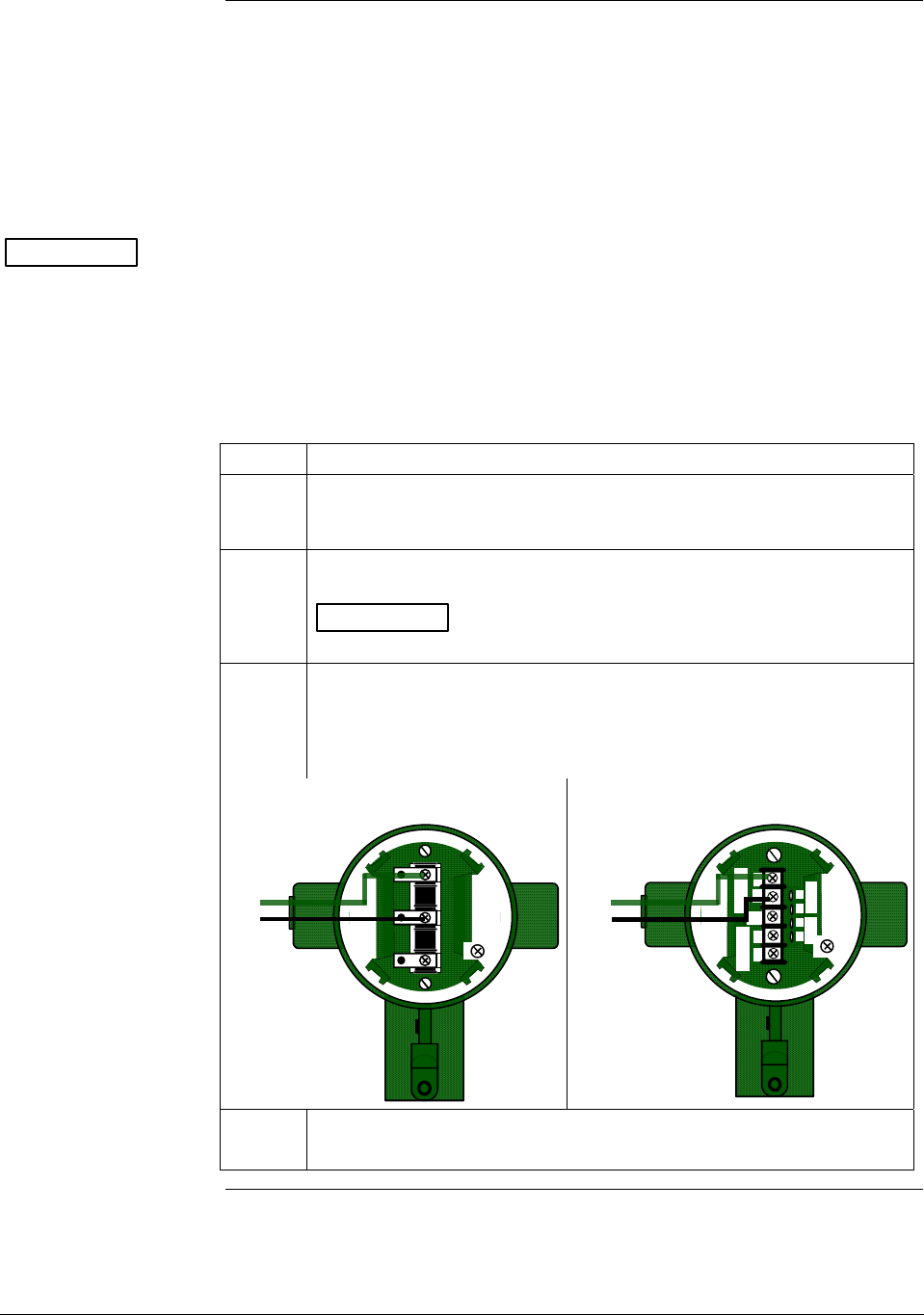
4.3 Wiring ST 3000 Transmitter, Continued
Wiring connections The procedure in Table 15 shows the steps for connecting power to the
transmitter. For loop wiring and external wiring diagrams, refer to the
installation drawings presented in Section 5. Detailed drawings are
provided for transmitter installation in non-intrinsically safe areas and
for intrinsically safe loops in hazardous area locations. If you are using
the transmitter with Honeywell’s TPS system, see the previous TPS
reference.
ATTENTION • All wiring must comply with local codes, regulations, and
ordinances.
• If you will be using the transmitter in a hazardous area, be sure to
review the hazardous location reference data included in Appendix
A of this manual before operating the transmitter.
Table 15 Wiring the Transmitter
Step Action
1 Loosen end-cap lock using a 1.5 mm allen wrench and remove end-
cap cover from terminal block end of transmitter housing.
2 Feed loop power leads through one of conduit entrances on either
side of transmitter housing. Plug whichever entrance you do not use.
ATTENTION The transmitter accepts up to 16 AWG wire.
3 Observing polarity, connect positive loop power lead to SIGNAL +
terminal and negative loop power lead to SIGNAL – terminal.
Example - Connecting loop power to transmitter.
3-screw terminal block
- SIGNAL +
+ -
TEST
+
-
Loop
Power
5-screw terminal (option LP)
+
+
-
-
L
-
SIGNAL
METER
TESTSIGNAL
-
+
+
-
+
-
Loop
Power
4 Replace end-cap, and tighten end-cap lock.
Continued on next page
2/05 ST 3000 Release 300 Installation Guide
41
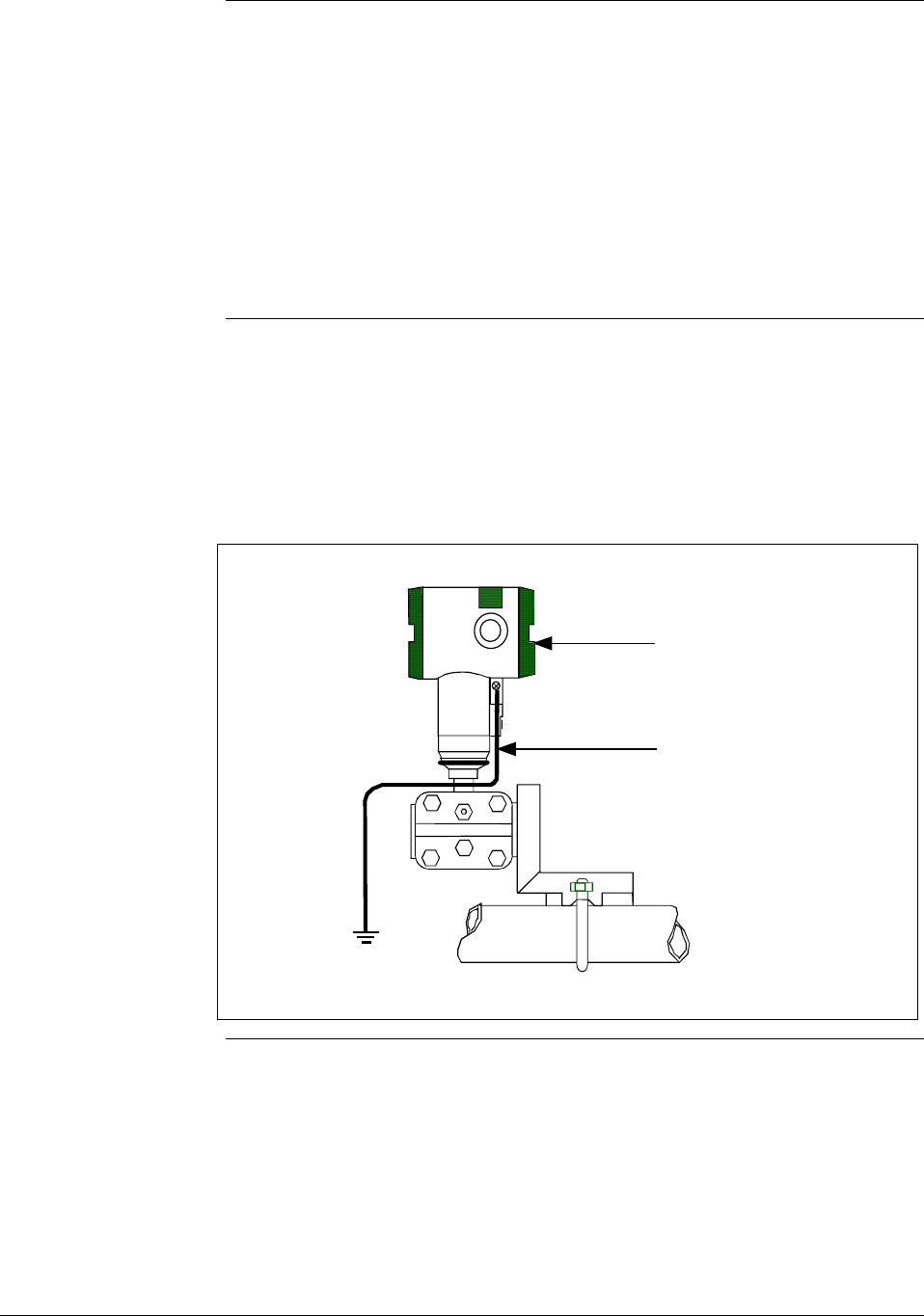
4.3 Wiring ST 3000 Transmitter, Continued
Approval body
requirements
If your transmitter was ordered with Table III option 3N for self-
declared approval per 94/9/EC (ATEX4), you must use a power supply
that includes a voltage limiting device that will keep the voltage to the
transmitter from exceeding 42 Vdc. You can achieve this by using a
battery as the supply or one of these voltage limiting means.
• Double wound mains transformer per BS 3535 or equivalent.
• An adequately rated zener diode whose voltage is not significantly
higher than the rated voltage.
• An adequately rated semiconductor voltage regulator.
Lightning protection When your transmitter is equipped with optional lightning protection,
you must connect a wire from the transmitter to ground as shown in
Figure 15 to make the protection effective. We recommend that you use
a size 8 (American Wire Gage) or (8.37mm2) bare or green covered
wire.
Figure 15 Ground Connection for Lightning Protection.
Electronics
Housing
Connect to
Earth Ground
Continued on next page
42 ST 3000 Release 300 Installation Guide 2/05

4.3 Wiring ST 3000 Transmitter, Continued
Conduit seal Transmitters installed as explosionproof in a Class I, Division 1, Group
A Hazardous (Classified) Location in accordance with ANSI/NFPA 70,
the US National Electrical Code (NEC), require a “LISTED”
explosionproof seal to be installed in the conduit, within 18 inches of
the transmitter. Crouse-Hinds® type EYS/EYD or EYSX/EYDX are
examples of “LISTED” explosionproof seals that meets this
requirement.
Transmitters installed as explosionproof in a Class I, Division 1, Group
B, C or D Hazardous (Classified) Locations do not require an
explosionproof seal to be installed in the conduit.
NOTE: Installation should conform to all national and local electrical
code requirements.
WARNING When installed as explosionproof in a Division 1 Hazardous Location,
keep covers tight while the transmitter is energized. Disconnect power
to the transmitter in the non-hazardous area prior to removing end caps
for service.
When installed as nonincendive equipment in a Division 2 Hazardous
Location, disconnect power to the transmitter in the non-hazardous area,
or determine that the location is non-hazardous prior to disconnecting or
connecting the transmitter wires.
Continued on next page
2/05 ST 3000 Release 300 Installation Guide
43
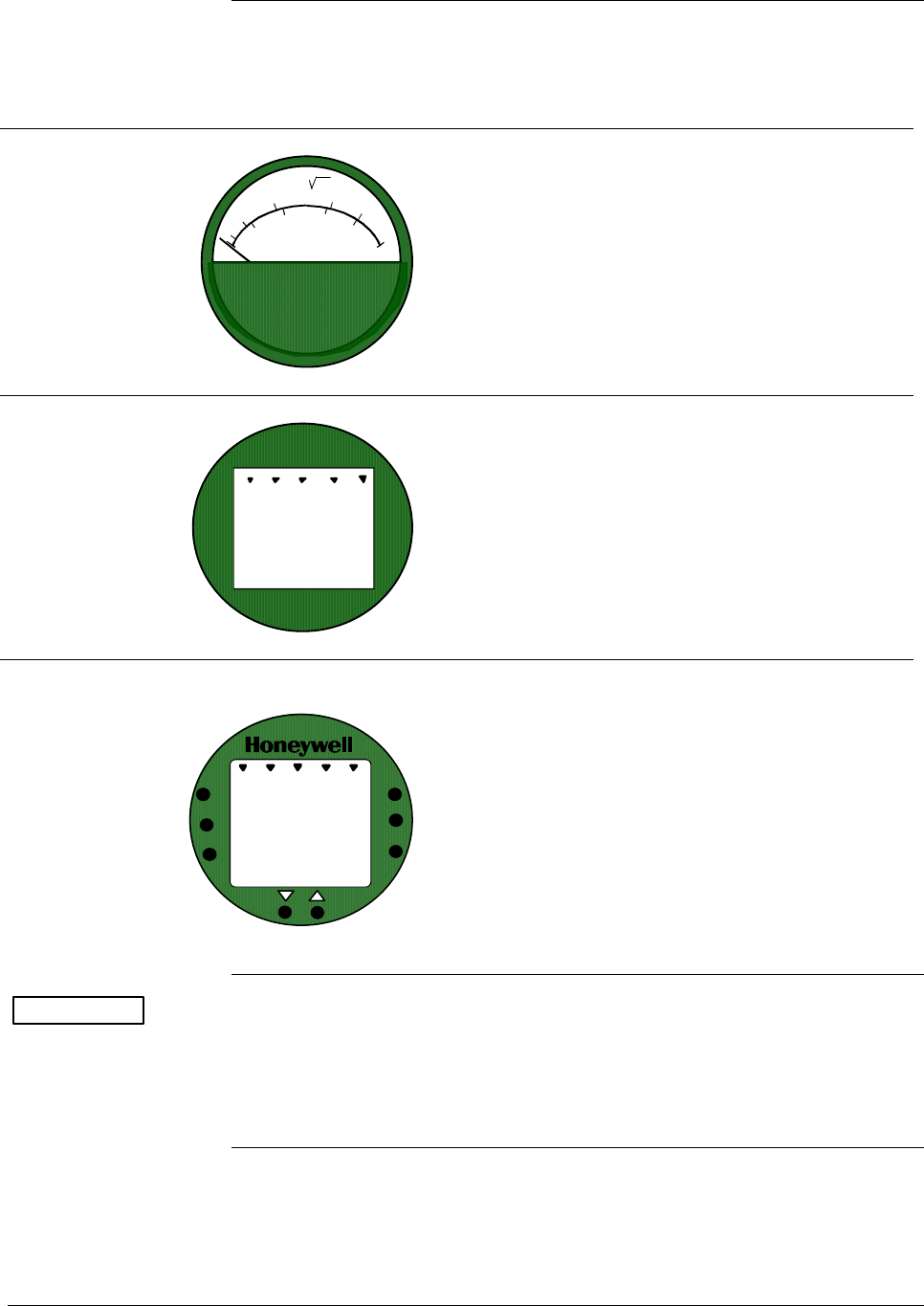
4.3 Wiring ST 3000 Transmitter, Continued
Existing meter
connections
Existing analog meters and SM 3000 Smart Meters can be connected to
Release 300 transmitters. Examples of each meter type are shown
below.
Analog Meter
80
100
60
40
20
0
%
10
2
4
6
8
10
Analog Meter Connections —You can connect the
analog meter (2-wires) integrally to Release 300
transmitter’s terminal block inside the electronics
housing. However, there are alternate wiring
methods for connecting an analog meter remotely
with the loop wiring. Section 13 in this manual
illustrates alternate wiring methods for connecting
an analog meter to Release 300 transmitters.
Smart Meter
0100
%
SM 3000 Smart Meter Connections —The smart
meter (3-wires) can be connected remotely to a
Release 300 transmitter. Section 13 in this manual
illustrates alternate wiring methods for connecting
this smart meter to Release 300 transmitters.
New Smart Meter with
Local Zero and Span
UPPE R
VALUE
UNIT S
LOWER
VALUE
SET
VAR
SEL.
0
-
SPAN
ZERO
%1000
New Smart Meter Connections – The new integral
smart meter (8-wires) is connected directly to the
transmitter’s PWA and is mounted to the
electronics module assembly inside the electronics
housing. The new integral smart meter is designed
for the ST 3000 Release 300 transmitter and
provides functionality not available with other
smart meter designs.
NOTE: Only one smart meter should be installed
integrally to the transmitter.
ATTENTION Be aware that the RMA 300 remote meter does not have custom and
flow units capability like the new smart meter. Therefore, if you use a
local smart meter that is configured to display readings in custom or
flow units in conjunction with an RMA 300 remote meter, the readings
of the two meters will be in different units.
44 ST 3000 Release 300 Installation Guide 2/05
Section 5 —Reference Drawings
5.1 Wiring Diagrams and Dimension Drawing List
Contents This section contains external wiring diagrams for guidance in wiring
the transmitter and remote meters in hazardous and nonhazardous
locations. Tables listing the available dimension drawings for ST 3000
transmitters are provided for reference.
External Wiring
Diagrams
These wiring diagrams are included in numerical order behind this
section for wiring reference.
ST 3000 Description Drawing Number
Release 300 For non-intrinsically safe application 30753607
Series 100, 900 For intrinsically safe application (FM) 51204241
Transmitters For intrinsically safe application (CSA) 51204242
For intrinsically safe application (CENELEC) 51204243
Continued on next page
2/05 ST 3000 Release 300 Installation Guide
45
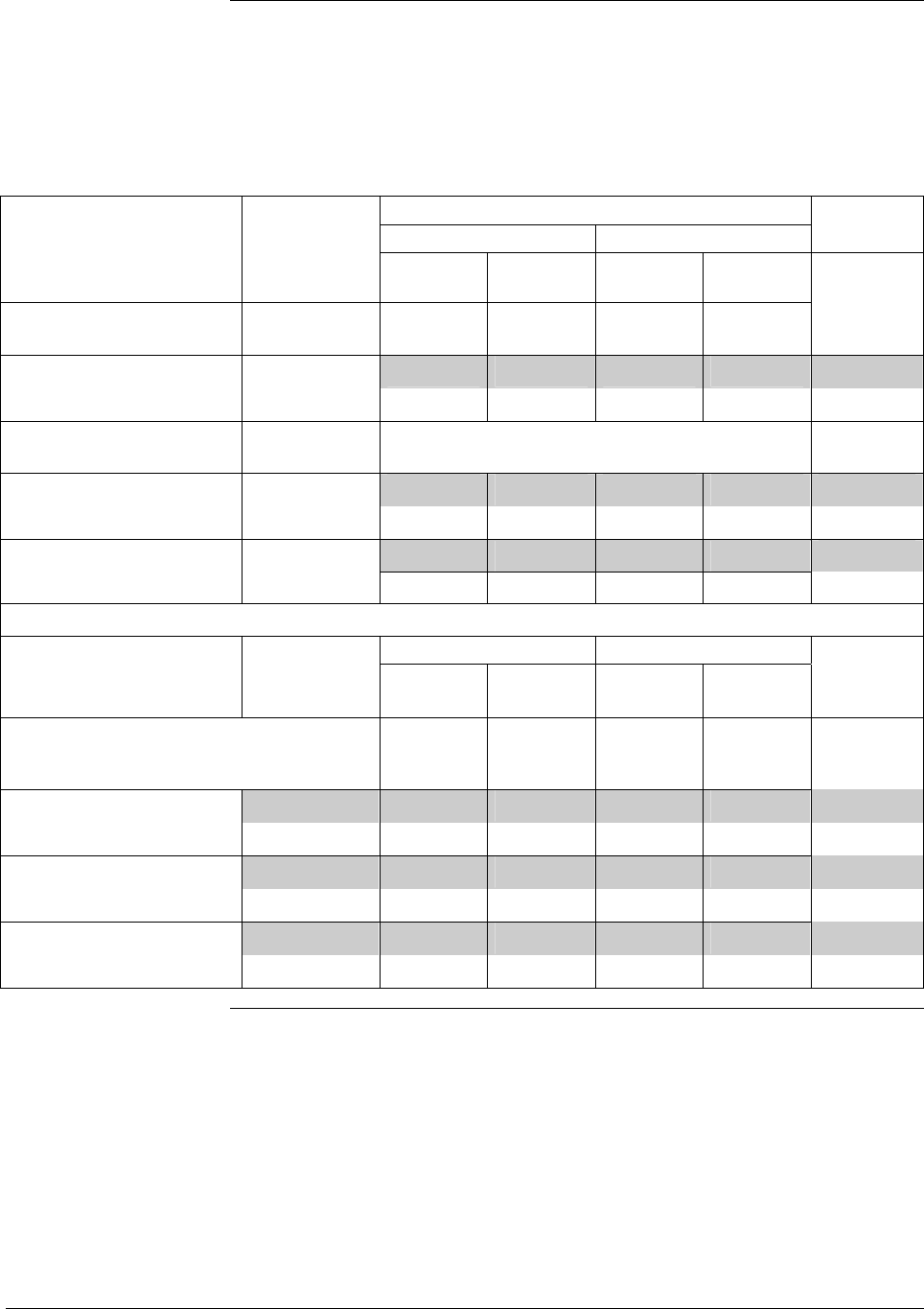
5.1 Wiring Diagrams and Dimension Drawings, Continued
Dimension Drawings The tables on the following pages list available dimension drawings for
reference. If you need a copy of a drawing, please determine the
appropriate drawing number from the following tables and contact your
Honeywell representative to obtain a copy.
Dimension Drawings - Series 100 and Series 900
Transmitter Type and Table Mounting Drawing
Key Number Selections Angle Bracket (MB), (SB) Flat Bracket (FB) Number
Vertical
Pipe
Horizontal
Pipe
Vertical
Pipe
Horizontal
Pipe
Differential Pressure
STD110, STD120, STD125*, See Key Number 51205895 51205893 ⇐
STD130, STD170 Column 51205894 51205892
⇐
*STD125 – Tank HTG 30756435-
000
STD904, STD924, STD930, Table I - 51500357 51500355 ⇐
STD974 C, D, G, H, K, L 51500356 51500354 ⇐
STD924, STD930 Table I - X X
A, B, E, F, J X X
Transmitter Type and Equipped with Angle Bracket (MB), (SB) Flat Bracket (FB) Drawing
Key Number A-G manifold
part #
Vertical
Pipe
Horizontal
Pipe
Vertical
Pipe
Horizontal
Pipe
Number
Differential Pressure
(with Anderson-Greenwood 3-way
valve manifold)
STD110, STD120, STD125*, M4AV1 51500426 51500424 51500428 51500422 ⇐
STD130, STD170 M4TV1 51500427 51500425 51500429 51500423 ⇐
STD924, STD930 M4AV1 51500431 51500433 51500435 51500437 ⇐
M4TV1 51500430 51500432 51500434 51500436 ⇐
STD904, STD924, STD930, M4AV1 51500442 51500440 51500444 51500438 ⇐
STD974 M4TV1 51500443 51500441 51500445 51500439 ⇐
Continued on next page
46 ST 3000 Release 300 Installation Guide 2/05
5.1 Wiring Diagrams and Dimension Drawings, Continued
Dimension Drawings - Series 100 and Series 900, Continued
Transmitter Type and Table Mounting Drawing
Key Number Selections Angle Bracket (MB), (SB) Flat Bracket (FB) Number
Vertical
Pipe
Horizontal
Pipe
Vertical
Pipe
Horizontal
Pipe
Gauge and Absolute Pressure
STG944, STG974 See Key Number 51500411 51500409 ⇐
Column 51500410 51500408
⇐
STG140, STG170, STG180, See Key Number 51500362 51500360 ⇐
STA122, STA140 Column 5500361 51500359
⇐
STA922, STA940 51500366 515004364 ⇐
51500365 51500363
⇐
STG14L, STG17L, STG18L 51500373 51500371 ⇐
51500372 51500370
⇐
STG90L, STG94L, STG97L, 51500377 51500375 ⇐
STG98L 51500376 51500374
⇐
STG14T (High Temperature) ½-inch NPT 51404482
Flush Sanitary
Seal
51404484
Continued on next page
2/05 ST 3000 Release 300 Installation Guide
47
5.1 Wiring Diagrams and Dimension Drawings, Continued
Dimension Drawings – Series 100 and Series 900, Continued
Transmitter Type and Table Mounting Drawing
Key Number Selections Number
Flange Mount
STF128, STF132 Table II (Flush)
0_1F0, 0_2F0, 0_3F0
– 51500404
Table II (Extended)
0_5_0
– 51500405
Table I Z_ _ (Sanitary)
Table II 0S0_0
– 51500418
STF924, STF932 Table II (Flush)
0_1F0, 0_2F0, 0_3F0
– 51500406
Table II (Extended)
0_5_0
– 51500407
Table I Z_ _ (Sanitary)
Table II 0S0_0
– 51500419
STF12F, STF13F – – 51500420
STF92F, STF93F – – 51500421
STF14F – Tank HTG 30756436-000
30755981-000
STF14T (High Temperature) ½, 1, 1 ½, and
2-inch Flange
– 51404481
Flush Mount
STG93P
– – 51404716-000
For ST3000 Transmitter Revision “S” (ie STF128 S, STF12F S) or greater
Transmitter Type and Table Mounting Drawing
Key Number Selections Number
CFF Flange Mount
Table II
- -1- -, - - 2 - -, - - 3 - -
Flush Flange Mount 50008473 STF128, STF132, STF 924,
STF 932
Table II
- - 5 - -
Extended Flange Mount 50008475
STF12F, STF13F, STF14F,
STF92F, STF93F
Table II
- T - -, - R - -, -P - -
Pseudo Flange Head Mount 50008474
48 ST 3000 Release 300 Installation Guide 2/05
Transmitter Type and Table Mounting Drawing
Key Number Selections Angle Bracket (MB), (SB) Flat Bracket (FB) Number
Vertical
Pipe
Horizontal
Pipe
Vertical
Pipe
Horizontal
Pipe
Remote Seals
STR14A** – 51500415 51500413 ⇐
– 51500414 51500412 ⇐
STR12D**, STR13D** Table I 2_ _ 51500399 51500397 ⇐
51500398 51500396 ⇐
Table I 51500403 51500401 ⇐
1_ _, 3_ _ 51500402 51500400 ⇐
STR12D** Table I _ _D – 51500386
STR93D ** Table I 51500395 51500393 ⇐
1, 3_ _ 51500394 51500392 ⇐
Table I 2_ _ 51500391 51500389 ⇐
51500390 51500388 ⇐
Table I _2_ or
_6_
– 51402418-
000
STR14G**, STR17G** – 51500381 51500379 ⇐
– 51500380 51500378 ⇐
STR14G, STR17G, STR94G Table I
_2_ or _6_
– 51402418-
000
STR94G** – 51500385 51500383 ⇐
– 51500384 51500382 ⇐
STR94G** Table I _ _D – 51500387
CFF Remote Seals
STR12D**, STR13D**,
STR93D**
Table I
2 - -
50008730 50008729 50008728 50008727 ⇐
Table I
1 - -
50008734 50008733 50008732 50008731 ⇐
Table I
3 - -
50008738 50008737 50008736 50008735 ⇐
STR12D**, STR13D**,
STR93D**
Table I
1 - D
50008725
Table I
3 - D
50008726
(See next page for ** reference)
2/05 ST 3000 Release 300 Installation Guide
49
5.1 Wiring Diagrams and Dimension Drawings, Continued
Dimension Drawings - Series 100 and Series 900, Continued
Transmitter Type and
Key Number
Table Selections Mounting Drawing Number
**STR_ _ _
Table II
Flush Flange 3.5” diaphragm _ _ _A_ _ _ _ _ _ _ _ – 51305141-000
Off Line Flange 2.4” diaphragm _ _ _B _ _ _ _ _ _ _ 51305138-000
Off Line Flange 2.9” diaphragm _ _ _C _ _ _ _ _ _ _ _ 51305139-000
Off Line Flange 4.1” diaphragm _ _ _D _ _ _ _ _ _ _ _ 51305140-000
Extended Flange 2.9” diaphragm _ _ _E _ _ _ _ _ _ _ _ 51305137-000
Extended Flange 3.5” diaphragm _ _ _F_ _ _ _ _ _ _ _ 51305137-000
Pancake Seal _ _ _G_ _ _ _ _ _ _ _ 51305144-000
Chemical Tee “Taylor” Wedge _ _ _H_ _ _ _ _ _ _ _ 51305144-000
Threaded Connection 2.4”
diaphragm
_ _ _J_ _ _ _ _ _ _ _ 51305148-000
Threaded Connection 2.9”
diaphragm
_ _ _K_ _ _ _ _ _ _ _ 51305148-000
Threaded Connection 4.1”
diaphragm
_ _ _L_ _ _ _ _ _ _ _ 51305148-000
Sanitary Seal 1.9” diaphragm _ _ _M_ _ _ _ _ _ _ _ 51305143-000
Sanitary Seal 2.4” diaphragm _ _ _N_ _ _ _ _ _ _ _ 51305143-000
_ _ _P_ _ _ _ _ _ _ _ 51305143-000
Sanitary Seal 4.1” diaphragm _ _ _Q_ _ _ _ _ _ _ _ 51305143-000
Saddle Seal _ _ _R_ _ _ _ _ _ _ _ 51305142-000
Sanitary Seal 2.9” diaphragm
50 ST 3000 Release 300 Installation Guide 2/05
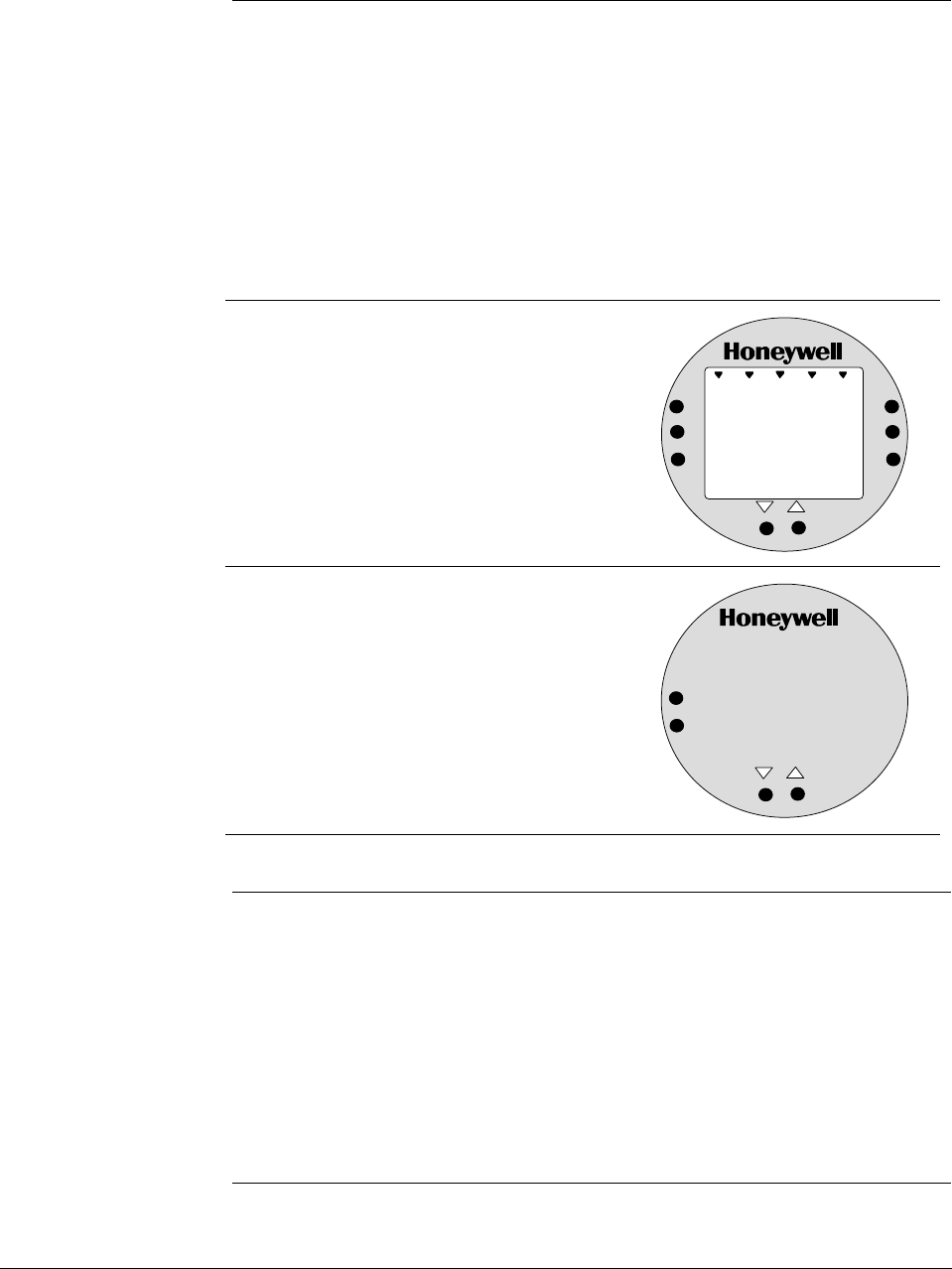
Appendix A Smart Meter Reference
A.1 Introduction
Smart Meter Option Depending upon your transmitter model, you can equip the ST 3000
transmitter with the Smart Meter option (option SM). This new integral
smart meter is designed for ST 3000 Release 300 Transmitters and
provides functionality not available with other smart meter designs.
The smart meter provides an LCD local interface that displays both
analog and digital indications of the transmitter output and can be
configured to display pressure in user-selected engineering units.
There are two meter option types:
1. Smart Meter with local Zero and Span
Adjustments – Features smart meter
LCD interface, pushbuttons for setting
engineering units and lower
range/upper range values, and
zero/span adjustments.
%1000
UPPER
VALUE
UNITS
LOWER
VALUE
SET
VAR
SEL.
SPAN
ZERO
2. Local Zero and Span Adjustments only
– Provides pushbuttons to make zero
and span adjustments.
SPAN
ZERO
NOTE: The Model STD110 does not support local zero and span adjustments.
Smart Meter Set up The smart meter can be set up to display pressure in a number of user-
selected engineering units or even custom units, if required. The meter
display set up is part of the transmitter configuration database and can
be performed when configuring the transmitter. You can use either the
Smartline© Configuration Toolkit (SCT 3000) software program or the
Smart Field Communicator (SFC) to configure the transmitter and the
smart meter. You can also use the pushbuttons on the front of the meter
to set up the smart meter display. The procedures for meter set up using
any of these configuration devices are provided in this appendix.
2/05 ST 3000 Release 300 Installation Guide
51
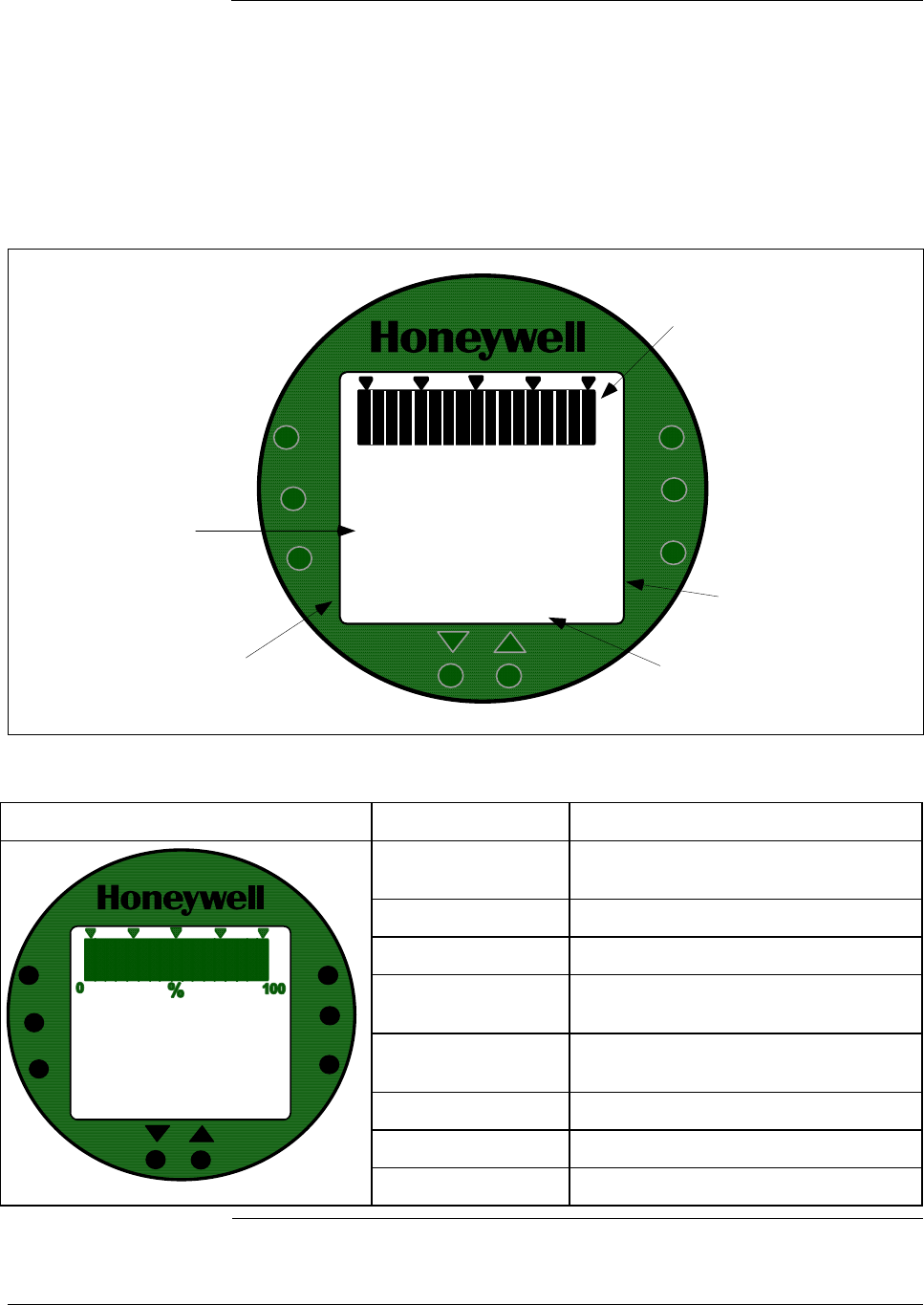
A.2 Smart Meter Display
Display description Figure A-1 shows a smart meter display with all its indicators and
segments lit for reference.
Table A-1 shows a smart meter with the pushbuttons highlighted and a
brief description of each pushbutton. The pushbuttons are used for
setting up the smart meter display and making zero and span
adjustments.
Figure A-1 Smart Meter Display with All Indicators Lit.
UPPER
VALUE
UNITS
LOWER
VALUE
SET
%100
0
18.808
-
ANALOG In H O
2
KGPH mmHg
GPM PSI A
OUTPUT MODE
CHECK STATUS
FAULT - LAST
KNOWN VALUE
%
FLOW
oFoC
VAR
SEL.
SPAN
ZERO
Digital Readout
(-19990 to +19990)
Status Indicators
17-Segment Bargraph
(0 to 100%)
Engineering Unit
Indicators
K Multiplier -
Indicates digital readout
is multiplied by 1,000
Table A-1 Smart Meter Pushbutton Description
Smart Meter Pushbuttons Pushbutton Function
VAR SEL. Not functional when installed with
ST 3000 transmitters.
SPAN Selects Span range setting (URV).
ZERO Selects Zero range setting (LRV).
UPPER VALUE Selects Upper Range Value setting
(URV).
UNITS SET Selects engineering units for meter
display.
LOWER VALUE Selects Lower Range Value (LRV).
Decrease pushbutton
UPPER
VALUE
UNITS
LOWER
VALUE
SET
18.808
-
ANALOG In H O
2
KGPH mmHg
GPM PSI A
OUTPUT MODE
CHECK STATUS
FAULT - LAST
KNOWN VALUE
%
FLOW
oFoC
VAR
SEL.
SPAN
ZERO
Increase pushbutton
52 ST 3000 Release 300 Installation Guide 2/05

A.3 Smart Meter Specifications
Operating Conditions
and Specifications
Before installing a transmitter equipped with a smart meter or installing
the smart meter in an existing transmitter, please note the specifications
and operating limits of the meter in Table A-2.
Table A-2 Smart Meter Specifications.
Operating Conditions —————
Parameter Rated Extreme, Transportation and
Storage (See below)
Ambient Temperature °F
°C
–40 to 176
–40 to 80
–58 to 194
–50 to 90
Relative Humidity %RH 10 to 90 0 to 100
Design ———————————
Accuracy No error. Reproduces transmitter signal exactly within its resolution.
Display Resolution Bargraph
Digital Readout
±3% of reading
±0.005 for ±19.99 reading range,
±0.05 for ±199.9 reading range,
±0.5 for ±1999 reading range,
±5 for ±19990 reading range,
±50 for ±199900 reading range,
±500 for ±1999000 reading range,
±5000 for ±19990000 reading range.
Shown as:
19.99
199.9
1999
19.99 K
199.9 K
1999 K
19990 K
Display Update Rate Above 32°F (0°C): ½ second
@ or below 32°F (0°C): 1½ seconds
Meter Display at High
and Low Temperature
Extremes
The rated temperature limits for the meter are listed above and are true
in that no damage to the meter will occur over these temperatures,
however the readability of the LCD is affected if taken to these
temperature extremes:
• The LCD will turn black at some temperature between 80 to 90 °C
(176 and 194 °F), rendering the display unreadable. This effect is
only temporary, and normally occurs at 90 °C (194 °F).
• At low temperatures, the update rate of the display is lengthened to
1.5 seconds due to the slower response time of the display.
At -20 °C (-4 °F) the display becomes unreadable due to slow
response of the LCD. This is also only temporary and normal
readability will return when temperature returns above -20 °C (-4 °F).
2/05 ST 3000 Release 300 Installation Guide
53
A.4 Setting Range Values (Local Zero and Span)
Local zero and span
option
ST 3000 Release 300 transmitters are available with optional local zero
and span adjustments. This option is for applications that do not require
an SFC nor digital integration with our TPS system.
About local
adjustments
You must apply equivalent zero and span pressures to make the local
zero and span adjustments. This is similar to setting the LRV and URV
to applied pressures using the SFC.
ATTENTION After making any adjustments to the smart meter, keep the transmitter
powered for at least 30 seconds so that the new meter configuration is
written to non-volatile memory. If power is turned off before 30
seconds, the changes may not be saved so that when the transmitter
power is restored, the meter configuration will revert to the previous
settings.
Procedure The procedure in Table A-3 shows the steps for setting the range values
to applied pressures using local zero and span adjustments. See Figure
A-2 for typical local adjustment setup details.
Table A-3 Setting Range Values Using Local Zero and Span
Adjustments
Step Action
1 Turn OFF transmitter power. Loosen end-cap lock and remove end-
cap from terminal block side of electronics housing.
2 Observing polarity, connect a milliammeter across positive (+) and
negative (–) TEST terminals.
ATTENTION If you have the smart meter with local zero and
span adjustment option, you may use the Smart Meter in place of
the milliammeter.
Continued on next page
54 ST 3000 Release 300 Installation Guide 2/05
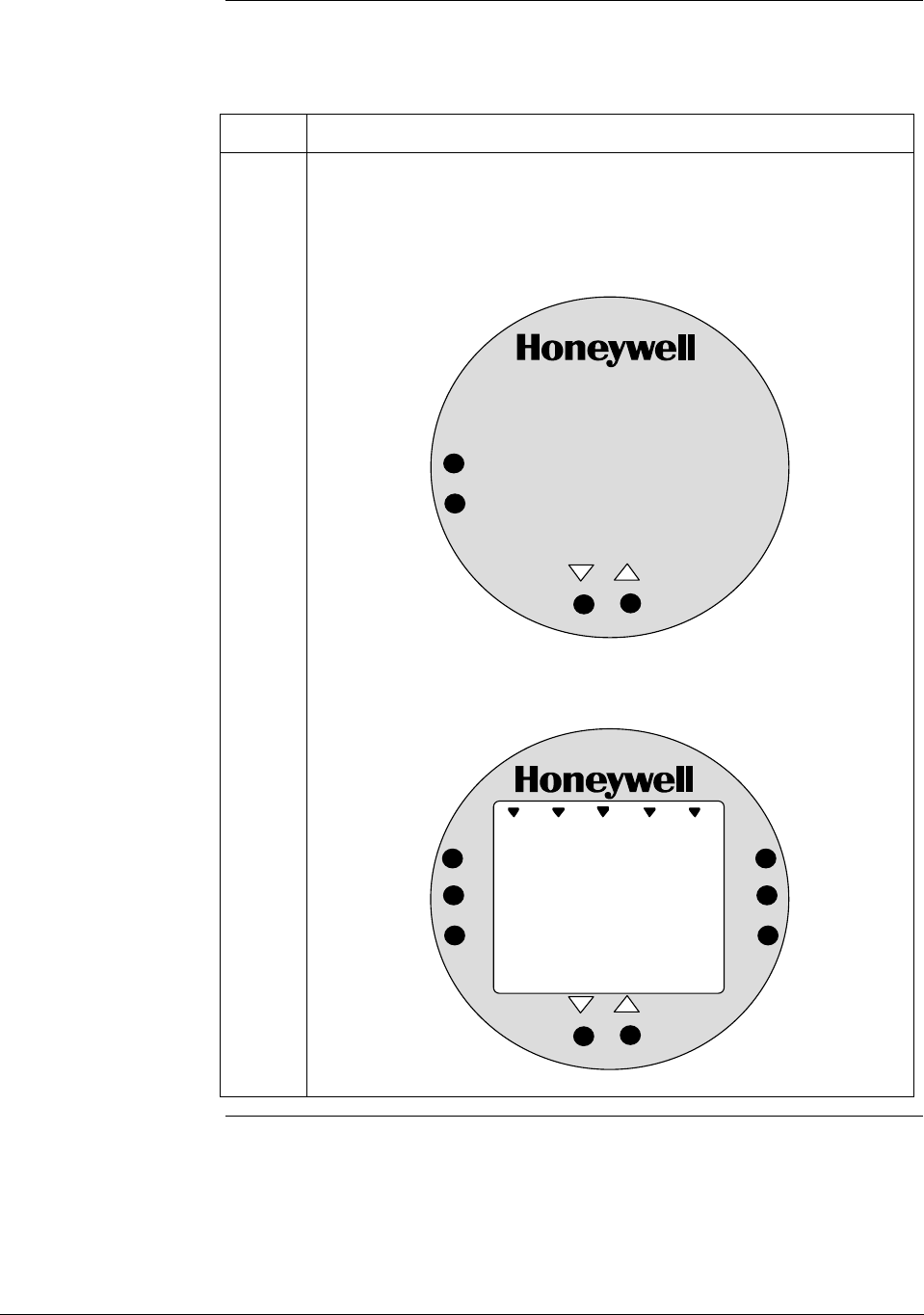
A.4 Setting Range Values (Local Zero and Span), Continued
Procedure, continued
Table A-3 Setting Range Values Using Local Zero and Span
Adjustments, Continued
Step Action
3 Loosen end-cap lock and remove end-cap from PWA side of
electronics housing to expose local zero and span assembly or smart
meter with zero and span adjustments.
Example – Local zero and span assembly.
SPAN
ZERO
Example – Smart meter with zero and span adjustments.
%
1000
UPPER
VALUE
UNITS
LOWER
VALUE
SET
VAR
SEL.
SPAN
ZERO
Continued on next page
2/05 ST 3000 Release 300 Installation Guide
55
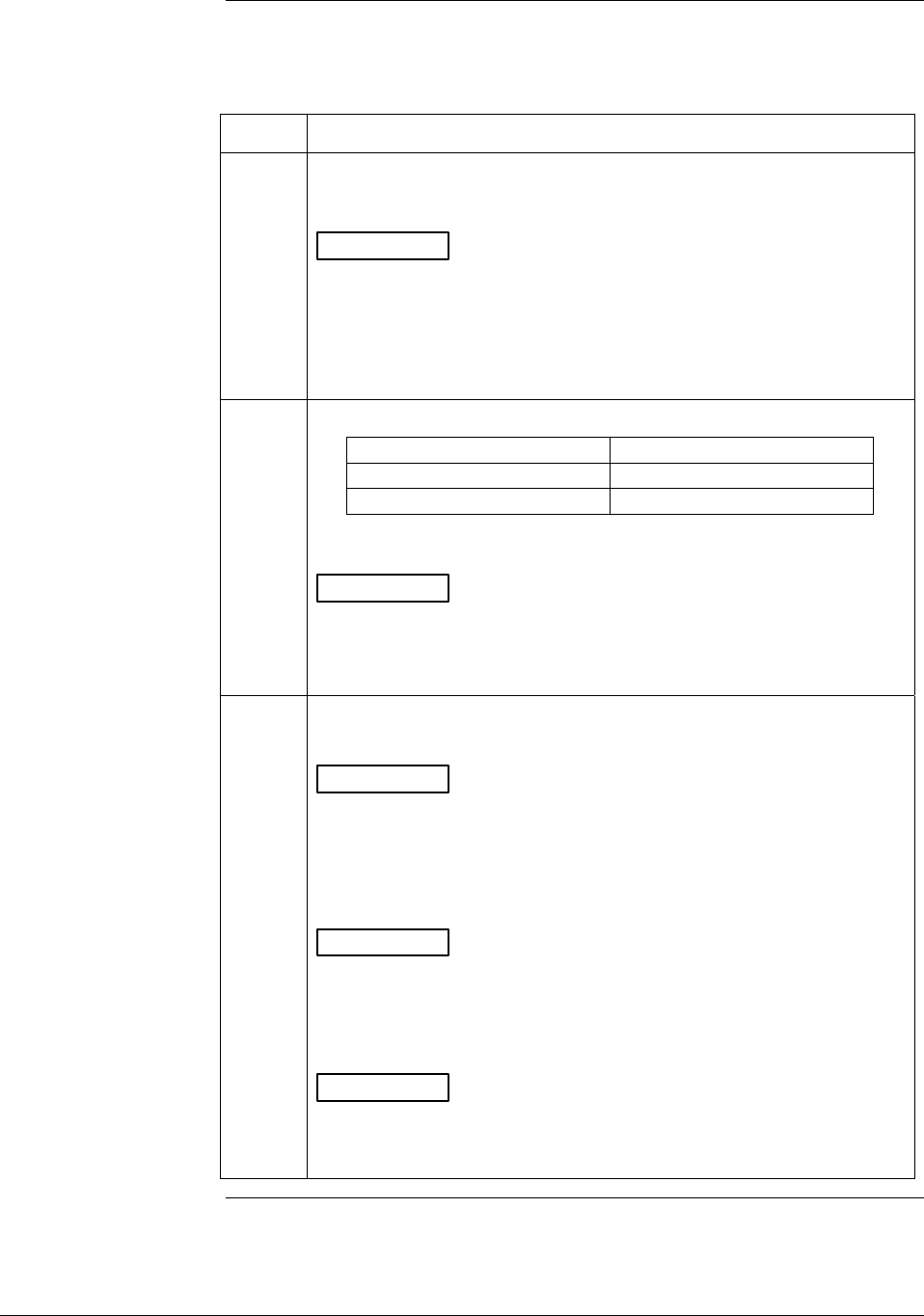
A.4 Setting Range Values (Local Zero and Span), Continued
Procedure, continued
Table A-3 Setting Range Values Using Local Zero and Span
Adjustments, Continued
Step Action
4 Turn ON transmitter power and let it warm up for a few minutes.
Using an accurate pressure source, apply desired zero equivalent
pressure to transmitter.
ATTENTION For differential pressure transmitters, apply pressure
to the high pressure head for positive range values or vent both
heads to atmosphere for zero. If zero is to equal a negative value,
apply the equivalent pressure to the low pressure head. For
example, if zero is to equal –10 inH2O, you would apply 10 inH2O to
the low pressure head and vent the high pressure head for the zero
adjustment.
5 Check that milliammeter reading is 4 mA.
If reading … Then…
is less or greater than 4 mA go to Step 6.
is correct go to Step 7.
ATTENTION If you have the smart meter with local zero and
span adjustment option, you may substitute the smart meter
readings for the milliammeter readings. For example, with zero input
pressure applied assume that the meter reads 4 inH2O instead of 0
inH2O. In this case, the meter reading is greater than 0 (or 4 mA).
6 a. Press and hold ZERO button on local zero and span assembly or
smart meter.
ATTENTION The smart meter readings revert to the default unit of
percent (%) during this operation. If the error code Er0 appears on
the display, you are working with a model STD110 transmitter that
does not support the local zero and span adjustments.
b. Press Decrease button once to complete this function.
ATTENTION The smart meter display goes blank for a 1/2
second and then returns reading 0%.
c. Check that milliammeter reading equals 4 mA and release ZERO
button.
ATTENTION If milliammeter reading doesn’t change, be sure you
are not working with a model STD110 transmitter that ignores local
adjustments. The smart meter readings return to the set engineering
units after you release the ZERO button.
Continued on next page
56 ST 3000 Release 300 Installation Guide 2/05
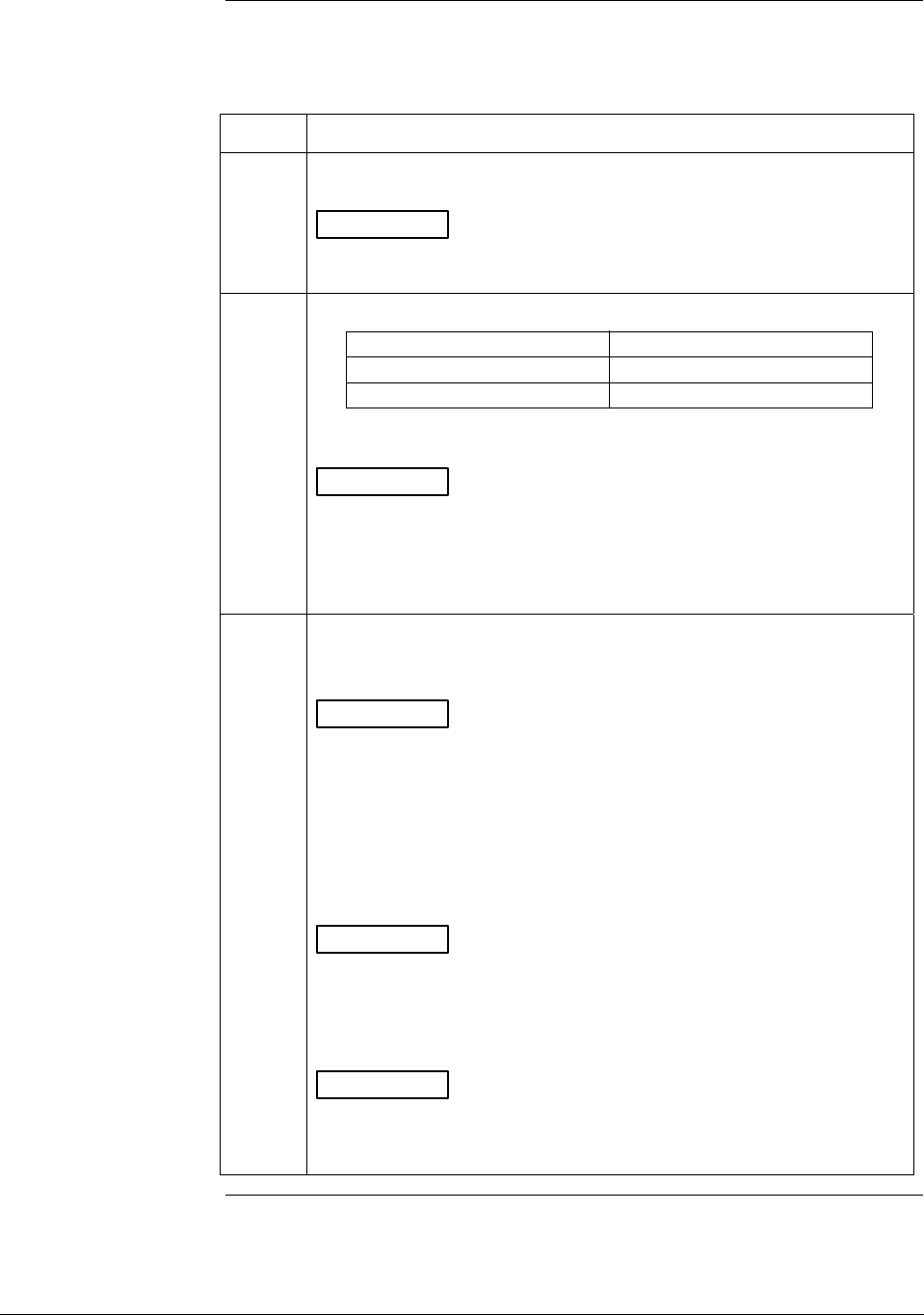
A.4 Setting Range Values (Local Zero and Span), Continued
Procedure, continued
Table A-3 Setting Range Values Using Local Zero and Span
Adjustments, Continued
Step Action
7 Using an accurate pressure source, apply pressure equivalent to
desired upper range value to transmitter.
ATTENTION For differential pressure transmitters, apply pressure
to the high pressure head and be sure that the pressure to the low
pressure head is at its reference value.
8 Check that milliammeter reading is 20 mA.
If reading … Then…
is not exactly 20 mA go to Step 9.
is correct go to Step 10.
ATTENTION If you have the smart meter with local zero and
span adjustment option, you may substitute the smart meter readings
for the milliammeter readings. For example, with URV input pressure
applied assume that the meter reads 396 inH2O instead of 400
inH2O. In this case, the meter reading is less than 100% (or 20 mA).
9 a. Press and hold SPAN button on local zero and span assembly or
smart meter.
ATTENTION The smart meter readings revert to the default unit of
percent (%) during this operation. If the error code Er0 appears on
the display, you are working with a model STD110 transmitter that
does not support the local zero and span adjustments. If the error
code Er4 appears, you are trying to set a SPAN value that is outside
acceptable limits for your transmitter. Readjust applied pressure to
be within acceptable range limits and repeat this procedure.
b. Press Increase button once to complete this function.
ATTENTION The smart meter display goes blank for a 1/2
second and then returns reading 100%.
c. Check that milliammeter reading equals 20 mA and release SPAN
button.
ATTENTION If milliammeter reading doesn’t change, be sure you
are not working with a model STD110 transmitter that ignores local
adjustments. The smart meter readings return to the set engineering
units after you release the SPAN button.
Continued on next page
2/05 ST 3000 Release 300 Installation Guide
57
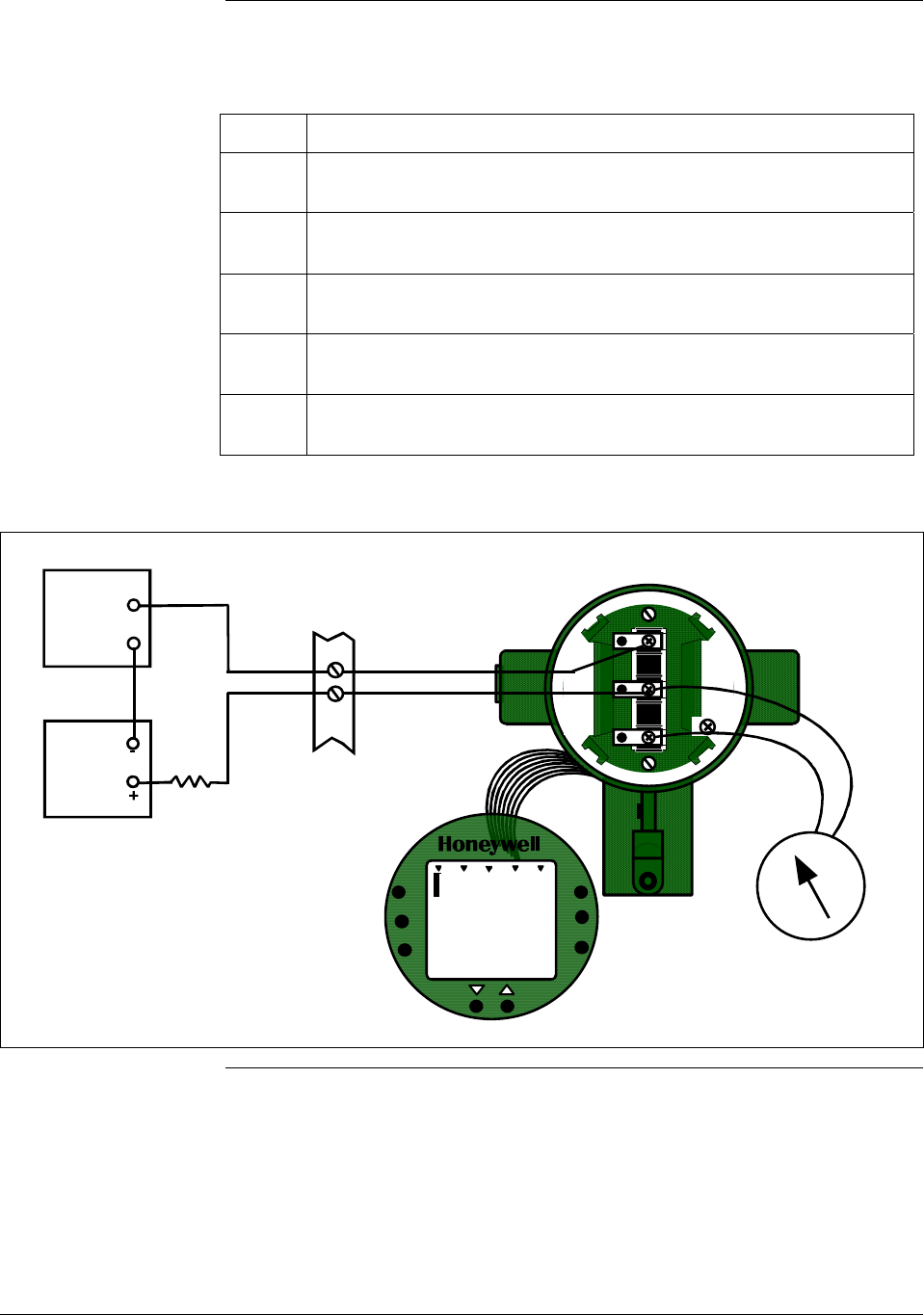
A.4 Setting Range Values (Local Zero and Span), Continued
Procedure, continued
Table A-3 Setting Range Values Using Local Zero and Span
Adjustments, Continued
Step Action
10 Wait 30 seconds so that changes have been copied to the
transmitter’s non-volatile memory.
11
Remove applied pressure and turn OFF transmitter power.
12 Replace end-cap on PWA side of electronics housing and tighten
lock.
13 Remove milliammeter from TEST terminals and replace end-cap and
tighten lock.
14 Turn ON transmitter power and check smart meter reading, if
applicable.
Figure A-2 Typical Setup for Setting Range Values Using Local Zero and Span Adjustments.
Smart Meter with
Local Zero and Span
installed on PWA side
of electronics housing
UPPER
VALUE
UNI T S
LOWER
VALUE
SET
VAR
SEL.
SPA N
ZERO
%
100
0
0
ANALOG In H O
2
00
- SIGNAL +
+ -
TEST
Power
Supply
+
-
Receiver
+
-
Field
Terminals
ST 3000
250 ohm
Milliammeter
58 ST 3000 Release 300 Installation Guide 2/05

A.5 Configuring Smart Meter Using Pushbuttons
Using Pushbuttons
on Meter to Configure
Smart Meter Display
The smart meter can be set to show the PV out in engineering units that
are appropriate for your process application. You can select an
available engineering unit or enter a custom one including upper and
lower display limit settings for the smart meter’s digital readout using
buttons on the face of the meter.
Using the Smart
Meter
Follow these guidelines when configuring the smart meter:
• If you initiate an SFC command at the same time a button is pressed
on the smart meter, the smart meter will respond to the command it
receives last. In other words, the last command wins.
• In most cases, you can press and release a button for one-shot
operation, or press and hold a button for continuous, 1/2 second,
repetitive operation.
• Active setup field will begin to flash at one second rate if next action
is not initiated within one second. And, if no action is taken within
30 seconds, the setup function will time out and the meter will return
to its previous state.
Transmitter Output
Conformity and Smart
Meter Configuration
Normally when using a differential type transmitter, you can select the
transmitter’s output to represent a straight linear calculation or a square
root calculation for flow measurement applications. This linear or square
root output parameter selection is called output conformity or output
form. (See ST 3000 User Manual for more details.)
When configuring the smart meter to display the transmitter output
measurement, there are certain rules to keep in mind which are dependent
on the output conformity selection. These rules are described in the
following paragraphs.
1. The output conformity setting of the transmitter restricts the
engineering units you can select for the smart meter display.
• When the transmitter is configured for an output conformity of
LINEAR, you can select only pressure type engineering units.
(See Table A-4.)
• When the transmitter is configured for an output conformity of
SQUARE ROOT, you can select only flow type engineering
units GPM and GPH.
• The percent and custom engineering units can be selected
regardless of output conformity configuration.
2. Additionally, the output conformity setting restricts the setting of the
lower and upper display limits to represent transmitter’s 0 to 100%
output.
Continued on next page
2/05 ST 3000 Release 300 Installation Guide
59

A.5 Configuring Smart Meter Using Pushbuttons, Continued
Transmitter Output
Conformity and Smart
Meter Configuration,
continued
• If you select pressure type engineering units, you cannot set the
lower or upper display limits. These values are automatically set
when you select the engineering units.
• You can set only the upper display limit when the transmitter is
configured for SQUARE ROOT output conformity. The lower
display limit is fixed at zero (0) for a transmitter in square root
mode and cannot be changed.
• You can set both the lower and upper display limits when you
have selected custom engineering units (EUF) and the
transmitter output conformity is set to LINEAR.
When setting the lower and upper display limits, if you let either the
lower or upper display limit setting time out (after thirty seconds), the
meter will discard the newly set values and will revert to its previous
settings. The meter forces you to set both limits by automatically
initiating the next limit setting, either lower or upper, depending upon
which limit you set first.
3. If you change the transmitter’s output conformity, you must
reconfigure the smart meter as outlined in Tables A-5, A-7 and A-8.
Table A-4 Smart Meter Engineering Units Code
Smart Meter Code Engineering Unit Transmitter Output
Conformity
EU0
% * Linear or Square Root
EU1
in H2O *
EU2 mmHg *
EU3 PSI *
EU4 kPa †
EU5 MPa †
EU6 mbar † Linear
EU7 bar †
EU8 g/cm2 †
EU9 kg/cm2 †
EUA mmH2O †
EUB inHg †
EUC mH2O †
EUD GPM * Square Root
EUE GPH * Square Root
EUF Custom † Linear or Square Root
* These selections have indicators on smart meter display.
† Use stick-on labels provided for other engineering units.
60 ST 3000 Release 300 Installation Guide 2/05
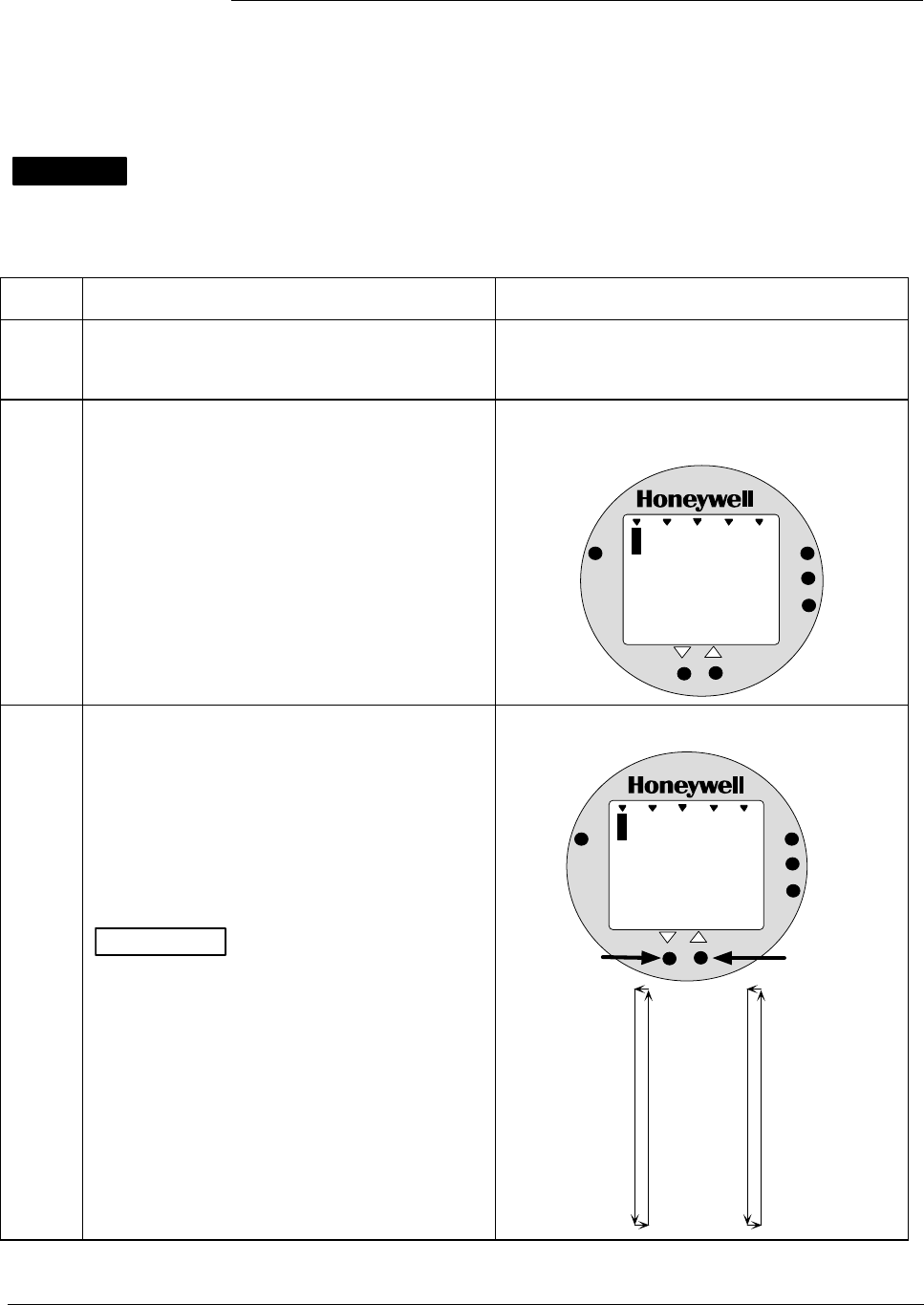
A.5 Configuring Smart Meter Using Pushbuttons, Continued
Selecting Engineering
Units
The procedure in Table A-5 outlines the steps for selecting the desired
engineering units for a smart meter using its local adjustments on the
face of the meter. You will be selecting the unit of measurement that
you want the smart meter to indicate during normal operation.
WARNING When the transmitter’s end-cap is removed, the housing is not
explosionproof.
Table A-5 Selecting Engineering Units
Step Action Meter Display
1 Loosen lock on meter end-cap and unscrew
cap from housing. Be sure transmitter power
is ON.
2 Press UNITS SET button. Display shows code for current engineering
units setting.
%
1000
EU
ANALOG
%
0
UPPER
VALUE
UNITS
LOWER
VALUE
SET
VAR
SEL.
3 Press Increase key to call up next code or
Decrease key to call up previous code.
Repeat this action until desired code is on
display.
You can hold down the Increase or Decrease
key to scroll forward or backward through the
codes.
ATTENTION Remember that if transmitter
is configured for SQUARE ROOT output
conformity the only valid code selections are
EU0 (%)
EUD (GPM)
EUE (GPH)
EUF (Custom)
If transmitter is configured for LINEAR output
conformity EU0 (%) to EUC and EUF
(CUSTOM) are valid code selections.
Selection codes for engineering units
%
1000
EU
ANALOG
1
UPPER
VALUE
UNITS
LOWER
VALUE
SET
VAR
SEL.
In H O
2
EU0 = %*
EU1 = inH2O*
EU2 = mmHg*
EU3 = PSI*
EU4 = KPa
EU5 = MPa
EU6 = mbar
EU7 = bar
EU8 = g/cm2
EU9 = Kg/cm2
EUA = mmH2O
EUB = inHg
EUC = mH2O
EUD = GPM*
EUE = GPH*
EUF = Custom
Press and hold to
scroll forward
through selections
Press and hold to
scroll backward
through selections
*These selections
have indicators on
the display.
Continued on next page
2/05 ST 3000 Release 300 Installation Guide
61
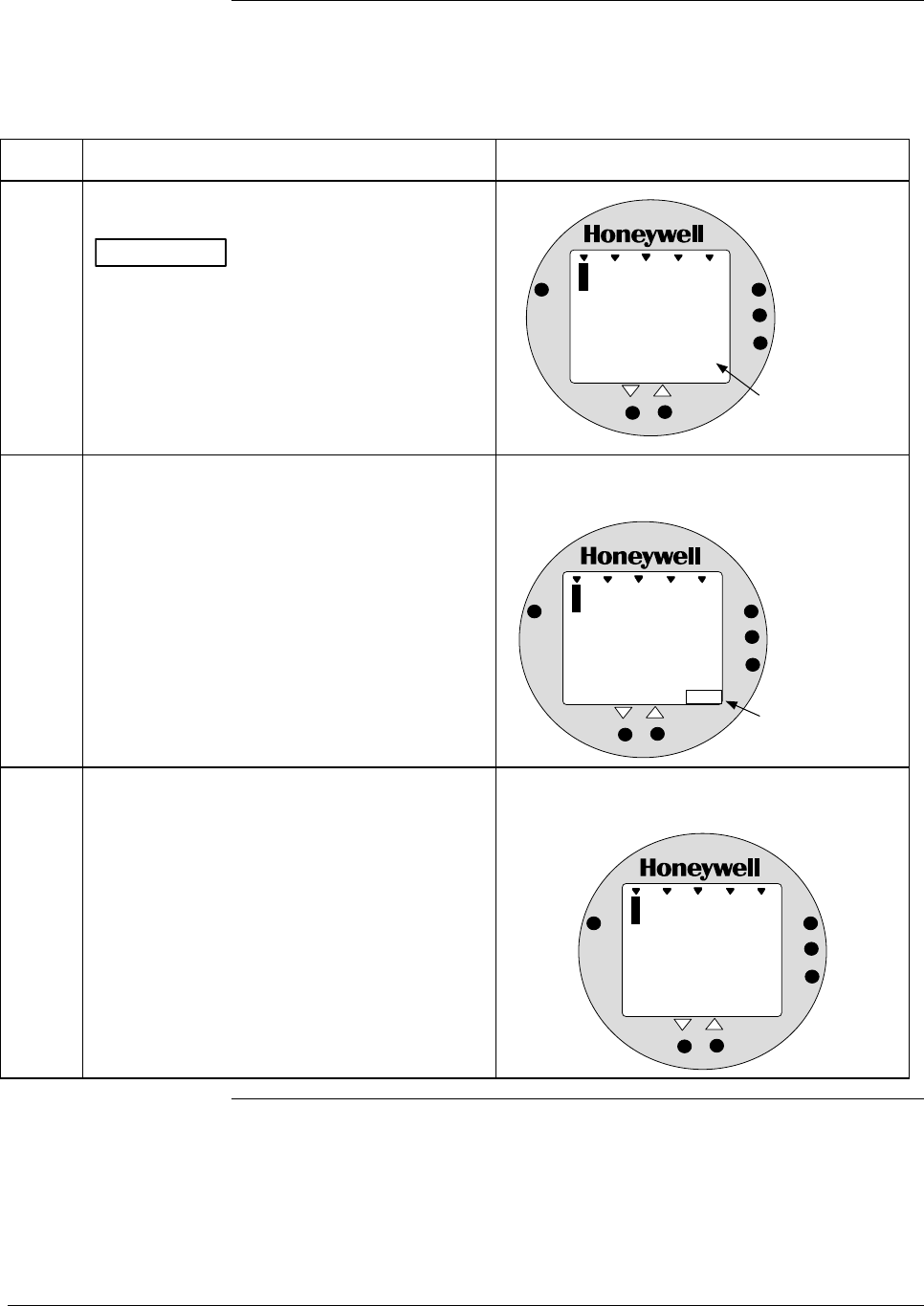
A.5 Configuring Smart Meter Using Pushbuttons, Continued
Selecting Engineering
Units, continued
Table A-5 Selecting Engineering Units, continued
Step Action Meter Display
4 Press UNITS SET button to lock in selected
code.
ATTENTION If you select an invalid code
according to the selections in Step 3, the
meter display will show an error code Er1 for
one second and then return to the previous
engineering units selection.
Goes blank for 1/2 second and returns with
reading in engineering units.
%
1000
0
.
1
ANALOG
8
UPPER
VALUE
UNITS
LOWER
VALUE
SET
VAR
SEL.
In H O
2
Digital reading now
in engineering units
of inches of water
5 If selected engineering unit does not match
one of six unit indicators on meter, peel off
matching stick-on unit label from sheet
(drawing number 30756918-001) and paste it
in lower right hand corner of meter.
Use stick-on label for engineering units
without indicators on display.
%
1000
1
.
0
ANALOG
2
UPPER
VALUE
UNITS
LOWER
VALUE
SET
VAR
SEL.
Kg/cm2
Stick-on label
identifies selected
engineering units
6 If you selected Custom or Flow engineering
units, go to Tables A-7 and A-8 to set lower
and upper display limits for smart meter
display.
Lower and upper display limits have not been
set for Custom or Flow engineering units.
%
1000
U
-
ANALOG
L
UPPER
VALUE
UNITS
LOWER
VALUE
SET
VAR
SEL.
FLOW
GPM
Continued on next page
62 ST 3000 Release 300 Installation Guide 2/05
A.5 Configuring Smart Meter Using Pushbuttons, Continued
Setting Lower and
Upper Display Values
The Table A-6 shows the restrictions on setting the display values for
given engineering units and output conformity selections.
Table A-6 Smart Meter Restrictions for Setting Display Values
Engineering Output Set
Units code Conformity Lower Display Value? Upper Display Value?
EU0 through EUC
(Pressure type units)
Linear No (set automatically) No (set automatically)
EU0, EUD, EUE,and EUF
(%, GPM, GPH, or Custom)
Square root No (fixed at zero) Yes
Use Table A-8
EUF
(Custom)
Linear Yes
Use Table A-7
Yes
Use Table A-8
Setting Lower and
Upper Display Values
To set the lower and upper display limit values for the meter display
perform the procedures in Tables A-7 and A-8. Also note that in each
procedure you must:
• First set the magnitude range for each display value. This enables
the multiplier (K) on the display for indicating larger ranges (greater
than 19999 and shifts the decimal point of the digital display left or
right depending on the precision you want to show for that value).
• Next set the display value. This procedure sets the display limit of
the meter to represent minimum and maximim transmitter output
(0% and 100 % output).
Note: Magnitude range and display values are set for both upper and
lower (if applicable) display limits.
During normal operation, the display range of the meter digital readout
is ±19,990,000 and is automatically ranged to provide the best precision
possible for the digits available up to 1/100th of a unit.
Setting Lower Display
Values
The procedure in Table A-7 outlines the steps for setting the lower
display limit to represent the 0 percent (LRV) output of the transmitter.
ATTENTION For example purposes, the procedures in Tables A-7 and A-8 assume
that the lower value is to be set at 0 and the upper value is to be set at
19,990,000 for a CUSTOM unit in a transmitter with a LINEAR output,
and the transmitter’s present output is exactly 50 percent.
Continued on next page
2/05 ST 3000 Release 300 Installation Guide
63
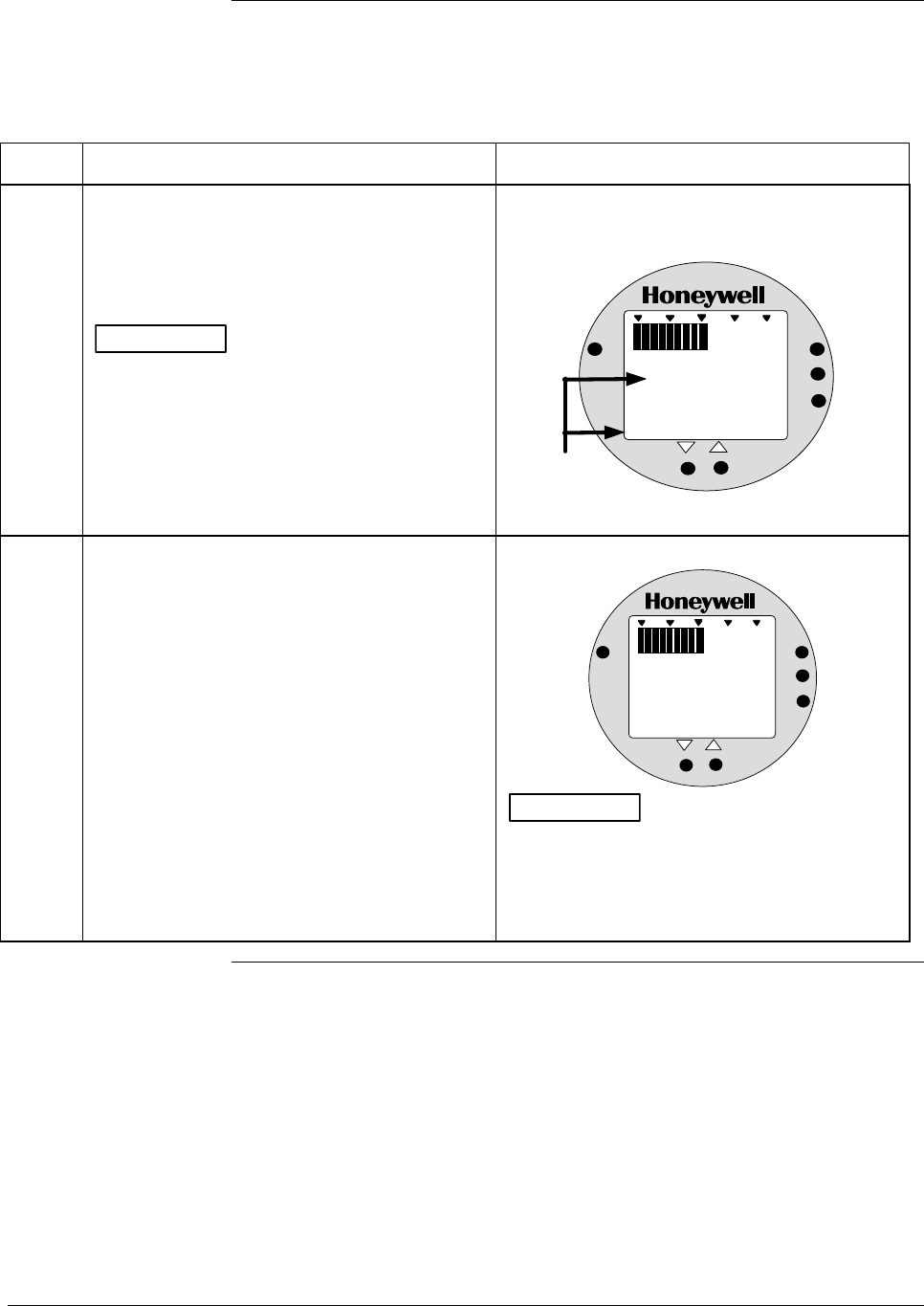
A.5 Configuring Smart Meter Using Pushbuttons, Continued
Setting Lower Display
Values, continued
Table A-7 Setting Lower Display Values for Smart Meter Display
Step Action Meter Display
1 You have completed units selection in Table
A-5 and U-L appears on the display. Press
LOWER VALUE button to initiate lower
display limit setting function.
ATTENTION This procedure is only
applicable for Custom (EUF) engineering unit
selection in a transmitter configured for
LINEAR output conformity.
The lower display value for transmitters
configured for SQUARE ROOT output
conformity is fixed at zero (0.00) and cannot
be changed.
If lower limit display value was previously set,
KNOWN VALUE indicator lights and set value
flashes in display.
%
1000
ANALOG
UPPER
VALUE
UNITS
LOWER
VALUE
SET
VAR
SEL.
0. 00
Previously set
value flashes in
display and
indicator lights
KNOWN VALUE
2 Press LOWER VALUE button again within 5
seconds. Otherwise, meter exits limit setting
function.
Display shows magnitude range selection.
%
1000
ANALOG
UPPER
VALUE
UNITS
LOWER
VALUE
SET
VAR
SEL.
19 .99
ATTENTION The magnitude range
selection only applies for setting the display
limits. This selection does not affect the
normal operation of the meter. During normal
operation, the display is automatically ranged
to provide the best precision possible.
Continued on next page
64 ST 3000 Release 300 Installation Guide 2/05
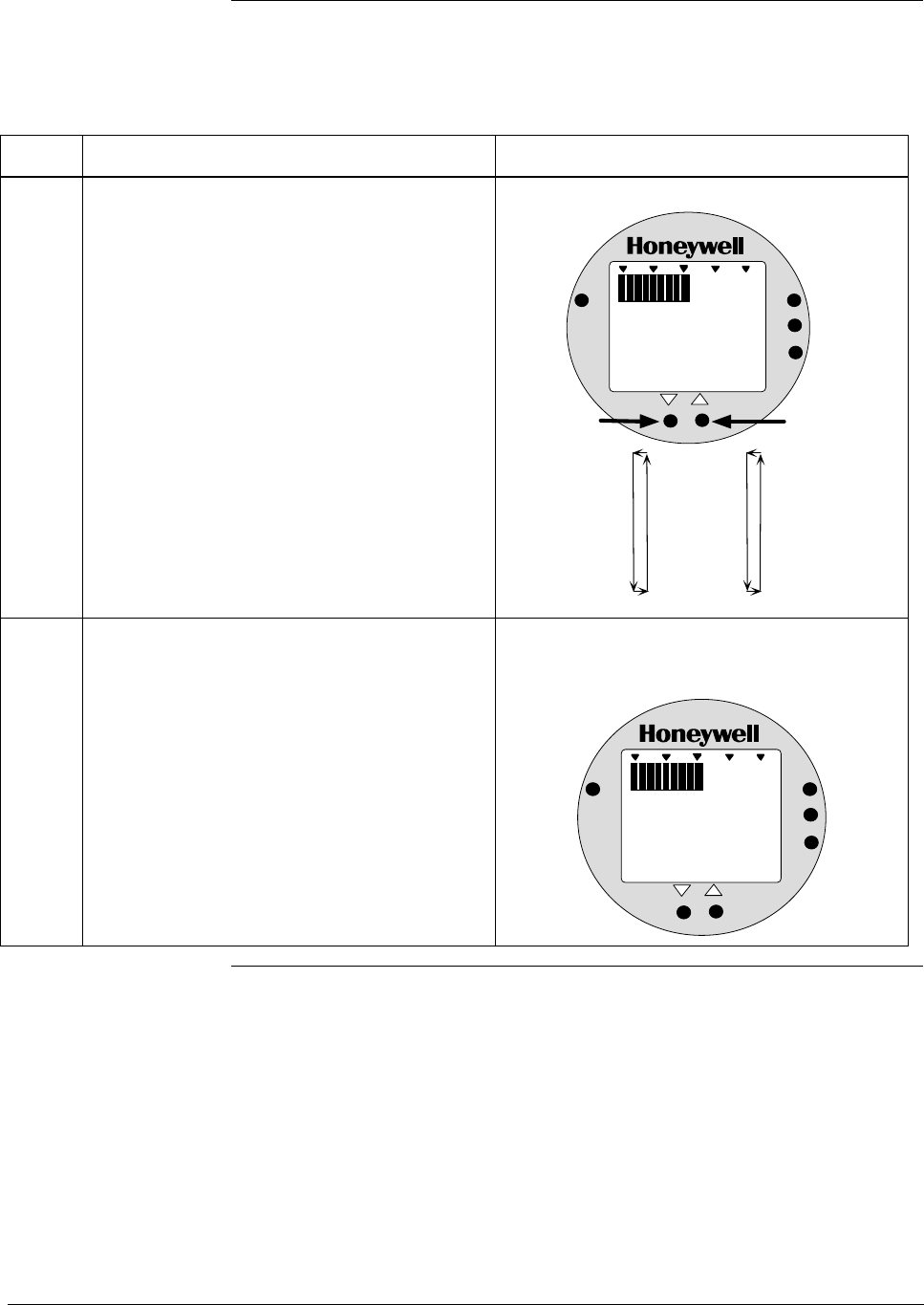
A.5 Configuring Smart Meter Using Pushbuttons, Continued
Setting Lower Display
Values, continued
Table A-7 Setting Lower Display Values for Smart Meter Display, continued
Step Action Meter Display
3 Press Increase button to call up next
available magnitude range selection or
Decrease button to call up previous
magnitude range selection.
NOTE: This action enables the multiplier (K)
for indicating larger ranges and shifts
the decimal point of the digital display
left or right depending on which button
is pushed. The display shows largest
positive number for given range
selection so you can select a range
that is just larger than the range to be
set for best display precision. Hold
respective key to scroll forward or
backward through the selections.
Repeat this action until desired selection is on
display.
Magnitude range selections.
%
1000
ANALOG
UPPER
VALUE
UNITS
LOWER
VALUE
SET
VAR
SEL.
19 . 99
19.99
199.9
1999
19.99K*
199.9K*
1999K*
19990K*
Press and hold to
scroll forward
through selections
Press and hold to
scroll backward
through selections
*The "K" multiplier
indicator appears
below the digital
reading on the display.
4 Press LOWER VALUE button to initiate lower
value setting.
Readout goes blank except for first active digit
which will be 0 unless lower value was set
before.
%
1000
ANALOG
UPPER
VALUE
UNITS
LOWER
VALUE
SET
VAR
SEL.
0
Continued on next page
2/05 ST 3000 Release 300 Installation Guide
65
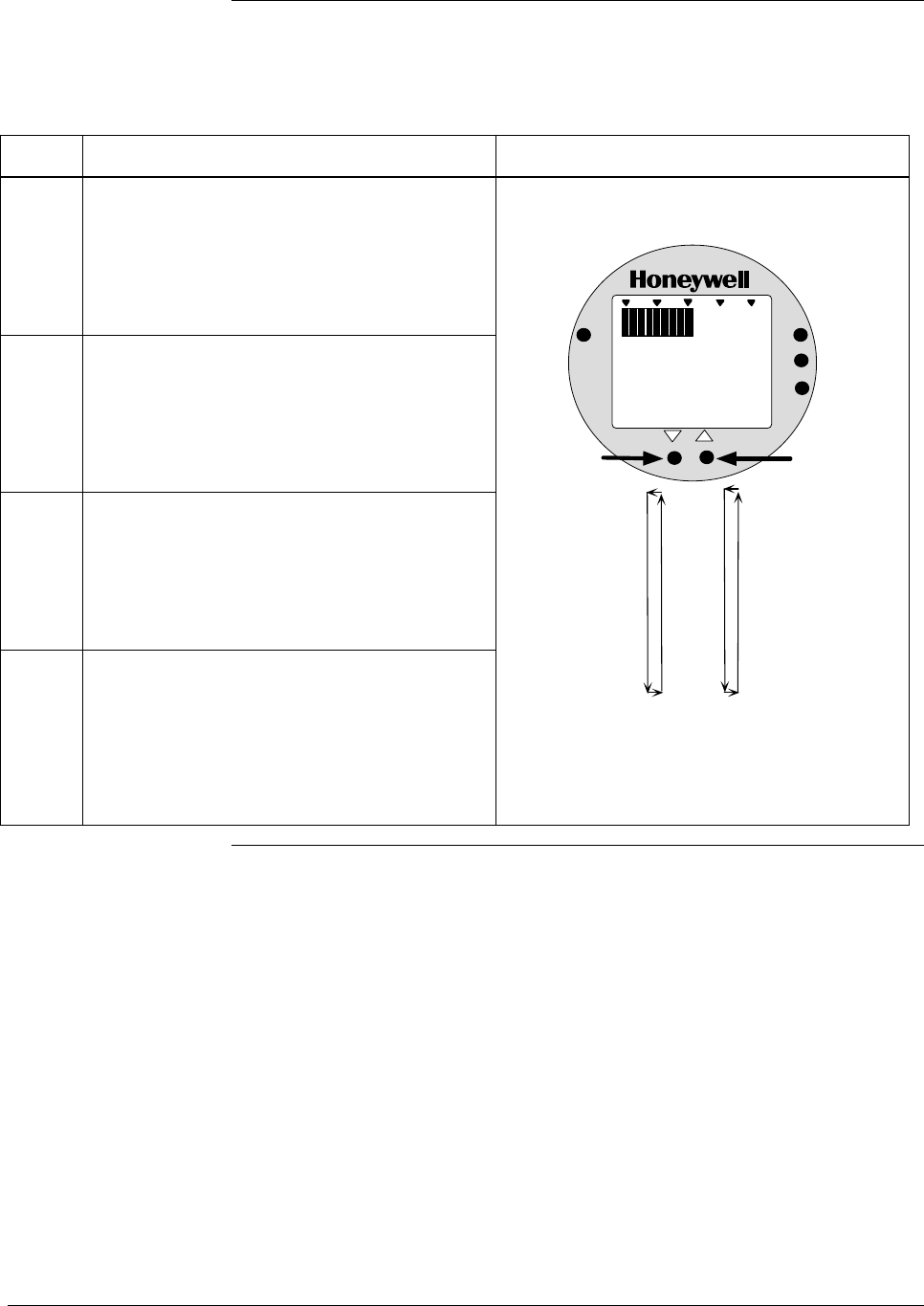
A.5 Configuring Smart Meter Using Pushbuttons, Continued
Setting lower display
values, continued
Table A-7 Setting Lower Display Values for Smart Meter Display, continued
Step Action Meter Display
5 Press Increase button to select the next
available digit value or Decrease button to
select the previous digit value.
Repeat this action until desired value is on
display.
6 Press LOWER VALUE button to lock-in first
digit and activate next active digit.
Readout now displays next active digit which
will be zero unless lower value was set
before.
7 Press Increase button to select the next
available digit value or Decrease button to
select the previous digit value.
Repeat this action until desired value is on
display.
8 Press LOWER VALUE button to lock-in
second digit and activate next active digit.
Readout now displays next active digit which
will be zero unless lower value was set
before.
First digit value setting.
%
1000
ANALOG
UPPER
VALUE
UNITS
LOWER
VALUE
SET
VAR
SEL.
0
0
1
2
3
4
5
6
7
8
9
Press and hold to
scroll forward
through values
Press and hold to
scroll backward
through values
Continued on next page
66 ST 3000 Release 300 Installation Guide 2/05
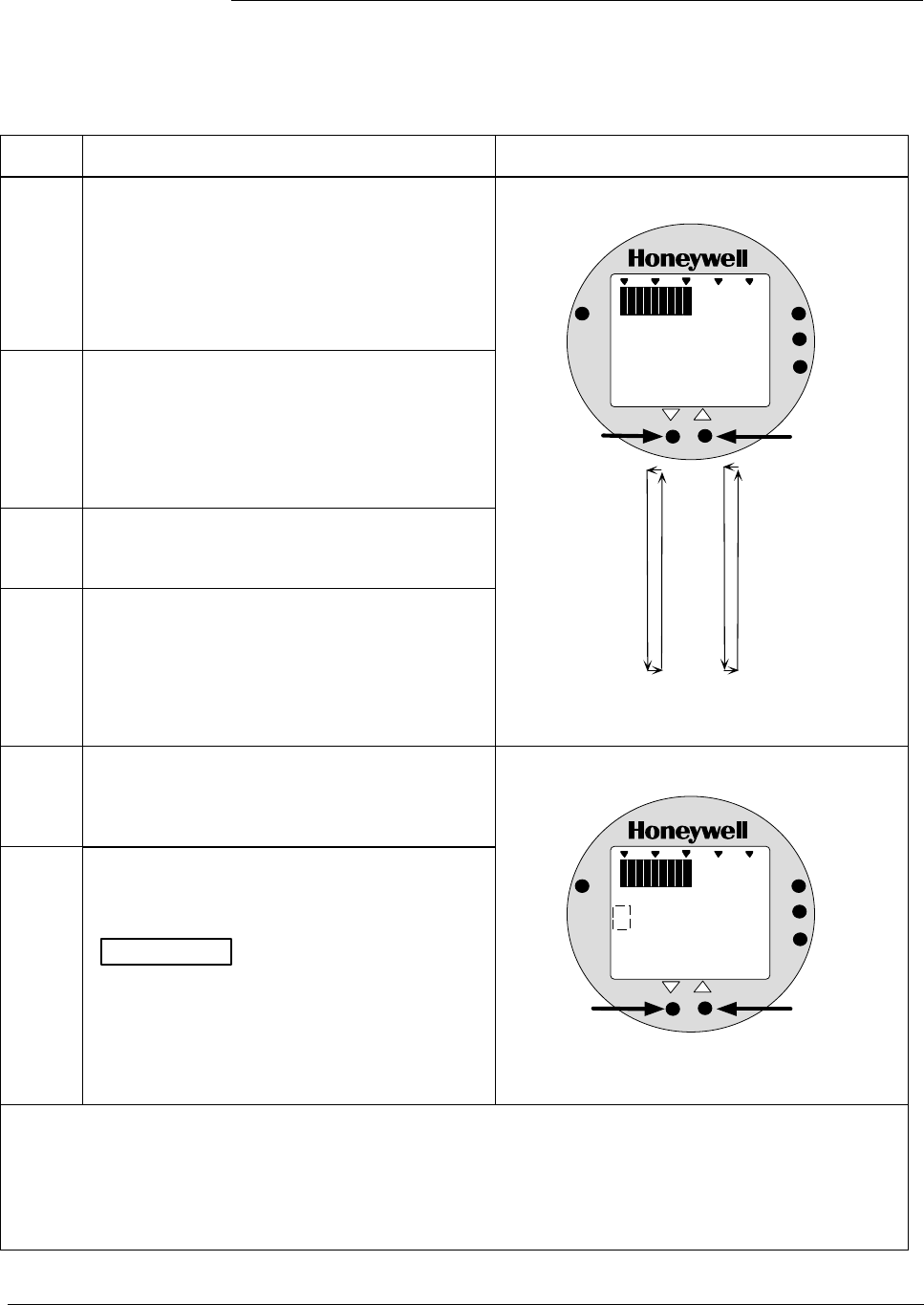
A.5 Configuring Smart Meter Using Pushbuttons, Continued
Setting lower display
values, continued
Table A-7 Setting Lower Display Values for Smart Meter Display, continued
Step Action Meter Display
9 Press Increase button to select the next
available digit value or Decrease button to
select the previous digit value.
Repeat this action until desired value is on
display.
10 Press LOWER VALUE button to lock-in third
digit and activate next active digit.
Readout now displays next active digit which
will be BLANK unless lower value was set to 1
before.
11 Press Increase button to set digit to 1 or
Decrease button to set it to BLANK..
12 Press LOWER VALUE button to lock-in “1”
digit and activate sign segment.
Readout now displays sign segment which
will be BLANK for positive values unless lower
value was set for negative (–) values before.
Third digit value setting.
%
1000
ANALOG
UPPER
VALUE
UNITS
LOWER
VALUE
SET
VAR
SEL.
000.
0
1
2
3
4
5
6
7
8
9
Press and hold to
scroll forward
through values
Press and hold to
scroll backward
through values
13 Press Increase button to set sign segment
to minus sign for negative values or Decrease
button to set it to BLANK. for positive
values.
14 Press LOWER VALUE button to lock in
current settings as lower display value limit.
ATTENTION For CUSTOM unit in
transmitter with LINEAR output, you must set
both lower and upper display limits for values
to take effect. If you let either the lower or
upper display limit time out (after 30 seconds),
the meter discards both newly set values and
reverts back to the previously set values.
Sign segment setting.
%
1000
ANALOG
UPPER
VALUE
UNITS
LOWER
VALUE
SET
VAR
SEL.
000.
Press to set sign
segment as minus
sign (-) for negative
values
Press to set sign
segment as
BLANK for
positive values
• If you have not yet set the upper display limit value, the meter automatically enters the upper display
setting function after it displays previously set value, if applicable. Go to Table A-8.
• If you have already set the upper display limit value, this completes the lower and upper display
limits setting function for Custom engineering units in the transmitter. Meter returns to normal
operation.
Continued on next page
2/05 ST 3000 Release 300 Installation Guide
67
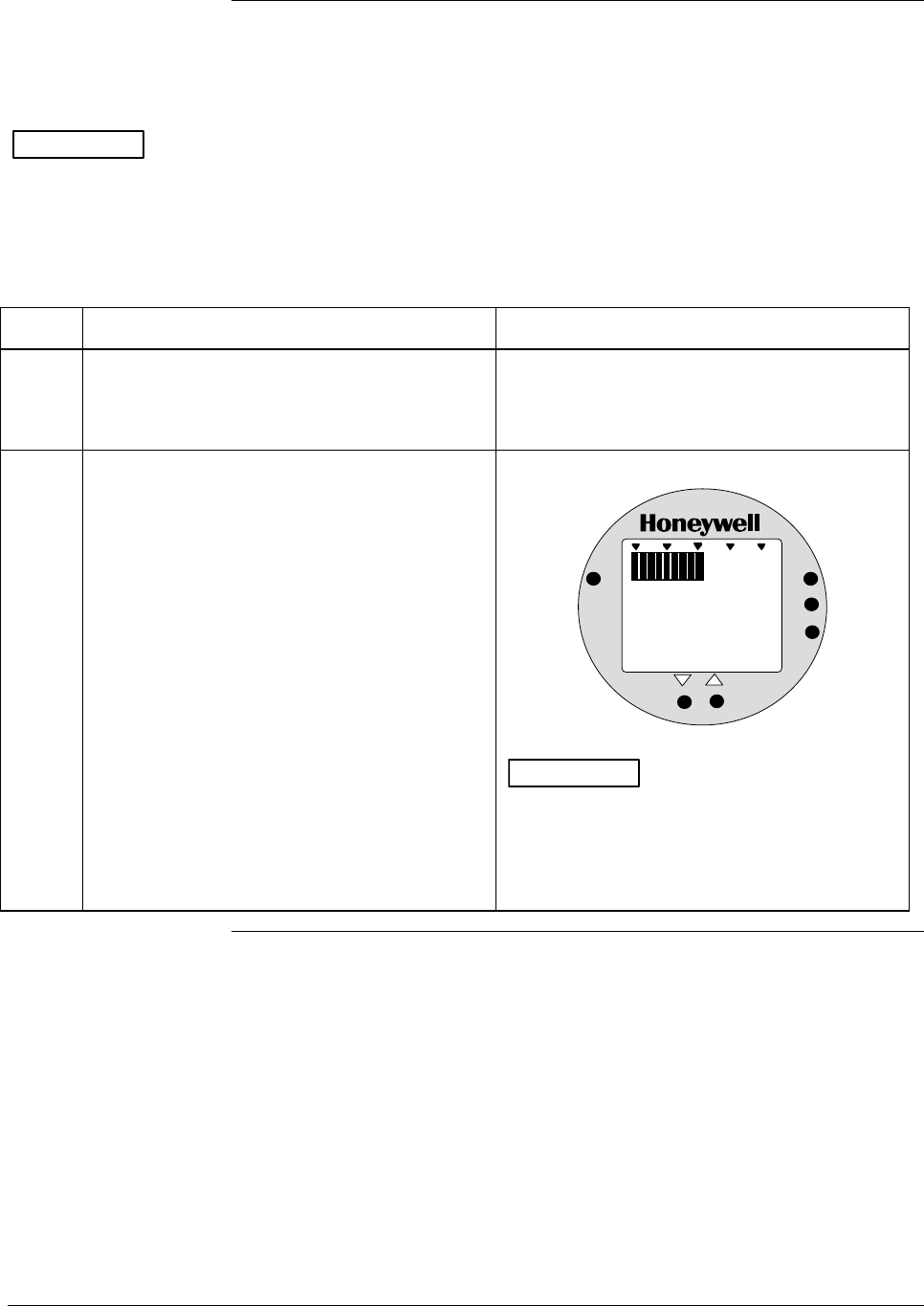
A.5 Configuring Smart Meter Using Pushbuttons, Continued
Setting Upper Display
Values
The procedure in Table A-8 outlines the steps for setting the upper
display limit to represent the 100 percent (URV) output of the
transmitter.
ATTENTION This procedure applies only for Flow units (GPM or GPH) in a
transmitter configured for SQUARE ROOT output conformity, or
CUSTOM unit in a transmitter configured for linear or square root
output conformity.
Table A-8 Setting Upper Display Value for Smart Meter Display
Step Action Meter Display
1 Press UPPER VALUE button to initiate upper
display limit setting function.
If upper limit display value was previously set,
KNOWN VALUE indicator lights and set value
flashes in display.
2 Press UPPER VALUE button again within 5
seconds. Otherwise, meter exits limit setting
function.
Display shows magnitude range selection.
%
1000
ANALOG
UPPER
VALUE
UNITS
LOWER
VALUE
SET
VAR
SEL.
19 .99
ATTENTION The magnitude range
selection only applies for setting the display
limits. This selection does not affect the
normal operation of the meter. During normal
operation, the display is automatically ranged
to provide the best precision possible.
Continued on next page
68 ST 3000 Release 300 Installation Guide 2/05
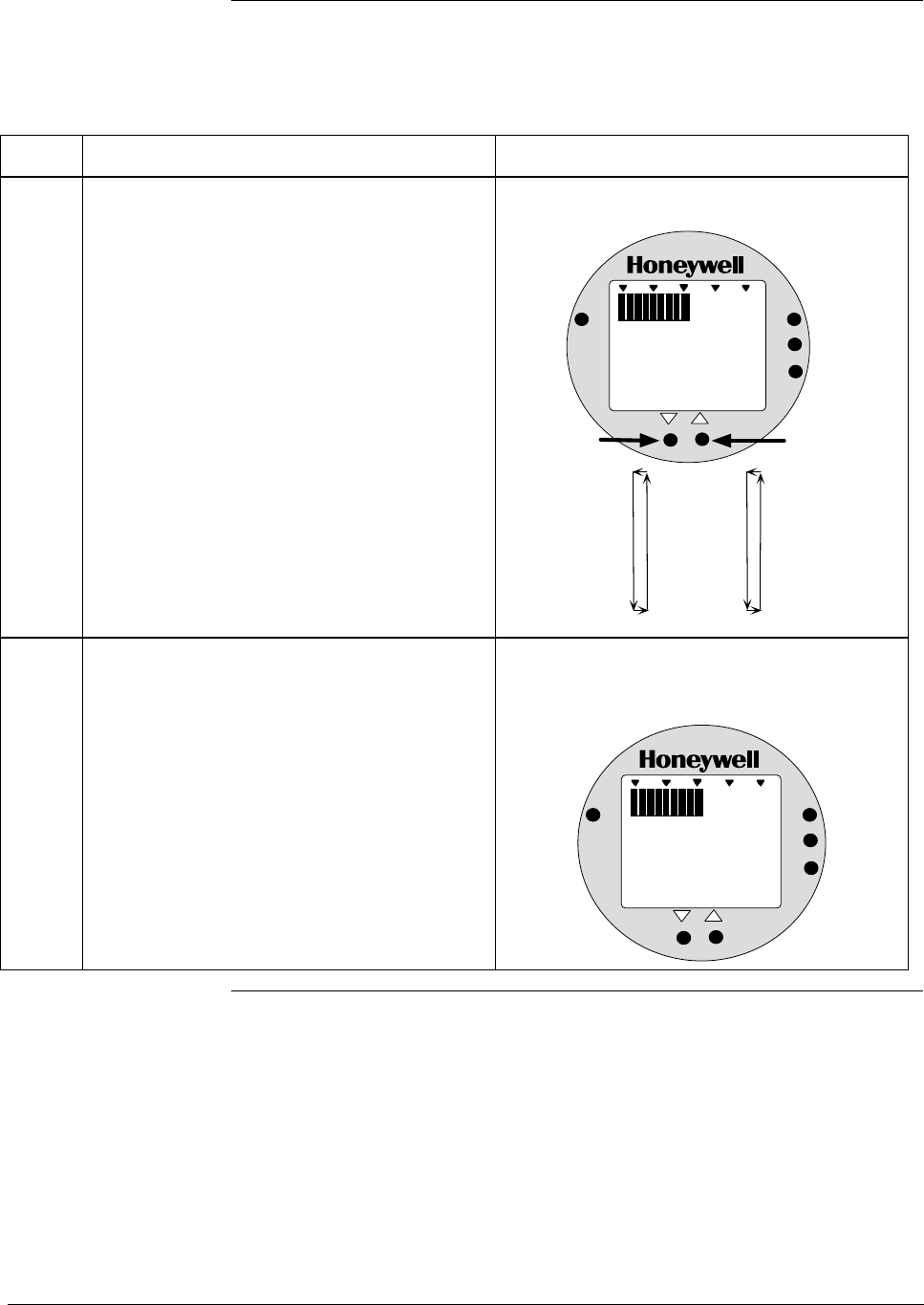
A.5 Configuring Smart Meter Using Pushbuttons, Continued
Setting Upper Display
Values, continued
Table A-8 Setting Upper Display Value for Smart Meter Display, continued
Step Action Meter Display
3 Press Increase button to call up next
available magnitude range selection or
Decrease button to call up previous
magnitude range selection.
NOTE: This action enables the multiplier (K)
for indicating larger ranges and shifts
the decimal point of the digital display
left or right depending on which button
is pushed. The display shows largest
positive number for given range
selection so you can select a range
that is just larger than the range to be
set for best display precision. Hold
respective key to scroll forward or
backward through the selections.
Repeat this action until desired selection is on
display. For example purposes only, largest
range 19990K is selected in this procedure.
Magnitude range selections with largest range
selected.
%
1000
ANALOG
UPPER
VALUE
UNITS
LOWER
VALUE
SET
VAR
SEL.
19.99
199.9
1999
19.99K*
199.9K*
1999K*
19990K*
Press and hold to
scroll forward
through selections
Press and hold to
scroll backward
through selections
*The "K" multiplier
indicator appears
below the digital
reading on the display.
K
19 9 9 0
4 Press UPPER VALUE button to initiate upper
value setting.
Readout goes blank except for first active digit
which will be 0 unless upper value was set
before.
%
1000
ANALOG
UPPER
VALUE
UNITS
LOWER
VALUE
SET
VAR
SEL.
K
00
Continued on next page
2/05 ST 3000 Release 300 Installation Guide
69
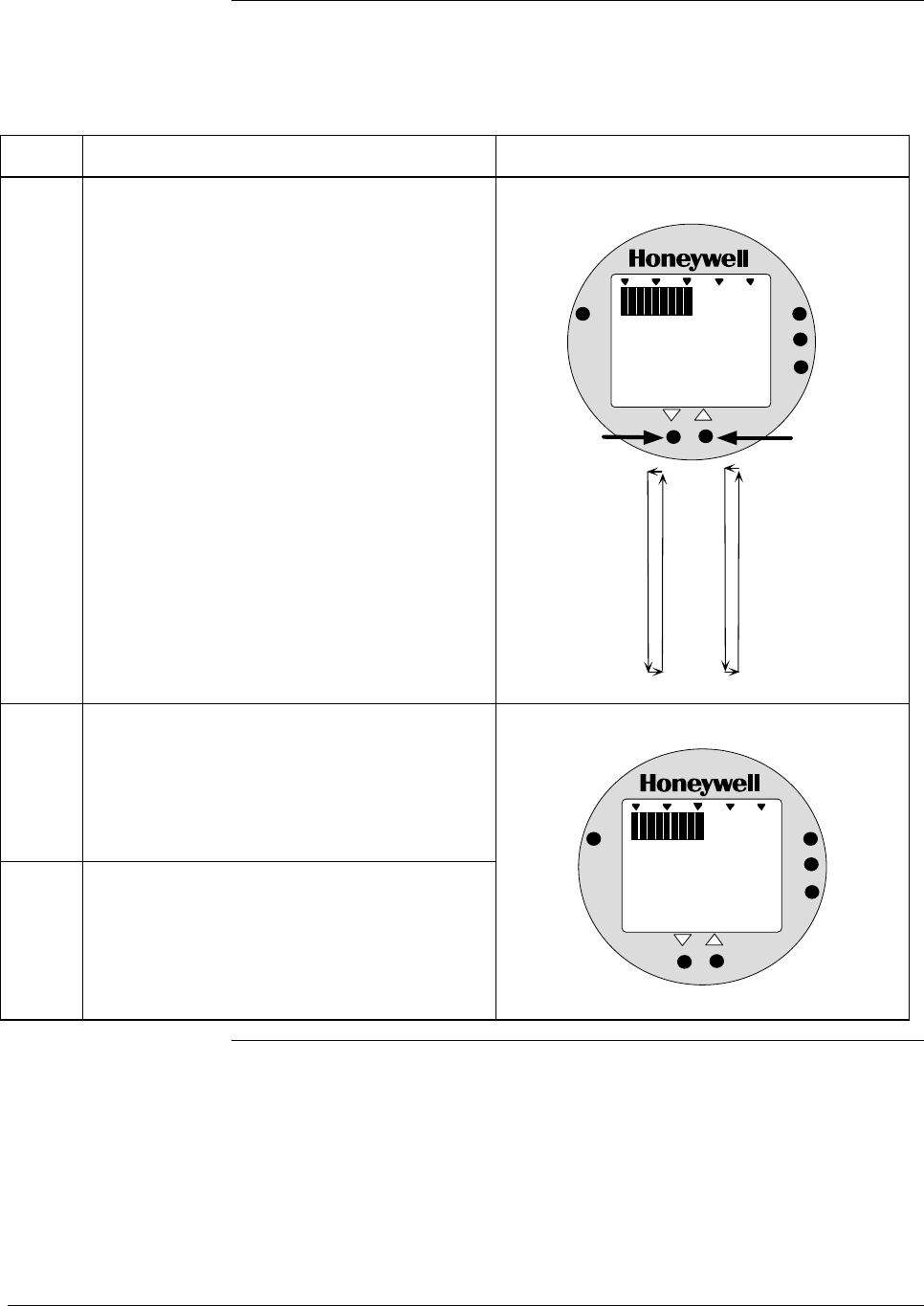
A.5 Configuring Smart Meter Using Pushbuttons, Continued
Setting Upper Display
Values, continued
Table A-8 Setting Upper Display Value for Smart Meter Display, continued
Step Action Meter Display
5 Press Increase button to select the next
available digit value or Decrease button to
select the previous digit value.
Repeat this action until desired value is on
display – use 9 for example purposes.
First digit value setting is set to 9.
%
1000
ANALOG
UPPER
VALUE
UNITS
LOWER
VALUE
SET
VAR
SEL.
K
90
0
1
2
3
4
5
6
7
8
9
Press and hold to
scroll forward
through values
Press and hold to
scroll backward
through values
6 Press UPPER VALUE button to lock-in first
digit and activate next active digit.
Readout now displays next active digit which
will be zero unless upper value was set
before.
7 Press Increase button to select the next
available digit value or Decrease button to
select the previous digit value.
Repeat this action until desired value is on
display.
%
1000
ANALOG
UPPER
VALUE
UNITS
LOWER
VALUE
SET
VAR
SEL.
K
090
Continued on next page
70 ST 3000 Release 300 Installation Guide 2/05
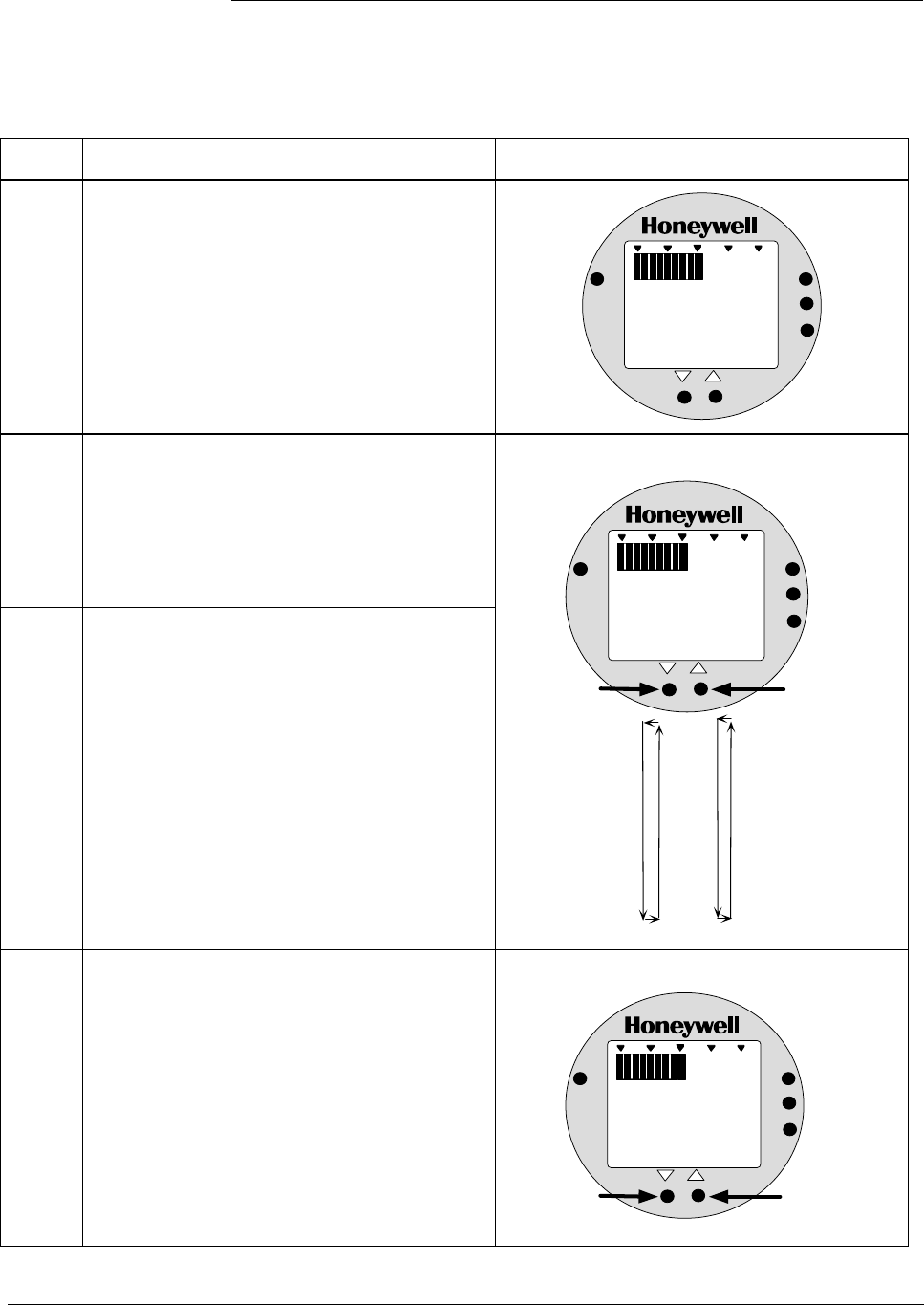
A.5 Configuring Smart Meter Using Pushbuttons, Continued
Setting Upper Display
Values, continued
Table A-8 Setting Upper Display Value for Smart Meter Display, continued
Step Action Meter Display
8 Press UPPER VALUE button to lock-in
second digit and activate next active digit.
Readout now displays next active digit which
will be zero unless upper value was set
before.
%
1000
ANALOG
UPPER
VALUE
UNITS
LOWER
VALUE
SET
VAR
SEL.
K
0990
9 Press Increase button to select the next
available digit value or Decrease button to
select the previous digit value.
Repeat this action until desired value is on
display – use 9 for example purposes.
10 Press UPPER VALUE button to lock-in third
digit and activate next active digit.
Readout now displays next active digit which
will be BLANK unless upper value was set to
1 before.
Next digit value setting is set to 9.
%
1000
ANALOG
UPPER
VALUE
UNITS
LOWER
VALUE
SET
VAR
SEL.
K
9990
0
1
2
3
4
5
6
7
8
9
Press and hold to
scroll forward
through values
Press and hold to
scroll backward
through values
11 Press Increase button to set digit to 1 or
Decrease button to set it to BLANK.
“1” digit value setting is set to 1.
%
1000
ANALOG
UPPER
VALUE
UNITS
LOWER
VALUE
SET
VAR
SEL.
K
9990
Press to set "1"
digit as 1
Press to set "1"
digit as BLANK
1
Continued on next page
2/05 ST 3000 Release 300 Installation Guide
71
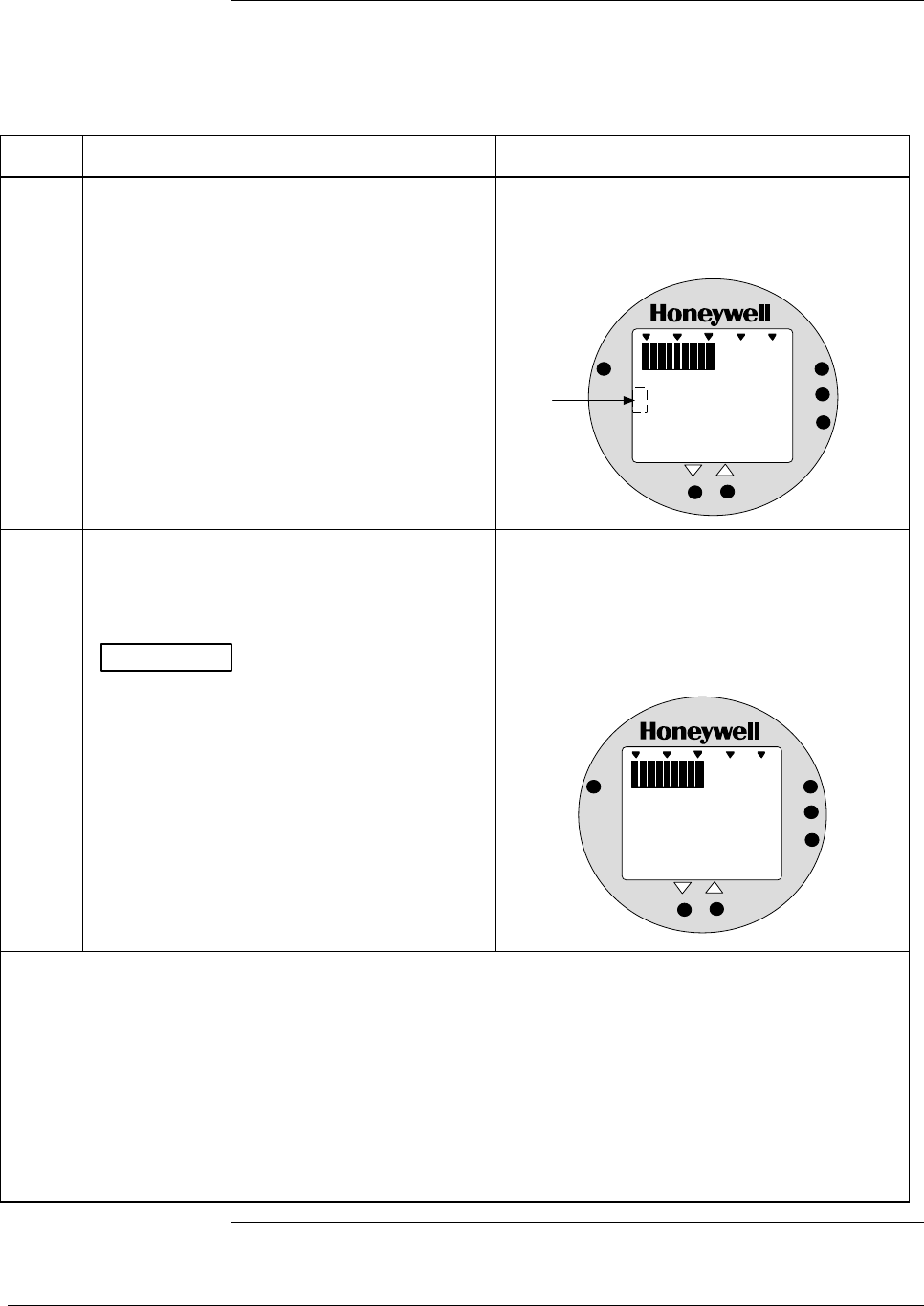
A.5 Configuring Smart Meter Using Pushbuttons, Continued
Setting Upper Display
Values, continued
Table A-8 Setting Upper Display Value for Smart Meter Display, continued
Step Action Meter Display
12 Press UPPER VALUE button to lock-in “1”
digit and activate sign segment.
13 Press Increase button to set sign segment
to minus sign for negative values or Decrease
button to set it to BLANK. for positive
values.
Readout now displays sign segment which
will be BLANK for positive values unless
upper value was set for negative (–) values
before.
%
1000
ANALOG
UPPER
VALUE
UNITS
LOWER
VALUE
SET
VAR
SEL.
K
99901
Sign segment
is BLANK for
positive values
and minus sign
for negative
values
14 Press UPPER VALUE button to lock in
current settings as upper display value and
return to previous display. Upper display limit
setting is now complete.
ATTENTION For CUSTOM unit in
transmitter with LINEAR output, you must set
both lower and upper display limits for values
to take effect. If you let either the lower or
upper display limit time out (after 30 seconds),
the meter discards both newly set values and
reverts back to the previously set values.
Display goes blank for a 1/2 second and
returns to display readout equal to 50%
output.
In this example, readout is 9, 990,000
CUSTOM unit for 50% display range of 0 to
19,990,000 CUSTOM for transmitter with
LINEAR output.
%
1000
ANALOG
UPPER
VALUE
UNITS
LOWER
VALUE
SET
VAR
SEL.
K
9990
• If you have not yet set the lower display limit value for CUSTOM unit in a transmitter configured for
LINEAR output mode, the meter automatically enters the lower display setting function after it
displays previously set value, if applicable. Go to Table A-7, Step 3.
• If you have already set the lower display limit value, this completes the lower and upper display limits
setting function for CUSTOM unit in a transmitter configured for LINEAR output mode. Meter returns
to normal operation.
• If you have just set the upper display limit for Flow unit or CUSTOM unit in a transmitter configured
for SQUARE ROOT output mode, this completes the limit setting function. Meter returns to normal
operation.
72 ST 3000 Release 300 Installation Guide 2/05

A.6 Configuring Smart Meter Using SFC
Using the SFC to
Configure the Smart
Meter Display
You can select an available engineering unit or enter a custom one
including upper and lower limit settings for the smart meter’s digital
readout using the SFC.
Transmitter Output
Conformity and Smart
Meter Configuration
Normally when using a differential type transmitter, you can select the
transmitter’s output to represent a straight linear calculation or a square
root calculation for flow measurement applications. This linear or
square root output parameter selection is called output conformity or
output form. (See ST 3000 User manual for more details.)
When configuring the smart meter to display the transmitter output
measurement, there are certain rules to keep in mind which are
dependent on the output conformity selection. These rules are described
in the following paragraphs.
1. The output conformity setting of the transmitter restricts the
engineering units you can select for the smart meter display.
• When the transmitter is configured for an output conformity of
LINEAR, you can select only pressure type engineering units.
(See Table 6.)
• When the transmitter is configured for an output conformity of
SQUARE ROOT, you can select only flow type engineering
units GPM and GPH.
• The percent and custom engineering units can be selected
regardless of output conformity configuration.
2. Additionally, the output conformity setting restricts the setting of the
lower and upper display limits to represent transmitter’s 0 to 100%
output.
• If you select pressure type engineering units, you cannot set the
lower or upper display limits. These values are automatically set
when you select the engineering units.
• You can set only the upper display limit when the transmitter is
configured for SQUARE ROOT output conformity. The lower
display limit is fixed at zero (0) for a transmitter in square root
mode and cannot be changed.
Continued on next page
2/05 ST 3000 Release 300 Installation Guide
73
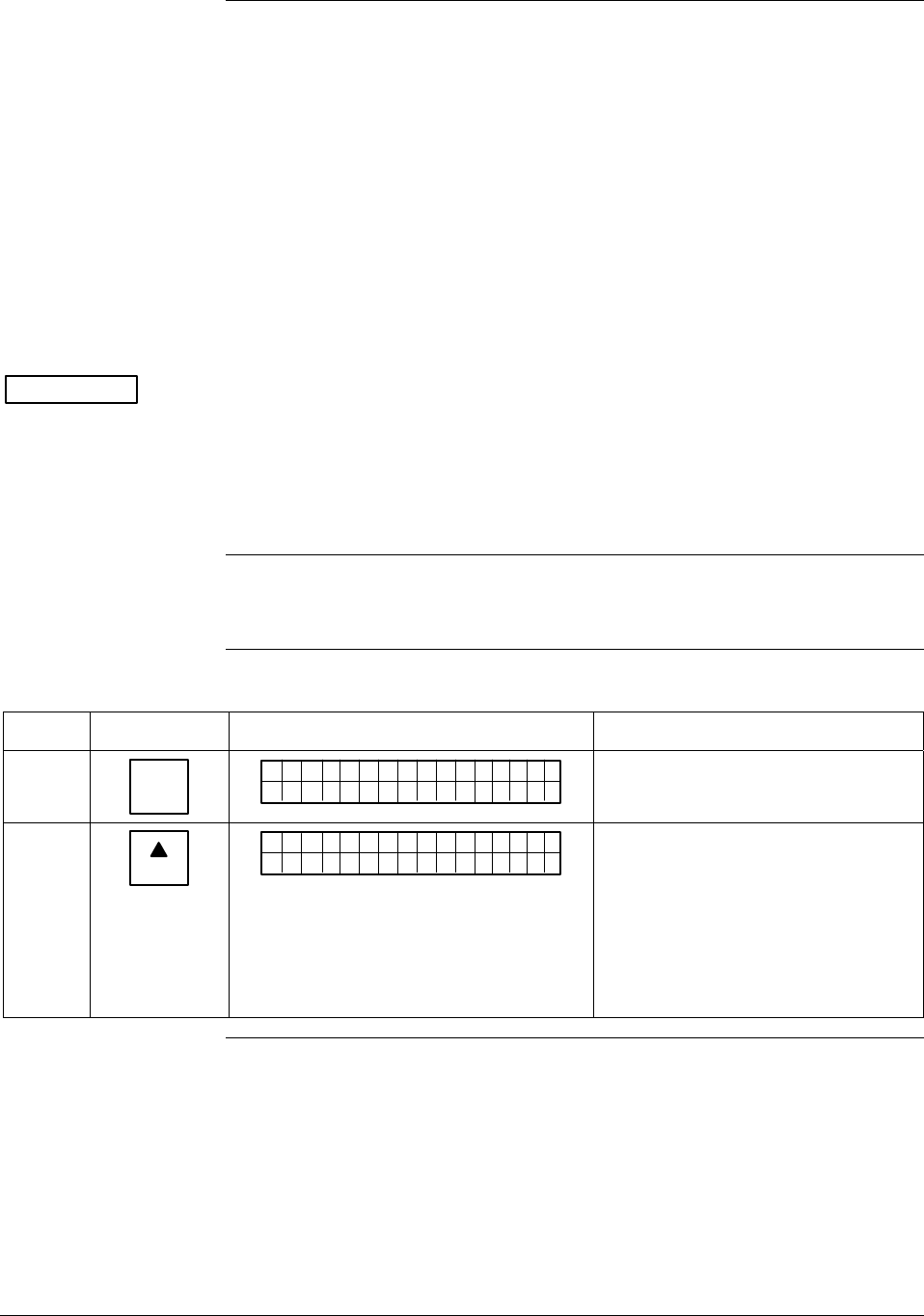
A.6 Configuring Smart Meter Using SFC, Continued
Transmitter Output
Conformity and Smart
Meter Configuration,
continued
• You can set both the lower and upper display limits when you
have selected custom engineering units (Custom) and the
transmitter output conformity is set to LINEAR.
When setting the lower and upper display limits, if you let either
the lower or upper display limit setting time out (after thirty
seconds), the meter will discard the newly set values and will
revert to its previous settings. The meter forces you to set both
limits by automatically initiating the next limit setting, either
lower or upper, depending upon which limit you set first.
3. If you change the transmitter’s output conformity, you must
reconfigure the smart meter as outlined in Table A-9.
ATTENTION After making any adjustments to the smart meter, keep the transmitter
powered for at least 30 seconds so that the new meter configuration is
written to non-volatile memory. If power is turned off before 30
seconds, the changes may not be saved so that when the transmitter
power is restored, the meter configuration will revert to the previous
settings.
Procedure The procedure in Table A-9 outlines the steps for setting up the
configuration for a smart meter using an SFC.
Table A-9 Setting Up Smart Meter Configuration Using an SFC
Step Press Key Read Display or Action Description
1 CONF
B
CONF I G
MON TFR IC?OY
ST
Calls up first configuration prompt.
2
NEXT
H
CONF I G
CMe ntr o ?ef
ST
ig
Calls up next configuration prompt.
Prompt asks if you want to access
meter configuration function. If you
want to access it, go to Step 3. If
you do not want to access it, press
[CLR] key to exit function or [▲ NEXT]
key to call up next configuration
parameter.
Continued on next page
74 ST 3000 Release 300 Installation Guide 2/05
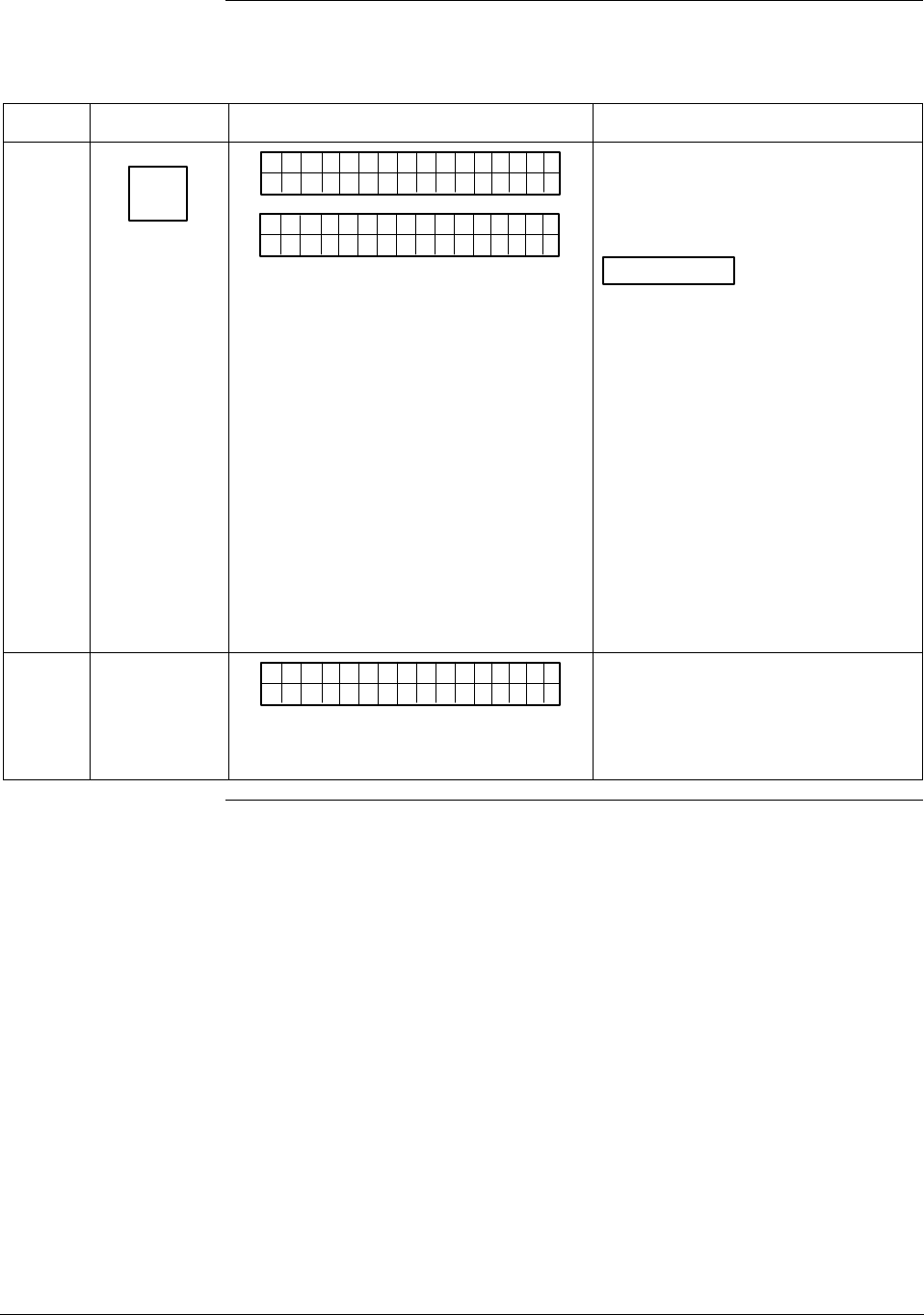
A.6 Configuring Smart Meter Using SFC, Continued
Procedure, continued
Table A-9 Setting Up Smart Meter Configuration Using an SFC, continued
Step Press Key Read Display or Action Description
3
ENTER
(YES)
NON-VOL
SCFO
WRK NI.G..
CMe ntr oef
ig
Pertsen
Me t re
CMe ntr oef
ig
Bd
Enters meter configuration function
and confirms that smart meter is
present. Timed prompt - Proceed to
Step 4.
ATTENTION If prompt “No Meter
Present” appears, prompt times out
in a few seconds, as described
above, and calls up the Configure
Meter? prompt. This means that
you can access the meter
configuration function without the
smart meter installed. Proceed to
Step 4. If prompt “Mtr not Supportd”
appears, prompt times out and
returns to previous ST CONFIG
prompt (See Step 2.). This means
that you are working with a pre-
release 300 transmitter that does
not support the smart meter option
and, therefore, can not access the
meter configuration function.
4
Cnoufig Me t re
CMe ntr oef
ig
re ?
Prompt asks if you want to configure
Smart Meter. If you want to
configure it, go to Step 5. If you do
not want to configure it, press [CLR]
key to exit function.
Continued on next page
2/05 ST 3000 Release 300 Installation Guide
75
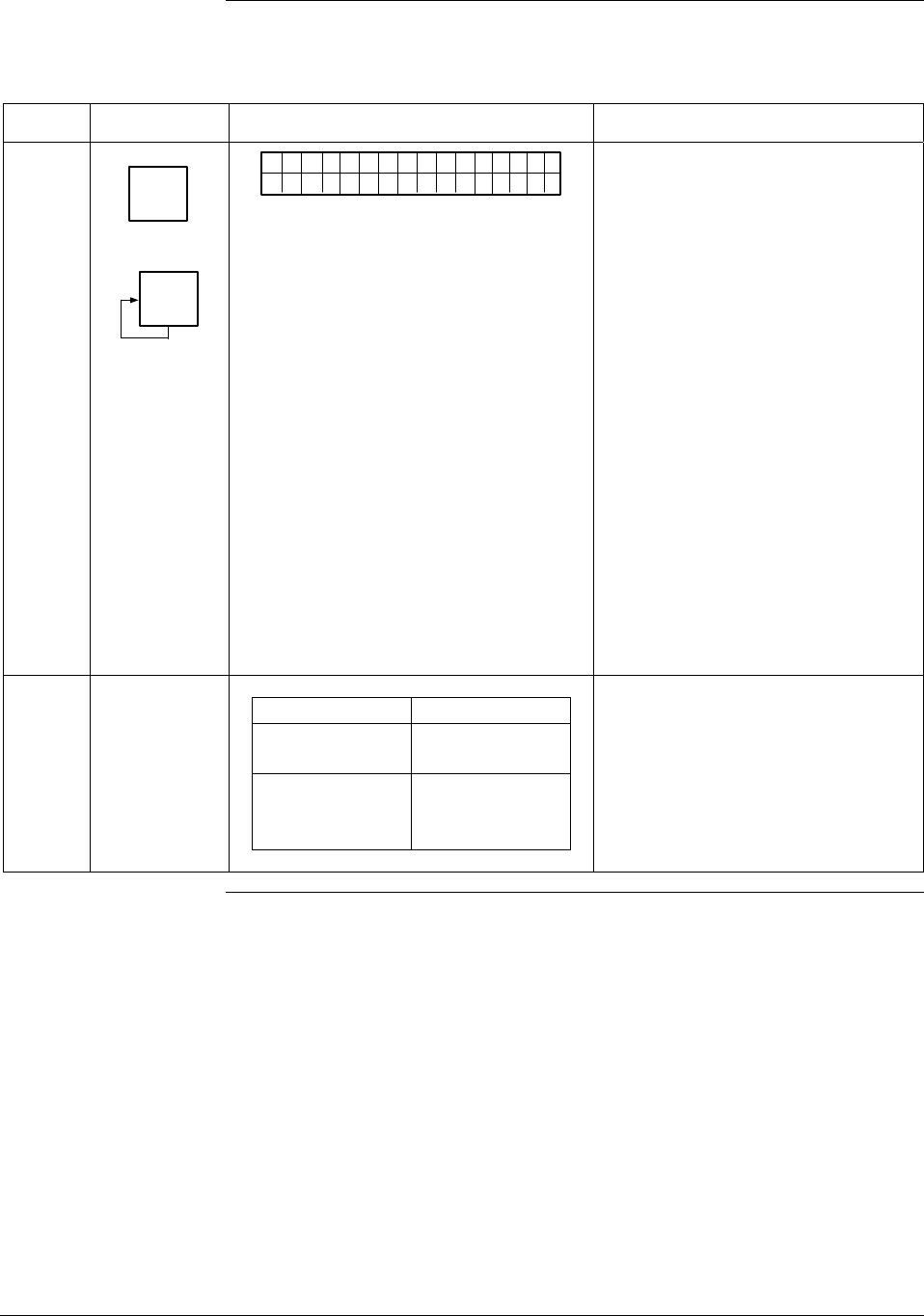
A.6 Configuring Smart Meter Using SFC, Continued
Procedure, continued
Table A-9 Setting Up Smart Meter Configuration Using an SFC, continued
Step Press Key Read Display or Action Description
5
ENTER
(YES)
NON-VOL
MENU
ITEM
I
DECONF
"2H9O_3
EMe gtr neU
ni
F
ts
MmHg_0C
PSI
KPa
MPa
mBAR
BAR
g/cm^2
Kg/cm^2
mmH2O_4C
inHg_32F
mH2O_4C
GPM
GPH
Custom
%
Calls up present meter Engineering
Unit selection. (Note that unit
“H2O_39F is shown for example
purposes only.)
Repeatedly press [MENU ITEM] key to
step through other selections. For
example purposes, stop when PSI
unit is on display.
6
If EU is … Then…
Custom, GPM, go to Step 7.
or GPH
other than go to Step 13.
Custom, GPM,
or GPH
Continued on next page
76 ST 3000 Release 300 Installation Guide 2/05
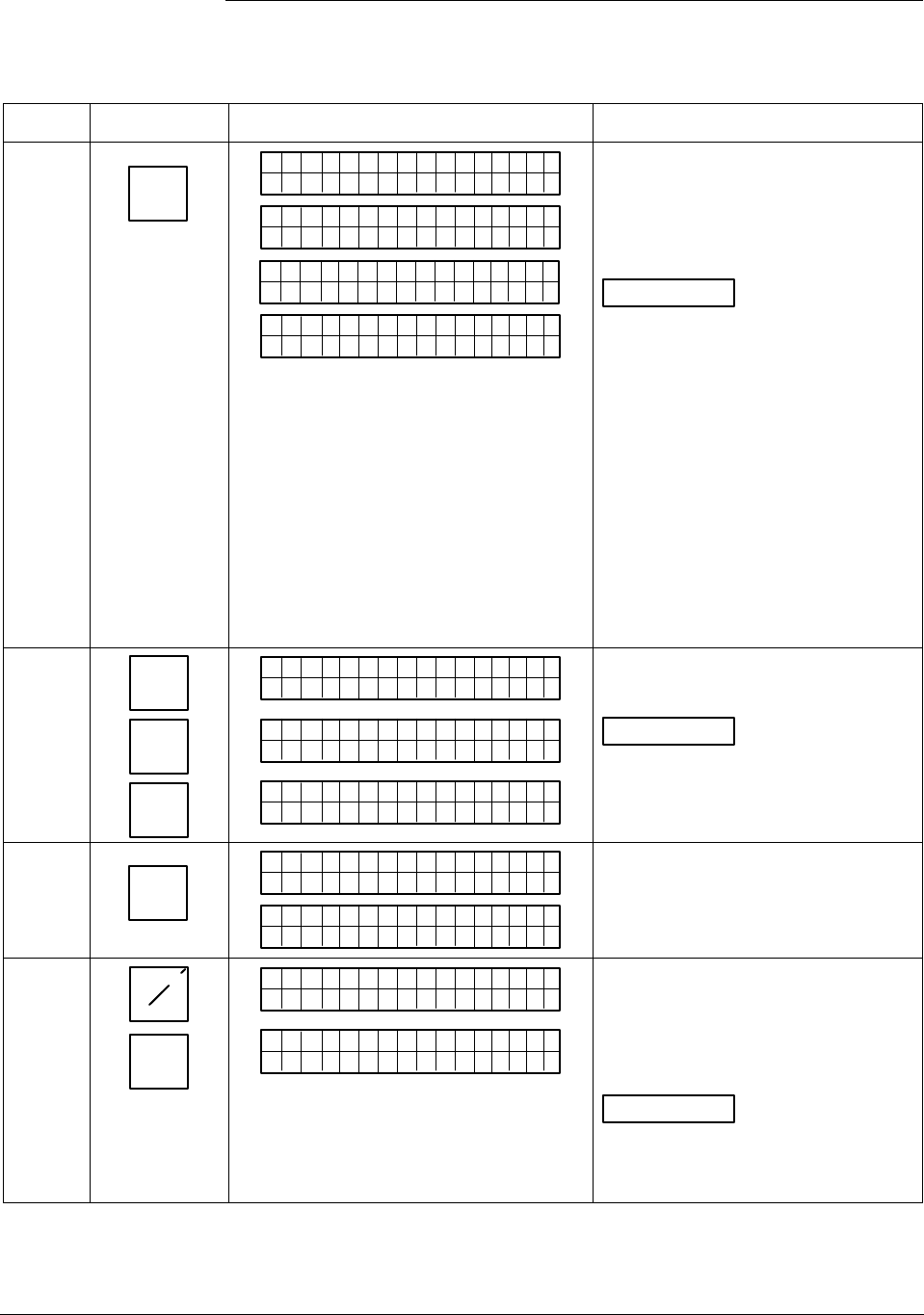
A.6 Configuring Smart Meter Using SFC, Continued
Procedure, continued
Table A-9 Setting Up Smart Meter Configuration Using an SFC, continued
Step Press Key Read Display or Action Description
7
ENTER
(YES)
NON-VOL
SCFO
W
EMe gtr neU
ni
R
ts
KNI.G..
Dtao
D
EMe gtr neU
ni ts
wn oleadd
a
SCFO
W
EH
i-oLgnU
ni
R
ts
KNI.G..
R>N
A
EHi CUu
st
G
om
E
Selected engineering unit is
downloaded to transmitter and
high/low display limit setting function
is initiated. (Note that Custom unit is
shown for example purposes only.)
ATTENTION If you select GPM
or GPH unit with the transmitter in its
LINEAR mode, the prompts
“INVALID REQUEST”, “Download
Error”, and “MtrNotInFlowMode” are
sequentially displayed after the SFC
WORKING. . . prompt and display
returns to the Configure Meter
prompt. Transmitter must be in its
SQUARE ROOT (Flow) mode for
GPM or GPH to be a valid unit
selection.
Press [ PREV] key , if you want to
view present high and low display
limits loaded in the transmitter.
8 5
S
2
W
5
S
_
5
EHi CUu
st
om
25
EH
iCUu
st
om
_
25
EHi CUu
st
om
5_
Key in 525 as upper display limit for
Custom unit.
ATTENTION The display range
of the meter is ±19,990,000. If you
enter larger values, they will not be
displayed.
9
ENTER
(YES)
NON-VOL
EHi CUu
st
om
ETNR
EED NIFCS
R>N
A
ELo CUu
st
G
om
E
Enters upper display limit in SFC
and calls up lower display limit
setting.
10 +_
5
S
-
ELo CUu
st
om
_
-
ELo CUu
st
om
5_
Key in –5 as lower display limit for
Custom unit in transmitter
configured for LINEAR output mode.
(Note that lower limit value is
referenced to configured LRV.)
ATTENTION Zero (0) is only
valid entry for GPM or GPH unit, or
CUSTOM unit with transmitter in
SQUARE ROOT output mode.
Continued on next page
2/05 ST 3000 Release 300 Installation Guide
77
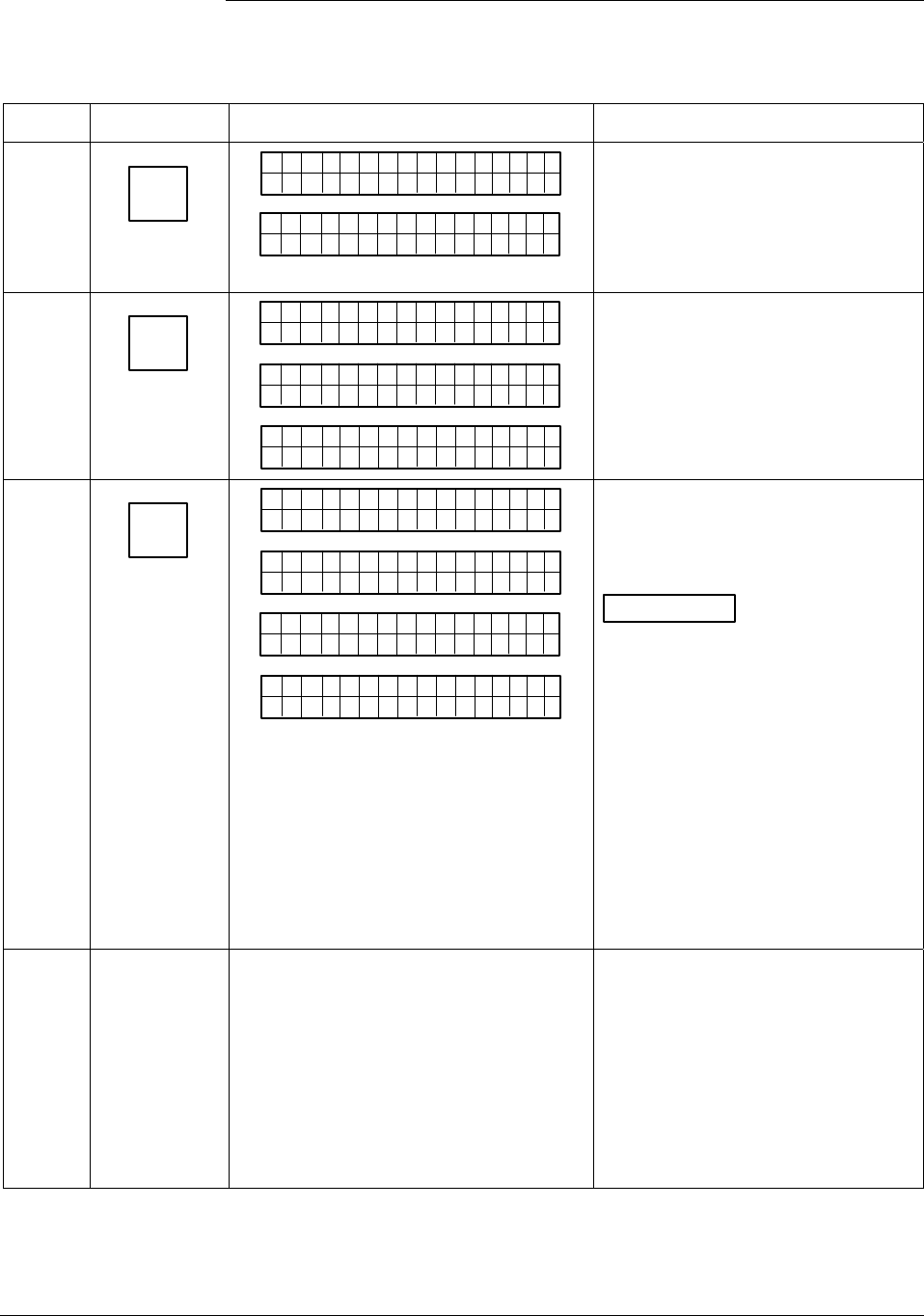
A.6 Configuring Smart Meter Using SFC, Continued
Procedure, continued
Table A-9 Setting Up Smart Meter Configuration Using an SFC, continued
Step Press Key Read Display or Action Description
11
ENTER
(YES)
NON-VOL
ELo CUu
st
om
ETNR
EED NIFCS
ETNR
E
ELgnU
ni ts
CH NASG?E
Hi-o
Enters lower display limit in SFC
and prompt asks if you want to enter
changes in transmitter. If you want
to enter changes, go to Step 12. If
you do not want to enter changes,
press [CLR] key to exit function.
12
ENTER
(YES)
NON-VOL
SCFO
W
Ei-oLgnU
ni
R
ts
KNI.G..
H
Dtao
Dwn oleadd
a
ELgnU
ni ts Hi-o
Cnoufig Me t re
CMe ntr oef
ig
re ?
Downloads changes to transmitter
and returns to Configure Meter?
prompt. Press [CLR] key to return to
ST CONFIG menu. Skip Step 13.
13
ENTER
(YES)
NON-VOL
SCFO
W
EMe gtr neU
ni
R
ts
KNI.G..
Dtao
D
EMe gtr neU
ni ts
wn oleadd
a
MrtI
t
EMe gtr neU
ni
n
ts
FolowdM
No e
Cnoufig Me t re
CMe ntr oef
ig
re ?
Downloads selected pressure
engineering unit to transmitter.
Press [CLR] key to return to ST
CONFIG menu.
ATTENTION If you select a
pressure unit with the transmitter in
its SQUARE ROOT (Flow) mode,
the prompts “INVALID REQUEST”
and “Download Error” are
sequentially displayed after the SFC
WORKING. . . prompt and the EU Hi
prompt is called up for display. At
this point, you can change the upper
display limit as shown in Step 8 or
press the [ NEXT] key to call up the
EU Lo prompt. See Step 10 to
change the lower display limit or
press the [ NEXT] key and then the
[CLR] key to exit the function.
14 If you selected one of these engineering
units: %,
inH2O,
mmHg,
PSI,
GPM, or
GPH;
verify that corresponding unit indicator is
lit on Smart Meter display.
If selected engineering unit does not
match one of six unit indicators on
meter, you can use a stick-on label
from Honeywell drawing 30756918-
001. Just peel off matching
engineering unit label from drawing
and carefully paste it in lower right
hand corner of display.
Continued on next page
78 ST 3000 Release 300 Installation Guide 2/05

A.7 Configuring Smart Meter Using SCT 3000
Using the SCT to
Configure Smart
Meter Display
You can select an available engineering unit or enter a custom one
including upper and lower limit settings for the smart meter’s digital
readout using the SCT 3000.
To configure the smart meter using the SCT, click on the Local Meter
tab in the ST 3000 device window. Use the information fields on the tab
to select and enter the engineering unit and lower and upper display
limits, if applicable. Refer to the SCT on-line User Manual for more
information on smart meter set up using the SCT.
ATTENTION The same rules apply for meter set up and the transmitter’s output
conformity selection. See “Transmitter Output Conformity and Smart
Meter Configuration” in Subsection A.6 for details and restrictions.
The smart meter does not have to be installed for you to configure it
through the SCT.
2/05 ST 3000 Release 300 Installation Guide
79
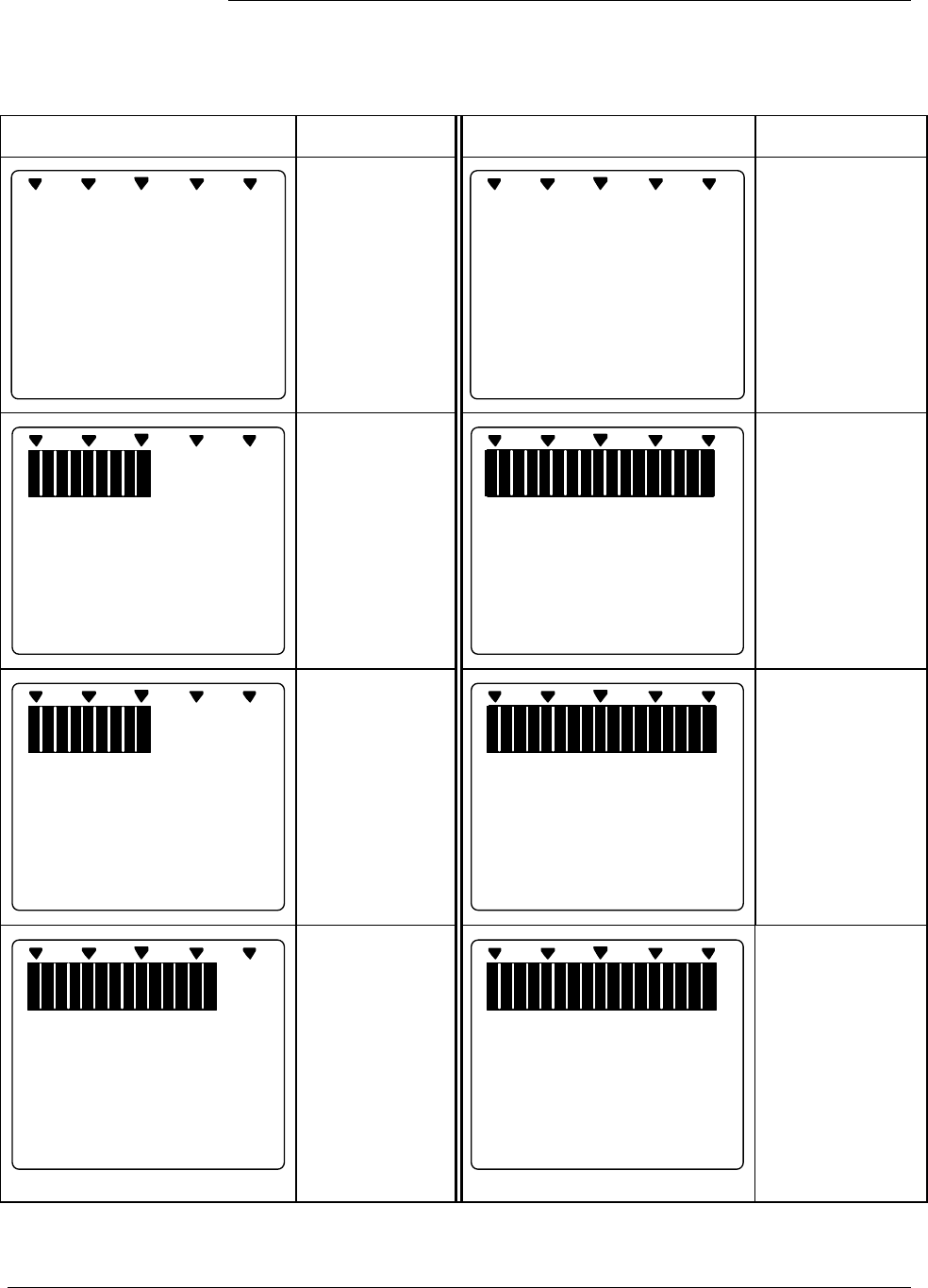
A.8 Typical Smart Meter Indications
Typical operation
indications
Table A-10 summarizes typical smart indications. meter Note that other
combinations of status messages are possible.
Table A-10 Summary of Typical Smart Meter Indications.
Meter Indication What It Means Meter Indication What It Means
%
100
0
No power
applied.
%
100
0
---
Meter has
detected
transmitter output
that is not-a-
number.
%
100
0
20
ANALOG In H O
2
0
Normal display
for transmitter in
Analog mode
with digital
readout in
inches of water.
%
100
0
O
-
L
K
GPM
Display range is
Over Limit. Upper
value is
19,990,000 and
transmitter output
is over 100%.
%
1000
FLOW
GPM
K
9990
Normal display
for transmitter in
DE mode and
square root
output. Digital
readout is
gallons per
minute with
1000 multiplier.
%
100
0
100
.
0
%
OUTPUT MODE
Transmitter is in
output mode.
Bargraph and
readout show
value that was
entered through
SCT or SFC.
%
100
0
77
.
9
%
CHECK STATUS
Transmitter in
DE mode is in
non-critical
status.
Displayed value
may not be valid.
If display is “- - -”
instead of a
value,
transmitter is in
critical status.
%
100
0
200
.
0
%
Input pressure
equal to or
greater than
200%. Display
flashes between
200% (or twice
current URV in
EU) and O-L.
Transmitter locks
output at 200%
and will go no
higher regardless
of input.
Continued on next page
80 ST 3000 Release 300 Installation Guide 2/05
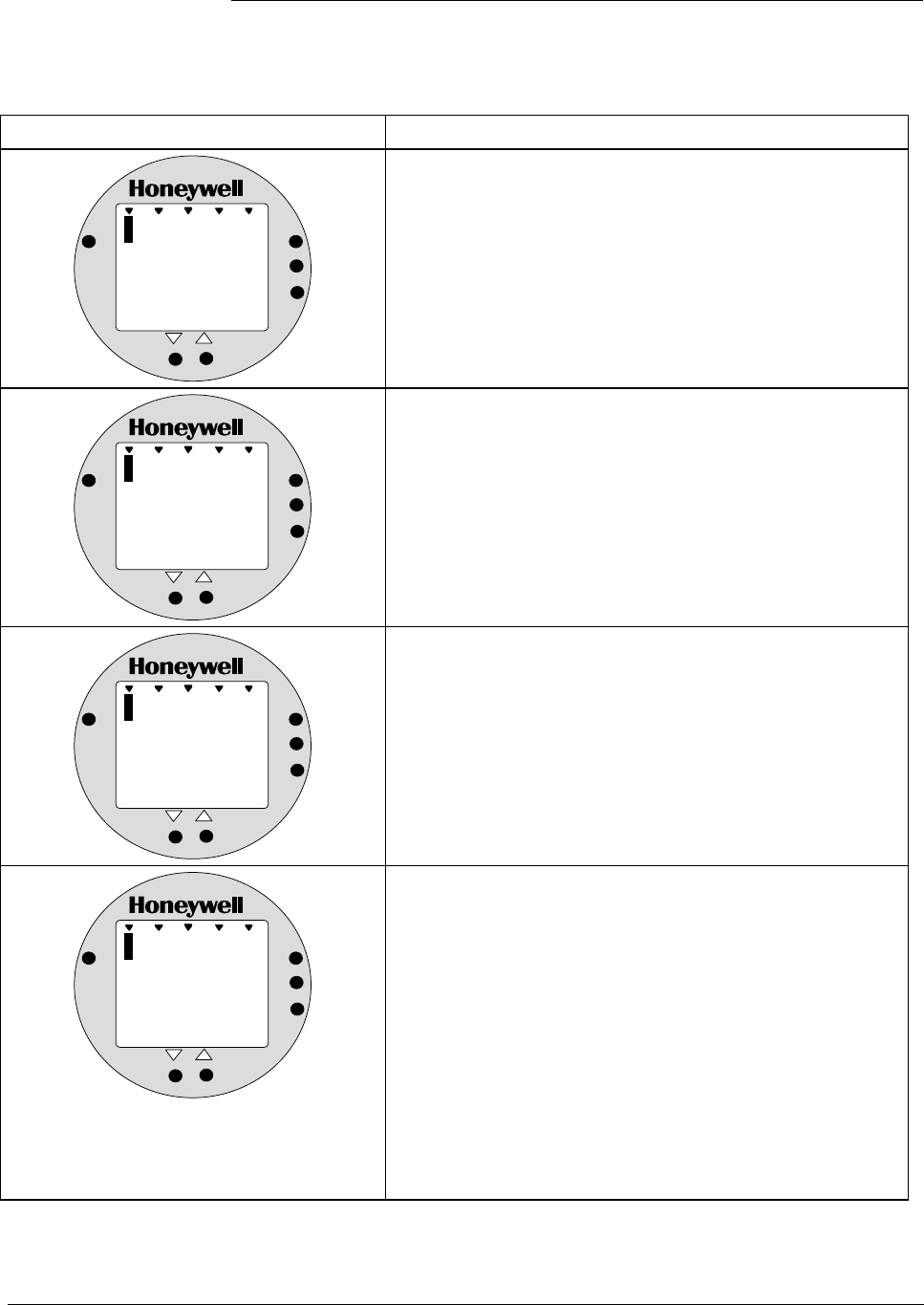
A.8 Typical Smart Meter Indications, Continued
Operation error codes Table A-11 identifies possible meter error codes and what they mean.
Table A-11 Smart Meter Error Codes and Descriptions.
If error indication is . . . Then, it means
%
1000
Er
ANALOG
%
0
UPPER
VALUE
UNIT S
LOWER
VALUE
SET
VAR
SEL.
You have tried to set local Zero or Span adjustment in a
Series 100 transmitter that does not support this option.
%
1000
Er
ANALOG
%
1
UPPER
VALUE
UNIT S
LOWER
VALUE
SET
VAR
SEL.
You have tried to set a pressure type engineering unit for a
transmitter in SQUARE ROOT mode (FLOW) or have tried
to set a flow type engineering unit for a transmitter in
LINEAR mode (pressure). After this error is displayed, the
meter will return to the unit # (EU#) of the Engineering Unit
it was displaying before the set function was invoked. You
may then select another unit or exit in the normal fashion.
%
1000
Er
ANALOG
%
2
UPPER
VALUE
UNIT S
LOWER
VALUE
SET
VAR
SEL.
You have tried to select a process variable for the
transmitter using the VAR SEL. button. The Variable Select
button is non-functioning on the ST 3000 R300 transmitter.
%
1000
Er
ANALOG
%
3
UPPER
VALUE
UNIT S
LOWER
VALUE
SET
VAR
SEL.
You have tried to set Lower or Upper display limit for
pressure type engineering units (EU1 to EUC), or Lower
display limit for flow type engineering units (EUD,EUE) or
CUSTOM unit (EUF) in transmitter configured for SQUARE
ROOT output. Or, you have tried to set upper display limit
for flow or Custom unit in transmitter with SQUARE ROOT
output and URV set to zero (0). In SQUARE ROOT mode,
the transmitter’s URV cannot equal zero. The Lower and
Upper display limits only apply for CUSTOM (EUF) unit in
transmitter configured for LINEAR output. The Upper
display limit also applies for FLOW (EUD,EUE) and
CUSTOM (EUF) units with transmitter in SQUARE ROOT
mode , but the Lower display limit is fixed at zero (0) and
cannot be changed.
Continued on next page
2/05 ST 3000 Release 300 Installation Guide
81
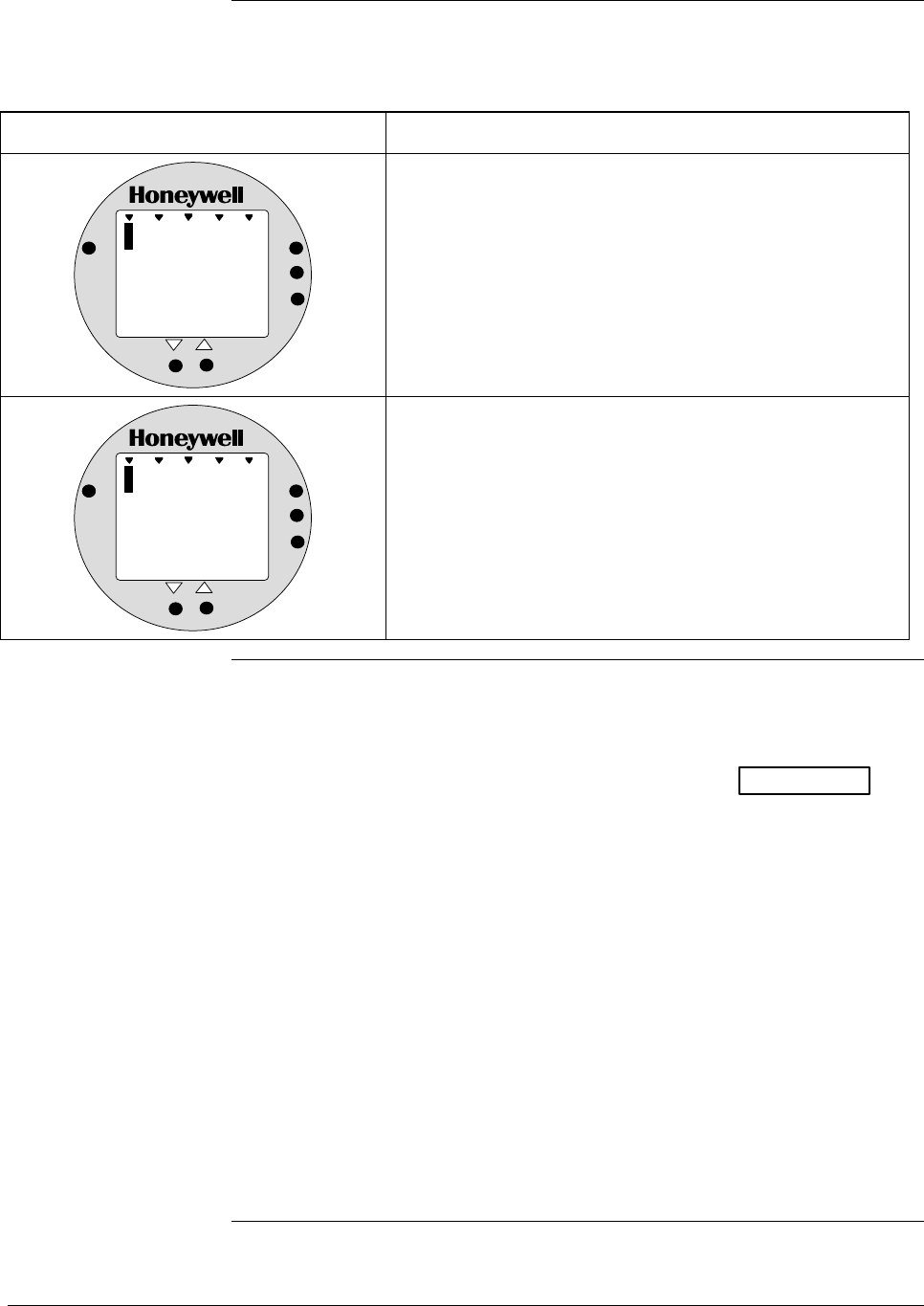
A.8 Typical Smart Meter Indications, Continued
Operation error codes,
continued
Table A-11 Smart Meter Error Codes and Descriptions, continued.
If error indication is . . . Then, it means
%
1000
Er
ANALOG
%
4
UPPER
VALUE
UNIT S
LOWER
VALUE
SET
VAR
SEL.
You have tried to set a span value that is outside
acceptable limits for your transmitter.
%
1000
Er
ANALOG
%
5
UPPER
VALUE
UNIT S
LOWER
VALUE
SET
VAR
SEL.
You have tried to invoke a smart meter set function with
the transmitter’s Write Protect jumper in its Read Only
position. You cannot make changes in the smart meter
settings when the transmitter’s configuration is write
protected.
Meter/transmitter
interaction • Cycling transmitter power OFF/ON will have no affect on meter
configuration. The meter digital readout will be in the previously set
engineering units and applicable upper and lower display limits will
be intact when transmitter power is restored. (See ATTENTION in
Subsection A.4 when setting range values and configuring the meter
display.)
• If you switch the transmitter mode from Analog to DE, the
ANALOG indicator on the meter will go out. If you switch from DE
to Analog mode, the ANALOG indicator will light.
• If you reconfigure the transmitter output conformity from SQUARE
ROOT to LINEAR, the meter’s digital readout will automatically
revert to the default engineering unit of percent and the FLOW
indicator will go out when the change is downloaded to the
transmitter. Likewise, if you reconfigure the transmitter output
conformity from LINEAR to SQUARE ROOT, the meter’s digital
readout will automatically revert to the default engineering unit of
percent and the FLOW indicator will light when the change is
downloaded to the transmitter. In either case, you must reconfigure
the transmitter as outlined in Subsections A.5 or A.6 of this manual.
82 ST 3000 Release 300 Installation Guide 2/05
Appendix B —Hazardous Locations Reference
Reference
Information
Information is provided to clarify the Hazardous Location installation
requirements in North America and internationally. An explanaition of
the applicalbel enclosure classification systems is also provided.
B.1 North American Classification of Hazardous Locations
Electrical Codes Installation of electrical apparatus within hazardous (classified)
locations of the United States is conducted under the provisions of the
National Electrical Code (NEC), ANSI/NFPA 70, Article 500; and
within Canada, under the provisions of the Canadian Electrical Code
(CEC) C22.1, Part 1, Section 18.
Classifications In both the United States and Canada, hazardous locations are classified
into one of these three classes.
Class Description of Hazardous Location
I Presence of flammable gases or vapors may be present in
quantities sufficient to produce explosive or ignitable mixtures.
II Presence of combustible dusts, powders or grains.
III Presence of easily ignitable fibers or flyings.
Divisions The classes listed above are further classified into one of the following
divisions based upon the level of risk present.
Division Description of Risk
1 Locations in which hazardous concentrations of flammable gases
or vapors, or combustible dust in suspension are continuously,
intermittently or periodically present under normal operating
conditions.
2 Locations in which flammable gases or vapors are present, but
normally confined within closed containers or systems from which
they can escape only under abnormal or fault conditions.
Combustible dusts are not normally in suspension nor likely to be
thrown into suspension.
Continued on next page
2/05 ST 3000 Release 300 Installation Guide
83
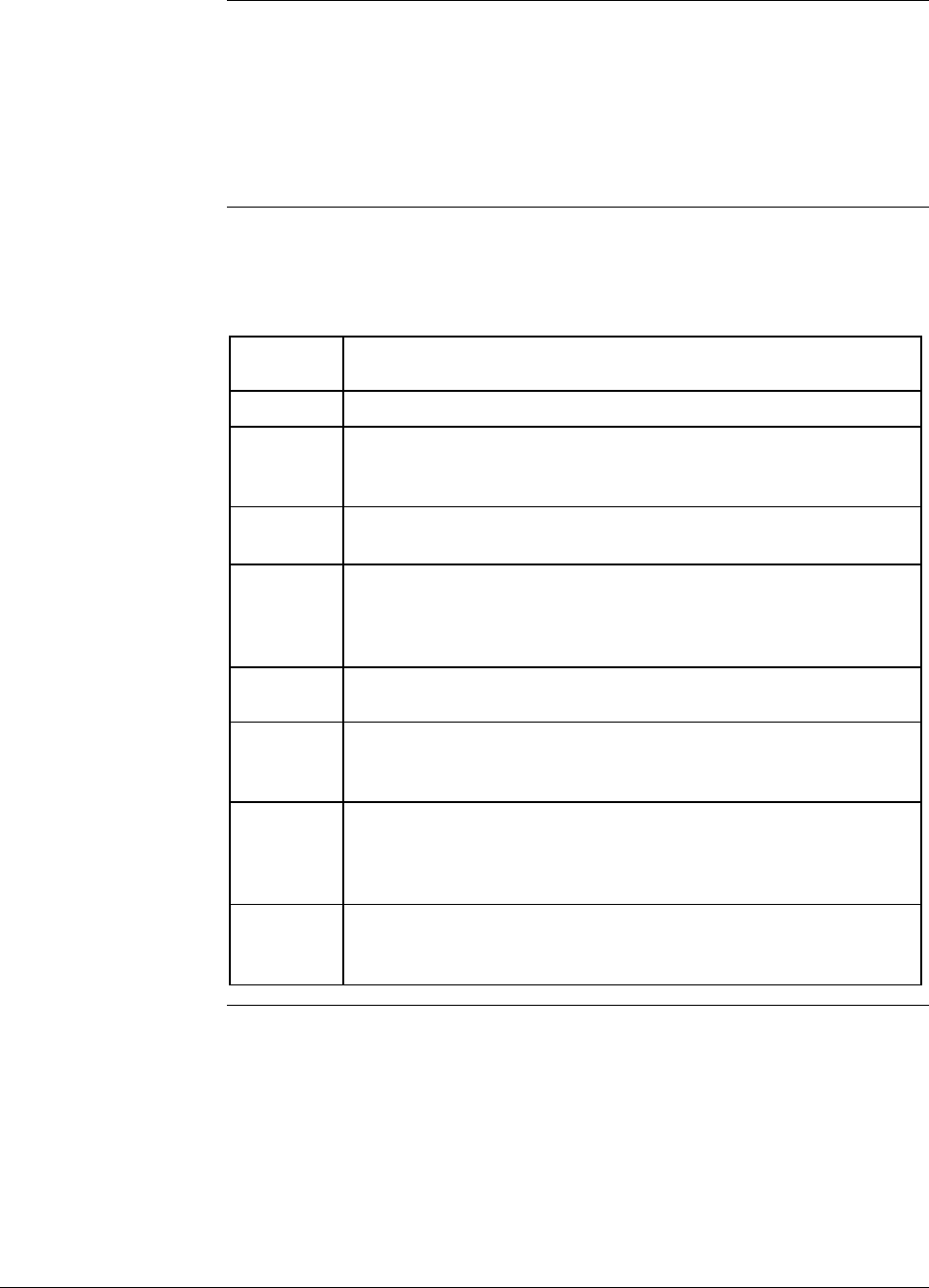
B.1 North American Classification of Hazardous
Locations, Continued
Examples Given the above criteria, the following examples are made:
• A Class III, Division 1 location is a location in which easily
ignitable fibers or material processing combustible flyings are
handled, manufactured or used.
• A Class III, Division 2 location is a location in which easily
ignitable fibers are stored or handled.
Groups Flammable gases, vapors and ignitable dusts, fibers and flyings are
classified into one of the following groups according to the energy
required to ignite the most easily-ignitable mixture within air.
Class I
Group
Description of Atmosphere
A Atmospheres containing acetylene.
B Atmospheres containing hydrogen, fuel and combustible
process gases containing more than 30 percent hydrogen by
volume, or gases or vapors of equivalent hazard
C Atmospheres such as ethyl ether, ethylene, or gasses or vapors
of equivalent hazard.
D Atmospheres such as acetone, ammonia, benzene, butane,
cyclopropane, ethanol, gasoline, hexane, methanol, methane,
natural gas, naphtha, propane or gases or vapors of equivalent
hazard.
Class II
Group
Description
E Atmospheres containing combustible metal dusts including
aluminum, magnesium, and their commercial alloys, and other
metals of similarly hazardous characteristics.
F Atmospheres containing combustible carbonaceous dusts
including carbon black, charcoal, coal or other dusts that have
been sensitized by other materials so that they present an
explosion hazard.
G Atmospheres containing combustible dusts not included in
Group E or F, including flour wood, grain, and other dusts of
similarly hazardous characteristics.
84 ST 3000 Release 300 Installation Guide 2/05
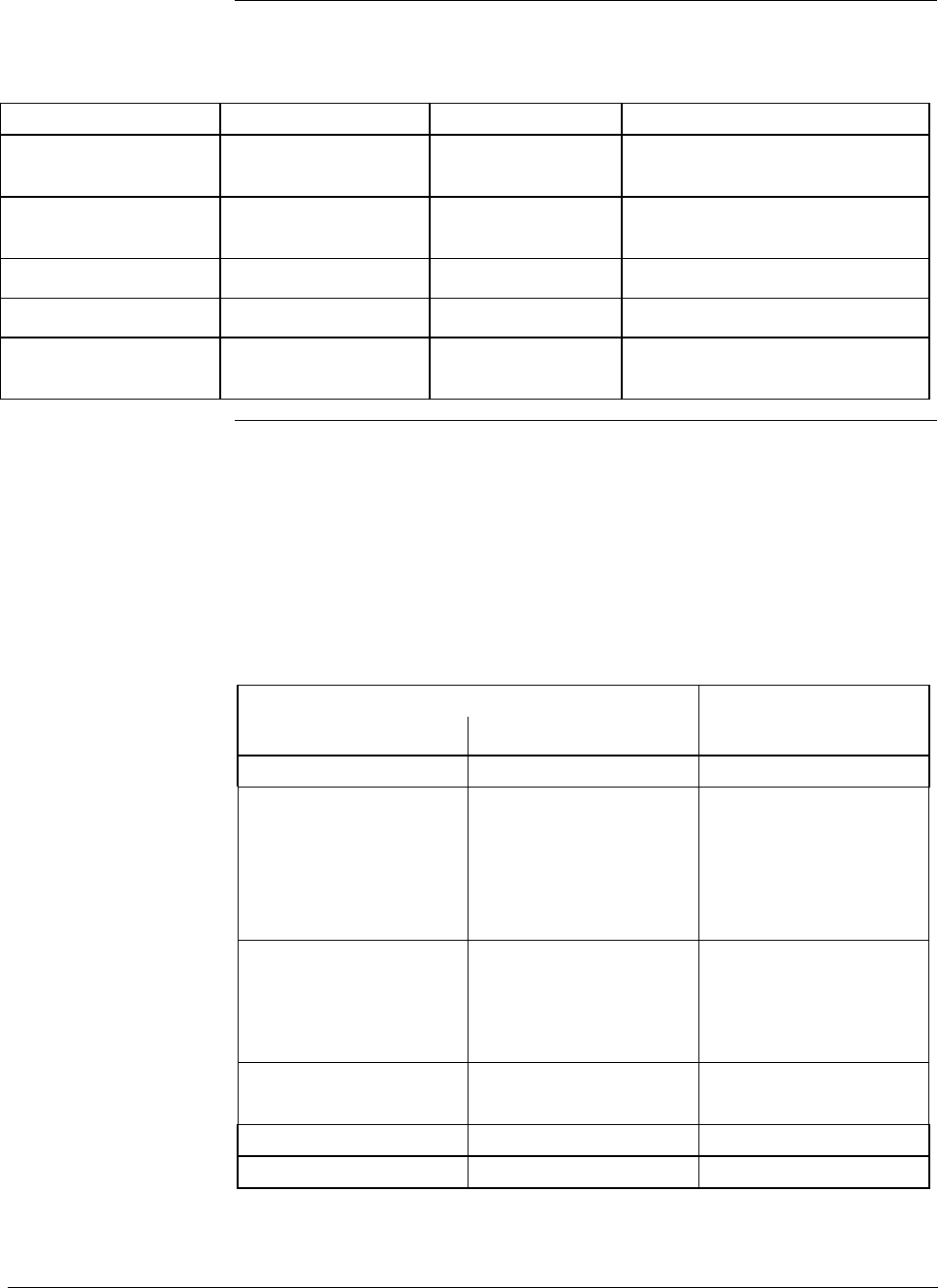
B.1 North American Classification of Hazardous
Locations, Continued
Methods of Protection The following table summarizes available methods of protection for use
in given locations.
Protection Concept Designation Permitted Use Principle
Explosionproof XP Division 1 & 2 Contains explosion and
quenches flame.
Intrinsic Safety IS Division 1 & 2 Limit energy of sparks under
normal and fault conditions.
Pressurized Type X and Y Division 1 Keeps flammable gas out.
Pressurized Type Z Division 2 Keeps flammable gas out.
Nonincendive NI Division 2 No arcs, sparks or hot surfaces
under normal conditions
Temperature
Classification
Equipment intended for installation directly within the hazardous
location classification must also be classified for the maximum surface
temperature that can be generated under normal or fault conditions as
referenced to either 40°C (104°F) or the maximum operating ambient of
the equipment (whichever is greater). The maximum surface
temperature must be less than the minimum autoignition temperature of
the hazardous atmosphere present. The temperature shall be indicated in
identification numbers as listed in the following table.
Maximum Temperature
Degrees C Degrees F Identification Number
450 842 T1
300 572 T2
280 536 T2A
260 500 T2B
230 446 T2C
215 419 T2D
200 392 T3
180 356 T3A
165 329 T3B
160 320 T3C
135 275 T4
120 248 T4A
100 212 T5
85 185 T6
Continued on next page
2/05 ST 3000 Release 300 Installation Guide
85
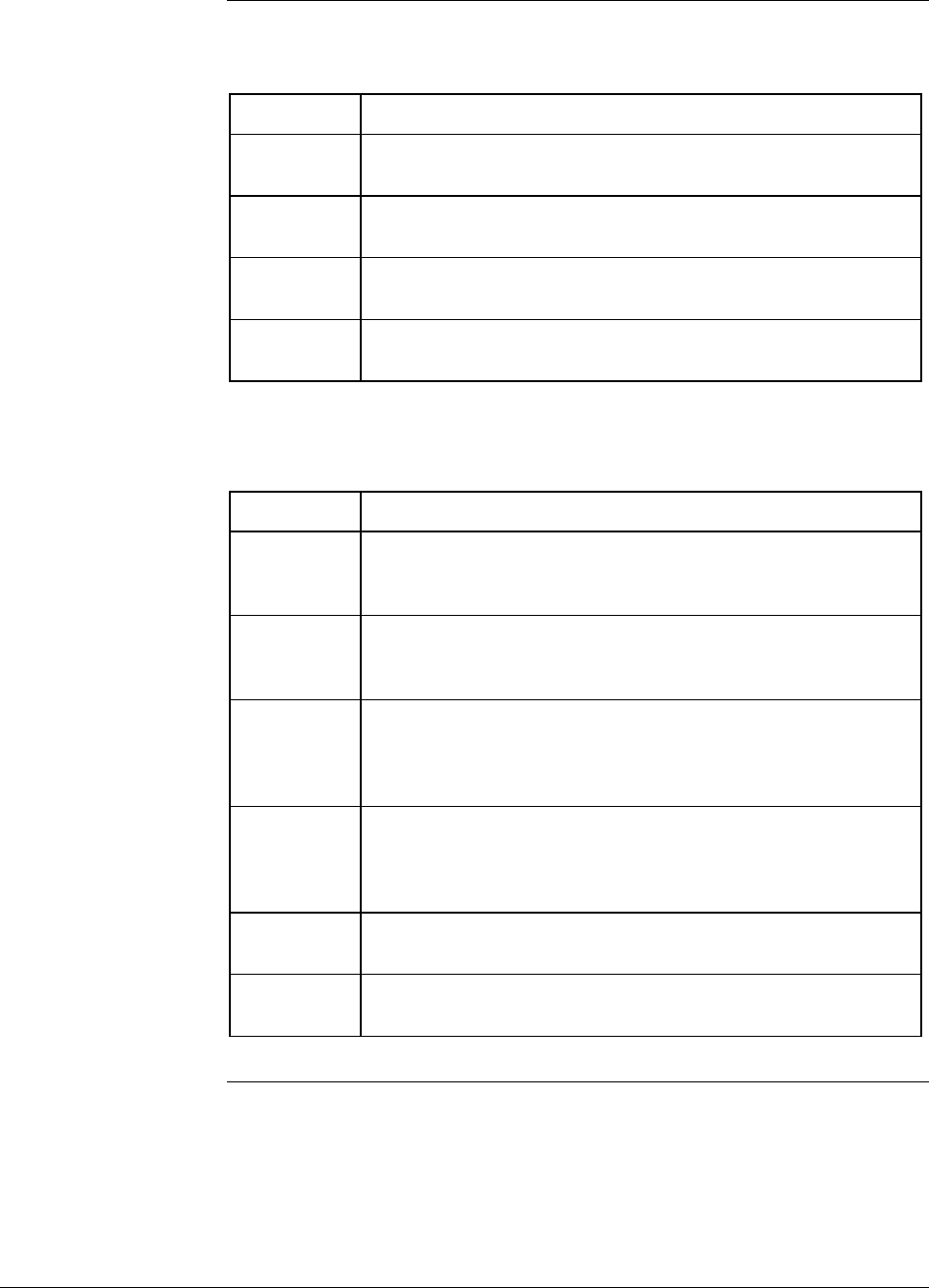
B.1 North American Classification of Hazardous
Locations, Continued
Apparatus
Parameters The Intrinsically Safe Apparatus Parameters are defined as follows.
Parameter Description
Vmax Maximum safe voltage which can be applied to the apparatus
terminals.
Imax Maximum safe current which can be applied to the apparatus
terminals.
Ci Unprotected capacitance in the apparatus which can be
considered present at the terminals.
Li Unprotected inductance in the apparatus which can be
considered present at the terminals.
The Associated Apparatus Parameters are defined as follows.
Parameter Description
Voc Maximum output voltage which can be delivered to the
hazardous (classified) location. This voltage is the maximum
from a single channel.
Isc Maximum output current which can be delivered to the
hazardous (classified) location. This current is the maximum
from a single channel.
*Vt Maximum output voltage which can be delivered to the
hazardous (classified) location. This voltage is the maximum
across any combination of terminals of a multiple channel
configuration.
*It Maximum output current which can be delivered to the
hazardous (classified) location. This current is the maximum
through any combination of terminals of a multiple channel
configuration.
Ca Maximum capacitance which can be connected to the
apparatus.
La Maximum inductance which can be connected to the
apparatus.
*CSA does not recognize these parameters at this time.
Continued on next page
86 ST 3000 Release 300 Installation Guide 2/05

B.1 North American Classification of Hazardous
Locations, Continued
Entity Concept Under entity requirements, the concept allows interconnection of
intrinsically safe apparatus to associated apparatus, not specifically
examined in such combination. The criteria for interconnection is that the
voltage (Vmax ) and current (Imax ), which intrinsically safe apparatus
can receive and remain intrinsically safe, considering faults, must be
equal to or greater than the voltage (Voc or Vt ) and current (Isc or It )
levels which can be delivered by the associated apparatus, considering
faults and applicable factors. In addition, the maximum unprotected
capacitance (Ci ) and inductance (Li ) of the intrinsically safe apparatus,
including interconnecting wiring, must be less than or equal to the
capacitance (Ca ) and inductance (La ) which can be safely connected to
the associated apparatus. If these criteria are met, then the combination
may be connected and remain intrinsically safe. Both FMRC and CSA d
entity parameters are defined in Table B-1 and B-2.
Table B-1 Factory Mutual (FM) Approval
Code Description
1C Explosionproof for Class I, Division 1, Groups A, B, C & D.
Dust-Ignitionproof for Class II, Division 1, Groups E, F & G.
Suitable for Class III, Division 1. Conduit seals required within
18” of enclosure, Group A only.
Intrinsically Safe for use in Class I, Division 1, Groups A, B, C
& D; Class II, Division 1, Groups E, F & G; Class III, Division 1,
T4 at 40°C, T3A at 93°C maximum ambient, when connected
in accordance with Honeywell drawing 51204241.
Nonincendive for use in Class I, Division 2, Groups A, B, C &
D; Suitable for Classes II & III, Division 2, Groups F & G, T4 at
93°C maximum ambient, hazardous locations. 42 Vdc max.
Environmental: Indoor and outdoor hazardous locations
(NEMA 4X).
Continued on next page
2/05 ST 3000 Release 300 Installation Guide
87
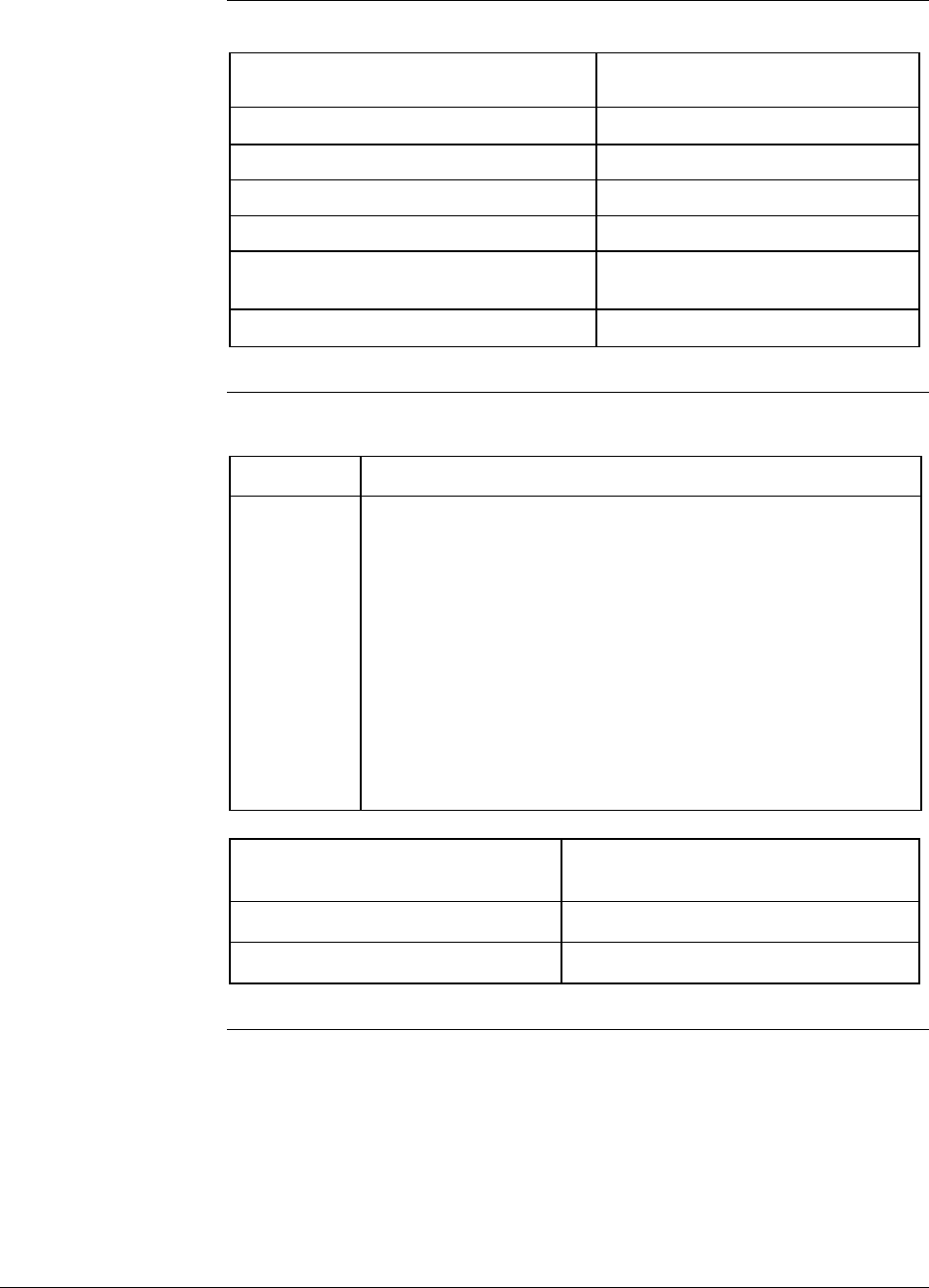
B.1 North American Classification of Hazardous
Locations, Continued
Table B-1 Factory Mutual (FM) Approval, Continued
Intrinsic Safety
Entity Parameters (1)
Class I, II, III, Divisions 1 and 2,
Groups A - G
VMax ≤42.4 V
IMax = 225 mA
PMax = 1.2 W
Ci = 4.2 nF
Li = 0 With no integral indicator, or with
integral Smart Meter, option SM.
Li = 150 µH With Analog Meter, option ME.
(1) Install in accordance with Honeywell drawing 51204241.
Table B-2 Canadian Standards Association (CSA)
Code Description
2j Explosion Proof for Class I, Division 1, Groups B, C & D.
Dust-Ignition-Proof for Class II, Division 1, Groups E, F & G;
Class III, Division 1. Conduit seals not required. 42 Vdc max.
Intrinsically Safe for Class I, Groups A, B, C & D; Class II,
Groups E, F & G; Class III, Divisions 1, T4 at 40°C, T3A at
93°C maximum ambient. Install per Honeywell drawing
51204242.
Suitable for Class I, II & III, Division 2, Groups A, B, C, D, E, F
& G hazardous locations, T4 at 93°C. 42 Vdc max.
Environmental: Indoor and outdoor hazardous locations
(Encl 4X).
CSA Certified Barriers (1) Class I, II, III, Division 1 and 2,
Groups
28V / 200 Ω A - G
20V / 150 Ω C - G
(1) Install in accordance with Honeywell drawing 51204242.
88 ST 3000 Release 300 Installation Guide 2/05
B.2 International Electrotechnical Commission (IEC)
Classification of Hazardous Locations
About IEC The IEC has established a number of recommendations applying to the
construction of explosion protected electrical apparatus identified.
These recommendations are found within IEC 79-0 through
79-15 and 79-28.
For all EC countries as well as various neighboring countries
(CENELEC member states), the European Standards EN 50 014 to EN
50 020 and EN 50 039 apply for the construction of explosion protected
electrical apparatus. They were established on the basis of the IEC.
However these recommendations are much more detailed by
comparsion.
Zones Hazardous locations, within IEC7-10, are classified into one of these
three zones.
ZONE Description of Hazardous Location
0 Explosive gas atmosphere is present continuously, or is
present for long periods.
1 Explosive gas atmosphere is likely to occur in normal operation.
2 Explosive gas atmosphere is not likely to occur in normal
operation and, if it does occur, it will exist for a short period
only.
IEC Groups Flammable gases, vapors and mists are further classified into groups
according to the energy required to ignite the most easily-ignitable
mixture within air. Apparatus is grouped according to the atmospheres
it may be used within as follows:
Group Description of Atmosphere
IIC Atmospheres containing acetylene, hydrogen, fuel and
combustible process gases or vapors of equivalent hazard.
IIB Atmospheres such as ethyl ether, ethylene, or gasses or
vapors of equivalent hazard.
IIA Atmospheres such as acetone, benzene, butane,
cyclopropane, ethanol, gasoline, hexane, methanol, methane,
natural gas, naphtha, propane or gases or vapors of
equivalent hazard.
Continued on next page
2/05 ST 3000 Release 300 Installation Guide
89
B.2 International Electrotechnical Commission (IEC)
Classification of Hazardous Locations, Continued
IEC Methods of
Protection
The following table summarizes available methods of protection for use
in given locations.
Protection Concept Designation Permitted Use Principle
Flameproof d Zone 1 & 2 Contains explosion and
quenches flame.
Intrinsic Safety ia Zone 0, 1 & 2 Limits energy of sparks under
2 faults.
ib Zone 1 & 2 Limits energy of sparks under
1 fault
Pressurized p Zone 1 Keeps flammable gases out.
Encapsulation m Zone 1 & 2 Keeps flammable gases out.
Increased Safety e Zone 1 & 2 No arcs, sparks or hot
surface.
Powder Filled q Zone 1 & 2 Contains explosion and
quenches flame.
Oil Immersion o Zone 1 & 2 Keeps flammable gases out.
Non-sparking nA Zone 2 No arcs, sparks or hot
surfaces under normal
conditions.
Enclosed Break nC Zone 2 Contains explosion and
quenches flame.
Limited Energy nA Zone 2 Limits energy of sparks and
surface temperature under
normal conditions.
Restricted Breathing nR Zone 2 Keeps flammable gases out.
Continued on next page
90 ST 3000 Release 300 Installation Guide 2/05
B.2 International Electrotechnical Commission (IEC)
Classification of Hazardous Locations, Continued
IEC Temperature
Classification
Equipment intended for installation directly within the hazardous
location must also be classified for the maximum surface temperature
that can be generated under normal or fault conditions as referenced to
the maximum operating ambient of the equipment. The maximum
surface temperature must be less than the minimum autoignition
temperature of the hazardous atmosphere present. The temperature shall
be indicated in identification numbers as listed in the following table.
Maximum Temperature
Degrees C Degrees F Identification Number
450 842 T1
300 572 T2
200 392 T3
135 275 T4
100 212 T5
85 185 T6
Certification and
Conformity Details
Table B-3 CENELEC / LCIE Certification
Code Description
3D Flameproof, Supply ≤ 45 Vdc, IP 66/67EEx d IIC T6.
3A Intrinsically Safe EEx ia IIC T5, −40 ≤ Ta ≤ 93°C.
Flameproof, Supply ≤ 45 Vdc, IP 66/67 EEx d IIC T6.
LCIE Intrinsic Safety Parameters (1)
Ui = 30 V
Ii = 100 mA
Pi = 1.2 W
Ci = 4.2 nF
Ri =0
Li = 0 With no integral indicator, or with
integral Smart Meter, option SM.
Li = 150 µH With Analog Meter, option ME.
(1) Install in accordance with Honeywell drawing 51204243.
2/05 ST 3000 Release 300 Installation Guide
91
B.2 International Electrotechnical Commission (IEC)
Classification of Hazardous Locations, Continued
Certification and
Conformity Details,
continued
Table B-4 Standards Australia (LOSC) Certification
Code Description
4H Intrinsically Safe Ex ia IIC T4 Class I Zone 0.
Flameproof Ex d IIC T6 Class I Zone 1
Non-Sparking Apparatus - Type of Protection ‘n’ Ex n IIC T6
Class I Zone 2
LOSC Intrinsic Safety Parameters (1)
Ui = 42.4 V
Ii = 225 mA
Pi = 1.2 W
Ci = 4.2 nF
Li = 0 With no integral indicator, or with
integral Smart Meter, option SM.
Li = 150 µH With Analog Meter, option ME.
(1) Install in accordance with Honeywell drawing 51204309.
Table B-5 Zone 2 (Europe) Declaration of Conformity
Code Description
3N Electrical Apparatus With Type of Protection “n” per IEC 79-
15. IP 66/67.
Ex II 3 GD T(1) X (Council Directive 94/9/EC) −40 ≤ Ta ≤ 93°C.
Zone 2 Parameters
Ui ≤42 V
Ii ≤22 mA
Temp. Code (1) T4 at Ta 93°C Maximum Ambient
Temp. Code (1) T5 at Ta 80°C Maximum Ambient
Temp. Code (1) T6 at Ta 65°C Maximum Ambient
92 ST 3000 Release 300 Installation Guide 2/05

B.3 Enclosure Ratings
NEMA and IEC
Recognition
The NEMA (National Electrical Manufacturer’s Association) enclosure
classifications are recognized in the US. The IEC Publication 529
Classifications are recognized throughout Europe and those parts of the
world that use the IEC standards as a basis for product certifications.
The following paragraphs provide a discussion of the Comparison
Between NEMA Enclosure Type Numbers and IEC Enclosure
Classification Designations.
IEC Classifications IEC Publication 529, Classification of Degrees of Protection Provided
by Enclosures, provides a system for specifying the enclosures of
electrical equipment on the basis of the degree of protection provided by
the enclosure. IEC 529 does not specify degrees of protection against
mechanical damage of equipment, risk of explosion, or conditions such
as moisture (produced for example by condensation), corrosive vapors,
fungus, or vermin.
IEC Designations Basically, the IEC designation consists of the letters IP followed by two
numerals. The first characteristic numeral indicates the degree of
protection provided by the enclosure with respect to persons and solid
foreign objects entering the enclosure. The second characteristic
numeral indicates the degree of protection provided by the enclosure
with respect to the harmful ingress of water.
NEMA Standards NEMA Standards Publication 250, Enclosures for Electrical Equipment
(1000 Volts Maximum), does test for environmental conditions such as
corrosion, rust, icing, oil, and coolants. For this reason, and because the
tests and evaluations for other characteristics are not identical, the IEC
enclosure classification designations cannot be exactly equated with
NEMA enclosure type numbers.
Continued on next page
2/05 ST 3000 Release 300 Installation Guide
93
B.3 Enclosure Ratings, Continued
IEC Designations,
continued
Table B-6 provides an approximate conversion from NEMA enclosure
type numbers to IEC enclosure classification designations. The NEMA
types meet or exceed the test requirements for the associated IEC
classifications; for this reason the Table cannot be used to convert
from IEC classifications to NEMA types.
Table B-6 NEMA Enclosure Type Numbers and Comparable IEC
Enclosure Classification
NEMA Enclosure
Type Number
IEC Enclosure
Classification Designation
1 IP 10
2 IP 11
3 IP 54
3R IP 14
3S IP 54
4 and 4X IP 56
5 IP 52
6 and 6P IP 67
12 and 12K IP 52
13 IP 54
NOTE: This comparison is based on tests specified in IEC Publication 529
94 ST 3000 Release 300 Installation Guide 2/05

Index
2/05 ST 3000 Release 300 Installation Guide 95
Flange mounted, 23
A Flat mounting bracket, 23
Flow engineering units
Analog meter connections, 44 Smart meter, 58
Analog mode, 7, 10, 13, 21 Flush mounted transmitter, 30
Angle mounting bracket, 23
G
B
Ground
Barriers, 40 External ground, 42
Battery pack, SFC Ground terminal, 39
Installing and charging, 20
Bench check, 5 H
Blow-down lines, 34, 37
Hazardous locations reference, 82
Bracket mounting
IEC Classifications, 88
Horizontal pipe, 24
North American Classifications, 82
Vertical pipe, 24
C L
Capillary tubes, 32 Leveling an absolute pressure transmitter, 27
Checking ST 3000 shipment, 2 Lightning Protection, 42
Communications, 7 Local Smart Meter
Communicating with the ST 3000, 4 Setting display of LRV (using meter pushbuttons), 62
Testing, 7 Local Zero and Span
Conduit seal, 43 Adjusting (Procedure), 53
Loop resistance, 39
D Loop wiring, 44
Digital (DE) mode, 7, 13, 21 M
Dimensions, 24
Model designations, 2
E Mounting locations
Suggested, 35
Electronics housing. See Transmitter housing
Electronics module, PWA, 13 O
Enclosure ratings, 93
Output conformity and smart meter configuration, 58
F Overpressure ratings, 19
Failsafe action, 13 P
Failsafe direction, 13
change, 13 Piping for a 1/2" NPT process connection, 35
Piping guidelines, 37
Failsafe jumper, 13
Potential noise sources, 17
Fill-fluid, 18
Power supply, 5
Fill-fluids, 32
connecting, 5
Flange adapter, 34
Power supply voltage, 21, 39
Installing, 38
Pressure ratings, 19
Flange connections, 37
Process characteristics, 17
Extended, 37
Process connections, 36
Flush, 37

Index
96 ST 3000 Release 300 Installation Guide 2/05
R
Remote seal mounting, 32
S
Series designations, 2
Setting range values using local zero and span adjustments.,
53
SFC Model STS103, 5
connecting, 5
SM 3000 Smart Meter connections, 44
Smart Field Communicator (SFC), 3
Smart meter
Error codes, 80
Meter/transmitter interaction, 81
Typical display indications, 79
Smart meter, 4, 11, 44
Configuration and output conformity, 58
Configuration using an SFC, 73
Configuration using meter pushbuttons, 58
Configuration using SCT, 78
Engineering units codes, 59
Pushbuttons, 51
Selecting engineering units, 60
Setting display of URV (using meter pushbuttons), 67
specifications, 52
Smart meter display
description, 51
Smart meter option (option SM), 50
Smartline Configuration Toolkit (SCT), 4
Solution Support Center, viii
Static electricity damage, 13
STDC card, 13
STIMV IOP module, 13
T
Temperature limits
Operating, 18
SFC, 21
Transmitter, 18
Transmitter housing
Rotating, 26
Transmitter mounting, 23
Models STA122, STA922, 27
U
Upper Range Limit (URL), 19
V
Vibration sources, 17
W
Write protect option, 15
Jumper, 15
Z
Zero corrects, 28
Zero shift, 27

1 of 4 34-ST-99-15 Addendum 4/02
Addendum to
ST 3000 Smart Transmitter
Release 300 and SFC Smart Field Communicator Model STS 103
Installation Guide
34-ST-33-39
Overview
Two new models have been added to the family of ST3000 Smart
Transmitters:
Gauge Pressure Model STG19L
Gauge Pressure Model STG99L.
Each of these has an Upper Range Limit (URL) of 10000 psi (690 bar),
which is significantly higher than previously available models. Also,
each of these new models has significantly higher ratings for Maximum
Working Pressure (10000 psi, or 690 bar) and Overpressure (15000 psi, or
1034 bar). The burst pressure is rated at 26000 psi (1793 bar).
Except for the higher operating range, each of these two new models
includes physical and functional features similar to those of closely
related family members (STG1xL and STG9xL). With the exceptions
noted in this addendum, all parts of User Manual 34-ST-33-39C apply to
these new models.
Because of the similarities between new and existing models, these new
devices can be used as direct replacements in circumstances that require
higher pressure capabilities.
Details of pressure ranges for these new models are specified in
“Additions and Changes to the Manual”, below.

4/02 34-ST-99-15 Addendum 2 of 4
Additions to the
User Manual
The additions to User Manual 34-ST-33-39 that relate to the new Gauge
Pressure transmitter models are given in Table 1 of this addendum. Use
the information in Table 1 to reference and annotate your Installation
Guide.
Table 1 – Additions to the User Manual
Page # in User
Manual
Sub-Section Description of Change
18 3.1 Considerations for ST
3000 Transmitter
Temperature Limits
Table 5 Operating
Temperature Limits
(Transmitters with Silicone
Fluid Fill Fluids)
In the left column of Table 5, under the heading
Gauge Pressure, add the information as
indicated by the highlights in Exhibit A, below.
(Note: Ranges for Ambient Temperature and
Process Interface Temperature are the same as
for other models in each series.)
19 3.1 Considerations for ST
3000 Transmitter
Pressure Ratings
Table 6 Transmitter
Overpressure Ratings
In the row of Table 6 titled Gauge Pressure, add
the information as highlighted in Exhibit B, below.
47 5.1 Wiring Diagrams and
Dimension Drawings
In the leftmost column of the table on page 47,
add the information as hignhlighted in Exhibit C,
below.
Exhibit A –Additions to Table 5
Transmitter Type and Model Ambient Temperature Process Interface Temperature
°C °F °C °F
Draft Range STD110 -40 to 70 -40 to 158 -40 to 70 -40 to 158
Differential PressureSTD125
STD120, STD130, STD170
STD904, STD924,
STD930, STD974
-40 to 85
-40 to 93
-40 to 85
-40 to 185
-40 to 200
-40 to 185
-40 to 85
-40 to 125
-40 to 125
-40 to 185
-40 to 257
-40 to 257
Gauge Pressure
STG140, STG170, STG180,
STG14L, STG17L, STG18L,
STG19L
STG14T
STG93P
STG944, STG974
STG90L, STG94L,
STG97L, STG98L, STG99L
-40 to 93
-40 to 93
-15 to 65
-40 to 85
-40 to 85
-40 to 200
-40 to 200
5 to 149
-40 to 185
-40 to 185
-40 to 125
-40 to 150 †
-15 to 95 ††
-40 to 125
-40 to 110
-40 to 257
-40 to 302 †
5 to 203 ††
-40 to 257
-40 to 230
Absolute Pressure STA122 -40 to 93 -40 to 200 See Specification Sheet
STA140 -40 to 93 -40 to 200 -40 to 80 -40 to 176
3 of 4 34-ST-99-15 Addendum 4/02
Exhibit B –Additions to Table 6
Transmitter Type Upper Range Limit
(URL)
Maximum Working
Pressure Rating
Overpressure Rating
Draft Range 10 inches H2O (25
mbar)
50 psi (3.5 bar) 50 psi (3.5 bar)
(No overpressure
protection is provided)
Differential Pressure 400 inches H2O (1 bar) 3000 psi (210 bar) 3000 psi (210 bar)
100 psi (7 bar) 3000 psi (210 bar) 3000 psi (210 bar)
3000 psi (210 bar) 3000 psi (210 bar) 3000 psi (210 bar)
Gauge Pressure 100 psi (7 bar) 100 psi (7 bar) 150 psi (10.3 bar)
300 psi (21 bar) 300 psi (21 bar) 450 psi (31 bar)
500 psi (35 bar) 500 psi (35 bar) 750 psi (52 bar)
3000 psi (210 bar) 3000 psi (210 bar) 4500 psi (310 bar)
6000 psi (415 bar) 6000 psi (415 bar) 9000 psi (620 bar)
10000 psi (690 bar) 10000 psi (690 bar) 15000 psi (1034 bar)
Absolute Pressure 780 mmHg Absolute
(1 bar)
780 mmHg Absolute
(1 bar)
Full vacuum to 1550
mmHg Absolute
(2 bar)
500 psia (35 bar) 500 psia (35 bar) 750 psia (52 bar)
4/02 34-ST-99-15 Addendum 4 of 4
Exhibit C –Additions to Dimension Drawings
Dimension Drawings - Series 100 and Series 900, Continued
Transmitter Type and Table Mounting Drawing
Key Number Selections Angle Bracket (MB), (SB) Flat Bracket (FB) Number
Vertical
Pipe
Horizontal
Pipe
Vertical
Pipe
Horizontal
Pipe
STG944, STG974 See Key Number 51500411 51500409 ⇐
Column 51500410 51500408
⇐
STG140, STG170, STG180, See Key Number 51500362 51500360 ⇐
STA122, STA140 Column 5500361 51500359
⇐
STA922, STA940 51500366 515004364 ⇐
51500365 51500363
⇐
STG14L, STG17L, STG18L,
STG19L
51500373 51500371 ⇐
51500372 51500370
⇐
STG90L, STG94L, STG97L, 51500377 51500375 ⇐
STG98L, STG99L 51500376 51500374
⇐
STG14T (High Temperature) ½-inch NPT 51404482
Flush Sanitary
Seal
51404484
10/04 34-ST-99-25 (Addendum to 33-ST-33-39) 1 of 4
ST 3000 Smart Transmitter
Release 300 and Smart Field
Communicator Model STS103
Transmitter Models:
STD110, STD120, STD125, STD130, STD170,
STD924, STD930
34-ST-99-25
10/04
Addendum
(to Installation Guide
34-ST-33-39)
Overview
Replacement Meterbody and Heads
The ST 3000 Pressure Transmitter, Models:
• STD110, STD120, STD125, STD130, and STD170
• STD924 and STD930 with optional Tantalum or Monel diaphragm
is now being shipped with newly designed meter body and process heads. If a
replacement meter body is needed, it should be ordered from the Model Number stated
on the meter body nameplate. This number includes the letter “S” after the model
number; for example, STD110S-xxx.
This new transmitter is functionally identical to previous models in that the working
ranges (Lower Range Limit to Upper Range Limit) and intended applications have not
changed. However, the specifications for the maximum Pressure Rating and for the
Overpressure Rating have been enhanced in all models except the draft range
transmitter. A summary of specifications is given in Table 3.
The new versions, which will continue as Models STD110, STD120, STD125,
STD130, STD170, STD924, and STD930, differ only in the physical size and form of
the meter body, process head, and associated components.
Installation, operation, maintenance, calibration, and troubleshooting tasks remain
virtually the same as for the previous version. Differences appear primarily in torque
specifications when replacing meter bodies, and in part numbering and part
recognition when replacing components or assemblies.
As an aid in parts recognition, a drawing of the newer style Meter Body, Heads, and
Flange Adapters is given in Figure 1 of this addendum. (The flanges on the Process
Heads and the Flange Adapters have an angular profile, compared to those on the
previous style, which are approximately elliptical in profile.)
For parts details, refer to 34-ST-99-22, Addendum to 34-ST-25-14.
With exceptions noted in this addendum, information given in Installation Guide
34-ST-33-39 applies also to the newer style.
Related
Publications
This addendum provides details for installation that span a variety of applications of
the Models listed in this addendum. For additional information, refer also to the
appropriate publications.
ST 3000 Smart Transmitter
Release 300 and Smart Field Communicator STS103
User’s Manual
34-ST-25-14 (with addendum 34-ST-99-21)

2 of 4 34-ST-99-25 (Addendum to 33-ST-33-39) 10/04
Additions to the
Installation Guide The additions to Installation Guide 34-ST-33-39 that relate to the newly designed meter
body and process heads are given in Table 1 of this addendum. Use the information in
Table 1 to reference and annotate your User Manual.
Table 1 – Additions to the User Manual
Page # in User
Manual
Sub-Section Description of Change
19 3.3 Considerations for ST 3000
Transmitter
Table 6 Transmitter
Overpressure Ratings
The Maximum Working Pressure Rating and the
Overpressure Rating has been enhanced for all
models included in this addendum except for the
draft range transmitter.
For more information, refer to Table 3 in this
Addendum.
38
4.2 Piping ST3000 Transmitter
Table 15 Installing Flange
Adapter
In Step 2 and in Step 4, the reference to the “Teflon
(white) gasket should be “gasket or O-ring”.
In Step 5, do not use the torque specification of 47.5
to 54 N·m (35 to 40 ft-lb). Instead, use the
following:
47,5 N•m +/- 2,4 N•m (35 Lb-Ft +/- 1.8 Lb-Ft).
46 5.1 Wiring Diagrams and
Dimension Drawings
Dimension drawings-Series 100
and Series 900
The numbers of dimension drawings for the newly
designed models are given in Table 2 in this
addendum.
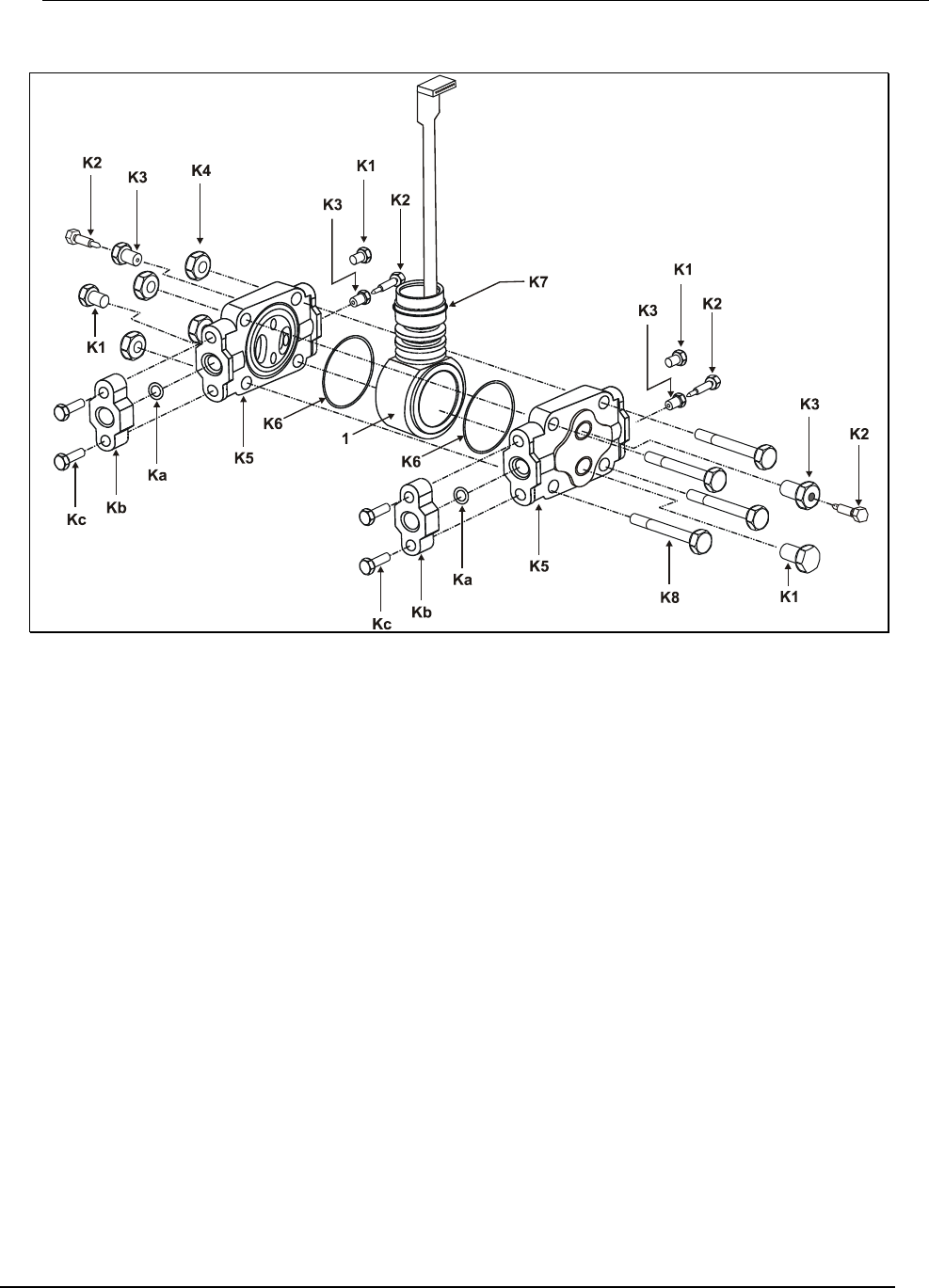
10/04 34-ST-99-25 (Addendum to 33-ST-33-39) 3 of 4
Figure 1 ST 3000 Model STD110, STD120, STD125, STD130, STD170, STD924, STD930
(Rev S or greater)
4 of 4 34-ST-99-25 (Addendum to 33-ST-33-39) 10/04
Dimension Drawings The following table provides references to dimension drawings for newly designed
ST 3000 Pressure Transmitters (Revision S and greater). If you need a copy of a
drawing, please determine the appropriate drawing number from the following table
and contact your Honeywell representative.
Table 2 Dimension Drawings for Transmitter Models STD110, STD120, STD125, STD130, STD170, STD924,
STD930 (Revision S or Greater)
Angle Bracket Flat Bracket Equipped with
A-G manifold part # Vertical Pipe Horizontal Pipe Vertical Pipe Horizontal Pipe
(none) 51452896 51452895 51452894 51452893
M4AV1 51452886 51452888 51452890 51452892
M4TV1 51452885 51452887 51452889 51452891
Table 3 Pressure Specification and Ratings Summary Comparisons (Revision S or Greater)
Maximum Allowable
Working Pressure
(Note 1)
Overpressure Rating
(Note 1)
Transmitter
Model
Upper Range
Limit
Previous New Design Previous New Design
STD110 10 inches H2O
(25 mbar)
50 psi
(3.5 bar)
(Same as
previous)
50 psi
(3.5 bar)
(Same as
previous)
STD120,
STD924
400 inches H2O
(1 bar)
3000 psi
(207 bar)
4500 psi
(310 bar)
3000 psi
(207 bar)
4500 psi
(310 bar)
STD125 600 inches H2O
(1.5 bar) " " " "
STD130,
STD930
100 psi
(7 bar) " " " "
STD170 3000 psi
(207 bar) " " '" "
Note 1 Maximum Allowable Working Pressure and Overpressure Rating vary with materials of construction;
for more specific information refer to the appropriate Specification and Model Selection Guide.
Transmitters with Graphite Gaskets have a 3625 psi rating (250 bar) except for the Draft Range
Transmitter which maintains a 50 psi rating. Flange Adapters with Graphite Gaskets have a 3000 psi
rating.
10/04 34-ST-99-36 (Addendum to 34-ST-33-39) 1 of 10
ST 3000 Smart Pressure Transmitter,
Release 300 and Smart
Communicator Model STS 103
34-ST-99-36
10/04
Addendum
(to Installation Guide
34-ST-33-39)
Overview
ATEX Directive 94/6/EC
The ATEX Directive 94/6/EC is a European CE Mark directive concerning products
that are designed for use in potentially explosive environments. This “New
Approach” directive is based on, and is an expansion of, European Norms (EN,
CENELEC standards).
On June 30, 2003, the ATEX (ATmospheres EXplosibles) directive will replace
directives currently in effect, and from that time, only products with the ATEX
certification and with ATEX labeling will be approved for free movement in the EU
(European Union) and EFTA (European Free Trade Association) countries. As
defined in the directive, “free movement” refers to:
− placing a product on the market, and/or
− placing a product into service.
The ATEX Directive 94/6/EC is a living (set of) document(s), subject to further
change and refinement, whose details are beyond the scope of this addendum.
Further information can be obtained in the Official Journal of the European
Communities No L100/1, and in related publications such as Guidelines on the
Application of Directive 94/9/EC. Both of these items are available at:
http://europa.eu.int/comm/enterprise/atex/index.htm
Products that have been previously certified under the EN and CENELEC European
Norms, and which comply fully with all standards in the New Approach directive
have, by application, received certification under ATEX Directive 94/6/EC.
The Honeywell ST3000 Smart Pressure Transmitter is now ATEX certified, and all
units manufactured currently and in the future will include labeling that includes all
markings required under the ATEX directive.
Inclusions To ensure that all required information will be available to the user, the following
items are include with this Addendum for reference:
1. Declaration of Conformity – ATEX CE0344 (Honeywell document number
51452504 Revision B).
2. Certificate of Manufacturer – Ex II 3 G, EEx nA IIC ATEX CE (Honeywell
document number 51452622 Revision C).
2 of 10 34-ST-99-36 (Addendum to 34-ST-33-39) 10/04
Purpose and
Content of this
Addendum
This Addendum includes information required under the ATEX Directive regarding:
1. The appearance and meaning of each certification mark (CE Mark) that appears on
the label(s) affixed to the product.
2. Instructions for installation and use of the product.
Information required for use of this product is given in:
34-ST-25-14B - ST 3000 Smart Transmitter Release 300 and Smart Field
Communicator Model STS103, and
Installation information is given in
34-ST-33-39 - ST 3000 Smart Transmitter Release 300 and Smart Field
Communicator Model STS103 Installation Guide,
of which this Addendum is a part.
Details regarding certification marks that appear in labeling for this product are given in
this addendum.
Attention
The publications cited above and the functioning and construction (except for
labeling) of the devices described therein are essentially unchanged. The
purpose of this addendum is to provide details the purpose and appearance
of the labels attached to each device under ATEX Directive 94/6/EC.
Attention
Before installing the equipment in a potentially explosive atmosphere, please
read the information provided in this Addendum, which supports the ATEX
certifications for this product.
CE Conformity
The ST 3000 Smart Pressure Transmitter is in conformity with the protection
requirements of the following European Council Directives: 94/9/EC, the Explosive
Atmospheres (ATEX) Directive, 89/336/EEC, the Electromagnetic Compatibility
(EMC) Directive, and the Pressure Equipment (PED) directive.
In conformity with the ATEX directive, the CE mark on the certification nameplate
includes the Notified Body identification number 0344 (KEMA 01ATEXQ3199)
adjacent to the EC Type Examination Certificate number.
In conformity with the Pressure Equipment Directive, models rated greater than 200
bar (2,900 psi) have an additional CE mark applied to the meter body data plate in
accordance with 97/23/EC, Article 15. Models rated at less than 200 bar have no CE
mark on the meter body data plate per 97/23/EC, Article 3, Section 3.
Deviation from the installation conditions in this manual may invalidate this product’s
conformity with the Explosive Atmospheres, Pressure Equipment, and EMC
Directives.
Conformity of this product with any other “CE Mark” Directive(s) shall not be
assumed.
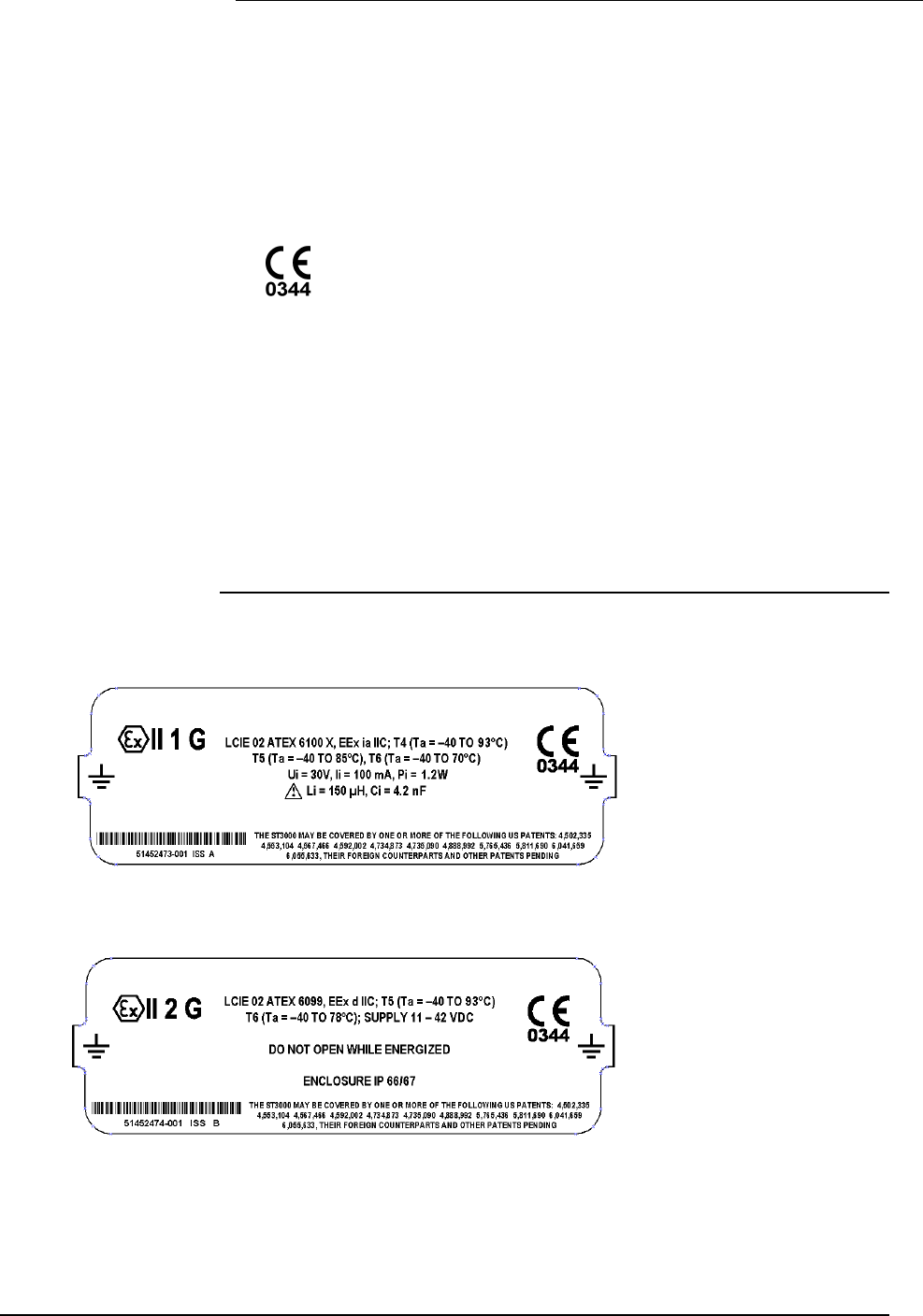
10/04 34-ST-99-36 (Addendum to 34-ST-33-39) 3 of 10
Marking,
ATEX Directive
Honeywell’s Model ST 3000 Smart Pressure Transmitter, with the following
nameplates attached, has been certified to comply with Directive 94/9/EC of the
European Parliament and the Council as published in the Official Journal of the
European Communities No. L 100/1 on 19-April-1994.
The following information is provided as part of the labeling of the transmitter:
• Name and Address of the manufacturer: Honeywell, Phoenix, AZ 85053 USA.
• Notified Body identification: KEMA Quality B.V., Arnhem, the Netherlands
• For complete model number, see the Model Selection Guide for the particular
model of pressure transmitter.
• The serial number of the transmitter is located on the Meter Body data-plate. The
first two digits of the serial number identify the year (02) and the second two digits
identify the week of the year (23); for example, 0223xxxxxxxx indicates that the
product was manufactured in 2002, in the 23 rd week.
Apparatus Marked
with Multiple
Types of
Protection
The user must determine the type of protection required for installation the
equipment. The user shall then check the box [D] adjacent to the type of protection
used on the equipment certification nameplate. Once a type of protection has been
checked on the nameplate, the equipment shall not then be reinstalled using any of the
other certification types.
Nameplate 51452473-001, ia, 4-20 mA / DE, is mounted on the enclosure. The following is a representation
of this nameplate:
Nameplate 51452474-001, d, 4-20 mA / DE, is mounted on the enclosure. The following is a representation
of this nameplate:
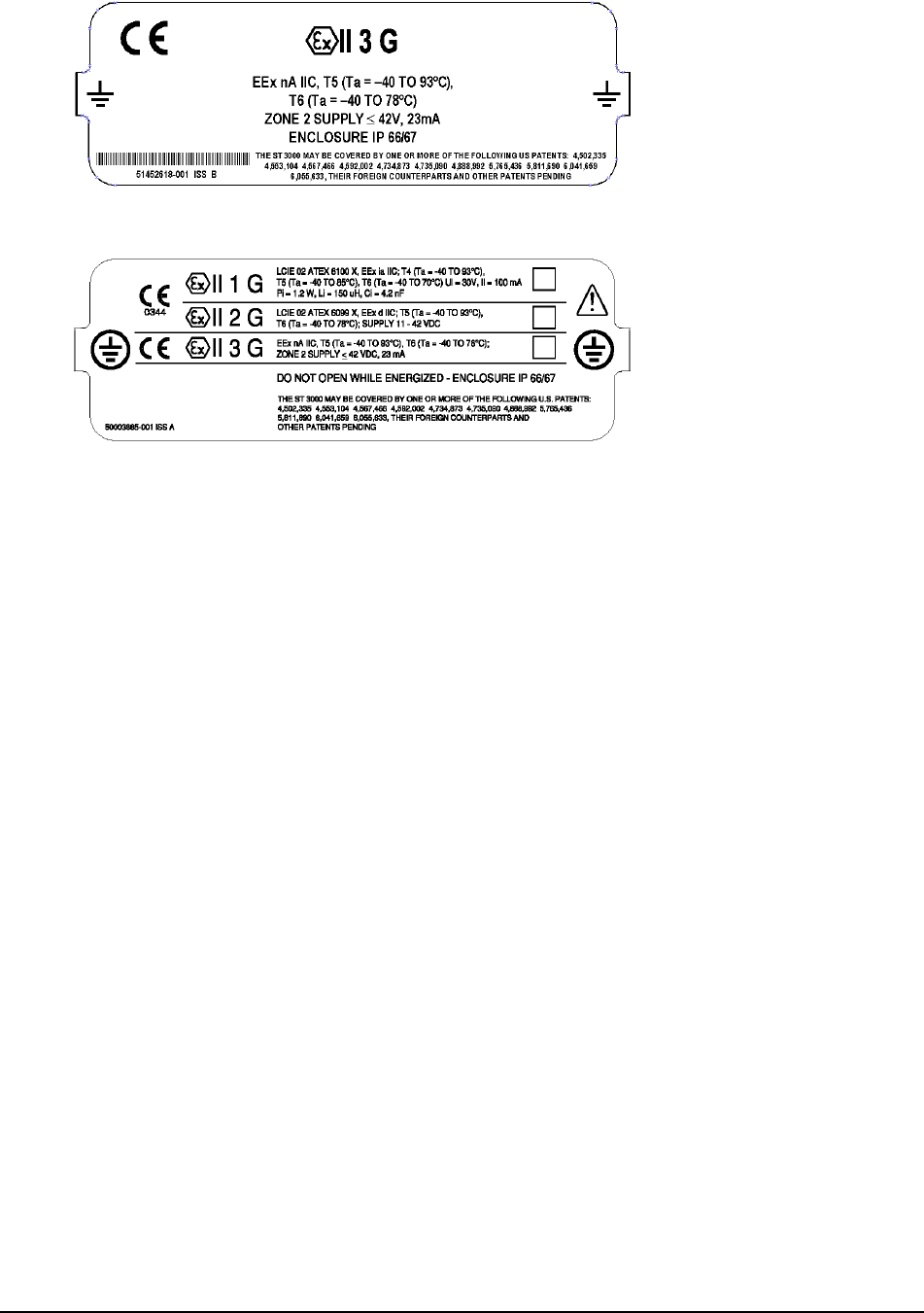
4 of 10 34-ST-99-36 (Addendum to 34-ST-33-39) 10/04
Nameplate 51452618-001, nA, 4-20 mA / DE, is mounted on the enclosure. The following is a
representation of this nameplate:
Nameplate 50003885-001, 4-20 mA / DE, multiple certification nameplate. The following is a
representation of this nameplate:

10/04 34-ST-99-36 (Addendum to 34-ST-33-39) 5 of 10
Specific Parameters
for Intrinsic Safety
Field wiring terminals, (+ , –):
Without local analog meter, ME:
With local analog meter, ME:
With local smart digital meter, SM:
Ui = 30 V, Ii = 100 mA, Pi = 1.2 W
Ci = 4.2 nF, Ri = 0, Li = 0
Ci = 4.2 nF, Ri = 0, Li = 150 µH
Ci = 4.2 nF, Ri = 0, Li = 0
The pressure transmitter is an intrinsically safe apparatus that can be installed in
potentially explosive atmospheres.
The power terminals (+, -) must be connected only to a certified associated
intrinsically safe apparatus.
The electrical parameters (U, I, and P) of the associated apparatus connected to the
power terminals (+, -) must not exceed the following values:
Ui ≤ 30V
Ii ≤ 100 mA
Pi ≤ 1,2 W
Ambient temperature: - 50ºC to 93ºC
NOTE: -50ºC to 93ºC is the certification and “Operative Limits” for the product
family. Refer to individual Specification Sheets for the standard “Rated Condition”
ambient limits for a particular model that, as shown on the data-plate and
certification nameplate, may be less than the certification limits.
Temperature classifications:
IS (ia) 4 – 20 mA / DE
T4 up to Ta ≤ 93ºC
T5 up to Ta ≤ 85ºC
T6 up to Ta ≤ 70ºC
Flameproof (d)
T5 up to Ta ≤ 93ºC
T6 up to Ta ≤ 78ºC
Special conditions
for safe use,
Intrinsic Safety (X)
Enclosure classification: IP 66/67, Type 4X
Specific Parameters
for Flameproof
Installation
Power supply to field wiring terminals, (+, –): Ucc ≤ 42 V
Output Signal: 4–20 mA
Special conditions
for safe use,
Flameproof
Installation
Ambient operating temperature: - 50 to 93ºC
NOTE: -50ºC to 93ºC is the certification and “Operative Limits” for the product family.
Refer to individual Specification Sheets for the standard “Rated Condition” ambient
limits for a particular model that, as shown on the data-plate and certification
nameplate, may be less than the certification limits.

6 of 10 34-ST-99-36 (Addendum to 34-ST-33-39) 10/04
Specific Parameters
for Non-Sparking
Zone 2 Installation
(Honeywell certified)
Supply Voltage:
Supply Current:
Ambient Temperate Limits:
Temperature Classification:
11-42 Vdc
23 mA
- 50oC to 93oC
T6 at Ta ≤ 78oC
T5 at Ta ≤ 93oC
Special Conditions
for Safe Use,
Non-Sparking
Zone 2 Installation
(Honeywell certified)
• The installation of this equipment in Zone 2 hazardous areas must
comply with VDE specification 0165, IEC 60079-14, EN 50021 and/or
valid national standards for installation and operation.
• Before commissioning of this equipment, it must be verified that the
power supply voltage cannot exceed the 42 Vdc maximum for 4-20 mA
analog and DE equipment.
• The electronic assemblies in these units are non-repairable items and if
faulty must be replaced. The electrical power supply must be switched
off before any replacement and during any time that the wiring
terminations are being connected or disconnected.
10/04 34-ST-99-36 (Addendum to 34-ST-33-39) 7 of 10
51452504, Revision B
DECLARATION OF CONFORMITY
ATEX 0344
We declare under our sole responsibility that the following products,
ST 3000 Smart Pressure Transmitters, Series 100 and 900,
Release 300 (per attached list)
to which this declaration relates, are in conformity with the protection requirements of Council Directive:
94/9/EC (ATEX Directive) on the approximation of the laws of the Member States concerning equipment and
protective systems intended for use in potentially explosive atmospheres, and 89/336/EEC (EMC Directive) as
amended by 92/31/EEC and 93/68/EEC on the approximation of the laws of the Member States relating to
Electromagnetic Compatibility.
The models covered by this Declaration and evidence of conformity with the ATEX Directive are shown on the
attached list. Conformity to the ATEX Directive is in accordance with the following European standards.
EN 50014-1997 Electrical Apparatus for Potentially Explosive Atmospheres - General Requirements
EN 50018-2000 Electrical Apparatus for Potentially Explosive Atmospheres - Flameproof Enclosure “d”
EN 50020-1994 Electrical Apparatus for Potentially Explosive Atmospheres - Intrinsic Safety "i"
EN 50284-1999 Special Requirements for Construction, Test and Marking of Electrical Apparatus of
Equipment Group II, Category 1 G
EC Type Examination Certificates Production Quality Assurance Notification
Notified
Bodies: LCIE – Groupe Bureau Veritas – 0081
33, Avenue du Général Leclerc
92260 Fontenay-aux-Roses
France
KEMA Quality B. V. – 0344
Utrechtseweg 310
6812 AR Arnhem
The Netherlands
Manufacturing
Locations:
Honeywell Industrial Solutions
Industrial Solutions
2500 West Union Hills Drive
Phoenix, Arizona 85027 USA
The authorized signatory to this declaration, on behalf of the manufacturer, and the Responsible Person is
identified below.
Honeywell International Inc.
Industrial Measurement & Control
1100 Virginia Drive
Fort Washington, PA 19034 USA
Frederick M. Kent
Standards & Approvals Engineer,
(ATEX Authorized Person)
Issue Date: 18 August, 2002

8 of 10 34-ST-99-36 (Addendum to 34-ST-33-39) 10/04
ST3000, R300 Pressure Transmitters
Certificate Protection Model Description Factory
LCIE 02 ATEX 6099 Ex II 2 G, EEx d IIC, T6 or T5 ST……-3D 4-20 mA / DE / HART / Fieldbus Phoenix
LCIE 02 ATEX 6100X Ex II 2 G, EEx ia IIC, T6 to T4 ST……-3S 4-20 mA / DE Phoenix
LCIE 02 ATEX 6101X Ex II 1 G, EEx ia IIC, T6 to T4 ST…-HC…-3S 4-20 mA / HART Phoenix
LCIE 03 ATEX 6175X Ex II 1 G, EEx ia IIC, T6 to T4 ST…-HC…-3S Foundation TM Fieldbus Phoenix
Model Series Description
STA122 100 Absolute Pressure Transmitter
STA140 100 Absolute Pressure Transmitter
STD110 100 Differential Pressure Transmitter
STD120 100 Differential Pressure Transmitter
STD125 100 Differential Pressure Transmitter
STD130 100 Differential Pressure Transmitter
STD170 100 Differential Pressure Transmitter
STF128 100 Flange Mounted Liquid Level Transmitter
STF12F 100 Flange Mounted Liquid Level Transmitter
STF132 100 Flange Mounted Liquid Level Transmitter
STF13F 100 Flange Mounted Liquid Level Transmitter
STF14F 100 Flange Mounted Liquid Level Transmitter
STF14T 100 High Temperature Flange Mounted Pressure Transmitter
STG140 100 Gauge Pressure Transmitter
STG14L 100 Gauge Pressure Transmitter
STG14T 100 High Temperature Gauge Pressure Transmitter
STG170 100 Gauge Pressure Transmitter
STG17L 100 Gauge Pressure Transmitter
STG180 100 Gauge Pressure Transmitter
STG18L 100 Gauge Pressure Transmitter
STR12D 100 Remote Diaphragm Seal Pressure Transmitter
STR13D 100 Remote Diaphragm Seal Pressure Transmitter
STR14A 100 Remote Diaphragm Seal Pressure Transmitter
STR14G 100 Remote Diaphragm Seal Pressure Transmitter
STR17G 100 Remote Diaphragm Seal Pressure Transmitter
STA922 900 Gauge and Absolute Pressure Transmitter
STA940 900 Gauge and Absolute Pressure Transmitter
STD924 900 Differential Pressure Transmitter
STD930 900 Differential Pressure Transmitter
STD974 900 Differential Pressure Transmitter
STF904 900 Flange Mounted Liquid Level Transmitter
STF924 900 Flange Mounted Liquid Level Transmitter
STF92F 900 Flange Mounted Liquid Level Transmitter
STF932 900 Flange Mounted Liquid Level Transmitter
STF93F 900 Flange Mounted Liquid Level Transmitter
STG19L 900 High Pressure Gauge Transmitter
STG93P 900 Flush Mount Gauge Pressure Transmitter
STG944 900 Gauge and Absolute Pressure Transmitter
STG94L 900 In-Line Gauge Pressure Transmitter
STG974 900 Gauge and Absolute Pressure Transmitter
STG97L 900 In-Line Gauge Pressure Transmitter
STG98L 900 In-Line Gauge Pressure Transmitter
STG99L 900 High Pressure Gauge Transmitter
STR93D 900 Remote Diaphragm Seal Pressure Transmitter
STR94G 900 Remote Diaphragm Seal Pressure Transmitter
51452622, Revision C
10/04 34-ST-99-36 (Addendum to 34-ST-33-39) 9 of 10
Certificate of Manufacturer
II 3 G EEx nA IIC ATEX
This certificate applies to the following equipment:
ST 3000 Smart Pressure Transmitters, Series 100 and 900, Release 100 and 900, 4-20 mA,
DE, HART, and FOUNDATIONTM Fieldbus (per attached list)
This equipment has no arcing or sparking parts and no ignition-capable hot surfaces, and therefore conforms to
Clause 6.3.1.3 of VDE 0165/2.91, IEC 60079-14, and EN 50021 for operation in Zone 2 hazardous areas
providing that the following conditions are observed. The equipment contains no intrinsically safe or energy-
limiting components. The listed equipment are 2-wire devices that receive their power and signal carrier from
the same 4-20 mA signal current or Fieldbus supply. In normal operation, the maximum current supply is 23
mA for ≤ 4-20 mA analog, DE or HART, and ≤ 260 mA for Fieldbus.
Conditions for the application of the above equipment in Zone 2 hazardous areas:
1. The installation of this equipment in Zone 2 hazardous areas must comply with VDE specification 0165, IEC
60079-14, EN 50021 and/or valid national standards for installation and operation.
2. Before commissioning this equipment, it must be verified that the power supply voltage cannot exceed the 42
Vdc maximum for 4-20 mA analog, DE and HART equipment, and 24 Vdc for Fieldbus equipment.
3. The electronic assemblies in these units are non-repairable items and if faulty, must be replaced. The
electrical power supply must be switched off before any replacement and during any time that the wiring
terminations are being connected or disconnected.
4. The technical data supplied by the manufacturer must be adhered to.
Specifications for Use in Zone 2
4-20 mA / DE / HART Fieldbus
Supply Voltage: 11 – 42 Vdc 10 – 24 Vdc
Supply Current: 23 mA 260 mA
Ambient temperature limits: –50 to 93ºC
Temperature Classification: T6 at Ta ≤ 78ºC
T5 at Ta ≤ 93ºC
Manufacturing Location: Honeywell Process Solutions
2500 West Union Hills Drive
Phoenix, Arizona 85053 USA
Honeywell International Inc.
Industrial Measurement & Control
1100 Virginia Drive
Fort Washington, PA 19034 USA
Frederick M. Kent
Standards & Approvals Engineer,
(ATEX Authorized Person)
Issue Date: 25 June 2004

10 of 10 34-ST-99-36 (Addendum to 34-ST-33-39) 10/04
ST3000, R300 Pressure Transmitters
Model Series Description
STA122 100 Absolute Pressure Transmitter
STA140 100 Absolute Pressure Transmitter
STD110 100 Differential Pressure Transmitter
STD120 100 Differential Pressure Transmitter
STD125 100 Differential Pressure Transmitter
STD130 100 Differential Pressure Transmitter
STD170 100 Differential Pressure Transmitter
STF128 100 Flange Mounted Liquid Level Transmitter
STF12F 100 Flange Mounted Liquid Level Transmitter
STF132 100 Flange Mounted Liquid Level Transmitter
STF13F 100 Flange Mounted Liquid Level Transmitter
STF14F 100 Flange Mounted Liquid Level Transmitter
STF14T 100 High Temperature Pressure Transmitter
STG140 100 Gage Pressure Transmitter
STG14L 100 Gage Pressure Transmitter
STG14T 100 High Temperature Pressure Transmitter
STG170 100 Gage Pressure Transmitter
STG17L 100 Gage Pressure Transmitter
STG180 100 Gage Pressure Transmitter
STG18L 100 Gage Pressure Transmitter
STR12D 100 Remote Diaphragm Seal Pressure Transmitter
STR13D 100 Remote Diaphragm Seal Pressure Transmitter
STR14A 100 Remote Diaphragm Seal Pressure Transmitter
STR14G 100 Remote Diaphragm Seal Pressure Transmitter
STR17G 100 Remote Diaphragm Seal Pressure Transmitter
STA922 900 Gage and Absolute Pressure Transmitter
STA940 900 Gage and Absolute Pressure Transmitter
STD924 900 Differential Pressure Transmitter
STD930 900 Differential Pressure Transmitter
STD974 900 Differential Pressure Transmitter
STF904 900 Flange Mounted Liquid Level Transmitter
STF924 900 Flange Mounted Liquid Level Transmitter
STF92F 900 Flange Mounted Liquid Level Transmitter
STF932 900 Flange Mounted Liquid Level Transmitter
STF93F 900 Flange Mounted Liquid Level Transmitter
STG19L 900 High Pressure Gauge Transmitter
STG93P 900 Flush Mount Gage Pressure Transmitter
STG944 900 Gauge and Absolute Pressure Transmitter
STG94L 900 In-Line Gage Pressure Transmitter
STG974 900 Gauge and Absolute Pressure Transmitter
STG97L 900 In-Line Gauge Pressure Transmitter
STG98L 900 In-Line Gauge Pressure Transmitter
STG99L 900 High Pressure Gauge Pressure Transmitter
STR93D 900 Remote Diaphragm Seal Pressure Transmitter
STR94G 900 Remote Diaphragm Seal Pressure Transmitter

Industrial Measurement and Control
Honeywell International, Inc.
2500 W. Union Hills Drive
Phoenix, Arizona 85027
