Honeywell Tradeline Electronic Thermostat Users Manual 69 1492
Honeywell-T8400B1000-T8400B1018-T8400B1026-Owner-S-Manual honeywell-t8400b1000-t8400b1018-t8400b1026-owner-s-manual
Electronic Thermostat to the manual 02008a56-cbd2-4e5c-9e45-22d9faaffffe
2015-01-23
: Honeywell Honeywell-Tradeline-Electronic-Thermostat-Users-Manual-262538 honeywell-tradeline-electronic-thermostat-users-manual-262538 honeywell pdf
Open the PDF directly: View PDF  .
.
Page Count: 8
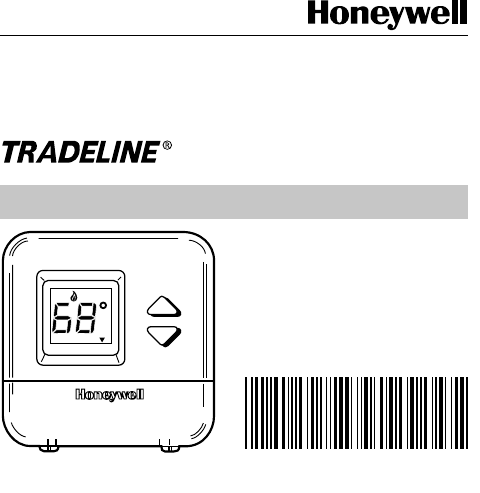
169-1492
OWNER’S GUIDE
Electronic
Thermostat
FAN SYSTEM
Auto On Off Heat
Set Room
M14750
69-1492
2
69-1492
Congratulations on the purchase of your new thermostat!
Over 100 years of Honeywell engineering expertise went
into the making of this thermostat in an effort to provide you
with a more comfortable and convenient living environment.
• Simple and easy to use
. The ▲ and ▼ keys make it easy
for you to change your temperature setting.
• Large digital display.
You can easily read the current room
temperature at a glance.
• No need for batteries.
Batteries are not required because
your temperature settings are held permanently in
memory.

369-1492
Settings
Setting FAN and SYSTEM Switches
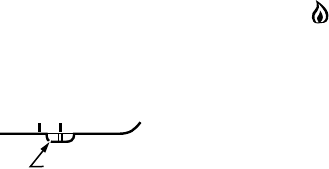
Fan and system settings are controlled by using FAN and
SYSTEM switches located on the bottom of the thermostat
case.
First set the FAN switch (not available on all models):
Auto: Normal setting for most homes. In heating, the
fan may start a few minutes after the heating
equipment comes on.
On: The fan runs continuously. Use for improved air
circulation and air quality.
FAN
Auto On
FAN
SWITCH M10273
4
69-1492
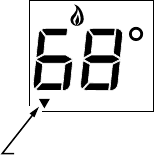
Then set the SYSTEM switch:
Off: Heating is off.
Heat: Normal setting for months when your home
needs heating. Digital display shows a flame
when heating is on.
SYSTEM
Off Heat
SYSTEM
SWITCH M10975
569-1492
Displaying Temperature Setting
NOTE: Your temperature setting can be set anywhere from
40° to 99°F (5° to 37°C).
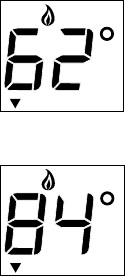
The temperature setting and the room temperature are
shown separately on the digital display. The ▼ indicator
points to Set when the temperature setting is displayed
and to Room when the room temperature is displayed.
1. To display the temperature setting on the digital
display, press either the ▲ or ▼ key once.
M10275
INDICATOR
RoomSet
6
69-1492
Changing Temperature Setting
1. To lower the temperature setting, press the ▼ key.
2. To raise the temperature setting, press the ▲ key.
When in the heating mode, lowering the temperature at
night or during the day can lower your energy costs.
M10276
RoomSet
M10982
RoomSet
769-1492
Troubleshooting Guide
Heating does not come on.
•Check that the SYSTEM switch on the thermostat is
set to Heat.
•Check the system fuse or circuit breaker and replace or
reset if necessary.
•Check for air movement at the register.
•Check power to the heating equipment.
Temperature setting is too warm or cool.
•Adjust the temperature by pressing either the ▲ or ▼ key.
If you have questions concerning this thermostat, call Honey-
well Customer Assistance at 1-800-468-1502, Monday-Friday,
7:00 am-5:30 pm, Central time.
For service, contact your local heating and cooling contractor:
Copyright © 2000 Honeywell
All Rights Reserved
® U.S. Registered Trademark
69-1492 G.H. 9-00
Home and Building Control
Honeywell Limited - Honeywell Limitée
35 Dynamic Drive
Scarborough, Ontario
M2H 3N7
Home and Building Control
Honeywell
1985 Douglas Drive North
Golden Valley, MN 55422
Printed in U.S.A. on recycled
paper containing at least 10%
post-consumer paper fibers.
www.honeywell.com/yourhome/
