Hoover Fost Free Fridge Freezer HCN6182WK Instruction Manual Product Code 34002317 HCN6182
User Manual: Hoover Instruction Manual HCN6182BK - Fridge Freezer Help and Advice from Hoover
Open the PDF directly: View PDF  .
.
Page Count: 17
This appliance is equipped with technology that allows you to
interact, via the App, with smartphones based on Android operating system
and equipped with NFC (Near Field Communication) function.
This appliance is equipped with technology that allows
you to interact, via the App, with smartphones based on Android
operating system and equipped with NFC (Near Field
Communication) function.
Download on your smartphone the Hoover Wizard App.
Hoover Wizard
The main functions available using the App are:
To set temperature level
also by intermediate steps (0,5; 1; 1,5; 2; 2,5; 3; 3,5; 4; 4,5)
To activate an additional boost to cool down
quickly both fridge and freezer.
Automatically the entire refrigerator is settled on level
2 (+5°, -18°)
Cooling statistics and tips for a more efficient use of
your machine.
Direct link to User Manual and help on line.
Enter the " " menu of your Android smartphone and
activate the NFC function inside the " "
menu.
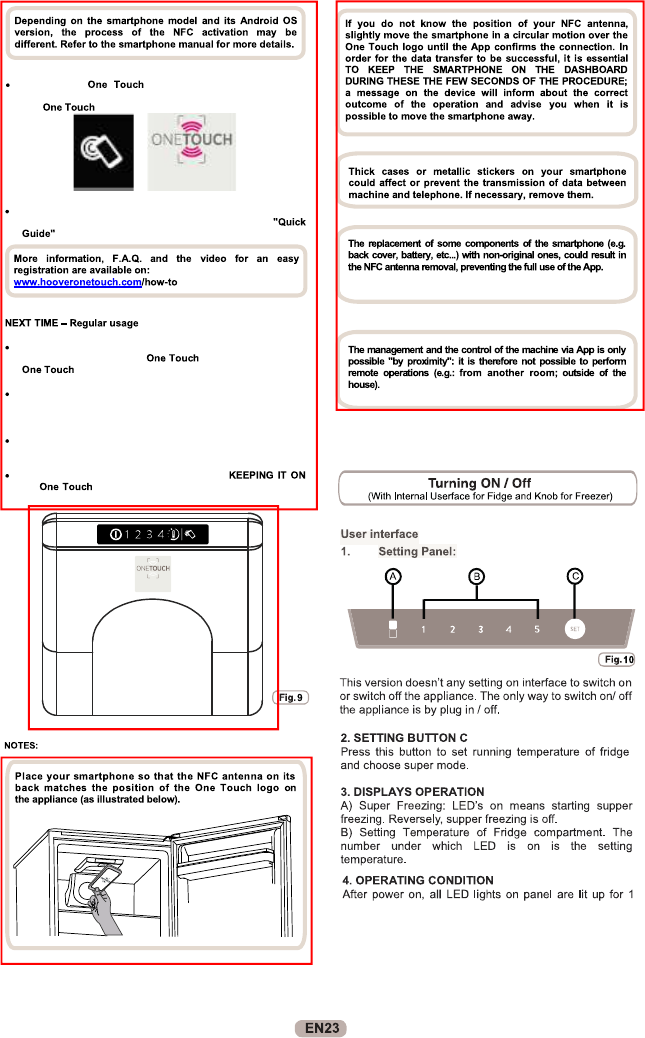
Turn on the button on the User Interface by
pressing 2 seconds to enable the NFC antenna on the Sky Led.
The label switches on.
Open the App, create the user profile and register the appliance
following the instructions on the phone display or the
attached on the machine.
Every time you want to manage the machine through the App,
first you have to enable the mode by turning on the
button.
Make sure you have unlocked your phone (from stand-by mode)
and you have activated the NFC function; then, follow the steps
mentioned earlier.
If you want to activate a function (e.g. Super Boost cycle),
select it in the App.
Follow the instructions on the phone display,
the logo on the Sky Led, when requested to do so
by the App.