Hotspot Tech MIRABOX MiraBox User Manual

Hotspot Tech HK Industrial Limited MiraBox Users Manual

User Manual

      MiraBox Manual
   Content 1  Introduction   ................................................................................................................................. 22  Basic Installation   ......................................................................................................................... 53  Technical Specification   ............................................................................................................... 64  Supported Device   ........................................................................................................................ 65  How to Link   ................................................................................................................................ 6                       1 Introduction This is a professional WiFi A/V mirror converter of Smart Phone to Car Audio.
     This is a car standard A/V mirror converter of Smart Phone to Car Audio which transfers the audio and video of smart phone or pad (live screen) to audio player. With this device, user can enjoy all applications & contents of smart phone in car: -  On line navigation (advanced function: TMC, location share, free map upgrade) -  Music listening and video watching -  Internet surf (movies-watching, news-browsing, twitter, Google talking) -  Games playing  It is designed especially for car environment and featured with: 1. Universal: Compatible with all car audio and AUX input (CVBS) 2. Easy installation: Plug and playing, no need any software driver or App. 3.Wireless user experience: No need any cable from phone to converter box.
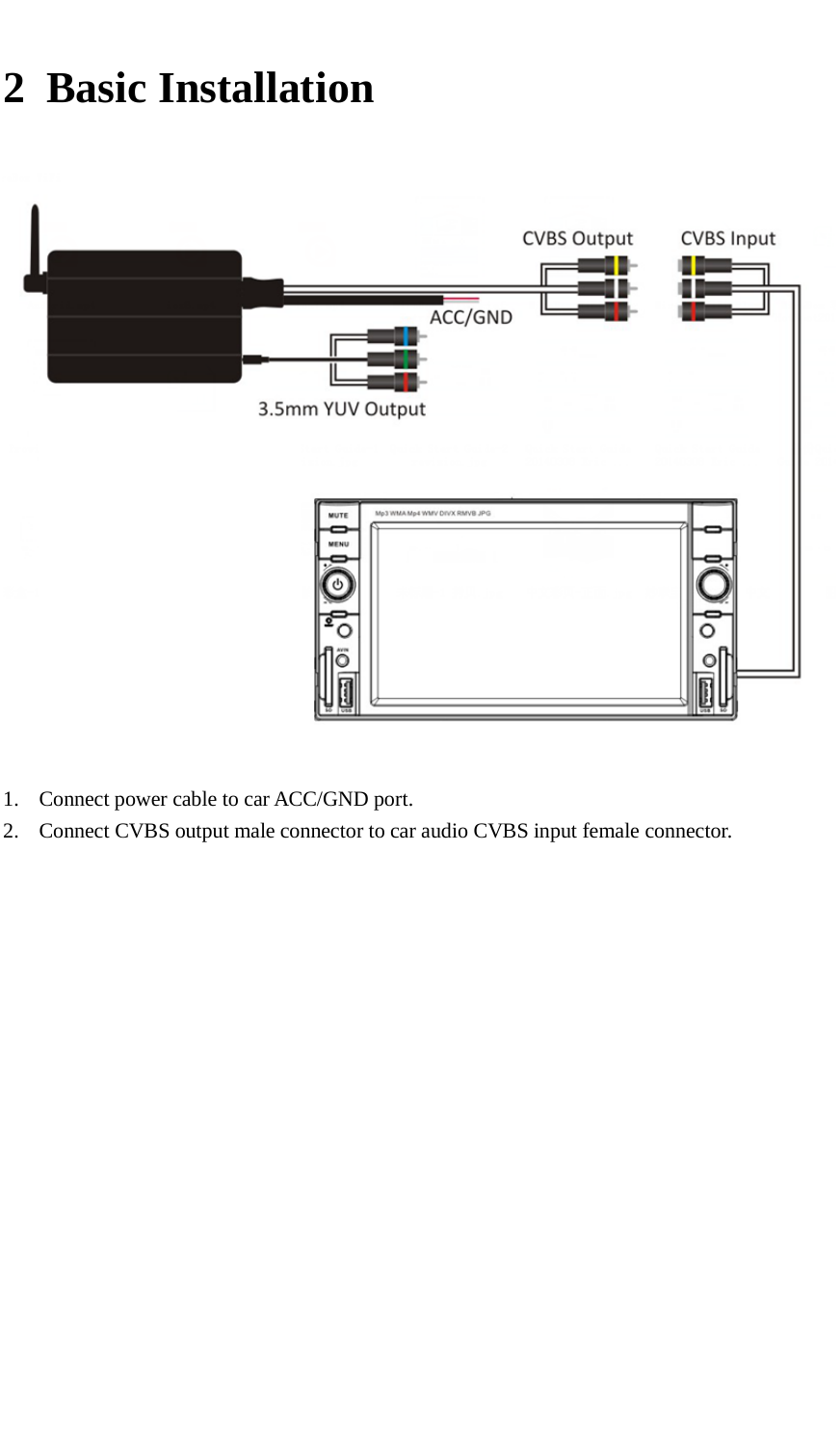
     2 Basic Installation   1. Connect power cable to car ACC/GND port. 2. Connect CVBS output male connector to car audio CVBS input female connector.
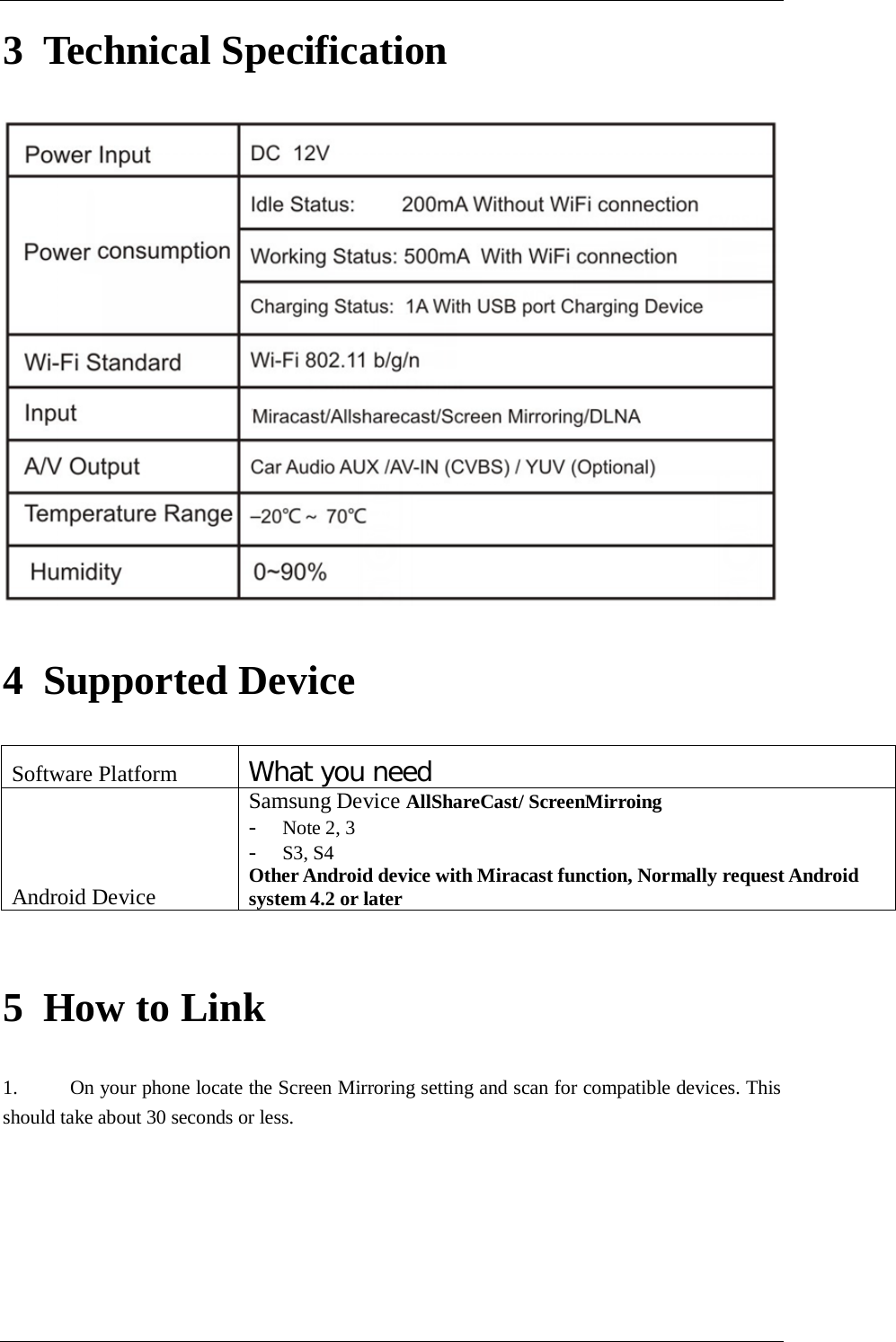
     3 Technical Specification  4 Supported Device Software Platform What you need Android Device Samsung Device AllShareCast/ ScreenMirroing - Note 2, 3 - S3, S4 Other Android device with Miracast function, Normally request Android system 4.2 or later   5 How to Link 1. On your phone locate the Screen Mirroring setting and scan for compatible devices. This should take about 30 seconds or less.
        2. Your phone will then list available devices, select your player model number to connect. This should take about 10-20 seconds.   3. Your player will then read ‘connecting to [Model Number] followed by ‘connected’, and the front display of your player will read ‘Mirror’.
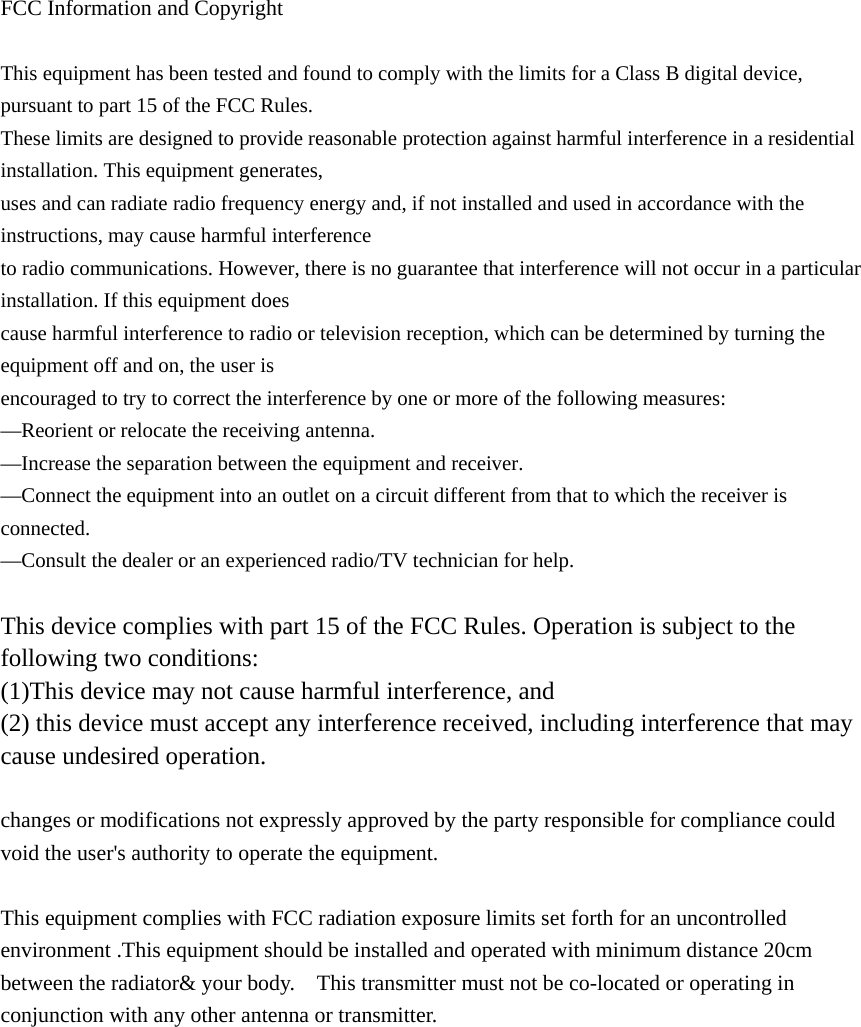
 FCC Information and Copyright  This equipment has been tested and found to comply with the limits for a Class B digital device, pursuant to part 15 of the FCC Rules. These limits are designed to provide reasonable protection against harmful interference in a residential installation. This equipment generates, uses and can radiate radio frequency energy and, if not installed and used in accordance with the instructions, may cause harmful interference to radio communications. However, there is no guarantee that interference will not occur in a particular installation. If this equipment does cause harmful interference to radio or television reception, which can be determined by turning the equipment off and on, the user is encouraged to try to correct the interference by one or more of the following measures: —Reorient or relocate the receiving antenna. —Increase the separation between the equipment and receiver. —Connect the equipment into an outlet on a circuit different from that to which the receiver is connected. —Consult the dealer or an experienced radio/TV technician for help.  This device complies with part 15 of the FCC Rules. Operation is subject to the following two conditions: (1)This device may not cause harmful interference, and   (2) this device must accept any interference received, including interference that may cause undesired operation.  changes or modifications not expressly approved by the party responsible for compliance could void the user's authority to operate the equipment.  This equipment complies with FCC radiation exposure limits set forth for an uncontrolled environment .This equipment should be installed and operated with minimum distance 20cm between the radiator& your body.    This transmitter must not be co-located or operating in conjunction with any other antenna or transmitter.

Navigation menu