Huafurui Technology CUBOTV2 SmartBand User Manual

Shenzhen Huafurui Technology Co., Ltd SmartBand

User Manual

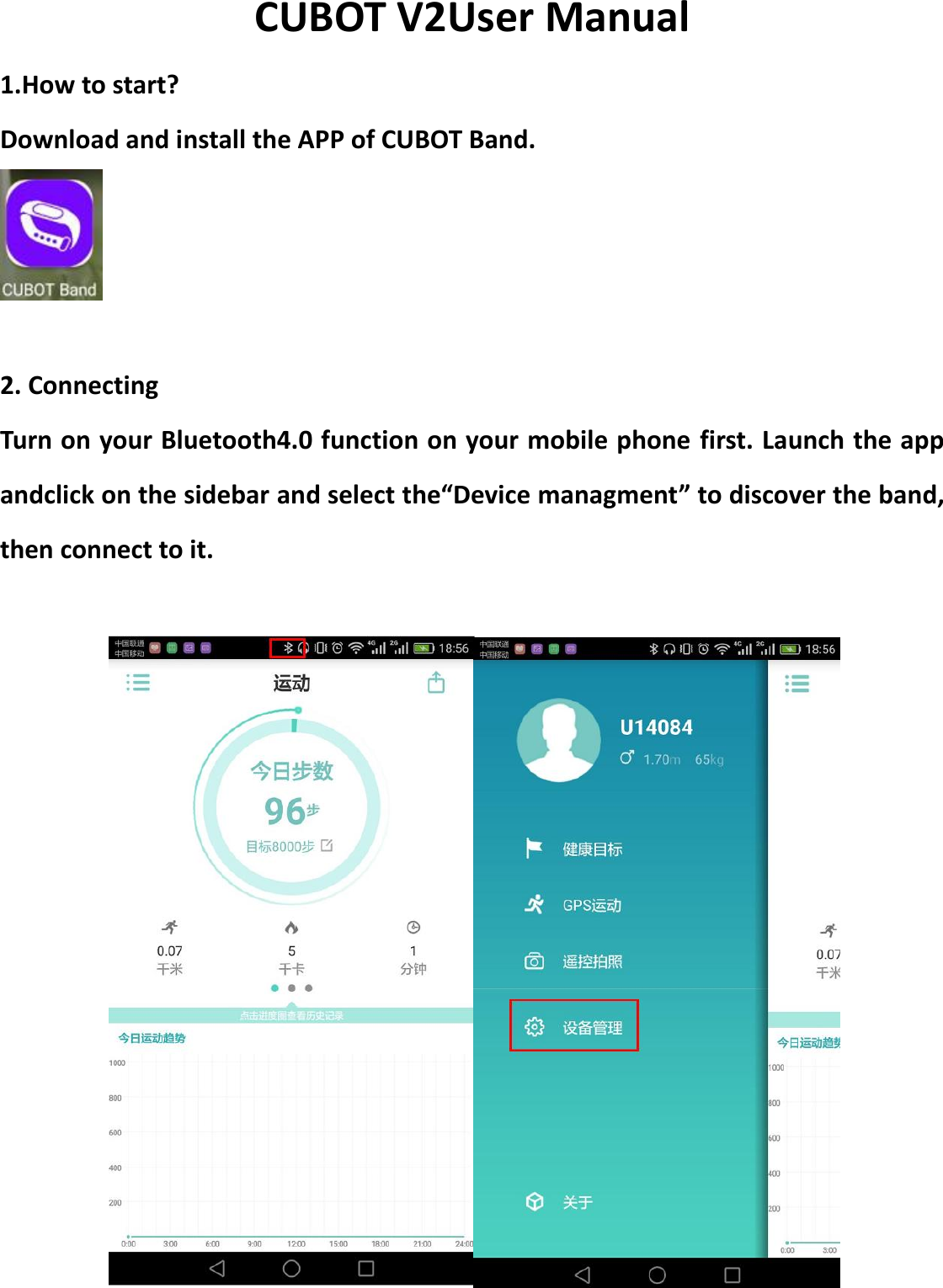
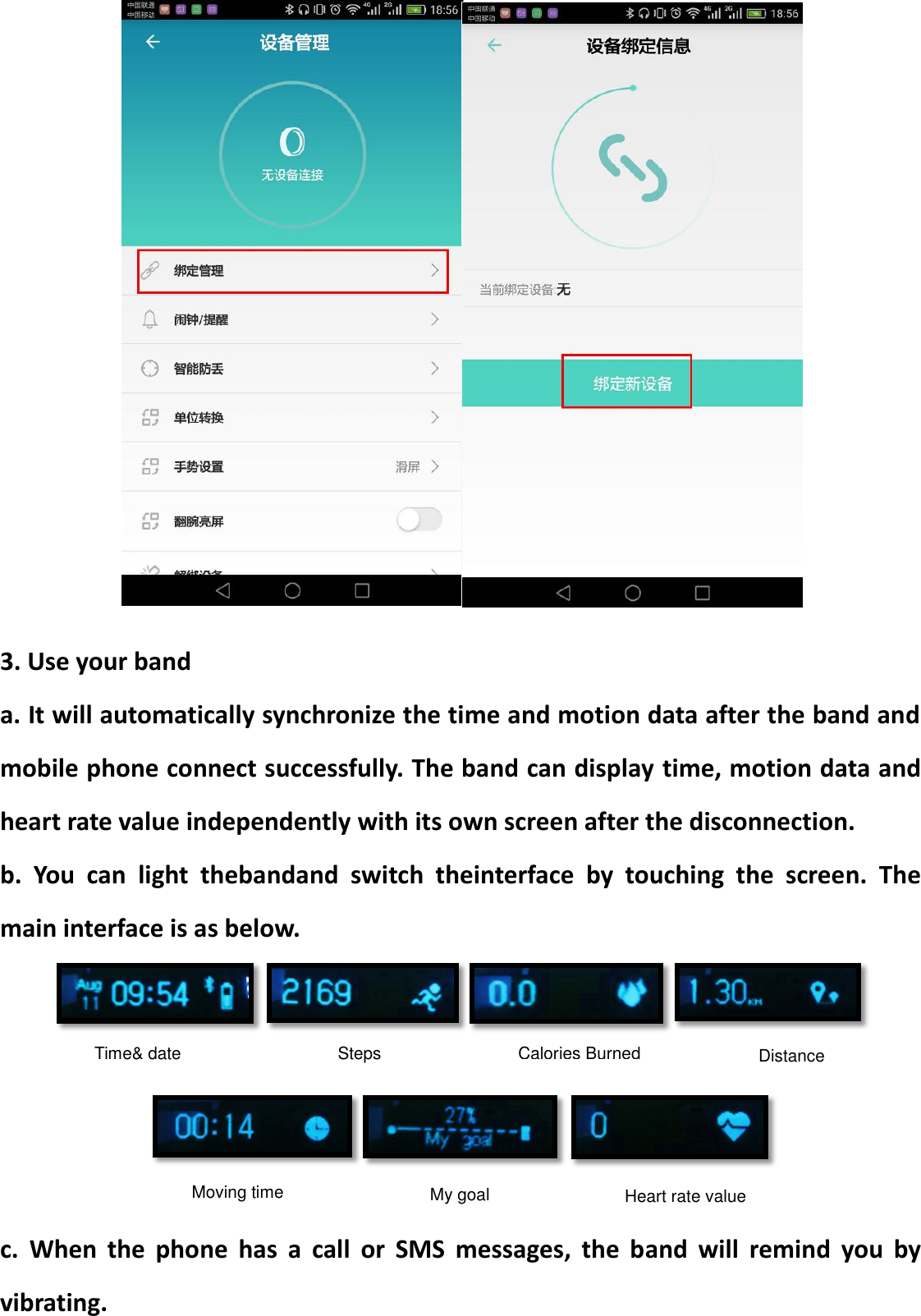
CUBOT V2User Manual 1.How to start? Download and install the APP of CUBOT Band.   2. Connecting Turn on your Bluetooth4.0 function on your mobile phone first. Launch the app andclick on the sidebar and select the“Device managment” to discover the band, then connect to it.
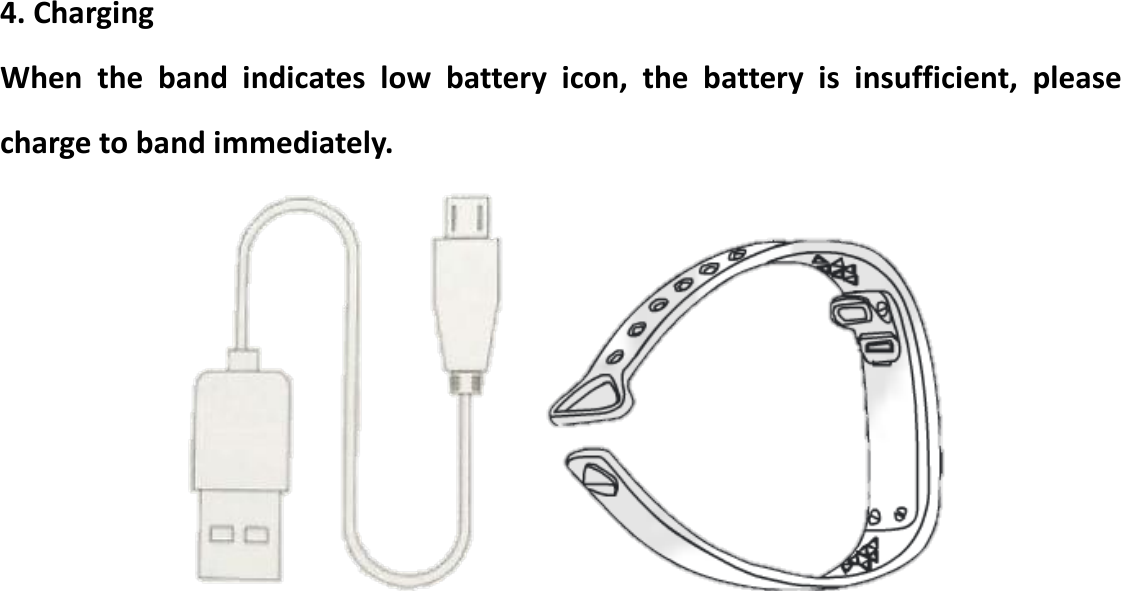
  3. Use your band a. It will automatically synchronize the time and motion data after the band and mobile phone connect successfully. The band can display time, motion data and heart rate value independently with its own screen after the disconnection. b.  You  can  light  thebandand  switch  theinterface  by  touching  the  screen.  The main interface is as below.      c.  When  the  phone  has  a  call  or  SMS  messages,  the  band  will  remind  you  by vibrating. Time& date Moving time Calories Burned Steps Distance My goal Heart rate value
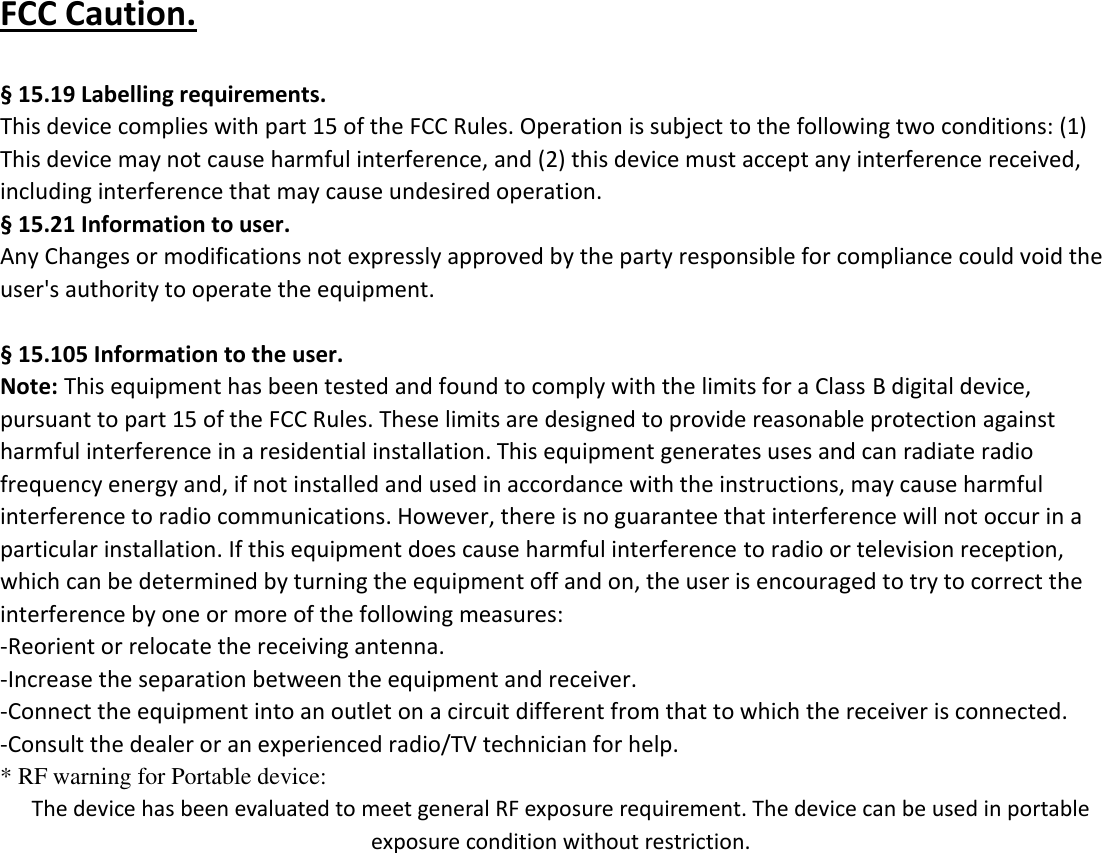
 4. Charging When  the  band  indicates  low  battery  icon,  the  battery  is  insufficient,  please charge to band immediately.
FCC Caution.    § 15.19 Labelling requirements. This device complies with part 15 of the FCC Rules. Operation is subject to the following two conditions: (1) This device may not cause harmful interference, and (2) this device must accept any interference received, including interference that may cause undesired operation.   § 15.21 Information to user. Any Changes or modifications not expressly approved by the party responsible for compliance could void the user's authority to operate the equipment.    § 15.105 Information to the user. Note: This equipment has been tested and found to comply with the limits for a Class B digital device, pursuant to part 15 of the FCC Rules. These limits are designed to provide reasonable protection against harmful interference in a residential installation. This equipment generates uses and can radiate radio frequency energy and, if not installed and used in accordance with the instructions, may cause harmful interference to radio communications. However, there is no guarantee that interference will not occur in a particular installation. If this equipment does cause harmful interference to radio or television reception, which can be determined by turning the equipment off and on, the user is encouraged to try to correct the interference by one or more of the following measures: -Reorient or relocate the receiving antenna. -Increase the separation between the equipment and receiver. -Connect the equipment into an outlet on a circuit different from that to which the receiver is connected. -Consult the dealer or an experienced radio/TV technician for help. * RF warning for Portable device: The device has been evaluated to meet general RF exposure requirement. The device can be used in portable exposure condition without restriction.

Navigation menu