I AM PLUS IMBT25 Bluetooth wireless earphones User Manual

i.am.plus, LLC Bluetooth wireless earphones

User Manual

USER GUIDEIMBT25 Bluetooth HeadphonesVisit iamplus.com for support.English User guideWarning letter:This device complies with Part 15 of the FCC Rules. Operation is subject to thefollowing two conditions: (1) this device may not cause harmful interference, and(2) this device must accept any interference received, including interference thatmay cause undesired operation.The statements should be displayed in the user manual:changes or modifications not expressly approved by the party responsible forcompliance could void the user’s authority to operate the equipment.This equipment has been tested and found to comply with the limits for a Class Bdigital device, pursuant to Part 15 of the FCC Rules. These limits are designed toprovide reasonable protection against harmful interference in a residentialinstallation. This equipment generates, uses and can radiate radio frequency energyand, if not installed and used in accordance with the instructions, may cause harmfulinterference to radio communications. However, there is no guarantee thatinterference will not occur in a particular installation.If this equipment does cause harmful interference to radio or television reception,which can be determined by turning the equipment off and on, the user is encouragedto try to correct the interference by one or more of the following measures:-- Reorient or relocate the receiving antenna.-- Increase the separation between the equipment and receiver.-- Connect the equipment into an outlet on a circuit different from that to whichthe receiver is connected.-- Consult the dealer or an experienced radio/TV technician for help.This device complies with Industry Canada license-exempt RSS standard(s). Operationis subject to the following two conditions: (1) this device may not causeinterference, and (2) this device must accept any interference, includinginterference that may cause undesired operation of the device.Le présent appareil est conforme aux CNR d'Industrie Canada applicables auxappareils radioexempts de licence. L'exploitation est autorisée aux deux conditions suivantes :(1) l'appareil nedoit pas produire de brouillage, et (2) l'utilisateur de l'appareil doit acceptertout brouillageradioélectrique subi, même si le brouillage est susceptible d'en compromettre lefonctionnement.
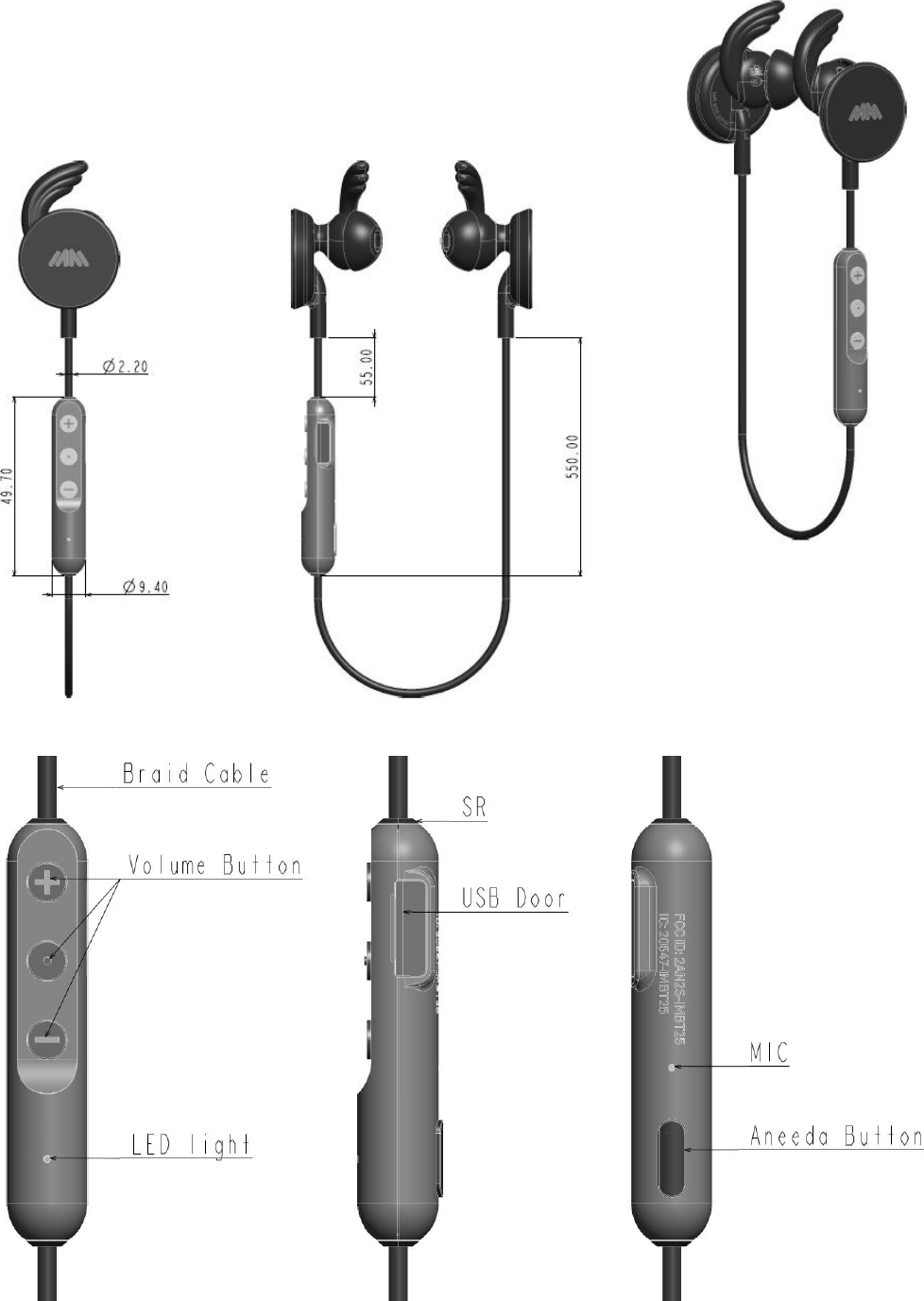
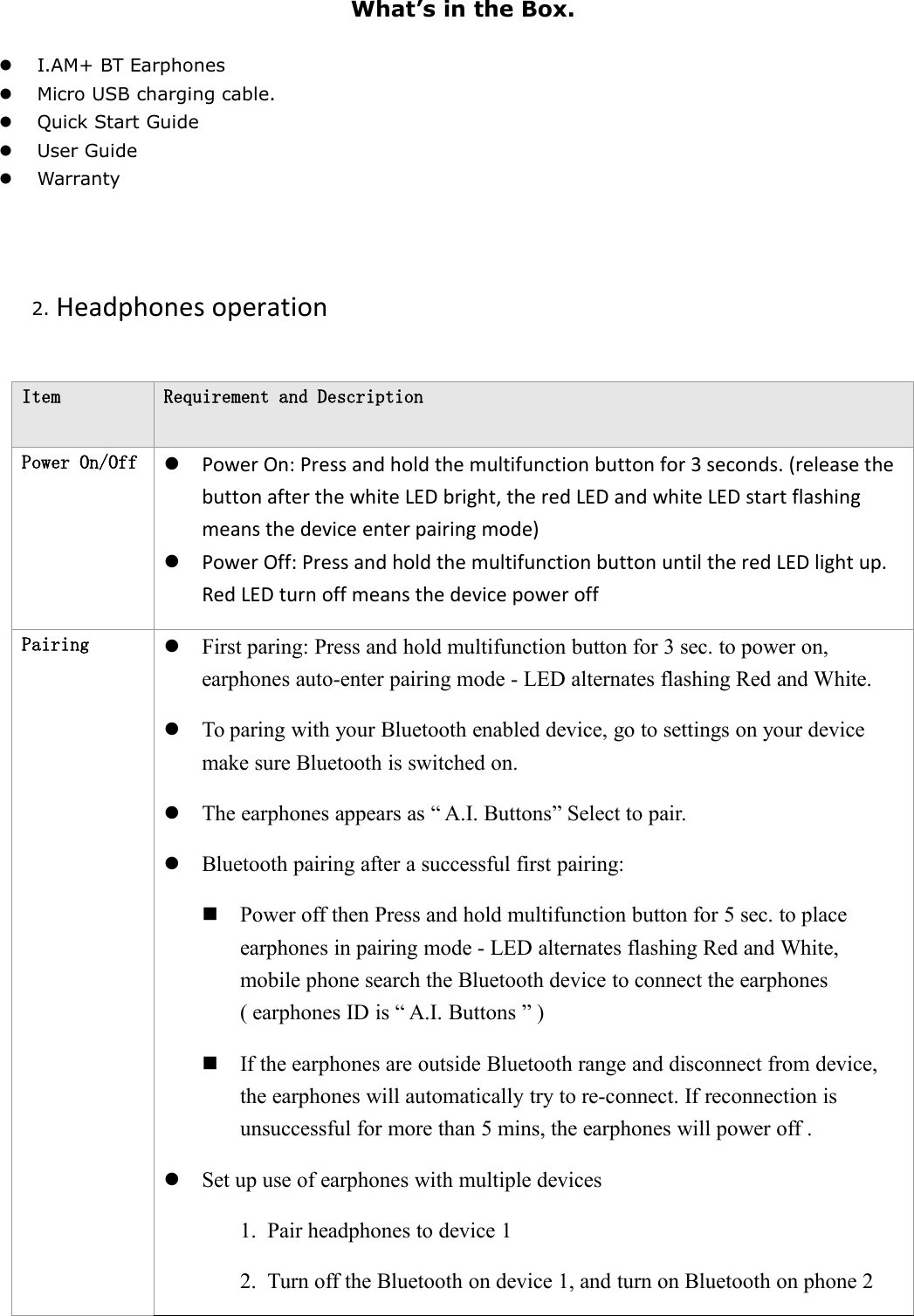
What’s in the Box.I.AM+ BT EarphonesMicro USB charging cable.Quick Start GuideUser GuideWarranty2. Headphones operationItemRequirement and DescriptionPower On/OffPower On: Press and hold the multifunction button for 3 seconds. (release thebutton after the white LED bright, the red LED and white LED start flashingmeans the device enter pairing mode)Power Off: Press and hold the multifunction button until the red LED light up.Red LED turn off means the device power offPairingFirst paring: Press and hold multifunction button for 3 sec. to power on,earphones auto-enter pairing mode - LED alternates flashing Red and White.To paring with your Bluetooth enabled device, go to settings on your devicemake sure Bluetooth is switched on.The earphones appears as “ A.I. Buttons” Select to pair.Bluetooth pairing after a successful first pairing:Power off then Press and hold multifunction button for 5 sec. to placeearphones in pairing mode - LED alternates flashing Red and White,mobile phone search the Bluetooth device to connect the earphones( earphones ID is “ A.I. Buttons ” )If the earphones are outside Bluetooth range and disconnect from device,the earphones will automatically try to re-connect. If reconnection isunsuccessful for more than 5 mins, the earphones will power off .Set up use of earphones with multiple devices1. Pair headphones to device 12. Turn off the Bluetooth on device 1, and turn on Bluetooth on phone 2
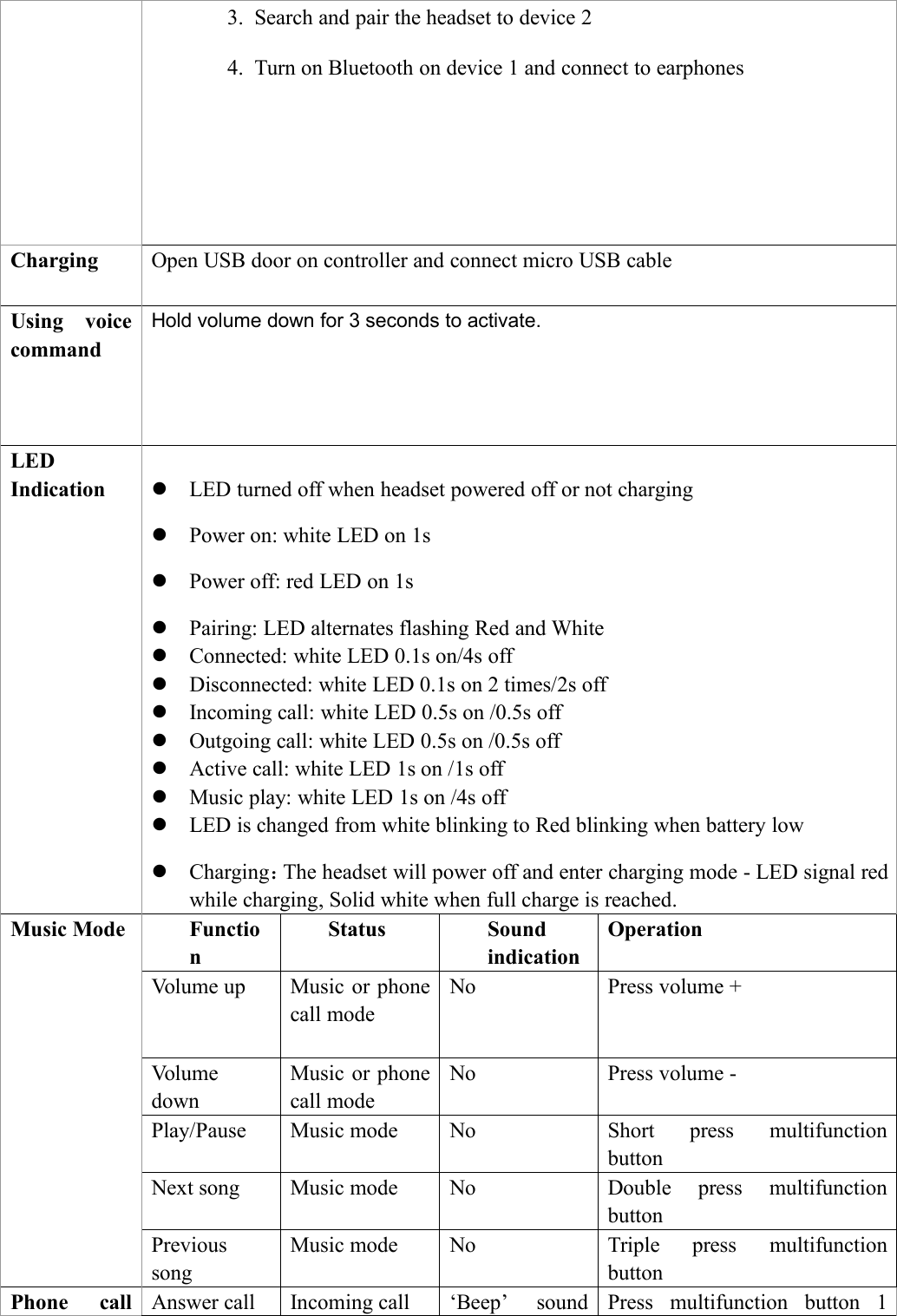
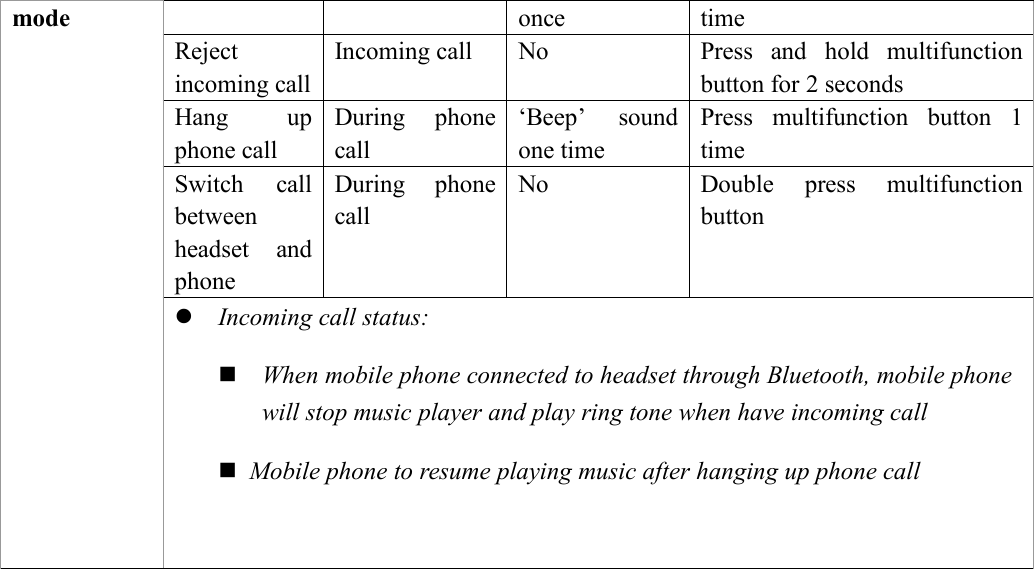
3. Search and pair the headset to device 24. Turn on Bluetooth on device 1 and connect to earphonesChargingOpen USB door on controller and connect micro USB cableUsing voicecommandHold volume down for 3 seconds to activate.LEDIndicationLED turned off when headset powered off or not chargingPower on: white LED on 1sPower off: red LED on 1sPairing: LED alternates flashing Red and WhiteConnected: white LED 0.1s on/4s offDisconnected: white LED 0.1s on 2 times/2s offIncoming call: white LED 0.5s on /0.5s offOutgoing call: white LED 0.5s on /0.5s offActive call: white LED 1s on /1s offMusic play: white LED 1s on /4s offLED is changed from white blinking to Red blinking when battery lowCharging:The headset will power off and enter charging mode - LED signal redwhile charging, Solid white when full charge is reached.Music ModeFunctionStatusSoundindicationOperationVolume upMusic or phonecall modeNoPress volume +VolumedownMusic or phonecall modeNoPress volume -Play/PauseMusic modeNoShort press multifunctionbuttonNext songMusic modeNoDouble press multifunctionbuttonPrevioussongMusic modeNoTriple press multifunctionbuttonPhone callAnswer callIncoming call‘Beep’ soundPress multifunction button 1
modeoncetimeRejectincoming callIncoming callNoPress and hold multifunctionbutton for 2 secondsHang upphone callDuring phonecall‘Beep’ soundone timePress multifunction button 1timeSwitch callbetweenheadset andphoneDuring phonecallNoDouble press multifunctionbuttonIncoming call status:When mobile phone connected to headset through Bluetooth, mobile phonewill stop music player and play ring tone when have incoming callMobile phone to resume playing music after hanging up phone call
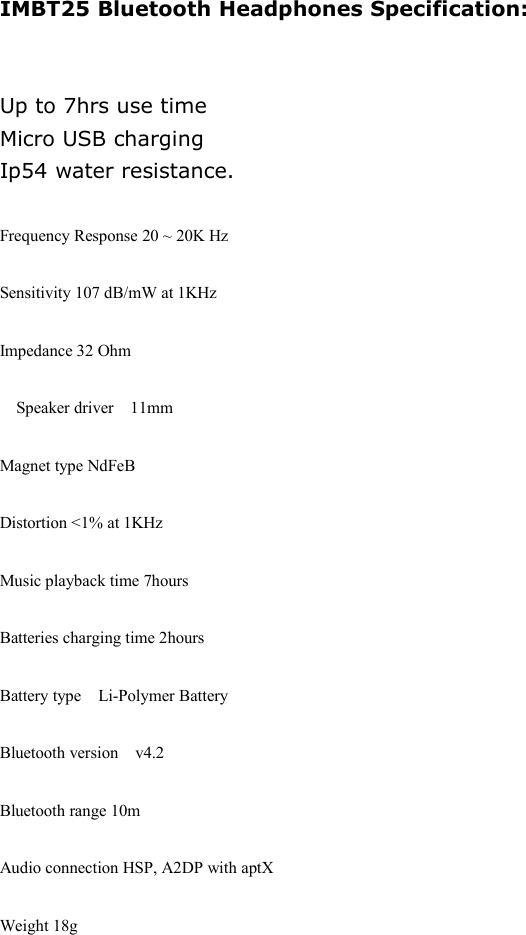
IMBT25 Bluetooth Headphones Specification:Up to 7hrs use timeMicro USB chargingIp54 water resistance.Frequency Response 20 ~ 20K HzSensitivity 107 dB/mW at 1KHzImpedance 32 Ohm󳋡Speaker driver 11mmMagnet type NdFeBDistortion <1% at 1KHzMusic playback time 7hoursBatteries charging time 2hoursBattery type󳋡Li-Polymer BatteryBluetooth version v4.2Bluetooth range 10mAudio connection HSP, A2DP with aptXWeight 18g

Navigation menu