I O INTERCONNECT RA842 DataSav User Manual Market Requirements

I/O INTERCONNECT INC. DataSav Market Requirements

Users Manual

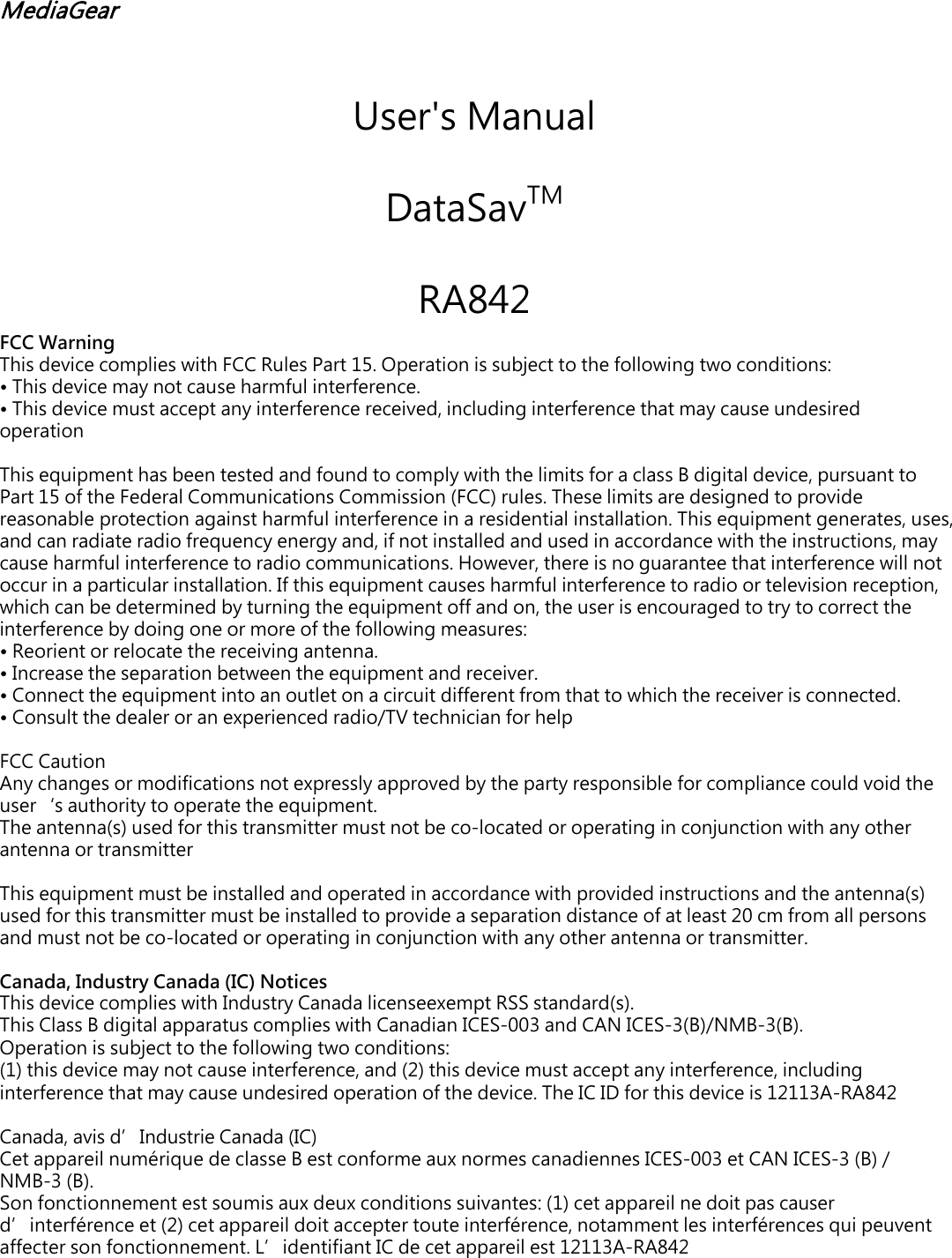
MediaGear User's Manual DataSavTM  RA842 FCC Warning This device complies with FCC Rules Part 15. Operation is subject to the following two conditions: •This device may not cause harmful interference.•This device must accept any interference received, including interference that may cause undesiredoperationThis equipment has been tested and found to comply with the limits for a class B digital device, pursuant to Part 15 of the Federal Communications Commission (FCC) rules. These limits are designed to provide reasonable protection against harmful interference in a residential installation. This equipment generates, uses, and can radiate radio frequency energy and, if not installed and used in accordance with the instructions, may cause harmful interference to radio communications. However, there is no guarantee that interference will not occur in a particular installation. If this equipment causes harmful interference to radio or television reception, which can be determined by turning the equipment off and on, the user is encouraged to try to correct the interference by doing one or more of the following measures: •Reorient or relocate the receiving antenna.•Increase the separation between the equipment and receiver.•Connect the equipment into an outlet on a circuit different from that to which the receiver is connected.•Consult the dealer or an experienced radio/TV technician for helpFCC Caution Any changes or modifications not expressly approved by the party responsible for compliance could void the user‘s authority to operate the equipment. The antenna(s) used for this transmitter must not be co-located or operating in conjunction with any other antenna or transmitter This equipment must be installed and operated in accordance with provided instructions and the antenna(s) used for this transmitter must be installed to provide a separation distance of at least 20 cm from all persons and must not be co-located or operating in conjunction with any other antenna or transmitter. Canada, Industry Canada (IC) Notices This device complies with Industry Canada licenseexempt RSS standard(s). This Class B digital apparatus complies with Canadian ICES-003 and CAN ICES-3(B)/NMB-3(B). Operation is subject to the following two conditions: (1) this device may not cause interference, and (2) this device must accept any interference, including interference that may cause undesired operation of the device. The IC ID for this device is 12113A-RA842Canada, avis d’Industrie Canada (IC) Cet appareil numérique de classe B est conforme aux normes canadiennes ICES-003 et CAN ICES-3 (B) / NMB-3 (B).Son fonctionnement est soumis aux deux conditions suivantes: (1) cet appareil ne doit pas causer d’interférence et (2) cet appareil doit accepter toute interférence, notamment les interférences qui peuvent affecter son fonctionnement. L’identifiant IC de cet appareil est 12113A-RA842
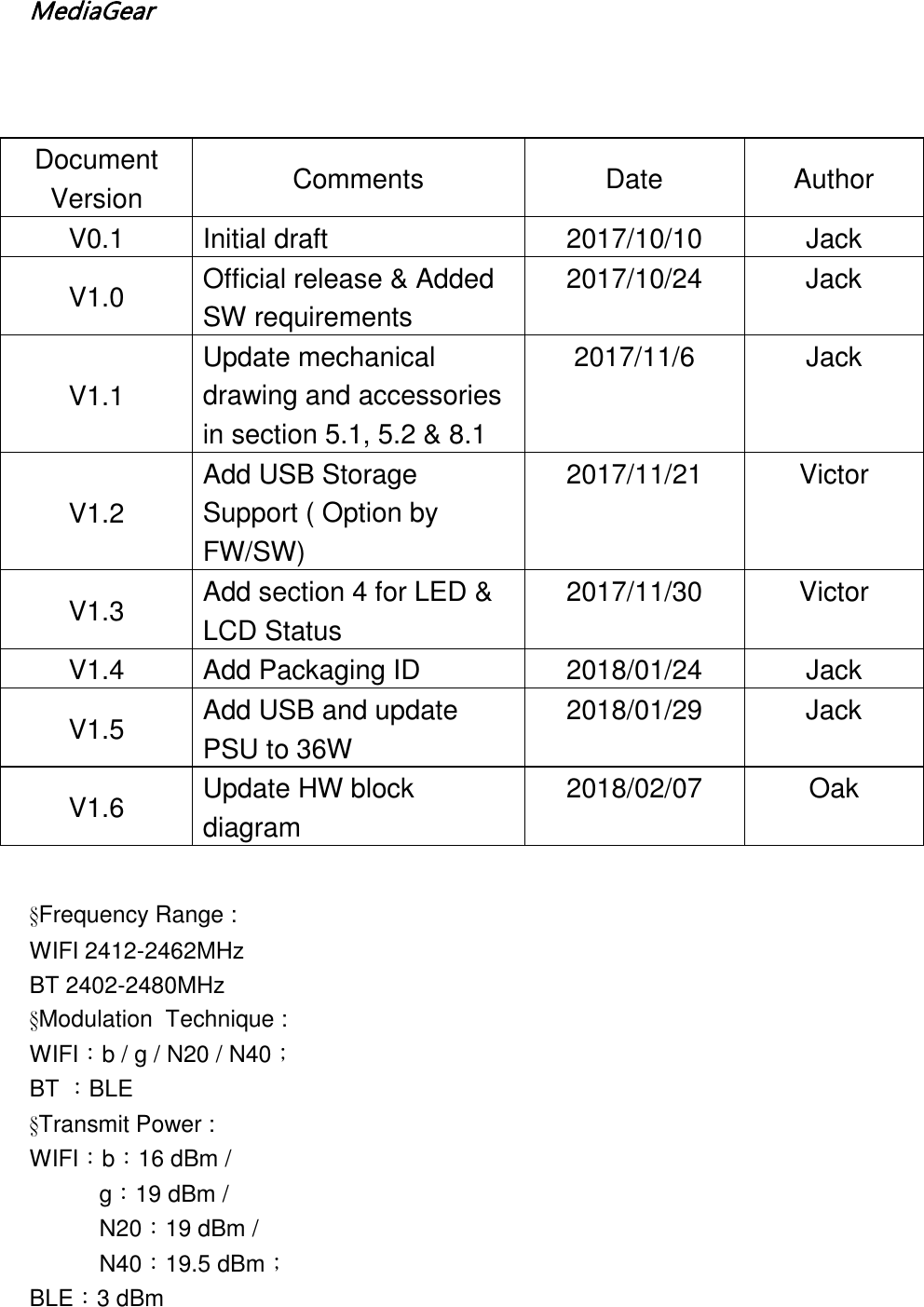
MediaGear §Frequency Range :WIFI 2412-2462MHzBT 2402-2480MHz§Modulation  Technique :WIFI:b / g / N20 / N40;BT :BLE§Transmit Power :WIFI:b:16 dBm /g:19 dBm /  N20:19 dBm /  N40:19.5 dBm; BLE:3 dBm Document Version Comments Date Author V0.1 Initial draft 2017/10/10 Jack V1.0 Official release & Added SW requirements 2017/10/24 Jack V1.1 Update mechanical drawing and accessories in section 5.1, 5.2 & 8.1 2017/11/6 Jack V1.2 Add USB Storage Support ( Option by FW/SW) 2017/11/21  Victor V1.3 Add section 4 for LED & LCD Status 2017/11/30  Victor V1.4 Add Packaging ID 2018/01/24 Jack V1.5 Add USB and update PSU to 36W 2018/01/29 Jack V1.6 Update HW block diagram 2018/02/07 Oak
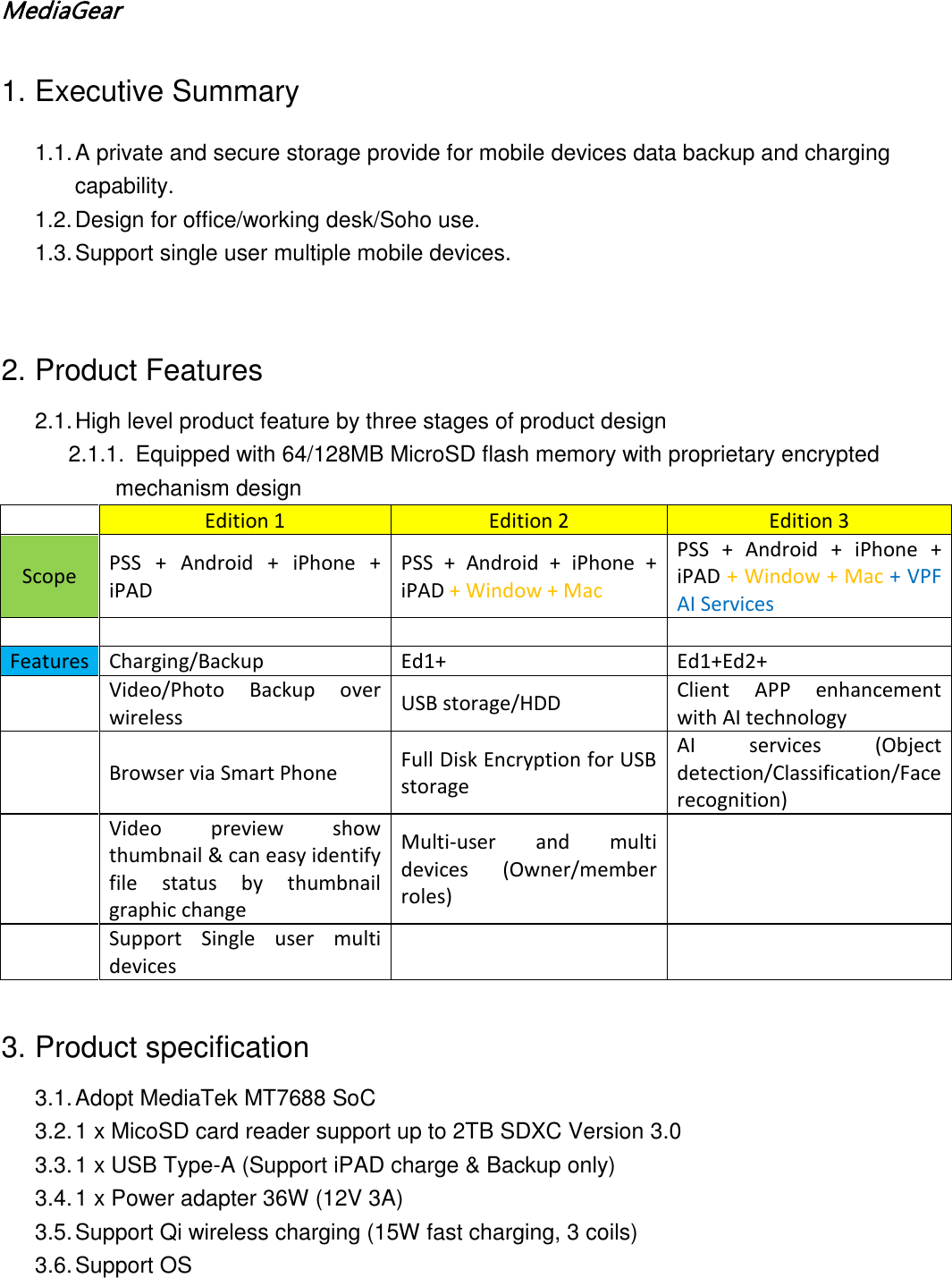
MediaGear  1. Executive Summary 1.1. A private and secure storage provide for mobile devices data backup and charging capability. 1.2. Design for office/working desk/Soho use. 1.3. Support single user multiple mobile devices.   2. Product Features 2.1. High level product feature by three stages of product design 2.1.1. Equipped with 64/128MB MicroSD flash memory with proprietary encrypted  mechanism design  Edition 1 Edition 2 Edition 3 Scope PSS + Android + iPhone + iPAD PSS + Android + iPhone + iPAD + Window + Mac PSS + Android + iPhone + iPAD + Window + Mac + VPF AI Services        Features Charging/Backup Ed1+ Ed1+Ed2+  Video/Photo Backup over wireless USB storage/HDD Client APP enhancement with AI technology  Browser via Smart Phone Full Disk Encryption for USB storage AI services (Object detection/Classification/Face recognition)  Video preview show thumbnail & can easy identify file status by thumbnail graphic change Multi-user and multi devices (Owner/member roles)    Support  Single user multi devices       3. Product specification 3.1. Adopt MediaTek MT7688 SoC 3.2. 1 x MicoSD card reader support up to 2TB SDXC Version 3.0 3.3. 1 x USB Type-A (Support iPAD charge & Backup only) 3.4. 1 x Power adapter 36W (12V 3A) 3.5. Support Qi wireless charging (15W fast charging, 3 coils) 3.6. Support OS
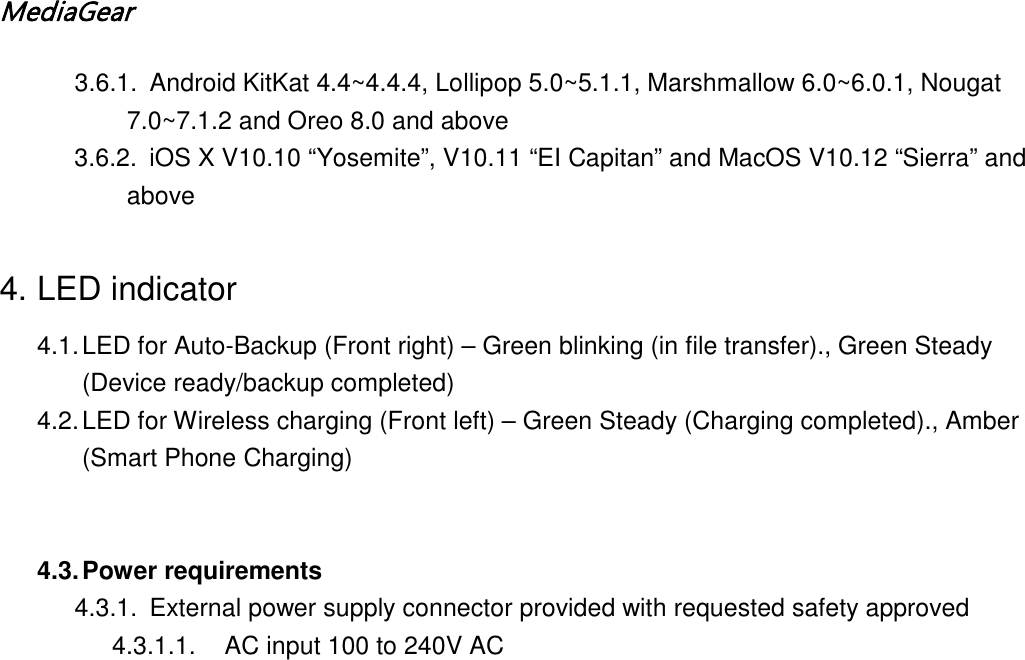
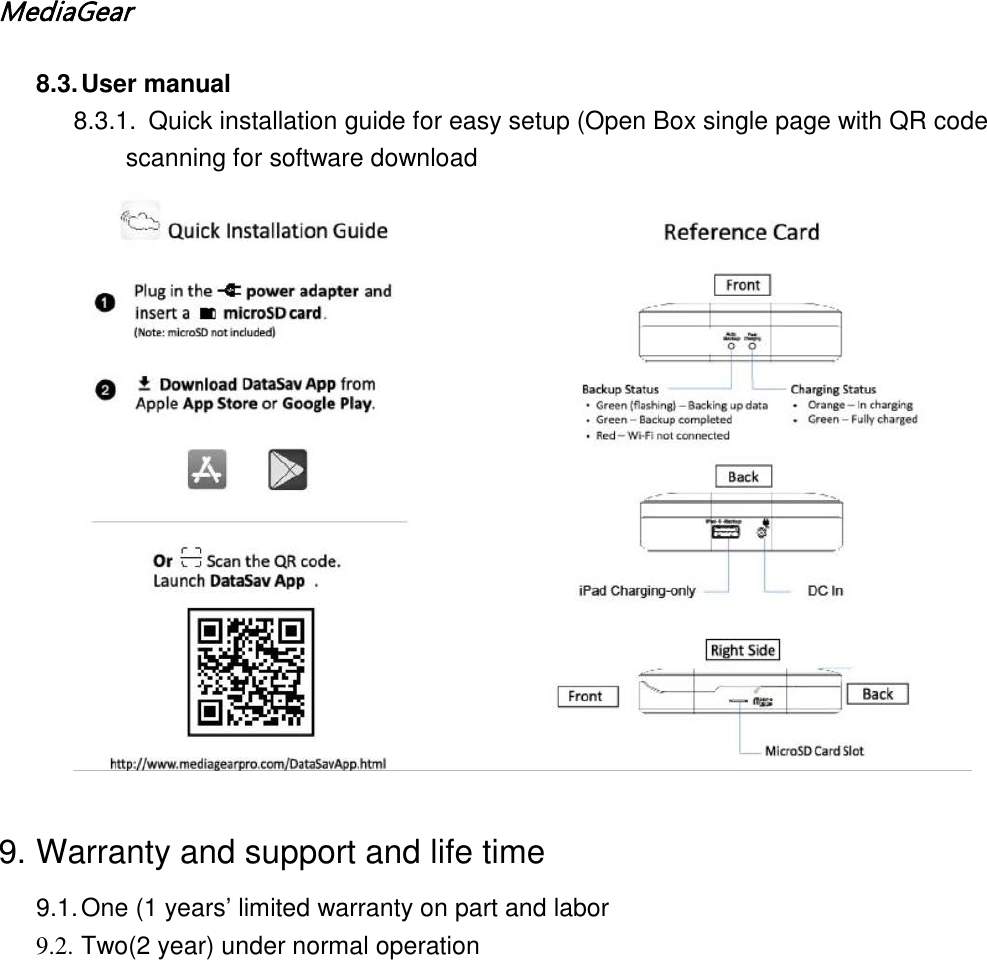
MediaGear  3.6.1. Android KitKat 4.4~4.4.4, Lollipop 5.0~5.1.1, Marshmallow 6.0~6.0.1, Nougat 7.0~7.1.2 and Oreo 8.0 and above  3.6.2. iOS X V10.10 “Yosemite”, V10.11 “EI Capitan” and MacOS V10.12 “Sierra” and above  4. LED indicator 4.1. LED for Auto-Backup (Front right) – Green blinking (in file transfer)., Green Steady (Device ready/backup completed) 4.2. LED for Wireless charging (Front left) – Green Steady (Charging completed)., Amber (Smart Phone Charging)   4.3. Power requirements 4.3.1. External power supply connector provided with requested safety approved 4.3.1.1. AC input 100 to 240V AC
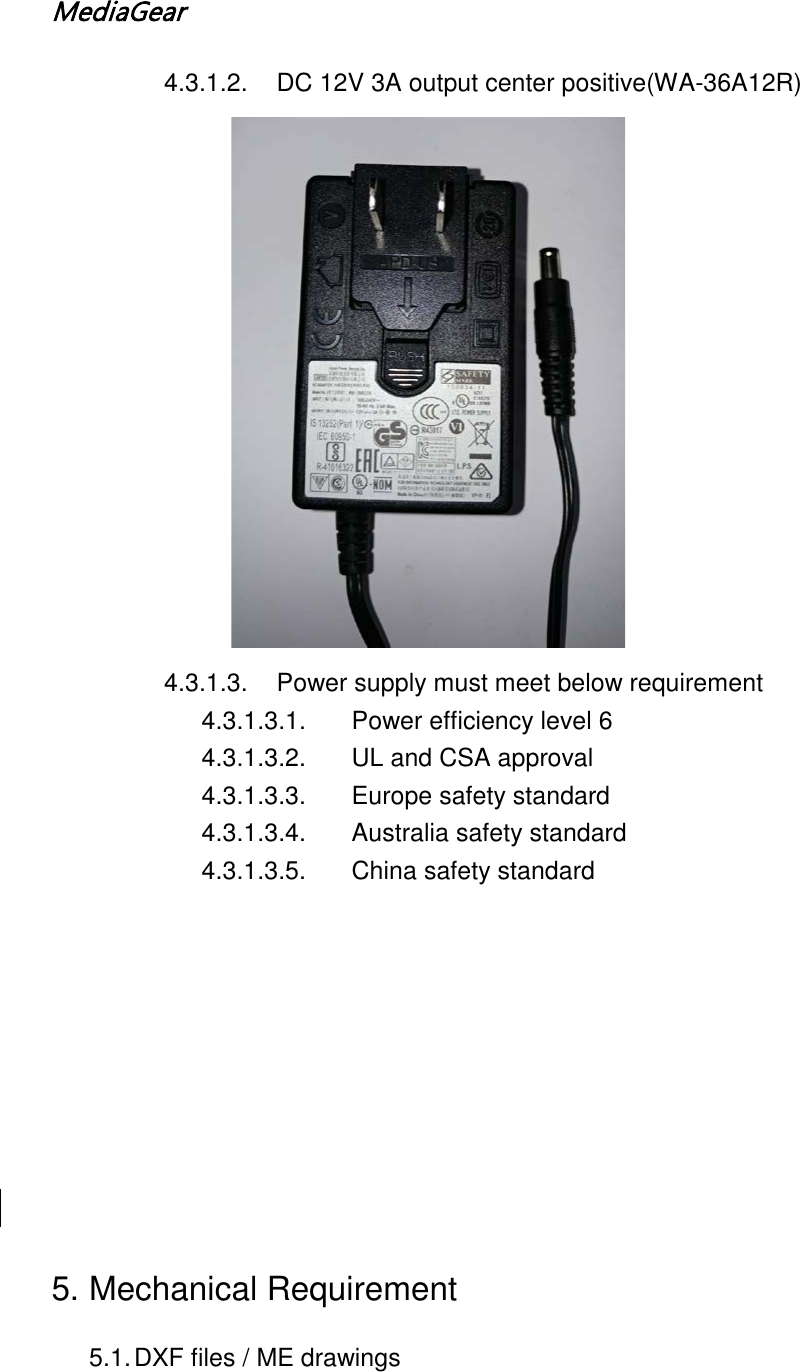
MediaGear  4.3.1.2. DC 12V 3A output center positive(WA-36A12R) 4.3.1.3. Power supply must meet below requirement 4.3.1.3.1. Power efficiency level 6 4.3.1.3.2. UL and CSA approval 4.3.1.3.3. Europe safety standard 4.3.1.3.4. Australia safety standard 4.3.1.3.5. China safety standard          5. Mechanical Requirement 5.1. DXF files / ME drawings
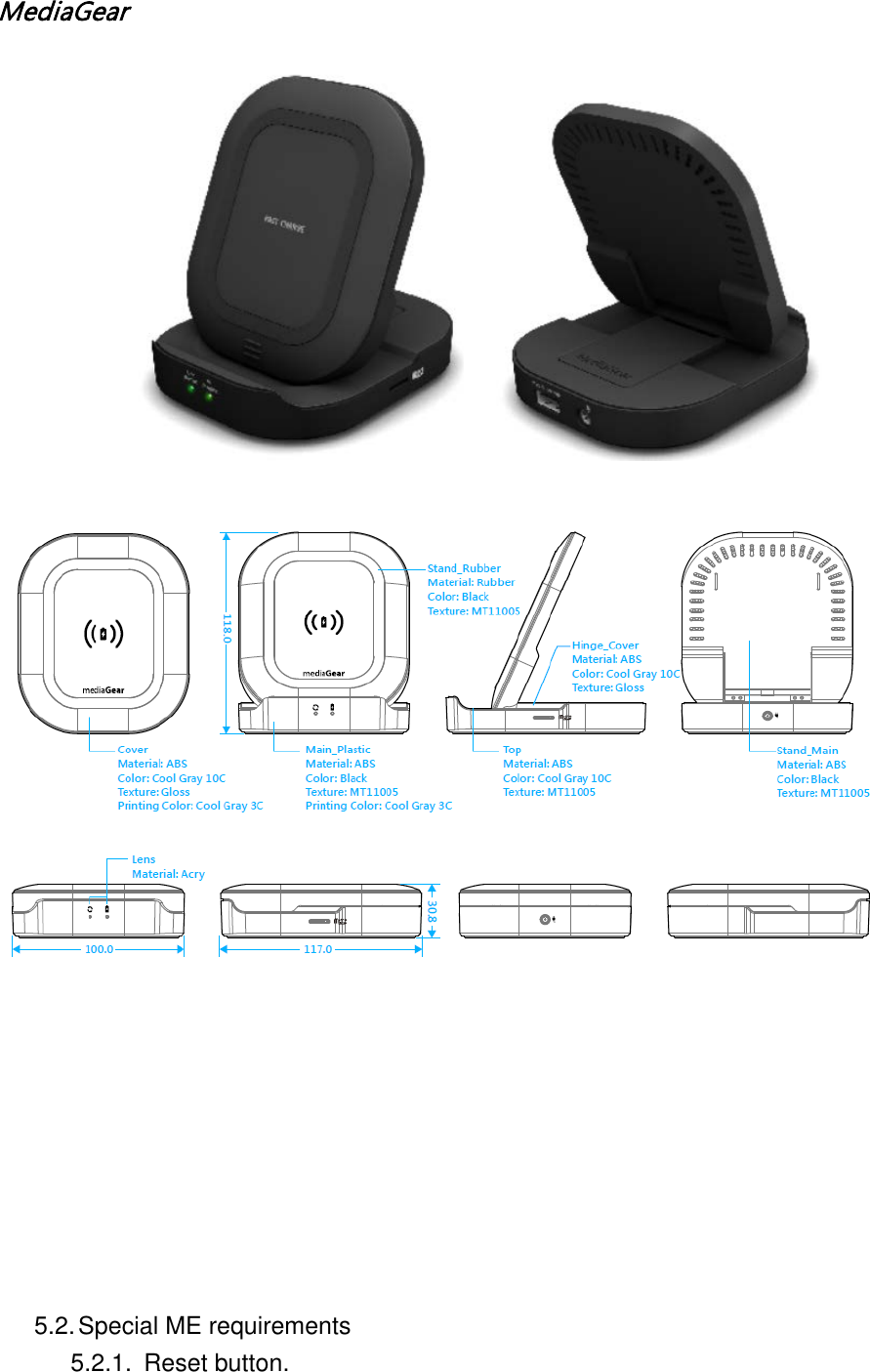
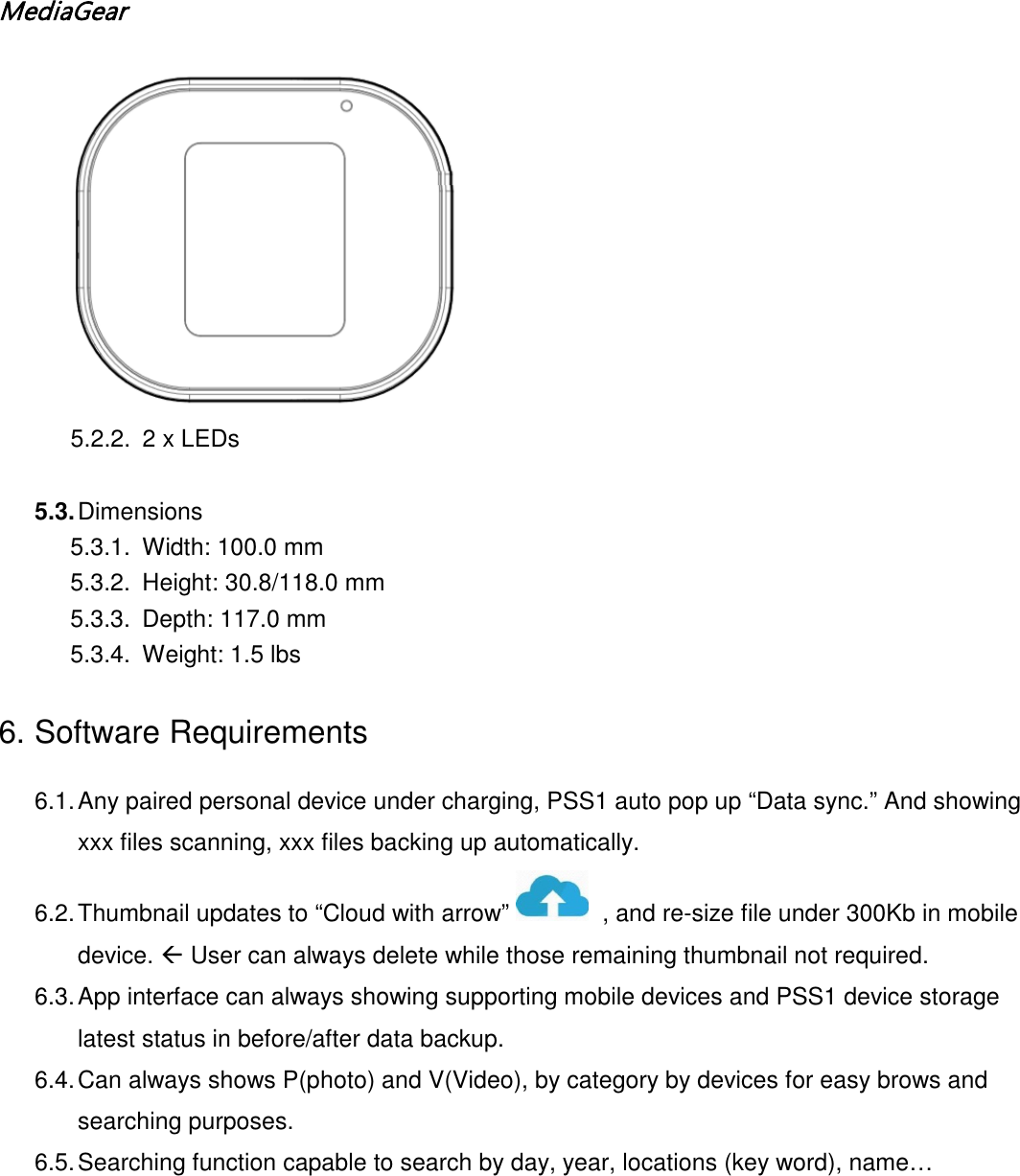
MediaGear               5.2. Special ME requirements 5.2.1. Reset button.
MediaGear   5.2.2. 2 x LEDs  5.3. Dimensions  5.3.1. Width: 100.0 mm 5.3.2. Height: 30.8/118.0 mm 5.3.3. Depth: 117.0 mm  5.3.4. Weight: 1.5 lbs 6. Software Requirements 6.1. Any paired personal device under charging, PSS1 auto pop up “Data sync.” And showing xxx files scanning, xxx files backing up automatically. 6.2. Thumbnail updates to “Cloud with arrow”    , and re-size file under 300Kb in mobile device.  User can always delete while those remaining thumbnail not required. 6.3. App interface can always showing supporting mobile devices and PSS1 device storage latest status in before/after data backup. 6.4. Can always shows P(photo) and V(Video), by category by devices for easy brows and searching purposes. 6.5. Searching function capable to search by day, year, locations (key word), name…
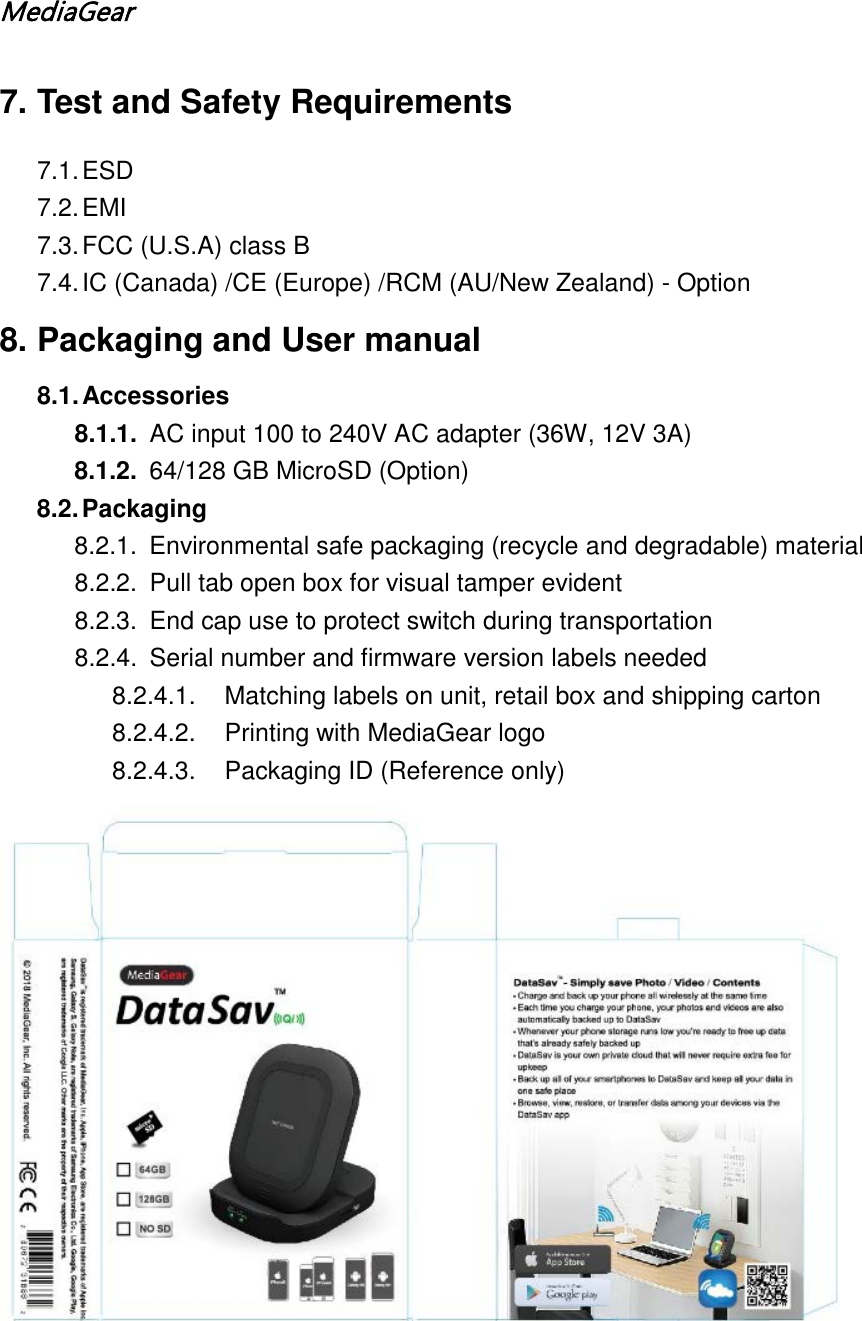
MediaGear  7. Test and Safety Requirements 7.1. ESD 7.2. EMI 7.3. FCC (U.S.A) class B 7.4. IC (Canada) /CE (Europe) /RCM (AU/New Zealand) - Option 8. Packaging and User manual 8.1. Accessories 8.1.1. AC input 100 to 240V AC adapter (36W, 12V 3A) 8.1.2. 64/128 GB MicroSD (Option) 8.2. Packaging 8.2.1. Environmental safe packaging (recycle and degradable) material 8.2.2. Pull tab open box for visual tamper evident 8.2.3.  End cap use to protect switch during transportation 8.2.4. Serial number and firmware version labels needed 8.2.4.1. Matching labels on unit, retail box and shipping carton  8.2.4.2. Printing with MediaGear logo 8.2.4.3. Packaging ID (Reference only)
MediaGear  8.3. User manual 8.3.1.  Quick installation guide for easy setup (Open Box single page with QR code scanning for software download   9. Warranty and support and life time 9.1. One (1 years’ limited warranty on part and labor 9.2. Two(2 year) under normal operation

Navigation menu