IC Real Tech AH720 IP Camera User Manual

IC Real Tech IP Camera

User Manual

USER MANUAL
www.ALLiecam.com
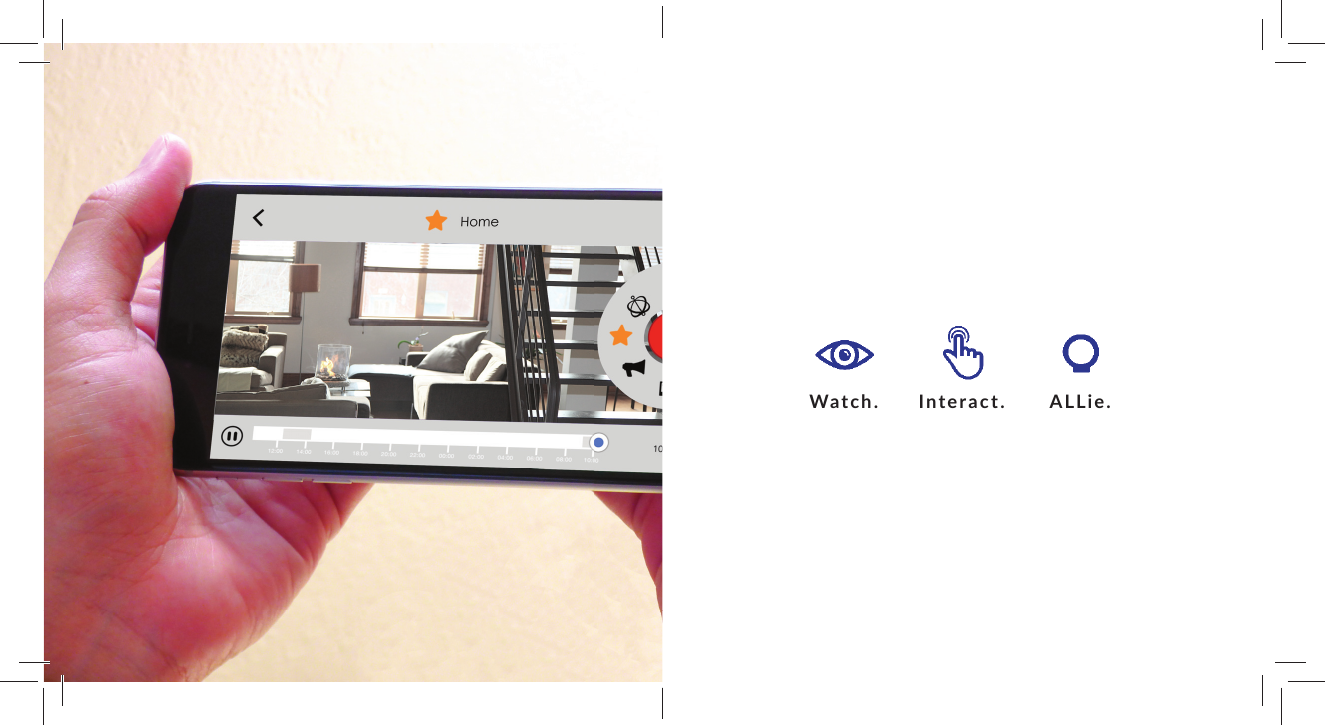
Watch. Interact. ALLie.
Become immersed in your images like never before. ALLie can be installed on your wall, floor or even your ceiling. All the necessary hardware for installation is included. Please read the instructions carefully and contact us if you have any questions during the installation process.2
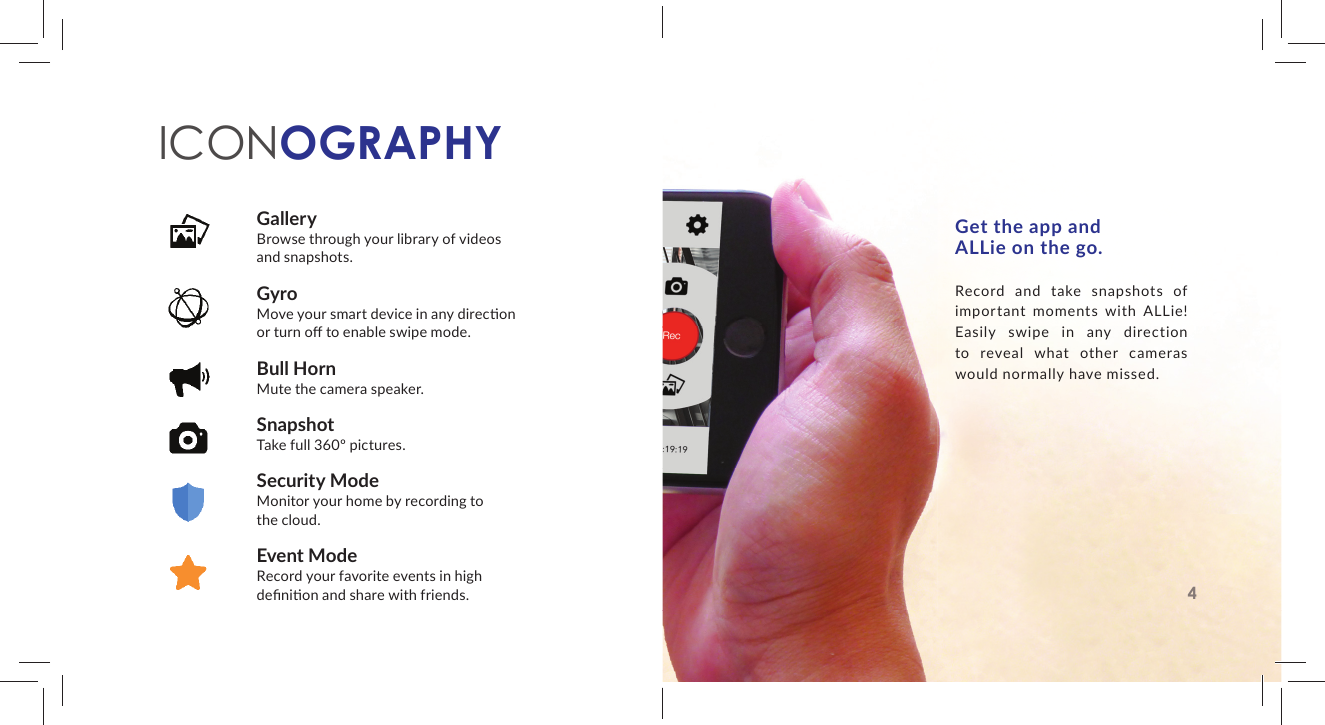
GalleryBrowse through your library of videos and snapshots.GyroMove your smart device in any direc on or turn off  to enable swipe mode.Bull HornMute the camera speaker.SnapshotTake full 360º pictures.Security ModeMonitor your home by recording to the cloud.Event ModeRecord your favorite events in high defi ni on and share with friends.ICONOGRAPHYGet the app and ALLie on the go.Record and take snapshots of important moments with ALLie! Easily swipe in any direction to reveal what other cameras would normally have missed.4
™DOWNLOAD THE APP6
PROOF8
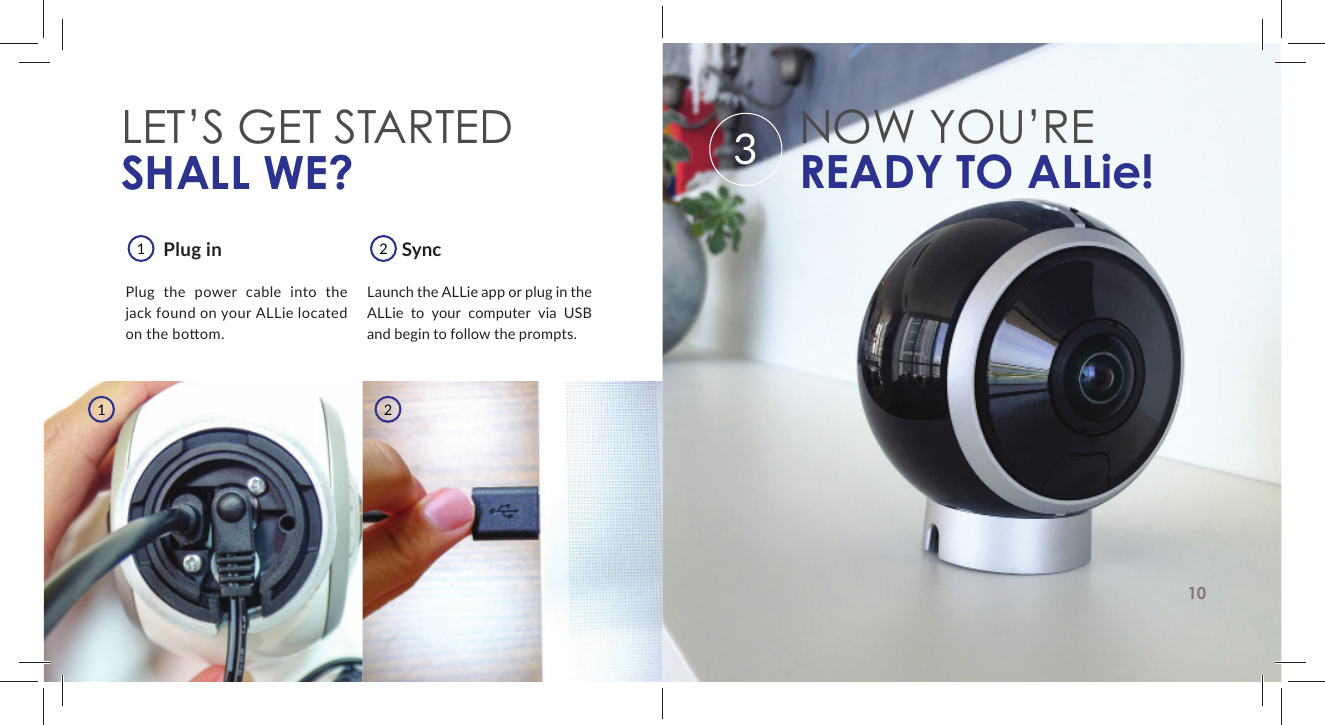
LET’S GET STARTEDSHALL WE?        SyncLaunch the ALLie app or plug in the ALLie to your computer via USB and begin to follow the prompts.        Plug inPlug the power cable into the jack found on your ALLie located on the bo om.1122NOW YOU’REREADY TO ALLie!103
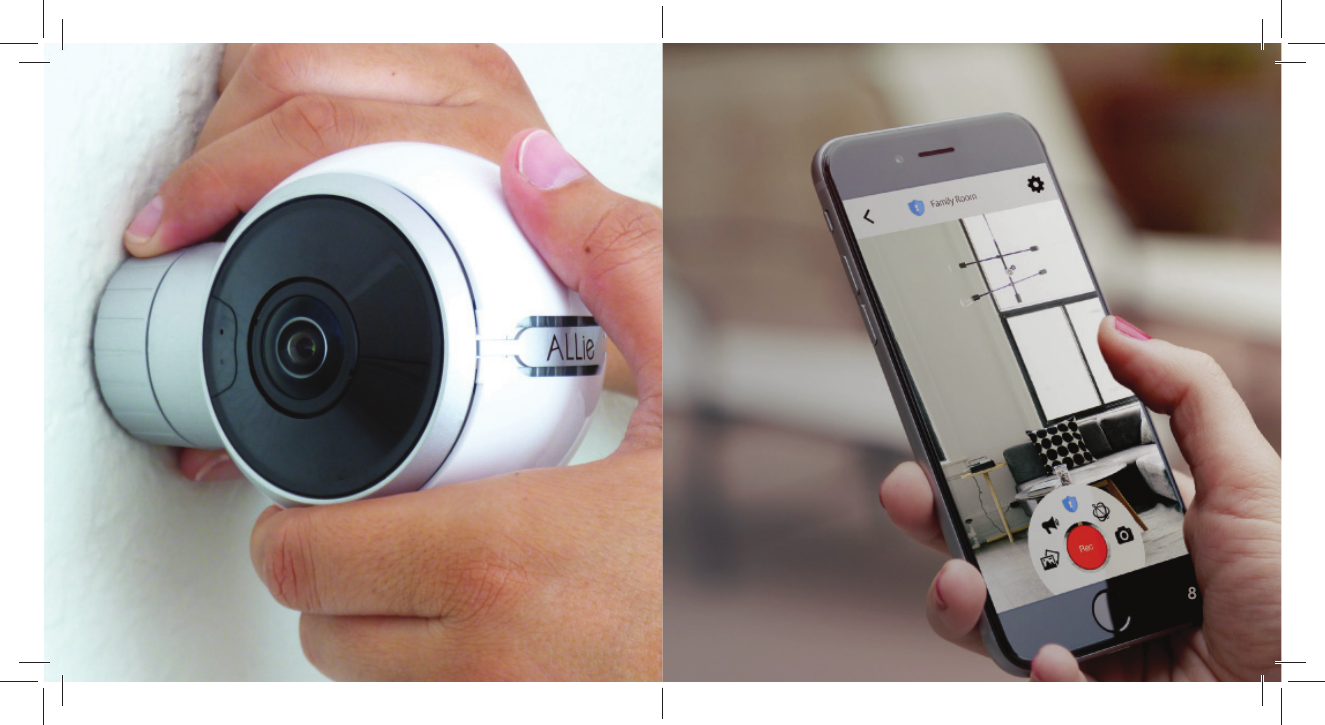
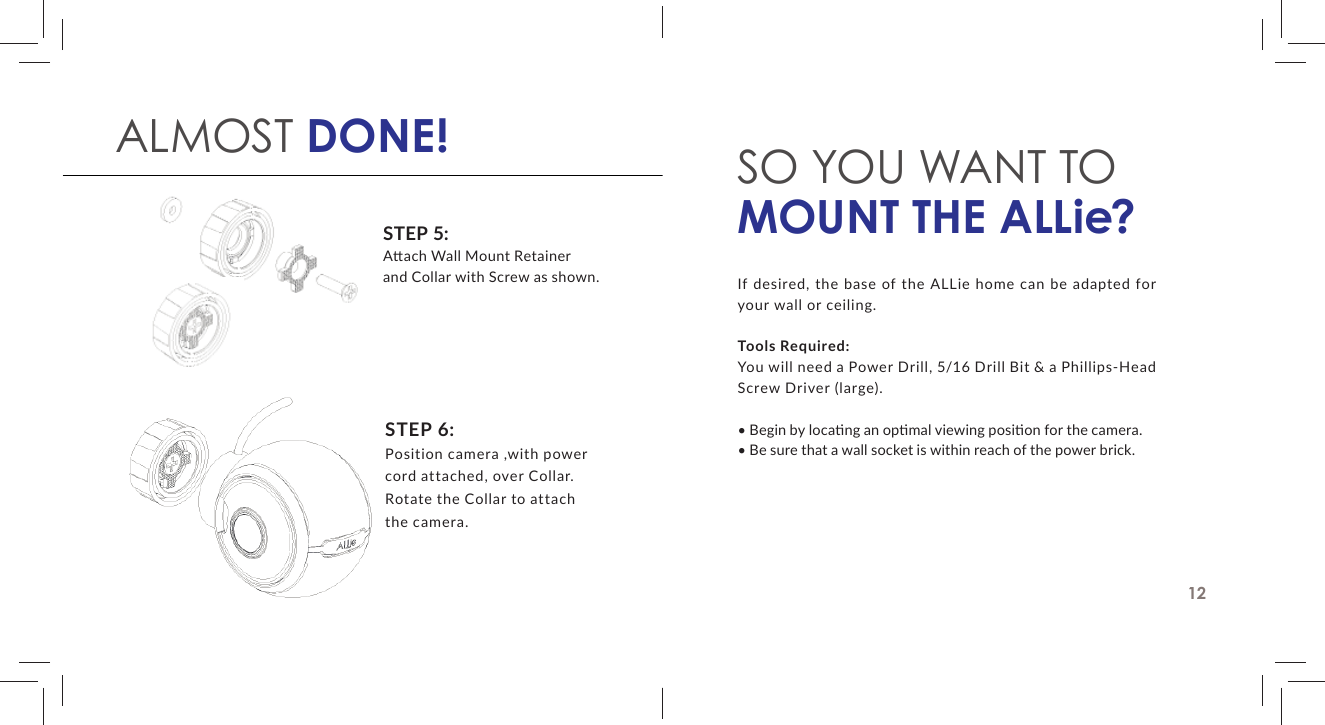
STEP 5:A  ach Wall Mount Retainer and Collar with Screw as shown.STEP 6:Position camera ,with power cord attached, over Collar. Rotate the Collar to attach the camera.ALMOST DONE! SO YOU WANT TOMOUNT THE ALLie?If desired, the base of the ALLie home can be adapted for your wall or ceiling.Tools Required: You will need a Power Drill, 5/16 Drill Bit & a Phillips-Head Screw Driver (large).• Begin by loca ng an op mal viewing posi on for the camera.• Be sure that a wall socket is within reach of the power brick.12
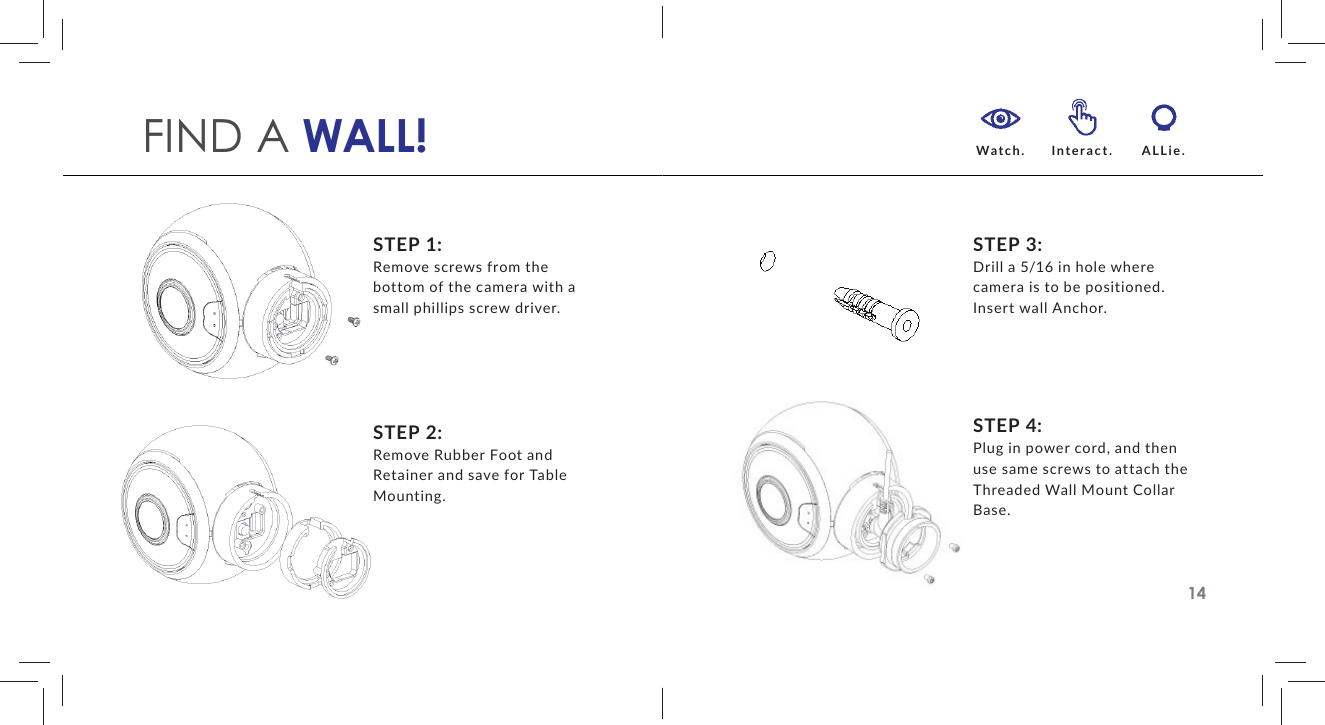
STEP 1:Remove screws from the bottom of the camera with a small phillips screw driver.STEP 2:Remove Rubber Foot and Retainer and save for Table Mounting.FIND A WALL!STEP 3:Drill a 5/16 in hole where camera is to be positioned. Insert wall Anchor.STEP 4:Plug in power cord, and then use same screws to attach the Threaded Wall Mount Collar Base.14Watch. Interact. ALLie.
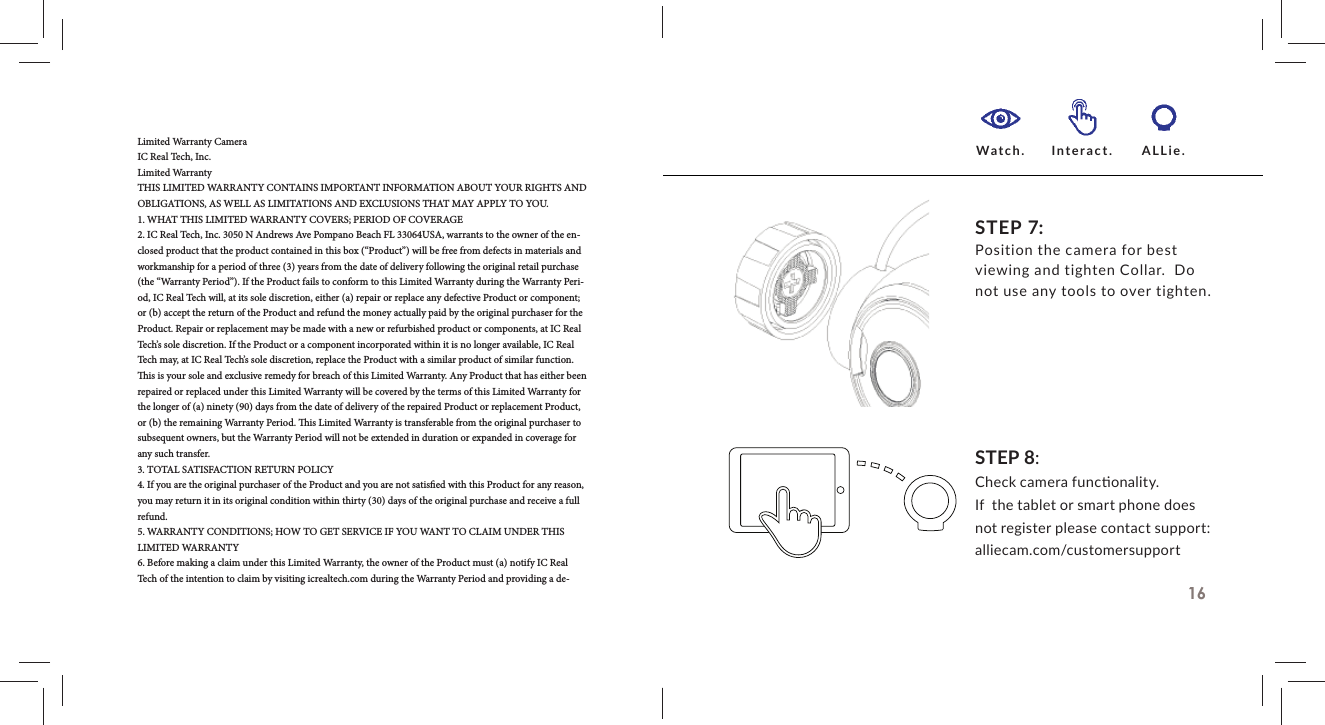
Limited Warranty CameraIC Real Tech, Inc.Limited WarrantyTHIS LIMITED WARRANTY CONTAINS IMPORTANT INFORMATION ABOUT YOUR RIGHTS AND OBLIGATIONS, AS WELL AS LIMITATIONS AND EXCLUSIONS THAT MAY APPLY TO YOU.1. WHAT THIS LIMITED WARRANTY COVERS; PERIOD OF COVERAGE2. IC Real Tech, Inc. 3050 N Andrews Ave Pompano Beach FL 33064USA, warrants to the owner of the en-closed product that the product contained in this box (“Product”) will be free from defects in materials and workmanship for a period of three (3) years from the date of delivery following the original retail purchase (the “Warranty Period”). If the Product fails to conform to this Limited Warranty during the Warranty Peri-od, IC Real Tech will, at its sole discretion, either (a) repair or replace any defective Product or component; or (b) accept the return of the Product and refund the money actually paid by the original purchaser for the Product. Repair or replacement may be made with a new or refurbished product or components, at IC Real Tech’s sole discretion. If the Product or a component incorporated within it is no longer available, IC Real Tech may, at IC Real Tech’s sole discretion, replace the Product with a similar product of similar function.   is is your sole and exclusive remedy for breach of this Limited Warranty. Any Product that has either been repaired or replaced under this Limited Warranty will be covered by the terms of this Limited Warranty for the longer of (a) ninety (90) days from the date of delivery of the repaired Product or replacement Product, or (b) the remaining Warranty Period.   is Limited Warranty is transferable from the original purchaser to subsequent owners, but the Warranty Period will not be extended in duration or expanded in coverage for any such transfer.3. TOTAL SATISFACTION RETURN POLICY4. If you are the original purchaser of the Product and you are not satis ed with this Product for any reason, you may return it in its original condition within thirty (30) days of the original purchase and receive a full refund.5. WARRANTY CONDITIONS; HOW TO GET SERVICE IF YOU WANT TO CLAIM UNDER THIS LIMITED WARRANTY6. Before making a claim under this Limited Warranty, the owner of the Product must (a) notify IC Real Tech of the intention to claim by visiting icrealtech.com during the Warranty Period and providing a de-16STEP 8:Check camera func onality.If  the tablet or smart phone does not register please contact support: alliecam.com/customersupportSTEP 7:Position the camera for best viewing and tighten Collar.  Do not use any tools to over tighten. Watch. Interact. ALLie.
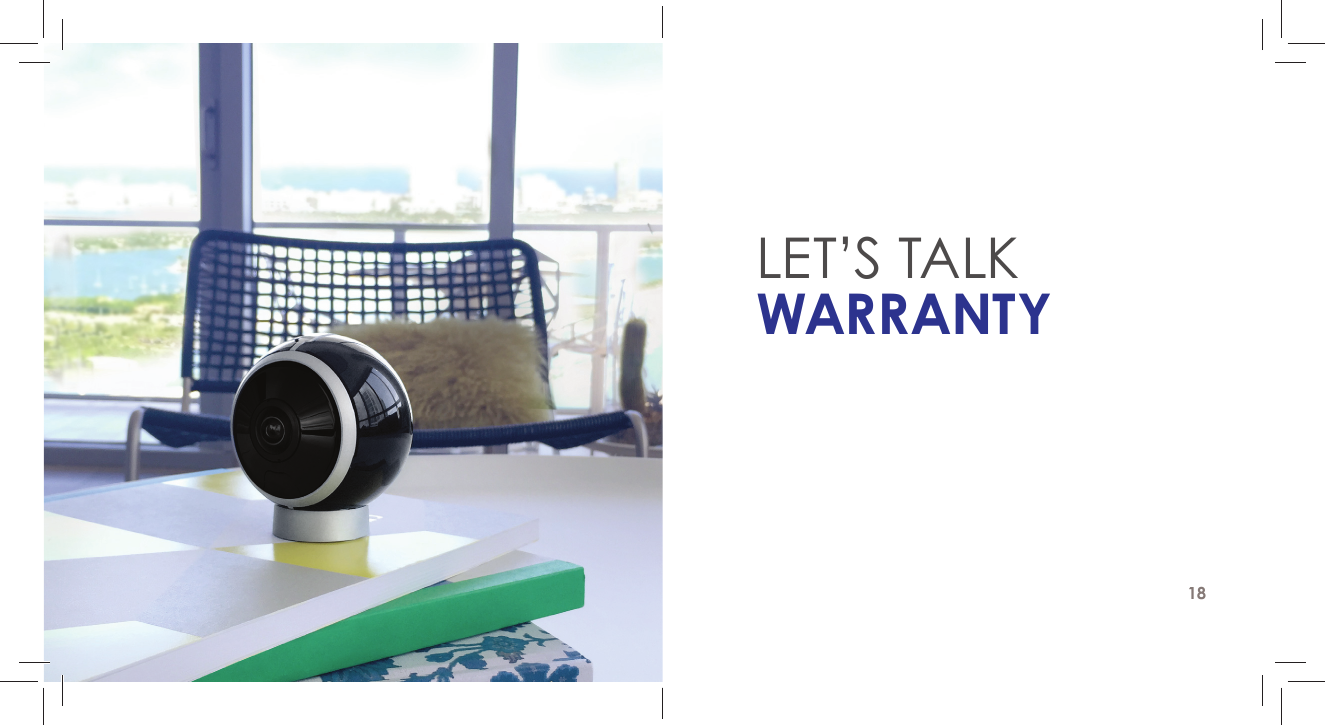
LET’S TALK WARRANTY18
™© IC Real Tech, Inc.  |  3050 N Andrews Ave Ext Pompano Beach, FL  33064Phone: +1 (866) 997.9009  |  www.icrealtech.comscription of the alleged failure, and (b) comply with IC Real Tech’s return shipping instructions. IC Real Tech will have no warranty obligations with respect to a returned Product if it determines, in its reasonable dis-cretion a er examination of the returned Product, that the Product is an Ineligible Product (de ned below). IC Real Tech will bear all costs of return shipping to owner and will reimburse any shipping costs incurred by the owner, except with respect to any Ineligible Product, for which owner will bear all shipping costs.7. WHAT THIS LIMITED WARRANTY DOES NOT COVER8.   is Limited Warranty does not cover the following (collectively “Ineligible Products”): Products marked as “sample” or “Not for Sale”, or sold “AS IS”; or Products that have been subject to: (a) modi cations, alter-ations, tampering, or improper maintenance or repairs; (b) handling, storage, installation, testing, or use not in accordance with the User’s Guide, Placement Guidelines, or other instructions provided by IC Real Tech; (c) abuse or misuse of the Product; (d) breakdowns,  uctuations, or interruptions in electric power or the telecommunications network; or (e) Acts of God, including but not limited to lightning,  ood, tornado, earthquake, or hurricane.   is Limited Warranty does not cover consumable parts, including batteries, unless damage is due to defects in materials or workmanship of the Product, or so ware (even if packaged or sold with the product). IC Real Tech recommends that you use only authorized service providers for maintenance or repair. Unauthorized use of the Product or so ware can impair the Product’s performance and may invalidate this Limited Warranty.9. DISCLAIMER OF WARRANTIES10. EXCEPT AS STATED ABOVE IN THIS LIMITED WARRANTY, AND TO THE MAXIMUM EXTENT PERMITTED BY APPLICABLE LAW, IC REAL TECH DISCLAIMS ALL EXPRESS, IMPLIED, AND STATUTORY WARRANTIES AND CONDITIONS WITH RESPECT TO THE PRODUCT, INCLUDING THE IMPLIED WARRANTIES OF MERCHANTABILITY AND FITNESS FOR A PARTICULAR PURPOSE. TO THE MAXIMUM EXTENT PERMITTED BY APPLICABLE LAW, IC REAL TECH ALSO LIMITS THE DURATION OF ANY APPLICABLE IMPLIED WARRANTIES OR CONDITIONS TO THE DURATION OF THIS LIMITED WARRANTY.11. LIMITATION OF DAMAGES12. IN ADDITION TO THE ABOVE WARRANTY DISCLAIMERS, IN NO EVENT WILL IC REAL TECH BE LIABLE FOR ANY CONSEQUENTIAL, INCIDENTAL, EXEMPLARY, OR SPECIAL DAMAGES, INCLUDING ANY DAMAGES FOR LOST DATA OR LOST PROFITS, ARISING FROM OR RELATING 20
TO THIS LIMITED WARRANTY OR THE PRODUCT, AND IC REAL TECH’S TOTAL CUMULATIVE LIABILITY ARISING FROM OR RELATED TO THIS LIMITED WARRANTY OR THE PRODUCT WILL NOT EXCEED THE AMOUNT ACTUALLY PAID FOR THE PRODUCT BY THE ORIGINAL PURCHASER.13. LIMITATION OF LIABILITY14. THE IC REAL TECH ONLINE SERVICES (“SERVICES”) PROVIDE YOU INFORMATION (“PROD-UCT INFORMATION”) REGARDING YOUR IC REAL TECH PRODUCTS OR OTHER PERIPHERALS CONNECTED TO YOUR PRODUCTS (“PRODUCT PERIPHERALS”). THE TYPE OF PRODUCT PERIPHERALS THAT MAY BE CONNECTED TO YOUR PRODUCT MAY CHANGE FROM TIME TO TIME. WITHOUT LIMITING THE GENERALITY OF THE DISCLAIMERS ABOVE, ALL PRODUCT INFORMATION IS PROVIDED FOR YOUR CONVENIENCE, “AS IS”, AND “AS AVAILABLE”. IC REAL TECH DOES NOT REPRESENT, WARRANT, OR GUARANTEE THAT PRODUCT INFORMATION WILL BE AVAILABLE, ACCURATE, OR RELIABLE OR THAT PRODUCT INFORMATION OR USE OF THE SERVICES OR PRODUCT WILL PROVIDE SAFETY IN YOUR HOME. YOU USE ALL PRODUCT INFORMATION, THE SERVICES, AND THE PRODUCT AT YOUR OWN DISCRETION AND RISK. YOU WILL BE SOLELY RESPONSIBLE FOR (AND IC REAL TECH DISCLAIMS) ANY AND ALL LOSS, LIABILITY, OR DAMAGES, INCLUDING TO YOUR WIRING, FIXTURES, ELECTRICITY, HOME, PRODUCT, PRODUCT PERIPHERALS, COMPUTER, MOBILE DEVICE, AND ALL OTHER ITEMS AND PETS IN YOUR HOME, RESULTING FROM YOUR USE OF THE PRODUCT INFORMATION, SERVICES, OR PRODUCT. PRODUCT INFORMATION PROVIDED BY THE SERVICES IS NOT INTENDED AS A SUBSTITUTE FOR DIRECT MEANS OF OBTAINING THE INFORMATION. FOR EXAMPLE, A NOTIFICATION PROVIDED THROUGH THE SERVICE IS NOT INTENDED AS A SUBSTITUTE FOR AUDIBLE AND VISIBLE INDICATIONS IN THE HOME AND ON THE PRODUCT, NOR FOR A THIRD PARTY MONITORING SERVICE THAT MONITORS ALARM STATE.15. YOUR RIGHTS AND THIS LIMITED WARRANTY16.   is Limited Warranty gives you speci c legal rights. You may also have other legal rights that vary by state, province, or jurisdiction. Likewise, some of the limitations in this Limited Warranty may not apply in certain states.   e terms of this Limited Warranty will apply to the extent permitted by applicable law. For a full description of your legal rights you should refer to the laws applicable in your jurisdiction and you may wish to contact a relevant consumer advisory service. 22FCC Regula ons:§ 15.19 (a)(3)This device complies with part 15 of the FCC Rules. Opera on is subject to the following two condi ons: (1) This device may not cause harmful interference, and (2) this device must accept any interference received, including interference that may cause undesired opera on.§ 15.21Changes or modifi ca ons not expressly approved by the party responsible for compliance could void the user‘s authority to operate the equipment. § 15.105 (b)This equipment has been tested and found to comply with the limits for a Class B  digital device, pur-suant to part 15 of the FCC Rules. These limits are designed to provide reasonable protec on against harmful interference in a residen al installa on. This equipment generates, uses and can radiate radio frequency energy and, if not installed and used in accordance with the instruc ons, may cause harmful interference to radio communica ons. However, there is no guarantee that interference will not occur television recep on, which can be determined by turning the equipment off  and on, the user is encour-aged to try to correct the interference by one or more of the following measures:—Reorient or relocate the receiving antenna.—Increase the separa on between the equipment and receiver.—Connect the equipment into an outlet on a circuit diff erent from that to which the receiver is connected.—Consult the dealer or an experienced radio/TV technician for help.FCC Regula ons:§ 15.407 (e)Opera on on the 5.15-5.25 GHz frequency band is restricted  to indoor use only. The FCC requires indoor use for the 5.15-5.25 GHz band to reduce the poten al for harmful interference to co-channel Mobile Satellite Systems.  FCC Radia on Exposure Statement:This equipment complies with FCC radia on exposure limits set forth for an uncontrolled environment. This equipment should be installed and operated with minimum distance 20cm between the radiator & your body.

Navigation menu