IDO Intelligent Technology IDO001 Smart Wristband User Manual
Shenzhen IDO Intelligent Technology Co. Ltd Smart Wristband Users Manual
Users Manual
Smart Wristband User Manual
Mode Operation:
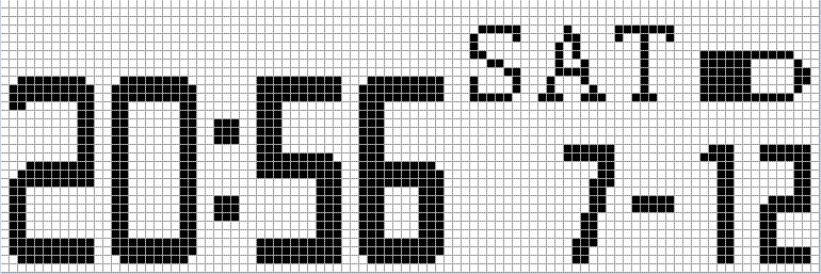
1. Knock:Wake on,default screen display time, date, battery (mobile phone sync)
2. Knock once》 Knock Twice:display total step record;
3. Knock once》 Knock another》 Knock another:display total distance;
4. Knock once》 Knock another》Knock another》Knock another:display total
calories consumption;
5. Knock Twice quick without any stop:Enter/Quit Sleep mode;
6. Target is set by APP,it take effect after data sync.
Mode Display:
1. Time, date, battery (mobile phone sync) Display:
Sync with mobile phone,display current date(Month/Day, Time), display the battery left electric.
Default display time date display mode, knock into pace display mode, knock twice enter into
sleep mode.
2. Total Step Display:
Display the total step of the current day and the target progress bar; when the set target is finished,
wristband vibrates to remind.
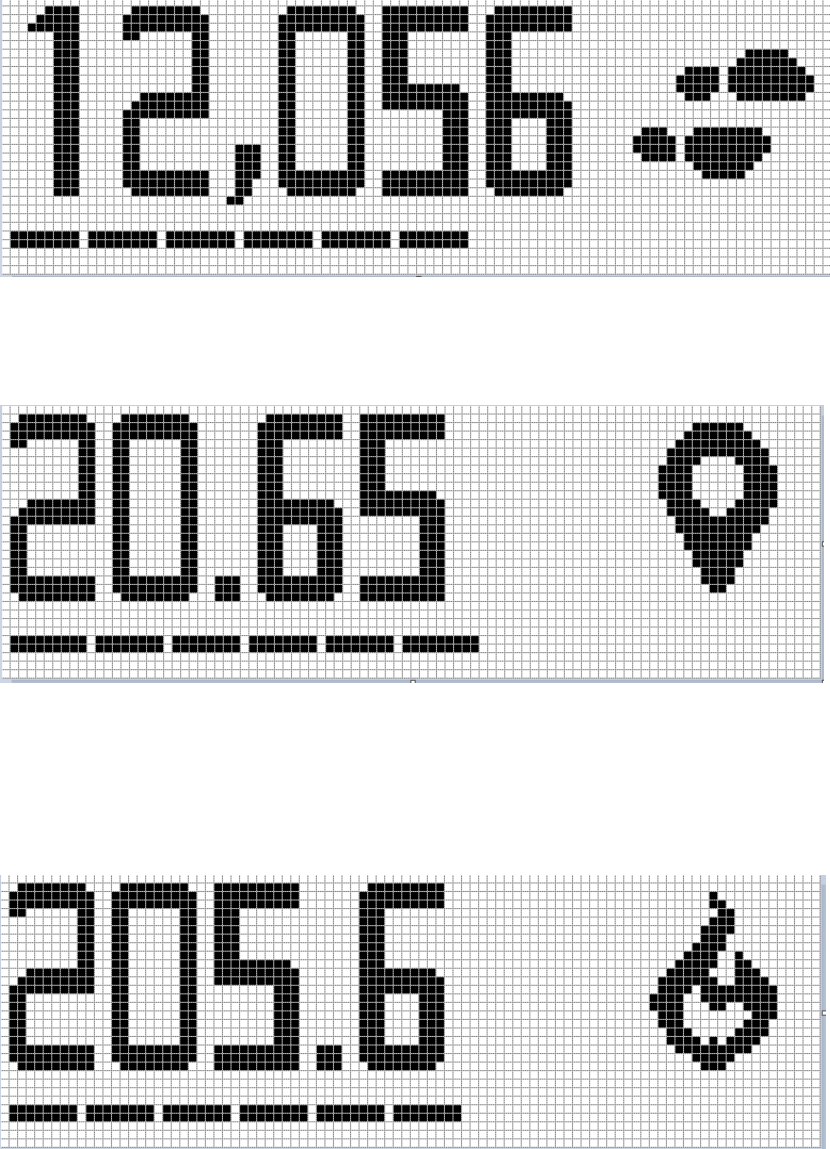
Knock and enter into distance display mode, knock twice enter into sleep mode.
3. Total Distance Display:
Display the total distance of the current day.
Knock and enter into calories display mode, knock twice enter into sleep mode.
4. Total Calories Display:
Display the current calories consumption data.
Knock and enter into ring display mode, knock twice enter into sleep mode.
5. Ring Display:
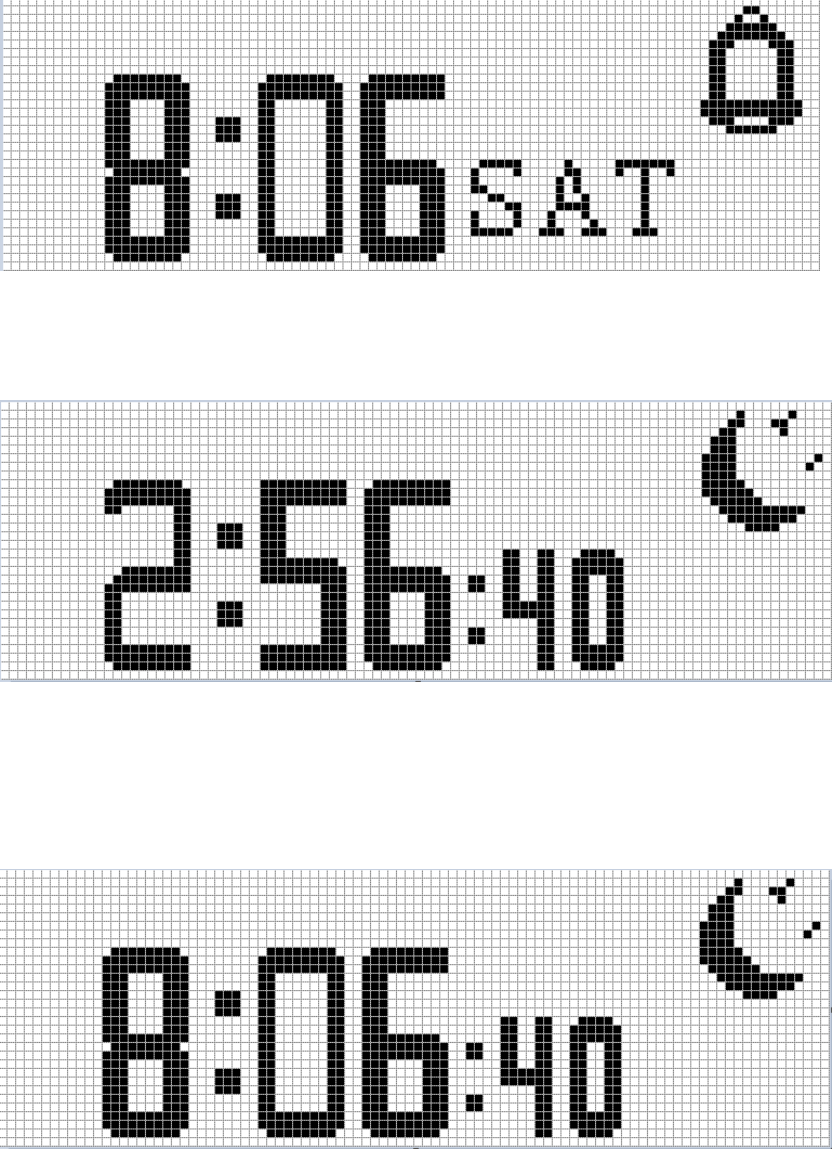
6. Sleep Monitoring:
Attention:second clock is changing
Knock twice and quit sleep mode, enter into sleep quality report display mode, knock once enter
into time date display mode.
7. Sleep Quality Display:
Display current sleep total hour
Attention:second clock is no change
Knock twice and enter into sleep mode, knock once enter into time date display mode.
Reminding Mode:
When there is call, message, ring, low power, no matter the wristband is under whatever model,
it will forced enter into Reminding Mode, then appears relate call, message, ring, low power
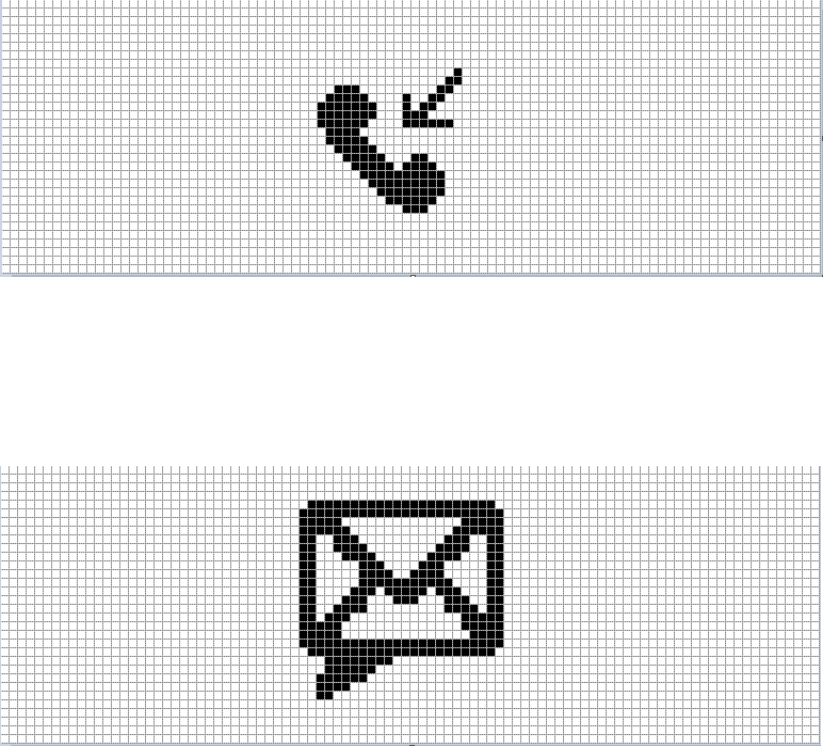
remind, knock to quit and back to previous mode.
1. Call Reminding:
When the wristband under connect with mobile phone Bluetooth, if there is any missed call,
wristband will vibrate to remind, and enter into Call Reminding screen; wristband will
vibrate continuously until the user pick up the phone call or user knock the wristband to
return the previous mode.
2. Message Reminding:
When the wristband under connect with mobile phone Bluetooth, if there is any message comes in,
wristband will vibrate to remind, and enter into Message Reminding screen; wristband will
vibrate continuously for 3s until the user knock the wristband to return the previous mode.
3. Ring Reminding:
When the phone was set for a ring and after sync, wristband will vibrate to remind on the set time,
enter into ring remind interface, wristband will vibrate continuously display, Ring icon
shining, until the user knock the wristband to return the previous mode.
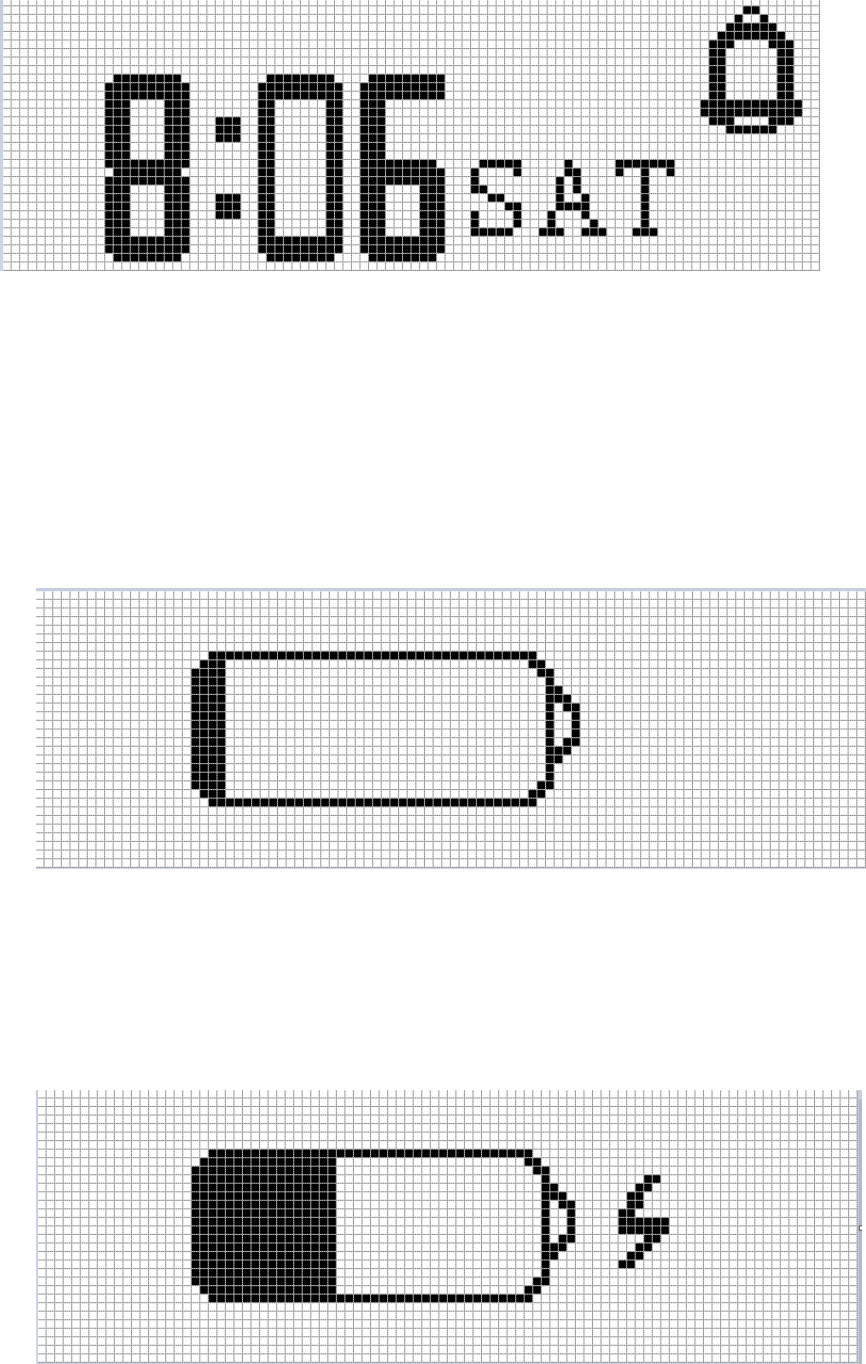
4. Low Power Reminding:
When the power is under 10%, wristband will vibrate to remind, enter into low power remind
interface, wristband will vibrate continuously for 3s before the wristband back into previous
mode or the user knock the wristband to return the previous mode.
5. Low Power Reminding:
When detect and find wristband is under charging, it will enter into charging mode
automatically, screen turn off after 3s; this mode will display during user charging, screen
turn off after 3s.
Federal Communications Commission (FCC) Interference
Statement
This equipment has been tested and found to comply with the limits for
a Class B digital device, pursuant to Part 15 of the FCC Rules.
These limits are designed to provide reasonable protection against
harmful interference in a residential installation. This equipment
generate, uses and can radiate radio frequency energy and, if not
installed and used in accordance with the instructions, may cause
harmful interference to radio communications.
However, there is no guarantee that interference will not occur in a
particular installation. If this equipment does cause harmful interference
to radio or television reception, which can be determined by turning the
equipment off and on, the user is encouraged to try to correct the
interference by one of the following measures:
Reorient or relocate the receiving antenna.
Increase the separation between the equipment and receiver.
Connect the equipment into an outlet on a circuit different from that
to which the receiver is connected.
Consult the dealer or an experienced radio/TV technician for help.
This device complies with Part 15 of the FCC Rules. Operation is
subject to the following two conditions:
(1) This device may not cause harmful interference, and (2) this device
must accept any interference received, including interference that may
cause undesired operation.
FCC Caution: Any changes or modifications not expressly approved by
the party responsible for compliance could void the user’s authority to
operate this equipment.
RF exposure warning
This equipment complies with FCC radiation exposure limits set forth
for an uncontrolled environment.
This equipment must not be collocated or operating in conjunction with
any other antenna or transmitter.