ILSUNGKOREA ISD Home Security system ( Door Sensor) User Manual USer Manual
ILSUNGKOREA Co. LTD. Home Security system ( Door Sensor) USer Manual
USer Manual
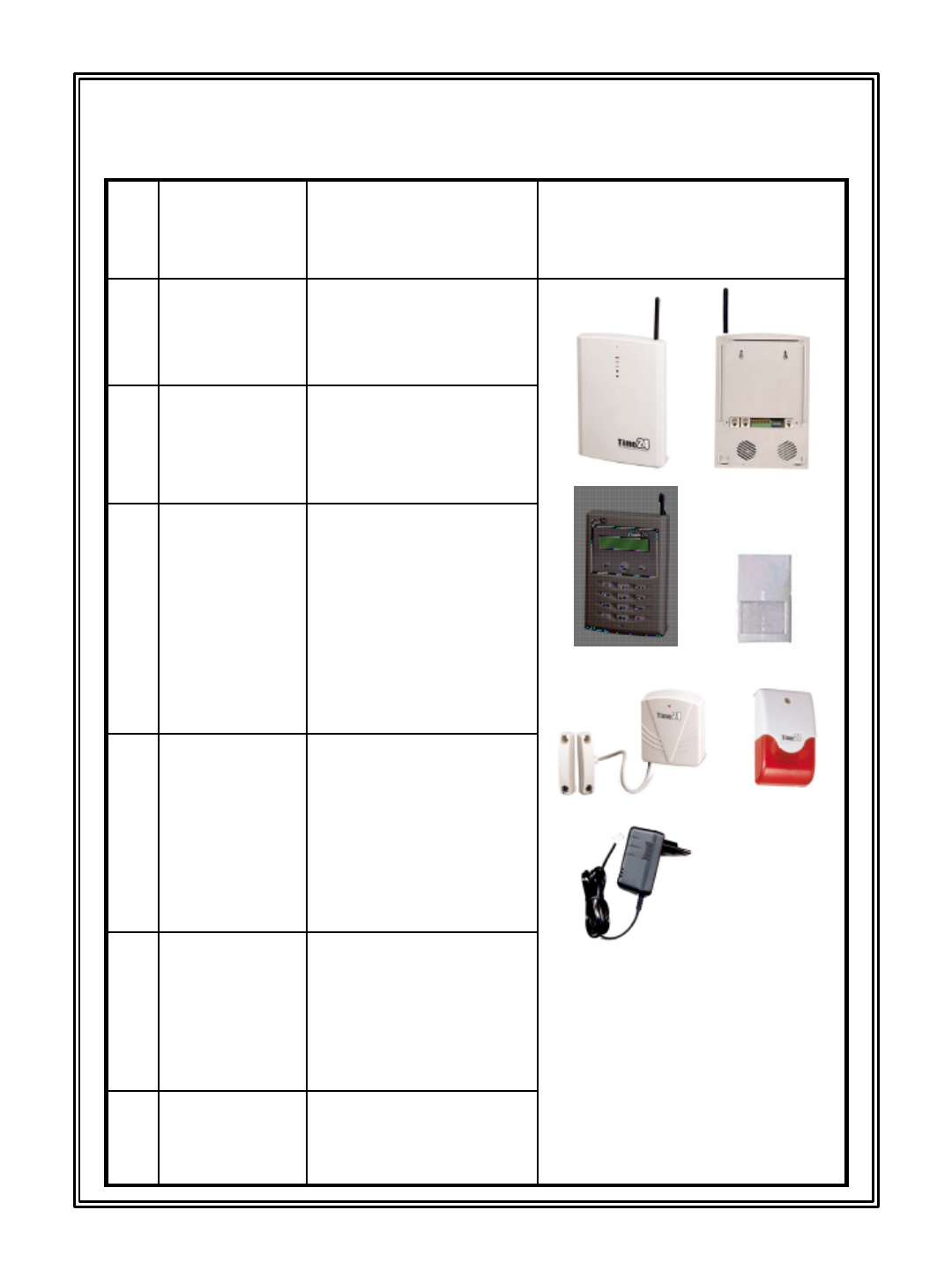
1. Basis composition
6
5
4
3
2
1Appliance that control
all functions of
Time24
Main
External
Product
explanation
Item
Appliance that supply
entire in Time24 main
frame
Adaptor
Appliance that inform
situation by sound
and light
Siren
Appliance that sense
that get closed with
inquiry ten rims and
notify wireless to
main frame
Door Sensor
Appliance that sense
object that move
shooting permanent
domicile outer line
and notify wireless to
main frame
PIR Sensor
Appliance that input
all functions of
Time24 by wireless
Keypad
1
2 3
4 5
6
-1 -

1. Install together main frame and telephone line, power and do not
hide main frame front top portion Mike.
2. Install keypad according to user's use position on main entrance
inside.
3. Is room that increase at PIR sensor. Establish in position that can
sense invader's anticipation transfer path.
¢Á Caution(PIR sensor & Door sensor)
(1) To see glass window outside for malfunction prevention at PIR Sensor,
do not establish.Window establishes as do not look
(2) If stove and air conditioner are operated or are windward from outside
because window is unclosed, there is malfunction worry.
Put out stove and air conditioner and close window and prevent
malfunction at TIME24's operation
(3) User who breed pet establishes as pet does not enter in perception
sphere at PIR sensor.
Example
•As is not sensed about 50 Cm in the floor, control PIR sensor.
•When go out, move pet to place that there is no PIR sensor.
4. Establish, and do to face department of liberal arts do leader switch
in fixed place and magnetic switch that visit on window, entrance at
door sensor and establish by 20mm within.
5. Siren establishes to conquer invader at the same time information on
emergency outside so that outsider may look well from outside by
purpose, establish in place that do not take rain.
6. Because Time24 uses radio, area that electromagnetic waves are
serious with computer, cordless, under high-tension wire keeps
schedule distance
2. Point to observe when establish
-2 -
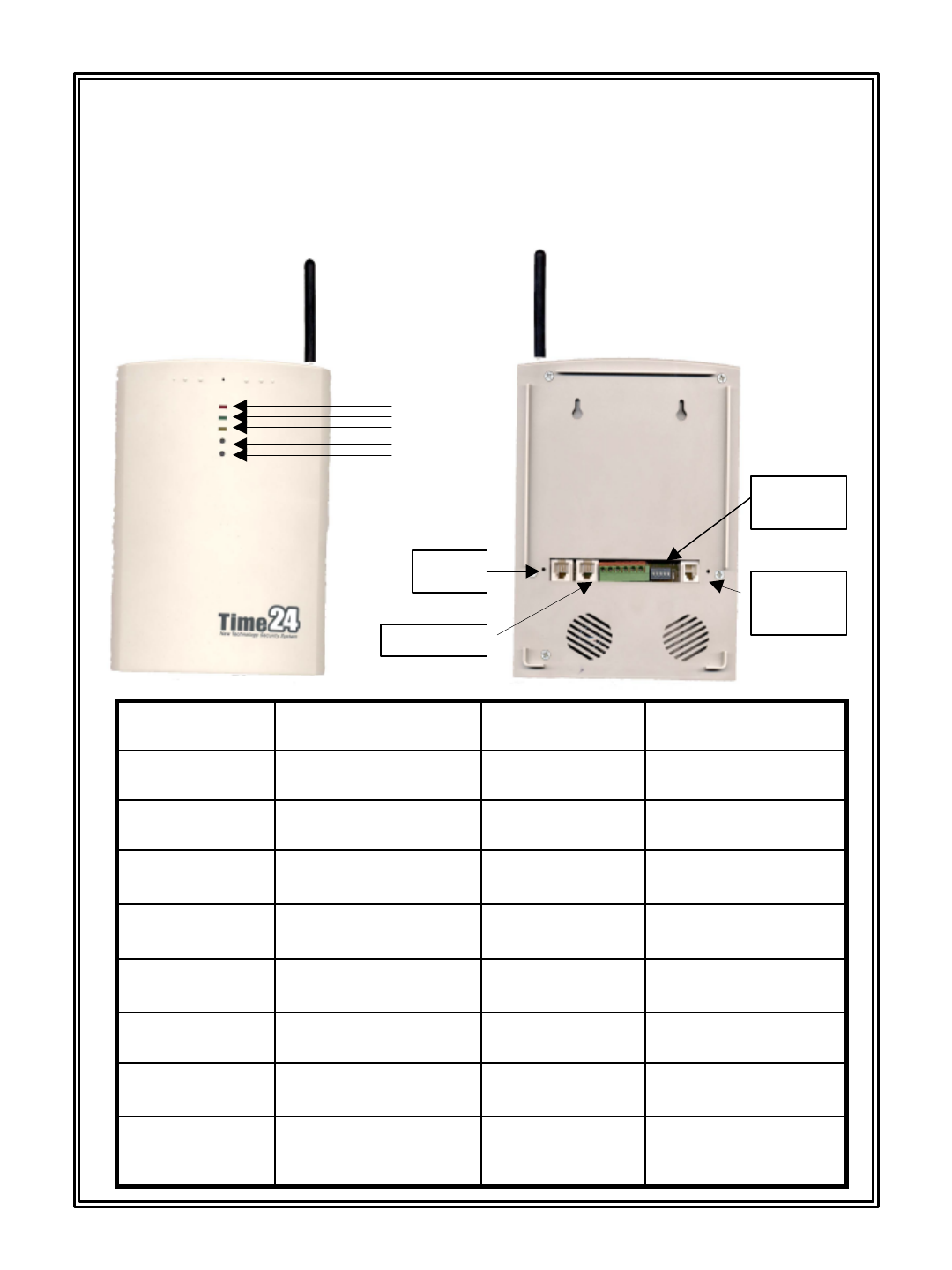
3.
3. Product description
Product description
1. T_MAIN
433gWeightSound power 110dB
Internal
Siren
W146 X H210 X D30External (mm)0 ~ 60 degree
Operating
Temperature
12 hours
Power failure stand
by
-20 ~ 80 degree
Storage
Temperature
NO or NC
Point of contact input
Wire inputTEL.LINE 2M§Ù OVER
Isolation
Resistor
D/C 12V
50mA BELOW
Wire outputDC6V 700mA
Backup
Battery
-120dBmSensitivity
Siren OFF 100mA
Siren ON 250mA
Operating
Current
447.3MHzFrequency40mA
Stand by
Current
Tone / PulseFormDC12V
Power
Source
DescriptionItemDescriptionItem
RESET switch
Input switch
Tel line
Telephone
Adaptor
Power
Source
dipswitch
Arm Lamp
Disarm Lamp
input Lamp
-3 -
433gWeight-20 ~ 80 degree
Storage
Temperature
W160 X H110 X D33External (mm)100mA
Operating
Current
447.3MHzFrequency
30§Ë
Stand by
Current
0 ~ 60 degree
Operating
Temperature
DC6V AA Battery 4ea
Power
Source
DescriptionItemDescriptionItem
-4 -
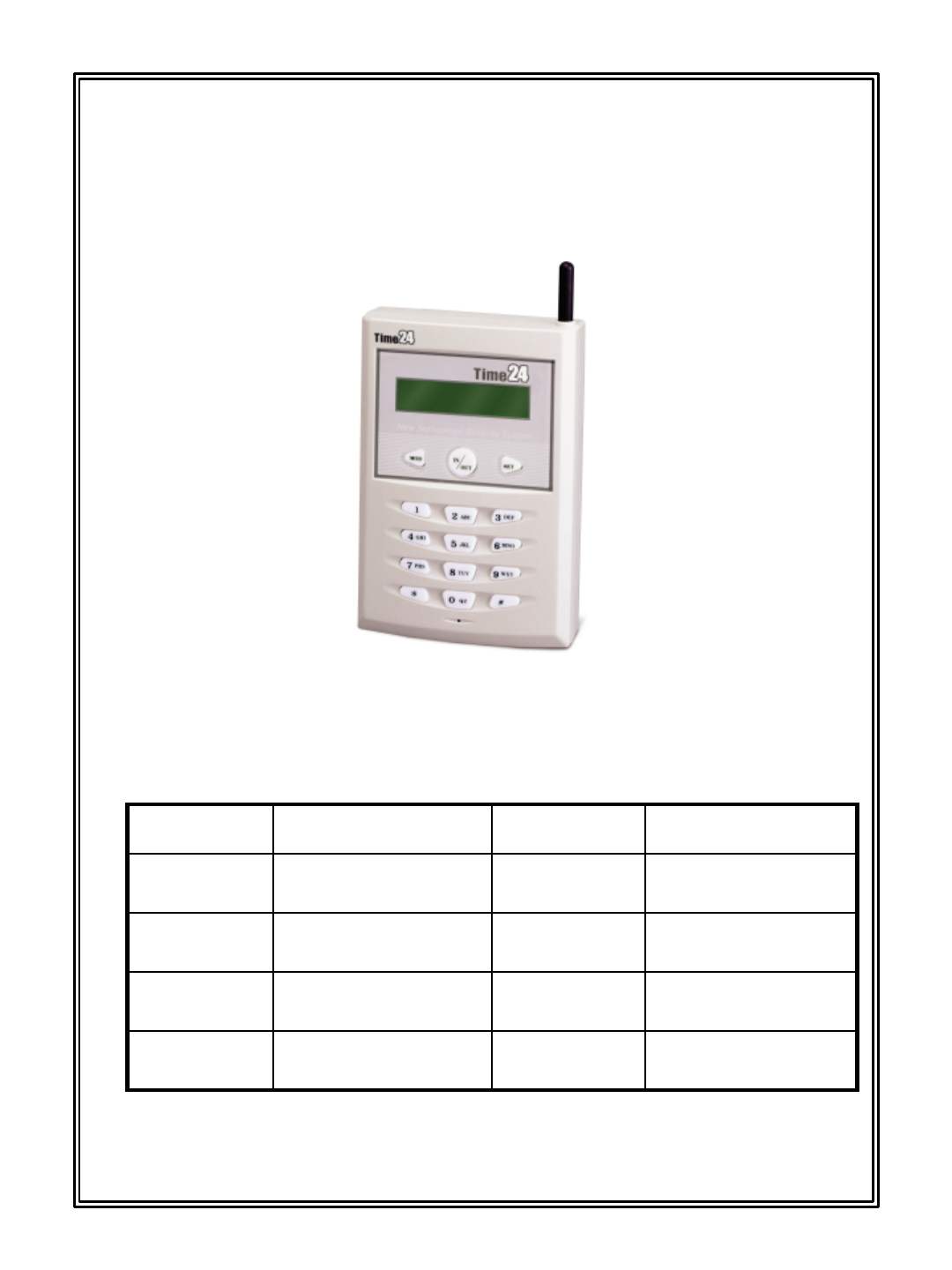
2. T_KEYPAD
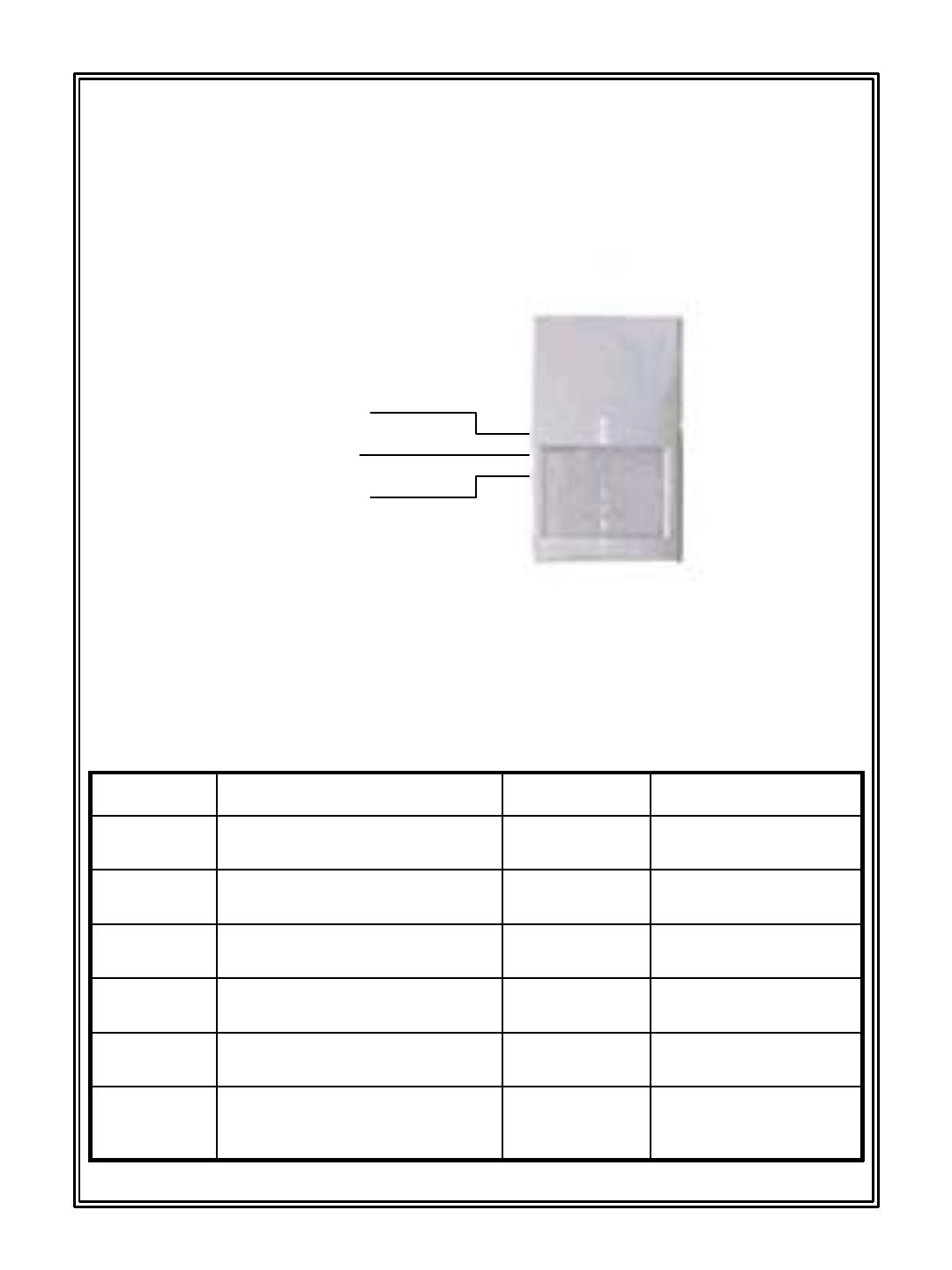
3. T_PIR
7 –10 m
Sensing
Estimated
Range
120 gWeight25 ~ 45 degree motion
Sensing
Detection
W65 X H110 X D40External (mm)
Up and down 45 degree
Left and right 110 degree
Sensing
Range
0 ~ 60 degree
Operating
Temperature
35mA
Operating
Current
-20 ~ 80 degree
Storage
Temperature
40§Ë
Stand by
Current
447.3MHzFrequencyDC 4.5V AA Battery 3ea
Power
Source
DescriptionItemDescriptionItem
-5 -
(1) User mode
(2) OFF
(3) Test mode
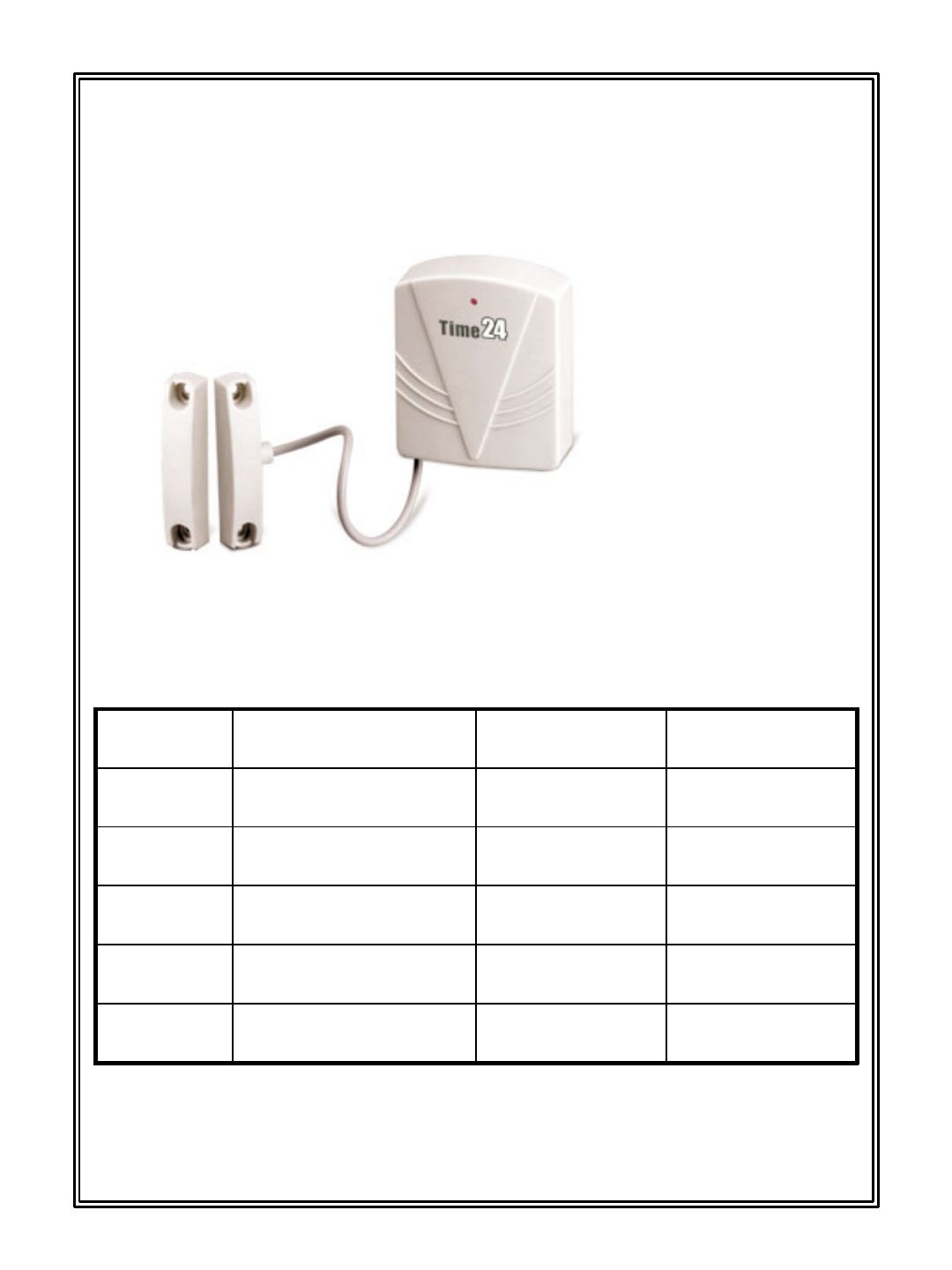
4. T_DOOR
DescriptionItemDescriptionItem
180gWeight20mm below
Sensing
Range
W64 X H98 X D20External (mm)magnetic / lead switch
Sensing
Method
0 ~ 60 degree
Operating
Temperature
35mA
Operating
Current
-20 ~ 80 degree
Storage
Temperature
15 §Ë
Stand by
Current
447.3MHzFrequencyDC4.5VAA battery 3ea
Power
Source
(3)
(2)(1)
-6 -
(1) Magnetic
(2) lead switch
(3) Door main
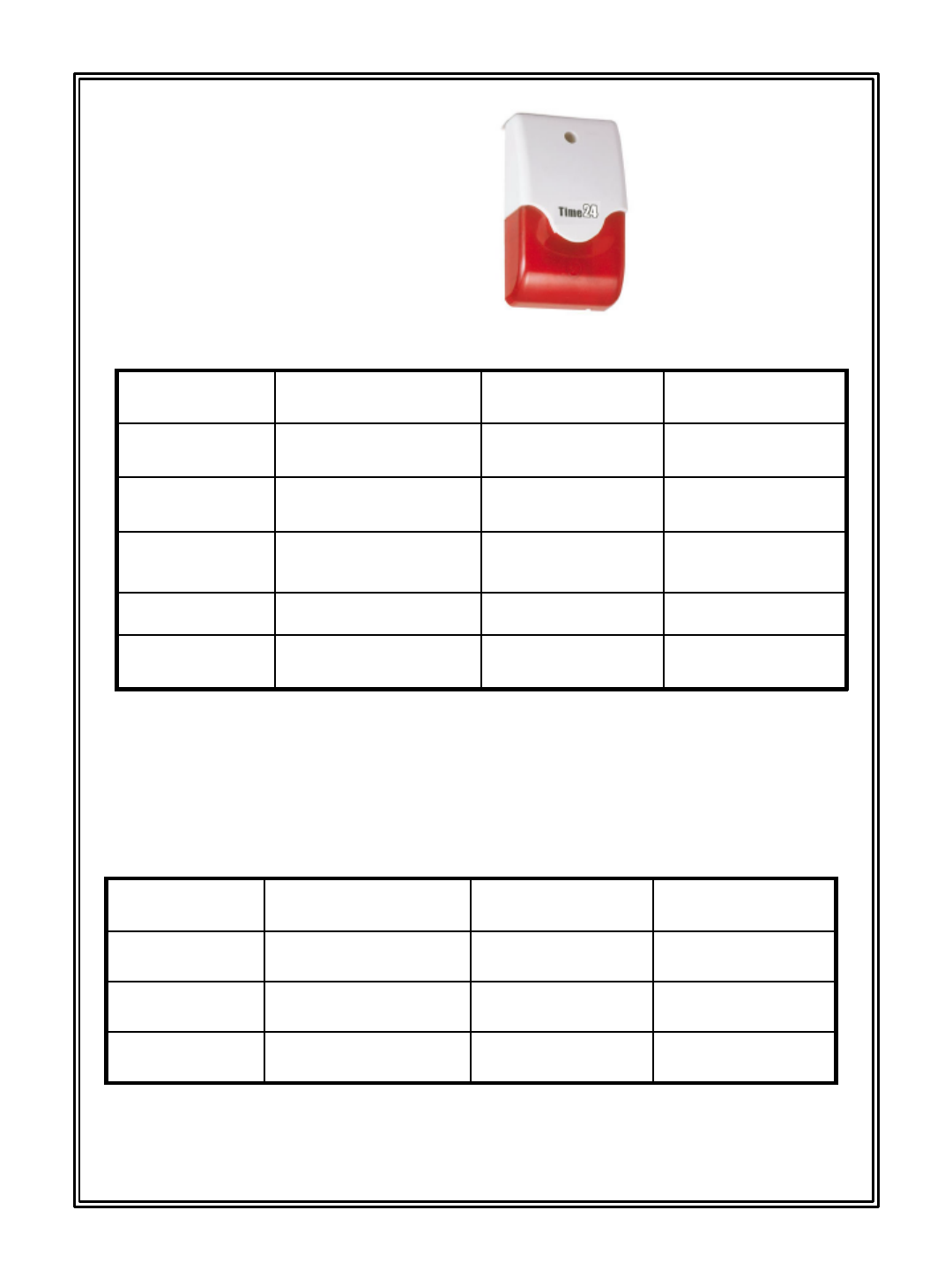
5. Siren
Establish in position that can inform emergency situation on outside.
108gWeightPiezo
Sound
Power
W73 X H122 X D40External (mm)Pilot lamp 2eaLamp
-10 ~ 60 degree
Operating
temperature
250mA
Operating
Current
-40 ~ 80 degreeStorage temperature-
Stand by
Current
120dBSound powerDC12V
Power
Source
DescriptionItemDescriptionItem
-7 -
-10 ~ 70 degree
Operating
Temperature
10mA
Input
Current
-40 ~ 80 degree
Storage
Temperature
12V
Power
Supply
500mA
Maximum
Current
AC 120V
Power
Source
DescriptionItemDescriptionItem
Connect in household (AC120V) power and insert on main frame backside.
6. Adaptor
7.
7. Emergency Button
Emergency Button
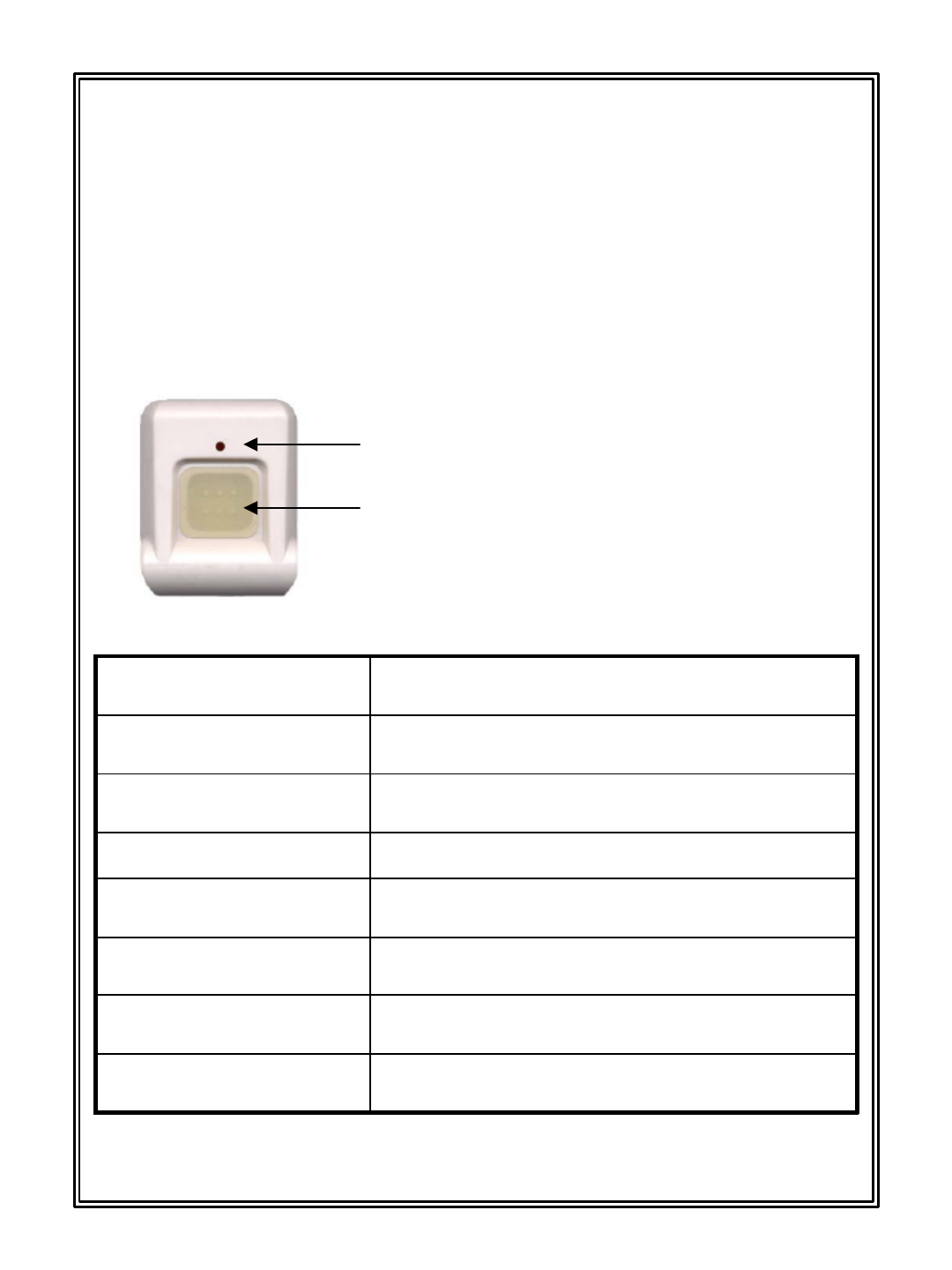
Emergency button is function that inform situation by emergency
contact when crisis situation happens with emergency patient
occurrence and outsider invasion in Time24 establishment place.
W33 X H45 X D12External
21.5gWeight
0~60 degreeOperating temperature
447.3MHz
Frequency
35mAOperating current
-Stand by current
DC12V A23
Power source
DescriptionItem
Push Button
-8 -
Operation confirmation lamp

4. INPUT METHOD
INPUT METHOD
inputed
MOD + # + 2 + SET +password input + set button push1
Password (keypad)
Register
inputed
MOD + * + 2 + SET +password input + set button push2
Password (main)
Register
inputed
MOD + * + 4 + set button push1Voice record
inputed
MOD + * + 5 + set button push1Voice playback
Arm /
Disarm
inputed
MOD + * + 3 + 8 + SET + 01-99 + SET1Delay time appointment
inputed
MOD + * + 0 + 0 + Press input button of main frame + set
button push
1Main register
inputed
MOD + * + 0 + 3 + SET 3 Emergency push3
inputed
MOD + * + 0 + 2 + SET 2 Emergency push2
inputed
MOD + * + 0 + 1 + SET 1 Emergency push1
Emergency button input
method
inputed
MOD + * + 1 + 8 + SET + 8 sensor on8
inputed
MOD + * + 1 + 7 + SET + 7 sensor on7
inputed
MOD + * + 1 + 6 + SET + 6 sensor on6
inputed
MOD + * + 1 + 5 + SET + 5 sensor on5
inputed
MOD + * + 1 + 4 + SET + 4 sensor on4
inputed
MOD + * + 1 + 3 + SET + 3 sensor on3
inputed
MOD + * + 1 + 2 + SET + 2 sensor on2
inputed
MOD + * + 1 + 1 + SET + 1 sensor on1
Sensor input
(PIR sensor or Door
sensor)
inputed
MOD + * + 3 + 7 + SET + 2 telephone number input + SET
button push
2
inputed
MOD + * + 3 + 6 + SET + 1 telephone number input + SET
button push
1
input method at
emergency situation
(At emergency button use)
inputed
MOD + * + 3 + 5 + SET + 5 telephone number input + SET
button push
5
inputed
MOD + * + 3 + 4 + SET + 4 telephone number input + SET
button push
4
inputed
MOD + * + 3 + 3 + SET + 3 telephone number input + SET
button push
3
inputed
MOD + * + 3 + 2 + SET + 2 telephone number input + SET
button push
2
inputed
MOD + * + 3 + 1 + SET + 1 telephone number input + SET
button push
1
Contact input method at
invader occurrence
RemarkARS mentKeypadNo
-9 -

This device complies with Part 15 of the FCC Rules. Operation is
subject to the following two conditions: (1) this device may not
cause harmful interface, and (2) this device must accept any
interference received, including interference that may cause
undesired operation.
5. FCC Requirement
-10 -
CAUTION : Any changes or modifications in construction of this
device which are not expressly approved by the party responsible
for compliance could void the user's authority to operate the
equipment.