IONICS EMS STRTSWFX00 Stratus Plug Computer User Manual Getting Started STRATUS v1 1

IONICS EMS, INC Stratus Plug Computer Getting Started STRATUS v1 1

User Manual

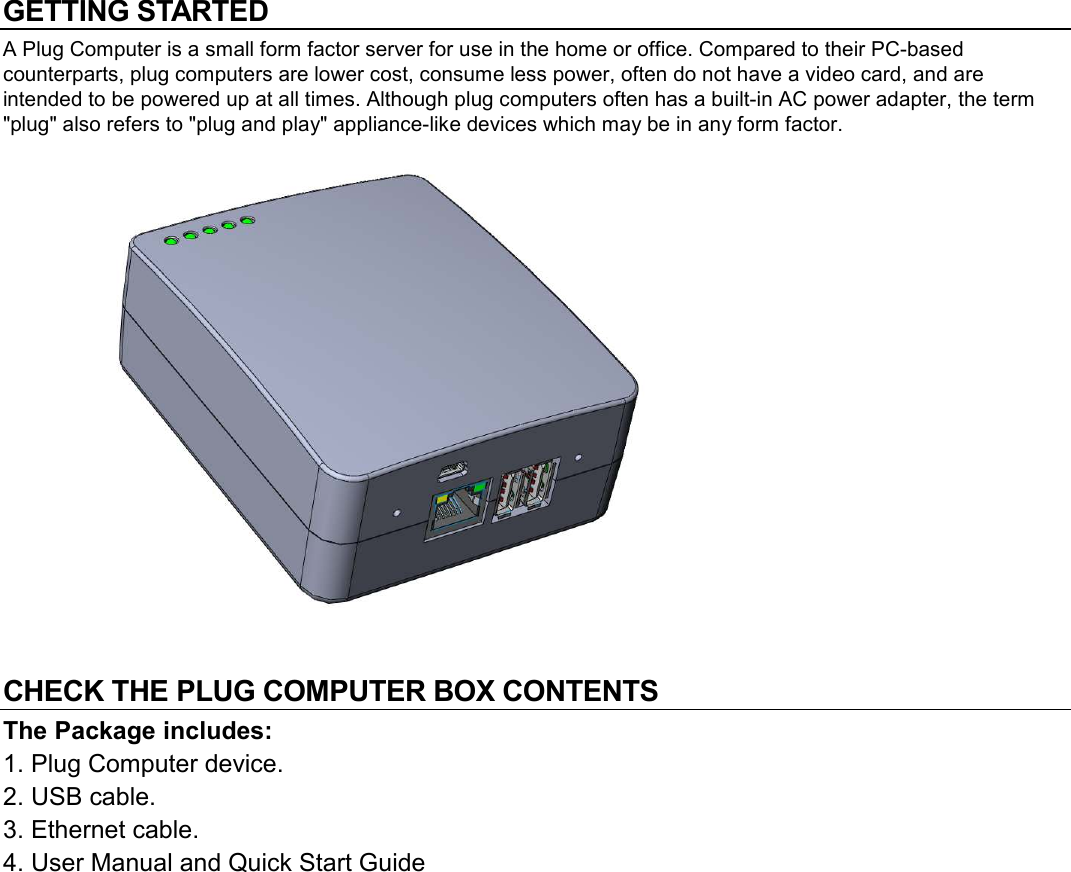
GETTING STARTED A Plug Computer is a small form factor server for use in the home or office. Compared to their PC-based counterparts, plug computers are lower cost, consume less power, often do not have a video card, and are intended to be powered up at all times. Although plug computers often has a built-in AC power adapter, the term "plug" also refers to "plug and play" appliance-like devices which may be in any form factor.             CHECK THE PLUG COMPUTER BOX CONTENTS  The Package includes: 1. Plug Computer device. 2. USB cable. 3. Ethernet cable. 4. User Manual and Quick Start Guide
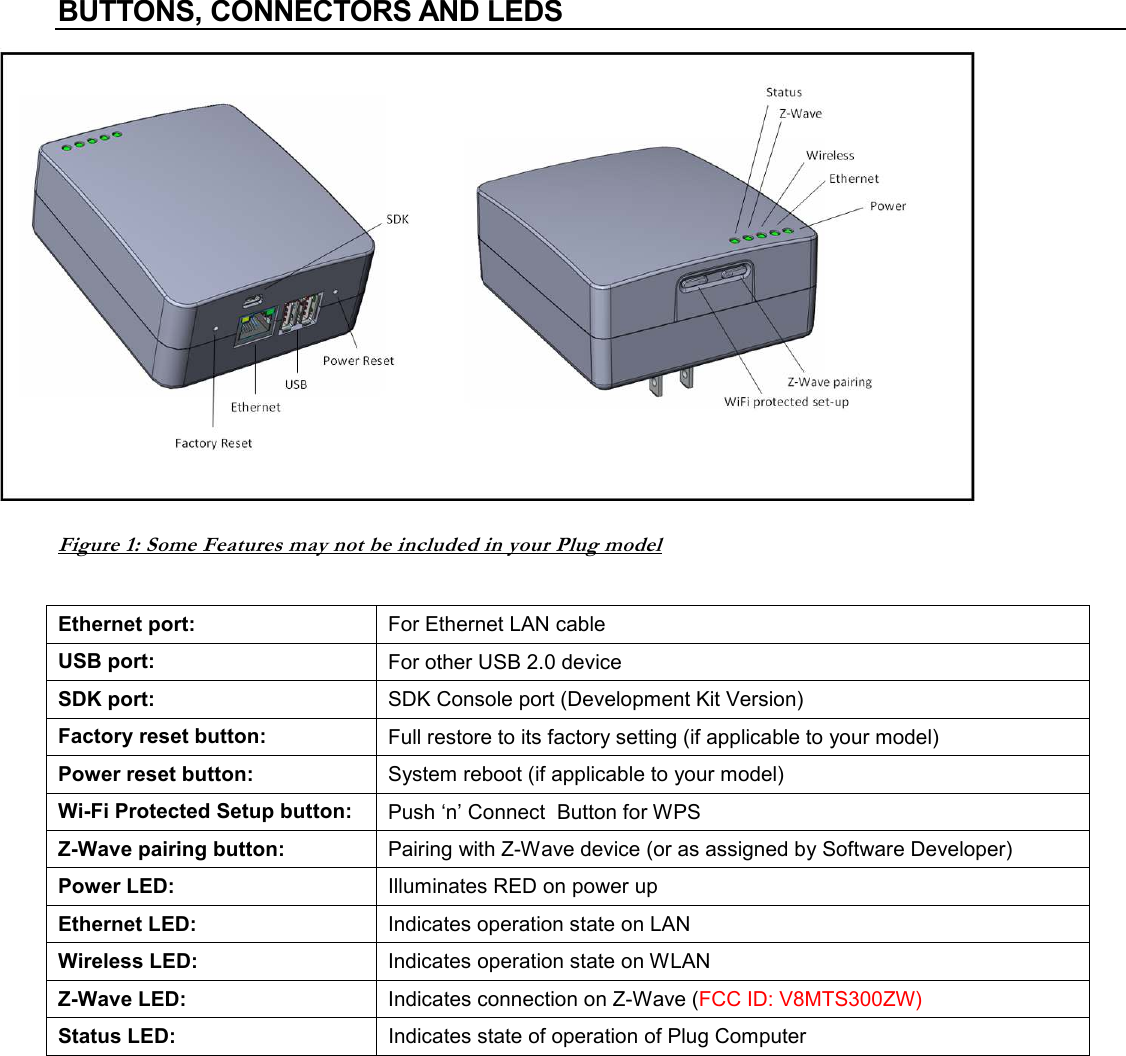
BUTTONS, CONNECTORS AND LEDS  Figure 1: Some Features may not be included in your Plug model  Ethernet port:  For Ethernet LAN cable USB port:  For other USB 2.0 device SDK port:  SDK Console port (Development Kit Version) Factory reset button:    Full restore to its factory setting (if applicable to your model) Power reset button:  System reboot (if applicable to your model) Wi-Fi Protected Setup button:  Push ‘n’ Connect  Button for WPS Z-Wave pairing button:  Pairing with Z-Wave device (or as assigned by Software Developer) Power LED:  Illuminates RED on power up Ethernet LED:  Indicates operation state on LAN Wireless LED:  Indicates operation state on WLAN Z-Wave LED:  Indicates connection on Z-Wave (FCC ID: V8MTS300ZW)Status LED:  Indicates state of operation of Plug Computer
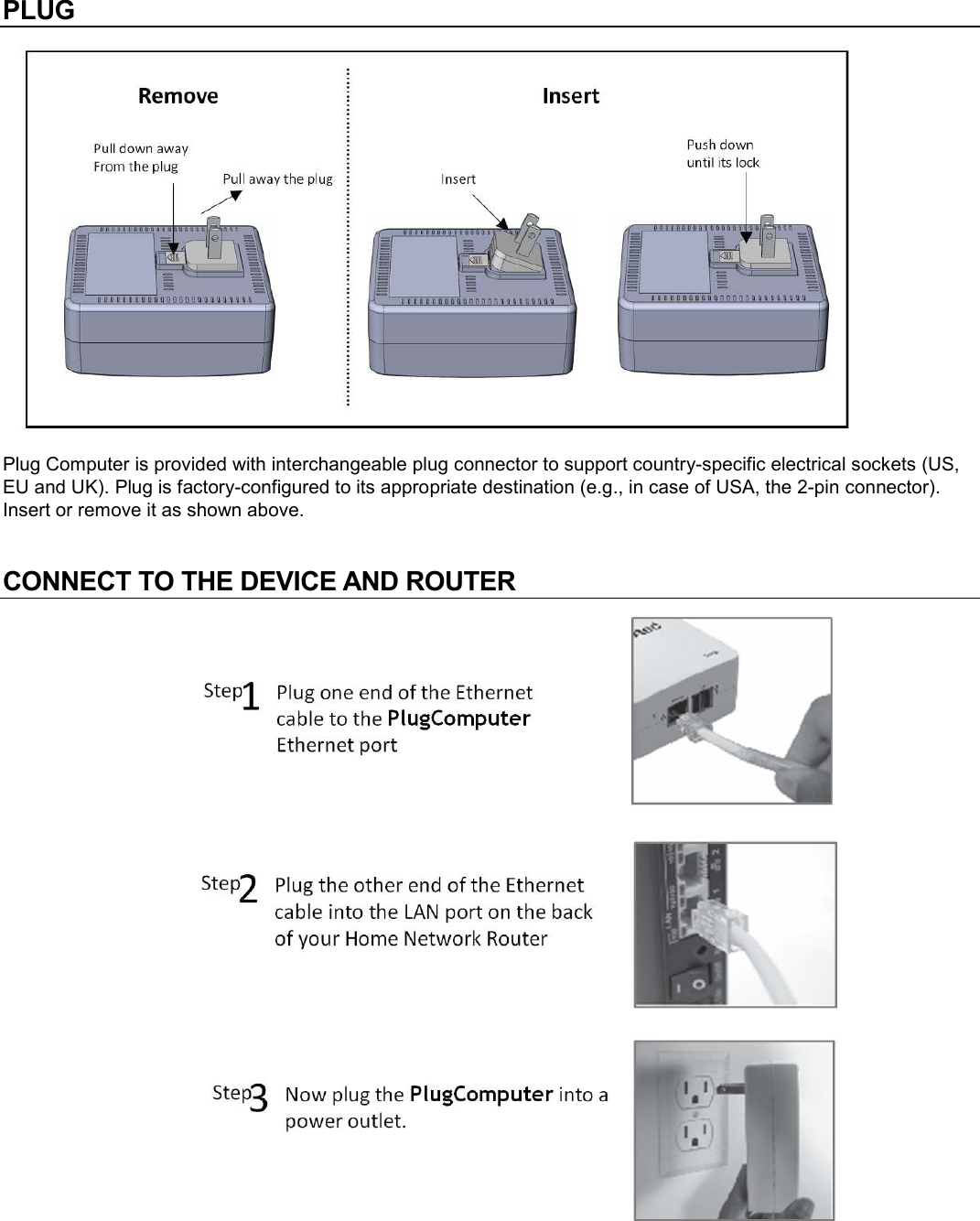
PLUG  Plug Computer is provided with interchangeable plug connector to support country-specific electrical sockets (US, EU and UK). Plug is factory-configured to its appropriate destination (e.g., in case of USA, the 2-pin connector). Insert or remove it as shown above.  CONNECT TO THE DEVICE AND ROUTER
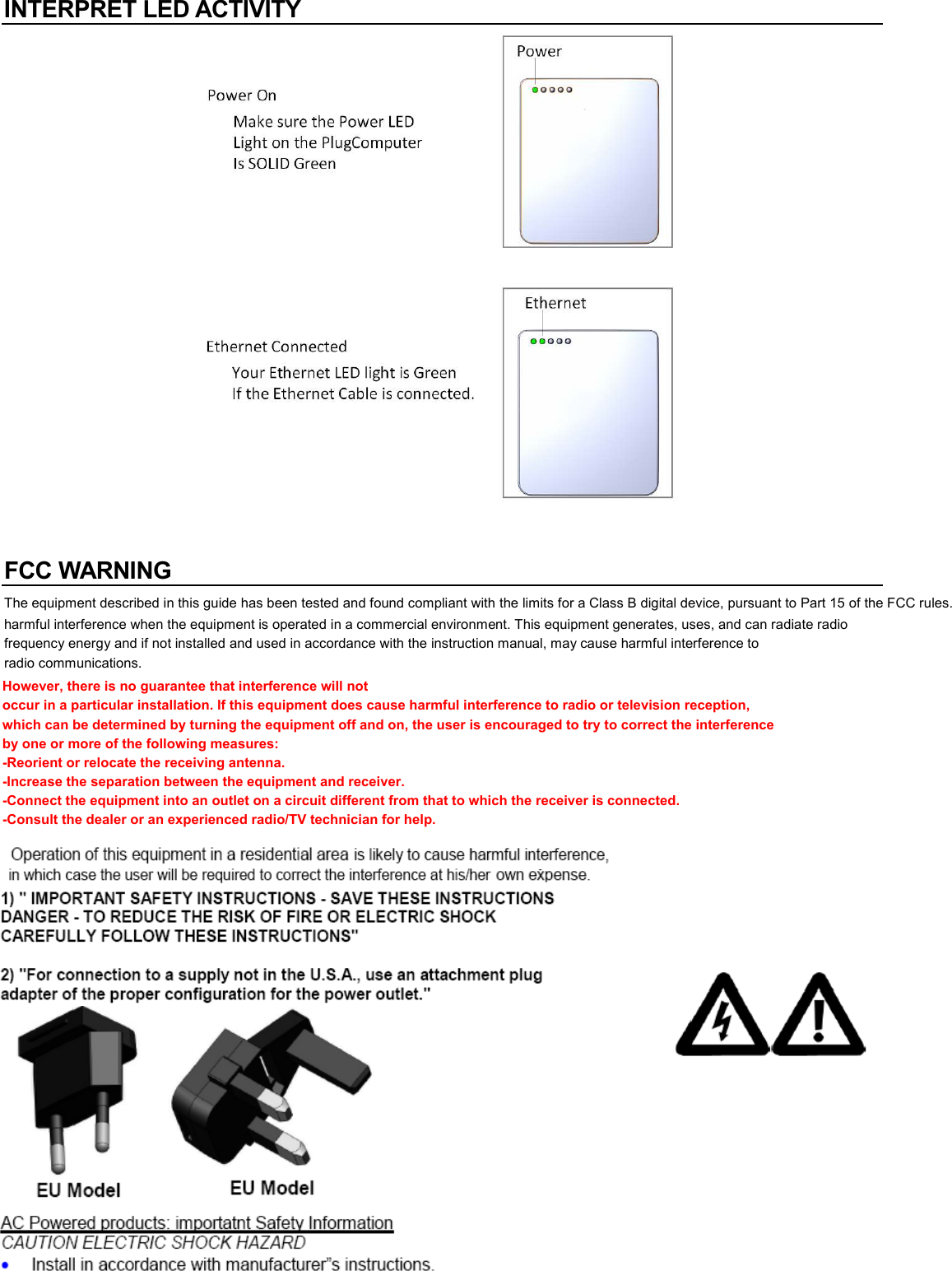
INTERPRET LED ACTIVITY    FCC WARNING The equipment described in this guide has been tested and found compliant with the limits for a Class B digital device, pursuant to Part 15 of the FCC rules. These limits are designed to provide reasonable protection against harmful interference when the equipment is operated in a commercial environment. This equipment generates, uses, and can radiate radio frequency energy and if not installed and used in accordance with the instruction manual, may cause harmful interference to radio communications.  EU Model  EU Model  AC Powered products: importatnt Safety Information  CAUTION ELECTRIC SHOCK HAZARD  • Install in accordance with manufacturer”s instructions. However, there is no guarantee that interference will not occur in a particular installation. If this equipment does cause harmful interference to radio or television reception, which can be determined by turning the equipment off and on, the user is encouraged to try to correct the interference by one or more of the following measures: -Reorient or relocate the receiving antenna. -Increase the separation between the equipment and receiver. -Connect the equipment into an outlet on a circuit different from that to which the receiver is connected. -Consult the dealer or an experienced radio/TV technician for help.
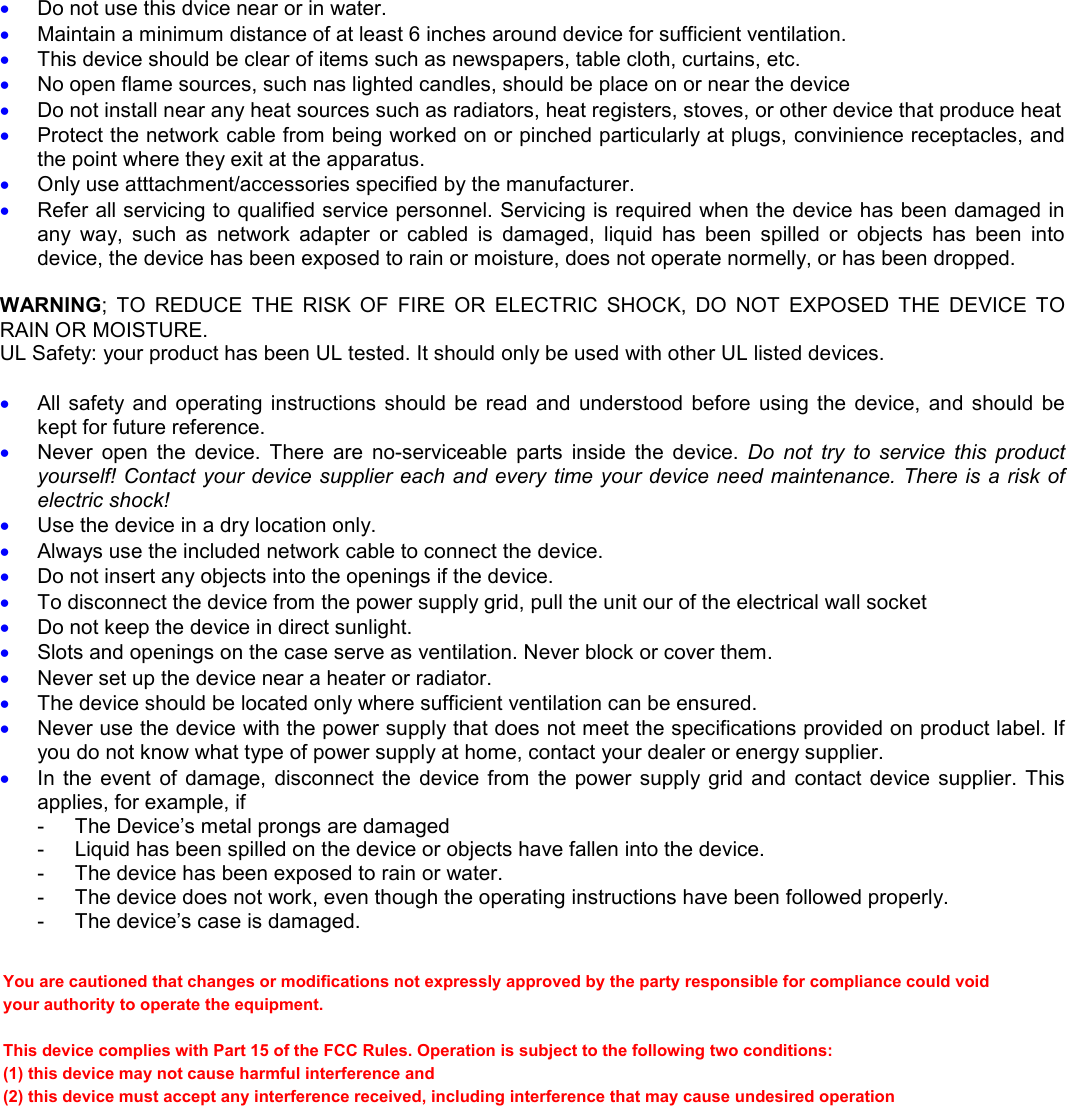
• Do not use this dvice near or in water. • Maintain a minimum distance of at least 6 inches around device for sufficient ventilation. • This device should be clear of items such as newspapers, table cloth, curtains, etc. • No open flame sources, such nas lighted candles, should be place on or near the device  • Do not install near any heat sources such as radiators, heat registers, stoves, or other device that produce heat • Protect the network cable from being worked on or pinched particularly at plugs, convinience receptacles, and the point where they exit at the apparatus. • Only use atttachment/accessories specified by the manufacturer. • Refer all servicing to qualified service personnel. Servicing is required when the device has been damaged in any  way,  such  as  network  adapter  or  cabled  is  damaged,  liquid  has  been  spilled  or  objects  has  been  into device, the device has been exposed to rain or moisture, does not operate normelly, or has been dropped.  WARNING;  TO  REDUCE  THE  RISK  OF  FIRE  OR  ELECTRIC  SHOCK,  DO  NOT  EXPOSED  THE  DEVICE  TO RAIN OR MOISTURE. UL Safety: your product has been UL tested. It should only be used with other UL listed devices.  • All  safety  and  operating instructions  should  be read  and  understood before  using the  device,  and  should be kept for future reference. • Never  open  the  device.  There  are  no-serviceable  parts  inside  the  device.  Do  not  try  to  service  this  product yourself! Contact your device supplier each and every time your device need maintenance. There is a risk of electric shock! • Use the device in a dry location only. • Always use the included network cable to connect the device. • Do not insert any objects into the openings if the device. • To disconnect the device from the power supply grid, pull the unit our of the electrical wall socket • Do not keep the device in direct sunlight. • Slots and openings on the case serve as ventilation. Never block or cover them. • Never set up the device near a heater or radiator. • The device should be located only where sufficient ventilation can be ensured. • Never use the device with the power supply that does not meet the specifications provided on product label. If you do not know what type of power supply at home, contact your dealer or energy supplier. • In  the  event  of  damage,  disconnect  the  device  from  the  power supply grid  and  contact device supplier.  This applies, for example, if -  The Device’s metal prongs are damaged -  Liquid has been spilled on the device or objects have fallen into the device. -  The device has been exposed to rain or water. -  The device does not work, even though the operating instructions have been followed properly. -  The device’s case is damaged.  You are cautioned that changes or modifications not expressly approved by the party responsible for compliance could void your authority to operate the equipment. This device complies with Part 15 of the FCC Rules. Operation is subject to the following two conditions: (1) this device may not cause harmful interference and (2) this device must accept any interference received, including interference that may cause undesired operation

Navigation menu