IZZO GOLF A44030 IZZO SWAMI SWING CAM User Manual SWING CAM manualx
IZZO Golf, Inc. IZZO SWAMI SWING CAM SWING CAM manualx
User Manual

SWINGCAM
Manual
Q:
Record
ScenicRecord
RecordwithTimer
Review
Settings
Record
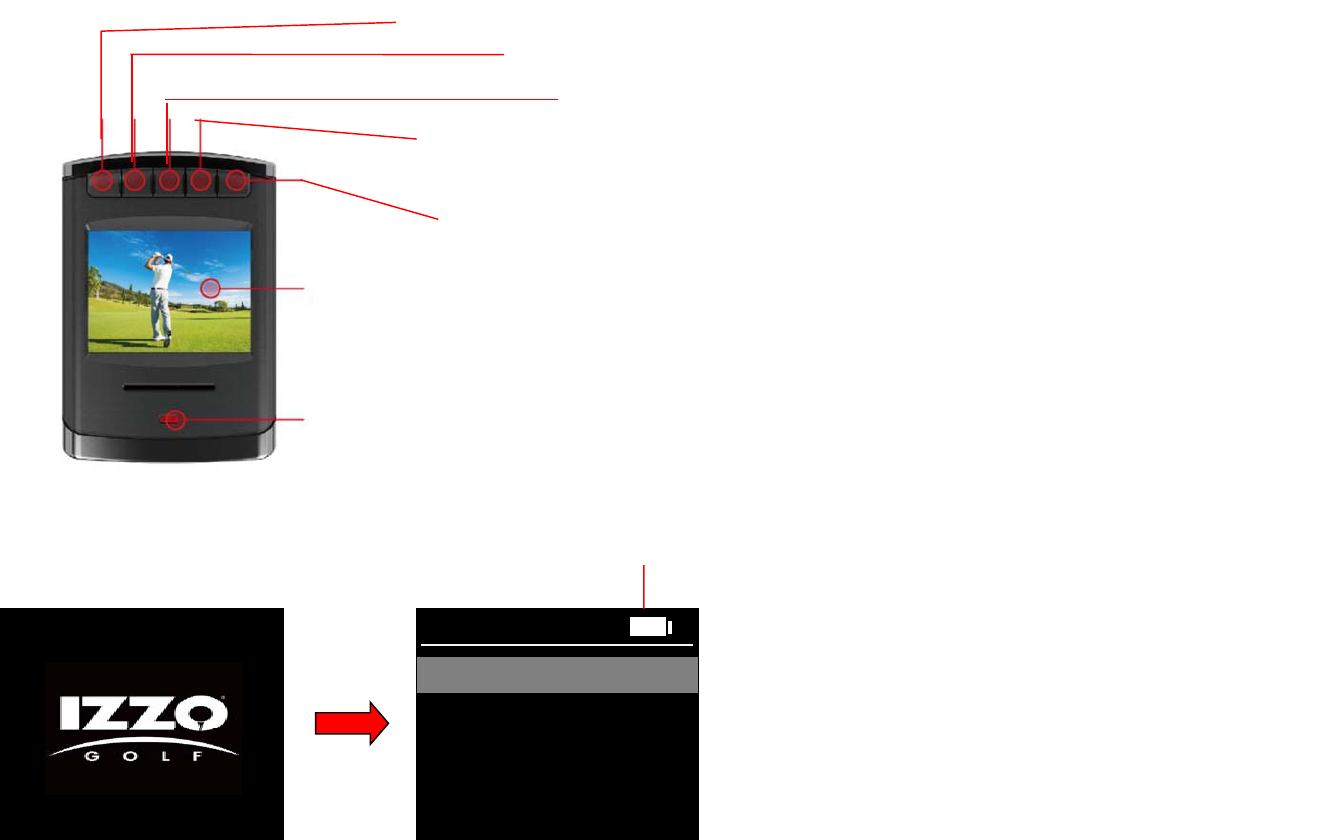
PowerButton:HoldtoPowerOn/Of
f
UpButton:Presstoscrollup
DownButton:Presstoscrolldown
OKButton:PresstoSelectoptions.Holdtoreturntopreviousscreen.
RecordButton:Presstostartrecording,pressagaintostoprecording.HoldtoenableWi‐Fi,hold
againtodisableWi‐Fi
Batteryindicator
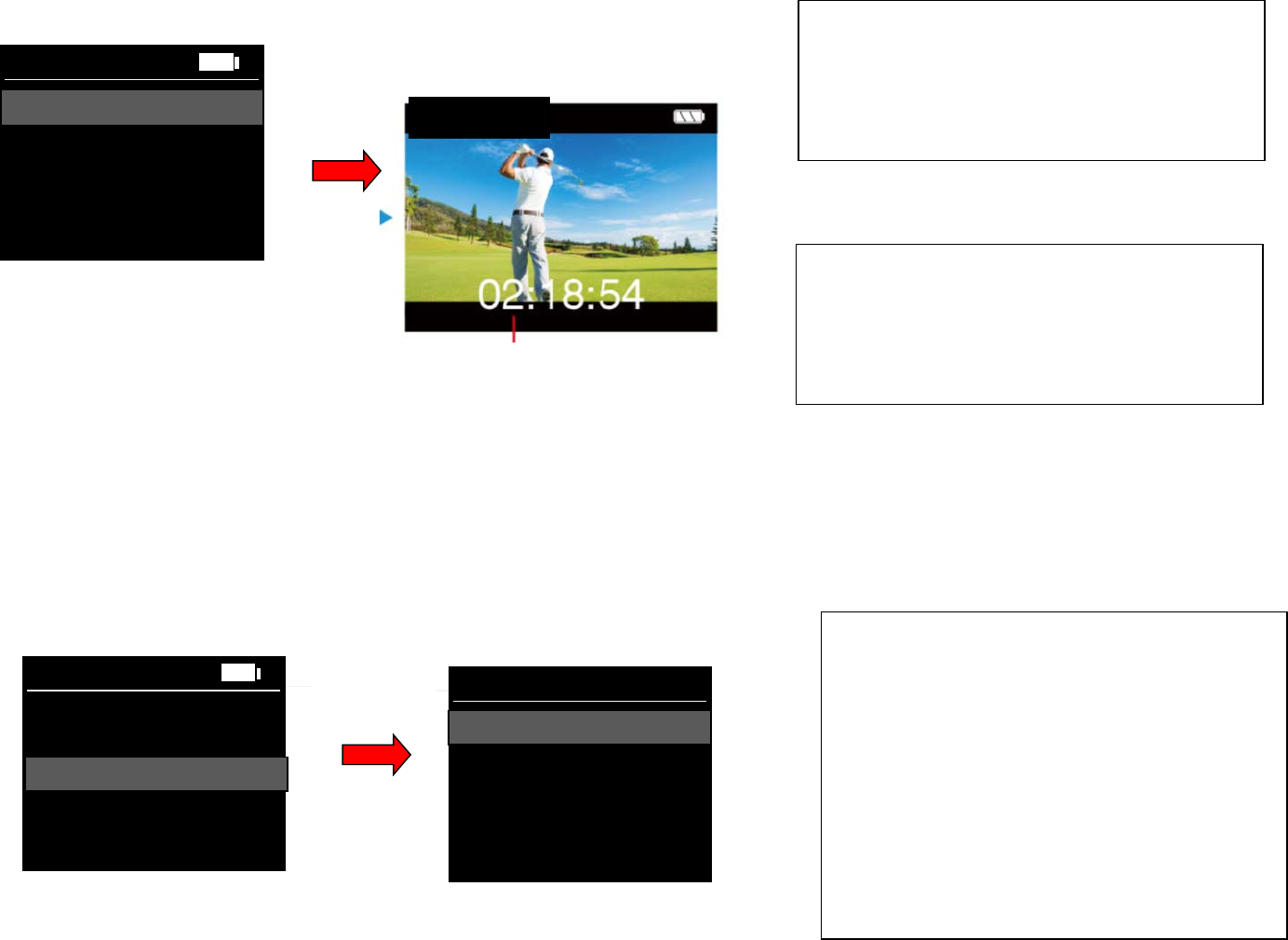
1. Usetheupordownbuttonstoscrolltodesired
option.
2. PressOKbuttontoselectoption.
Record
ScenicRecord
RecordwithTimer
Review
Settings
Record
RecordMode:1280*720*60fps
3. PressRecordbuttontostartrecording.Press
Recordbuttonagaintostoprecording.
4. HoldOKbuttontoexit.
RecordMode
Record
ScenicRecord
TimerMode
Review
Settings
RecordwithTimer
SelectTimer:
RecordMode
10s
15s
5s
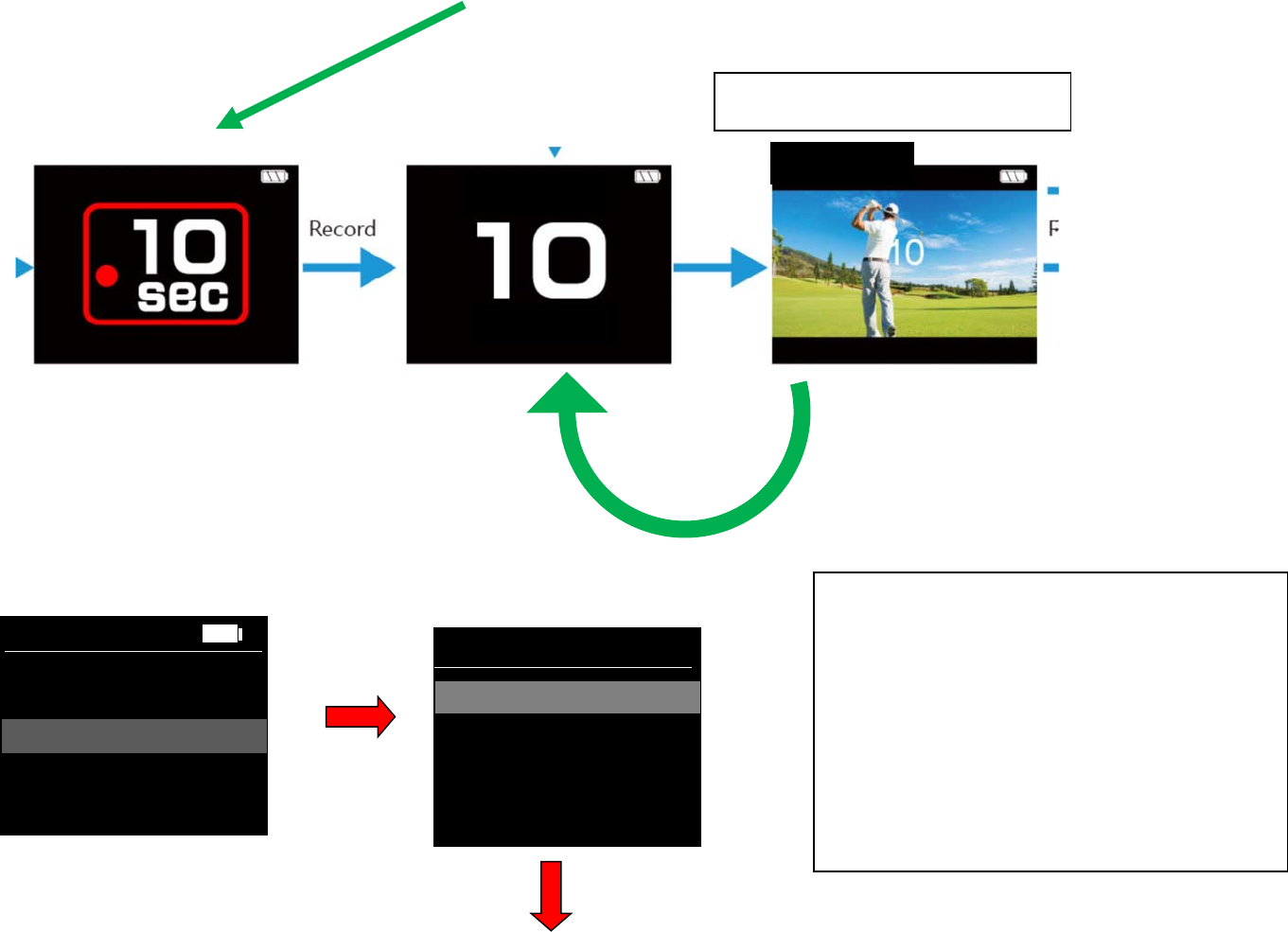
TimerMode:1280*780*60fps
1. Useup/downbuttonstoscrolltodesired
timersetting.PressOKbuttontoselect.
2. When5sselected,Countdown5sandrecord
5s,thenrepeat.
3. When10sselected,Countdown5sandrecord
10s,thenrepeat.
4. When15sselected,Countdown5sandrecord
15s,thenrepeat.
5. Toendsession,HoldOKbuttondown.
ScenicRecordMode:1920*1080*30fps
1. PressRecordbuttontostartrecording.Press
Recordbuttonagaintostoprecording.
2. HoldOKbuttontoexit.
Timer Mode
GET
READY
“BEEPSOUND”WhenRecordingstarts.
RecordMode
TimerMode
Review
Settings
Review
SelectSession:
07‐20‐2017 10:36
07‐20‐2017‐shot0025:22
08‐05‐2017‐shot0036:11
07‐20‐2017‐shot001 10:36
ReviewMode:
1. Useup/downbuttonstoscrolltodesired
session.PressOKbuttontoselect.
2. Holdrecord(button5)todeleterecording.
Usershouldbepromptediftheywantto
deleteorcancel.
3. Toexit,HoldOKbuttondown.Screenshould
switchbacktomainmenu.
Playback:
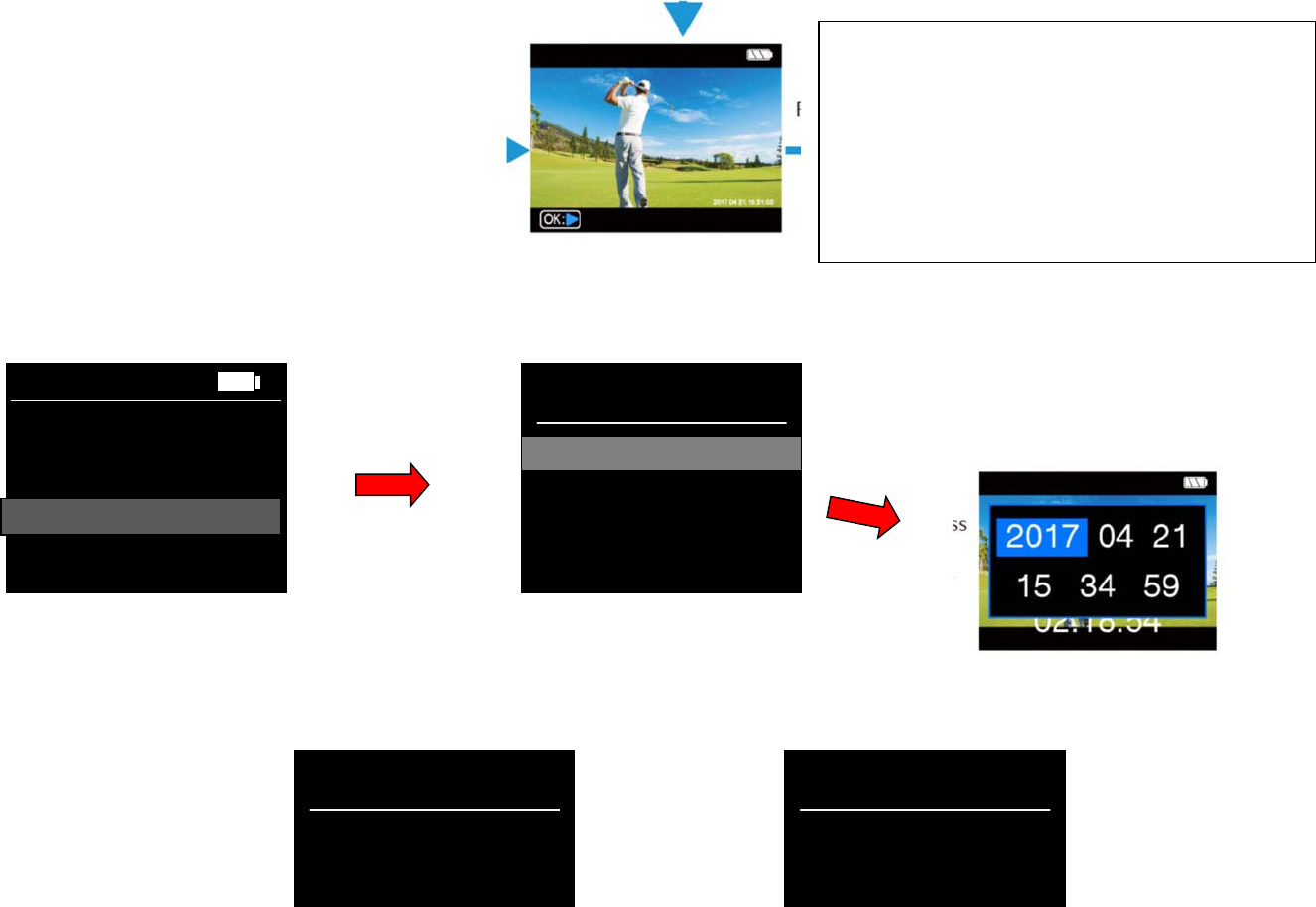
1. PressRecord(button5)tostartplayback.
Pressagaintostopplayback.
2. HoldOK(button4)toexitandreturnto
SelectSessionscreen.
Settings:
SetDate/Time
Volume
WiFi
SetDate
/
Time
RecordMode
TimerMode
Review
Settings
Settin
g
s
Settings:
SetDate/Time
Wi Fi
Volume:
Thisvolumecanaffectallsystemsoundsincludeplayback,On/Off,Recordbeep.Let’suse5splits.,wemustoffer
optionfornosoundatall.
Volume
Settings:
SetDate/Time
Volume
WiFi
WiFi
(CurrentWiFiscreen)
FCC Statement
This equipment has been tested and found to comply with the limits for a Class
B digital device, pursuant to part 15 of the FCC rules. These limits are
designed to provide reasonable protection against harmful interference in a
residential installation. This equipment generates, uses and can radiate radio
frequency energy and, if not installed and used in accordance with the
instructions, may cause harmful interference to radio communications.
However, there is no guarantee that interference will not occur in a particular
installation. If this equipment does cause harmful interference to radio or
television reception, which can be determined by turning the equipment off and
on, the user is encouraged to try to correct the interference by one or more of
the following measures:
-Reorient or relocate the receiving antenna.
-Increase the separation between the equipment and receiver.
-Connect the equipment into an outlet on a circuit different from that to which
the receiver is connected.
-Consult the dealer or an experienced radio/TV technician for help.
To assure continued compliance, any changes or modifications not expressly
approved by the party.
Responsible for compliance could void the user’s authority to operate this
equipment. (Example- use only shielded interface cables when connecting to
computer or peripheral devices).
This equipment complies with Part 15 of the FCC Rules. Operation is subject
to the following two conditions:
(1) This device may not cause harmful interference, and
(2) This device must accept any interference received, including interference
that may cause undesired operation.
FCC Radiation Exposure Statement:
The equipment complies with FCC Radiation exposure limits set forth for
uncontrolled enviroment. This equipment should be installed and operated with
minimum distance 20cm between the radiator and your body.
.