Innovative Concepts and Design UHF-6000BP Body-worn Wireless Microphone User Manual

INNOVATIVE CONCEPTS AND DESIGN LLC Body-worn Wireless Microphone

User Manual

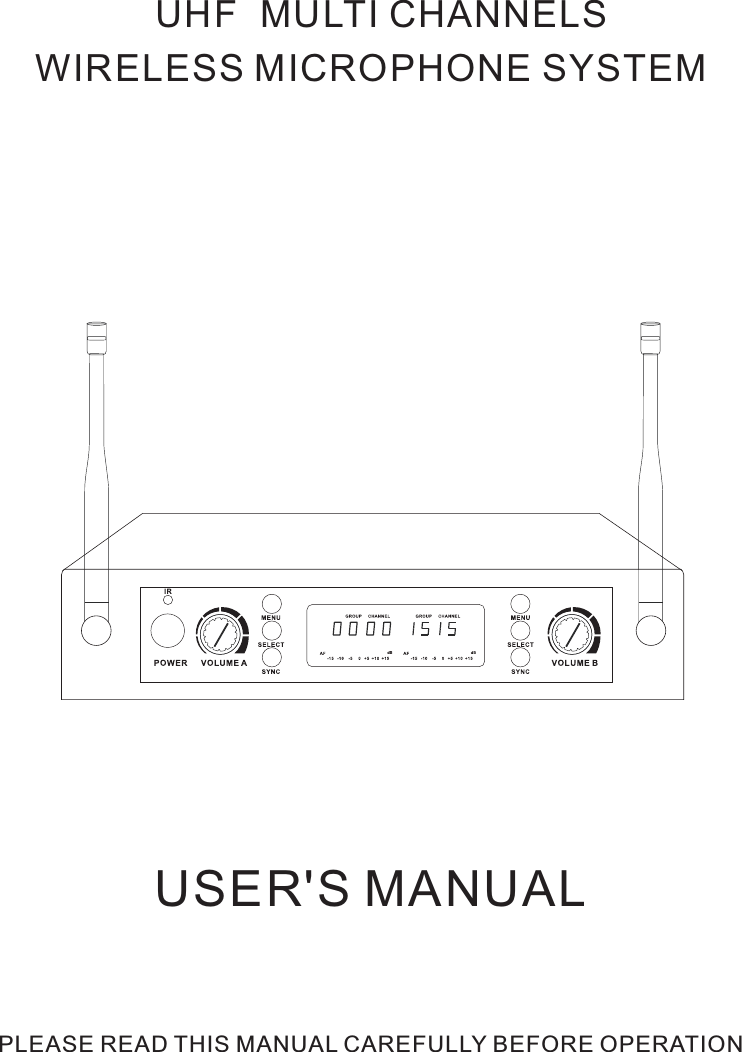
USER'S MANUALUH  MULTI CHANNELS WIRELESS MICROPHONE SYSTEM      PLEASE READ THIS MANUAL CAREFULLY BEFORE OPERATIONF
1. Microcomputer controlle  synthesized oscillation circuit.2. UHF high band with multi selectable frequencies.3. Automatic transmitter setup.4. Adopt high sensitivity and wide frequency response dynamic capsule     to reproduce original sound.5. Advanced compression circuit to avoid noise.6. LCD display for easy operation.7. Operating range is about 60M.-1-Thank you for choosing our UH  multi channels wireless microphone system. Your new system is rugged, reliable, easy to set up and operate, and produces outstanding audio clarity. Whether you're a vocalist, guitarist or instrumentalist, this wireless system will show you how easy wireless can be, and how good wireless can sound. This user guide  included with your system will tell you all you need to know to get your system working right away.INTRODUCTIONFEATURESFd
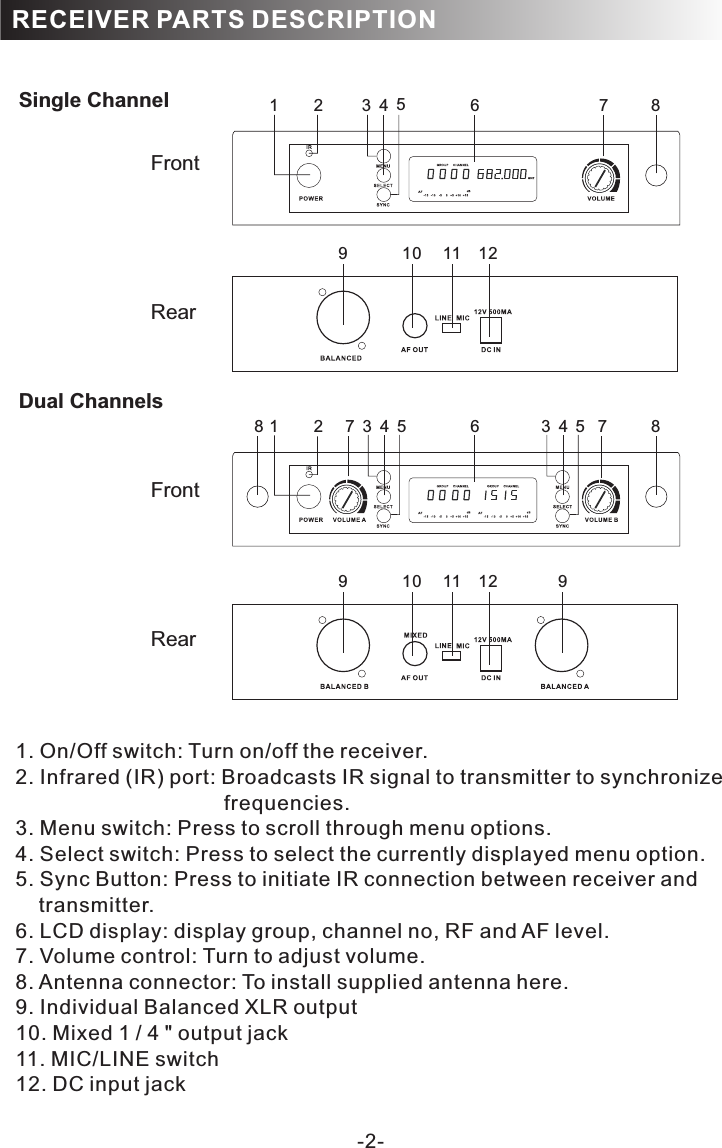
-2-RECEIVER PARTS DESCRIPTIONSingle Channel Dual Channels788 7FrontRearFrontRear9 10 11 12 99 10 11 121 2 3784561 2 34563451. 2. Infrared (IR) port: Broadcasts IR signal to transmitter to synchronize                                     frequencies. 3. Menu switch: Press to scroll through menu options.4. Select switch: Press to select the currently displayed menu option.5. Sync Button: Press to initiate IR connection between receiver and     transmitter.6. LCD display: display group, channel no, RF and AF level.7. Volume control: Turn to adjust volume.8. Antenna connector: To install supplied antenna here.9. Individual Balanced XLR output10. Mixed 1 / 4 " output jack11. MIC/LINE switch12. DC input jackOn/Off switch: Turn on/off the receiver.
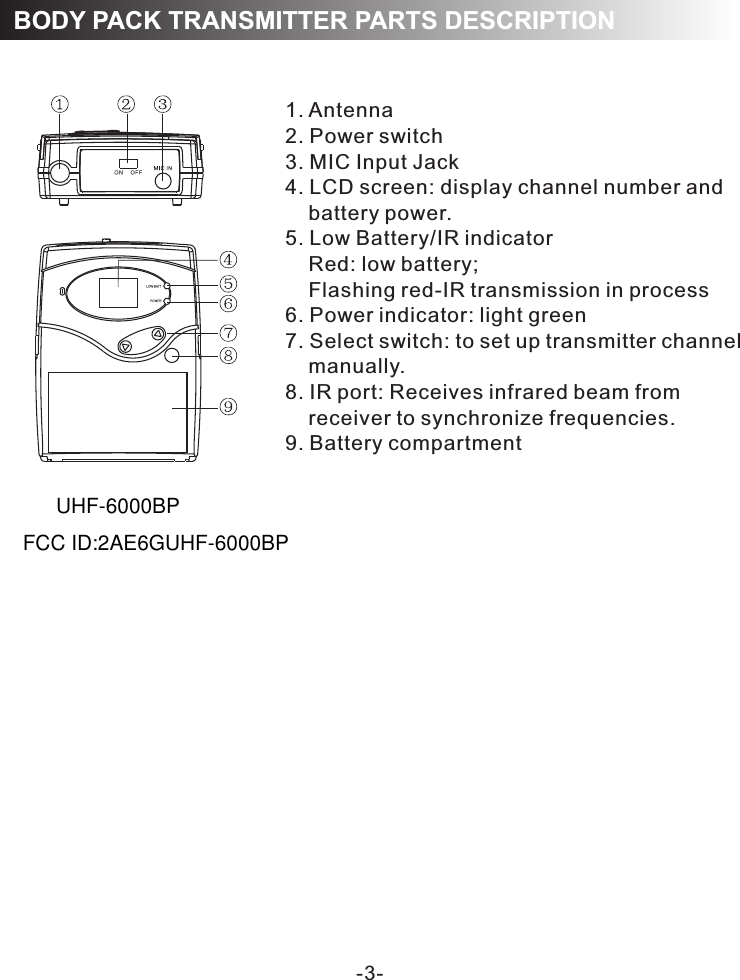
-3-1. Antenna2. Power switch3. MIC Input Jack4. LCD screen: display channel number and     battery power.5. Low Battery/IR indicator    Red: low battery;    Flashing red-IR transmission in process6. Power indicator: light green7. Select switch: to set up transmitter channel     manually. 8. IR port: Receives infrared beam from     receiver to synchronize frequencies. 9. Battery compartmentBODY PACK TRANSMITTER PARTS DESCRIPTIONUHF-6000BPFCC ID:2AE6GUHF-6000BP
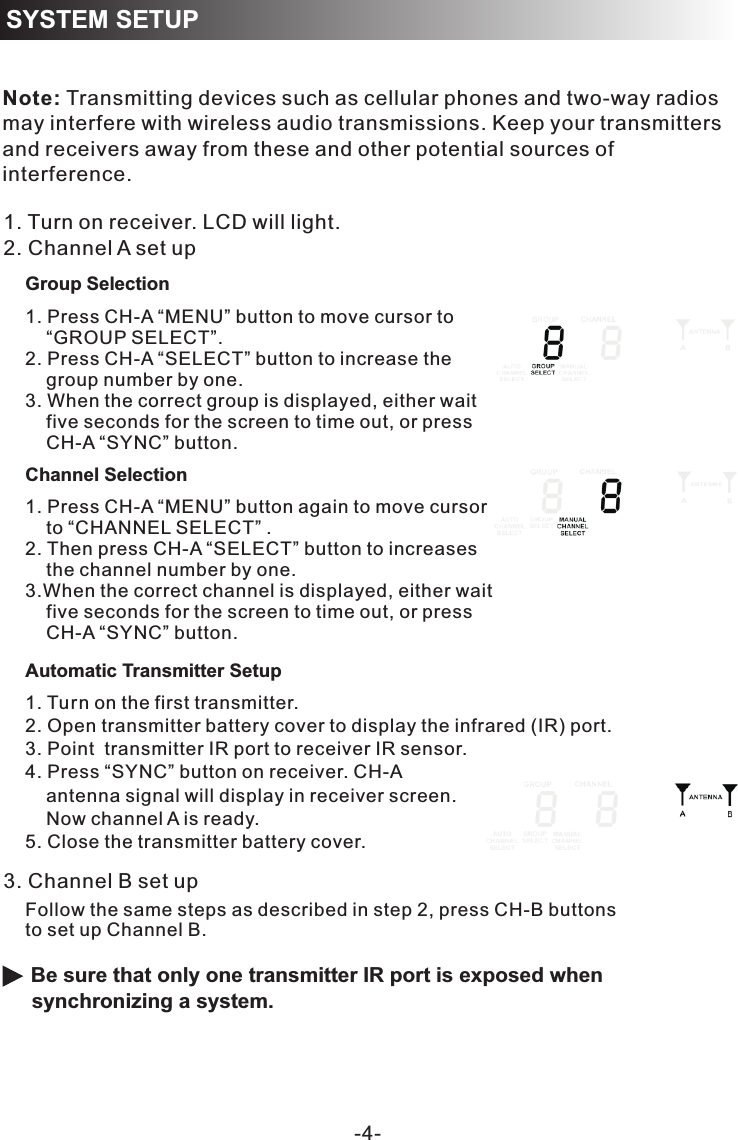
RECEIVER PROGRAMMING-4-SYSTEM SETUPNote: Transmitting devices such as cellular phones and two-way radios may interfere with wireless audio transmissions. Keep your transmitters and receivers away from these and other potential sources of interference.Automatic Transmitter Setup1. Turn on the first transmitter.2. Open transmitter battery cover to display the infrared (IR) port. 3. Point  transmitter IR port to receiver IR sensor.4. Press “SYNC” button on receiver. CH-A     antenna signal will display in receiver screen.     Now channel A is ready. 5. Close the transmitter battery cover.  Be sure that only one transmitter IR port is exposed when synchronizing a system.1. Turn on receiver. LCD will light.2. Channel A set up3. Channel B set upFollow the same steps as described in step 2, press CH-B buttonsto set up Channel B. Channel Selection1. Press CH-A “MENU” button to move cursor to     “GROUP SELECT”. 2. Press CH-A “SELECT” button to increase the      group number by one. 3. When the correct group is displayed, either wait     five seconds for the screen to time out, or press     CH-A “SYNC” button. 1. Press CH-A “MENU” button again to move cursor    to “CHANNEL SELECT” .2. Then press CH-A “SELECT” button to increases     the channel number by one. 3.When the correct channel is displayed, either wait     five seconds for the screen to time out, or press     CH-A “SYNC” button. Group Selection
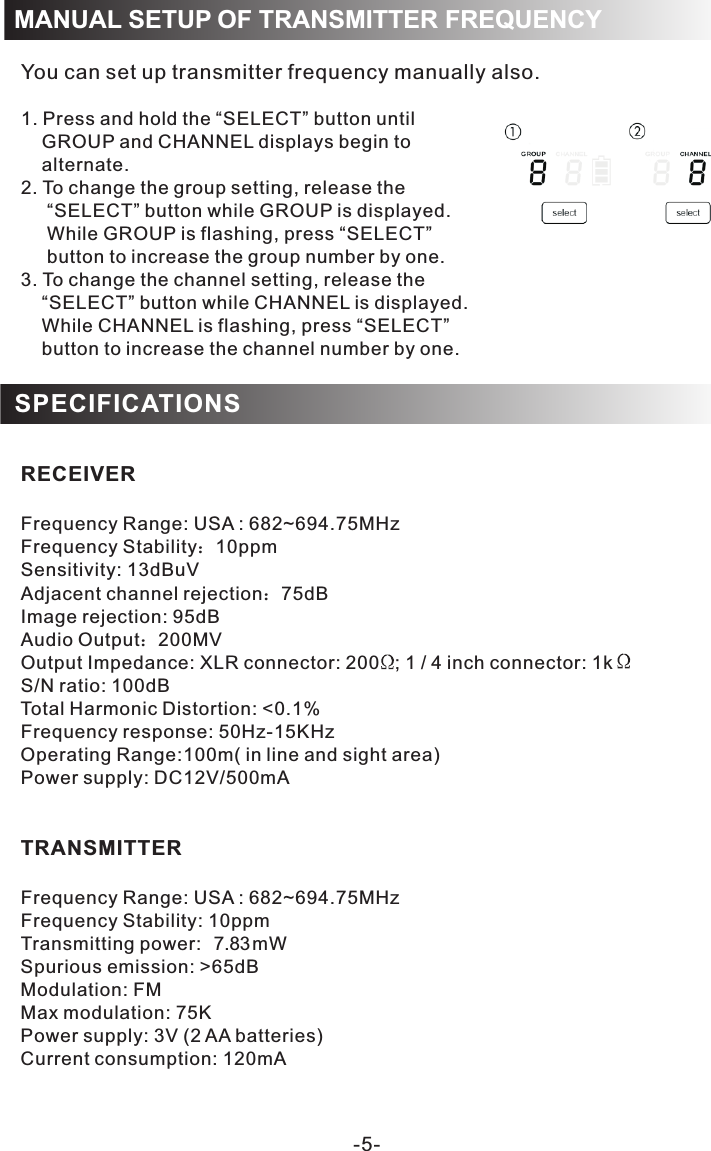
MANUAL SETUP OF TRANSMITTER FREQUENCYYou can set up transmitter frequency manually also. 1. Press and hold the “SELECT” button until      GROUP and CHANNEL displays begin to     alternate.2. To change the group setting, release the      “SELECT” button while GROUP is displayed.     While GROUP is flashing, press “SELECT”      button to increase the group number by one.3. To change the channel setting, release the     “SELECT” button while CHANNEL is displayed.     While CHANNEL is flashing, press “SELECT”     button to increase the channel number by one.RECEIVERFrequency Range: USA : 682~694.75MHzFrequency Stability:10ppmSensitivity: 13dBuVAdjacent channel rejection:75dBImage rejection: 95dBAudio Output:200MVOutput Impedance: XLR connector: 200   ; 1 / 4 inch connector: 1k S/N ratio: 100dB0.1%Frequency response: 50Hz-15KHz:100m( in line and sight area)Power supply: DC12V/500mA TRANSMITTERFrequency Range: USA : 682~694.75MHzFrequency Stability: 10ppmTransmitting power 7.83mWSpurious emission: >65dBModulation: FMMax modulation: 75KPower supply: 3V (2 AA batteries)Current consumption: 120mATotal Harmonic Distortion: <Operating RangeSPECIFICATIONS-5-:
NOTE: This equipment has been tested and found to comply with the limits for a Class B digital device, pursuant to part 15 of the FCC Rules. These limits are designed to provide reasonable protection against harmful interference in a residential installation. This equipment generates, uses and can radiate radio frequency energy and, if not installed and used in accordance with the instructions, may cause harmful interference to radio communications. However, there is no guarantee that interference will not occur in a particular installation. If this equipment does cause harmful interference to radio or television reception, which can be determined by turning the equipment off and on, the user is encouraged to try to correct the interference by one or more of the following measures: —Reorient or relocate the receiving antenna. —Increase the separation between the equipment and receiver. —Connect the equipment into an outlet on a circuit different from that to which the receiver is connected. —Consult the dealer or an experienced radio/TV technician for help. Thisdevicecomplieswithpart15oftheFCCrules.Operationissubjecttothefollowingtwoconditions:(1)thisdevicemaynotcauseharmfulinterference,and(2)thisdevicemustacceptanyinterferencereceived,includinginterferencethatmaycauseundesiredoperation.Changesormodificationstothisunitnotexpresslyapprovedbythepartyresponsibleforcompliancecouldvoidtheuser'sauthoritytooperatetheequipment.The device meets RF Exposure requirements without any restriction.

Navigation menu