Iwill GB-1000 IWLAN User Manual IWLAN

Iwill Corporation IWLAN IWLAN

users manual

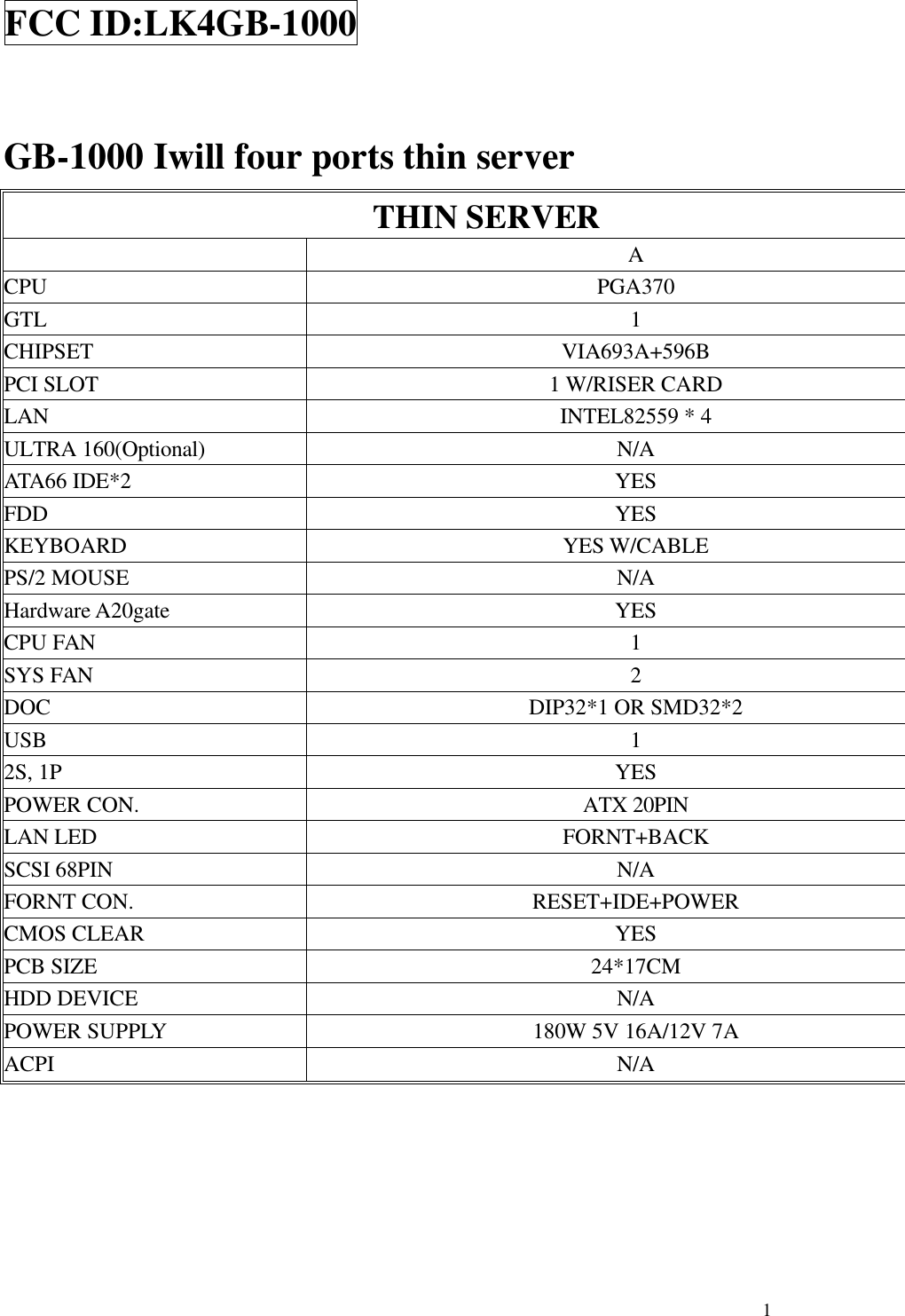
 1FCC ID:LK4GB-1000  GB-1000 Iwill four ports thin server THIN SERVER  A CPU  PGA370 GTL  1 CHIPSET VIA693A+596B PCI SLOT 1 W/RISER CARD LAN INTEL82559 * 4 ULTRA 160(Optional) N/A ATA66 IDE*2 YES FDD YES KEYBOARD YES W/CABLE PS/2 MOUSE N/A Hardware A20gate YES CPU FAN  1 SYS FAN  2 DOC DIP32*1 OR SMD32*2 USB  1 2S, 1P YES POWER CON. ATX 20PIN LAN LED FORNT+BACK SCSI 68PIN N/A FORNT CON. RESET+IDE+POWER CMOS CLEAR YES PCB SIZE 24*17CM HDD DEVICE N/A POWER SUPPLY 180W 5V 16A/12V 7A ACPI N/A
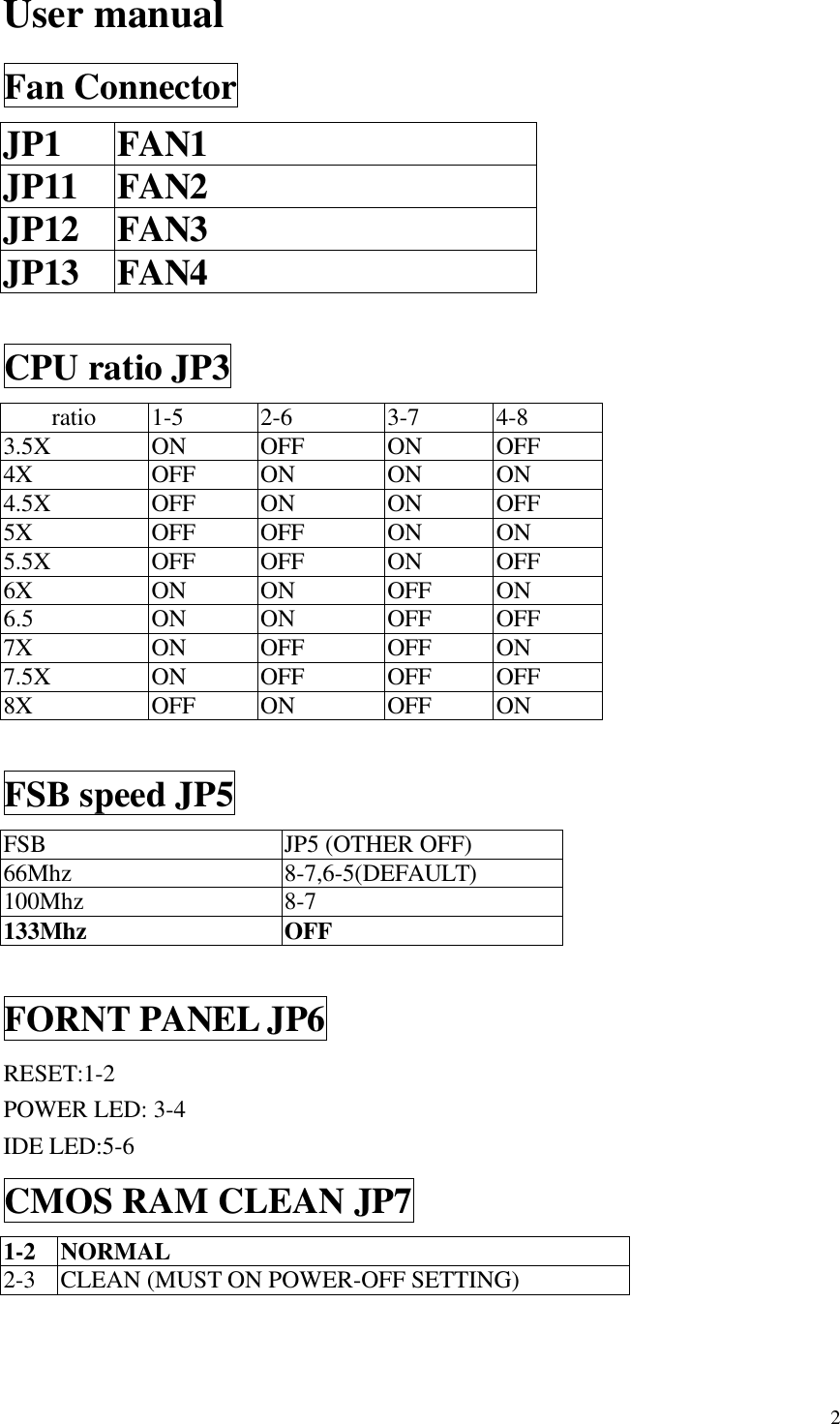
 2User manual Fan Connector JP1 FAN1 JP11 FAN2 JP12 FAN3 JP13 FAN4  CPU ratio JP3  ratio  1-5    2-6  3-7  4-8 3.5X ON OFF ON OFF 4X OFF ON ON ON 4.5X OFF ON ON OFF 5X OFF OFF ON ON 5.5X OFF OFF ON OFF 6X ON ON OFF ON 6.5  ON ON OFF OFF 7X ON OFF OFF ON 7.5X ON OFF OFF OFF 8X OFF ON OFF ON  FSB speed JP5 FSB JP5 (OTHER OFF) 66Mhz  8-7,6-5(DEFAULT) 100Mhz  8-7 133Mhz OFF  FORNT PANEL JP6 RESET:1-2 POWER LED: 3-4 IDE LED:5-6 CMOS RAM CLEAN JP7 1-2  NORMAL 2-3  CLEAN (MUST ON POWER-OFF SETTING)
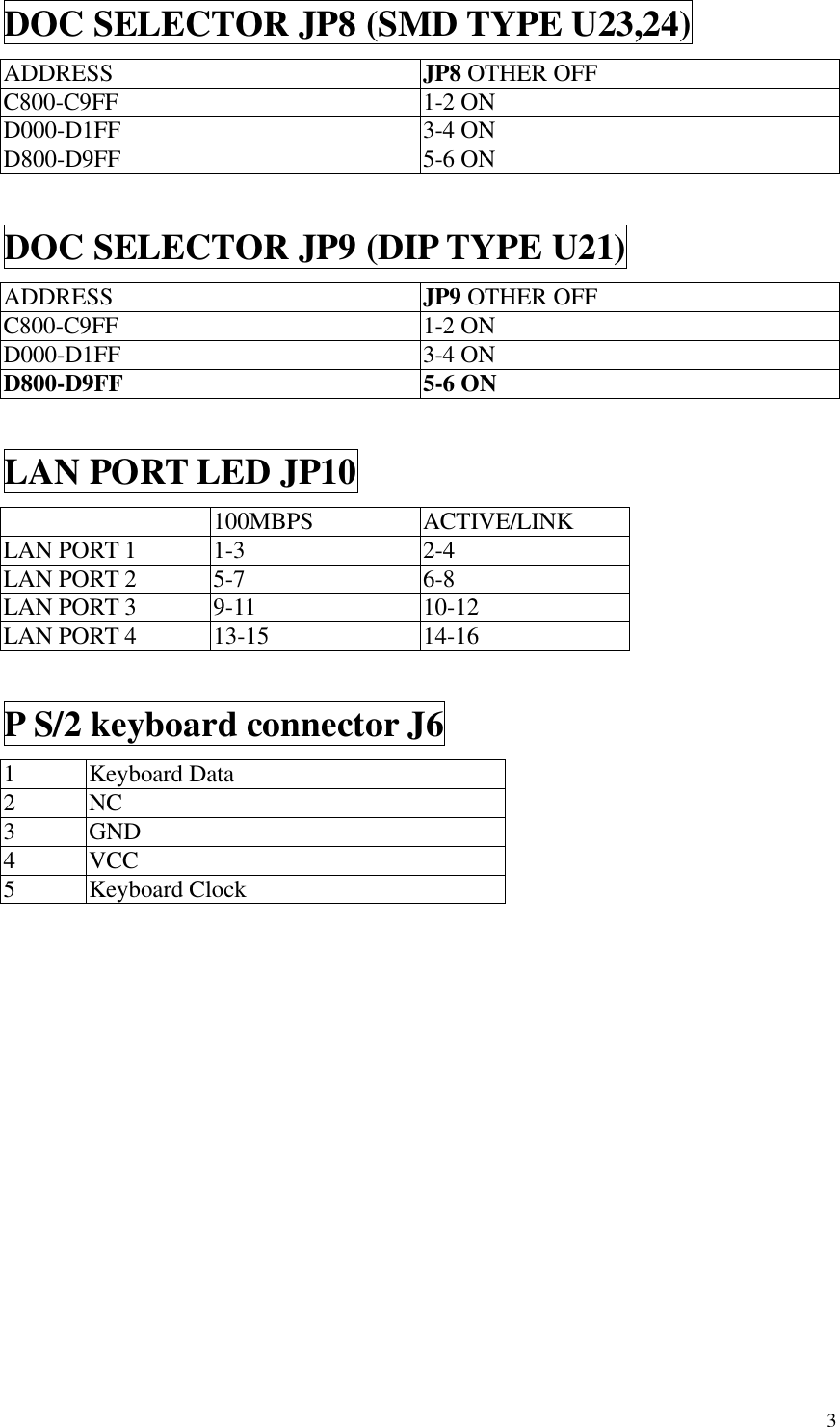
 3DOC SELECTOR JP8 (SMD TYPE U23,24) ADDRESS JP8 OTHER OFF C800-C9FF  1-2 ON D000-D1FF  3-4 ON D800-D9FF  5-6 ON  DOC SELECTOR JP9 (DIP TYPE U21) ADDRESS JP9 OTHER OFF C800-C9FF  1-2 ON D000-D1FF  3-4 ON D800-D9FF  5-6 ON  LAN PORT LED JP10  100MBPS ACTIVE/LINK LAN PORT 1  1-3  2-4 LAN PORT 2  5-7  6-8 LAN PORT 3  9-11  10-12 LAN PORT 4  13-15  14-16  P S/2 keyboard connector J6 1  Keyboard Data 2  NC 3  GND 4  VCC 5  Keyboard Clock
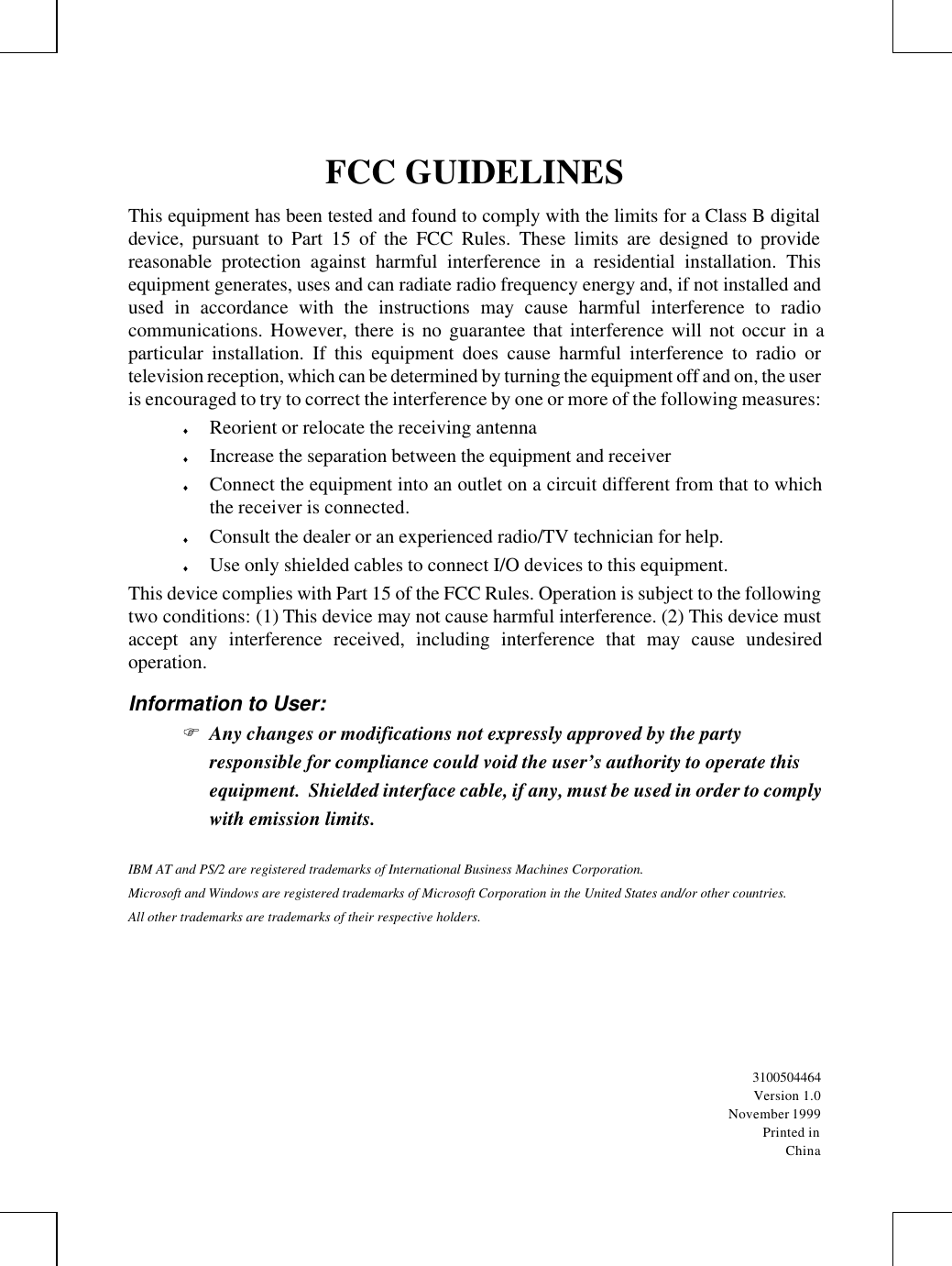
FCC GUIDELINESThis equipment has been tested and found to comply with the limits for a Class B digitaldevice, pursuant to Part 15 of the FCC Rules. These limits are designed to providereasonable protection against harmful interference in a residential installation. Thisequipment generates, uses and can radiate radio frequency energy and, if not installed andused in accordance with the instructions may cause harmful interference to radiocommunications. However, there is no guarantee that interference will not occur in aparticular installation. If this equipment does cause harmful interference to radio ortelevision reception, which can be determined by turning the equipment off and on, the useris encouraged to try to correct the interference by one or more of the following measures:♦ Reorient or relocate the receiving antenna♦ Increase the separation between the equipment and receiver♦ Connect the equipment into an outlet on a circuit different from that to whichthe receiver is connected.♦ Consult the dealer or an experienced radio/TV technician for help.♦ Use only shielded cables to connect I/O devices to this equipment.This device complies with Part 15 of the FCC Rules. Operation is subject to the followingtwo conditions: (1) This device may not cause harmful interference. (2) This device mustaccept any interference received, including interference that may cause undesiredoperation.Information to User:F Any changes or modifications not expressly approved by the partyresponsible for compliance could void the user’s authority to operate thisequipment.  Shielded interface cable, if any, must be used in order to complywith emission limits.IBM AT and PS/2 are registered trademarks of International Business Machines Corporation.Microsoft and Windows are registered trademarks of Microsoft Corporation in the United States and/or other countries.All other trademarks are trademarks of their respective holders.3100504464Version 1.0November 1999Printed inChina

Navigation menu