Ixia EE11ABG5 1xWLAN SED User Manual IxWLANUserGuide
Ixia 1xWLAN SED IxWLANUserGuide
UserManual.wiki
>
Ixia
>
EE11ABG5 User Manual
>
User Manual Part Two
Contents
1.
User Manual Part One
2.
User Manual Part Two
3.
Users Manual 1
4.
Users Manual 2
User Manual Part Two
Navigation menu
Upload a User Manual
Namespaces
Wiki Guide
HTML
PDF
Info
Views
User Manual
Discussion / Help
Navigation
![IxWLAN User Guide, Release 6.20 5-23The Command Line Interface (CLI)Virtual Station Setup and Control Commands Cipher .................... WEP(RC4) Data Encryption ........... Off Shared-key Index .......... 0 Fragmentation Threshold ... 2346 RTS Threshold ............. 2346 Mode ...................... internal Layer .................. 3 Load Application .......... ping Target IP Address ......... 10.1.83.1 Ping Transmit Count ....... 100 Ping Data Size ............ 1024autorun Automatically runs one or more configured virtual stations that are in the ready state. It is intended for use in conjunction with the autoconf command. Any other use may produce unexpected results.The command issues the run com-mand for the specified number of virtual stations. autorun [nVstas][nVstas]: Optional number of virtual stations (1…128). If this parameter is omit-ted, the total number of auto-configured (autoconf) virtual stations is used. clear group Clears the certfile, SSID, or statistics for the specified vSTA or all vSTAs within the specified group.clear group <grpID> <object>Valid objects are: <certfile>: Clears vSTA group certfile names. <SSID>: Clears vSTA group SSIDs. <stats>: Clears vSTA group statistics.clear vsta Clears all statistics for one or more virtual stations.clear vsta <vStaId>:all:master:<object><vStaId>: Virtual Station ID (1…128), all, or master. If <vStaId> is set to all (that is, clear vsta all stats), this command clears all statistics for all virtual sta-tions. If <vStaId> is set to master (that is, clear vsta master stats), this command clears all statistics for IxWLAN.NOTE: By default, all virtual stations that are created in the CLI are assigned to group 1. This can be changed using the set vsta <vStaId> group <grpId> command.](https://usermanual.wiki/Ixia/EE11ABG5.User-Manual-Part-Two/User-Guide-885831-Page-1.png)
![The Command Line Interface (CLI)Virtual Station Setup and Control Commands5-24 IxWLAN User Guide, Release 6.205Example:[wport1]IxWLAN -> clear vsta 1 stats[wport1]IxWLAN ->Valid objects are: <certfile>: Clears vSTA certfile names. <SSID>: Clears vSTA SSIDs. <stats>: Clears vSTA statistics.conf Configures a virtual station. It specifies a virtual station's IP address, WLAN MAC address, and load application mode. It also specifies the load application protocol, target host, and application specific parameters. After a virtual station is configured, it must be initialized using the init command. The virtual station’s wport attribute defaults to the current wport.conf <vStaId> <ip|dhcp_value> <mac> <mode> <lp> <targetIP> <count> <size><vStaId>: Virtual Station ID (1…128)<ip|dhcp_value>: Specifies the virtual station’s WLAN IP address (nnn.nnn.nnn.nnn) or a <dhcp_value>. <dhcp_value> can be on, off, or auto. on = manual (needs the acquireip command to start), off = DHCP is not active. vSTA(s) must have a static IP address, auto = initiate lease negotiation if associa-tion succeeds.<mac>: Virtual station’s WLAN MAC address (xx:xx:xx:xx:xx:xx). The starting MAC address must be within the range of MAC addresses defined by the WLAN Base MAC Address and WLAN MAC Mask configured for the specified wport (see set wlanmac on page 5-85 and set wlanmask on page 5-85). <mode>: external or internal. If external mode is used, the remaining parameters (<lp> <target> <count> <size>) are optional. <lp>: Specifies the Load Application Protocol (ping).<targetIP>: Target IP address (nnn.nnn.nnn.nnn)<count>: Number of ICMP Echo Requests to transmit: 0…2,147,483,647.<size>: Number of data bytes to be included in ICMP Echo Requests: 64…1024.The conf command does not include the full set of attributes that can be assigned to a virtual station. When these attributes are not otherwise specified, IxWLAN uses the default values for these attributes, as listed in Table 5-1 on page 5-25.](https://usermanual.wiki/Ixia/EE11ABG5.User-Manual-Part-Two/User-Guide-885831-Page-2.png)
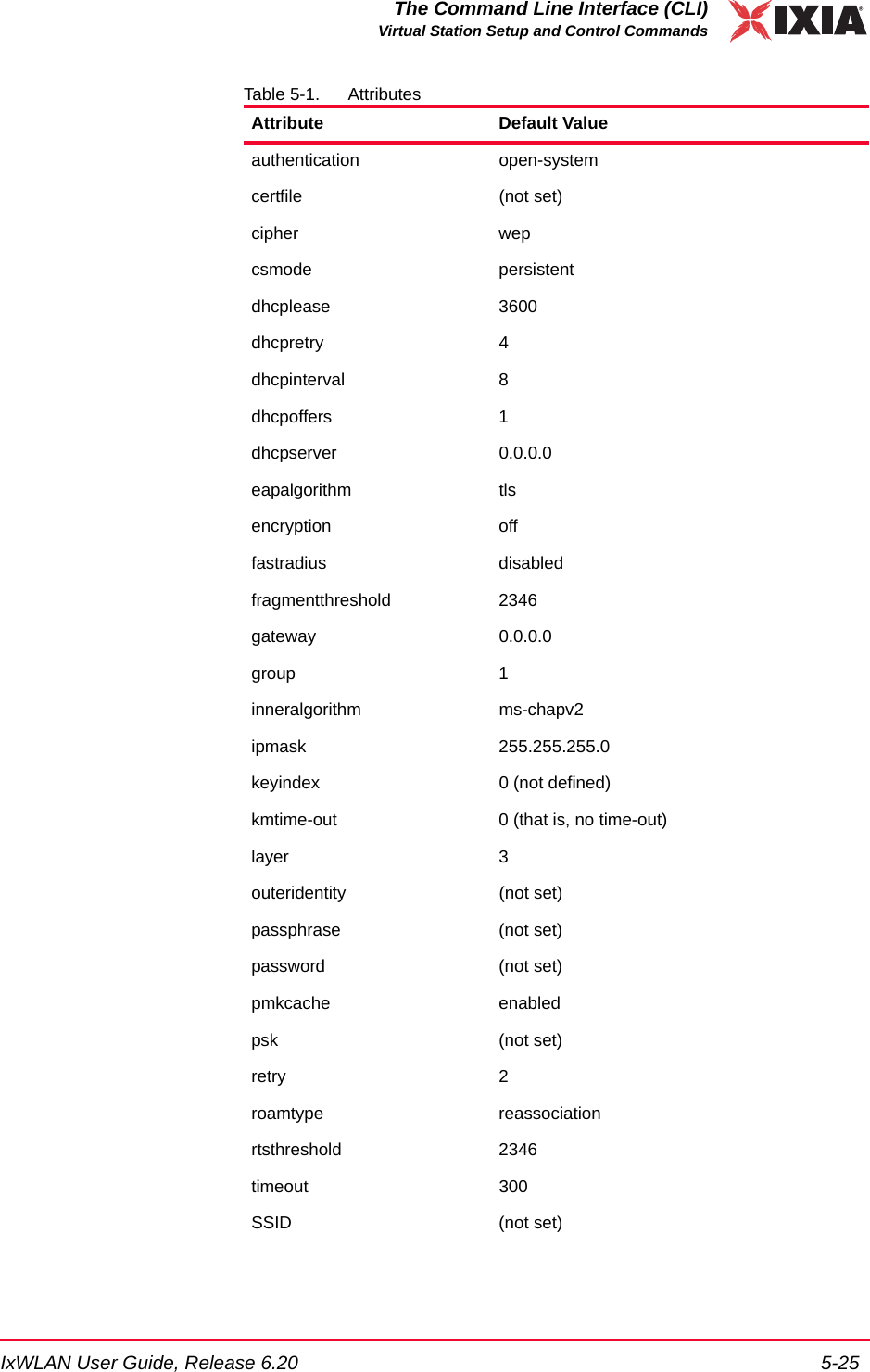
![The Command Line Interface (CLI)Virtual Station Setup and Control Commands5-26 IxWLAN User Guide, Release 6.205The set vsta command allows you to change any of these default values.Example:[wport1]IxWLAN -> conf 3 10.1.40.20 00:0b:cd:59:00:01 internal ping 10.1.40.16 64000 1024[wport1]IxWLAN -> OK[wport1]IxWLAN -> conf 1 10.1.35.150 02:CF:1F:00:00:01 int ping 10.1.35.38 10 1024[wport1]IxWLAN -> OK[wport1]IxWLAN -> conf 1 on 02:CF:1F:00:00:01 int ping 10.1.35.38 10 1024[wport1]IxWLAN -> OK[wport1]IxWLAN -> conf 1 auto 02:CF:1F:00:00:01 int ping 10.1.35.38 10 1024[wport1]IxWLAN -> OKdeauth Starts the de-authentication sequence for one or more virtual stations. This sequence also drops any WPA/RSN security associations. The virtual station(s) must be configured, initialized, and authenticated before this command can be used. The following command starts the de-authentication sequence for one or all virtual stations. deauth vsta <vStaId><vStaId>: Virtual Station ID (1…128) or all. If <vStaId> is set to all (that is, deauth vsta all), the de-authentication sequence is initiated for all virtual stations.The following command starts the de-authentication sequence for all virtual sta-tions in a specified group.deauth group <grpId><grpId>: Group ID (1…128)Example:[wport1]IxWLAN -> deauth vsta 1[wport1]IxWLAN -> OK[wport1]IxWLAN -> vSTA ID:1 NOTIFY Operation DEAUTH succeeded - TUE JUL 15 03:09:56 2003[wport1]IxWLAN ->userid (not set)wport 1Attribute Default ValueNOTE: By default, all virtual stations that are created in the CLI are assigned to group 1. This can be changed using the set vsta <vStaId> group <grpId> command.](https://usermanual.wiki/Ixia/EE11ABG5.User-Manual-Part-Two/User-Guide-885831-Page-4.png)
![IxWLAN User Guide, Release 6.20 5-27The Command Line Interface (CLI)Virtual Station Setup and Control Commandsdel group Clears all configuration parameters for a specified group and removes the group from the system. del group <grpId><grpId>: Group Number (1…128)Example:[wport1]IxWLAN -> del group 25 vSTAs deleted[wport1]IxWLAN -> OK[wport1]IxWLAN ->vSTA ID:6 NOTIFY DELETED - reason: delete command - WED JUL 16 07:35:27 2003[wport1]IxWLAN -> OK[wport1]IxWLAN ->vSTA ID:7 NOTIFY DELETED - reason: delete command - WED JUL 16 07:35:27 2003[wport1]IxWLAN -> OK[wport1]IxWLAN ->vSTA ID:8 NOTIFY DELETED - reason: delete command - WED JUL 16 07:35:27 2003[wport1]IxWLAN -> OK[wport1]IxWLAN ->vSTA ID:9 NOTIFY DELETED - reason: delete command - WED JUL 16 07:35:28 2003[wport1]IxWLAN -> OK[wport1]IxWLAN ->vSTA ID:10 NOTIFY DELETED - reason: delete command - WED JUL 16 07:35:28 2003[wport1]IxWLAN ->del vSTA Clears all configuration attributes for one or more virtual stations and removes the virtual station(s) from the system.del vsta <vStaId><vStaId>: Virtual Station ID (1…128) or all. If <vStaId> is set to all (that is, del vsta all), all virtual stations are deleted.Example:[wport1]IxWLAN -> del vsta 1[wport1]IxWLAN -> OK[wport1]IxWLAN ->vSTA ID:1 NOTIFY DELETED - reason: delete command - WED JUL 16 07:44:09 2003[wport1]IxWLAN ->disassoc Starts the 802.11 disassociation sequence for one or more virtual stations. This sequence also drops any WPA/RSN security associations. The virtual station(s) must be configured, initialized, authenticated, and associated before this com-mand can be used. The following command starts the disassociation sequence for one or all virtual stations. disassoc vsta <vStaId>](https://usermanual.wiki/Ixia/EE11ABG5.User-Manual-Part-Two/User-Guide-885831-Page-5.png)
![The Command Line Interface (CLI)Virtual Station Setup and Control Commands5-28 IxWLAN User Guide, Release 6.205<vStaId>: Virtual Station ID (1…128) or all. If <vStaId> is set to all (that is, dis-assoc vsta all), the disassociation sequence starts for all virtual stations.The following command initiates the disassociation sequence for all virtual sta-tions in a specified group.disassoc group <grpId><grpId>: Group ID (1…128)Example:[wport1]IxWLAN -> disassoc vsta 1[wport1]IxWLAN -> OK[wport1]IxWLAN ->vSTA ID:1 NOTIFY Operation DISASSOC succeeded - TUE JUL 15 03:09:50 2003[wport1]IxWLAN ->get group Retrieves and shows a configuration parameter or statistics for all virtual stations in a group. get group <grpId> <attribute><grpId>: Group Number (1…128). If <attribute> is summary, you may specify all as the group number (that is, get group all summary) to show summary statis-tics for all groups.<attribute>: The attribute of the information to get/display. It can be one of the following (See set group on page 5-42 for a more detailed description of the information that may be shown by each of these attributes):•authentication: Shows the group’s authentication mode (open-system, shared-key, wpa-psk, wpa, rsn, or rsn-psk). •certfile: If authentication is rsn or wpa, shows the group’s certificate file name.•cipher: Shows the group’s cipher mode (wep, tkip, or aes-ccm). •conf: Displays the group’s configuration and adds the wports assigned to it.•count: If mode is internal, shows the configured ping count (0…2,147,483,647).•csmode: Shows the group’s connection mode (persistent or non-persistent) •dhcpinfo: If dhcpmode is on or auto, shows DHCP information.•dhcpmode: Shows the DHCP Mode setting (on, off, or auto).•dhcplease: Displays the dhcpLease attribute of the specified vSTA, all vSTAs, or all vSTAs within the specified group.•dhcpretry: Displays the dhcpRetry attribute of the specified vSTA, all vSTAs, or all vSTAs within the specified group.](https://usermanual.wiki/Ixia/EE11ABG5.User-Manual-Part-Two/User-Guide-885831-Page-6.png)

![The Command Line Interface (CLI)Virtual Station Setup and Control Commands5-30 IxWLAN User Guide, Release 6.205•ssid: Shows the group’s SSIDs.•state: Shows the current state of each virtual station in the group.•stats: Shows statistics counters for all virtual stations in a group.•summary: Shows cumulative summary statistics for all virtual stations in one or all groups.•target: If mode is internal, shows the configured target IP address.•timeout: Shows the configured Authentication/Association timeout in milli-seconds (1…2,147,483,647 or zero (0=immediate timeout)).•userid: For groups configured for WPA or RSN authentication and a certifi-cate file, shows the group’s user ID string that is needed for the certificate file.•wport: Displays the wport assigned the identified group.Example:[wport1]IxWLAN -> get group 1 csmodevSTA 1 connection mode: persistentvSTA 2 connection mode: persistentvSTA 3 connection mode: persistentvSTA 4 connection mode: persistentvSTA 5 connection mode: persistent5 vSTAs found[wport1]IxWLAN ->get vsta Retrieves and displays a configuration attribute or statistics for one or all virtual stations. get vsta <vStaId> <attribute><vStaId>: Virtual Station ID (1…128). Use all to show <attribute> for all virtual stations. If <attribute> is set to stats to show statistics, the <vStaId> can be set to master to show statistics for IxWLAN (that is, get vsta master stats). If <attribute> is summary, <vStaId> must be set to all.<attribute>: The attribute of the information to get. Omit this attribute (for example, get vsta 1) to show a virtual station's complete configuration or use one of the following attributes to show a specific configuration attribute. See set vsta on page 5-46 for a more detailed description of the information that can be shown by each of these attributes. •authentication: Shows the virtual station’s authentication mode: open-sys-tem, shared-key, rsn, rsn-psk, wpa, or wpa-psk. •certfile: If authentication is wpa or rsn, shows the virtual station’s certificate file name.•cipher: Shows the virtual station’s cipher mode: wep, tkip, or aes-ccm. •conf: Shows the virtual station's complete configuration data.](https://usermanual.wiki/Ixia/EE11ABG5.User-Manual-Part-Two/User-Guide-885831-Page-8.png)
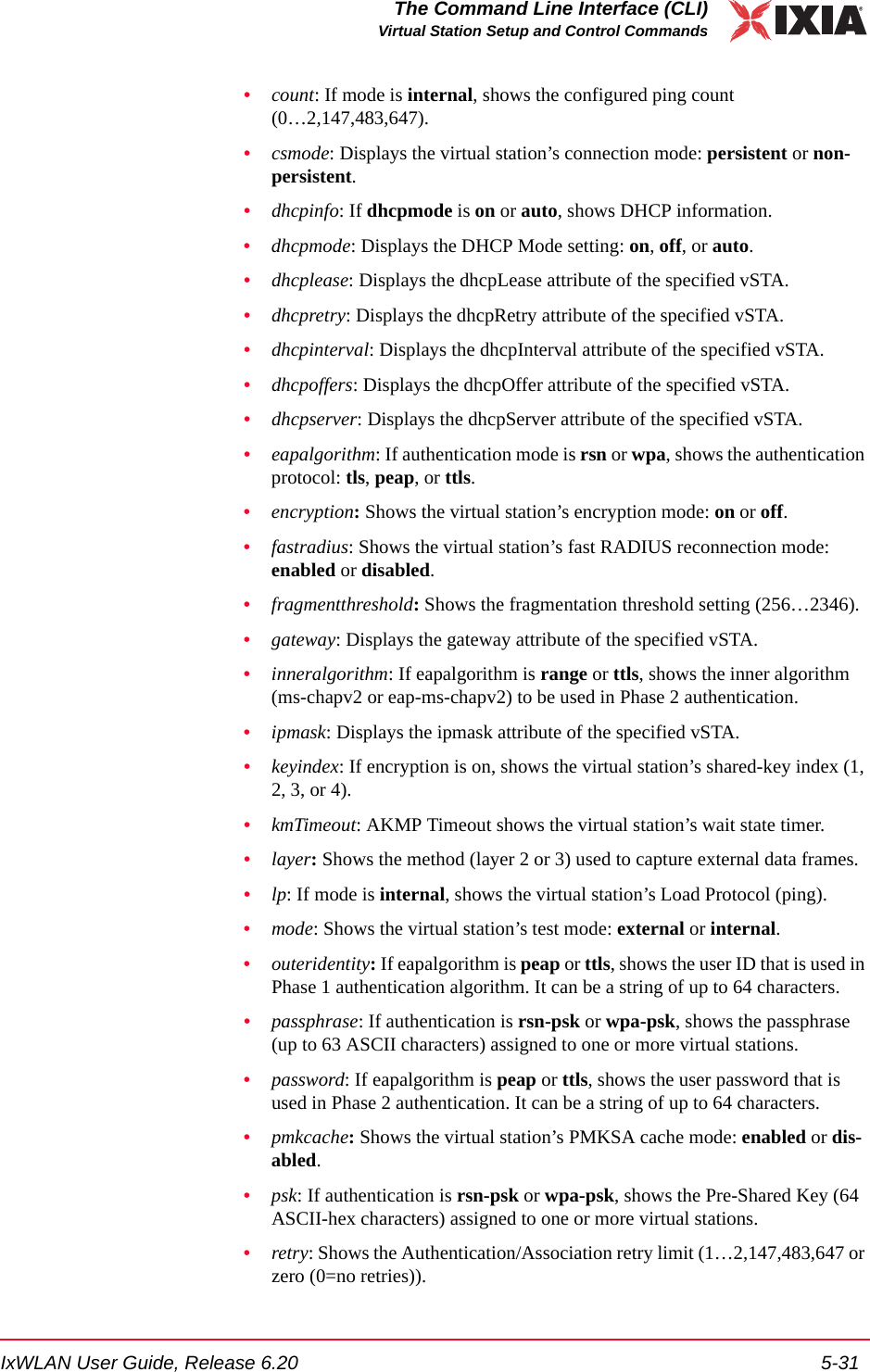
![The Command Line Interface (CLI)Virtual Station Setup and Control Commands5-32 IxWLAN User Guide, Release 6.205•roamtype: Shows the virtual station’s Roam type: reassociation or disassoci-ation.•rtsthreshold: Shows the RTS threshold setting (1…2346).•size: If mode is internal, shows the configured ping packet size (64…1024).•ssid: Shows the vSTA’s SSID.•state: Shows the virtual station’s current state.•stats: Depending on the value of <id>, shows statistics counters for one vir-tual station, all virtual stations, or IxWLAN.•summary: Shows cumulative summary statistics for all virtual stations•target: If mode is internal, shows the configured ping target IP address (that is, 10.1.35.100).•timeout: Shows the Authentication/Association timeout in milliseconds (1…2,147,483,647 or zero (0=immediate timeout)).•userid: For virtual stations configured for WPA or RSN authentication and a certificate file (certfile), shows the user ID string that is needed for the certif-icate file.•wport: Displays the wport assigned the identified vSTA(s).Example for get vsta <vStaId> dhcpinfo:[wport1]IxWLAN -> get vsta 1 dhcpinfo** vSTA 1 DHCP Lease Information **State ............ BOUNDLast XID ......... 0x0000167eTry limit ........ 4Current try ...... 0Offer limit ...... 1Current offer .... 1Try interval ..... 8 (Secs)Current timer .... 0 (Secs)Pkts xmtd ok ..... 2 DISCOVERs ...... 1 REQUESTs ....... 1 RENEWALs ...... 0 REBINDs ........ 0 RELEASEs ....... 0 DECLINEs ....... 0Pkts xmtd err .... 0Pkts rcvd ok ..... 3 OFFERs ......... 2 ACKs ........... 1 NAKs ........... 0Pkts rcvd err .... 0 state err ...... 0 xid err ........ 1Requested lease .. 3600Lease duration ... 3600Expiration ticks . 3577Renewal ticks .... 1777Rebind ticks ..... 3127](https://usermanual.wiki/Ixia/EE11ABG5.User-Manual-Part-Two/User-Guide-885831-Page-10.png)
![IxWLAN User Guide, Release 6.20 5-33The Command Line Interface (CLI)Virtual Station Setup and Control CommandsLeased Address ... 10.1.35.56DHCP Server ...... 10.2.10.10Relay ............ 10.1.35.1Server/relay MAC . 00:00:00:00:00:00Subnet Mask ...... 255.255.255.0Gateway .......... 10.1.35.1DNS Server ....... 0.0.0.0[wport1]IxWLAN ->Example for get vsta <vStaId> conf:[wport1]IxWLAN -> get vsta 1 confvSTA Configuration: ID ........................ 1 Group ID .................. 1 wport...................... 1 IP Address ................ 10.1.83.2 DHCP ................... Off MAC Address ............... 00:0b:16:01:00:01 Connection Mode ........... persistent Auth/Assoc Retry .......... 2 Authentication Timeout .... 300 mSec Association Timeout ....... 300 mSec Authentication ............ RSN Pre-Shared Key ............ Not set Passphrase ................ Not set EAP Algorithm.............. TTLS Inner Auth Algorithm....... ms-chapv2 Certfile .................. jqp.pfx Userid .................... jqp Wport ..................... 3 Password................... one1two2three3 Outer ID................... OuterIDString AKMP Timeout .............. 0 Seconds Cipher .................... AES-CCM Data Encryption ........... On Shared-key Index .......... 0 Fragmentation Threshold ... 2346 RTS Threshold ............. 2346 Mode ...................... External Layer .................. 2 Load Application .......... ping Target IP Address ......... 10.1.83.253 Ping Transmit Count ....... 1000 Ping Data Size ............ 1024[wport1]IxWLAN ->Example for get vsta <vStaId> count:[wport1]IxWLAN -> get vsta 1 countvSTA 1 Ping count: 1000[wport1]IxWLAN ->Example for get vsta <vStaId> state:[wport1]IxWLAN -> get vsta 1 state](https://usermanual.wiki/Ixia/EE11ABG5.User-Manual-Part-Two/User-Guide-885831-Page-11.png)
![The Command Line Interface (CLI)Virtual Station Setup and Control Commands5-34 IxWLAN User Guide, Release 6.205vSTA: 1 State: Running Mode: internal vStaPingRcv:Active vStaPingXmt:Active[wport1]IxWLAN ->Example for get vsta <vStaId> stats:[wport1]IxWLAN -> get vsta 1 statsvSTA 1: MAC 00:0b:cd:59:00:01, IP 10.1.35.150, State: RunningAuthentications: 1, Deauthentications: 0Associations: 1, Disassociations: 0Rcv Sig Strength: 72, Ack Sig Strength: 83Rcv Rate: 24, Tx SF Rate: 54, Tx LF Rate: 54Frame counts: MSDUs Data Mcast Mgmt CtrlRcv 240 238 0 2 0Tx 95 97 0 2 0vSTA 1 Ping statistics: Transmit count: 1000 Transmit data size: 1024 Packets transmitted: 96 Round-trip (uSec): Bytes transmitted: 99072 Min: 50000 Transmit ENOBUFS: 0 Max: 100000 Packets received: 96 Avg: 74725 Bytes received: 99072 Stddev: 25137 vSTA 1 WPA/RSN statistics: Total EAPOL Frames Tx: 0, WPA/RSN Auth Failure Ct: 0 Total EAPOL Frames Rx: 0, WPA/RSN Authentication Ct: 0 EAPOL Key Frames Rx: 0, EAPOL Key Frames Tx: 0 EAPOL Request Frames Rx: 0, Invalid EAPOL Frames Rx: 0 EAPOL Rsp Id Frames Tx: 0, EAPOL Rsp Frames Tx: 0 EAPOL Req Id Frames Rx: 0, EAPOL Len Err Frames Rx: 0 4Way Handshake Msg1 Rx: 0, 4Way Handshake Msg2 Tx: 0 4Way Handshake Msg3 Rx: 0, 4Way Handshake Msg4 Tx: 0 Group Key Msg1 Rx: 0, Group Key Msg2 Tx: 0 TKIP Local MIC Failures: 0, TKIP Rply Ctr Failures: 0 TKIP ICV Errors: 0, CCMP Rply Ctr Failures: 0 CCMP Decrypt Errors: 0, MIC Failure Reports Tx: 0 Last EAPOL Frame Ver: 0, EAPOL Start Frames Tx: 0 Rcv Errors: 1, Tx Errors: 0Rcv PHY Errors: 1, Excess Retries: 0Rcv CRC Errors: 0, Total Retries: 0Rcv Duplicates: 0, Tx Filtered: 0Rcv Discarded: 0, Tx Discarded: 0Ack Rcv Fails: 0, RTS Fails: 0Encryption: Off, FCS Fails: 0Rcv Decrypt Errs: 0, WEP Excluded: 0[wport1]IxWLAN ->Example for get vsta all summary:[wport1]IxWLAN -> get vsta all summarySummary statistics for 5 vSTAs:](https://usermanual.wiki/Ixia/EE11ABG5.User-Manual-Part-Two/User-Guide-885831-Page-12.png)
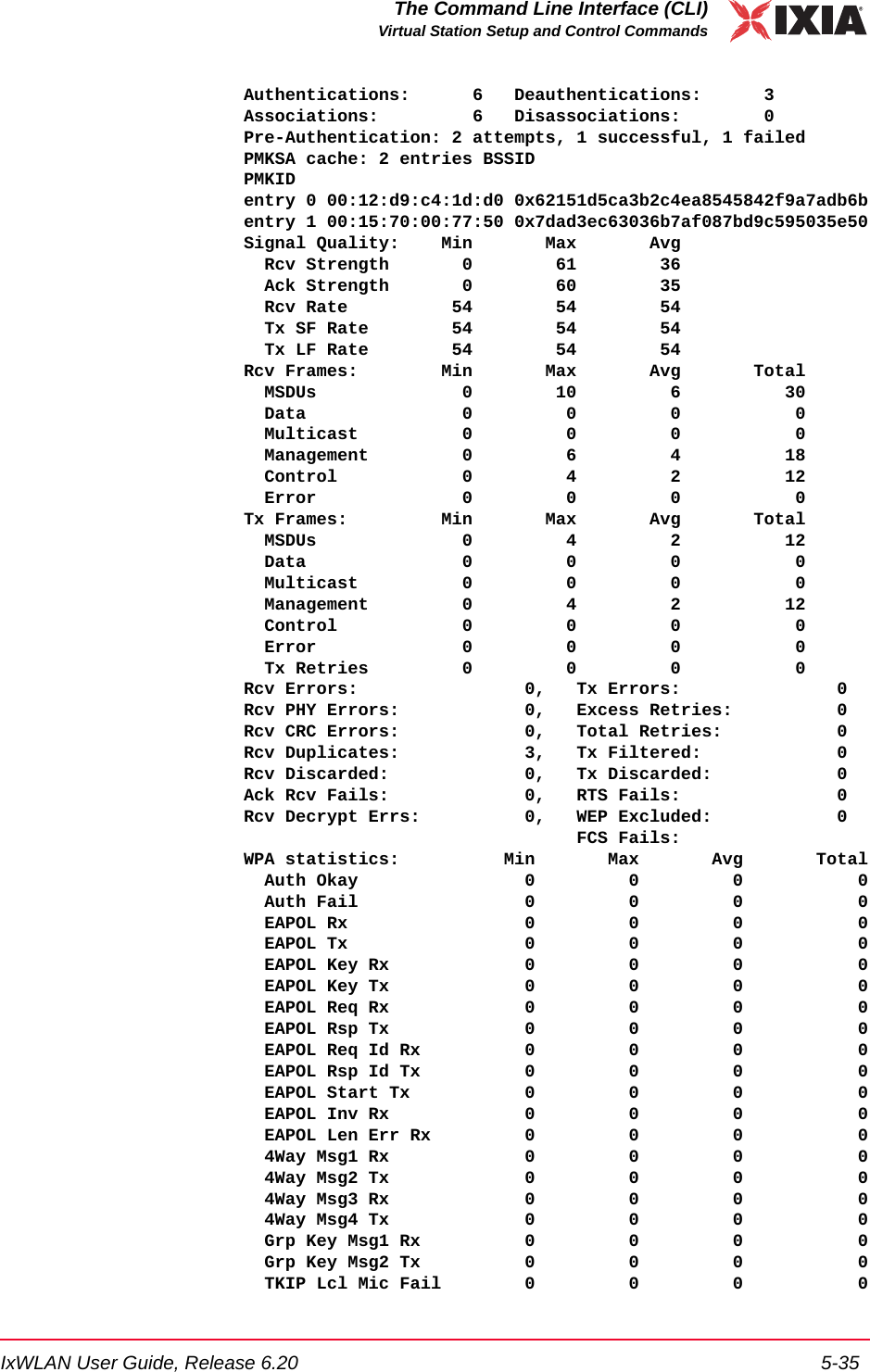
![The Command Line Interface (CLI)Virtual Station Setup and Control Commands5-36 IxWLAN User Guide, Release 6.205 TKIP Rply Fail 0 0 0 0 TKIP ICV Err 0 0 0 0 CCMP Dcrpt Err 0 0 0 0 CCMP Rply Fail 0 0 0 0 MIC Fail Rpt Tx 0 0 0 0[wport1]IxWLAN -> Example for get vsta all wport:[wport2]IxWLAN -> get vsta all wportvSTA 1 Wport: 2vSTA 2 Wport: 2vSTA 3 Wport: 1halt Starts an immediate halt of the load application currently being run by one or more virtual stations. The virtual station(s) must be configured, initialized, authenticated, associated, and running a load application. As long as the specified virtual station remains in the associated state, the load application may be re-started by issuing a run command. The following command executes a halt for one or all virtual stations. halt vsta <vStaId>:all<vStaId>: Virtual Station ID (1…128) or all. If <vStaId> is set to all (that is, halt vsta all), the halt command is sent to all virtual stations.The following command executes the halt for all virtual stations in a group.halt group <grpId><grpId>: Group ID (1…128)Example:[wport1]IxWLAN -> halt vsta 1[wport1]IxWLAN ->vSTA ID:1 halted OK[wport1]IxWLAN ->init Initialize one or more virtual stations. A virtual station must be configured before it can be initialized. See conf on page 5-24. The following command initializes one or all virtual stations. init vsta <vStaId>: all<vStaId>: Virtual Station ID (1…128) or all. If <vStaId> is set to all (that is, init vsta all), all virtual stations are initialized.The following command initializes all virtual stations in a specified group.](https://usermanual.wiki/Ixia/EE11ABG5.User-Manual-Part-Two/User-Guide-885831-Page-14.png)
![IxWLAN User Guide, Release 6.20 5-37The Command Line Interface (CLI)Virtual Station Setup and Control Commandsinit group <grpId><grpId>: Group ID (1…128)Example:[wport1]IxWLAN -> init vsta 1[wport1]IxWLAN -> OK[wport1]IxWLAN ->preauth Starts the 802.11i pre-authentication with the indicated BSSID. The vSTA’s authentication mode must be RSN and the vSTA must be in the Ready or Run-ning state with its current BSS. IxWLAN stores the PMKSA resulting from a successful Preauthentication completion in the corresponding vSTA PMKSA cache.The following command starts the 802.11i pre-authentication for one or for all virtual stations.preauth vsta <vStaId> <bssid><vStaId>: Virtual Station ID (1…128) or all. If <vStaId> is set to all (that is, init vsta all), all virtual stations are initialized.Example:[wport1]IxWLAN -> preauth vsta 1 00:0B:CD:59:23:44[wport1]IxWLAN -> OKvSTA ID:1 NOTIFY Preauth with remote AP succeeded - THU FEB 23 18:15:50 2006 The following command starts the 802.11i pre-authentication for all virtual stations within a specified group.preauth group <grpId> <bssid><grpId>: Group ID (1…128).releaseip Releases the specified virtual station’s DHCP IP address lease. Following suc-cessful completion of this command, the specified virtual station(s) transit(s) to the lowest state needed to initiate DHCP lease negotiations. The vSTA’s current IP address is set to zero. If the vSTA is operating in internal mode, it is removed from the ARP table.The following command releases the DHCP IP address lease for one or all virtual stations. releaseip vsta <vStaId><vStaId>: Virtual Station ID (1…128) or all. If <vStaId> is set to all (that is, releaseip vsta all), the DHCP IP address lease is released for all virtual stations.](https://usermanual.wiki/Ixia/EE11ABG5.User-Manual-Part-Two/User-Guide-885831-Page-15.png)
![The Command Line Interface (CLI)Virtual Station Setup and Control Commands5-38 IxWLAN User Guide, Release 6.205The following command releases the DHCP IP address lease for all virtual sta-tions in a specified group.releaseip group <grpId><grpId>: Group ID (1…128)Example:[wport1]IxWLAN -> releaseip vsta 1[wport1]IxWLAN -> 10.1.35.10 (10.1.35.10) deletedOKreset group Resets all virtual stations in a group to the Initialized state and clears all group statistics counters. reset group <grpId><grpId>: Group Number (1…128)Example:[wport1]IxWLAN -> reset group 15 vSTAs reset[wport1]IxWLAN -> reset vsta Resets virtual stations to the Initialized state and clears the virtual station's statis-tics counters. reset vsta <vStaId><vStaId>: Virtual Station ID (1…128) or all. If <vStaId> is set to all (that is, reset vsta all), this command resets all virtual stations.Example:[wport1]IxWLAN -> reset vsta 1[wport1]IxWLAN -> roam Starts a Roam of the specified vSTAs to the target AP indicated by its BSSID. The following command roams the identified vSTA(s) to the BSS. The Roam sequence includes a Probe Request for each vSTA unless the noprobe option is present. The Roam sequence includes the 802.11 authentication for each vSTA unless the noauth option is present.roam vsta|group <id>|all <newBssid> [noprobe] [noauth]<id>: the virtual station or group identifier](https://usermanual.wiki/Ixia/EE11ABG5.User-Manual-Part-Two/User-Guide-885831-Page-16.png)
![IxWLAN User Guide, Release 6.20 5-39The Command Line Interface (CLI)Virtual Station Setup and Control Commands<newBssid>: the BSSID to which the vSTA(s) are to roamExample for roam vsta all <newBssId> [noprobe] [noauth]:roam vsta all 00:06:2e:35:6b:1d noprobeExample for roam vsta <vStaId> <newBssid> [noprobe] [noauth]: roam vsta 6 00:06:2e:35:6b:1d noprobeExample for roam group <groupId> <newBssid> [noprobe] [noauth]: roam group 2 00:06:2e:35:6b:1d noproberun Starts running the load application for one or more virtual stations. The virtual station(s) must be configured, initialized, authenticated, and associated before issuing this command. After a run command has completed, it may be reissued/restarted as long as the virtual station remains in the associated state. The follow-ing command starts running the load application for one or all virtual stations.run vsta <vStaId><vStaId>: Virtual Station ID (1…128) or all. If <vStaId> is set to all (that is, run vsta all), the run command is sent to all virtual stations.The following command starts running the load application for all virtual stations in a specified group.run group <grpId><grpId> = Group ID (1…128) Example:[wport1]IxWLAN ->run vsta 1[wport1]IxWLAN ->vSTA ID:1 running OK[wport1]IxWLAN ->vSTA ID:1 NOTIFY Operation RUN completed.[wport1]IxWLAN ->save group(stats/summary) save group statsSaves statistics information in a file for all virtual stations in a specified group. Each virtual station in the group is saved to its own file. The file is stored in the /Statistics subdirectory and named Vsta#Stats.dat (where # is the virtual station ID).](https://usermanual.wiki/Ixia/EE11ABG5.User-Manual-Part-Two/User-Guide-885831-Page-17.png)
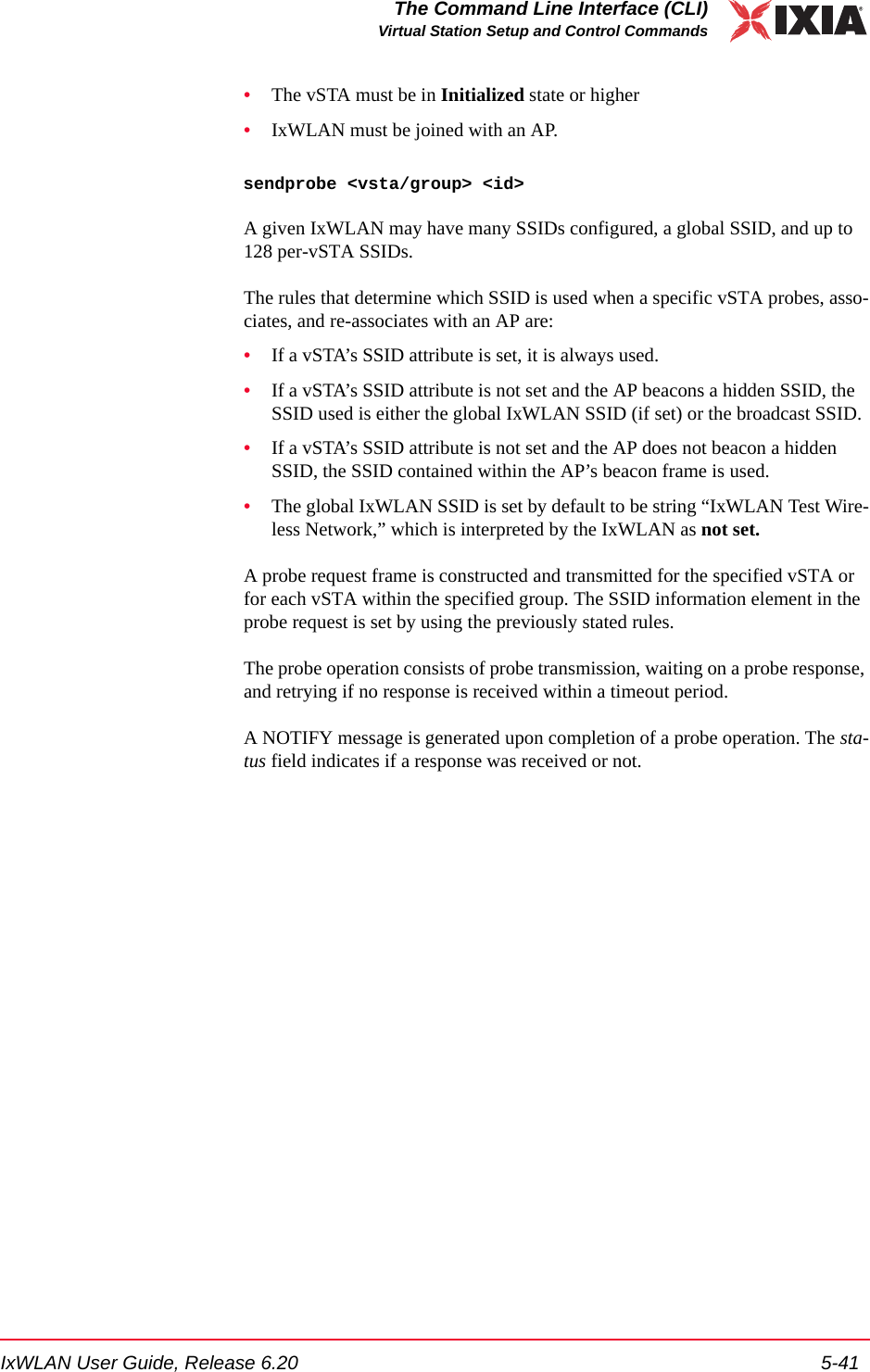
![The Command Line Interface (CLI)Virtual Station Setup and Control Commands5-40 IxWLAN User Guide, Release 6.205save group <grpId> stats<grpId>: Group ID (1…128) save group summarySaves cumulative summary statistics in a file for all virtual stations in one or all groups. Each group is saved to its own file. The file is stored in the /Statistics subdirectory and named Grp#Summ.dat (where # is the group ID). save group <grpId> summary<grpId>: Group ID (1…128) or all. If <grpId> is set to all (that is, save group all summary), summary statistics are saved for all virtual stations in all groups.save vsta(stats/summary) save vsta statsWrites all statistics for virtual stations to a file in the flash file system. The file is stored in the /Statistics subdirectory and named Vsta#Stats.dat (where # is the virtual station ID). save vsta <vStaId> stats<vStaId>: Virtual Station ID (1…128), all, or master. If <vStaId> is set to all (that is, save vsta all stats), statistics for all virtual stations are written to individ-ual files. If <vStaId> is set to master (that is, save vsta master stats), IxWLAN statistics information are written in the /Statistics/VstaMasterStats.dat file.Example:[wport1]IxWLAN -> save vsta 1 statsWrote vSTA 1 statistics to file[wport1]IxWLAN ->save vsta all summarySaves cumulative summary statistics for all virtual stations to the /Statistics/VstaAllSumm.dat file. save vsta all summaryExample:[wport1]IxWLAN -> save vsta all summaryWrote vSTA all summary to file[wport1]IxWLAN ->sendprobe Starts the probe operation for the specified vSTA or group. The only state restric-tions placed on a probe operation are:](https://usermanual.wiki/Ixia/EE11ABG5.User-Manual-Part-Two/User-Guide-885831-Page-18.png)
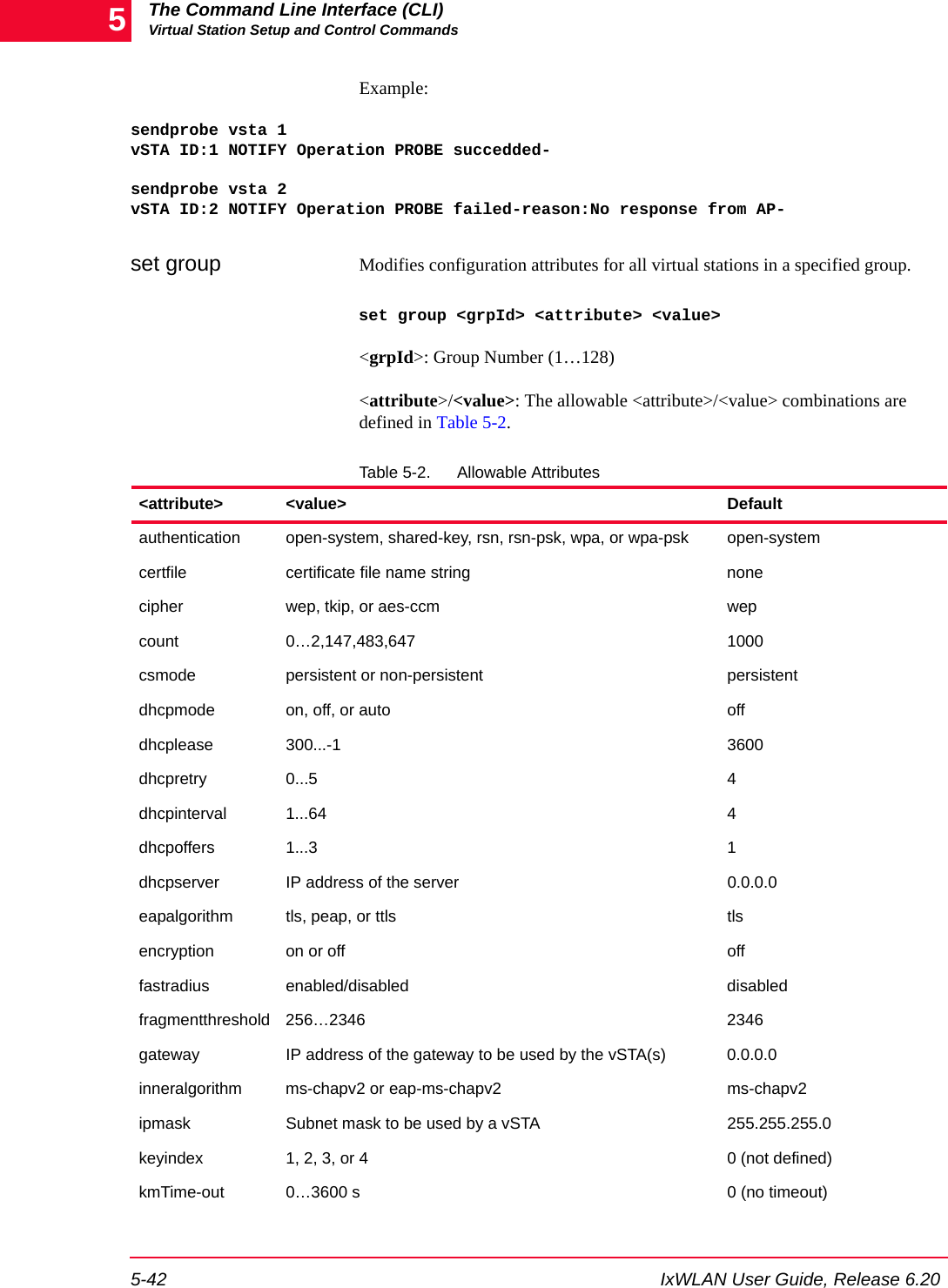
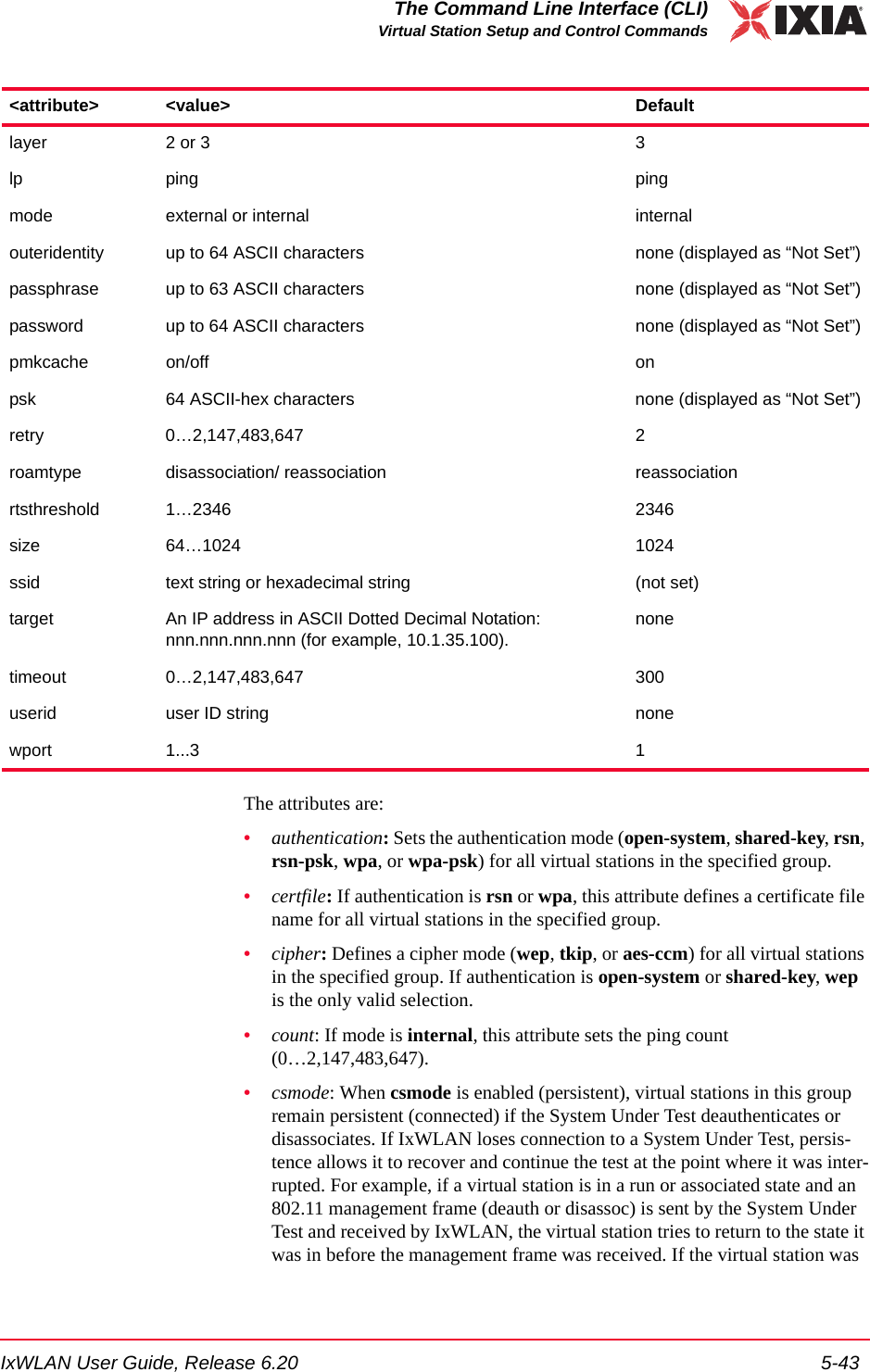
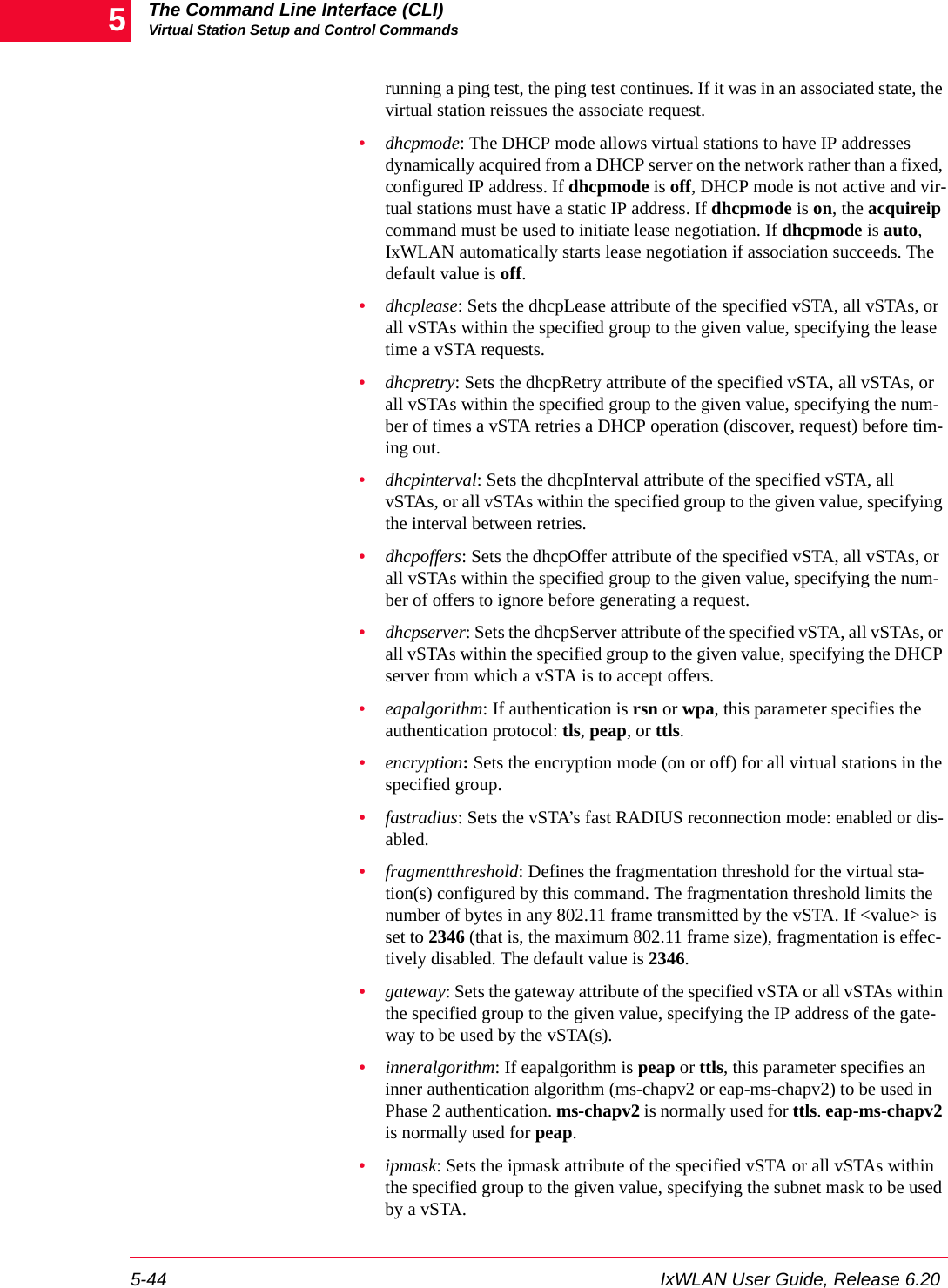
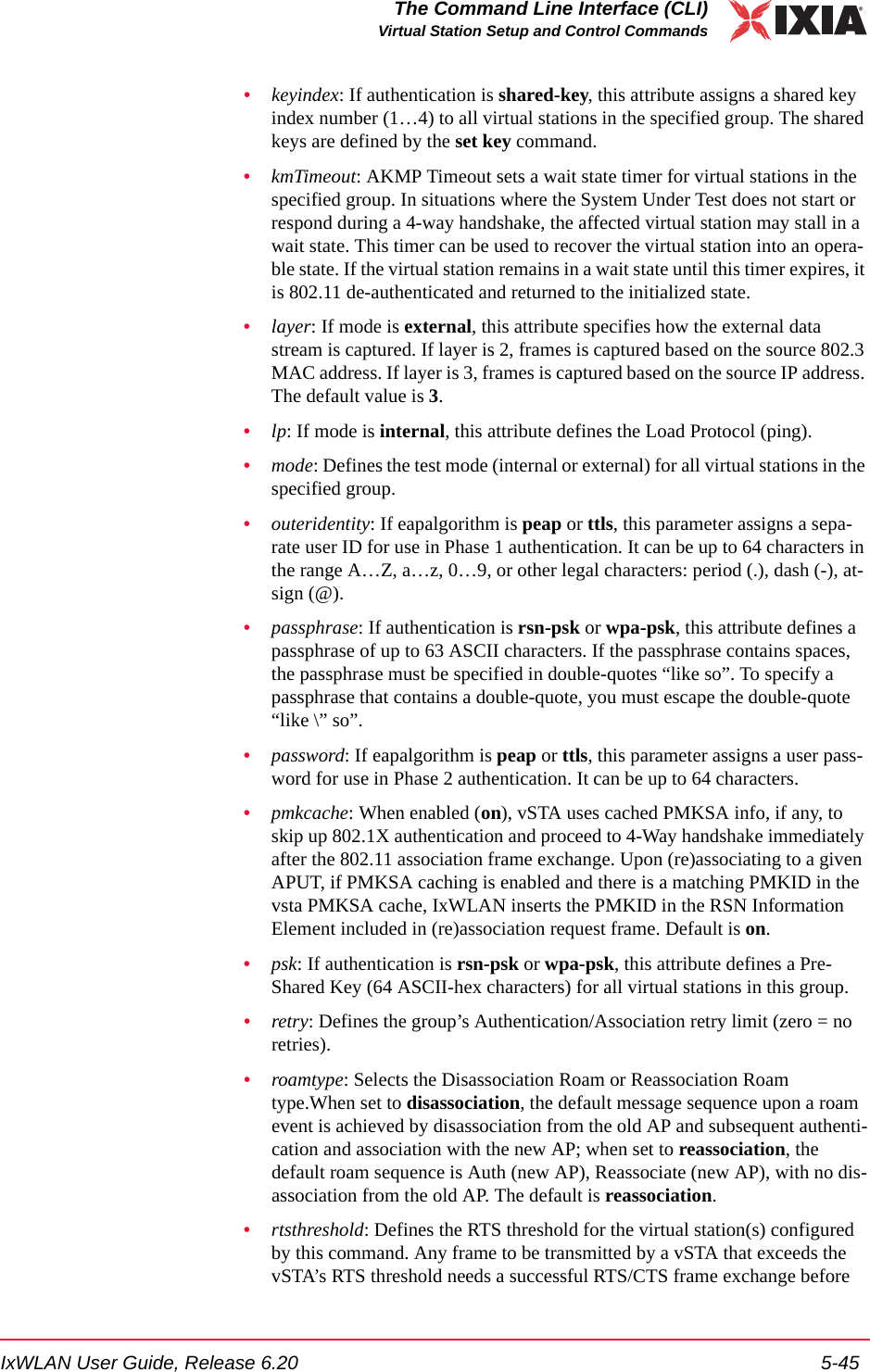
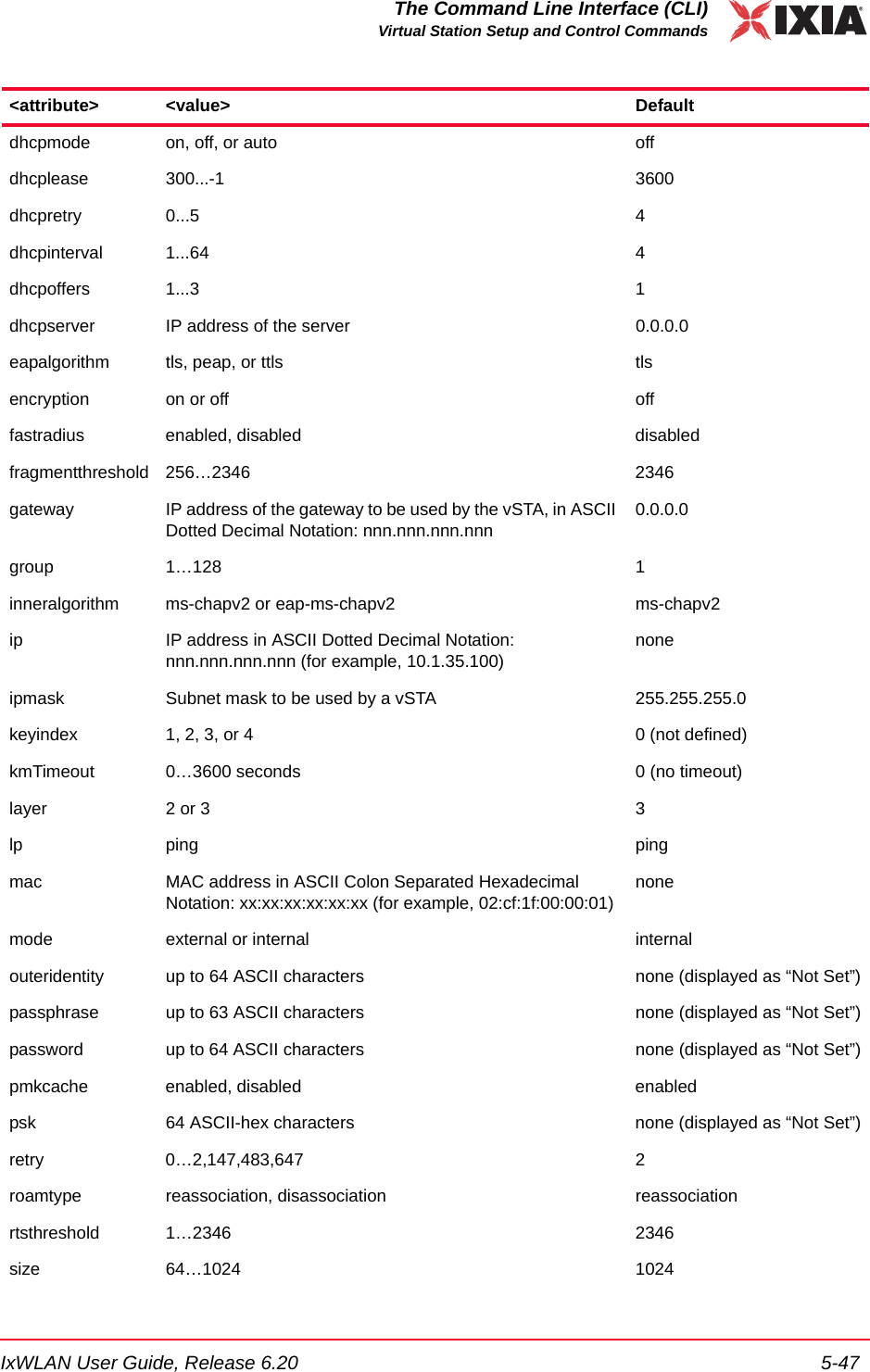
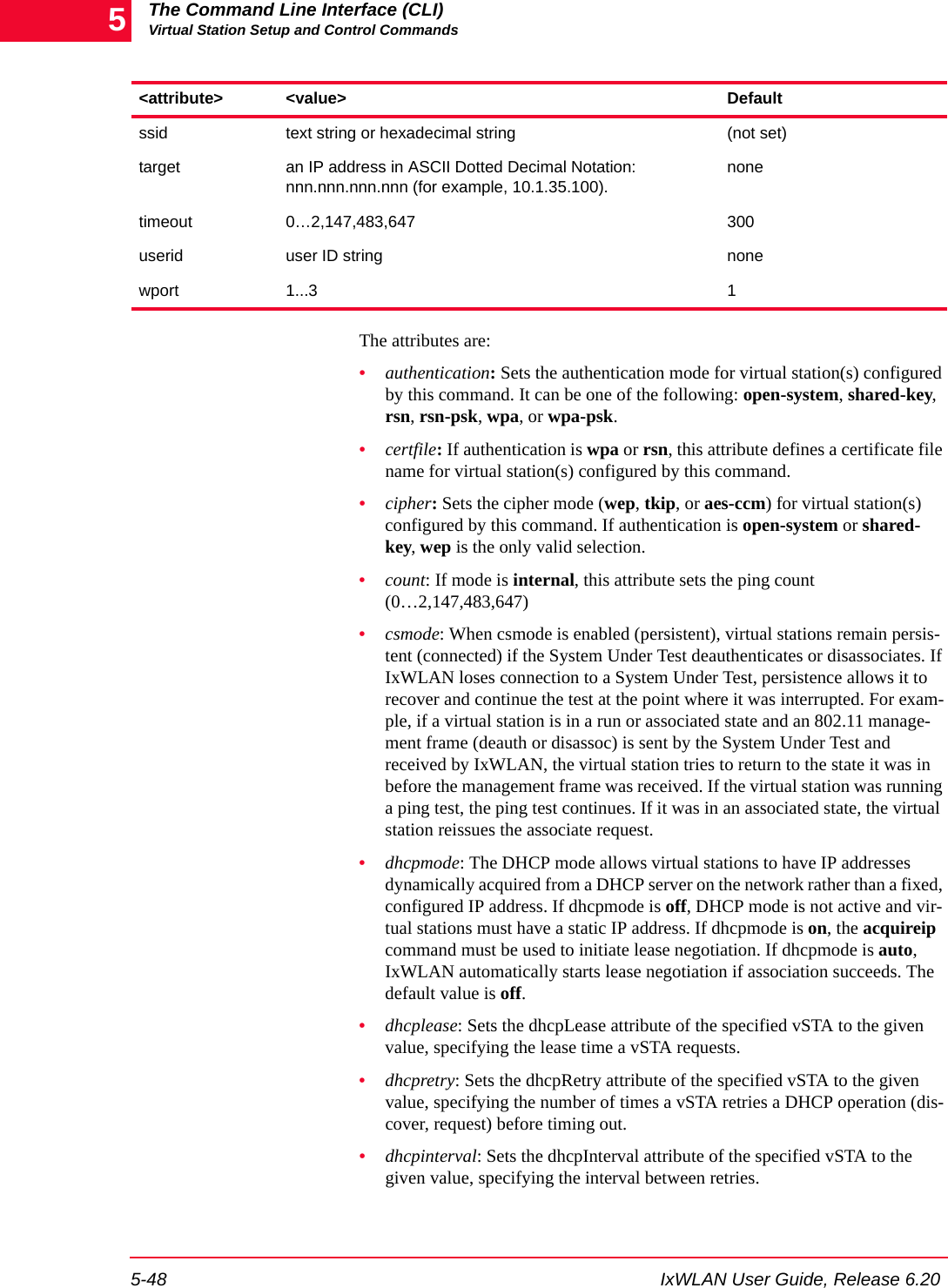
![The Command Line Interface (CLI)Virtual Station Setup and Control Commands5-46 IxWLAN User Guide, Release 6.205the frame is transmitted. The minimum value (1) effectively needs RTS/CTS for all transmit frames. The maximum value (2346) is the maximum 802.11 frame size and effectively disables RTS. The default value is 2346.•size: If mode is internal, this attribute defines the Ping Packet Size (64…1024).•ssid: Defines the SSID to be used in probes and association.•target: If mode is internal, this attribute defines the target IP address.•timeout: Defines the Authentication/Association timeout in ms(0=immediate timeout).•userid: If authentication is rsn or wpa, this attribute defines a user ID string that is needed for a certificate file (certfile) for all virtual stations in the spec-ified group. It can be up to 64 characters in the range A…Z, a…z, 0…9, or other legal characters: period (.), dash (-), at-sign (@).•wport: Assigns the identified vSTA(s) to the specified wport. Values range between 1 and 3, depending on the number of wports present. The default value is 1.Example:[wport2]IxWLAN -> set group 1 size 645 vSTAs updatedOK[wport2]IxWLAN -> set group 2 wport 1OKset vsta Modifies virtual station attributes. set vsta <vStaId> <attribute> <value><vStaId>: Virtual Station ID (1…128). If <attribute> is anything other than ip or mac, the <vStaId> can be all to apply the configuration attribute to all virtual sta-tions.<attribute>/<value>: The allowable <attribute>/<value> combinations are defined in Table 5-3.Table 5-3. Allowable Attributes<attribute> <value> Defaultauthentication open-system, shared-key, rsn, rsn-psk, wpa, or wpa-psk open-systemcertfile certificate file name string nonecipher wep, tkip, or aes-ccm wepcount 0…2,147,483,647 1000csmode persistent or non-persistent persistent](https://usermanual.wiki/Ixia/EE11ABG5.User-Manual-Part-Two/User-Guide-885831-Page-24.png)
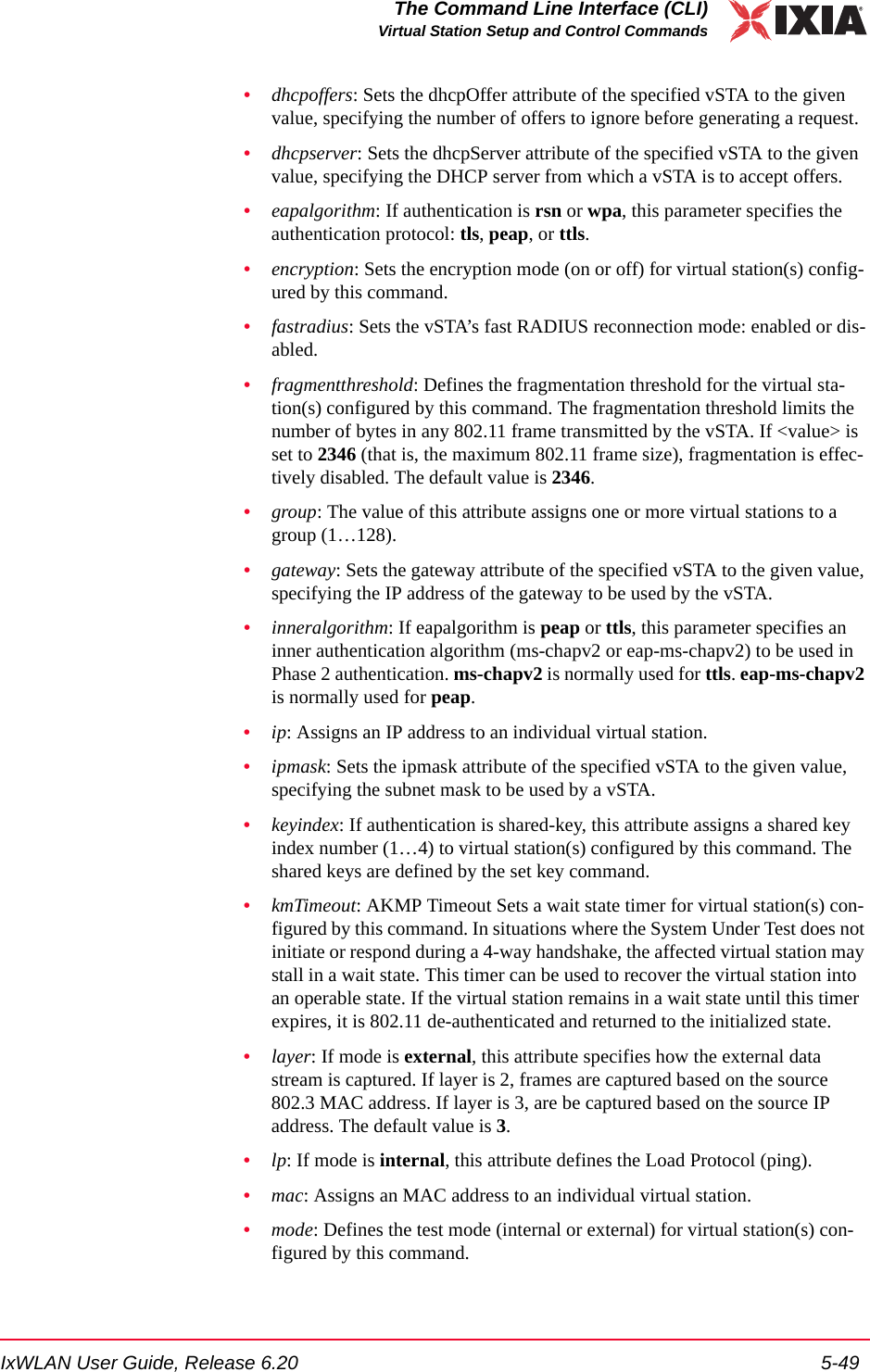
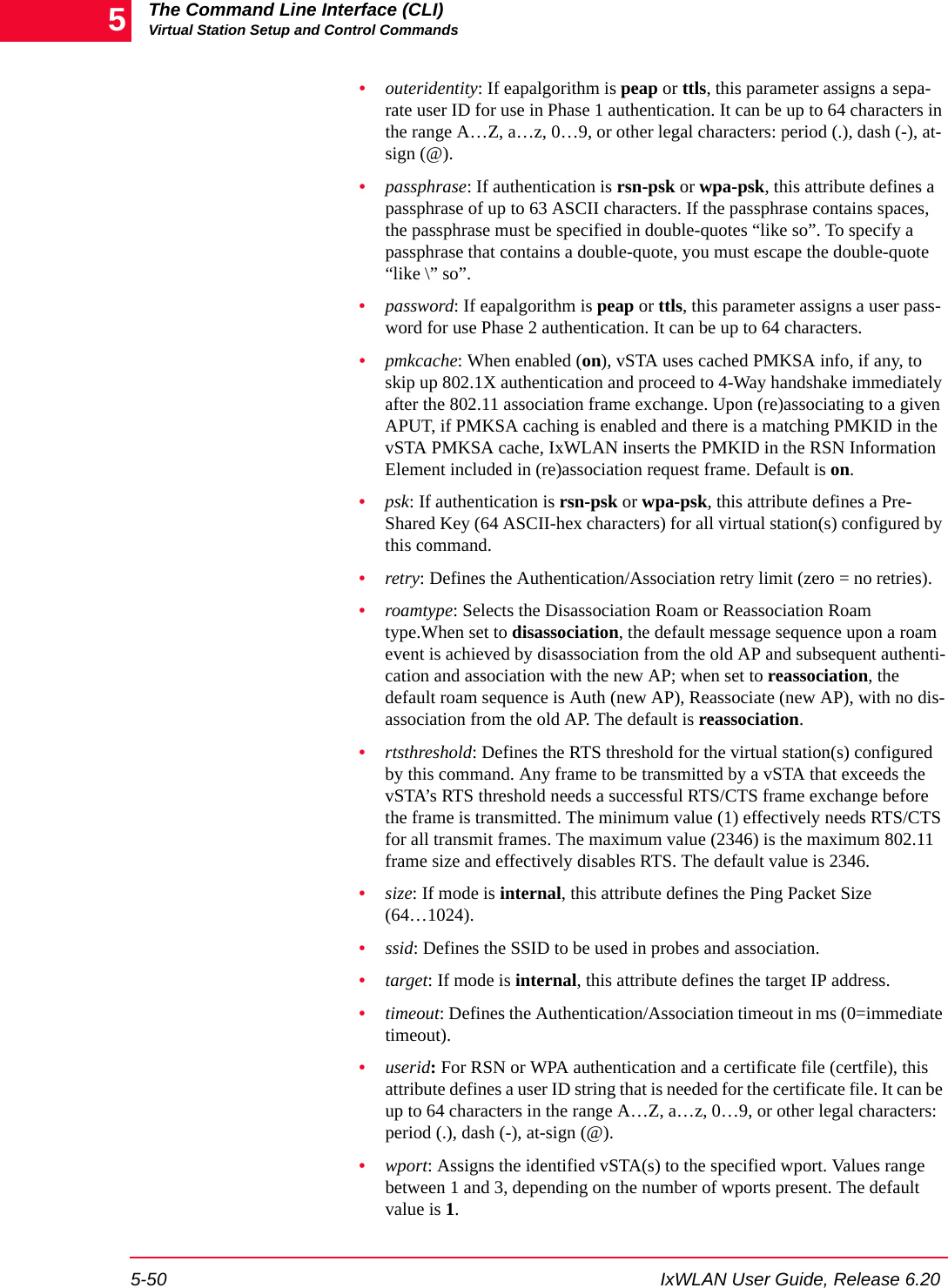
![IxWLAN User Guide, Release 6.20 5-51The Command Line Interface (CLI)Statistics File CommandsExample:[wport1]IxWLAN -> set vsta 1 count 100[wport1]IxWLAN -> OK[wport1]IxWLAN -> set vsta 1 csmode persistent[wport1]IxWLAN -> OK[wport1]IxWLAN -> set vsta 1 csmode non-persistent[wport1]IxWLAN -> OK[wport1]IxWLAN -> set vsta 1 dhcpmode auto[wport1]IxWLAN -> OK[wport1]IxWLAN -> set vsta 1 fragmentthreshold 1000[wport1]IxWLAN -> OK[wport1]IxWLAN -> set vsta 1 rtsthreshold 1000[wport1]IxWLAN -> OKStatistics File CommandsThe following commands allow you to show and delete statistics files:del statfile -- Delete a vSTA statistics filedel summfile -- Delete a vSTA statistics summary fileget statfile -- Display vSTA statistics from fileget summfile -- Display vSTA statistics summary from fileSee Chapter 7, Statistics Counters for a description of the fields that may be dis-played by any of the commands in this group that show statistics counters. Also see the group and vsta commands under Virtual Station Setup and Control Commands on page 5-14 for commands that display, clear, and save statistics counters for a group or one or more virtual stations.This section covers the following topics: •Delete Statistics File on page 5-51.•Get/Display Statistics File on page 5-52.Delete Statistics File del statfile groupDeletes the statistic file for all virtual stations in a specified group.del statfile group <grpId><grpId>: Group ID (1…128)del statfile vstaDeletes the statistic file for one or more virtual stations.del statfile vsta <vStaId>](https://usermanual.wiki/Ixia/EE11ABG5.User-Manual-Part-Two/User-Guide-885831-Page-29.png)
![The Command Line Interface (CLI)Statistics File Commands5-52 IxWLAN User Guide, Release 6.205<vStaId>: Virtual Station ID (1…128), all, or master. If <vStaId> is set to all (that is, del statfile vsta all), this command deletes the statistics file for all virtual stations. If <vStaId> is set to master (that is, del statfile vsta master), this com-mand deletes the statistics file for IxWLAN.Example:[wport1]IxWLAN -> del statfile vsta 1Deleted vSta 1 statistics file[wport1]IxWLAN ->del summfile groupDeletes the group summary statistics file for one or all groups. del summfile group <grpId><grpId>: Group ID (1…128) or all. If <grpId> is set to all (that is., get group all summfile), group summary statistics are deleted for all groups.del summfile vsta allDeletes the overall summary statistics file for all virtual stations. del summfile vsta allGet/Display Statistics File get statfile groupRetrieves and shows a statistics file for all virtual stations in a specified group.get statfile group <grpId><grpId>: Group ID (1…128)get statfile vstaRetrieves and shows a statistics file for one or more virtual stations. get statfile vsta <vStaId><vStaId>: Virtual Station ID (1…128), all, or master. If <vStaId> is set to all (that is, get statfile vsta all), this command shows the statistics file for all virtual stations. If <vStaId> is set to master (that is, get statfile vsta master), this com-mand shows the statistics file for IxWLAN.](https://usermanual.wiki/Ixia/EE11ABG5.User-Manual-Part-Two/User-Guide-885831-Page-30.png)
![IxWLAN User Guide, Release 6.20 5-53The Command Line Interface (CLI)Event Log Commandsget summfile groupShows cumulative statistics from a summary statistics file for all virtual stations in one or all groups. get summfile group <grpId><grpId>: Group ID (1…128) or all. If <grpId> is set to all (that is, get summfile group all), group summary statistics are shown for all groups.get summfile vsta allShows cumulative statistics from a summary statistics file for all virtual stations.get summfile vsta allEvent Log CommandsThese commands can be used to clear the event log, show the event log, set event log controls, and save the event log in a file.clear evlog -- Clear event log file or bufferget evlog -- Display event log datasave evlog -- Save the event log buffer to fileset evlog -- Set event log controlsAlso see Appendix B, Event Logging, for more information about how IxWLAN creates and maintains the event log.This section covers the following topics: •Clear Event Log on page 5-53.•Get/Display Event Log on page 5-54.•Save Event Log (save evlog) on page 5-56.•Set Event Log Controls on page 5-56.Clear Event Log clear evlog bufferClears IxWLAN's event log buffer.clear evlog bufferExample:[wport1]IxWLAN -> clear evlog buffer](https://usermanual.wiki/Ixia/EE11ABG5.User-Manual-Part-Two/User-Guide-885831-Page-31.png)
![The Command Line Interface (CLI)Event Log Commands5-54 IxWLAN User Guide, Release 6.205clear evlog fileClears a log file.clear evlog file <fileAorB><fileAorB>: A or BExample:[wport1]IxWLAN -> clear evlog file A[wport1]IxWLAN ->Get/Display Event Log get evlog bufferShows event log data from the event log buffer.get evlog buffer <n><n>: the number of records to show. The CLI shows the last <n> number of records in the buffer. Omit this parameter to view all records in the buffer.Example:[wport1]IxWLAN -> get evlog buffer1/17/2003,10:25:14,5527.040462,0, Joined, BSSID 00:04:e2:38:52:18, chan 52801/17/2003,10:27:19,5651.922666,1, vSta conf ID 1, IP 10.1.35.231, mac 02:22:33:44:55:61, mode external1/17/2003,10:27:19,5652.172465,2, vSta conf ID 2, IP 10.1.35.232, mac 02:22:33:44:55:62, mode external1/17/2003,10:27:20,5652.672575,3, vSta init ID 11/17/2003,10:27:20,5652.922582,4, vSta init ID 21/17/2003,10:27:21,5653.839116,5, vSta auth ID 11/17/2003,10:27:22,5654.339023,6, vSta auth ID 21/17/2003,10:27:23,5655.339004,7, vSta assoc ID 11/17/2003,10:27:23,5655.839090,8, vSta assoc ID 2[wport1]IxWLAN ->](https://usermanual.wiki/Ixia/EE11ABG5.User-Manual-Part-Two/User-Guide-885831-Page-32.png)
![IxWLAN User Guide, Release 6.20 5-55The Command Line Interface (CLI)Event Log Commandsset evlog fileShows event log data from an event log file.get evlog file <fileAorB> [<startRec#> [<count>]]get evlog file <fileAorB> ?<fileAorB>: A or B<startRec#>: The first record to be shown. Omit this parameter to start with the first record in the file.<count>: The number of records to be shown. Omit this parameter to show all remaining records in the file. This parameter can only be used if <startRec#> is specified.Use? to show the number of records in the file.Example:[wport1]IxWLAN -> get evlog file A ?Log file A has 15 records[wport1]IxWLAN -> get evlog file A1/1/1970,0:00:37,30.963149,0, CLI: set date 5/5/2003 15:215/5/2003,15:21:03,34.229892,1, CLI: (null)5/5/2003,15:21:21,52.663185,2, CLI: autoconf 5 ip 10.1.35.150 mac 00:0b:cd:59:00:011 mode external5/5/2003,15:21:23,54.646520,3, CLI: join5/5/2003,15:21:23,61.952464,4, Joined, BSSID 00:04:e2:3a:3c:32, chan 51805/5/2003,15:21:45,83.939091,5, CLI: autoconf 2 ip 10.1.35.150 mac 00:0b:cd:59:00:02 mode external5/5/2003,15:21:45,83.939443,6, vSTA 1: configured, IP 10.1.35.150, mac 00:0b:cd:59:00:03, mode external5/5/2003,15:21:45,84.189298,7, vSTA 2: configured, IP 10.1.35.151, mac 04:cf:1f:00:00:02, mode external5/5/2003,15:21:46,84.439303,8, vSTA 1: initialized5/5/2003,15:21:46,84.689242,9, vSTA 2: initialized5/5/2003,15:21:46,85.022468,10, vSTA 1: authenticated5/5/2003,15:21:47,85.272568,11, vSTA 2: authenticated5/5/2003,15:21:47,85.522474,12, vSTA 1: associated5/5/2003,15:21:47,85.772538,13, vSTA 2: associated5/5/2003,15:21:53,91.422499,22, CLI: save evlog[wport1]IxWLAN ->get evlog settingsShows the current event log control settings.get evlog settingsExample:[wport2]IxWLAN -> get ev set Event logging is enabled](https://usermanual.wiki/Ixia/EE11ABG5.User-Manual-Part-Two/User-Guide-885831-Page-33.png)
![The Command Line Interface (CLI)Event Log Commands5-56 IxWLAN User Guide, Release 6.205 Event log verbosity : critical events only WLANTX module: disabled WLANRX module: disabled IxWLAN module: enabled VSTA module: enabled UI module: enabled WPA/RSN module: enabled DHCP module: disabled Event data to console: disabled Event data to file : disabled[wport2]IxWLAN ->If Event data to console shows enabled, this command also shows whether log-ging to console is enabled to this or another CLI console.Example:Event data to console: enabled to this CLI consoleorEvent data to console: enabled to another CLI consoleSave Event Log (save evlog)Flushes all records from the log buffer to the current log file, even if log to file is not enabled. save evlogSet Event Log Controls set evlogEnables/disables event logging.set evlog <mode><mode>: enable/disableExample:[wport1]IxWLAN -> set evlog enable[wport1]IxWLAN ->set evlog consoleEnables/disables event logging to the console. NOTE: When logging to file is enabled (that is, set evlog file enable), event records are automatically written to the log file as they occur. The save evlog command is intended for use when log to file is not enabled, but there are significant events in the event log buffer that you want to save to file.](https://usermanual.wiki/Ixia/EE11ABG5.User-Manual-Part-Two/User-Guide-885831-Page-34.png)
![IxWLAN User Guide, Release 6.20 5-57The Command Line Interface (CLI)Event Log Commandsset evlog console <mode><mode>: enable/disableWhen set evlog console enable is entered at a CLI console (that is, connected to the serial port or via a telnet session), event data is posted to that console only. No more than one console receives event data at a given time. When set evlog console disable is entered at a CLI console, event logging is disabled to all con-soles.Example:[wport1]IxWLAN -> set evlog console enableEvent data to this CLI console is enabled[wport1]IxWLAN ->set evlog fileEnables/disables event logging to event log files. set evlog file <mode><mode>: enable/disableExample:[wport1]IxWLAN -> set evlog file enable[wport1]IxWLAN ->set evlog levelSets the level at which events are logged. The verbosity level sets an importance threshold for events: at lower verbosity, only more important events are logged; at higher verbosity, less important events may also be logged.set evlog level <level><level>: 0 or critical = Log critical events only, 1 or low = Set log level to low verbosity, 2 or medium = Set log level to medium verbosity, 3 or high = Set log level to high verbosity. Example:[wport1]IxWLAN -> set evlog level 1[wport1]IxWLAN ->set evlog moduleEnables/disables event logging for specific modules.set evlog module <module_name> <mode>](https://usermanual.wiki/Ixia/EE11ABG5.User-Manual-Part-Two/User-Guide-885831-Page-35.png)
![The Command Line Interface (CLI)IxWLAN Commands5-58 IxWLAN User Guide, Release 6.205<module_name>: WLANTX = 802.11 WLAN frame transmissions, WLANRX = 802.11 WLAN frame receptions, IxWLAN = IxWLAN control, vSTA = Vir-tual station control, UI = User interface actions, WPA = WPA/RSN Events. <mode>: enable/disableExample:[wport1]IxWLAN -> set evlog module IxWLAN enable[wport1]IxWLAN ->IxWLAN CommandsThe commands in this group allow to show and modify the IxWLAN configura-tion. clear sntpserver -- Clear SNTP/NTP server IP addressclear systemname -- Clear the IxWLAN system namecryptotest -- Crypto hardware self-testdel key -- Delete Encryption keyexec -- Execute a command fileftp -- Software update via FTPget association -- Display Association Tableget bkjoin -- Display Background Joinget bootscan -- Display Boot Scan Modeget channel -- Display Radio Channelget config -- Display current IxWLAN configurationget countrycode -- Display Country Codeget cryptocap -- Display crypto hardware capabilitiesget features -- Display authorized featuresget frequency -- Display Radio Frequency (MHz)get gateway -- Display Gateway IP Addressget hardware -- Display Hardware Revisionsget ipaddr -- Display IP Addressget ipmask -- Display IP Subnet Maskget key -- Display Encryption Keyget keyentrymethod -- Display Encryption Key Entry Methodget login -- Display Login User Nameget mic -- Display Software MIC Controlget multiradiomode -- Display multi-radio modeget pmmode -- Display Power Management Modeget power -- Display Transmit Power Settingget psinterval -- Display Power Save Listen Intervalget rate -- Display Data Rateget sntpserver -- Display SNTP/NTP Server IP Addressget station -- Display Station Statusget status -- Display IxWLAN statusget systemname -- Display the IxWLAN system nameget telnet -- Display Telnet Modeget tzone -- Display Time Zone Settingget uptime -- Display UpTimeget vsta -- Display vSTA informationget wirelessmode -- Display Wireless LAN Modeget wlanmac -- Display Wireless LAN MAC Address](https://usermanual.wiki/Ixia/EE11ABG5.User-Manual-Part-Two/User-Guide-885831-Page-36.png)
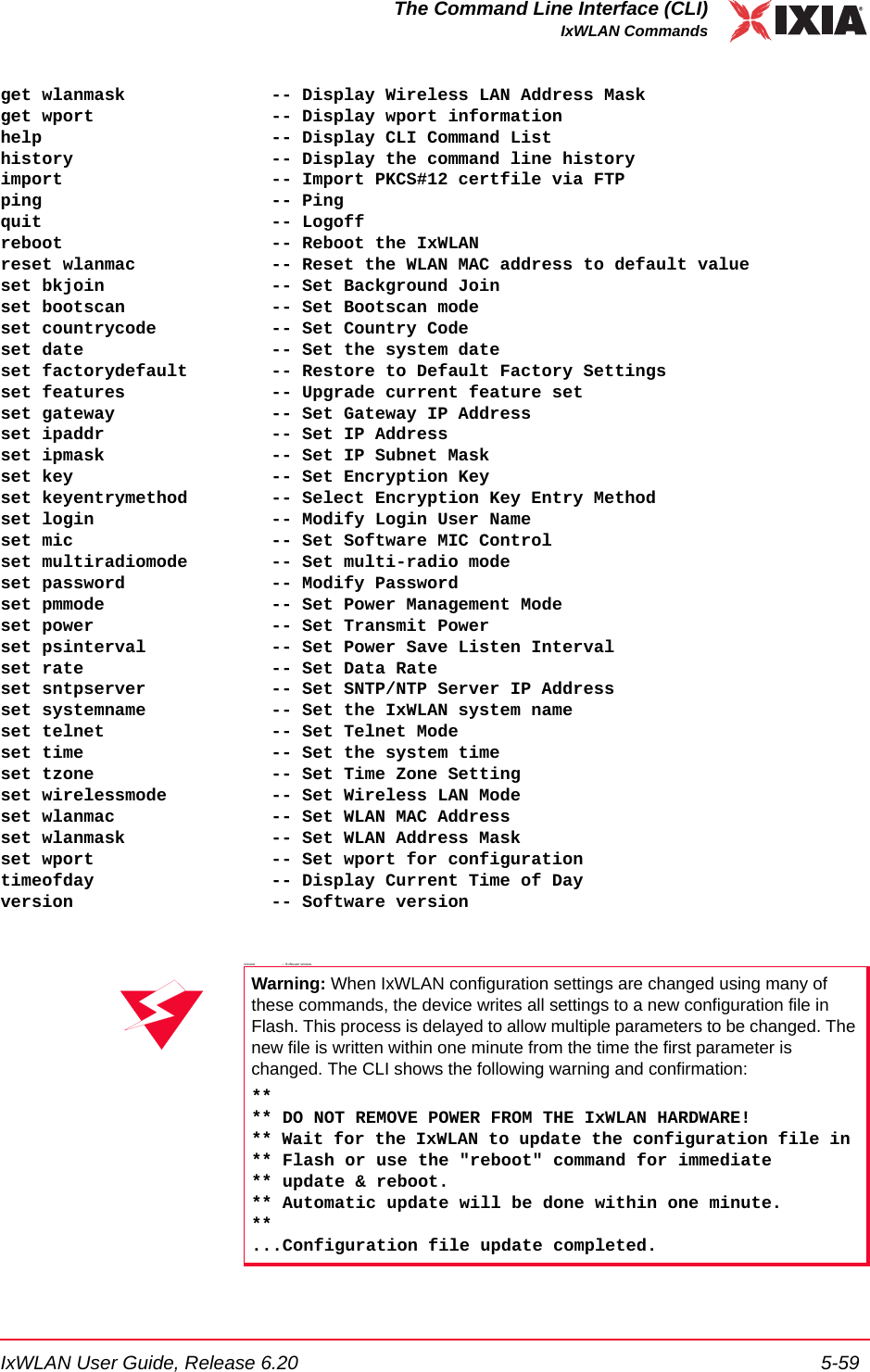
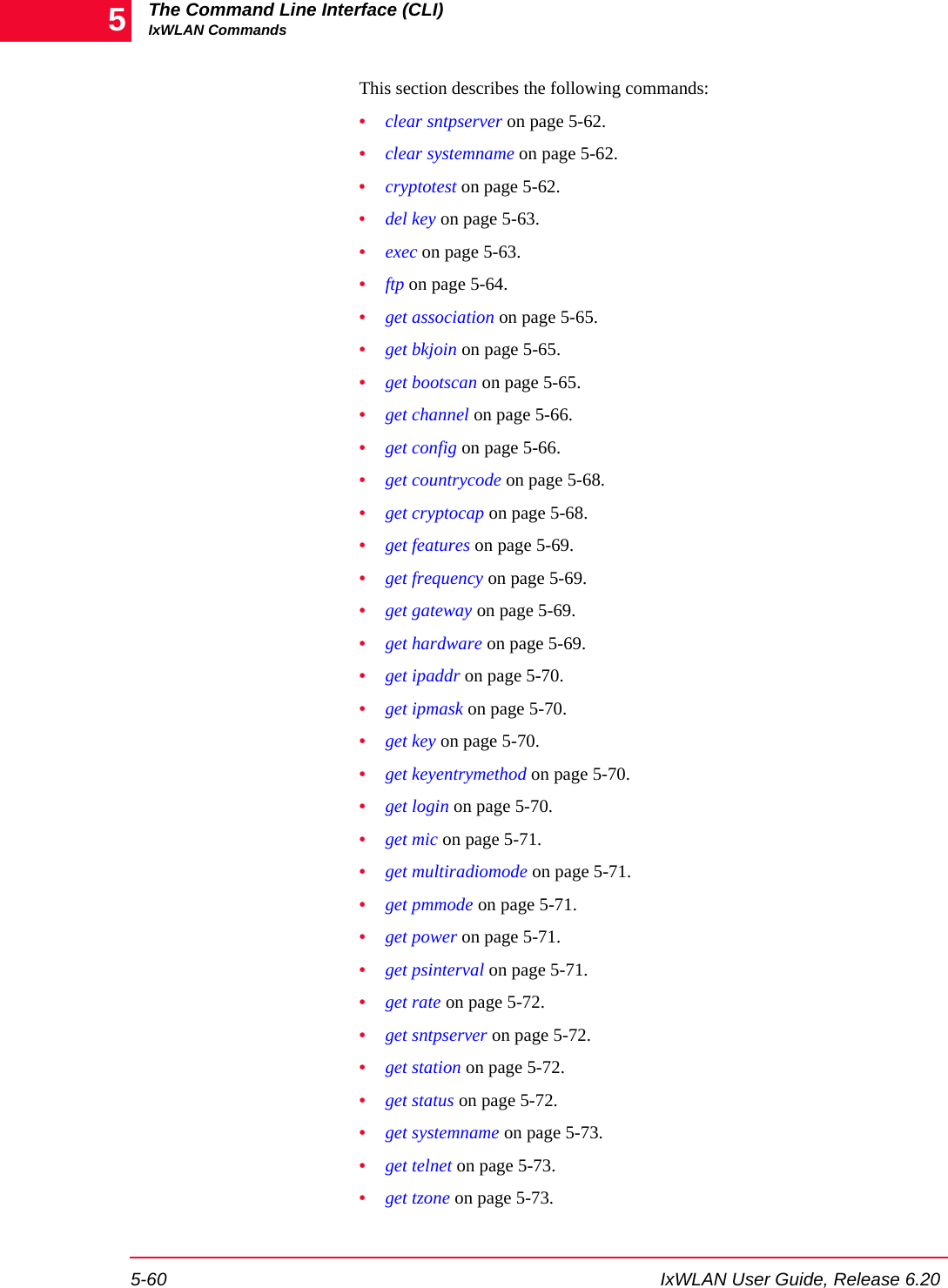
![The Command Line Interface (CLI)IxWLAN Commands5-62 IxWLAN User Guide, Release 6.205•set tzone on page 5-85.•set wirelessmode on page 5-85.•set wlanmac on page 5-85.•set wlanmask on page 5-85.•set wport on page 5-85.•timeofday on page 5-86.•version on page 5-86.clear sntpserver Clears the IP Address of the SNTP server.clear sntpserverclear systemname Clears the IxWLAN system name.clear systemnamecryptotest Starts a self-test of the crypto hardware. It indicates past cumulative results for each test type and results for the current run. cryptotestExample:[wport1]IxWLAN -> cryptotestRunning crypto hardware self-test......Crypto hardware self-test PASSED! Details: Test Name History Current Test --------- ------- ------------ Raw RC4 : OK Passed 40-bit WEP : OK Passed TKIP : OK Passed Raw AES : OK Passed AES-CCM : OK Passed 3DES : OK Passed MD5 : OK Passed HMAC_MD5 : OK Passed SHA-1 : OK Passed HMAC_SHA-1 : OK Passed ModExp : OK Passed RSA : OK Passed RNG : OK PassedIf any faults were detected in the current self-test, this command shows the fail-ure condition.Example:...Crypto hardware self-test FAILED! Details: Test Name History Current Test](https://usermanual.wiki/Ixia/EE11ABG5.User-Manual-Part-Two/User-Guide-885831-Page-40.png)
![IxWLAN User Guide, Release 6.20 5-63The Command Line Interface (CLI)IxWLAN Commands --------- ------- ------------ Raw RC4 : OK Passed 40-bit WEP * Faulted FAILED: status 5 (0x00000005): EXCRYPT_STAT_INSUFF_RESOURCE: insufficient resources TKIP : OK Passed Raw AES : OK Passed AES-CCM : OK Passed 3DES : OK Passed MD5 : OK Passed HMAC_MD5 : OK Passed SHA-1 : OK Passed HMAC_SHA-1 : OK Passed ModExp : OK Passed RSA : OK Passed RNG : OK PassedDriver-specific error code 0 (0x00000000): OKIf any faults were detected in a previous self-test but the current tests are success-ful, the History column shows the failure condition.Example:...Crypto hardware self-test PASSED! Details: Test Name History Current Test --------- ------- ------------ Raw RC4 : OK Passed 40-bit WEP : Faulted Passed TKIP : OK Passed Raw AES : OK Passed AES-CCM : OK Passed 3DES : OK Passed MD5 : OK Passed HMAC_MD5 : OK Passed SHA-1 : OK Passed HMAC_SHA-1 : OK Passed ModExp : OK Passed RSA : OK Passed RNG : OK PassedIf no crypto hardware was detected at startup, the following information displays:[wport1]IxWLAN -> cryptotestRunning crypto hardware self-test......Self-test not supported at this timedel key Deletes the encryption key.del key <key_number>exec Executes a command file. The command file must contain a series of CLI com-mands. When this command is executed, the commands in the file are treated/executed as entered using the CLI. exec <file_name>](https://usermanual.wiki/Ixia/EE11ABG5.User-Manual-Part-Two/User-Guide-885831-Page-41.png)
![The Command Line Interface (CLI)IxWLAN Commands5-64 IxWLAN User Guide, Release 6.205<file_name>: The name of the command file to be executedExample: The try.txt file in this example contains the version and get associa-tion CLI commands. [wport1]IxWLAN -> exec try.txtrun -> versionIxia IxWLAN Rev 5.00run -> get association STA MAC Address State 0 00:04:E2:38:56:78 up SUT 00:04:E2:38:A8:D2 up[wport1]IxWLAN ->ftp Transfers a file between the IxWLAN flash file system and the command PC. It is most often used to download new software from the command PC to the IxW-LAN SED/SED-MR+ chassis. It can also be used to download command files (executed by the exec command) from the command PC to the IxWLAN SED/SED-MR+ chassis.ftp <host_name><host_name>: The IP address of the target host.The CLI opens for the following entries:Username: The user name needed to access the remote file.Password: The password needed to access the remote file.Remote File: The file name on the remote host. The full pathname should be included (that is, c:\ixia\ixwlan.sys).Local File: The name of the file to be used in IxWLAN.download or upload: download (to transfer a file from the remote host to the IxWLAN chassis) or upload (to transfer a file from the IxWLAN chassis to the remote host). This entry is case-sensitive.Example:[wport1]IxWLAN -> ftp 192.168.0.2Username:Password:Remote File: c:\ixwlan.sysLocal File: ixwlanNEW.sysNOTE: Use the ftp command to download the command file from the command PC to the IxWLAN flash file system.NOTE: An FTP server must be running on <host_name>.](https://usermanual.wiki/Ixia/EE11ABG5.User-Manual-Part-Two/User-Guide-885831-Page-42.png)
![IxWLAN User Guide, Release 6.20 5-65The Command Line Interface (CLI)IxWLAN Commandsdownload or upload: downloadGetting @192.168.0.2:c:\ixwlan.sys -> ixwlanNEW.sys#####################################################################################################################################################################################################################################################################################################################################################################################################################################################################################################################################################################################################################################################################################################################################done1007441 bytes[wport1]IxWLAN ->get association Shows a list of known stations and their association status. This list includes the master station, the System Under Test, and all virtual stations.get associationExample:[wport1]IxWLAN -> get associationAID vSTA DEV MAC Address State SUT wlan0 00:04:E2:37:E6:A1 Up 1 1 wlan0 00:0B:16:57:00:01 Associated 2 2 wlan0 00:0B:16:57:00:02 Associatedget bkjoin Shows the Background Join mode. get bkjoinExample:[wport1]IxWLAN ->get bkjoinBackground Join is enabled[wport1]IxWLAN ->get bootscan Shows the Scan at Boot mode. [wport1]IxWLAN -> get bootscanExample:[wport1]IxWLAN -> get bootscanScan at Boot mode: enabled](https://usermanual.wiki/Ixia/EE11ABG5.User-Manual-Part-Two/User-Guide-885831-Page-43.png)
![The Command Line Interface (CLI)IxWLAN Commands5-66 IxWLAN User Guide, Release 6.205get channel Shows the radio channel/frequency used by IxWLAN. The channel is set auto-matically when it joins with the System Under Test. get channelExample:[wport1]IxWLAN -> get channelRadio Frequency: 5260 MHz (IEEE 52)[wport1]IxWLAN ->get config Shows the IxWLAN configuration. get configExample: [wport2]IxWLAN -> get config ========== System Attributes ========== IxWLAN Cfg Rev: 4 System Name: Login Username: Admin IP Address: 10.10.10.15 IP Mask: 255.255.255.0 Host IP Address: 10.10.10.25 Gateway IP Address: 0.0.0.0 SNTP/NTP Server IP Address: Time Zone: Telnet Access: Enabled ========== Global Radio Attributes ========== Multi-radio Mode: dynamic Country Code: NA Scan at Boot: enabled Background Join: disabled ========== Per-Radio Attributes ========== ****************************** wport1 ****************************** SSID: IxWLAN Test Wireless Network BSSID of System Under Test: 00:0b:6b:30:05:9f WLAN MAC Address: 00:0b:6b:4e:ef:7f (default) WLAN MAC Address Mask: ff:ff:ff:ff:00:00 Wireless Mode: 802.11a Data Rate: best DTIM: 1 HW Transmit Retry Limit: 4 Configured Transmit Power: full Current Runtime Transmit Output Power 18.0 dBm Default transmit key: 1 Shared Key 1, size 40, 1234567890 Key Entry Method: hexadecimal ****************************** wport2](https://usermanual.wiki/Ixia/EE11ABG5.User-Manual-Part-Two/User-Guide-885831-Page-44.png)
![IxWLAN User Guide, Release 6.20 5-67The Command Line Interface (CLI)IxWLAN Commands ****************************** SSID: IxWLAN Test Wireless Network BSSID of System Under Test: 00:0b:6b:30:05:9f WLAN MAC Address: 00:0b:6b:4f:ef:7f (set by user) WLAN MAC Address Mask: ff:ff:ff:ff:00:00 Wireless Mode: 802.11a Data Rate: best DTIM: 1 HW Transmit Retry Limit: 4 Configured Transmit Power: full Current Runtime Transmit Output Power 18.0 dBm Default transmit key: 1 Shared Key 1, size 40, 1234567890 Key Entry Method: hexadecimal ****************************** wport3 ****************************** SSID: IxWLAN Test Wireless Network BSSID of System Under Test: 00:0b:6b:30:05:9f WLAN MAC Address: 00:0b:6b:50:ef:7f (set by user) WLAN MAC Address Mask: ff:ff:ff:ff:00:00 Wireless Mode: 802.11a Data Rate: best DTIM: 1 HW Transmit Retry Limit: 4 Configured Transmit Power: full Current Runtime Transmit Output Power 18.0 dBm Default transmit key: 1 Shared Key 1, size 40, 1234567890 Key Entry Method: hexadecimal[wport2]IxWLAN ->](https://usermanual.wiki/Ixia/EE11ABG5.User-Manual-Part-Two/User-Guide-885831-Page-45.png)
![The Command Line Interface (CLI)IxWLAN Commands5-68 IxWLAN User Guide, Release 6.205get countrycode Shows the country code that is currently configured in IxWLAN.get countrycodeExample:[wport1]IxWLAN -> get country codeCountry Code: US [wport1]IxWLAN ->get cryptocap Identifies the crypto hardware installed on the IxWLAN SED/SED-MR+ chassis, the capabilities supported by that hardware, and includes an indication of the cumulative fault status. get cryptocapExample:[wport1]IxWLAN -> get cryptocapCrypto hardware: cn505Hardware capabilities: Raw RC4 (ARC4) encryption 40(64)-bit WEP encryption 104(128)-bit WEP encryption TKIP encryption Raw AES encryption AES-CCM (CCMP) encryption 3DES encryption MD5 hash HMAC_MD5 authentication SHA-1 hash HMAC_SHA-1 authentication Modular exponentiation RSA public key encryption Random number generatorCrypto hardware status: OK[wport1]IxWLAN ->If any faults were detected in a self-test, the following message displays:Crypto hardware status: Faulted, run "cryptotest" command for detailsIf no crypto hardware was detected at startup, the following information displays:[wport1]IxWLAN -> get cryptocapCrypto hardware: NoneHardware capabilities: None[wport1]IxWLAN ->If crypto hardware was detected at startup, but the license key does not include WPA/RSN, the following information displays:[wport1]IxWLAN -> get cryptocapCrypto hardware: Detected but not licensedHardware capabilities: None](https://usermanual.wiki/Ixia/EE11ABG5.User-Manual-Part-Two/User-Guide-885831-Page-46.png)
![IxWLAN User Guide, Release 6.20 5-69The Command Line Interface (CLI)IxWLAN Commandsget features Shows features that have been enabled by your authorization code/feature key: get featuresExample:[wport1]IxWLAN -> get featuresFeatures: 802.11A, 802.11B, 802.11G, WPA/RSN[wport1]IxWLAN ->See 802.11b/g Commands on page 5-86 for more commands that are available if your feature set includes 802.11B or 802.11G. If the feature key includes WPA/RSN, but no crypto hardware was detected at startup, this command displays the following message:[wport1]IxWLAN -> get featuresFeatures: 802.11A, 802.11B, 802.11G* * WARNING: licensed for WPA but no encryption hardwareget frequency Shows IxWLAN's radio frequency setting.get frequencyExample:[wport1]IxWLAN -> get frequencyRadio Frequency: 5260 MHz (IEEE 52)[wport1]IxWLAN ->get gateway Shows IxWLAN's default gateway IP address defined in the configuration file (set by set gateway).get gatewayExample:[wport1]IxWLAN -> get gatewayGateway's IP Address:10.1.35.1 (config file value)[wport1]IxWLAN ->get hardware Shows hardware revisions.[wport1]IxWLAN -> get hardwareExample:[wport1]IxWLAN -> get hardwarewlan1 revisions: mac 5.6 phy 4.1 analog 1.7 PCI Vendor ID: 0x168c, Device ID: 0x13 Sub Vendor ID: 0x168c, Sub Device ID: 0x2026](https://usermanual.wiki/Ixia/EE11ABG5.User-Manual-Part-Two/User-Guide-885831-Page-47.png)
![The Command Line Interface (CLI)IxWLAN Commands5-70 IxWLAN User Guide, Release 6.205get ipaddr Shows IxWLAN's IP address. get ipaddrExample:[wport1]IxWLAN -> get ipaddr IP Address: 192.168.0.50 [wport1]IxWLAN ->get ipmask Shows IxWLAN's IP subnet mask defined in the configuration file (set by set ipmask).get ipmaskExample:[wport1]IxWLAN -> get ipmaskIP Subnet Mask: 255.255.0.0 (config file value)[wport1]IxWLAN ->get key Shows an encryption key.get key <key_number><key_number>: Key Number (1…4)Example:[wport1]IxWLAN -> get key 1Shared Key 1, size 40, 1234567890[wport1]IxWLAN ->get keyentrymethod Shows the current WEP Encryption Key Entry Method: get keyentrymethodExample:[wport1]IxWLAN -> get keyentrymethodKey Entry Method: Hexadecimal[wport1]IxWLAN ->get login Shows the logon user name. -> get login Login Username:](https://usermanual.wiki/Ixia/EE11ABG5.User-Manual-Part-Two/User-Guide-885831-Page-48.png)
![IxWLAN User Guide, Release 6.20 5-71The Command Line Interface (CLI)IxWLAN CommandsExample:[wport1]IxWLAN -> get login Login Username: My_User_Name[wport1]IxWLAN ->get mic Shows the MIC check setting that is currently configured on the IxWLAN chas-sis.get micExample:[wport1]IxWLAN -> get micMIC check enabledget multiradiomode Displays the multi-radio mode.get multiradiomodeExample:[wport1]IxWLAN -> get multiradiomodeMulti-radio mode: Dynamicget pmmode Shows the IxWLAN power management mode. get pmmodeExample:[wport1]IxWLAN -> get pmmodePower Management mode ........ Power SavePower Save listen interval ... 1 beacon period[wport1]IxWLAN ->…get power Shows the IxWLAN transmit power setting. get power Example:[wport1]IxWLAN -> get powerTransmitPower: half (-3 dB)Current Transmit Output Power 18 dBm[wport1]IxWLAN ->get psinterval Shows the power save interval. get psinterval](https://usermanual.wiki/Ixia/EE11ABG5.User-Manual-Part-Two/User-Guide-885831-Page-49.png)
![The Command Line Interface (CLI)IxWLAN Commands5-72 IxWLAN User Guide, Release 6.205Example: [wport1]IxWLAN -> get psintervalPower Save listen interval ... 3 beacon periodsPower Management mode ........ Power Save[wport1]IxWLAN ->get rate Shows the IxWLAN data rate. get rate Example:[wport1]IxWLAN -> get rate Data Rate: best [wport1]IxWLAN ->get sntpserver Shows the IP Address of the SNTP server.get sntpserverget station Shows the status of an 802.11 STA from the IxWLAN station’s information base. This command is intended for diagnostic purposes. get station <id><id>: Station Indexget status Shows a high-level summary of IxWLAN's current status. It includes: the BSSID of the System Under Test, an indication of whether this system has been detected and if IxWLAN is joined with it, and a count of the current virtual stations.For the IxWLAN SED chassis, this command displays the MAC address of the additional Ethernet port and adds the Mgmt or Data prefix for each port.get statusExample:[wport2]IxWLAN -> get statusIxWLAN(tm) software version 6.20.0.127 EBNumber of wports present ....... 3Multi-radio mode ............... DynamicMgmt LAN MAC address ........... 00:08:9b:68:2c:81Data LAN MAC address ........... 00:08:9b:68:2c:82MIC check ...................... EnabledCrypto hardware ................ OK1 vSTA currently in the system: 1 vSTA in External mode: 1 in the Initialized state.Group 128 has 1 vSTA.](https://usermanual.wiki/Ixia/EE11ABG5.User-Manual-Part-Two/User-Guide-885831-Page-50.png)
![IxWLAN User Guide, Release 6.20 5-73The Command Line Interface (CLI)IxWLAN Commandsget systemname Shows the IxWLAN system name.get systemnameget telnet Shows the telnet mode and the current state of telnet connections. get telnetExample:[wport1]IxWLAN -> get telnetTelnet Access: Enabled1 of 4 connections active2 connection attempts2 good logins0 failed logins[wport1]IxWLAN ->get tzone Shows the current time zone setting.get tzoneExample:[wport1]IxWLAN -> get tzoneSNTP/NTP Time Zone: -8[wport1]IxWLAN ->get uptime Shows the elapsed time since IxWLAN has been up and running. get uptimeExample:[wport1]IxWLAN -> get uptime IxWLAN Uptime -- 5 days, 15:32:29 [wport1]IxWLAN ->get wirelessmode Shows the current Wireless LAN Mode (11a, 11b, or 11g). get wirelessmodeExample:[wport1]IxWLAN -> get wirelessmodeWireless LAN Mode: 11g[wport1]IxWLAN ->get wlanmac Shows the current Wireless LAN MAC Address. get wlanmac](https://usermanual.wiki/Ixia/EE11ABG5.User-Manual-Part-Two/User-Guide-885831-Page-51.png)
![The Command Line Interface (CLI)IxWLAN Commands5-74 IxWLAN User Guide, Release 6.205Example:[wport1]IxWLAN -> get wlanmacWLAN MAC Address: 00:0b:cd:59:23:44[wport1]IxWLAN ->get wlanmask Shows the Wireless LAN Address Mask.get wlanmaskExample:[wport1]IxWLAN -> get wlanmaskWLAN Address Mask: ff:ff:ff:ff:00:00[wport1]IxWLAN ->get wport Displays wport information. get wport <N> [stats]get wport <N> Displays a summary status report for wport <N>.get wport <N><N>: the wport number. The default value is 1. Must be in the 1...3 range, depending on the number of wports present.Example:[wport1]IxWLAN -> get wport 2WLAN mode ...................... 802.11bWLAN MAC address ............... 00:02:6f:05:16:34WLAN address mask .............. ff:ff:ff:ff:00:00BSSID of System Under Test ..... 00:04:e2:83:cb:3fIxWLAN-SUT connection status ... JoinedPower Management mode .......... Active (always awake)1 vSTA on wport 2: 1 vSTA in Internal mode: 1 in the Running state.Group 1 has 1 vSTA: ID 3get wport <N> stats Displays a statistics report for wport <N>.get wport <N> statsstats: statistics reports including per-wport counters and statistical informationExample:[wport1]IxWLAN -> get wport 2 stats](https://usermanual.wiki/Ixia/EE11ABG5.User-Manual-Part-Two/User-Guide-885831-Page-52.png)
![IxWLAN User Guide, Release 6.20 5-75The Command Line Interface (CLI)IxWLAN CommandsWport 2: MAC 00:02:6f:05:16:34Authentications: 10, Deauthentications: 0Associations: 10, Disassociations: 0Reassociations: 0Rcv Sig Strength: 49, Ack Sig Strength: 58Rcv Rate: 6, Tx SF Rate: 18, Tx LF Rate: 18Frame counts: MSDUs Data Mcast Mgmt CtrlRcv 3429 700 0 3729 0Tx 595 525 0 70 0Rcv Errors: 0, Tx Errors: 0Rcv PHY Errors: 0, Excess Retries: 0Rcv CRC Errors: 0, Total Retries: 0Rcv Duplicates: 0, Tx Filtered: 0Rcv Discarded: 0, Tx Discarded: 0Ack Rcv Fails: 0, RTS Fails: 0Encryption: n/a, FCS Fails: 4Rcv Decrypt Errs: 0, WEP Excluded: 0help Shows all commands available in the CLI command set.helphistory Shows the last 20 commands that were entered in the CLI. historyExample:[wport1]IxWLAN -> history 1 set date 2/4/03 11:09:30 2 join 3 autoconf 2 ip 10.1.35.231 mac 10:20:30:40:50:61 mode external 4 get vsta 1 conf[wport1]IxWLAN ->import Imports a PKCS#12 certificate file via FTP. The successful completion of this command stores the specified certificate file in the /Certificates directory in the IxWLAN flash file system. The specified password (Certfile password) is encrypted and stored in the /Cache directory (only visible in admin mode). import certfile [<remote filename>] [certpass <password>][ftphost <hostname>] [ftpuser <username>] [ftppass <userpass>]Prompts for parameters that are not specified in the command line. NOTE: This subcommand is similar to the get vsta master stats command, which displays aggregate statistics for the entire IxWLAN unit.](https://usermanual.wiki/Ixia/EE11ABG5.User-Manual-Part-Two/User-Guide-885831-Page-53.png)
![The Command Line Interface (CLI)IxWLAN Commands5-76 IxWLAN User Guide, Release 6.205Example:[wport1]IxWLAN -> import certfileRemote Certfile: c:\myCert.pfxCertfile password: ****FTP Hostname: 192.168.0.2FTP Username:FTP Password:Importing @192.168.0.2:c:\myCert.pfx -> /Certificates/myCert.pfx#####myCert.pfx imported successfullyremote certfile [<remote filename>]: The file name on the remote host. The full path name must be included (for example, c:\myCert.pfx).certfile password [certpass <password>]: The password associated with the cer-tificate file.ftp hostname [ftphost <hostname>]: The IP address of the FTP host where the certificate file resides.ftp username [ftpuser <username>]: The user name needed to access the certifi-cate file on the FTP host.ftp password [ftppass <userpass>]: The password needed to access the certifi-cate file on the FTP host.ping Allows you to ping other hosts on the subnet. If <count> is not supplied, three pings are sent. ping <host_name> <count><host_name>: Host name.<count>: Number of ping packets to send: 0…2,147,483,647.Example:[wport1]IxWLAN -> ping 10.10.10.233 3PING 10.10.10.233: 56 data bytes 64 bytes from here(10.10.10.233) : icmp-seq=O. time=O. ms 64 bytes from here(10.10.10.233) : icmp-seq=l. time=O. ms 64 bytes from here(10.10.10.233) : icmp-seq=2. time=O. ms ----10.10.10.233 PING Statistics ----3 packets transmitted, 3 packets received, 0% packet loss round-trip (ms) min/avg/max = 0/0/0 -> ping 10.10.10.233 1 10.10.10.233 is alive[wport1]IxWLAN ->NOTE: An FTP server must be running on FTP Hostname.](https://usermanual.wiki/Ixia/EE11ABG5.User-Manual-Part-Two/User-Guide-885831-Page-54.png)
![IxWLAN User Guide, Release 6.20 5-77The Command Line Interface (CLI)IxWLAN Commandsquit Exits the CLI. quitYou must reopen the telnet connection to log on after this command is used.reboot Reboots IxWLAN.rebootreset wlanmac Resets the Wireless LAN MAC Address to its default value:reset wlanmacExample:[wport1]IxWLAN -> reset wlanmac**** DO NOT REMOVE POWER FROM THE IxWLAN HARDWARE!** Wait for the IxWLAN to update the configuration file in Flash** or use the "reboot" command for immediate update & reboot.** Automatic update will be done within one minute.**set bkjoin Selects the Background Join mode. This setting is saved in the configuration file and is stored upon the reboot of the system.The default setting for the Background Join mode is enabled.set bkjoin enabled/disabledExample:[wport1]IxWLAN ->set bkjoin enabledBackground Join is enabledset bootscan Selects the Scan at Boot mode. It can be set to:•enabled: scans the configured wireless mode (that is, 802.a/b/g).•allmode: scans all valid wireless modes at boot time.•disabled: no scan at boot time.This persistent setting is saved in the configuration file and restored upon the reboot of the system.](https://usermanual.wiki/Ixia/EE11ABG5.User-Manual-Part-Two/User-Guide-885831-Page-55.png)
![The Command Line Interface (CLI)IxWLAN Commands5-78 IxWLAN User Guide, Release 6.205The default setting for Scan in Boot mode is enabled.set bootscan enabled/allmode/disabledExample:[wport1]IxWLAN -> set bootscan allmodeScan at Boot mode: allmodeset countrycode Updates the IxWLAN configuration with the new country code and reboots the system.set countrycode <value><value>: An ISO standard country code (for example, DB - DEBUG, NA - NO_COUNTRY_SET, PR - PUERTO_RICO, US - UNITED_STATES, and so on)Example:[wport1]IxWLAN -> set countrycode <value>Setting the country code will reboot the system, continue? [y/n: y]? n[wport1]IxWLAN ->If there are any vSTAs in the authenticated or above state, the command informs the user that all vSTAs must be deauthenticated before invoking the command.Example:[wport1]IxWLAN -> set countrycode <value>Setting the country code will reboot the system, continue? [y/n: y]? yError: 1 vSTA active, all vSTAs must be at state configured or initialized.[wport1]IxWLAN ->set date Sets the current system date and (optionally) time in IxWLAN.set date <date> [<time>]<date>: Current date in the format: mm/dd/yyyy<time>: Current time in the format: hh:mm:ss. Use 24-hour clock numbers (that is, 13:30:00 = 1:30 p.m.). This parameter is optional. If not specified, the current system time is used. The system time starts at midnight when the unit is powered on or reset. If the time is given, the seconds component is optional. If not speci-fied, the seconds value is initialized to zero.](https://usermanual.wiki/Ixia/EE11ABG5.User-Manual-Part-Two/User-Guide-885831-Page-56.png)
![IxWLAN User Guide, Release 6.20 5-79The Command Line Interface (CLI)IxWLAN CommandsExample:[wport1]IxWLAN -> set date 06/04/03 06:14:15System date & time: THU JUL 31 09:00:00 2003Use the "set date" or "set time" command to adjust[wport1]IxWLAN ->set factorydefault Resets the IxWLAN configuration to default factory settings and reboots the sys-tem.[wport1]set factorydefaultResetting to factory defaults will reboot the system, continue? [y/n:y]? n[wport1]IxWLAN ->If there are any vSTAs in the authenticated or above state, the command informs the user that all vSTAs must be deauthenticated before invoking the command.[wport1]set factorydefaultResetting to factory defaults will reboot the system, continue? [y/n:y]? yError: 1 vSTA active, all vSTAs must be at state configured or initialized.[wport1]IxWLAN ->set features This command can be used to modify your authorization code keyfile in the flash file system to enable new features (for example, 802.11b, 802.11g, WPA/RSN). [wport1]IxWLAN -> set features This command will modify your system!!Do you have your new Activation Codes ready (y/n)y *** This IxWLAN has not been Node Locked*** Please enter "admin" to continue[wport1]IxWLAN -> adminPassword: ***Ok Please Enter IxWLAN Authorization Codes for MAC: 00:0b:16:00:00:07Input? ba27108c5b7d16dda96094be96b3105f34643030303030300000 Thank you...Authorization Codes AcceptedCONGRATULATIONS! you have been authorized forFeatures: 802.11A, 802.11B and 802.11G[wport1]IxWLAN -> This command is used only when you upgrade the IxWLAN software with new features.set gateway Sets the IxWLAN default gateway IP address.](https://usermanual.wiki/Ixia/EE11ABG5.User-Manual-Part-Two/User-Guide-885831-Page-57.png)
![The Command Line Interface (CLI)IxWLAN Commands5-80 IxWLAN User Guide, Release 6.205set gateway <ip_address><ip_address>: A valid IP address in ASCII dotted-decimal notation (nn.nn.nn.nn). Use an IP address that is compatible with the network addressing scheme at your facility. The default gateway address is 0.0.0.0.set ipaddr Sets the IxWLAN IP address. set ipaddr <ip_address><ip_address>: A valid IP address in ASCII dotted-decimal notation (nn.nn.nn.nn). Use an IP address that is compatible with the network addressing scheme at your facility. The default IP address is 192.168.0.50.set ipmask Sets the IxWLAN IP subnet mask. set ipmask <ip_mask><ip_mask>: A valid IP address mask in ASCII dotted-decimal notation (nn.nn.nn.nn).set key Sets an encryption key or default shared key.set key["keynum"|unique][40|104|128]keystringset key [1-4] default Example:[wport1]IxWLAN -> set keyset key [1-4] default set key ["keynum"|unique] [40|104|128] value[wport1]IxWLAN ->[wport1]IxWLAN -> set key 1 40 1234567890Shared Key 1, size 40: 1234567890[wport1]IxWLAN ->[wport1]IxWLAN -> get key 1Shared Key 1, size 40, 1234567890[wport1]IxWLAN ->set keyentrymethod Sets the WEP Encryption Key Entry Method.set keyentrymethod <method><method>: hexadecimal = Key contains (0 - 9, A - F), asciitext = Key contains keyboard charactersset login Sets the logon user name. The logon user name is a text string and can be up to 32 characters. Control characters are not permitted. set login <User_Name_String>](https://usermanual.wiki/Ixia/EE11ABG5.User-Manual-Part-Two/User-Guide-885831-Page-58.png)
![IxWLAN User Guide, Release 6.20 5-81The Command Line Interface (CLI)IxWLAN CommandsExample:[wport1]IxWLAN -> set login Your_User_NameLogin Username: Your_User_Name[wport1]IxWLAN ->set mic Sets the MIC check configuration parameter for IxWLAN.set mic <mode><mode>: enable, disable, or spot. The default value is enabled.set multiradiomode Sets the multi-radio mode.set multiradiomode static|dynamicstatic: Sets the multi-radio mode to be static. In the static mode, each wport is totally independent of the others and must have non-matching MACs, and the system does not support vSTA migration among wports for roaming or other pur-poses. The assignment of vSTAs to wports can still be changed, but must ensure vSTA MAC consistency with its wport. The wport hardware for wports 1, 2, and 3 is each programmed by the system with its configured WLAN MAC address, if set, or else it defaults to factory settings. The system ensures that each has a suit-ably unique WLAN MAC address and overrides the factory default, if necessary.dynamic: The wports are used as a virtual extension of one another with consis-tent MACs to the extent of the WLAN address mask, and vSTAs may be moved among wports. The wport hardware for wports 2 and 3 is programmed by the sys-tem with a WLAN MAC address consistent with that of wport1.Default is static.Example:[wport1]IxWLAN -> set multiradiomode dynamicMulti-radio mode: Dynamicset password Sets the password needed to log on to the IxWLAN command line interface and web-based user interface. Type the new password twice to confirm the use of the new password. The password is a text string and can be up to 32 characters. Con-trol characters are not permitted. The password is case-sensitive.[wport1]IxWLAN -> set password Password: ******* Type password again to confirm: *******Password confirmed [wport1]IxWLAN ->set pmmode Sets the IxWLAN power management mode.](https://usermanual.wiki/Ixia/EE11ABG5.User-Manual-Part-Two/User-Guide-885831-Page-59.png)
![The Command Line Interface (CLI)IxWLAN Commands5-82 IxWLAN User Guide, Release 6.205set pmmode <mode><mode>: active (always awake) or psave (Power Save: doze for the specified lis-ten interval set by set psinterval). Default: active.When Power Management mode is set to active, IxWLAN remains in the awake state at all times. When the Power Management mode is set to psave, IxWLAN enters a dozing state until awakened by the listen interval set by set psinterval. When dozing:•IxWLAN does not accept WLAN frames transmitted to any vSTA. •IxWLAN awakens at each listen interval to receive the next beacon and poll for frames buffered for any vSTA in accordance with 802.11 Power Manage-ment needs. •IxWLAN awakens at DTIM intervals to receive DTIM beacons when buff-ered broadcast/multicast frames are indicated.While in either state, any WLAN frames to be transmitted from any vSTA may be immediately placed in the Transmit Queue for transmission by the WLAN interface. Any transmission from any vSTA indicates the IxWLAN SED/SED-MR+ chassis current Power Management mode.Example:[wport1]IxWLAN -> set pmmode psave[wport1]IxWLAN -> OKset power Sets the transmit power setting. A lower setting reduces the range of IxWLAN.set power <mode><mode>: One of the following:•full = maximum (normal) transmit power (18 dBm/64 mW)•half = fractional (1/2) transmit power (15 dBm/31.5 mW)•quarter = fractional (1/4) transmit power (12 dBm/16 mW)•eighth = fractional (1/8) transmit power (9 dBm/8 mW)•min = minimum transmit power (3 dBm/2 mW) The dBm/mW values are applicable only when countrycode=US. In other coun-tries, power settings are relative to the maximum transmit power available for the country.Example:[wport1]IxWLAN -> set power halfTransmit Power: half (-3 dB)**** DO NOT REMOVE POWER FROM THE IxWLAN HARDWARE!](https://usermanual.wiki/Ixia/EE11ABG5.User-Manual-Part-Two/User-Guide-885831-Page-60.png)
![IxWLAN User Guide, Release 6.20 5-83The Command Line Interface (CLI)IxWLAN Commands** Wait for the IxWLAN to update the configuration file in Flash** or use the "reboot" command for immediate update & reboot.** Automatic update will be done within one minute.**[wport1]IxWLAN -> ...Configuration file update completed.get powerTransmitPower: half (-3 dB)Current Transmit Output Power 18 dBm[wport1]IxWLAN -> …set psinterval When the IxWLAN power management mode is set to Power Save mode (that is, set pmmode psave), this command sets the listen interval. set psinterval <nBeacons><nBeacons>: Number of beacon intervals (1…100). The default value is 1.The beacon rate is determined by the System Under Test, normally by some user-configurable parameter. IxWLAN receives beacons that are sent by the System Under Test. A typical beacon rate is one every 100 Time Units. An 802.11 Time Unit is defined as 1024 microseconds ( ). As a result, the beacon rate would be one every 102.4 milliseconds (ms), or about 10 per second (s). As an example, if the pmmode command is set to psave and psinterval is set to 3, IxWLAN wakes up about every 307.2 ms to poll for frames queued in the System Under Test. Also see get pmmode on page 5-71 and set pmmode on page 5-81 for more infor-mation about how this interval is used.Example: [wport1]IxWLAN -> set psinterval 3[wport1]IxWLAN -> OKset rate Sets the IxWLAN data rate. Available selections differ, depending on the current wireless mode: 802.11a, 802.11b, or 802.11g. When you choose the best rate, IxWLAN tries to deliver unicast data packets at the highest possible data rate. If there are any obstacles or interference, IxWLAN automatically steps down to an optimum data rate that supports reliable data transmission. In addition, the opti-mum data rate is adjusted periodically based on past performance of the data transmissions at different neighboring data rates. set rate <rate><rate>: If the wireless mode is 802.11a, <rate> can be: 6, 9, 12, 18, 24, 36, 48, 54, or best (variable rate). If the wireless mode is 802.11b, <rate> can be: 1, 2, 5.5, 11, or best (variable rate). If the wireless mode is 802.11g, <rate> can be: 1, 2, 5.5, 11, 6, 9, 12, 18, 24, 36, 48, 54, or best (variable rate). All values are Mb/s.If a <rate> value is not given, the CLI shows a list of available rates for the cur-rent wireless mode. μs](https://usermanual.wiki/Ixia/EE11ABG5.User-Manual-Part-Two/User-Guide-885831-Page-61.png)
![The Command Line Interface (CLI)IxWLAN Commands5-84 IxWLAN User Guide, Release 6.205Example:[wport1]IxWLAN -> get wirelessmodeWireless LAN Mode: 11g[wport1]IxWLAN -> set raterate best -- Select best data raterate 1 -- Select 1 Mbpsrate 2 -- Select 2 Mbpsrate 5.5 -- Select 5.5 Mbpsrate 11 -- Select 11 Mbpsrate 6 -- Select 6 Mbpsrate 9 -- Select 9 Mbpsrate 12 -- Select 12 Mbpsrate 18 -- Select 18 Mbpsrate 24 -- Select 24 Mbpsrate 36 -- Select 36 Mbpsrate 48 -- Select 48 Mbpsrate 54 -- Select 54 MbpsNot enough parameters![wport1]IxWLAN ->set sntpserver Sets the SNTP server address. If an SNTP server address is configured, IxWLAN tries to retrieve the time from that server during initialization.set sntpserver <ip_address><ip_address>: The IP address of the SNTP server.set systemname Sets the IxWLAN system name. It can be up to 32 characters. Control characters are not allowed.set systemname <name><name>: Up to 32 printable charactersset telnet Enables/disables telnet mode.set telnet <mode><mode>: Enable = allow access to the IxWLAN CLI via telnet, disable = do not allow access via telnetset time This command sets the current system time.set time <time><time>: current time in the hh:mm:ss format. Use 24-hour clock numbers (that is, 13:30:00 = 1:30 p.m.). Seconds are optional. If omitted, the seconds are set to zero.](https://usermanual.wiki/Ixia/EE11ABG5.User-Manual-Part-Two/User-Guide-885831-Page-62.png)
![IxWLAN User Guide, Release 6.20 5-85The Command Line Interface (CLI)IxWLAN CommandsExample:[wport1]IxWLAN -> set time 07:01:15System date & time: THU JUL 31 09:00:00 2003Use the "set date" or "set time" command to adjust[wport1]IxWLAN ->set tzone Sets the local time zone. If no time zone is defined, GMT time is used. For exam-ple, use set tzone -8 to set the time zone for the west coast of North America.set tzone <zone><zone>: -12…14set wirelessmode Sets the IxWLAN Wireless LAN Mode:set wirelessmode <mode><mode>: 11a = 802.11a, 11b = 802.11b, or 11g = 802.11g. The default value is 11g.set wlanmac Sets the Wireless LAN MAC Address:set wlanmac <MAC_address><MAC_address>: any non-broadcast or non-multicast valid MAC address (for example, 00:0b:cd:59:23:44).set wlanmask Sets the Wireless LAN Address Mask:set wlanmask <MAC_mask><MAC_mask>: a valid address mask (for example, ff:ff:ff:ff:00:00)set wport Set wport for configuration.set wport <N><N>: the wport number. The default value is 1. Must be in the 1...3 range, depending on the number of wports present.Example:[wport2]IxWLAN -> set wport 1Current wport: 1[wport1]IxWLAN ->NOTE: The feature set you ordered from Ixia may limit the number of available wireless mode selections. The CLI shows an error message if the wireless mode selection is not in your feature set.](https://usermanual.wiki/Ixia/EE11ABG5.User-Manual-Part-Two/User-Guide-885831-Page-63.png)
![The Command Line Interface (CLI)802.11b/g Commands5-86 IxWLAN User Guide, Release 6.205timeofday Shows the current system time.timeofdayExample:[wport1]IxWLAN -> timeofdaySystem date & time: THU JUL 31 09:00:00 2003Use the "set date" or "set time" command to adjust[wport1]IxWLAN ->version Shows the software version. Use the get version command to show the version of the configuration file saved in Flash.versionExample:[wport1]IxWLAN -> versionIxia IxWLAN(tm) software version 6.00.m4Jan 16 2006, 19:02:38802.11b/g CommandsThe following commands are available only when the wireless mode is set to 802.11b or 802.11g.get basic11b -- Display Basic 11b Ratesget ctsmode -- Display CTS mode (11g)get ctsrate -- Display CTS rate (11g)get ctstype -- Display CTS type (11g)get shortpreamble -- Display Short Preamble (11b/11g) Usageget shortslottime -- Display Short Slot Time (11g) Usageset basic11b -- Set Use of Basic 11b Ratesset ctsmode -- Set CTS Mode (11g)set ctsrate -- Set CTS Rate (11g)set ctstype -- Set CTS Type (11g)set shortpreamble -- Set Short Preamble (11b/11g) Usageset shortslottime -- Set Short Slot Time (11g) UsageThese commands are specific to the current wireless mode. If you enter an 11g only command while in 802.11a or 802.11b wireless mode for example, the CLI shows the following message:This command is not applicable for this wireless mode[wport1]IxWLAN ->This section describes the following commands: •basic11b (get/set) on page 5-87.•ctsmode (get/set) on page 5-87.•ctsrate (get/set) on page 5-88.•ctstype (get/set) on page 5-88.•shortpreamble (get/set) on page 5-88.](https://usermanual.wiki/Ixia/EE11ABG5.User-Manual-Part-Two/User-Guide-885831-Page-64.png)
![IxWLAN User Guide, Release 6.20 5-87The Command Line Interface (CLI)802.11b/g Commands•shortslottime (get/set) on page 5-89.basic11b (get/set) get basic11b (11b only)Shows the current setting of the basic 802.11b mode (enabled or disabled):get basic 11bExample:[wport1]IxWLAN -> get basic11bUse only basic 11b Rates (1, 2): Disabled[wport1]IxWLAN -> set basic11b (11b only)Enables or disables the use of basic 802.11b rates only. When enabled, only basic 802.11b rates (1 and 2Mbps) are used. When disabled, all rates are used.set basic11b <mode><mode>: enable = use only basic 802.11b rates, disable = disable only basic 11b rates—use all rates.ctsmode (get/set) These commands are used to display and set the CTS protection mode. 802.11 is a listen and wait protocol (CSMA/CA or collision avoidance) that needs the air-waves to be clear before transmission. Because 802.11b and 802.11g use differ-ent modulation schemes (CCK for 11b and OFDM for 11g), the RTS/CTS mechanism can be used to allow 11b and 11g devices to communicate. When the CTS protection mode is enabled (mode = always or auto), IxWLAN uses RTS/CTS (as defined by ctstype) to communicate with an 11b device. get ctsmode (11g only)Shows the current CTS protection mode setting.get ctsmodeExample[wport1]IxWLAN -> get ctsmodeCTS Mode: AUTO[wport1]IxWLAN -> set ctsmode (11g only)Sets the CTS protection mode.set ctsmode <mode>](https://usermanual.wiki/Ixia/EE11ABG5.User-Manual-Part-Two/User-Guide-885831-Page-65.png)
![The Command Line Interface (CLI)802.11b/g Commands5-88 IxWLAN User Guide, Release 6.205<mode>: none = never use CTS protection, always = always use CTS Protection, or auto = use CTS protection when an 802.11b device is detected.ctsrate (get/set) get ctsrate (11g only)Shows the current CTS rate. get ctsrateExample:[wport1]IxWLAN -> get ctsrateCTS Rate: 11 Mbps[wport1]IxWLAN ->set ctsrate (11g only)When the CTS mode is enabled (always or auto), this command sets the rate at which RTS/CTS frames are transmitted:set ctsrate <rate><rate>: 1, 2, 5.5, or 11 Mbps.ctstype (get/set) get ctstype (11g only)Shows the current CTS type setting. get ctstypeExample:[wport1]IxWLAN -> get ctstypeCTS Type: CTS-ONLY[wport1]IxWLAN -> set ctstype (11g only)When the CTS mode is enabled (always or auto), this command sets the CTS type.set ctstype <type><type>: cts-only = before transmission, IxWLAN transmits a CTS frame or rts-cts = transmission follows an RTS/CTS frame exchange. shortpreamble (get/set)The preamble is a field in the 802.11 header. An 802.11b or 802.11g frame for-mat can use a Short or Long preamble (Short = 56 bits, Long = 128 bits).](https://usermanual.wiki/Ixia/EE11ABG5.User-Manual-Part-Two/User-Guide-885831-Page-66.png)
![IxWLAN User Guide, Release 6.20 5-89The Command Line Interface (CLI)802.11b/g Commandsget shortpreamble (11b/11g)Shows the current Short Preamble (11b/11g) Usage setting (enabled or dis-abled). get shortpreambleExample:[wport1]IxWLAN -> get shortpreambleShort Preamble (11b/11g) Usage: Enabled[wport1]IxWLAN ->set shortpreamble (11b/11g)Enables or disables Short Preamble (11b/11g) usage.set shortpreamble <mode><mode>: enable = Enable Short and Long Preamble, disable = Disable Short Preamble (use only long).shortslottime (get/set) get shortslottime (11g only)Shows the current Short Slot Time (11g) Usage setting (enabled or disabled): get shortslottimeExample:[wport1]IxWLAN -> get shortslottimeShort Slot Time: Enabled[wport1]IxWLAN ->set shortslottime (11g only)Enables/disables Short Slot Time (11g) usage. When enabled, IxWLAN adver-tises using 9 ms slot times. When disabled, IxWLAN advertises using 20 ms slot times.set shortslottime <mode><mode>: enable = Enable Short Slot Time (G mode), disable = Disable Short Slot Time (use only long).](https://usermanual.wiki/Ixia/EE11ABG5.User-Manual-Part-Two/User-Guide-885831-Page-67.png)
![The Command Line Interface (CLI)Administrative Mode Commands5-90 IxWLAN User Guide, Release 6.205Administrative Mode CommandsThe following commands are available only in the administrative mode in the Command Line Interface. They are not available in the user mode or in IxW-LAN's web-based user interface. [wport1]IxWLAN -> adminPassword: ****Ok[wport1]IxWLAN -> helpList of IxWLAN CLI commands:# -- Identifies a comment line in a command file? -- Display CLI Command Listadmin -– Temporary factory adminboot flash -- Boot from flashboot ethernet -- Boot from network bootrom -- Update boot ROM image clear admin -- Quit admin modecp -- Copy file format -- Format flash file systemget basic11g -- Display Basic 11g Ratesget calibration -- Display noise & offset calibration modeget hostipaddr -- Display Host IP Addressget watchdog -- Display Watchdog Mode.ls -- List the files in the flash file systemmv –- Move filerm -- Remove fileset calibration -- Set noise and offset calibration modeset basic11g -- Set Use of Basic 11g Ratesset hostipaddr -- Set Host IP Addressset regulatorydomain –- Set Regulatory Domainset watchdog -- Set Watchdog Modetrace -- Enable/Disable IxWLAN debug trace functions.[wport1]IxWLAN ->If you try to enter any of the commands before activating the administrative mode, the CLI indicates that the command does not exist. Example:[wport1]IxWLAN -> get calibrationInvalid parameter: calibrationType "help" for a list of valid commands.[wport1]IxWLAN ->Warning: Do not use these commands unless instructed to do so by Ixia.](https://usermanual.wiki/Ixia/EE11ABG5.User-Manual-Part-Two/User-Guide-885831-Page-68.png)
![IxWLAN User Guide, Release 6.20 5-91The Command Line Interface (CLI)Administrative Mode CommandsYou must use the admin command to activate the administrative mode before using any of the following commands.This section describes the following commands: •admin (clear) on page 5-91.•basic (get/set) on page 5-91.•boot on page 5-92.•bootrom on page 5-93.•calibration (get/set) on page 5-93.•cp on page 5-94.•format on page 5-94.•hostipaddr (get/set) on page 5-94.•hwtxretries (get/set) on page 5-94.•ls on page 5-95.•mv on page 5-95.•regulatorydomain (set) on page 5-95.•rm on page 5-95.•trace on page 5-95.•watchdog (get/set) on page 5-96.admin (clear) Activates and deactivates the administrative mode. Type admin and the adminis-trative mode password (Ixia) to activate the administrative mode. The password is case-sensitive (use Ixia, not ixia). Enter clear admin and press ENTER to deactivate the administrative mode. [wport1]IxWLAN -> adminPassword: ***Ok[wport1]IxWLAN -> clear adminOk[wport1]IxWLAN ->basic (get/set) get basic11g (11g only)Shows the current setting of 802.11g wireless mode basic rates. get basic 11gNOTE: The admin command is not the same as the default Admin password. The default Admin password is case-sensitive. This admin command is not case-sensitive. The administrative mode password needed to successfully execute this command is case-sensitive.](https://usermanual.wiki/Ixia/EE11ABG5.User-Manual-Part-Two/User-Guide-885831-Page-69.png)
![The Command Line Interface (CLI)Administrative Mode Commands5-92 IxWLAN User Guide, Release 6.205Example:[wport1]IxWLAN -> get basic11gBasic Rate Set (11g): (1, 2, 5.5, 11)[wport1]IxWLAN -> set basic11g (11g only)This command sets the basic rates to be used in the 802.11g wireless mode.set basic11g <mode><mode>: 11 = Use Basic rates (1, 2), 11b = Use Basic rates (1, 2, 5.5, 11), 11g = Use Basic rates (1, 2, 5.5, 11, 6, 12, 24), ofdm = Use Basic rates (6, 12, 24).boot Reboots IxWLAN from flash or from the network.IxWLAN -> boot <source> <file> [hostname [hostIP [username [password]<source>: flash or ethernet<filename>: The name of an image file (.sys) to use to boot IxWLAN<hostname>: If <source> is ethernet, the name of the host computer where <filename> resides.<hostIP>: If <source> is ethernet, the IP address of the host computer where <filename> resides.<username>: If <source> is ethernet, the user name needed to access <host-name>.<password>: If <source> is ethernet, the password needed to access <host-name>.Example for booting from the network:[wport1]IxWLAN -> boot ethernet ixwlan.sys my_host 192.168.0.2 anonymous my_passwordboot device : fei:unit number : 0processor number : 0host name : hostfile name : ixwlan.sysinet on ethernet (e) : 10.10.10.40:ffffff00host inet (h) : 10.10.10.20user (u) : anonymousftp password (pw) : my_passwordflags (f) : 0x0other (o) : fei](https://usermanual.wiki/Ixia/EE11ABG5.User-Manual-Part-Two/User-Guide-885831-Page-70.png)
![IxWLAN User Guide, Release 6.20 5-93The Command Line Interface (CLI)Administrative Mode CommandsExample for booting from Flash:[wport1]IxWLAN -> boot flash ixwlan.sysboot device : ata:unit number : 0processor number : 0host name : hostfile name : /ata0a/ixwlan.sysinet on ethernet (e) : 10.10.10.40:ffffff00host inet (h) : 10.10.10.20user (u) : anonymousftp password (pw) : my_passwordflags (f) : 0x0other (o) : feibootrom Allows you to update the IxWLAN boot ROM image. bootromWhen you enter this command, you are prompted to confirm execution of this command. Updating boot firmware with a flat binary file bootrom*.sysThis is a risky operation!Are you sure (y/n)?calibration (get/set) To ensure performance of IxWLAN over temperature and environment changes, the software performs periodic calibration.get calibrationShows the current calibration period.get calibrationExample:[wport1]IxWLAN -> get calibrationCalibration time: 60 seconds[wport1]IxWLAN ->set calibrationSets the current calibration period. [wport1]IxWLAN -> set calibration <seconds><seconds> = 0…60 seconds (zero disables the periodic calibration).NOTE: The bootrom command is not available for the IxWLAN SED 6.10.](https://usermanual.wiki/Ixia/EE11ABG5.User-Manual-Part-Two/User-Guide-885831-Page-71.png)
![The Command Line Interface (CLI)Administrative Mode Commands5-94 IxWLAN User Guide, Release 6.205cp Copies a file in the IxWLAN SED/SED-MR+ chassis flash file system. IxWLAN -> cp <source_file> <destination_file>format Formats the IxWLAN SED/SED-MR+ chassis flash file system. [wport1]IxWLAN -> formathostipaddr (get/set) get hostipaddrThis command is used for debugging purposes only. It allows IxWLAN to find the host PC to load software via FTP from a file on the PC into RAM (instead of from flash into RAM, as is the normal operation). [wport1]IxWLAN -> get hostipaddrset hostipaddrSets the host IP address that can be used by the get hostipaddr command.[wport1]IxWLAN -> set hostipaddr <ip_address><ip_address>: A valid IP address in ASCII dotted-decimal notation (nn.nn.nn.nn).hwtxretries (get/set) get hwtxretriesThis command specifies the number of times the radio module should retransmit a frame that has not been acknowledged (at 802.11 protocol level) by an AP.[wport1]IxWLAN -> get hwtxretriesset hwtxretriesSets the number of times the radio module should retransmit a frame that has not been acknowledged (at 802.11 protocol level) by an AP.[wport1]IxWLAN -> set hwtxretries <n><n>: A number in the 1...15 range.Example: [wport1]IxWLAN -> get hwtxretriesHW Transmit Retry Limit: 4[wport1]IxWLAN ->[wport1]IxWLAN ->set hwtxretries 4HW Transmit Retry Limit: 4**** A change in this setting requires a reboot.](https://usermanual.wiki/Ixia/EE11ABG5.User-Manual-Part-Two/User-Guide-885831-Page-72.png)
![IxWLAN User Guide, Release 6.20 5-95The Command Line Interface (CLI)Administrative Mode Commands**[wport1]IxWLAN ->ls Lists the files in the IxWLAN SED/SED-MR+ chassis flash file system. [wport1]IxWLAN -> ls <directory_name>Example:[wport1]IxWLAN -> lsDirectory listing of ".":11/21/2002 8:33:02 <DIR> Logs12/01/2002 9:03:32 <DIR> Scenarios12/06/2002 11:03:06 <DIR> Statistics 2/18/2003 17:12:24 1009597 ixwlan.sys 1/21/2003 14:06:00 598 config.bak 3/05/2003 12:27:24 598 config4 directories, 5 files1839104 bytes free[wport1]IxWLAN -> mv Renames a file in the IxWLAN SED/SED-MR+ chassis flash file system. [wport1]IxWLAN -> mv <old_file_name> <new_file_name>regulatorydomain (set)Enables different radio frequencies for different countries. [wport1]IxWLAN -> set regulatorydomain <domain><domain>: NONE, FCC, MKK, or ETSIrm Removes or deletes a file from the IxWLAN SED/SED-MR+ chassis flash file system. [wport1]IxWLAN -> rm <file_name>trace Enables or disables the IxWLAN debug trace functions. trace <mode><mode>: Can be one of the following:all = Enable all IxWLAN debug trace functions. See the NOTES later on.NOTE: If <file_name> is a non-existent file or a directory that contains files, this command does not give an error indication. A directory that contains files is not deleted. You must delete all of the files in the directory before you can delete the directory.](https://usermanual.wiki/Ixia/EE11ABG5.User-Manual-Part-Two/User-Guide-885831-Page-73.png)
![The Command Line Interface (CLI)Administrative Mode Commands5-96 IxWLAN User Guide, Release 6.205none = Disable all IxWLAN debug trace functionsctask = Toggle virtual station control debug trace functionmtask = Toggle virtual station master debug trace functionprdr = Toggle Ping Reader debug trace functionpwrt = Ping Writer debug trace functiondso = Toggle DS Out debug trace functiondsi = Toggle DS In debug trace functionarp = Toggle ARP debug trace functionshow = Display IxWLAN debug trace statuswatchdog (get/set) get watchdogShows the current watchdog setting. [wport1]IxWLAN -> get watchdogWatchdog: Enabledset watchdogEnables or disables the system watchdog. If enabled, the watchdog monitors the system for processes and services that are not responding. It also maintains the hardware watchdog timer.set watchdog <mode><mode>: enable or disableNOTES:•If you are running a load generator, do not enable trace all. This causes numerous printf statements to be generated in the background and IxWLAN may not function properly.•This command is also available in user mode, but it does not display among the other CLI commands in the help output.](https://usermanual.wiki/Ixia/EE11ABG5.User-Manual-Part-Two/User-Guide-885831-Page-74.png)
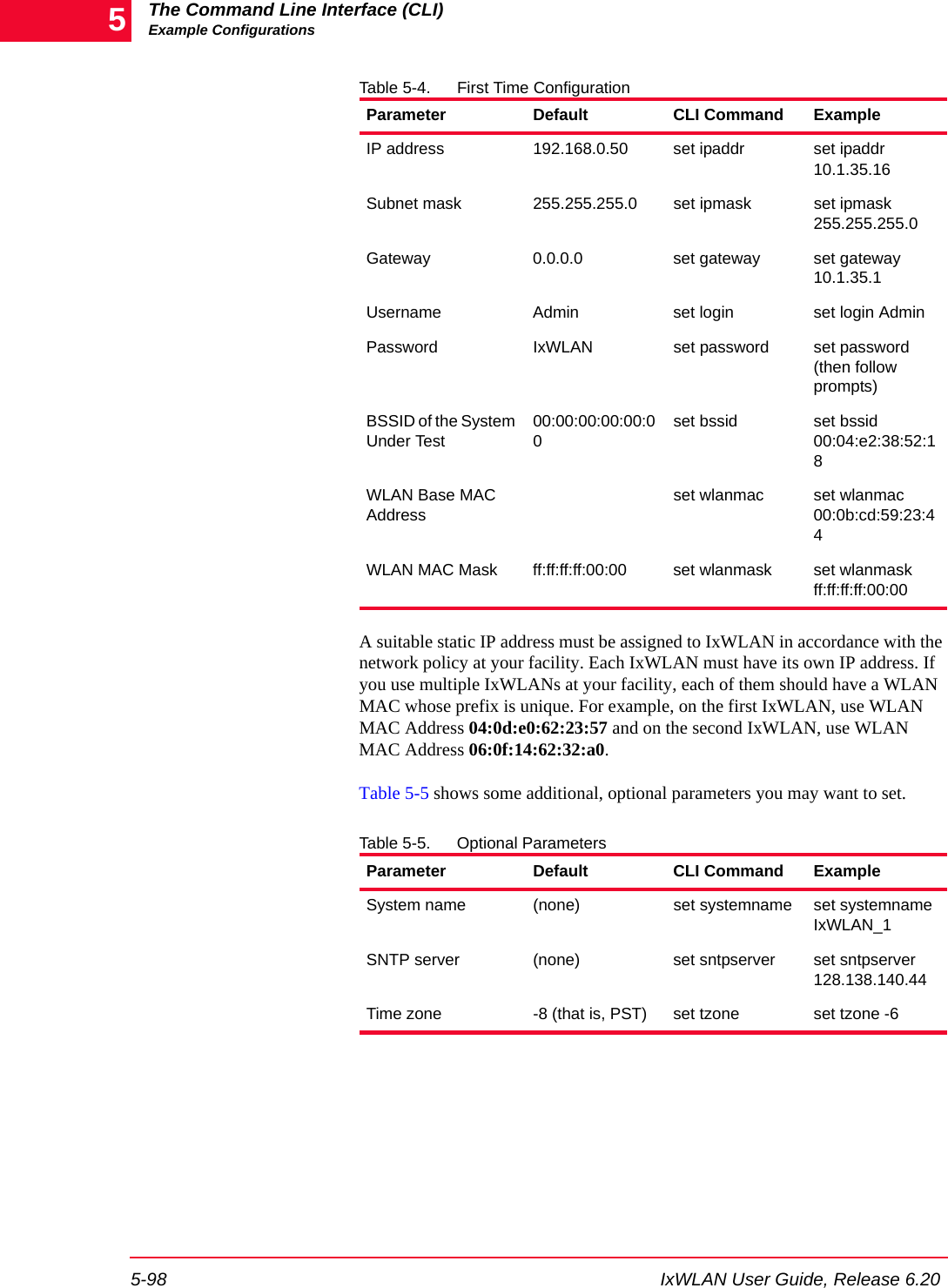
![IxWLAN User Guide, Release 6.20 5-99The Command Line Interface (CLI)Example ConfigurationsExample Security ConfigurationsThese example configurations show how to configure a virtual station to use one of the following authentication methods:•Shared-Key•WPA-PSK •WPA/EAP-TLS•RSN-PSK•RSN/EAP-TTLS•RSN/EAP-PEAPExample Shared-Key Authentication ConfigurationStep 1: Configure the virtual station.[wport1]IxWLAN -> conf 1 10.1.40.18 04:cf:1f:00:00:01 internal ping 10.1.40.16 10 1000000 1024[wport1]IxWLAN -> OK[wport1]IxWLAN -> Step 2: Turn on data encryption for the specified virtual station.[wport1]IxWLAN -> set vsta 1 encryption on[wport1]IxWLAN -> OK[wport1]IxWLAN -> Step 3: Set the shared key to 40 bit with the following key.[wport1]IxWLAN -> set key 1 40 1234567890Shared Key 1, size 40: 1234567890[wport1]IxWLAN -> Step 4: Set a virtual station to the shared-key index (1-4) to be used.[wport1]IxWLAN -> set vsta 1 keyindex 1[wport1]IxWLAN -> OK[wport1]IxWLAN -> Step 5: Use the following command to turn on authentication using shared keys.[wport1]IxWLAN -> set vsta 1 authentication shared-key[wport1]IxWLAN -> OK[wport1]IxWLAN ->](https://usermanual.wiki/Ixia/EE11ABG5.User-Manual-Part-Two/User-Guide-885831-Page-77.png)
![The Command Line Interface (CLI)Example Configurations5-100 IxWLAN User Guide, Release 6.205Step 6: (Optional) Display the virtual station's configuration to verify that all parameters are correctly set.[wport1]IxWLAN -> get vsta 1vSTA Configuration: ID ........................ 1 Group ID .................. 1 IP Address ................ 10.1.40.18 DHCP ................... Off MAC Address ............... 04:cf:1f:00:00:01 Connection Mode ........... persistent Auth/Assoc Retry .......... 2 Authentication Timeout .... 300 mSec Association Timeout ....... 300 mSec Authentication ............ shared-key Pre-Shared Key............. Not set Passphrase................. Not set EAP Algorithm.............. tls Inner Auth Algorithm ...... MS-CHAPv2 Certfile................... Not set User ID.................... Not set Password .................. Not set Outer ID .................. Not set AKMP Timeout .............. 0 Seconds Cipher .................... WEP(RC4) Data Encryption ........... On Shared-key Index .......... 1 Fragmentation Threshold ... 2346 RTS Threshold ............. 2346 Mode ...................... internal Layer .................. 3 Load Application .......... ping Target IP Address ......... 10.1.40.16 Ping Transmit Count ....... 1000 Ping Data Size ............ 1024[wport1]IxWLAN ->Example WPA-PSK Authentication ConfigurationIn this example configuration, the following parameters are used to configure a vSTA for WPA Pre-Shared Key authentication: •authentication: wpa-psk•cipher: tkip•encryption: on•psk (or passphrase): is set to the shared secretStep 1: Configure the virtual station.[wport1]IxWLAN -> conf 1 10.1.40.18 04:cf:1f:00:00:01 internal ping 10.1.40.16 10 1000000 1024[wport1]IxWLAN -> OK[wport1]IxWLAN ->](https://usermanual.wiki/Ixia/EE11ABG5.User-Manual-Part-Two/User-Guide-885831-Page-78.png)
![IxWLAN User Guide, Release 6.20 5-101The Command Line Interface (CLI)Example ConfigurationsStep 2: Turn on authentication using wpa-psk.[wport1]IxWLAN -> set vsta 1 authentication wpa-psk[wport1]IxWLAN -> OKStep 3: Set the cipher mode to tkip.[wport1]IxWLAN -> set vsta 1 cipher tkip[wport1]IxWLAN -> OKStep 4: Turn on data encryption for the specified virtual station.[wport1]IxWLAN -> set vsta 1 encryption on[wport1]IxWLAN -> OKStep 5: Set the shared secret passphrase.[wport1]IxWLAN -> set vsta 1 passphrase "hello, world"[wport1]IxWLAN -> OKStep 6: (Optional) Display the virtual station's configuration to verify that all parameters are correctly set.[wport1]IxWLAN -> get vsta 1vSTA Configuration: ID ........................ 1 Group ID .................. 1 IP Address ................ 10.1.40.18 DHCP ................... Off MAC Address ............... 04:cf:1f:00:00:01 Connection Mode ........... persistent Auth/Assoc Retry .......... 2 Authentication Timeout .... 300 mSec Association Timeout ....... 300 mSec Authentication ............ wpa-psk Pre-Shared Key ............ ec321676243351a9443b7712d9d8dc1b9dc51761cebdb0439c812d7759b643cb Passphrase ................ "hello, world" EAP Algorithm.............. tls Inner Auth Algorithm ...... MS-CHAPv2 Certfile................... Not set User ID.................... Not set Password .................. Not set Outer ID .................. Not set AKMP Timeout .............. 0 Seconds Cipher .................... TKIP Data Encryption ........... On Shared-key Index .......... 1 Fragmentation Threshold ... 2346](https://usermanual.wiki/Ixia/EE11ABG5.User-Manual-Part-Two/User-Guide-885831-Page-79.png)
![The Command Line Interface (CLI)Example Configurations5-102 IxWLAN User Guide, Release 6.205 RTS Threshold ............. 2346 Mode ...................... internal Layer .................. 3 Load Application .......... ping Target IP Address ......... 10.1.40.16 Ping Transmit Count ....... 1000 Ping Data Size ............ 1024[wport1]IxWLAN ->Example WPA/EAP-TLS Authentication ConfigurationIn this example configuration, the following parameters are used to configure a vSTA for WPA/EAP-TLS authentication: •authentication: wpa•cipher: tkip•encryption: on•eapalgorithm: tls•certfile: an imported certfile found in the IxWLAN Flash file system in the /Certificates directory.•userid: the userid associated with the certfileStep 1: Configure the virtual station.[wport1]IxWLAN -> conf 1 10.1.40.18 04:cf:1f:00:00:01 internal ping 10.1.40.16 10 1000000 1024[wport1]IxWLAN -> OK[wport1]IxWLAN ->Step 2: Turn on authentication using wpa.[wport1]IxWLAN -> set vsta 1 authentication wpa[wport1]IxWLAN -> OKStep 3: Set the cipher mode to tkip.[wport1]IxWLAN -> set vsta 1 cipher tkip[wport1]IxWLAN -> OKStep 4: Turn on data encryption for the specified virtual station.NOTE: The parameters needed to configure WPA-PSK can be set individually as shown in this example or all at once, using the autoconf command. If the vSTA authentication is wpa-psk, the vSTA tries WPA Pre-Shared Key authentication and succeeds or fails based on the values of the other attributes.](https://usermanual.wiki/Ixia/EE11ABG5.User-Manual-Part-Two/User-Guide-885831-Page-80.png)
![IxWLAN User Guide, Release 6.20 5-103The Command Line Interface (CLI)Example Configurations[wport1]IxWLAN -> set vsta 1 encryption on[wport1]IxWLAN -> OKStep 5: Select the EAP algorithm.[wport1]IxWLAN -> set vsta 1 eapalgorithm tls[wport1]IxWLAN -> OKStep 6: Set the certificate file.[wport1]IxWLAN -> set vsta 1 certfile MyCert.pfx[wport1]IxWLAN -> OKStep 7: Set the user ID.[wport1]IxWLAN -> set vsta 1 userid MyUser[wport1]IxWLAN -> OKStep 8: (Optional) Display the virtual station's configuration to verify that all parameters are correctly set.[wport1]IxWLAN -> get vsta 1vSTA Configuration: ID ........................ 1 Group ID .................. 1 IP Address ................ 10.1.40.18 DHCP ................... Off MAC Address ............... 04:cf:1f:00:00:01 Connection Mode ........... persistent Auth/Assoc Retry .......... 2 Authentication Timeout .... 300 mSec Association Timeout ....... 300 mSec Authentication ............ wpa Pre-Shared Key ............ Not set Passphrase ................ Not set EAP Algorithm.............. tls Inner Auth Algorithm ...... MS-CHAPv2 Certfile .................. MyCert.pfx User ID ................... MyUser Password .................. Not set Outer ID .................. Not set AKMP Timeout .............. 0 Seconds Cipher .................... TKIP Data Encryption ........... On Shared-key Index .......... 1 Fragmentation Threshold ... 2346 RTS Threshold ............. 2346 Mode ...................... internal Layer .................. 3 Load Application .......... ping](https://usermanual.wiki/Ixia/EE11ABG5.User-Manual-Part-Two/User-Guide-885831-Page-81.png)
![The Command Line Interface (CLI)Example Configurations5-104 IxWLAN User Guide, Release 6.205 Target IP Address ......... 10.1.40.16 Ping Transmit Count ....... 1000 Ping Data Size ............ 1024[wport1]IxWLAN ->Example RSN-PSK Authentication ConfigurationIn this example configuration, the following parameters are used to configure a vSTA for RSN Pre-Shared Key authentication:•authentication: rsn-psk•cipher: aes-ccm•encryption: on•psk (or passphrase): is set to the shared secretStep 1: Configure the virtual station.[wport1]IxWLAN -> conf 1 10.1.40.18 04:cf:1f:00:00:01 internal ping 10.1.40.16 10 1000000 1024[wport1]IxWLAN -> OK[wport1]IxWLAN ->Step 2: Turn on authentication using rsn-psk.[wport1]IxWLAN -> set vsta 1 authentication rsn-psk[wport1]IxWLAN -> OKStep 3: Set the cipher mode to aes-ccm.[wport1]IxWLAN -> set vsta 1 cipher aes-ccm[wport1]IxWLAN -> OKStep 4: Turn on data encryption for the specified virtual station.[wport1]IxWLAN -> set vsta 1 encryption on[wport1]IxWLAN -> OKStep 5: Set the shared secret passphrase.[wport1]IxWLAN -> set vsta 1 passphrase "hello, world"[wport1]IxWLAN -> OKNOTE: The parameters needed to configure WPA can be set individually as shown in this example or all at once, using the autoconf command. If the vSTA authentication is wpa, the vSTA tries WPA authentication using EAP-TLS and succeeds or fails based on the values of the other attributes.](https://usermanual.wiki/Ixia/EE11ABG5.User-Manual-Part-Two/User-Guide-885831-Page-82.png)
![IxWLAN User Guide, Release 6.20 5-105The Command Line Interface (CLI)Example ConfigurationsStep 6: (Optional) Show the virtual station's configuration to verify that all parameters are correctly set.[wport1]IxWLAN -> get vsta 1vSTA Configuration: ID ........................ 1 Group ID .................. 1 IP Address ................ 10.1.40.18 DHCP ................... Off MAC Address ............... 04:cf:1f:00:00:01 Connection Mode ........... persistent Auth/Assoc Retry .......... 2 Authentication Timeout .... 300 mSec Association Timeout ....... 300 mSec Authentication ............ rsn-psk Pre-Shared Key ............ ec321676243351a9443b7712d9d8dc1b9dc51761cebdb0439c812d7759b643cb Passphrase ................ "hello, world" EAP Algorithm.............. tls Inner Auth Algorithm ...... MS-CHAPv2 Certfile................... Not set User ID.................... Not set Password .................. Not set Outer ID .................. Not set AKMP Timeout .............. 0 Seconds Cipher .................... aes-ccm Data Encryption ........... On Shared-key Index .......... 1 Fragmentation Threshold ... 2346 RTS Threshold ............. 2346 Mode ...................... internal Layer .................. 3 Load Application .......... ping Target IP Address ......... 10.1.40.16 Ping Transmit Count ....... 1000 Ping Data Size ............ 1024[wport1]IxWLAN ->NOTE: The parameters needed to configure RSN-PSK can be set individually as shown in this example or all at once, using the autoconf command. If the vSTA authentication is rsn-psk, the vSTA tries RSN Pre-Shared Key authentication and succeeds or fails based on the values of the other attributes.](https://usermanual.wiki/Ixia/EE11ABG5.User-Manual-Part-Two/User-Guide-885831-Page-83.png)
![The Command Line Interface (CLI)Example Configurations5-106 IxWLAN User Guide, Release 6.205Example RSN/EAP-TTLS Authentication ConfigurationIn this example configuration, the following parameters are used to configure a vSTA for RSN/EAP-TTLS authentication: •authentication: rsn•cipher: aes-ccm•encryption: on•eapalgorithm: ttls•certfile: an imported certfile found in the IxWLAN Flash file system in the /Certificates directory.•userid: the userid associated with the certfile•inneralgorithm: ms-chapv2 to use in Phase 2 authentication•outeridentity: the user identity to use in Phase 1 authentication•password: the password to use in Phase 2 authenticationStep 1: Configure the virtual station.[wport1]IxWLAN -> conf 1 10.1.40.18 04:cf:1f:00:00:01 internal ping 10.1.40.16 10 1000000 1024[wport1]IxWLAN -> OK[wport1]IxWLAN ->Step 2: Turn on authentication using rsn.[wport1]IxWLAN -> set vsta 1 authentication rsn[wport1]IxWLAN -> OKStep 3: Set the cipher mode to aes-ccm.[wport1]IxWLAN -> set vsta 1 cipher aes-ccm[wport1]IxWLAN -> OKStep 4: Turn on data encryption for the specified virtual station.[wport1]IxWLAN -> set vsta 1 encryption on[wport1]IxWLAN -> OKStep 5: Select the EAP algorithm.[wport1]IxWLAN -> set vsta 1 eapalgorithm ttls[wport1]IxWLAN -> OK](https://usermanual.wiki/Ixia/EE11ABG5.User-Manual-Part-Two/User-Guide-885831-Page-84.png)
![IxWLAN User Guide, Release 6.20 5-107The Command Line Interface (CLI)Example ConfigurationsStep 6: Select the inner algorithm.[wport1]IxWLAN -> set vsta 2 inneralgorithm ms_chapv2[wport1]IxWLAN -> OKStep 7: Set the outer identity.[wport1]IxWLAN -> set vsta 1 outeridentity MyOuterId[wport1]IxWLAN -> OKStep 8: Set the password.[wport1]IxWLAN -> set vsta 1 password MyPass[wport1]IxWLAN -> OKStep 9: Set the certificate file.[wport1]IxWLAN -> set vsta 1 certfile MyCert.pfx[wport1]IxWLAN -> OKStep 10: Set the user ID.[wport1]IxWLAN -> set vsta 1 userid MyUser[wport1]IxWLAN -> OKStep 11: (Optional) Show the virtual station's configuration to verify that all parameters are correctly set.[wport1]IxWLAN -> get vsta 1vSTA Configuration: ID ........................ 1 Group ID .................. 1 IP Address ................ 10.1.40.18 DHCP ................... Off MAC Address ............... 04:cf:1f:00:00:01 Connection Mode ........... persistent Auth/Assoc Retry .......... 2 Authentication Timeout .... 300 mSec Association Timeout ....... 300 mSec Authentication ............ rsn Pre-Shared Key ............ Not set Passphrase ................ Not set EAP Algorithm.............. ttls Inner Auth Algorithm ...... MS-CHAPv2 Certfile .................. MyCert.pfx User ID ................... MyUser Password .................. MyPass Outer ID .................. MyOuterId](https://usermanual.wiki/Ixia/EE11ABG5.User-Manual-Part-Two/User-Guide-885831-Page-85.png)
![The Command Line Interface (CLI)Example Configurations5-108 IxWLAN User Guide, Release 6.205 AKMP Timeout .............. 0 Seconds Cipher .................... aes-ccm Data Encryption ........... On Shared-key Index .......... 1 Fragmentation Threshold ... 2346 RTS Threshold ............. 2346 Mode ...................... internal Layer .................. 3 Load Application .......... ping Target IP Address ......... 10.1.40.16 Ping Transmit Count ....... 1000 Ping Data Size ............ 1024[wport1]IxWLAN ->Example RSN/EAP-PEAP Authentication ConfigurationIn this example configuration, the following parameters are used to configure a vSTA for RSN/EAP-PEAP authentication: •authentication: rsn•cipher: aes-ccm•encryption: on•eapalgorithm: peap•certfile: an imported certfile found in the IxWLAN Flash file system in the /Certificates directory.•userid: the userid associated with the certfile, if used.•fastreconnect: enabled•inneralgorithm: eap-ms-chapv2 to be used in Phase 2 authentication•outeridentity: the user identity to be used in Phase 1 authentication•password: the password to be used in Phase 2 authenticationStep 1: Configure the virtual station.[wport1]IxWLAN -> conf 1 10.1.40.18 04:cf:1f:00:00:01 internal ping 10.1.40.16 10 1000000 1024[wport1]IxWLAN -> OK[wport1]IxWLAN ->NOTE: The parameters needed to configure RSN can be set individually as shown in this example or all at once, using the autoconf command. If the vSTA authentication is rsn, the vSTA tries RSN authentication using EAP-TTLS and succeeds or fails based on the values of the other attributes.](https://usermanual.wiki/Ixia/EE11ABG5.User-Manual-Part-Two/User-Guide-885831-Page-86.png)
![IxWLAN User Guide, Release 6.20 5-109The Command Line Interface (CLI)Example ConfigurationsStep 2: Turn on authentication using rsn.[wport1]IxWLAN -> set vsta 1 authentication rsn[wport1]IxWLAN -> OKStep 3: Set the cipher mode to aes-ccm.[wport1]IxWLAN -> set vsta 1 cipher aes-ccm[wport1]IxWLAN -> OKStep 4: Turn on data encryption for the specified virtual station.[wport1]IxWLAN -> set vsta 1 encryption on[wport1]IxWLAN -> OKStep 5: Select the EAP algorithm.[wport1]IxWLAN -> set vsta 1 eapalgorithm peap[wport1]IxWLAN -> OKStep 6: Select the inner algorithm.[wport1]IxWLAN -> set vsta 1 inneralgorithm eap-ms-chapv2[wport1]IxWLAN -> OKStep 7: Set the outer identity.[wport1]IxWLAN -> set vsta 1 outeridentity MyOuterId[wport1]IxWLAN -> OKStep 8: Set the password.[wport1]IxWLAN -> set vsta 1 password MyPass[wport1]IxWLAN -> OKStep 9: Set the certificate file.[wport1]IxWLAN -> set vsta 1 certfile MyCert.pfx[wport1]IxWLAN -> OK](https://usermanual.wiki/Ixia/EE11ABG5.User-Manual-Part-Two/User-Guide-885831-Page-87.png)
![The Command Line Interface (CLI)Example Configurations5-110 IxWLAN User Guide, Release 6.205Step 10: Set the user ID.[wport1]IxWLAN -> set vsta 1 userid MyUser[wport1]IxWLAN -> OKStep 11: Set the use of cached peap.[wport1]IxWLAN -> set vsta 1 fastreconnect enabled[wport1]IxWLAN -> OKStep 12: (Optional) Show the virtual station's configuration to verify that all parameters are correctly set.[wport1]IxWLAN -> get vsta 1vSTA Configuration: ID ........................ 1 Group ID .................. 1 IP Address ................ 10.1.40.18 DHCP ................... Off MAC Address ............... 04:cf:1f:00:00:01 Connection Mode ........... persistent Auth/Assoc Retry .......... 2 Authentication Timeout .... 300 mSec Association Timeout ....... 300 mSec Authentication ............ rsn Pre-Shared Key ............ Not set Passphrase ................ Not set EAP Algorithm.............. peap Inner Auth Algorithm ...... EAP-MS-CHAPv2 Certfile .................. MyCert.pfx Fastreconnect ............ Enabled User ID ................... MyUser Password .................. MyPass Outer ID .................. MyOuterId AKMP Timeout .............. 0 Seconds Cipher .................... aes-ccm Data Encryption ........... On Shared-key Index .......... 1 Fragmentation Threshold ... 2346 RTS Threshold ............. 2346 Mode ...................... internal Layer .................. 3 Load Application .......... ping Target IP Address ......... 10.1.40.16 Ping Transmit Count ....... 1000 Ping Data Size ............ 1024[wport1]IxWLAN ->NOTE: The parameters needed to configure RSN can be set individually as shown in this example or all at once, using the autoconf command. If the vSTA authentication is rsn, the vSTA tries RSN authentication using EAP-PEAP and succeeds or fails based on the values of the other attributes.](https://usermanual.wiki/Ixia/EE11ABG5.User-Manual-Part-Two/User-Guide-885831-Page-88.png)
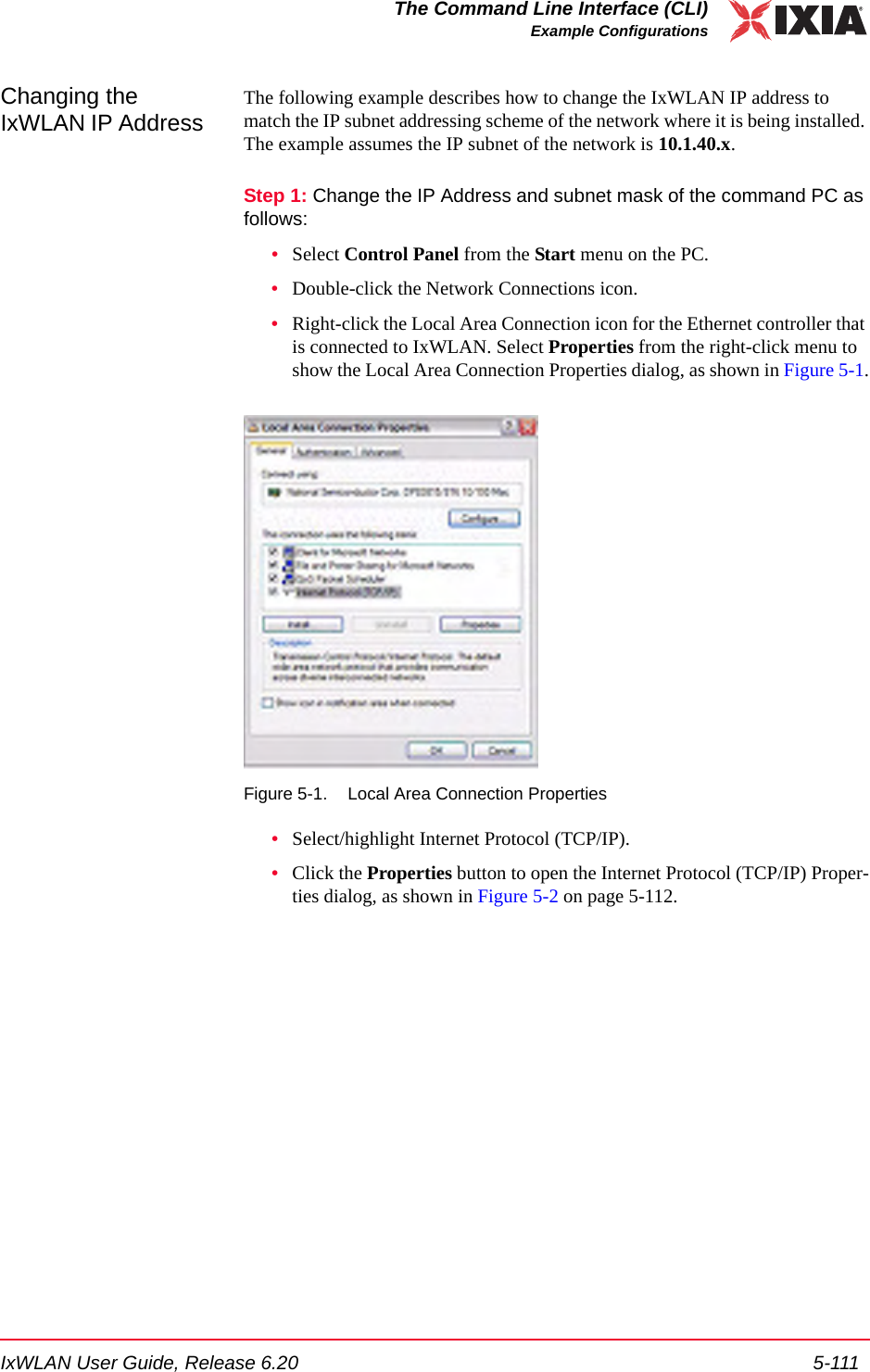
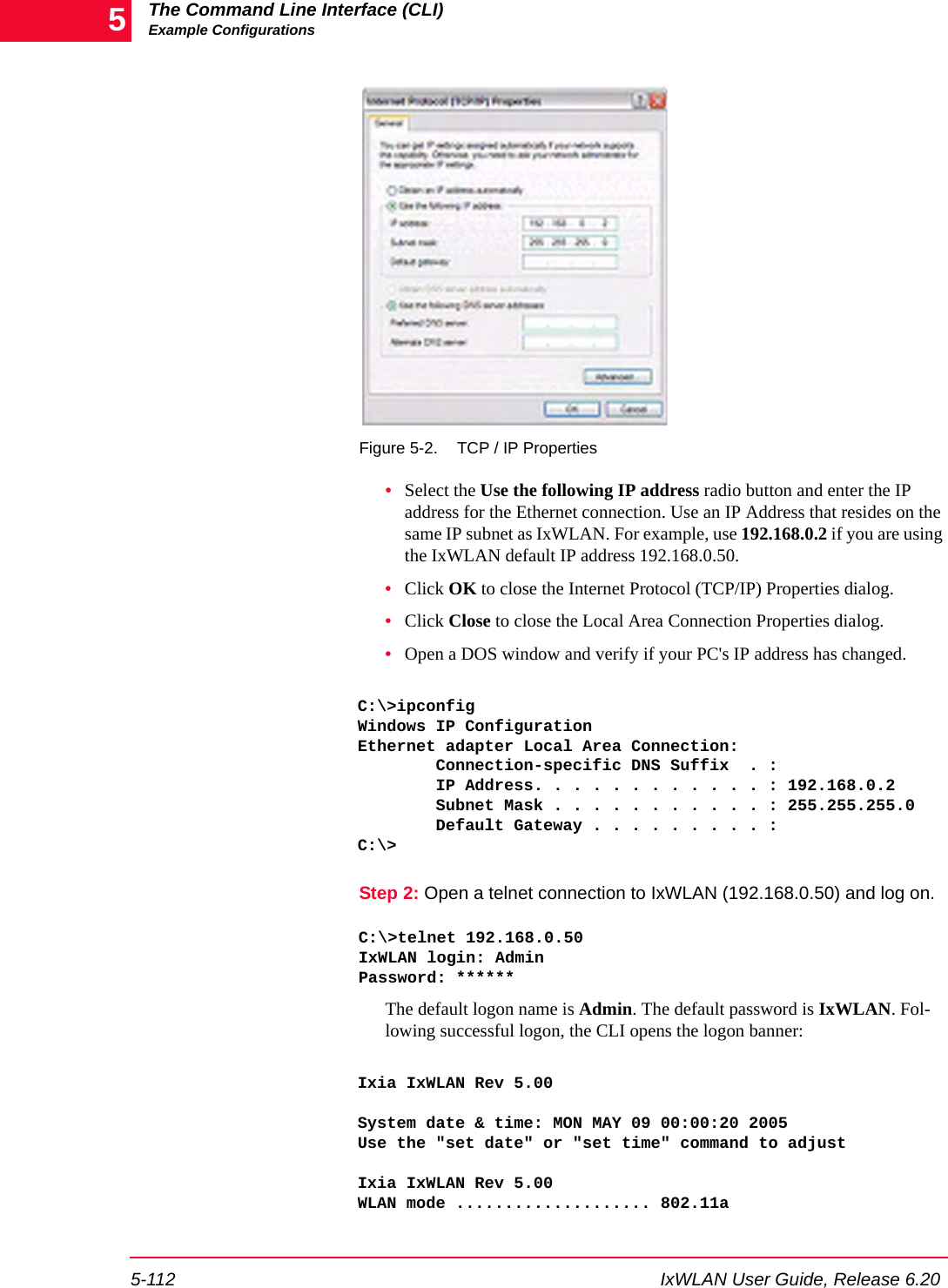
![IxWLAN User Guide, Release 6.20 5-113The Command Line Interface (CLI)Example ConfigurationsWLAN MAC address ............. 00:02:8a:b6:1e:c9WLAN address mask ............ ff:ff:ff:ff:00:00LAN MAC address .............. 00:0b:16:00:00:57BSSID of System Under Test ... 00:04:e2:38:a7:9cIxWLAN-SUT connection status ..... SUT not detected in most recent scanPower Management mode ........ Active (always awake)MIC Check .................... EnabledCrypto Hardware............... OK0 vSTAs now in the system.[wport1]IxWLAN -> Step 3: Change the IxWLAN IP address.[wport1]IxWLAN -> set ipaddr 10.1.40.17IP Address: 10.1.40.17[wport1]IxWLAN ->Step 4: Reboot.[wport1]IxWLAN -> rebootRebooting IxWLAN...Step 5: Repeat Step 1, but change the IP address of the command PC to your desired subnet (for example, 10.1.40.15).Step 6: Re-establish the telnet connection and log back on to IxWLAN.C:\>telnet 10.1.40.17IxWLAN login: AdminPassword: **Ixia IxWLAN Rev 5.00System date & time: MON MAY 09 00:00:20 2005Use the "set date" or "set time" command to adjustIxia IxWLAN Rev 5.00WLAN mode .................... 802.11aWLAN MAC address ............. 00:02:8a:b6:1e:c9WLAN address mask ............ ff:ff:ff:ff:00:00LAN MAC address .............. 00:0b:16:00:00:57BSSID of System Under Test ... 00:04:e2:38:a7:9cIxWLAN-SUT connection status ..... SUT not detected in most recent scanPower Management mode ........ Active (always awake)MIC Check .................... EnabledCrypto Hardware............... OK0 vSTAs now in the system.[wport1]IxWLAN ->](https://usermanual.wiki/Ixia/EE11ABG5.User-Manual-Part-Two/User-Guide-885831-Page-91.png)

![Statistics CountersIndividual Virtual Station Counters7-2 IxWLAN User Guide, Release 6.207Individual Virtual Station DHCP StatisticsExample:[wport2]IxWLAN -> get vsta 1 dhcpinfo** vSTA 1 DHCP Lease Information **State ............ NULLLast XID ......... 0x00000000Try limit ........ 0Current try ...... 0Offer limit ...... 0Current offer .... 0Try interval ..... 0 (Secs)Current timer .... 0 (Secs)Pkts xmtd ok ..... 0 DISCOVERs ...... 0 REQUESTs ....... 0 RENEWALs ...... 0 REBINDs ........ 0 RELEASEs ....... 0 DECLINEs ....... 0Pkts xmtd err .... 0Pkts rcvd ok ..... 0 OFFERs ......... 0 ACKs ........... 0 NAKs ........... 0Pkts rcvd err .... 0 state err ...... 0 xid err ........ 0Requested lease .. 0Lease duration ... 0Expiration ticks . 0Renewal ticks .... 0Rebind ticks ..... 0Leased Address ... 0.0.0.0DHCP Server ...... 0.0.0.0Relay ............ 0.0.0.0Server/relay MAC . 00:00:00:00:00:00[wport2]IxWLAN ->](https://usermanual.wiki/Ixia/EE11ABG5.User-Manual-Part-Two/User-Guide-885831-Page-100.png)
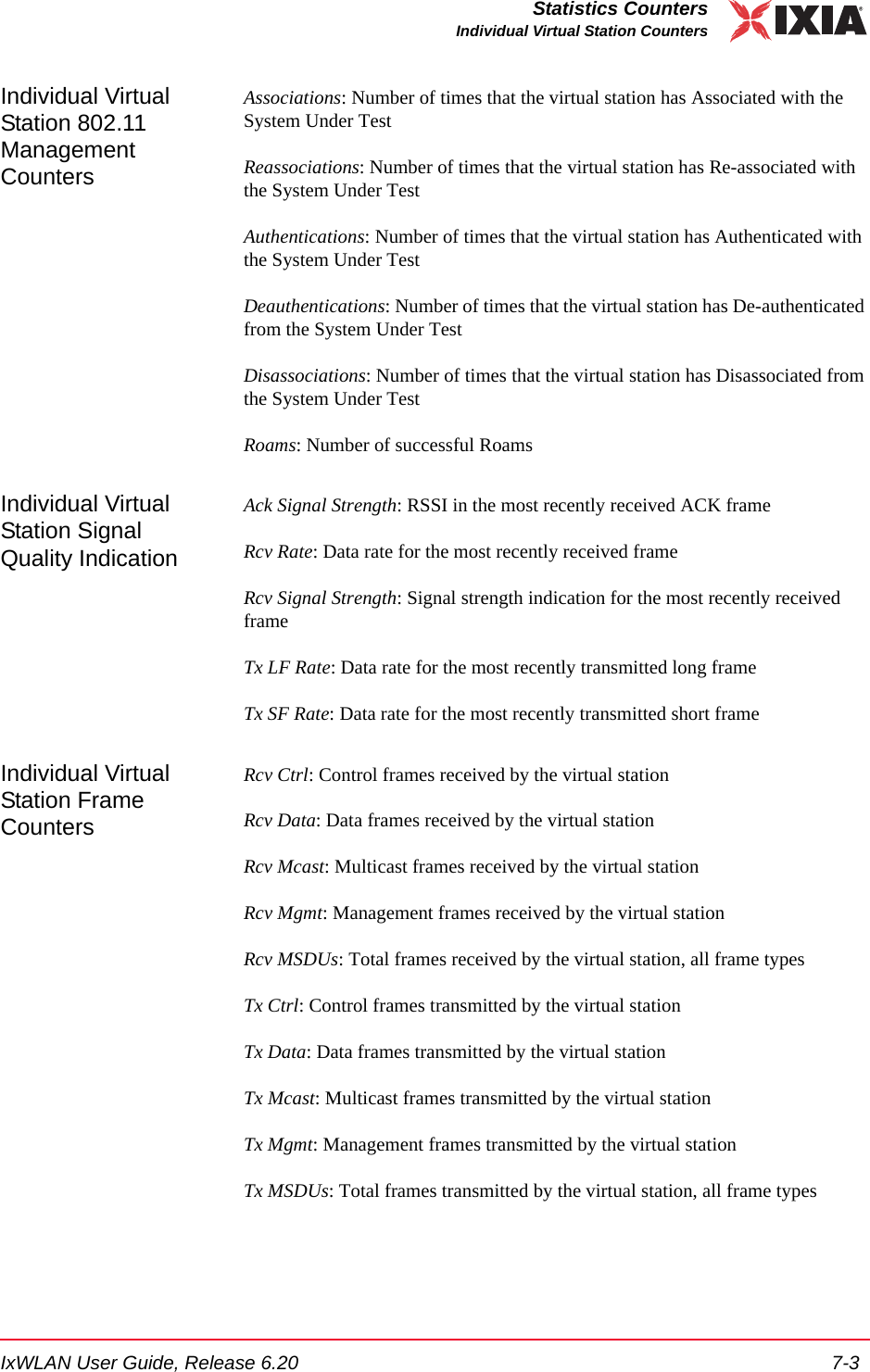
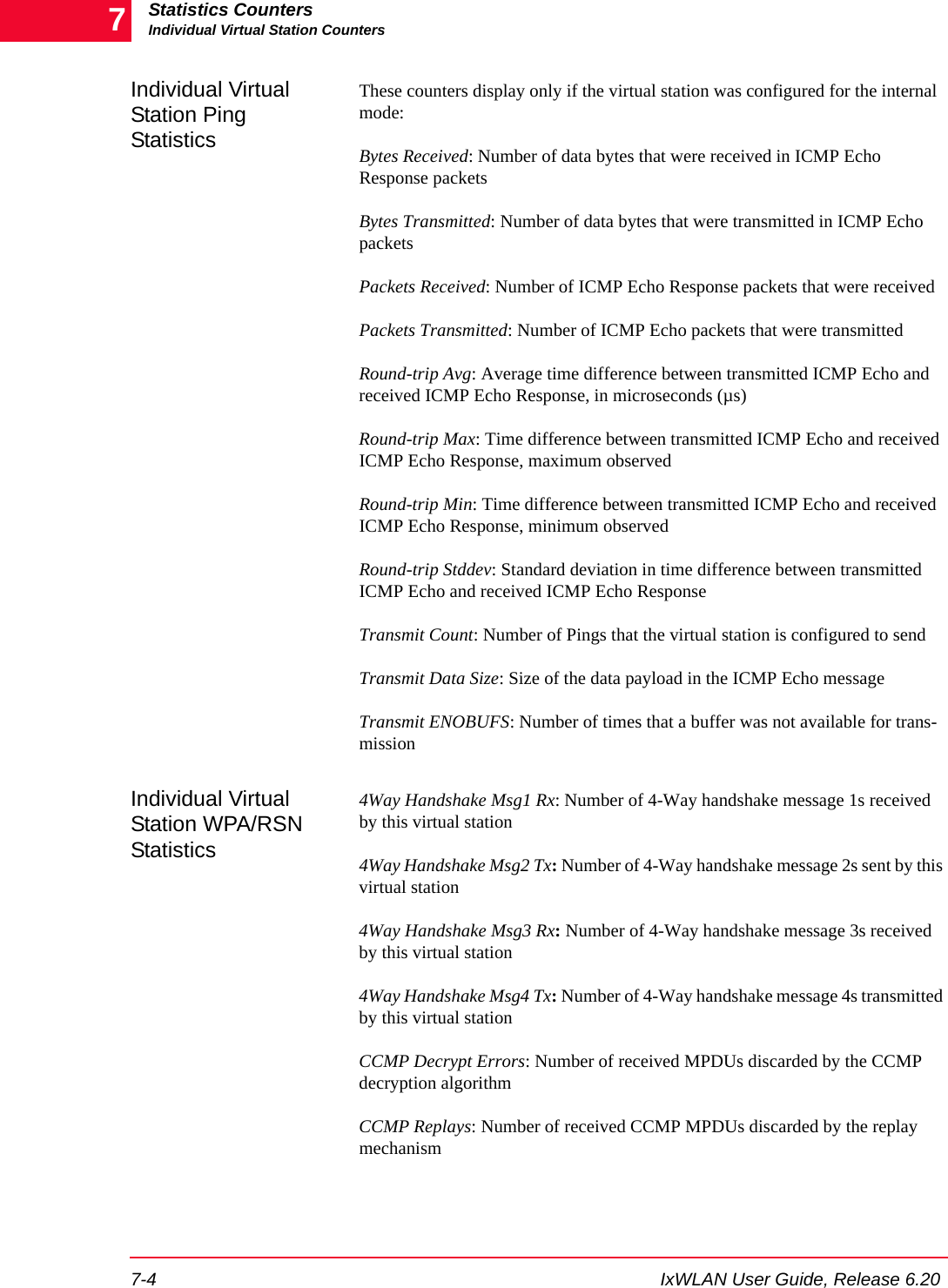
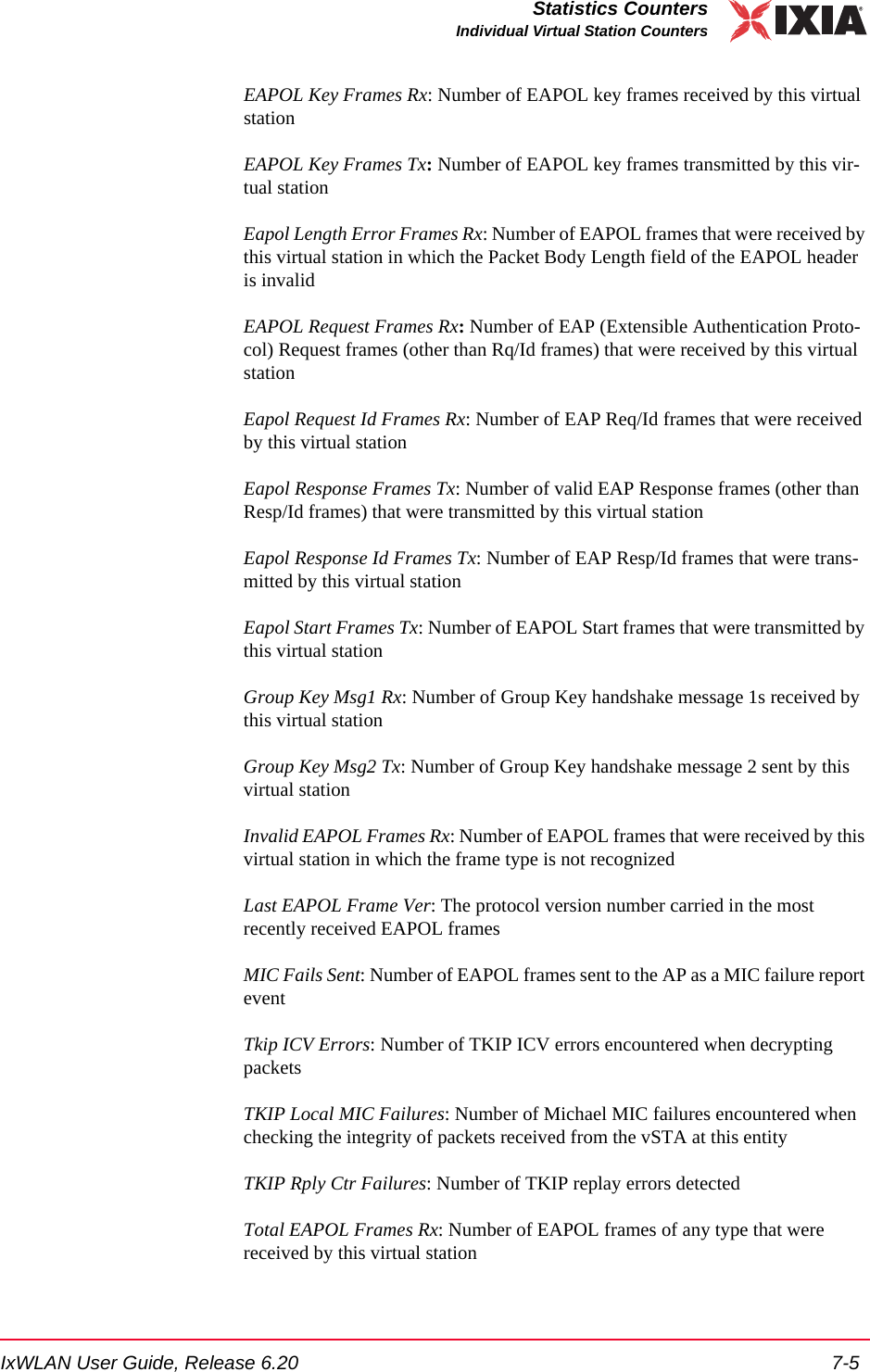
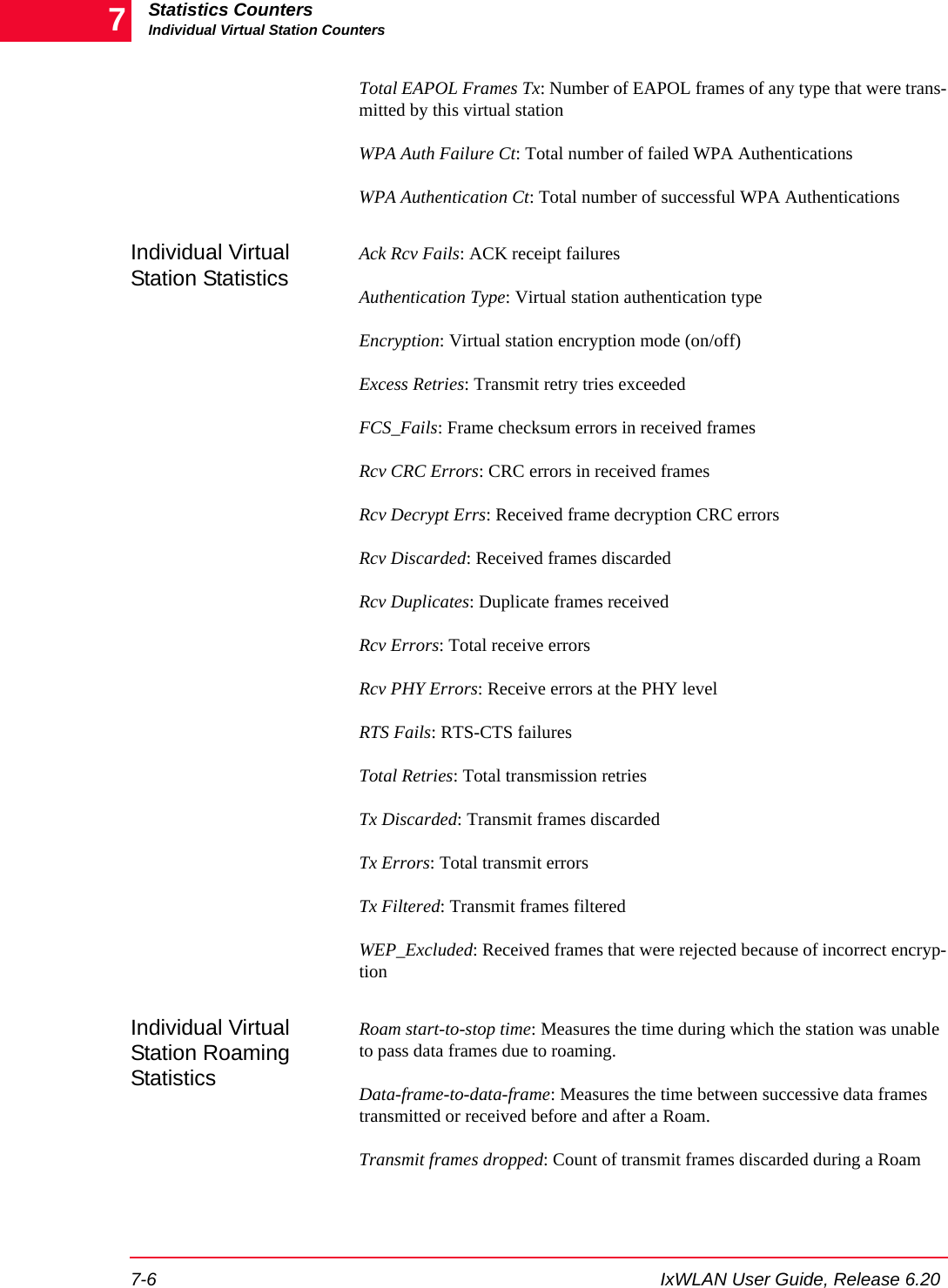
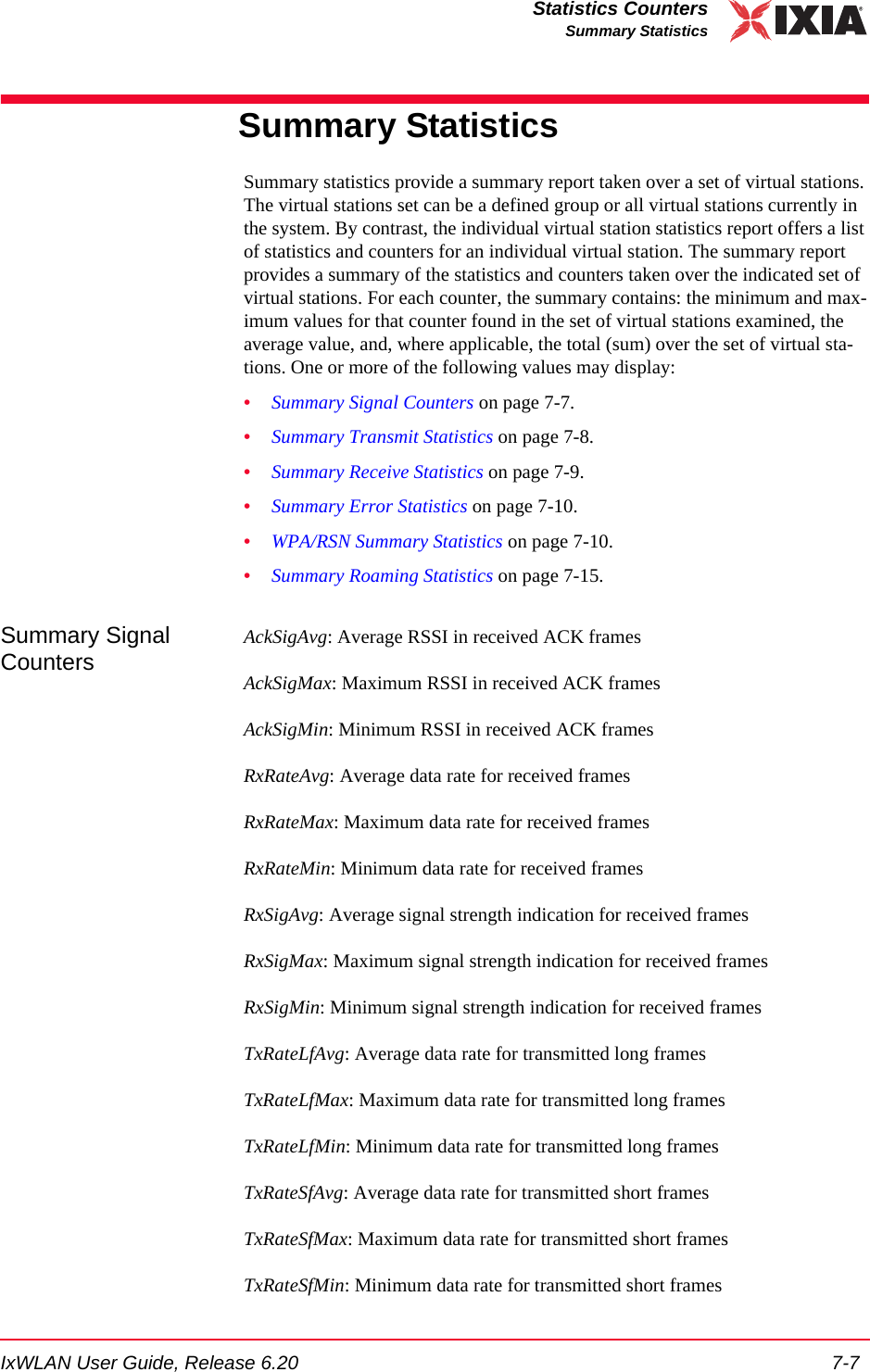

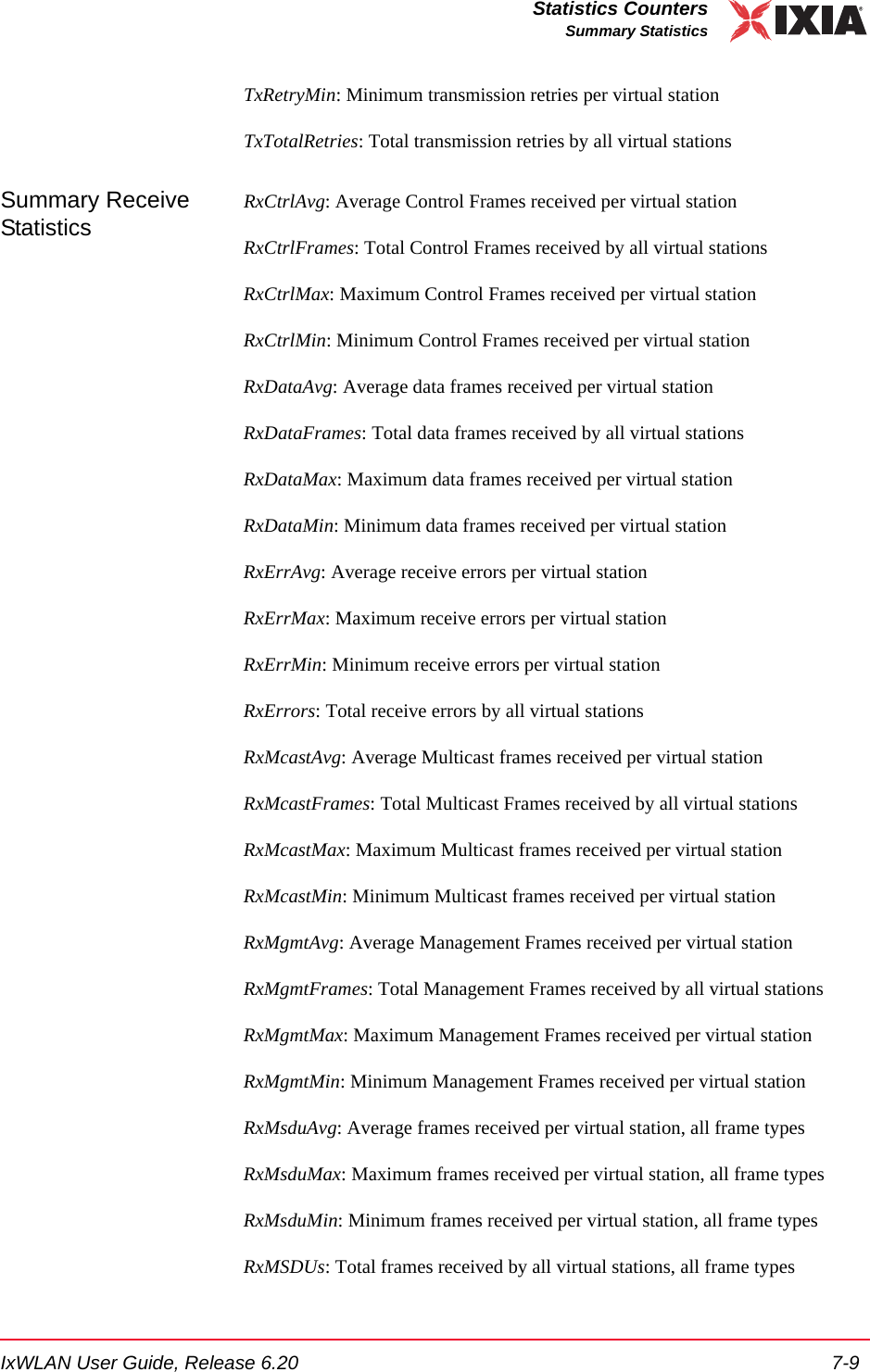
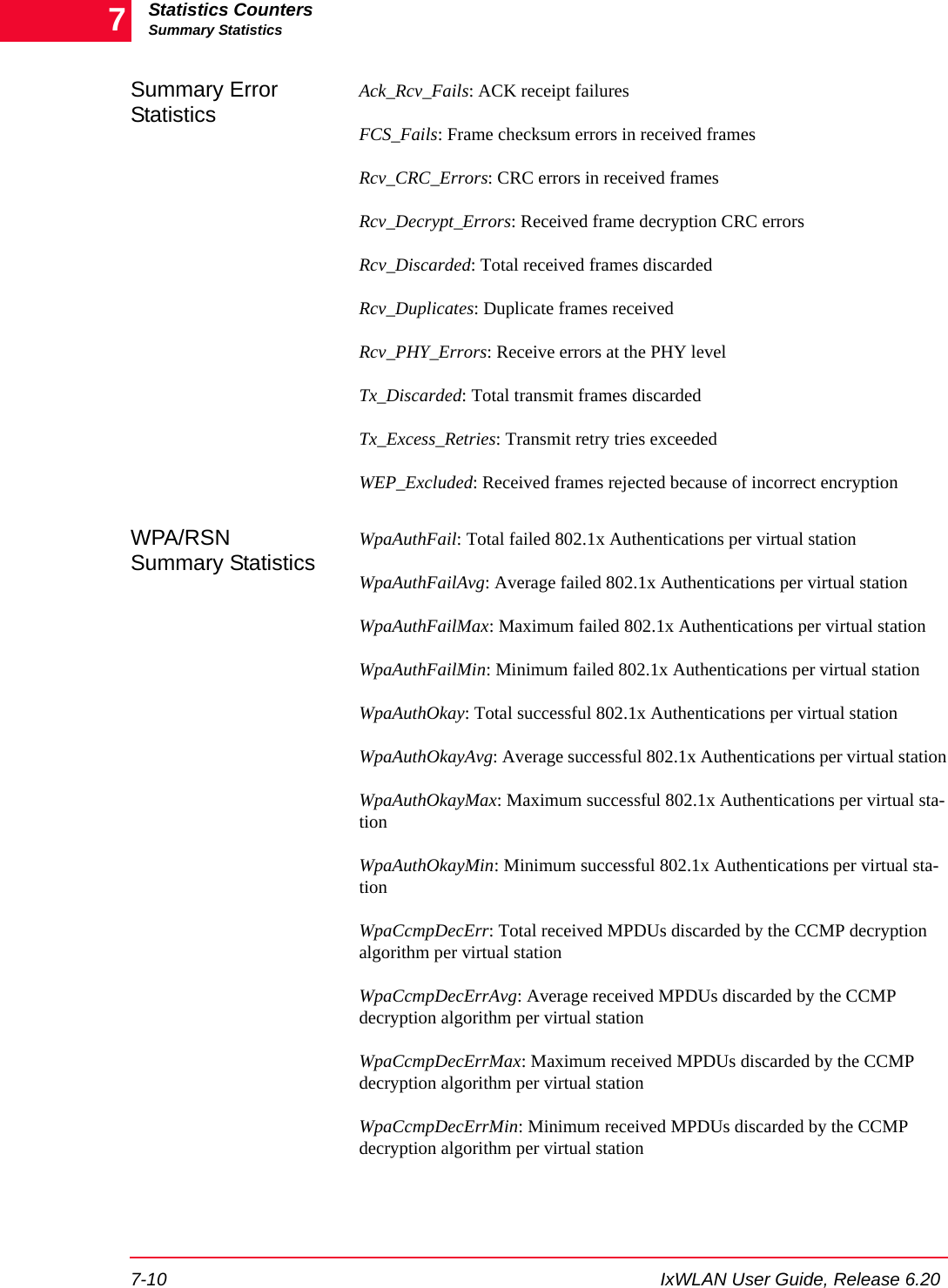
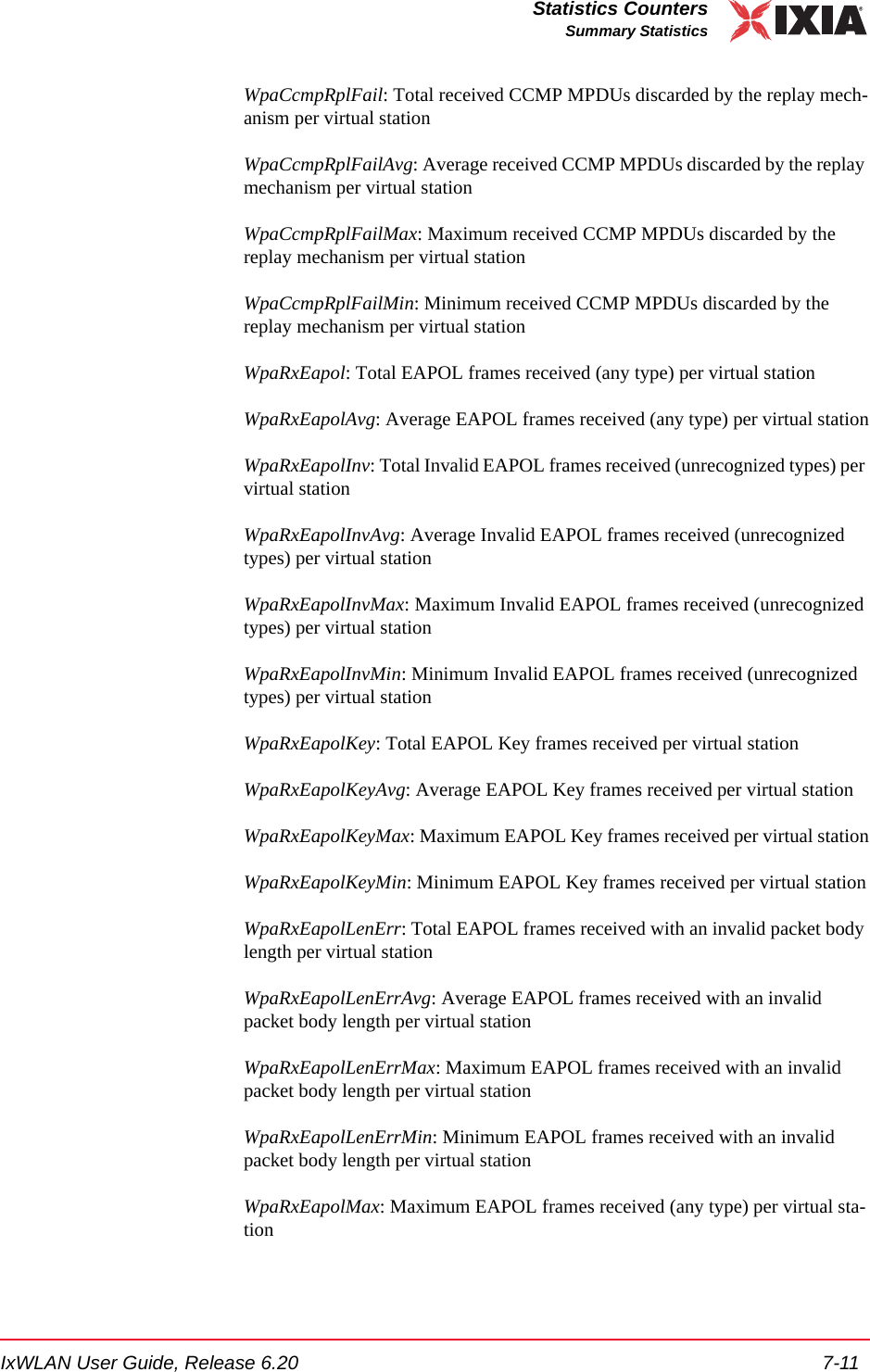
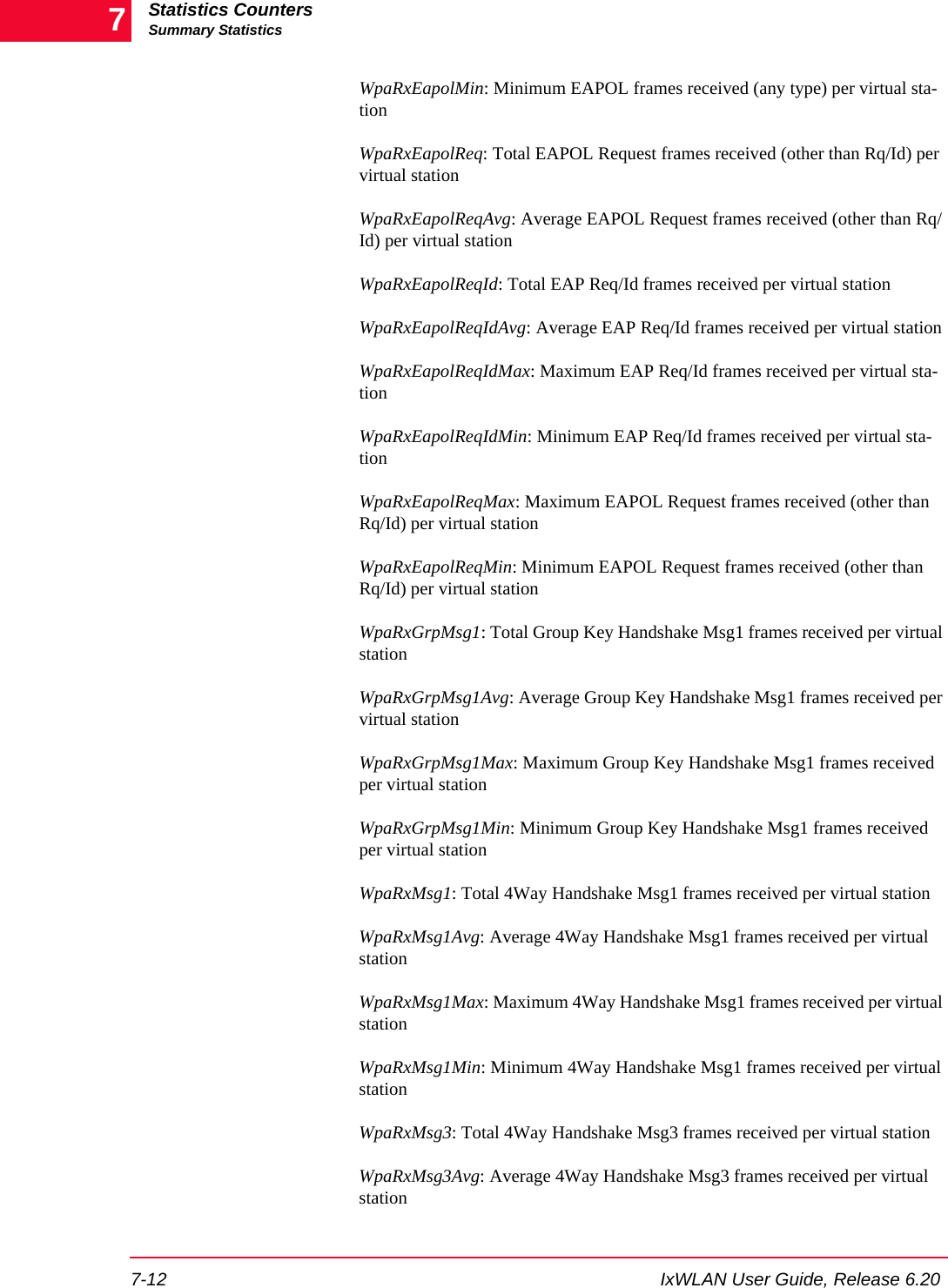
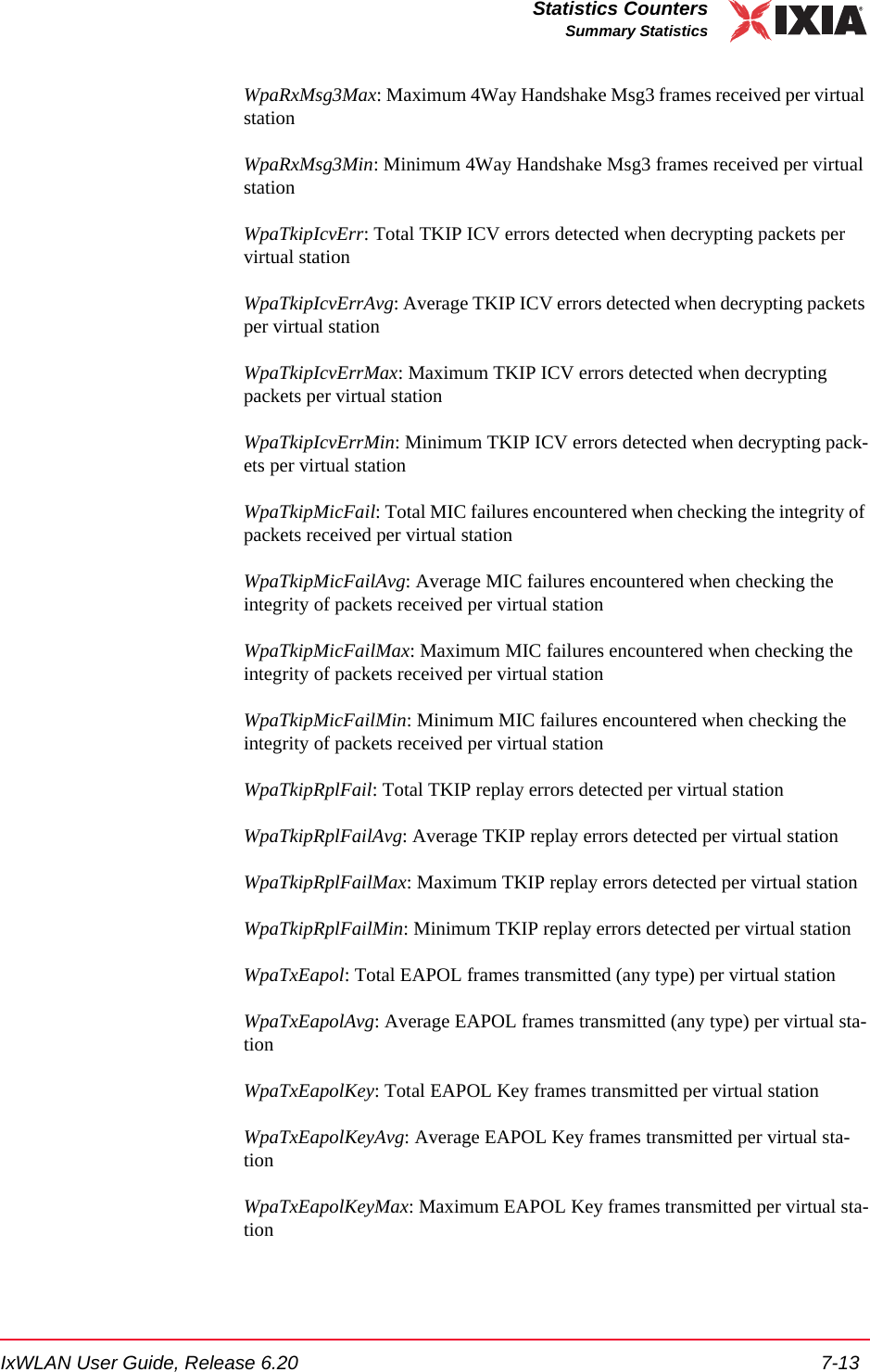
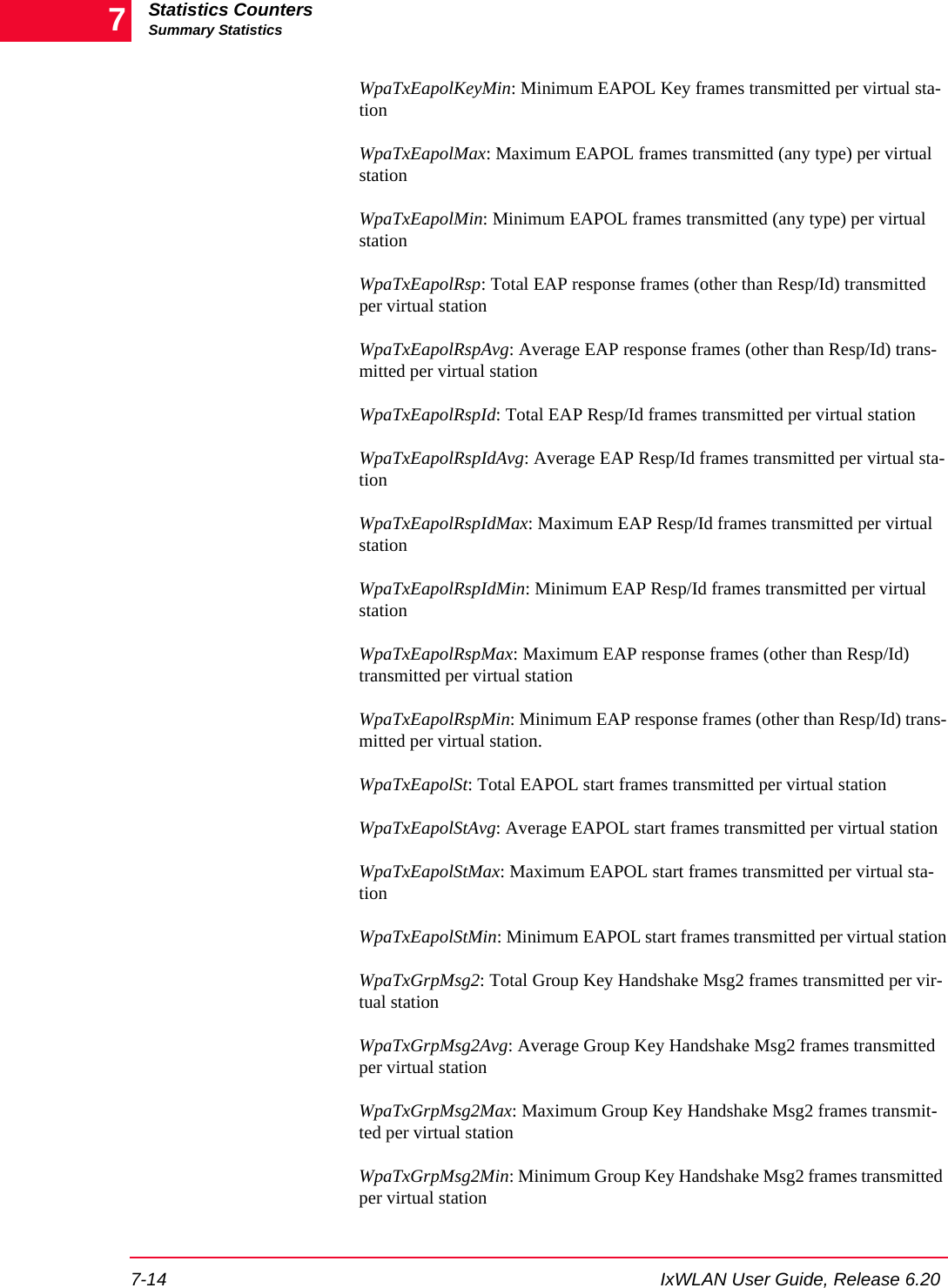
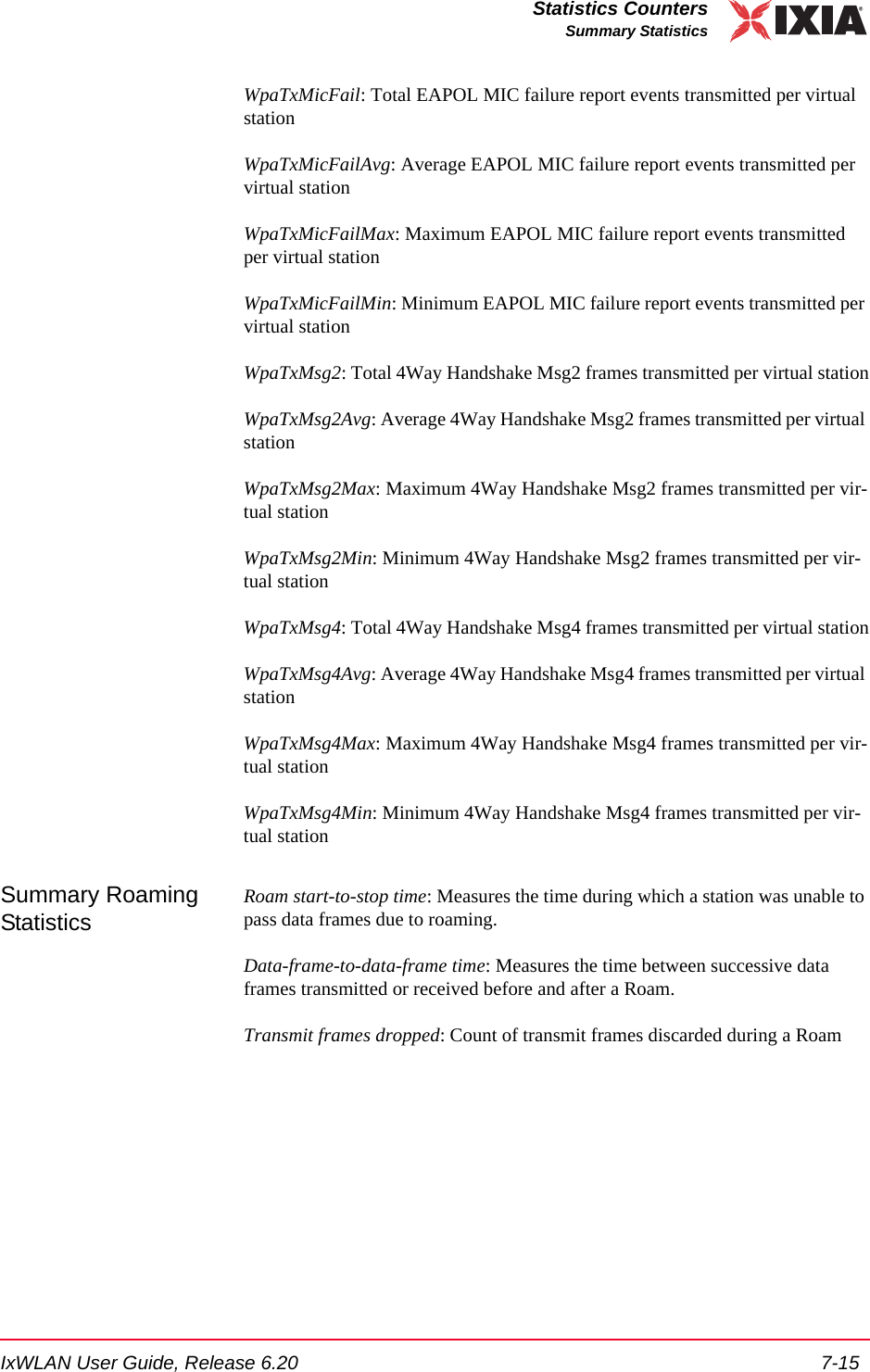
![Statistics Counterswport Statistics7-16 IxWLAN User Guide, Release 6.207wport StatisticsIf statistics for a particular wport are selected, one or more of the following val-ues may display:DFS Statistics These statistics display solely if there has been at least one DFS Channel Switch event for a given wport.Ch Sw Tx Discarded: Transmit frames discarded during the last DFS channel switch execution.Ch Sw Tx Discarded Tot: Total transmit frames discarded during all DFS channel switch executions since last power on.DFS CS Success Count: Total number of successful DFS channel switchesDFS CS Failure Count: Total number of failed DFS channel switchesDFS Last Channel Sw: Status of last DFS channel switch—failed or succeededChan move time: Time it took to execute the last DFS channel switch, in millisec-ondsChan tx closing time: Time to stops transmission on an original channel after receiving DFS channel switch event, in millisecondsExample:[wport1]IxWLAN -> get wport 1 statswport1: MAC 00:02:6f:20:f8:d1Authentications: 0, Deauthentications: 0Associations: 0, Disassociations: 0Reassociations: 0Rcv Sig Strength: 35, Ack Sig Strength: 0Rcv Rate: 6, Tx SF Rate: 6, Tx LF Rate: 6Frame counts: MSDUs Data Mcast Mgmt CtrlRcv 8080 0 0 8080 0Tx 0 0 0 0 0Rcv Errors: 0, Tx Errors: 0Rcv PHY Errors: 0, Excess Retries: 0Rcv CRC Errors: 0, Total Retries: 0Rcv Duplicates: 0, Tx Filtered: 0Rcv Discarded: 2, Tx Discarded: 0Ack Rcv Fails: 0, RTS Fails: 0Encryption: n/a, FCS Fails: 0Rcv Decrypt Errs: 0, WEP Excluded: 0Ch Sw Tx Discarded: 0, Ch Sw Tx Discarded Tot: 0DFS CS Success Count: 2DFS CS Failure Count: 0DFS Last Channel Sw: SuccededChan move time: 2.509 msecChan tx closing time: 0.049 msec](https://usermanual.wiki/Ixia/EE11ABG5.User-Manual-Part-Two/User-Guide-885831-Page-114.png)
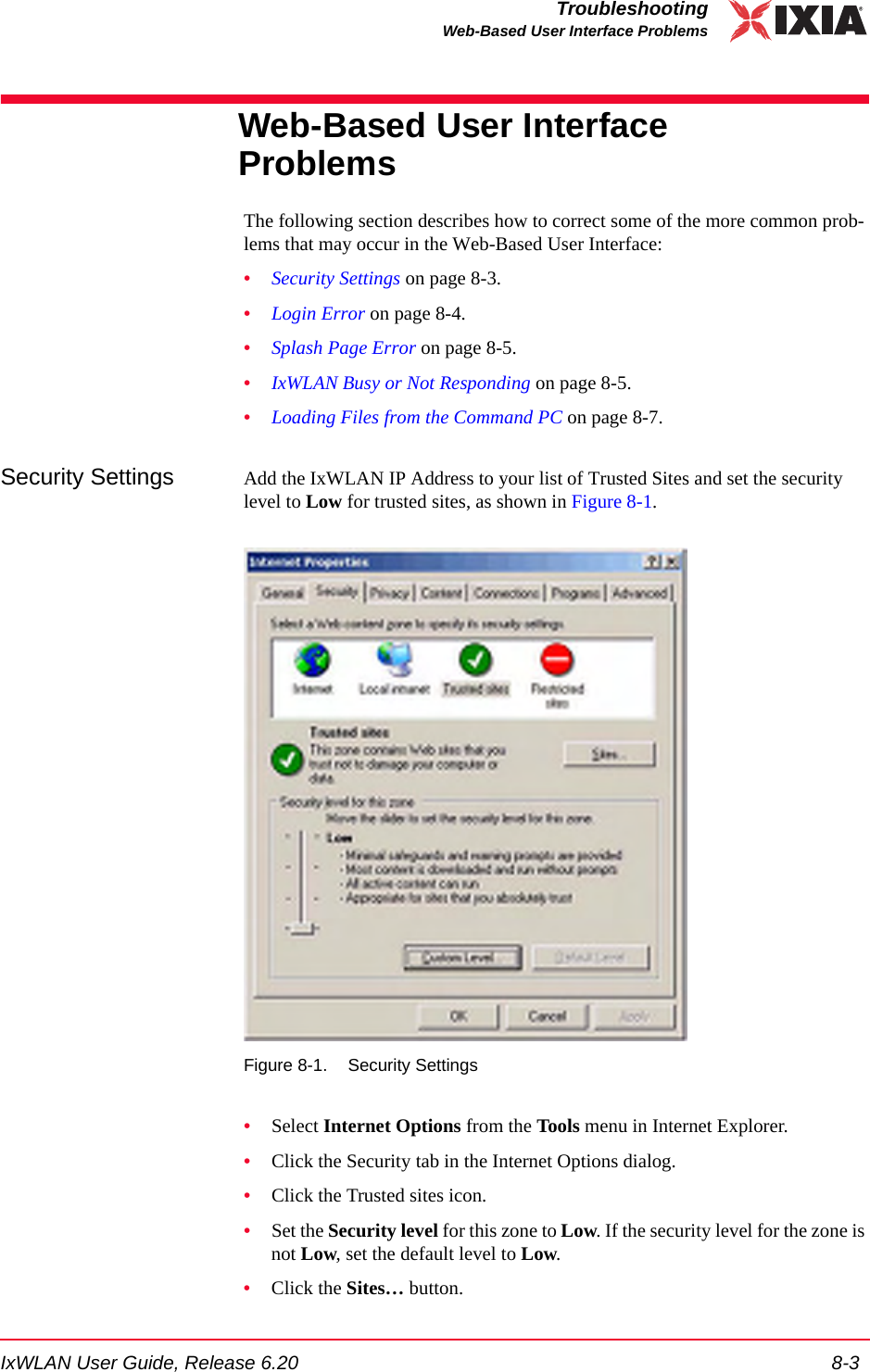
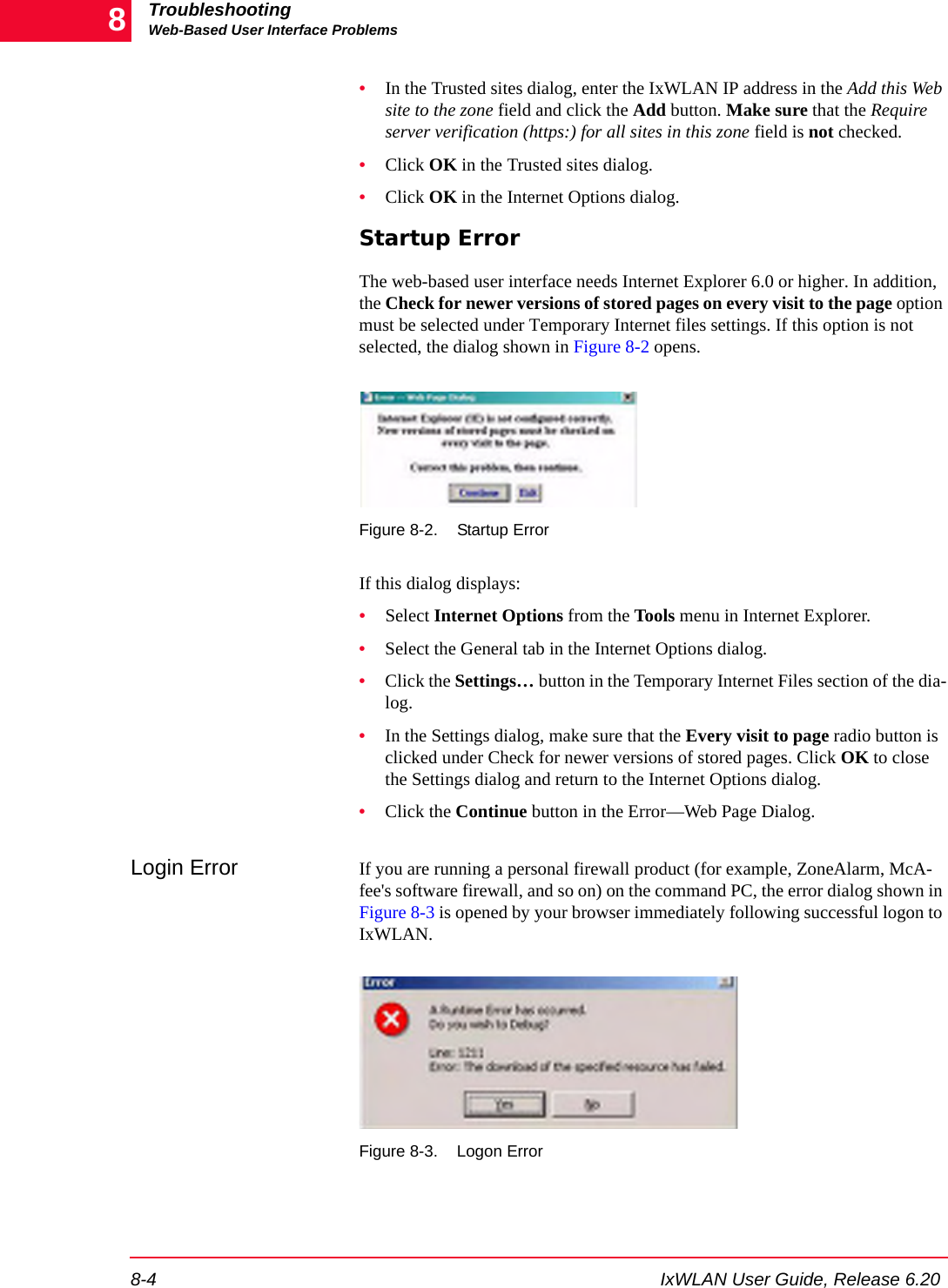
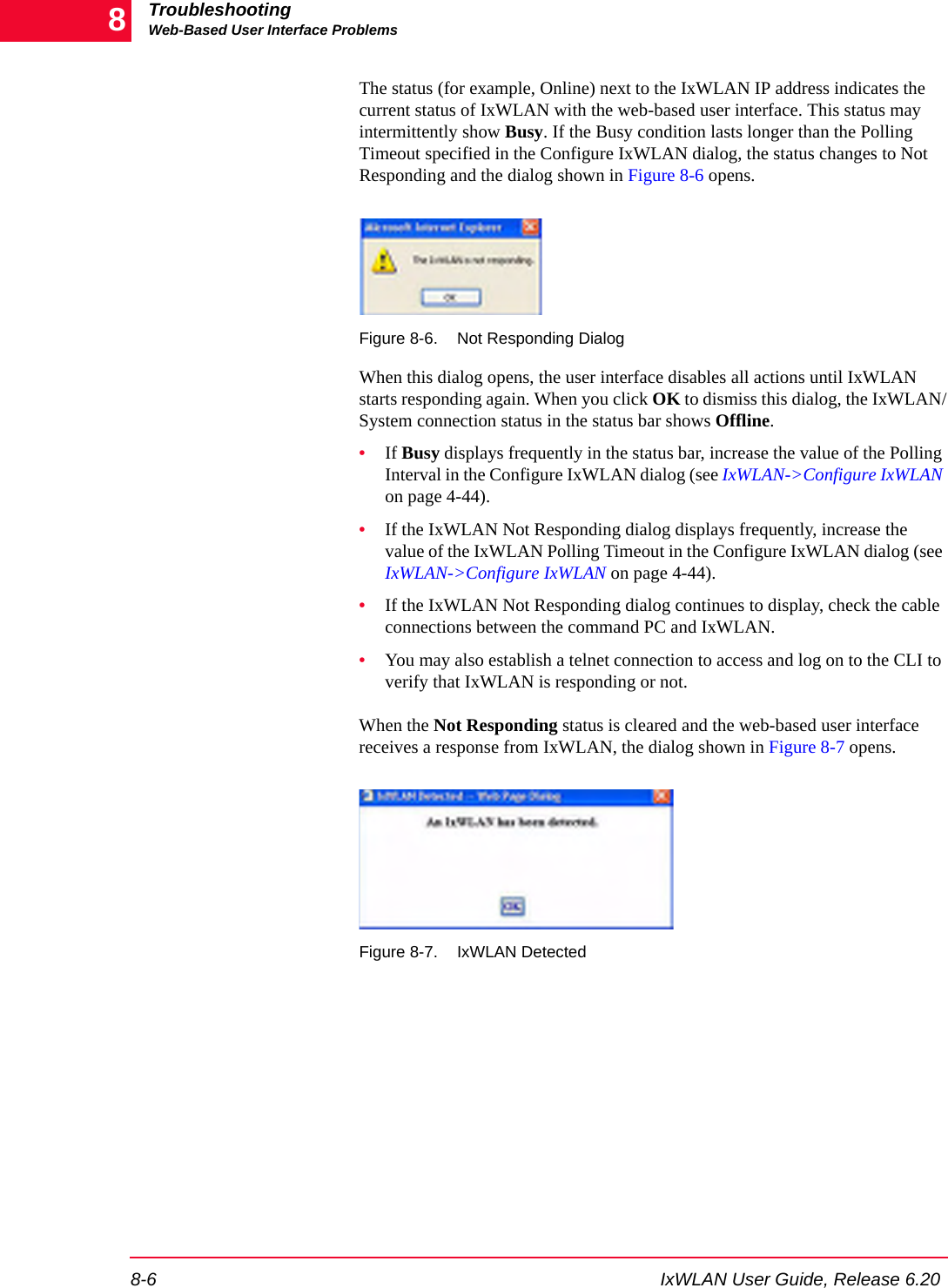
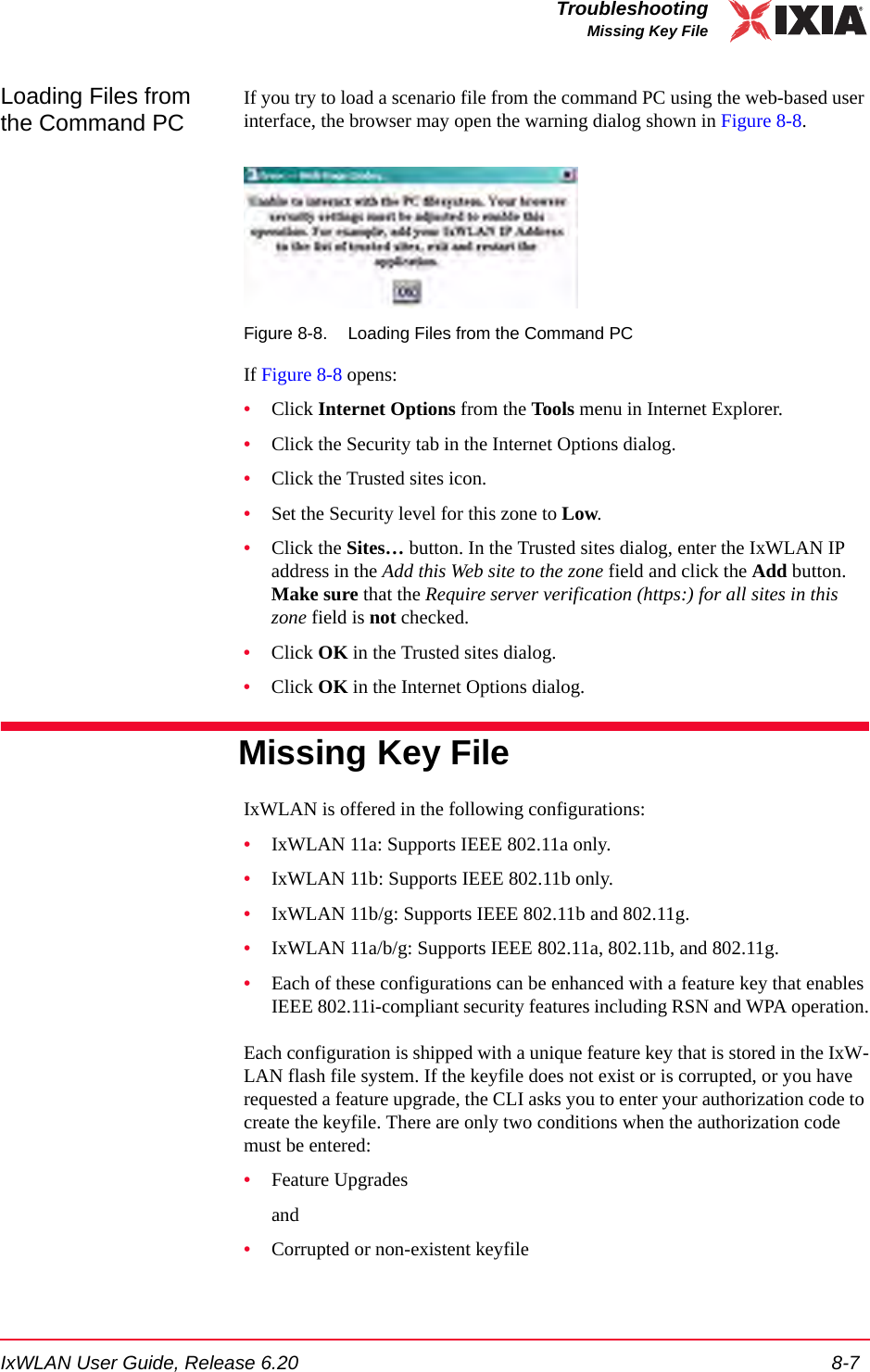
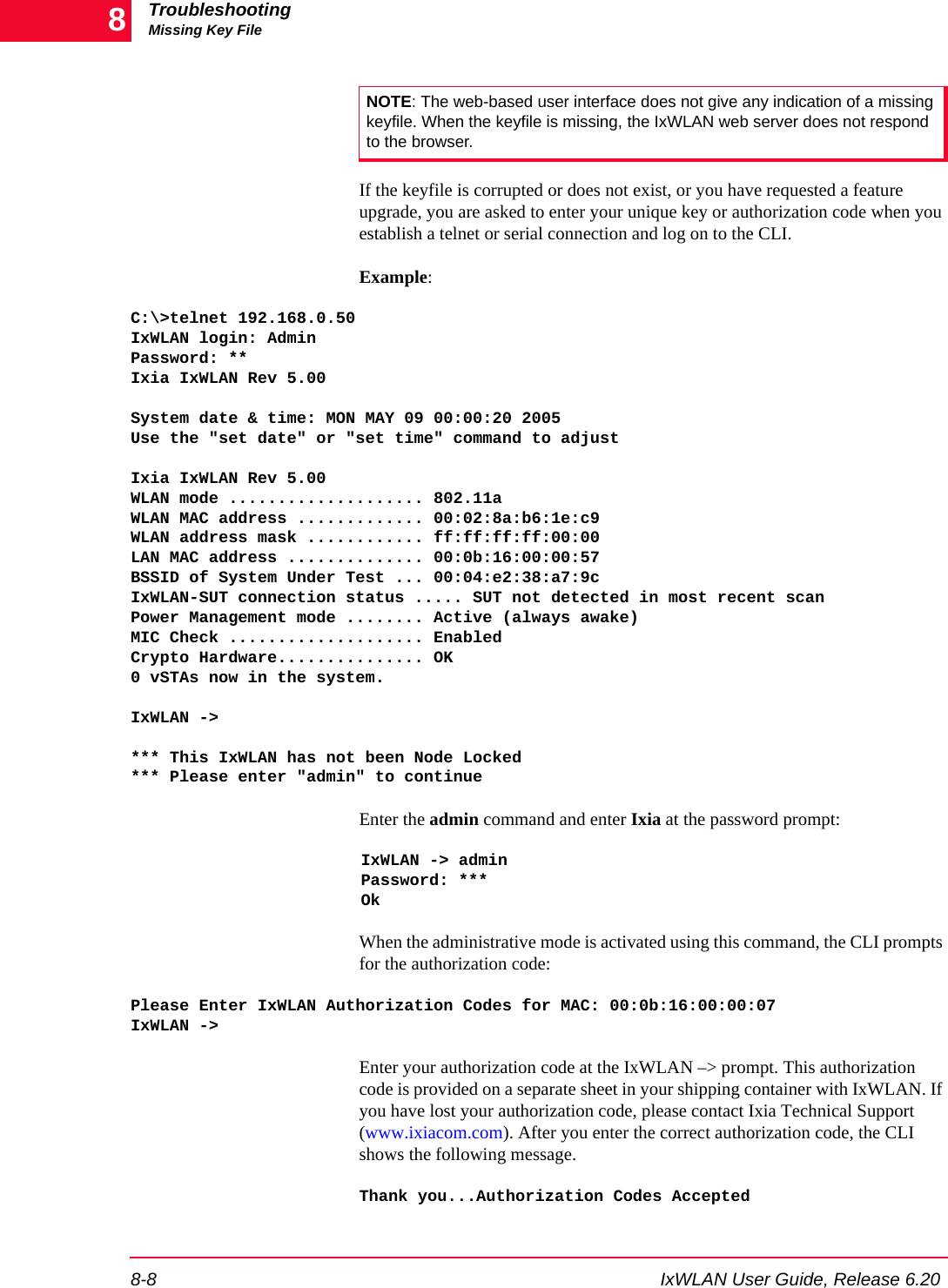
![IxWLAN User Guide, Release 6.20 8-9TroubleshootingRecovering a Corrupted Firmware FileWhen this message displays, the keyfile is created in flash and this procedure is no longer needed.Recovering a Corrupted Firmware FileIf you cannot re-establish a telnet connection to the CLI or access the web-based user interface after a new firmware file is loaded, use the supplied serial cable to establish a serial connection between the IxWLAN chassis and the command PC. If the IxWLAN CLI shows the boot prompt ([Boot]:) when connected via the serial connection, this indicates that the firmware file is invalid or corrupted. You may recover the system by completing the following procedure.Needs •A PC to function as an FTP server.•The IxWLAN firmware file ixwlan.sys•The serial cable that was shipped with IxWLAN•A terminal emulation program (for example, HyperTerminal)•Ethernet cable to connect the IxWLAN chassis with the FTP server over the networkSummary 1. Make the firmware file available on a local FTP server.2. Connect the serial cable and start a terminal emulation session.3. Apply power to the unit and press ESCAPE to show the boot prompt.4. Change the boot parameters to boot over the network.5. Perform file management as necessary.6. Restore the firmware in Flash.7. Reconfigure the boot parameters to boot from Flash.Detailed Steps Step 1: Make the firmware file available on a local FTP server. •The latest IxWLAN firmware file can be downloaded from the Ixia Web site at http://www.ixiacom.com.•You must have an FTP server available, from which IxWLAN can load the firmware file from the network. The ixwlan.sys firmware file must reside on the FTP server and the server must be configured as necessary with a user ID that can reach the folder containing the firmware file.•Use the supplied Ethernet cable to connect the IxWLAN chassis to the net-work where the FTP server resides (that is, typically, the command PC).NOTE: If you have installed IxWLAN version 4.1 or later on a unit that was manufactured before the release of v4.1, your unit may fail in the bootloader due to an older bootrom version. Please refer to the note at the end of this procedure.](https://usermanual.wiki/Ixia/EE11ABG5.User-Manual-Part-Two/User-Guide-885831-Page-125.png)
![TroubleshootingRecovering a Corrupted Firmware File8-10 IxWLAN User Guide, Release 6.208Step 2: Connect the serial cable and start a terminal emulation session. •Use the serial cable that is supplied with the unit to connect the IxWLAN chassis to the command PC. •On the command PC, run a terminal emulation program such as HyperTermi-nal, or some other suitable application. The PC’s COM port must be config-ured at 115200 baud, 8 data bits, 1 stop bit, and no parity.Step 3: Apply power to the IxWLAN chassis and press ESCAPE on the command PC until the Boot ([Boot]:) prompt displays.Step 4: Change the boot parameters to boot over the network.•At the [Boot]: prompt, use the p command (use lowercase letters) to show the current boot parameters. Make a note of this information for future reference.Example:[Boot]: pboot device : ata:unit number : 0processor number : 0file name : /ata0a/ixwlan.sysinet on ethernet (e) : 192.168.0.50:ffffff00host inet (h) : 192.168.1.254user (u) : anonymousftp password (pw) : ftpflags (f) : 0x0other (o) : fei[Boot]: •Use the c command (use lowercase letters) to change boot parameters. •The boot device field must be changed from the Flash file system (ata:0) to the network device (fei0). •The file name field must be changed to the location of the firmware file on your FTP server (for example, c:\temp\ixia\ixwlan.sys). •Press RETURN to move the cursor past any fields that you do not want to change. •The host inet field may need to be changed to the IP address of your FTP server. Fill in the user field with your FTP password, if necessary, per your server configuration. •You may also need to change the IxWLAN IP address and subnet mask (inet on ethernet) and/or the gateway IP address (gateway inet), as necessary, to allow IxWLAN to reach your FTP server over the network.NOTE: The pathname can be no longer than 80 characters and must not contain any spaces.](https://usermanual.wiki/Ixia/EE11ABG5.User-Manual-Part-Two/User-Guide-885831-Page-126.png)
![IxWLAN User Guide, Release 6.20 8-11TroubleshootingRecovering a Corrupted Firmware File•Press RETURN to end each changed field. Press CTRL-D when finished or press RETURN past any remaining fields. Example:[Boot]: c'.' = clear field; '-' = go to previous field; ^D = quitboot device : ata:0 fei0processor number : 0host name :file name : /ata0a/ixwlan.sys C:\Temp\Ixia\ixwlan.sysinet on ethernet (e) : 192.168.0.20:ffffff00inet on backplane (b):host inet (h) : 192.168.0.101 192.168.0.123gateway inet (g) :user (u) : anonymous ^D[Boot]: •Use the p command (use lowercase letters) again to review the edited boot parameters. Example:[Boot]: pboot device : feiunit number : 0processor number : 0file name : C:\Temp\Ixia\ixwlan.sysinet on ethernet (e) : 192.168.0.20:ffffff00host inet (h) : 192.168.0.123user (u) : anonymousftp password (pw) : my_passwordflags (f) : 0x0other (o) : fei[Boot]: •Use the @ command to boot IxWLAN using the current boot parameters. Example:[Boot]: @Attached TCP/IP interface to fei0.Attaching network interface lo0... done.Loading... 18936 + 1294544 + 105600Starting at 0x80480000...Step 5: Perform file management as necessary.•Use the terminal emulation program to log on to the IxWLAN CLI.](https://usermanual.wiki/Ixia/EE11ABG5.User-Manual-Part-Two/User-Guide-885831-Page-127.png)
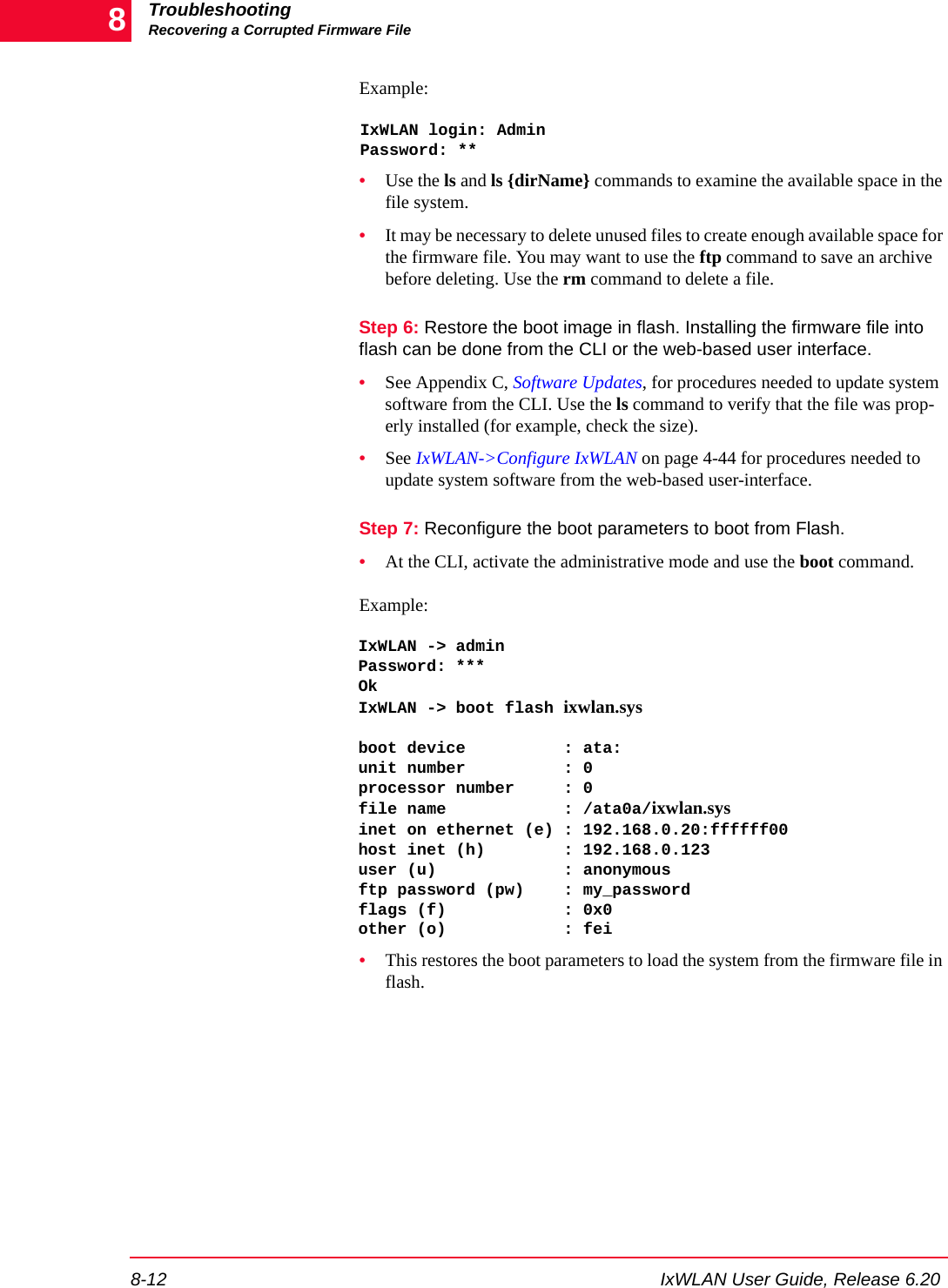
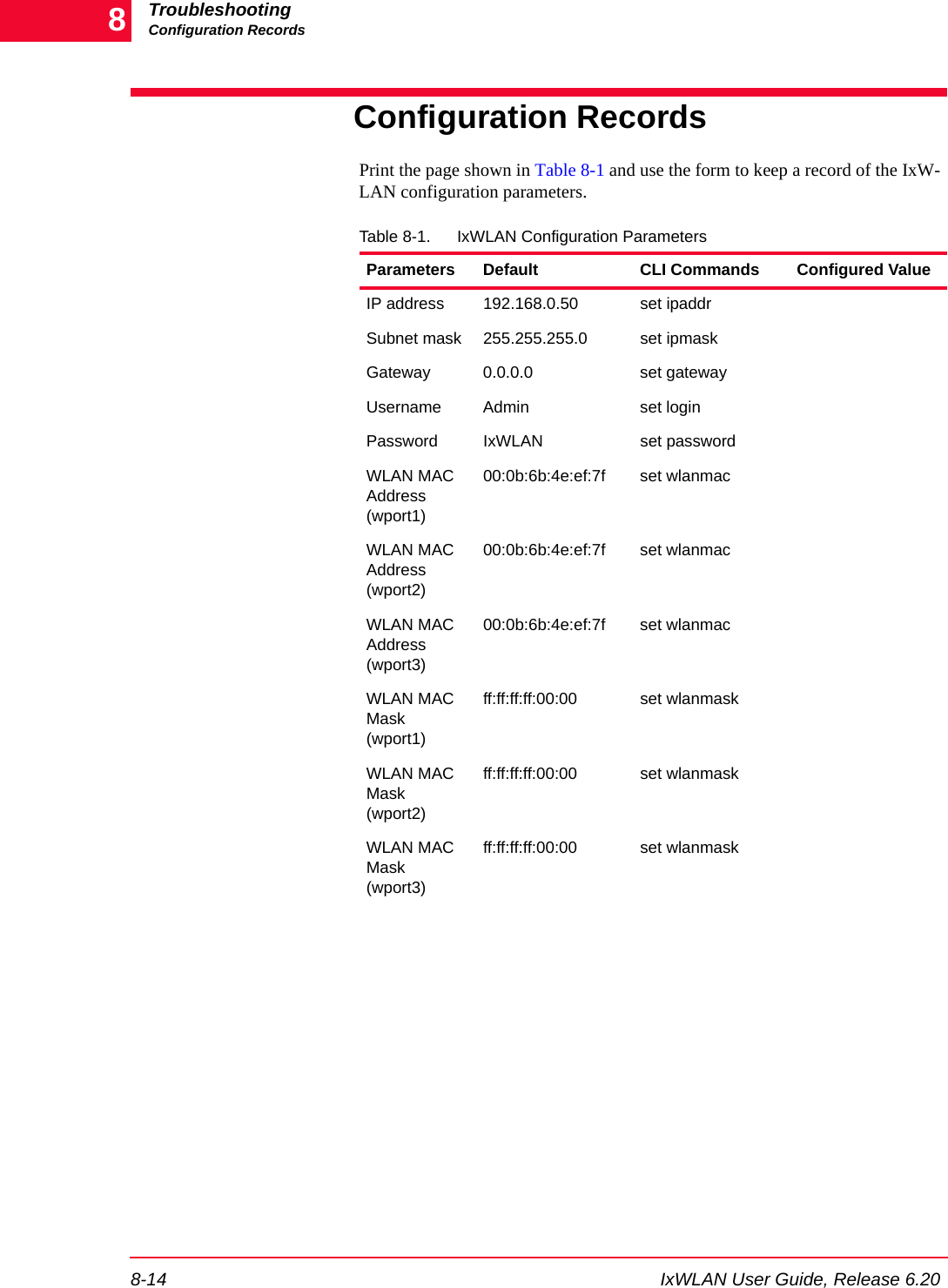

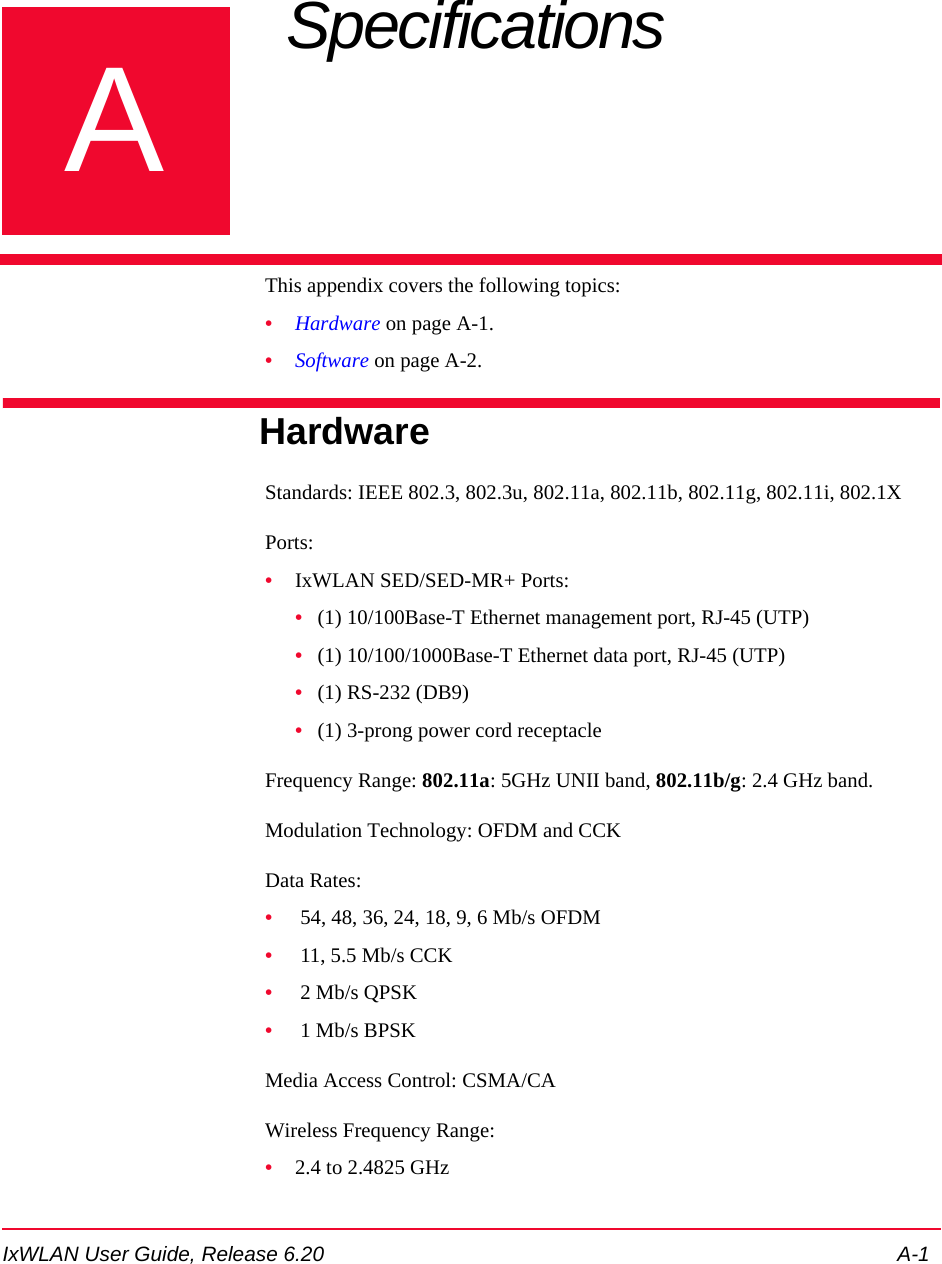
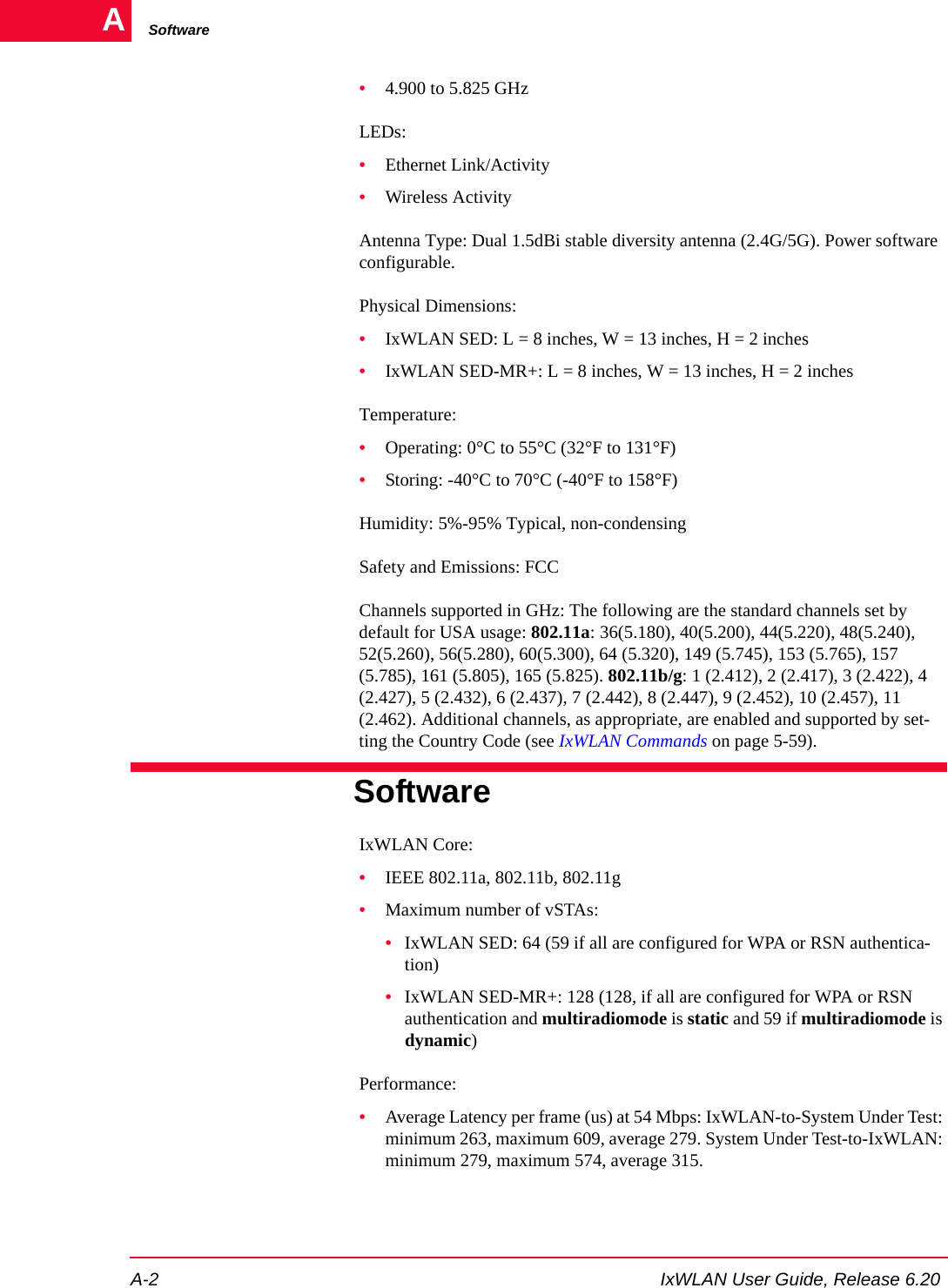
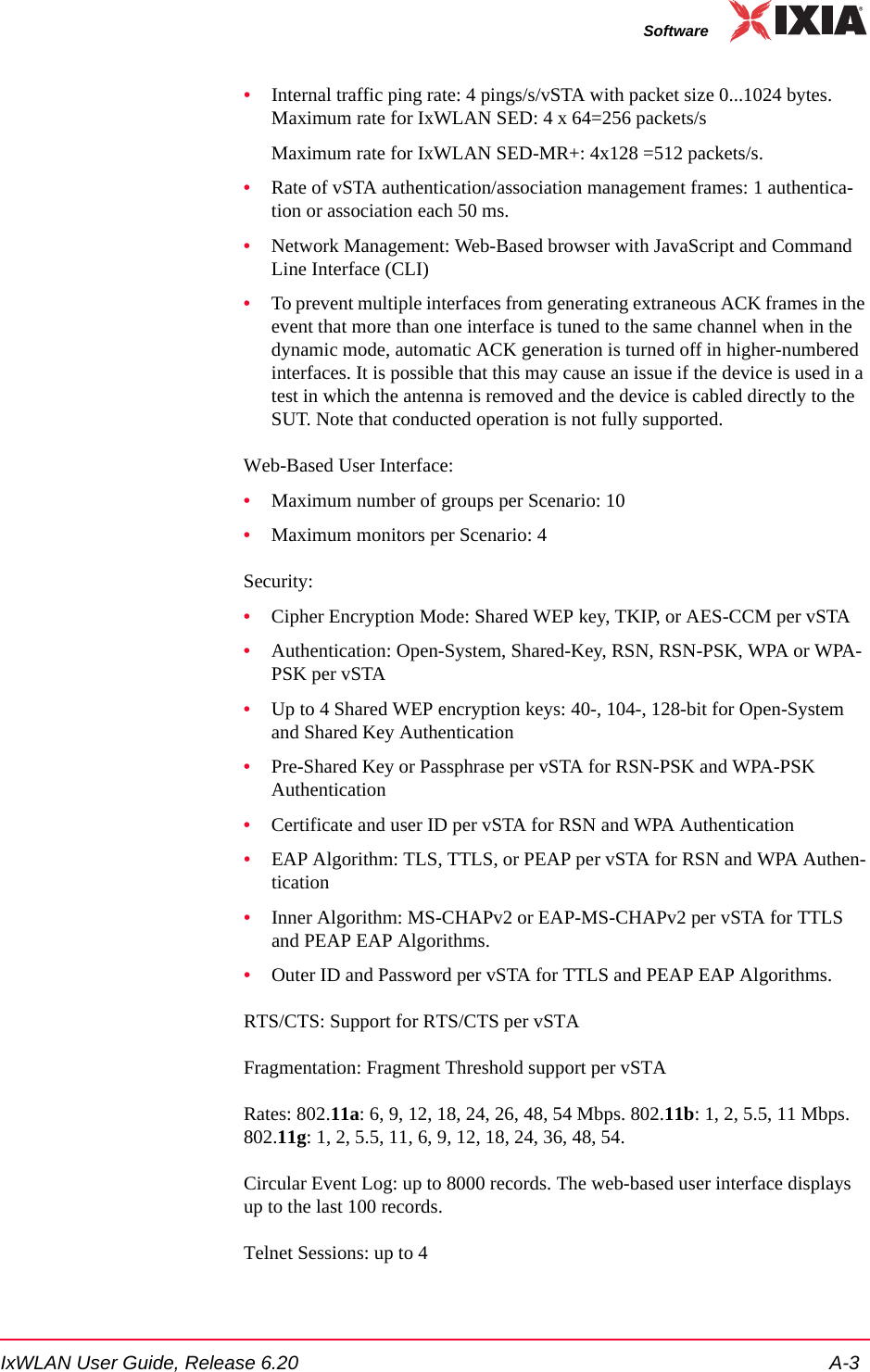
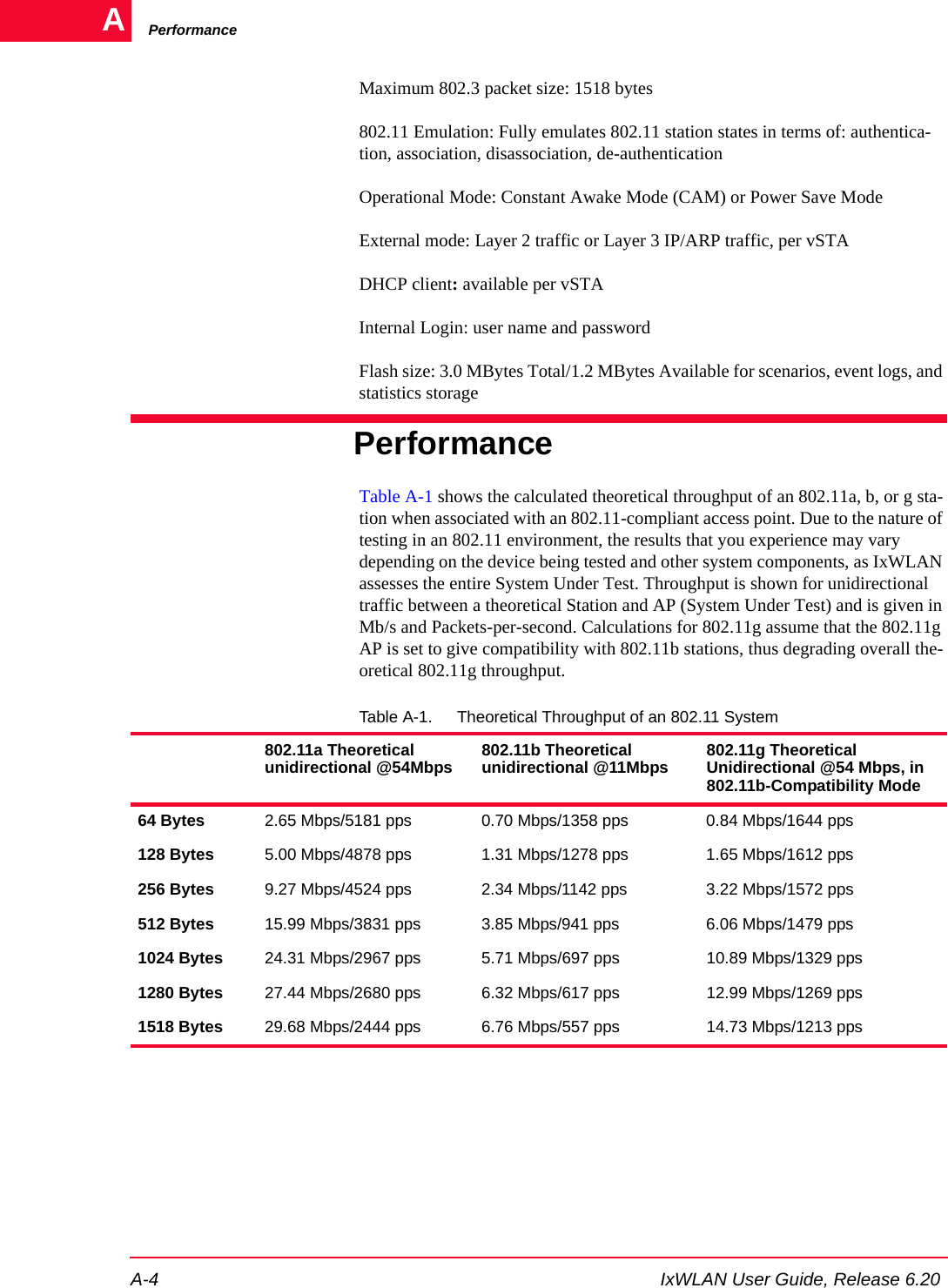
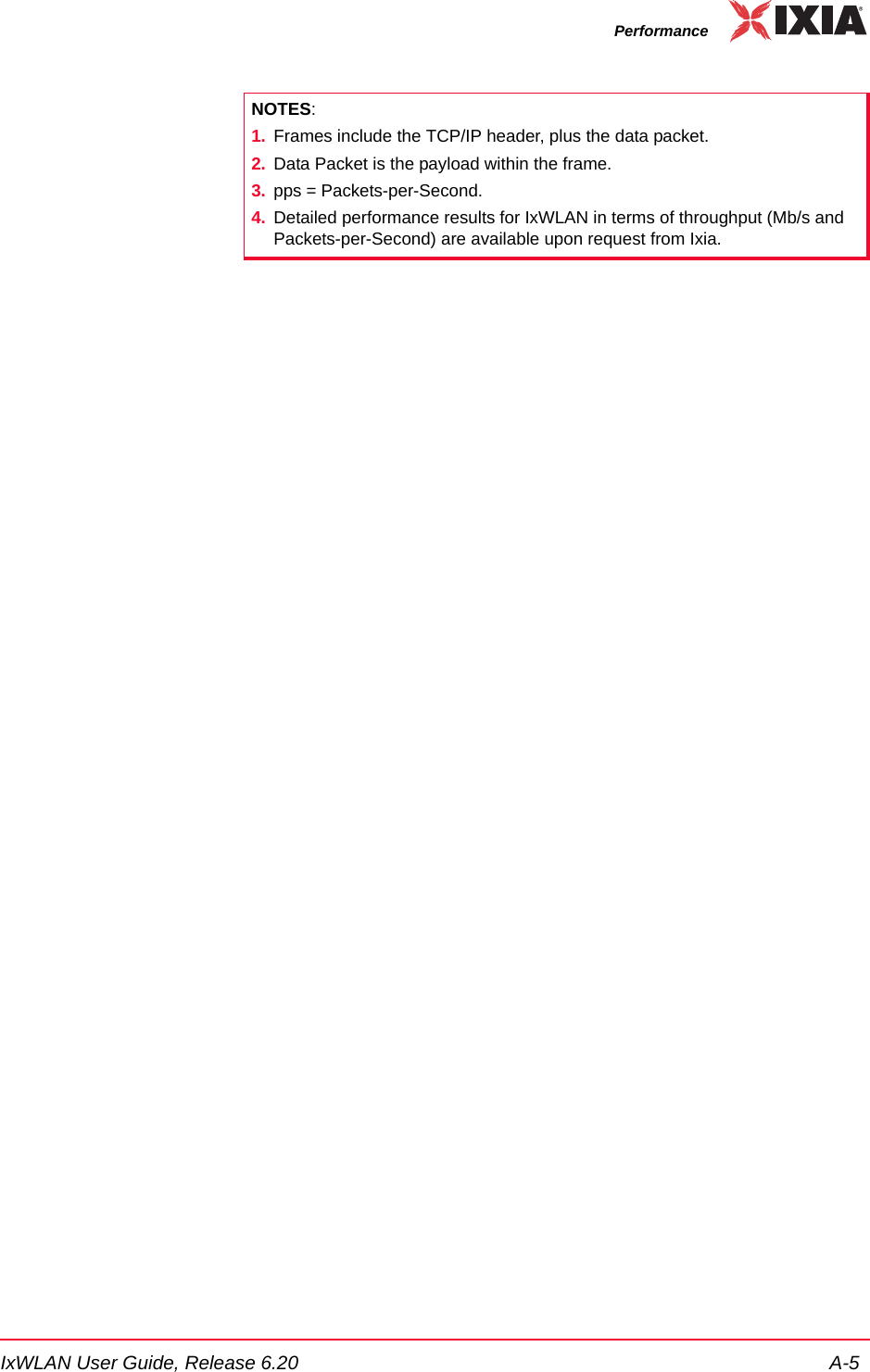


![Event Record FormatB-2 IxWLAN User Guide, Release 6.20Bmodule enable (controlled by set evlog module <module name> enable/disable)Each event is processed by a given module or process within IxWLAN. The var-ious processes of the system can be individually enabled for event logging.The event logging function stores event records into a buffer area in memory. The log buffer is a circular buffer that can store 512 event records. The get evlog buffer command can be used to display the contents of the buffer at any time.Event data can also be written to a log file in Flash. When writing to a file is enabled by the set evlog file enable command, the log buffer is flushed to a file every 30 seconds or every time it wraps at the 512-record limit (whichever comes first). There are two log files, A and B. IxWLAN alternates between the two files so that at least one full file is available at any given time. Each log file can store up to 4,000 event records. You can show the records stored in either file using the get evlog file A and get evlog file B CLI commands.Event Record FormatEvent records are printed in the following format:[header]: [message] [optional parameters][header] is a standard header consisting of a timestamp, microsecond clock ref-erence, and sequence number (for example, 12/27/2002, 9:59:57, 2296.320226,11396). timestamp = time the event occurred, taken from the sys-tem clock (for example, 12/27/2002,9:59:57). microsecond clock reference = time in seconds (s), resolution to 1 microsecond ( ), not synchronized to times-tamp (for example, 2296.320226). sequence number = a sequential number assigned to each record (for example, 11396; next event would be 11397, 11398, and so on)[message] is a very brief text string (typically < 15-20 characters) indicating the type of event that occurred (for example, RX: ok indicates a valid 802.11 frame received without error).[optional parameters] describes the specific circumstances of this particular occurrence of the event. It can be up to four 32-bit parameters (for example, pDesc 0x9326c0 hwStatus 01cd803c:0be20203 numRxDesc 9643712).Example:12/27/2002,9:59:57,2296.320226,11396: RX: ok pDesc 0x9326c0 hwStatus 01cd803c:0be20203 numRxDesc 9643712μs](https://usermanual.wiki/Ixia/EE11ABG5.User-Manual-Part-Two/User-Guide-885831-Page-140.png)
![IxWLAN User Guide, Release 6.20 B-3CLI CommandsCLI CommandsThe following CLI commands control event logging:set evlog enable/disable: This is the master control to enable/disable event log-ging (that is, to the event log buffer in RAM). The default is enabled.set evlog level <level>: Sets the verbosity level (0/critical, 1/low, 2/medium, or 3/high) for event logging. The default is critical.set evlog module <module> enable/disable: Enables or disables logging of events from a specified module or process: IxWLAN control, virtual station con-trol, WLAN transmit/receive events, User Interface events, and WPA/RSN events. By default, the following processes are enabled for event logging: IxW-LAN control events, virtual station control events, and WPA/RSN events. The following processes are disabled for event logging: WLAN transmit and receive events and User Interface events. set evlog console enable/disable: Enables or disables logging directly to the console. The default is disabled. When the set evlog console enable command is entered at a CLI console (for example, connected to the serial port or via a telnet session), event data is posted to that console only. No more than one console receives event data at a given time. When the set evlog console disable com-mand is entered at any console, event logging is disabled to all consoles.set evlog file enable/disable: Enables or disables recording logged events to file. The default is disabled.get evlog settings: This command shows the current event log control settings.get evlog buffer [n]: Prints the last n events logged to the log buffer in memory. If [n] is omitted or zero, all events currently in the log buffer display.get evlog file A/B <startRec#> <count>: Shows event records in log file A or B. If no starting record number <startRec#> is given, records display starting with the first record in the file. If no count of records is given, all records display. You can also use “?” to display the number of records in the file.clear evlog file A/B: Clears all records from log file A or B.clear evlog buffer: Clears all event records from the log buffer.save evlog: Flushes all records from the log buffer to the log file, even if log to file is not enabled.NOTE: Event log control settings are not permanent. They are not saved with other configuration controls. They must be entered following startup as desired to change event log operation from the default settings.](https://usermanual.wiki/Ixia/EE11ABG5.User-Manual-Part-Two/User-Guide-885831-Page-141.png)
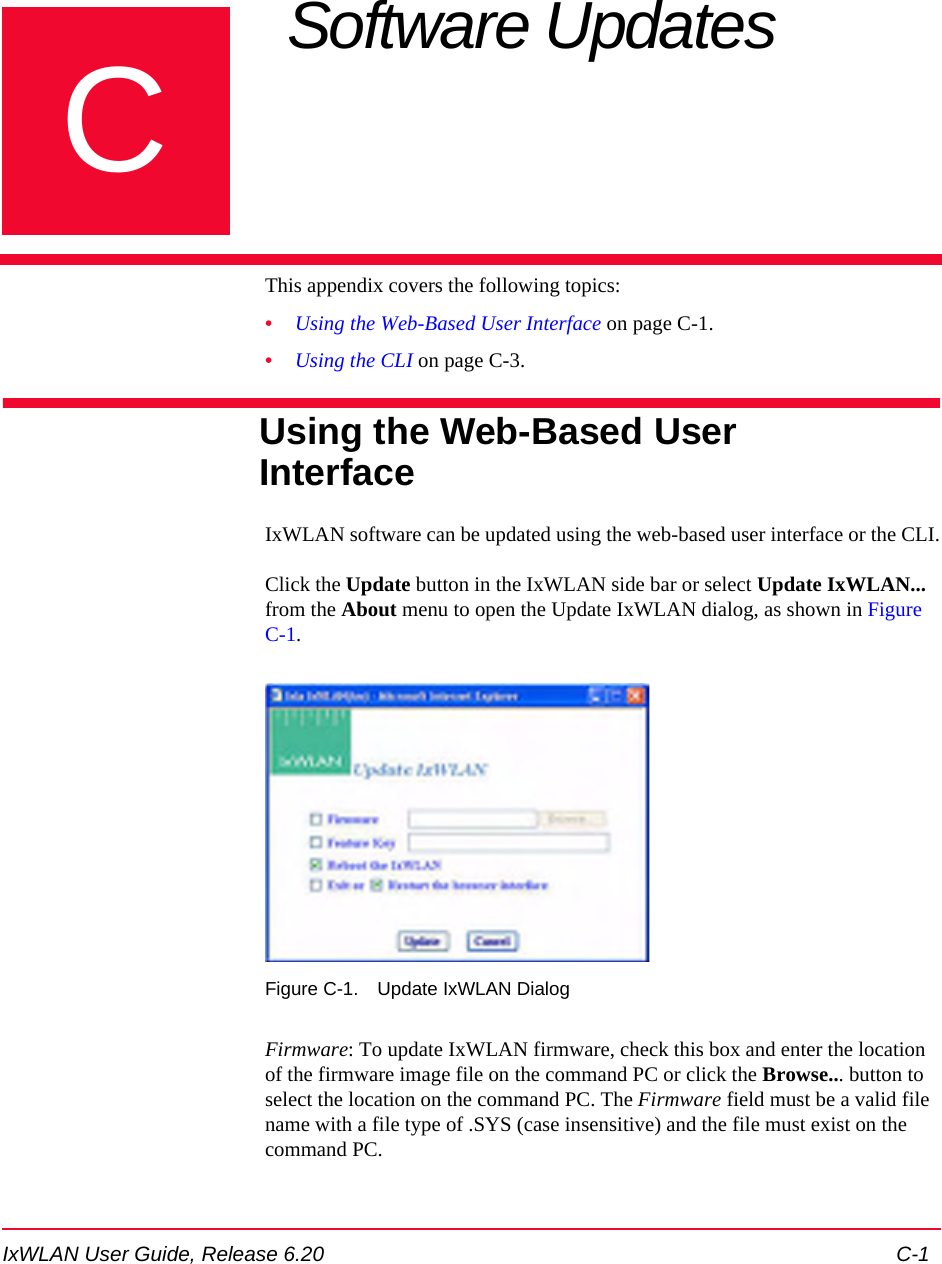
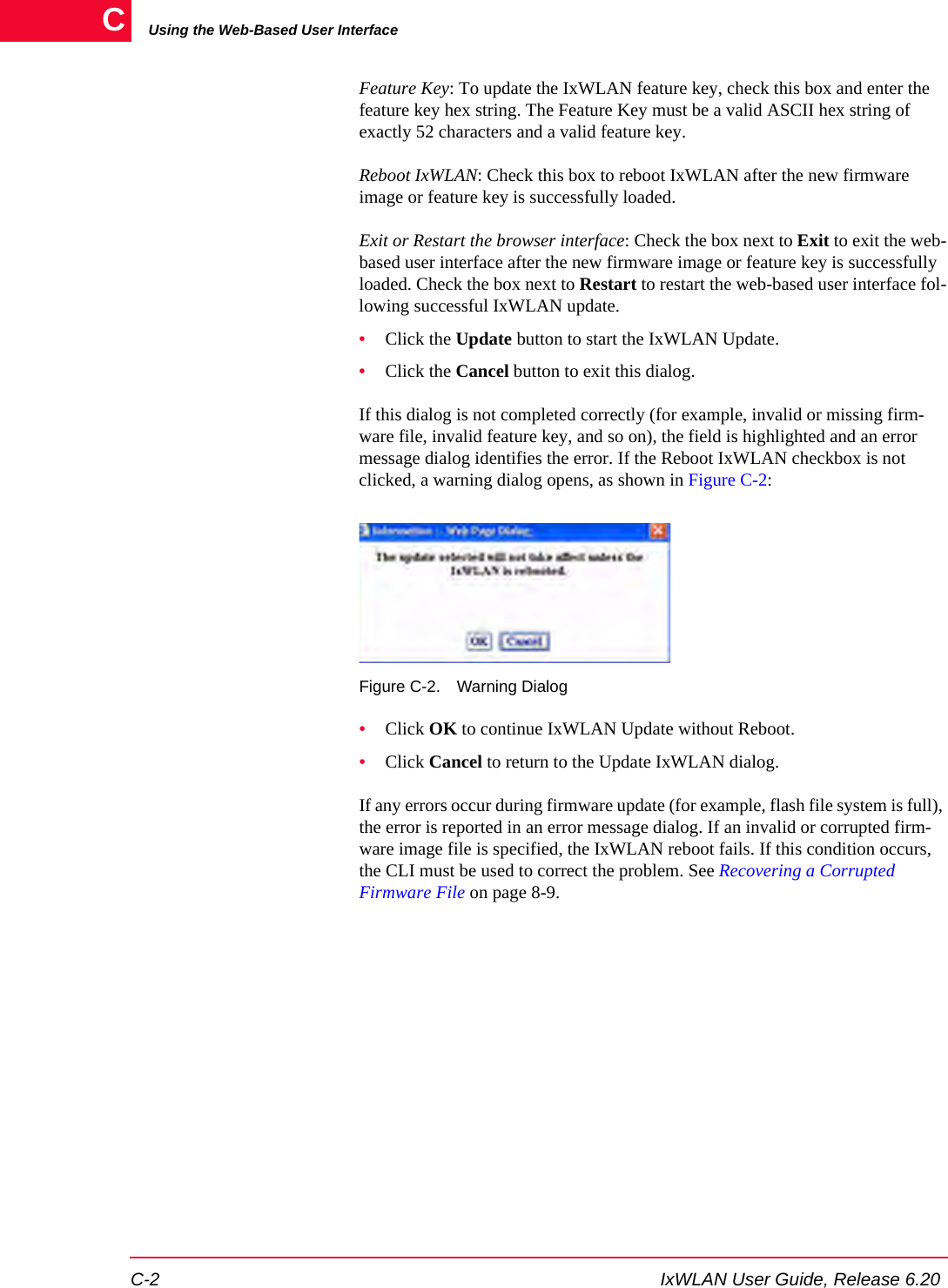
![IxWLAN User Guide, Release 6.20 C-3Using the CLIUsing the CLIComplete the following steps to load a new software file on the IxWLAN chassis flash file system using the CLI.Step 1: If you are already logged on to the CLI, type reboot to return IxWLAN to a known state.rebootStep 2: Use Telnet to log back on to the CLI.C:\>telnet 192.168.0.50IxWLAN login: AdminPassword: ******Ixia IxWLAN Rev 5.00[wport1]IxWLAN -> This step uses the IxWLAN default IP address (192.168.0.50). If you have changed the IP address, use the address that you have previously configured in IxWLAN.Step 3: Use the ls command to verify that there is enough space in the flash file system for the new software. [wport1]IxWLAN -> lsStep 4: Compare the bytes free count to the size of the software file that you want to download. If there is not enough space, use the rm command to remove one or more files from flash. Do not remove: keyfile, eecfg, or ixwlan.sys.[wport1]IxWLAN -> rm <file_name>Step 5: You must have an FTP server running to complete this step. In the CLI, enter the ftp command and the command PC’s IP address.[wport1]IxWLAN -> ftp 192.168.0.2Step 6: Enter your FTP server user name and password. Press RETURN in response to either prompt, if there is no user name or password.Username: <your_user_name>Password: <your_password>Step 7: At the prompt for a remote file, provide the pathname to the latest ixwlan.sys file on your PC (for example, c:\ixwlan.sys). For the local file, use ixwlanNEW.sys. Enter download at the download or upload prompt.](https://usermanual.wiki/Ixia/EE11ABG5.User-Manual-Part-Two/User-Guide-885831-Page-145.png)
![Using the CLIC-4 IxWLAN User Guide, Release 6.20CRemote File: c:\ixwlan.sysLocal File: ixwlanNEW.sysdownload or upload: downGetting @192.168.0.2:c:\ixwlan.sys -> ixwlanNEW.sys###########################################################################################################################################################################################################################################################################################################################################################################################################################################################################################################################################################################################################################################################################################################################################################################################################################################################done1007441 bytes[wport1]IxWLAN ->Step 8: When the transfer completes, use the ls command to verify that the size of the file in Flash has the same number of bytes as the file on the FTP server/command PC.[wport1]IxWLAN -> lsStep 9: At the IxWLAN -> prompt, type the following command to move the file and use the correct boot name.[wport1]IxWLAN -> mv ixwlanNEW.sys ixwlan.sysStep 10: When the move is complete, use the ls command to verify that the file has been moved with the correct name.[wport1]IxWLAN -> lsStep 11: Use the reboot command to reboot IxWLAN and activate the new software.[wport1]IxWLAN -> rebootAfter reboot, you must re-establish the telnet session to log back on to the CLI. •If you are not able to re-establish the telnet session after a software update, see Recovering a Corrupted Firmware File on page 8-9.•If the CLI displays the “This IxWLAN has not been Node Locked” message after you enter the logon name and password, see Missing Key File on page 8-7.](https://usermanual.wiki/Ixia/EE11ABG5.User-Manual-Part-Two/User-Guide-885831-Page-146.png)

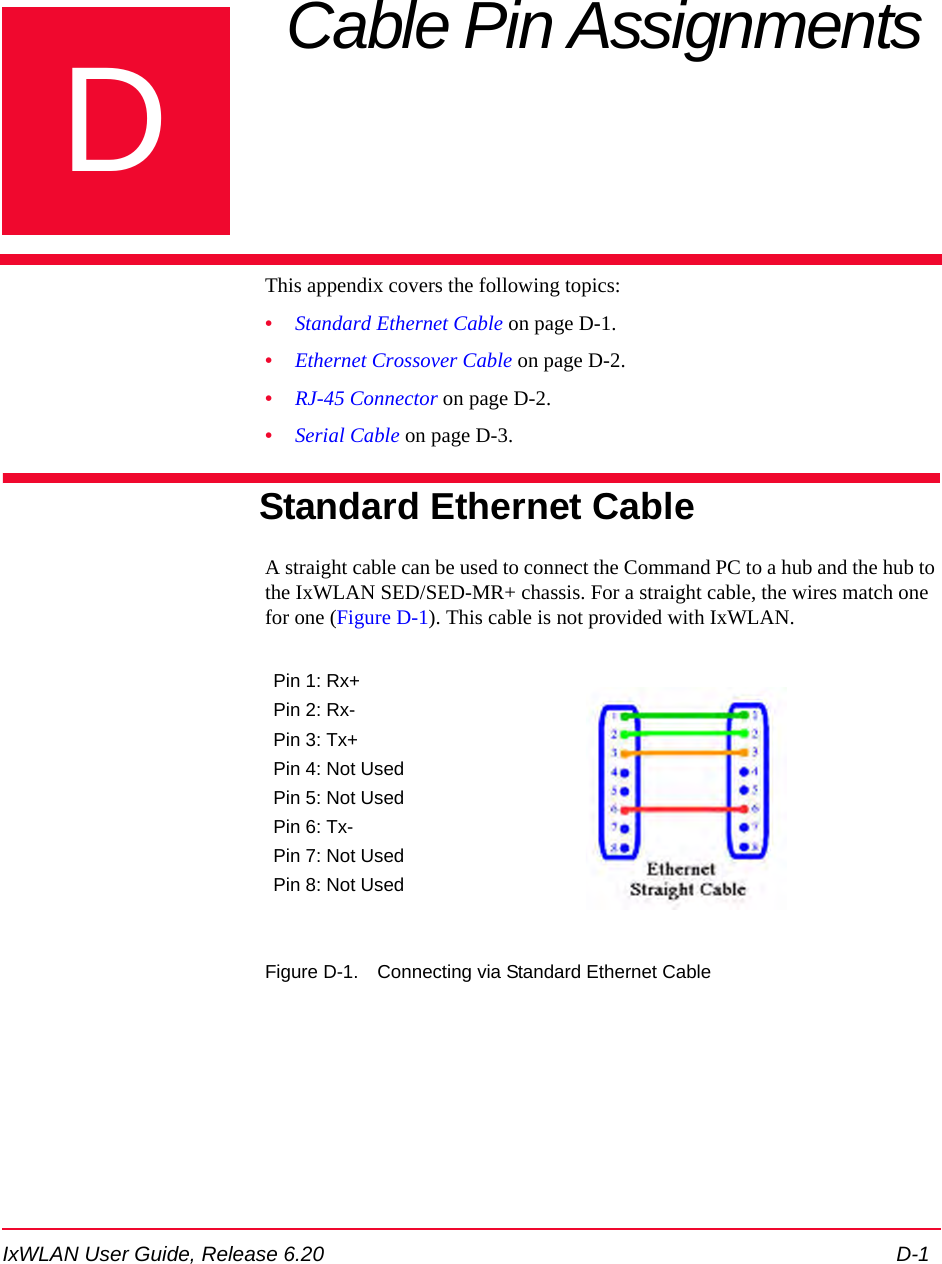
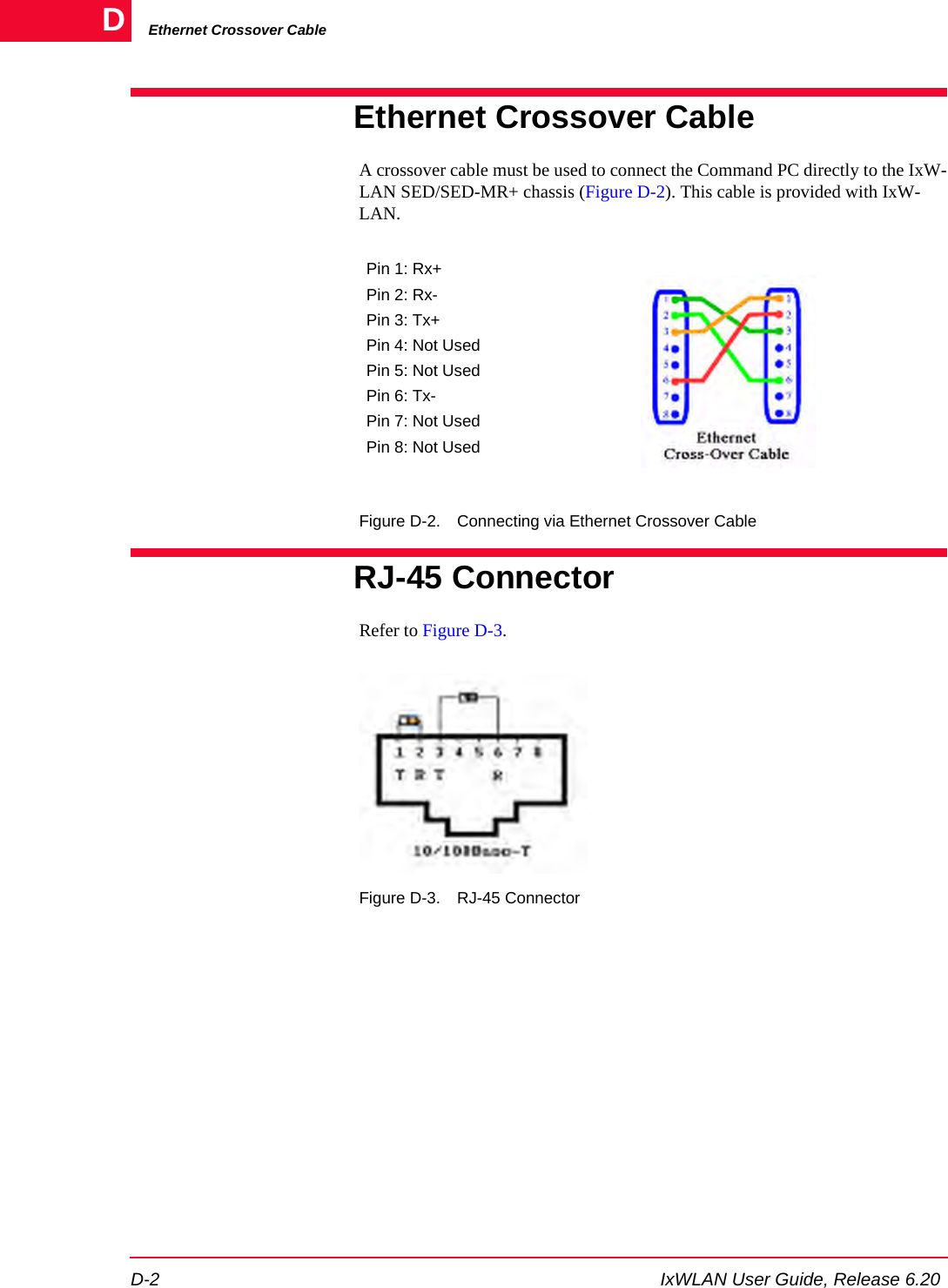
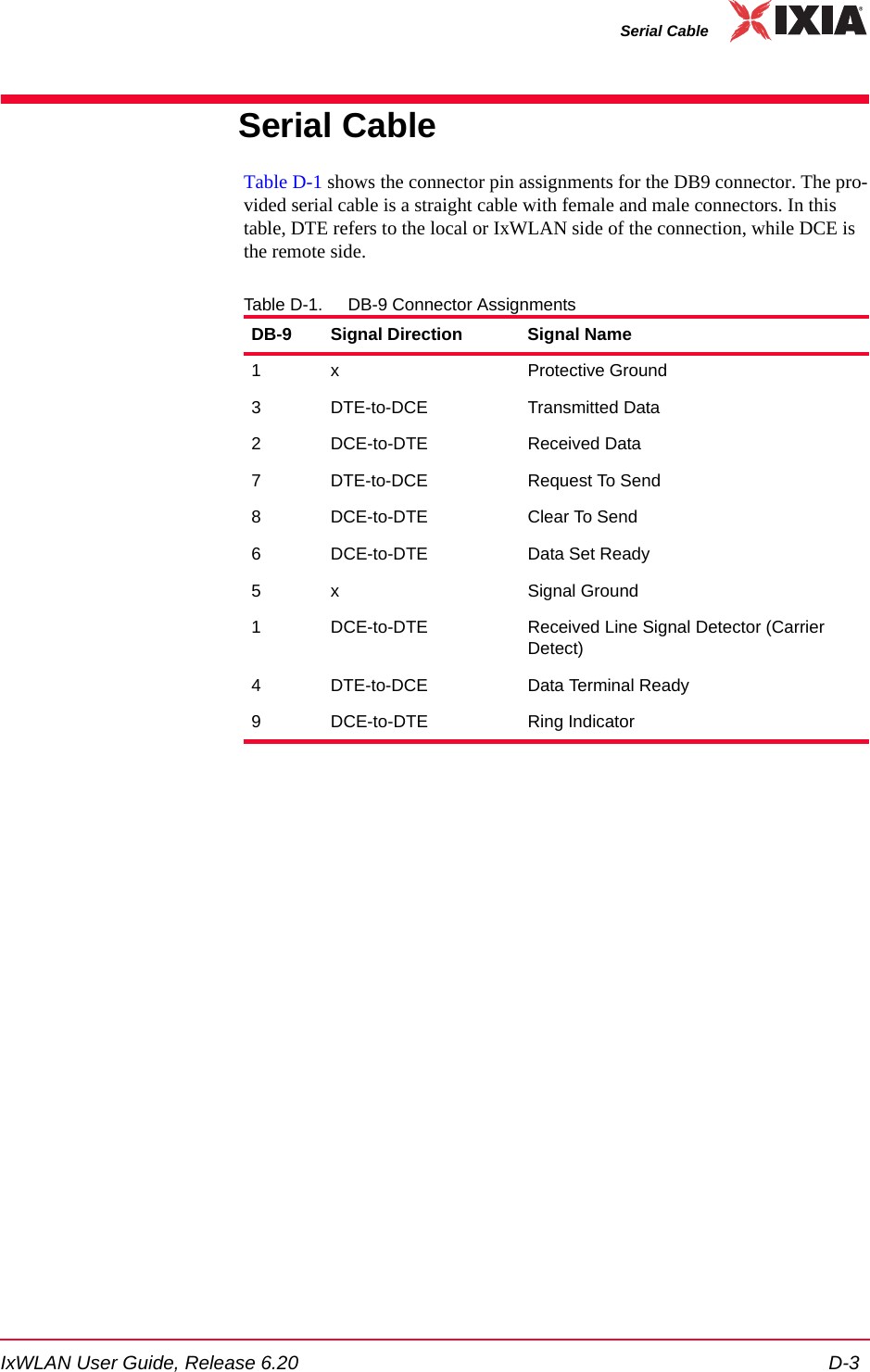

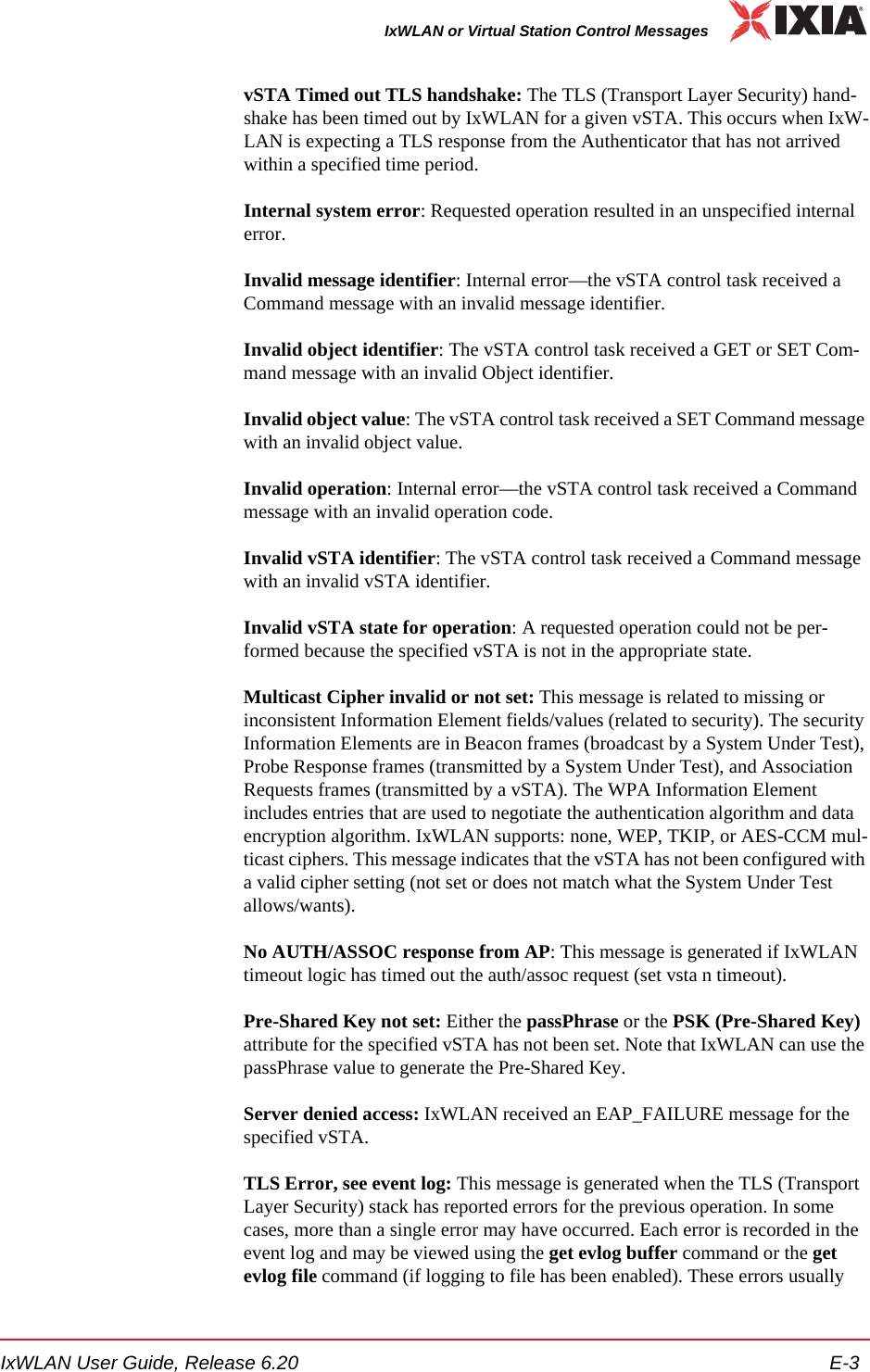
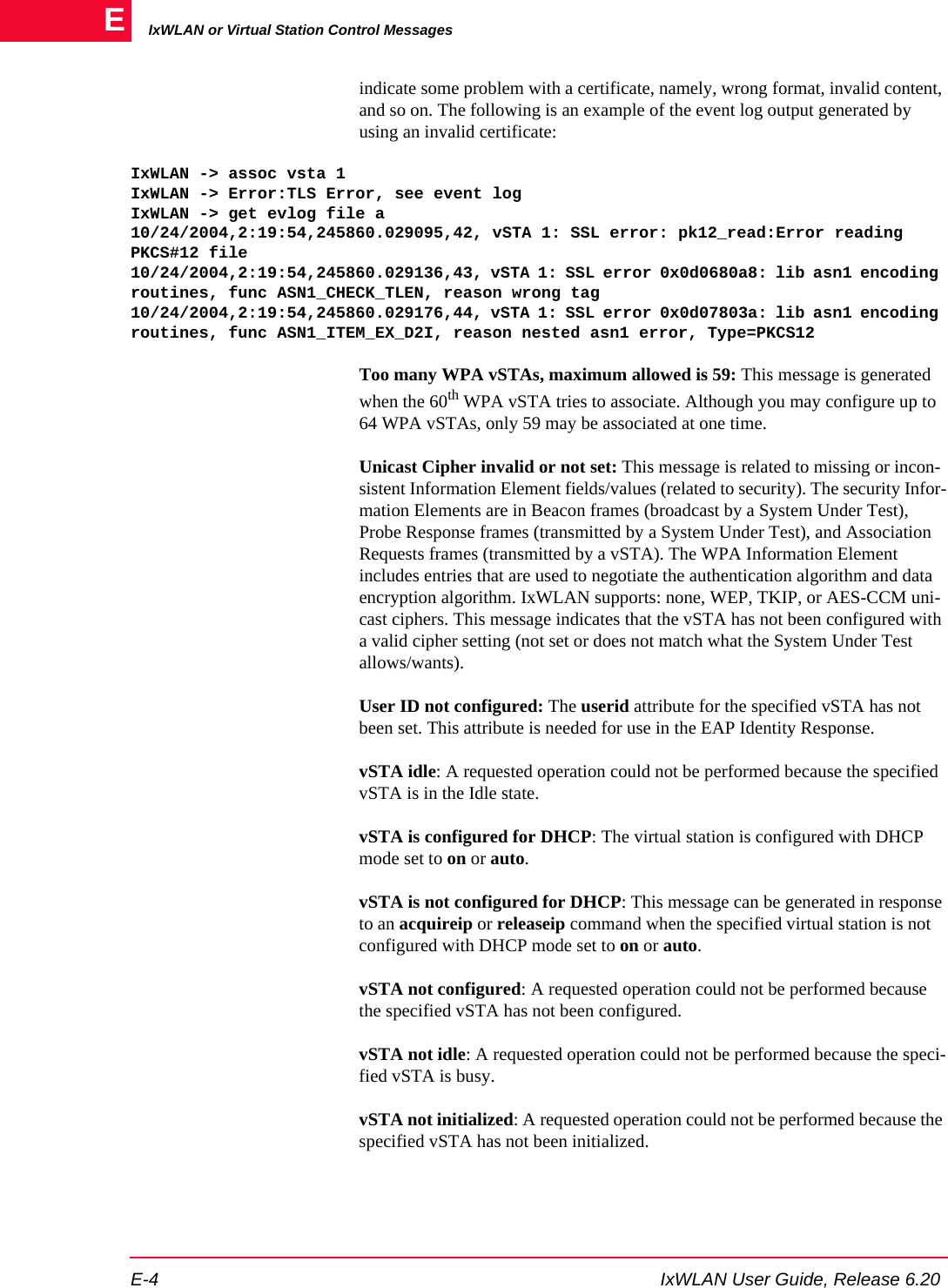
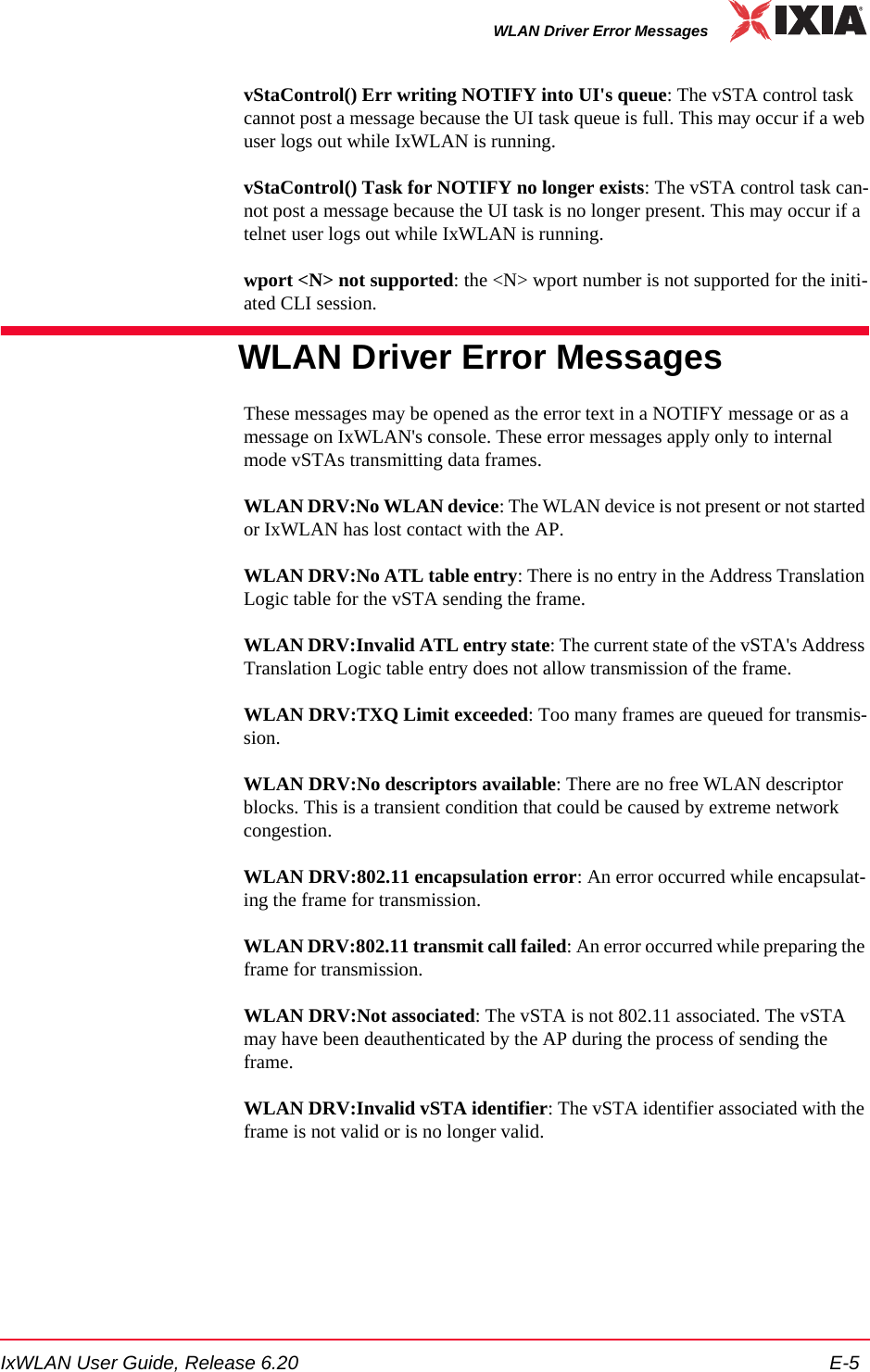
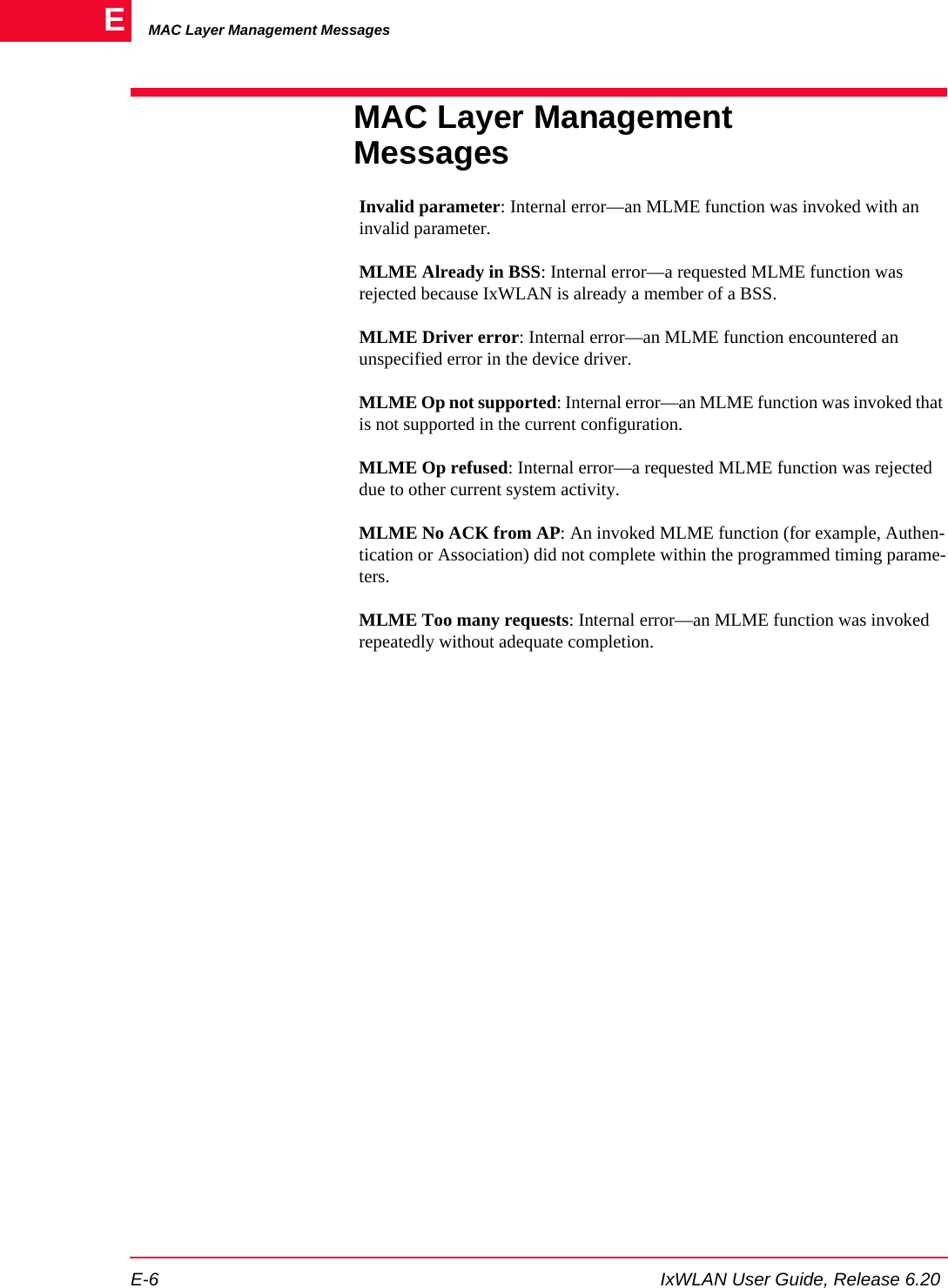
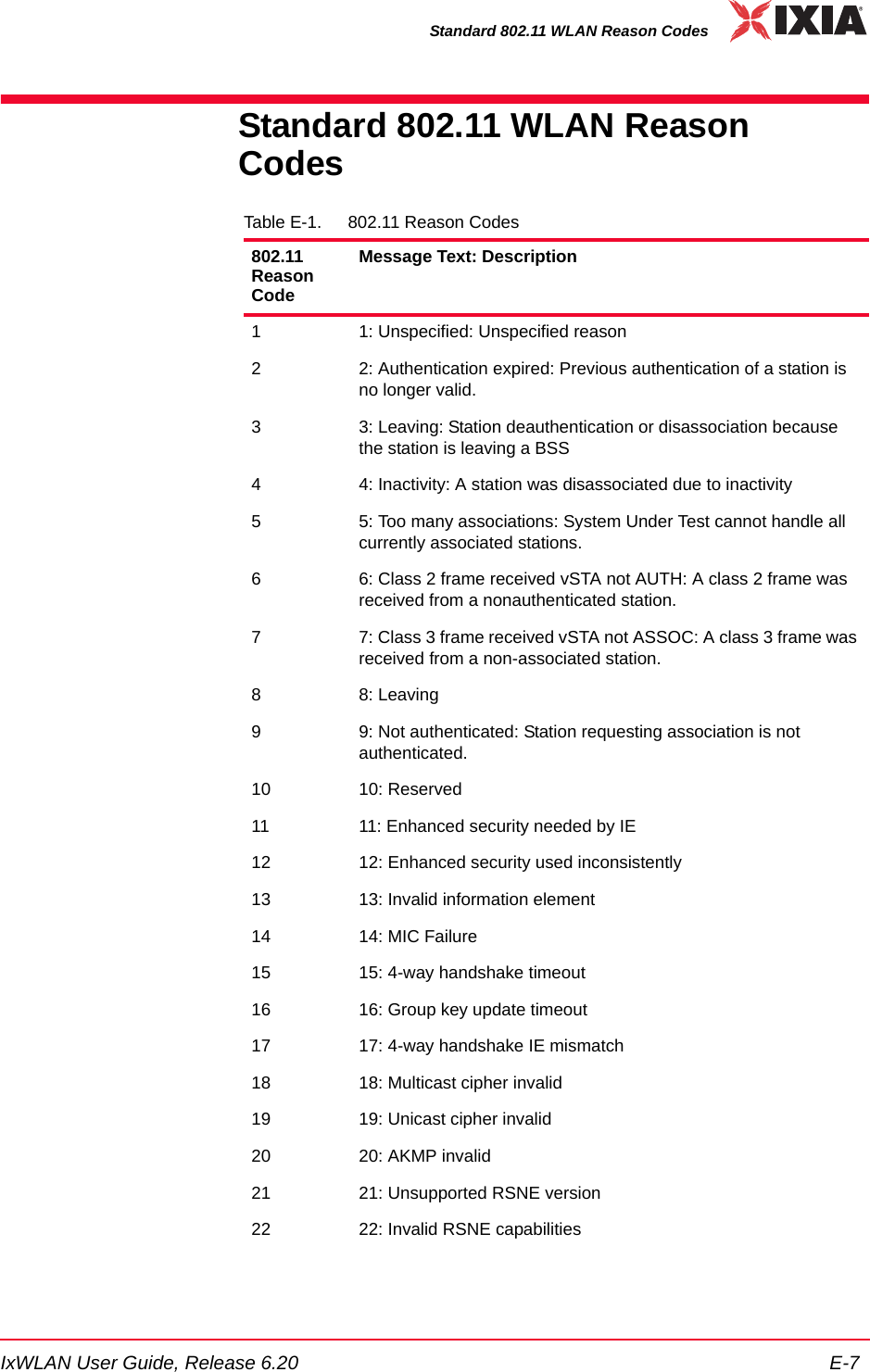

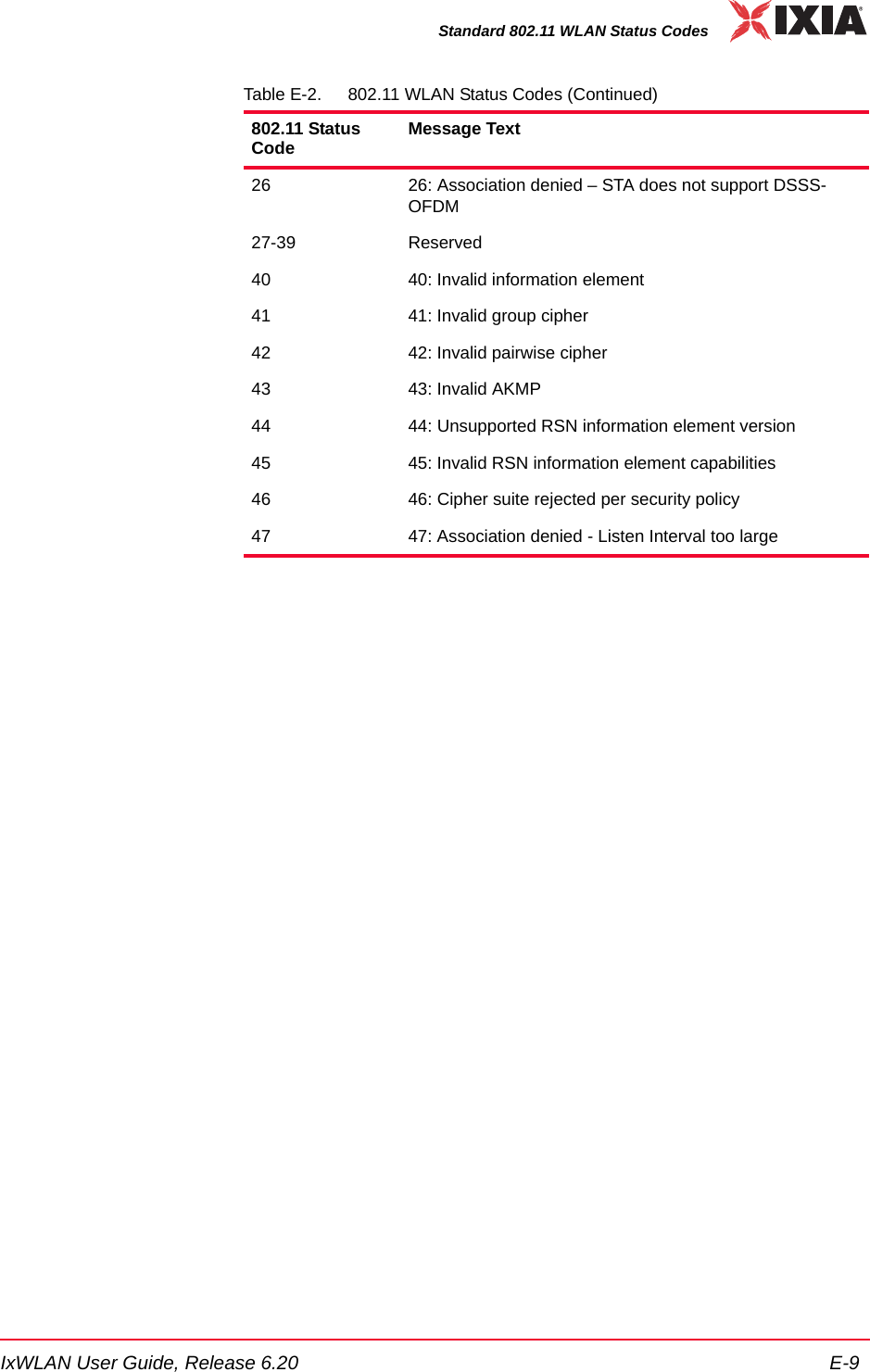

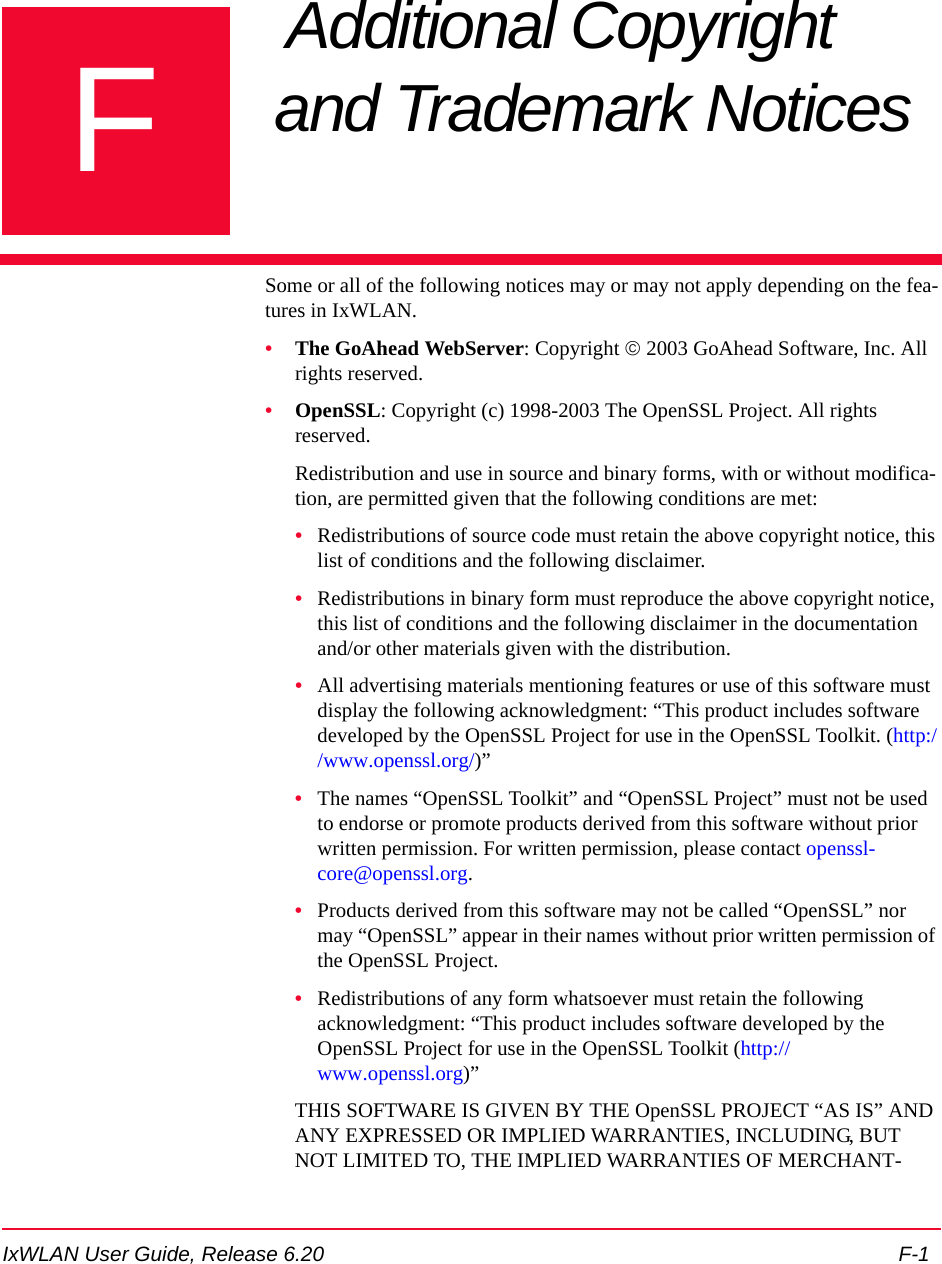

![IxWLAN User Guide, Release 6.20 F-3THIS SOFTWARE IS GIVEN BY ERIC YOUNG “AS IS'' AND ANY EXPRESS OR IMPLIED WARRANTIES, INCLUDING, BUT NOT LIM-ITED TO, THE IMPLIED WARRANTIES OF MERCHANTABILITY AND FITNESS FOR A PARTICULAR PURPOSE ARE DISCLAIMED. IN NO EVENT SHALL THE AUTHOR OR CONTRIBUTORS BE LIABLE FOR ANY DIRECT, INDIRECT, INCIDENTAL, SPECIAL, EXEMPLARY, OR CONSEQUENTIAL DAMAGES (INCLUDING, BUT NOT LIMITED TO, PROCUREMENT OF SUBSTITUTE GOODS OR SERVICES; LOSS OF USE, DATA, OR PROFITS; OR BUSINESS INTERRUPTION) HOWEVER CAUSED AND ON ANY THEORY OF LIABILITY, WHETHER IN CON-TRACT, STRICT LIABILITY, OR TORT (INCLUDING NEGLIGENCE OR OTHERWISE) ARISING IN ANY WAY OUT OF THE USE OF THIS SOFTWARE, EVEN IF ADVISED OF THE POSSIBILITY OF SUCH DAMAGE.The license and distribution terms for any publicly available version or deriv-ative of this code cannot be changed. that is this code cannot simply be copied and put under another distribution license [including the GNU Public License.]•XSupplicant -- A client-side 802.1x implementation This code is released under both the GPL version 2 and BSD licenses. Either license may be used. The respective licenses are.Copyright (C) 2002 Bryan D. Payne & Nick L. Petroni Jr.Copyright (C) 2003, 2004 The Open1x TeamAll Rights Reserved--- GPL Version 2 License ---This program is free software; you can redistribute it and/or modify it under the terms of the GNU General Public License as published by the Free Soft-ware Foundation; either version 2 of the License, or (at your option) any later version.This program is distributed in the hope that it is useful, but WITHOUT ANY WARRANTY; without even the implied warranty of MERCHANTABILITY or FITNESS FOR A PARTICULAR PURPOSE. See the GNU General Pub-lic License for more details.You should have received a copy of the GNU General Public License along with this program; if not, write to the Free Software Foundation, Inc., 59 Temple Place - Suite 330, Boston, MA 02111-1307, USA. --- BSD License ---Redistribution and use in source and binary forms, with or without modifica-tion, are permitted given that the following conditions are met:•Redistributions of source code must retain the above copyright notice, this list of conditions and the following disclaimer.•Redistributions in binary form must reproduce the above copyright notice, this list of conditions and the following disclaimer in the documentation and/or other materials given with the distribution.](https://usermanual.wiki/Ixia/EE11ABG5.User-Manual-Part-Two/User-Guide-885831-Page-165.png)