JCO Electronic Technology PF300 Flatfish User Manual
JCO Electronic Technology Co.,LTD Flatfish
User Manual
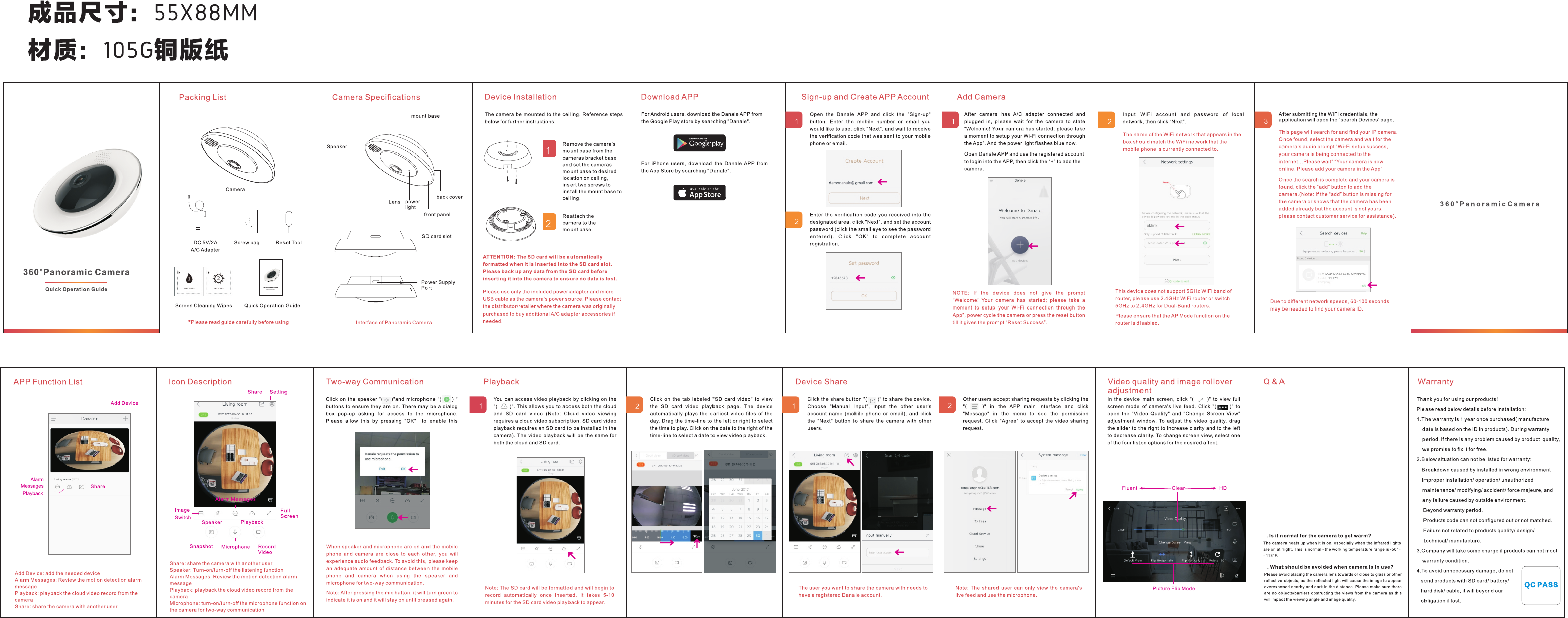
1.How to connect to WIFI?
a.Make sure Your Smartphone have connected your Wi-Fi already!
b.Plug in your camera into a power outlet that is close to your router.
c.Click the Smart-Link configuration on the app .
d.Enter the correct Wi-Fi user name and password. then NEXT.
e.They will search for your wifi and your Camera,then they will
connect automatically.
f. Please try to configure more times if fails connect.
2.How to do if the camera is offline and cannot view
remotely after a long time use in APP?
a. Please repower the camera and 2 minutes later, run the APP and
refresh the camera list by pulling down the APP window.
b. Please make sure if the camera is placed within the Wi-Fi signal
range
c. Please check if the camera is power off or not.
d. Please check if the WIFI router works.
e. Please check is there any WIFI router name and WIFI password
changing recently? If yes, please use the reset tool to reset the
camera and do the connection again with the new WIFI router name
and password.
3
4
FCC Statement
This equipment has been tested and found to comply with the limits for a Class
B digital device, pursuant to part 15 of the FCC rules. These limits are
designed to provide reasonable protection against harmful interference in a
residential installation. This equipment generates, uses and can radiate radio
frequency energy and, if not installed and used in accordance with the
instructions, may cause harmful interference to radio communications.
However, there is no guarantee that interference will not occur in a particular
installation. If this equipment does cause harmful interference to radio or
television reception, which can be determined by turning the equipment off and
on, the user is encouraged to try to correct the interference by one or more of
the following measures:
-Reorient or relocate the receiving antenna.
-Increase the separation between the equipment and receiver.
-Connect the equipment into an outlet on a circuit different from that to which
the receiver is connected.
-Consult the dealer or an experienced radio/TV technician for help.
To assure continued compliance, any changes or modifications not expressly
approved by the party.
Responsible for compliance could void the user’s authority to operate this
equipment. (Example- use only shielded interface cables when connecting to
computer or peripheral devices).
This equipment complies with Part 15 of the FCC Rules. Operation is subject
to the following two conditions:
(1) This device may not cause harmful interference, and
(2) This device must accept any interference received, including interference
that may cause undesired operation.
FCC Radiation Exposure Statement:
The equipment complies with FCC Radiation exposure limits set forth for
uncontrolled enviroment. This equipment should be installed and operated with
minimum distance 20cm between the radiator and your body.
.