Jablotron JA80N Outdoor RFID card reader User Manual Exhibit 7 Instruction manual JA80N

Jablotron Ltd Outdoor RFID card reader Exhibit 7 Instruction manual JA80N

Instruction Manual

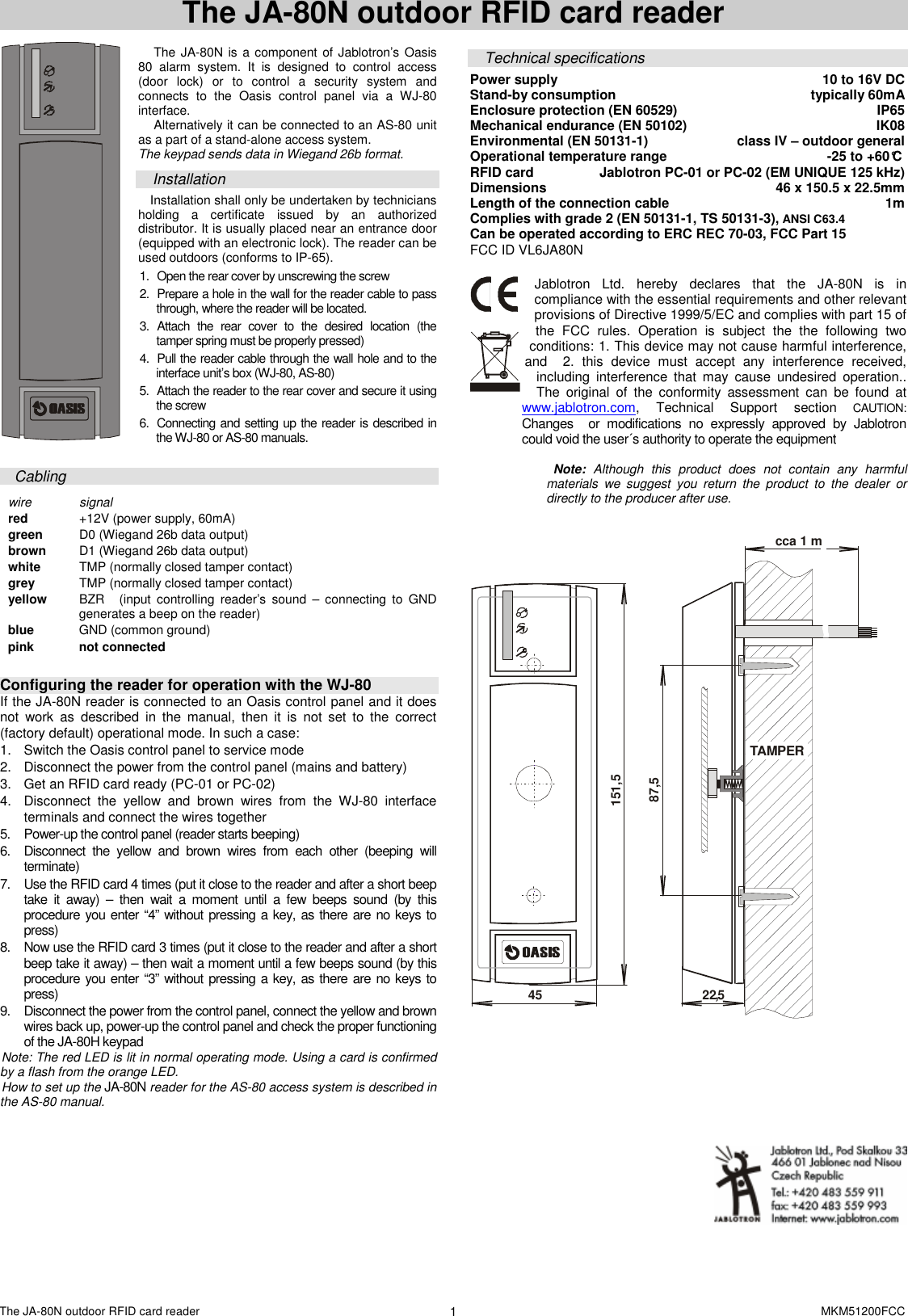
The JA-80N outdoor RFID card reader    MKM51200FCC 1 The JA-80N outdoor RFID card reader   The JA-80N is a component of Jablotron’s Oasis 80  alarm  system.  It  is  designed  to  control  access (door  lock)  or  to  control  a  security  system  and connects  to  the  Oasis  control  panel  via  a  WJ-80 interface.  Alternatively it can be connected to an AS-80 unit as a part of a stand-alone access system. The keypad sends data in Wiegand 26b format.   Installation Installation shall only be undertaken by technicians holding  a  certificate  issued  by  an  authorized distributor. It is usually placed near an entrance door (equipped with an electronic lock). The reader can be used outdoors (conforms to IP-65).    1.  Open the rear cover by unscrewing the screw  2.  Prepare a hole in the wall for the reader cable to pass through, where the reader will be located. 3.  Attach  the  rear  cover  to  the  desired  location  (the tamper spring must be properly pressed)  4.  Pull the reader cable through the wall hole and to the interface unit’s box (WJ-80, AS-80) 5.  Attach the reader to the rear cover and secure it using the screw 6.  Connecting and setting up the reader is described in the WJ-80 or AS-80 manuals.  Cabling  wire  signal red   +12V (power supply, 60mA)  green   D0 (Wiegand 26b data output) brown   D1 (Wiegand 26b data output) white   TMP (normally closed tamper contact) grey  TMP (normally closed tamper contact)  yellow   BZR (input  controlling  reader’s  sound  –  connecting to  GND generates a beep on the reader)  blue  GND (common ground) pink  not connected   Configuring the reader for operation with the WJ-80 If the JA-80N reader is connected to an Oasis control panel and it does not  work  as  described  in  the  manual,  then  it  is  not  set  to  the  correct (factory default) operational mode. In such a case:   1.  Switch the Oasis control panel to service mode 2.  Disconnect the power from the control panel (mains and battery) 3.  Get an RFID card ready (PC-01 or PC-02) 4.  Disconnect  the  yellow  and  brown  wires  from  the  WJ-80  interface terminals and connect the wires together 5.  Power-up the control panel (reader starts beeping)  6.  Disconnect  the  yellow  and  brown  wires  from  each  other  (beeping  will terminate)  7.  Use the RFID card 4 times (put it close to the reader and after a short beep take  it  away)  –  then  wait  a  moment  until  a  few  beeps  sound  (by  this procedure you enter “4” without pressing a key, as there are no keys to press) 8.  Now use the RFID card 3 times (put it close to the reader and after a short beep take it away) – then wait a moment until a few beeps sound (by this procedure you enter “3” without pressing a key, as there are no keys to press) 9.  Disconnect the power from the control panel, connect the yellow and brown wires back up, power-up the control panel and check the proper functioning of the JA-80H keypad   Note: The red LED is lit in normal operating mode. Using a card is confirmed by a flash from the orange LED. How to set up the JA-80N reader for the AS-80 access system is described in the AS-80 manual.  Technical specifications Power supply  10 to 16V DC  Stand-by consumption   typically 60mA Enclosure protection (EN 60529)  IP65 Mechanical endurance (EN 50102)  IK08 Environmental (EN 50131-1)   class IV – outdoor general Operational temperature range  -25 to +60°C  RFID card  Jablotron PC-01 or PC-02 (EM UNIQUE 125 kHz) Dimensions  46 x 150.5 x 22.5mm Length of the connection cable  1m Complies with grade 2 (EN 50131-1, TS 50131-3), ANSI C63.4                    Can be operated according to ERC REC 70-03, FCC Part 15 FCC ID VL6JA80N  Jablotron  Ltd.  hereby  declares  that  the  JA-80N is  in compliance with the essential requirements and other relevant provisions of Directive 1999/5/EC and complies with part 15 of the  FCC  rules.  Operation  is  subject  the  the  following  two conditions: 1. This device may not cause harmful interference, and    2.  this  device  must  accept  any  interference  received, including  interference  that  may  cause  undesired  operation.. The  original  of  the  conformity  assessment  can  be  found  at www.jablotron.com,  Technical  Support  section CAUTION: Changes    or  modifications  no  expressly  approved  by  Jablotron could void the user´s authority to operate the equipment     Note:  Although  this  product  does  not  contain  any  harmful materials  we  suggest  you  return  the  product  to  the  dealer  or directly to the producer after use.    TAMPER22,545151,587,5cca 1 m

Navigation menu