Jiangmen Pengcheng Helmets DWO-4 Bluetooth Helmet Headset User Manual
Jiangmen Pengcheng Helmets Ltd. Bluetooth Helmet Headset
User Manual
4
Battery Low
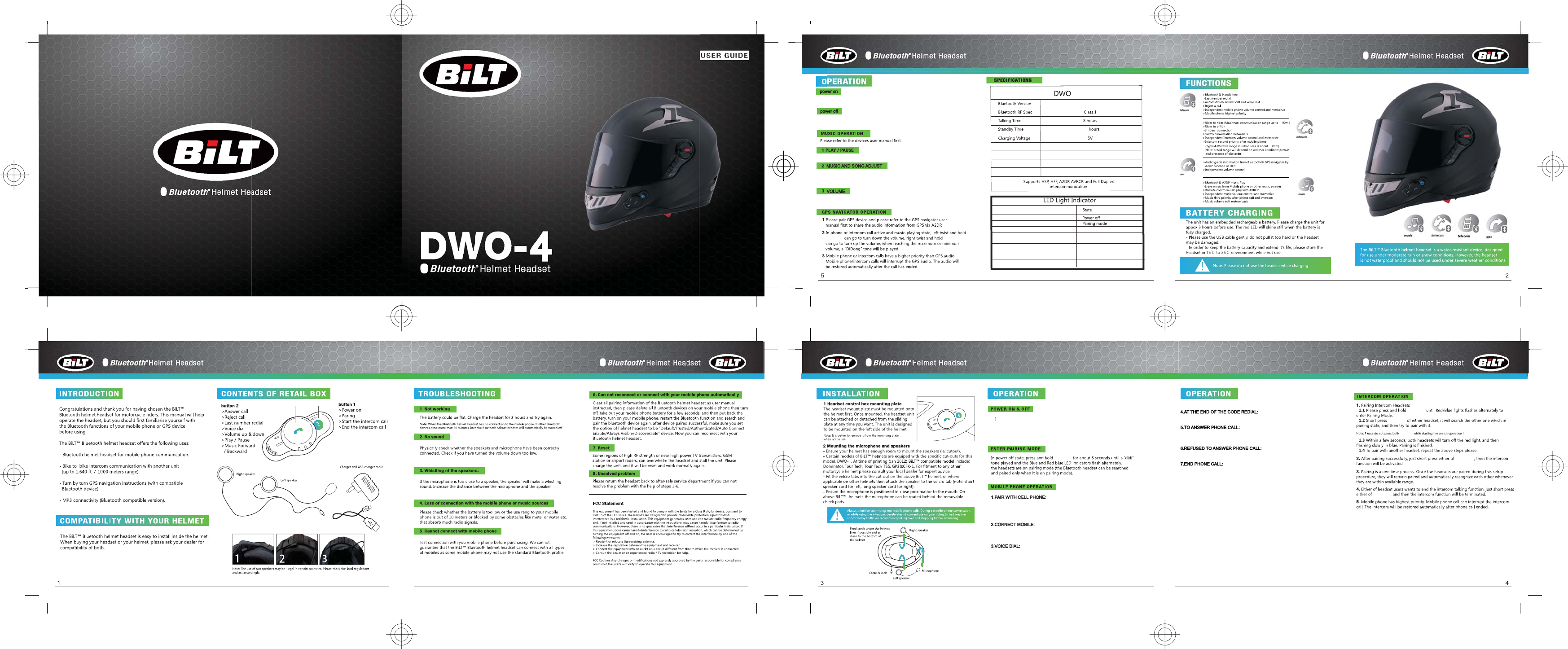
1. n power off state,long press Button 1 about 2S, blue light on, voice
prompt 'Power on'.
2.Press Button 1 and Button 2 approximately 0.2S at the same time, the
red light on, the voice prompt "Power off".
1.PAIR WITH CELL PHONE:
2.CONNECT MOBILE:
In the power on state, long press Button 2 about 5S, red and blue lights
flashing alternately.Open the bluetooth searching of cell phone, Pairing,
voice prompt 'Pairing'.
when power on, it will automatically connect mobile phone, if not, short press
Button 2, to make it connect mobile phone
3.VOICE DIAL:
Power on and connected phone, short press Button 2.
4.AT THE END OF THE CODE REDIAL:
at boot stage, connected the phone, and then double-click Button 2. Prompt 'Redialing'
5.TO ANSWER PHONE CALL:
6.REFUSED TO ANSWER PHONE CALL:
7.END PHONE CALL:
When calling, it will automatically receive the phone call after 8s, in the case of a call,
short press Button 2 to answer
when there is Calls, within 8S, double-click the Button 2 refused.
duing the call, short press Button 2 hang up
Button 1
Button 2 Button 2
Button 1
Button 1
Button 1
Button 1
Button 1
4
Long press Button 2 about 2s, hear a chime
power on
power off
press K_POWER and K_PHONE approximately 0.2S at the same
time,the red light on,the voice prompt “Power off”
Long press K_POWER about 2S,blue light on,voice prompt
“power on”
MUSIC AND SONG ADJUST
Music playback mode, short press Button 2, enter the up and down adjustment
mode to change the song up and down with the knob adjustment, within the 5S,
automatic exit after 5S regulation mode, or short press Button 2 exit within 5S.
VOLUME
In the intercom, conversation, music stage,up and down to do the volume knob,
achieve volume adjustment.
V3.0
Rf Frequency 2.402-2.480Ghz
Battery Type
550mah recharging lithium-polymer battery
Profile Hsp,Hfp,A2dp,Avrcp,Intercom
Led Light Indicator
All Led off
Red and blue lights flashing alternately
Blue lights flash every 1second Standby modev
Blue lights fast flash 2 times every
3 seconds Connected mode
Red lights flash 1 time every 30 seconds
Red always flash Charging
Red still on Charge finished
160
10
10
4
Charging Time 3 hours
This device complies with part 15 of the FCC rules. Operation is subject to the following two conditions:
(1) this device may not cause harmful interference, and
(2) this device must accept any interference received, including interference
that may cause undesired operation.
About SAR information,please check the FCC ID:AJZDWO-4 on FCC website.