Johnson Outdoors IPREM15 Remote Control Transmitter for Fishing Boat Motor User Manual i pilot manual 2377152revA indd
Johnson Outdoors, Inc. Remote Control Transmitter for Fishing Boat Motor i pilot manual 2377152revA indd
Contents
- 1. manual pt 1
- 2. manual pt 2
manual pt 2
minnkotamotors.com
This section describes all Manual Control
functions of i-Pilot. A manual function is one
in which the operator takes full control of
the function such as manually steering the
motor in a desired direction or manually
adjusting the prop speed to the desired
setting. Any of these functions do not
require a GPS signal.
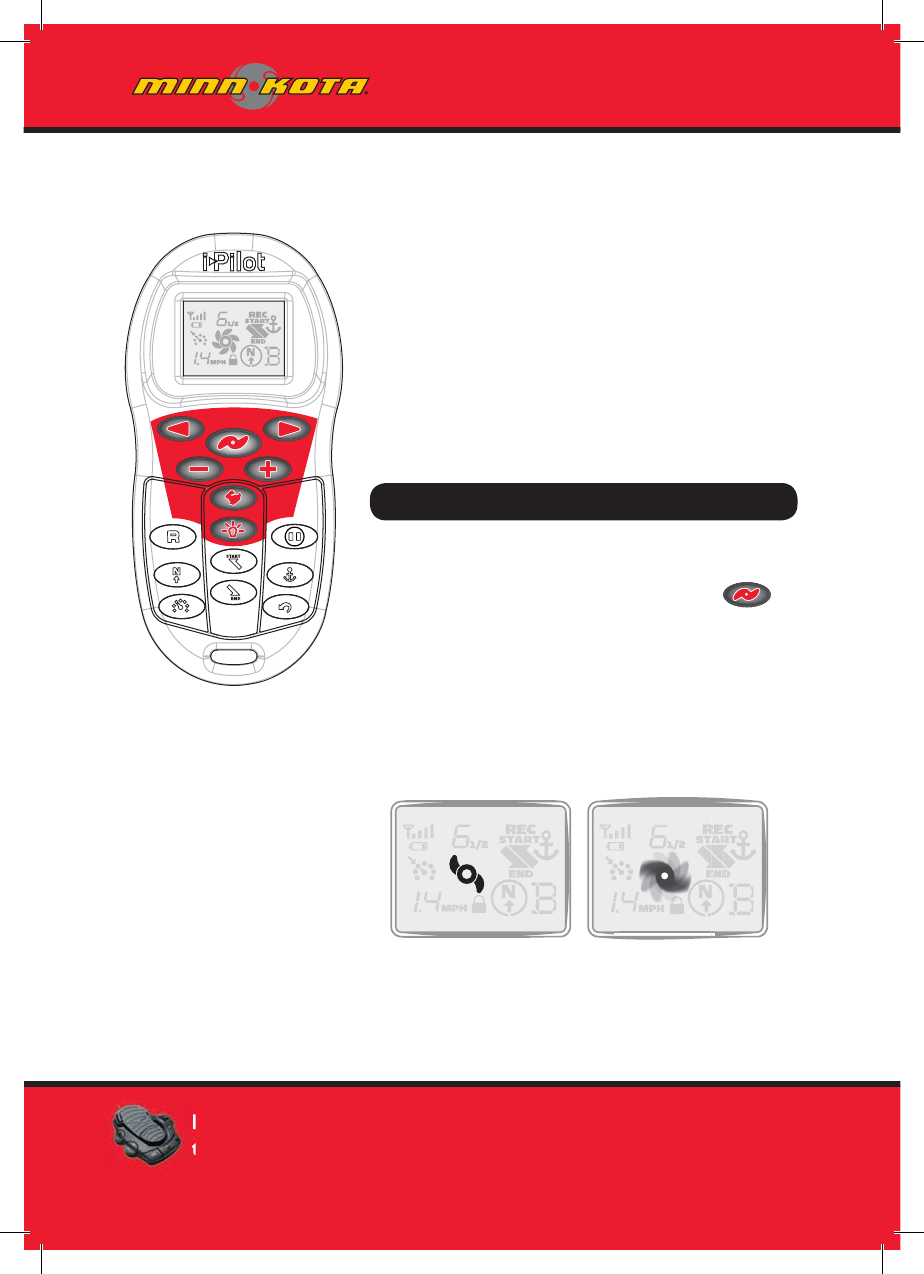
How Do I . . . Turn the Motor On/Off?
Motor On/Off
To turn the motor on or off press .
The prop icon on the LCD will be on if
the prop is enabled and off if the prop
is disabled. With the prop enabled, the
icon will be stationary if the motor speed
is zero and the icon will rotate if the
motor speed is greater than zero.
MANUAL CONTROL FUNCTIONALITY
38 m
i
nnkotamotors.co
m
Prop Enabled Motor Speed Greater
Than Zero
Pressing the MOM or CON button on the foot pedal will adjust
the motor speed setting to the foot pedal speed setting.
minnkotamotors.com
How Do I . . . Control Motor Speed?
Motor Speed Control
Increase Motor Speed
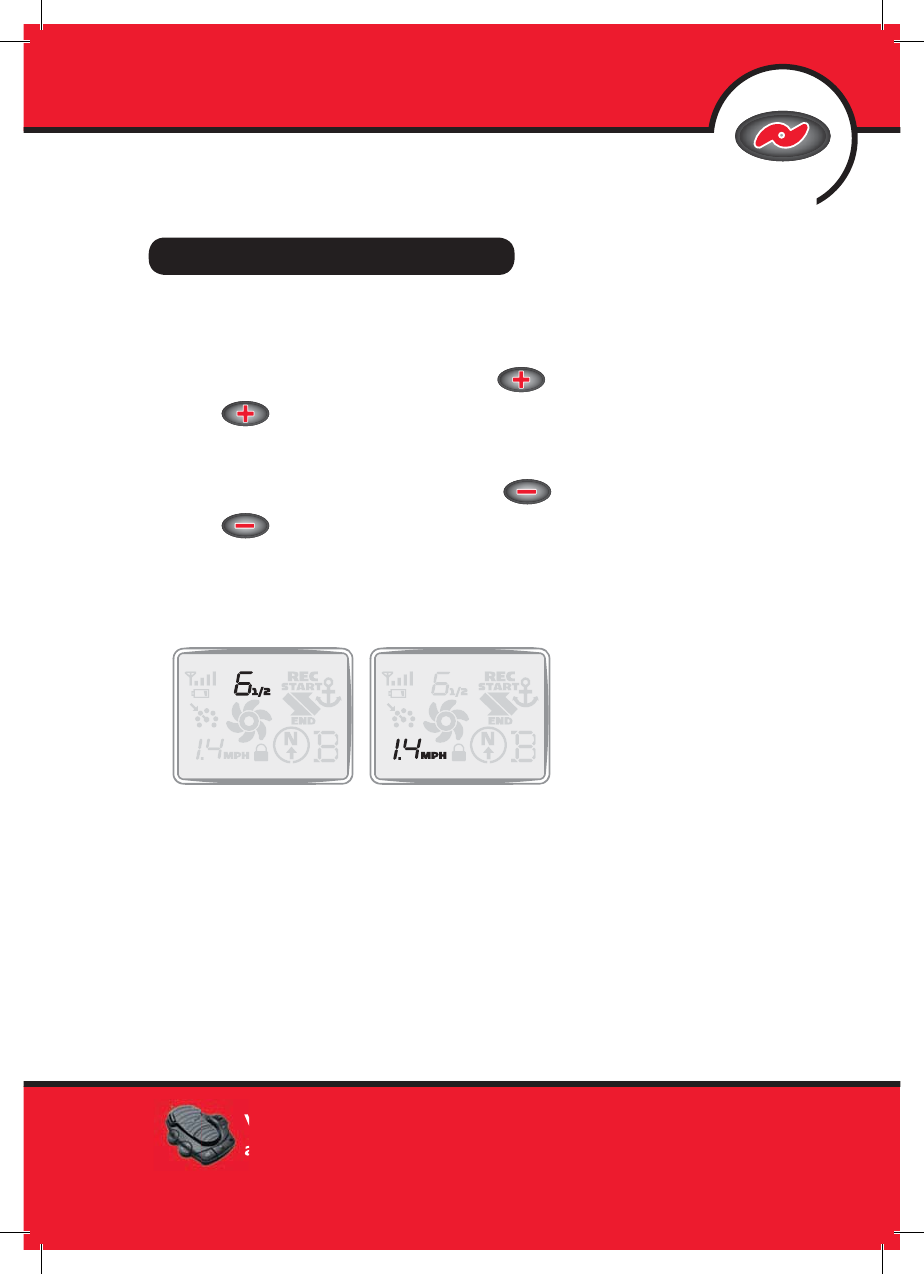
To increase the motor speed push on the remote. Each push
of will increment the motor speed by ½ to a maximum of 10.
Decrease Motor Speed
To decrease the motor speed push on the remote. Each push
of will decrement the motor speed by ½ to a minimum of 0.
The remote LCD will display the current motor speed setting. This is
not to be confused with the GPS speed which is also displayed on the
remote LCD.
MANUAL CONTROL
39
mi
nnkotamotors.co
m
Motor Speed GPS Speed
While the MOM button is pressed on the foot pedal, all speed
and prop changes from the i-Pilot remote are ignored.
minnkotamotors.com
How Do I . . . Steer the Motor?
Motor Steering Control
Steer Left
To steer the motor to the left press .
Steer right
To steer the motor to the right press .
If a steering button is held down for more than six to eight seconds,
the steering will stop to prevent the coil cord from wrapping on
the motor.
40 m
i
nnkotamotors.co
m

minnkotamotors.com
MANUAL CONTROL
41
mi
nnkotamotors.co
m
How Do I . . . Engage High Speed Bypass?
High Speed Bypass Operation
Engage
Pressing will set the motor speed to
maximum immediately.
Disengage
Pressing again will set the motor speed to the value it was
at previously.
*Note: High Speed Bypass does not enable or disable
the prop.
How Do I . . . Turn LCD Backlighting On?
LCD Backlight Button
To turn on LCD backlighting press and release .
The backlight will turn off eight seconds after the last button
press to conserve battery power.

minnkotamotors.com
UNDERSTANDING HOW THE
I-PILOT SYSTEM WORKS
Navigation
i-Pilot uses GPS satellite signals as well as digital compass data to know where
it is, where it is heading and the direction the motor is pointing. Since
i-Pilot depends on GPS satellite signals for navigation, a minimum GPS signal
level of one bar is required in order for GPS navigation controls to be
enabled. Best results are achieved when a GPS signal level of four bars can
be obtained.
In simple terms, i-Pilot remembers and creates points to navigate your boat
automatically. i-Pilot also uses a method of GPS navigation called arrival
circles. These imaginary circles allow i-Pilot to understand when it has drifted
away from a point and when it has arrived at a point. The size of the
arrival circles vary depending on GPS signal strength, thus the greater the
signal strength the smaller the arrival circles.
Tracks
Tracks are made of many points that i-Pilot records when recording a track.
The distance between these points varies based on GPS signal strength and the
speed at which you record the track. When a track is played back, i-Pilot uses
the track points and arrival circles to navigate the track.
42 m
i
nnkotamotors.co
m
minnkotamotors.com
GPS MOTOR CONTROL
Memory
i-Pilot has the capability of storing up to six individual tracks (each two miles
in length) and six individual Spot Lock locations. These locations are stored
in memory even when power is removed from the system. Spot Lock and
Track memory locations are separate from each other and they cannot
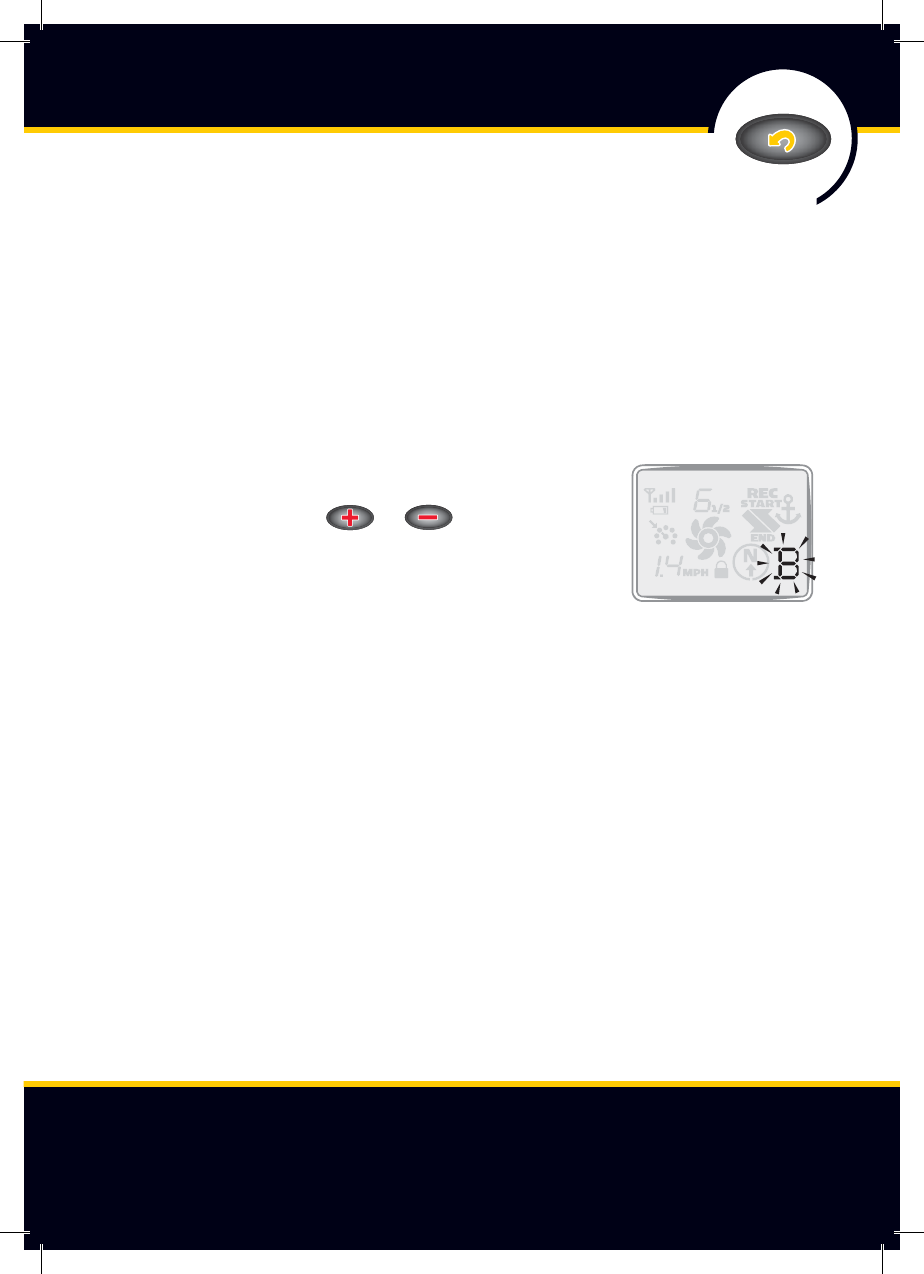
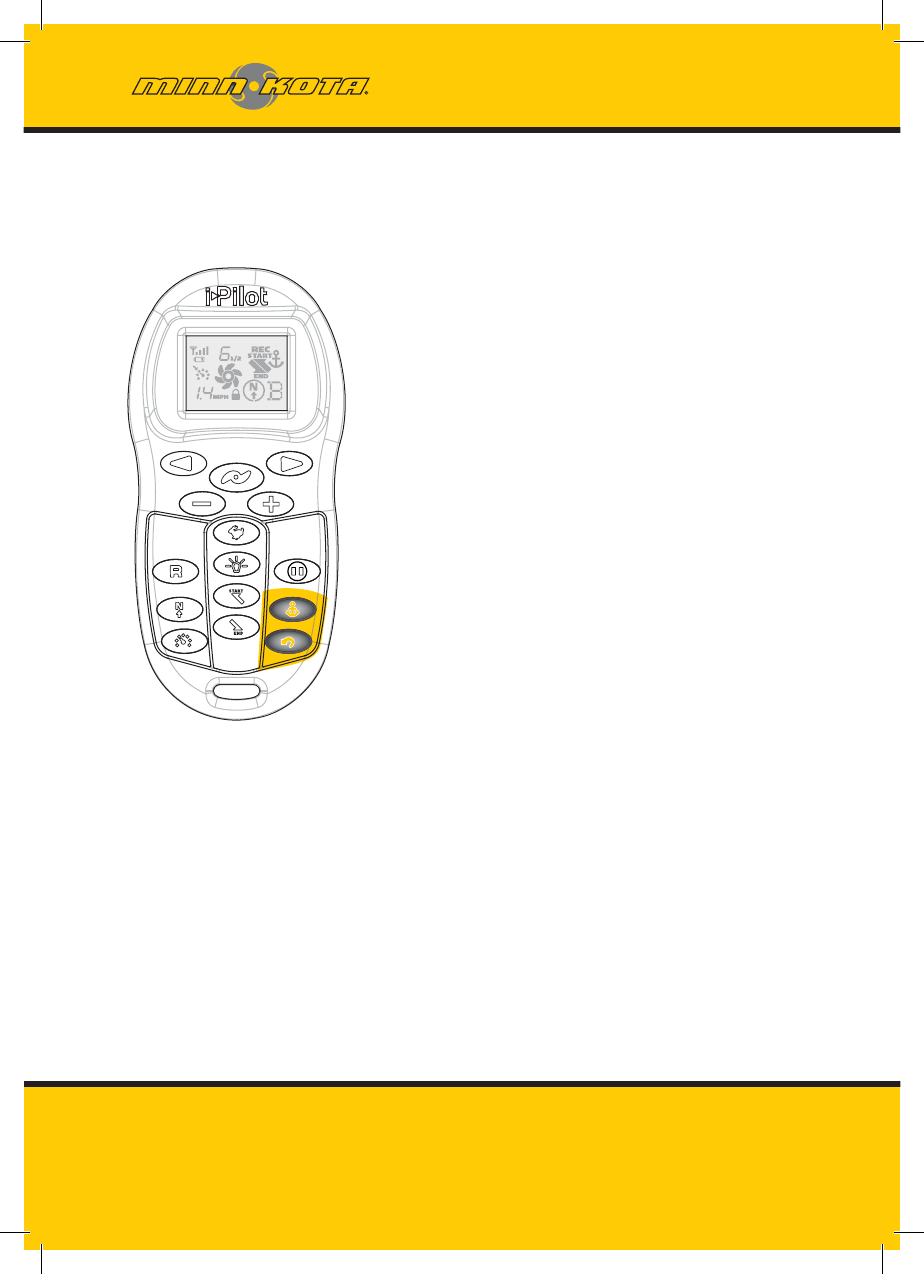
over write each other. Memory locations are identifi ed on the remote LCD
with an icon shown as A, B, C, D, E or F. When the
memory icon is fl ashing, a different location can be
selected by pressing or .
43
mi
nnkotamotors.co
m
minnkotamotors.com
Spot Lock
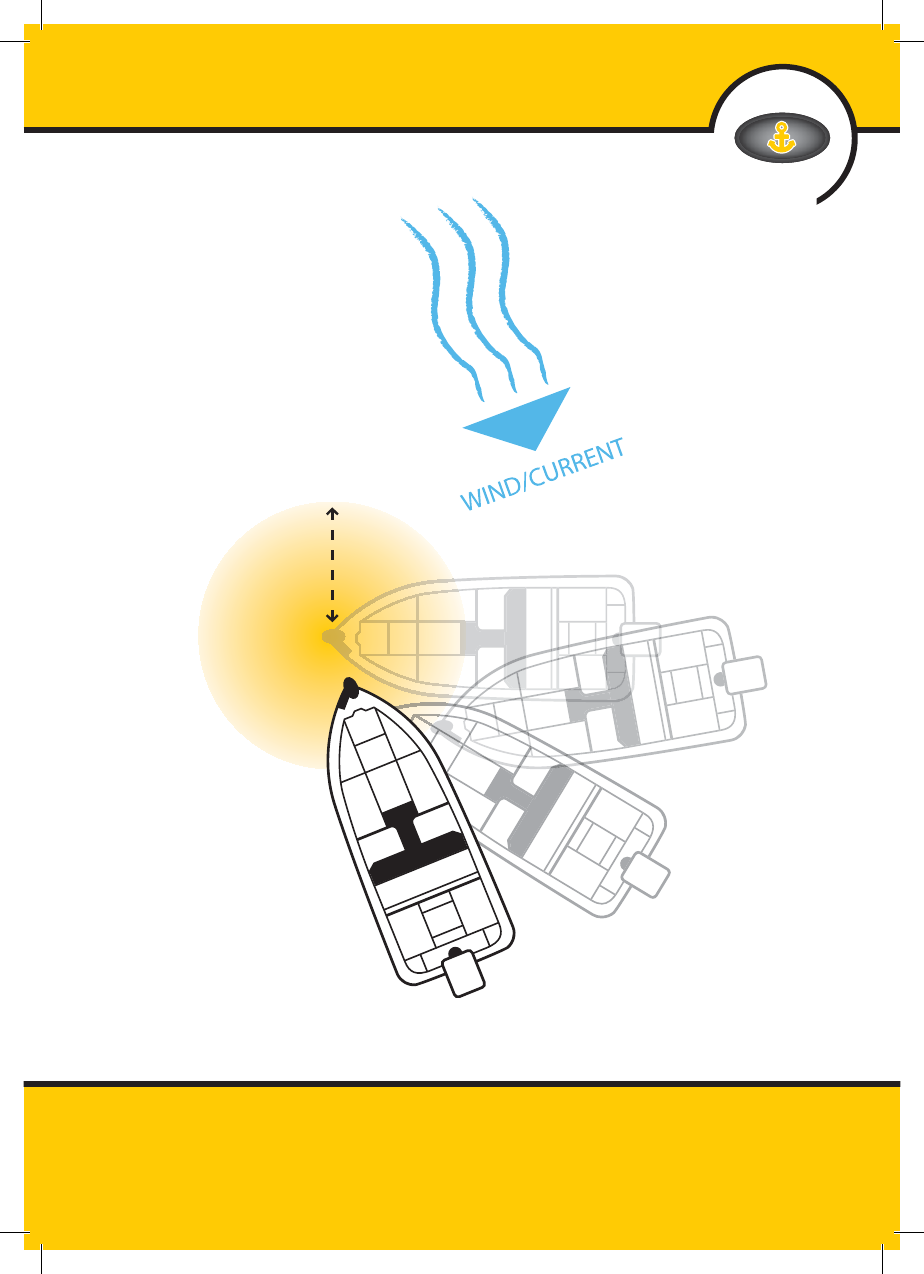
Spot Lock uses a single point as a
reference for the spot you want to
stay on. This point is recorded and
stored into one of the six memory
locations when the Spot Lock button
is pushed. Around the Spot Lock
location i-Pilot uses an arrival circle to
determine prop speed and direction.
If i-Pilot sees it is within the circle, it
will adjust the motor speed to zero.
If i-Pilot sees it is outside of the circle,
it will control motor speed in an
attempt to get the boat back into
the circle.
HOW SPOT LOCK WORKS
44 minnkotamotors.com
minnkotamotors.com
SPOT LOCK
45
minnkotamotors.com
minnkotamotors.com
ENGAGING SPOT LOCK
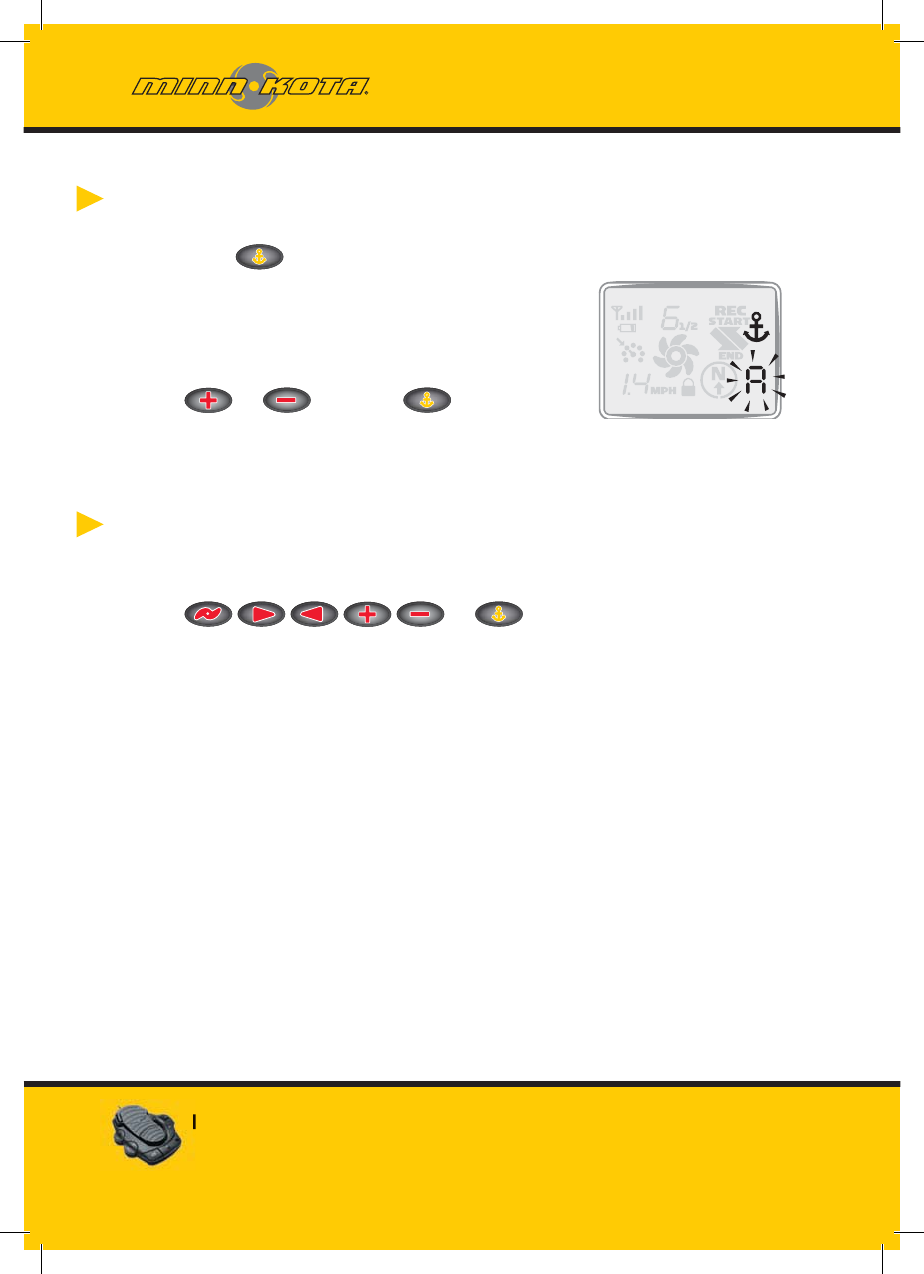
1. Press on the remote.
2. The Memory Location icon will fl ash on the
remote LCD for three seconds, allowing you
to choose a memory location by pressing
or . Pressing again or
waiting for three seconds accepts the
memory location.
DISENGAGING SPOT LOCK
1. To disengage Spot Lock press any of these buttons:
or .
46 minnkotamotors.com
Pressing any foot pedal button will disengage Spot Lock.
minnkotamotors.com
RE-ENGAGE A SAVED SPOT
LOCK LOCATION
1. Manually navigate the boat to within a quarter mile of the saved
Spot Lock location. Due to safety reasons, i-Pilot will not
re-engage a saved Spot Lock location greater than a quarter
mile away.
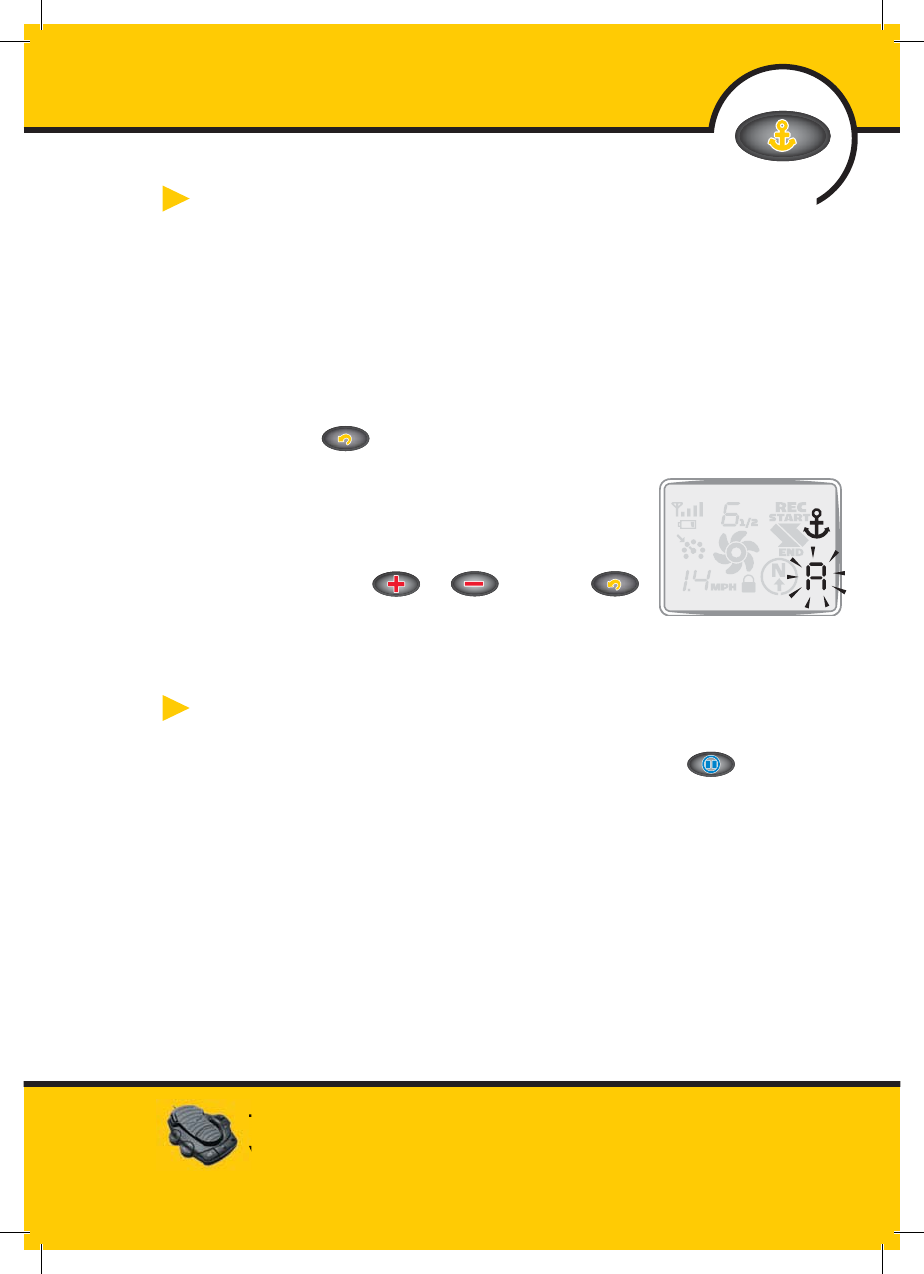
2 Press on the remote.
3. The Memory Location icon will fl ash on
the remote LCD for three seconds
allowing you to choose a memory location
by pressing or . Pressing
again or waiting for three seconds accepts
the memory location.
SPOT LOCK ESCAPE
1. If the Spot Lock button is accidentally hit, press or
any manual navigation button within three seconds to cancel
the command.
Using Spot Lock with Other i-Pilot Functions
Since Spot Lock takes over full control of the motor, it cannot be used in
combination with other i-Pilot functions.
SPOT LOCK
47
minnkotamotors.com
The momentary button on the foot pedal will not function
when Spot Lock or Spot Lock Recall is engaged.
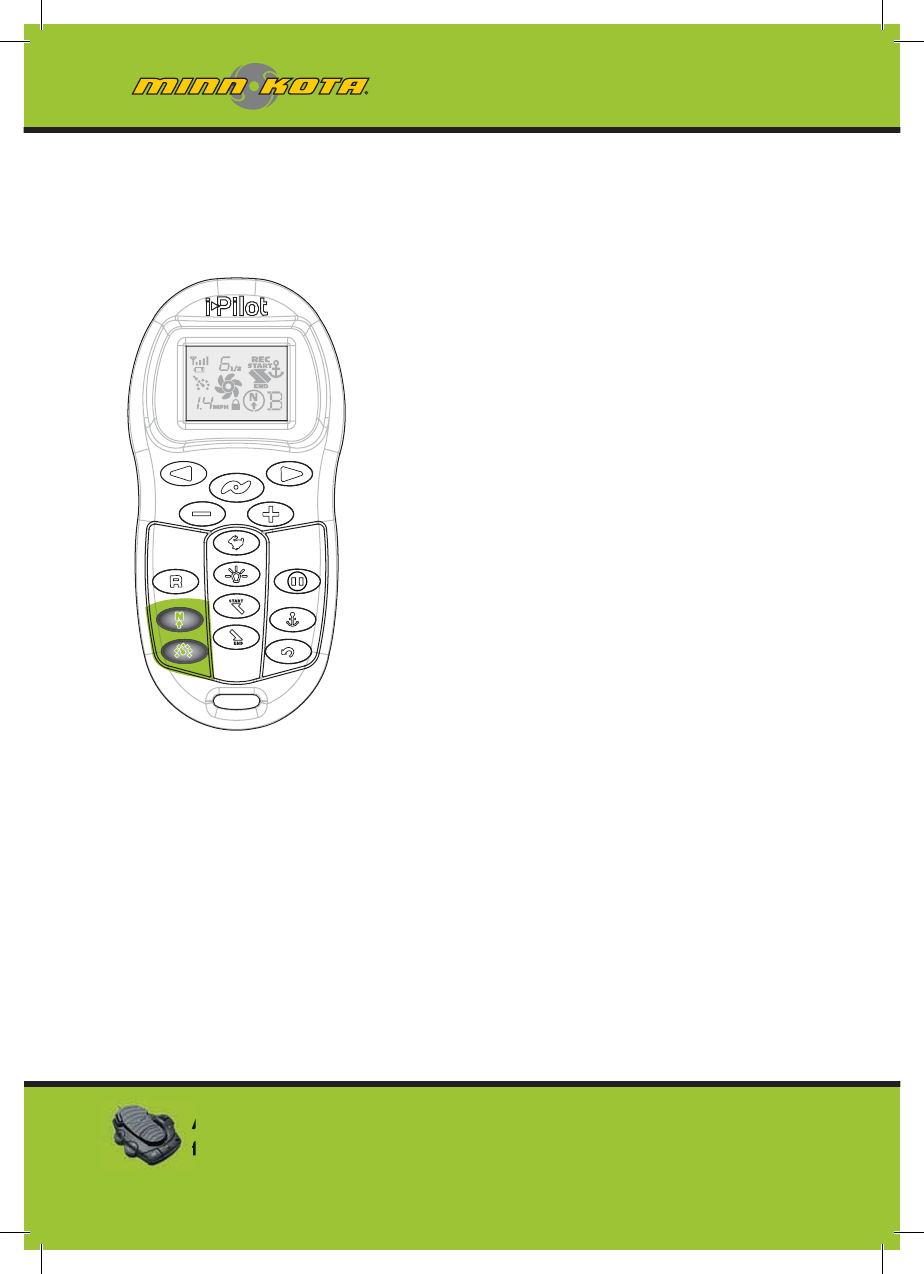
minnkotamotors.com
Cruise Control
i-Pilot automatically controls
the motor speed to maintain
a constant GPS speed.
HOW CRUISE CONTROL WORKS
48 m
i
nnkotamotors.co
m
Adjusting the motor speed or pressing the CON button
from the foot pedal will disengage Cruise Control.
minnkotamotors.com
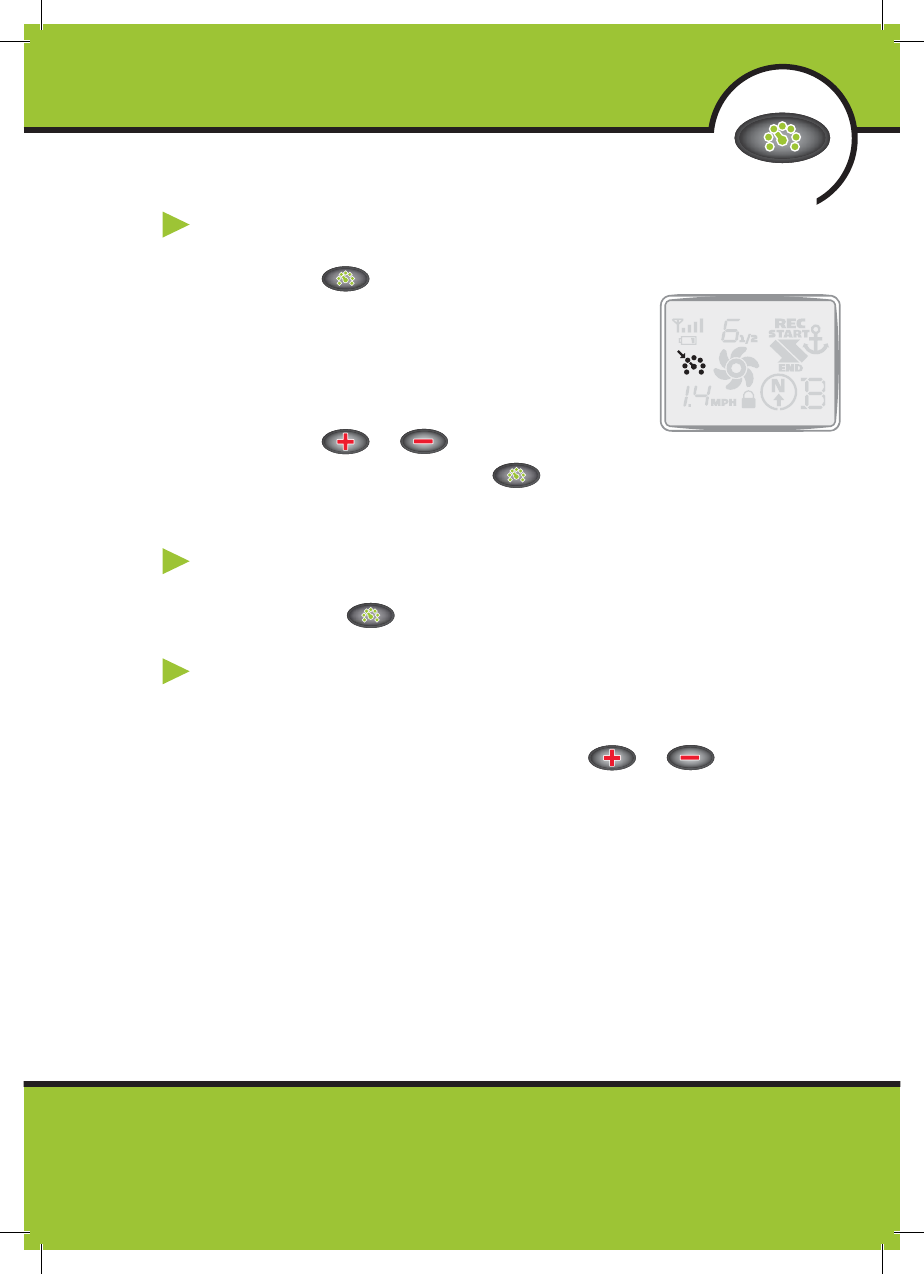
ENGAGING CRUISE CONTROL
1. Press on the remote.
2. The current GPS speed will fl ash, displaying
your current speed as the target GPS speed
on the remote LCD for three seconds.
3. Press or to increase or decrease
the target speed or press again to engage Cruise
Control immediately.
DISENGAGE CRUISE CONTROL
1. Pressing will disengage Cruise Control.
ADJUSTING TARGET SPEED WITH CRUISE
CONTROL ENGAGED
1. With Cruise Control engaged press or to adjust
the target speed by 0.1 MPH increments.
Using Cruise Control with Other i-Pilot Functions
Cruise Control can be used in combination with Advanced AutoPilot,
AutoPilot,Track Recording, and Track Playback.
CRUISE CONTROL
49
mi
nnkotamotors.co
m
minnkotamotors.com
Two different versions of AutoPilot
are available Advanced AutoPilot
and AutoPilot. There are distinct
differences between the two
AutoPilots and how they control
your boat.
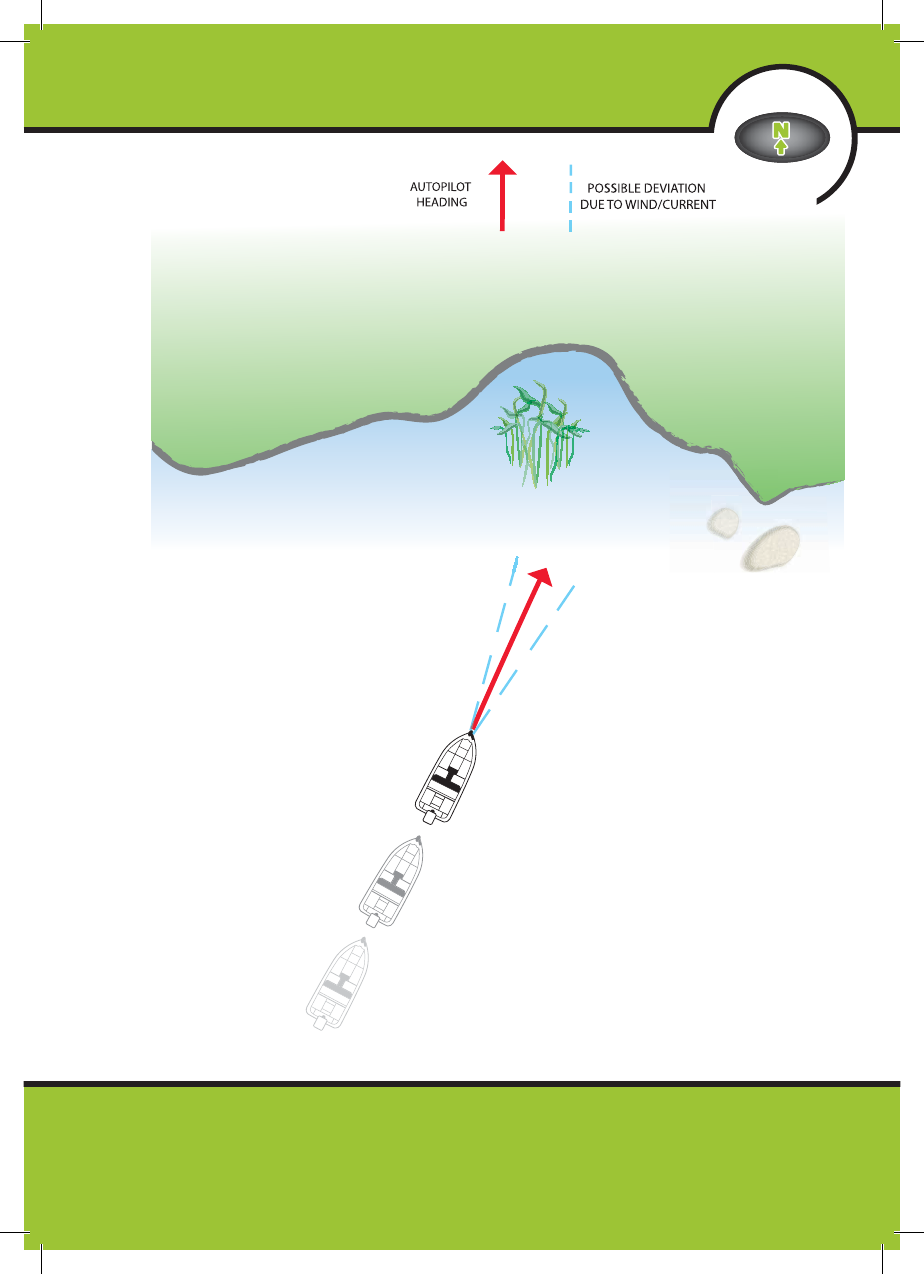
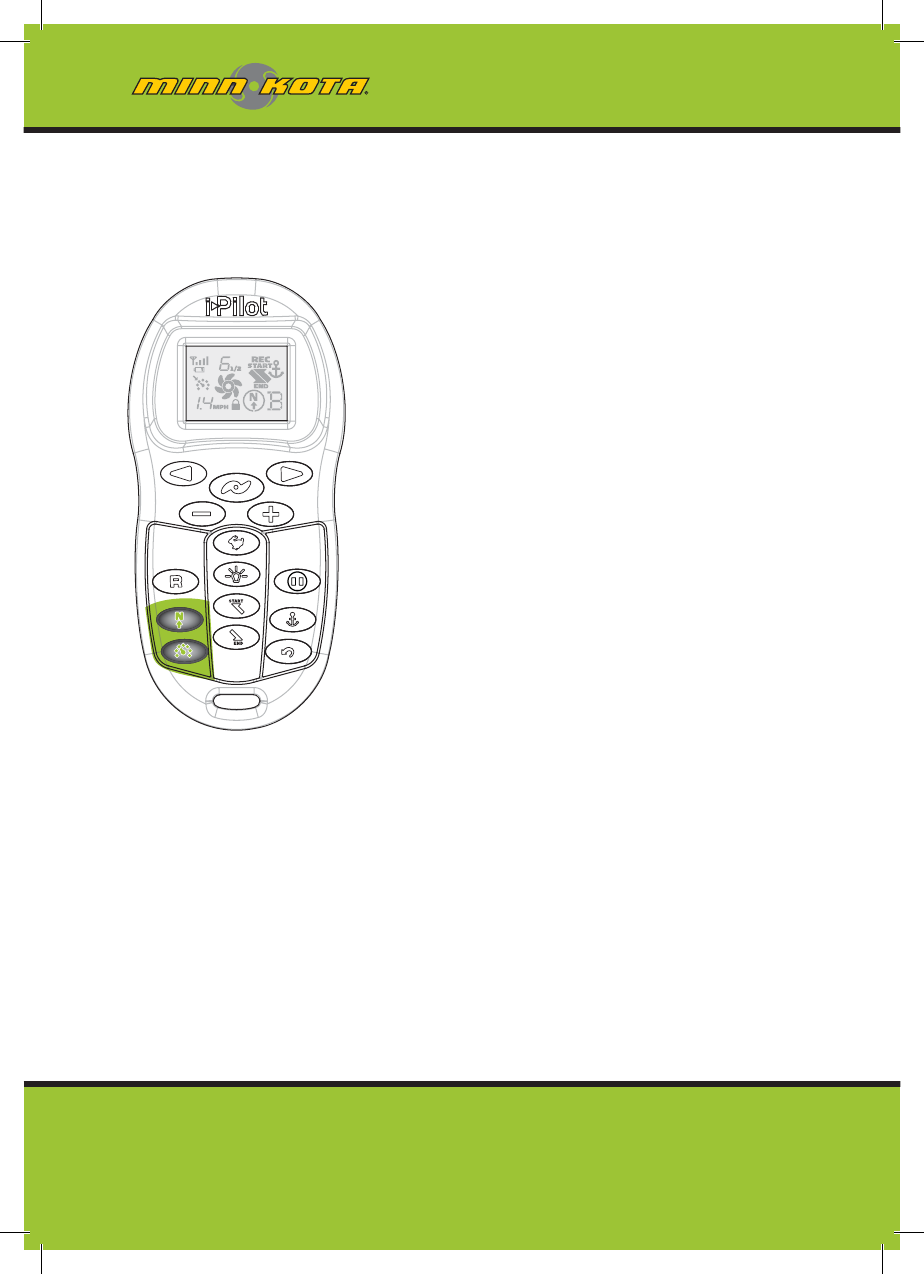
AutoPilot
AutoPilot uses an internal compass
to provide heading lock. When
AutoPilot is on, it keeps the motor
pointed in the same compass
direction. If a manual steering
correction is made, AutoPilot locks
onto the new compass heading to
which the boat was steered. This
method of heading tracking does not
take into account external forces such
as a side wind or currents, which can
allow side drift.
HOW AUTOPILOT WORKS
50 m
i
nnkotamotors.co
m
minnkotamotors.com
AUTOPILOT
51
mi
nnkotamotors.co
m
minnkotamotors.com
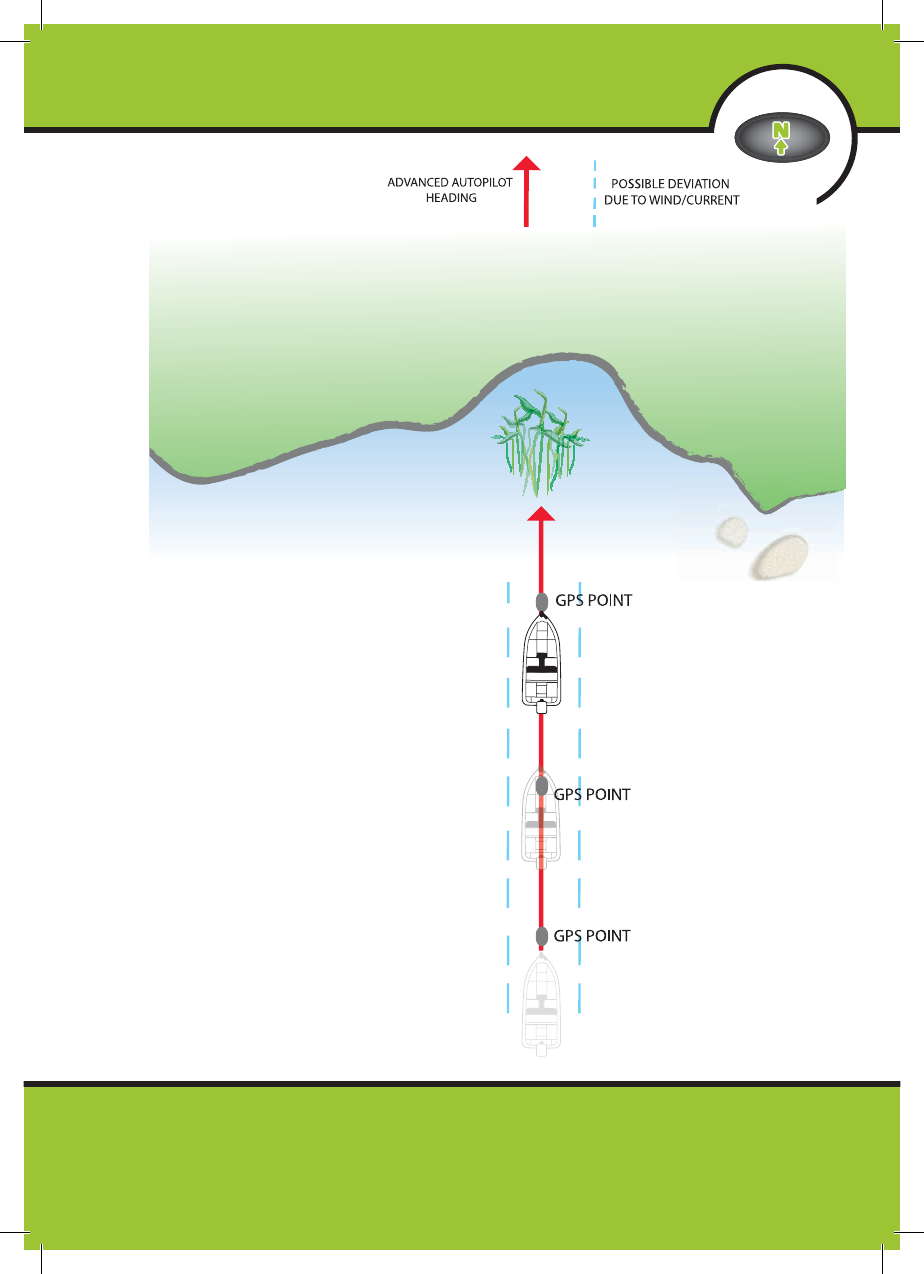
Advanced AutoPilot
Advanced AutoPilot not only uses
compass heading but also GPS signal
data to correct for cross winds,
current and other external forces to
keep the boat on a straight line. When
Advanced AutoPilot is turned on, it
generates a set of GPS points in a
straight track line in the heading
direction. i-Pilot now navigates to
each individual point on this track
line. When the user steers to a new
heading, a new track line of GPS
points are laid down in the new
heading direction.
52 m
i
nnkotamotors.co
m
HOW ADVANCED
AUTOPILOT WORKS
minnkotamotors.com
ADVANCED AUTOPILOT
53
mi
nnkotamotors.co
m
minnkotamotors.com
ENGAGING ADVANCED AUTOPILOT
AND AUTOPILOT
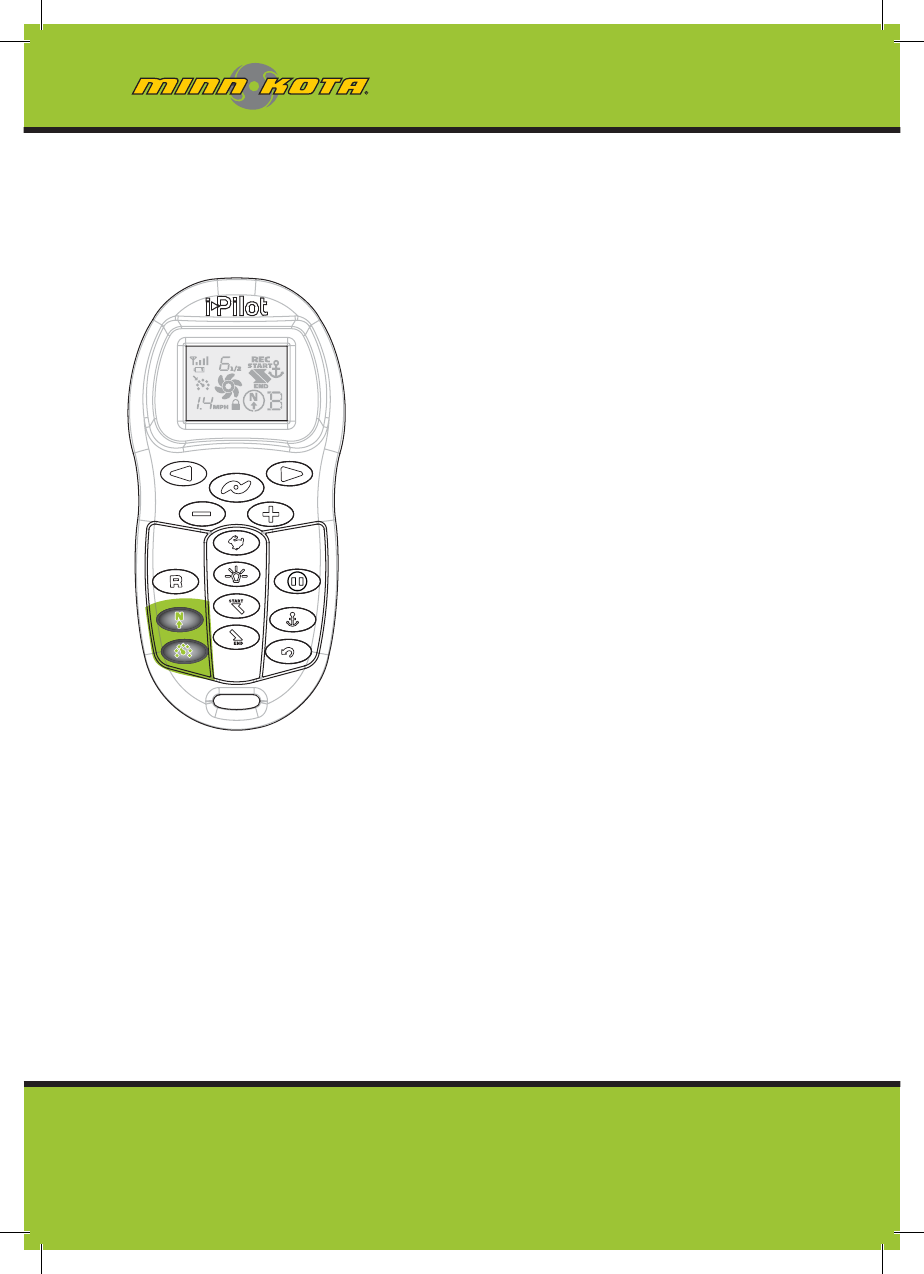
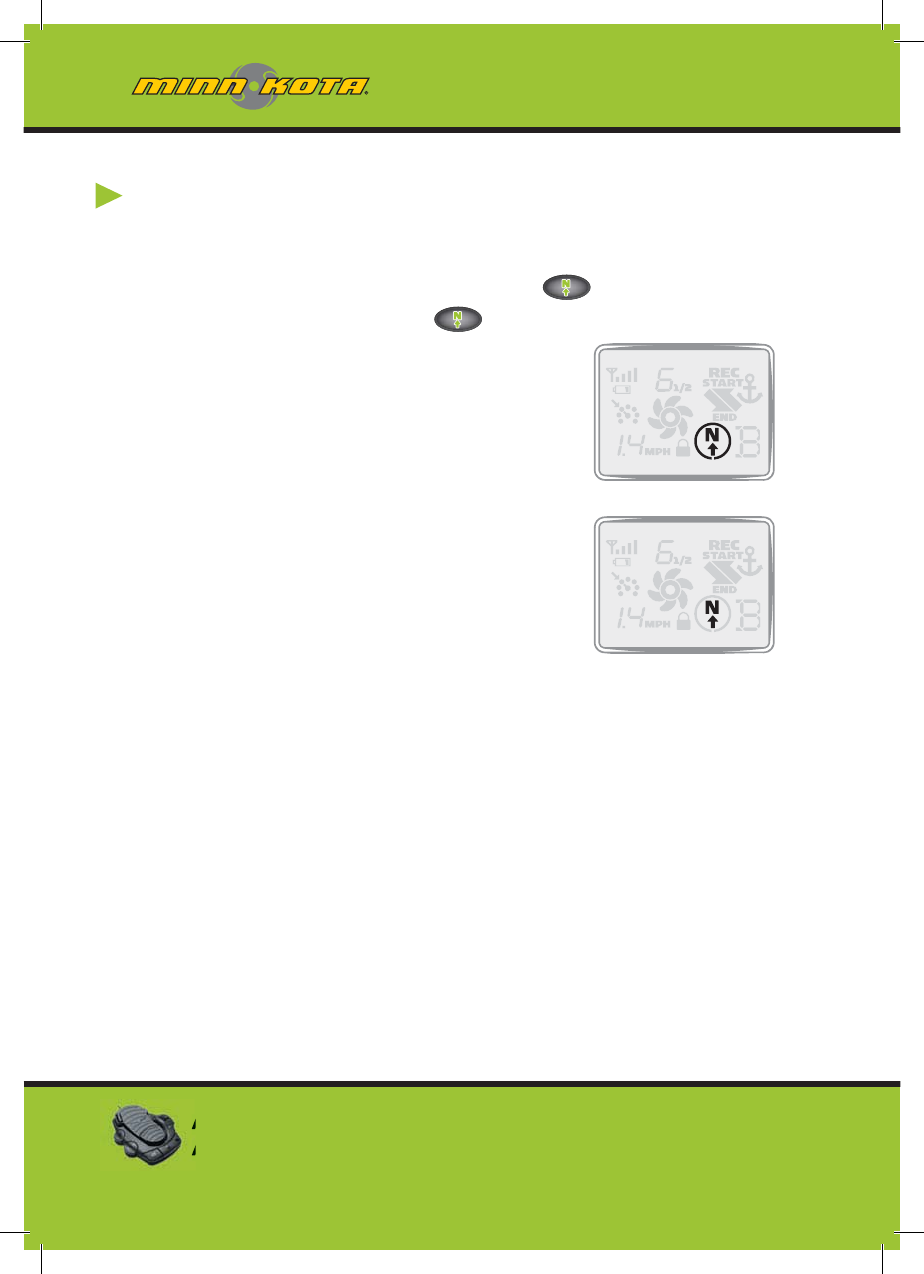
1. To engage Advanced AutoPilot, press once. To engage
AutoPilot, press and hold for two seconds.
2. The Advanced AutoPilot or AutoPilot
icon will be displayed on the remote LCD.
3. To adjust desired heading, manually steer
motor to new heading. i-Pilot will lock
onto new heading.
Using Advanced AutoPilot and AutoPilot
with Other i-Pilot Functions
Advanced AutoPilot and AutoPilot can be used in
combination with Cruise Control and while
recording a track.
54 m
i
nnkotamotors.co
m
Advanced AutoPilot
AutoPilot
Advanced AutoPilot can be turned on by pressing the
AP button on the foot pedal.

minnkotamotors.com
ADVANCED AUTOPILOT/AUTOPILOT
Which AutoPilot Do I Use and When?
With all the external variables, this question can be diffi cult to answer.
Both AutoPilots have their benefi ts based on the type of fi shing and bait
presentation desired.
Advanced AutoPilot will keep the boat on a true straight path in most
conditions. When very extreme conditions exists such as very strong
winds or current, the trolling motor may not have enough power to
control the boat smoothly. In these extreme cases it may be best to use
AutoPilot and let the boat move with the wind or current if the motor is
not powerful enough to overcome it.
AutoPilot helps you maintain a constant heading but does not
compensate for wind or currents.
Both Advanced AutoPilot and AutoPilot are valuable tools the
fi sherman can use for accurate and precise bait presentation. We highly
recommend getting on the water and trying both Advanced AutoPilot
and AutoPilot in various fi shing situations and applications. With
experimentation and time you will fi nd which AutoPilot works best for
you in a given situation.
55
mi
nnkotamotors.co
m
AutoPilot
cannot
be turned on by using the AP button on
the foot pedal.
minnkotamotors.com
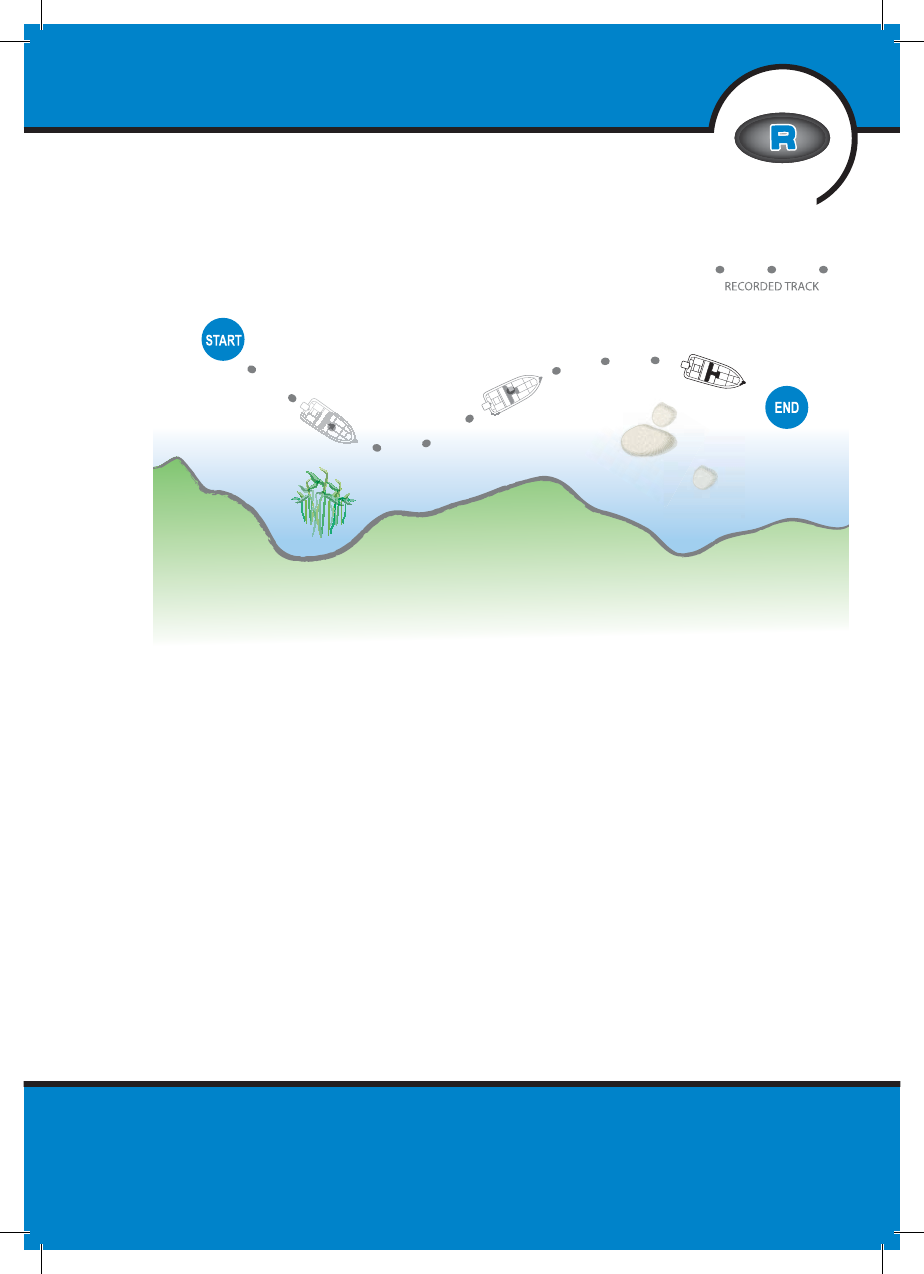
Track Recording and Playback
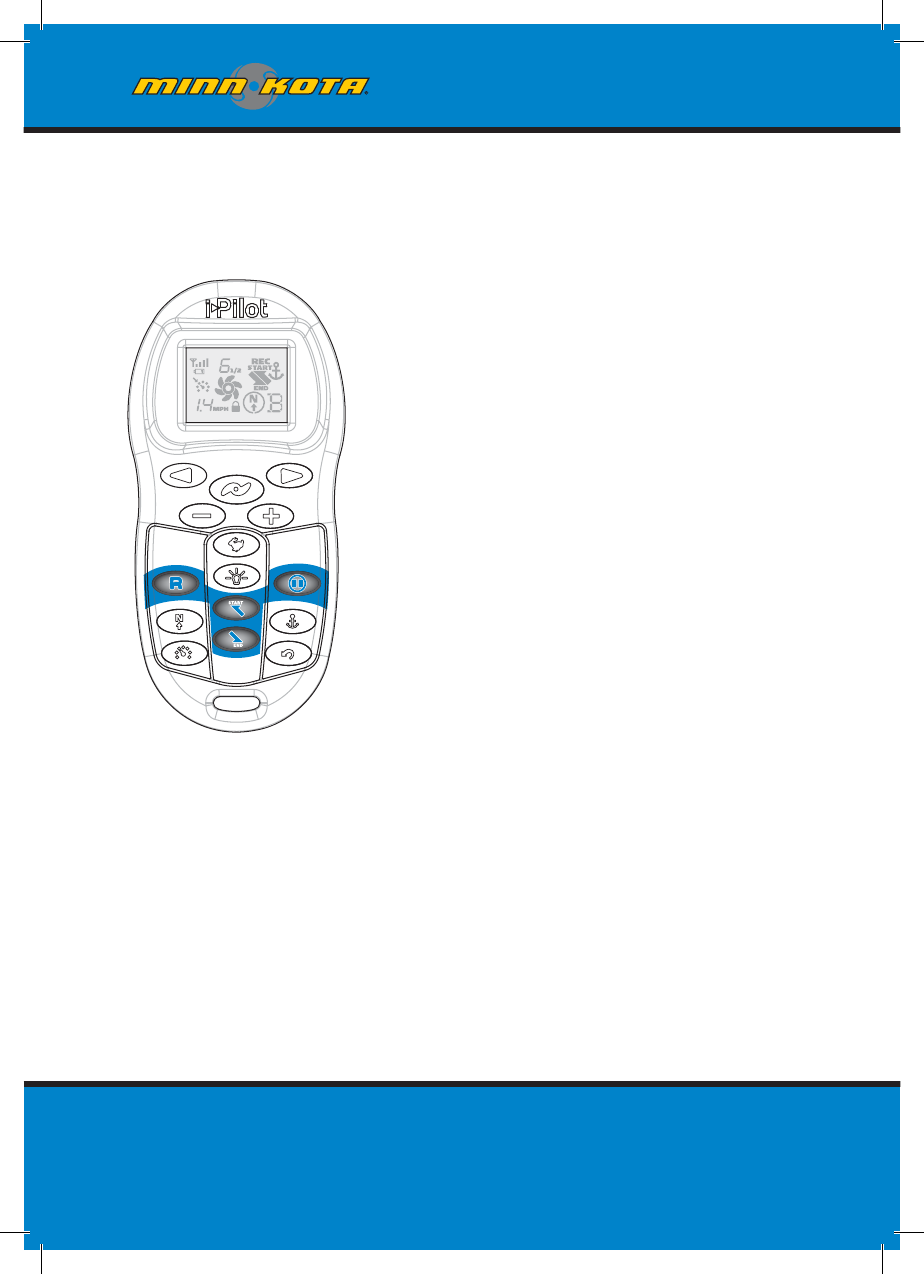
When the Track Record button is
pressed, i-Pilot starts to record GPS
position data in the form of track
points. The distance between these
points varies based on the speed of
the boat and the GPS signal strength.
The very fi rst track point recorded is
called the start. The last point
recorded is called the end. i-Pilot
sees a recorded track as a series of
these track points. When a Track
to Start or Track to End button is
pushed, i-Pilot will navigate to the
nearest track point. Once this
nearest track point is reached, it
will then follow the track points in
sequence back to either the start
or end based on which button was
pressed. Once the end or start
track point is reached, i-Pilot
automatically exits from the Track
to Start or Track to End function.
During track playback, i-Pilot takes
control over all steering functions;
speed can be manually controlled or
the Cruise Control function can also
HOW TRACK RECORDING AND
PLAYBACK WORK
56 m
i
nnkotamotors.co
m
minnkotamotors.com
be used. The motor speed must be set high enough in order to stay on
the track given wind, current and other external forces.
i-Pilot can also pause the recording of a track. When the recording is
paused, i-Pilot temporarily stops recording any new track points. When
track recording is resumed, i-Pilot records new track points. Due to
the nature of pausing a recording, there may be a large separation
distance between two track points or two track points lying on top of
one another where the pause occurred. This can cause erratic motor
steering therefore it is very important to know where the pause button
was pressed and to resume the recording just ahead of that location.
If while paused, the separation distance exceeds a quarter mile, the
recording will automatically stop.
TRACK RECORDING / PLAYBACK
57
mi
nnkotamotors.co
m
minnkotamotors.com
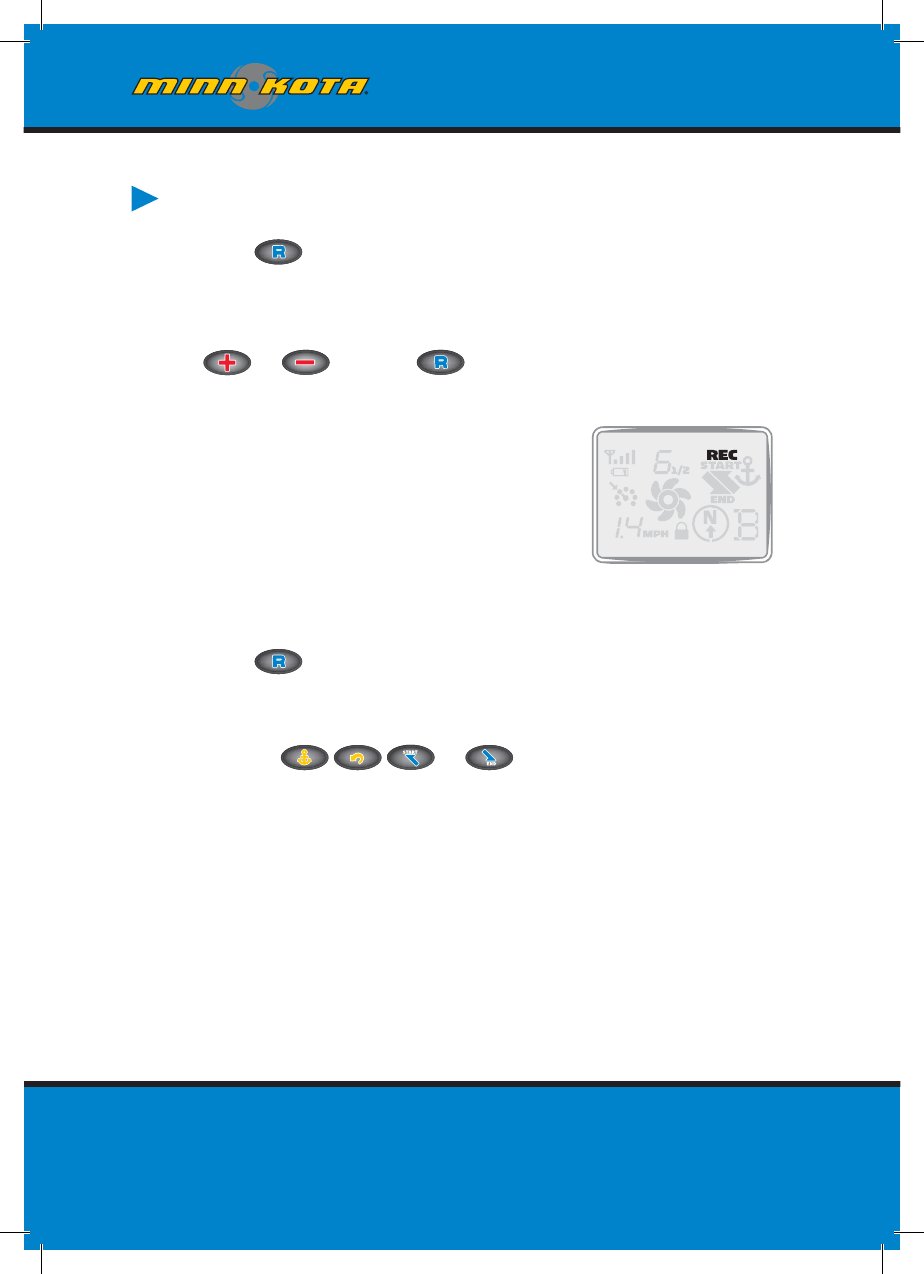
RECORDING A TRACK
1. Press on the remote.
2. The Memory Location icon will fl ash on the remote LCD for three
seconds, allowing you to choose a memory location by pressing
or Pressing again or waiting for three seconds
accepts the memory location.
3. The REC icon will be displayed on the
remote LCD. Remember this will be the
start point on the track.
4. Navigate the boat along the desired path
or course. AutoPilot and/or Cruise
Control can be used while recording a track.
5. Press on the remote again to stop the recording. The
recording will end automatically if the two-mile distance limit
is reached for the track or if one of the following buttons are
pressed: or .
58 m
i
nnkotamotors.co
m
minnkotamotors.com
TRACK RECORDING / PLAYBACK
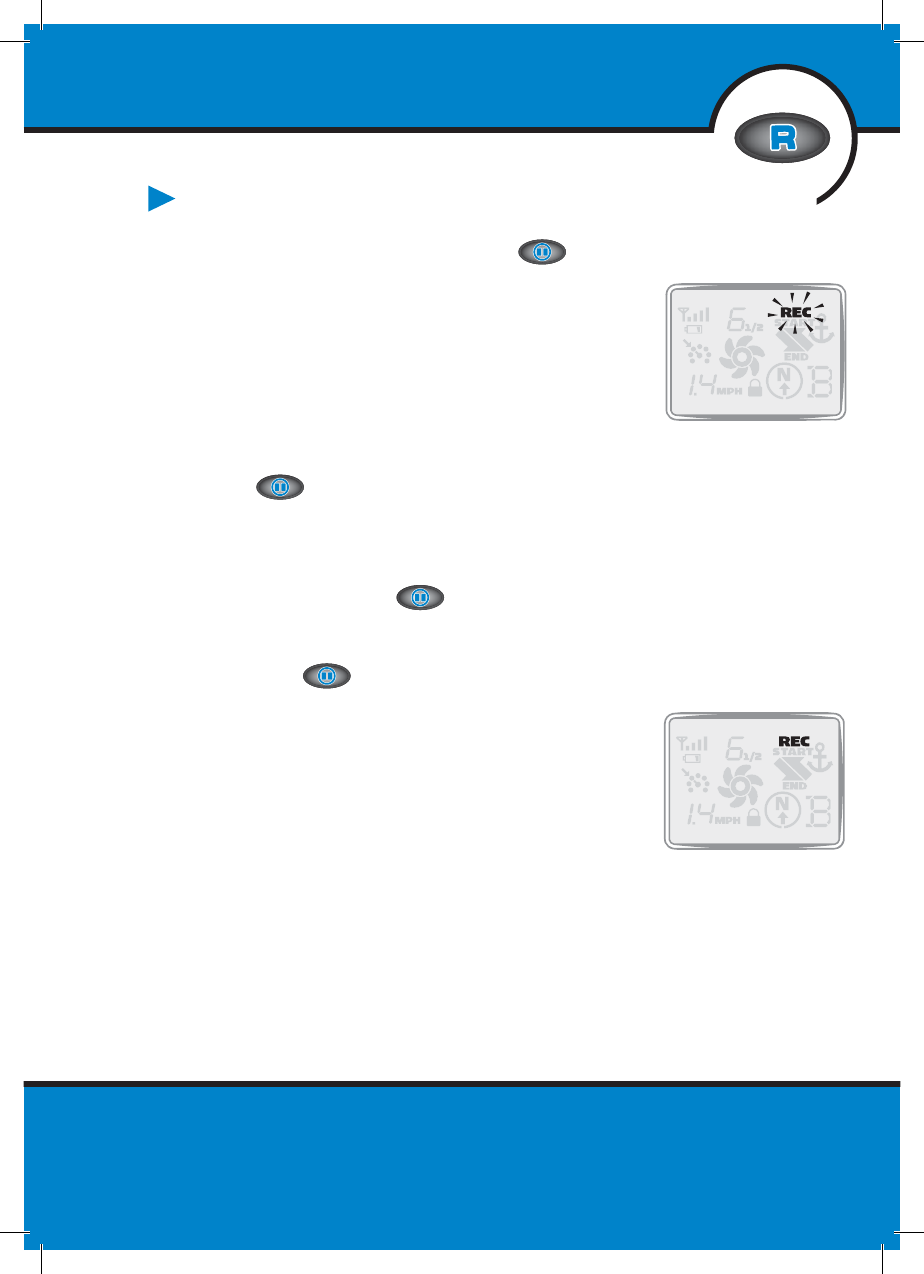
PAUSE AND RESUME A RECORDING
1. While recording a track press .
2. The record icon will fl ash on the
remote LCD.
3. i-Pilot has now paused the recording
of the track.
4. If the boat moves farther than a quarter mile from where
was pressed, the recorded track will be ended and
saved to the memory location previously selected.
5. When ready to resume recording, navigate the boat just
ahead of where was pushed. Failure to do this may
cause erratic play back of a track.
6. Push .
7. The record icon will stop fl ashing on the
remote LCD.
8. i-Pilot is now recording again and adding to
the track that was paused.
59
mi
nnkotamotors.co
m

minnkotamotors.com
60 m
i
nnkotamotors.co
m
You can switch directly between Track to Start
and Track to End. This allows you to
concentrate on productive sections of a track.
i-Pilot
TIPS
minnkotamotors.com
TRACK RECORDING / PLAYBACK
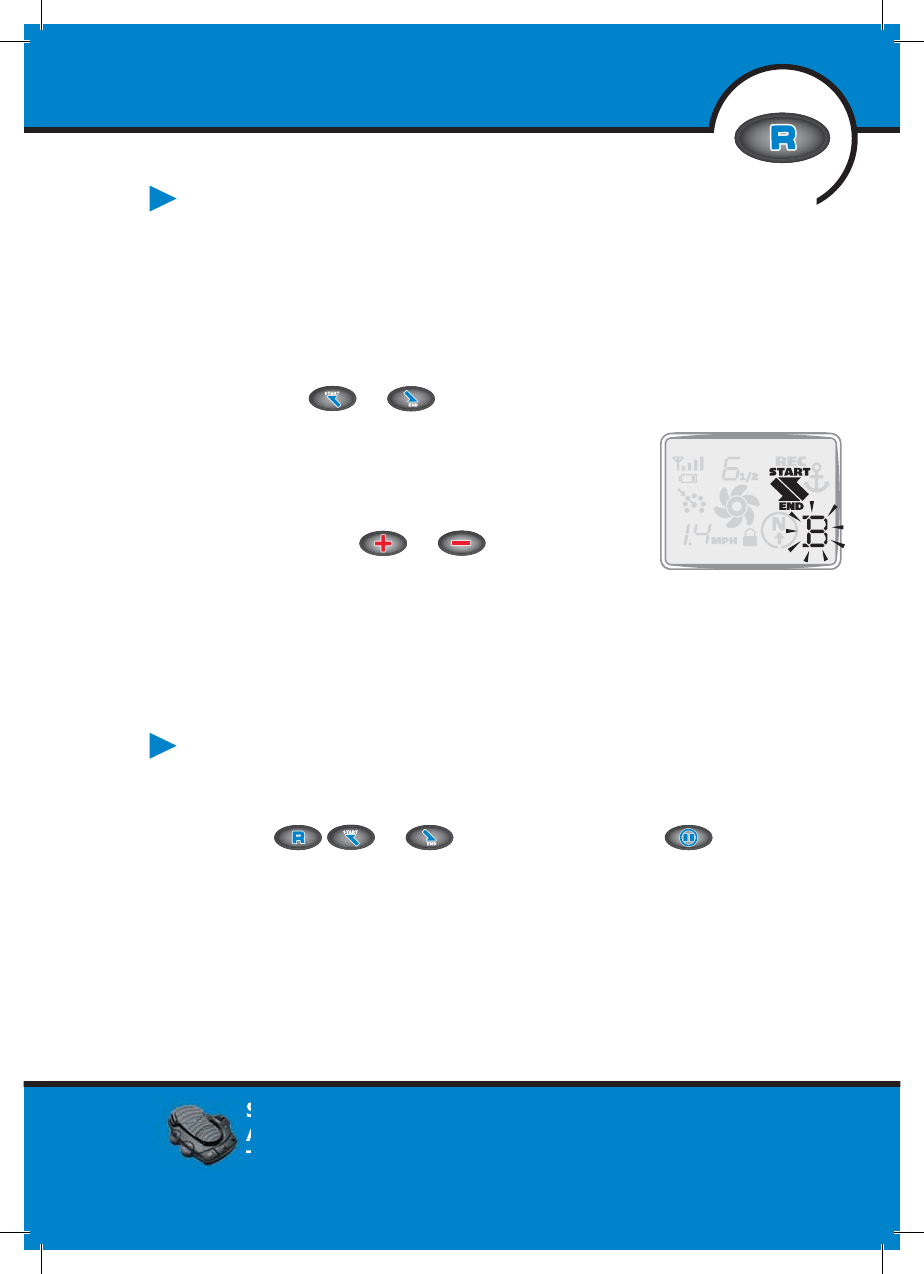
REPLAYING A TRACK
(TRACK TO START / TRACK TO END)
1. Manually navigate the boat to within a quarter mile of the saved
track. Due to safety reasons, i-Pilot will not re-engage a saved track
greater than a quarter mile away.
2. Press or on the remote.
3. The Memory Location icon will fl ash on
the remote LCD for three seconds,
allowing you to choose a memory location
by pressing or . Pressing the
button pressed in step 2 again or waiting
for three seconds accepts the memory location.
4. Adjust motor speed to desired setting to engage and
navigate track automatically.
RECORD, TRACK TO END AND TRACK
TO START ESCAPE
1. If or is accidentally hit, press within three
seconds on the remote to cancel the command.
61
mi
nnkotamotors.com
Steering left or right and turning Advanced
AutoPilot on with the foot pedal will disengage
Track to Start or Track to End.

minnkotamotors.com
FREQUENTLY ASKED QUESTIONS
Q. Does i-Pilot record the speed I am traveling when recording
a track?
A. No. i-Pilot only records its location during track record. It is up to the
user to set the desired speed manually or with Cruise Control.
Q. Why doesn’t my GPS Signal Strength icon always show all
four bars?
A. GPS signal strength is impacted by many influences including:
i-Pilot controller having a clear view of the sky (especially to the
southern sky), boat being located alongside a high bank and your
geographic location.
Q. Is i-Pilot compatible with CoPilot?
A. No. None of the components between the two systems are
compatible with each other.
Q. Does the remote float?
A. Yes.
Q. How long of a track can I record?
A. Each individual track location (A, B, C, D, E or F) can be up to two
miles in length.
Q. Can I use multiple remotes with my i-Pilot?
A. Yes, you can use an unlimited number of remotes simultaneously.
Remember to learn each new remote to the i-Pilot controller.
Q. Why does the LCD screen of the remote have dark blotches on it
when I wear my sunglasses?
A. Polarized sunglasses can dramatically affect the way an LCD looks to
the human eye.
62 minnkotamotors.com

minnkotamotors.com 63
Q. Can I control how fast i-Pilot takes me back to a Spot Lock
location when using Spot Lock Recall?
A. No, Spot Lock and Spot Lock Recall are fully automatic functions
that take full control of motor steering and speed.
Q. Where can I purchase additional remotes?
A. Your local Minn Kota retailer should carry additional remotes.
Q. If I turn off the remote, will i-Pilot continue to operate?
A. Yes. The i-Pilot Controller will continue in its current state of
operation until the user makes a change either with the remote or
foot pedal (Terrova only).
Q. Where are the six tracks and Spot Lock locations stored?
A. In the i-Pilot Controller.
Q. Does i-Pilot help to keep the coil cord from wrapping around
the motor shaft?
A. Yes and no. When in Spot Lock, i-Pilot keeps track of how far it
has rotated in either direction. If a new correction will cause the
coil cord to wrap, it will rotate in the opposite direction in order
to prevent the wrapping. In all other modes, it is up to the user
to monitor the coil cord and to rotate the motor accordingly to
avoid wrapping.
minnkotamotors.com
minnkotamotors.com
64
TROUBLESHOOTING
General Troubleshooting
Problem: The motor is making erratic steering corrections while in
AutoPilot, Spot Lock or Track to Start/End.
Solution: Be sure to keep all ferrous metallic objects away from the i-Pilot
controller as they will have an impact on the built-in compass.
Such objects include: anchors, metal framework, etc.
Problem: When a button on the remote is pressed the motor doesn’t
always respond.
Solutions: Check if the low battery indicator is on. If so, replace the
remote’s battery. Check for large obstructions between the
remote and the motor.
Problem: I press a button on the remote and nothing happens.
Solution: Could be a dead battery in the remote. If the battery was just
replaced, open the remote case and verify that all the
internal components were properly reinstalled.
Solution: If
is displayed, the keypad is locked. Press and hold for
3 seconds to unlock the keypad.
Problem: I press a button on the remote and all the icons come on for
a few seconds then it shuts off.
Solutions: Verify that the motor is powered up (for Terrova and Riptide ST,
it must also have its system ready light on). Go through the
learn process for the remote (see page 33 for the procedure).
Problem: i-Pilot won’t let me turn on certain features like: Advanced
AutoPilot, Record, Track to Start/End or Spot Lock.
Solution: Verify that the GPS Signal Strength icon on the LCD shows at
least one bar. If there are no bars, i-Pilot will not allow these
GPS-based features to be enabled.
minnkotamotors.com

minnkotamotors.com
Problem: The remote LCD backlighting will not come on.
Solution: Check if the low battery indicator icon is on. Backlighting
is disabled when a low battery level is detected. Replace
the battery.
Solution: The Backlight will not come on if the remote is not currently
communicating with the i-Pilot Controller.
Spot Lock
Problem: The boat doesn’t seem to keep close enough to the recorded
Spot Lock location.
Solution: Verify the trolling motor batteries are sufficiently charged
Solution: Check for weeds on the prop.
Solution: In more extreme wind and current conditions, the boat will tend
to stabilize a little ways down wind from the intended location.
Relock the location the same distance upwind and expect that the
boat will drift some in the downwind direction.
Cruise Control
Problem: The GPS speed displayed on the remote is different than
what my other GPS system shows.
Solution: If you are using Cruise Control with Advanced AutoPilot or
Track to Start/End, i-Pilot calculates the actual speed in the
intended direction of travel which may differ from your
GPS reported speed.
Problem: Cruise Control isn’t holding the target speed close enough.
Solution: Verify the trolling motor batteries are sufficiently charged.
65
minnkotamotors.com

minnkotamotors.com
66
AutoPilot
Problem: When in Advanced AutoPilot in strong winds, there is quite a
bit of back and forth movement in the boat.
Solution: While Advanced AutoPilot will keep your boat on a true
heading, it may be at the expense of the boat having to
continuously move to get back on the correct course. In these
extreme conditions you may be better off using AutoPilot and
correcting for the wind manually.
Problem: I press and release the Advanced AutoPilot button and the
system goes into AutoPilot instead of Advanced AutoPilot.
Solution: If the GPS Signal Strength indicator shows no bars, then pressing
and releasing the AutoPilot button will enable AutoPilot
automatically instead of requiring that the button be held for
two to three seconds like when GPS is present.
Track Record and Playback
Problem: While in Track to Start/End the propeller suddenly stopped.
Solution: Verify you did not accidentally enable another automatic feature
such as AutoPilot or Spot Lock.
Solution: When the end (or start) of the track is achieved during playback,
i-Pilot will automatically turn off the motor along with canceling
Track to Start/End.
Problem: While in Record mode, the recording suddenly stopped.
Solution: You may have reached the two mile limit for recording a track.
minnkotamotors.com

minnkotamotors.com
Terrova/Riptide ST:
Problem: Pressing a button on the remote causes all the icons to come
on for a few seconds then they all go off.
Solution: Ensure the motor is deployed and that the System Ready light
on the motor is illuminated.
Solution: Verify that the i-Pilot controller is properly plugged in.
Solution: Try to relearn the remote to the controller.
Solution: Cycle power to the motor by stowing and deploying the motor
verifying that the System Ready light comes back on when the
motor is deployed
Problem: The Prop Speed icon on the remote shows “F” and i-Pilot
is unresponsive.
Solution: Ensure the connector going to the controller is secure.
Solution: Remove power to the motor by stowing it. Wait until the
remote screen goes blank. Deploy the motor to power it up
verifying that the System Ready light comes back on when the
motor is deployed. Press any button on the remote to turn
it on.
PowerDrive V2 /Riptide SP:
Problem: Pressing a button on the remote causes all the icons to come
on for a few seconds then they all go off.
Solution: Verify that the i-Pilot controller is properly plugged into the
footpedal connector on the motor.
Solution: Try to relearn the remote to the controller.
Solution: Cycle power to the motor.
Problem: Steering does not work properly or at all.
Solution: Verify that the steering wires from the i-Pilot cable are properly
connected directly to the two-wire cable coming from the
steering housing.
67
minnkotamotors.com

minnkotamotors.com
Motor Speed: The speed that the prop is rotating from 0 to 10 which is
adjustable in ½ increments.
Terrova: The Terrova is the latest family of bow-mount, electric-steer trolling motors from Minn Kota
.
68
GLOSSARY
Accessory Connector: The accessory connector is a small sealed connector
used on the Terrova and Riptide ST family of motors. This connector
allows for easy waterproof installation of any Minn Kota Terrova and Riptide
ST accessories.
Center Housing: A plastic center housing exists in the center of the trolling
motor mount. This center housing covers and protects mechanical and
electrical components from the environment. The center housing is
temporarily removed from PowerDrive V2 and Riptide SP motors during
i-Pilot installation.
CoPilot: Co-Pilot a wireless motor control accessory from Minn Kota
available for all Terrova, PowerDrive V2, Riptide ST and Riptide SP lines of
motors. The accessory allows for wireless adjustment of all basic motor
control functions. The Co-Pilot accessory must be removed from a
PowerDrive V2 and Riptide SP motor upon i-Pilot installation. Any Co-Pilot
accessory installed on a Terrova or Riptide ST motor is electrically disabled
once i-Pilot is installed.
Control Box Cover: The control box cover is a plastic cover installed on the
top head of the motor. The cover protects the inner wiring and electronics
from the environment. This part is replaced by the i-Pilot controller.
GPS: GPS is an acronym for Global Positioning System. GPS provides accurate
position (latitude, longitude, altitude) information virtually anywhere on the
earth through satellite technology and personal receivers on the ground. A
series of geosynchronous satellites broadcast a unique signal toward the earth
once per second. A GPS receiver, which is used in i-Pilot, receives the signals
from these satellites and is able to determine position based on very slight
differences in the time each signal is received and the receiver’s knowledge of
the location of each of the satellites.
GPS Speed: The speed calculated by measuring the boat’s change in
geographical location over a given time using GPS data.
i-Pilot Controller: The i-Pilot controller is part of the i-Pilot system. The
controller contains a GPS receiver, compass and electronics to automatically
navigate the trolling motor. The controller resembles a motor control box

minnkotamotors.com
K
ota. The motor can be identified by the Terrova name on the side of the trolling motor mount.
69
cover and is completely sealed and waterproof. The controller replaces the
existing control box cover and AutoPilot controller if one is present.
i-Pilot Controller Cable: On PowerDrive V2 and Riptide SP versions of
i-Pilot, a cable exists on the bottom side of the i-Pilot controller. This cable
is designed to connect to the foot pedal input cable at the base of the motor
for a waterproof connection.
i-Pilot Controller Connector: On the Terrova and Riptide ST versions of
i-Pilot, a connector exists on the bottom side of the i-Pilot controller. This
connector is designed to connect to the accessories connector for an
easy waterproof connection.
Motor Speed: The speed that the prop is rotating from 0 to 10, which is
adjustable in ½ increments.
PowerDrive V2: The PowerDrive V2 is in the latest family of bow-mount,
electric-steer trolling motors from Minn Kota. The motor can be identified
by the PowerDrive V2 name on the side of the trolling motor mount.
Riptide SP: The Riptide SP is in the latest family of saltwater bow-mount,
electric-steer trolling motors from Minn Kota. The motor can be identified
by the Riptide SP name on the side of the trolling motor mount.
Riptide ST: The Riptide ST is in the latest family of saltwater bow-mount,
electric-steer trolling motors from Minn Kota. The motor can be identified
by the Riptide ST name on the side of the trolling motor mount.
Side Plates: Side plates exists on each side of the trolling motor mount.
These side plates cover and protect mechanical and electrical components
from the environment. The side plates are temporarily removed from
PowerDrive V2 and Riptide SP motors during i-Pilot installation.
Terrova: The Terrova is in the latest family of bow-mount, electric-steer
trolling motors from Minn Kota. The motor can be identified by the Terrova
name on the side of the trolling motor mount.
Track End: The last point on a recorded track, which is made when Track
Recording was ended.
Track Start: The first point on a recorded track, which is made when the
Track Record button is pressed to start a recording.

minnkotamotors.com
COMPLIANCE STATEMENTS
ENVIRONMENTAL COMPLIANCE STATEMENT:
It is the intention of Johnson Outdoors Inc. to be a responsible corporate
citizen, operating in compliance with known and applicable environmental
regulations and a good neighbor in the communities where we make or sell
our products.
WEEE Directive:
EU Directive 2002/96/EC “Waste of Electrical and Electronic Equipment Directive (WEEE)”
impacts most distributors, sellers and manufacturers of consumer electronics in the European
Union. The WEEE Directive requires the producer of consumer electronics to take
responsibility for the management of waste from their products to achieve environmentally
responsible disposal during the product life cycle. WEEE compliance may not be required in
your location for electrical and electronic equipment (EEE), nor may it be required for EEE
designed and intended as fixed or temporary installation in transportation vehicles such as
automobiles, aircraft and boats. In some European Union member states, these vehicles are
considered outside of the scope of the Directive, and EEE for those applications can be
considered excluded from the WEEE Directive requirement. This symbol (WEEE wheelie bin)
on product indicates the product must not be disposed of with other household refuse. It must
be disposed of and collected for recycling and recovery of waste EEE. Johnson Outdoors Inc.
will mark all EEE products in accordance with the WEEE Directive. It is our goal to comply in the
collection, treatment, recovery and environmentally sound disposal of those products; however,
these requirement do vary within European Union member states. For more information about
where you should dispose of your waste equipment for recycling and recovery and/or your
European Union member state requirements, please contact your dealer or distributor from
which your product was purchased.
70
minnkotamotors.com
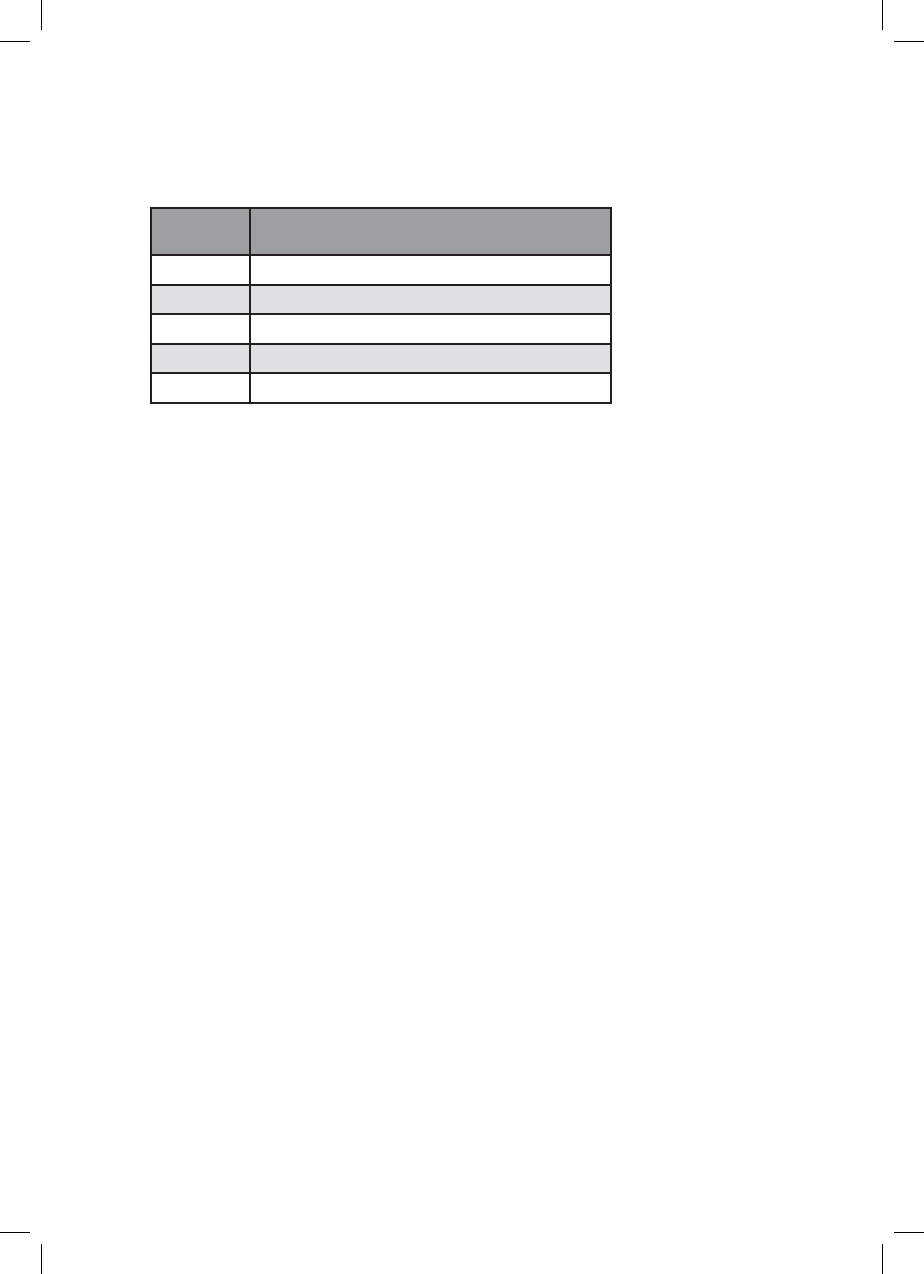
APPLICANT: JOHNSON OUTDOORS, INC.
MODEL
NUMBER DESCRIPTION
1866350 I-PILOT REMOTE
1866300 I-PILOT SYSTEM, TERROVA
1866305 I-PILOT SYSTEM, ST
1866310 I-PILOT SYSTEM, PD V2
1866315 I-PILOT SYSTEM, SP
FCC ID:
Remote T62-IPREM15
Controller T62-IPCON
Industry Canada ID:
Remote 4397A-IPREM15
Controller 4397A-IPCON
FCC Compliance Statement:
This device complies with part 15 of the FCC Rules. Operation is subject to the following two
conditions: (1) This device may not cause harmful interference, and (2) this device must accept
any interference received, including interference that may cause undesired operation. Changes
or modifications not expressly approved by the party responsible for compliance could void
the user’s authority to operate the equipment.
71

minnkotamotors.com
72
NOTES

minnkotamotors.com
NOTES
The i-Pilot installation will require permanently removing the motor
control box cover. This cover includes information about your motor
that may be needed for future service work or when ordering
replacement parts. Please note the information from your motor
in the space provided below.
Motor model (circle one) Terrova, ST, PowerDrive V2 or SP
Auto Pilot (Yes or No)____________________________________
Motor thust (55lb, 70lb, etc) _______________________________
73
minnkotamotors.com
MINN KOTA CONSUMER
& TECHNICAL SERVICE
P.O. Box 8129
Mankato, MN 56002
121 Power Drive
Mankato, MN 56001
Phone (800) 227-6433
Fax (800) 527-4464
Minn Kota and i-Pilot are registered trademarks of
Johnson Outdoors Marine Electronics, Inc.