Jonter Digital M53 Bluetooth speaker User Manual x
Shenzhen Jonter Digital Co., Ltd Bluetooth speaker x
User Manual
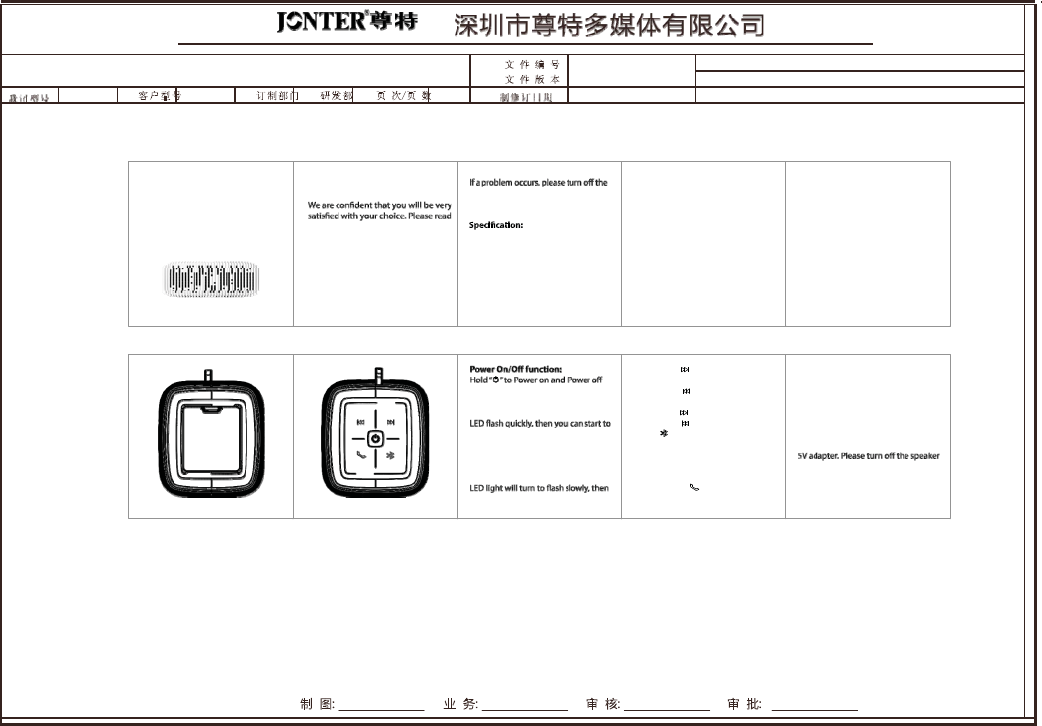
䇈ᯢк
t\ZG
Dear valued
C
us
t
ome
r
,
Congratulations! 3.
Product
Features:
A
cc
essories:
Thank
you for
purchasing
our
p
r
odu
c
t
.
power switch
immedi
a
t
ely
,
and
unplug •
W
a
t
e
r
-
r
esista
n
t
Bluetooth
Speaker
1. Speaker
Unit
1PC
the
USB
port to
prevent speaker
and (IPX4)
2. User
manual
1PC
other
component failur
e
.
•
Support
the
clear
communication
3.USB charge
cable
1PC
this
user manual carefully
before use.
Bluetooth hand-free
function. 4.
Audio
cable
1PC
Reminder: Output
power
: 3W*2 •
Support Aux
in function.
1.
In order
to
extend
the lifetime of the
Frequency
response: 90Hz~20kHz •
Bass
radiation
s
y
s
t
em
and
p
o
w
e
r
ful
speaker and your
own
physical
and Impedance: 4OHM
sound
performance
mental health, please
do
not
play
music
S
ensitiv
e:
80dB±2dB •
Support
LED
indic
a
t
or
,
c
oncise
and
in high
volume mode
for
a
long
tim
e
.
S/N
R
a
tion:
60dB
eas
y
.
2.
Please use
headphones
to
listen
to Distortion: 0.3%
•
Built-in
lithium
battery
1500mAh.
music
in public
pla
c
e
s
,
as
not to disturb Input
p
o
w
e
r
:
Micro USB
5V/lithium •
S
t
ylish
silicone and fashionable
color
BLUETOOTH SPEAKER
other
s
.
b
a
tt
e
ry
:
1500mAh
matching
option
s
.
3.
Sho
r
t
Press“
”
to
move
to the next
Charging
F
un
c
tion:
son
g
.
O
ur
“
Roar
”
speaker is
with battery
Bluetooth
Mode: 4.
Sho
r
t
P
r
ess
“ ”to
move
to the monitoring function.
1.
Power
on the
Bluetooth
speake
r
,
you
previous
son
g
.
NOTE: When you hear
the discontinu-
can hear
a
“
b
eep
”
sound
with the blue 5.
Long
P
r
ess
“ ”to
volume
u
p
.
ous
“
bee
p
”
alarm
soun
d
,
it
means
the
6.
Long
P
r
ess
“
”
to
volume
down.
battery is
low
and need
to be charged
pair
with
your BT
devi
c
e
.
7.
P
r
ess
“
”
to
pause
the
musi
c
,
press
it
immedi
a
t
ely
.
Use
the
USB cable
t
o
2.
Use your
mobile
phones
or other BT
again
to
r
e
-pl
a
y
,
long
press
it to
connect
with
a computer
or
connect
a
devices
to
search
the
speaker
paring
disconnect
the
Bluetooth
devi
c
e
.
name
“ Roar”
Hand free
Function: unit without
using
in
short period .
After a successful connection,
the blue
When there comes a phone
cal
l
,
y
ou
Please
don’t turn up the
speaker
to the
can press
the
“
”
to
pick
up the
maximum volume
for long
.
you can
play
musi
c
.
phone call
or long
press
to
hang
it
u
p
.
CompanyName
˖
ShenzhenJonterDigitalCo.,Ltd
TradeName
˖
Jonter,BooM&Tech
ProductName
˖
Bluetoothspeaker
Model
˖
M53
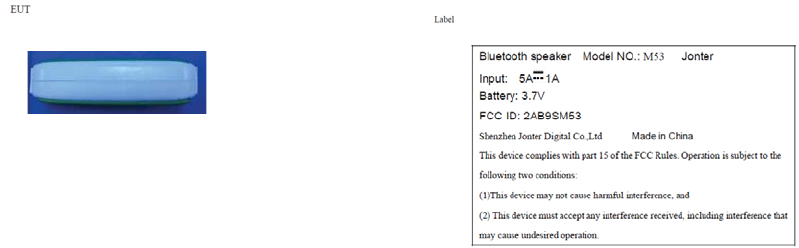
Declaration of Conformity(R&TTE
1999/5/EC)
Hereby, Shenzhen Jonter Digital Co.,Ltd declares that this Bluetooth Speaker product
is
in compliance with essential requirements and other relevant provisions of Directive 1999/5/EC. A copy of
the
Declaration of conformity can be found at
http://www.goldfingerstech.com.
FCC
Warnings
Caution: The user is cautioned that changes or modifications not expressly approved by the party
responsible
for compliance could void the user's authority to operate the
equipment.
Risk of explosion if battery is replaced by an incorrect
type.
Dispose of used batteries according to the instructions. The product shall only be connected to a USB
interface
of version
USB2.0.
EUT operation temperature˄Max.˅:
55
e
C
This device complies with Part 15 of the FCC Rules. Operation is subject to the following two conditions:
(1)
this device may not cause harmful interference, and (2) this device must accept any interference
received,
including interference that may cause
undesired
operation.
NOTE: This equipment has been tested and found to comply with the limits for a Class B digital
device,
pursuant to Part 15 o f the FCC Rules. These limits are designed to provide reasonable protection
against
harmful interference in a residential
installation. This equipment generates, uses and can radiate
radio
frequency energy and, if not installed and used in accordance with the instructions, may cause h
armful
interference to radio communications. However, there is no guarantee that
interference will not occur in
a
particular
installation.
If this equipment does cause harmful interference to radio or television reception, which can be determined
by
turning the equipment off and o n, the user is enc ouraged to try to correct the interference by one or more
of
the following measures: --
Reorient or relocate the receiving antenna. -- Increase the separation between
the
equipment and receiver. --Connect the equipment into an outlet on a circuit different from that to which
the
receiver is connected. -- Consult the dealer or an experienced
radio/TV technician for
help.
FCC Radiation Exposure Statement: This equipment complies with FCC radiation exposure limits set forth
for
an uncontrolled
environment.