Joyway Technology JW-1403 Anti-lost Alarm User Manual Operating Manual
Shenzhen Joyway Technology Co., Ltd. Anti-lost Alarm Operating Manual
Users Manual
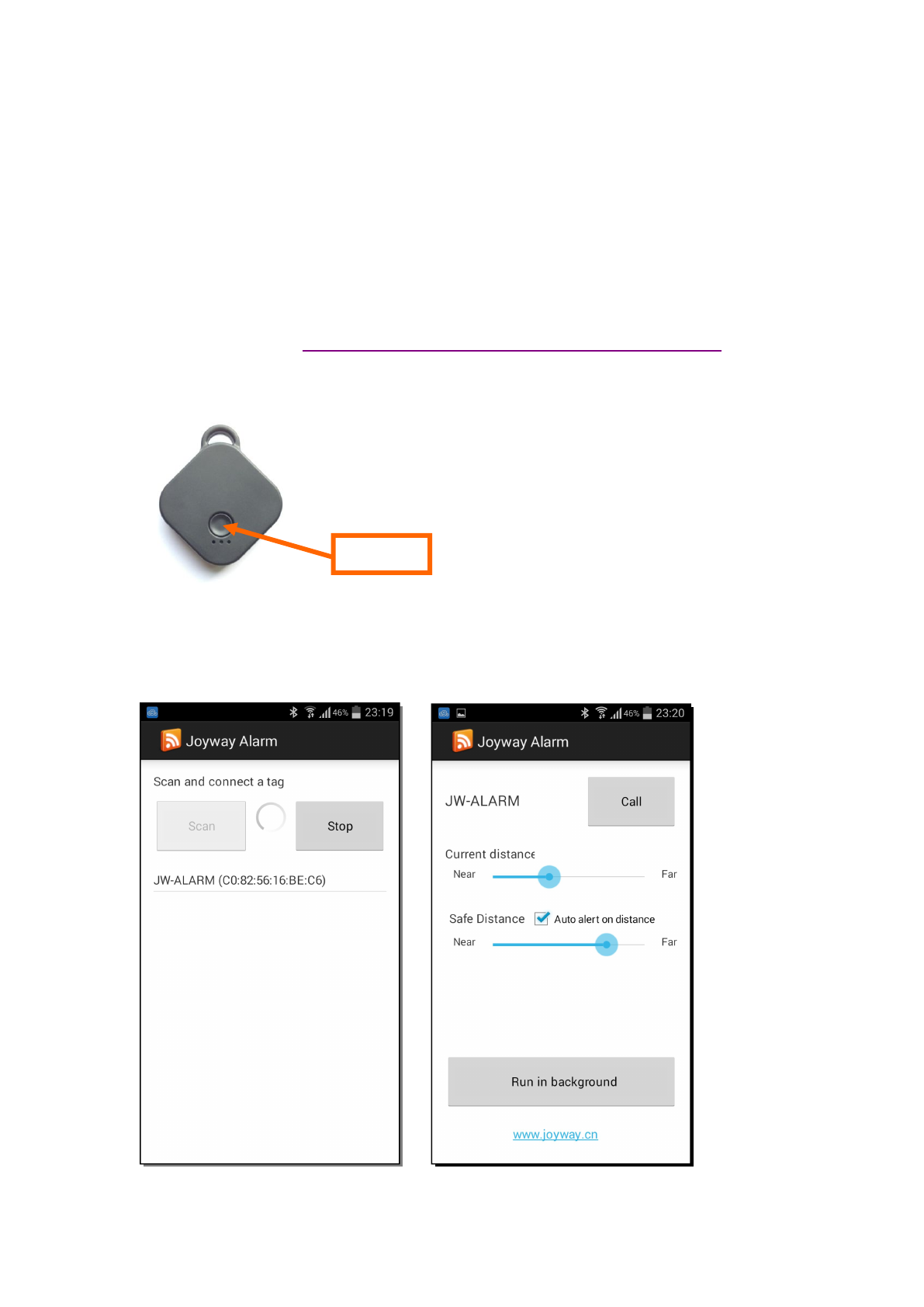
Operating Manual for JW-1403
Joyway Anti-Lost Alarm(JW-1403), is a small bluetooth device connecting with
smartphone and communicating with app.
How to use?
1, Install APP. There are 2 ways to Install app into your smartphone.
(1) Scan the QRCODE in the back of packing box by your smartphone.
(2) Follow this link: http://www.joyway.cn/Page_ProductDetail.aspx?id=764
2, Activate Anti-Lost Alarm by pressing its button.
3, Run app, click ‘Scan’ or ‘+’ to find all nearby Anti-Lost Alarms, then click one, the
app will connect it, then, show details of the alarm.
Android Phone:
Click here
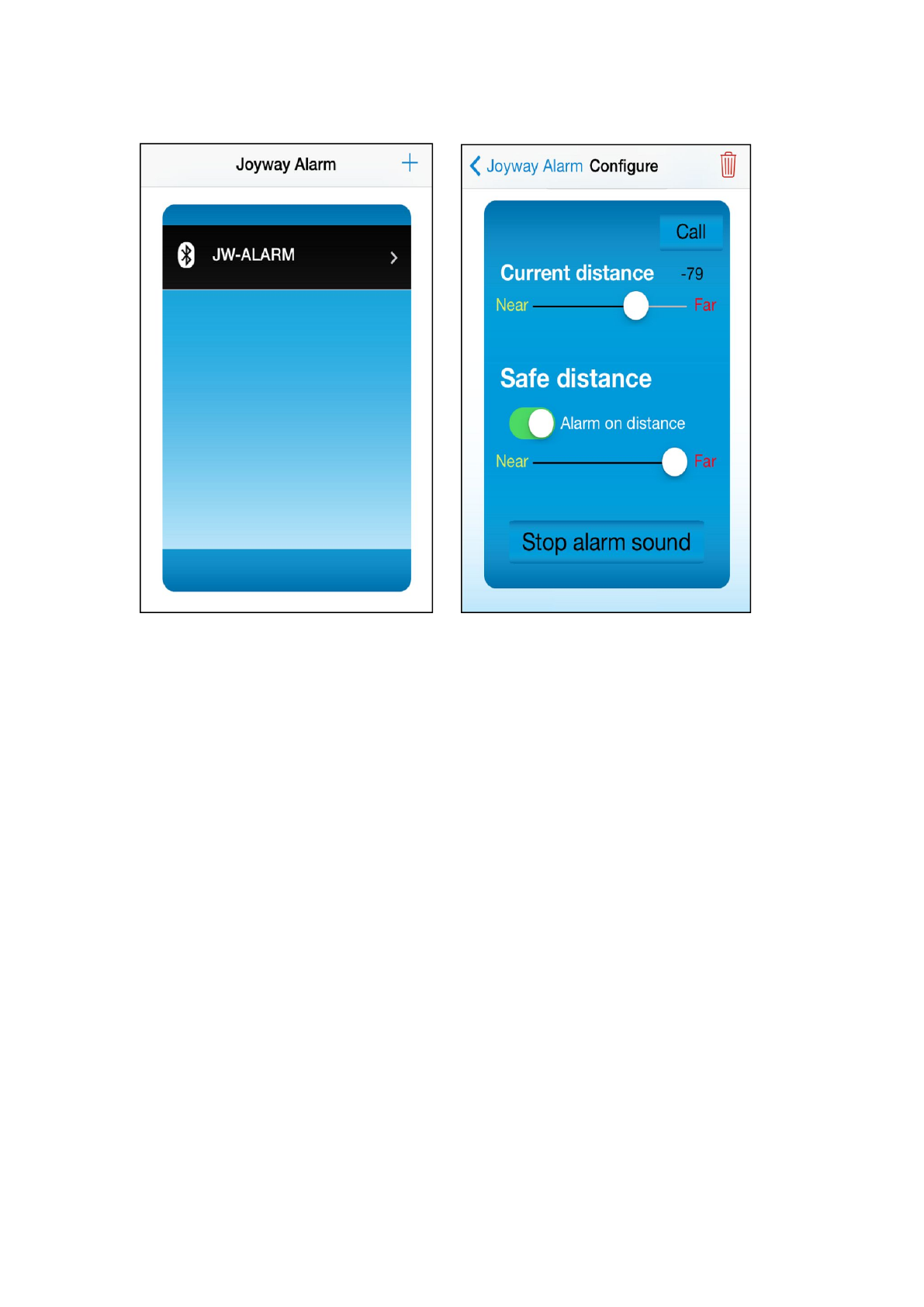
iPhone:
4, Move the alarm near and far, check the ‘Current distance’ value, configure the safe
distance. If it is far away, smartphone will play ringing and vibrate (Distancing
alarm).
5, Click ‘Call’ button in app, alarm will beep.
6, Click button in alarm will make smartphone playing ringing (Fake Call).
7, It works well when app run in background.
8, If you quit app, the alarm will sleep down to save energy until you activate it again.
FCC Certification Requirements
Caution: Any changes or modifications in construction of this device which are not
expressly approved by the party responsible for compliance could void the user's authority
to operate the equipment.
This device complies with part 15 of the FCC Rules. Operation is subject to the following
two conditions: (1) This device may not cause harmful interference, and
(2) This device must accept any interference received, including interference that may
cause undesired operation.