K tec KF900ST Pager User Manual KF900ST manual1

K-tec Co., Ltd. Pager KF900ST manual1

User Manual

ENCORE(MODEL NO:KF900ST)USER'S MANUAL
This device complies with part 15 of the FCC rules andregulations.Operation is subject to the condition that this device notcause harmful interference.
Contents■ FEATURES■ EXTERNAL VIEW■ DESCRIPTION OF ICON INDICATORS■ OPERATION PAGER- POWER ON- READING MESSAGE- ERASING MESSAGE- LOCKING AND UNLOCKING MESSAGE- CANNED MESSAGE■ HOW TO SET UP FUNCTION- PAGER OFF- SETTING ALERT- SETTING TIME - SETTING DATE- SETTING ALARM- SETTING TIMER- STOPWATCH- SETTING UNREAD MESSAGE REMINDER■ LOW BATTERY INDICATOR■ HOW TO CHANGE BATTERY■ CAUTIONS
1. FEATURES        1) Date & Time Stamping    2) 10 Melodies and 5 Beep Tone    3) 25 Message and 21 digit Melody    4) 20 Message locking    5) Selective Power On/Off Time    6) Selective Vibration or Silence    7) Remind Alert    8) Selective Message Erase    9) LCD display 12 Characters in 1 line    10) Low Battery Indication    11) Set of Alarm Time Function    12) Memory Back-Up    13) Function of Stopwatch    14) Duplicate Message Indication    15) Continuation Message Indication    16) Canned message
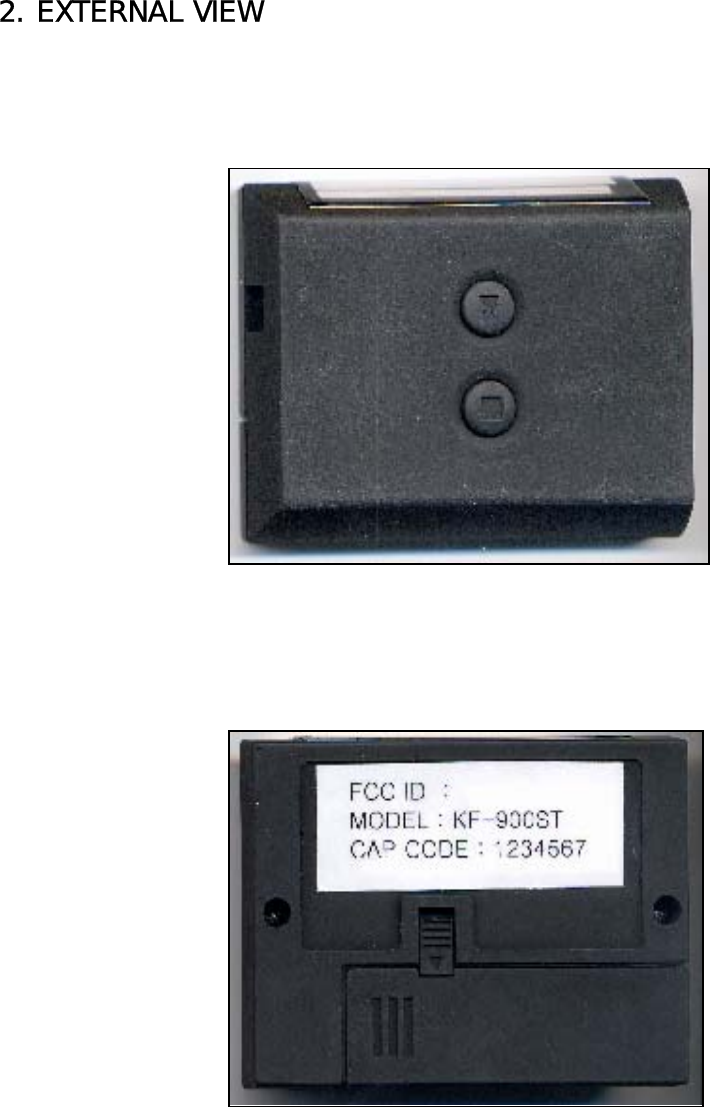
2. EXTERNAL VIEW
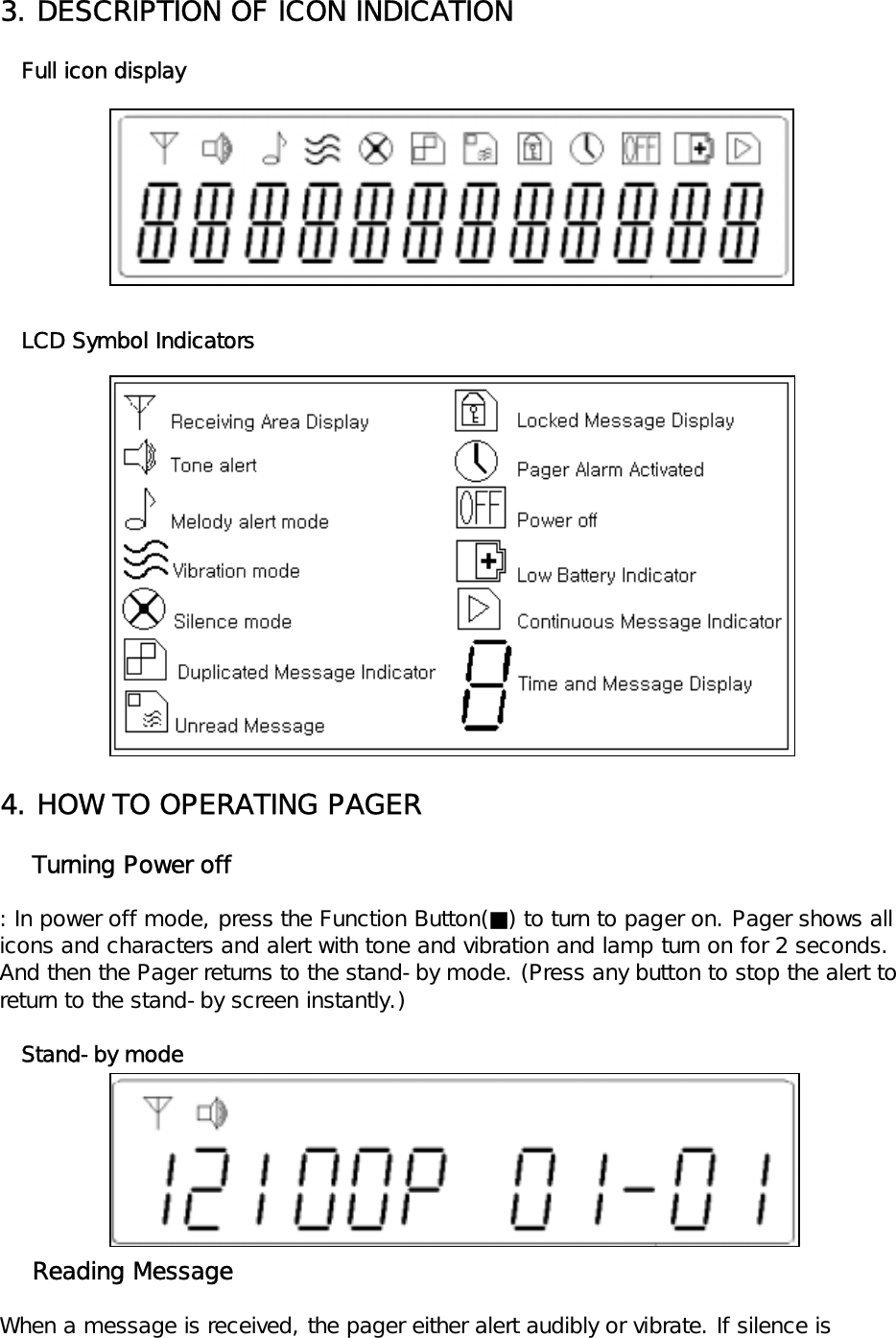
3. DESCRIPTION OF ICON INDICATION   Full icon display   LCD Symbol Indicators4. HOW TO OPERATING PAGER    Turning Power off: In power off mode, press the Function Button(■) to turn to pager on. Pager shows all icons and characters and alert with tone and vibration and lamp turn on for 2 seconds. And then the Pager returns to the stand-by mode. (Press any button to stop the alert to return to the stand-by screen instantly.)   Stand-by mode    Reading MessageWhen a message is received, the pager either alert audibly or vibrate. If silence is
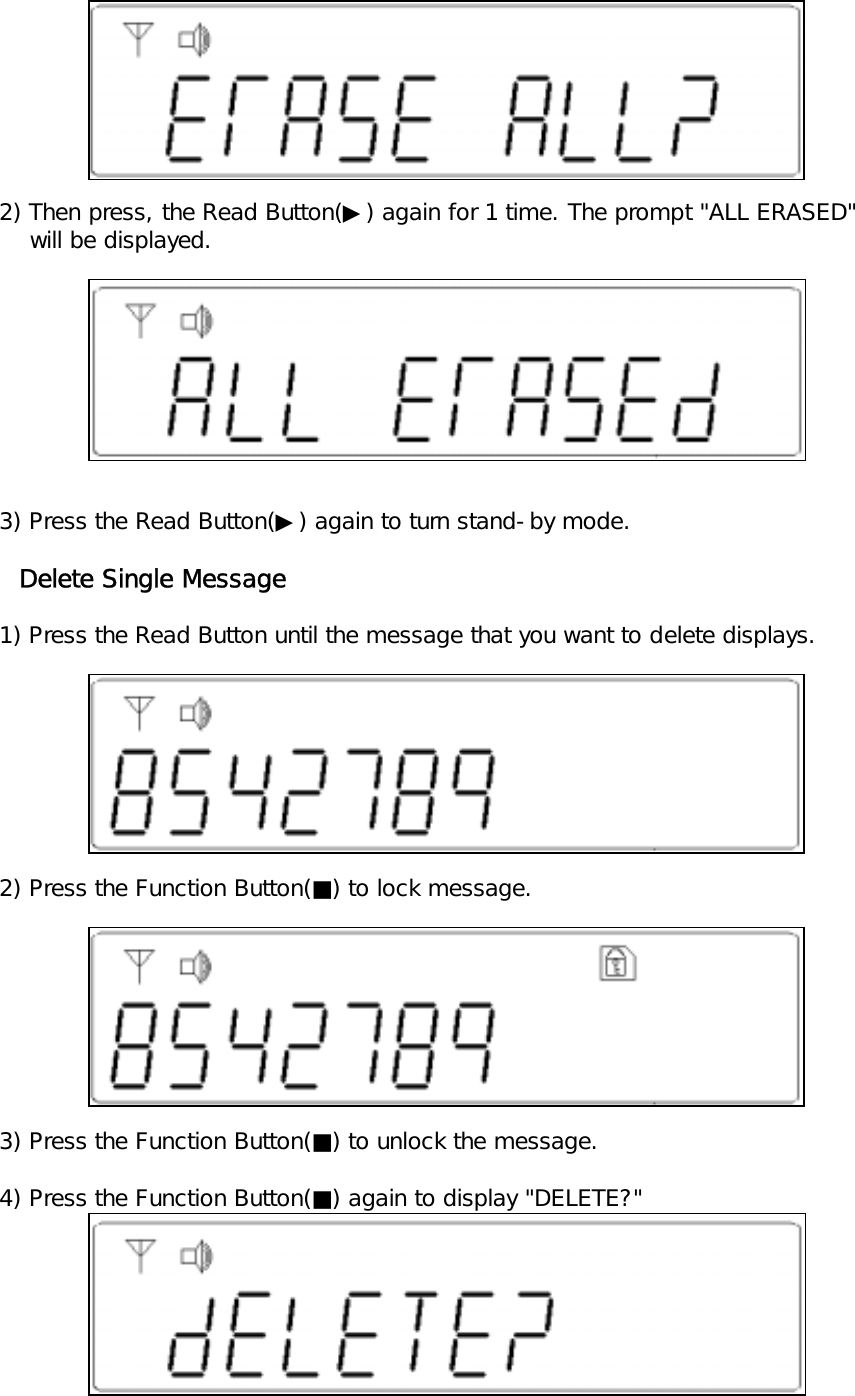
selected, no alert happens for an incoming message.   1) When message is received, the pager alert with "NEW MSG" will be displayed.   2) Press the Read Button(▶) to display the time the message was received.   3) Press the Read Button(▶) again to read received message.   Received Message   4) Press the Read Button(▶) to return to the stand-by mode.**Notice: If more than 25 messages are received, the will pager display "PAGES FULL"on the screen. IF a new message is received under the "PAGES FULL", the oldest read and unprotected message is delete.(Be sure to lock important message)    Erasing MessageReceived message can be erased singly or all messages (excluding locked and unread messages) at once.    Delete all messages      1) Press the Function Button(■) until "ERASE ALL?" display on the screen.
       2) Then press, the Read Button(▶) again for 1 time. The prompt "ALL ERASED"        will be displayed.   3) Press the Read Button(▶) again to turn stand-by mode.     Delete Single Message   1) Press the Read Button until the message that you want to delete displays.   2) Press the Function Button(■) to lock message.   3) Press the Function Button(■) to unlock the message.   4) Press the Function Button(■) again to display "DELETE?"
   5) Press the Read Button(▶) to erase, or else press the Function Button(■) to cancel delete.**Notice: Deleted message is lost and not recoverable.Locking and Unlocking MessageLocking messageUp to 20 messages can be locked in the memory, preventing them from being erasedwith the most recent message when memory in full(indicated by the "LOCK FULL").   1) Press the Read Button(▶) until the message that you want lock displays.   2) The prompt "LOCK?" will be displayed.   3) Press the Read Button(▶) to lock message with the prompt "LOCKED[01]" will be       displayed.   4) Press the Read Button(▶) to return to the stand-by mode.   Unlocking message   1) Press the Read Button(▶) until the message that you want unlock displayed.   2) Press the Function Button(■). The prompt "UNLOCK ?" will be displayed.   3) Press the Read Button(▶) to unlock message with the prompt "UNLOCKED" will be       displayed.
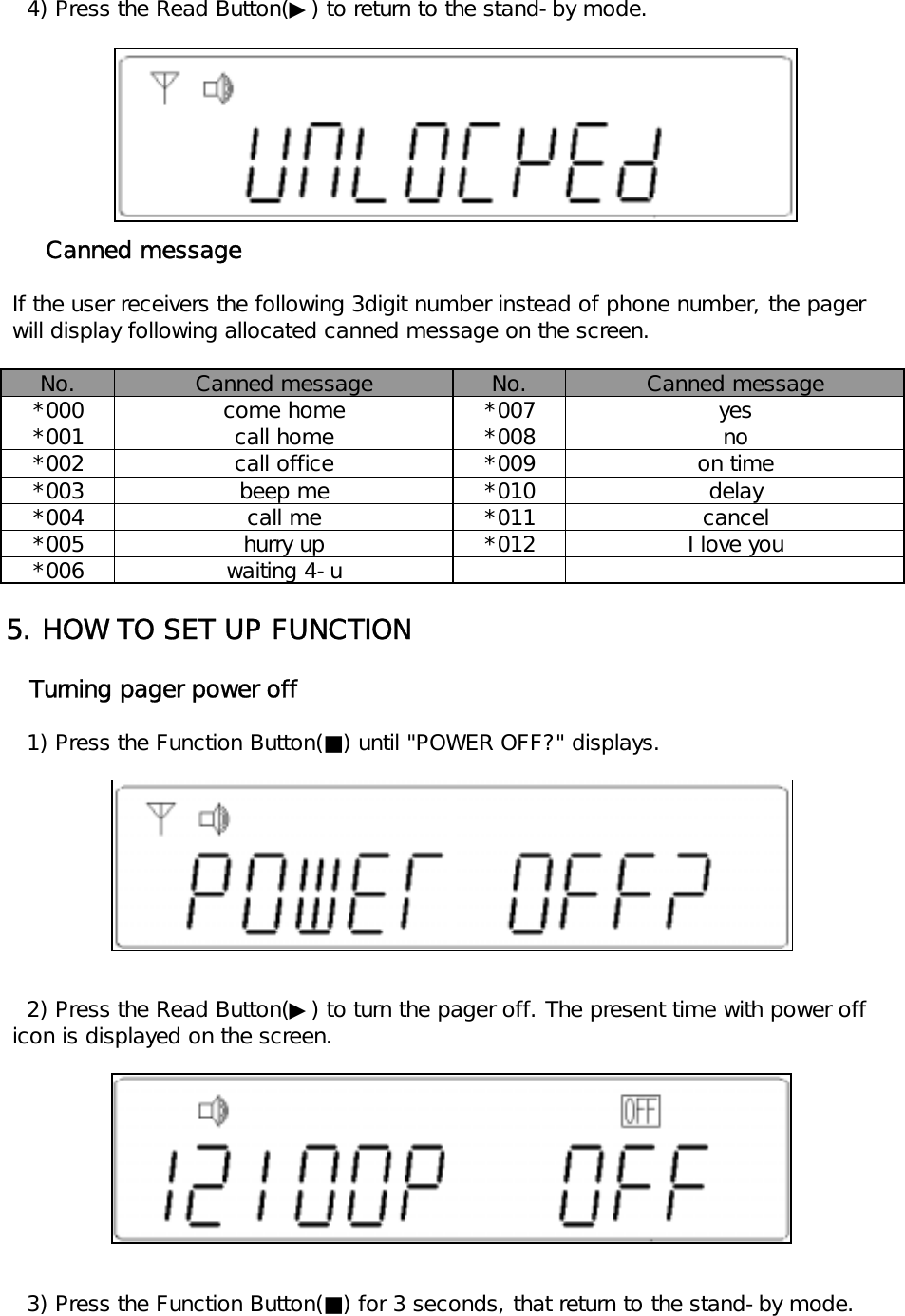
   4) Press the Read Button(▶) to return to the stand-by mode.     Canned message If the user receivers the following 3digit number instead of phone number, the pager will display following allocated canned message on the screen.No. No.*000 *007*001 *008*002 *009*003 *010*004 *011*005 *012*0065. HOW TO SET UP FUNCTION   Turning pager power off   1) Press the Function Button(■) until "POWER OFF?" displays.   2) Press the Read Button(▶) to turn the pager off. The present time with power off icon is displayed on the screen.   3) Press the Function Button(■) for 3 seconds, that return to the stand-by mode.Canned message Canned messagecome home yesbeep mecall mecall homecall office noon timehurry upwaiting 4-udelaycancelI love you
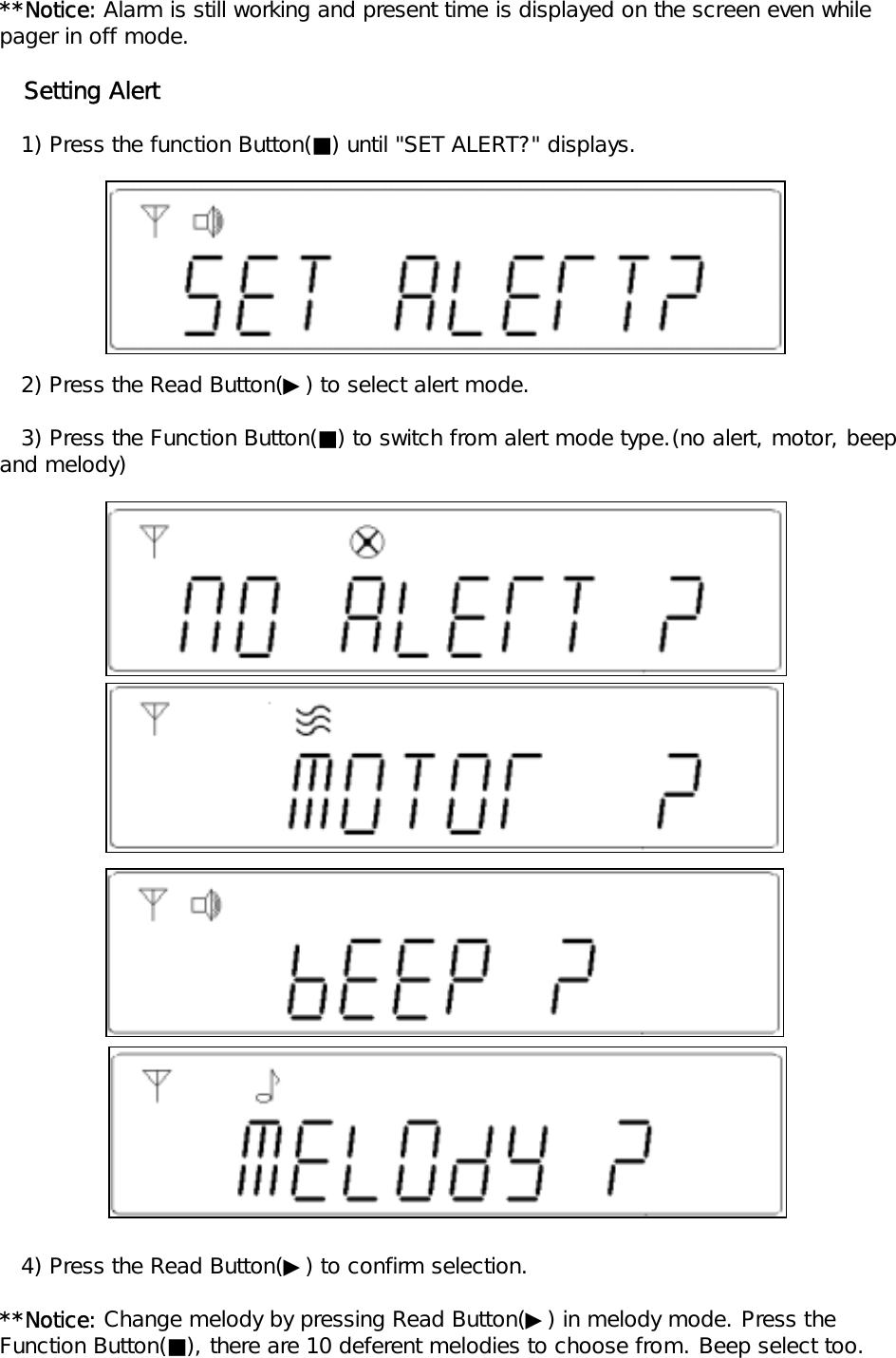
**Notice: Alarm is still working and present time is displayed on the screen even whilepager in off mode.   Setting Alert   1) Press the function Button(■) until "SET ALERT?" displays.    2) Press the Read Button(▶) to select alert mode.   3) Press the Function Button(■) to switch from alert mode type.(no alert, motor, beep and melody)   4) Press the Read Button(▶) to confirm selection.**Notice: Change melody by pressing Read Button(▶) in melody mode. Press theFunction Button(■), there are 10 deferent melodies to choose from. Beep select too.
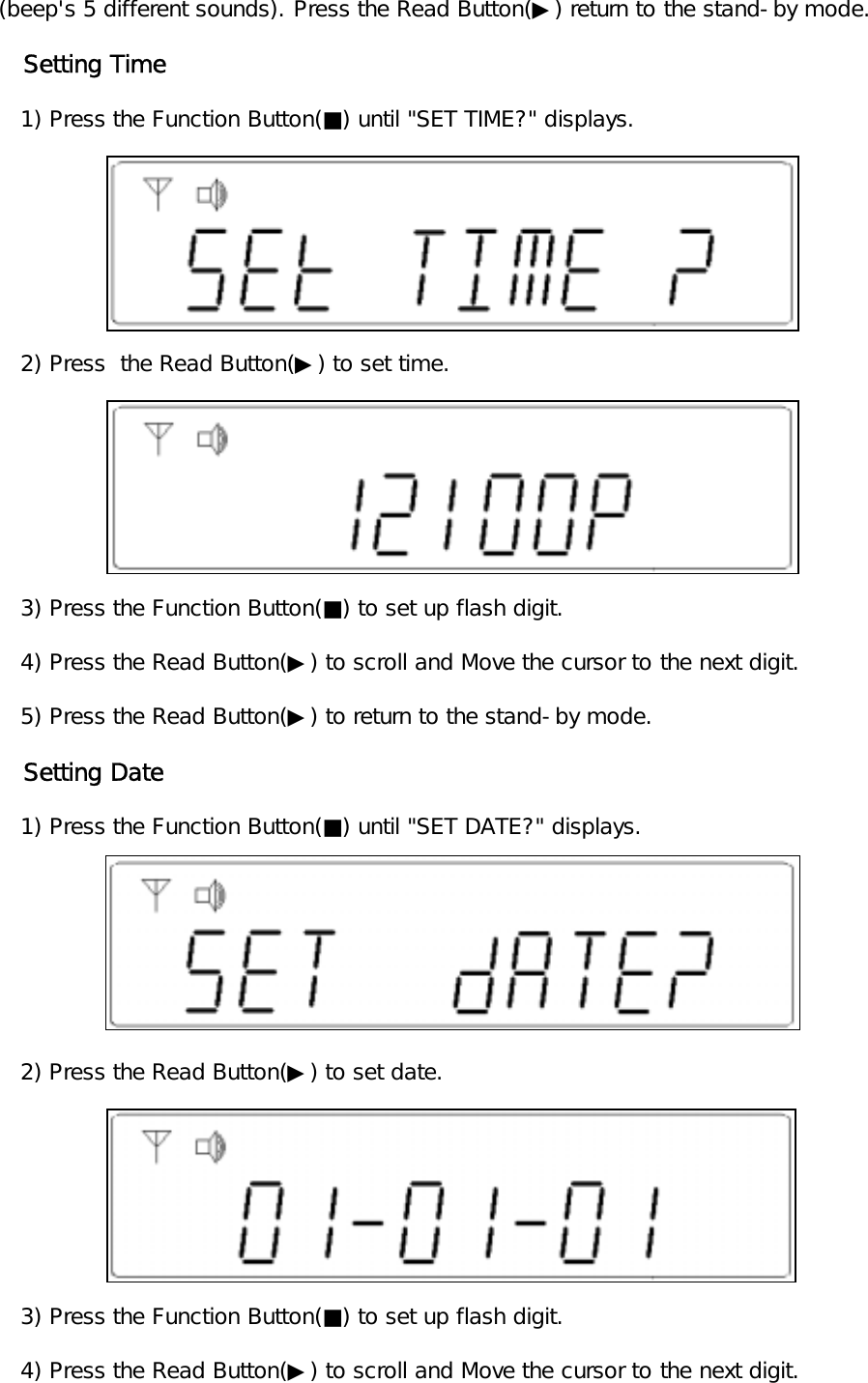
(beep's 5 different sounds). Press the Read Button(▶) return to the stand-by mode.   Setting Time   1) Press the Function Button(■) until "SET TIME?" displays.   2) Press  the Read Button(▶) to set time.   3) Press the Function Button(■) to set up flash digit.   4) Press the Read Button(▶) to scroll and Move the cursor to the next digit.   5) Press the Read Button(▶) to return to the stand-by mode.   Setting Date   1) Press the Function Button(■) until "SET DATE?" displays.   2) Press the Read Button(▶) to set date.      3) Press the Function Button(■) to set up flash digit.   4) Press the Read Button(▶) to scroll and Move the cursor to the next digit.
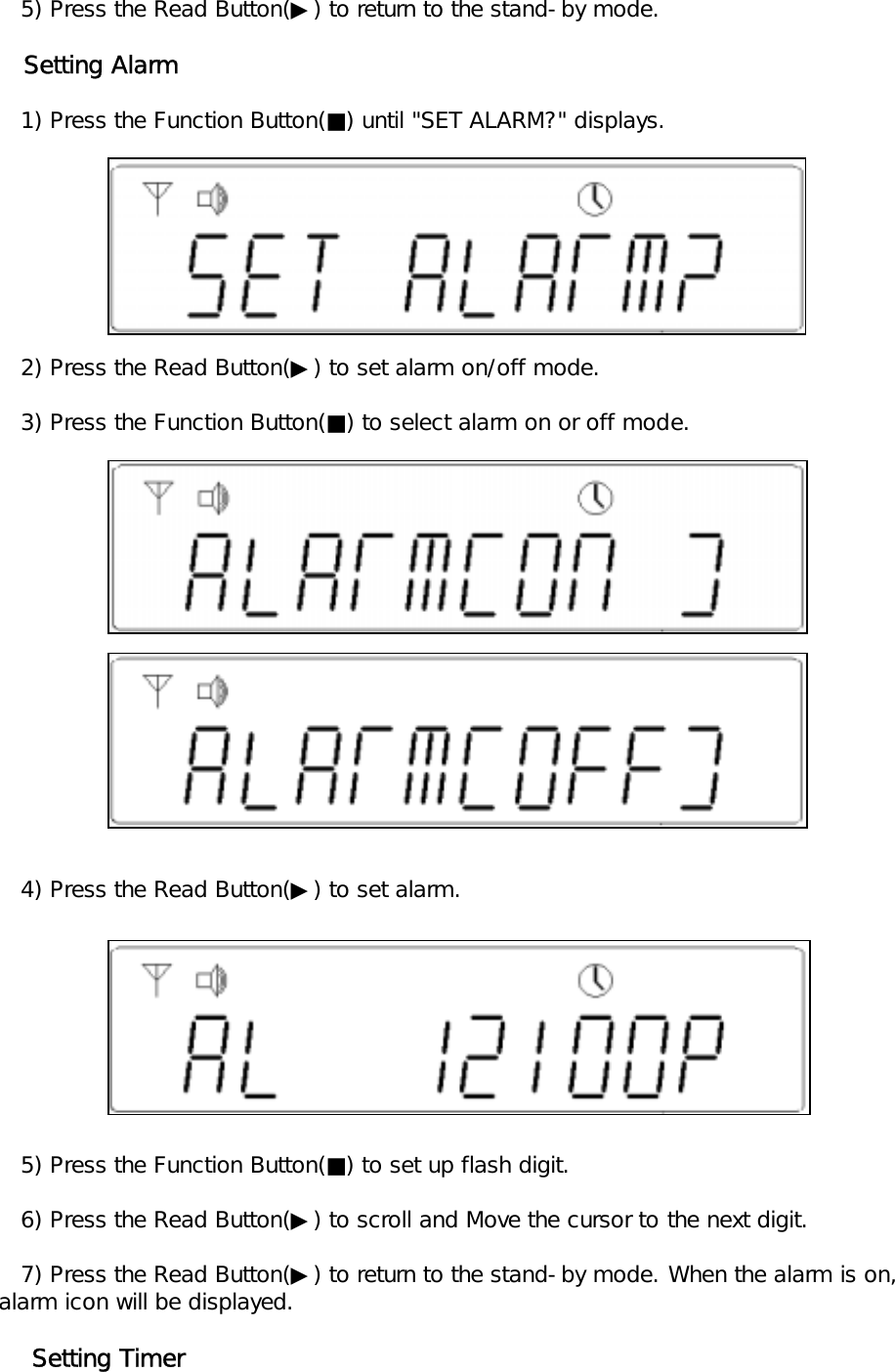
   5) Press the Read Button(▶) to return to the stand-by mode.   Setting Alarm   1) Press the Function Button(■) until "SET ALARM?" displays.     2) Press the Read Button(▶) to set alarm on/off mode.   3) Press the Function Button(■) to select alarm on or off mode.   4) Press the Read Button(▶) to set alarm.    5) Press the Function Button(■) to set up flash digit.   6) Press the Read Button(▶) to scroll and Move the cursor to the next digit.   7) Press the Read Button(▶) to return to the stand-by mode. When the alarm is on,alarm icon will be displayed.    Setting Timer
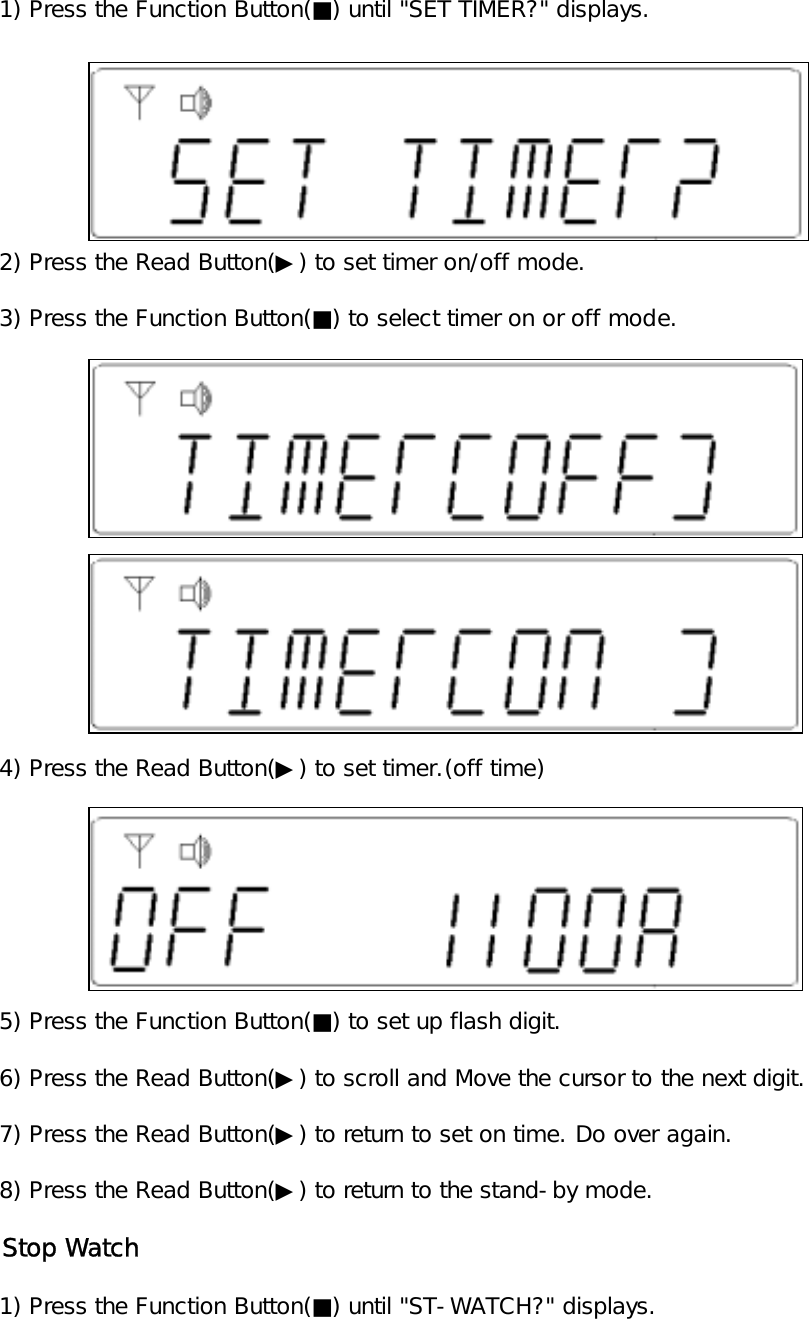
   1) Press the Function Button(■) until "SET TIMER?" displays.   2) Press the Read Button(▶) to set timer on/off mode.   3) Press the Function Button(■) to select timer on or off mode.   4) Press the Read Button(▶) to set timer.(off time)   5) Press the Function Button(■) to set up flash digit.   6) Press the Read Button(▶) to scroll and Move the cursor to the next digit.   7) Press the Read Button(▶) to return to set on time. Do over again.   8) Press the Read Button(▶) to return to the stand-by mode.   Stop Watch   1) Press the Function Button(■) until "ST-WATCH?" displays.
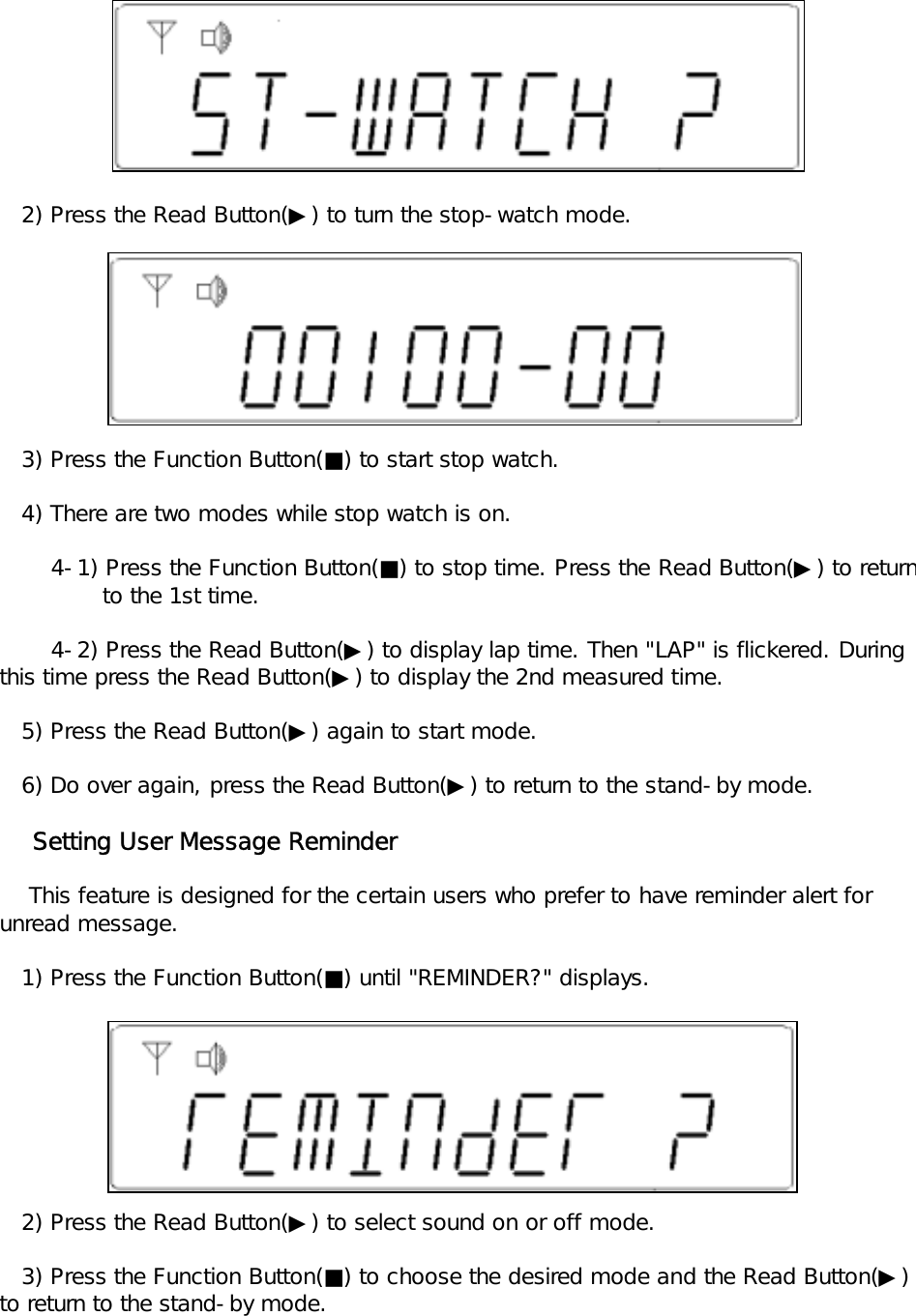
   2) Press the Read Button(▶) to turn the stop-watch mode.   3) Press the Function Button(■) to start stop watch.   4) There are two modes while stop watch is on.       4-1) Press the Function Button(■) to stop time. Press the Read Button(▶) to return              to the 1st time.       4-2) Press the Read Button(▶) to display lap time. Then "LAP" is flickered. During this time press the Read Button(▶) to display the 2nd measured time.   5) Press the Read Button(▶) again to start mode.   6) Do over again, press the Read Button(▶) to return to the stand-by mode.    Setting User Message Reminder    This feature is designed for the certain users who prefer to have reminder alert for unread message.   1) Press the Function Button(■) until "REMINDER?" displays.   2) Press the Read Button(▶) to select sound on or off mode.   3) Press the Function Button(■) to choose the desired mode and the Read Button(▶) to return to the stand-by mode.
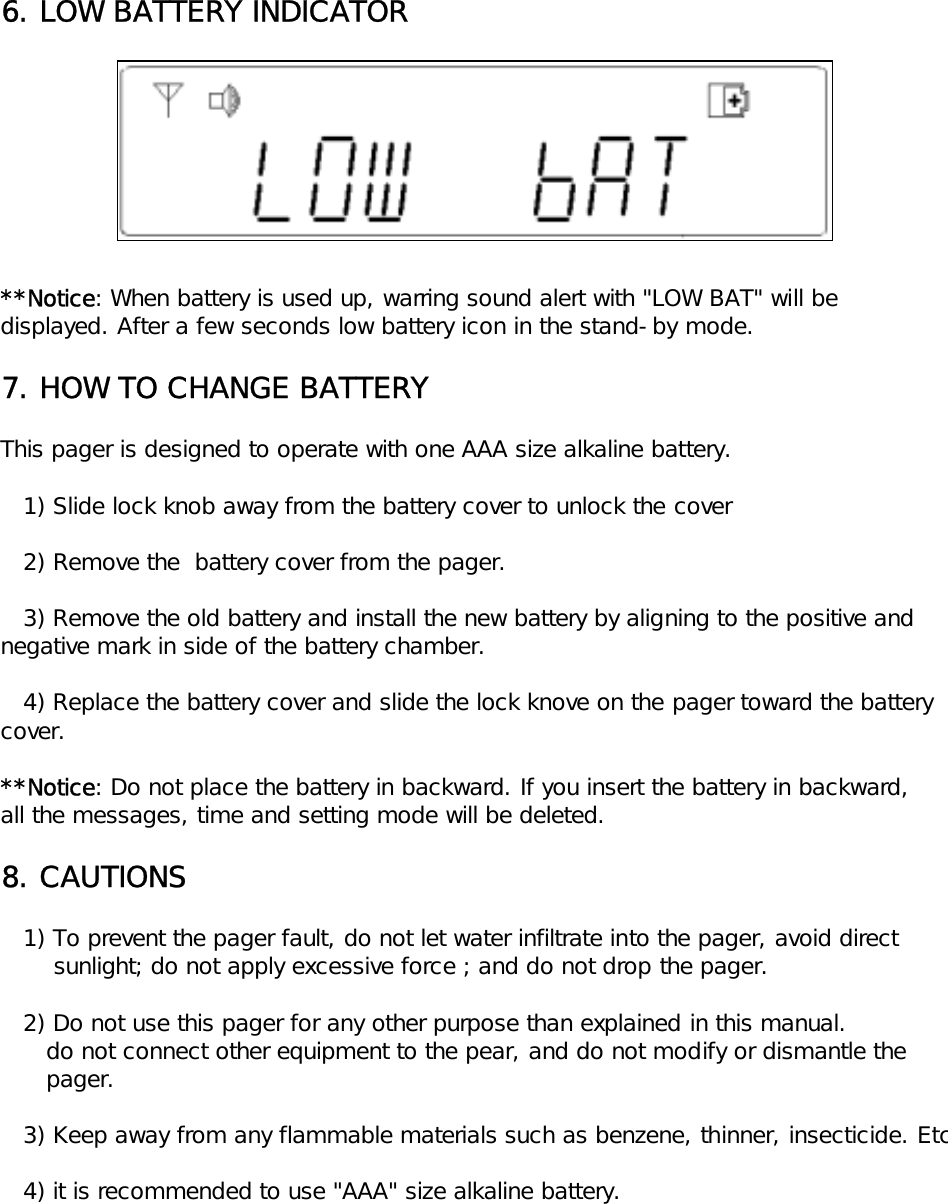
6. LOW BATTERY INDICATOR**Notice: When battery is used up, warring sound alert with "LOW BAT" will bedisplayed. After a few seconds low battery icon in the stand-by mode.7. HOW TO CHANGE BATTERYThis pager is designed to operate with one AAA size alkaline battery.   1) Slide lock knob away from the battery cover to unlock the cover      2) Remove the  battery cover from the pager.   3) Remove the old battery and install the new battery by aligning to the positive and negative mark in side of the battery chamber.   4) Replace the battery cover and slide the lock knove on the pager toward the battery cover.**Notice: Do not place the battery in backward. If you insert the battery in backward,all the messages, time and setting mode will be deleted.8. CAUTIONS   1) To prevent the pager fault, do not let water infiltrate into the pager, avoid direct        sunlight; do not apply excessive force ; and do not drop the pager.   2) Do not use this pager for any other purpose than explained in this manual.      do not connect other equipment to the pear, and do not modify or dismantle the       pager.   3) Keep away from any flammable materials such as benzene, thinner, insecticide. Etc   4) it is recommended to use "AAA" size alkaline battery.

Navigation menu