KELL ELECTRONICS BINC22 Baby Alert System User Manual Manual
KELL ELECTRONICS LIMITED Baby Alert System Manual
Manual
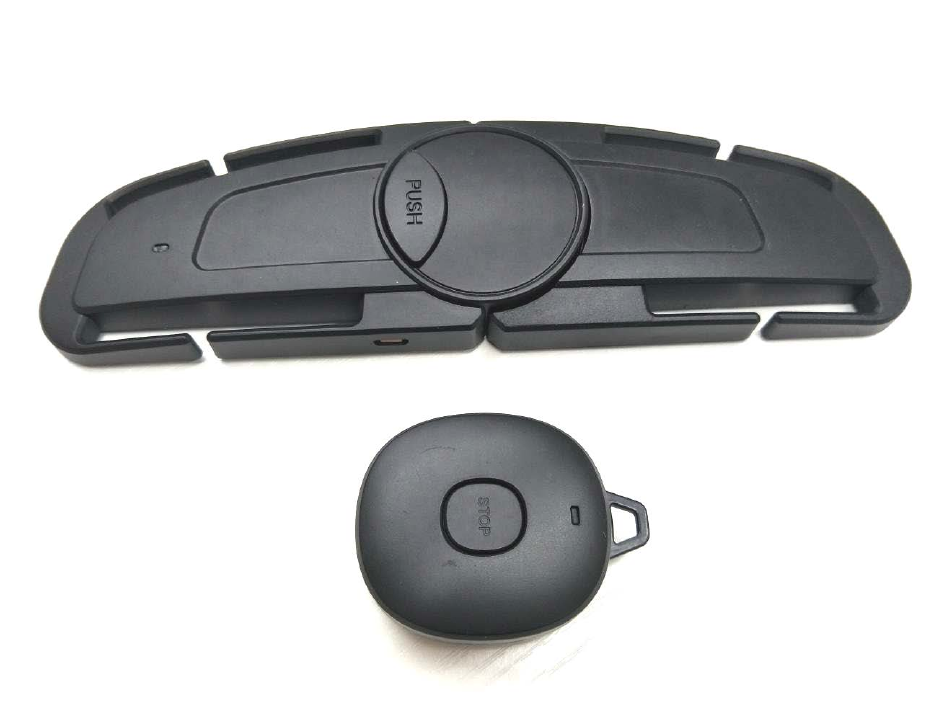
Instruction manual
Baby Alert System
BINC
Product Overview
1
2
3
4
6
7 8
A
B
5

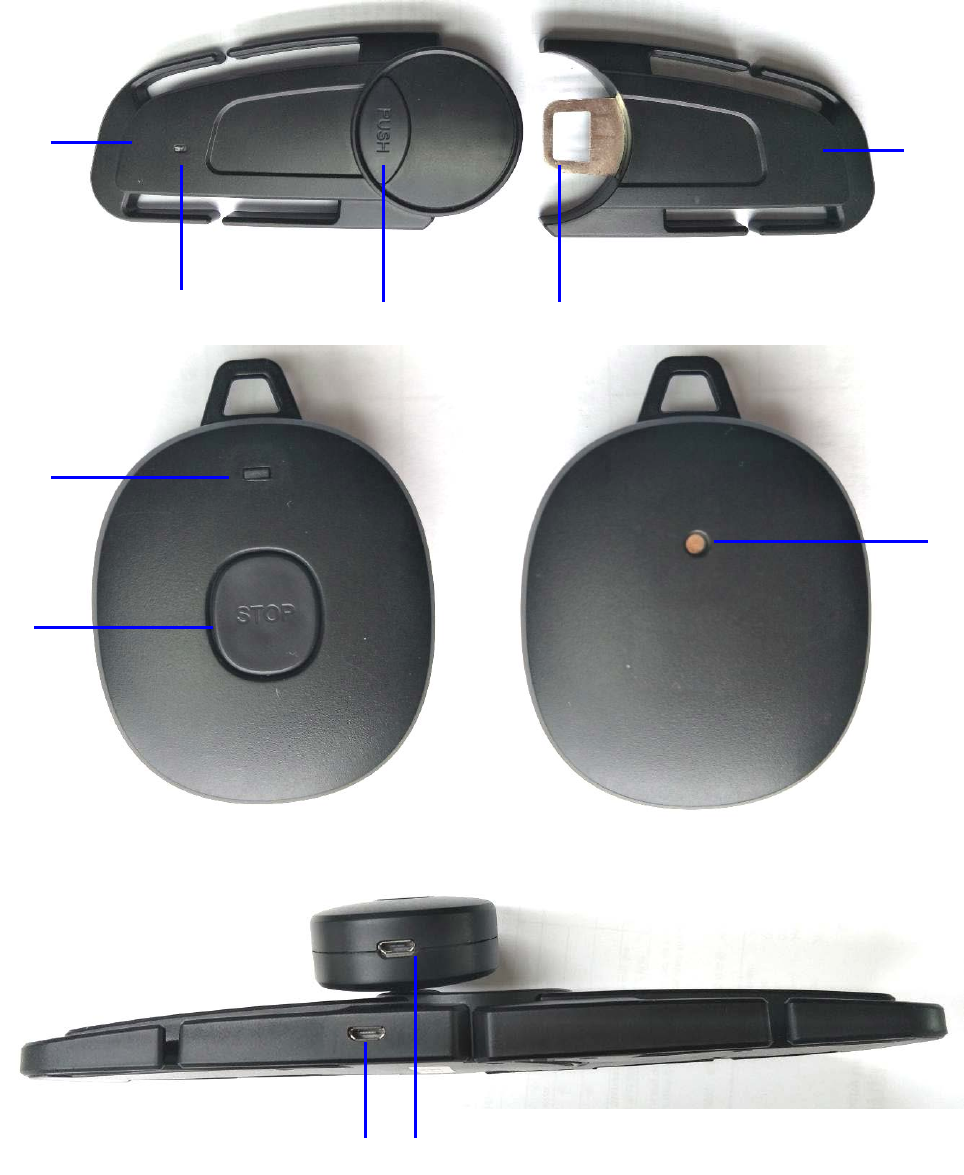
1. LED Indicator (unit of child safety seat)/ Part A
2. Release button (Press the Release button “PUSH” to install the lock/Switch ON ,)
3. Lock hook (unit of child safety seat)/ Part B
4. LED Indicator (unit of child safety seat)
5. Stop button (State error alarm, such as low power shut down, suddenly disconnection,
long press stop button to reset.)
6. Sound buzzer (Key ring Unit)
7. Micro USB Charge port (unit of child safety seat)
8. Micro USB Charge port (unit of child safety seat)
LED Status: 1) LED Flash blue was paired.
2) LED Red is charging.
3) LED is off when it's fully charged
Lock Status: 1) Insert Part B into Part A to activate the device,
2) Separate Part A from Part B, The devices will be deactivated
Operating instructions
Get start use for Activate the device
Insert Part B into Part A, The child safety seat device will be automatically paired with the key ring unit,
You can hear the beep-beep sound from key ring.
When Part B is inserted into Part A, the LED of the safety seat device will light up or flash blue light
about 6 seconds. The safety seat device is successfully paired with the key ring, The LED will flash blue
Light about 1 second interval.
Noted: Paired range of the safety seat device with the key ring is required in 1m.
Installation & the System Alarm
Attach the safety seat device to the seat strap.
Approx. 6m after the key ring leaves the safety seat device, the buzzer of the key ring will beep-
beep…sound.
The Key Ring is programmed to beep until, either as following a or b available to stop the beep sound.
a) The safety seat device is opened (Detach Part B from A) and your child is removed from the CRS, or
b) When the keychain is returned with the safety seat device less than 8 meters distance.

Disconnect for the key ring with the safety seat device
Press the Push button to pull Part B from Part A; you can hear the beep long sound from the key ring.
The safety seat device will be automatically disconnected from the key ring. The LED of the safety seat
device will come be off light.
Noted: The safety seat will be fully charged and the key ring before use, There is a red light when
charging, The LED is off when it's fully charged
Trouble shooting
If the device is not paired , please check if the safety seat and key ring are fully charged?
Please check whether Part B and Part A of the safety seat device are inserted properly.
Technical Data
Power supply : Rechargeable Build-in Li-ion battery 3.7V 250 mAh
Blue frequency : 2402 – 2480 MHz
Operating conditions: Temperature: -5°C to 35°C; Humidity 5% to 60%
Unit weight: CRS Device 90.8g, Key ring 20.7g
Micro USB Port charge: 5V DC 1000 mA
Specification:
Li-ion Battery: 3.7V 200 mAh
Standby time: Approx. 63 days
Re-charge time: Approx. 30 Mins
Pairing time: ≤ 6 seconds
Pairing range: Approx. 1m
Activate the alarm distance: ≥ 5 m
Alarm Sound Volume: 95dB measure at 30cm from key ring
FCC Statement:
This device complies with part 15 of the FCC Rules. Operation is subject to the following two
conditions: (1) this device may not cause harmful interference, and (2) this device must accept any interference
received, including interference that may cause undesired operation.
CAUTION:
Changes or Modifications not expressly approved by the party responsible could void the user’s
authority to operate this device.
NOTE: This equipment has been tested and found to comply with the limits for a Class B digital device, pursuant to
Part 15 of the FCC Rules. These limits are designed to provide reasonable protection against harmful interference
in a residential installation. This equipment generates, uses and can radiate radio frequency energy and, if not installed
and used in accordance with the instructions, may cause harmful interference to radio communications. However, there
is no guarantee that interference will not occur in a particular installation.
If this equipment does cause harmful interference to radio or television reception, which can be determined by
turning the equipment off and on, the user is encouraged to try to correct the interference by one
or more of the following measures:
-- Reorient or relocate the receiving antenna.
-- Increase the separation between the equipment and receiver.
-- Connect the equipment into an outlet on a circuit different from that to which the receiver is connected.
-- Consult the dealer or an experienced radio/TV technician for help.