KENWIN KW-B16BT Bluetooth Speaker User Manual

KENWIN INDUSTRIAL (H.K.) LTD. Bluetooth Speaker

User Manual

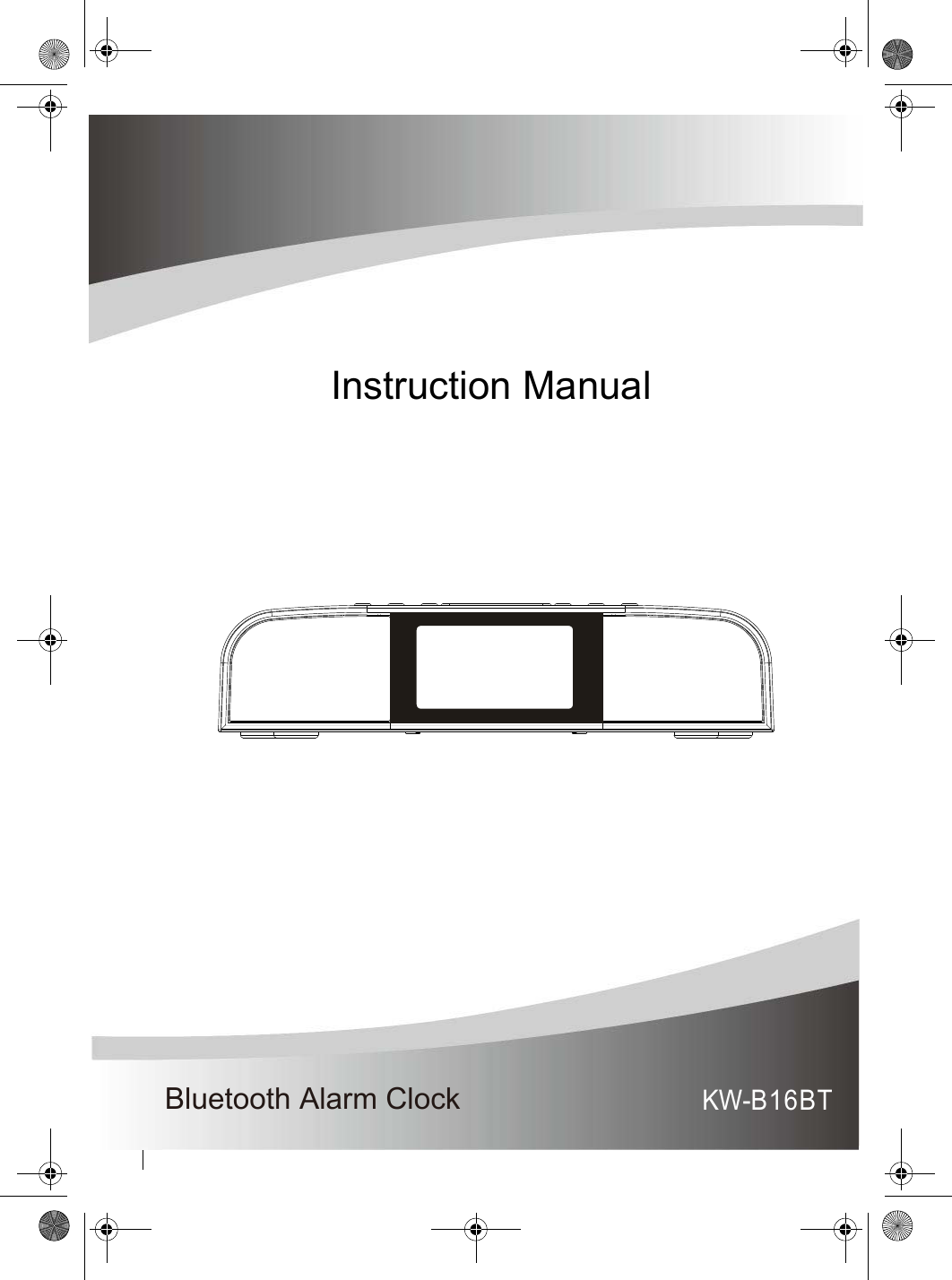
Bluetooth Alarm ClockInstruction ManualKW-B16BT
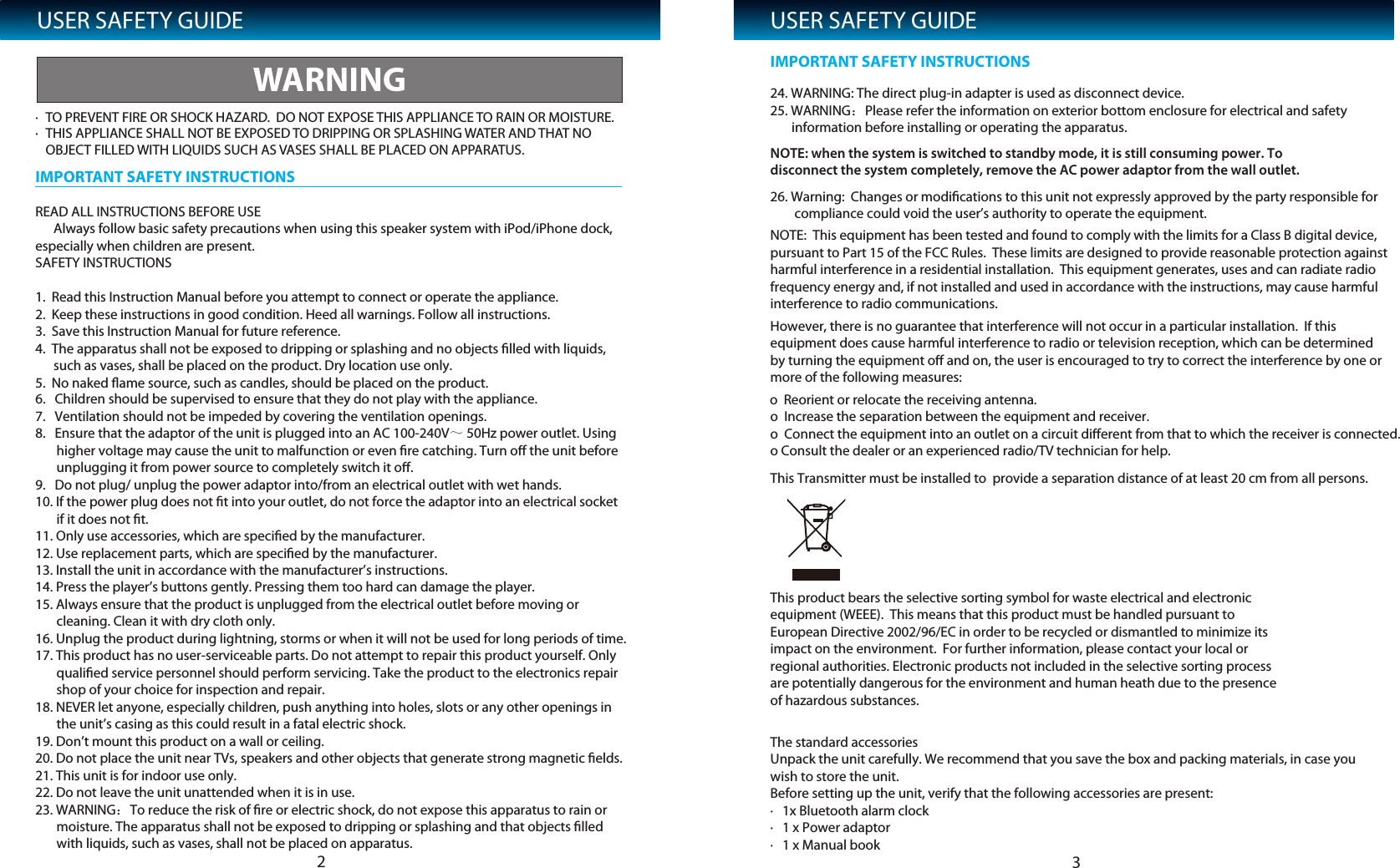
USER SAFETY GUIDE· TO PREVENT FIRE OR SHOCK HAZARD.  DO NOT EXPOSE THIS APPLIANCE TO RAIN OR MOISTURE.· THIS APPLIANCE SHALL NOT BE EXPOSED TO DRIPPING OR SPLASHING WATER AND THAT NO OBJEREAD ALL INSTRUCTIONS BEFORE USE      Always follow basic safety precautions when using this speaker system with iPod/iPhone dock, especially when children are present.SAFETY INSTRUCTIONS1.  Read this Instruction Manual before you attempt to connect or operate the appliance.2.  Keep these instructions in good condition. Heed all warnings. Follow all instructions.3.  Save this Instruction Manual for future reference.4.  The apparatus shall not be exposed to dripping or splashing and no objects filled with liquids,       such as vases, shall be placed on the product. Dry location use only.5.  No naked flame source, such as candles, should be placed on the product.The standard accessoriesUnpack the unit carefully. We recommend that you save the box and packing materials, in case you wish to store the unit. Before setting up the unit, verify that the following accessories are present:·   1x Bluetooth alarm clock·   1 x Power adaptor·   1 x Manual bookThis product bears the selective sorting symbol for waste electrical and electronic equipment (WEEE).  This means that this product must be handled pursuant to European Directive 2002/96/EC in order to be recycled or dismantled to minimize its impact on the environment.  For further information, please contact your local or regional authorities. Electronic products not included in the selective sorting process are potentially dangerous for the environment and human heath due to the presence of hazardous substances.CT FILLED WITH LIQUIDS SUCH AS VASES SHALL BE PLACED ON APPARATUS.WARNINGIMPORTANT SAFETY INSTRUCTIONSUSER SAFETY GUIDE24. WARNING: The direct plug-in adapter is used as disconnect device.25. WARNING26. Warning:  Changes or modifications to this unit not expressly approved by the party responsible for         compliance could void the user’s authority to operate the equipment. NOTE:  This equipment has been tested and found to comply with the limits for a Class B digital device, pursuant to Part 15 of the FCC Rules.  These limits are designed to provide reasonable protection against harmful interference in a residential installation.  This equipment generates, uses and can radiate radio frequency energy and, if not installed and used in accordance with the instructions, may cause harmful interference to radio communications. However, there is no guarantee that interference will not occur in a particular installation.  If this equipment does cause harmful interference to radio or television reception, which can be determined by turning the equipment off and on, the user is encouraged to try to correct the interference by one or more of the following measures: o  Reorient or relocate the receiving antenna.o  Increase the separation between the equipment and receiver.o  Connect the equipment into an outlet on a circuit different from that to which the receiver is connected.o Consult the dealer or an experienced radio/TV technician for help.This Transmitter must be installed to  provide a separation distance of at least 20 cm from all persons. :Please refer the information on exterior bottom enclosure for electrical and safety        information before installing or operating the apparatus.NOTE: when the system is switched to standby mode, it is still consuming power. To disconnect the system completely, remove the AC power adaptor from the wall outlet.6.   Children should be supervised to ensure that they do not play with the appliance.7.   Ventilation should not be impeded by covering the ventilation openings.8.   Ensure that the adaptor of the unit is plugged into an AC 100-240V~ 50Hz power outlet. Using        higher voltage may cause the unit to malfunction or even fire catching. Turn off the unit before        unplugging it from power source to completely switch it off.9.   Do not plug/ unplug the power adaptor into/from an electrical outlet with wet hands.10. If the power plug does not fit into your outlet, do not force the adaptor into an electrical socket        if it does not fit.11. Only use accessories, which are specified by the manufacturer.12. Use replacement parts, which are specified by the manufacturer.13. Install the unit in accordance with the manufacturer’s instructions.14. Press the player’s buttons gently. Pressing them too hard can damage the player.15. Always ensure that the product is unplugged from the electrical outlet before moving or        cleaning. Clean it with dry cloth only.16. Unplug the product during lightning, storms or when it will not be used for long periods of time.17. This product has no user-serviceable parts. Do not attempt to repair this product yourself. Only        qualified service personnel should perform servicing. Take the product to the electronics repair        shop of your choice for inspection and repair.18. NEVER let anyone, especially children, push anything into holes, slots or any other openings in        the unit’s casing as this could result in a fatal electric shock.19. Don’t mount this product on a wall or ceiling.20. Do not place the unit near TVs, speakers and other objects that generate strong magnetic fields.21. This unit is for indoor use only.22. Do not leave the unit unattended when it is in use.IMPORTANT SAFETY INSTRUCTIONS23 23. WARNING:To reduce the risk of fire or electric shock, do not expose this apparatus to rain or        moisture. The apparatus shall not be exposed to dripping or splashing and that objects filled        with liquids, such as vases, shall not be placed on apparatus.
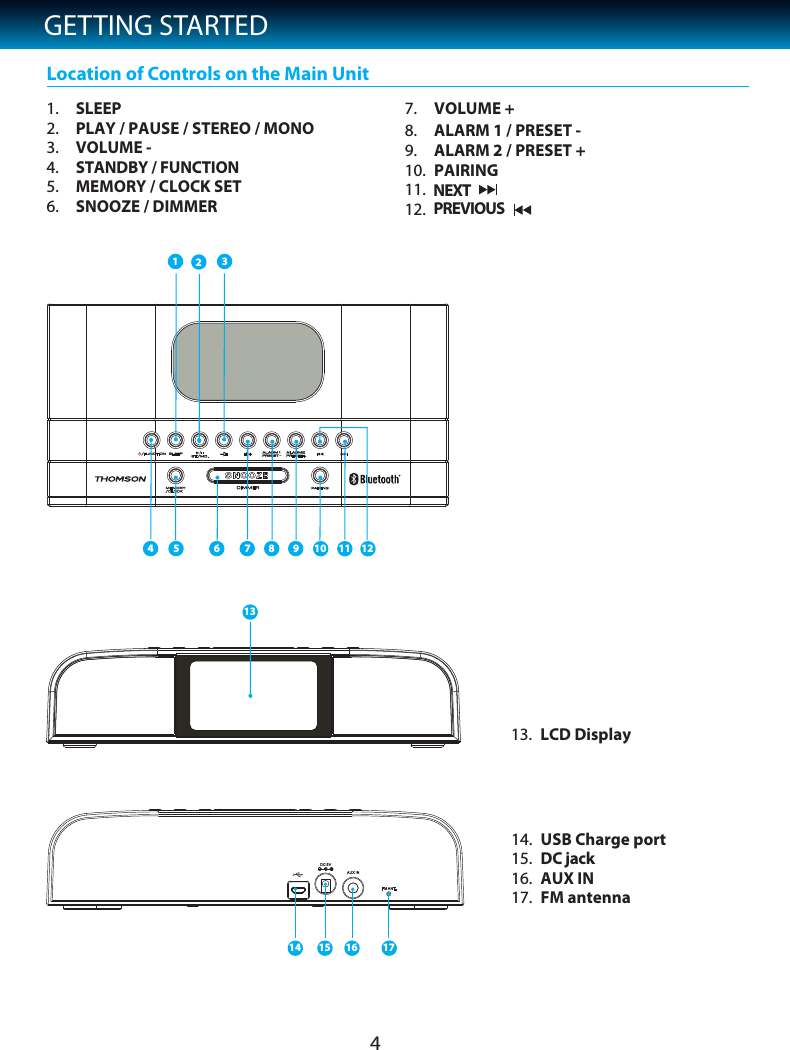
4GETTING STARTEDLocation of Controls on the Main Unit1. SLEEP 2. PLAY / PAUSE / STEREO / MONO3. VOLUME -     4. STANDBY / FUNCTION   5. MEMORY / CLOCK SET6. SNOOZE / DIMMER7. VOLUME +8. ALARM 1 / PRESET -ALARM 2 / PRESET +9.10.11.PREVIOUSNEXT12.13.PAIRINGLCD Display14. USB Charge port15. DC jack 16. AUX IN17. FM antenna315610 12911878416 171514213
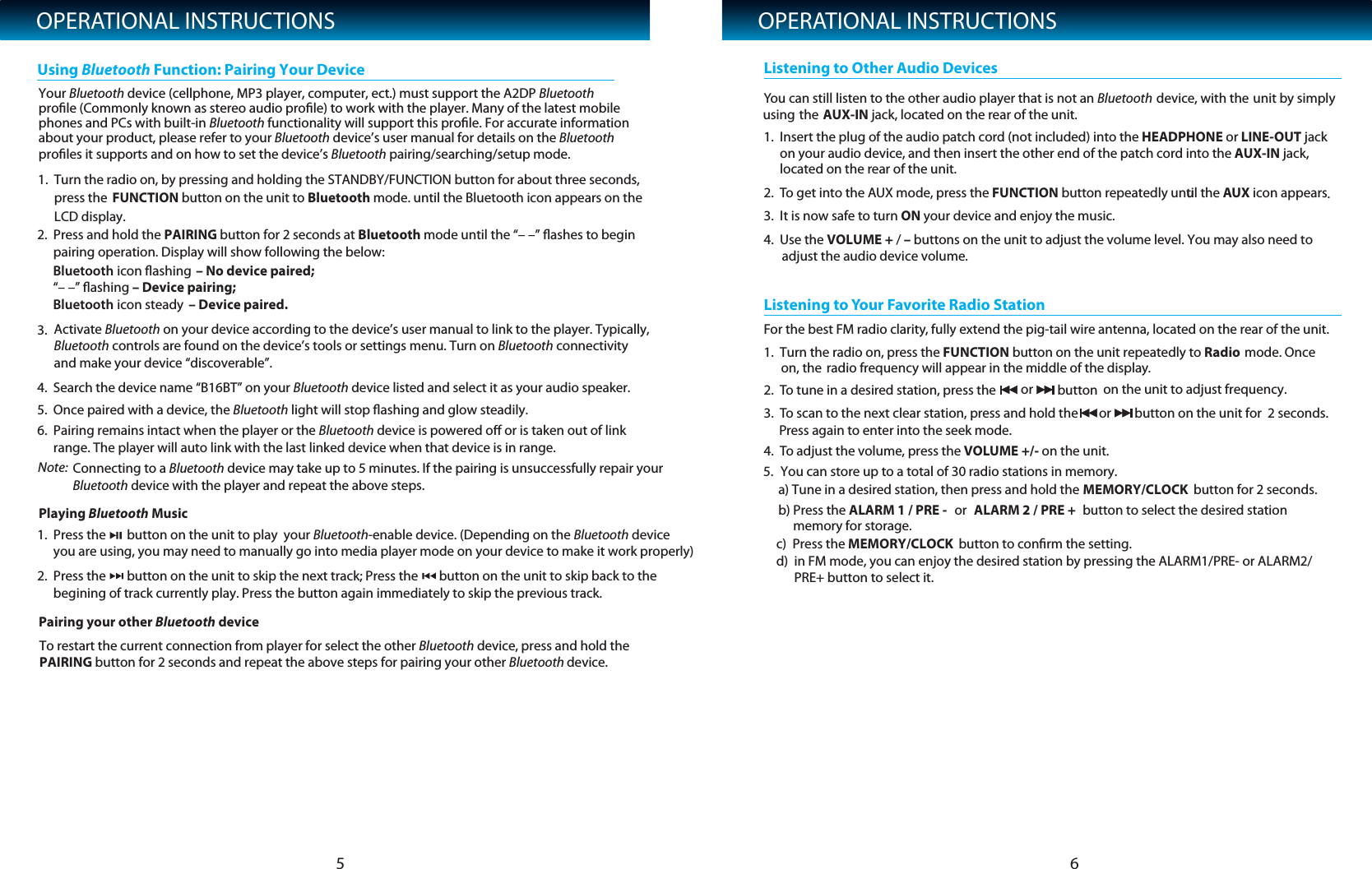
OPERATIONAL INSTRUCTIONS2. Press and hold the PAIRING button for 2 seconds at Bluetooth mode until the “– –” flashes to begin pairing operation. Display will show following the below:   4. Search the device name “B16BT” on your Bluetooth device listed and select it as your audio speaker.   5. Once paired with a device, the Bluetooth light will stop flashing and glow steadily.6. Pairing remains intact when the player or the Bluetooth device is powered off or is taken out of linkrange. The player will auto link with the last linked device when that device is in range. 1. Press the       button on the unit to play  your Bluetooth-enable device. (Depending on the Bluetooth deviceyou are using, you may need to manually go into media player mode on your device to make it work properly)  3. Activate Bluetooth on your device according to the device’s user manual to link to the player. Typically,Bluetooth controls are found on the device’s tools or settings menu. Turn on Bluetooth connectivityand make your device “discoverable”.Using Bluetooth Function: Pairing Your DeviceOPERATIONAL INSTRUCTIONS51Note: .  Turn the radio on, by pressing and holding the STANDBY/FUNCTION button for about three seconds,press the LCD display.FUNCTION button on the unit to Bluetooth mode. until the Bluetooth icon appears on the 6Your Bluetooth device (cellphone, MP3 player, computer, ect.) must support the A2DP Bluetooth profile (Commonly known as stereo audio profile) to work with the player. Many of the latest mobilephones and PCs with built-in Bluetooth functionality will support this profile. For accurate information profiles it supports and on how to set the device’s Bluetooth pairing/searching/setup mode.about your product, please refer to your Bluetooth device’s user manual for details on the Bluetooth Connecting to a Bluetooth device may take up to 5 minutes. If the pairing is unsuccessfully repair your Bluetooth device with the player and repeat the above steps.Pairing your other Bluetooth devicePlaying Bluetooth MusicTo restart the current connection from player for select the other Bluetooth device, press and hold thePAIRING button for 2 seconds and repeat the above steps for pairing your other Bluetooth device. 2. Press the       button on the unit to skip the next track; Press the       button on the unit to skip back to thebegining of track currently play. Press the button again immediately to skip the previous track.       You can still listen to the other audio player that is not an Bluetooth device, with the unit by simplythe using AUX-IN jack, located on the rear of the unit. 1. Insert the plug of the audio patch cord (not included) into the HEADPHONE or LINE-OUT jack on your audio device, and then insert the other end of the patch cord into the AUX-IN jack, located on the rear of the unit.2. To get into the AUX mode, press the FUNCTION button repeatedly unutil the AUX icon appears.3. It is now safe to turn ON your device and enjoy the music.4. Use the VOLUME + / – buttons on the unit to adjust the volume level. You may also need to  adjust the audio device volume.Listening to Other Audio DevicesFor the best FM radio clarity, fully extend the pig-tail wire antenna, located on the rear of the unit.1.  Turn the radio on, press the FUNCTION button on the unit repeatedly to Radio   mode. Once on, the radio frequency will appear in the middle of the display.2. To tune in a desired station, press the  or  button  on the unit to adjust frequency.3. To scan to the next clear station, press and hold the  or button on the unit for  2 seconds.Press again to enter into the seek mode.4. To adjust the volume, press the VOLUME +/- on the unit.Listening to Your Favorite Radio Station5. You can store up to a total of 30 radio stations in memory.      a) Tune in a desired station, then press and hold the MEMORY/CLOCK             button for 2 seconds.     b) Press the ALARM 1 / PRE - or  ALARM 2 / PRE + button to select the desired station           memory for storage.     c)  Press the      d)  in FM mode, you can enjoy the desired station by pressing the ALARM1/PRE- or ALARM2/           PRE+ button to select it.MEMORY/CLOCK  button to confirm the setting. Bluetooth icon flashing  – No device paired;           “– –” flashing – Device pairing;             Bluetooth icon steady  – Device paired.
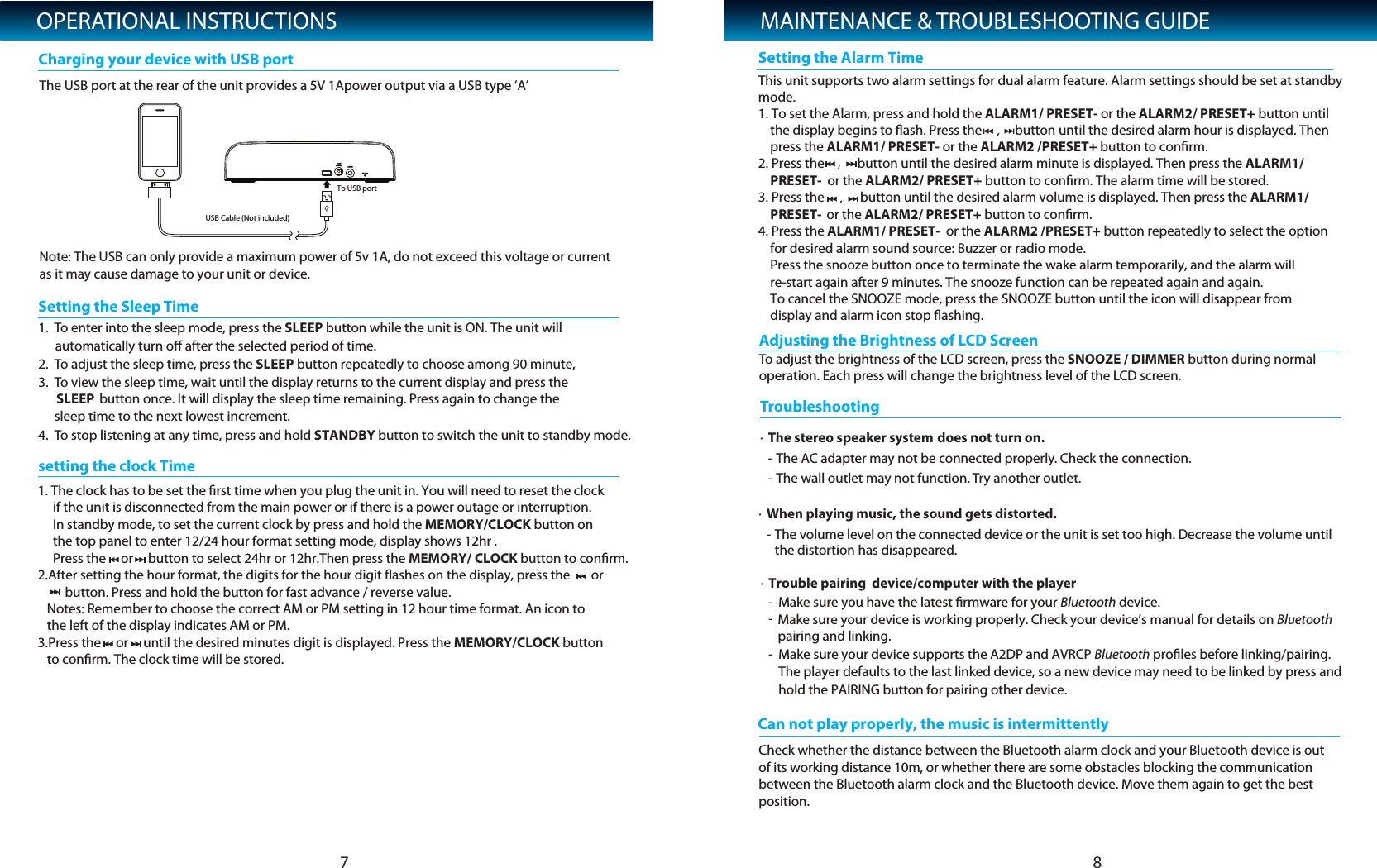
OPERATIONAL INSTRUCTIONSTo adjust the brightness of the LCD screen, press the SNOOZE / DIMMER button during normal operation. Each press will change the brightness level of the LCD screen. Adjusting the Brightness of LCD Screen7 81.The USB port at the rear of the unit provides a 5V 1Apower output via a USB type ‘A’Note: The USB can only provide a maximum power of 5v 1A, do not exceed this voltage or current as it may cause damage to your unit or device.To enUSB Cable (Not included)To USB portter into the sleep mode, press the SLEEP button while the unit is ON. The unit will automatically turn off after the selected period of time.  2. To adjust the sleep time, press the SLEEP button repeatedly to choose among 90 minute, 3. To view the sleep time, wait until the display returns to the current display and press the SLEEP button once. It will display the sleep time remaining. Press again to change the sleep time to the next lowest increment.4. To stop listening at any time, press and hold STANDBY button to switch the unit to standby mode.      Setting the Sleep TimeCharging your device with USB portMAINTENANCE & TROUBLESHOOTING GUIDE·The stereo speaker system does not turn on.- The AC adapter may not be connected properly. Check the connection.- The wall outlet may not function. Try another outlet.     TroubleshoCan not play properly, the music is intermittentlyoting·When playing music, the sound gets distorted.- The volume level on the connected device or the unit is set too high. Decrease the volume until     the distortion has disappeared.    ·Trouble pairing  device/computer with the player-Make sure you have the latest firmware for your Bluetooth device.-Make sure your device is working properly. Check your device’s manual for details on Bluetooth pairing and linking.-Make sure your device supports the A2DP and AVRCP Bluetooth profiles before linking/pairing. The player defaults to the last linked device, so a new device may need to be linked by press andhold the PAIRING button for pairing other device.Check whether the distance between the Bluetooth alarm clock and your Bluetooth device is out of its working distance 10m, or whether there are some obstacles blocking the communication between the Bluetooth alarm clock and the Bluetooth device. Move them again to get the best position.setting the clock TimeSetting the Alarm Time1. The clock has to be set the first time when you plug the unit in. You will need to reset the clock      if the unit is disconnected from the main power or if there is a power outage or interruption.     In standby mode, to set the current clock by press and hold the MEMORY/CLOCK button on       the top panel to enter 12/24 hour format setting mode, display shows 12hr .      Press the     or     button to select 24hr or 12hr.Then press the MEMORY/ CLOCK button to confirm.2.After setting the hour format, the digits for the hour digit flashes on the display, press the       or         button. Press and hold the button for fast advance / reverse value.   Notes: Remember to choose the correct AM or PM setting in 12 hour time format. An icon to    the left of the display indicates AM or PM.3.Press the     or     until the desired minutes digit is displayed. Press the MEMORY/CLOCK button    to confirm. The clock time will be stored.This unit supports two alarm settings for dual alarm feature. Alarm settings should be set at standbymode.  1. To set the Alarm, press and hold the ALARM1/ PRESET- or the ALARM2/ PRESET+ button until     the display begins to flash. Press the           button until the desired alarm hour is displayed. Then     press the ALARM1/ PRESET- or the ALARM2 /PRESET+ button to confirm.  2. Press the           button until the desired alarm minute is displayed. Then press the ALARM1/      PRESET-  or the ALARM2/ PRESET+ button to confirm. The alarm time will be stored.3. Press the            button until the desired alarm volume is displayed. Then press the ALARM1/      PRESET-  or the ALARM2/ PRESET+ button to confirm.4. Press the ALARM1/ PRESET-  or the ALARM2 /PRESET+ button repeatedly to select the option     for desired alarm sound source: Buzzer or radio mode.     Press the snooze button once to terminate the wake alarm temporarily, and the alarm will     re-start again after 9 minutes. The snooze function can be repeated again and again.     To cancel the SNOOZE mode, press the SNOOZE button until the icon will disappear from     display and alarm icon stop flashing.
SPECIFICATIONS·Power Requirement- Main Unit: DC 5V, 2500mA Adapter·Speakers: 6 Ohms (each)·Output Power: 2 x 3W  General··FBluetooth effective distance:requency Ranges: F10min open airM 88 - 108MHzNOTE: As a result of continual improvements, the design and specifications of the product within may differ slightly to the unit illustrated on the packaging.9

Navigation menu