KEYDIY TECH KDENTRY KD ENTRY User Manual

KEYDIY HK TECH LIMITED KD ENTRY

User Manual

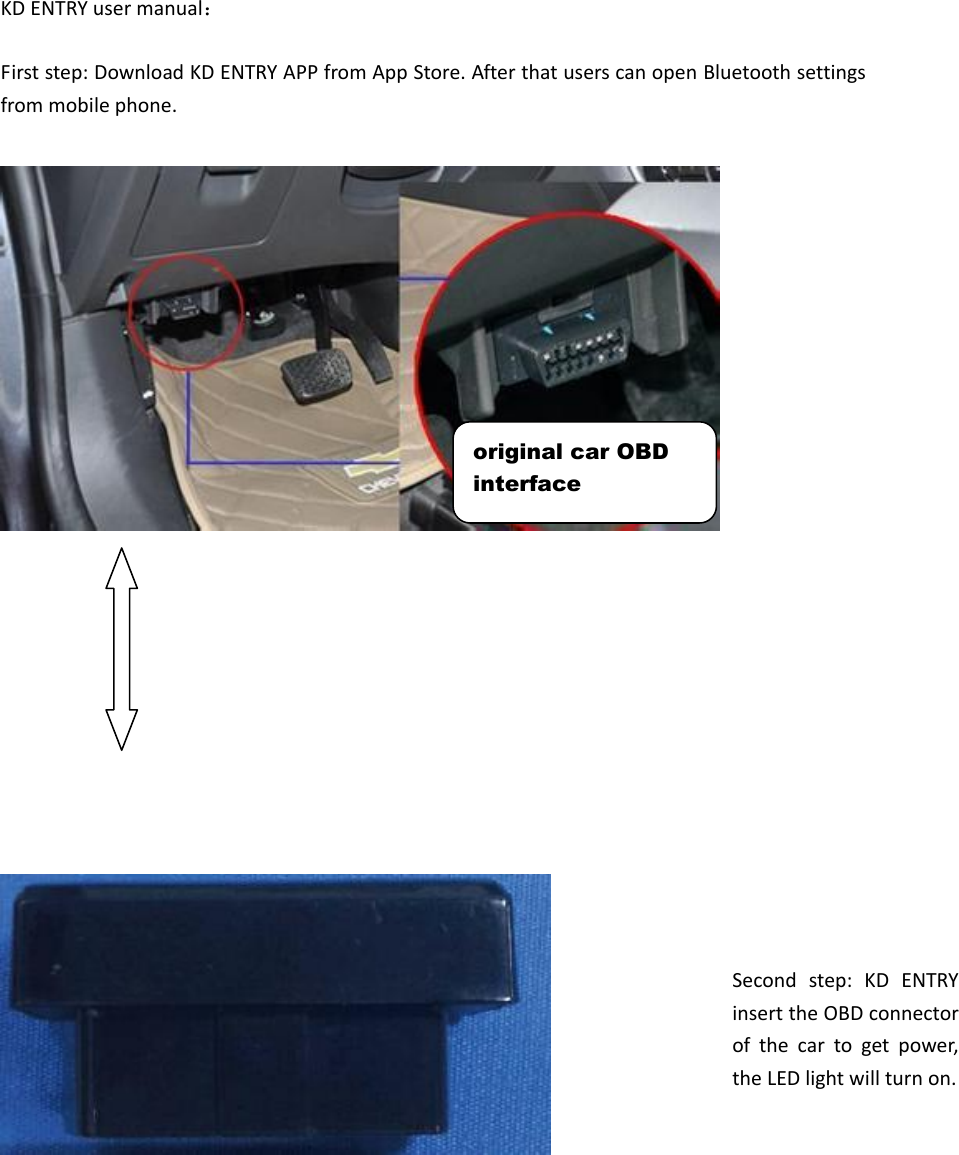
KD ENTRY user manual:  First step: Download KD ENTRY APP from App Store. After that users can open Bluetooth settings from mobile phone.                                             Second  step:  KD  ENTRY insert the OBD connector of  the  car  to  get  power, the LED light will turn on.  original car OBD interface
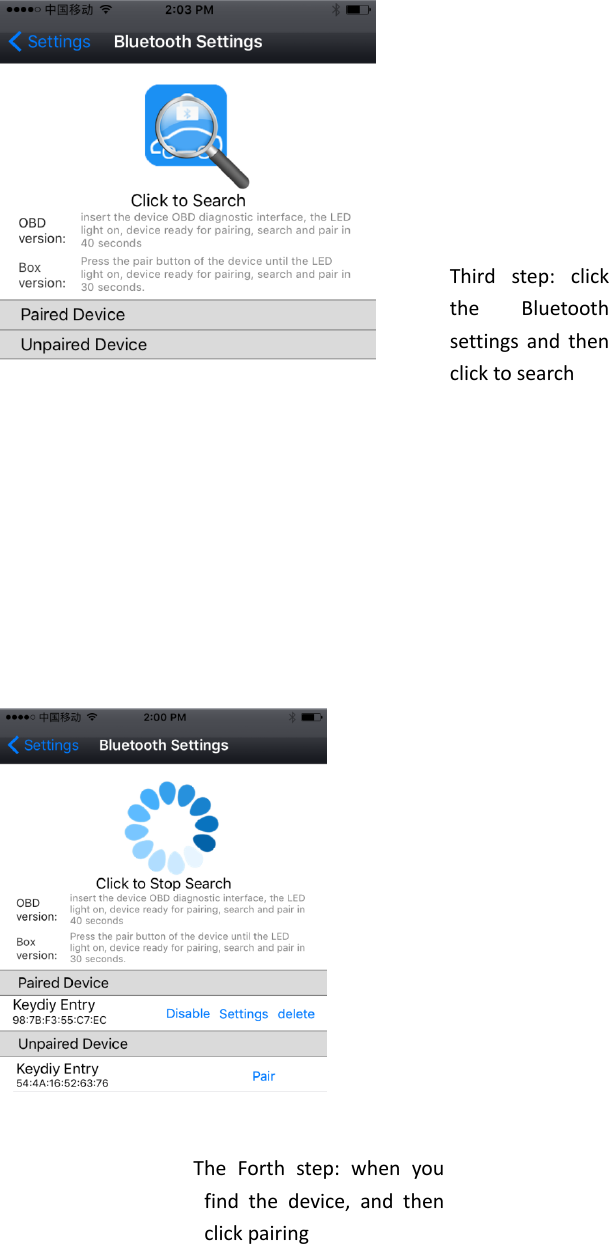
                            The  Forth  step:  when  you find  the  device,  and  then click pairing  Third  step:  click the  Bluetooth settings and  then click to search
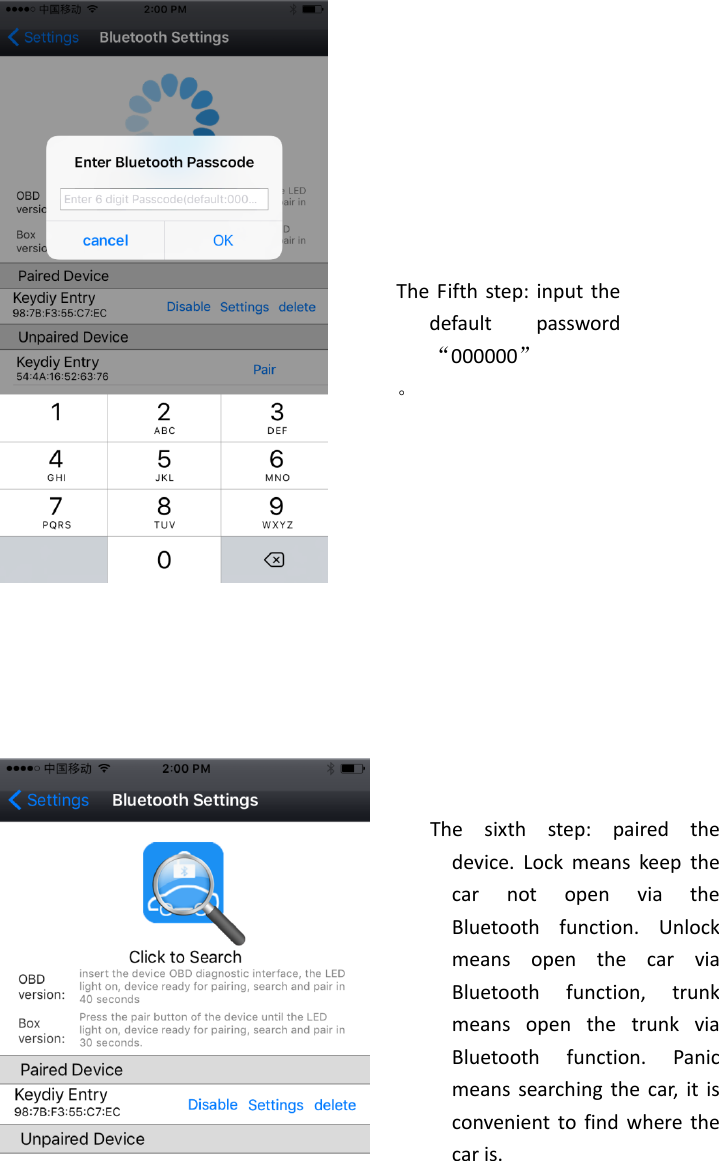
                             The  sixth  step:  paired  the device.  Lock  means  keep  the car  not  open  via  the Bluetooth  function.  Unlock means  open  the  car  via Bluetooth  function,  trunk means  open  the  trunk  via Bluetooth  function.  Panic means searching  the  car,  it is convenient to find where the car is.  The Fifth step: input the default  password“000000” 。
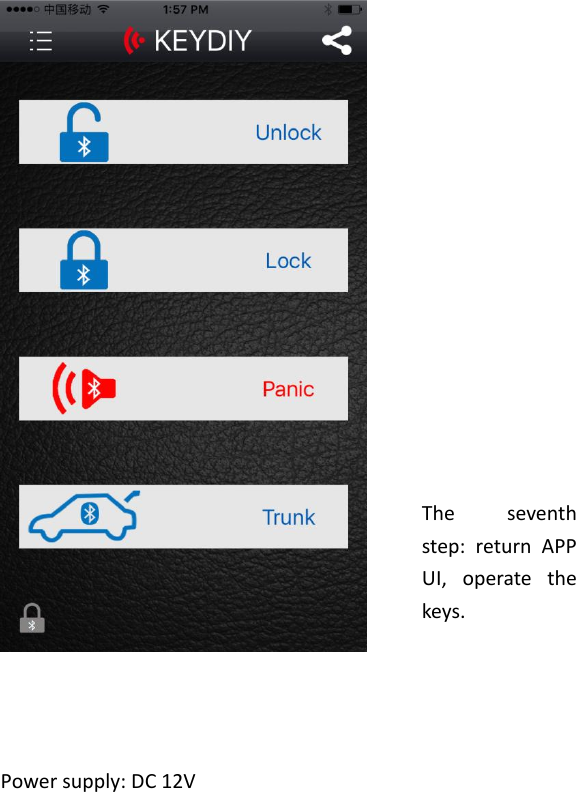
     Power supply: DC 12V     The  seventh step:  return  APP UI,  operate  the keys.
FCC ID: 2AJMY- KD ENTRY   This device complies with part 15 of the FCC Rules. Operation is subject to the condition that this device does not cause harmful interference (1) this device may not cause harmful interference, and (2) this device must accept any interference received, including interference that may cause undesired operation.   Changes or modifications not expressly approved by the party responsible for compliance   could void the user's authority to operate the equipment.   NOTE: This equipment has been tested and found to comply with the limits for a Class B digital device, pursuant to Part 15 of the FCC Rules. These limits are designed to provide reasonable protection against harmful interference in a residential installation. This equipment generates uses and can radiate radio frequency energy and, if not installed and used in accordance with the instructions, may cause harmful interference to radio communications. However, there is no guarantee that interference will not occur in a particular installation.   If this equipment does cause harmful interference to radio or television reception,   which can be determined by turning the equipment off and on, the user is encouraged to try to correct the interference by one or more of the following measures:   -- Reorient or relocate the receiving antenna.   -- Increase the separation between the equipment and receiver.

Navigation menu