KIOXIA P42350TJ1 TransferJet SD Memory Card J-01 User Manual English THNST016GBA D

Toshiba Corporation, Semiconductor & Storage Products Co., Memory Div., Memory A TransferJet SD Memory Card J-01 English THNST016GBA D

English user manual_THNST016GBA-D
 1/12 Copyright© 2015 TOSHIBA Corporation – Semiconductor & Storage Products Company        TransferJetTM embedded SDHC Memory Card User Manual First Edition / Rev.0.01(2014/12/16)           TOSHIBA Corporation Semiconductor & Storage Products Company
 2/12 Copyright© 2015 TOSHIBA Corporation – Semiconductor & Storage Products Company  Revision History  Date  Revision  Contents 2014.12.16  0.01  1st Edition
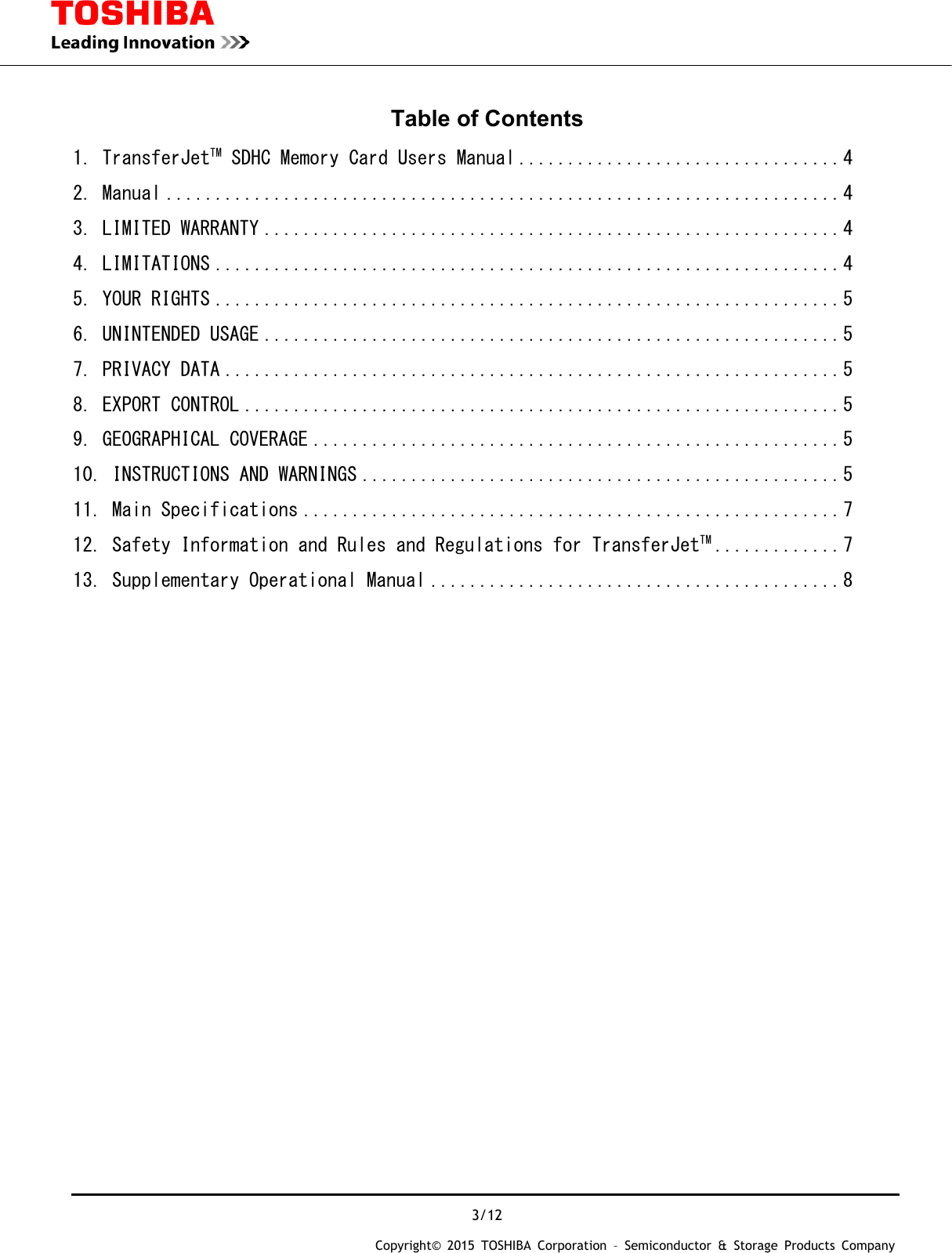
 3/12 Copyright© 2015 TOSHIBA Corporation – Semiconductor & Storage Products Company  Table of Contents 1. TransferJetTM SDHC Memory Card Users Manual ................................. 4 2. Manual ..................................................................... 4 3. LIMITED WARRANTY ........................................................... 4 4. LIMITATIONS ................................................................ 4 5. YOUR RIGHTS ................................................................ 5 6. UNINTENDED USAGE ........................................................... 5 7. PRIVACY DATA ............................................................... 5 8. EXPORT CONTROL ............................................................. 5 9. GEOGRAPHICAL COVERAGE ...................................................... 5 10. INSTRUCTIONS AND WARNINGS ................................................. 5 11. Main Specifications ....................................................... 7 12. Safety Information and Rules and Regulations for TransferJetTM ............. 7 13. Supplementary Operational Manual .......................................... 8
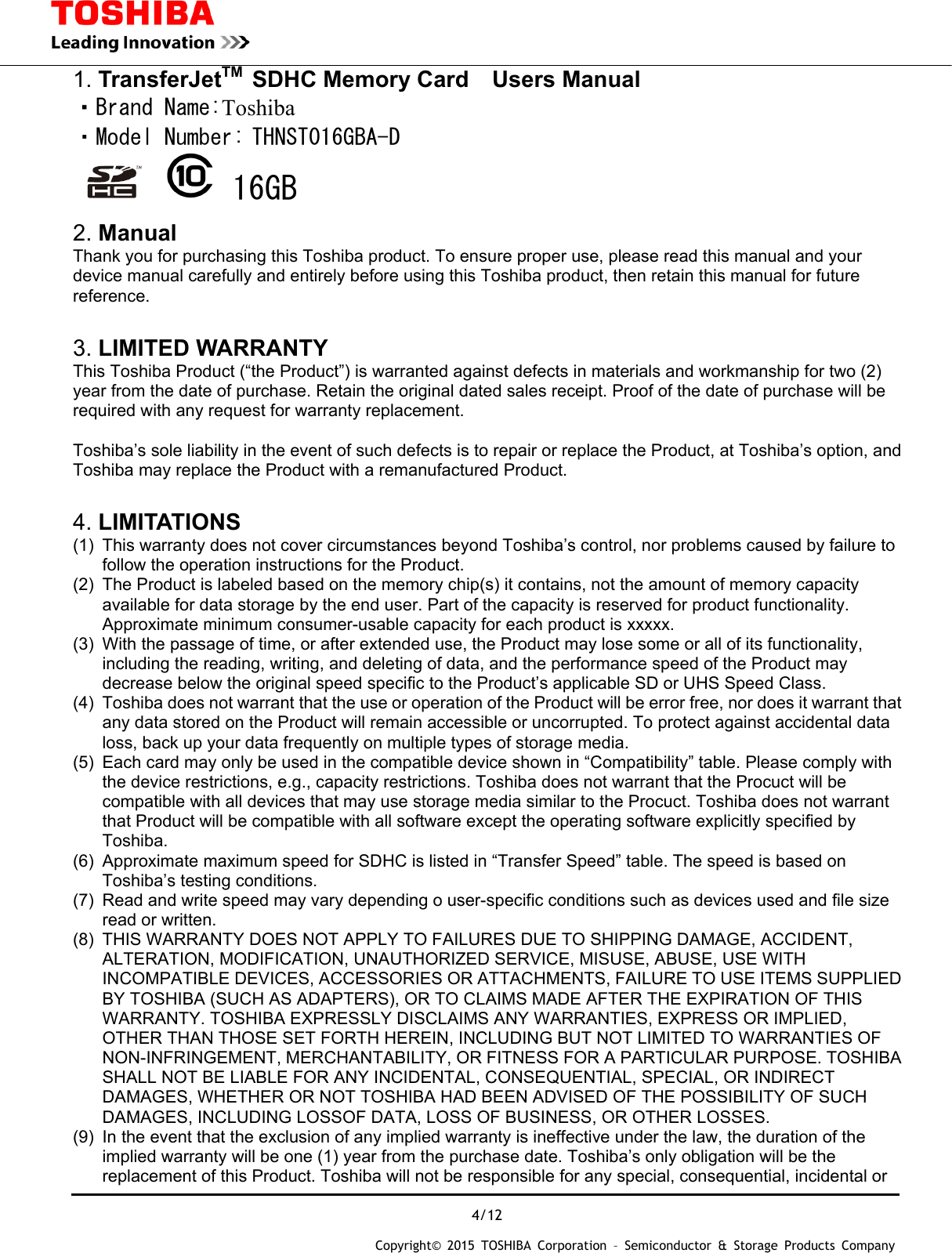
 4/12 Copyright© 2015 TOSHIBA Corporation – Semiconductor & Storage Products Company  1. TransferJetTM SDHC Memory Card  Users Manual ・Brand Name:Toshiba ・Model Number: THNST016GBA-D   16GB  2. Manual Thank you for purchasing this Toshiba product. To ensure proper use, please read this manual and your device manual carefully and entirely before using this Toshiba product, then retain this manual for future reference.   3. LIMITED WARRANTY This Toshiba Product (“the Product”) is warranted against defects in materials and workmanship for two (2) year from the date of purchase. Retain the original dated sales receipt. Proof of the date of purchase will be required with any request for warranty replacement.  Toshiba’s sole liability in the event of such defects is to repair or replace the Product, at Toshiba’s option, and Toshiba may replace the Product with a remanufactured Product.  4. LIMITATIONS (1)  This warranty does not cover circumstances beyond Toshiba’s control, nor problems caused by failure to follow the operation instructions for the Product. (2)  The Product is labeled based on the memory chip(s) it contains, not the amount of memory capacity available for data storage by the end user. Part of the capacity is reserved for product functionality. Approximate minimum consumer-usable capacity for each product is xxxxx. (3)  With the passage of time, or after extended use, the Product may lose some or all of its functionality, including the reading, writing, and deleting of data, and the performance speed of the Product may decrease below the original speed specific to the Product’s applicable SD or UHS Speed Class. (4)  Toshiba does not warrant that the use or operation of the Product will be error free, nor does it warrant that any data stored on the Product will remain accessible or uncorrupted. To protect against accidental data loss, back up your data frequently on multiple types of storage media. (5)  Each card may only be used in the compatible device shown in “Compatibility” table. Please comply with the device restrictions, e.g., capacity restrictions. Toshiba does not warrant that the Procuct will be compatible with all devices that may use storage media similar to the Procuct. Toshiba does not warrant that Product will be compatible with all software except the operating software explicitly specified by Toshiba. (6)  Approximate maximum speed for SDHC is listed in “Transfer Speed” table. The speed is based on Toshiba’s testing conditions. (7)  Read and write speed may vary depending o user-specific conditions such as devices used and file size read or written. (8)  THIS WARRANTY DOES NOT APPLY TO FAILURES DUE TO SHIPPING DAMAGE, ACCIDENT, ALTERATION, MODIFICATION, UNAUTHORIZED SERVICE, MISUSE, ABUSE, USE WITH INCOMPATIBLE DEVICES, ACCESSORIES OR ATTACHMENTS, FAILURE TO USE ITEMS SUPPLIED BY TOSHIBA (SUCH AS ADAPTERS), OR TO CLAIMS MADE AFTER THE EXPIRATION OF THIS WARRANTY. TOSHIBA EXPRESSLY DISCLAIMS ANY WARRANTIES, EXPRESS OR IMPLIED, OTHER THAN THOSE SET FORTH HEREIN, INCLUDING BUT NOT LIMITED TO WARRANTIES OF NON-INFRINGEMENT, MERCHANTABILITY, OR FITNESS FOR A PARTICULAR PURPOSE. TOSHIBA SHALL NOT BE LIABLE FOR ANY INCIDENTAL, CONSEQUENTIAL, SPECIAL, OR INDIRECT DAMAGES, WHETHER OR NOT TOSHIBA HAD BEEN ADVISED OF THE POSSIBILITY OF SUCH DAMAGES, INCLUDING LOSSOF DATA, LOSS OF BUSINESS, OR OTHER LOSSES. (9)  In the event that the exclusion of any implied warranty is ineffective under the law, the duration of the implied warranty will be one (1) year from the purchase date. Toshiba’s only obligation will be the replacement of this Product. Toshiba will not be responsible for any special, consequential, incidental or
 5/12 Copyright© 2015 TOSHIBA Corporation – Semiconductor & Storage Products Company  indirect damages resulting from the sale, purchase, use or malfunction of this Product, regardless of the case. Such damages for which Toshiba will not be liable include, but are not limited to, loss of or inability to capture images, loss of revenue or profit, downtime costs, loss of the use of equipment, cost of substitute equipment, facilities or services, and claims by your customers for such damages.  5. YOUR RIGHTS Some states or provinces do not allow the exclusion or limitation of incidental or consequential damages, so the above limitations or exclusions may not apply to you. This warranty gives you specific legal rights, and you may have other rights which may vary from state to state or province to province. If the applicable law does not permit such limitations or exclusions, this warranty will deemed modified to the extent permitted, but the rest of the warranty remains in full force and effect.  6. UNINTENDED USAGE The Product is intended for usage in general electronics applications. The Product is neither intended nor warranted for usage in equipment or system that requires extraordinarily high levels of quality and/or system reliability or in equipment the malfunction or failure of which may cause loss of human life, bodily injury, property damage or serious effect to the public. UNLESS OTHERWISE AGREED IN WRITING BY TOSHIBA, TOSHIBA SHALL ASSUME NO RESPONSILITIES OR LIABILITIES WHATSOEVER FOR ANY DAMAGES RESULTING FROM OR RELATION TO CUSTOMER’S UNINTENDED USAGE OF THE PRODUCT.  7. PRIVACY DATA The Product, once directly or indirectly returned to Toshiba, may be analyzed for quality purposed by Toshiba or a company that provides components or services for the Product. Data that may still be remaining on the Product will be treated in confidence and will not be shared with any other third party. The returned Product and the data will be destroyed after the analysis.  8. EXPORT CONTROL Unless written notice to the contrary is provided to the authorized reseller, you represent and warrant that any Product returned under warranty or otherwise does not contain any software or technology that is subject to export controls of the United States or of your country.  9. GEOGRAPHICAL COVERAGE THIS LIMITED WARRANTY WILL BE HONORED ONLY IN MAINLAND CHINA, HONG KONG, TAIWAN, SOUTH KOREA, SINGAPORE, INDONESIA, MALAYSIA, BRUNEI, THAILAND, VIETNAM, PHILIPPINES, CAMBODIA, MYANMAR, INDIA, AUSTRALIA AND NEW ZEALAND. IN ALL OTHER REGIONS, TOSHIBA MAKES NO WARRANTY, AND SPECIFICALLY DISCLAIMS ANY AND ALL WARRANTIES WHETHER EXPRESS OR IMPLIED, WITH RESPECT TO THE PRODUCT AND TO THE FULLEST EXTENT PERMITTED UNDER APPLICABLE LAWS.  10. INSTRUCTIONS AND WARNINGS Safety Precautions  WARNING Keep the Product out of reach of children and pets. Misuse of the Product including without limitation accidental swallowing may cause suffocation or other injury.Contact a doctor immediately if you suspect a child has swallowed the Product. Failure to follow the instructions below could result in fire, damage to the Product and/or personal injury including burns and electric shock.  Do not disassemble or modify the Product.  Do not bend, drop, place heavy objects upon the Product, or otherwise expose the Product to strong
 6/12 Copyright© 2015 TOSHIBA Corporation – Semiconductor & Storage Products Company  force or impact.  If the Product produces an odor, overheats or smokes, immediately turn off the device with which the Product is used, including the computer and peripherals, and disconnect the power cord from the outlet. Do not use the Product again. Please contact the store that you purchased the Product from. CAUTION Failure to follow the instructions below may also cause malfunction, corruption, or loss of data:   Do not touch the terminals (connection surface) directly or with metal objects, because it may cause surges, including static electricity.   Do not place in bathrooms or otherwise expose the Product to moisture or humidity.   Do not expose the Product to dust, electric noise, strong magnetic fields, or corrosive chemicals or gases.  Do not place near sources of heat or flame, or near flammable materials.   Do not disconnect or turn off the power while data is being written or read.   Do not remove the Product from the device with which the Product is used before processing the removal or stop function using the device’s operating system.  Although the Product comes pre-formatted in compliance with SD or SDHC Memory Card standards, you may need to reformat the Product using the device with which you are using the Product. Follow the instructions in the manual of the device to reformat the Product. When switching devices with which you are using the Product, you may need to reformat the Product using the new device. Reformatting the Product may cause all the data stored in the Product to be lost or corrupted. Ensure the Product contains no necessary data or files before reformatting. Formatting with a personal computer may cause problems with the Product such as the inability to read, write, or delete data. If you have such trouble, you may be able to repair the Product by reformatting it using the SD format utility found at the following link. (http://www.sdcard.org/jp/consumers/formatter_3/)  Notice   For instructions on connecting and disconnecting the Product to devices with which it is to be used, refer to the instruction manuals of the devices.   If the Product is used in ways other than described in this instruction manual, however, data could be corrupted or lost. Toshiba accepts no responsibility for corruption or loss of data stored on the Product, regardless of the type or cause of the problem or damage.   Write protection is only applicable to the Toshiba SD memory family (SD/SDHC memory card and SDHC/SDXC UHS-I card). If the Product you purchased has a write protection feature, set the write protect tab on the side of the Product to the “LOCK” position to protect important data from being accidentally deleted. This prevents data from being written to the Product. Set the tab back to its original position (unlocked) when you want to store, edit or delete data.   Deleting data in the Product completely by using an appropriate system or product; e.g., software for deleting data available on the market, is recommended when transferring or destroying the Product. Even if you delete or reformat the Product on a PC, digital still camera, or cell phone (for example), data may not be completely removed and/or may be recoverable if the device you used for the deletion or reformatting was not supplied with functionality that permanently deletes data from the Product. Please dispose in accordance with local rules when destroying the Product.  TOSHIBA RESERVES THE RIGHT TO MODIFY THE DESIGN OR SPECIFICATIONS OF THE PRODUCT OR THE PRODUCT INSTRUCTIONS OR WARNINGS AT ANY TIME IN ITS SOLE DISCRETION AND WITHOUT NOTICE. UPDATED INFORMATION WILL BE PROVIDED VIA http://www.toshiba.co.jp/p-media/wwsite/index.htm  * SD, SDHC and SDXC Logos are trademarks of SD-3C, LLC. * All other company product names may be registered trademarks of their respective companies. * The card in this package is made in Japan. © Copyright 2014 Toshiba Corporation. All rights reserved.
 7/12 Copyright© 2015 TOSHIBA Corporation – Semiconductor & Storage Products Company  11. Main Specifications  [Operating Ambience] Temperature: -25~85℃(-13~185 ), Humidity:95%RH [Size]  32.0(L)×24.0(W)×2.1mm(T) [Weight]  Approx.2g [Interface]    SDHC Memory Card Standard [Input Voltage]  2.7~3.6V(Max) [Content of the Package]    SDHC memory Card with embedded TransferJetTM functionality   (1 pc), Card case (1 pc), User manual (with warranty) (1 pc)   [TransferJetTM functions]   File transfer (OBEXTM transmission) function (update transfer and selective transfer), iSDIO standard compliant (Go to the following web site for detailed information).   12. Safety Information and Rules and Regulations  Federal Communications Commission (FCC) Notice (USA) This equipment has been tested and found to comply with the limits for a Class B digital device, pursuant to Part 15 of the FCC Rules. These limits are designed to provide reasonable protection against harmful interference in a residential installation. This equipment generates, uses, and can radiate radio frequency energy and, if not installed and used in accordance with the instructions, may cause harmful interference to radio communications. However, there is no guarantee that interference will not occur in a particular installation. If this equipment does cause harmful interference to radio or television reception, which can be determined by turning the equipment off and on, the user is encouraged to try to correct the interference by one or more of the following measures: ● Reorient or relocate the receiving antenna. ● Increase the separation between the equipment and the receiver. ● Connect the equipment into an outlet on a circuit different from that to which the receiver is connected. ● Consult the dealer or an experienced radio or television technician for help. Changes or modifications not expressly approved by the party responsible for compliance   could void the user’s authority to operate the equipment. To comply with the FCC RF exposure compliance requirements, this device and its antenna   must not be co-located or operating in conjunction with any other antenna or transmitter.  This device complies with Part 15 of the FCC Rules. Operation is subject to the following two conditions: 1. This device may not cause harmful interference, and 2. This device must accept any interference received, including interference that may cause undesired operation.   Canadian Notice  This device complies with Industry Canada license-exempt RSS standard(s). Operation is subject to The following two conditions: (1) this device may not cause interference, and (2) this device must accept any interference, including interference that may cause undesired operation of the device.   This device complies with the Canadian ICES-003 Class B specifications and RSS-220 of Industry Canada. This Class B digital apparatus meets all requirements of the Canadian Interference-Causing Equipment Regulations. Wireless operation is subject to 2 conditions. The first is that the wireless device may not cause interference. The second is that the wireless device must accept any interference, including interference that may cause undesired operation of the device. To comply with the Canadian RF exposure compliance requirements, this device and its antenna   must not be co-located or operating in conjunction with any other antenna or transmitter.  Avis Canadien
 8/12 Copyright© 2015 TOSHIBA Corporation – Semiconductor & Storage Products Company  Le présent appareil est conforme aux CNR d'Industrie Canada applicables aux appareils radio exempts de licence. L'exploitation est autorisée aux deux conditions suivantes : (1) l'appareil ne doit pas produire   de brouillage, et (2) l'utilisateur de l'appareil doit accepter tout brouillage radioélectrique subi, même si le brouillage est susceptible d'en compromettre le fonctionnement.   Cet appareil est conforme à la norme canadienne NMB-003 classe B et CNR-220 d'Industrie Canada. Ce dispositif numérique de classe B respecte toutes les exigences du Règlement canadien matériel brouilleur.   Fonctionnement sans fil est soumis à deux conditions. La première est que l'appareil sans fil peut ne pas   provoquer des interférences. La seconde est que le dispositif sans fil doit accepter toute interférence,   y compris les interférences qui peuvent causer un mauvais fonctionnement de l'appareil. Pour se conformer aux exigences de conformité RF canadienne l'exposition, cet appareil et son antenne ne doivent pas être co-localisés ou fonctionnant en conjonction avec une autre antenne ou transmetteur.  European Union Regulatory Notice  This device bearing the CE marking is in compliance with the essential requirements and other relevant   provisions of Directive 1999/5/EC. This device complies with the following harmonized European standards.    Safety: EN62479,EN60950-1 EMC : EN301489-1-33,EN55022/24 Radio: EN302 065  ● The following CE marking is valid for EU harmonized telecommunications products.                                Refer to the regulatory label provided on this product.  EU Declaration of Conformity: This Product carries the CE-Mark in accordance with the related European Directives. Toshiba Electronics Europe GmbH, Hansaallee 181, D-40549 Dusseldorf, Germany is responsible for CE-Marking.   For further information, please visit www.toshiba-memory.com   Hotline:        0 180-5677765 from Germany 0,14 Euro/min.          +49 180-5677765 from other Countries than Germany  Italy  E'necessaria una concessione ministeriale anche per l'uso del prodotto. Verifici per favore con il proprio distributore o direttamente presso la Direzione Generale Pianificazione e Gestione Frequenze. License required for use. Verify with your dealer or directly with the General Direction for Frequency Planning and Management (Direzione Generale Pianificazione e Gestione Frequenze).    13.  Supplementary Operational Manual        SDHC memory card with embedded TransferJetTM functionality     ----------------------------------------------------------------------------------------------------------------------------------------------
 9/12 Copyright© 2015 TOSHIBA Corporation – Semiconductor & Storage Products Company  Manual Thank you for purchasing Toshiba TransferJetTM SDHC memory cared (“Product”).     To ensure proper use, please read this manual and your device manual carefully and entirely before using the Product, then retain this manual for future reference. The Product can be used with the devices which are compatible with 16 GB SDHC memory cards. Do not format the Product with devices which are not compatible with the SDHC format. Formatting with devices which are not compatible with SDHC could cause failure of TransferJet functionality of the Product      Introduction  This product is an SDHC memory card that complies with TransferJetTM standards. It uses a TransferJetTM transfer function to wirelessly transmit data in the memory card.    ●  This product's TransferJetTM transfer function only functions with digital cameras and digital video cameras that support SDHC memory cards. ● This product can only be used in 16 GB SDHC compatible devices (hereafter devices). ● This product by itself cannot be used for TransferJetTM communications. A receiving device, such as a Windows® computer(*1), or AndroidTM terminal (smartphone, tablet, etc)(*2) etc.(*3) is needed. (*4) ● This manual explains how to transmit data from a compatible device (hereafter transmitter), in which the product is inserted, to a device (hereafter receiver) in which a TransferJetTM compatible USB adapter or microUSB adapter (hereafter TransferJetTM adapter) is connected. ● This product was formatted according to SDHC standards at the factory, it can be used as is. However, if the user's manual for your device indicates that the card must be formatted, then use the formatting function of your device to format it. All data on the card is deleted when the card is formatted. Be sure to back up any data before formatting. Go to the following web site if you need to change the settings of your device.   http://www.toshiba.co.jp/p-media/compati/index_j.htm *1:  Requires a Toshiba TransferJetTM compatible USB adapter (TJ-UA00A, TJ-MUA00A (microUSB adapter set pack)). *2:  Requires a Toshiba TransferJetTM compatible microUSB adapter (TJ-MU00A, TJ-MUA00A (USB adapter set pack)). *3:  Go to the following web site for the latest information about receivers.   http://www.toshiba.co.jp/p-media/transferjet/**********.htm *4:  Requires installation of file transfer software onto the receiver in advance. Go to the following web site for detailed information about file transfer software.   http://www.toshiba.co.jp/p-media/transferjet/index_j.htm  What is TransferJetTM ?  TransferJetTM is a close proximity wireless transfer technology for transferring data by just bringing together two devices between which you want to transfer data. It allows you to transfer data at high speed without the trouble of wired connections.  How to use the TransferJetTM transfer function
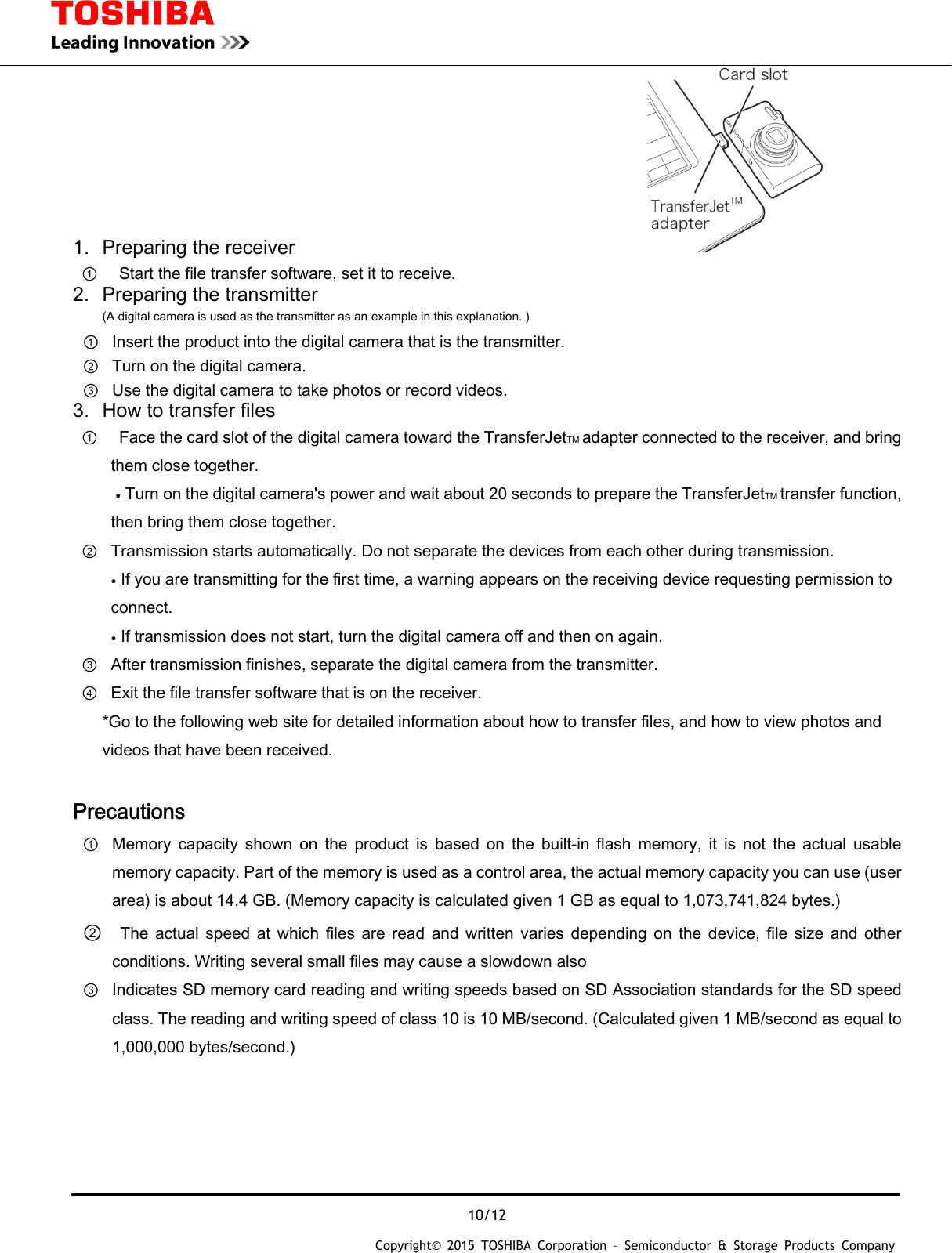
 10/12 Copyright© 2015 TOSHIBA Corporation – Semiconductor & Storage Products Company  1.  Preparing the receiver                                       ①    Start the file transfer software, set it to receive. 2.  Preparing the transmitter (A digital camera is used as the transmitter as an example in this explanation. ) ①  Insert the product into the digital camera that is the transmitter. ②  Turn on the digital camera. ③  Use the digital camera to take photos or record videos. 3.  How to transfer files ①   Face the card slot of the digital camera toward the TransferJetTM adapter connected to the receiver, and bring them close together. ● Turn on the digital camera's power and wait about 20 seconds to prepare the TransferJetTM transfer function, then bring them close together. ② Transmission starts automatically. Do not separate the devices from each other during transmission. ● If you are transmitting for the first time, a warning appears on the receiving device requesting permission to connect. ● If transmission does not start, turn the digital camera off and then on again. ③ After transmission finishes, separate the digital camera from the transmitter. ④ Exit the file transfer software that is on the receiver. *Go to the following web site for detailed information about how to transfer files, and how to view photos and videos that have been received.  Precautions ① Memory  capacity  shown  on  the  product  is  based  on  the  built-in  flash  memory,  it  is  not  the  actual  usable memory capacity. Part of the memory is used as a control area, the actual memory capacity you can use (user area) is about 14.4 GB. (Memory capacity is calculated given 1 GB as equal to 1,073,741,824 bytes.) ②   The  actual  speed  at  which  files  are  read  and  written  varies depending  on  the  device,  file  size  and  other conditions. Writing several small files may cause a slowdown also ③ Indicates SD memory card reading and writing speeds based on SD Association standards for the SD speed class. The reading and writing speed of class 10 is 10 MB/second. (Calculated given 1 MB/second as equal to 1,000,000 bytes/second.)
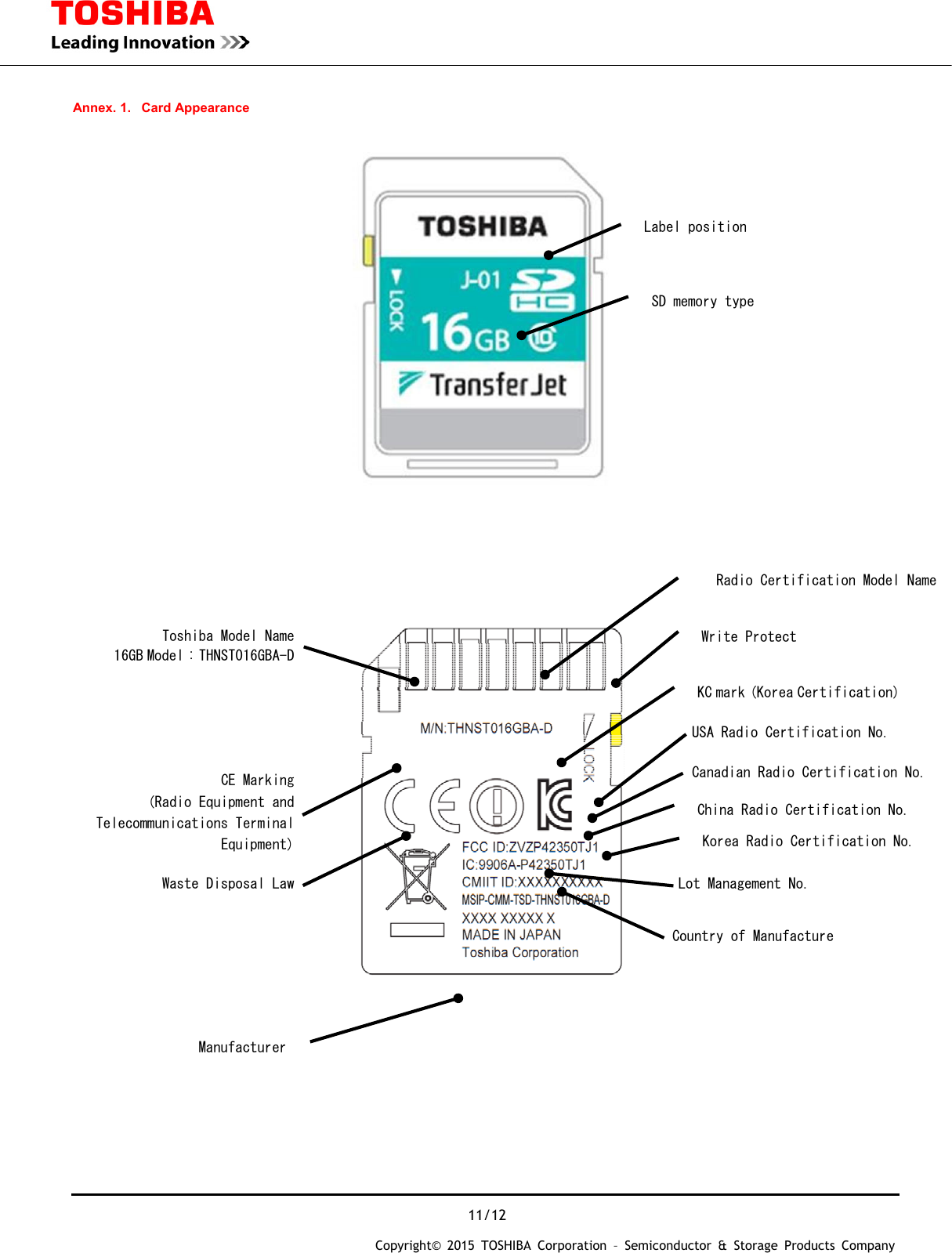
 11/12 Copyright© 2015 TOSHIBA Corporation – Semiconductor & Storage Products Company   Annex. 1.  Card Appearance              Label position Write Protect Toshiba Model Name 16GB Model : THNST016GBA-D CE Marking  (Radio Equipment and Telecommunications Terminal Equipment) Waste Disposal Law USA Radio Certification No. Canadian Radio Certification No. Lot Management No. Korea Radio Certification No.  Country of Manufacture  Manufacturer China Radio Certification No.  Radio Certification Model NameSD memory type KC mark (Korea Certification)
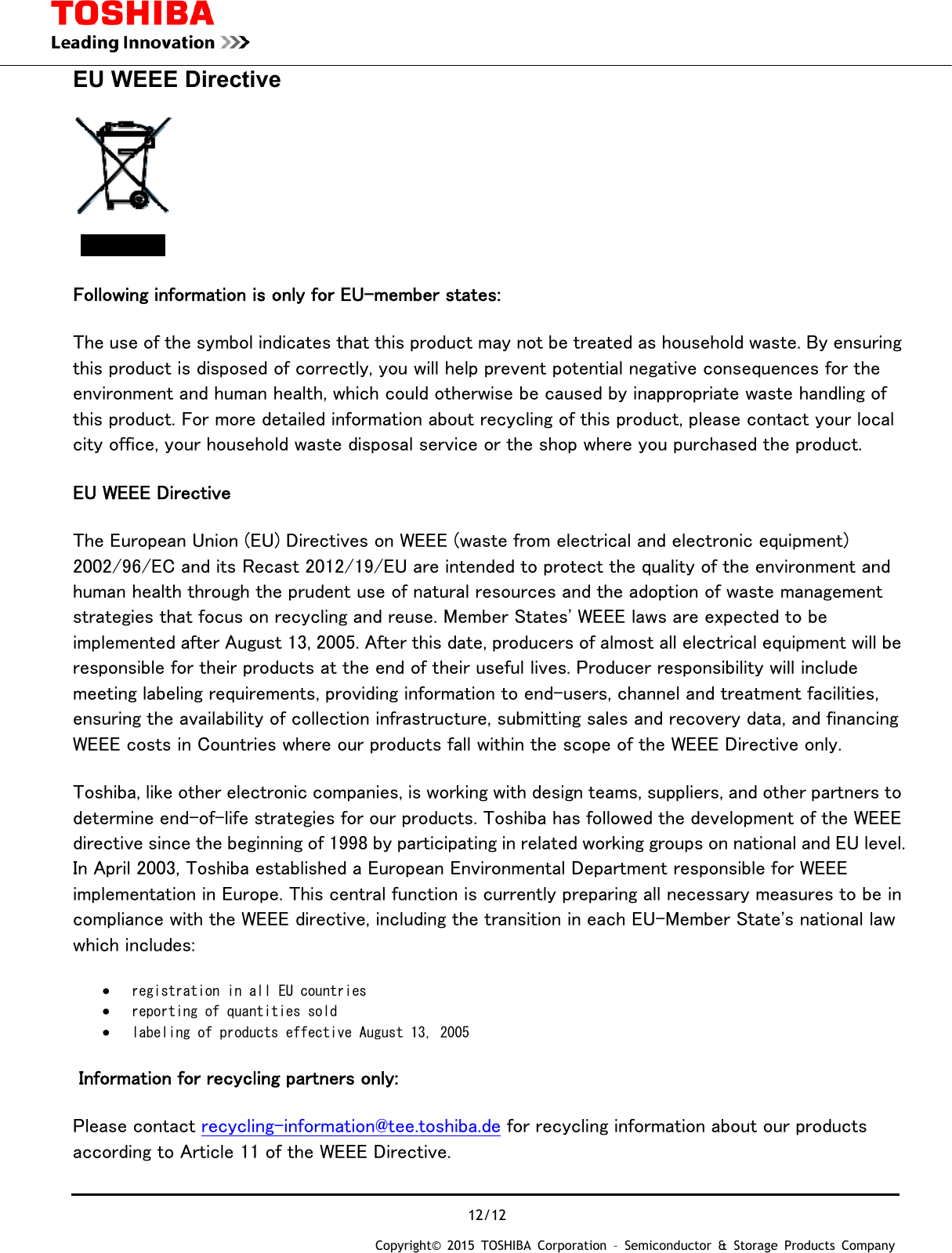
 12/12 Copyright© 2015 TOSHIBA Corporation – Semiconductor & Storage Products Company  EU WEEE Directive  Following information is only for EU-member states: The use of the symbol indicates that this product may not be treated as household waste. By ensuring this product is disposed of correctly, you will help prevent potential negative consequences for the environment and human health, which could otherwise be caused by inappropriate waste handling of this product. For more detailed information about recycling of this product, please contact your local city office, your household waste disposal service or the shop where you purchased the product. EU WEEE Directive The European Union (EU) Directives on WEEE (waste from electrical and electronic equipment) 2002/96/EC and its Recast 2012/19/EU are intended to protect the quality of the environment and human health through the prudent use of natural resources and the adoption of waste management strategies that focus on recycling and reuse. Member States' WEEE laws are expected to be implemented after August 13, 2005. After this date, producers of almost all electrical equipment will be responsible for their products at the end of their useful lives. Producer responsibility will include meeting labeling requirements, providing information to end-users, channel and treatment facilities, ensuring the availability of collection infrastructure, submitting sales and recovery data, and financing WEEE costs in Countries where our products fall within the scope of the WEEE Directive only. Toshiba, like other electronic companies, is working with design teams, suppliers, and other partners to determine end-of-life strategies for our products. Toshiba has followed the development of the WEEE directive since the beginning of 1998 by participating in related working groups on national and EU level. In April 2003, Toshiba established a European Environmental Department responsible for WEEE implementation in Europe. This central function is currently preparing all necessary measures to be in compliance with the WEEE directive, including the transition in each EU-Member State's national law which includes: • registration in all EU countries  • reporting of quantities sold  • labeling of products effective August 13, 2005   Information for recycling partners only: Please contact recycling-information@tee.toshiba.de for recycling information about our products according to Article 11 of the WEEE Directive.

Navigation menu