KTV Global LT151AA 15.1" LCD TV& Monitor User Manual 1 of 2
KTV Global Corporation 15.1" LCD TV& Monitor 1 of 2
Contents
- 1. user manual 1 of 2
- 2. user manual 2 of 2
user manual 1 of 2

Part No.11906542

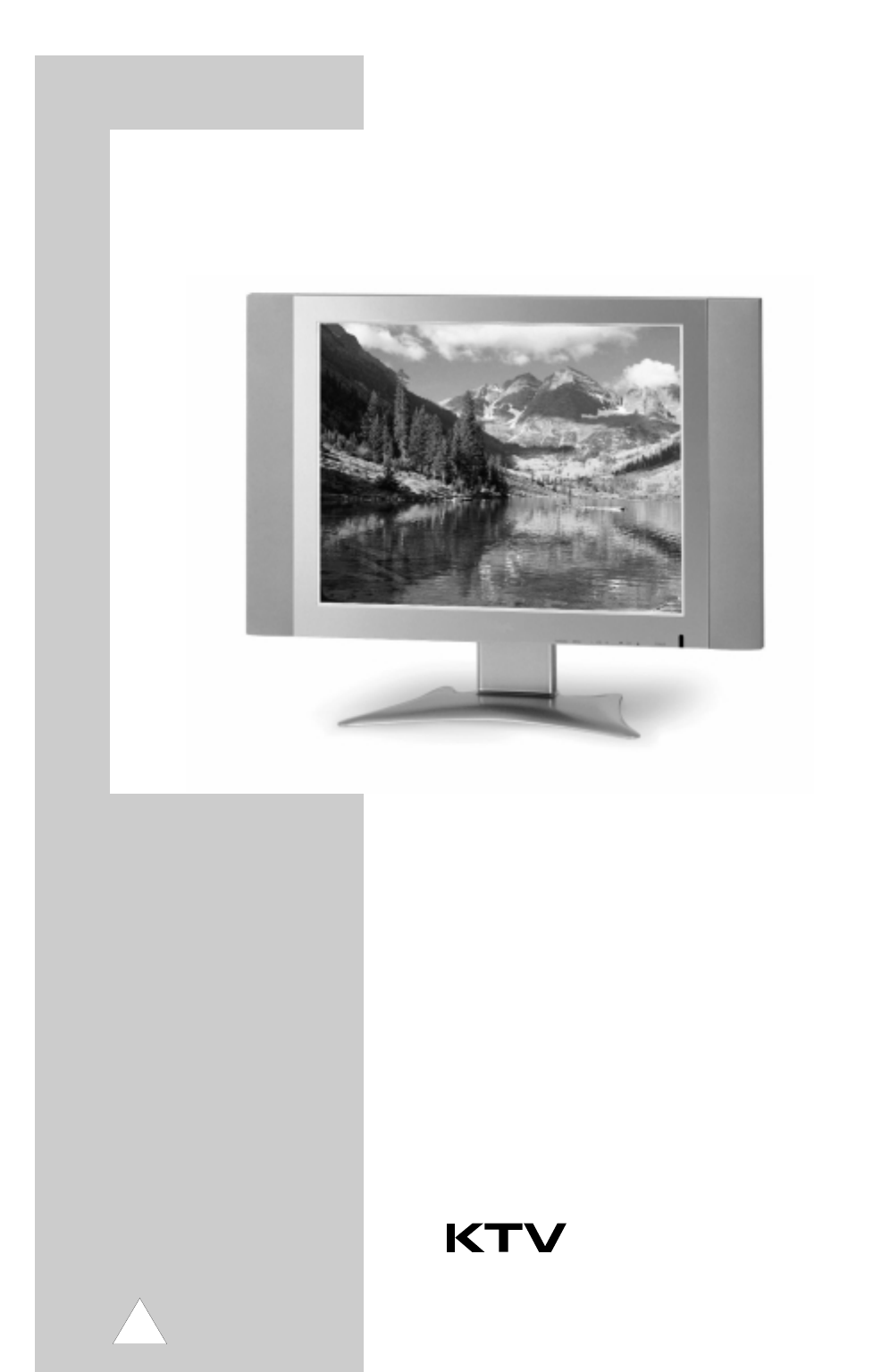
TFT LCD TV
User’s Manual
KLT151
KLT201
Copyright and Trademark Notice
NO part of this document may be copied, photocopied, reproduced and
translated without the prior written consent of manufacturer.
This company reserves the right to revise this publication and to make change
from time in the contents without obligation of this company to
notify a person of such revision or changes.
All brand or product names are trademarks or registered trademarks of
their respective companies.
TFT LCD TV
2
Safety Instructions
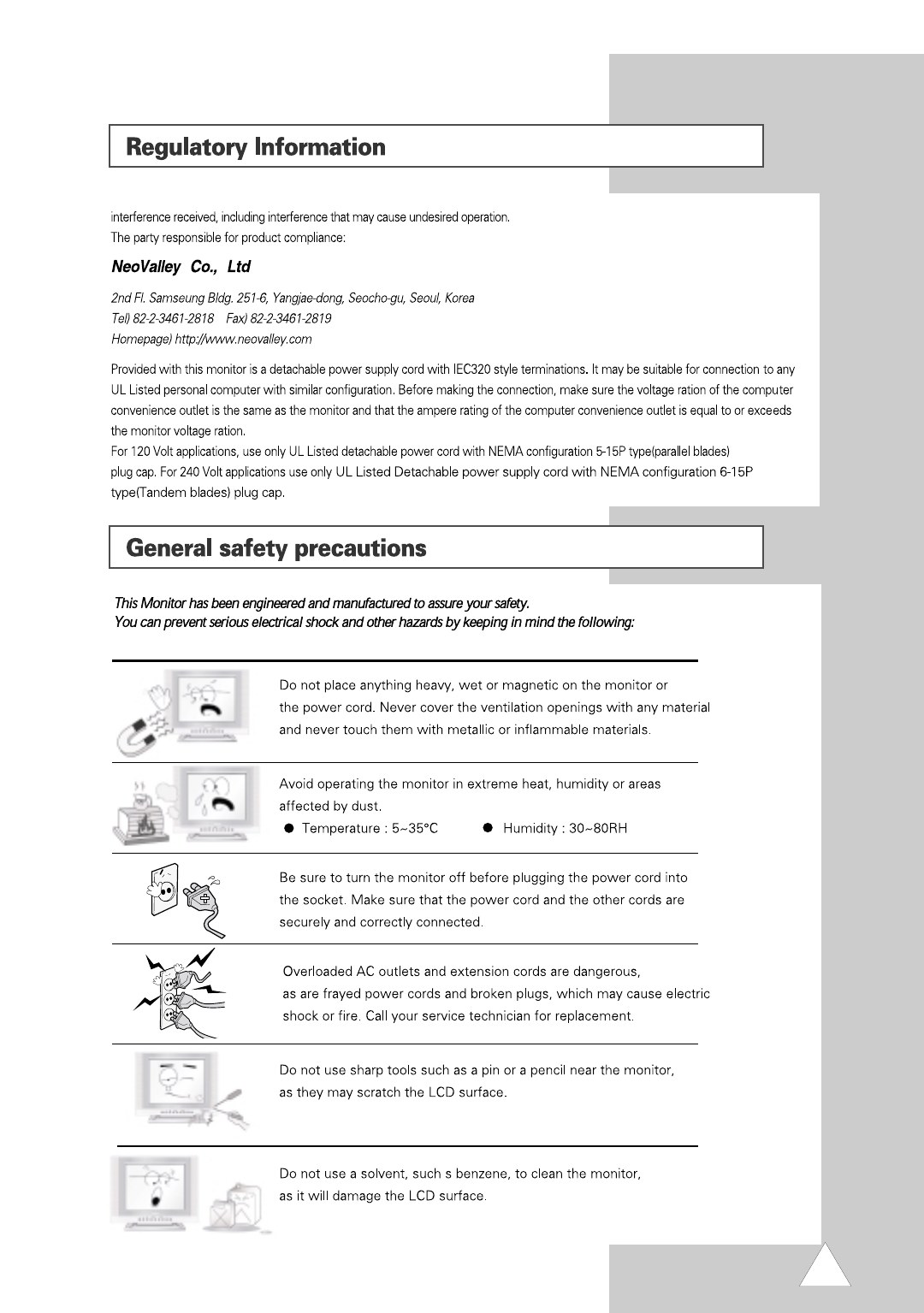
Before connecting the AC power cord to the DC adapter outlet, make sure the voltage designation of
the DC adapter corresponds to the local electrical supply.
Never insert anything metallic into the cabinet openings of the Liquid Crystal Display LCD TV:
doing so may create the danger of electric shock.
To avoid electric shock, never touch the inside of the LCD TV. Only a qualified
technician should open the case of the LCD TV.
Never use your LCD TV if the power cord has been damaged. Do not allow
anything to rest on the power cord, and keep the cord away from areas wherepeople can trip over it.
Be sure to hold the plug, not the cord, when disconnecting the LCD TV from
an electric socket.
Openings in the LCD TV cabinet are provided for ventilation. To prevent overheating,
these openings should not be blocked or covered. Also, avoid using the LCD TV on a bed, sofa, rug,
or other soft surface. Doing so may block the ventilation openings in the bottom of the cabinet.
If you put the LCD TV in a bookcase or some other enclosed space, be sure to provide adequate ventilation.
Put your LCD TV in a location with low humidity and a minimum of dust.
Do not expose the LCD TV to rain or use it near water
(in kitchen, near swimming pool, etc.). If the LCD TV accidentally gets wet, unplug it and contact
an authorized dealer immediately. You can clean the LCD TV with a damp cloth when necessary,
but be sure to unplug the LCD TV first.
Place the LCD TV on a solid surface and treat it carefully.
The screen is made of thin glass with a plastic front surface and be damaged if dropped, hit or scratched.
Do not clean the front panel with keton-type materials (e.g., acetone), ethyl alcohol, toluene, ethylacid, methyl,
or chloride - these may damage the panel.
Locate your LCD TV near an easily accessible AC outlet.
CAUTION
RISK OF ELECTRIC SHOCK
DO NOT OPEN
CAUTION: TO REDUCE THE RISK OF ELECTRIC SHOCK,
DO NOT REMOVE COVER (OR BACK).
NO USER-SERVICEABLE PARTS INSIDE.
REFER SERVICING TO QUALIFIED SERVICE PERSONNEL.
3
European Notice
products with the CE Marking comply with both the EMC Directive (89/336/EEC),(93/68/ECC) and the Low Voltage
Directive(72/23/ECC) issued by the Commission of the European Community. Compliance with these directives implies
conformity to the following European Norms:
EN 60950 / All: 1997
EN 55 022 Class B: 1998
EN 55 013:1990 + A12: 1994 + A13: 1996
EN 61 000-3-2: 1995 + A1: 1998 + A2: 1998
EN 61 000-3-3: 1995
EN 50 082-1: 1992
(EN 61000-4-2: 1995 + A1: 1998, IEC 801-3: 1984, EN 61000-4-4: 1995
EN 55 020: 1994 + All: 1996
FCC Information
User Instructions
The Federal Communications Radio Frequency Interference Statement includes the following warning:
NOTE : This equipment has been tested and found to comply with limits for a Class B digital devices,
pursuant to Part 15 of the FCC Rules. These limits are designed to
provide reasonable protection against harmful interference in a residential installation. This equipment generates, uses,
and can radiate radio frequency energy and, if not installed and used in accordance with the instructions, may cause harmful
interference to radio communication. However, there is no guarantee that interference will not occur in a particular installation
If this equipment does cause harmful interference to radio or television receptions, which can be determined by turning
the equipment off and on, the user is encouraged to try to correct the interference by one more of the following measures:
Reorient or relocate the receiving antenna.
Increase the separation between the equipment and receiver.
Connect the equipment into an outlet of a circuit different from that to which the receiver is connected.
Consult the dealer or an experienced radio/TV technician for help.
User Information
Changes or modification not expressly approved by the party responsible for compliance could void
the user’s authority to operate the equipment.
If necessary, consult your dealer or an experienced radio/TV technician for additional
suggestions. You may find the booklet called How to Identify and Resolve Radio/TV Interference Problems helpful.
This booklet was prepared by the Federal Communications Commission.
It is available from the U.S. Goverment Printing Office, Washington,DC 20402, Stock Number 004-000-00345-4.
Warning
User must use shielded signal interface cables to maintain FCC compliance for the product.
Declaration of conformity for products Marked with FCC Logo
This device complies with Part 15 of FCC Rules. Operation is subject to the following
two conditions:
(1) this device may not cause harmful interference, and (2) this device must accept any
4
5
6
7
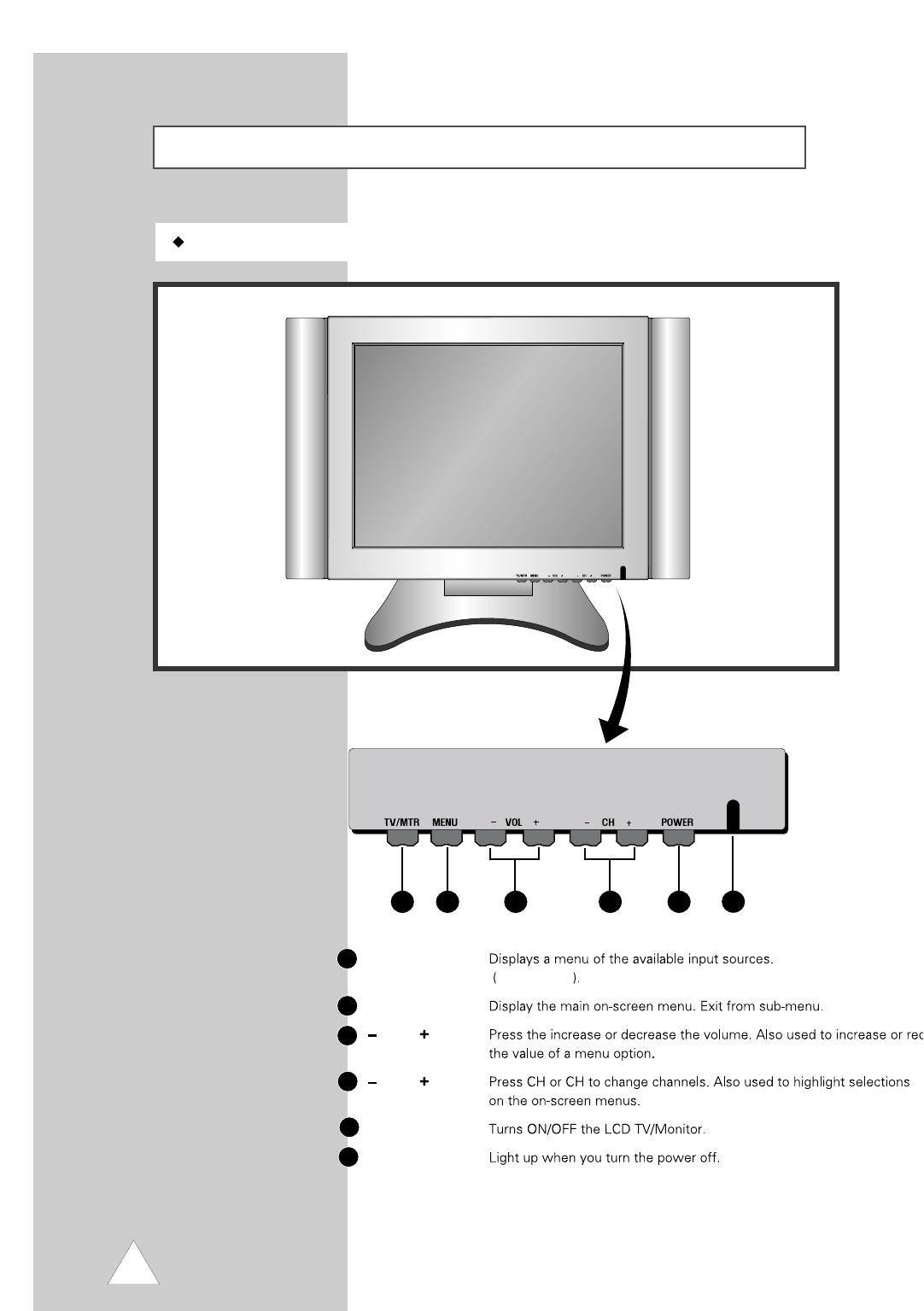
Front Panel
TFT LCD TV 20.1"(51cm)
Front Panel
123 5
46
1
2
3
4
5
6
TV/MTR(MODE)
TV, Monitor
MENU
VOL
CH
POWER
LED
8
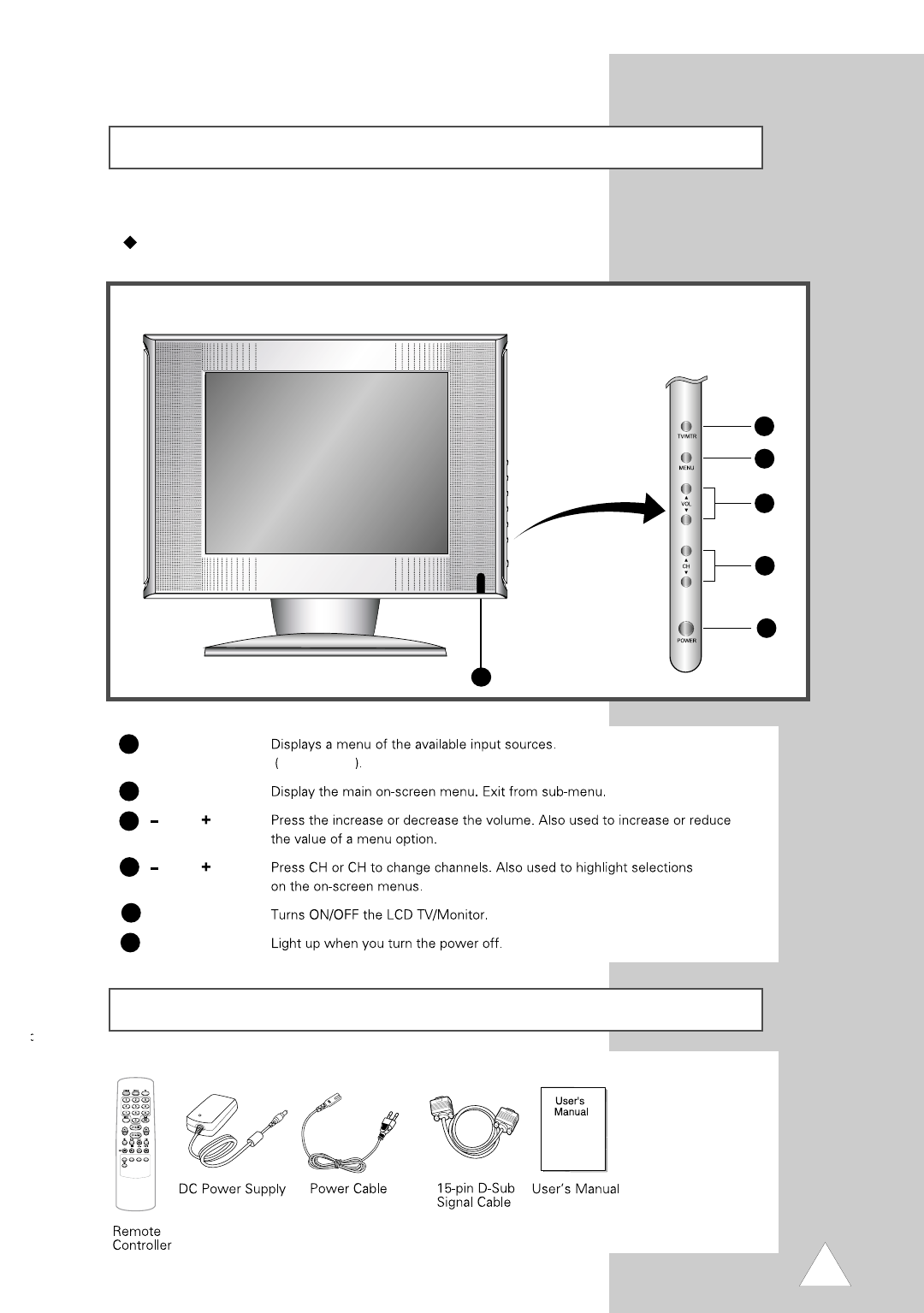
Front Panel
Accessory
TFT LCD TV 15.1"
(38cm)
1
2
3
4
5
6
TV/MTR(MODE)
TV, Monitor
MENU
VOL
CH
POWER
LED
9
6
1
2
3
4
5
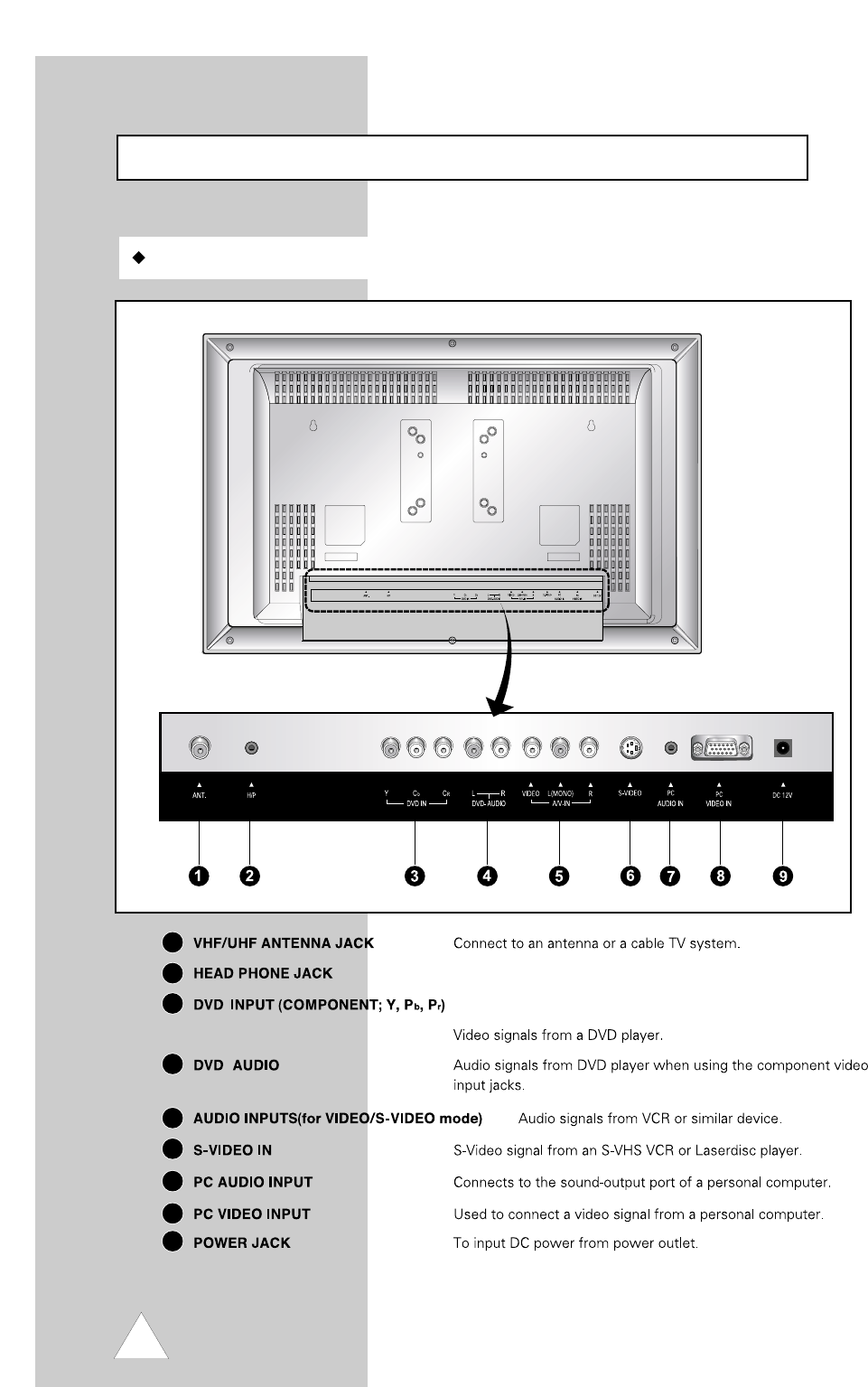
TFT LCD TV 20.1"
(51cm)
Rear Panel
Rear Panel Jacks
1
5
6
7
8
9
4
3
2
10
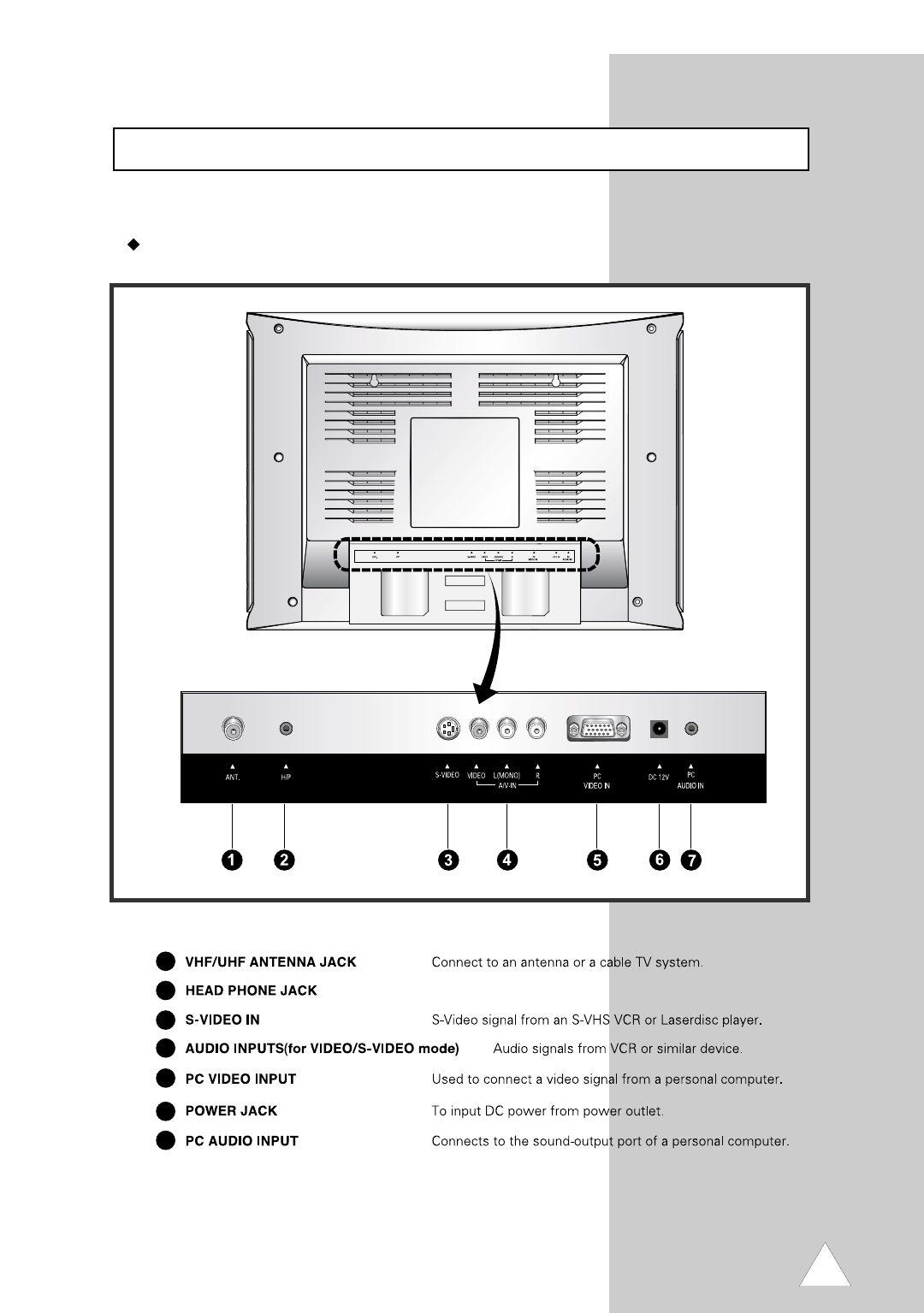
TFT LCD TV 15.1"
(38cm)
Rear Panel
1
5
6
7
4
3
2
11
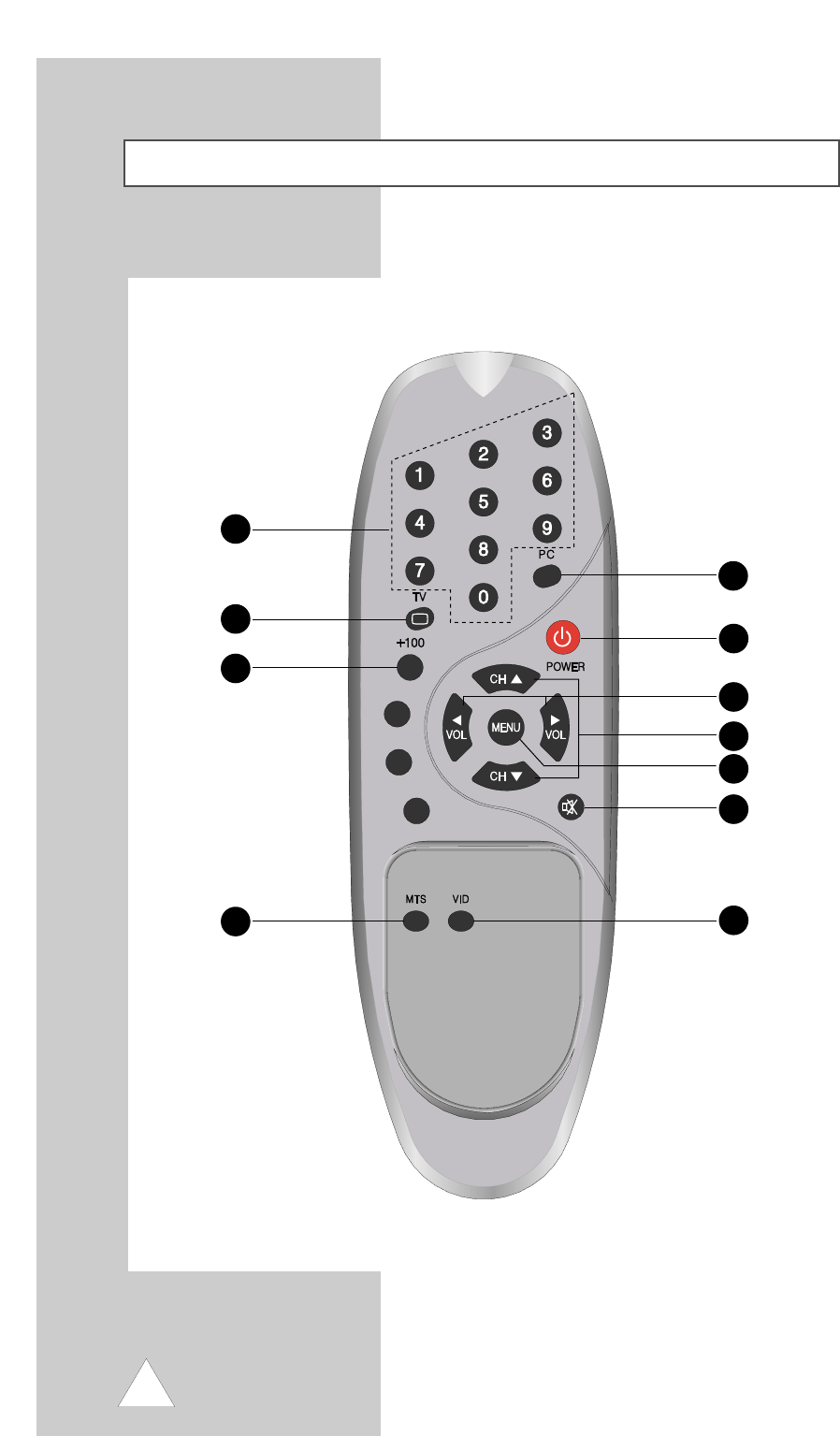
Remote Control Unit
1
2
3
4
5
7
6
8
9
11
10
12
POWER
Turns the TV On and Off.
Numeric buttons
Direct channel select.
Direct page select during teletext display(option)
MENU
Displays ‘On Screen Menu.
VOL ,
Press the increase or decrease the volume.
Also used to make selections on the
on-screen menus.
MTS
Press to choose stereo, dual or mono.
MUTE
Press to temporarily cut of the sound.
TV
Select TV signal.
PC
Select PC signal.
CH ,
Press CH or CH to change channels.
Also used to highlight selections on the on-screen menus.
(+100)
Press to select channels over 100 or one/two digit
channel selection.
Select hidden content during teletext display (Option)
VID
Press to display all of the available video sources
(i.e., Video, S-video PC and Antenna).
Remote Control Unit
Inserting the batteries in the remote controller
You must insert or replace the batteries in the remote controller when you:
Purchase the set.
Find that the remote controller is no longer operating correctly.
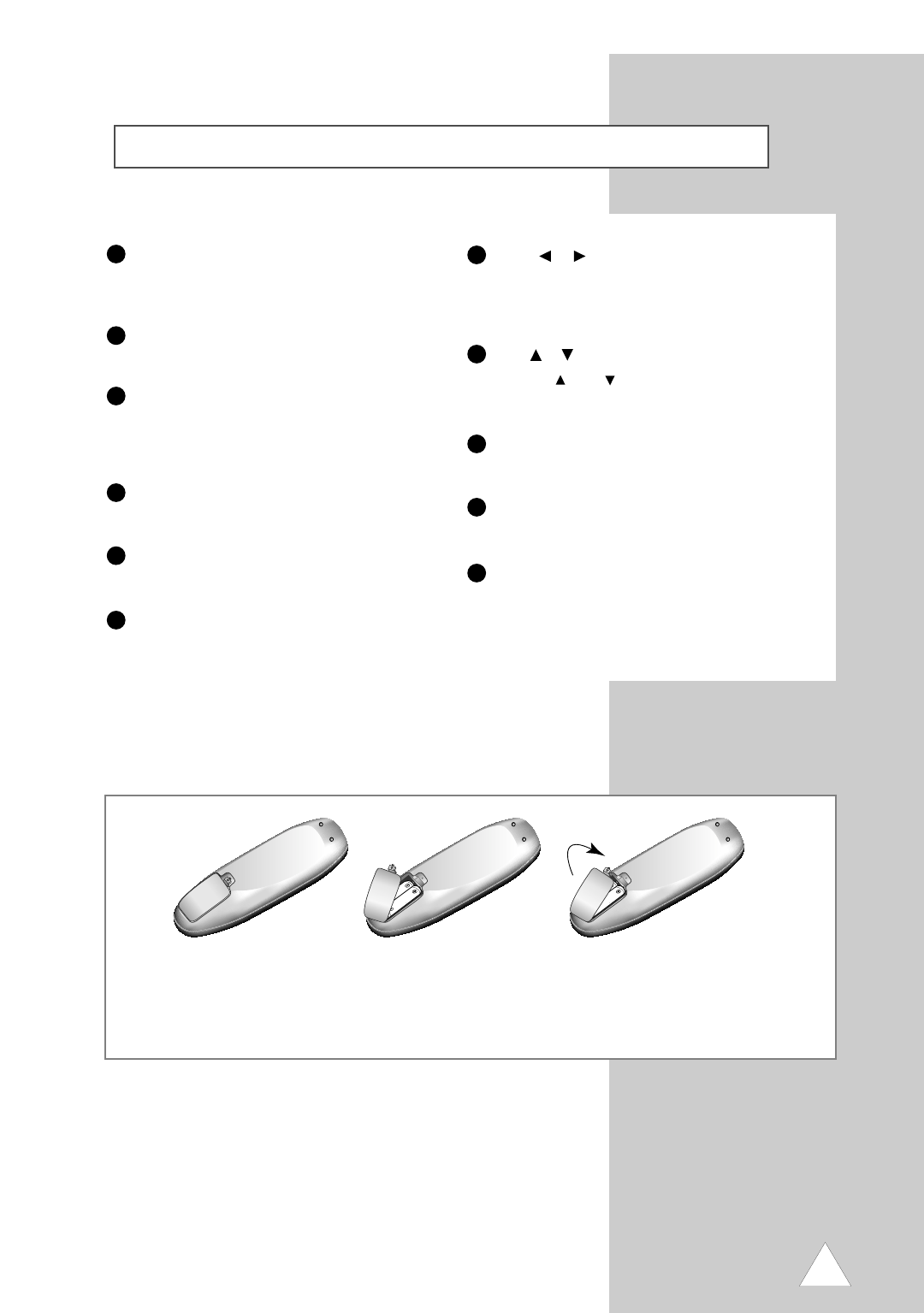
Remove the cover of the remote
controller by pressing the symbol and
pulling the cover space in the direction
of the arrow.
You can use your remote controller within a distance of 7~10m and an angle of 30 degrees from the left and right sides of t
he remote controller receptor of your monitor.
1
!
Insert 2 batteries(AA size), taking care to
respect the polarities.
2
Replace the cover by put in it in the
direction of the arrow.
3
1
2
3
4
5
6
7
8
9
10
11
13
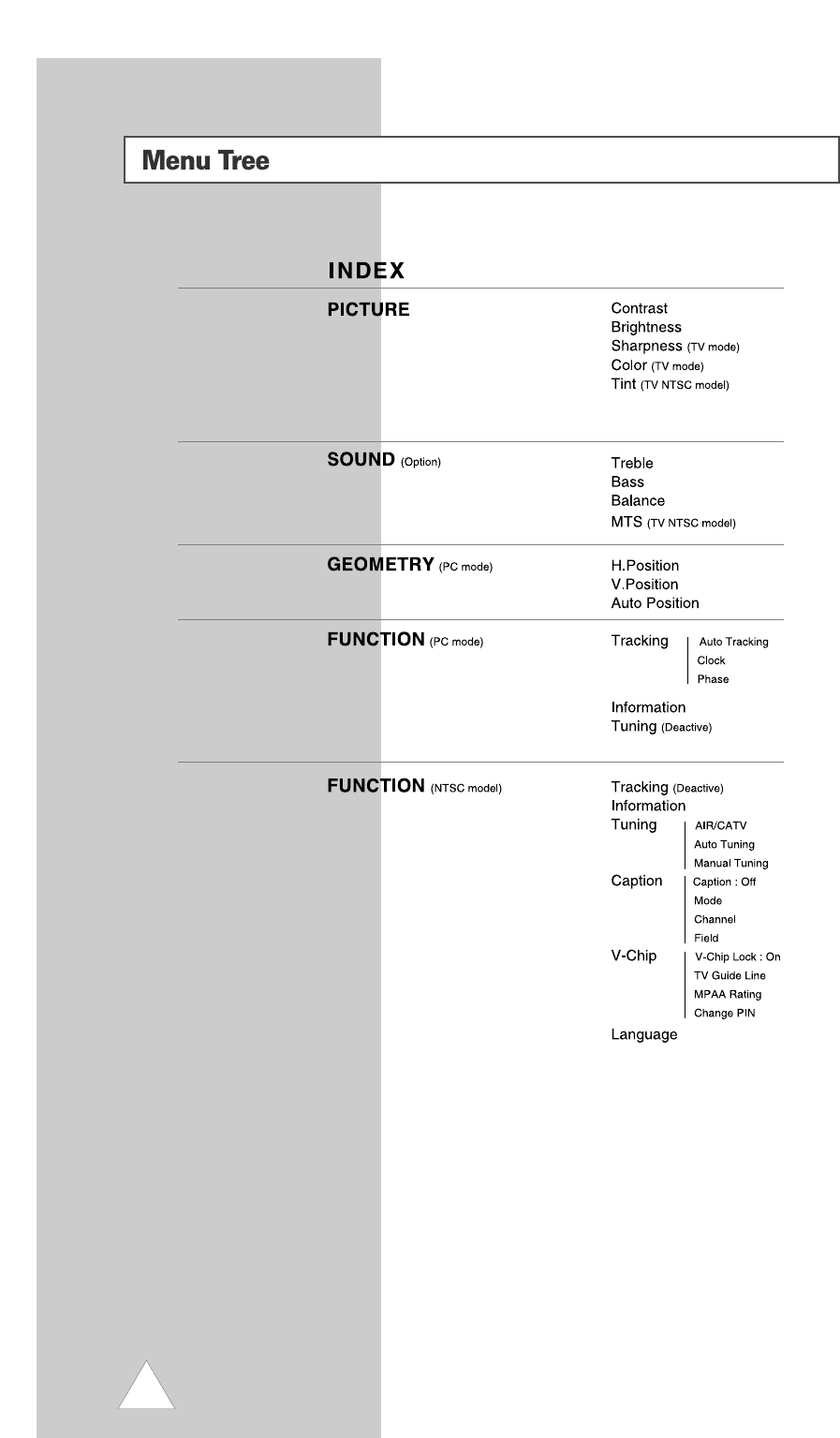
14

Connecting the Aerial or Cable
Television Network
To view television channels correctly, a signal must be received by
the set from one of following sources :
An outdoor aerial
An indoor aerial (not recommendable)
A cable television network
1In the first three cases, connect the aerial or network input cable to
the 75 ohm coaxial socket on the rear of the TFT LCD TV.
2Press the TV button on the remote control.
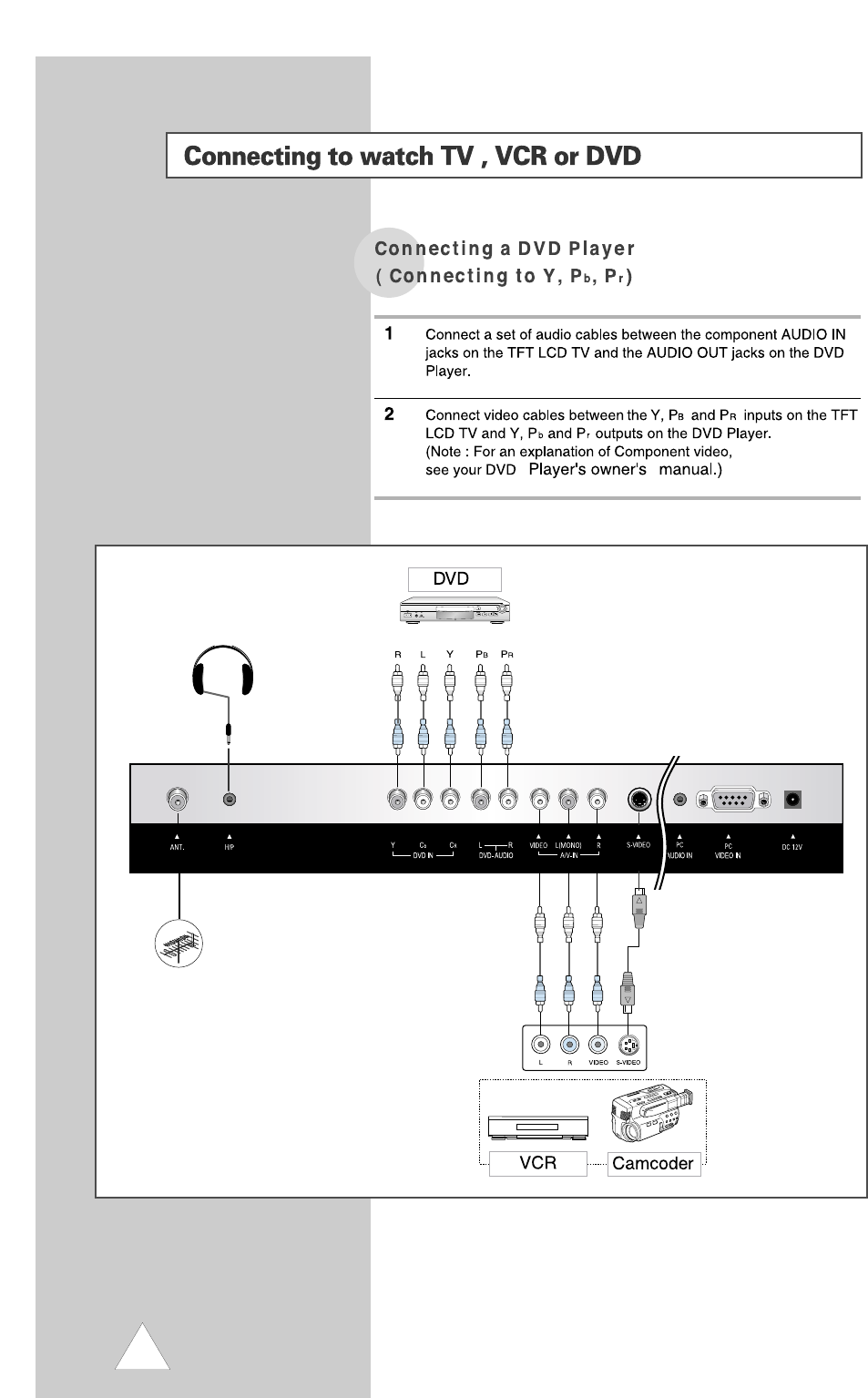
Connecting the VCR, DVD or
Other external devices
1Connect video and audio cable according to the shape and color of
the video / audio cable.
When an external devices is in MONO, the audio connection cable
can be connected to either the left and S.MODE/MTS should be set
MONO.
2For optimal visual image, use S-VIDEO connector instead of video
(yellow) connector.
Connecting to watch TV , VCR or DVD
15
16
17
18
19