Kidpower 63-1130 Quicksilver Radar Gun User Manual Principles of Operation

Kidpower Inc Quicksilver Radar Gun Principles of Operation

manual

QUICKSILVER  RADAR GUN INSTRUCTION MANUALDRAFT VERSIONRevised 8/2/01
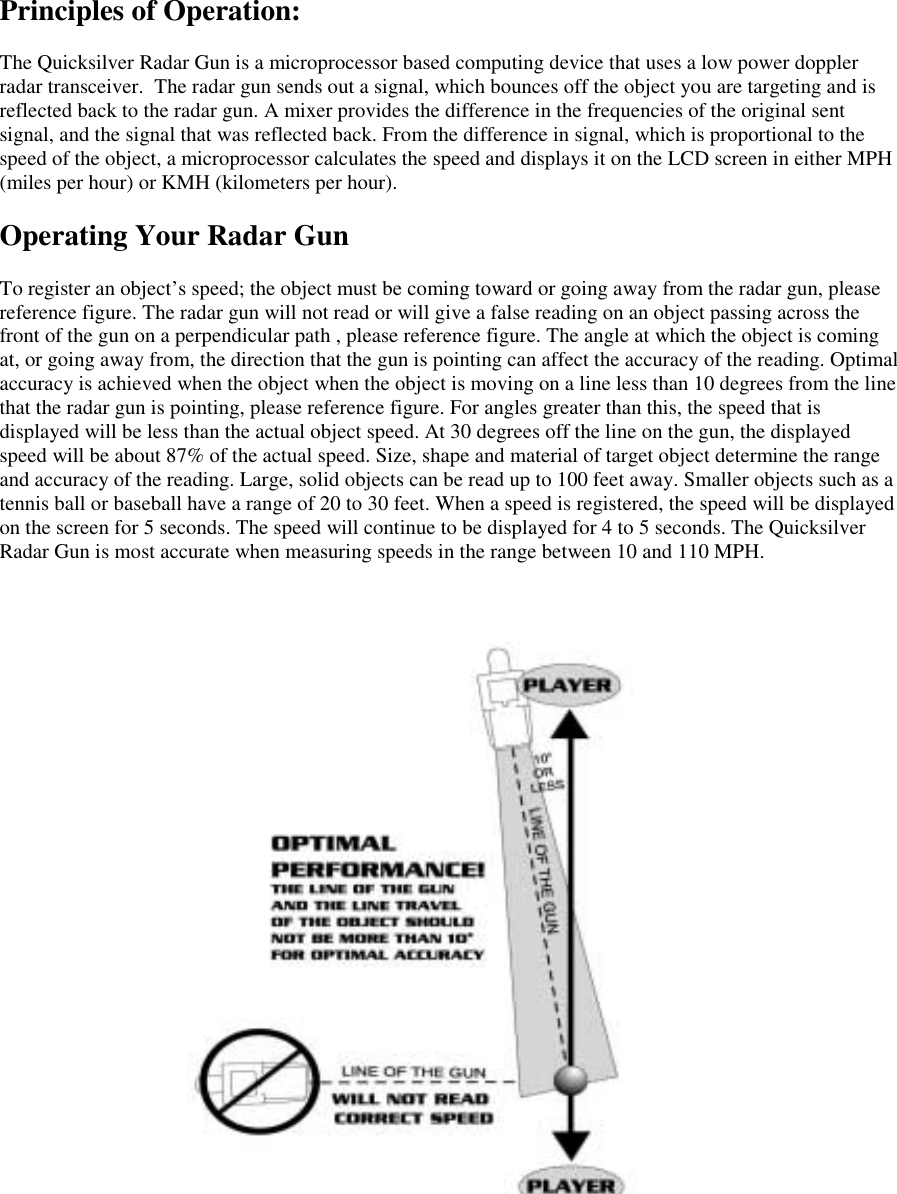
Principles of Operation:The Quicksilver Radar Gun is a microprocessor based computing device that uses a low power dopplerradar transceiver.  The radar gun sends out a signal, which bounces off the object you are targeting and isreflected back to the radar gun. A mixer provides the difference in the frequencies of the original sentsignal, and the signal that was reflected back. From the difference in signal, which is proportional to thespeed of the object, a microprocessor calculates the speed and displays it on the LCD screen in either MPH(miles per hour) or KMH (kilometers per hour).Operating Your Radar GunTo register an object’s speed; the object must be coming toward or going away from the radar gun, pleasereference figure. The radar gun will not read or will give a false reading on an object passing across thefront of the gun on a perpendicular path , please reference figure. The angle at which the object is comingat, or going away from, the direction that the gun is pointing can affect the accuracy of the reading. Optimalaccuracy is achieved when the object when the object is moving on a line less than 10 degrees from the linethat the radar gun is pointing, please reference figure. For angles greater than this, the speed that isdisplayed will be less than the actual object speed. At 30 degrees off the line on the gun, the displayedspeed will be about 87% of the actual speed. Size, shape and material of target object determine the rangeand accuracy of the reading. Large, solid objects can be read up to 100 feet away. Smaller objects such as atennis ball or baseball have a range of 20 to 30 feet. When a speed is registered, the speed will be displayedon the screen for 5 seconds. The speed will continue to be displayed for 4 to 5 seconds. The QuicksilverRadar Gun is most accurate when measuring speeds in the range between 10 and 110 MPH.
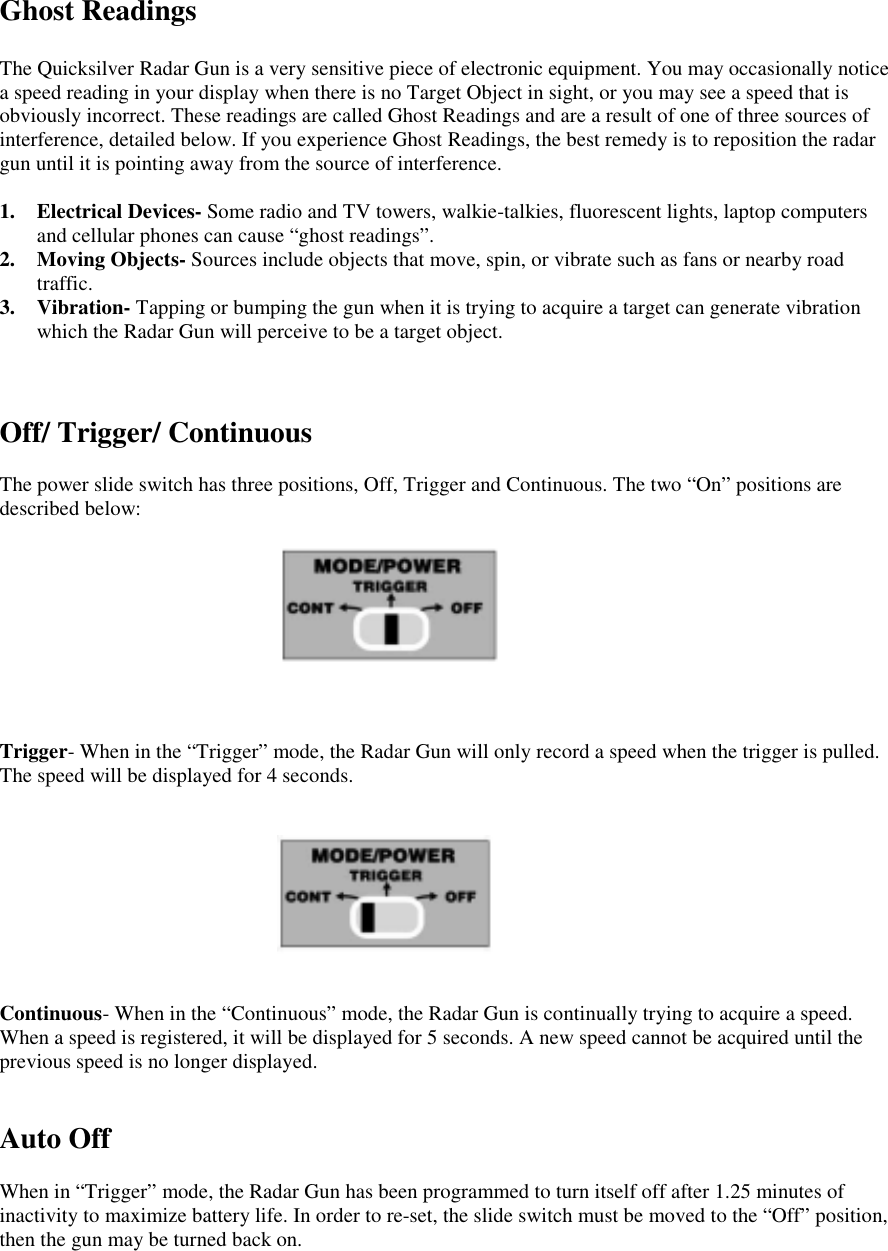
Ghost ReadingsThe Quicksilver Radar Gun is a very sensitive piece of electronic equipment. You may occasionally noticea speed reading in your display when there is no Target Object in sight, or you may see a speed that isobviously incorrect. These readings are called Ghost Readings and are a result of one of three sources ofinterference, detailed below. If you experience Ghost Readings, the best remedy is to reposition the radargun until it is pointing away from the source of interference.1. Electrical Devices- Some radio and TV towers, walkie-talkies, fluorescent lights, laptop computersand cellular phones can cause “ghost readings”.2. Moving Objects- Sources include objects that move, spin, or vibrate such as fans or nearby roadtraffic.3. Vibration- Tapping or bumping the gun when it is trying to acquire a target can generate vibrationwhich the Radar Gun will perceive to be a target object.Off/ Trigger/ ContinuousThe power slide switch has three positions, Off, Trigger and Continuous. The two “On” positions aredescribed below:Trigger- When in the “Trigger” mode, the Radar Gun will only record a speed when the trigger is pulled.The speed will be displayed for 4 seconds.Continuous- When in the “Continuous” mode, the Radar Gun is continually trying to acquire a speed.When a speed is registered, it will be displayed for 5 seconds. A new speed cannot be acquired until theprevious speed is no longer displayed.Auto OffWhen in “Trigger” mode, the Radar Gun has been programmed to turn itself off after 1.25 minutes ofinactivity to maximize battery life. In order to re-set, the slide switch must be moved to the “Off” position,then the gun may be turned back on.
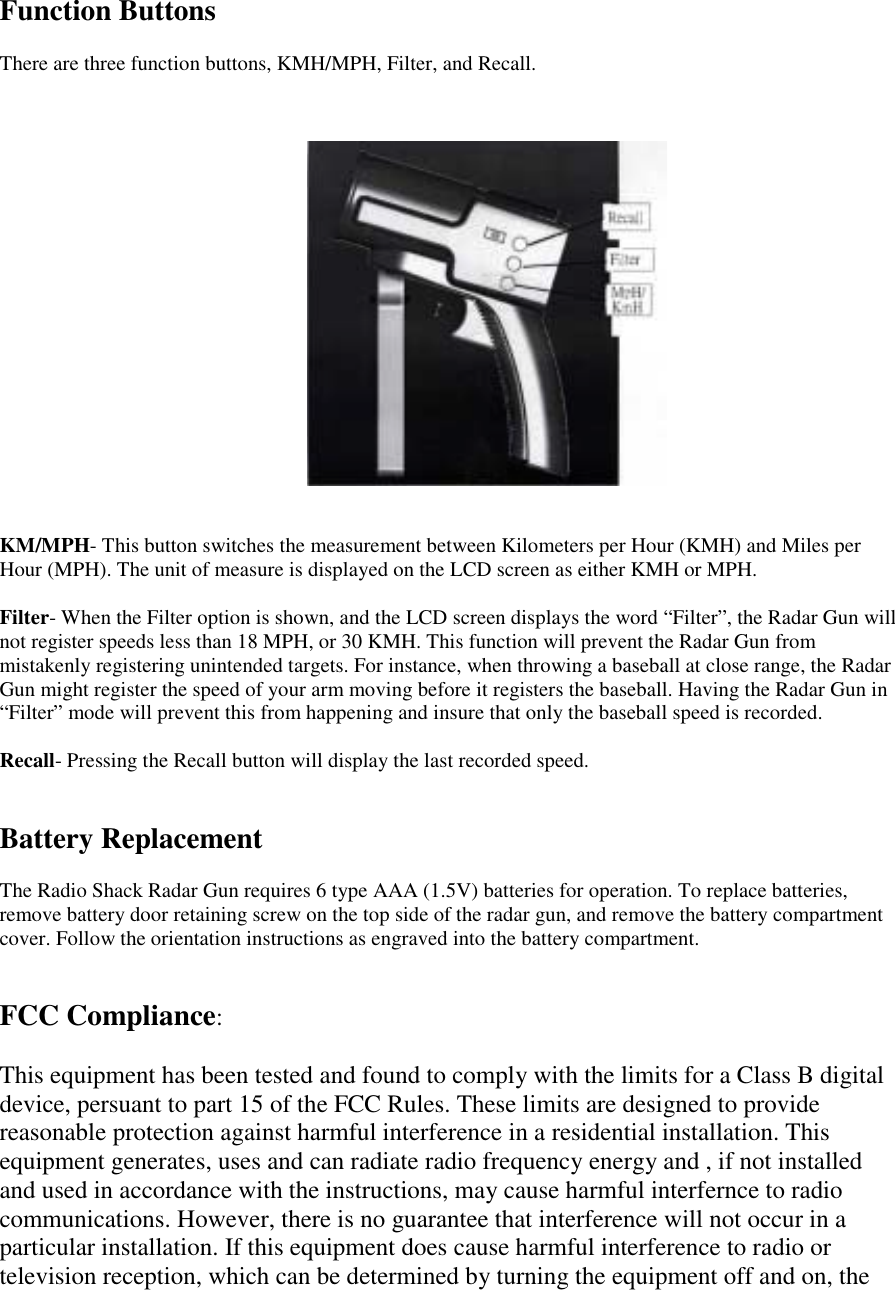
Function ButtonsThere are three function buttons, KMH/MPH, Filter, and Recall.KM/MPH- This button switches the measurement between Kilometers per Hour (KMH) and Miles perHour (MPH). The unit of measure is displayed on the LCD screen as either KMH or MPH.Filter- When the Filter option is shown, and the LCD screen displays the word “Filter”, the Radar Gun willnot register speeds less than 18 MPH, or 30 KMH. This function will prevent the Radar Gun frommistakenly registering unintended targets. For instance, when throwing a baseball at close range, the RadarGun might register the speed of your arm moving before it registers the baseball. Having the Radar Gun in“Filter” mode will prevent this from happening and insure that only the baseball speed is recorded.Recall- Pressing the Recall button will display the last recorded speed.Battery ReplacementThe Radio Shack Radar Gun requires 6 type AAA (1.5V) batteries for operation. To replace batteries,remove battery door retaining screw on the top side of the radar gun, and remove the battery compartmentcover. Follow the orientation instructions as engraved into the battery compartment.FCC Compliance:This equipment has been tested and found to comply with the limits for a Class B digitaldevice, persuant to part 15 of the FCC Rules. These limits are designed to providereasonable protection against harmful interference in a residential installation. Thisequipment generates, uses and can radiate radio frequency energy and , if not installedand used in accordance with the instructions, may cause harmful interfernce to radiocommunications. However, there is no guarantee that interference will not occur in aparticular installation. If this equipment does cause harmful interference to radio ortelevision reception, which can be determined by turning the equipment off and on, the
user is encouraged to try to correct the interference by one or more of the followingmeasures:-Reorient or relocate the receiving antenna.-Increase the seperation between the equipment and the receiver.-Consult the dealer or an experienced radio/TV technician for help.Note: Changes or modifications not expressly approved by Kidpower, Inc. could void theuser’s authority to operate the equipment.

Navigation menu