Kingwave Technology KW2425 2.4GHz AV Sender User Manual KW2420 25 user manual V1 0
Kingwave Technology Co., Ltd. 2.4GHz AV Sender KW2420 25 user manual V1 0
User manual
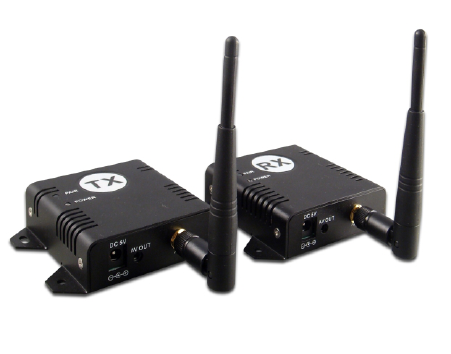
2.4GHz Digital AV Sender
Manual
V1.0
A.What is inside the Box?
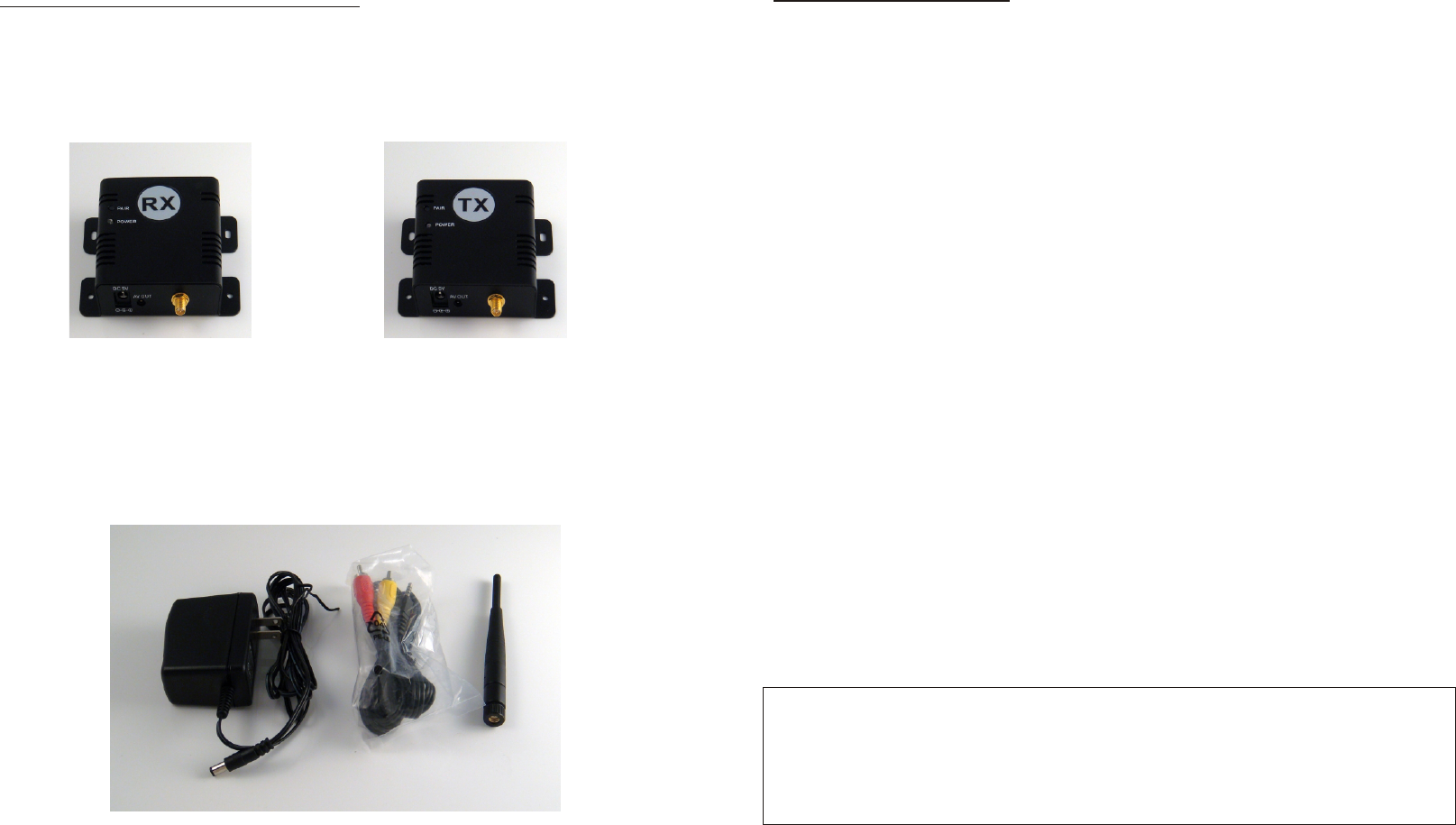
Please check the following items inside the box for 2.4Ghz Digital AV sender,
and contact your dealer if anything is missing:
1. Products body
2. Accessory: for receiver or transmitter
Refer to the following photo, from left to right:
Antennas x 2
AV cables x 2(3RCA plug to 3RCA plug)
Power Adaptor x 2(100V ~ 240V AC, DC 5V/1.2V in Jack)
This user manual
or
Receiver x 1 Transmitter x 1
5V Adaptor AV Cables ANT
-2-
Transmitter:
Operating Frequency Band 2403MHz~2478MHz
Maximum Transmit Power 100mW
Modulation 16QAM/QPSK/BPSK
Video Input Level 1V p-p @ 75 ohm
Audio Input Level 1V p-p @ 600 ohm (STEREO)
Antenna Omni-directional
Power consumption 1.9W
Power supply 5V/1.2A
Dimension 76mm*73mm*24mm
Weight 82g
Receiver:
Operating Frequency Band 2403MHz~2478MHz
Receiver Sensitivity -85dBm
Video Output Level 1±0.2V p-p @ 75 ohm
Audio Output Level 1±0.2V p-p @ 600 ohm (STEREO)
Antenna Omni-directional
Power consumption 1.9W
Power supply 5V/1.2A
Dimension 76mm*73mm*24mm
Weight 82g
System:
Transmission channels 26 channels auto selection
Video bit rate up to 12 Mbps
Random ID code up to 4 million sets
Video resolution 720 x 480 @ 30 fps (NTSC) or 768 x 576 @25 fps (PAL)
Operational range up to 150 meters (line of sight)
Remote control range up to 150 meters (line of sight)
▪ All specification subject to change without notice
H.Specifications
-7-
Notice : The changes or modifications not expressly approved by the party responsible
for compliance could void the user' s authority to operate the equipment.
IMPORTANT NOTE: To comply with the FCC RF exposure compliance requirements,
no change to the antenna or the device is permitted. Any change to the
antenna or the device could result in the device exceeding the RF exposure
requirements and void user' s authority to operate the device.
B.Introduction
Thank you for purchasing this 2.4GHz Digital AV Sender. This sender system is a
digital wireless audio/video sender that uses 2.4GHz Frequency Hopping
technology and GFSK modulation, and random ID codes to protect personal
privacy.
There are over billion hopping sequences to minimize interference and deliver
consistently an excellent video and audio quality up to 150 meters away.
Using this 2.4GHz Digital Wireless A/V Sender, you can enjoy greater convenience
and security in many ways:
Safety & Security Application:
▪ Connect a camera as a wireless security system.
▪ Monitor your sleeping baby, playing children, the elderly, or the disabled on TV
using your existing camcorder.
▪ See who is outside the door on TV through your camera or
miniature CCD camera.
▪ Monitors and records the meeting from another room.
▪ And many more uses!
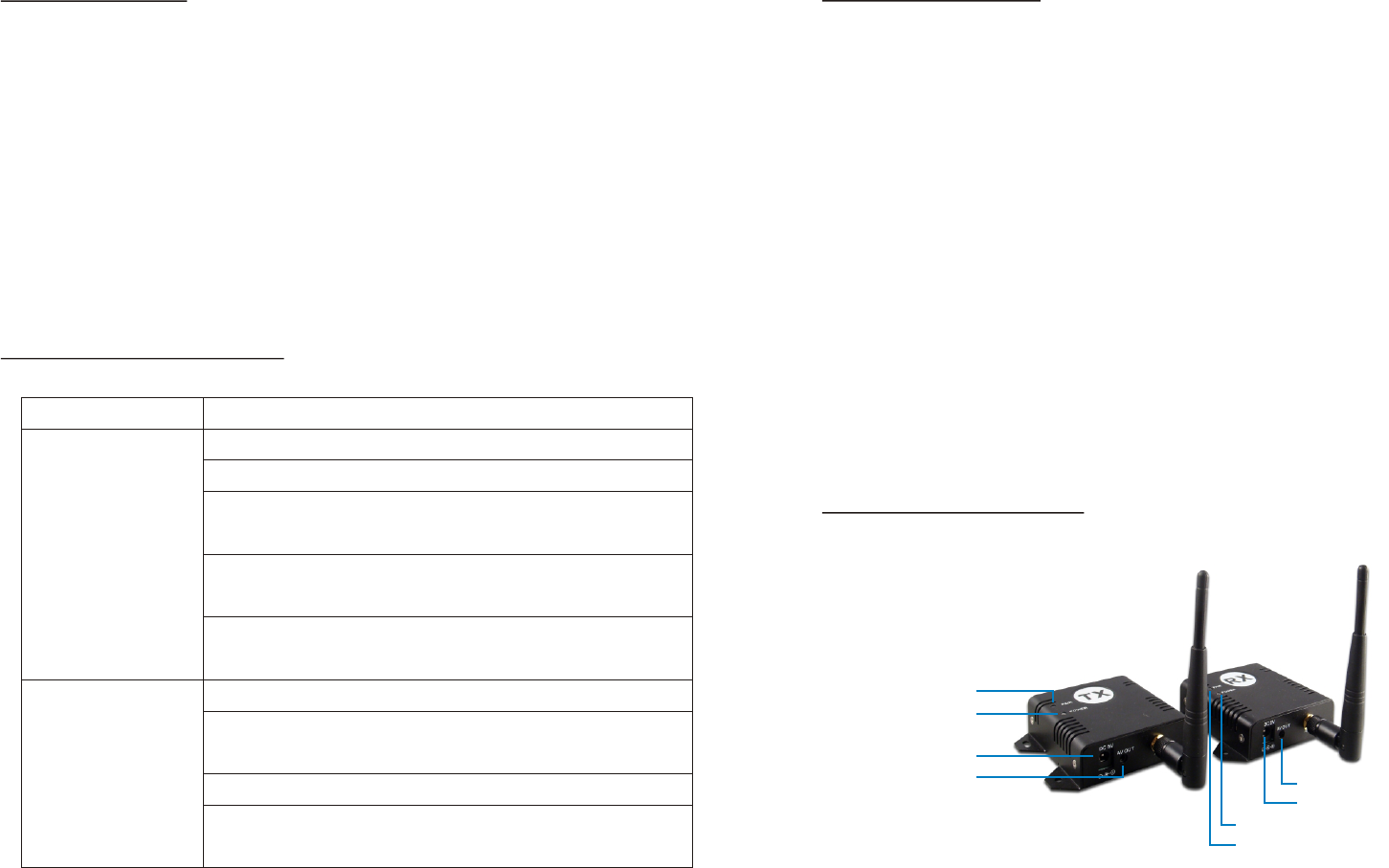
C.Product Layout
Pairing Buttons
Power LED
DC Jack for adaptor
AV Jack for Output(TX)
or Input(RX)
Pairing Buttons
Power LED
DC Jack for adaptor
AV Jack for Output(TX) or Input(RX)
-3-
F.Use Notics
G.Troubleshooting
1.Be sure the transmitter and the receiver were connected to the equipment
correctly (e.g. Connect the transmitter to the camera, and the receiver to the
TV or DVR).
2.When DC plug is pulled out from transmitter or receiver, it needs to wait for a
few seconds to insert it again.
3.Adjust antenna to decrease interference. (vertical or horizontal)
4.In most situations, one pair has a better distance up to 150 meter(open site).
When two pairs or more are used at the same time, It can automatically jump to
different channels. But the distance between transmitter and transmitter
(receiver and receiver), preferably greater than 1.5 meter far.
5.If there are some reasons cause the devise stop, you can try to turn power
switch off then on again and make the devise re-link.
6.It is suggested to have 10 pairs mostly operated in same location.
Possible Solution
Check all cable connections
Make sure power plugs are pushed all the way in
Check power switches on the remote TV or DVR and
Video source(Camera, Camcorder, etc.)
Check if the POWER LED of the transmitter and
receiver is lighting or not? Their LINK LED should be lit.
If Their LINK LED should not be lit, you must re-pair
their codes following the D. instruction of the manual
Adjust receiver and transmitter antenna orientation
Try to place transmitter and receiver in a more
close-in location
If using a microwave oven, turn it off.
Remove microwave oven or wireless router from path
between transmitter and receiver
Problems
No picture or sound
Interference: picture
or audio
-6-
-4-
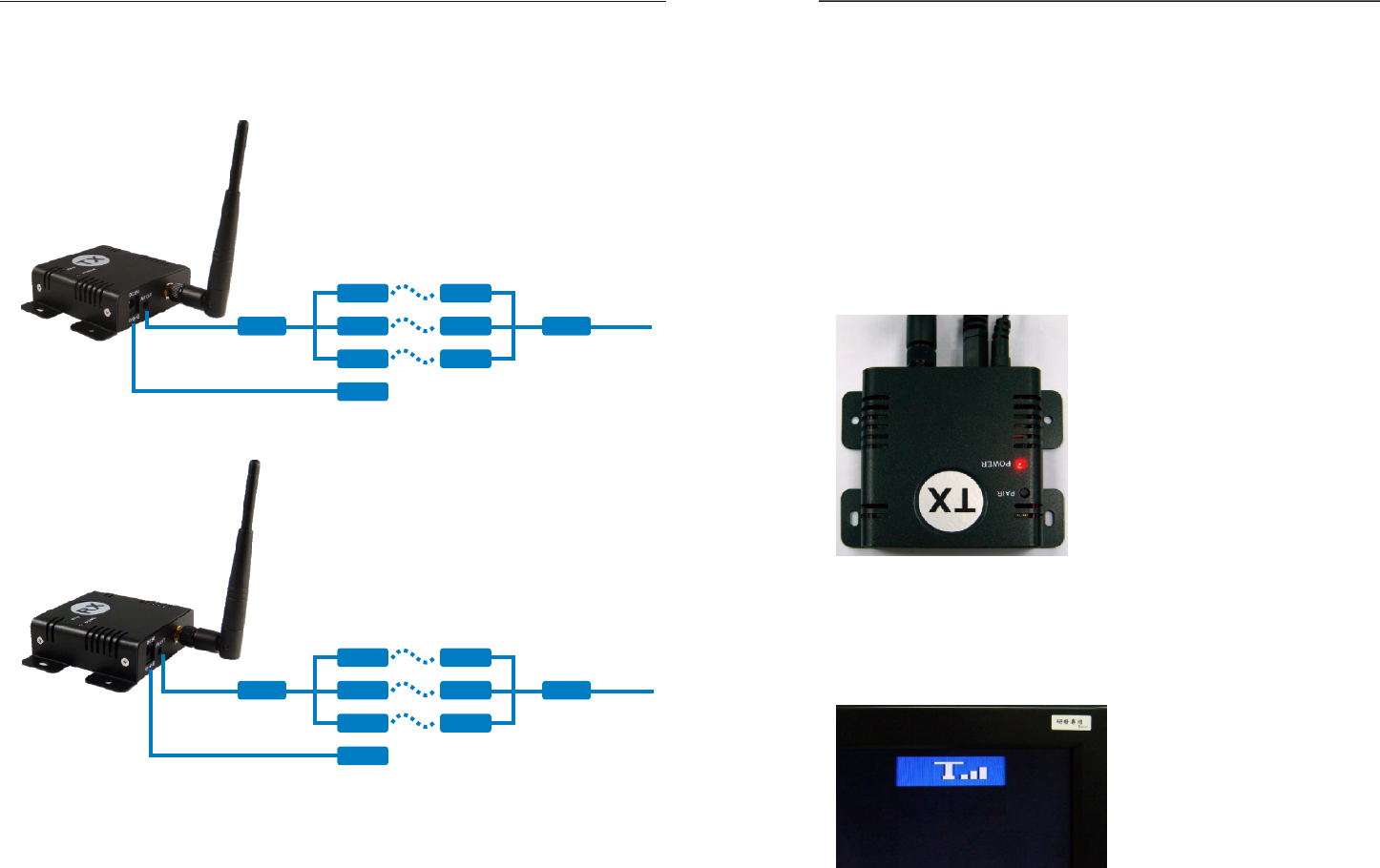
D.Transmitter and Receiver Wire Connection
DC 5V Input
AV In(Audio/Video)
Camera
DC 5V Input
AV In(Audio/Video)
Camera
E.Pairing the transmitter and receiver
Before shipment of these products, they have been matching by ID code, you can
immediately instantly use. If wants to re-pair them, you have to follow the
instructions as below:
1.Power on the transmitter and receiver by inserting the power adaptor jack.
2.Press the pair button of transmitter or receiver and not release until the power
LED begin to flash, then release the pair button.
3.They will enter into the pairing state and automatically link to each other by ID
code after step 2 finished.
4.Please don't turn off their power switch during the paring status.
5.When pairing successfully, the power LED for both will be lit directly (not flash)
Please note:
Pressing the pairing buttons for transmitter and receiver is not necessary at the
same time, and they are not necessarily put near or side by side in pairing status,
around within 3 meters far is OK
Under the transmission, you can see the strength on the monitor as below:
-5-