Kobo Touch Getting Started Guide KB34_QS Guide_Web_110603_2
Touch - Getting Started touch_qs_multilang Free User Guide for Kobo Tablet and eReader, Manual
2015-07-27
: Kobo Kobo-Touch-Getting-Started-Guide-775887 kobo-touch-getting-started-guide-775887 kobo pdf
Open the PDF directly: View PDF  .
.
Page Count: 4
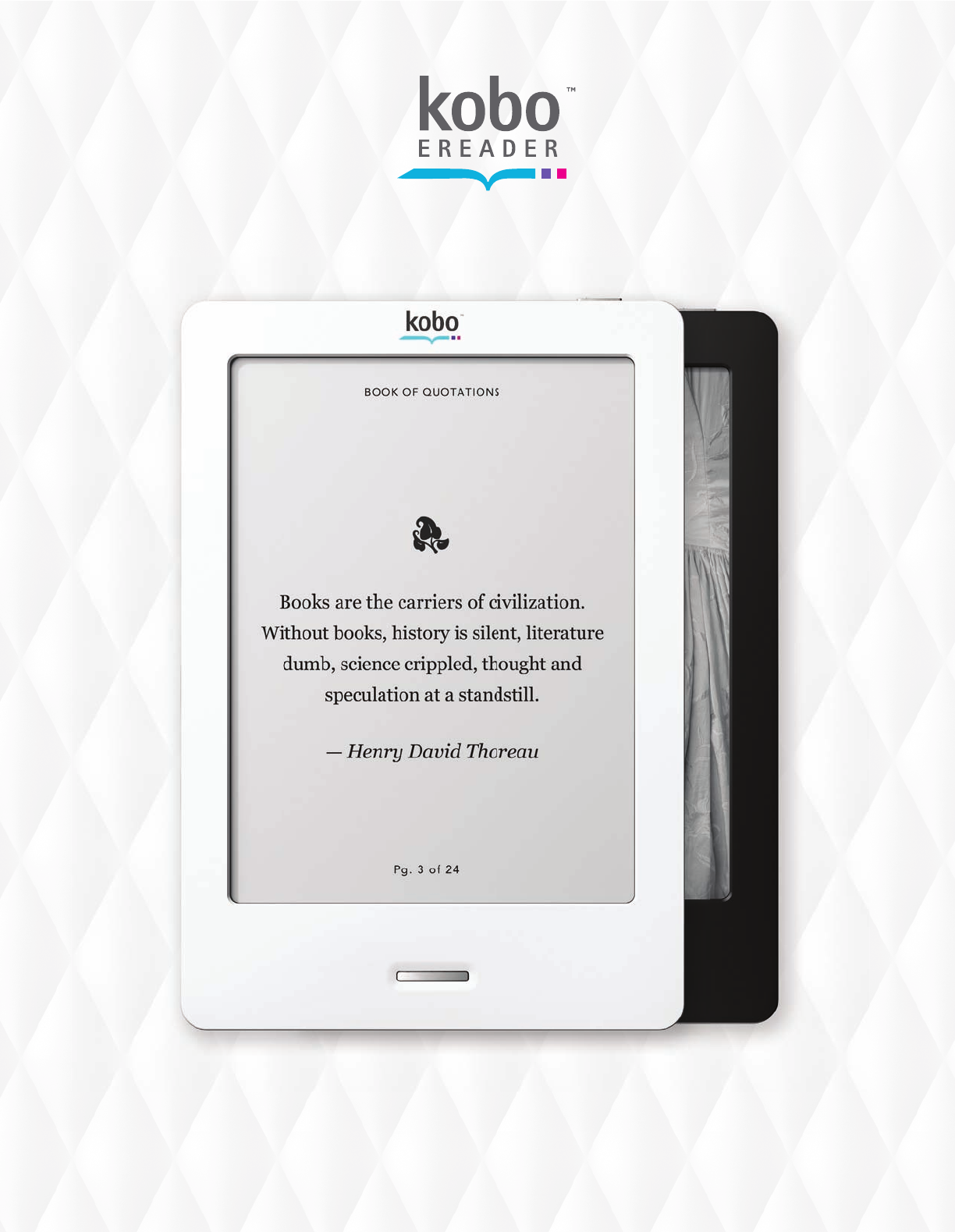
Welcome! Bienvenue! ¡Bienvenido(a)!
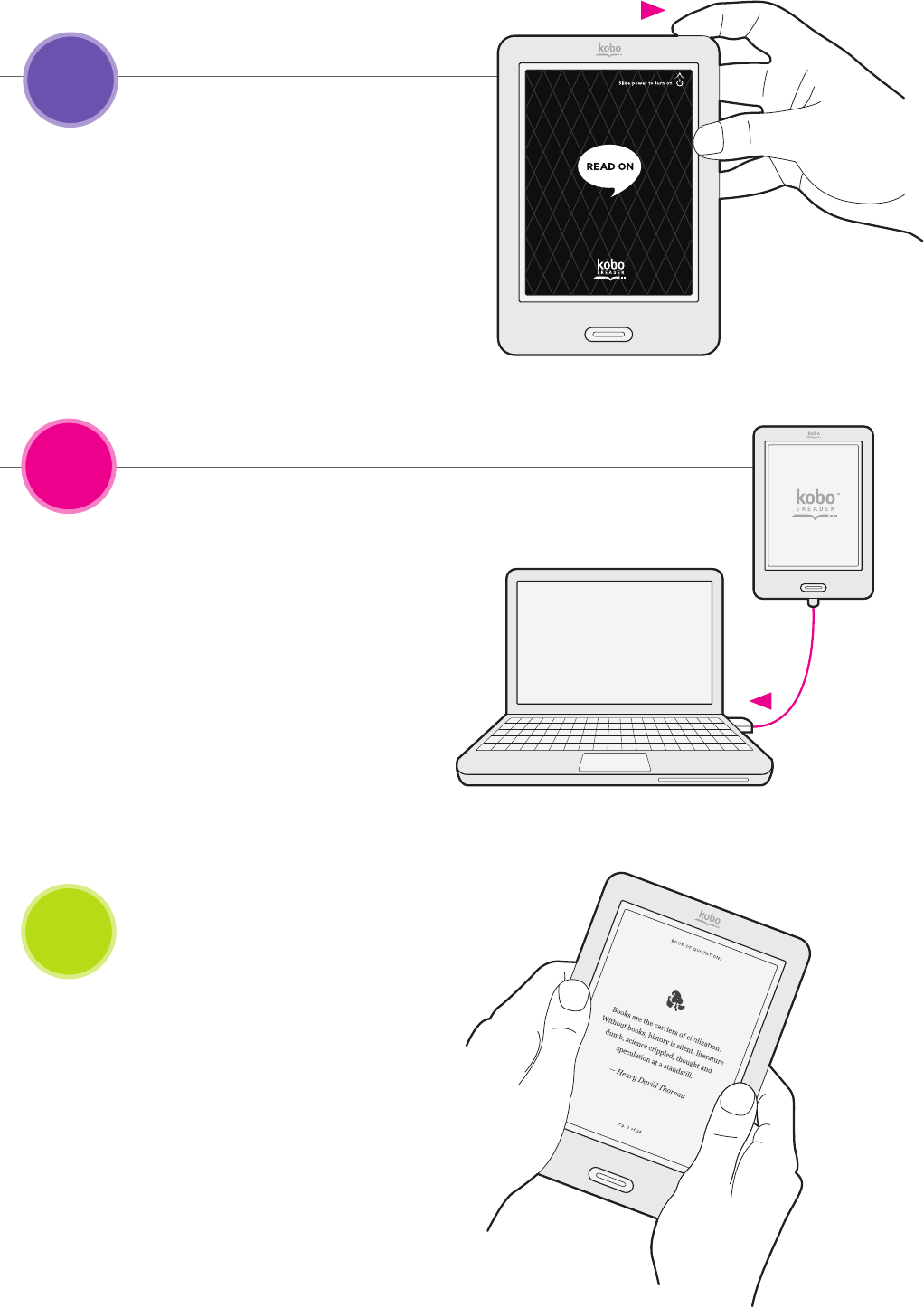
• Turn your eReader on.
• Allumez votre lecteur électronique.
• Prenda el lector electrónico.
• To setup your eReader, first
install free Kobo desktop software
for your computer. Download at:
www.kobosetup.com
• Installez le logiciel de bureau
gratuit pour votre ordinateur.
Téléchargez-le au :
www.kobosetup.com
• Instale el software de escritorio
gratis en su computadora.
Descargue en: www.kobosetup.com
• Follow the setup instructions
and start reading in minutes!
• Suivez les instructions
d’installation et commencez
à lire en quelques minutes!
• ¡Siga las instrucciones de
configuración y estará leyendo
en minutos!
1
2
3
kobo.com/help
• To charge your eReader,
connect it to your computer
using the USB cable.
• Pour charger votre lecteur
électronique, branchez-le à
votre ordinateur en utilisant
un câble USB.
• Para cargar lector electrónico,
conéctelo al computador por
medio de el cable USB.
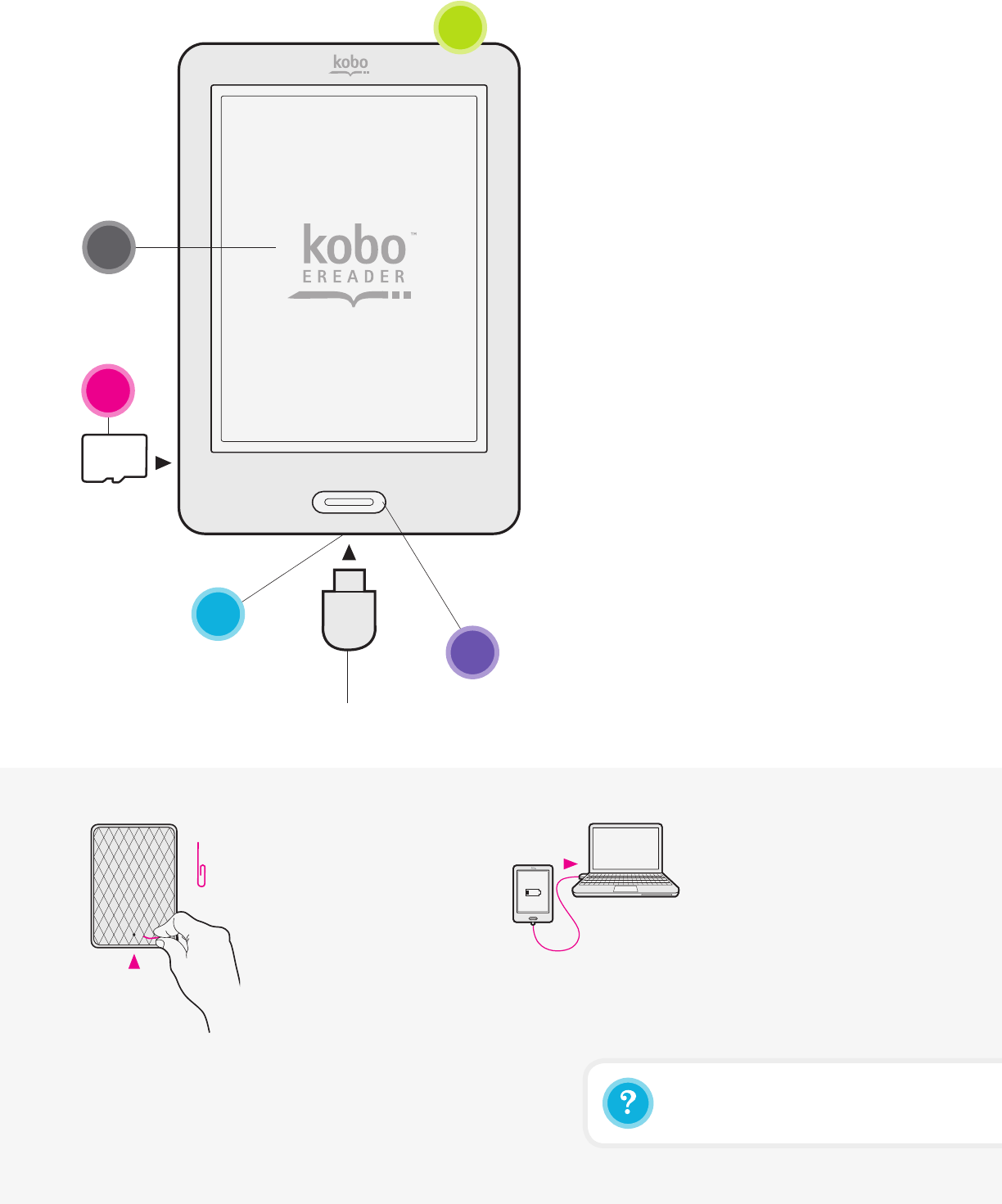
• To restart your eReader:
Insert the end of a paperclip
into the hole on the back and
press until you feel a click.
• Pour redémarrer votre lecteur
électronique : Insérer le bout
d’une trombone dans le trou
à l’arrière et presser jusqu’à
ce que vous sentez un clique.
• Para reiniciar su lector
electrónico: Inserte la punta
de un sujetapapeles (clip) en
el orificio al respaldo y oprima
hasta sentir un clic.
a
*
b
c
Note: Reset button on back.
* Micro SD card purchased separately.
a) On/Off slider
b) Touch screen
c) Micro SD card slot*
d) USB port
e) Home button
Note : le bouton de réinitialisation se trouve à l’arrière.
* Carte micro SD acheté séparément.
a) Interrupteur
marche-arrêt
b) Écran tactile
c) Fente pour carte
Micro SD*
d) Port USB
e) Button accueil
VOTRE LECTEUR ÉLECTRONIQUE
YOUR EREADER
Nota: Botón de reinicio al respaldo.
* La tarjeta Micro SD debe comprarse por separado.
a) Botón deslizante
para Prender/Apagar
b) Pantalla táctil
c) Ranura para tarjeta
Micro SD*
d) Puerto USB
e) Botón de Inicio
SU LECTOR ELECTRÓNICO
d
e
Kobo Inc., 135 Liberty St., Suite 101
Toronto, Ontario Canada M6K 1A7
© 2011 Kobo Inc. All rights reserved.
™Kobo, the Kobo eReader logo, and
“Read On” are trademarks of Kobo Inc.
© 2011 Kobo inc. Tous droits réservés.
MCKobo, le logo Kobo eReader, et
« Read On » sont des marques déposées
de Kobo inc.
© 2011 Kobo Inc. Derechos Reservados.
™Kobo, el logotipo de Kobo eReader y
“Read On” son marcas registradas de
Kobo Inc.
