LANYA ELECTRONIC BSH26 Bluetooth Stereo Headset User Manual ENG BSH26 C5RS Manual

LANYA ELECTRONIC CO., Ltd. Bluetooth Stereo Headset ENG BSH26 C5RS Manual

user manual

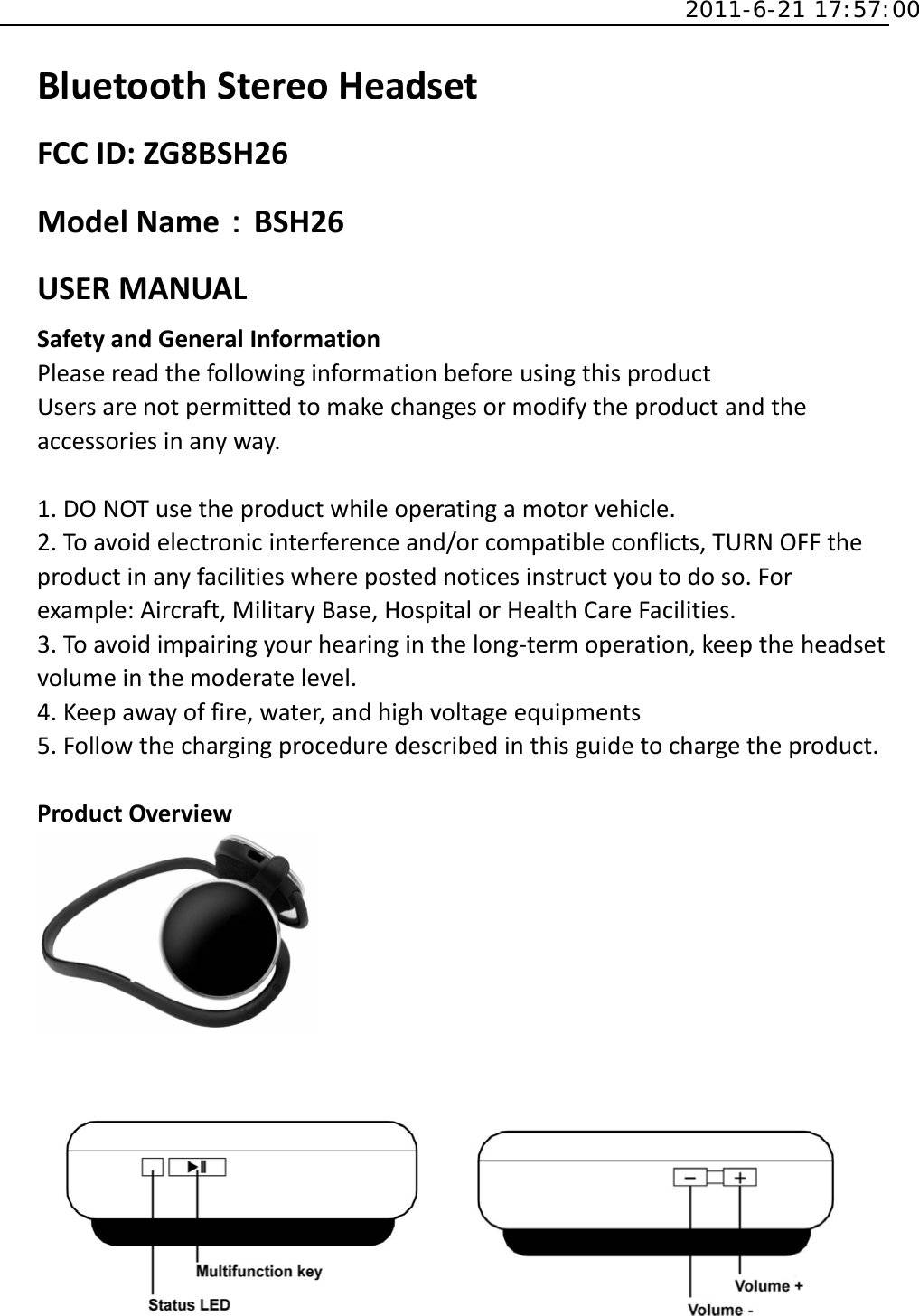
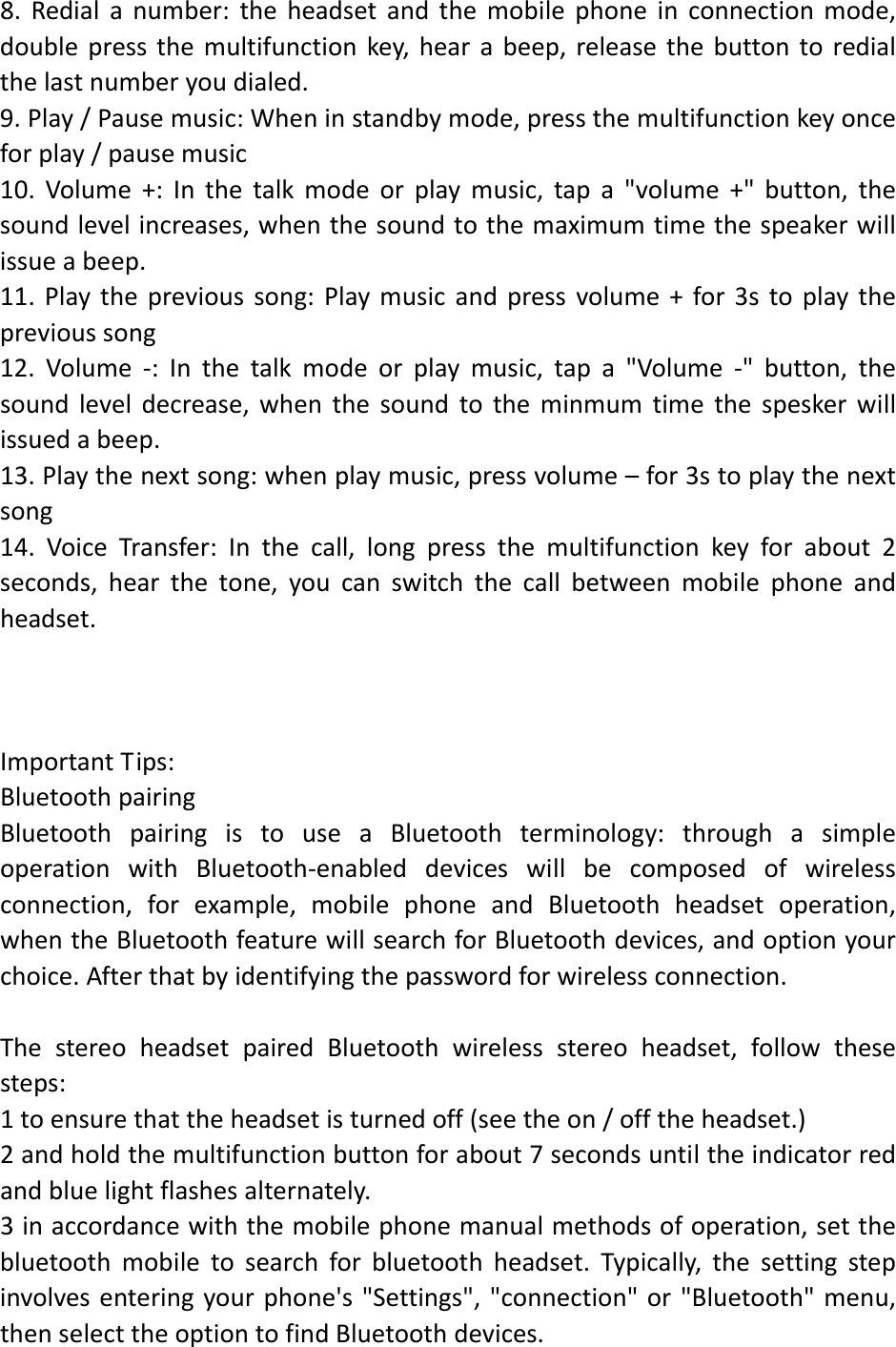
 2011-6-21 17:57:00 BluetoothStereoHeadsetFCCID:ZG8BSH26ModelName:BSH26USERMANUALSafetyandGeneralInformationPleasereadthefollowinginformationbeforeusingthisproductUsersarenotpermittedtomakechangesormodifytheproductandtheaccessoriesinanyway.1.DONOTusetheproductwhileoperatingamotorvehicle.2.Toavoidelectronicinterferenceand/orcompatibleconflicts,TURNOFFtheproductinanyfacilitieswherepostednoticesinstructyoutodoso.Forexample:Aircraft,MilitaryBase,HospitalorHealthCareFacilities.3.Toavoidimpairingyourhearinginthelong‐termoperation,keeptheheadsetvolumeinthemoderatelevel.4.Keepawayoffire,water,andhighvoltageequipments5.Followthechargingproceduredescribedinthisguidetochargetheproduct.ProductOverview
WithBluetoothwirelesstechnology,thestereoheadsetgivesyoutheconvenientwirelesswaytoenjoythestreamingstereomusictransmittedfromtheBluetoothA2DP*1‐Sourcedevicesuchasamp3player,PCorPDAintheavailablerange.Moreover,youcanusethestereoheadsettoremotecontrolthemusicplayingfunctionsofyourBluetoothdeviceifitsupportsBluetoothAVRCP*2inaddition.Switchingbetweenmusicandphonecalls,thestereoheadsetalsoallowsyouanswerormakecallswiththeBluetooth‐enabledmobilephone*3whileyouarelisteningtomusic.Afteryouendedthecall,themusicwillfollowtobestreamedinfewseconds*4.Besidesthewirelessstereoandmobilehands‐freeapplications,youcanapplythethestereoheadsettotheBluetooth‐enabledPC*5withtheInternetmessengersuchasSkype.,MSNMessengerorYahoo!Messenger.Basicoperations:1.Poweron:intheoffsituation,SwitchtheOn/Offbuttonintotheonposition;theblueLEDlightfor3secondswithremindervoice;2.Turnoff:intheonsituation,SwitchtheOn/Offbuttonintotheoffposition;redLEDlightwillflash3timeswithremindervoice;3.Intopairingmode:intheonsituation,holdingdownthemultifunctionkeyforabout7secondsuntiltheredandblueLEDlightalternatelyflash4.Anincomingcall:Whenthecallcomes,pressthemultifunctionkeytoanswerthephone5.Hangupthephone:Whentheheadsetandthemobilephoneintothetalkmode,tapthemultifunctionkeytohangup6.Rejectedcalls:Whenthecallcomesin,pressthemultifunctionkeyforabout3seconds,hearthetone,releasethebutton,thephonerefusedtoanswer7.Voicedialing:headsetandthemobilephoneinconnectionmode,double‐clickthemultifunctionkey,hearthetone,youcanvoicedial.Whethertosupportthisfunctiondependsonthephone.
8.Redialanumber:theheadsetandthemobilephoneinconnectionmode,doublepressthemultifunctionkey,hearabeep,releasethebuttontoredialthelastnumberyoudialed.9.Play/Pausemusic:Wheninstandbymode,pressthemultifunctionkeyonceforplay/pausemusic10.Volume+:Inthetalkmodeorplaymusic,tapa"volume+"button,thesoundlevelincreases,whenthesoundtothemaximumtimethespeakerwillissueabeep.11.Playtheprevioussong:Playmusicandpressvolume+for3stoplaytheprevioussong12.Volume‐:Inthetalkmodeorplaymusic,tapa"Volume‐"button,thesoundleveldecrease,whenthesoundtotheminmumtimethespeskerwillissuedabeep.13.Playthenextsong:whenplaymusic,pressvolume–for3stoplaythenextsong14.VoiceTransfer:Inthecall,longpressthemultifunctionkeyforabout2seconds,hearthetone,youcanswitchthecallbetweenmobilephoneandheadset.ImportantTips:BluetoothpairingBluetoothpairingistouseaBluetoothterminology:throughasimpleoperationwithBluetooth‐enableddeviceswillbecomposedofwirelessconnection,forexample,mobilephoneandBluetoothheadsetoperation,whentheBluetoothfeaturewillsearchforBluetoothdevices,andoptionyourchoice.Afterthatbyidentifyingthepasswordforwirelessconnection.ThestereoheadsetpairedBluetoothwirelessstereoheadset,followthesesteps:1toensurethattheheadsetisturnedoff(seetheon/offtheheadset.)2andholdthemultifunctionbuttonforabout7secondsuntiltheindicatorredandbluelightflashesalternately.3inaccordancewiththemobilephonemanualmethodsofoperation,setthebluetoothmobiletosearchforbluetoothheadset.Typically,thesettingstepinvolvesenteringyourphone's"Settings","connection"or"Bluetooth"menu,thenselecttheoptiontofindBluetoothdevices.
4phonewillfindthestereoheadsetBluetoothheadset,andasksyoudockingwiththepreparations.Pressthe"Yes"or"OK"buttontodocking.5EnterthemasterkeyoraPINcode,"0000"andthenpressthe"yes"or"OK"button.(Important:asuccessfuldocking,theindicatoremitsbluelightflashes3times,thenflashesonceevery7seconds.Ifnotsuccessful,theindicatorstillflashesalternatelyneedtore‐docking.)CallbyvoiceIfthevoicerecognitionfeatureisturnedonandusehands‐freetosetconnecttheheadphones,youcanmakecallsbyvoice.1Double‐clickthemultifunctionkey,youwillhearavoice‐activatedprompt.2Saythenameyouwanttocall.(Important:theheadsetsupportvoicecallcapabilitiesisdependingonthephone.)BatterychargingandlowvoltagealarmThenormalconnectioncharge,longbrightredLEDwhencharging,thechargingindicatorwillquenchwhencompletion,thechargeusuallytakes2‐3hours.Whentheredlightflashesevery30secondsandevery30secondsissueawarningsoundsitmeansinlowbatteries,shouldchargedassoonaspossible.NotesIfyoucannotconnecttheheadsettothemobilephone,pleasedothefollowing:Makesuretheheadsetisfullycharged,isswitchedon,pairedwiththemobilephoneandestablishconnection.Makesureyourmobilephone'sBluetoothfunctionisactivated.Viewthedistancebetweentheheadsetandthemobilephoneiswithin10meters,andmakesurethereisnowallsandanyotherobstructionsorotherelectronicdevicesexistencebetweentheheadsetandthemobilephone.BluetoothmusicdeviceoruseaBluetoothconnector/transmitterBluetoothstereomusicdevicesmustsupportBluetoothA2DP.
BluetoothmusicdeviceoruseaBluetoothconnector/transmitterBluetoothstereomusicdevicesmustsupportBluetoothAVRCP.Somemobilephoneswillnotsupporttheheadsethavebluetoothconnectiontotransfermusicandphonefeatures,sotheconversionwillfailedintransfermusicandincomingcall’sfeature.BatteryInformationTheheadsetispoweredbyarechargeablebattery.Newbatteryonlyaftertwoorthreecompletechargeanddischargecyclestoachieveoptimalperformance.Thebatterycanbechargedanddischargedhundredsoftimes,butitwilleventuallywearout.Whenyoudonotcharge,pleasedisconnecttheheadset,donotleaveafullychargedbatteryconnectedtoachargingcircuit,sinceoverchargingmayshortenbatterylife.Ifleftunusedafullychargedbattery,thebatteryitselfwilldischargeovertime.Ifthedeviceinhotorcoldplaces,suchassummerorwinterinaclosedcar,willreducethebatterycapacityandlife.Alwaystrytokeepthebatterybetween15℃and25℃.Ifheadphoneshotorcold,thebatterymaynotworktemporarily,evenwhenthebatteryisfullycharged.Whenthetemperatureisbelowfreezing,thebattery'sperformanceisparticularlylimited.Donotdisposeofbatteriesinafire,otherwiseitwillbeexplode.Theinjuredbatteriesmayalsoexplode.
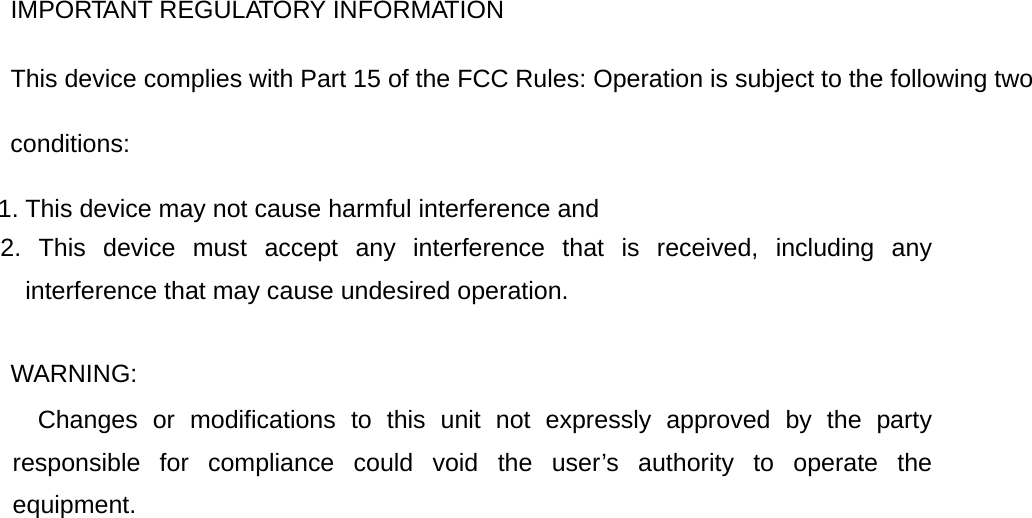
IMPORTANT REGULATORY INFORMATION This device complies with Part 15 of the FCC Rules: Operation is subject to the following two conditions: 1. This device may not cause harmful interference and 2. This device must accept any interference that is received, including any interference that may cause undesired operation.  WARNING:      Changes or modifications to this unit not expressly approved by the party responsible for compliance could void the user’s authority to operate the equipment.  

Navigation menu