LANYA ELECTRONIC BSH560 Bluetooth Stereo Headset User Manual

LANYA ELECTRONIC CO., Ltd. Bluetooth Stereo Headset

User Manual

User Guide & Important InformationBSH560 Bluetooth Stereo HeadsetLANYA  ELECTRONIC Co., Ltd.
2CONTENTSProduct  introduction ......................................................................... .........3Contents.............................................................................................4Button  operation..........................................................................................5Charging...........................................................................................6Connection  guide..................................................................................7LED  indicator.....................................................................................8Basic  operation  ............................................................................9Voice  dialing...................................................................................16Battery  and  charging  notice.....................................................................17Warnings..........................................................................................18FCC Caution........................................................................................................19Contact Us .........................................................................................................20..... ..
PRODUCT INTRODUCTION3Thank you for buying the RaveTouch Bluetooth Stereo Head e from White Label.  These Head e    are designed to be convenient , stylish and provide high quality audio Playback from any Bluetooth enabled Audio Device or wired only device.Please read this user Guide thoroughly before use so that you can understand the setup and functions.The   Bluetooth Stereo head e  can also be used to receive tele ph one calls while in use and will automatically pause the audio playback in order to receive the call and when the call ends audio Playback will resume.RaveTouchs tsts  t
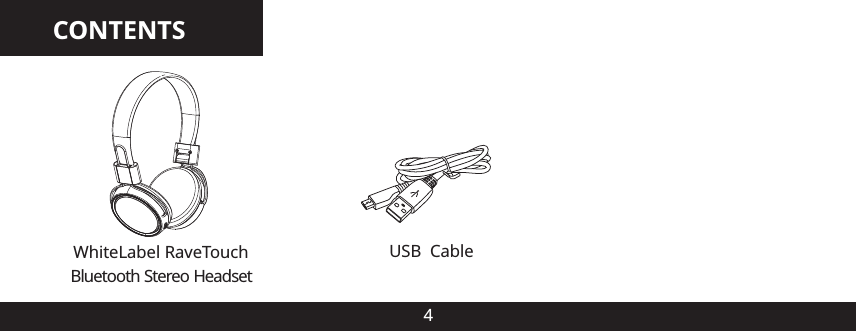
CONTENTS4WhiteLabel RaveTouch USB      CableBluetooth Stereo Headset
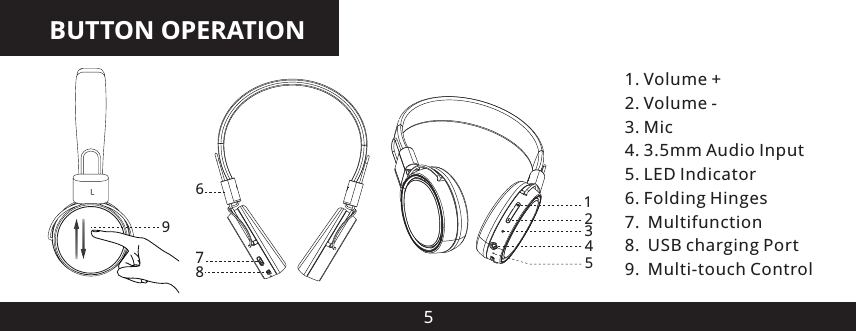
BUTTON OPERATION51. Volume +2. Volume -3. Mic4. 3.5mm Audio Input5. LED Indicator6. Folding Hinges7. Multifunction8. USB charging Port9. Multi-touch Control123457869
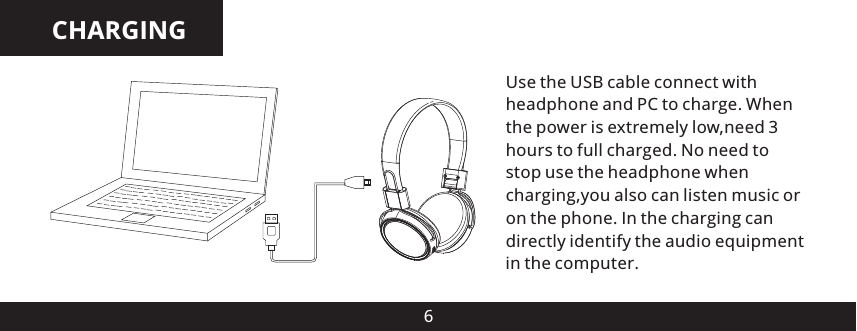
CHARGING6Use the USB cable connect with headphone and PC to charge. When the power is extremely low,need 3 hours to full charged. No need to stop use the headphone when charging,you also can listen music or on the phone. In the charging can directly identify the audio equipment in the computer.
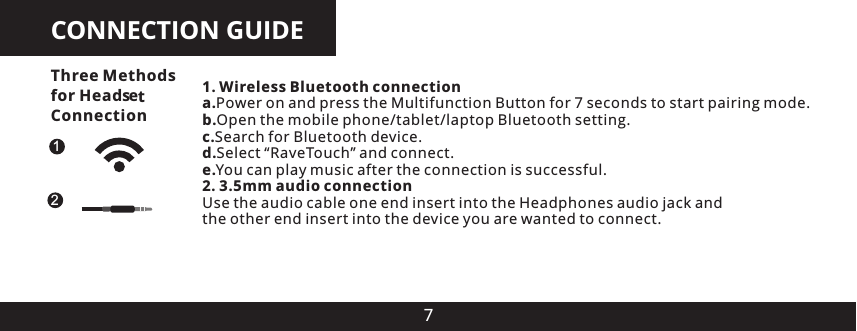
CONNECTION GUIDE71. Wireless Bluetooth connectiona.Power on and press the Multifunction Button for 7 seconds to start pairing mode.b.Open the mobile phone/tablet/laptop Bluetooth setting.c.Search for Bluetooth device.d.Select “RaveTouch” and connect.e.You can play music after the connection is successful.2. 3.5mm audio connectionUse the audio cable one end insert into the Headphones audio jack and the other end insert into the device you are wanted to connect.12Three Methods for Head es Connectiont
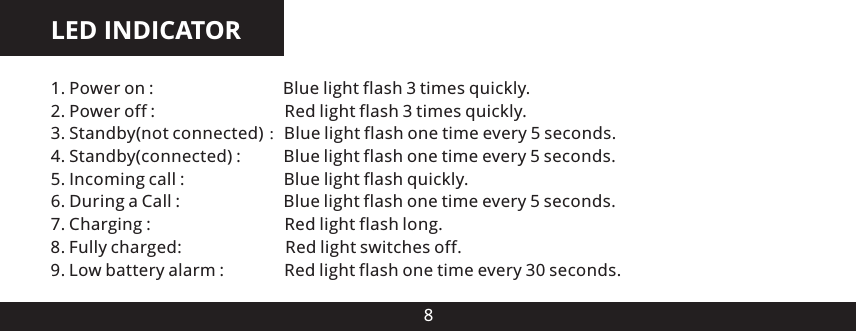
LED INDICATOR81. Power on :                              Blue light flash 3 times quickly2. Power off :                              Red light flash 3 times quickly3. Standby(not connected) :Blue light flash one time every 5 seconds.4. Standby(connected) :          Blue light flash one time every 5 seconds.5. Incoming call :                       Blue light flash quickly6. During a Call :                        Blue light flash one time every 5 seconds.7. Charging :                               Red light flash long8. Fully charged:                        Red light switches off9. Low battery alarm :              Red light flash one time every 30 seconds......
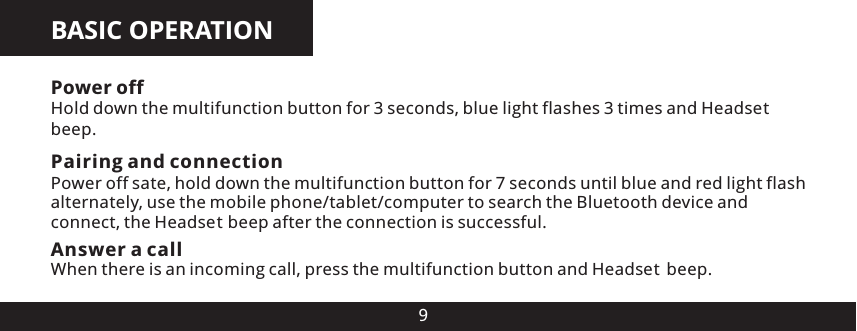
BASIC OPERATION9Power off Hold down the multifunction button for 3 seconds, blue light flashes 3 times and Head es beep.Pairing and connectionPower off sate, hold down the multifunction button for 7 seconds until blue and red light flash alternately, use the mobile phone/tablet/computer to search the Bluetooth device and connect, the Head es  beep after the connection is successful.Answer a call When there is an incoming call, press the multifunction button and Head es  beep.ttt
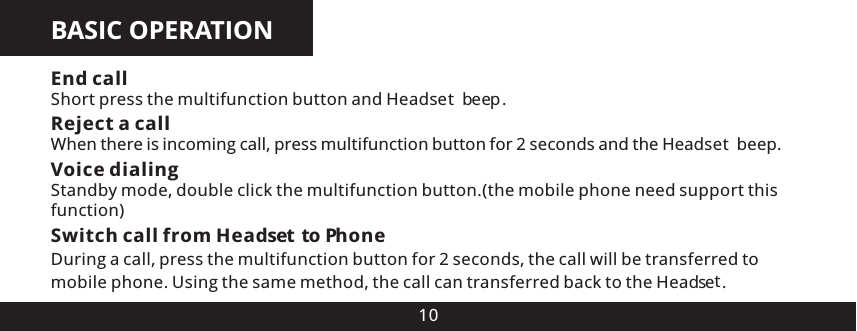
BASIC OPERATION10Reject a callWhen there is incoming call, press multifunction button for 2 seconds and the Head es  beep.Switch call from Head  e  to PhoneDuring a call, press the multifunction button for 2 seconds, the call will be transferred to mobile phone. Using the same method, the call can transferred back to the Head es .Voice dialingStandby mode, double click the multifunction button.(the mobile phone need support this function)End callShort press the multifunction button and Head es  beep.tts  tt
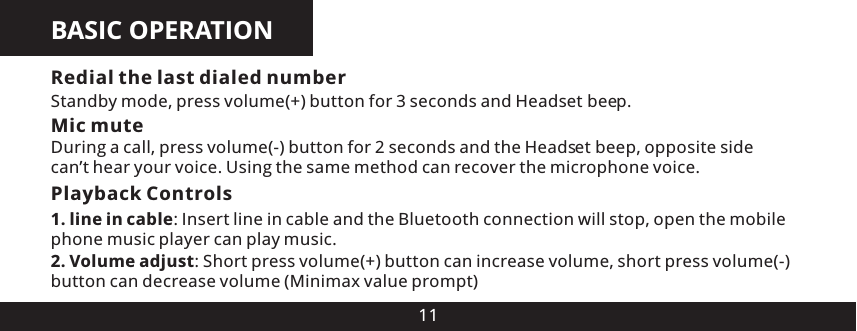
BASIC OPERATION11Mic muteDuring a call, press volume(-) button for 2 seconds and the Head es  beep, opposite side can’t hear your voice. Using the same method can recover the microphone voice.Playback Controls 1. line in cable: Insert line in cable and the Bluetooth connection will stop, open the mobile phone music player can play music.Redial the last dialed numberStandby mode, press volume(+) button for 3 seconds and Head es  beep.2. Volume adjust: Short press volume(+) button can increase volume, short press volume(-) button can decrease volume (Minimax value prompt)tt
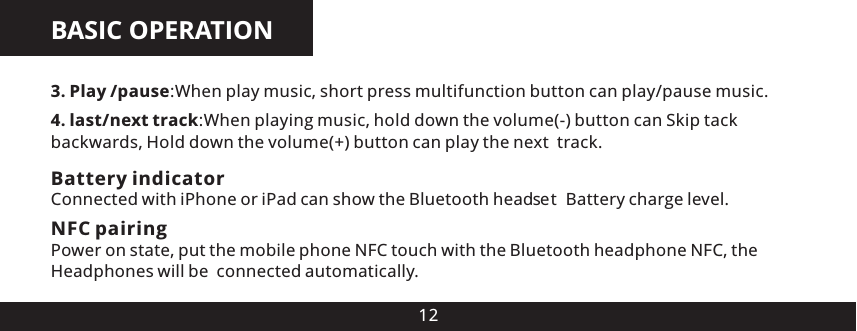
BASIC OPERATION123. Play /pause:When play music, short press multifunction button can play/pause music.4. last/next track:When playing music, hold down the volume(-) button can Skip tack backwards, Hold down the volume(+) button can play the next  track.Battery indicatorConnected with iPhone or iPad can show the Bluetooth head e  Battery charge level.s tNFC pairingPower on state, put the mobile phone NFC touch with the Bluetooth headphone NFC, the Headphones will be  connected automatically.
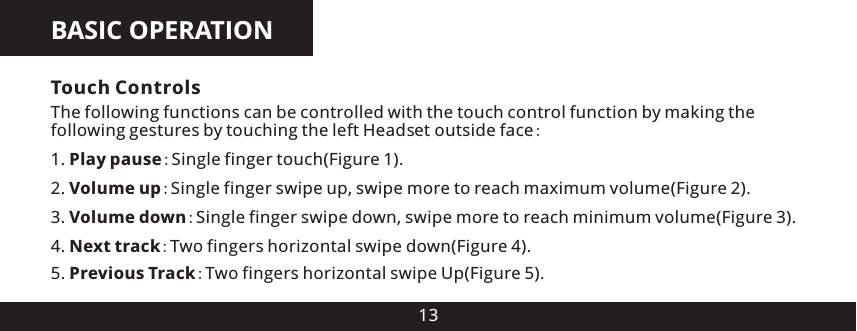
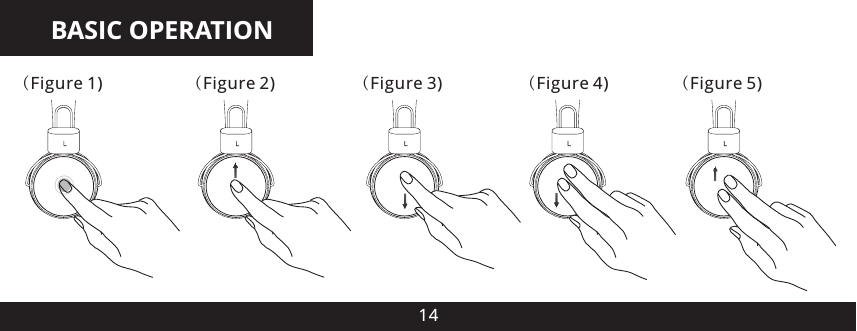
BASIC OPERATION134. Next track:Two fingers horizontal swipe down(Figure 4).5. Previous Track:Two fingers horizontal swipe Up(Figure 5).Touch ControlsThe following functions can be controlled with the touch control function by making the following gestures by touching the left Head e  outside face:1. Play pause:Single finger touch(Figure 1).2. Volume up:Single finger swipe up, swipe more to reach maximum volume(Figure 2).3. Volume down:Single finger swipe down, swipe more to reach minimum volume(Figure 3).ts
BASIC OPERATION14(Figure 5)(Figure 4)(Figure 3)(Figure 2)(Figure 1)
BASIC OPERATION15Auto power-offLost connection for 10minutes or the battery voltage below 3.0V,the Headphones will automatically power off, red light flash 3 times and Head es  beep.Manual power-offHold Down the Multifunction Button for 6 seconds, red light flash 3 times and Head es beep.Automatic quit pairing modeWhen there is no pairing competed within 3 minutes the pairing mode will automatically stop.tt
16VOICE DIALINGIf speech recognition to open and use a hands-free set connect Head es , you can make a call directly from the headset using voice recognition.1.Double click the multifunction button, You will hear a voice boot prompt.2.Say the name of the person you wish to call loudly.(Note: the mobile phone need support    this function)t
BATTERY CHARGE/LOW VOLTAGE ALARM17When the head e  is charging, the red light flashes slowly. Red light turns off when the head is fully charged. Usual charge time is 2-3 hours.When the red light flash one time every 30 seconds and have a warning sound it is means the battery is run out and need to charge soon.s  te s  t
WARNINGS18 Avoid placing this product near extreme temperatures or humidity. Do not use this product while operating a motor vehicle Do not submerse or allow this product to come into contact with water. Use in dry locations   only.• An adult should supervise young children when using this product.• Use of any attachment or accessory with this product not recommended or sold by White   Label may result in risk of fire, electrical shock or injury to persons or product. Do not clean any parts with alcohol, cleaning solutions containing alcohol or strong abrasives.   Use a soft cloth and a little water   There are no user serviceable parts within this product. Tampering with this product will   invalidate your White Label warranty.•••••
FCC CAUTION19This equipment has been tested and found to comply with the limits for a Class B digital device, pursuant to part 15 of the FCC Rules. These limits are designed to provide reasonable protection against harmful interference in a residential installation. This equipment generates, uses and can radiate radio frequency energy and, if not installed and used in accordance with the instructions, may cause harmful interference to radio communications. However, there is no guarantee that interference will not occur in a particular installation. If this equipment does cause harmful interference to radio or television reception, which can be determined by turning the equipment o and on, the user is encouraged to try to correct the interference by one or more of the following measures:• Reorient or relocate the receiving antenna.• Increase the separation between the equipment and receiver.• Connect the equipment into an outlet on a circuit different from that to which the receiver is connected.• Consult the dealer or an experienced radio/TV technician for help.Caution: Any changes or modifications to this device not explicitly approved by manufacturer could void your authority to operate this equipment.This device complies with part 15 of the FCC Rules. Operation is subject to the following two conditions: (1) This device may not cause harmful interference, and (2) this device must accept any interference received, including interference that may cause undesired operation.

Navigation menu