LEADER INNOVATIONS 28005 Bluetooth Headphone User Manual TEK122 INSTRUCTIONS

LEADER INNOVATIONS LTD. Bluetooth Headphone TEK122 INSTRUCTIONS

User manual

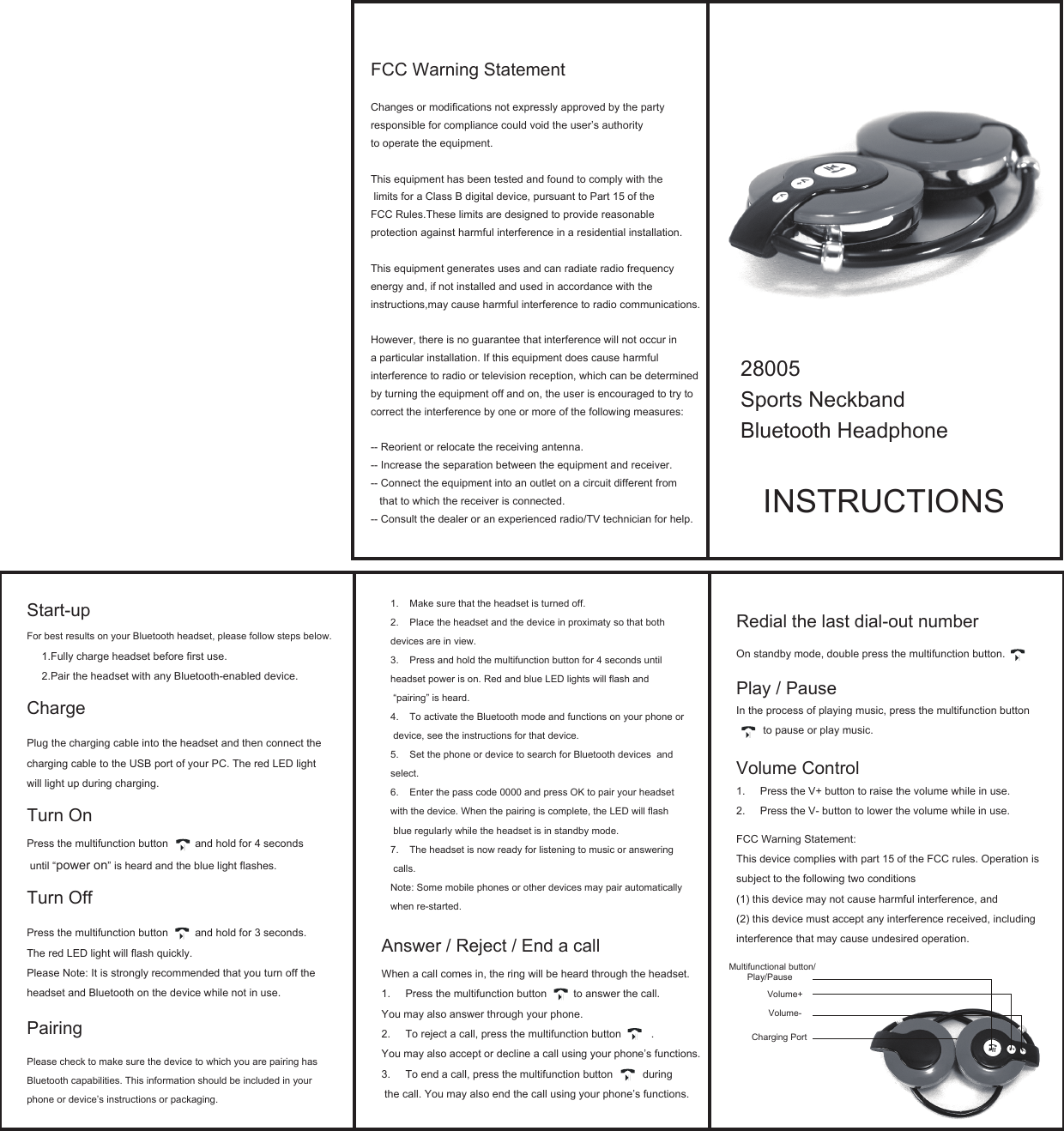
28005Sports NeckbandBluetooth HeadphoneINSTRUCTIONSRedial the last dial-out numberOn standby mode, double press the multifunction button. Play / PauseIn the process of playing music, press the multifunction button          to pause or play music.Volume Control1. Press the V+ button to raise the volume while in use.2. Press the V- button to lower the volume while in use.FCC Warning Statement:This device complies with part 15 of the FCC rules. Operation is subject to the following two conditions (1) this device may not cause harmful interference, and(2) this device must accept any interference received, including interference that may cause undesired operation.Start-up For best results on your Bluetooth headset, please follow steps below.1.Fully charge headset before first use.2.Pair the headset with any Bluetooth-enabled device.ChargePlug the charging cable into the headset and then connect the charging cable to the USB port of your PC. The red LED light will light up during charging.Turn OnPress the multifunction button         and hold for 4 seconds until “power on” is heard and the blue light flashes.Turn OffPress the multifunction button         and hold for 3 seconds. The red LED light will flash quickly. Please Note: It is strongly recommended that you turn off the headset and Bluetooth on the device while not in use.Pairing Please check to make sure the device to which you are pairing hasBluetooth capabilities. This information should be included in your phone or device’s instructions or packaging.Multifunctional button/Play/Pause  Volume+Volume-Charging PortAnswer / Reject / End a callWhen a call comes in, the ring will be heard through the headset.1. Press the multifunction button         to answer the call. You may also answer through your phone.2. To reject a call, press the multifunction button          . You may also accept or decline a call using your phone’s functions.3. To end a call, press the multifunction button          during the call. You may also end the call using your phone’s functions.1. Make sure that the headset is turned off.2. Place the headset and the device in proximaty so that both devices are in view. 3. Press and hold the multifunction button for 4 seconds until headset power is on. Red and blue LED lights will flash and “pairing” is heard.4. To activate the Bluetooth mode and functions on your phone or device, see the instructions for that device.5. Set the phone or device to search for Bluetooth devices  and select.6. Enter the pass code 0000 and press OK to pair your headset with the device. When the pairing is complete, the LED will flash blue regularly while the headset is in standby mode.7. The headset is now ready for listening to music or answering calls. Note: Some mobile phones or other devices may pair automatically when re-started.FCC Warning StatementChanges or modifications not expressly approved by the party responsible for compliance could void the user’s authority to operate the equipment.This equipment has been tested and found to comply with the limits for a Class B digital device, pursuant to Part 15 of the FCC Rules.These limits are designed to provide reasonableprotection against harmful interference in a residential installation.This equipment generates uses and can radiate radio frequencyenergy and, if not installed and used in accordance with the instructions,may cause harmful interference to radio communications. However, there is no guarantee that interference will not occur in a particular installation. If this equipment does cause harmful interference to radio or television reception, which can be determined by turning the equipment off and on, the user is encouraged to try to correct the interference by one or more of the following measures:-- Reorient or relocate the receiving antenna.-- Increase the separation between the equipment and receiver.-- Connect the equipment into an outlet on a circuit different from   that to which the receiver is connected.-- Consult the dealer or an experienced radio/TV technician for help.

Navigation menu