LIFI LABS LCM3T Wifi module User Manual

LIFI LABS INC Wifi module Users Manual

Users Manual

 1         LCM3C and LCM3T   User Guide
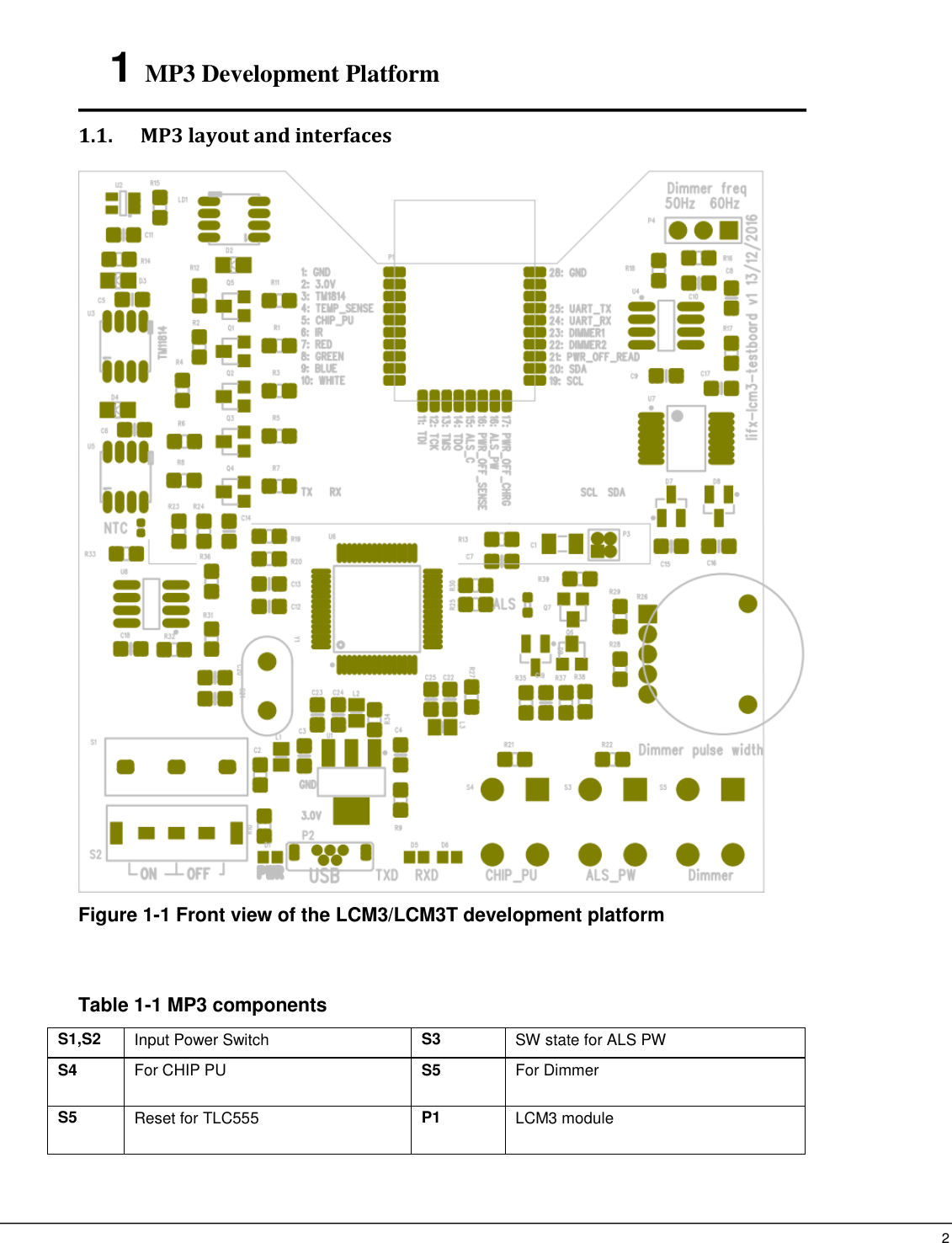
 2   1 MP3 Development Platform    1.1. MP3 layout and interfaces    Figure 1-1 Front view of the LCM3/LCM3T development platform   Table 1-1 MP3 components S1,S2   Input Power Switch   S3   SW state for ALS PW S4   For CHIP PU   S5   For Dimmer   S5  Reset for TLC555 P1  LCM3 module
 3   P2  USB2.0 socket with 5V power input   P3   MFI daughter board header   P4  Jumper for selecting dimming frequency, open:50Hz, Close:60Hz   U1   Voltage Regulator LM1117   U2 TM1814 Logic Translator, 74AHCT1G125SE   U3, U5 TM1814, RGBW LED with SPI-mode LED driver IC on U4  TLC555   U6  FT2232HL USB-RS232 U7  74HCT221 U8  M93CxS, E2PROM   D1 LED for indicator of 3.0V power D2, Q5 IR LED and its driver MOS LD1   RGBW LED IC   Q1~Q4 MOS driver for RGBW LED LDR1 Ambient Light Sensor Q7 2N7002K, MOS for control Q6 Q6  SSF6007, MOS for ADC power off time sense R26 Variant Resistor 1.2. MP3 functionality   This section lists the power supply, jumper settings, push button, headers interfaces and their pin assignments.  Table 1-2 Power supply   Table 1-3 Header interfaces Header   Pin no.   Function1   Function2   Function3   Function4   ESP32   GPIO no.   P1   P1.1   P1.28 Ground       P1.2   3.3V Power      GPIO[13]   P1.3   32.768k crystal positive input      GPIO[12]   P1.4   32.768k crystal negative input     P1.5   CHIP PU      GPIO[10]   P1.6   VDET_1  I2C slave data     GPIO[11]   P1.7   VDET_2      P1.8   GREEN PWM      GPIO[25]   P1.9   BLUE PWM      GPIO[26]   P1.10   WHITE PWM      GPIO[27] Component   Definition and description   P2 Mini-USB interface, for ART and power supply   S1,S2     Input Power Switch
 4   P1.11   MTDI     P1.12   MTCK       P1.13   MTMS       P1.14   MTDO       P1.15   RED PWM      GPIO[2] P1.16   IR        GPIO[4]   P1.17   RUN MODE       P1.18   Power off time charge control      GPIO[5]   P1.19   SCL       P1.20   SDA     P1.21   Power time read control    GPIO[22] P1.22   Dimmer2      GPIO[19] P1.23 Dimmer1    GPIO[21] P1.24 UART_RX     P1.25 UART_TX     P1.26 P1.27   NC
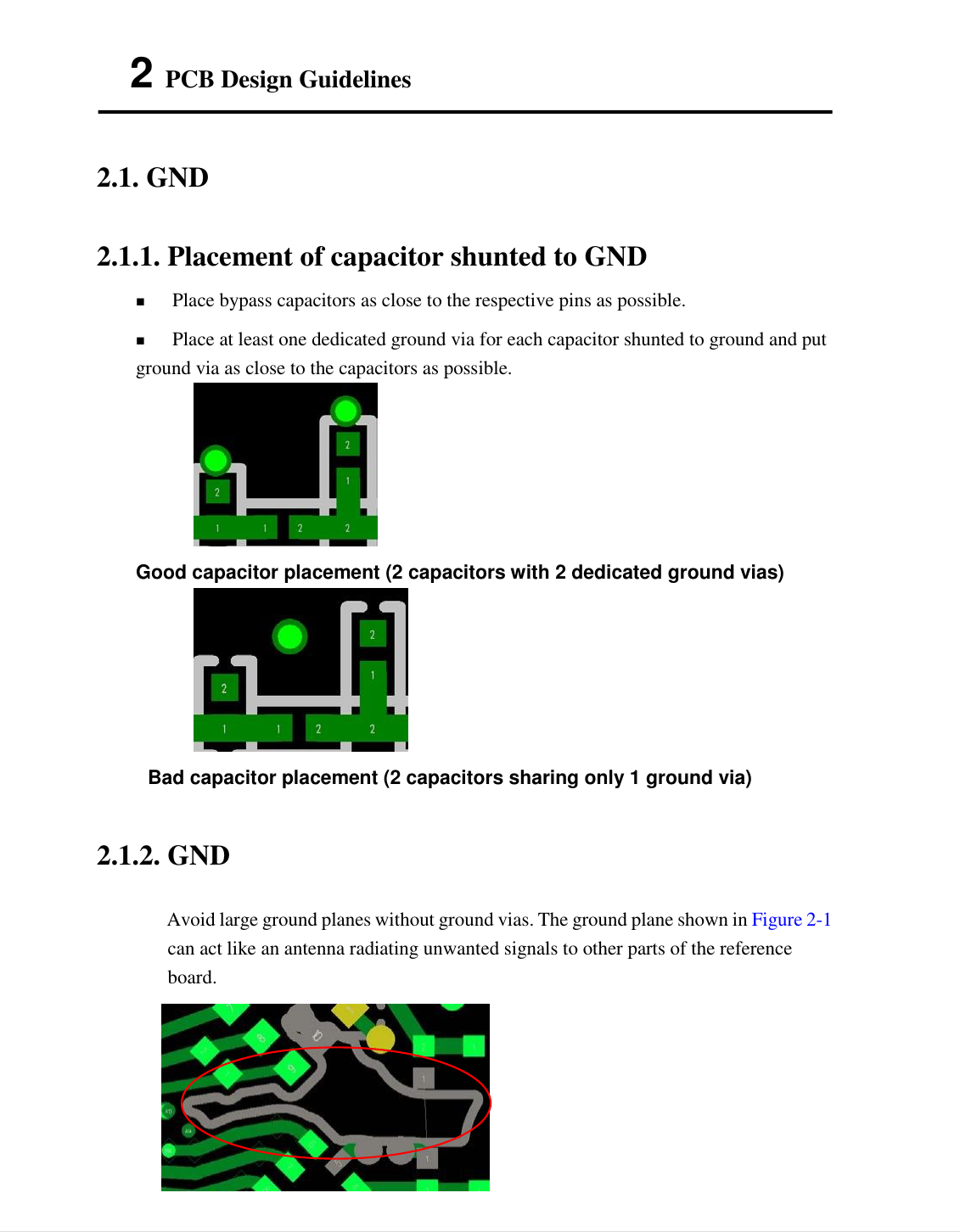
 5   2 PCB Design Guidelines   2.1. GND   2.1.1. Placement of capacitor shunted to GND    Place bypass capacitors as close to the respective pins as possible.  Place at least one dedicated ground via for each capacitor shunted to ground and put ground via as close to the capacitors as possible.  Good capacitor placement (2 capacitors with 2 dedicated ground vias)    Bad capacitor placement (2 capacitors sharing only 1 ground via)   2.1.2. GND   Avoid large ground planes without ground vias. The ground plane shown in Figure 2-1 can act like an antenna radiating unwanted signals to other parts of the reference board.
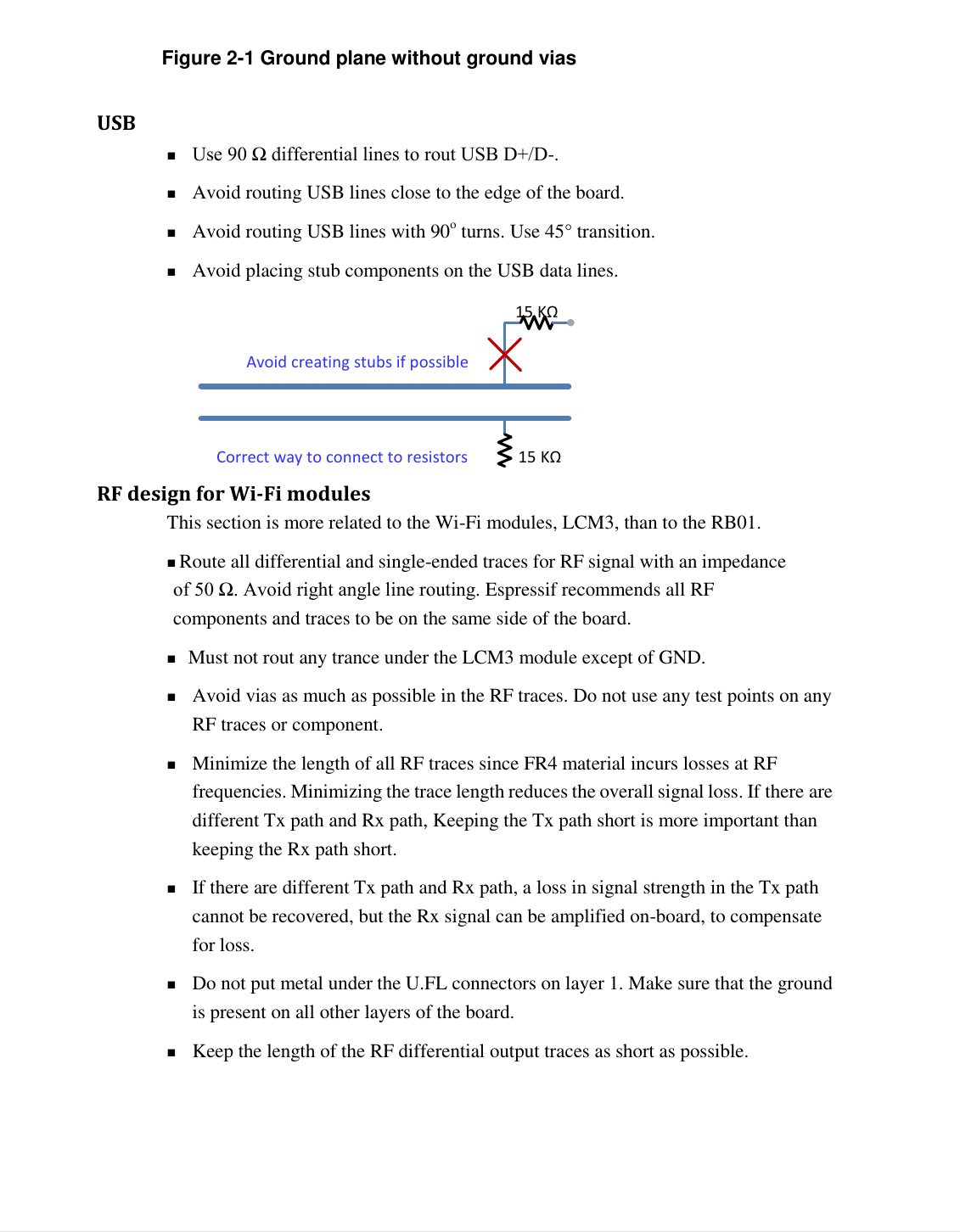
 6   Figure 2-1 Ground plane without ground vias   USB    Use 90 Ω differential lines to rout USB D+/D-.  Avoid routing USB lines close to the edge of the board.  Avoid routing USB lines with 90o turns. Use 45° transition.  Avoid placing stub components on the USB data lines.  RF design for Wi-Fi modules   This section is more related to the Wi-Fi modules, LCM3, than to the RB01.   Route all differential and single-ended traces for RF signal with an impedance of 50 Ω. Avoid right angle line routing. Espressif recommends all RF components and traces to be on the same side of the board. Must not rout any trance under the LCM3 module except of GND.  Avoid vias as much as possible in the RF traces. Do not use any test points on any RF traces or component.  Minimize the length of all RF traces since FR4 material incurs losses at RF frequencies. Minimizing the trace length reduces the overall signal loss. If there are different Tx path and Rx path, Keeping the Tx path short is more important than keeping the Rx path short.  If there are different Tx path and Rx path, a loss in signal strength in the Tx path cannot be recovered, but the Rx signal can be amplified on-board, to compensate for loss.  Do not put metal under the U.FL connectors on layer 1. Make sure that the ground is present on all other layers of the board.  Keep the length of the RF differential output traces as short as possible. 15   KΩ   Avoid creating stubs if possible 15   KΩ   Correct way to connect to resistors
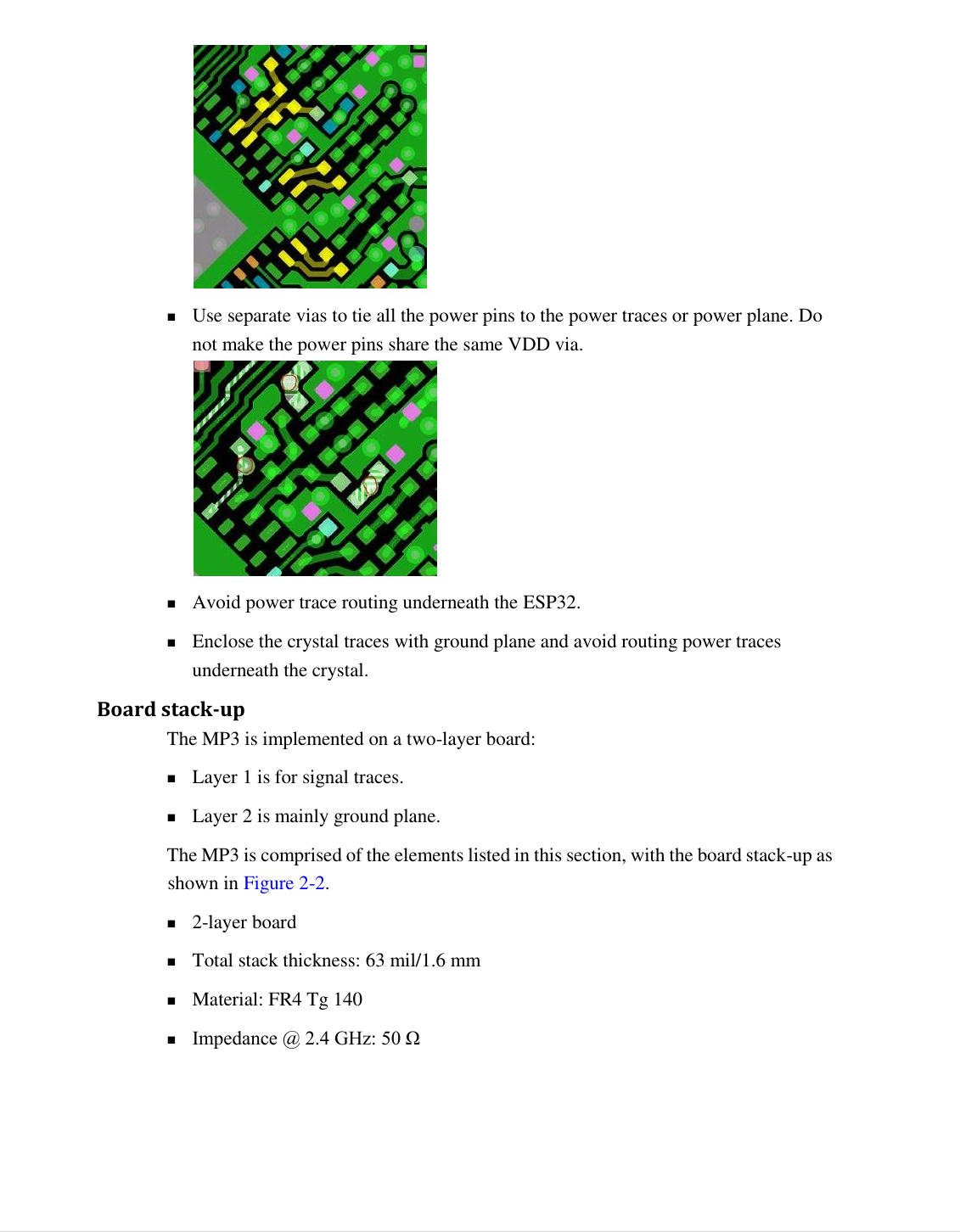
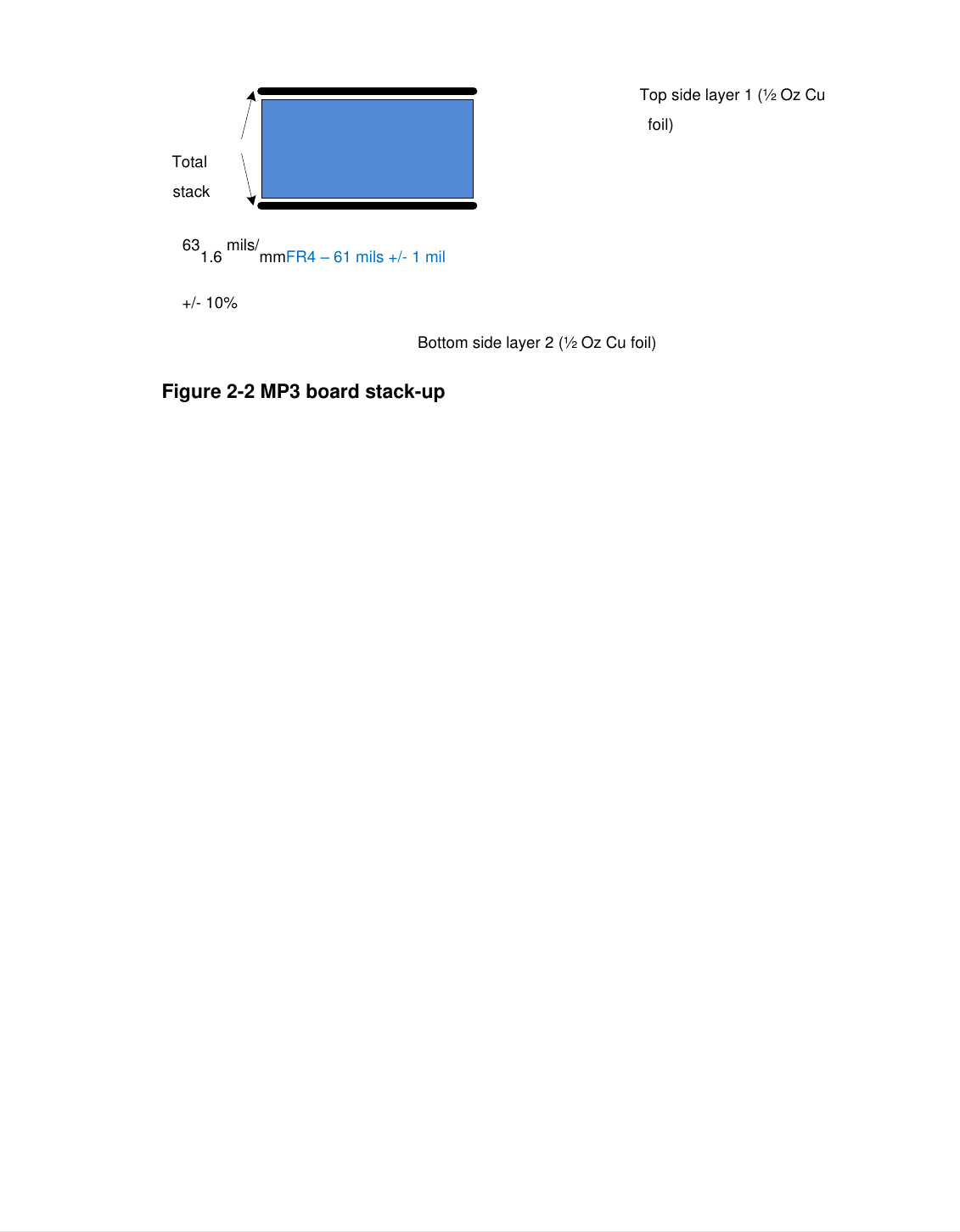
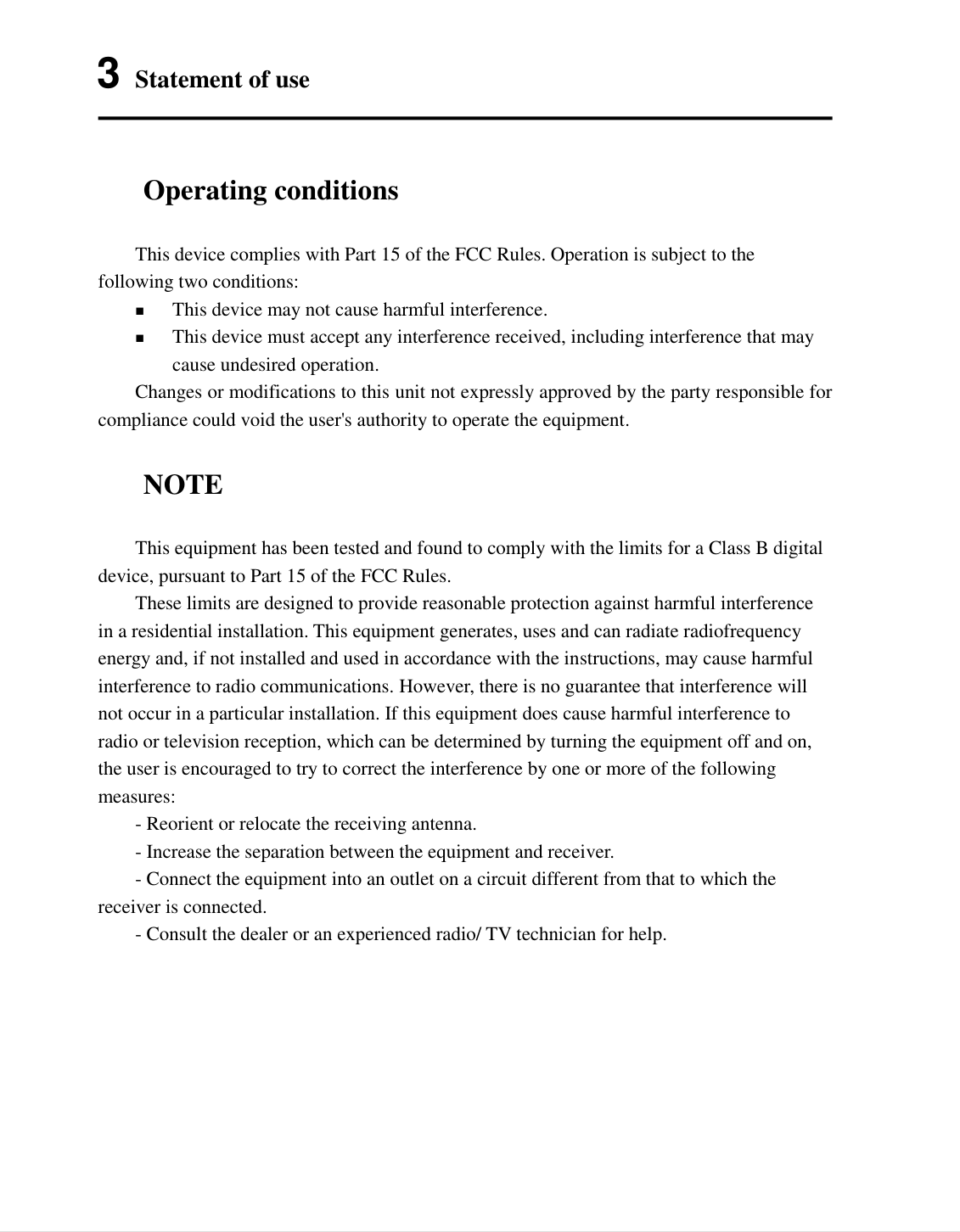
 7     Use separate vias to tie all the power pins to the power traces or power plane. Do not make the power pins share the same VDD via.   Avoid power trace routing underneath the ESP32.  Enclose the crystal traces with ground plane and avoid routing power traces underneath the crystal. Board stack-up   The MP3 is implemented on a two-layer board:   Layer 1 is for signal traces.  Layer 2 is mainly ground plane. The MP3 is comprised of the elements listed in this section, with the board stack-up as shown in Figure 2-2.    2-layer board  Total stack thickness: 63 mil/1.6 mm  Material: FR4 Tg 140  Impedance @ 2.4 GHz: 50 Ω
 8    Top side layer 1 (½ Oz Cu foil) Total stack   631.6 mils/mmFR4 – 61 mils +/- 1 mil +/- 10% Bottom side layer 2 (½ Oz Cu foil) Figure 2-2 MP3 board stack-up
 9   3 Statement of use Operating conditions  This device complies with Part 15 of the FCC Rules. Operation is subject to the following two conditions:  This device may not cause harmful interference.  This device must accept any interference received, including interference that may cause undesired operation.  Changes or modifications to this unit not expressly approved by the party responsible for compliance could void the user's authority to operate the equipment. NOTE  This equipment has been tested and found to comply with the limits for a Class B digital device, pursuant to Part 15 of the FCC Rules.   These limits are designed to provide reasonable protection against harmful interference in a residential installation. This equipment generates, uses and can radiate radiofrequency energy and, if not installed and used in accordance with the instructions, may cause harmful interference to radio communications. However, there is no guarantee that interference will not occur in a particular installation. If this equipment does cause harmful interference to radio or television reception, which can be determined by turning the equipment off and on, the user is encouraged to try to correct the interference by one or more of the following measures:   - Reorient or relocate the receiving antenna.   - Increase the separation between the equipment and receiver.   - Connect the equipment into an outlet on a circuit different from that to which the receiver is connected.   - Consult the dealer or an experienced radio/ TV technician for help.
 RF Warning Statement To comply with FCC RF exposure compliance requirements, the antennas used for this transmitter must be installed to provide a separation distance of at least 20 cm from all persons and must not be co-located or operating in conjunction with any other antenna or transmitter.This device is intended only for OEM integrators under the following conditions: 1) The antenna must be installed such that 20 cm is maintained between the antenna and users, and 2) The transmitter module may not be co-located with any other transmitter or antenna.  As long as two conditions above are met, further transmitter test will not be required as something related to RF exposure. However, the OEM integrator is still responsible for testing their end-product for any additional compliance requirements required with this module installed. To ensure compliance with all non-transmitter functions the host manufacturer is responsible for ensuring compliance with the module(s) installed and fully operational. For example, if a host was previously authorized as an unintentional radiator under the Declaration of Conformity procedure without a transmitter certified module and a module is added, the host manufacturer is responsible for ensuring that the after the module is installed and operational the host continues to be compliant with the Part 15B unintentional radiator requirements. The module is limited to OEM installation ONLY. The module is limited to installation in mobile or fixed application. We hereby acknowledge our responsibility to provide guidance to the host manufacturer in the event that they require assistance for ensuring compliance with the Part 15 Subpart B requirements.  IMPORTANT NOTE: In the event that these conditions cannot be met (for example certain laptop configurations or co-location with another transmitter), then the FCC authorization is no longer considered valid and the FCC ID cannot be used on the final product. In these circumstances, the OEM integrator will be responsible for reevaluating the end product (including the transmitter) and obtaining a separate FCC authorization.  End Product Labeling This transmitter module is authorized only for use in device where the antenna may be installed such that 20 cm may be maintained between the antenna and users. The final end product must be labeled in a visible area with the following: “Contains FCC ID: 2AA53-LCM3T and IC:11475A-LCM3T”. The grantee's FCC ID and IC Number can be used only when all FCC and ISED compliance requirements are met. The following FCC part 15.19 statement has to also be available on the label: This device complies with Part 15 of FCC rules. Operation is subject to the following two conditions: (1) this device may not cause harmful interference and (2) this device must accept any interference received, including interference that may cause undesired operation.  Installation Guideline AntennainformationWiFiantenna:PCBantennaandmaxgain1.9dBi
 Manual Information to the End User The OEM integrator has to be aware not to provide information to the end user regarding how to install or remove this RF module in the user’s manual of the end product which integrates this module. In the user manual of the end product, the end user has to be informed that the equipment complies with FCC radio-frequency exposure guidelines set forth for an uncontrolled environment. The end user has to also be informed that any changes or modifications not expressly approved by the manufacturer could void the user's authority to operate this equipment. The end user manual shall include all required regulatory information/warning as show in this manual.  This device complies with Part 15 of the FCC Rules and with RSS-247 of Industry Canada. Operation is subject to the following two conditions:   (1) This device may not cause harmful interference, and   (2) this device must accept any interference received, including interference that may cause undesired operation.    Le présent appareil est conforme aux CNR d'Industrie Canada applicables aux appareils radio exempts de licence. L'exploitation est autorisée aux deux conditions suivantes :   (1) l'appareil ne doit pas produire de brouillage, et (2) l'utilisateur de l'appareil doit accepter tout brouillage radioélectrique subi, même si le brouillage est susceptible d'en compromettre le fonctionnement.  Radiation Exposure Statement:  This equipment complies with IC radiation exposure limits set forth for an uncontrolled environment. This equipment should be installed and operated with minimum distance 20cm between the radiator & your body.   Déclaration d'exposition aux radiations: Cet équipement est conforme aux limites d'exposition aux rayonnements IC établies pour un environnement non contrôlé. Cet équipement doit être installé et utilisé avec un minimum de 20 cm de distance entre la source de rayonnement et votre corps.

Navigation menu