LabelZone Brother Pt P900W User Manual
2017-02-03
User Manual: LabelZone Brother Pt-P900W
Open the PDF directly: View PDF  .
.
Page Count: 3
Professional Network
Label Printer Range
Print durable labels from your PC, Mac, smartphone or
tablet using wireless or wired network connectivity.
• Wired network* & Wi-Fi to print labels from several devices at once,
including tablets/smartphones
• Connect to data contained in spreadsheets to batch print many labels at once
• Software development kits available for Windows, iOS and Android devices
• Range of optional accessories to customise the printer to your needs
• Create durable labels up to 36mm in width
• High speed and high resolution printing
• Advanced cutter with easy label peel function
• Include images, barcodes and frames on your labels
www.brother.co.uk
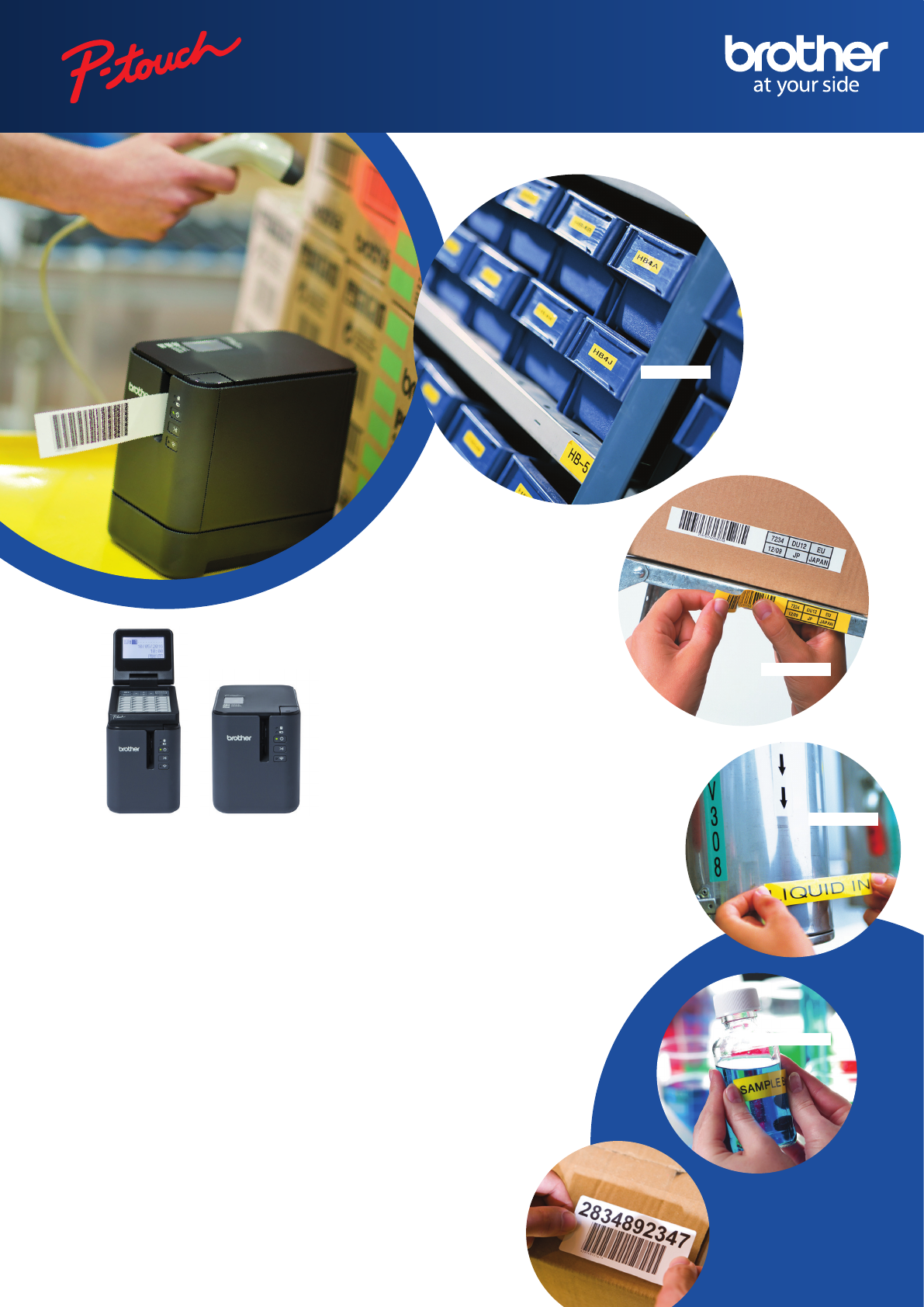
Warehousing
Logistics
Healthcare
Pharmaceutical
*PT-P950NW only
P900W / P950NW
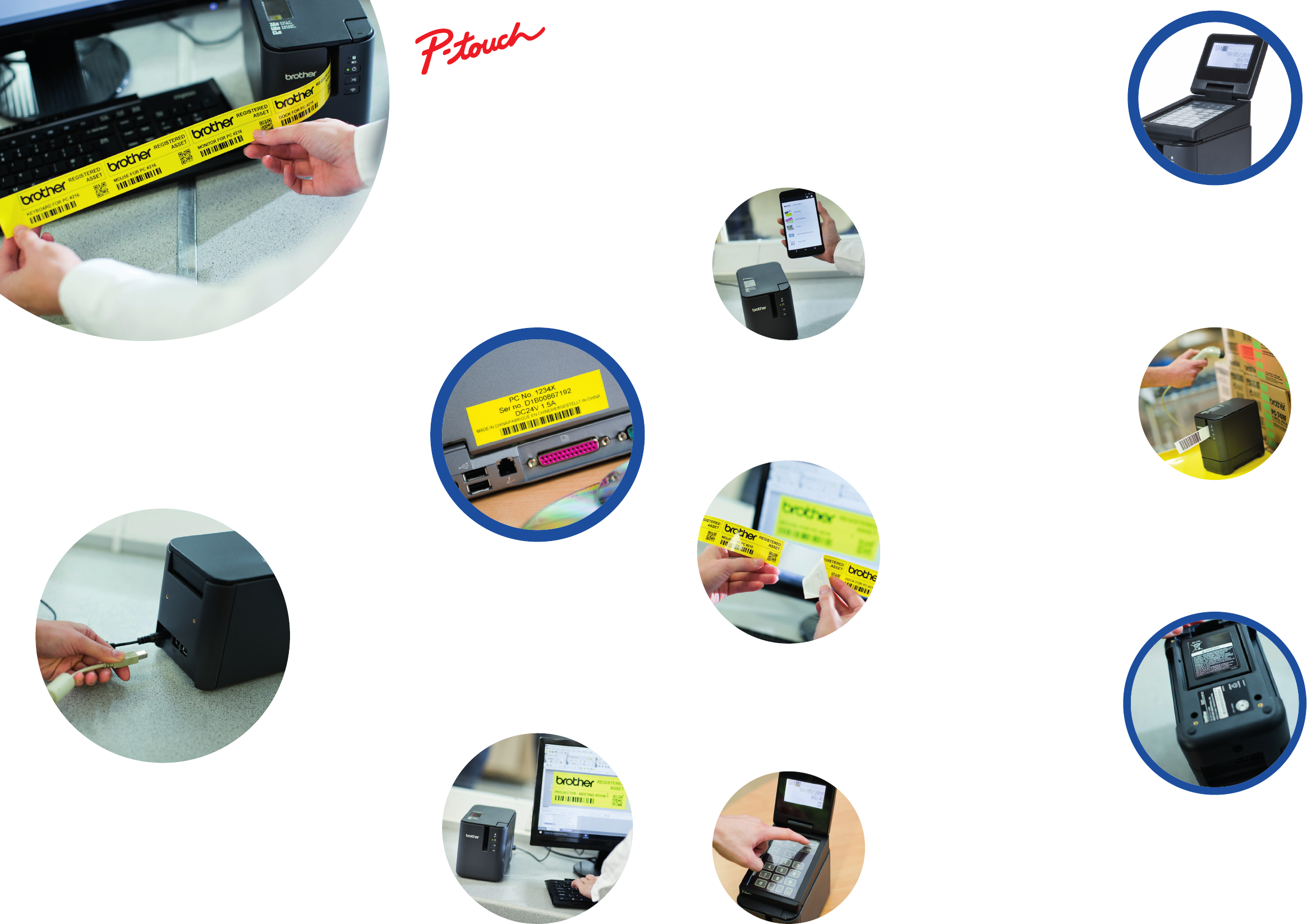
Professional label printers designed for any
labelling task
With a wide range of colours combinations and tape widths up to 36mm, near
borderless printing and high speed/high resolution print capabilities, these two label
printers are ideal for facilities management, document archiving, asset labelling and
creating on-demand labels whenever and wherever required.
Industrial label design software for PC and Mac
Both models use the free P-touch Editor label design software for Windows and Mac.
It boasts advanced features normally found in expensive desktop applications such as
industry standard 1D and 2D barcodes, import of logos and other graphics, and allows
you to use the fonts installed on your computer. Link to a Microsoft Excel® spreadsheet
or .csv file to print multiple labels quickly and efficiently.
Print from smartphones or tablets
Instantly create and print simple labels from your smartphone or tablet without needing to start
your PC. The Brother iPrint&Label app wirelessly connects to the printer to let you design and print
labels from your iOS or Android device. Or if you need to identify electrical and datacom cabling
and equipment, use the Brother Cable Label Tool app to print labels for wrapping around cables
or for sticking to faceplates, electrical distribution boards and other specialist equipment.
Include label printing as part of your solution
Software and app developers can use various software development kits for Microsoft Windows, iOS
and Android devices to enable label printing from within your own software and apps. This makes
these printers ideal to integrate into custom solutions, where durable labels are required.
Print wherever and whenever required
There are situations where AC power may not be available, such as on construction sites, or
if the label printer needs to be used on a portable trolley. Attach the optional battery base and
rechargeable lithium-ion battery pack to allow label printing wherever and whenever required.
Wireless connectivity for ultimate flexibility
Create and print labels from your smartphone or tablet quickly without needing to boot your PC or
Mac. The Brother iPrint&Label app connects wirelessly using Wi-Fi direct to let you design simple
labels on your iOS or Android device.
Or if you need to identify electrical and data cabling and equipment, use the specialised Brother
Cable Label Tool app to quickly print labels for wrapping around cables or for sticking to faceplates,
electrical distribution boards, cabinets, servers and other equipment. The PT-D800W can also be
connected to your office wireless network, and allow multiple users to print labels from their PC or
Mac whenever required.
Advanced cutter with easy-peel function
The advanced cutter can produce one long strip of labels that are easily peeled
one-at-a-time, and ensures your labels are kept in the correct order. Or each label can be fully
cut if required.
Print labels on demand without a PC
Ideal for the food, healthcare and laboratory markets, the optional Touch Panel Display Unit (for PT-
P950NW only) lets you print labels without a connection to a PC. Design your label(s) and upload to
the required location(s) indicated on the buttons. The user simply then needs to press the relevant
button to print that label, on demand. Furthermore, the built-in clock allows labels to include current
and future time/date - ideal for “Use By” or “Printed On” labels.
Offering the highest print speed and
print resolution in their class, the P T-
P900 series of professional label
printers produce durable labels up to
36mm in width. Print text, barcodes,
images and logos onto laminated,
durable labels that are suitable for
indoor or outdoor use, and last for
many years. Choose from wireless
and wired network connectivity,
and a range of optional accessories to
create a customised label printing
solution that suits your requirements.
Wired and wireless connectivity including
Bluetooth
These compact desktop label printers can be connected to your PC or
Mac using the integrated USB or Wi-Fi connections. The PT-P950NW can
also connect to your wired network thanks to its 10/100 Base-TX network
port, and an optional Bluetooth module allows it to easily connect directly
to rugged tablets, portable PC’s and to Bluetooth input devices such as
barcode scanners.
All specifications correct at time of printing. Brother is a registered trademark of Brother Industries Ltd.
Brand product names are registered trademarks or trademarks of their respective companies. Label images
shown are for illustrative purposes only and some aspects may not be reproducable on this model.
Product specifications may be subject to change. E&OE.
Shepley Street, Audenshaw, Manchester M34 5JD
Tel:+44(0)333 777 4444 Fax:+44(0)161 931 2218
Website: www.brother.co.uk
Brother UK Ltd
Contact:
Label printing
Connectivity: Wired
USB: Windows®(USB1.1, 2.0, 3.0 protocol) | Mac (USB 1.0, 2.0 protocol)
Network: 10 Base-T/100 Base-TX (PT-P950NW only)
Serial: RS-232C (for printing with ESC/P commands only. Requires optional serial adapter)
Wireless Direct: IEEE802.11n | Ad-Hoc mode: IEEE802.11b | Infrastructure mode: IEEE802.11b/g/n | WPS 2.0
Connectivity: Wireless
Connectivity: Bluetooth (optional accessory for PT-P950NW)
Bluetooth 2.1+EDR | Profiles: SPP, OPP
Label creation (PC/Mac)
Uses P-touch Editor professional label design software
Link to data stored in Microsoft® Excel® (Windows®) and .csv (Mac) files, to merge onto your labels
Barcode protocols supported:
1D: CODE39, CODE128, ITF 2/5, EAN13, EAN8, UPC-A, UPC-E, CODABAR, GS1-128 (UCC/EAN128)
Dimensions and weights
118mm (w) x 192mm (d) x 146mm (h) | 1.48kg (PT-P900W) / 1.51kg (PT-P950NW)
Supplied with printer
36mm black on white laminated label cassette (8m)
Prints labels up to 36mm in width
Maximum print height of 32mm for near edge-to-edge printing
360dpi print resolution for crisp, legible text, images and barcodes
Choose any of the fonts installed on your PC/Mac to fully customise your label
2D: QR Code, PDF417, Data Matrix, Aztec Code, RSS-14 (Standard, Truncated, Stacked, StackedOmni), RSS-Limited, RSS Expanded (Standard, Stacked)
AC adapter
Fast print speed of 60mm/second
Built-in automatic label cutter with easy-peel function
Minimum label length: 4mm | Maximum label length: 1 metre
Print up to 17 lines per label
Number of copies: 1-999
Supports popular image formats (.bmp, .dib, .jpg, .tif, .ico, .wmf)
Special cable labelling wizard to easily create labels for cables, patch panels, faceplates and switches
Use the date/time stamp to automatically include current or future date/time on your labels
Printer emulations/printer modes
P-touch Raster | ESC/P | P-touch Template
USB cable
User guide
Tape types supported
TZe tape cassettes: 3.5mm-36mm
HSe heat-shrink tube: 5.8mm-23.6mm
FLe die-cut labels: 45mm x 21mm size
Specifications
System Requirements
Operating Systems: Microsoft® Windows Vista® | Microsoft® Windows® 7 | Microsoft® Windows® 8 | Microsoft® Windows® 8.1
Microsoft® Windows® 10 | Microsoft® Windows Server® 2008 | Microsoft® Windows Server® 2008 R2 | Microsoft® Windows Server® 2012
Microsoft® Windows Server® 2012 R2 | Mac OS X 10.9.5/10.10.x/10.11.x
Hard disk space: Windows®: More than 70MB | Mac: More than 500MB
System memory: As per operating system requirements
Microsoft® Office® support for P-touch add-in:
Microsoft® Word 2007/2010/2013/2016 | Microsoft® Excel® 2007/2010/2013/2016 | Microsoft® Outlook® 2007/2010/2013/2016
Microsoft, Windows, Windows Server and Windows Vista are either registered trademarks or trademarks of Microsoft Corporation in the United States
and/or other countries. Apple, Mac, Mac OS, iPhone, iPad and iPod touch are trademarks of Apple Inc., registered in the U.S. and other countries.
PA-BB-002
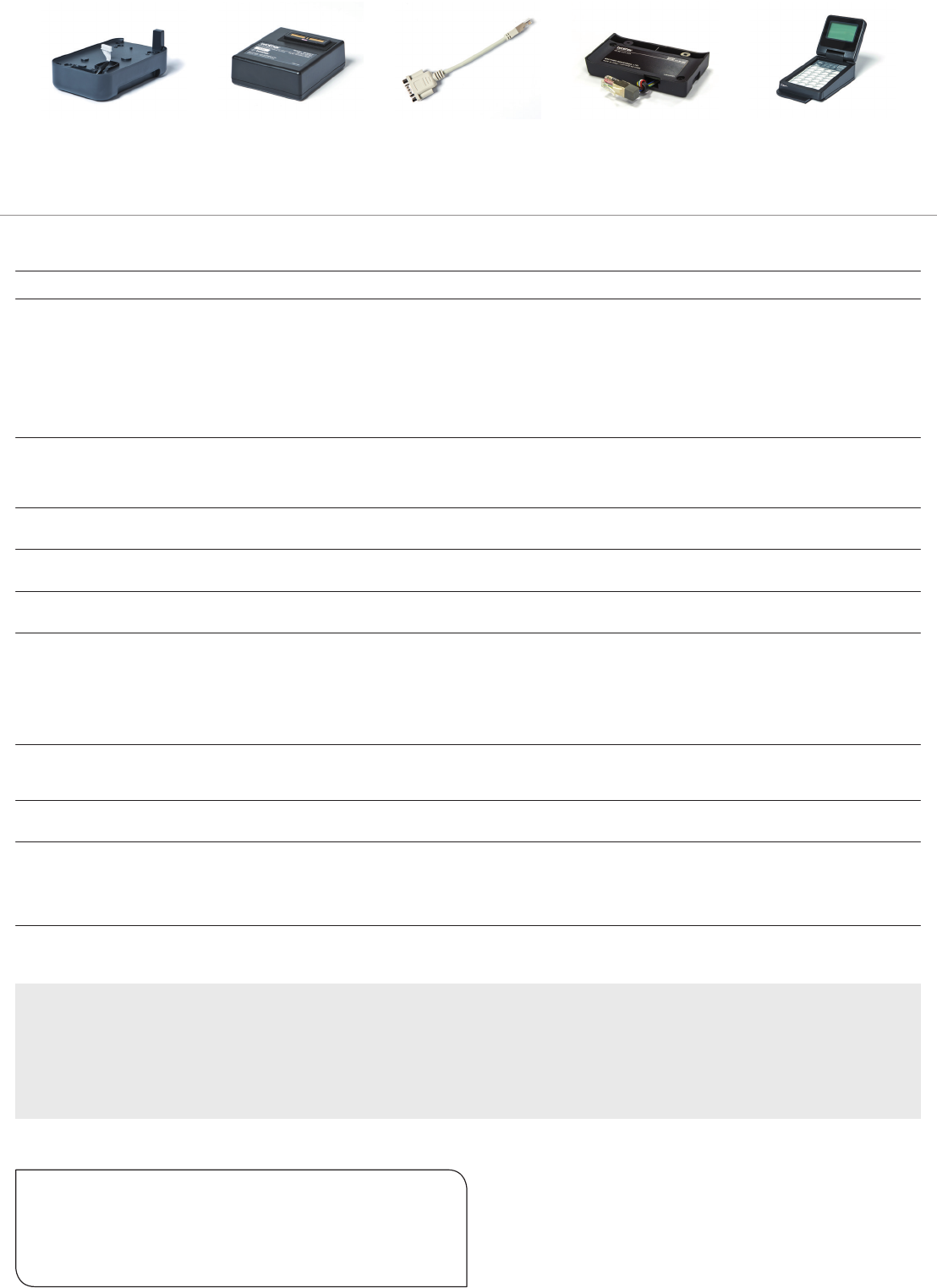
Battery base for li-ion
battery
PA-BT-4000LI
Lithium-Ion rechargeable
battery
PA-SCA-001
RJ25 to DB9M serial
adapter
PA-BI-002
Bluetooth interface
(PT-P950NW only)
PA-TDU-003
Touch Panel display unit
for stand-alone printing of
labels (PT-P950NW only)
Optional accessories
PT-P900 takes the serial adapter, battery and battery base only. The PT-P950 takes all the below accessories.
