Libratone A S BEATLT100 Wireless Speaker User Manual
Libratone A/S Wireless Speaker
User Manual
OWNERS MANUAL

2
4 Apple Compatibility
6 Placement
8 Connect 30-PIN for iPod, iPhone and iPad
10 Connect USB for Computer
12 Connect Mini Jack
14 Connect AirPlay
16 Charging and Syncing
18 Button Function
19 LED Signal
20 Cleaning
21 Troubleshooting
22 Specifications

3
YOU HAVE TAKEN A LEAP OF FAITH. A step towards a world of wireless
bliss. It takes a great deal of courage to liberate yourself from the chains
of speaker cables and ordinary stereo systems. But you have jumped right
into it. FOR THIS WE SALUTE YOU.
We have done everything in our power to make your BEAT speaker as
simple and user friendly as possible. Hopefully this manual will answer
any questions you might have.
Thank you for buying our product. Thank you for joining our movement.
CONGRATULATIONS!
4
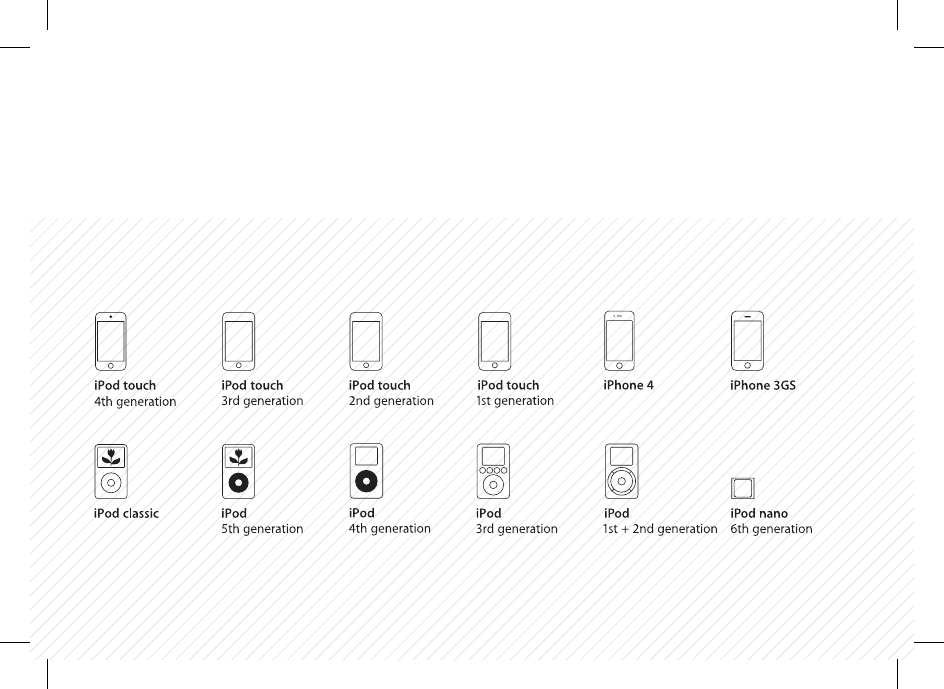
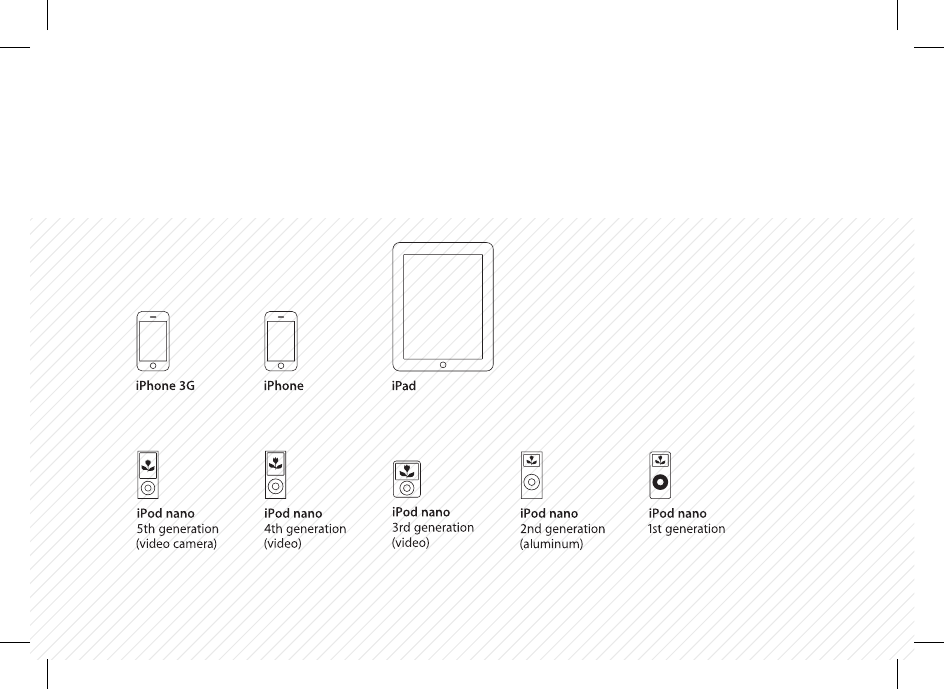
BEAT is for everyone and anyone who wants to set their music free.
To make this happen compatibility is a top priority for us.
Check out the list of icons to see if you’re all set.
iPhone, iPod, iPod classic, iPod nano and iPod touch are trademarks of Apple Inc., registered in the U.S. and other countries.
iPad is a trademark of Apple Inc.
5
APPLE COMPATIBILITY

6
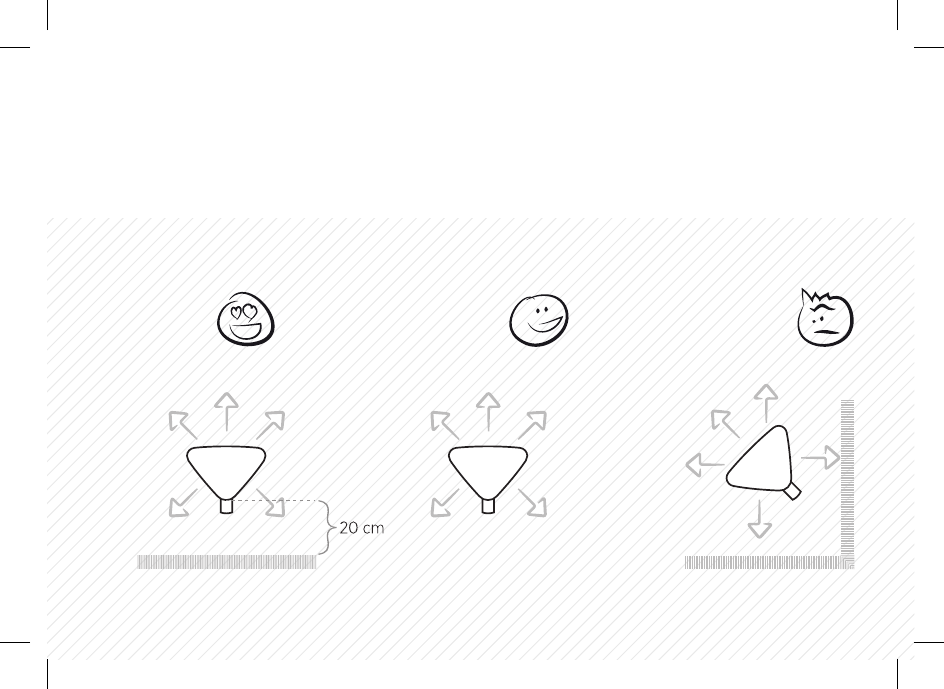
You can place BEAT just about anywhere you like and get the FullRoom™
stereo perspective. Still, a bit of good advice won’t hurt:
If you place BEAT against a hard backdrop with about 20 cm of air,
you allow the sound to reflect of the wall. This gives you a deeper bass
and an even fuller soundscape.
If you place BEAT in a corner close to the walls, it takes the edge of the
FullRoom™ stereo experience. We won’t recommend it, but you are
your own master.
USBCOMPUTER BEAT
BEAT
30 PIN
iPad, iPhone & iPod
iPad, iPhone &
iPod touch BEAT
APPLE TV,
AIRPORT EXPRESS
MINI JACKTV MOBILE BEAT
SOURCE
7
WALL FREE CORNER
PLACEMENT

USBCOMPUTER BEAT
BEAT
30 PIN
iPad, iPhone & iPod
iPad, iPhone &
iPod touch BEAT
APPLE TV,
AIRPORT EXPRESS
MINI JACKTV MOBILE BEAT
SOURCE
8
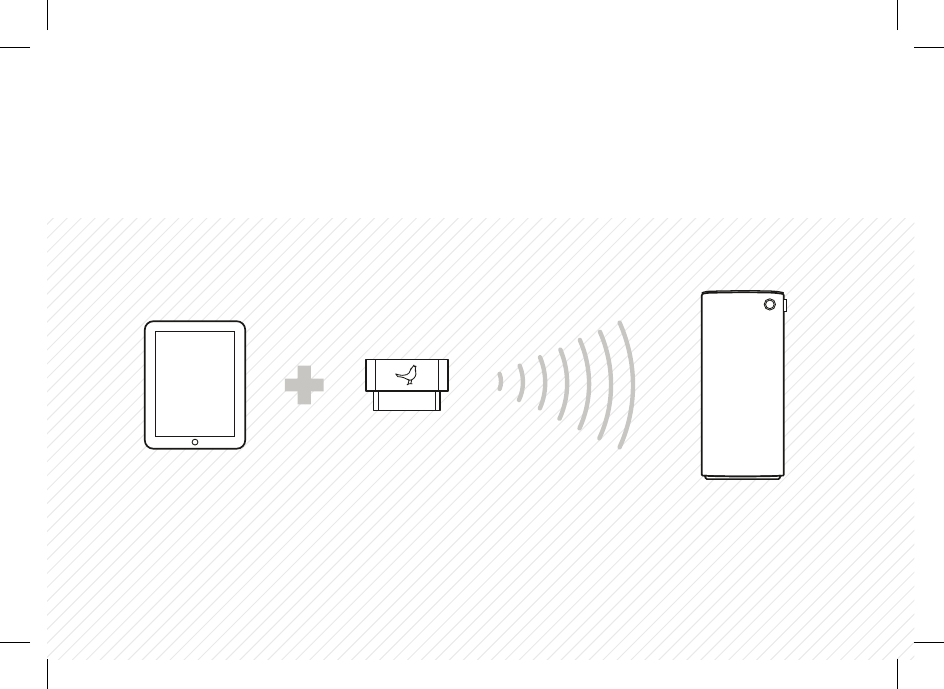
Connecting with the 30-pin
transmitter is easy as pie. Just
plug it in your iPod, iPhone or iPad
and press “play” on the device.
If you have several BEAT speakers
in your house, the sound will follow
you around. When the speakers
detect the transmitter, they will
automatically start playing after
a few seconds.
The 30-pin transmitter has a range
of up to 10 m in open space. If you’re
out of range, BEAT stops playing.
When you’re back in range, it starts
playing automatically.
Remember: You need to bond
your BEAT speaker with the
transmitters you use. But only the
first time you use them. To “bond”
means putting a transmitter on
BEAT’s list of known sources.
The very first time you want to
bond a transmitter with your BEAT
speaker, you press the button on
the speaker once.
To add additional new transmitters
press the button twice and add
them to the list of known sources.
USBCOMPUTER BEAT
BEAT
30 PIN
iPad, iPhone & iPod
iPad, iPhone &
iPod touch BEAT
APPLE TV,
AIRPORT EXPRESS
MINI JACKTV MOBILE BEAT
SOURCE
9
CONNECT 30-PIN

10
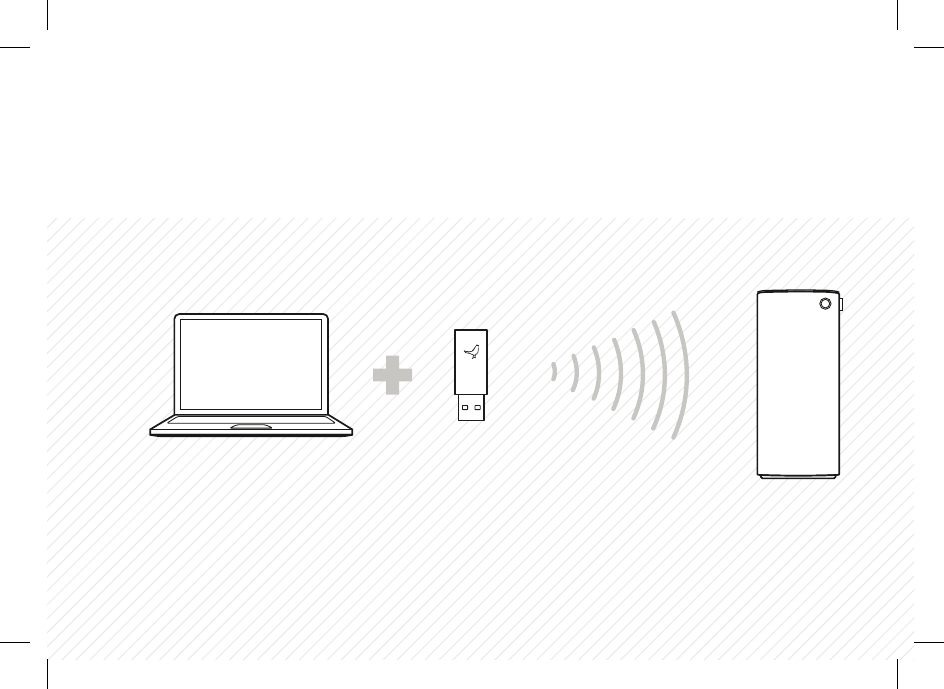
You can liberate the music from
your PC/MAC without blinking.
Just follow these simple steps:
1. Plug the USB transmitter in
your computer.
2. Make sure that your BEAT
speaker is listed as “SKAA USB TX”
sound source in the control panel
on your PC/MAC.
For the most part this will happen
automatically.
3. Play your music, audio books,
movies or games.
4. Press the button on your BEAT
speaker to bond, if you haven’t
used the transmitter before. This
makes it a known source.
(Press once if it is the first trans-
mitter you use with your BEAT
speaker. Twice if it’s not).
The range of the transmitter is up
to 30 m in open space.
USBCOMPUTER BEAT
BEAT
30 PIN
iPad, iPhone & iPod
iPad, iPhone &
iPod touch BEAT
APPLE TV,
AIRPORT EXPRESS
MINI JACKTV MOBILE BEAT
SOURCE
11
CONNECT USB
USBCOMPUTER BEAT
BEAT
30 PIN
iPad, iPhone & iPod
iPad, iPhone &
iPod touch BEAT
APPLE TV,
AIRPORT EXPRESS
MINI JACK
TV MOBILE
BEAT
SOURCE
12
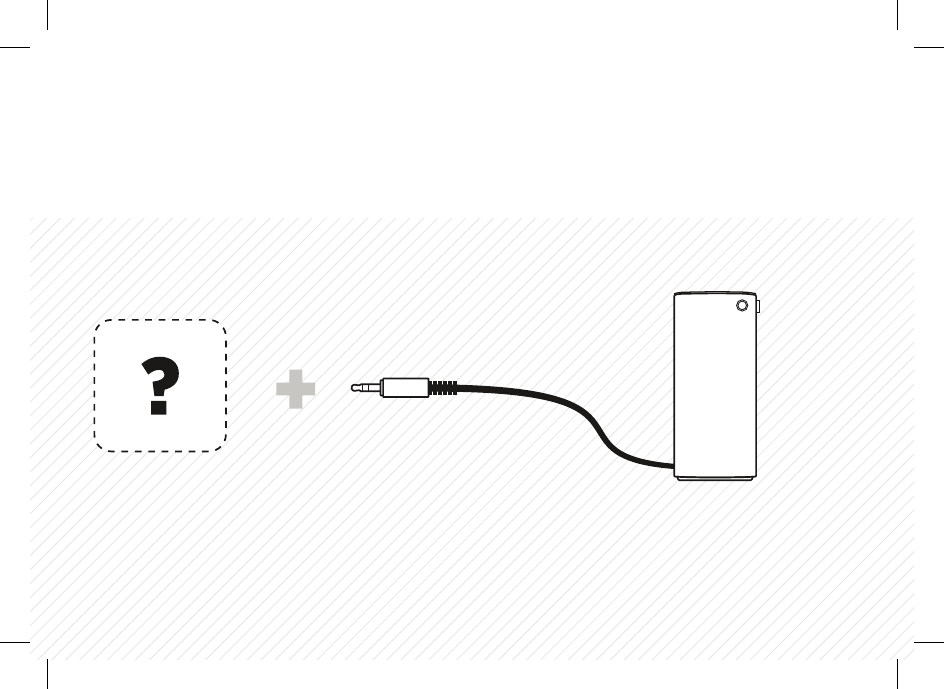
You can connect with a mini jack,
as well. But in our world wireless
always trumps wires. So if you use
both the wireless and the mini
jack connection at the same time,
BEAT will automatically choose
the wireless input.
To play from the mini jack source,
unplug the wireless transmitter.
USBCOMPUTER BEAT
BEAT
30 PIN
iPad, iPhone & iPod
iPad, iPhone &
iPod touch BEAT
APPLE TV,
AIRPORT EXPRESS
MINI JACK
TV MOBILE
BEAT
SOURCE
13
CONNECT MINI JACK

14
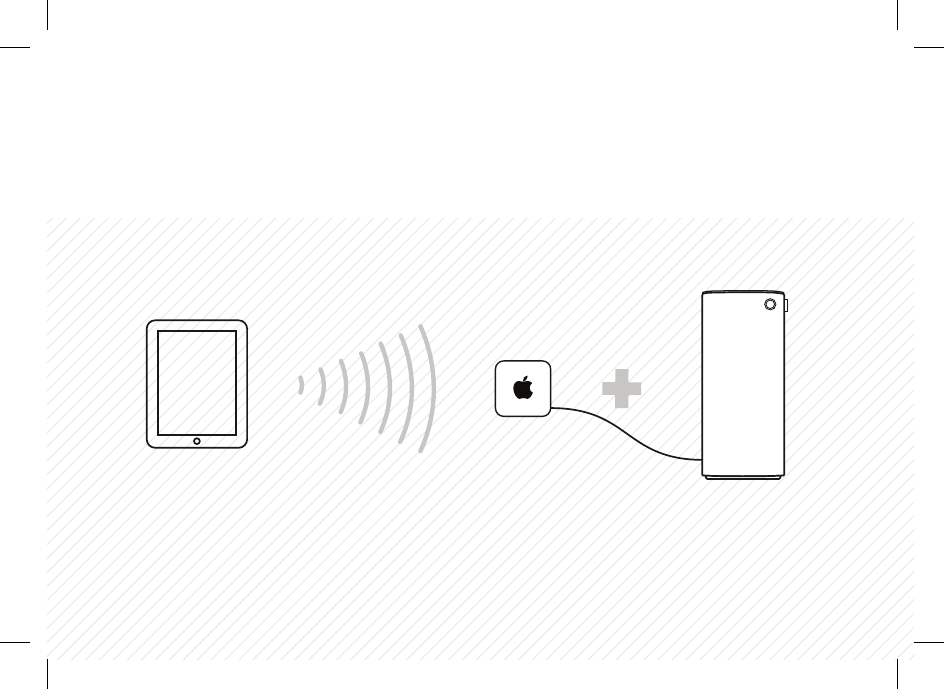
Connect an Apple TV or an Apple Airport Express
to your BEAT to stream music from iTunes over AirPlay.
If one room of high-end sound is not enough for you,
just add extra Airports and BEAT’s.
USBCOMPUTER BEAT
BEAT
30 PIN
iPad, iPhone & iPod
iPad, iPhone &
iPod touch BEAT
APPLE TV,
AIRPORT EXPRESS
MINI JACKTV MOBILE BEAT
SOURCE
15
CONNECT AIRPLAY

16
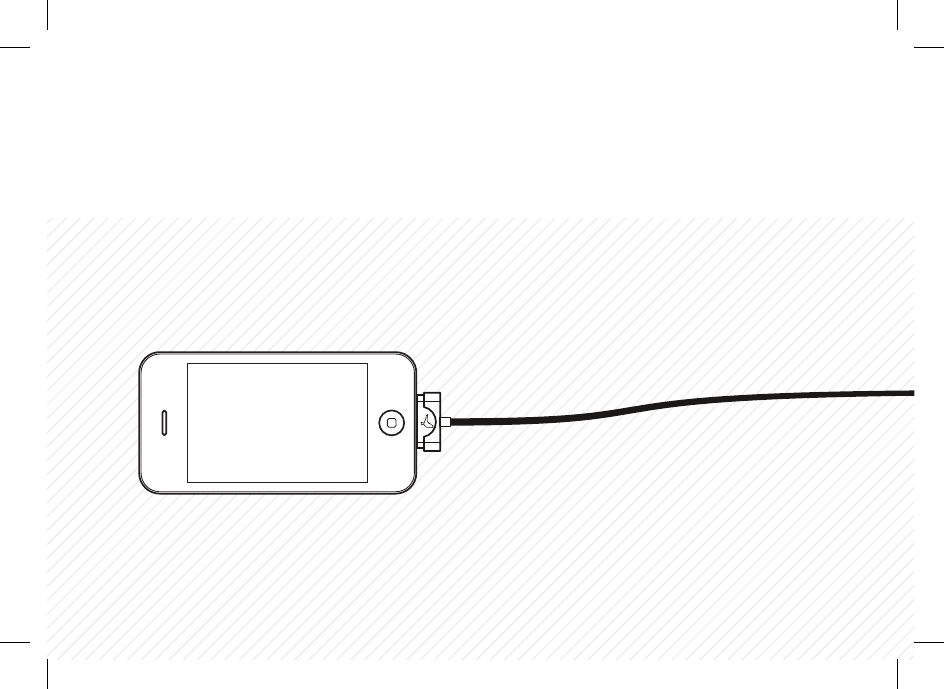
Want to charge your iPhone, iPad or iPod and listen to music at the
same time, you say? Impossible is nothing, we say! Just plug the USB
charge cable to the 30-pin transmitter and you’re good to go.
You can also connect the 30-pin transmitter to your Apple Dock to
play and charge simultaneously. The transmitter is compatible with
Apple iPod Dock, Apple iPad Dock and Apple iPhone Dock.
The USB charge cable also works for syncing the device with your
computer.
USBCOMPUTER BEAT
BEAT
30 PIN
iPad, iPhone & iPod
iPad, iPhone &
iPod touch BEAT
APPLE TV,
AIRPORT EXPRESS
MINI JACKTV MOBILE BEAT
SOURCE
17
CHARGING AND SYNCING

18
The BEAT button is multi-functional:
PRESS ONE TIME
To surf between your known wireless sources.
(If you haven’t bonded any transmitters with the speaker yet, a single press
will make BEAT search for and bond with any transmitters within reach).
PRESS TWO TIMES
To bond with additional new transmitters.
PRESS THREE TIMES
To mute the sound. Press again to unmute.
PRESS SIX TIMES
To clear all.
BUTTON FUNCTION

19
The coloured light in your BEAT speaker button is not just for show.
It’s trying to talk to you.
RED
Standby.
(BEAT goes to standby automatically after 5 minutes if not used)
YELLOW
Searching and connecting.
WHITE
Playing.
LED SIGNAL

20
BEAT is covered in fine Italian wool,
so please don’t use it as a coee table.
You can use a lint roller to remove lint from
the fabric or vacuum at very low power
with a special textile brush/head.
Gentle is the name of the game.
CLEANING

21
Our hearts and souls are in your speaker.
However, if your BEAT speaker is acting up and
you can’t find your answer here, please visit our
support page: www.libratone.com/support
If that doesn’t help you, mail us at support@libratone.com
We need you happy.
TROUBLESHOOTING

22
TECHNOLOGY
Wireless active speaker with built-in
Digital Signal Processing and Digital
Amplification. Implements Libratone
patented FullRoom™ acoustic technology
for exceptional sound performance.
WIRELESS
Plays audio from iPod, iPhone or iPad
using the wireless 30-pin transmitter
(range up to 10 m) or from a USB
equipped MAC/PC using the wireless
USB transmitter (range up to 30 m).
AMPLIFIER POWER OUTPUT
1x50W bass, 2x25W tweeter/midrange.
ACOUSTIC PERFORMANCE
Frequency range: -6 dB @ 50 Hz
and -3 dB @ 20.000 Hz.
Max. output: 100 dB SPL/1m
DRIVE UNITS
1x5” bass, 2x3” midrange and
2x1” ribbon based tweeter.
INPUTS
Wireless interface and
3.5 mm mini jack analog input.
POWER
95-255 Volt AC, 50/60Hz. Power
consumption 80/6 W. Energy saving
standby power consumption of only 1 W.
DIMENSIONS
Height: 47 cm. Width: 19.5 cm. Depth: 15 cm
Weight 6.5 kg.
IN THE BOX
BEAT speaker, Wireless 30-pin transmit-
ter for iPod/iPhone/iPad, Wireless USB
Transmitter, USB charging cable, Power
cord and Quick Start guide.

THIS IS IT!
TIME TO SET YOUR
MUSIC FREE
WE WISH YOU
GODSPEED
VISIT WWW.LIBRATONE.COM TO LEARN MORE.


FCC Statement:
Federal Communication Commission Interference Statement.
This equipment has been tested and found to comply with the limits for a Class B digital device, pursuant to Part 15 of the FCC Rules.
These limits are designed to provide reasonable protection against harmful interference in a residential installation. This equipment
generates, uses and can radiate radio frequency energy and, if not installed and used in accordance with the instructions, may cause
harmful interference to radio communications. However, there is no guarantee that interference will not occur in a particular installa-
tion. If this equipment does cause harmful interference to radio or television reception, which can be determined by turning the
equipment o and on, the user is encouraged to try to correct the interference by one of the following measures:
• Reorient or relocate the receiving antenna.
• Increase the separation between the equipment and receiver.
• Connect the equipment into an outlet on a circuit dierent from that to which the receiver is connected.
• Consult the dealer or an experienced radio/TV technician for help.
FCC Caution: Any changes or modifications not expressly approved by the party responsible for compliance could void the user’s
authority to operate this equipment.
This device complies with Part 15 of the FCC Rules. Operation is subject to the following two conditions: (1) This device may not cause
harmful interference, and (2) this device must accept any interference received, including interference that may cause undesired
operation. This device and its antenna(s) must not be co-located or operation in conjunction with any other antenna or transmitter.
IMPORTANT NOTE:
FCC Radiation Exposure Statement:
This equipment complies with FCC radiation exposure limits set forth for an uncontrolled environment. This equipment should be
installed and operated with minimum distance 20cm between the radiator & your body.

IC Statement
This Class B digital apparatus complies with Canadian ICES-003.
Operation is subject to the following two conditions: (1) this device may not cause interference, and (2) this device must accept any
interference, including interference that may cause undesired operation of the device. Cet appareil numérique de la classe B est
conforme á la norme NMB-003 du Canada. This device and its antenna(s) must not be co-located or operation in conjunction with any
other antenna or
transmitter.
Le présent appareil est conforme aux CNR d’Industrie Canada applicables aux appareils radio exempts de licence. L’exploitation est
autorisée aux deux conditions suivantes : (1) l’appareil ne doit pas produire de brouillage, et (2) l’utilisateur de l’appareil doit accepter
tout brouillage radioélectrique subi, même si le brouillage est susceptible d’en compromettre le fonctionnement.
IMPORTANT NOTE:
IC Radiation Exposure Statement:
This equipment complies with IC RSS-102 radiation exposure limits set forth for an uncontrolled environment. This equipment should
be installed and operated with minimum distance 20cm between the radiator & your body.