Lisheng LS-A8-UHF Two-Way Radio/Transceiver User Manual LS A8 UHF

Lisheng (Fujian) Communications Co., Ltd. Two-Way Radio/Transceiver LS A8 UHF

USERS MANUAL

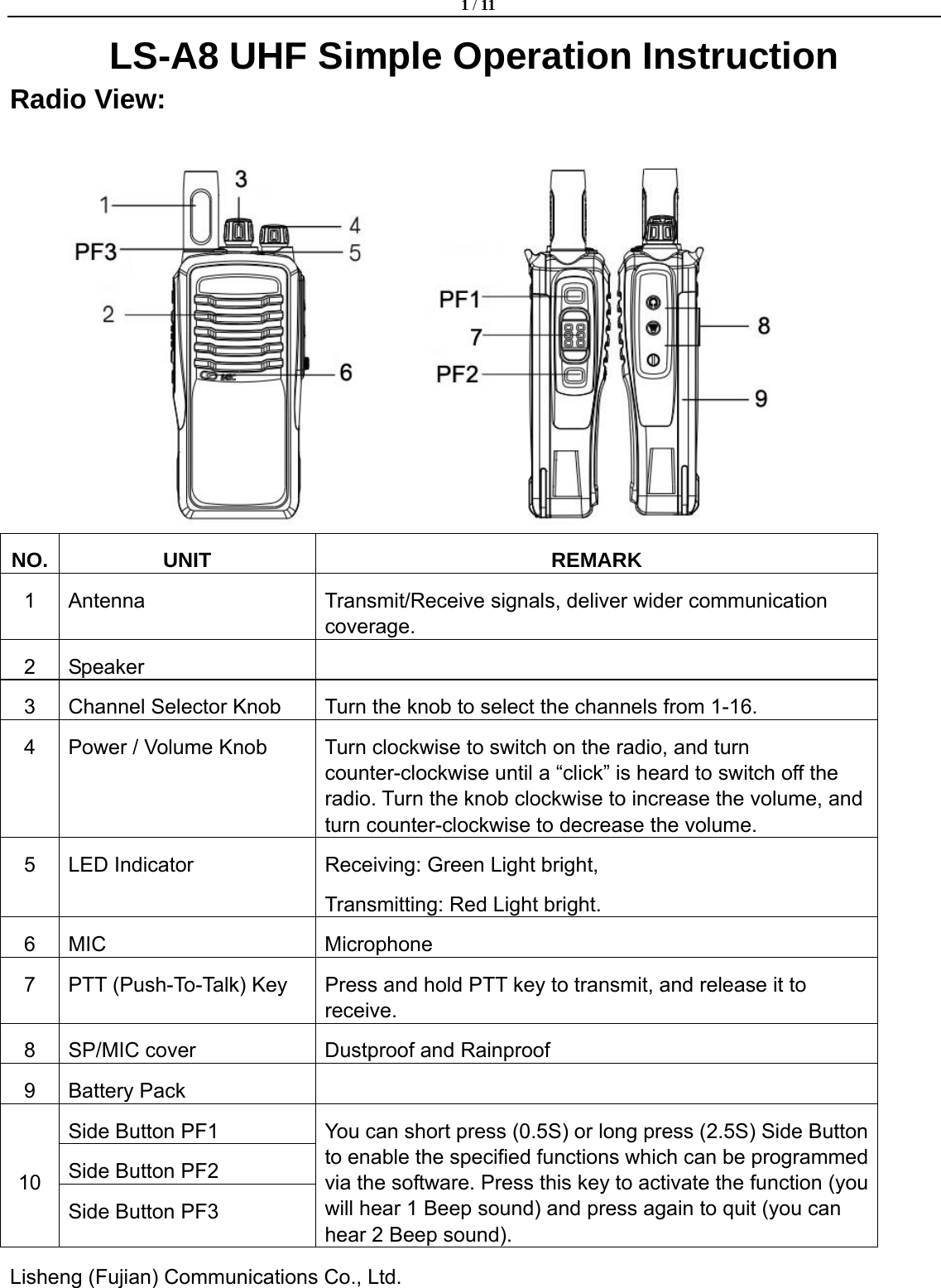
 1 / 11  Lisheng (Fujian) Communications Co., Ltd.               LS-A8 UHF Simple Operation Instruction Radio View:    NO. UNIT  REMARK 1  Antenna  Transmit/Receive signals, deliver wider communication coverage. 2 Speaker   3  Channel Selector Knob  Turn the knob to select the channels from 1-16. 4  Power / Volume Knob  Turn clockwise to switch on the radio, and turn counter-clockwise until a “click” is heard to switch off the radio. Turn the knob clockwise to increase the volume, and turn counter-clockwise to decrease the volume. 5  LED Indicator  Receiving: Green Light bright, Transmitting: Red Light bright. 6 MIC  Microphone 7  PTT (Push-To-Talk) Key  Press and hold PTT key to transmit, and release it to receive. 8  SP/MIC cover  Dustproof and Rainproof 9 Battery Pack   Side Button PF1 Side Button PF2 10 Side Button PF3 You can short press (0.5S) or long press (2.5S) Side Button to enable the specified functions which can be programmed via the software. Press this key to activate the function (you will hear 1 Beep sound) and press again to quit (you can hear 2 Beep sound).
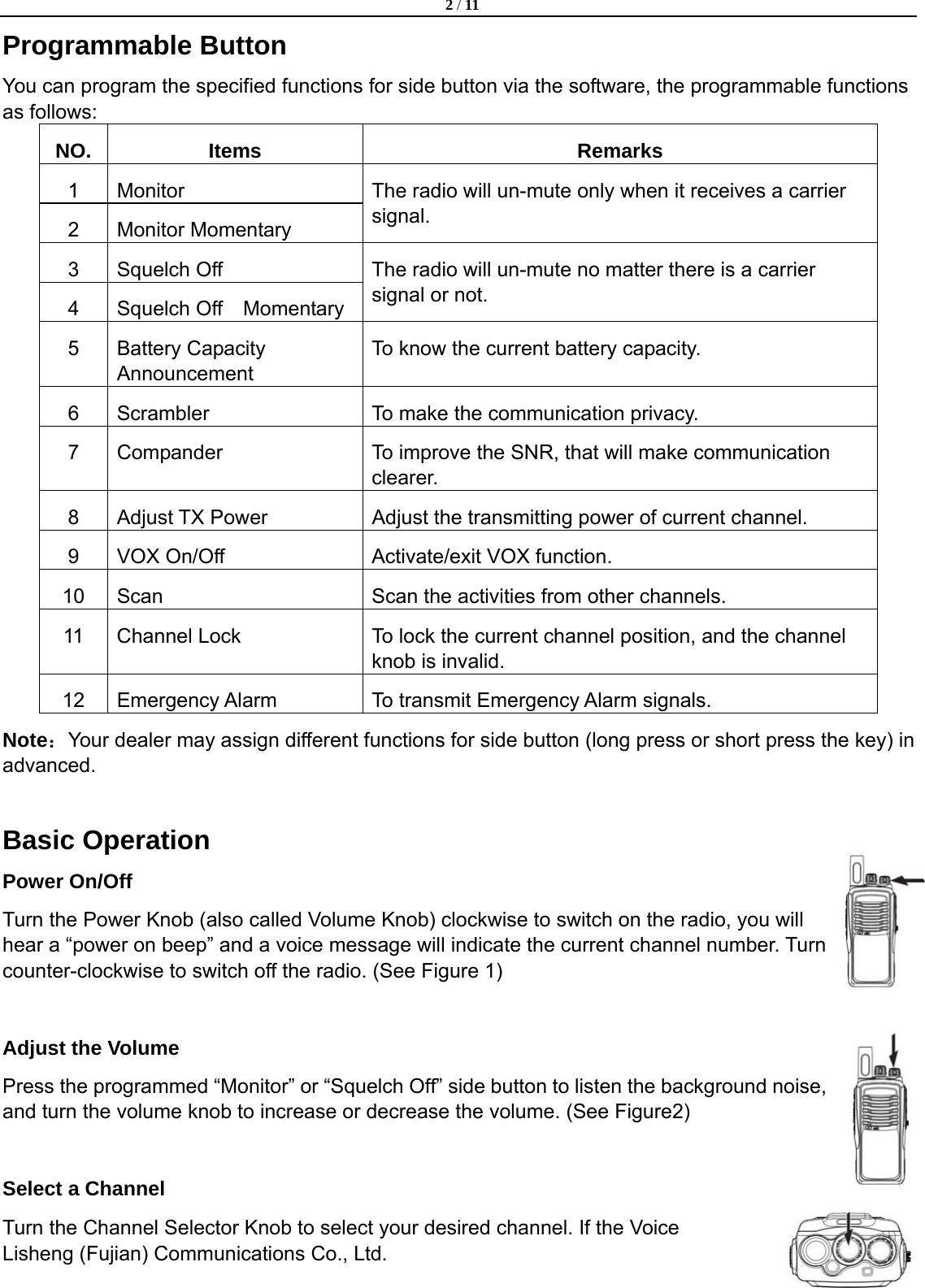
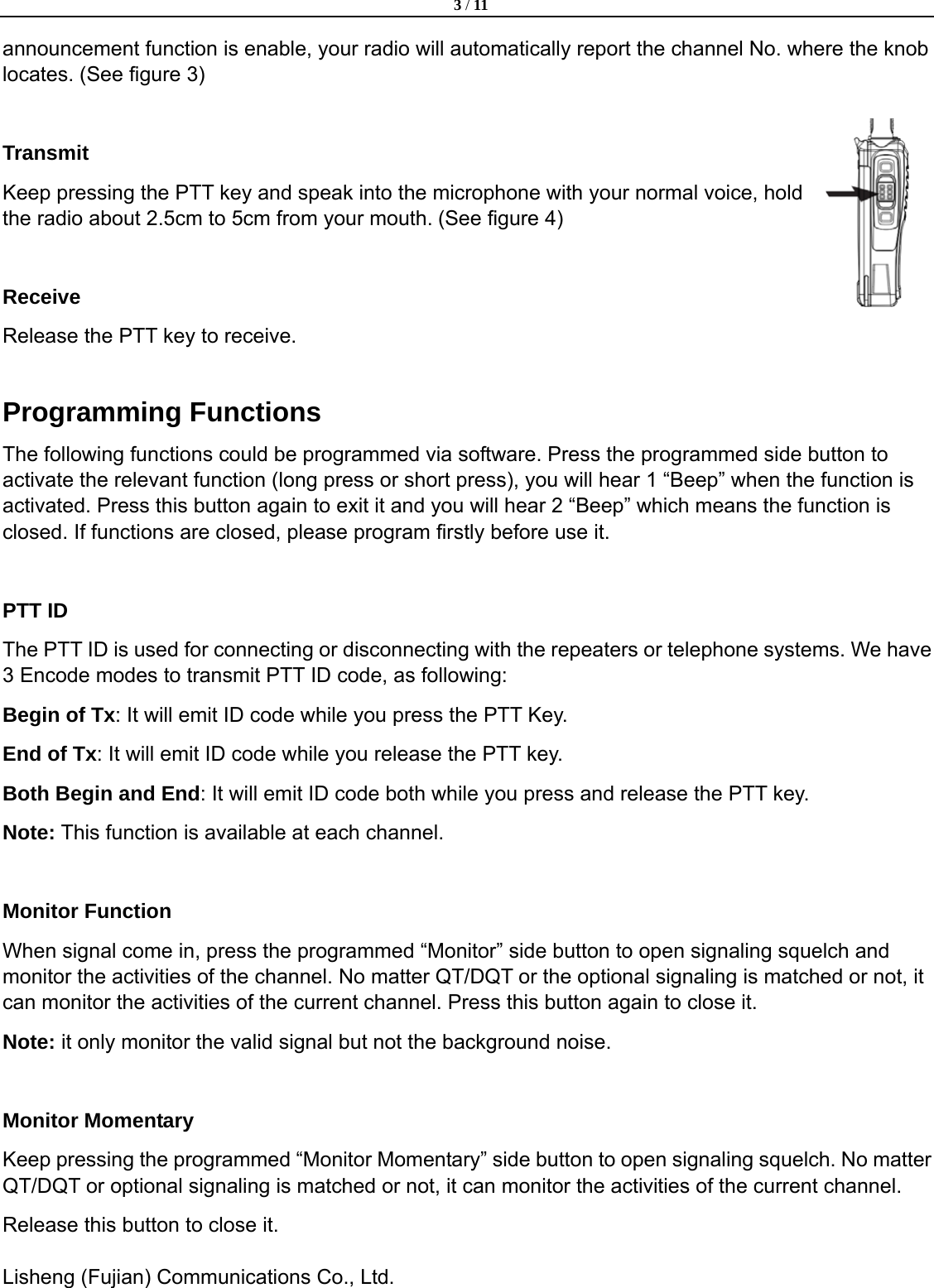
 2 / 11  Lisheng (Fujian) Communications Co., Ltd.               Programmable Button You can program the specified functions for side button via the software, the programmable functions as follows: NO. Items  Remarks 1 Monitor 2 Monitor Momentary The radio will un-mute only when it receives a carrier signal. 3 Squelch Off  4  Squelch Off  Momentary The radio will un-mute no matter there is a carrier signal or not. 5 Battery Capacity Announcement To know the current battery capacity. 6  Scrambler  To make the communication privacy. 7  Compander  To improve the SNR, that will make communication clearer. 8  Adjust TX Power  Adjust the transmitting power of current channel. 9  VOX On/Off  Activate/exit VOX function. 10  Scan  Scan the activities from other channels. 11  Channel Lock  To lock the current channel position, and the channel knob is invalid. 12  Emergency Alarm  To transmit Emergency Alarm signals.   Note:Your dealer may assign different functions for side button (long press or short press the key) in advanced.  Basic Operation Power On/Off Turn the Power Knob (also called Volume Knob) clockwise to switch on the radio, you will hear a “power on beep” and a voice message will indicate the current channel number. Turn counter-clockwise to switch off the radio. (See Figure 1)  Adjust the Volume Press the programmed “Monitor” or “Squelch Off” side button to listen the background noise, and turn the volume knob to increase or decrease the volume. (See Figure2)    Select a Channel   Turn the Channel Selector Knob to select your desired channel. If the Voice
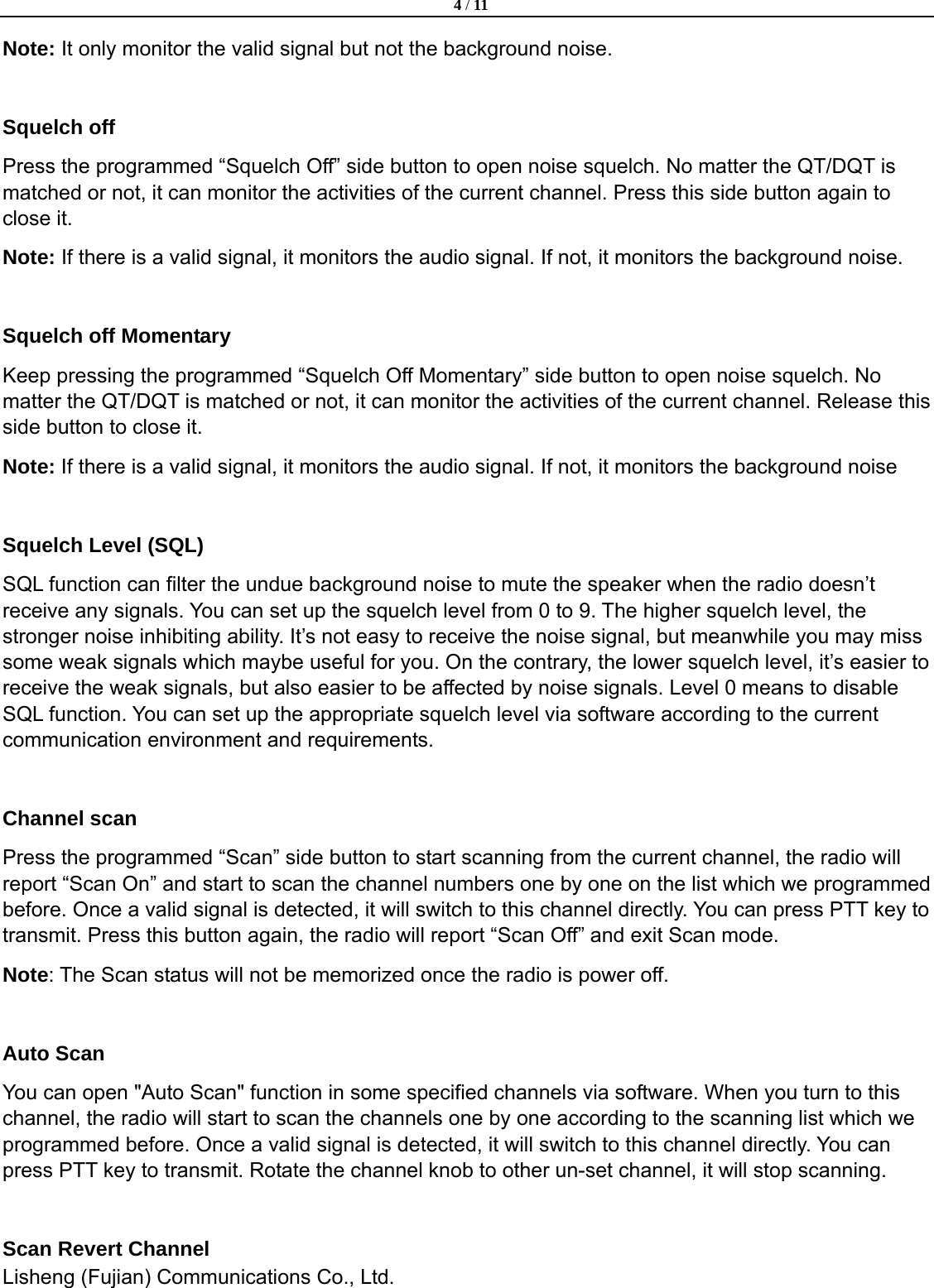
 3 / 11  Lisheng (Fujian) Communications Co., Ltd.               announcement function is enable, your radio will automatically report the channel No. where the knob locates. (See figure 3)  Transmit Keep pressing the PTT key and speak into the microphone with your normal voice, hold the radio about 2.5cm to 5cm from your mouth. (See figure 4)  Receive Release the PTT key to receive.  Programming Functions The following functions could be programmed via software. Press the programmed side button to activate the relevant function (long press or short press), you will hear 1 “Beep” when the function is activated. Press this button again to exit it and you will hear 2 “Beep” which means the function is closed. If functions are closed, please program firstly before use it.  PTT ID   The PTT ID is used for connecting or disconnecting with the repeaters or telephone systems. We have 3 Encode modes to transmit PTT ID code, as following: Begin of Tx: It will emit ID code while you press the PTT Key.   End of Tx: It will emit ID code while you release the PTT key.   Both Begin and End: It will emit ID code both while you press and release the PTT key. Note: This function is available at each channel.    Monitor Function   When signal come in, press the programmed “Monitor” side button to open signaling squelch and monitor the activities of the channel. No matter QT/DQT or the optional signaling is matched or not, it can monitor the activities of the current channel. Press this button again to close it.   Note: it only monitor the valid signal but not the background noise.  Monitor Momentary Keep pressing the programmed “Monitor Momentary” side button to open signaling squelch. No matter QT/DQT or optional signaling is matched or not, it can monitor the activities of the current channel.   Release this button to close it.
 4 / 11  Lisheng (Fujian) Communications Co., Ltd.               Note: It only monitor the valid signal but not the background noise.  Squelch off Press the programmed “Squelch Off” side button to open noise squelch. No matter the QT/DQT is matched or not, it can monitor the activities of the current channel. Press this side button again to close it. Note: If there is a valid signal, it monitors the audio signal. If not, it monitors the background noise.  Squelch off Momentary Keep pressing the programmed “Squelch Off Momentary” side button to open noise squelch. No matter the QT/DQT is matched or not, it can monitor the activities of the current channel. Release this side button to close it. Note: If there is a valid signal, it monitors the audio signal. If not, it monitors the background noise  Squelch Level (SQL) SQL function can filter the undue background noise to mute the speaker when the radio doesn’t receive any signals. You can set up the squelch level from 0 to 9. The higher squelch level, the stronger noise inhibiting ability. It’s not easy to receive the noise signal, but meanwhile you may miss some weak signals which maybe useful for you. On the contrary, the lower squelch level, it’s easier to receive the weak signals, but also easier to be affected by noise signals. Level 0 means to disable SQL function. You can set up the appropriate squelch level via software according to the current communication environment and requirements.  Channel scan   Press the programmed “Scan” side button to start scanning from the current channel, the radio will report “Scan On” and start to scan the channel numbers one by one on the list which we programmed before. Once a valid signal is detected, it will switch to this channel directly. You can press PTT key to transmit. Press this button again, the radio will report “Scan Off” and exit Scan mode.   Note: The Scan status will not be memorized once the radio is power off.  Auto Scan You can open "Auto Scan" function in some specified channels via software. When you turn to this channel, the radio will start to scan the channels one by one according to the scanning list which we programmed before. Once a valid signal is detected, it will switch to this channel directly. You can press PTT key to transmit. Rotate the channel knob to other un-set channel, it will stop scanning.  Scan Revert Channel
 5 / 11  Lisheng (Fujian) Communications Co., Ltd.               You can preset a revert channel when a valid signal is detected, press [PTT] key to stop scan and switch to the preset revert channel to transmit.  Priority Channel Scan   Sometimes you may need to keep an eye on a prefer channel while you are scanning other channels. You can set up any channels as the priority channel, which means the radio will scan this priority channel and other normal channels alternately. Press the programmed “Priority Channel Scan” side button to activate this function and press this button again to exit. For example, there are 3 channels CH1, CH2, CH3 and 1 priority channel on the scan list. Then the priority scan will become: Pri→CH1→Pri→CH2→Pri→CH3→Pri→CH1→Pri ……  Tx Power Level Press the programmed side button to adjust TX Power. If your current power is high, when you press this side button, the power will switch to low power and the radio will report " Low power'. Press again, the power will switch to high power and the radio will report “High power”. You can set up the appropriate power level via software according to the current communication environment and requirements. Tx low power helps you save the battery power and reduce the risk of interfering with other users, so we suggest you to select low power transmitting when the communication distance is short and the communication quality is guaranteed.  VOX Function VOX means voice-operated-transmission, the radio can transmit without pressing PTT key.   ◆VOX On/Off You can open "VOX" function in some specified channels via software. Press programmed “VOX” Side button to enable VOX mode, press this button again to disable VOX mode. The radio will report “VOX On” or “VOX Off”.   Note: 1. VOX function is valid only when you are using a VOX earphone. 2. VOX mode will be memorized after you power off the radio.   ◆VOX Delay Time After the radio finishing transmitting and turn back to receiving mode, the rest part of your conversation may not be transmitted completely. So you can set up a VOX Delay time (0.3-3S) to avoid this situation.  Voice Announcement When you power on the radio or turn the channel knob, the radio will automatically report the current channel position. You can choose English/Chinese voice announcement or disable voice announcement.
 6 / 11  Lisheng (Fujian) Communications Co., Ltd.                Channel Lock When the Channel Lock function is activated, channels will not be switched and the voice announcement function is disabled when you turn the Channel Selector knob, which means the channel selector knob is invalid. Press the programmed “Channel Lock” side button to activate channel lock function, you will hear 1 Beep, press this button again to close it and you will hear 2 Beeps. Note:This function will not be memorized when power off.  Compander Voice compander technology can make the communication clearer by improving the ‘Signal to Noise Ratio’ and decrease the noise when receiving. Note: Press the programmed side button, radio will remind you "Compander On" or "Compander Off". And the radio will memorize it when power off.  Scrambler Scrambler is used for audio encryption, which can further secure the safety of communication, and those radios without this function are unable to receive real audio. You can open "Scrambler" function in some specified channels via software. Press the programmed “Scrambler” side button to enable or disenable it, the radio will remind you "Scrambler on" or "Scrambler off".   Note: The radio will memorize it when it power off.  QT/DQT If QT/DQT is set on a channel, the radio will un-mute only when it receives signals with the matched QT/DQT code. It allows you to ignore some unwanted calls from the same frequency. But other radios with or without setting QT/DQT can still receive from you. So this function can not make your conversation confidential.   Note: The QT tones can set from 60.0Hz to 254.1Hz. Non-standard QT tones can also be programmed in 0.1 Hz step if desired. DQT codes can set from D000N to D777N with 1step.    Wide/Narrow Bandwidth According to your communication requirements you can choose the channel space as Wide (25KHz) or Narrow (12.5KHz) Bandwidth.  Busy Channel Lockout (BCL)
 7 / 11  Lisheng (Fujian) Communications Co., Ltd.               When BCL function is on, it stops the radio from transmitting on a channel which is in use. Carrier: Press PTT key to transmit on a channel which is in use, the radio will sound alert tone and stop transmitting. Please release PTT key to stop the alert tone and turn back to receiving mode.   QT/DQT: If QT/DQT and BCL are set on the current channel, press the PTT key to transmit on a channel which is in use, once the radio decodes failed, it will sound alert tone and stop transmitting. Please release PTT key to stop the alert tone and turn back to receiving mode. OFF: You still can transmit on a channel which is in use.    Time-out Timer (TOT) TOT function limits the each transmitting time of the radios and it prevents from someone occupying the channels for too long. Also it protects your radios from thermal damage which caused by long time transmitting. If the transmitting time exceeds the pre-set TOT time, the radio will stop transmitting and the red light will turn into green light, at the meantime you will hear a “Du Du Du” alert tone from the radio. Release the PTT key to cancel the alert tone. ◆TOT Pre-alert You can set up TOT Pre-alert time via software. When transmission time is reached, at the TOT Pre-alert (1-15s), the radio will beep “DU DU DU” sound which means that the radio will be prohibited to transmit once TOT time limit is reached.   ◆TOT Rekey Time After the TOT time is reached, the radio will not be able to transmit within the rekey time (Off, 1-60s) of TOT. This function is used to prevent a channel from being occupied by one user. ◆TOT Reset Time When transmitting time is not exceed TOT time, you temporary release PTT key, and press PTT key again within TOT reset time, these two transmissions will be regarded as one transmitting time, TOT time will be accumulated. But if the space time between these two transmissions exceeds the TOT Reset time, the second transmission will resume to accumulating TOT time. Note: You can program TOT Reset Time (OFF, 1-30S) via software.  Battery Saver If battery saver function is on, it will be automatically activated once there is no activity on the channel and no operation to the radio (no key press and no knob select) which last for 10 seconds (You can program the time via. software: 5s-60s). Pressing any key or receiving a signal will make the radio exit Battery Saver mode.  Check the Battery Capacity Press the programmed “Check the Battery Capacity” side button, the radio will report “1,2,3” to indicate the current battery level, which means “low, not full, full”.
 8 / 11  Lisheng (Fujian) Communications Co., Ltd.                Low Battery Alert   When the battery capacity is very low, the radio will flash red light and sound “DU DU DU” to alert the user to recharge the battery. If you press PTT key, the radio will not transmit and always alert “DU DU DU”. So please release the PTT key and charge the battery.   Note: If the battery voltage is too low, the radio will power off automatically.    Tail Tone Eliminate This function is used to mute the tail tone after the carrier signal disappears. The receiver may hear harsh noise when the conversation is over, as the receiver can’t detect it immediately. The signal with   QT/DQT will continue to send a specified signal to remind the receiver to open the squelch and mute the speaker. This unit can set: 180°, None.  Emergency Alarm Long Press the programmed “Emergency Alarm” side button PF3 to activate emergency alarm mode, the radio will emit alarm sound with the loudest voice to remind other users in the same channel. Power off the radio to exit emergency alarm mode.    Wire Clone Wire Clone allows you to copy the original setting of one radio to others.   1.  Connect the main unit and sub-unit with a Clone cable, then power on the sub-unit.   2.  Press and hold PF1 side button of the main unit, and power on the main unit at the same time, you can see red light of the main unit flash and the radios will enter clone mode. Release PF1 side button. 3.  Press PF1 side button again to start cloning, the red lights of the main unit and sub-unit will flash all the time during cloning. When red lights go out, the clone is completed. If the radios glow green light, the clone is failed.   Note:  1.  In Wire Clone mode, you can decide to open or close the wire clone ability of the sub-unit. Press PF3 side button of main unit to enable or disenable this function. If the main unit flash green light twice, it means the wire clone of the sub-unit is enable; then press PF3 side button again to disable it, the main unit will flash red light twice.   2.  Once the wire clone of the sub-unit is disenable, the sub-unit can’t clone to other radios.
 9 / 11  Lisheng (Fujian) Communications Co., Ltd.               SPECIFICATION  Frequency range  450-512MHz Channels 16 Channels spacing  12.5kHz Working Voltage  DC 7.4V Frequency stability  ±2.5PPM Operating Temperature Range     -25 ℃ to + 55℃ Antenna impedance  50Ω Dimension (L×W×H)    136*58*36mm Weight (including Antenna and Battery)    246g TRANSMITTER Output Power  5W Modulation Mode    F3E Modulation Limited    ±2.5kHz Audio Distortion  ≤5% Residual frequency modulation  -45dB /-40dB Adjacent Channel Power  -70dB /-60dB Spurious and Harmonic Wave  -36dBm<1GHz -30dBm>1GHz RECEIVER Receiving Sensitivity    ≤0.18uV/0.22uV Adjacent Channels Selectivity  ≥70dB/60dB Intermediation  ≥60dB Spurious Response Rejection  ≥70dB SNR  ≥50/45dB Audio Output Power  1.0W Audio Distortion  ≤5%  Note: The above specifications are in according to the TIA/EIA-603 standard to test. Due to the continous development of the technology, the above specificationsare subject to change without notice.
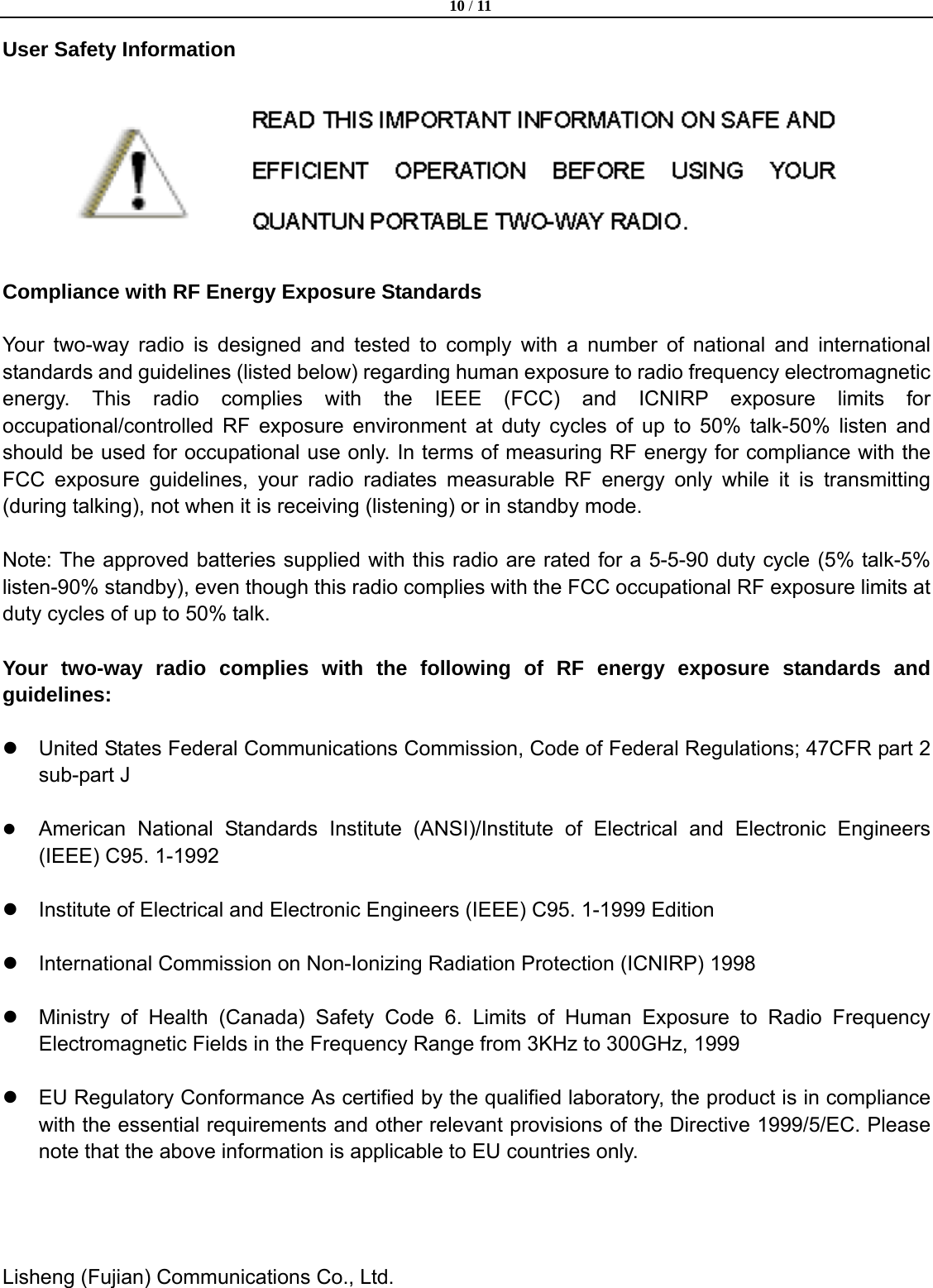
 10 / 11  Lisheng (Fujian) Communications Co., Ltd.               User Safety Information      Compliance with RF Energy Exposure Standards  Your two-way radio is designed and tested to comply with a number of national and international standards and guidelines (listed below) regarding human exposure to radio frequency electromagnetic energy. This radio complies with the IEEE (FCC) and ICNIRP exposure limits for occupational/controlled RF exposure environment at duty cycles of up to 50% talk-50% listen and should be used for occupational use only. In terms of measuring RF energy for compliance with the FCC exposure guidelines, your radio radiates measurable RF energy only while it is transmitting (during talking), not when it is receiving (listening) or in standby mode.  Note: The approved batteries supplied with this radio are rated for a 5-5-90 duty cycle (5% talk-5% listen-90% standby), even though this radio complies with the FCC occupational RF exposure limits at duty cycles of up to 50% talk.  Your two-way radio complies with the following of RF energy exposure standards and guidelines:  z  United States Federal Communications Commission, Code of Federal Regulations; 47CFR part 2 sub-part J  z American National Standards Institute (ANSI)/Institute of Electrical and Electronic Engineers (IEEE) C95. 1-1992   z  Institute of Electrical and Electronic Engineers (IEEE) C95. 1-1999 Edition  z  International Commission on Non-Ionizing Radiation Protection (ICNIRP) 1998  z  Ministry of Health (Canada) Safety Code 6. Limits of Human Exposure to Radio Frequency Electromagnetic Fields in the Frequency Range from 3KHz to 300GHz, 1999  z  EU Regulatory Conformance As certified by the qualified laboratory, the product is in compliance with the essential requirements and other relevant provisions of the Directive 1999/5/EC. Please note that the above information is applicable to EU countries only.
 11 / 11  Lisheng (Fujian) Communications Co., Ltd.               Precation and Notices z  Government law prohibits the operation of unlicensed radio transmitters. Illegal operation is punishable by fine or imprisonment Of both.  z  To avoid problem caused by electromagnetic interference and electromagnetic compatibility, please turn off the transceiver at the sites where you are required, such as hospital, airplane etc.  z  In the vehicle equipped with air bag safety, don't put the transceiver within the scope of the air bag inflation.  z  Please turn off the transceiver before step into the inflammable and explosive places.      z  Don't transmit for a long time, it may damage the transceiver or it may cause scald.      z  Don't use the transceiver which antenna is damaged or else when the exposed metal touch the skin, it may cause scald also.  z  Don't expose the transceiver to long periods of direct sunlight, nor place it close to heating appliances.    z  If belt the transceiver on with belt clip, please notice that the distance Between body and antenna should be more than 5cm when transmitting.      z  If an abnormal odor or smoke is detected coming from the transceiver, switch OFF the power immediately and remove the optional battery pack from the transceiver. Contact our dealer nearby.

Navigation menu