Lumi United Technology ZHWG11LM Hub User Manual Aqara Hub

Lumi United Technology Co., Ltd Hub Aqara Hub

Users Manual

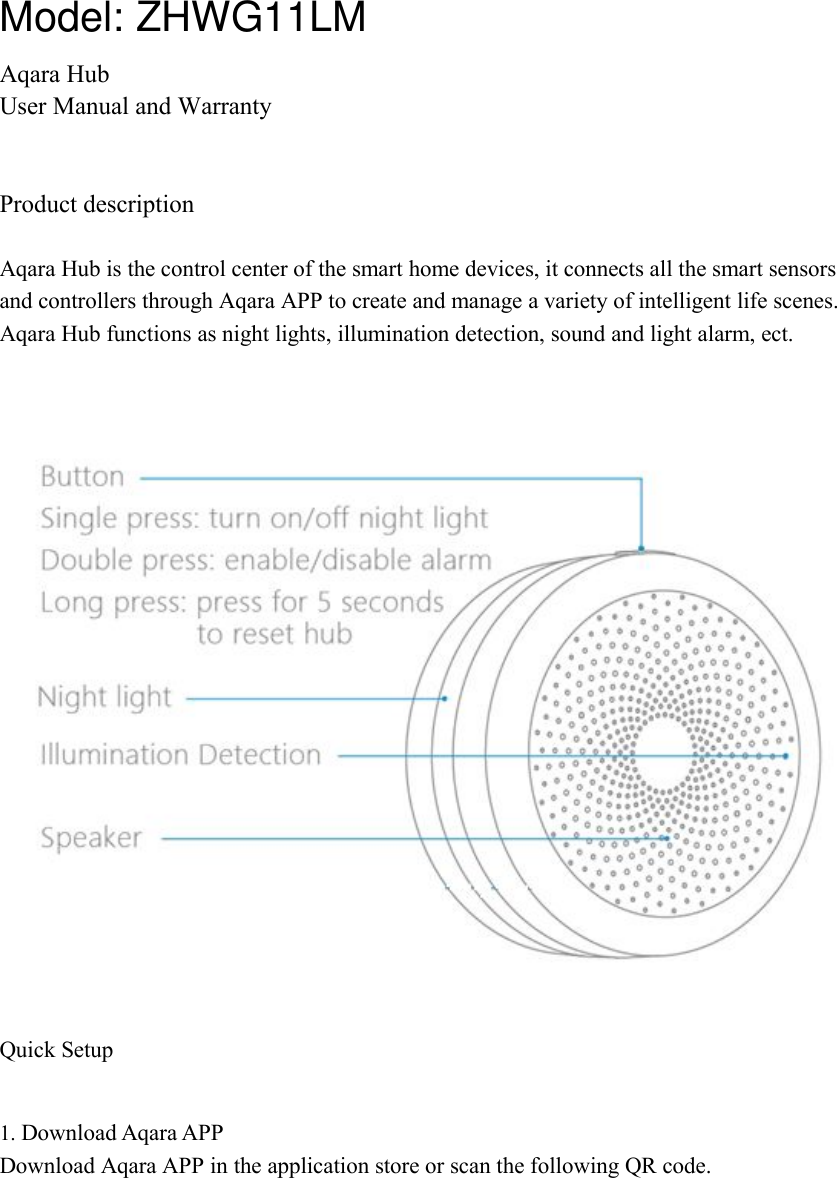
Aqara HubUser Manual and WarrantyProduct descriptionAqara Hub is the control center of the smart home devices, it connects all the smart sensorsand controllers through Aqara APP to create and manage a variety of intelligent life scenes.Aqara Hub functions as night lights, illumination detection, sound and light alarm, ect.Quick Setup1. Download Aqara APPDownload Aqara APP in the application store or scan the following QR code.Model: ZHWG11LM
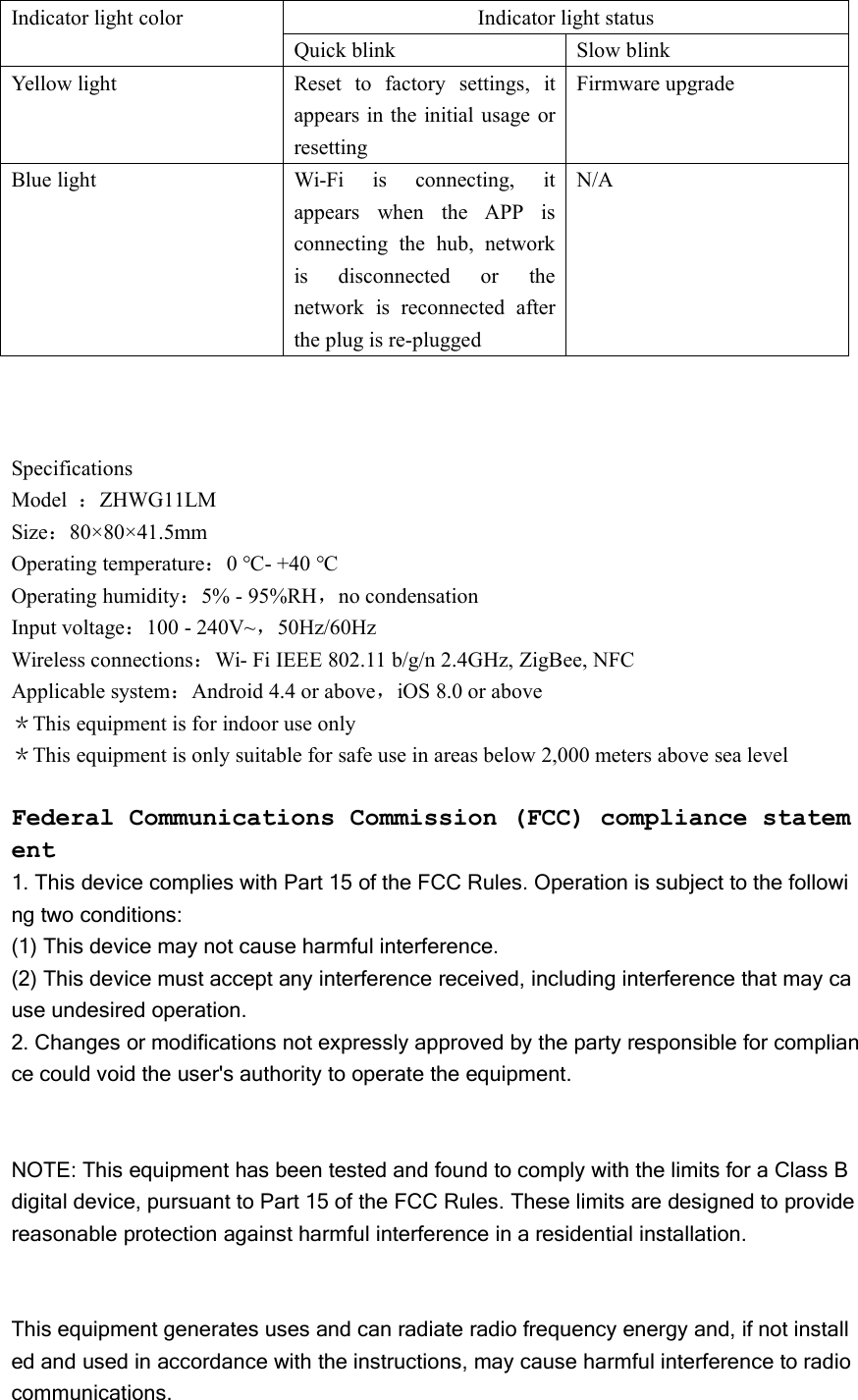
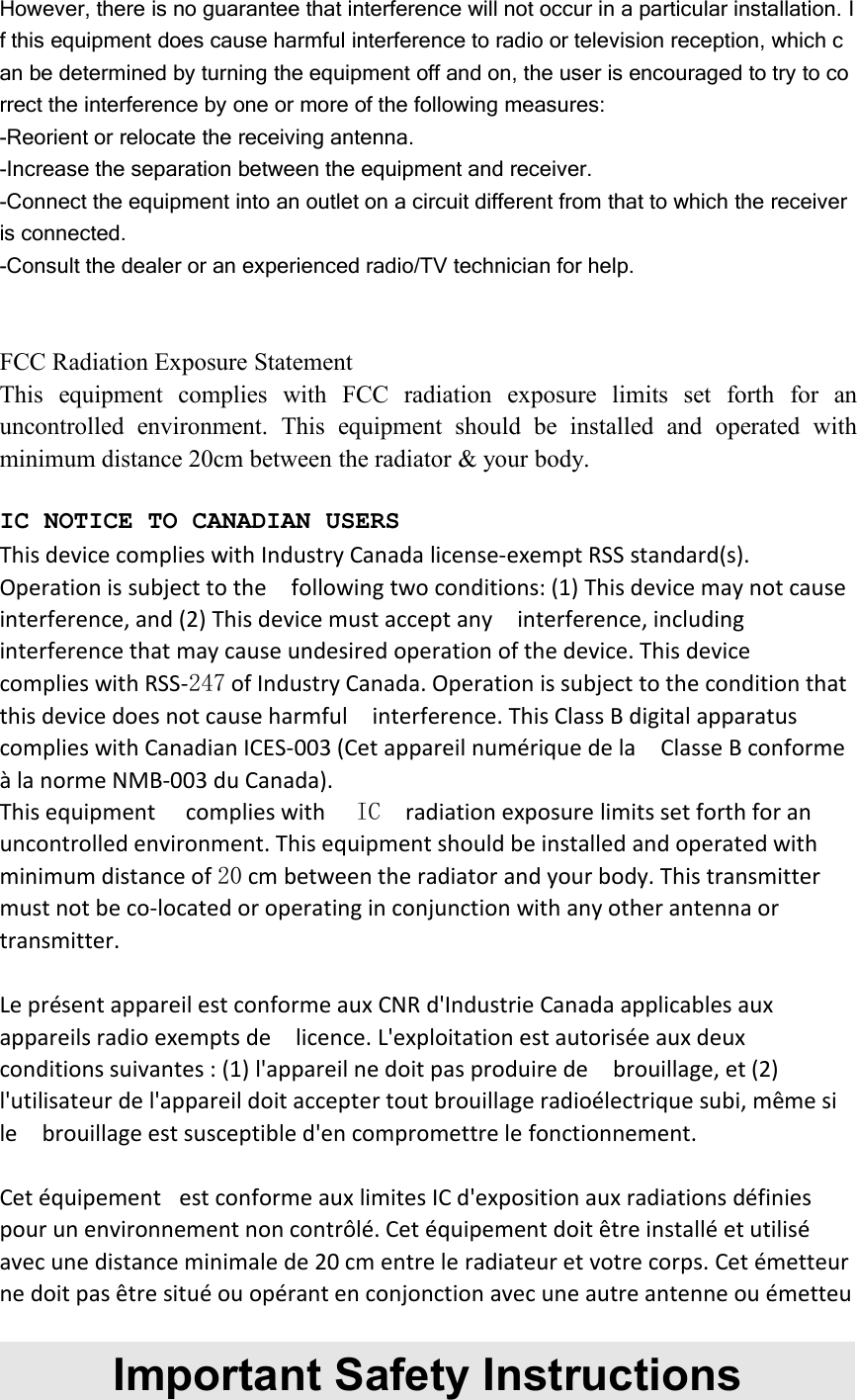
More smart devices info, please visit aqara.com2. Connect new devicesPlug in the hub, make sure it connects to 2.4GHz Wi-FiOpen Aqara APP, go to “Device List”, click “+” on the top right to add devices, choose Aqara huband follow the instructions.* Please keep your phone close to the hub for connectivity convenience, and make sure yourphone and hub connect to the same Wi-Fi.If connection failed, press the button on the hub for 5 seconds until a yellow light blinks toreconnect the hub.Follow the instruction in the user manual to add devices after the hub is ready. You can view thedevice list under the hub and set up the automation scenes.InstallationThe hub must be placed close to the router, 2 to 6 meters for ideal transmission.Indicator Light Description
Indicator light colorIndicator light statusQuick blinkSlow blinkYellow lightReset to factory settings, itappears in the initial usage orresettingFirmware upgradeBlue lightWi-Fi is connecting, itappears when the APP isconnecting the hub, networkis disconnected or thenetwork is reconnected afterthe plug is re-pluggedN/ASpecificationsModel :ZHWG11LMSize:80×80×41.5mmOperating temperature:0 ℃- +40 ℃Operating humidity:5% - 95%RH,no condensationInput voltage:100 - 240V~,50Hz/60HzWireless connections:Wi- Fi IEEE 802.11 b/g/n 2.4GHz, ZigBee, NFCApplicable system:Android 4.4 or above,iOS 8.0 or above*This equipment is for indoor use only*This equipment is only suitable for safe use in areas below 2,000 meters above sea levelFederal Communications Commission (FCC) compliance statement1. This device complies with Part 15 of the FCC Rules. Operation is subject to the following two conditions:(1) This device may not cause harmful interference.(2) This device must accept any interference received, including interference that may cause undesired operation.2. Changes or modifications not expressly approved by the party responsible for compliance could void the user's authority to operate the equipment.NOTE: This equipment has been tested and found to comply with the limits for a Class Bdigital device, pursuant to Part 15 of the FCC Rules. These limits are designed to providereasonable protection against harmful interference in a residential installation.This equipment generates uses and can radiate radio frequency energy and, if not installed and used in accordance with the instructions, may cause harmful interference to radiocommunications.
However, there is no guarantee that interference will not occur in a particular installation. If this equipment does cause harmful interference to radio or television reception, which can be determined by turning the equipment off and on, the user is encouraged to try to correct the interference by one or more of the following measures:-Reorient or relocate the receiving antenna.-Increase the separation between the equipment and receiver.-Connect the equipment into an outlet on a circuit different from that to which the receiveris connected.-Consult the dealer or an experienced radio/TV technician for help.FCC Radiation Exposure StatementThis equipment complies with FCC radiation exposure limits set forth for anuncontrolled environment. This equipment should be installed and operated withminimum distance 20cm between the radiator & your body.IC NOTICE TO CANADIAN USERSThis device complies with Industry Canada license-exempt RSS standard(s).Operation is subject to the following two conditions: (1) This device may not causeinterference, and (2) This device must accept any interference, includinginterference that may cause undesired operation of the device. This devicecomplies with RSS-247 of Industry Canada. Operation is subject to the condition thatthis device does not cause harmful interference. This Class B digital apparatuscomplies with Canadian ICES-003 (Cet appareil numérique de la Classe B conformeà la norme NMB-003 du Canada).This equipment complies with IC radiation exposure limits set forth for anuncontrolled environment. This equipment should be installed and operated withminimum distance of 20 cm between the radiator and your body. This transmittermust not be co-located or operating in conjunction with any other antenna ortransmitter.Le présent appareil est conforme aux CNR d'Industrie Canada applicables auxappareils radio exempts de licence. L'exploitation est autorisée aux deuxconditions suivantes : (1) l'appareil ne doit pas produire de brouillage, et (2)l'utilisateur de l'appareil doit accepter tout brouillage radioélectrique subi, même sile brouillage est susceptible d'en compromettre le fonctionnement.Cet équipement est conforme aux limites IC d'exposition aux radiations définiespour un environnement non contrôlé. Cet équipement doit être installé et utiliséavec une distance minimale de 20 cm entre le radiateur et votre corps. Cet émetteurne doit pas être situé ou opérant en conjonction avec une autre antenne ou émetteuImportant Safety Instructions
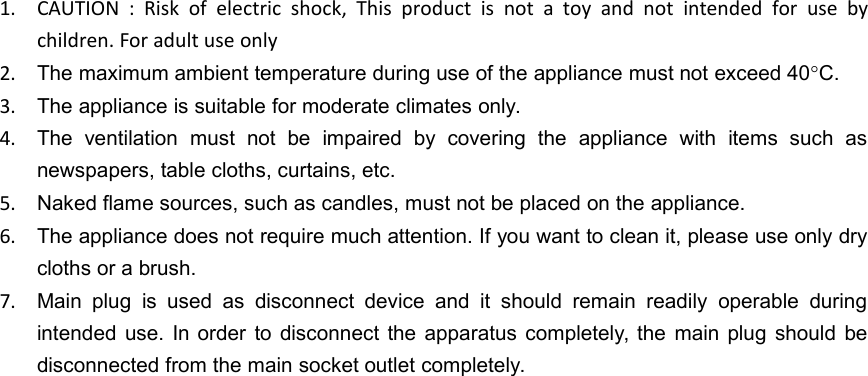
1. CAUTION : Risk of electric shock, This product is not a toy and not intended for use bychildren. For adult use only2. The maximum ambient temperature during use of the appliance must not exceed 40C.3. The appliance is suitable for moderate climates only.4. The ventilation must not be impaired by covering the appliance with items such asnewspapers, table cloths, curtains, etc.5. Naked flame sources, such as candles, must not be placed on the appliance.6. The appliance does not require much attention. If you want to clean it, please use only drycloths or a brush.7. Main plug is used as disconnect device and it should remain readily operable duringintended use. In order to disconnect the apparatus completely, the main plug should bedisconnected from the main socket outlet completely.

Navigation menu