LumiraDx RFM LumiraDX Wireless Module User Manual WirelessAdapterManual copy
LumiraDx LumiraDX Wireless Module WirelessAdapterManual copy
LumiraDx >
User Manual rev1

LumiraDx Wireless Adapter
User Guide
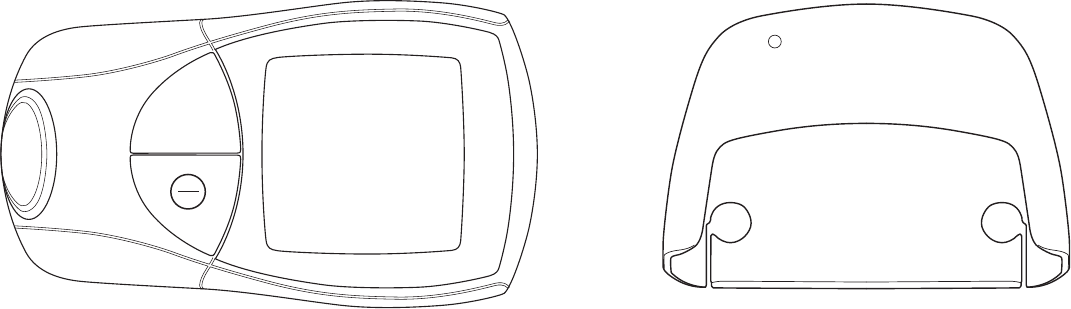
Included in This Kit
INR Meter LumiraDX Wireless Adapter
1
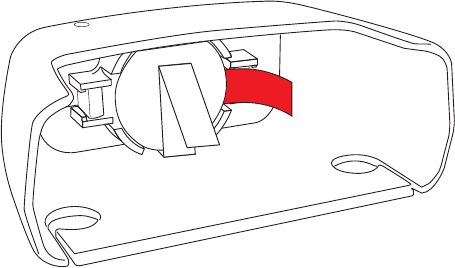
Remove the red tab from the battery inside the LumiraDx
Wireless Adapter.
Step 1:
2
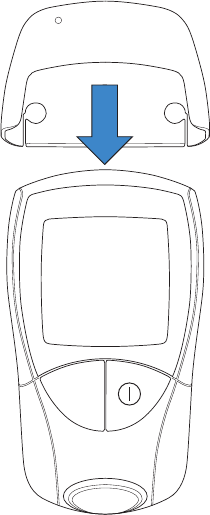
Attach the wireless adapter to the top INR Meter, ensuring
it clicks into place.
Step 2:
3
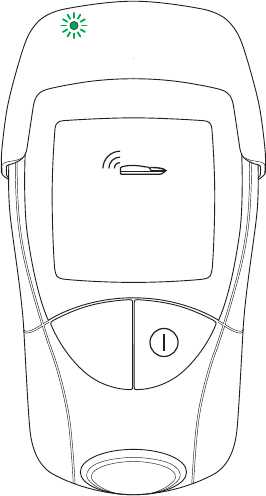
Once attached, press the power button to power on the
INR Meter. The green light on the Wireless Adapter will
blink green to signify that the devices have successfully
connected with one another, and the screen on the INR
Meter will display the infrared connection icon.
Step 3:
4

This equipment has been tested and found to comply with the limits for a Class B digital device, pursuant to Part 15 of the FCC Rules. These limits are designed to
provide reasonable protection against harmful interference in a residential installation. This equipment generates uses and can radiate radio frequency energy
and, if not installed and used in accordance with the instructions, may cause harmful interference to radio communications. However, there is no guarantee that
interference will not occur in a particular installation. If this equipment does cause harmful interference to radio or television reception, which can be determined
by turning the equipment off and on, the user is encouraged to try to correct the interference by one of the following measures:
- Reorient or relocate the receiving antenna.
- Increase the separation between the equipment and receiver.
- Connect the equipment into an outlet on a circuit different from that to which the receiver is connected.
- Consult the dealer or an experienced radio/TV technician for help.
This device complies with Part 15 of the FCC Rules. Operation is subject to the following two conditions: (1) This device may not cause harmful interference, and
(2) this device must accept any interference received, including interference that may cause undesired operation.
FCC Caution: Any changes or modifications not expressly approved by the party responsible for compliance could void the user's authority to operate this
equipment.
Warning Statement:
5
WARNING!
FCC RF Radiation Exposure Statement: This module complies with FCC’s RF radiation exposure limits set forth for general population/uncontrolled environment.
To maintain compliance, this module must not be co-located or operating in conjunction with any other antenna or transmitter.
This transmitter module is authorized to be used in other devices only by OEM further transmitter testing will not be required. However, the OEM integrator is
still responsible for testing their end-product for any additional compliance requirements required with this module installed (for example, digital device
emissions, PC peripheral requirements, etc.).
The OEM integrator has to be aware not to provide information to the end user regarding how to install or remove this RF module in the user manual of the end
product.
The user manual for the end product must include the following information in a prominent location;
“To comply with FCC’s RF radiation exposure requirements, the antenna(s) used for this transmitter module must not be co-located or operating in conjunction
with any other antenna or transmitter.”
End Product Labeling:
The final end product must be labeled in a visible area with the following: “Contains FCC ID: 2AI9JRFM”
6