MAXXSONICS USA 2636364S Multimedia player User Manual

MAXXSONICS USA INC Multimedia player

User Manual

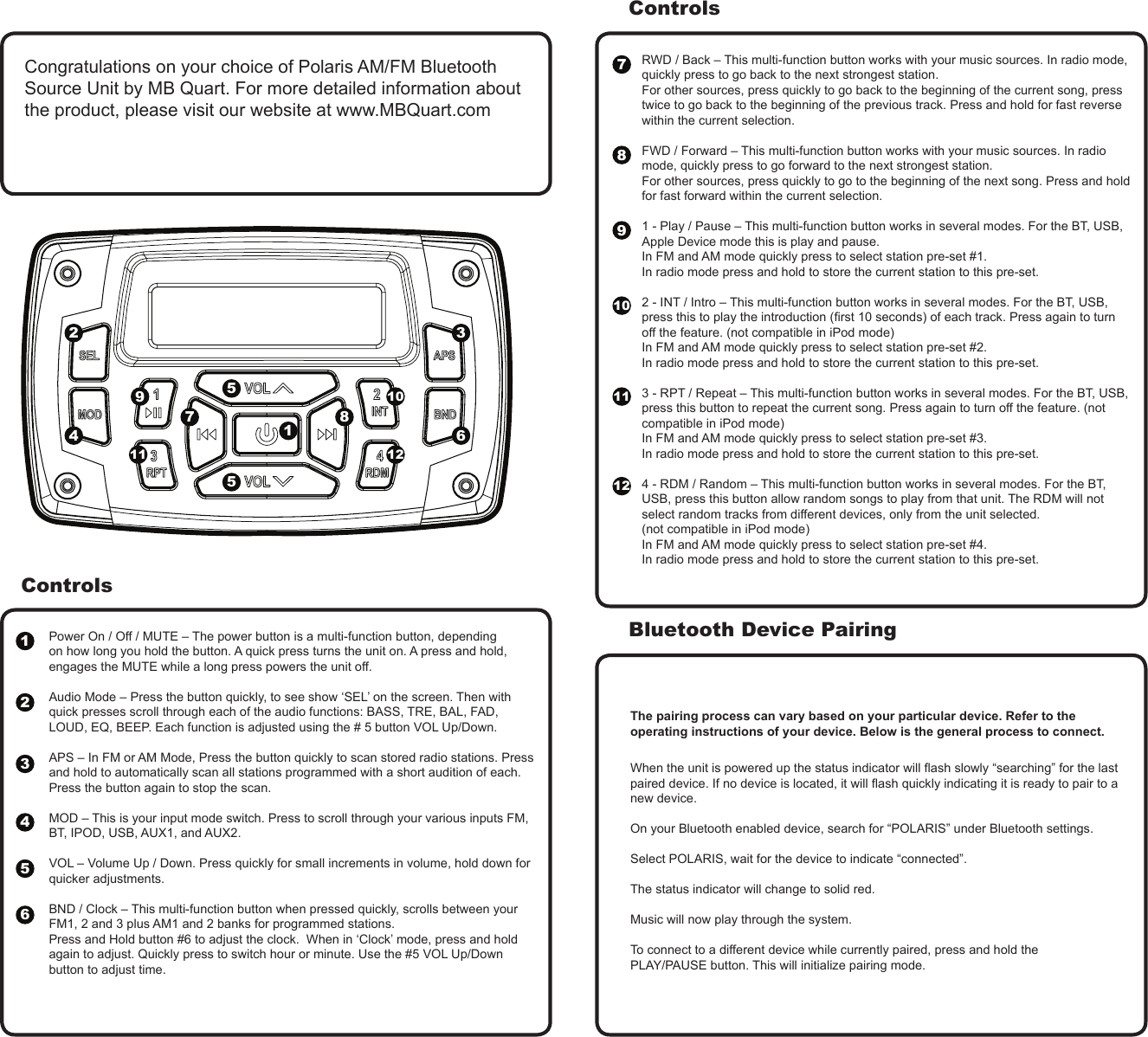
ControlsPower On / Off / MUTE – The power button is a multi-function button, depending on how long you hold the button. A quick press turns the unit on. A press and hold, engages the MUTE while a long press powers the unit off.  Audio Mode – Press the button quickly, to see show ‘SEL’ on the screen. Then with quick presses scroll through each of the audio functions: BASS, TRE, BAL, FAD, LOUD, EQ, BEEP. Each function is adjusted using the # 5 button VOL Up/Down.APS – In FM or AM Mode, Press the button quickly to scan stored radio stations. Press and hold to automatically scan all stations programmed with a short audition of each. Press the button again to stop the scan. MOD – This is your input mode switch. Press to scroll through your various inputs FM, BT, IPOD, USB, AUX1, and AUX2.VOL – Volume Up / Down. Press quickly for small increments in volume, hold down for quicker adjustments.  BND / Clock – This multi-function button when pressed quickly, scrolls between your FM1, 2 and 3 plus AM1 and 2 banks for programmed stations. Press and Hold button #6 to adjust the clock.  When in ‘Clock’ mode, press and hold again to adjust. Quickly press to switch hour or minute. Use the #5 VOL Up/Down button to adjust time.RWD / Back – This multi-function button works with your music sources. In radio mode, quickly press to go back to the next strongest station. For other sources, press quickly to go back to the beginning of the current song, press twice to go back to the beginning of the previous track. Press and hold for fast reverse within the current selection.  FWD / Forward – This multi-function button works with your music sources. In radio mode, quickly press to go forward to the next strongest station. For other sources, press quickly to go to the beginning of the next song. Press and hold for fast forward within the current selection.  1 - Play / Pause – This multi-function button works in several modes. For the BT, USB, Apple Device mode this is play and pause. In FM and AM mode quickly press to select station pre-set #1. In radio mode press and hold to store the current station to this pre-set. 2 - INT / Intro – This multi-function button works in several modes. For the BT, USB, press this to play the introduction (rst 10 seconds) of each track. Press again to turn off the feature. (not compatible in iPod mode)  In FM and AM mode quickly press to select station pre-set #2. In radio mode press and hold to store the current station to this pre-set. 3 - RPT / Repeat – This multi-function button works in several modes. For the BT, USB, press this button to repeat the current song. Press again to turn off the feature. (not compatible in iPod mode)  In FM and AM mode quickly press to select station pre-set #3. In radio mode press and hold to store the current station to this pre-set. 4 - RDM / Random – This multi-function button works in several modes. For the BT, USB, press this button allow random songs to play from that unit. The RDM will not select random tracks from different devices, only from the unit selected. (not compatible in iPod mode)In FM and AM mode quickly press to select station pre-set #4. In radio mode press and hold to store the current station to this pre-set.When the unit is powered up the status indicator will ash slowly “searching” for the last paired device. If no device is located, it will ash quickly indicating it is ready to pair to a new device.On your Bluetooth enabled device, search for “POLARIS” under Bluetooth settings.Select POLARIS, wait for the device to indicate “connected”.The status indicator will change to solid red.Music will now play through the system.To connect to a different device while currently paired, press and hold thePLAY/PAUSE button. This will initialize pairing mode.ControlsBluetooth Device Pairing123456The pairing process can vary based on your particular device. Refer to the operating instructions of your device. Below is the general process to connect.Congratulations on your choice of Polaris AM/FM Bluetooth Source Unit by MB Quart. For more detailed information about the product, please visit our website at www.MBQuart.com31245567788991010 11111212
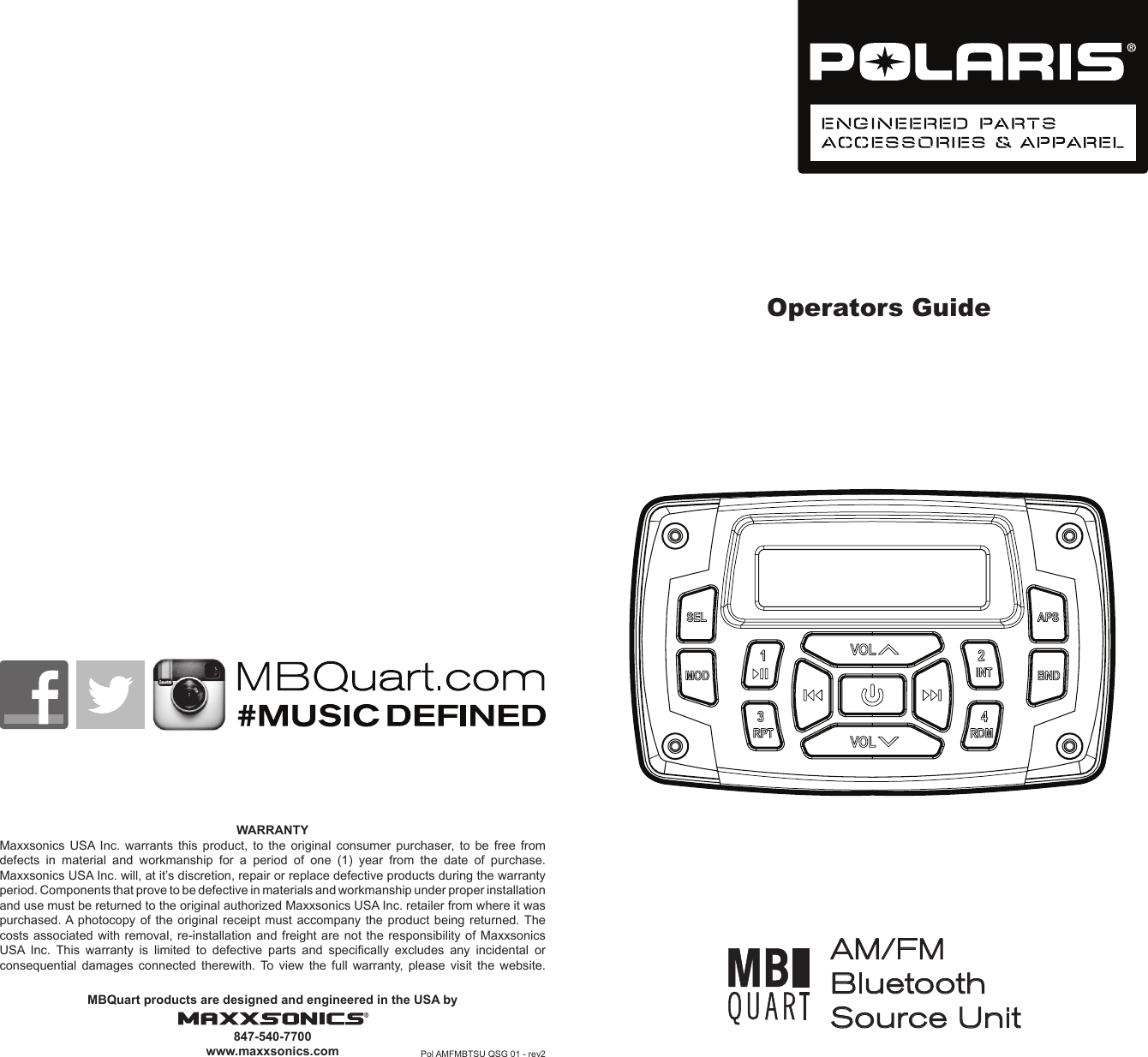
Operators GuideWARRANTYMaxxsonics USA Inc. warrants this product, to the original consumer purchaser, to be free from defects  in  material  and  workmanship  for  a  period  of  one  (1)  year  from  the  date  of  purchase.Maxxsonics USA Inc. will, at it’s discretion, repair or replace defective products during the warranty period. Components that prove to be defective in materials and workmanship under proper installation and use must be returned to the original authorized Maxxsonics USA Inc. retailer from where it was purchased. A photocopy of the original receipt must accompany the product being returned. The costs associated with removal, re-installation and freight are not the responsibility of Maxxsonics USA  Inc.  This  warranty  is  limited  to  defective  parts  and  specically  excludes  any  incidental  or consequential damages connected therewith. To view the full warranty, please visit the website.MBQuart products are designed and engineered in the USA by847-540-7700www.maxxsonics.com Pol AMFMBTSU QSG 01 - rev2AM/FM Bluetooth Source Unit
 FCC Caution: This device complies with part 15 of the FCC Rules. Operation is subject to the following two conditions: (1) This device may not cause harmful interference, and (2) this device must accept any interference received, including interference that may cause undesired operation.  Any Changes or modifications not expressly approved by the party responsible for compliance could void the user's authority to operate the equipment.  Note: This equipment has been tested and found to comply with the limits for a Class B digital device, pursuant to part 15 of the FCC Rules. These limits are designed to provide reasonable protection against harmful interference in a residential installation. This equipment generates uses and can radiate radio frequency energy and, if not installed and used in accordance with the instructions, may cause harmful interference to radio communications. However, there is no guarantee that interference will not occur in a particular installation. If this equipment does cause harmful interference to radio or television reception, which can be determined by turning the equipment off and on, the user is encouraged to try to correct the interference by one or more of the following measures: -Reorient or relocate the receiving antenna. -Increase the separation between the equipment and receiver. -Connect the equipment into an outlet on a circuit different from that to which the receiver is connected. -Consult the dealer or an experienced radio/TV technician for help.

Navigation menu