MEERA MS300BT Bluetooth Mini Speaker User Manual FY 21BT

MEERA INTERNATIONAL LIMITED Bluetooth Mini Speaker FY 21BT

User Manual

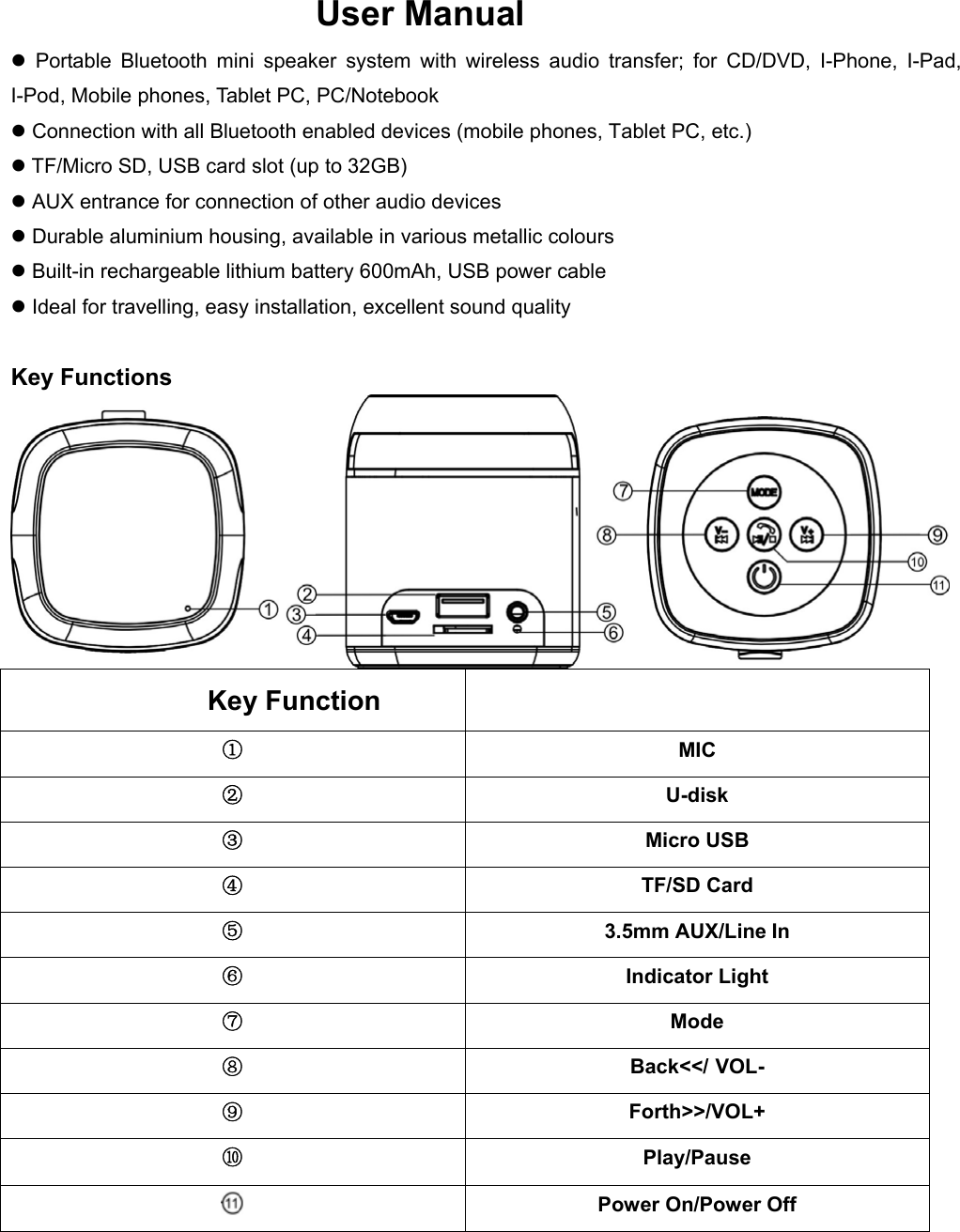
 User Manual      Portable Bluetooth mini speaker system with wireless audio transfer; for CD/DVD, I-Phone, I-Pad, I-Pod, Mobile phones, Tablet PC, PC/Notebook  Connection with all Bluetooth enabled devices (mobile phones, Tablet PC, etc.)  TF/Micro SD, USB card slot (up to 32GB)  AUX entrance for connection of other audio devices  Durable aluminium housing, available in various metallic colours  Built-in rechargeable lithium battery 600mAh, USB power cable  Ideal for travelling, easy installation, excellent sound quality  Key Functions  Key Function ① MIC ② U-disk ③ Micro USB ④ TF/SD Card ⑤ 3.5mm AUX/Line In ⑥ Indicator Light ⑦ Mode ⑧ Back<</ VOL- ⑨ Forth>>/VOL+ ⑩ Play/Pause  Power On/Power Off
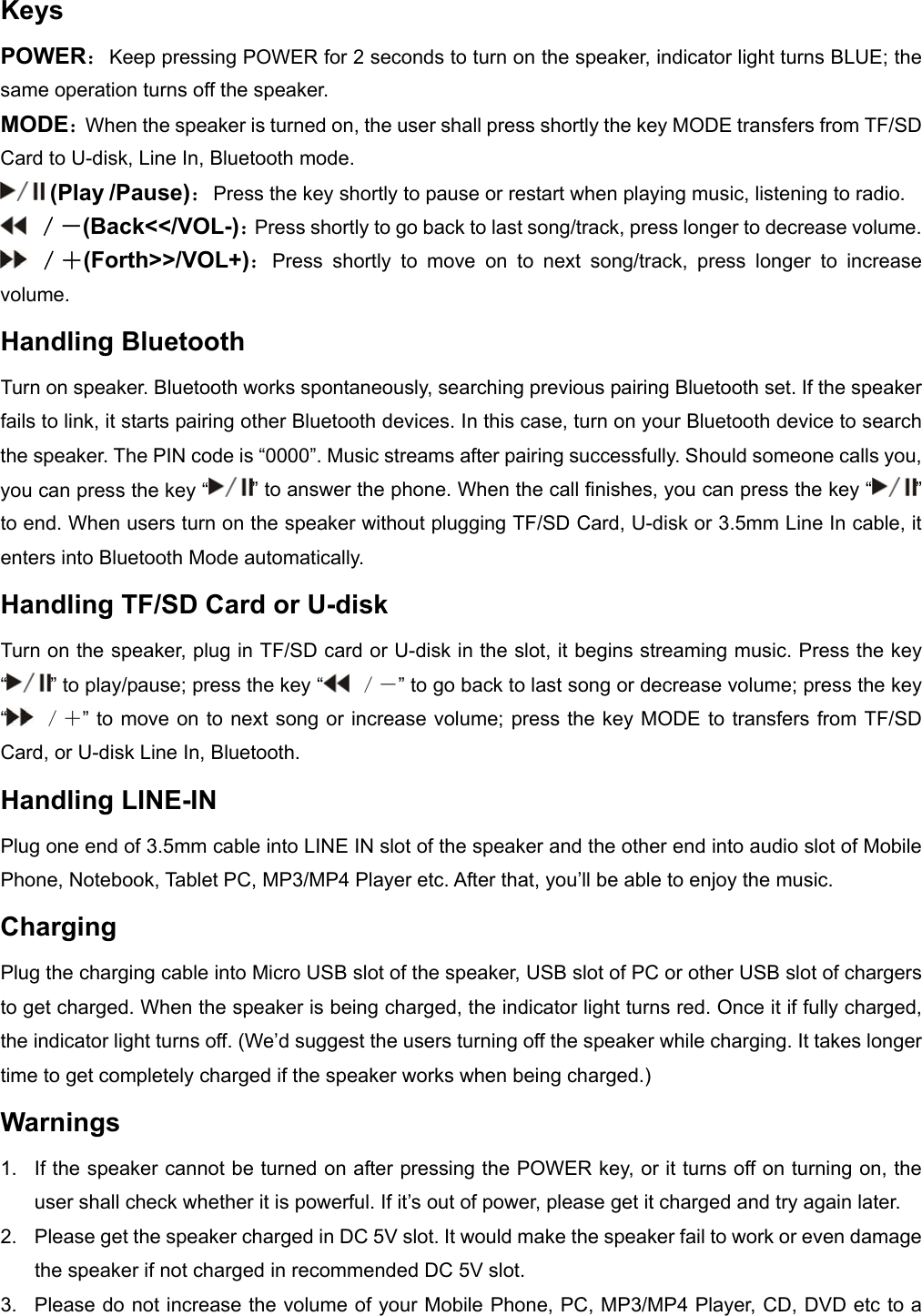
Keys POWER:Keep pressing POWER for 2 seconds to turn on the speaker, indicator light turns BLUE; the same operation turns off the speaker. MODE:When the speaker is turned on, the user shall press shortly the key MODE transfers from TF/SD Card to U-disk, Line In, Bluetooth mode.  (Play /Pause):Press the key shortly to pause or restart when playing music, listening to radio.  /-(Back<</VOL-):Press shortly to go back to last song/track, press longer to decrease volume.  /+(Forth>>/VOL+):Press shortly to move on to next song/track, press longer to increase volume. Handling Bluetooth      Turn on speaker. Bluetooth works spontaneously, searching previous pairing Bluetooth set. If the speaker fails to link, it starts pairing other Bluetooth devices. In this case, turn on your Bluetooth device to search the speaker. The PIN code is “0000”. Music streams after pairing successfully. Should someone calls you, you can press the key “ ” to answer the phone. When the call finishes, you can press the key “ ” to end. When users turn on the speaker without plugging TF/SD Card, U-disk or 3.5mm Line In cable, it enters into Bluetooth Mode automatically. Handling TF/SD Card or U-disk Turn on the speaker, plug in TF/SD card or U-disk in the slot, it begins streaming music. Press the key “” to play/pause; press the key “  /-” to go back to last song or decrease volume; press the key “ /+” to move on to next song or increase volume; press the key MODE to transfers from TF/SD Card, or U-disk Line In, Bluetooth. Handling LINE-IN Plug one end of 3.5mm cable into LINE IN slot of the speaker and the other end into audio slot of Mobile Phone, Notebook, Tablet PC, MP3/MP4 Player etc. After that, you’ll be able to enjoy the music. Charging  Plug the charging cable into Micro USB slot of the speaker, USB slot of PC or other USB slot of chargers to get charged. When the speaker is being charged, the indicator light turns red. Once it if fully charged, the indicator light turns off. (We’d suggest the users turning off the speaker while charging. It takes longer time to get completely charged if the speaker works when being charged.)   Warnings 1.  If the speaker cannot be turned on after pressing the POWER key, or it turns off on turning on, the user shall check whether it is powerful. If it’s out of power, please get it charged and try again later.   2.  Please get the speaker charged in DC 5V slot. It would make the speaker fail to work or even damage the speaker if not charged in recommended DC 5V slot. 3.  Please do not increase the volume of your Mobile Phone, PC, MP3/MP4 Player, CD, DVD etc to a
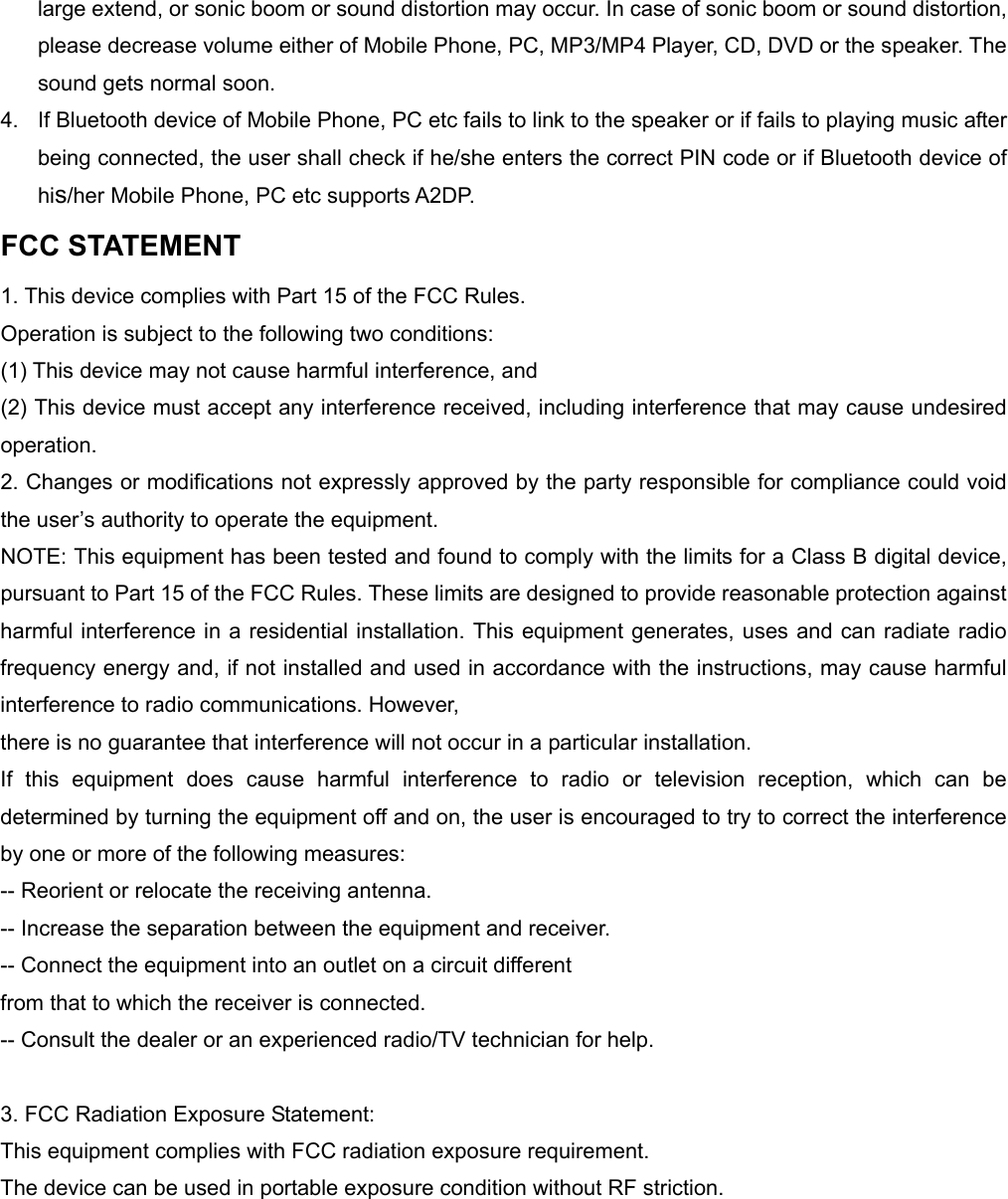
large extend, or sonic boom or sound distortion may occur. In case of sonic boom or sound distortion, please decrease volume either of Mobile Phone, PC, MP3/MP4 Player, CD, DVD or the speaker. The sound gets normal soon. 4.  If Bluetooth device of Mobile Phone, PC etc fails to link to the speaker or if fails to playing music after being connected, the user shall check if he/she enters the correct PIN code or if Bluetooth device of his/her Mobile Phone, PC etc supports A2DP. FCC STATEMENT 1. This device complies with Part 15 of the FCC Rules. Operation is subject to the following two conditions: (1) This device may not cause harmful interference, and (2) This device must accept any interference received, including interference that may cause undesired operation. 2. Changes or modifications not expressly approved by the party responsible for compliance could void the user’s authority to operate the equipment. NOTE: This equipment has been tested and found to comply with the limits for a Class B digital device, pursuant to Part 15 of the FCC Rules. These limits are designed to provide reasonable protection against harmful interference in a residential installation. This equipment generates, uses and can radiate radio frequency energy and, if not installed and used in accordance with the instructions, may cause harmful interference to radio communications. However, there is no guarantee that interference will not occur in a particular installation. If this equipment does cause harmful interference to radio or television reception, which can be determined by turning the equipment off and on, the user is encouraged to try to correct the interference by one or more of the following measures: -- Reorient or relocate the receiving antenna. -- Increase the separation between the equipment and receiver. -- Connect the equipment into an outlet on a circuit different from that to which the receiver is connected. -- Consult the dealer or an experienced radio/TV technician for help.  3. FCC Radiation Exposure Statement: This equipment complies with FCC radiation exposure requirement. The device can be used in portable exposure condition without RF striction.
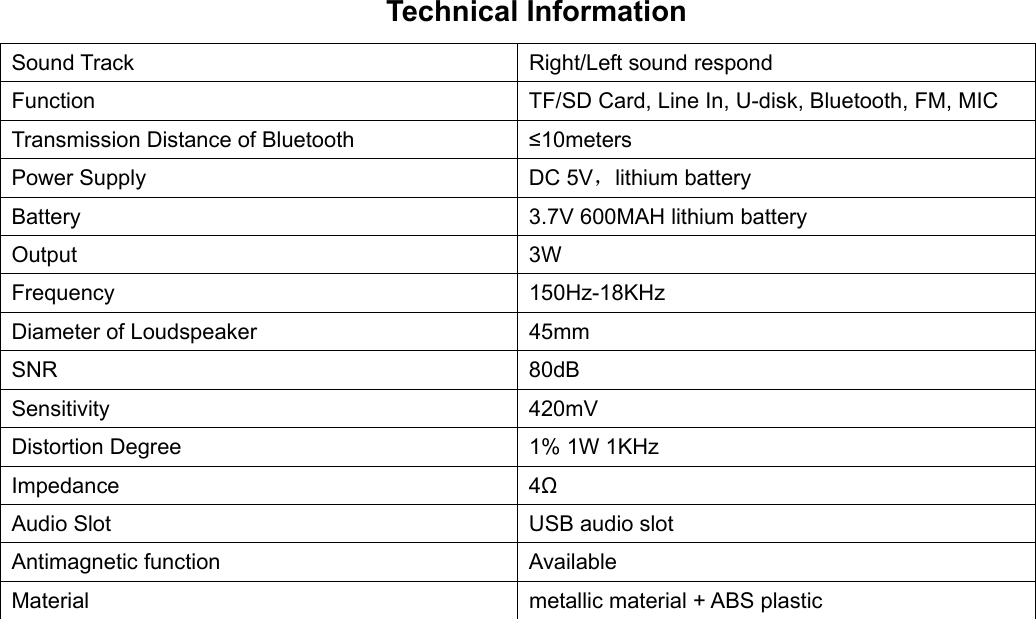
Technical Information Sound Track  Right/Left sound respond Function  TF/SD Card, Line In, U-disk, Bluetooth, FM, MIC Transmission Distance of Bluetooth  ≤10meters Power Supply  DC 5V,lithium battery Battery  3.7V 600MAH lithium battery Output 3W Frequency 150Hz-18KHz Diameter of Loudspeaker  45mm SNR 80dB Sensitivity 420mV Distortion Degree  1% 1W 1KHz Impedance 4Ω Audio Slot  USB audio slot Antimagnetic function  Available Material  metallic material + ABS plastic

Navigation menu